Week 06: Electronics Production
Task
The task was to characterize the design rules of the PCB mill in side of EDS. Separately, we were asked to submit one of our PCBs to a board house (like JLCPCB) to document that process
PCB Design Rules
The Test File
Benson in the EECS section prepared a few .gerber files to test the tolerances
of our BANTAM mill.
We tested 20x0.05 and 30x0.02 increments on both the 1/32in and 1/64in
endmills.
TODO: what is the min size and max size on these designs?
The complete code to generate these files, using a Python library for KiCad, is below:
import pcbnew

# ---- Parameters (mm) ----
NUM_TRACES = 20          # number of groups
TRACE_INCREMENT = 0.05   # main band width step per group
GROUP_WIDTH = 2.00       # main + both side bands
GROUP_PITCH = 2.50       # center-to-center spacing between groups
INITIAL_X = 100
INITIAL_Y = 50
BAND_HEIGHT = 5
LAYER = pcbnew.F_Cu
BORDER_MARGIN = 2.0      # clearance from traces to board edge
BORDER_LINE_WIDTH = 0.1


def make_border(board, x1, y1, x2, y2):
    rect = pcbnew.PCB_SHAPE(board)
    rect.SetShape(pcbnew.SHAPE_T_RECT)
    rect.SetStart(pcbnew.VECTOR2I(pcbnew.FromMM(x1), pcbnew.FromMM(y1)))
    rect.SetEnd(pcbnew.VECTOR2I(pcbnew.FromMM(x2), pcbnew.FromMM(y2)))
    rect.SetLayer(pcbnew.Edge_Cuts)
    rect.SetWidth(pcbnew.FromMM(BORDER_LINE_WIDTH))
    return rect


def make_track(board, width, start_x, start_y, end_x, end_y, layer=LAYER):
    track = pcbnew.PCB_TRACK(board)  # KiCad 6+: PCB_TRACK (TRACK was KiCad 5)
    track.SetStart(pcbnew.VECTOR2I(pcbnew.FromMM(start_x), pcbnew.FromMM(start_y)))
    track.SetEnd(pcbnew.VECTOR2I(pcbnew.FromMM(end_x), pcbnew.FromMM(end_y)))
    track.SetLayer(layer)
    track.SetWidth(pcbnew.FromMM(width))
    return track


def generate(board):
    for i in range(1, NUM_TRACES + 1):
        main_w = TRACE_INCREMENT * i
        side_w = (GROUP_WIDTH - main_w) / 2
        if side_w <= 0:
            print(f"GROUP {i}: skipped, main band fills whole group width")
            continue

        cx = INITIAL_X + i * GROUP_PITCH
        side_offset = main_w / 2 + side_w / 2

        tracks = [
            # main band: y0 -> y0 + h
            make_track(board, main_w, cx, INITIAL_Y, cx, INITIAL_Y + BAND_HEIGHT),
            # left side band: y0 - h -> y0
            make_track(board, side_w, cx - side_offset, INITIAL_Y - BAND_HEIGHT,
                       cx - side_offset, INITIAL_Y),
            # right side band: y0 - h -> y0
            make_track(board, side_w, cx + side_offset, INITIAL_Y - BAND_HEIGHT,
                       cx + side_offset, INITIAL_Y),
        ]
        for t in tracks:
            board.Add(t)  # KiCad 6+: Add() (AddTrack is gone)

        print(f"GROUP {i}: main {main_w:.3f} mm, sides {side_w:.3f} mm")

    # Outer extent of all groups (tracks have round caps, so the margin
    # also needs to cover the extra half-width past each endpoint)
    left = INITIAL_X + 1 * GROUP_PITCH - GROUP_WIDTH / 2
    right = INITIAL_X + NUM_TRACES * GROUP_PITCH + GROUP_WIDTH / 2
    top = INITIAL_Y - BAND_HEIGHT
    bottom = INITIAL_Y + BAND_HEIGHT

    board.Add(make_border(
        board,
        left - BORDER_MARGIN, top - BORDER_MARGIN,
        right + BORDER_MARGIN, bottom + BORDER_MARGIN,
    ))

    pcbnew.Refresh()


class WidthTestTracks(pcbnew.ActionPlugin):
    def defaults(self):
        self.name = "Width Test Tracks"
        self.category = "Generate"
        self.description = "Generate stepped-width test track groups"
        self.show_toolbar_button = False

    def Run(self):
        generate(pcbnew.GetBoard())


if __name__ == "__main__":
    # Run directly from the Scripting Console: exec(open("path/to/width_test_tracks.py").read())
    generate(pcbnew.GetBoard())
else:
    WidthTestTracks().register()
The Results
Benson tested the cuts in Metropolis, while Hector tested the cuts in EDS.
In Metropolis, three endmills were tested:
1/32in1/64in- Engraving bit (
1/2 mil)
In EDS, two endmills were tested:
1/32in1/64in
Below we document the process to prepare these in EDS.
We started by loading the three files to the BANTAM software. In EDS, we tested
the 20x0.05" files on both bits, and the 30x0.02" file on just the 1/64in
bit.
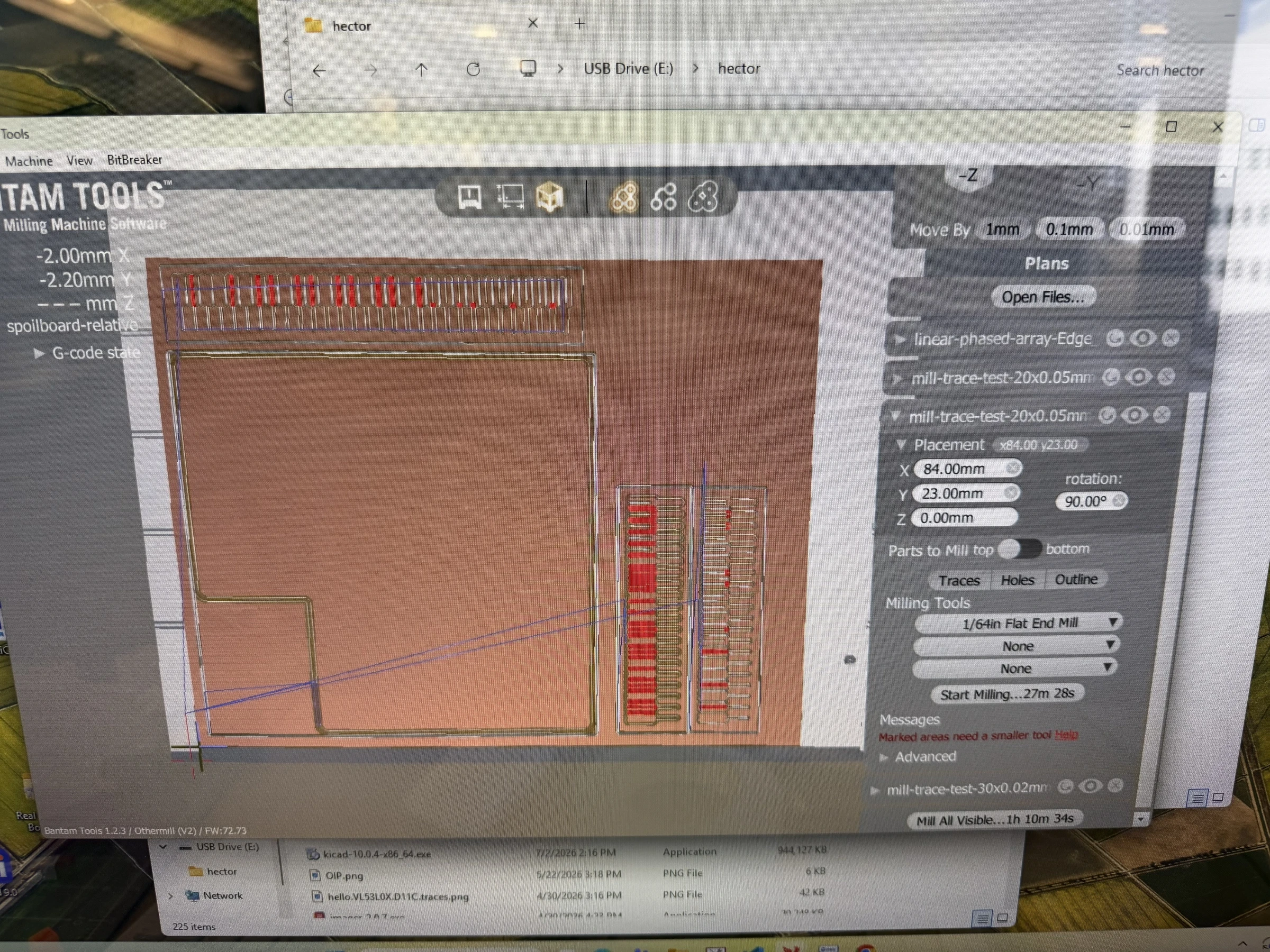 Figure 1: Three cuts loaded in EDS.
Here are the results:
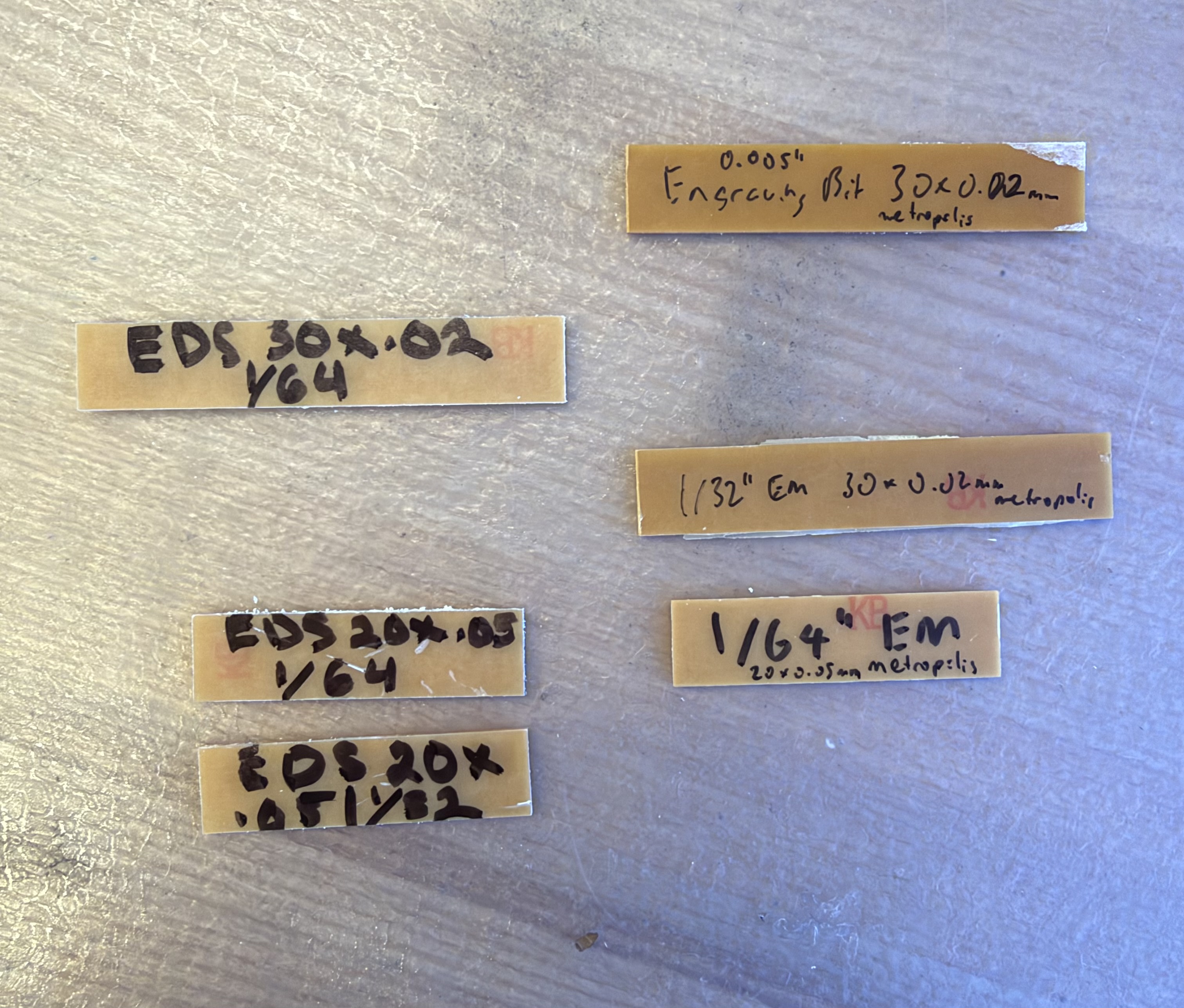
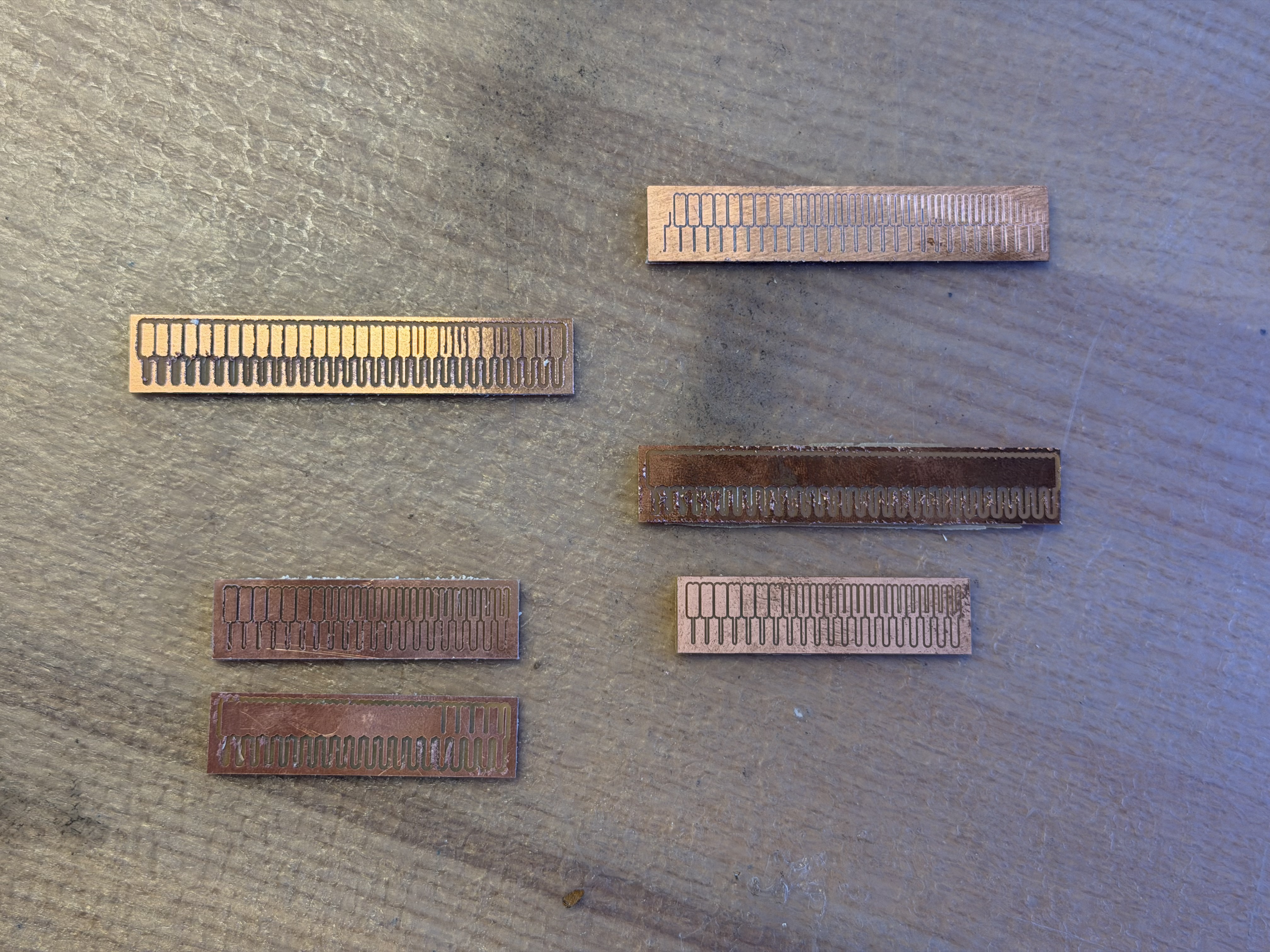
In EDS, the 1/32 endmill is unable to cut any of the center lines in the
20x0.05 design, whose maximum thickness is TODO:
The 1/64 endmill does a better job, starting to cut the center line at item 7,
which had a center line thickness of TODO:
We see unexpectedly varied behavior in the 1/64 + 30x0.02in design, seeing the
1/64 endmill handle item 20 successfully, not try 21, succeed on 22 and 23, not
try until 26, and then not try again until 29. Item 20 had a centerline width of
TODO:
We see that the cleanest cut came from Metropolis on the engraving bit, as is to be expected.
Design Constraints
Thus, we summarize our design constraints as follows: TODO: