Week 6: Electronics production
This week is about producing and testing a board. My plan was to produce Sparky, the spark generator board for my sinker EDM. I prepared everything so that JLCPCB can make and assemble the board, but in the end I decided to first mill and test smaller parts of it. The first part I tested is the interface to the linear stage, for this I made a simple XIAO board which only talks to the Zaber controller.
Sparky v1.3
Sparky is the controller and the spark generator of the EDM. The Pico 2 W is connected to the PC over USB, it moves the linear stage over RS-232 and it switches the spark circuit. The high voltage lab supply (0 to 60 V) charges a capacitor through a charge resistor, the capacitor then discharges over the gap between electrode and workpiece. Both, the capacitor and the resistor, can be selected in software. With three voltage dividers the Pico can measure the supply, the gap and the tool voltage.
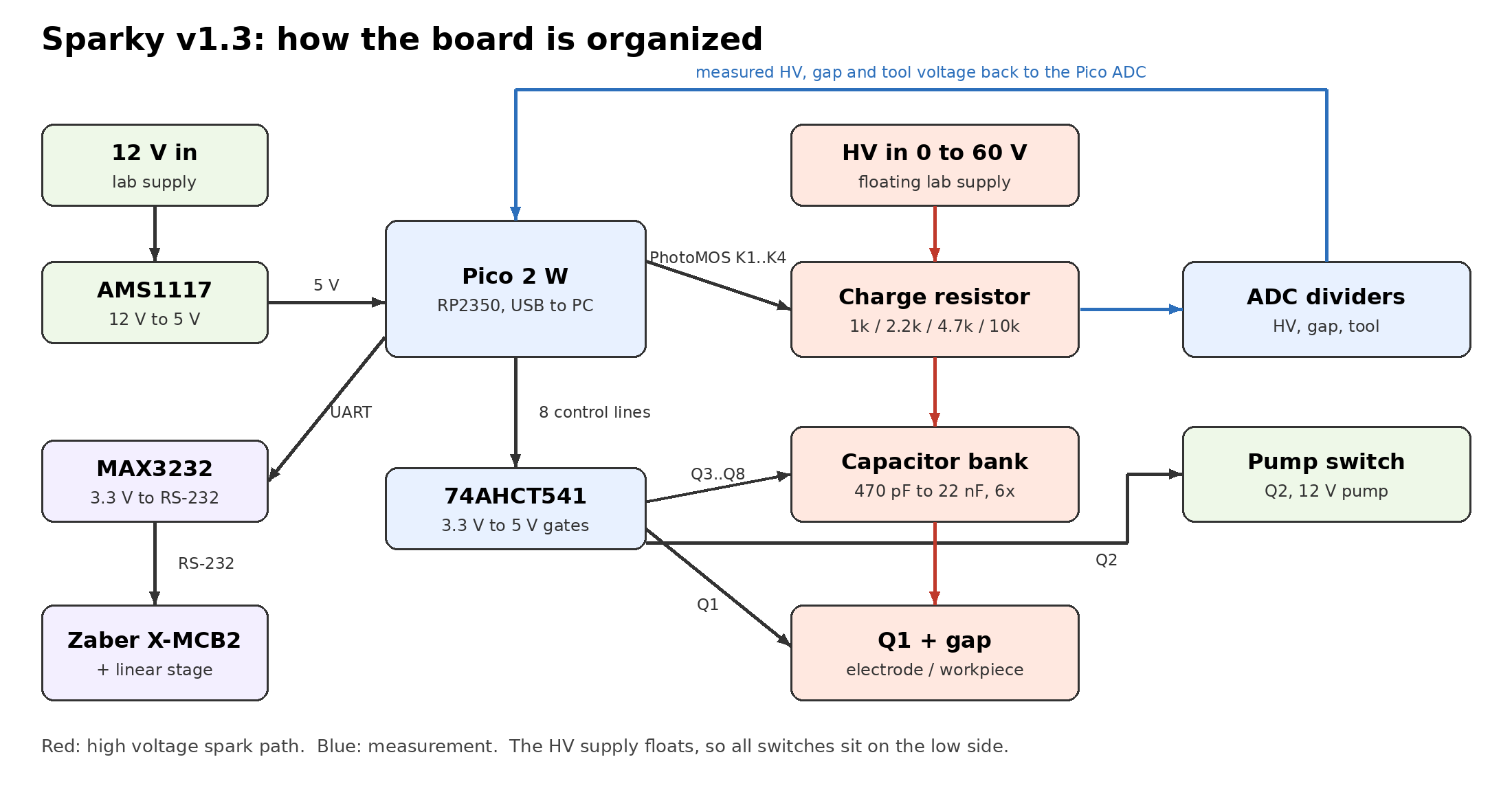
Compared to last week a lot changed. The three TC4427A gate drivers are gone, instead one 74AHCT541 buffer turns the 3.3 V signals of the Pico into 5 V gate signals, which is enough for logic level MOSFETs. The capacitor bank has now six C0G capacitors from 470 pF to 22 nF instead of four, and every capacitor has its own small 100 V MOSFET (IRLML0100) and a 1 MΩ bleed resistor, so I can also switch several capacitors on at the same time. The charge resistor is no longer only a screw terminal: four 1 W resistors (1k, 2.2k, 4.7k and 10k) are switched by PhotoMOS relays (AQY210), an external resistor and an external capacitor can still be added. I added a third voltage divider for the tool, a 64 V TVS diode and a red LED on the high voltage input, a reset button and pull down resistors on all buffer inputs. The 5 V regulator is now an AMS1117 instead of the L78M05.
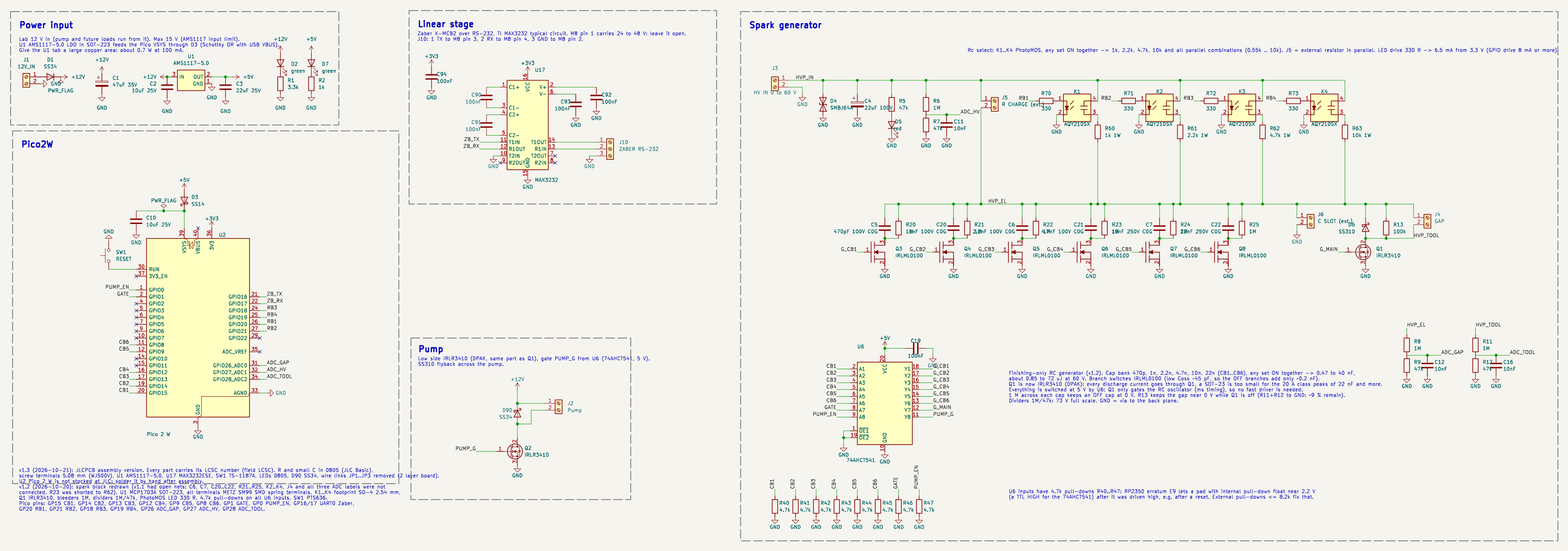
The full v1.3 schematic.
Manufacturing with JLCPCB
The board has about 85 parts, soldering this by hand for every board is a lot of work. So I want JLCPCB to make the board and also assemble it. This has two consequences for the design: every part has to come from the JLC parts library, and since the board is not milled anymore I can use two copper layers.
JLC has two kinds of parts. Basic parts are always loaded in the pick and place machines and cost nothing extra. Extended parts have to be loaded for the order, which costs about 3 USD per part type. I gave every part its LCSC number in the schematic (field LCSC) and checked for each part the library type and the stock. In 0805 all the resistors and small capacitors I need are Basic parts, so I moved them from 1206 to 0805. The 150 V rating of the 0805 resistors is still enough for the 60 V bus. The spark capacitors need C0G and at least 100 V, these only exist as Extended parts. The Metz spring terminals are not available at JLC, so I took 5.08 mm screw terminals (WJ500V), and for the reset button a TS-1187A. In the end I have 17 Basic and 21 Extended part types. The Pico 2 W is not in the JLC library, I will solder it myself after the assembly.
For the layout I used two layers with a ground pour on both sides. The signal traces are 0.3 mm, the high voltage and power traces 0.8 mm with 0.5 mm clearance. Under the Pico I kept the top layer free of copper, because the Pico has test pads on its bottom side. All terminals face the board edge and are labeled on the silkscreen.
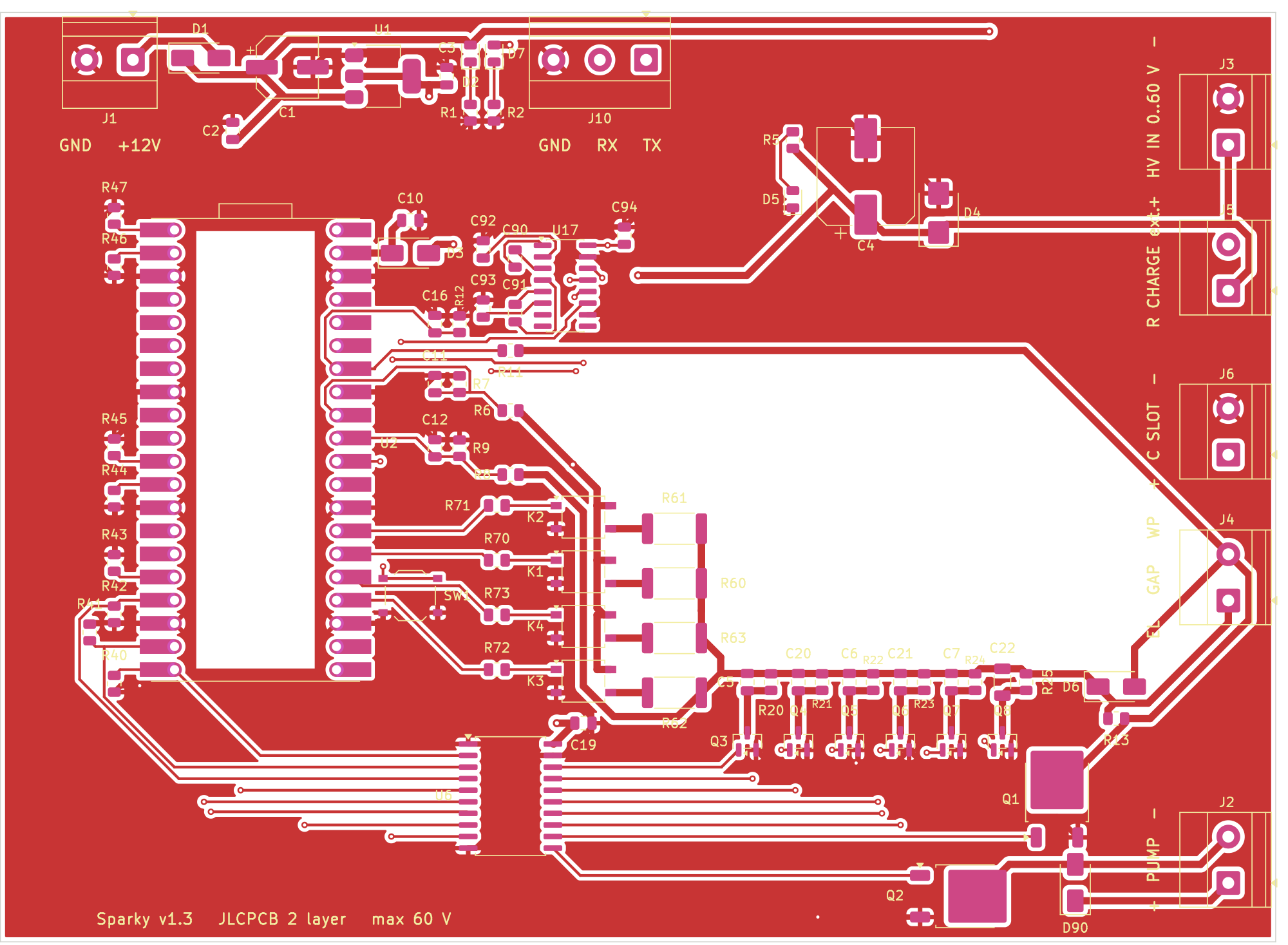
Top layer, 140 x 102 mm.
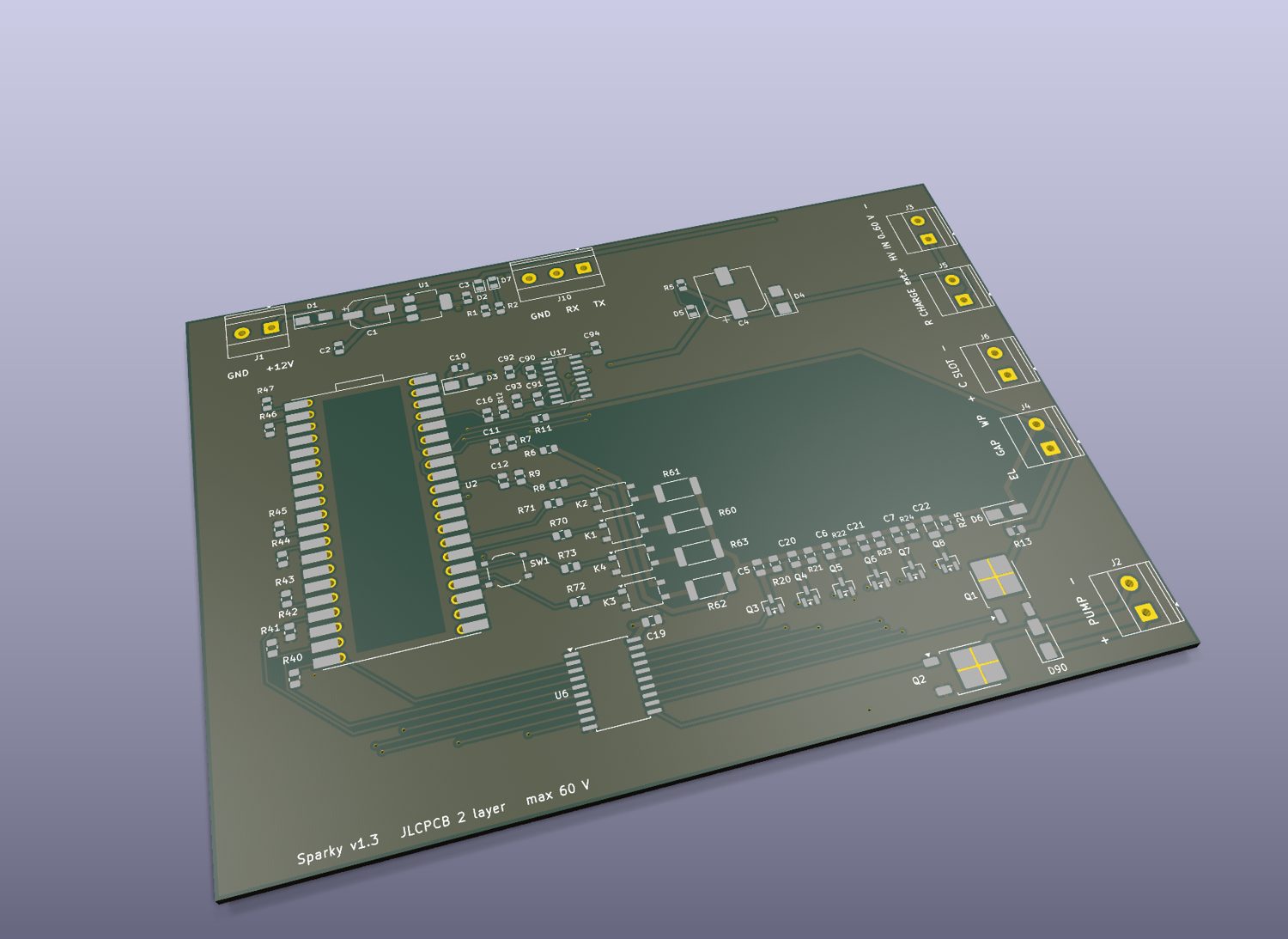
3D view of the bare board.
JLC needs three files: the Gerber zip with all layers and the drill file, the BOM with the LCSC number of every part, and the CPL with the position and rotation of every part.
On the quote page I uploaded the Gerber zip. JLC detects the size and the number of layers by itself and shows a preview, five bare boards cost 10.90 USD.
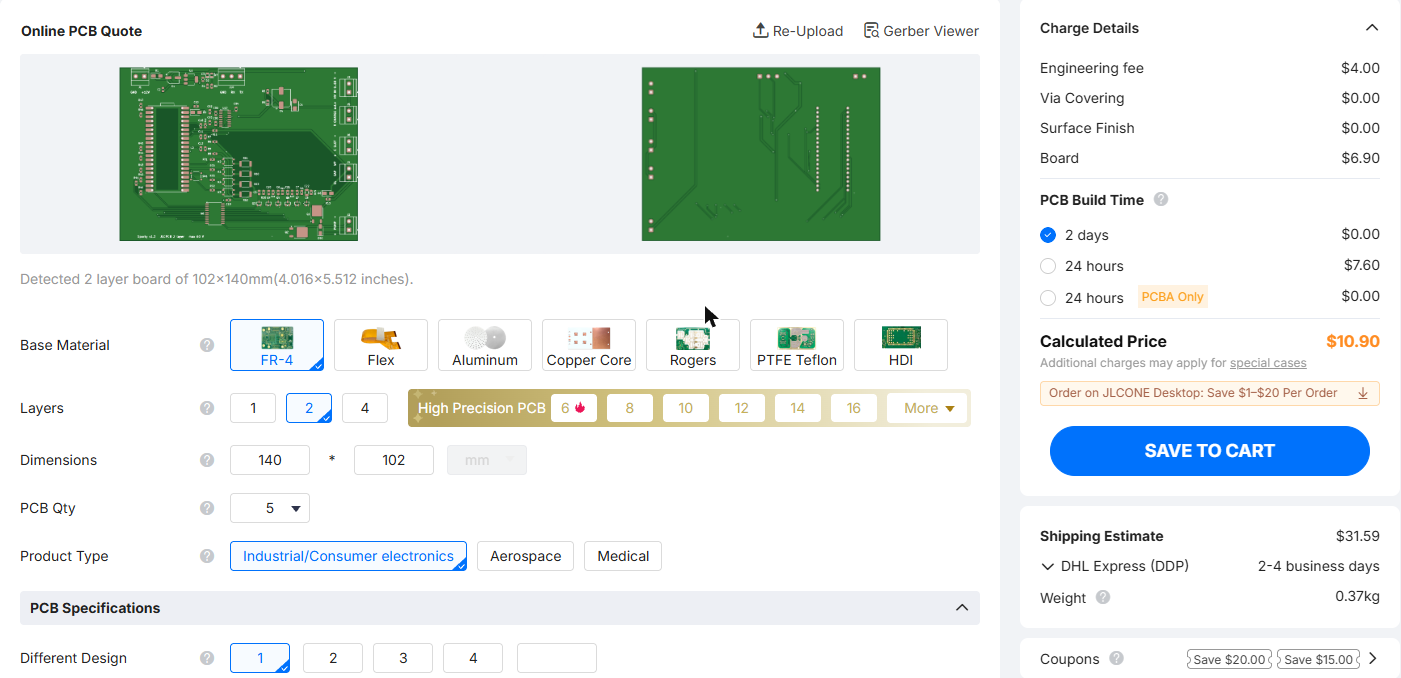
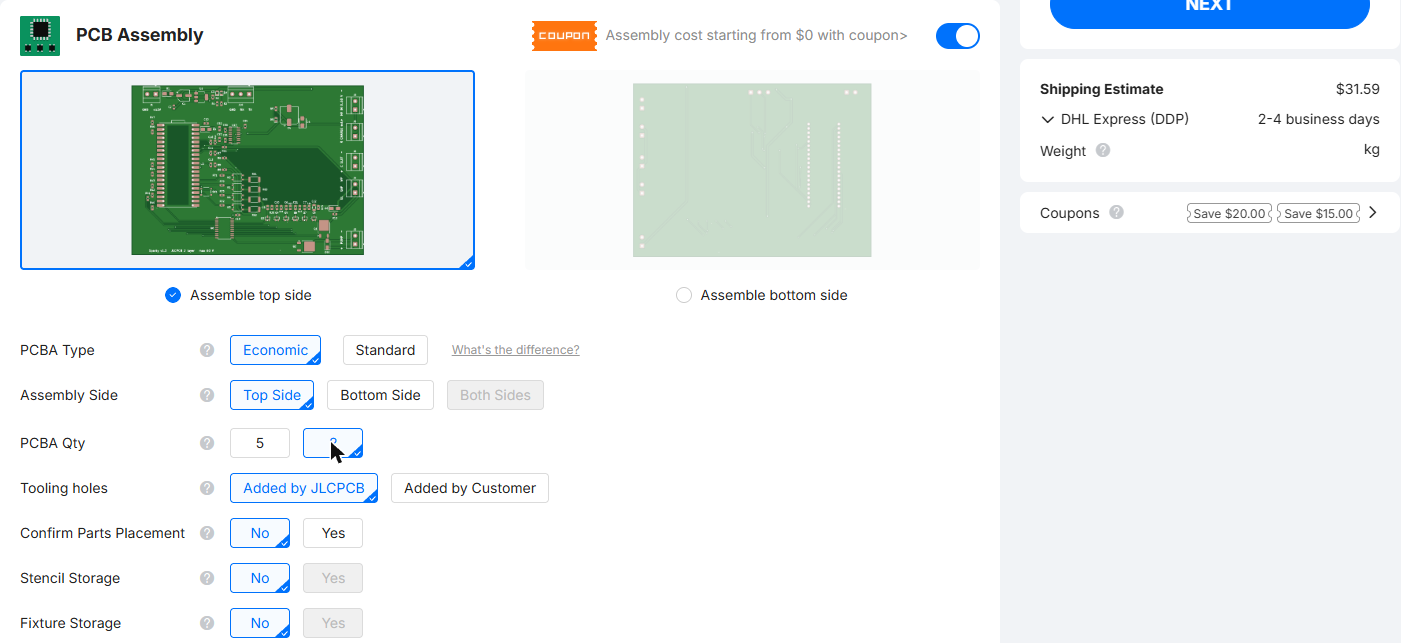
Then I turned on PCB Assembly. I chose Economic assembly on the top side, and only two of the five boards assembled to keep the part costs low.
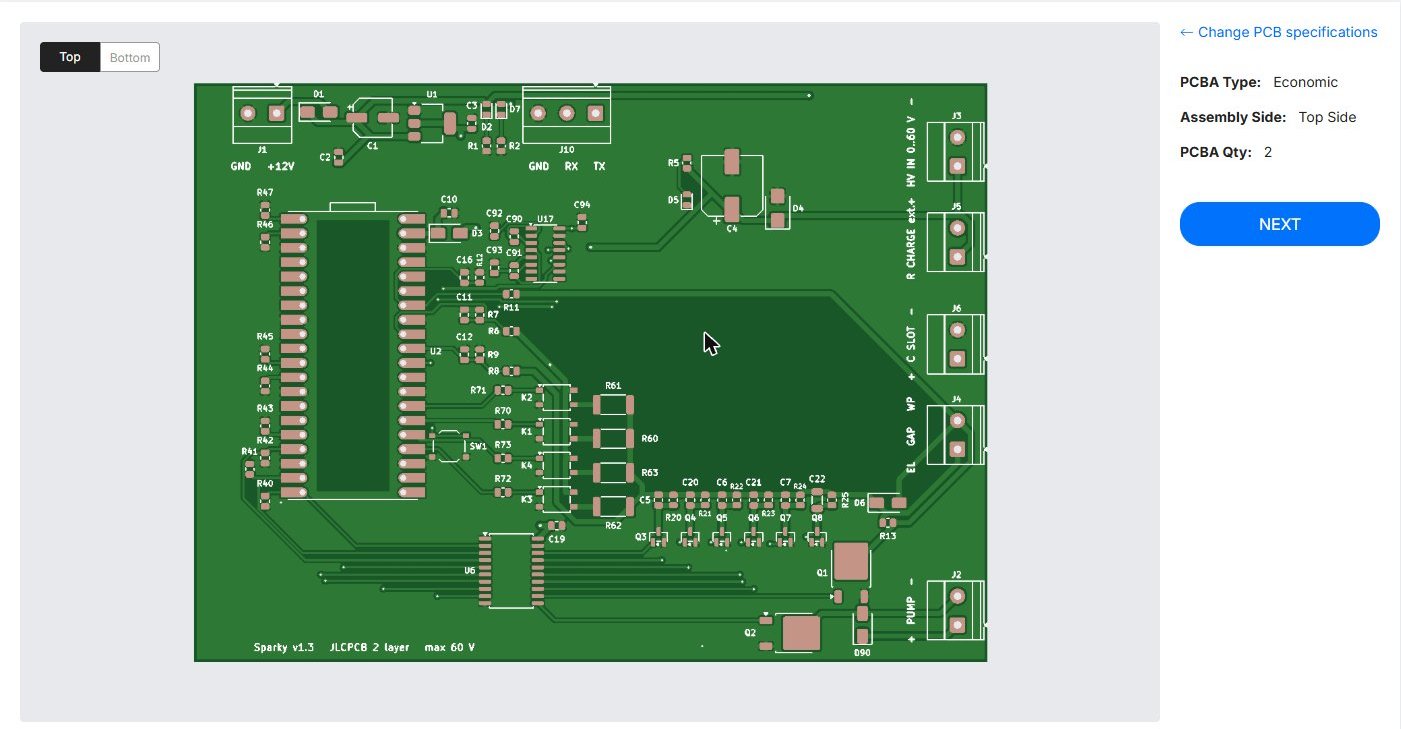
In the next step I uploaded BOM and CPL. JLC matched all 38 lines to parts in the library and shows the stock, the library type and the price of each line.
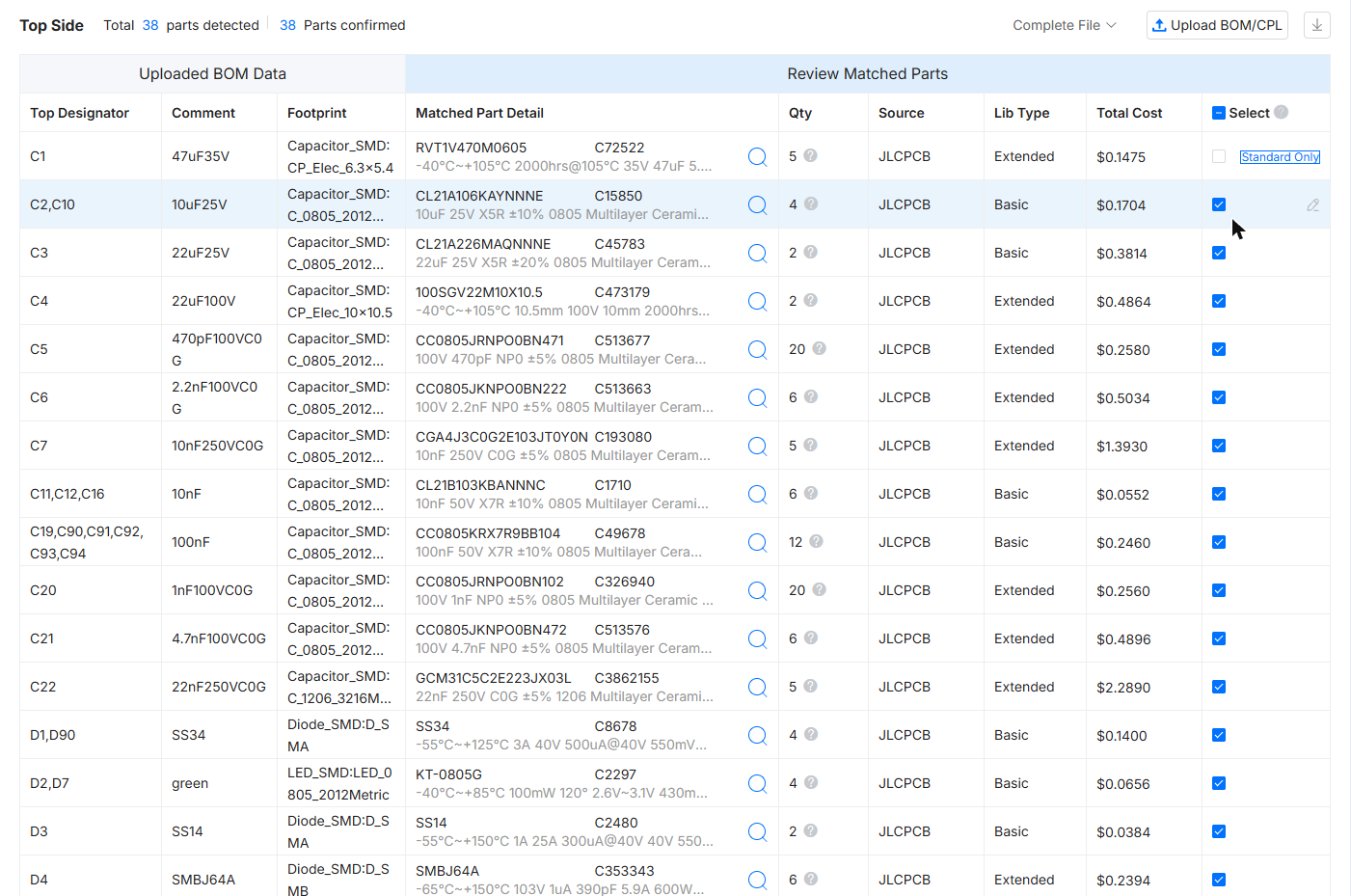
One problem showed up here: C1, the 47 uF electrolytic capacitor, is a “Standard only” part, Economic assembly cannot place it. I either have to switch to Standard assembly, which costs 25 USD setup and adds 5 mm edge rails, or I choose another capacitor.
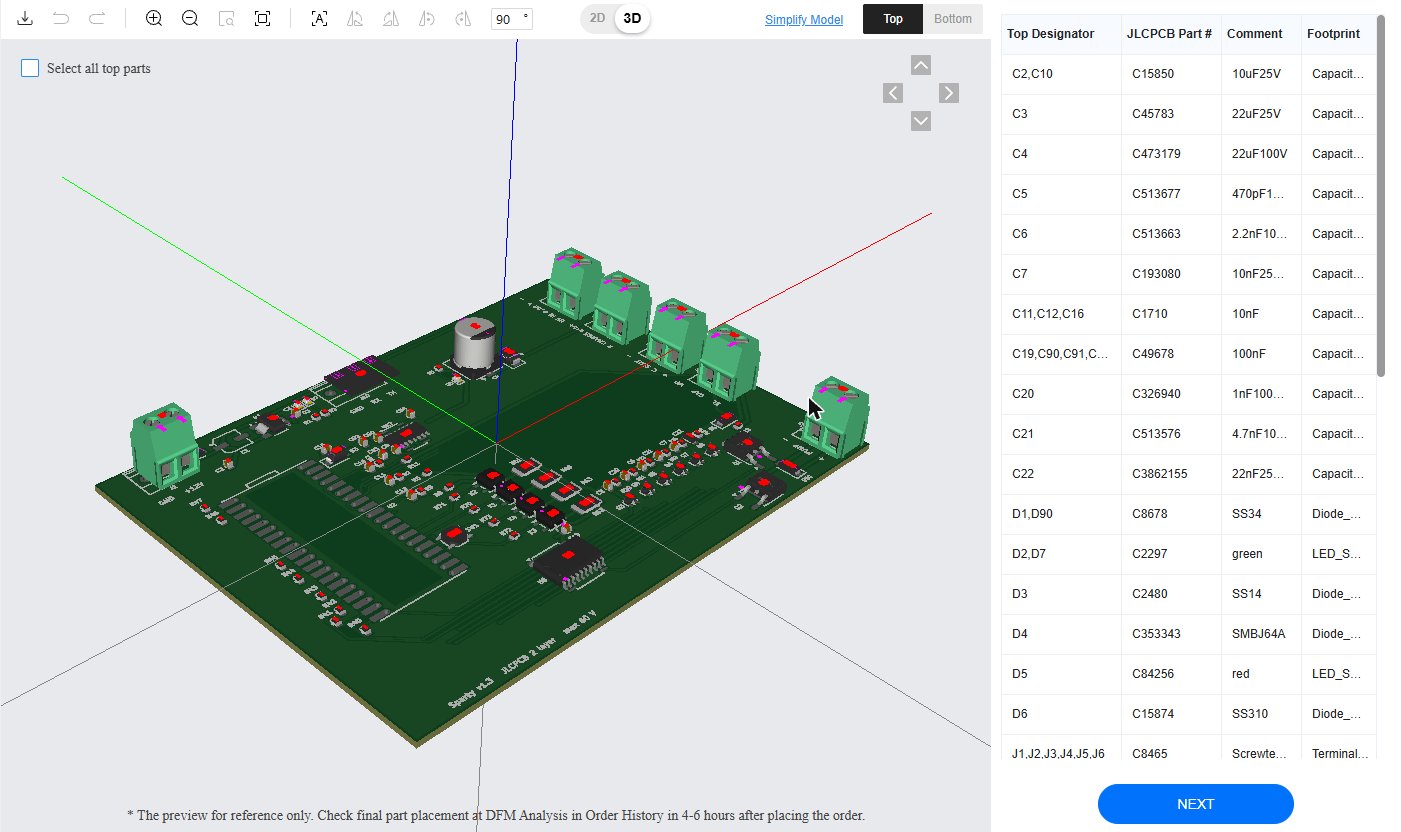
The last step is the placement preview. KiCad and JLC do not always use the same zero rotation for a part, and in the preview the terminals, C4 and some ICs are still turned the wrong way. This has to be corrected before ordering. The screw terminals are through hole parts, JLC can solder them for a fee or I do it myself.
Why I do not order yet
The board is quite complex and an order takes about two weeks. A mistake in one block would waste the whole order, and it was too late this week to also mill a full prototype first. So I decided not to order at JLC yet. Next week I will mill the sub parts of the board and test them one after the other. I started with the interface to the linear stage.
XIAO board for the linear stage
The Zaber X-MCB2 controller talks RS-232 on its “Prev” port, which is a 4 pin M8 connector. On Sparky the MAX3232 does this. For a first quick test I wanted to see if it also works with only resistors and a XIAO RP2350. The rule for this test was: we can risk the XIAO and our own board, but not the Zaber.
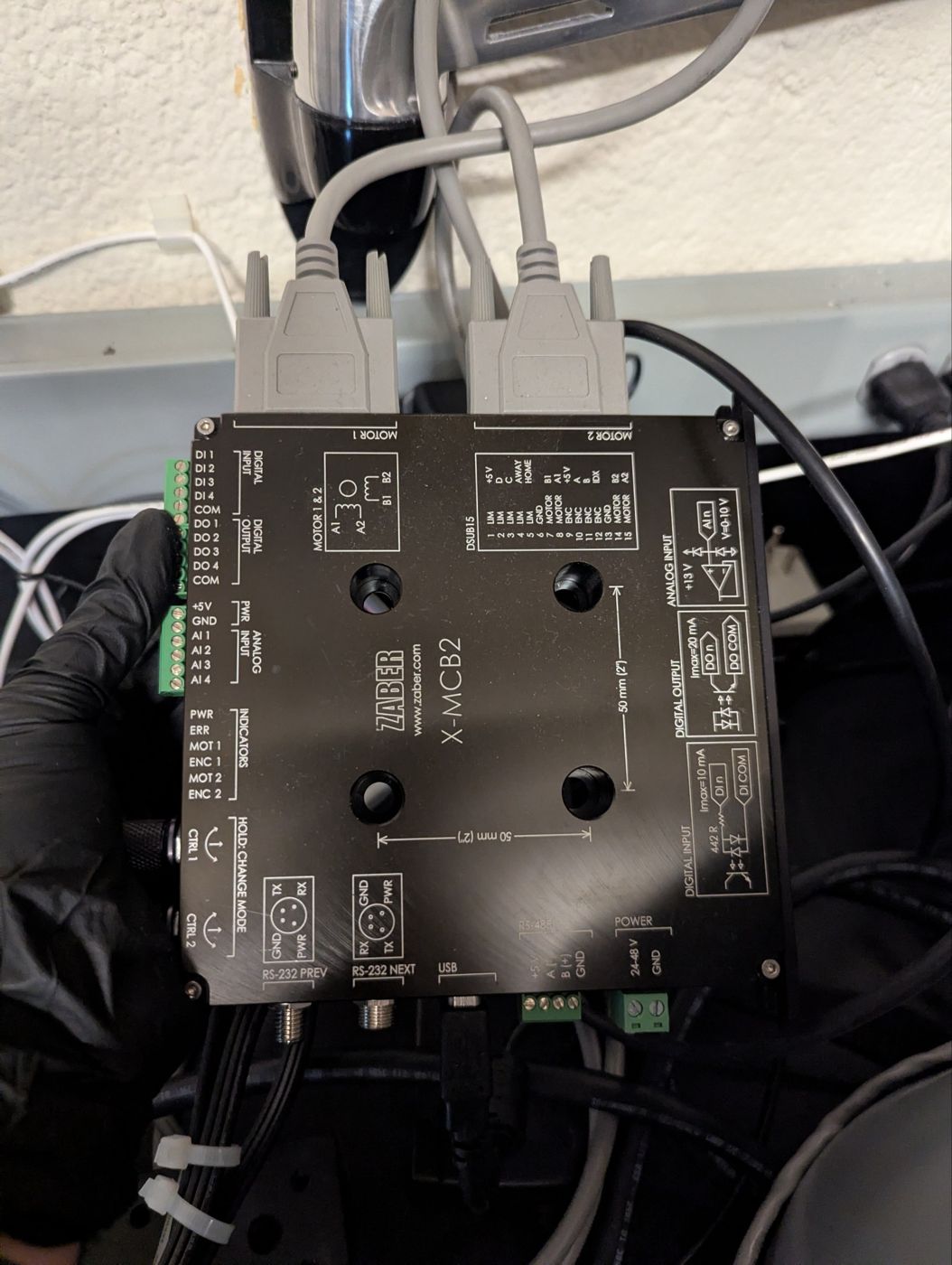
The Zaber X-MCB2, the RS-232 Prev port is on the bottom left.
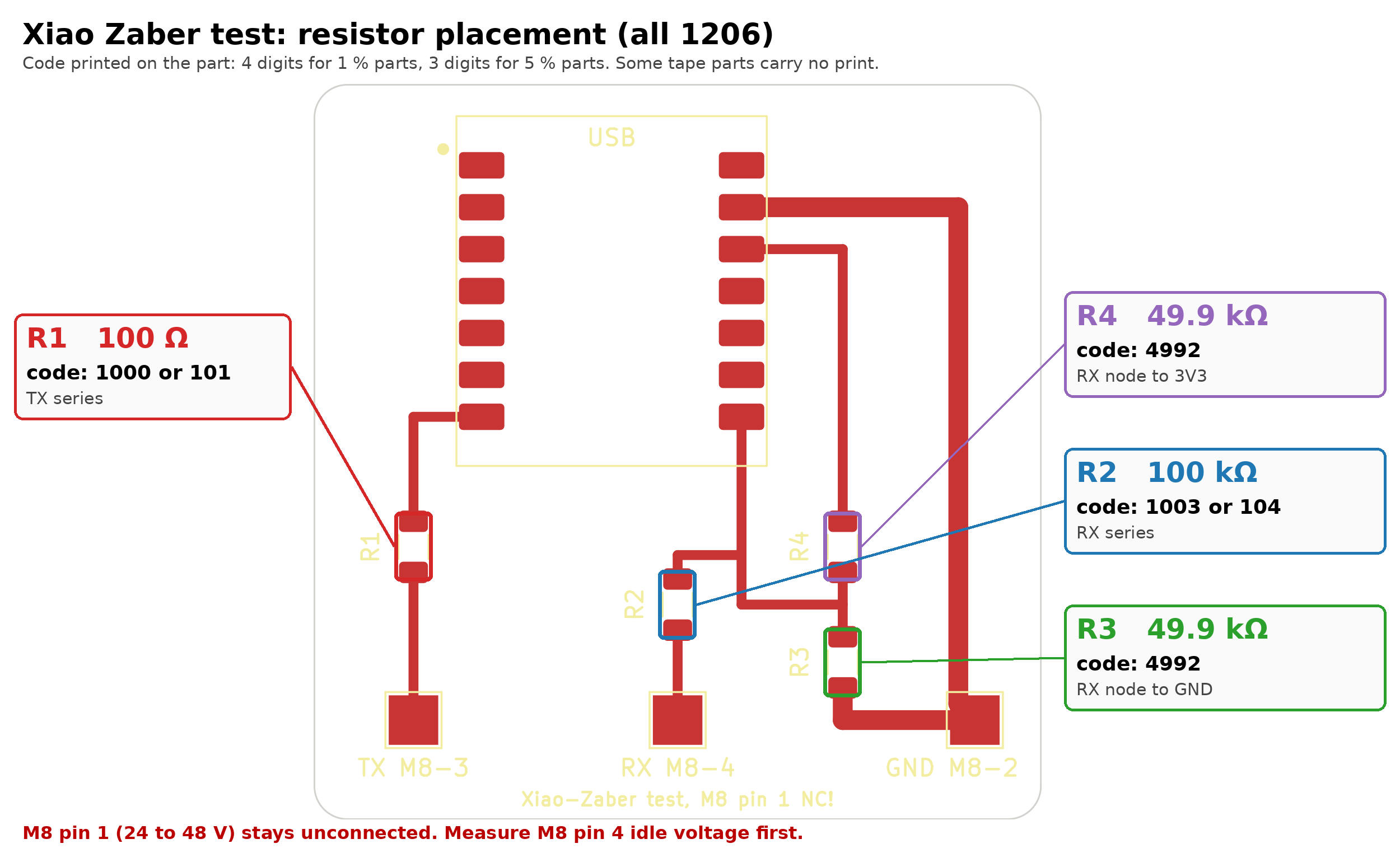
To send, the XIAO drives 0 or 3.3 V through R1 (100 Ω) into the receiver of the Zaber. This only works if the receiver switches below about 2.4 V, like the MAX3232 family does, so it is not RS-232 to spec. To receive is more critical, because RS-232 swings to about ±5 to ±10 V and the RP2350 pin only accepts -0.5 to 5.5 V. With R2 (100 kΩ) in series and R3 and R4 (49.9 kΩ) to GND and 3.3 V the pin sees Vpin = 0.2 x Vline + 1.65 V. With ±5.4 V on the line this gives 0.57 V and 2.73 V on the pin, which is a clear low and a clear high. RS-232 is also inverted, the UART of the XIAO can invert TX and RX in software. Pin 1 of the M8 connector carries the 24 to 48 V supply of the controller and stays unconnected.
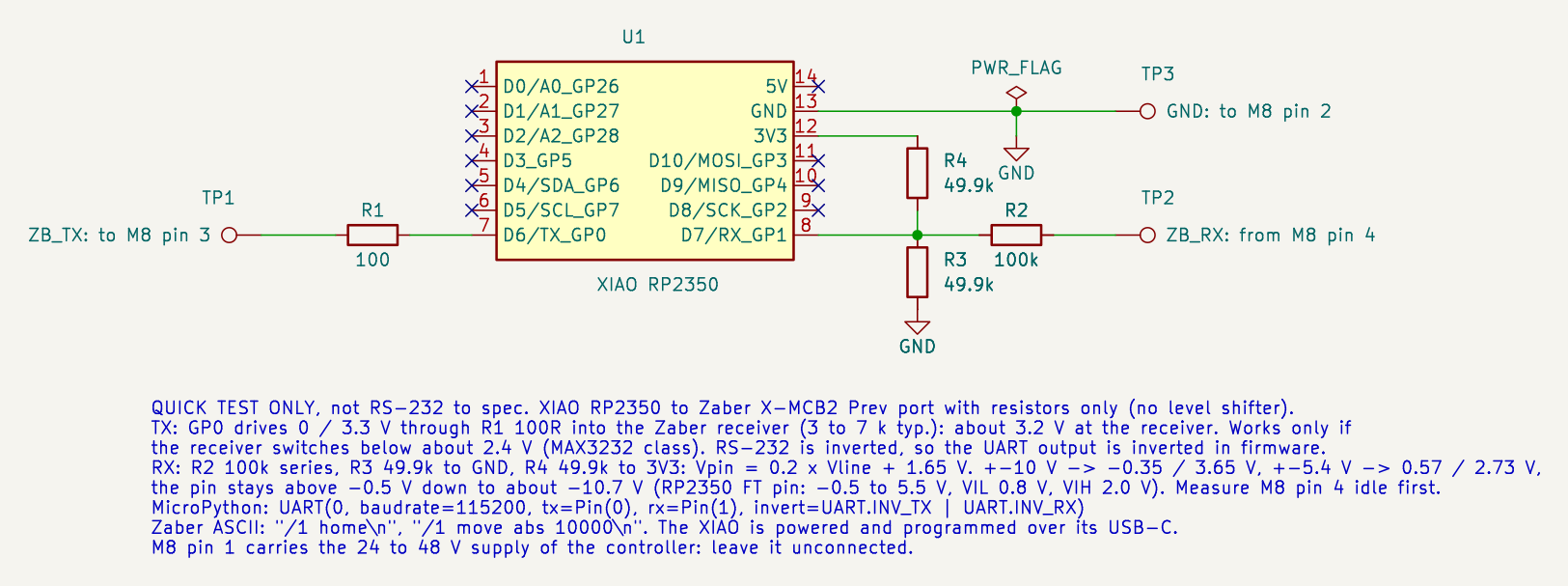
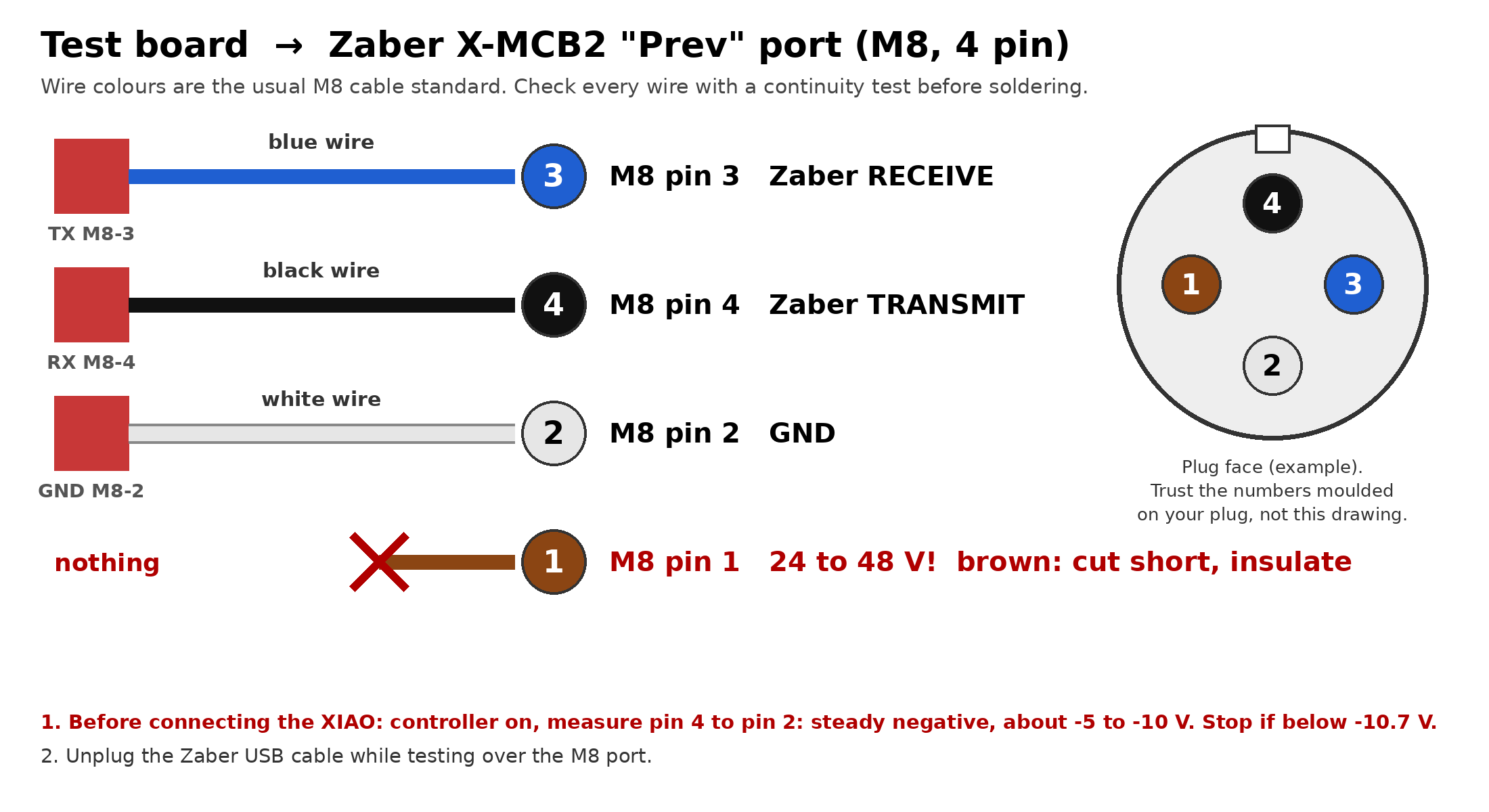
How the three wires go to the Zaber.
I milled the board on the Othermill with Bantam Tools, the traces with a 1/64 inch flat end mill and the outline with 1/32 inch.
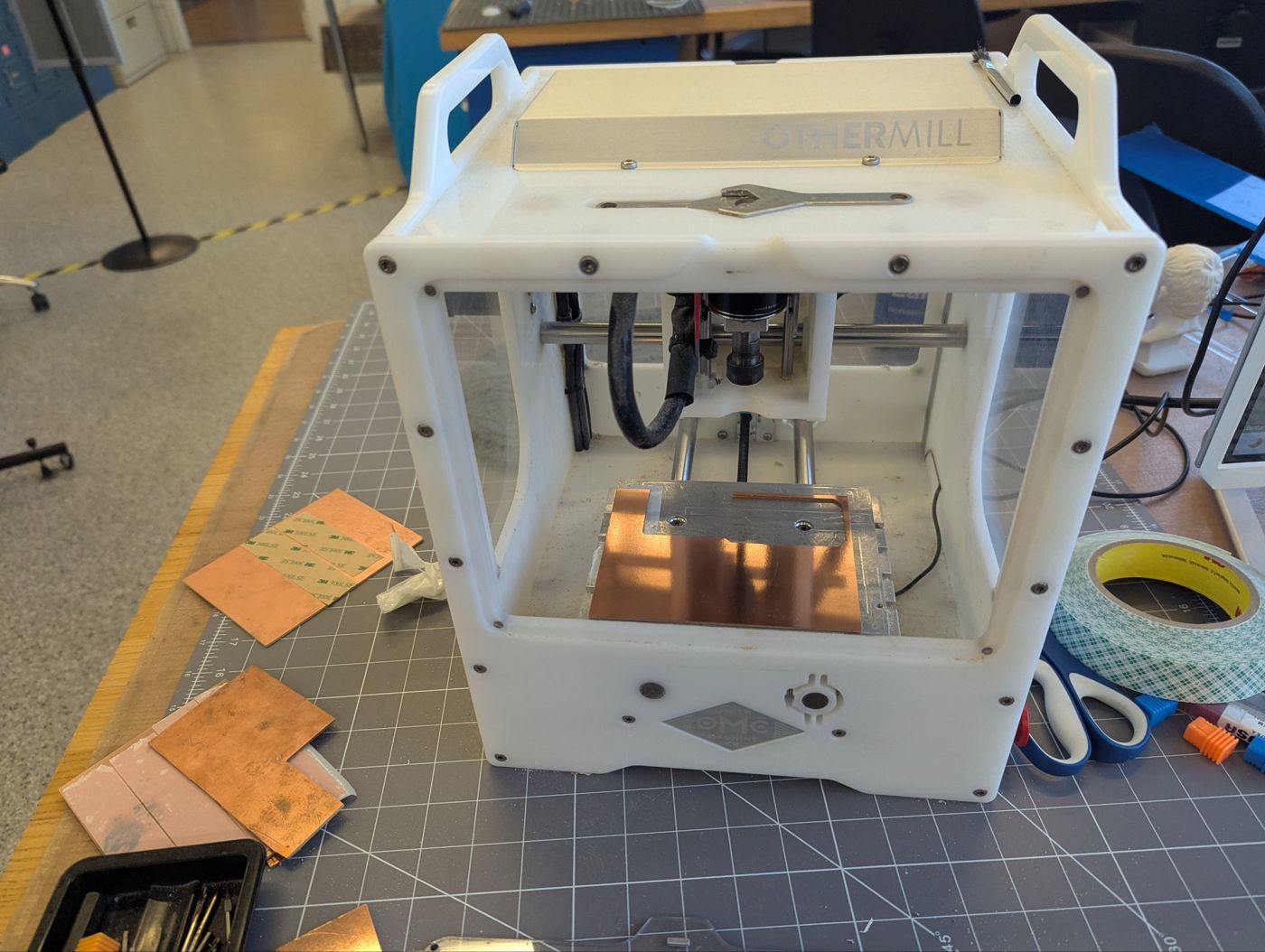
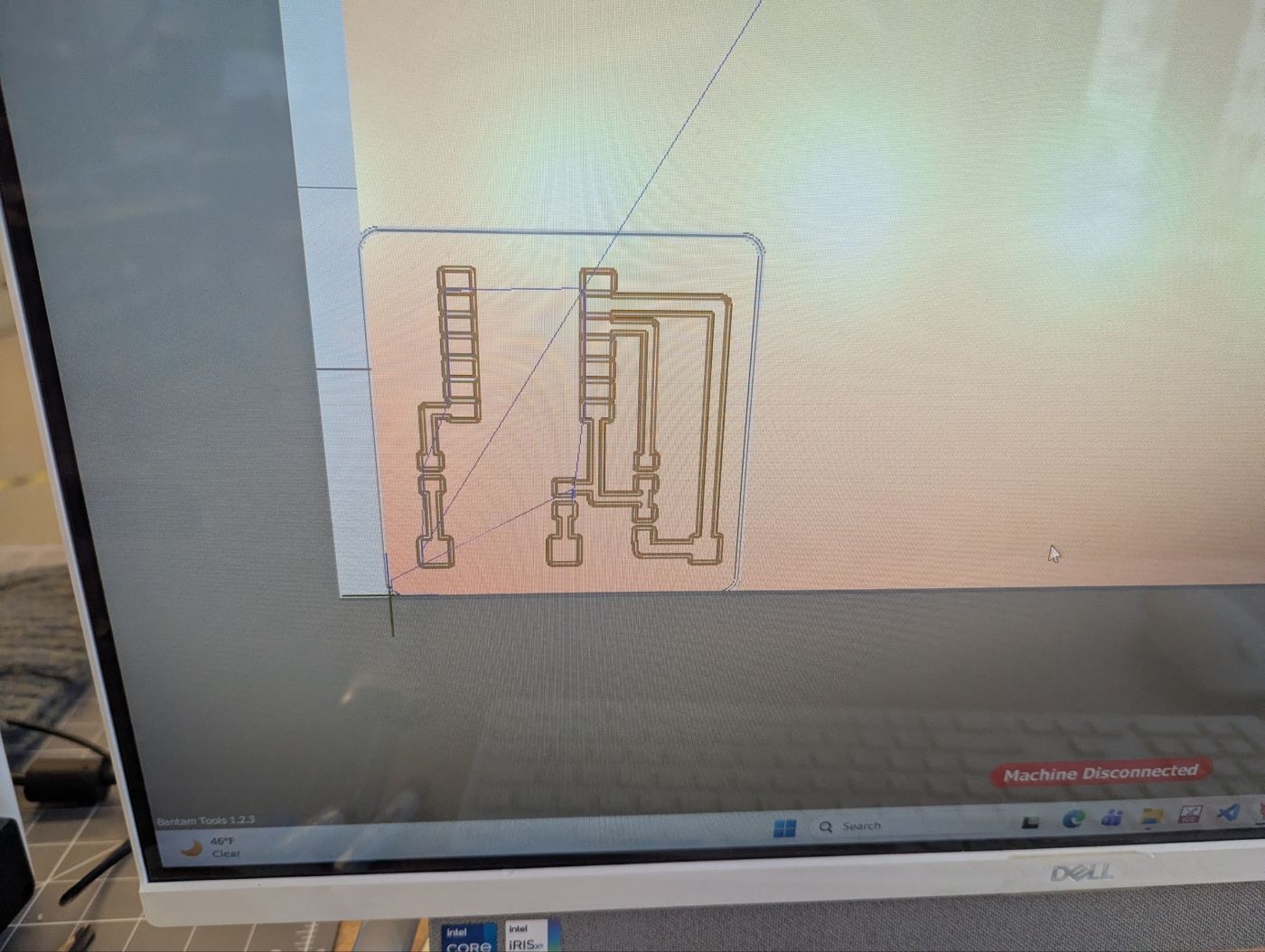
Toolpaths in Bantam Tools.
For soldering I used a small map that shows which resistor goes where and which code is printed on it.
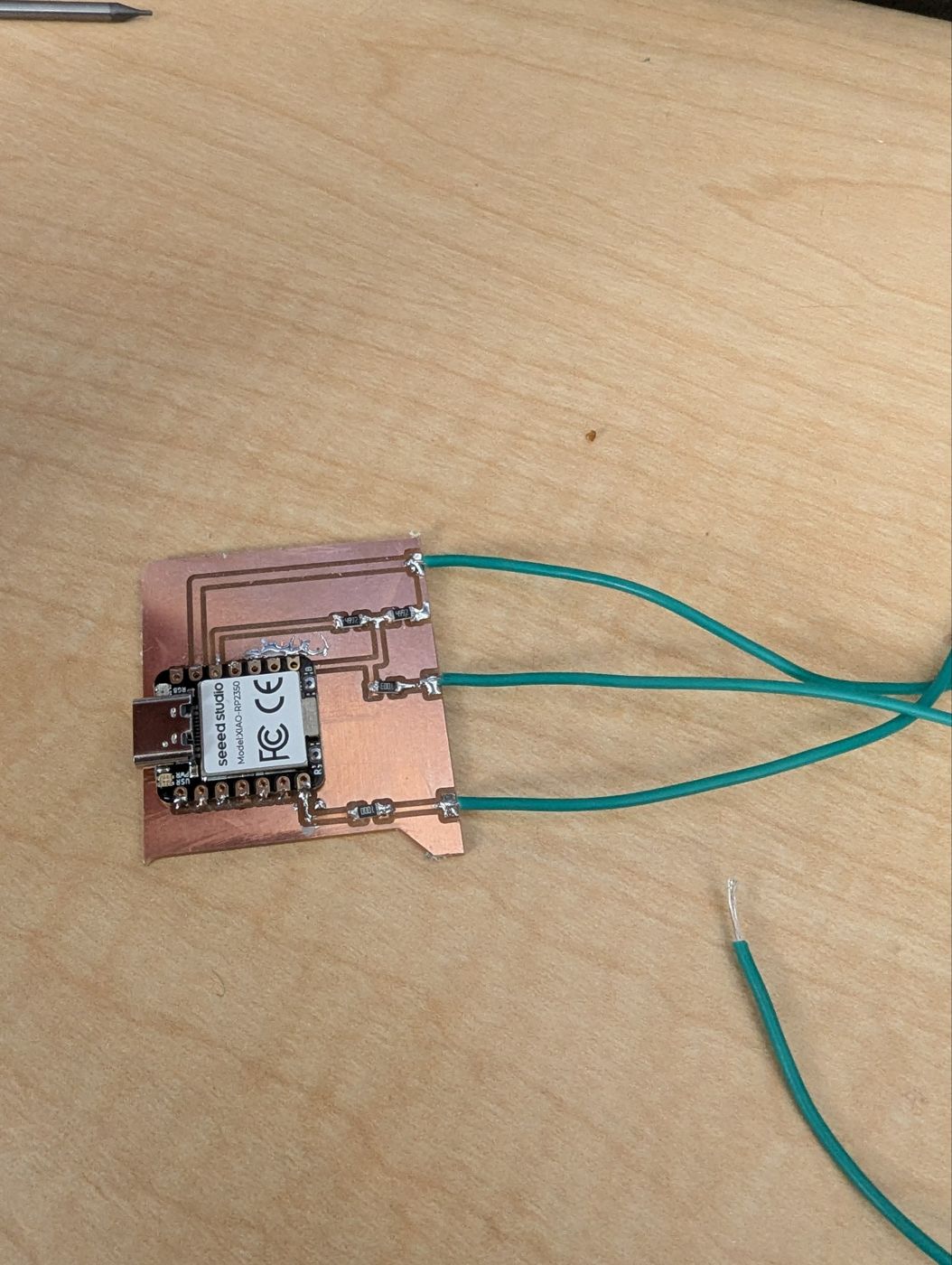
The soldered board with the three wires to the M8 plug.
For the test the XIAO runs this MicroPython script:
from machine import UART, Pin
zb = UART(0, baudrate=115200, tx=Pin(0), rx=Pin(1),
          invert=UART.INV_TX | UART.INV_RX, timeout=200)
zb.write(b"/1 get pos\n")
print(zb.read())
So far it does not work, the stage does not answer. Next I will look at the TX and RX lines with the oscilloscope to find out if the Zaber receiver does not accept the 3.3 V or if the problem is on the receiving side.
Files
- sparky_v13_kicad.zip: KiCad project of Sparky v1.3 (schematic with LCSC numbers, 2 layer PCB, symbols and footprints)
- sparky_v13_jlc.zip: JLCPCB production files (Gerbers, drill, BOM, CPL)
- xiao_zaber_test.zip: KiCad project and milling Gerbers of the XIAO test board
- zaber_test.py: MicroPython test script for the Zaber
The Pico 2 W footprint (RaspberryPi_PicoW_Combined) is not my own, it comes from the Fab Academy KiCad library (FabLib) and is licensed under CC BY 4.0.
AI use
This week, Claude Opus 5.5 helped with writing and grammar checks, provided tips and feedback on the PCB schematic, design, and layout, and, in particular, found links to websites featuring reference designs.