Like the past few weeks, I'm combining everything I want to get better at for my individual assignment.
Complex forms that can't be made subtractively + properties of 3D printing + animation + light + mechanical systems and attachments + organic systems = a physical jellyfish zoetrope!!
The process will roughly be:
Pick a jellyfish I like
Find out how to make a zoetrope → mock up a loop at a certain FPS in Procreate
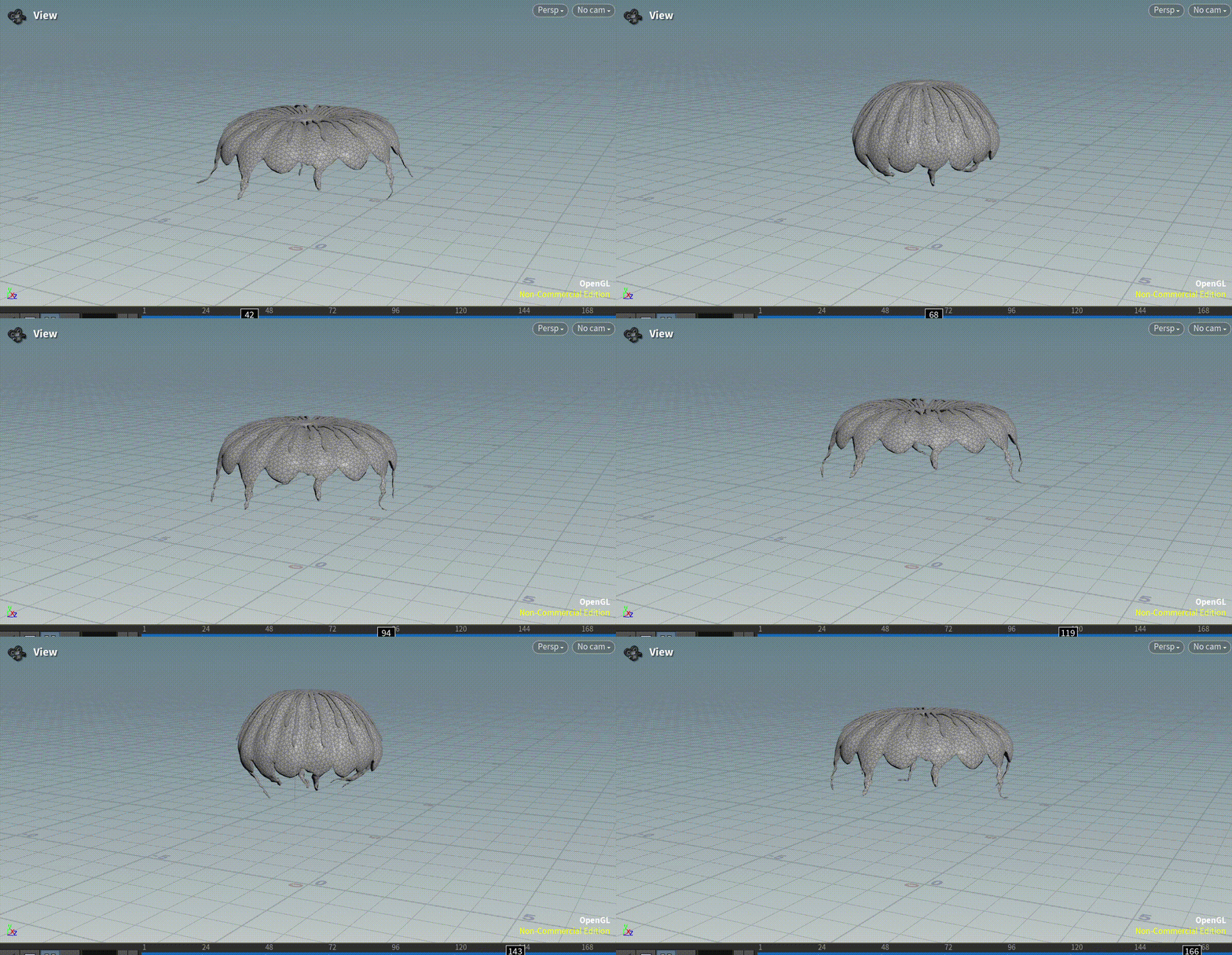
Model each jellyfish frame; Previously tried this, it took waay too long + geometry became really hard to work with: Do basic modelling of the jellyfish (Rhino), remesh and sculpt for organic detailing (Blender), and simulate a swimming loop (Houdini)
Take key frames and add them to a zoetrope, then design a gear mechanism with a hand crank
Since this is a jellyfish, I'm super interested in playing around with infill/mesh/wall patterns for a sort of 3D 'translucency' effect, since I've seen this effect achieved in 2D (3D printed fabric etc).
---
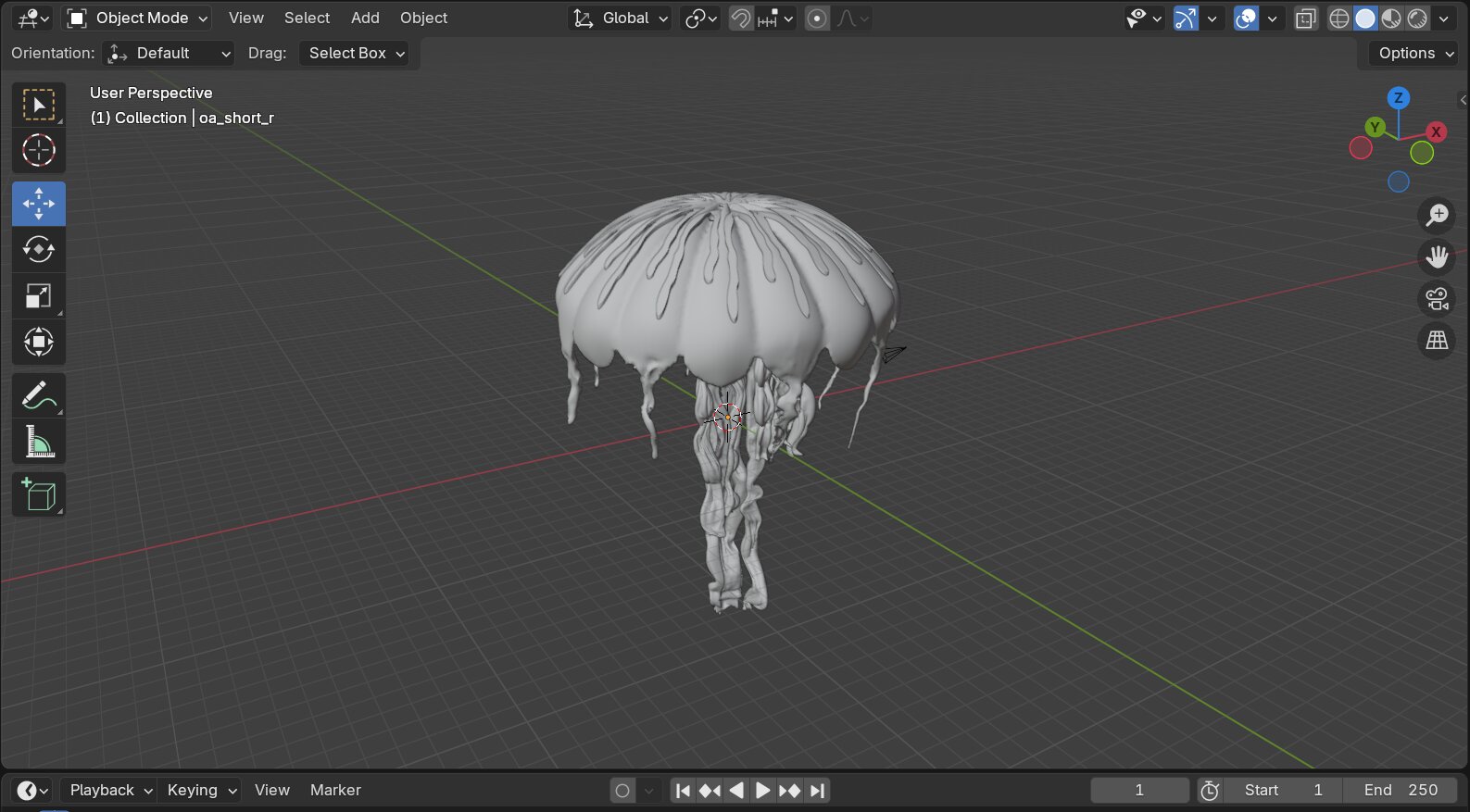
I previously chose to simulate an Atlantic sea nettle (some pictures/clips from the scrapped process below), but decided it'd be best to keep the shapes simple so I can focus on the animation and infill patterns.
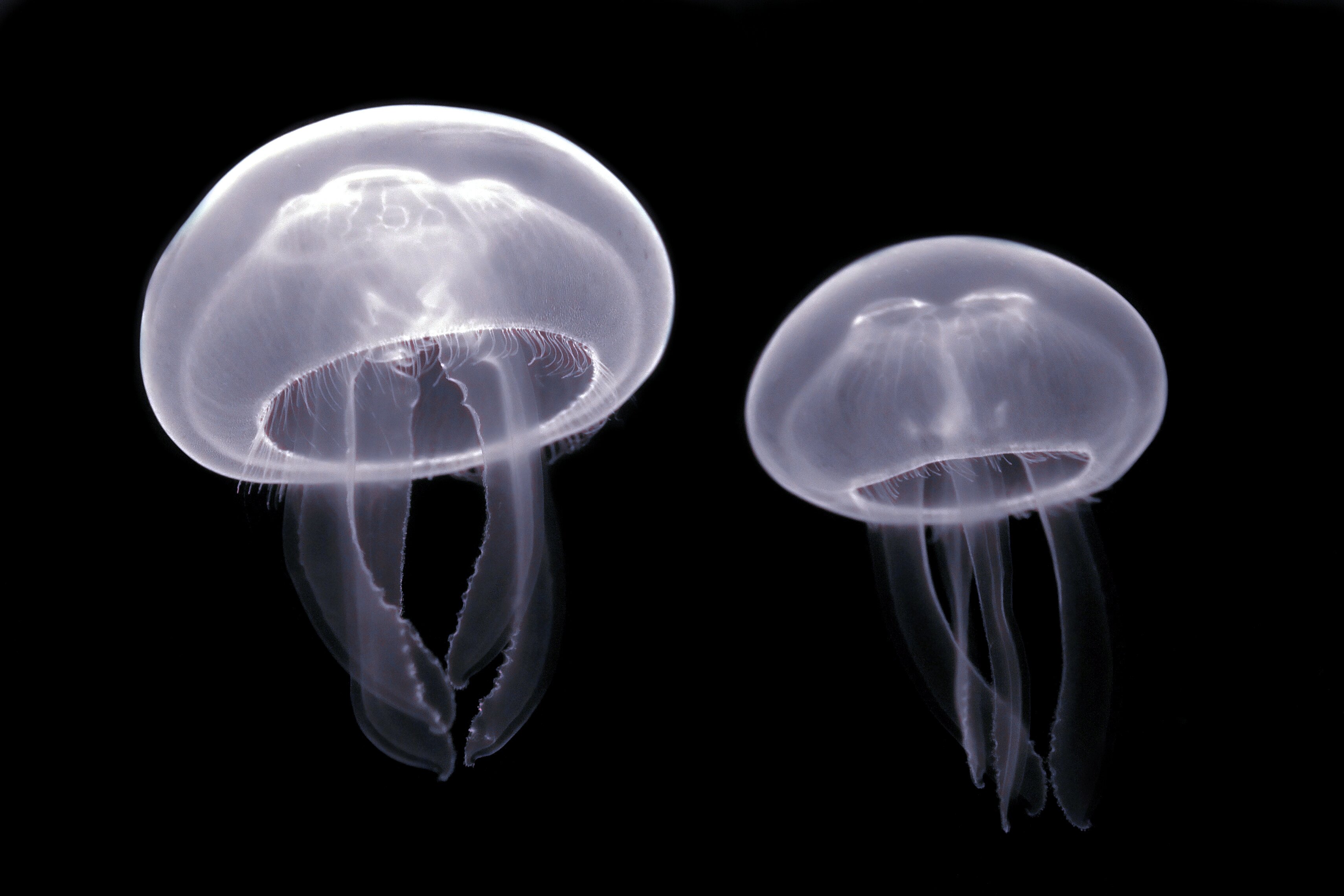
A moon jellyfish seems right, since it's really close to a hemisphere (easy to make with revolve, etc) and only has a few components to model.
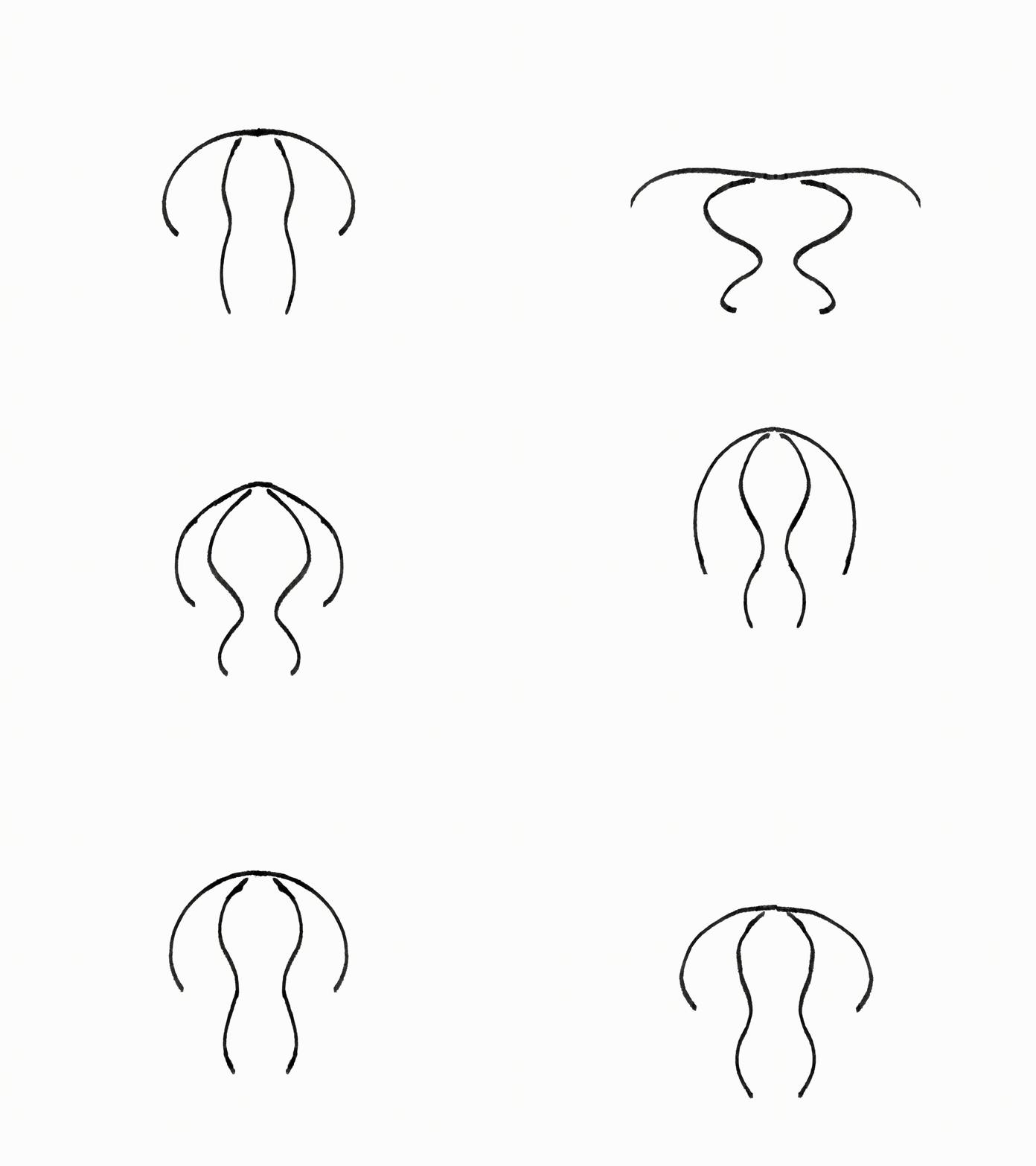
Using this clip of moon jelly swimming as a reference, I made this animation of what the cross section should look like (compression/anticipation + swimming up movement exaggerated; the return to its initial position is otherwise an ease-in and out movement):
This would be made of one hemisphere-like mesh for its bell and four curved pieces for its oral arms.
Also, I don’t want too many frames on the zoetrope (otherwise would have to make each one smaller and/or the zoetrope circle bigger), so I set it at 21 frames total, with the intended viewing FPS at 11 — this can be made higher or lower depending on how fast you spin it.
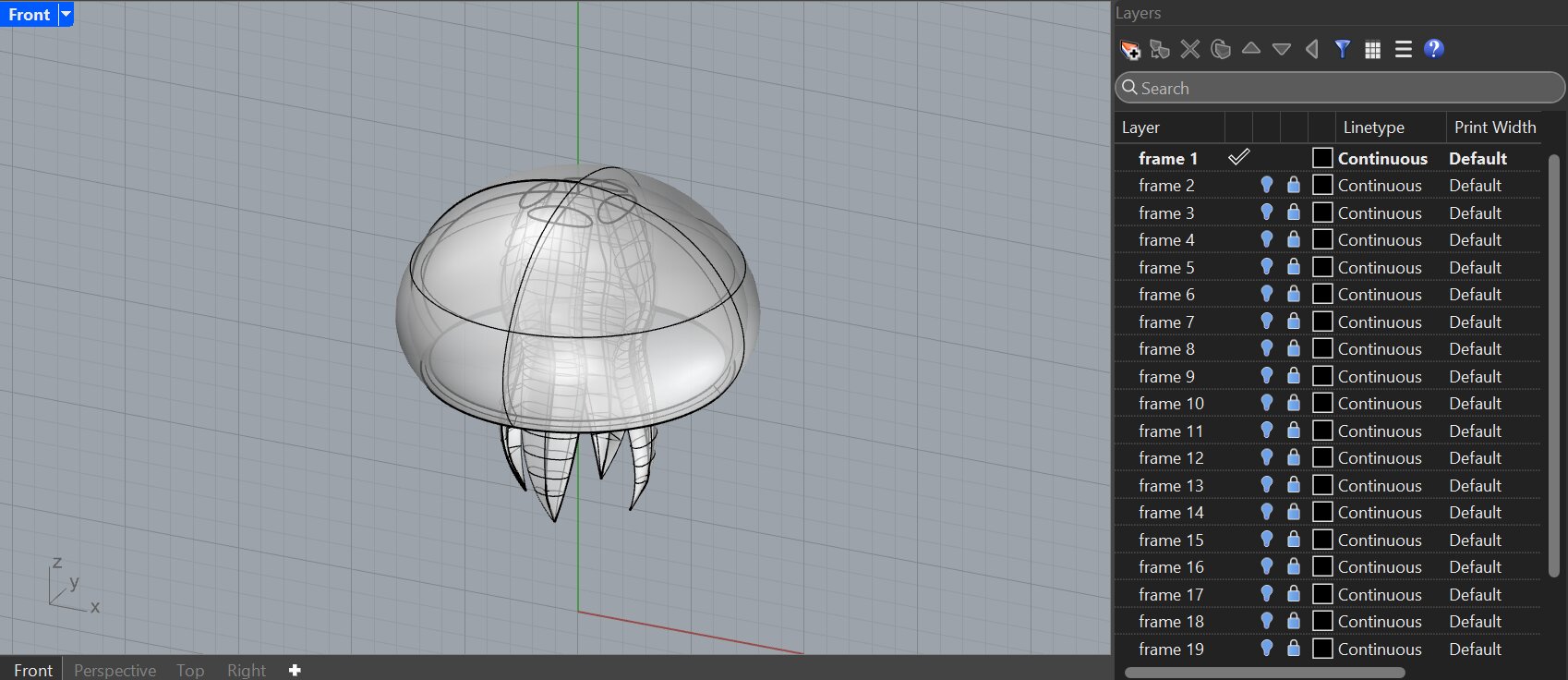
I exported these frames as images, then added them to separate layers in Rhino so I can ‘trace’ over them with curves. I thought about using Grasshopper here (could just modify the control points for the curves that define the bell/oral arms), but it seemed a bit too much when I could just adjust the curves 21 times, as it gives me finer control — revolve + offsetsrf for the bell, and sweep2 + control point gumball move + arraypolar for the oral arms. It took a while.. but I modeled all 21 of them:
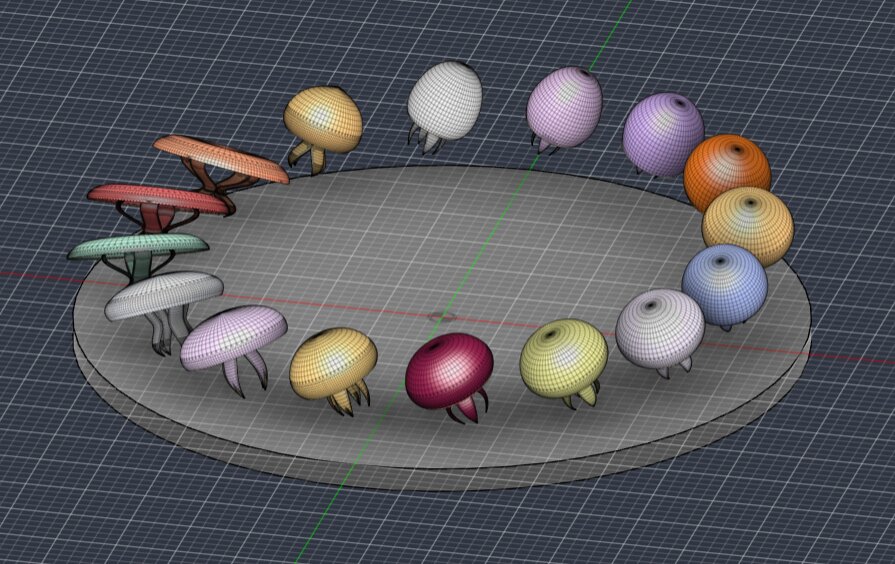
I might’ve also made the bell a bit too big.. whatever!! I placed all of these on a circle (6” diameter) in Fusion, then rotated all of them by 27 degrees (tangent to each of their radial axes) so it would look like it’s swimming at an angle!
Also found out that keeping at 21 frames would make each jellyfish too small (about 0.65” in diameter), so I deleted 1/4 of the frames (every fourth one → 16 frames). This means it’ll be played around 9 FPS instead. Here’s what it looks like the supports added:
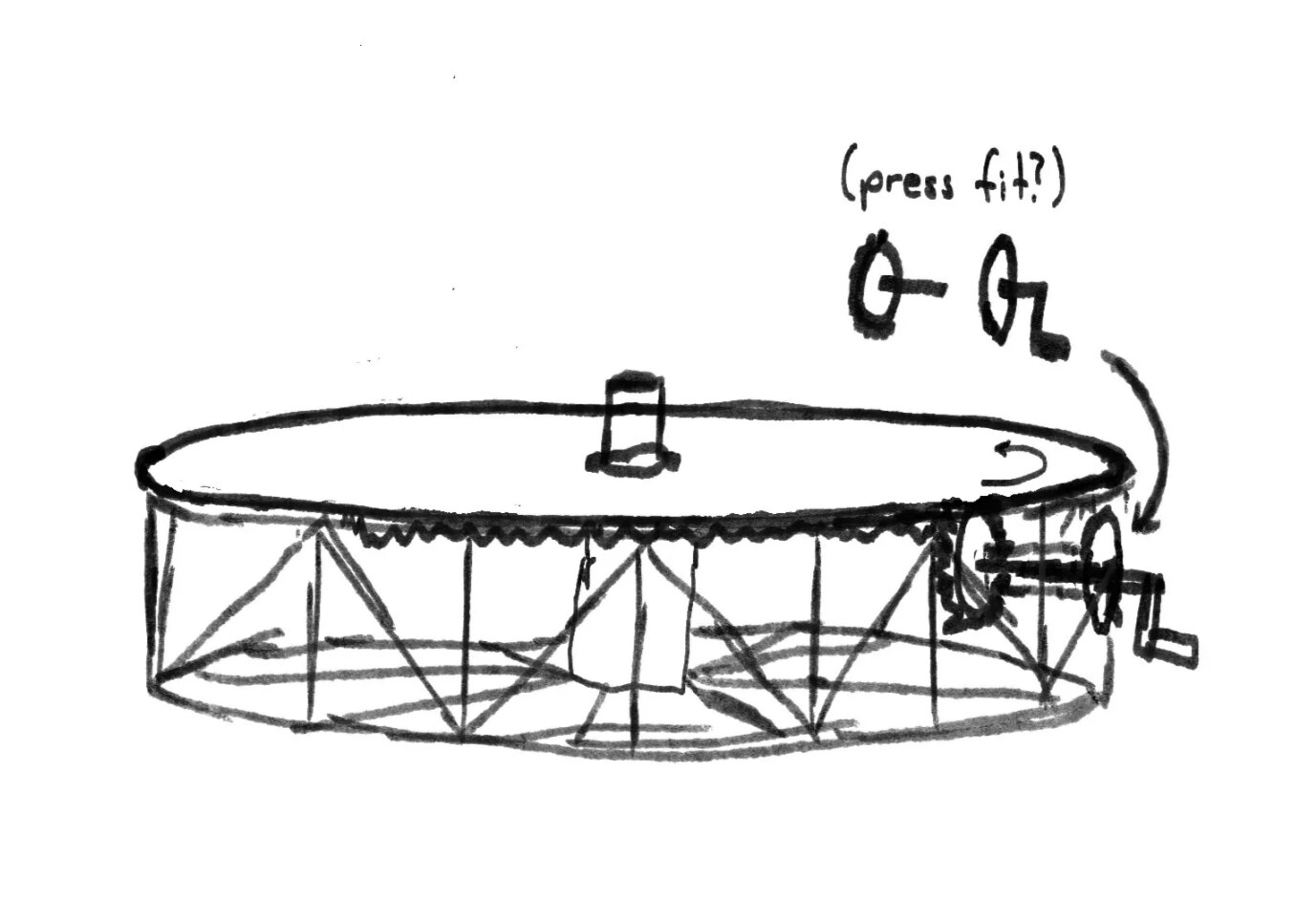
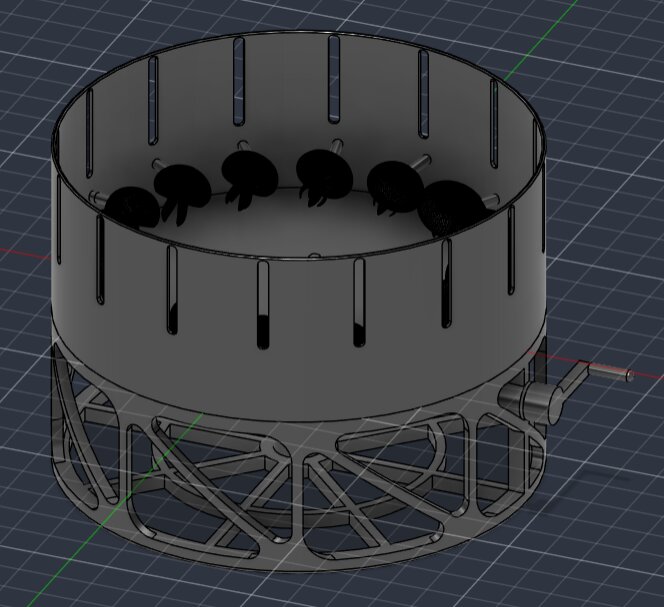
For the the frame and gear mechanism for spinning the zoetrope, I made this sketch (three main components — the plate, the frame, and the hand crank):
I want the hand crank to be on the side, and it’ll likely be turned at an average of ~60 RPM. For 16 frames total at an intended viewing speed of 9 FPS, the plate needs to spin at 33.75 RPM, from this formula:
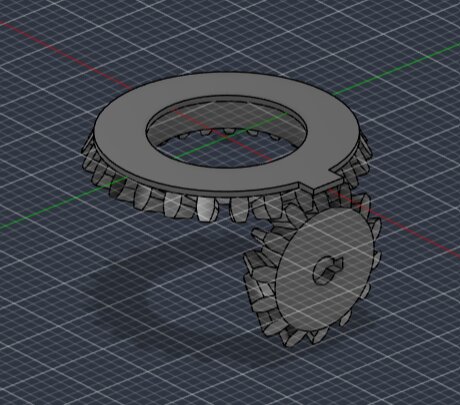
Since this would be a gear reduction, I’ll attach a large bevel gear to the underside of the plate and a smaller bevel gear to the shaft of the crank (gear ratio = 1.777:1). I used this bevel gear generator since I was running — just 12 teeth for the input gear and 21 teeth for the larger output gear:
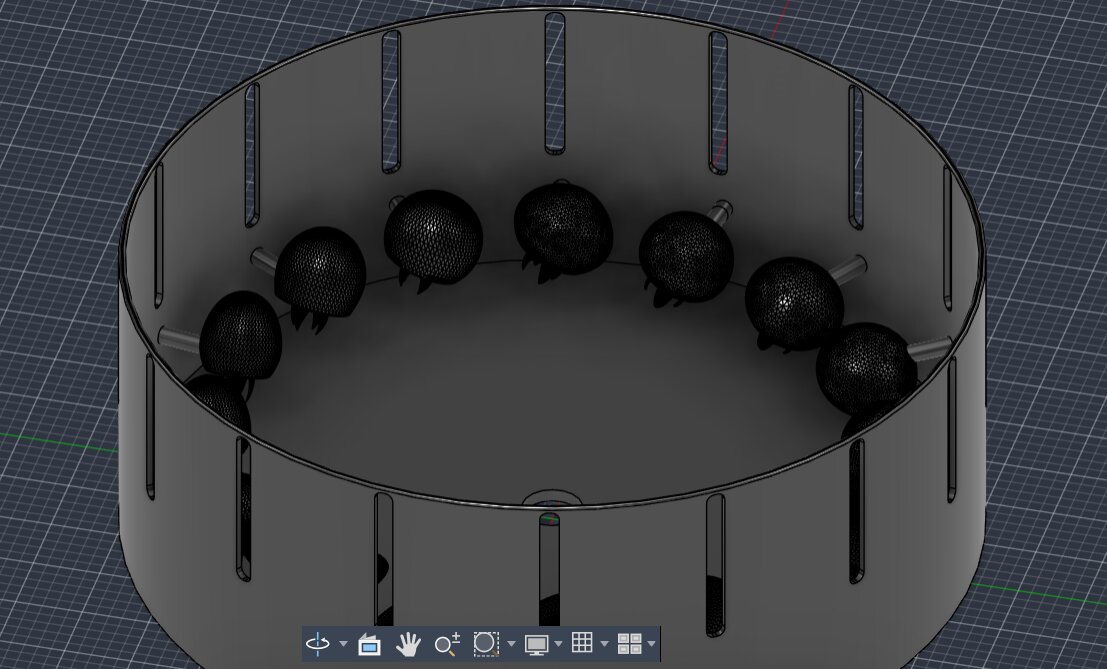
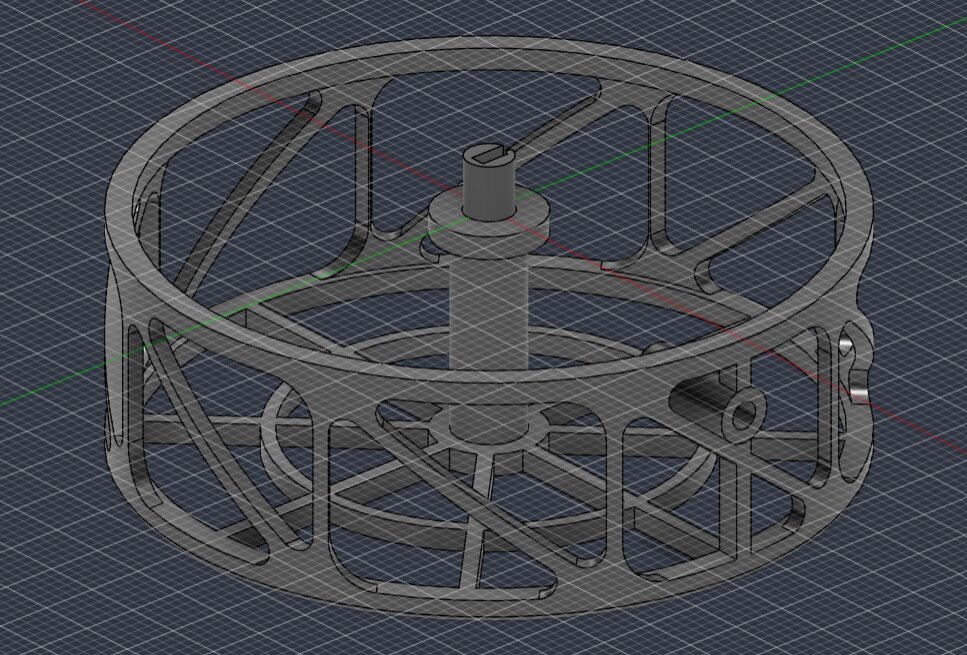
I also modelled the frame, and tried to minimize the amount of filament it would take to print with a wireframe design. From the results of our group assignment print, it looks like the printers in the architecture shop can handle a 45 degree beam just fine even without supports, but I added some fillets at the corners just in case:
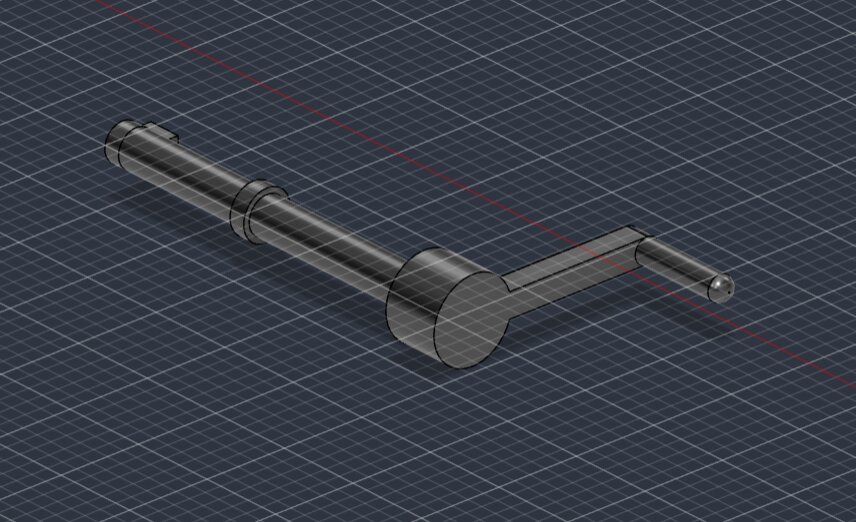
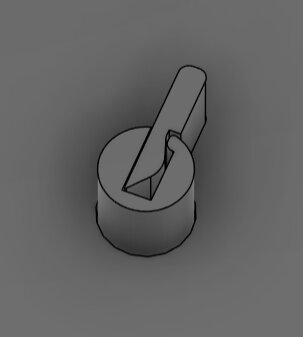
I parameterized the tolerance for all of the joints in this assembly, and set it at 0.005 in for now. After modelling the hand crank shaft and grip + a built in ‘washer’:
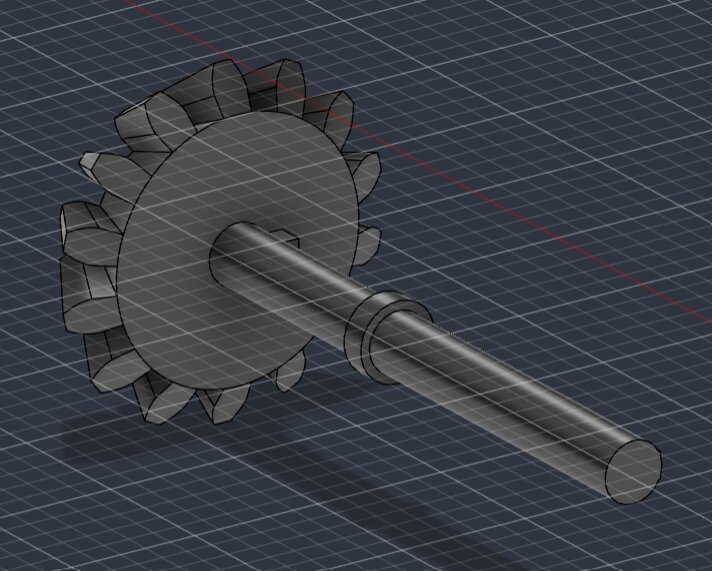
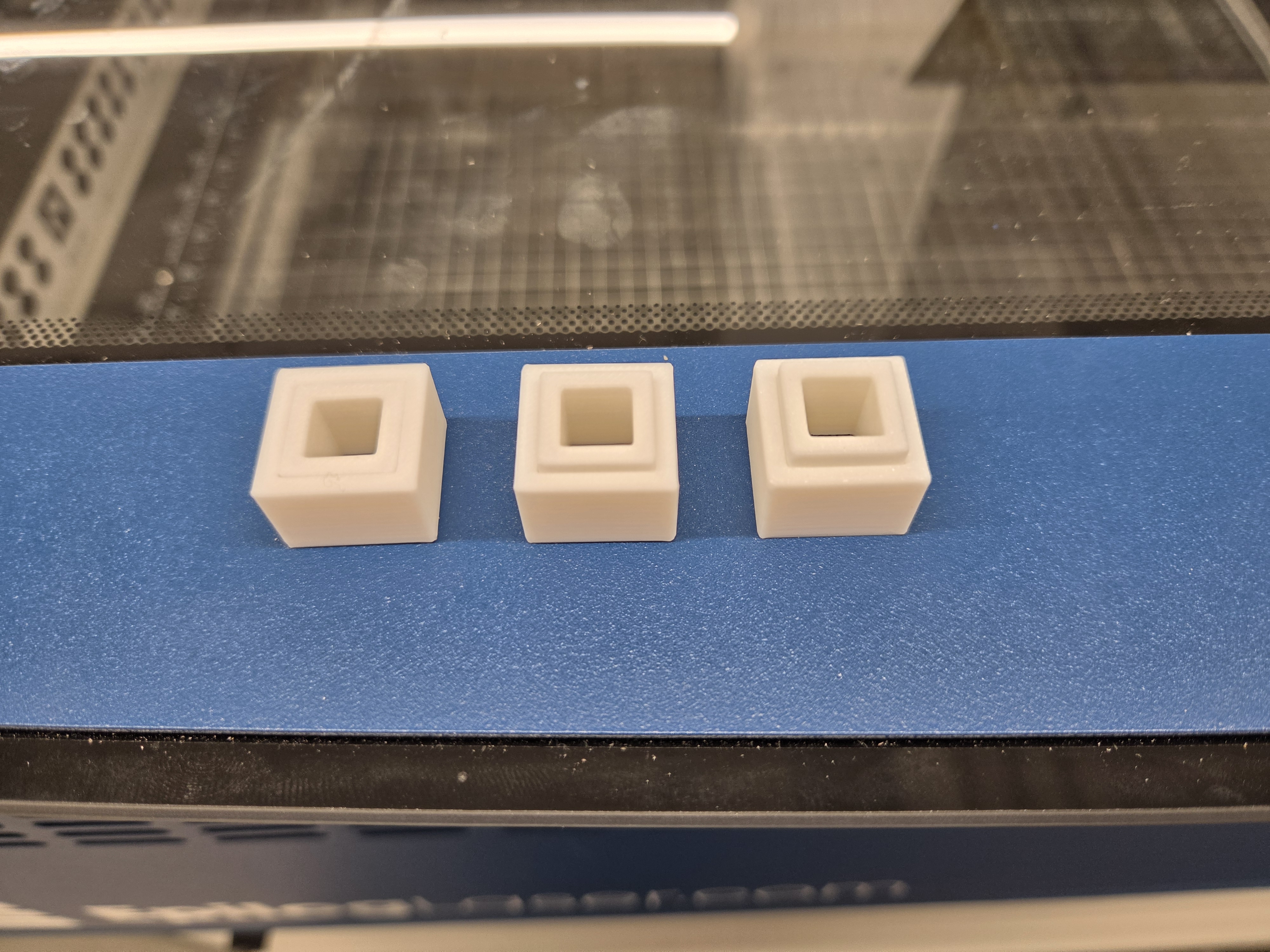
These would need a lot of supports to print like this, so I also decided to split up the gears and hand crank into a set of press fit components, with the (parameterized) tolerance at 0.001 in after running this test print (0.005 in didn’t fit together, 0.0025 could move a bit, 0.000 was a bit too tight; lengths are p/m 0.001 in):
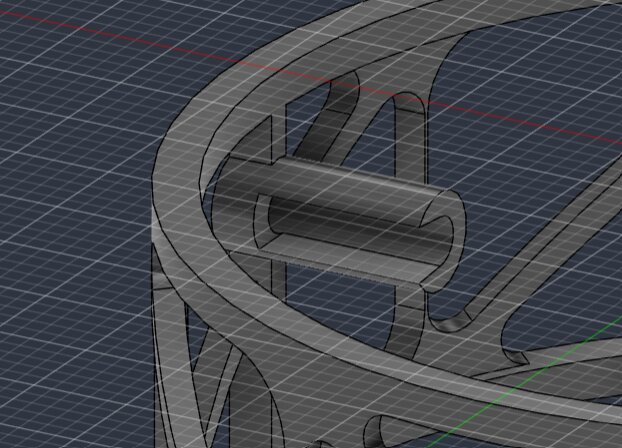
Finally, to secure the top of the main spinning shaft, I made this reversible snap fit joint.
Realizing that this joint doesn’t do anything because I forgot to include a perpendicular part in my hurry to get this printed.. haha
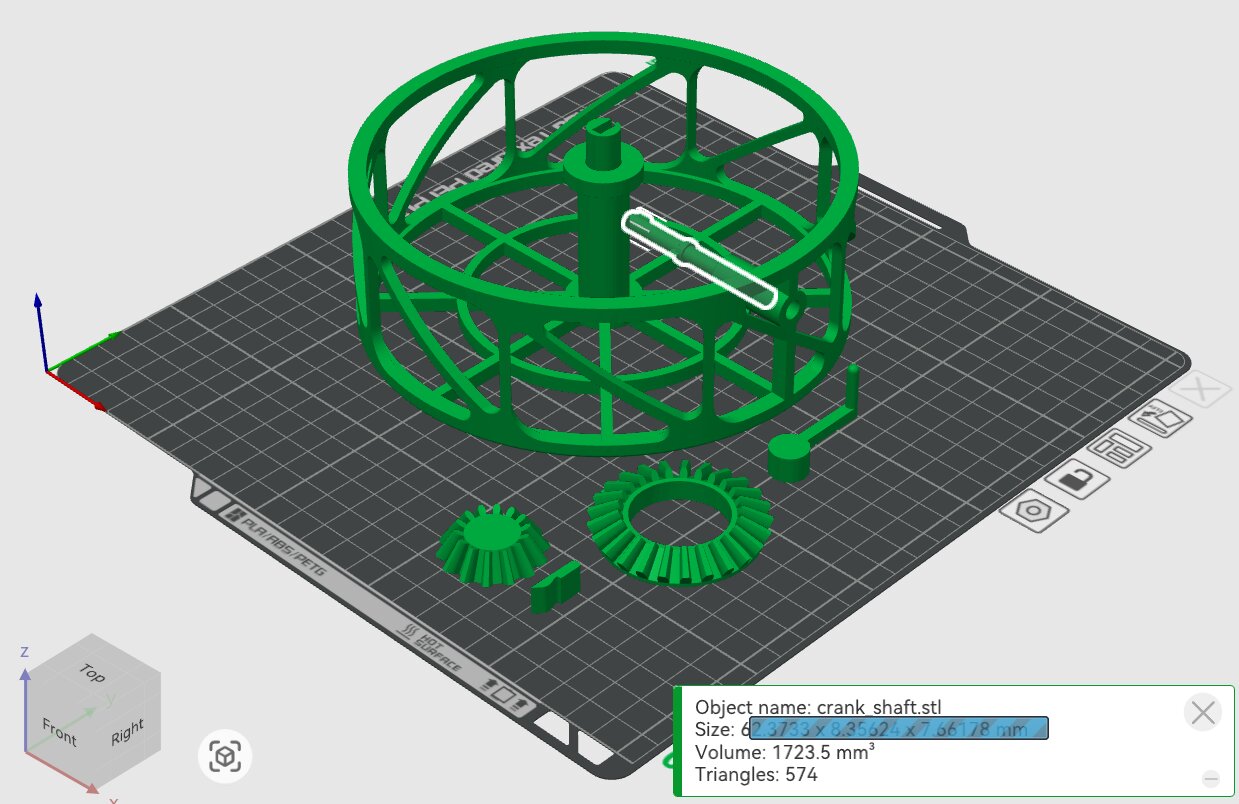
After slicing the first batch in Bambu Studio, I also noticed that it’s impossible to put the crank shaft through its hole, so I made a slit for that last minute:
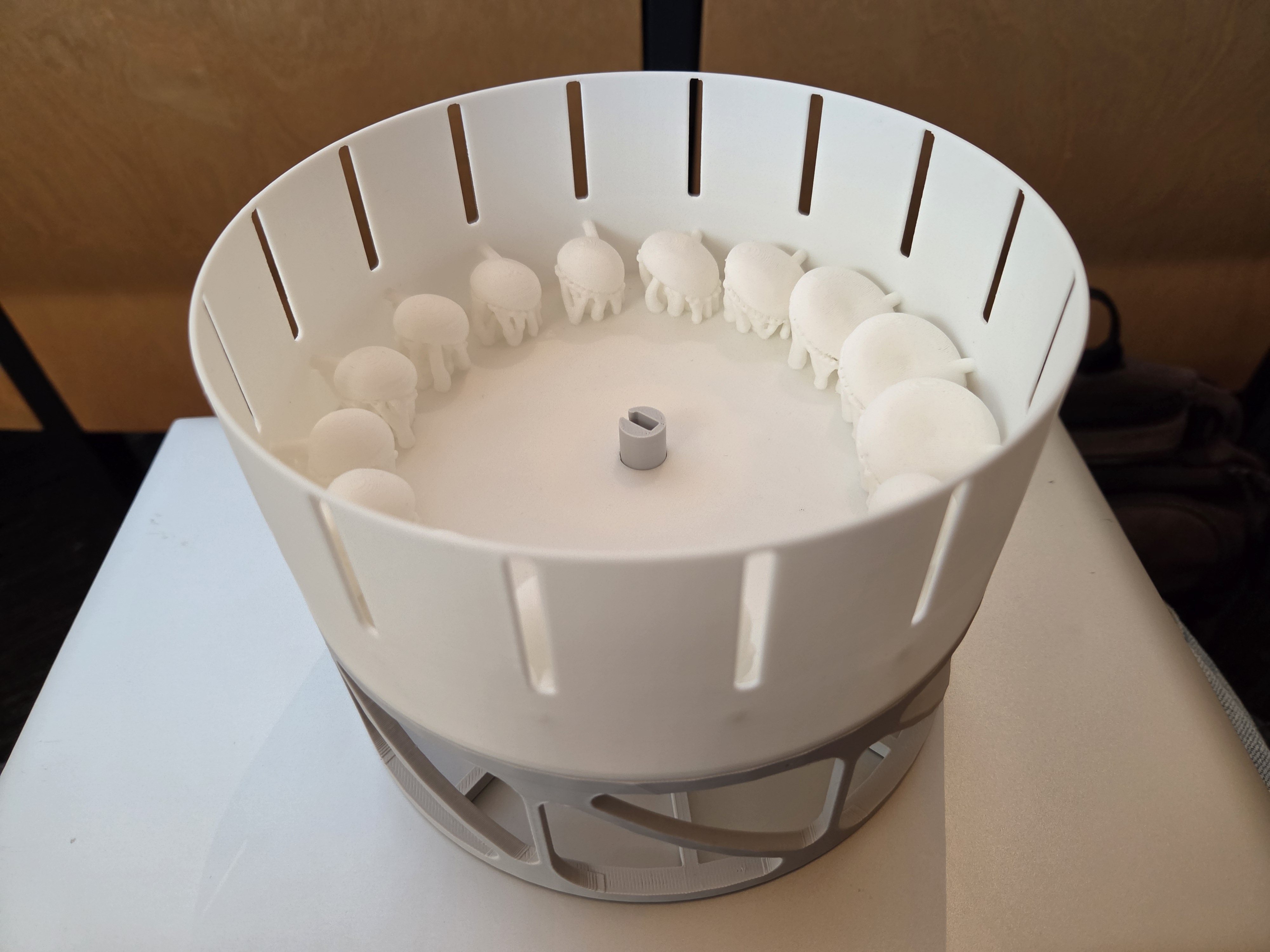
I turned on supports and rafts for every batch, and left everything at their defaults except infill (lowered to 9% because this doesn’t need to be strong). I wanted to experiment with infill-only prints like I said earlier, and maybe multicolor prints for contrast (ex. white jellyfish inside a darker wall), but I had to work on other things at this point. Here's the unprocessed print! I printed this on a Bambu P2S using white and gray PLA
I made the supports too thick, to the point where I didn't have enough time before class (where I was randomly chosen to present...) to remove them all. Next time, for small/fragile pieces like these jellyfish arms, I'll use the support tree (manual) option in Bambu Studio and adjust the branch diameters/angles, or something like the dissolvable supports that were mentioned in class --- they'll otherwise get removed with the supports:
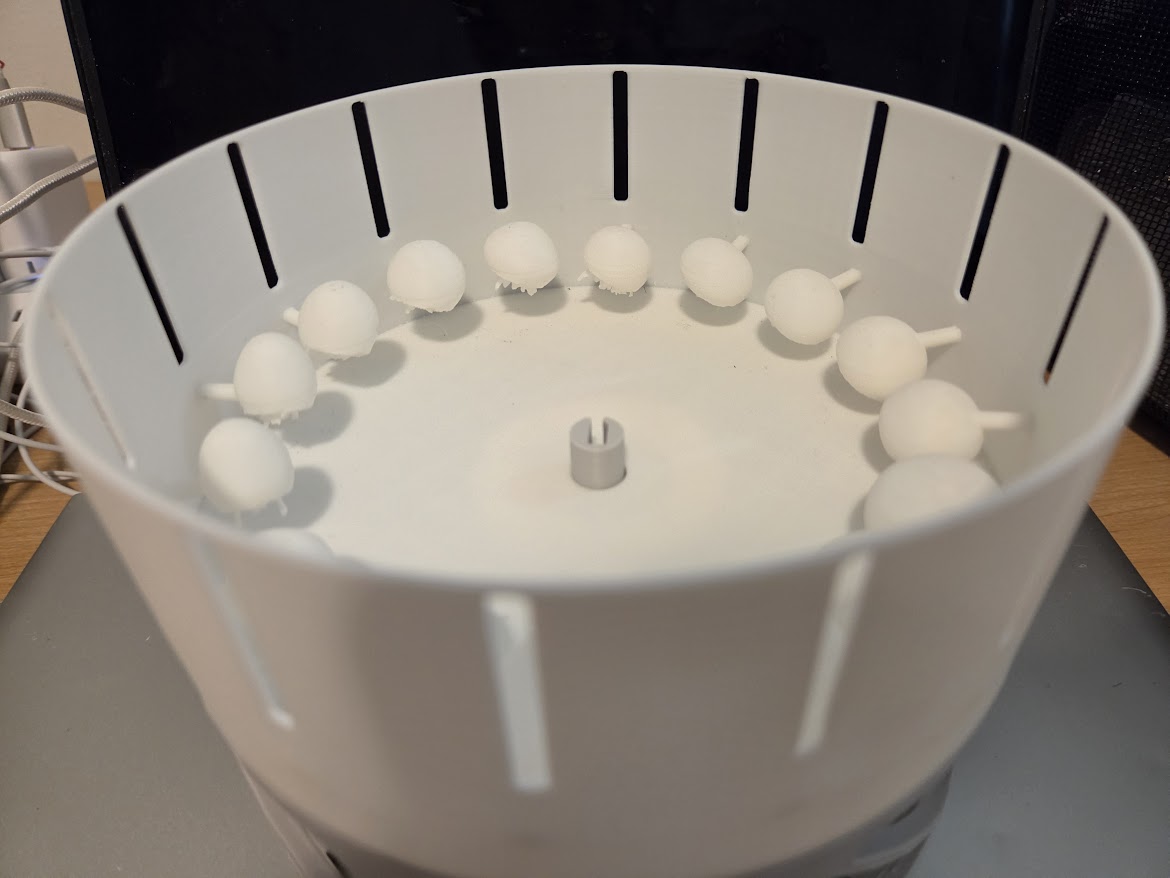
...but it still works! Zoetrope animations depend on breaking up the frames so your eyes can process them individually and they don't become a blur --- you can either use slits (like I did here, for in-person viewing), or use a strobe light / lower the recording FPS like I did in this clip:
---
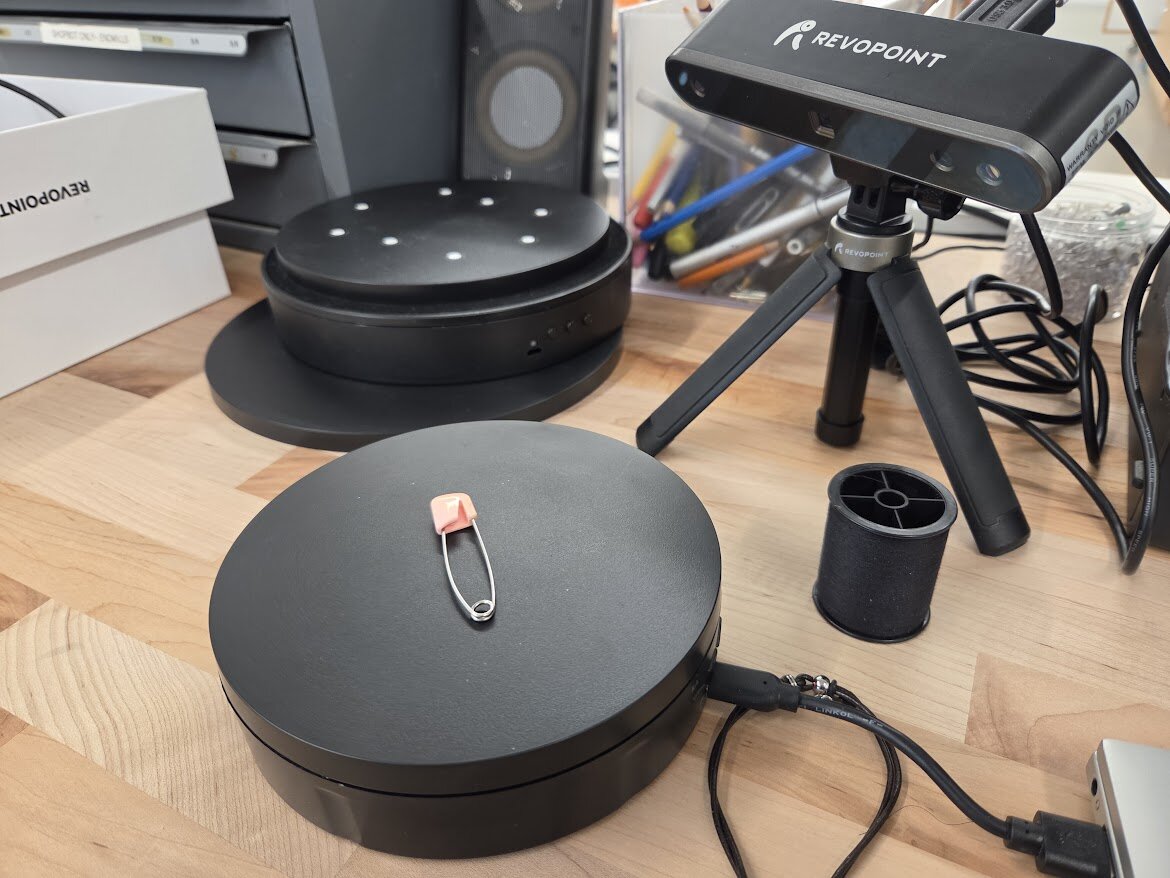
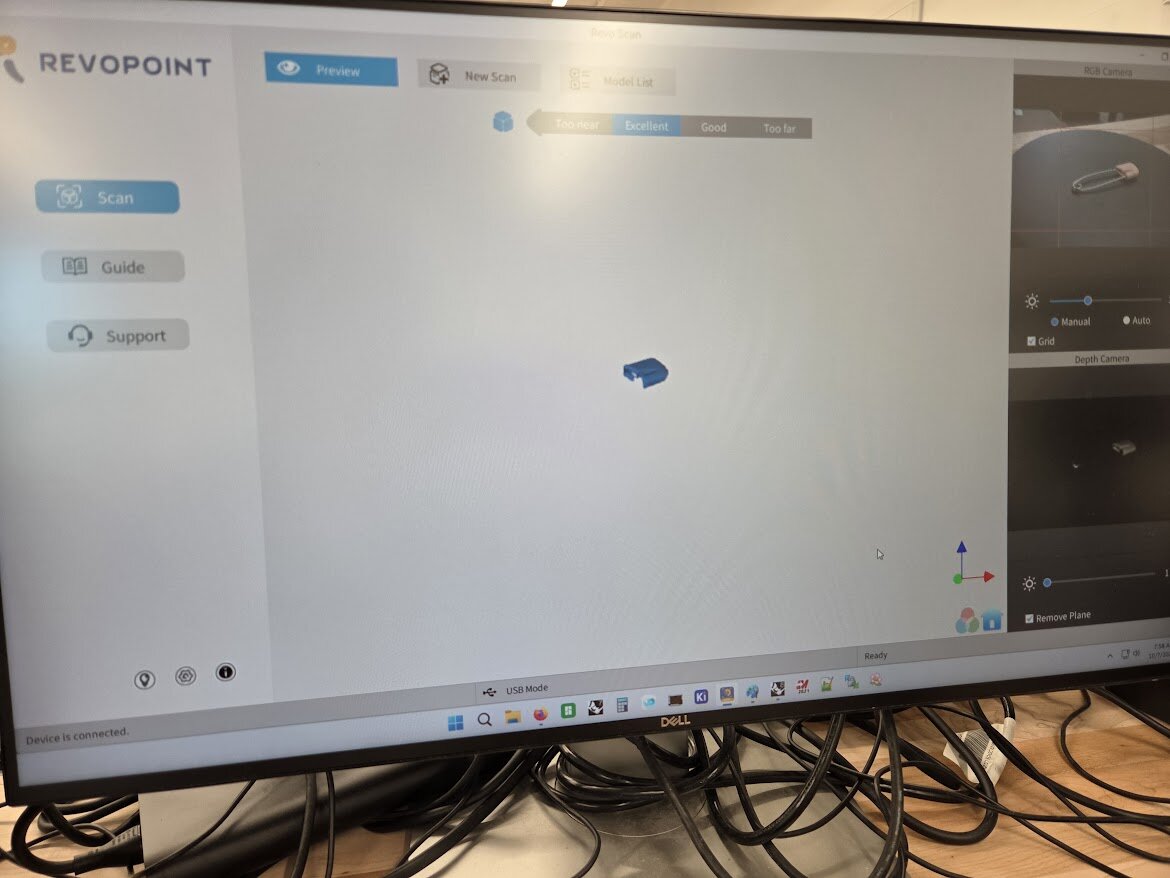
For the scanning part of the individual assignment, I tried to scan a safety pin and a spool of thread using the Revopoint scanner our TA showed us in tutorial (scans and synthesizes point clouds with RGB and depth camera images):
but it could only fuse points for the guard portions of it, and it seems like the safety pin wire + spool insert areas were too thin to register on the depth camera. The scan files are here: pin.ply, thread.ply
I have an idea for another weekly project that involves tiny 3D printed trinkets though — I’ll probably model/scan some more later!