Electronics Design - The Central Board
This week's task was to design a microcontroller board. I designed the central board for my final project, the Marble Musician. It controls the module boards that each run seven chimes and their motors. The central board mostly sends and receives information: it connects to a microphone for calibration, a screen and buttons for controls, and the seven module boards.
The connection to each module uses a heartbeat-style transmission that both checks for errors and confirms a module is connected before any control signals are sent. Each module receives 8 bits of data. Seven of these bits control the firing of the solenoids, and the presence of a "song" serves as the signal for the module to start its motor (that logic lives on the module boards).
I designed the board in KiCad and worked with AI (Claude) to first understand what I was looking at on the board itself, and then to work out the best layout for the different pins.
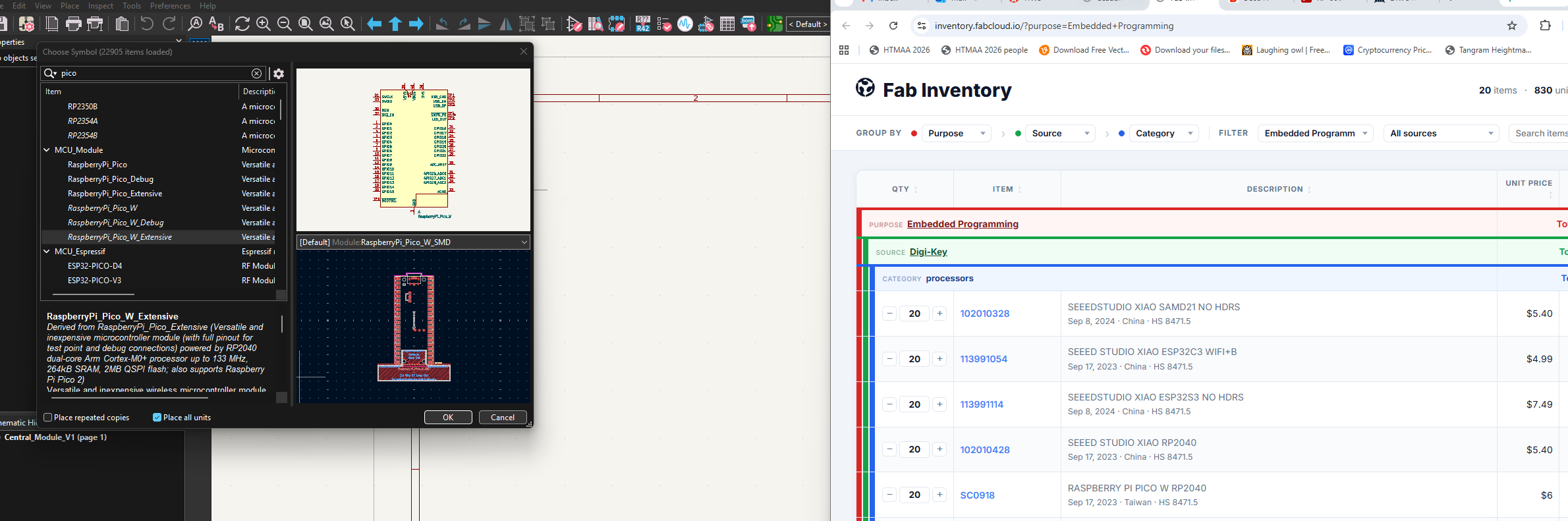
I chose the Raspberry Pi Pico W from the inventory because it has the largest number of pins, which I need for seven modules plus the microphone, screen, and buttons. This is the pinout I worked from. I ended up using all of the available GP pins through planning
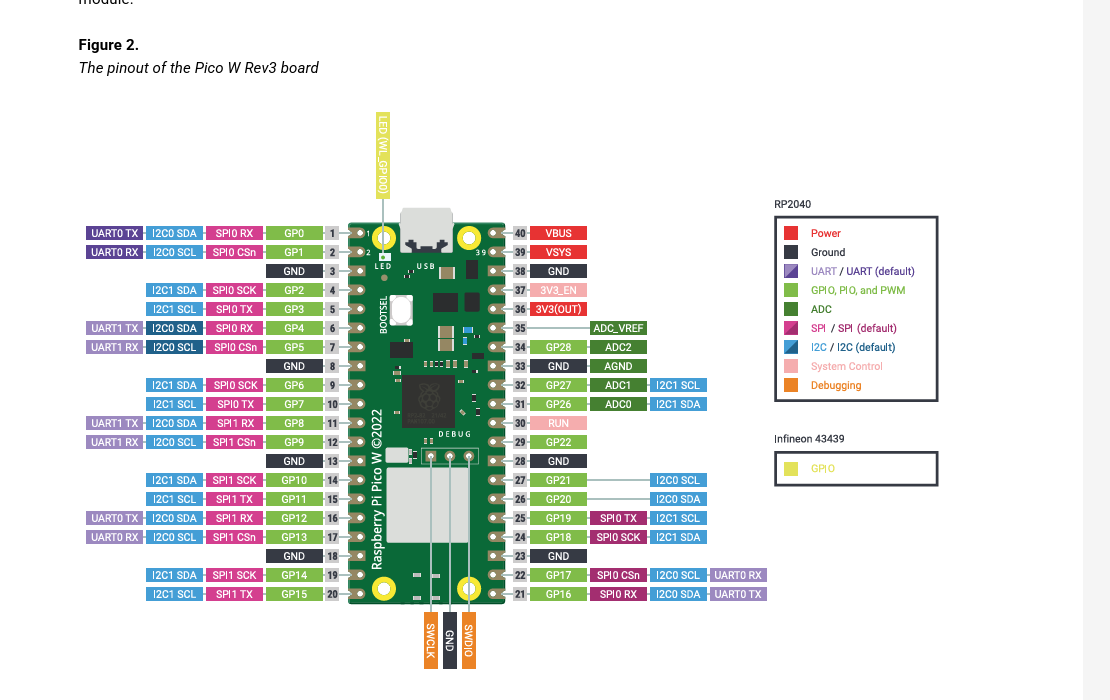
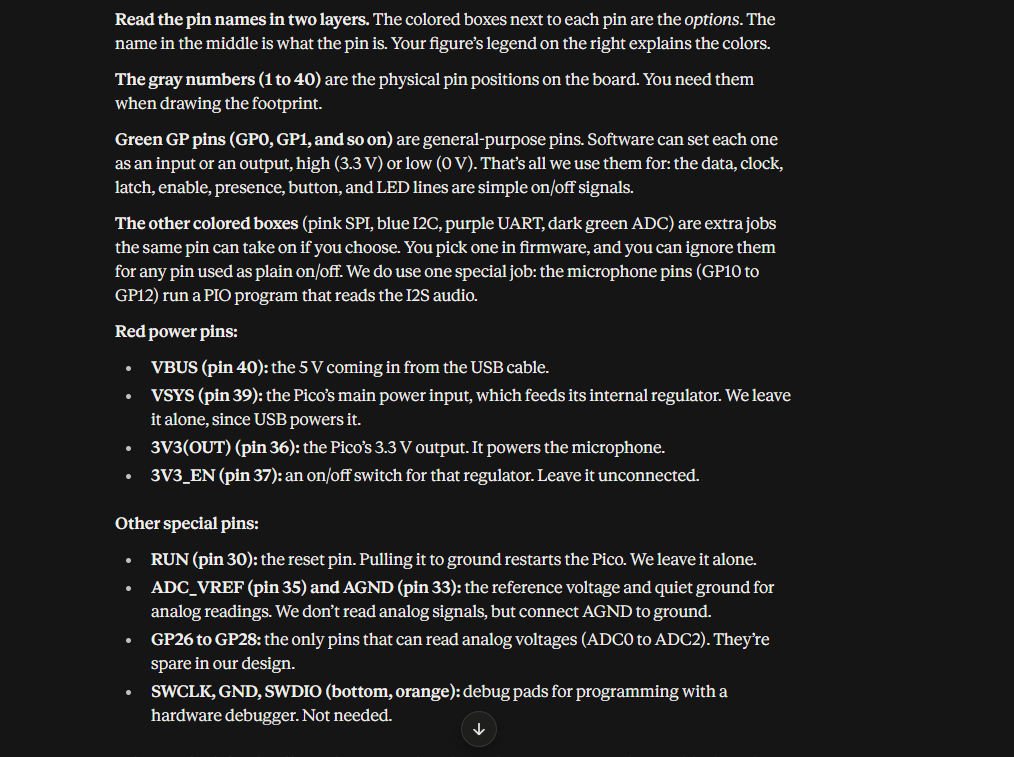
I used Claude to walk me through how to read the pinout: what the colored boxes mean, which pins are general purpose, and which power pins to use or leave alone.
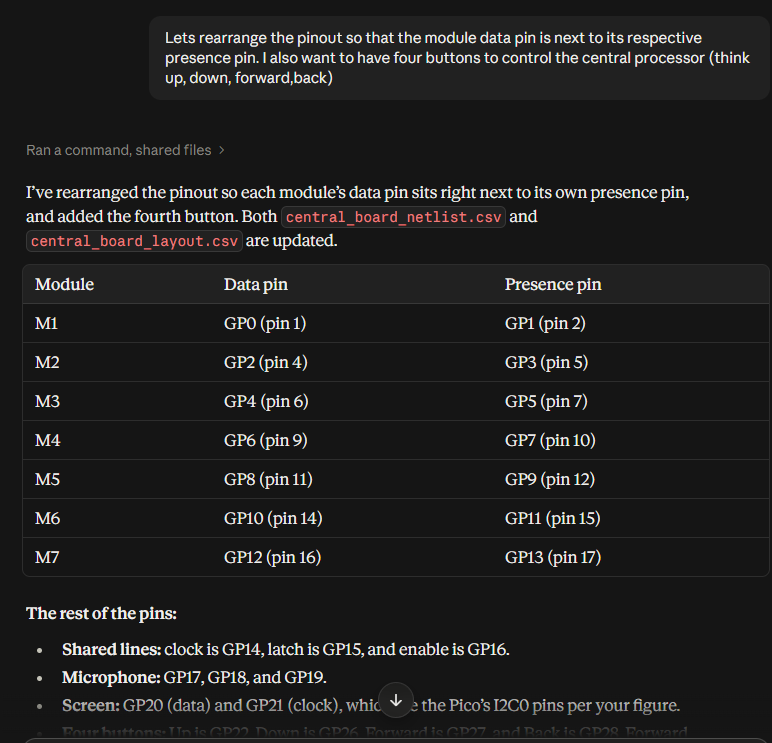
I then worked with Claude to rearrange the pinout so each module's data pin sits right next to its presence pin, added four buttons to control the board (up, down, forward, and back), and completed various other optimizations in order to achieve the best pin arrangement while also planning for all the necessary functionality of the final product. This was stored in a netlist (shown later) for use in KiCad.
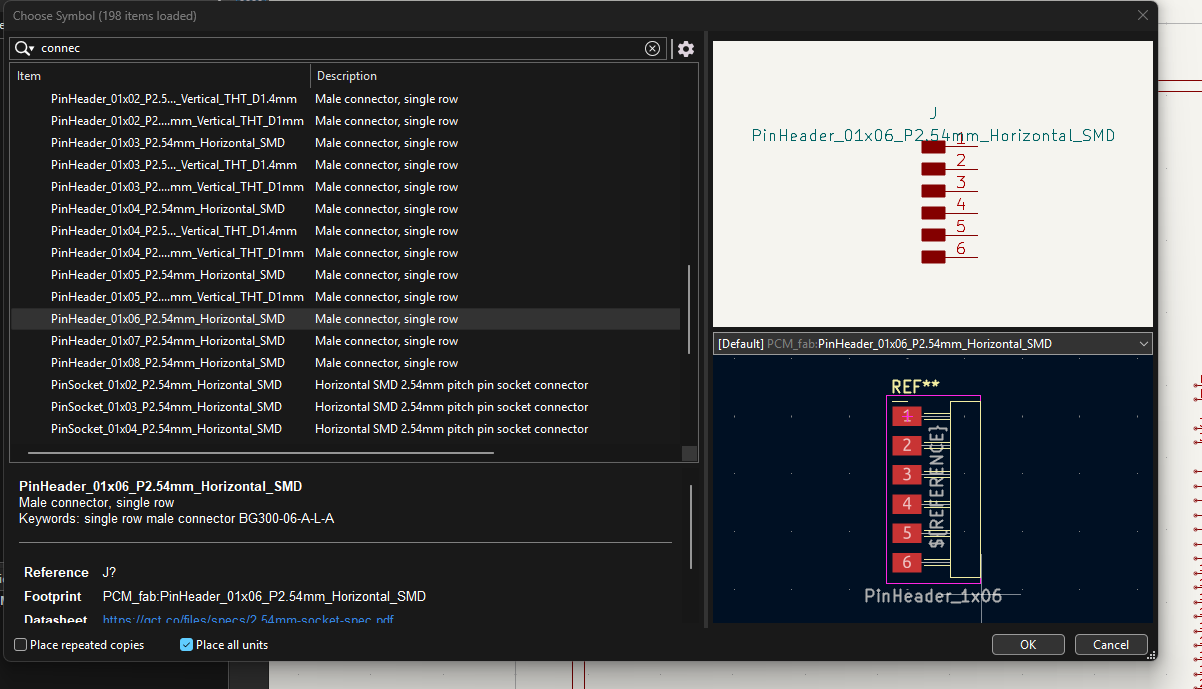
In KiCad, I found the Pico W symbol and checked it against the Fab inventory to make sure it was the part available to me. and inserted it into the board field.
Next I picked the connectors: 6-pin horizontal headers for each of the seven modules, plus headers for the screen, buttons, and microphone.
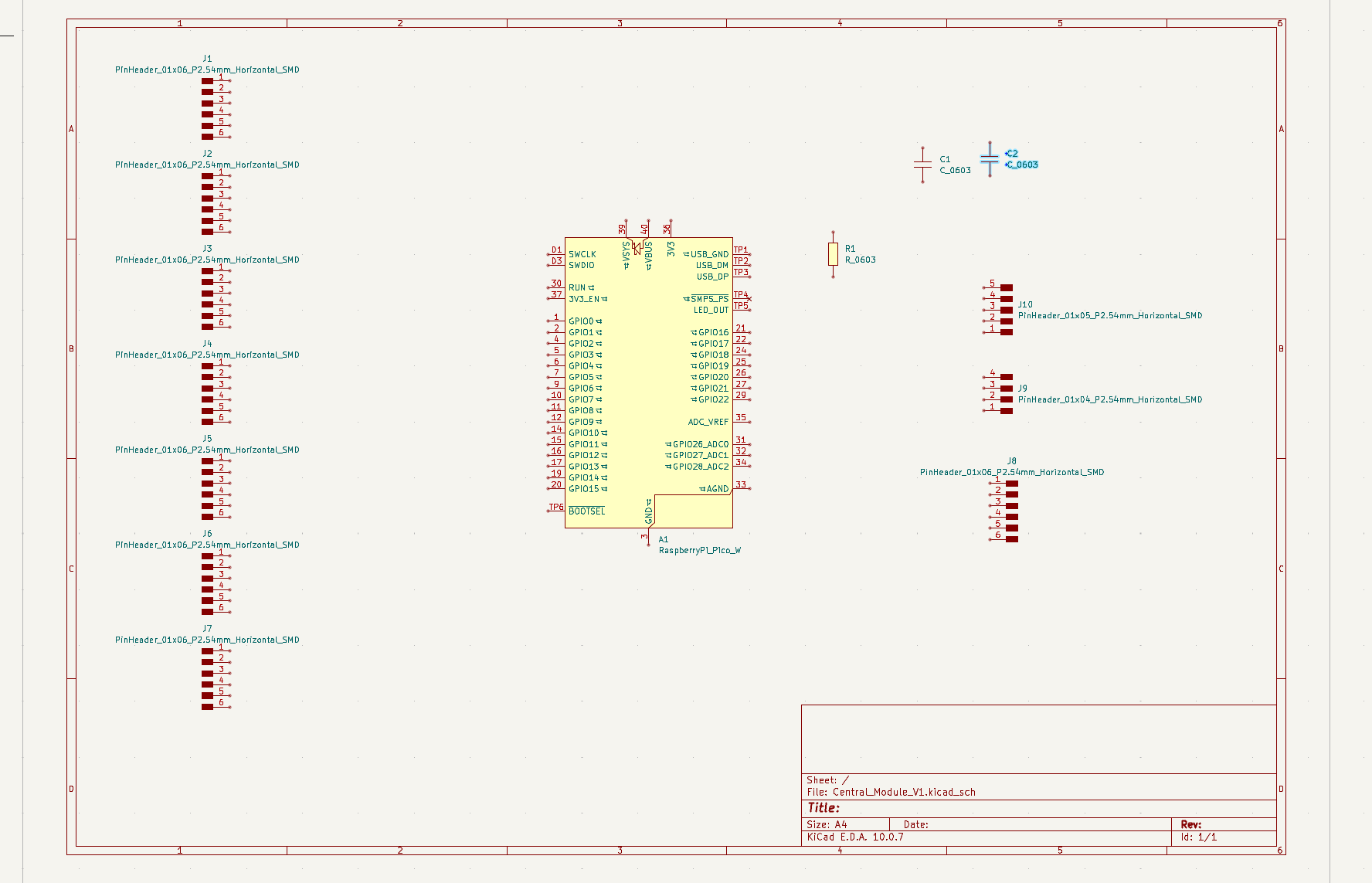
All of the parts placed in the schematic before wiring: the Pico, seven module headers, the screen, buttons, and microphone connectors, and the capacitors and resistor. Test points were added after as well. Though these are not in the fab inventory, they are not actual parts so I used the Universal library.
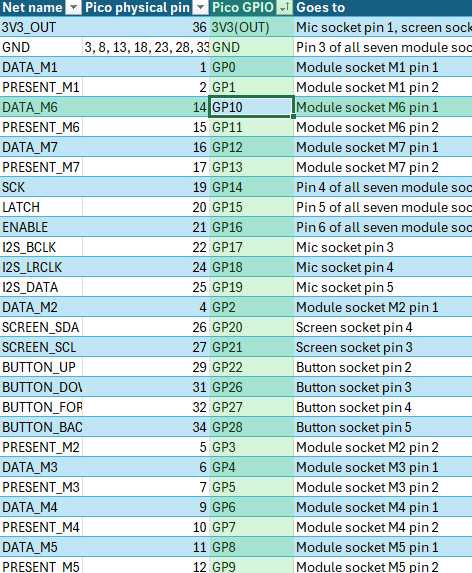
I kept a netlist spreadsheet to track every connection: the net name, which Pico pin it uses, and where it goes. I used this to complete the wiring in the schematic page.
The wired schematic. Each module gets its own data and presence line, while the clock, latch, and enable lines are shared across all seven modules.
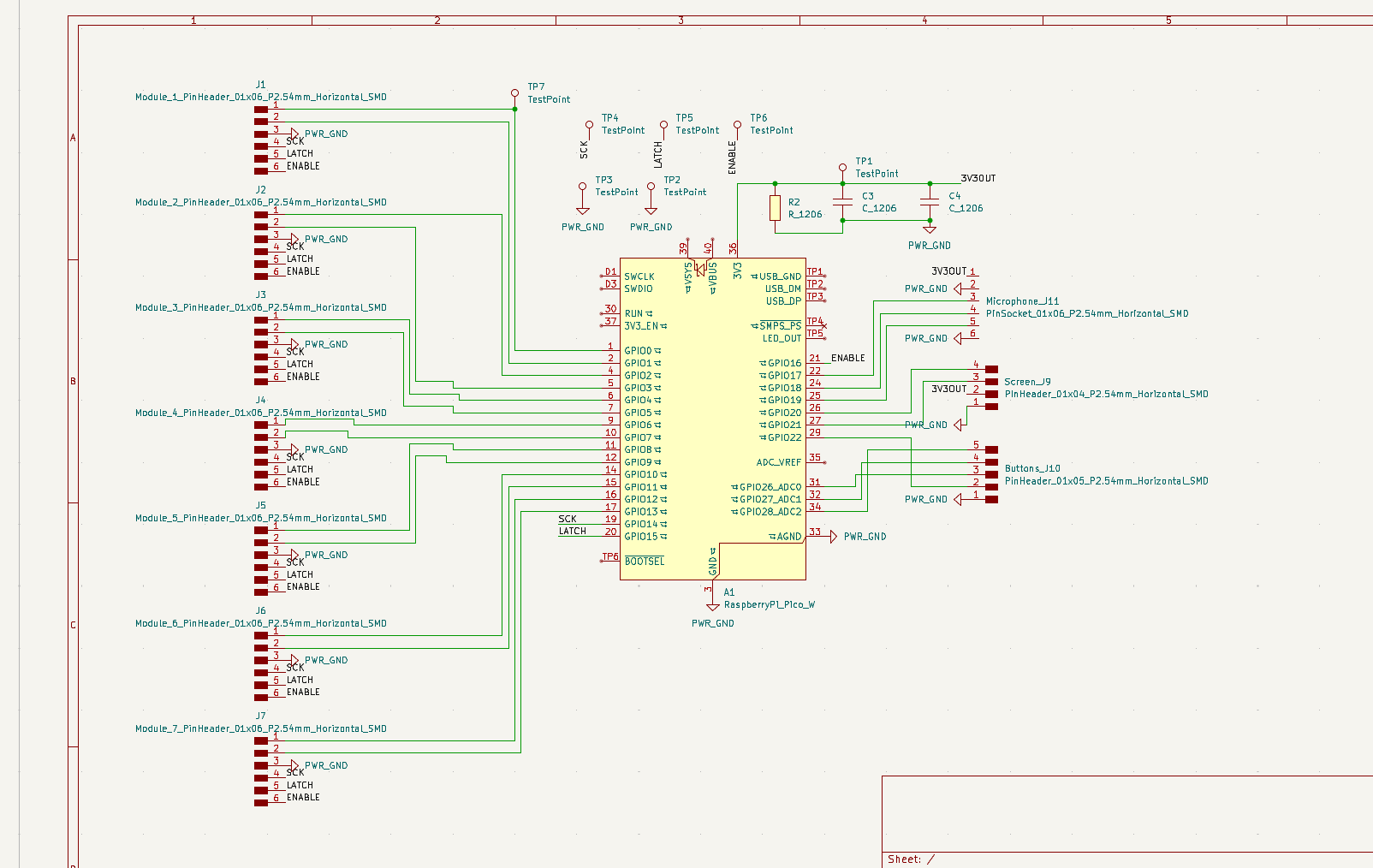
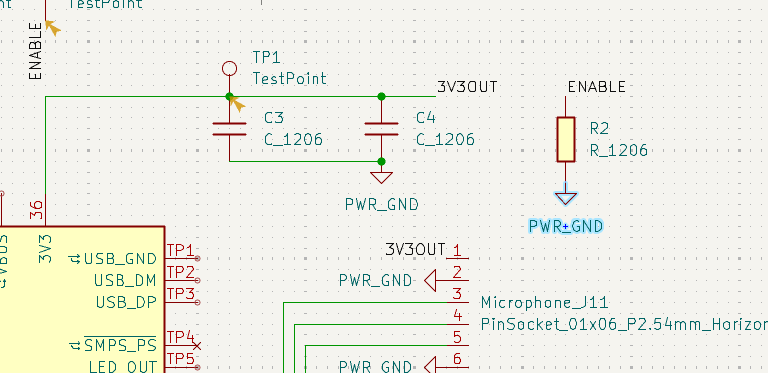
A closer look at the power section: two capacitors smooth the 3.3V supply, and a resistor pulls the enable line to ground so the modules stay off until the board tells them otherwise.
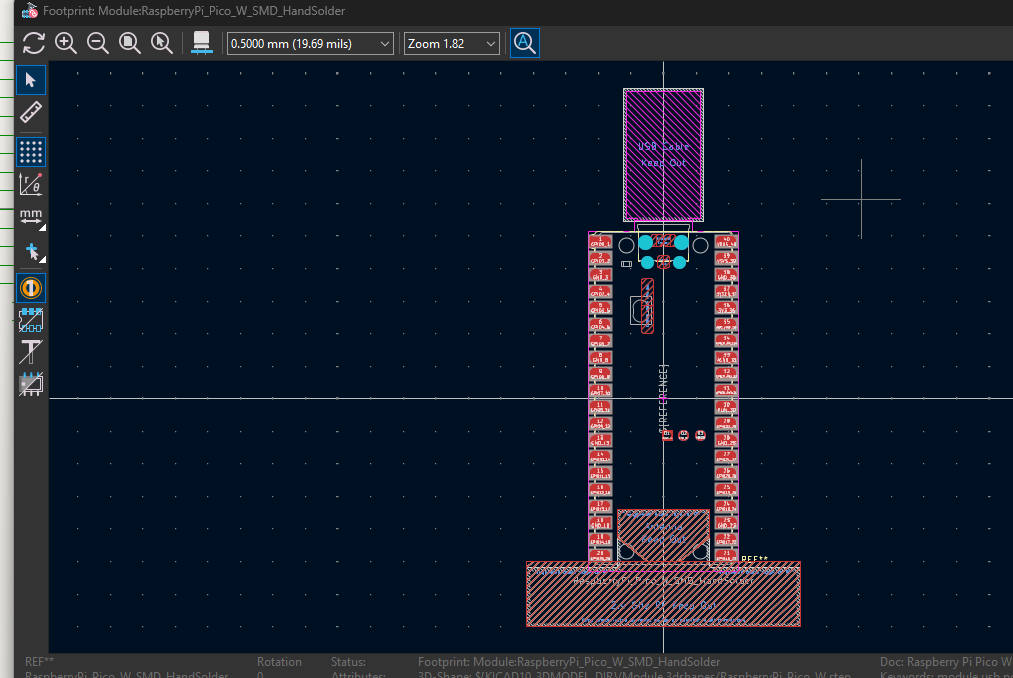
For the board itself I used the hand-solder footprint of the Pico W so it can be surface mounted.
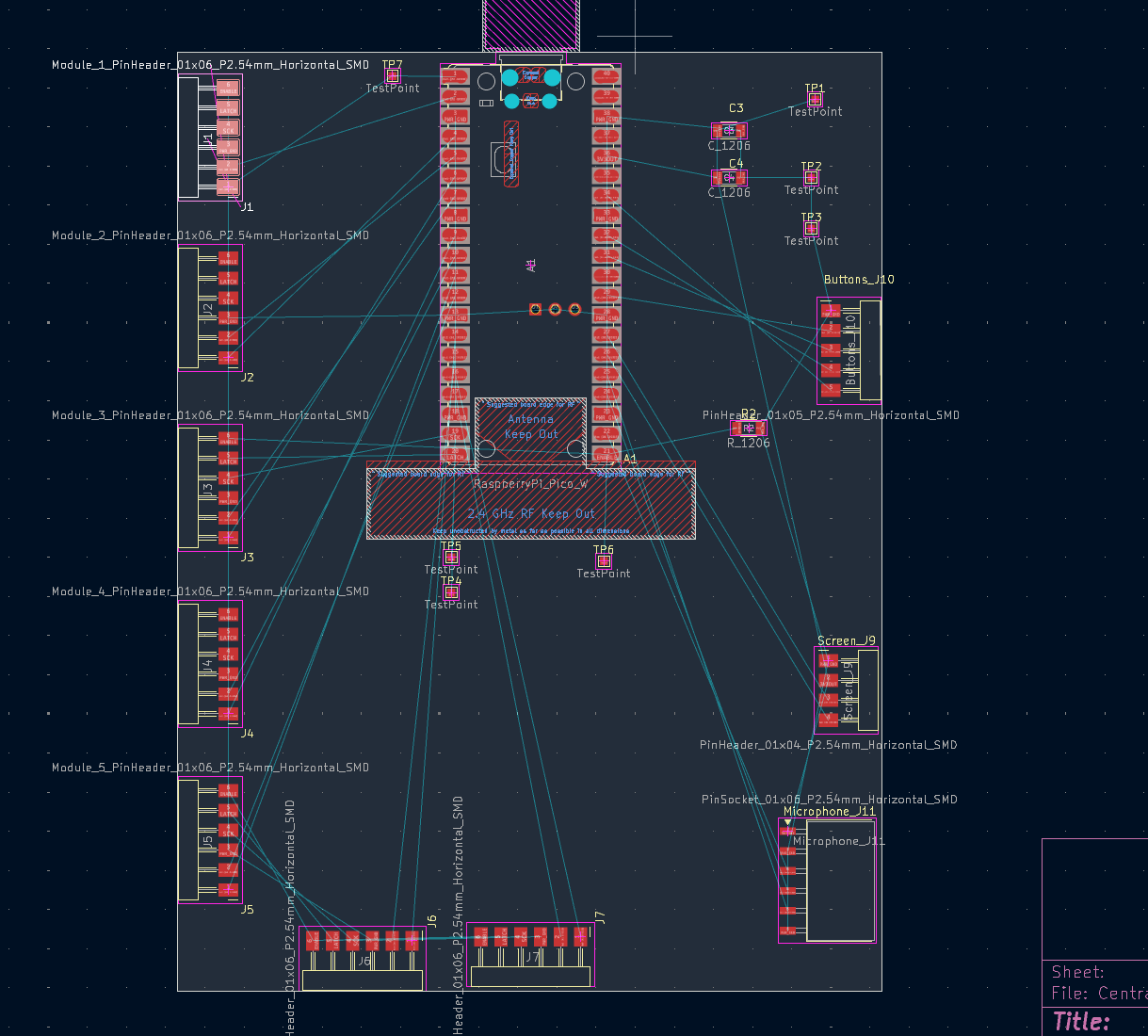
The first import into the PCB editor, with all of the parts and their connection lines still unrouted. This was going to be an issue, as the common lines for all of the module pinheaders was going to create massive amounts of hops.
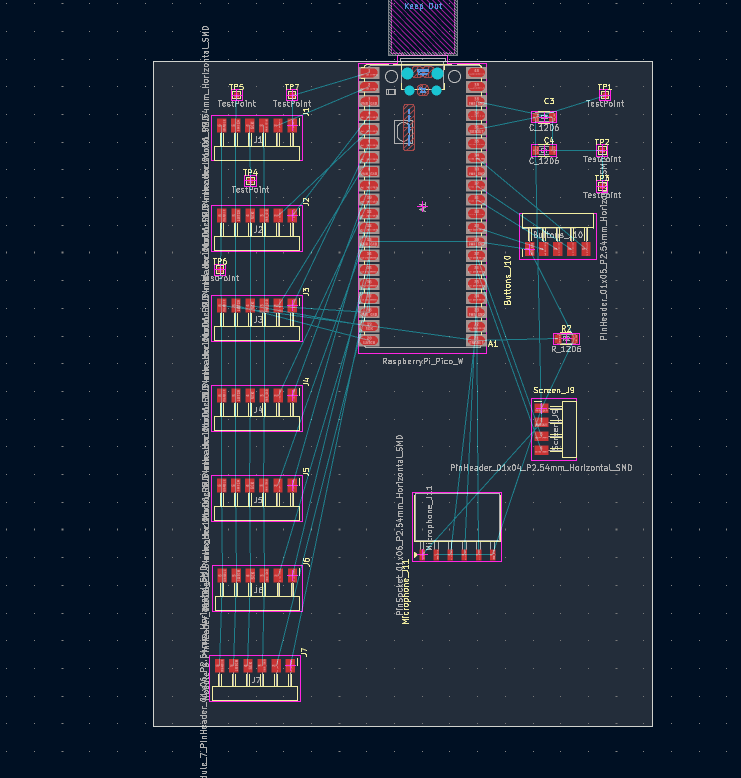
I rearranged the parts so the seven module headers line up along one side and the screen, buttons, and microphone sit on the other. This allowed me to avoid any hops throughout the board.
I started routing the traces. .4mm width and .4mm clearance as recommended by the TA in our slack channel. With the headers laid out in a row, the shared clock, latch, and enable lines need to run straight through all of the module connectors.
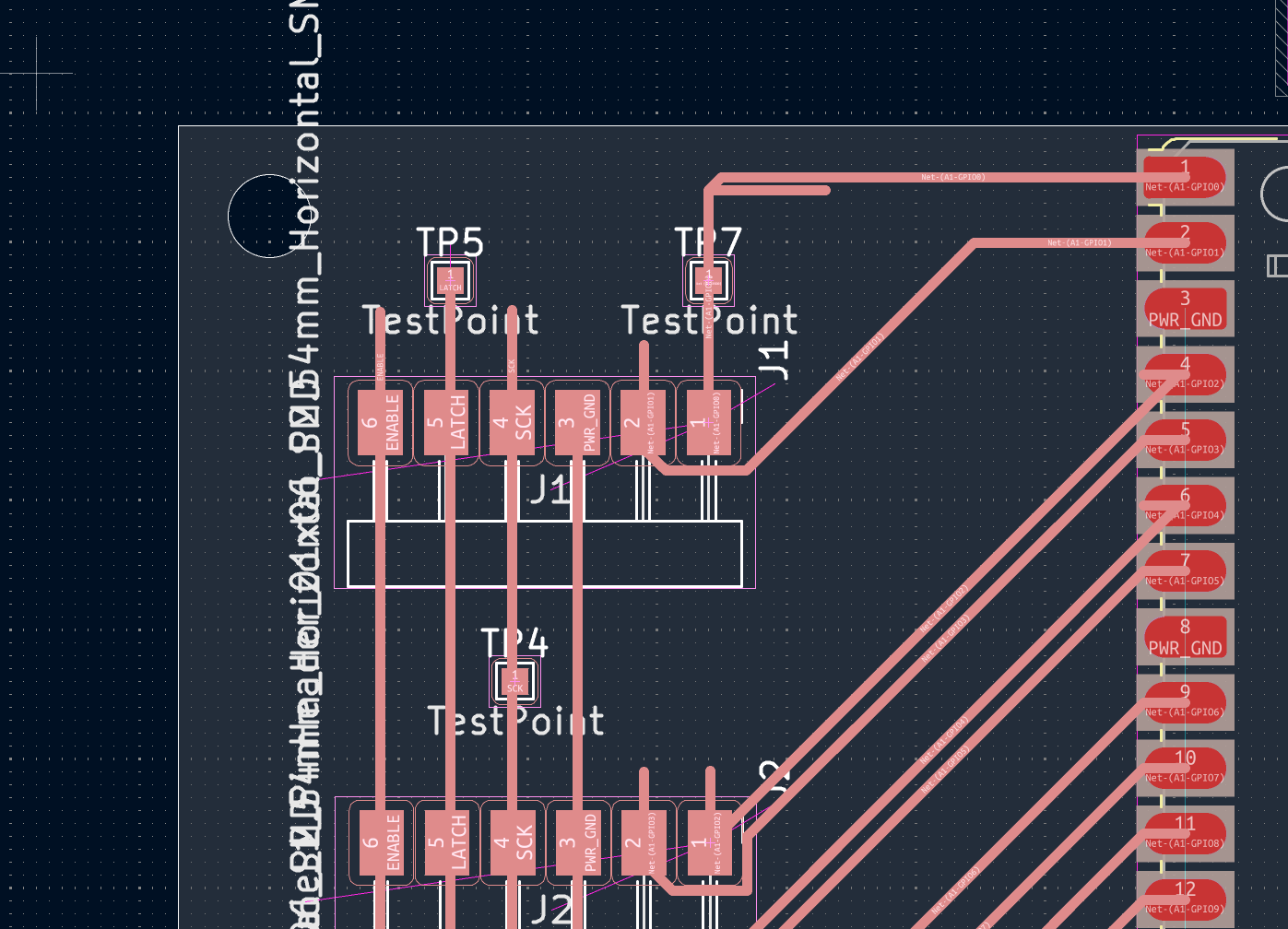
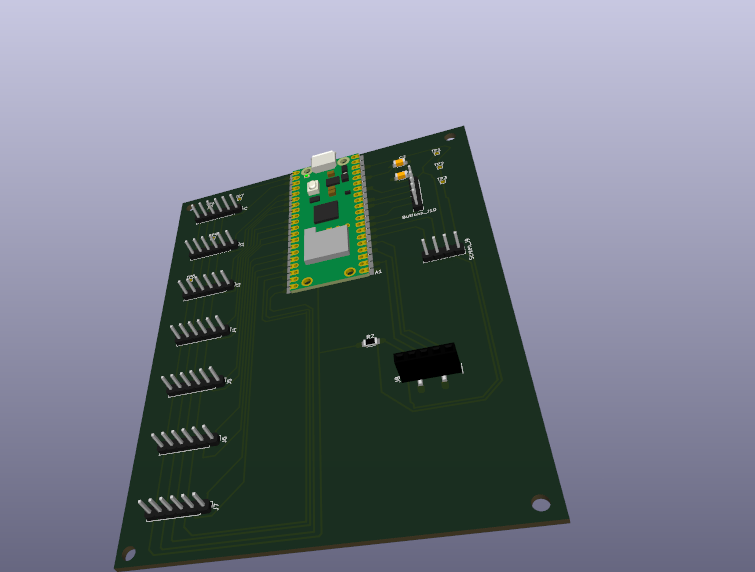
The 3D view showed the problem with the horizontal pin headers: they lie flat and stick out the side, which doesn't work for thew connections that need to reach every contact.
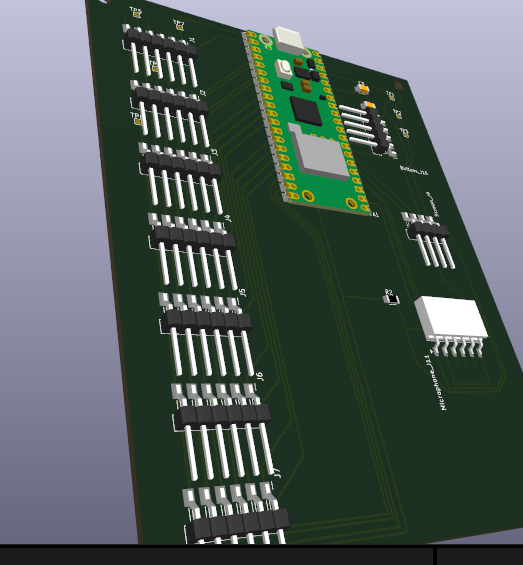
To fix this, I switched to vertical pin headers. Instead of deleting the parts and rebuilding everything, I changed the footprints of the existing parts. With a bit of trial and error, this worked much better.
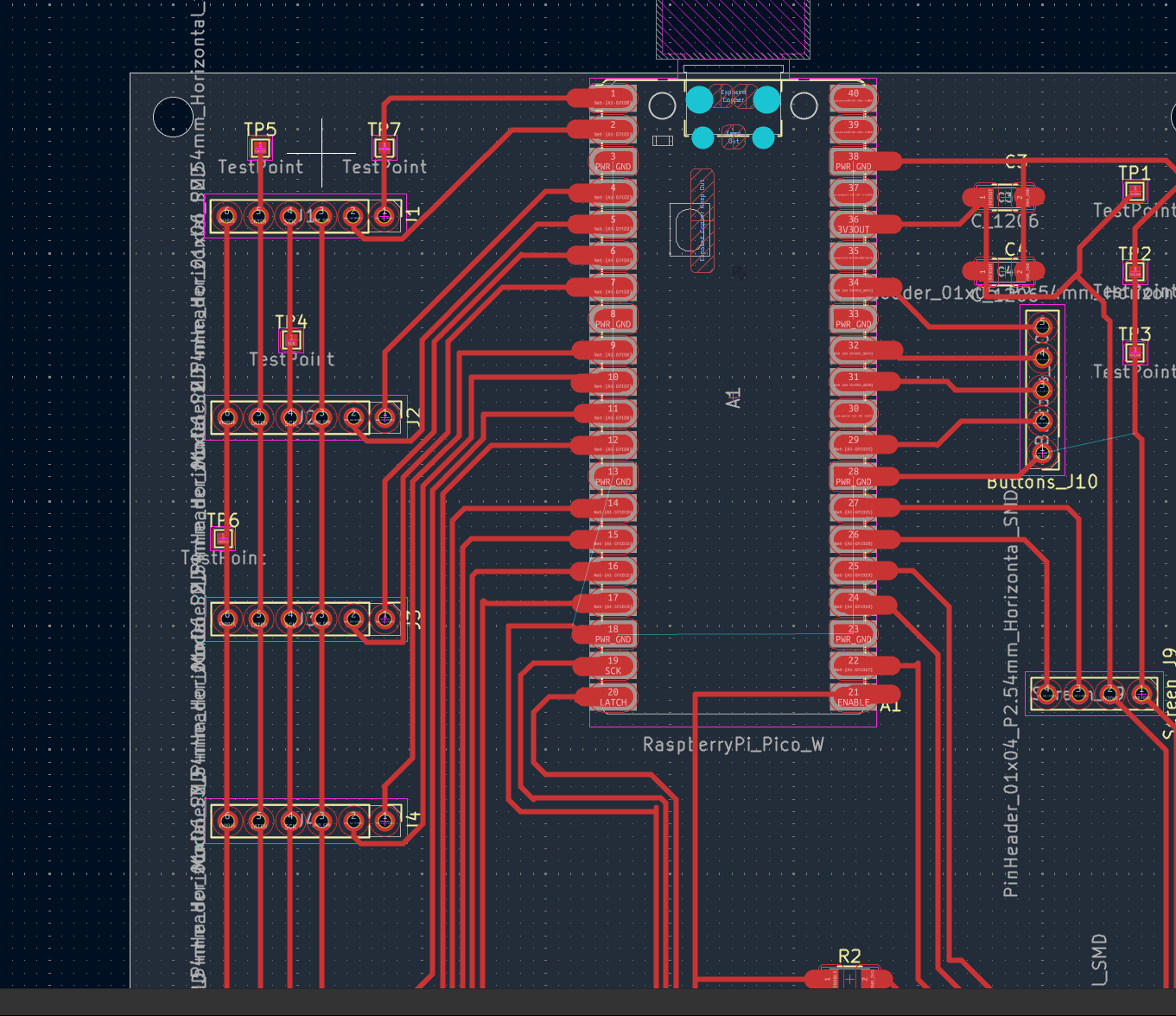
The fully routed board. I added holes for M3 mounting screws in the corners, which will work with the case I built last week with slight size adjustments. I also added 1mm circles of exposed copper near the surface-mounted contacts to make soldering easier.
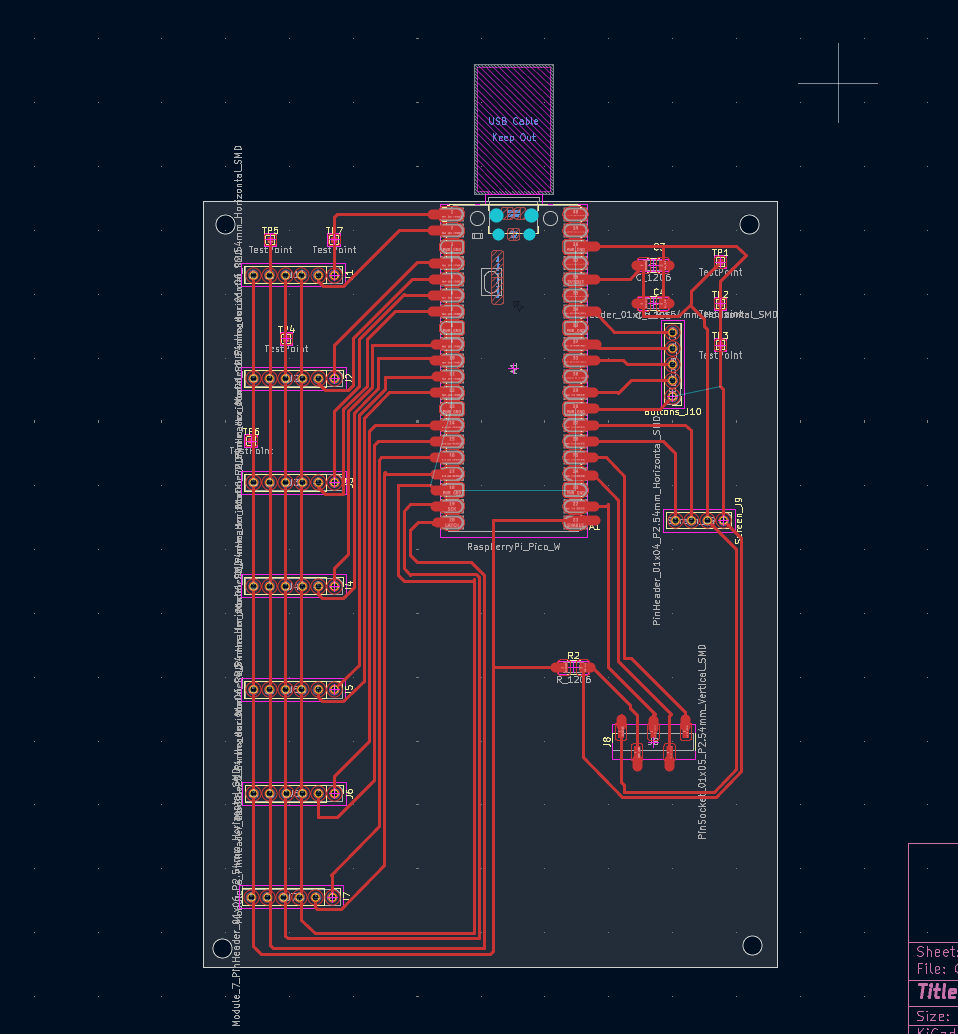
The final board in 3D with the vertical headers in place.
AI use notated in the html