Post 2: Vinyl and Laser Cutting
I take everything I know about laser cutters and put them into bad use. Also, what if I wanted to join laser cut wood in the z-axis?
group assignment:
- do your lab’s safety training
- characterize your lasercutter’s focus, power, speed, rate, kerf, joint clearance and types
individual assignment:
- cut something on the vinylcutter
- design, lasercut, and document a parametric construction kit, accounting for the lasercutter kerf
- extra credit: design it to be assembled in multiple ways
- extra credit: include elements that aren’t flat
- extra credit: engrave as well as cut
I’m coming into this week fairly confident that I can design and prototype what I want to build quickly. I’ve cut puzzle pieces, shoeracks, boxes etc. and so I have lots of laser cutting experience. Unfortunately I will need all the previous experience I can get because I’m out for the whole weekend for the Wildfire Retreat in Ashford, CT.
Laser Characterization
As I was away for most of the weekend, I was not able to do any characterization of the EDS laser cutter with the EECS section. Below are their results. I take no credit, and I am grateful to the rest of the section for working on this. All visuals by Andrin Schmid.
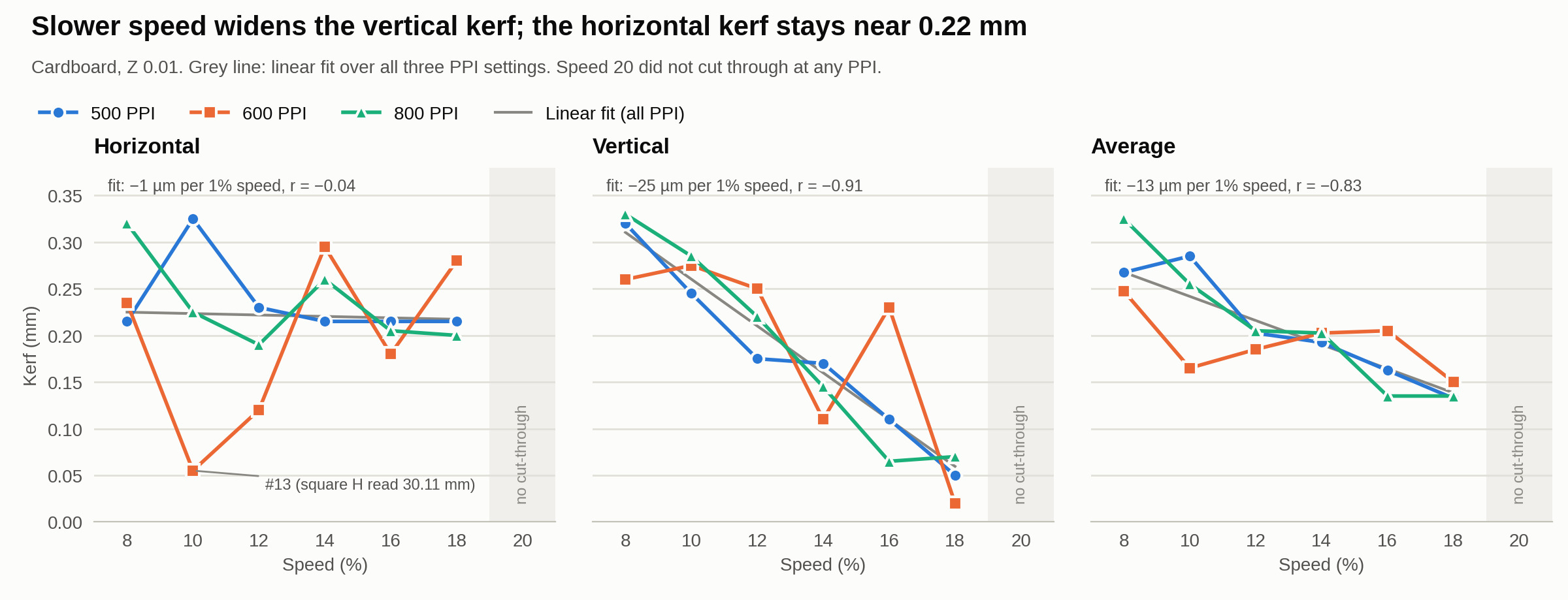
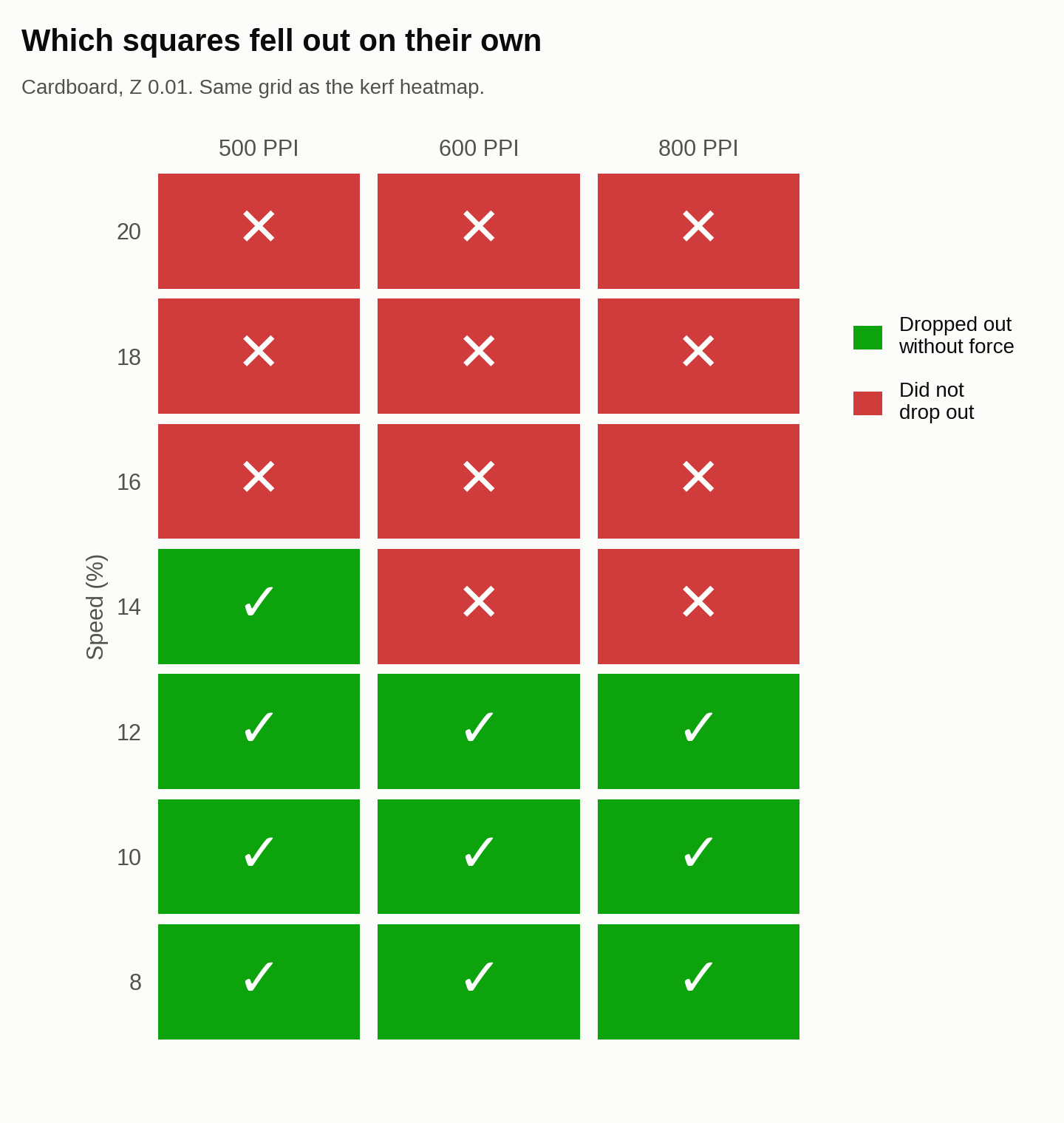
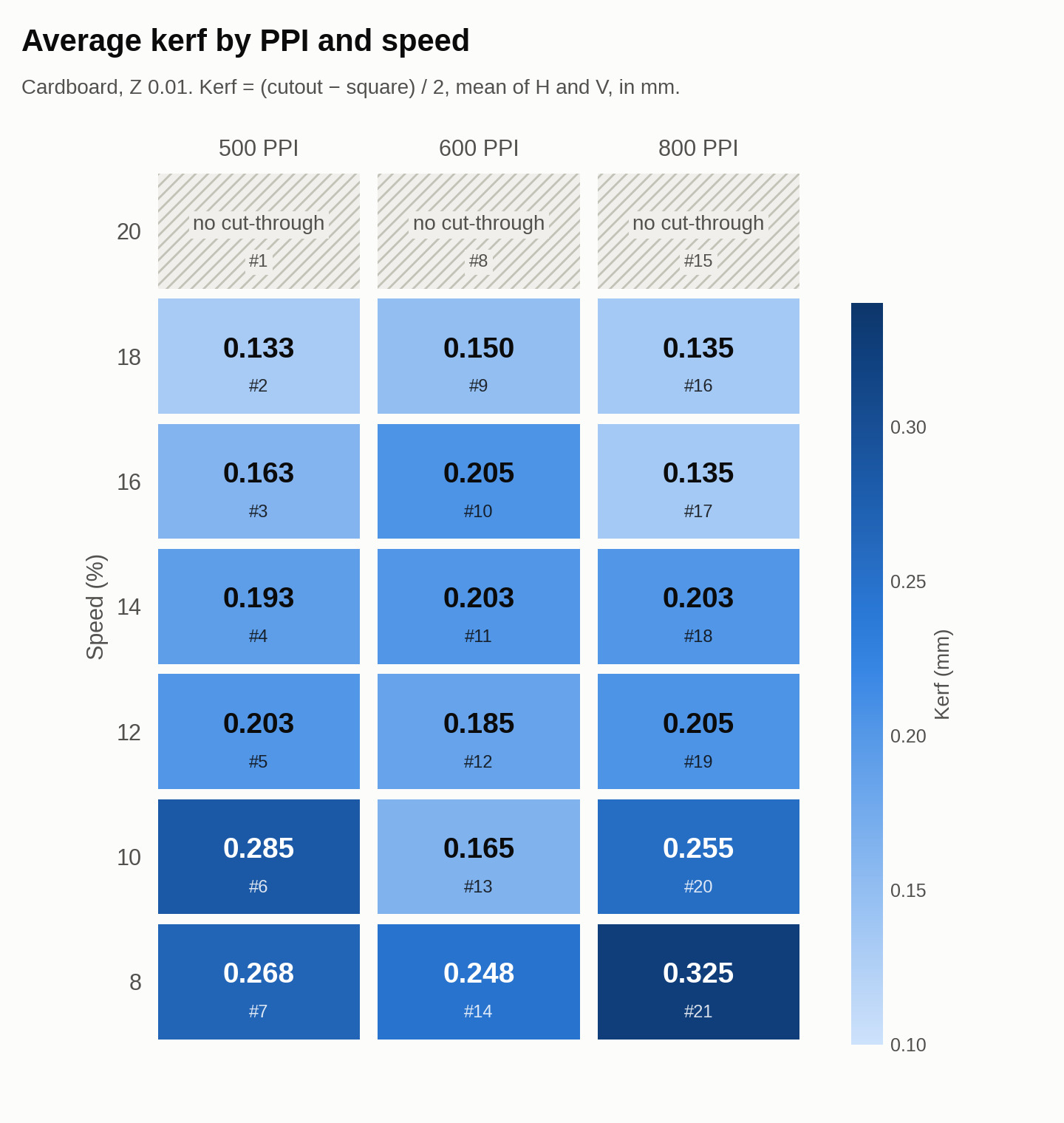
For myself, I headed over to Metropolis (where I have 24/7 tap access as I am a mentor in that makerspace) and designed a laser engraving calibration sheet for the Metropolis Fusion M2 laser cutter.
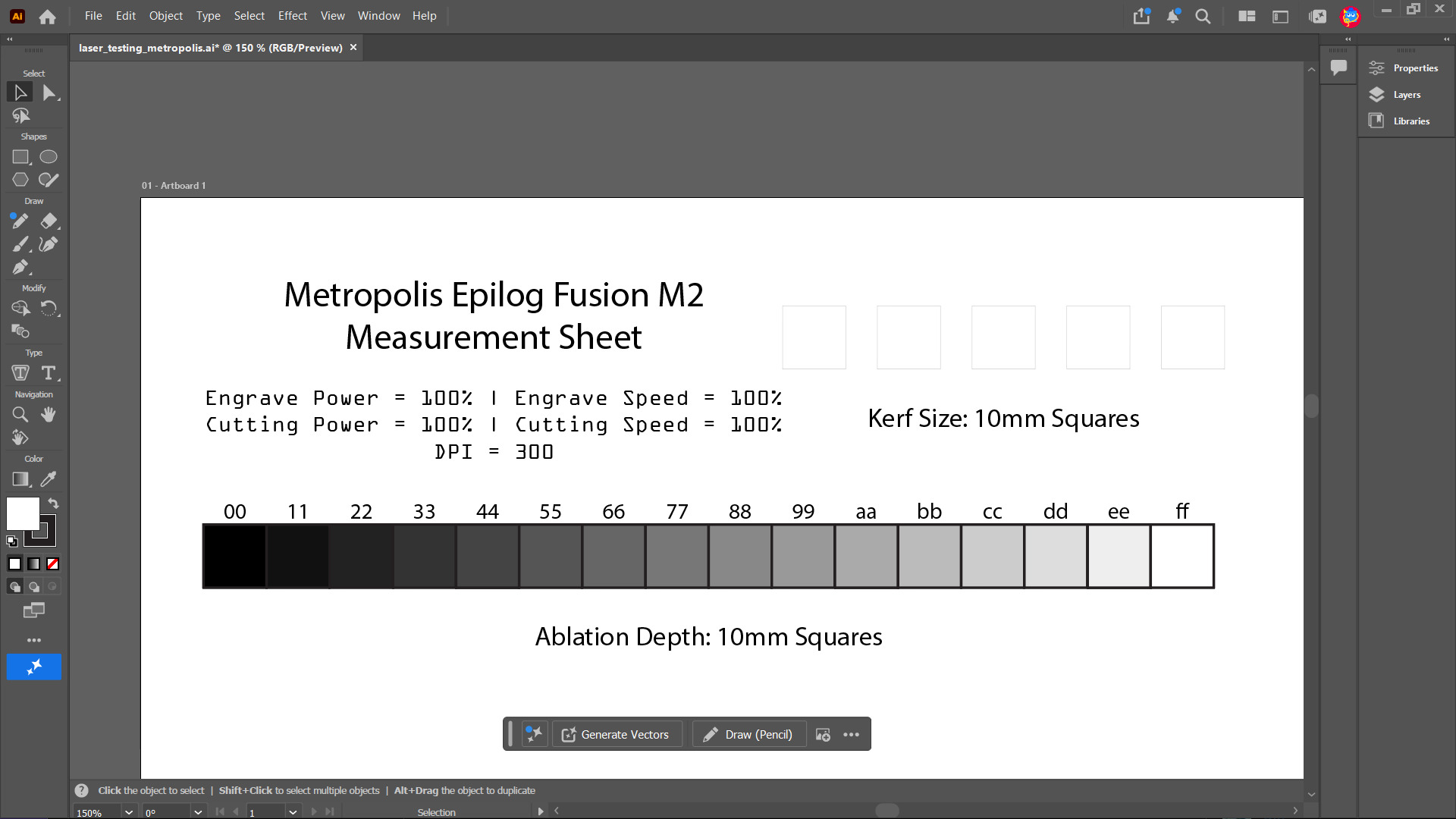
The sheet consists of some text to indicate what the power and settings are, as well as some cuts and engravings on 10mm squares to use to test.
The engraving test is done by placing 16 grayscale 10mm-by-10mm squares in a row. Each grayscale square is colored from #000000 to #ffffff. From this one can measure the amount of material ablated by the laser cutter during an engraving pass.
The cut test is done by cutting out 5 10mm-by-10mm squares. From here, one can measure the kerf by measuing the laser cut width of the square and compare it to the expected 10mm.
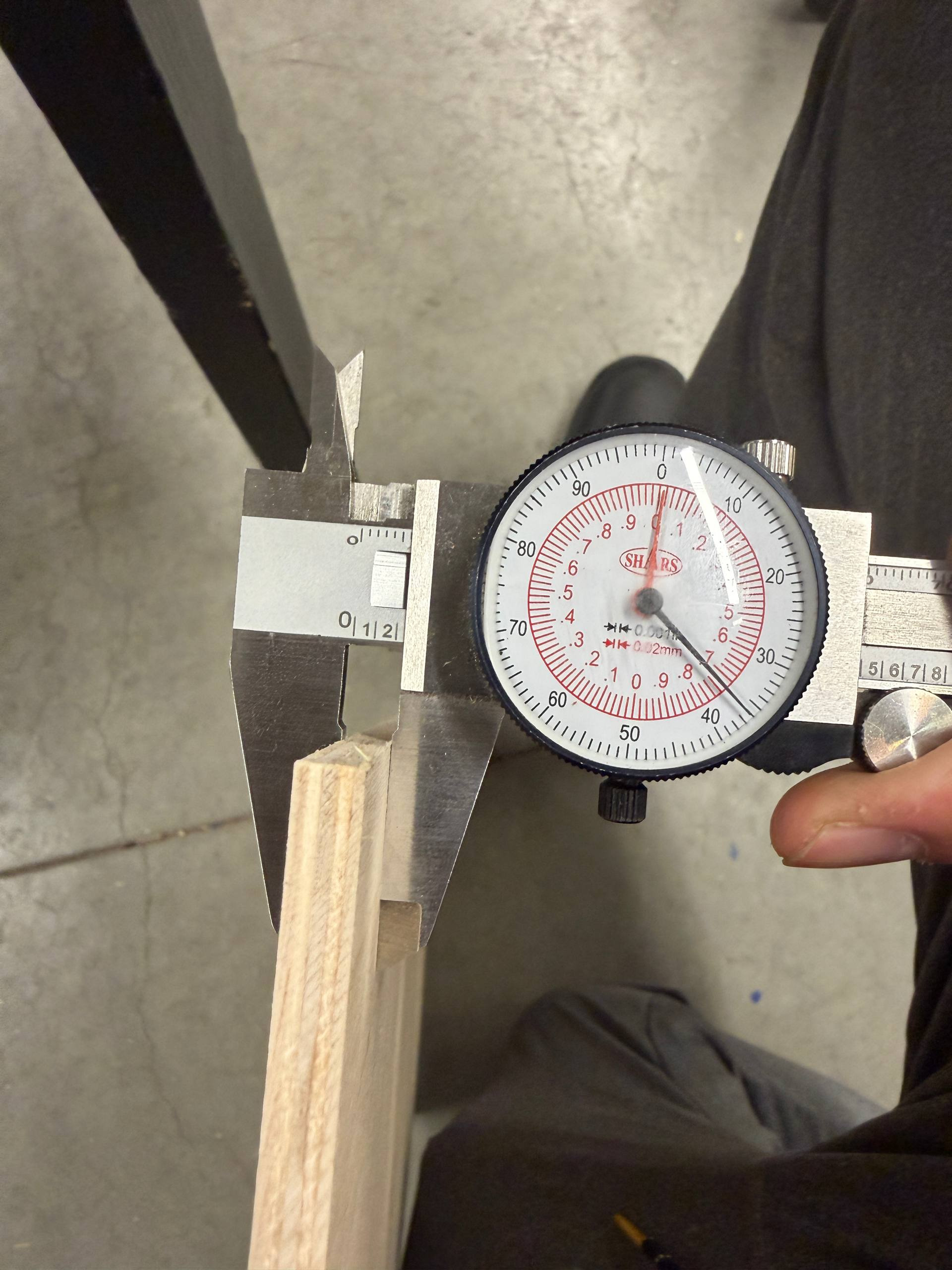
For the laser cuts in this project, I was using 1/4" plywood. I measured the thickness with a pair of calipers to verify the thickness before cutting.
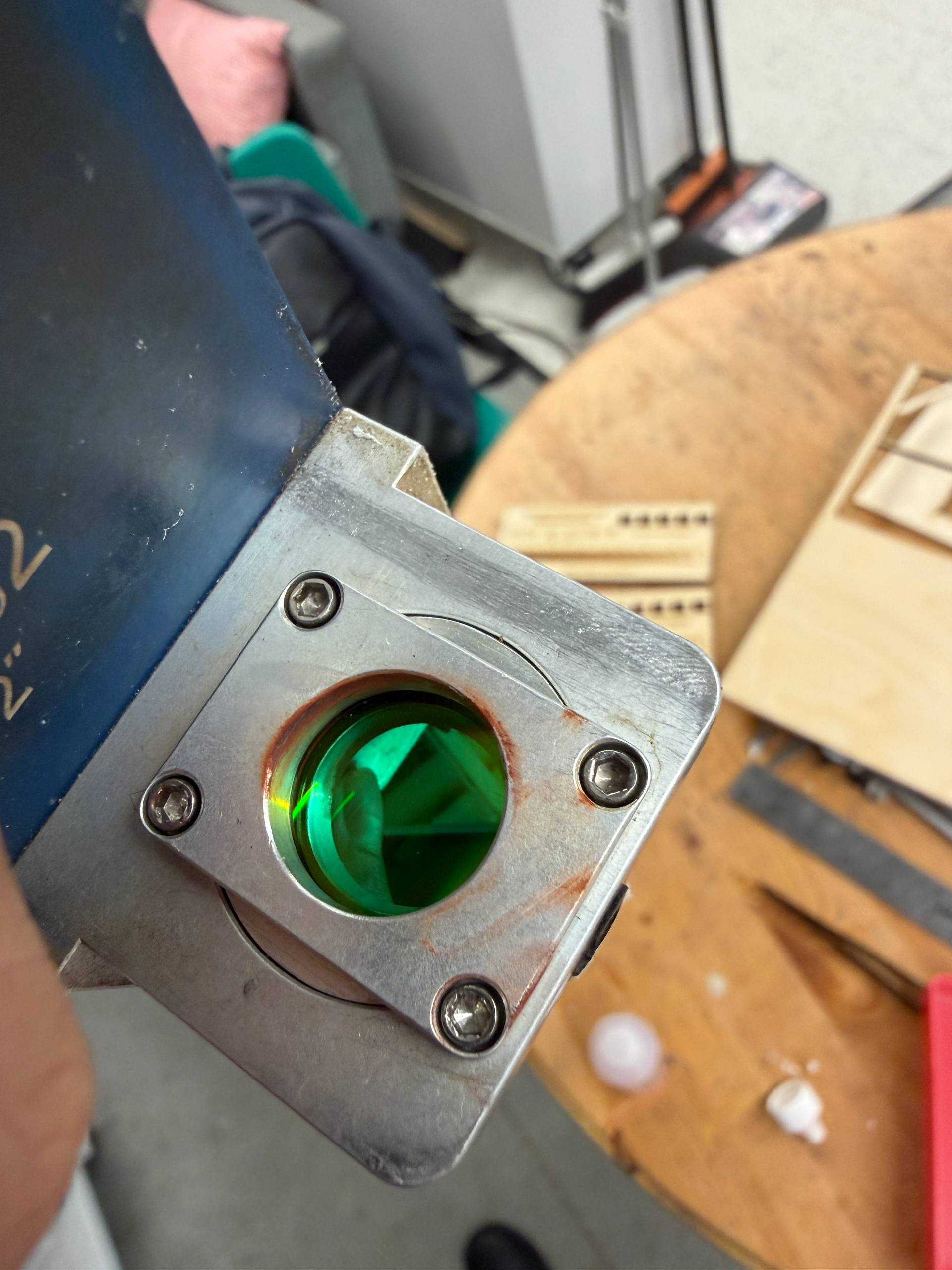
Focusing the FusionM2 is a manual process involving using a small triangular tool that sits on two of the screws holding the lens assembly in place. The tip of the tool is at the focal point of the lens, so focusing the laser just requires me to move the laser up to just touch the tool.
After that, all that was left to do was to perform the laser cutting and engraving!
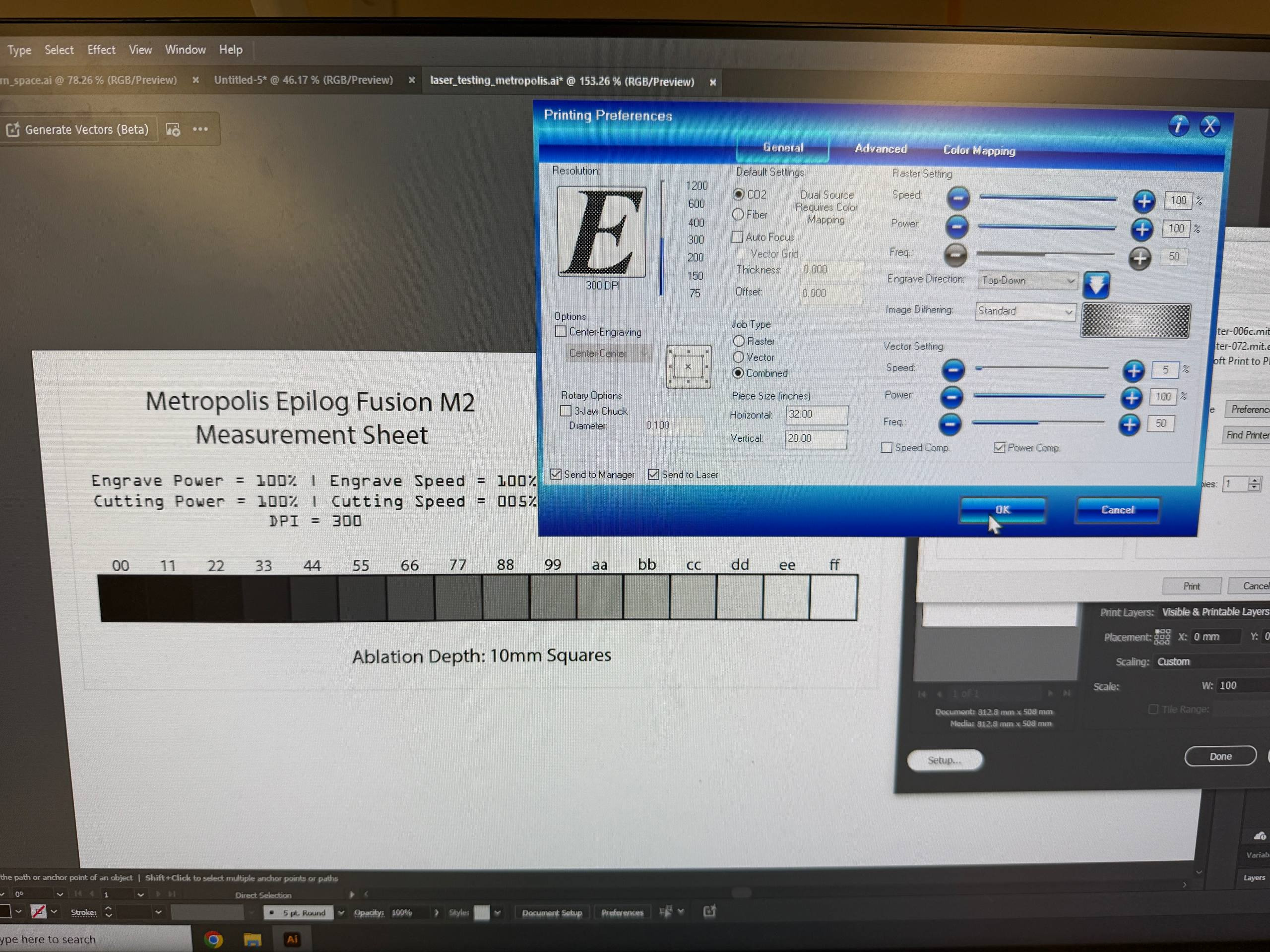
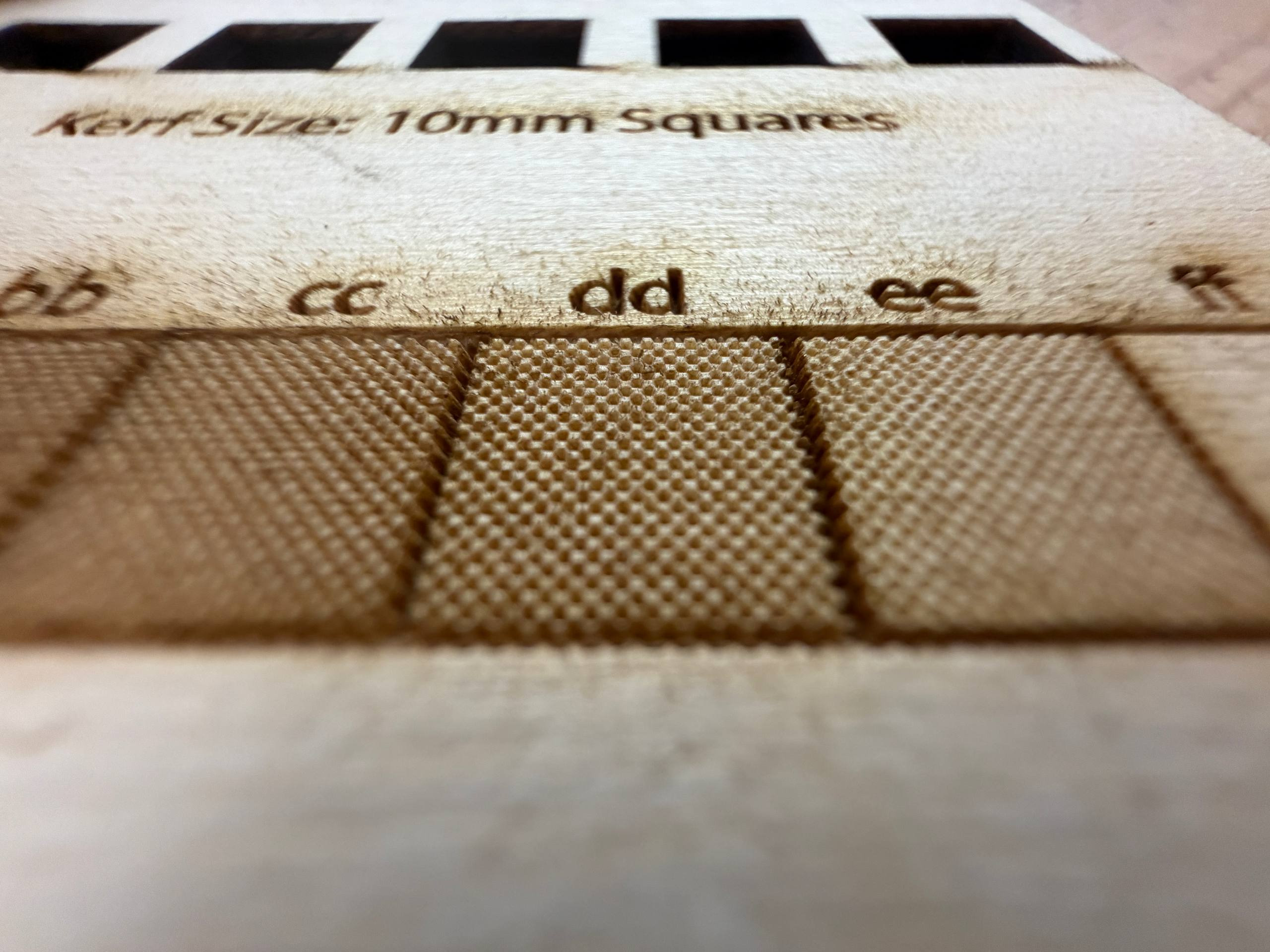
Here’s a video of the engraving at 10x speed.
After performing the calibration cuts, I measured the laser kerf based on the 10mm squares that were cut. I also used measured the depth of the engraving as that would determine how deepl
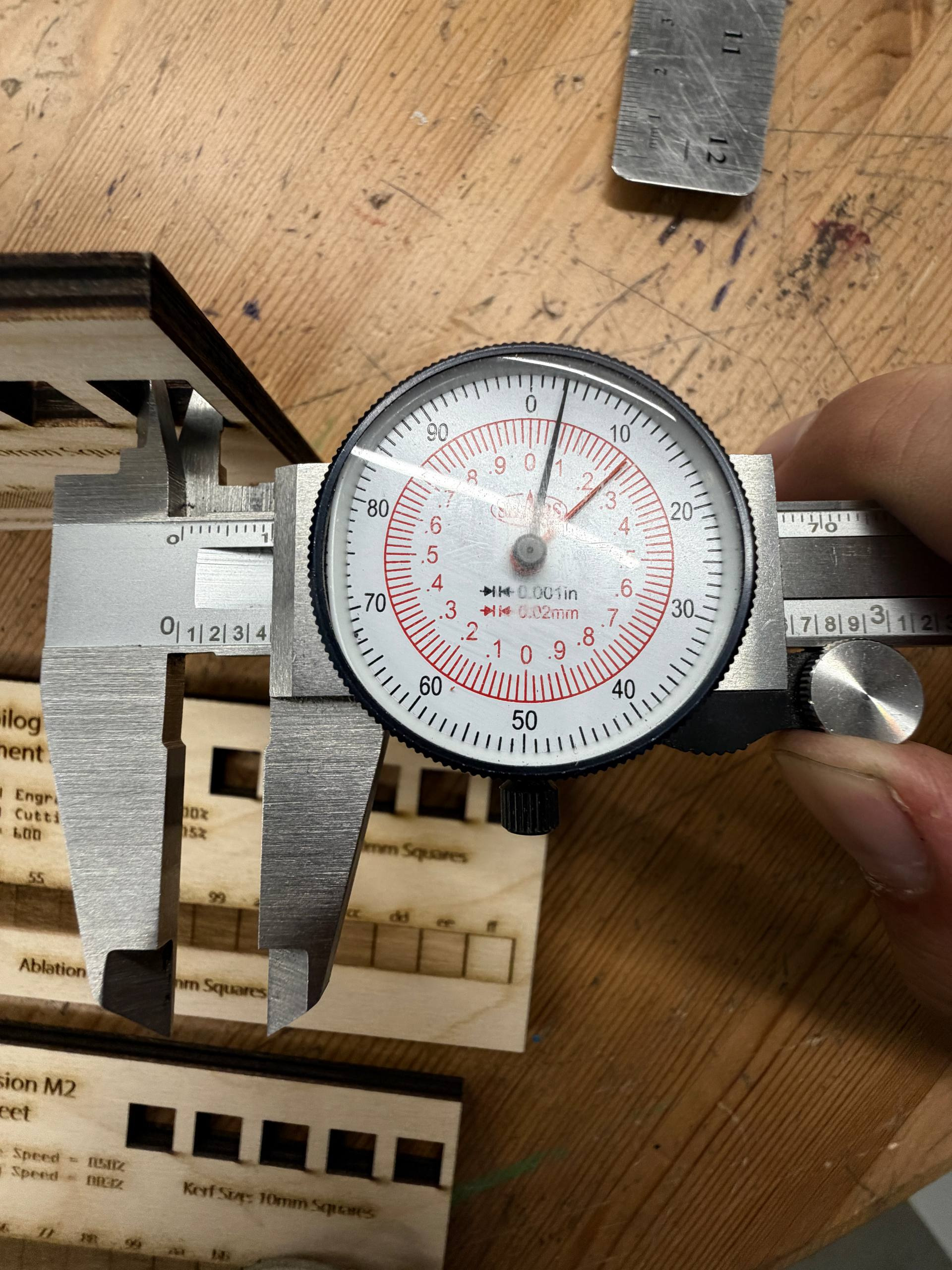
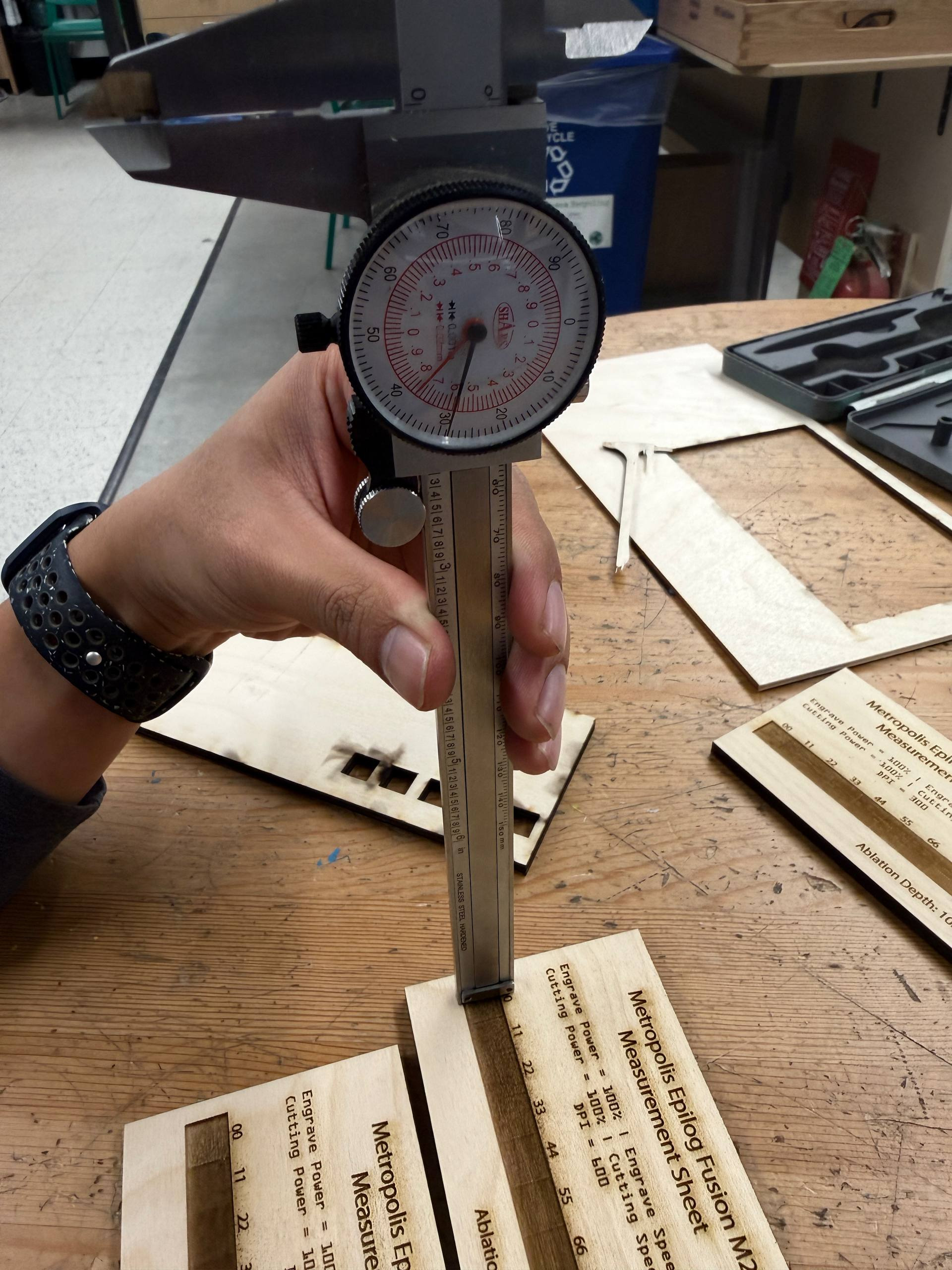
Square measurements vary from at 10.16mm to 10.26, so kerf is around 0.10mm on each side of the laser center. 1
Laser Cutting
For the laser cutting assignment, I wanted to make a tile that would could connect to itself. However, that felt like it would be too simple if I limited myself to joins at the edges of parts. What if I wanted to join in the middle of a part along the z-axis?
The idea: Use the engraving functionality to ablate large amounts of material to form the joint. The bottom of the tile would have a hexagonal hole while the top of the tile would have a few strips forming a hexagon that would form an interference fit with the hexagonal hole. This would allow the tile to connect and stack vertically.
Sketch
I sketched out the rough design on the whiteboard in my room to figure out the relevant parameters.
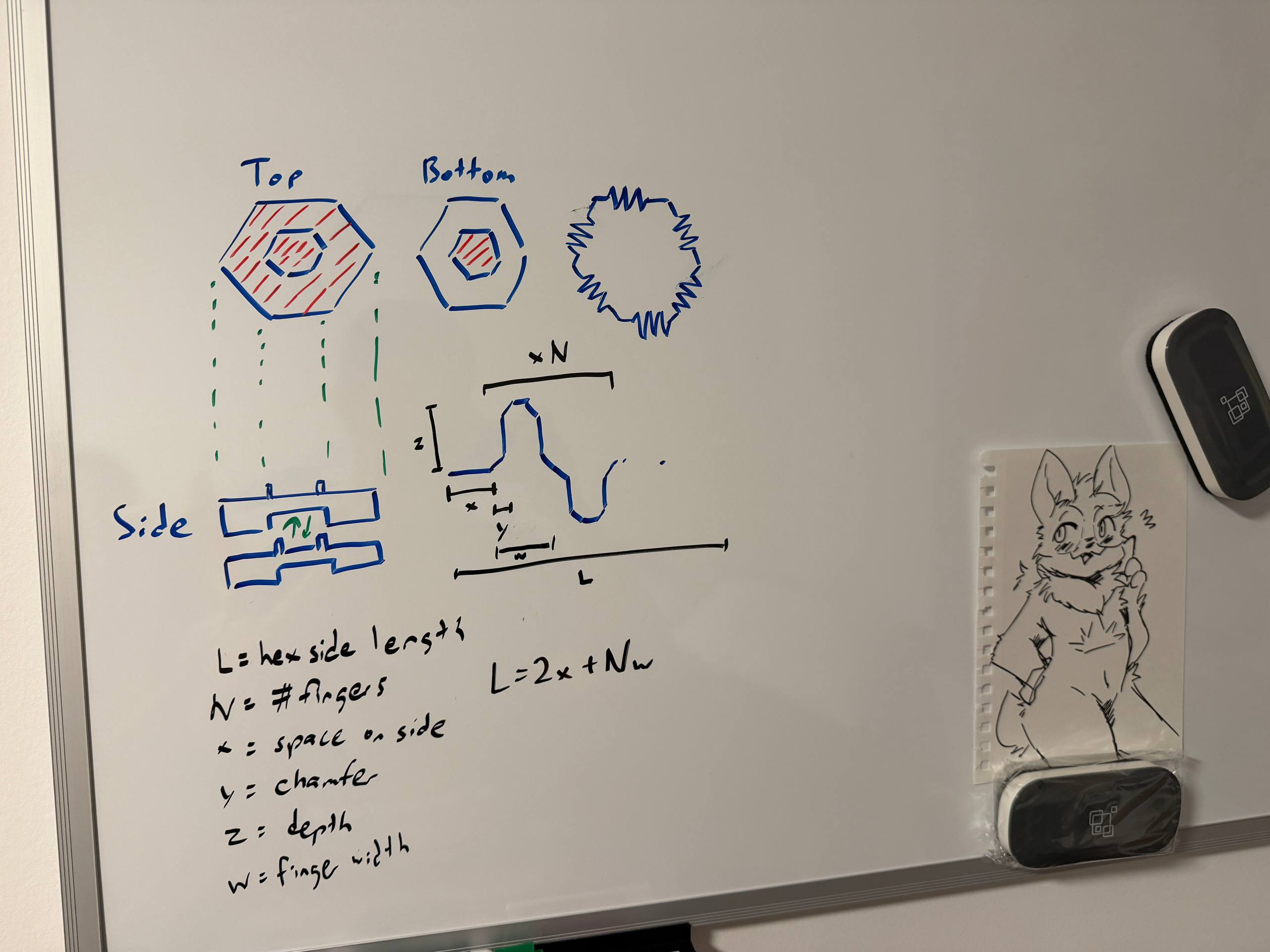
I would need the following parameters to be defined in the model.
- Outer hexagon side length
- Inner hexagon side length
- Inner hexagon strip thickness
- Material thickness
- Laser kerf
- Number of fingers
- Chamfer size on fingers
- Offset from corners for fingers
- Width of each finger (derived)
Fusion 360 Design
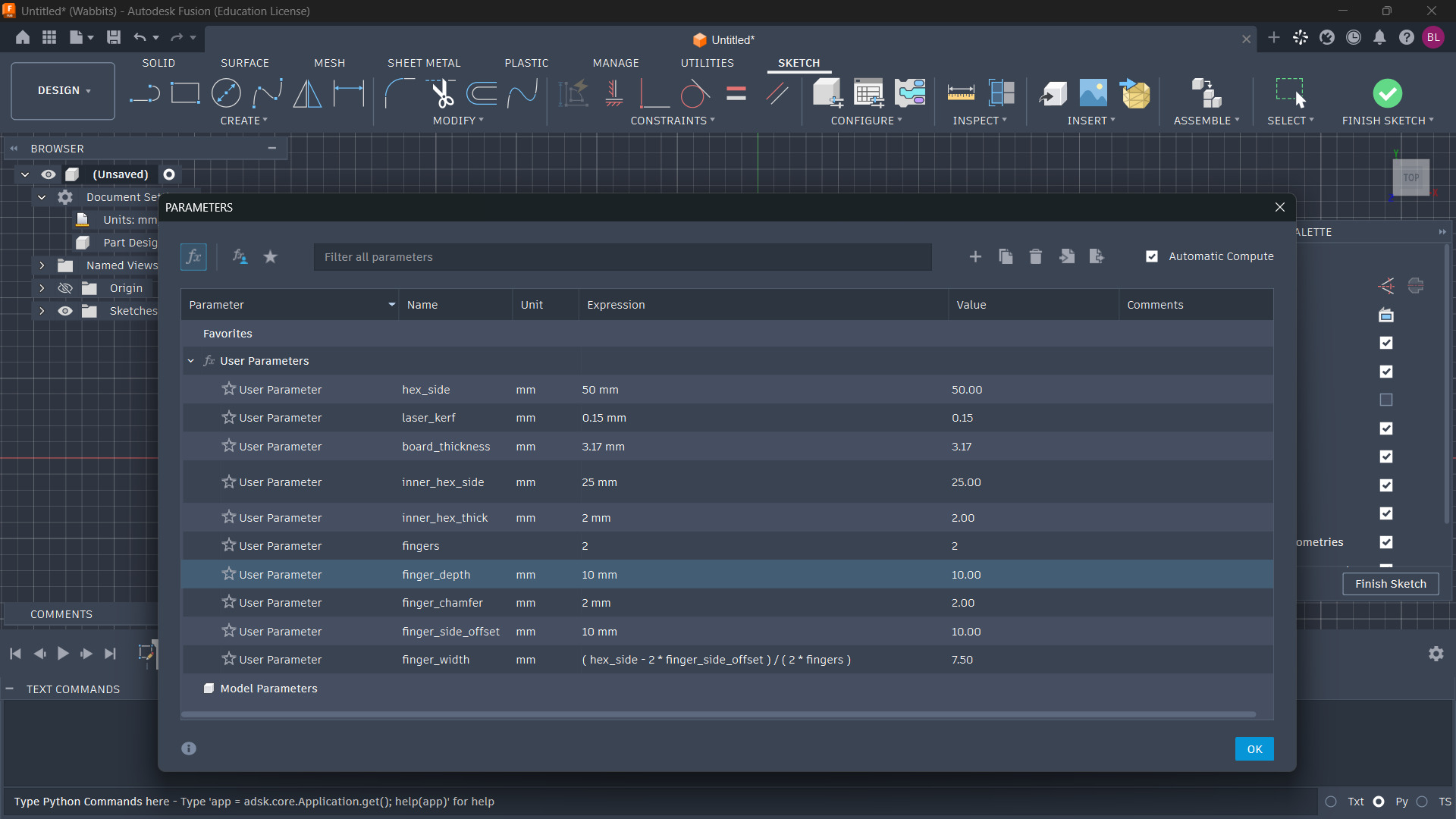
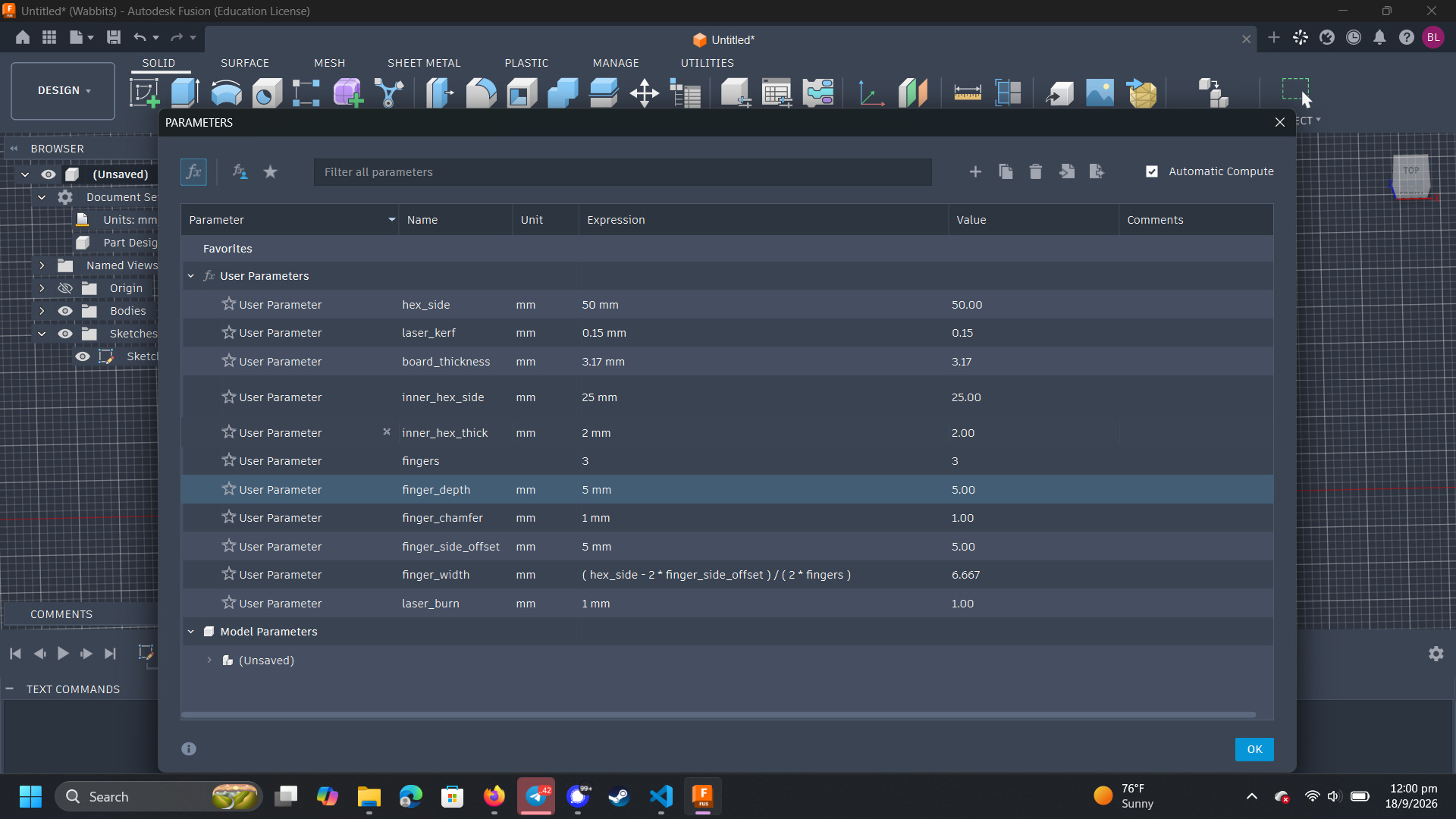
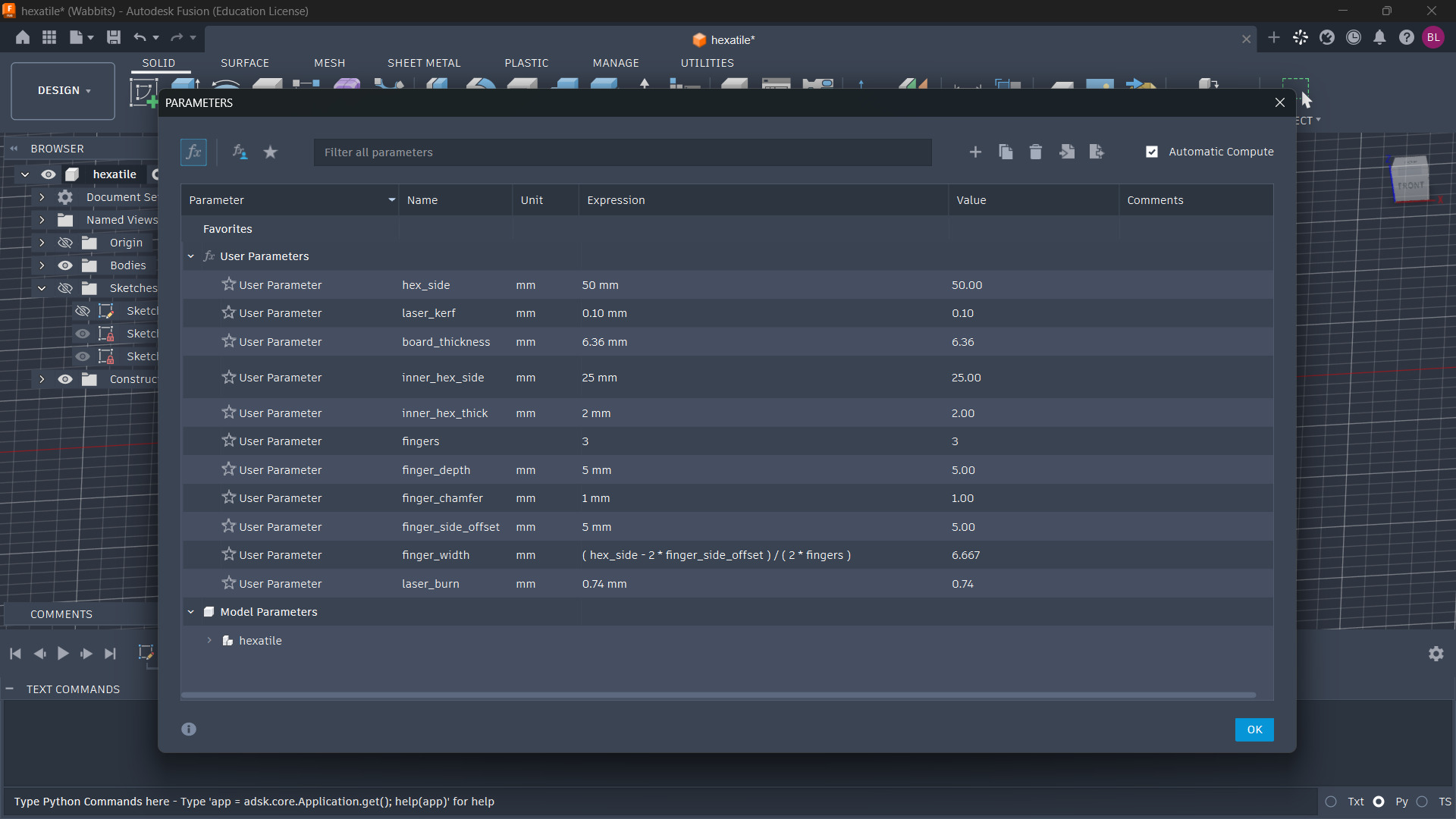
I began2 my design in Fusion360 (the CAD tool I am more familiar with). I prepared a parameter table with all the relevant structural parameters and got to work on the sketch.
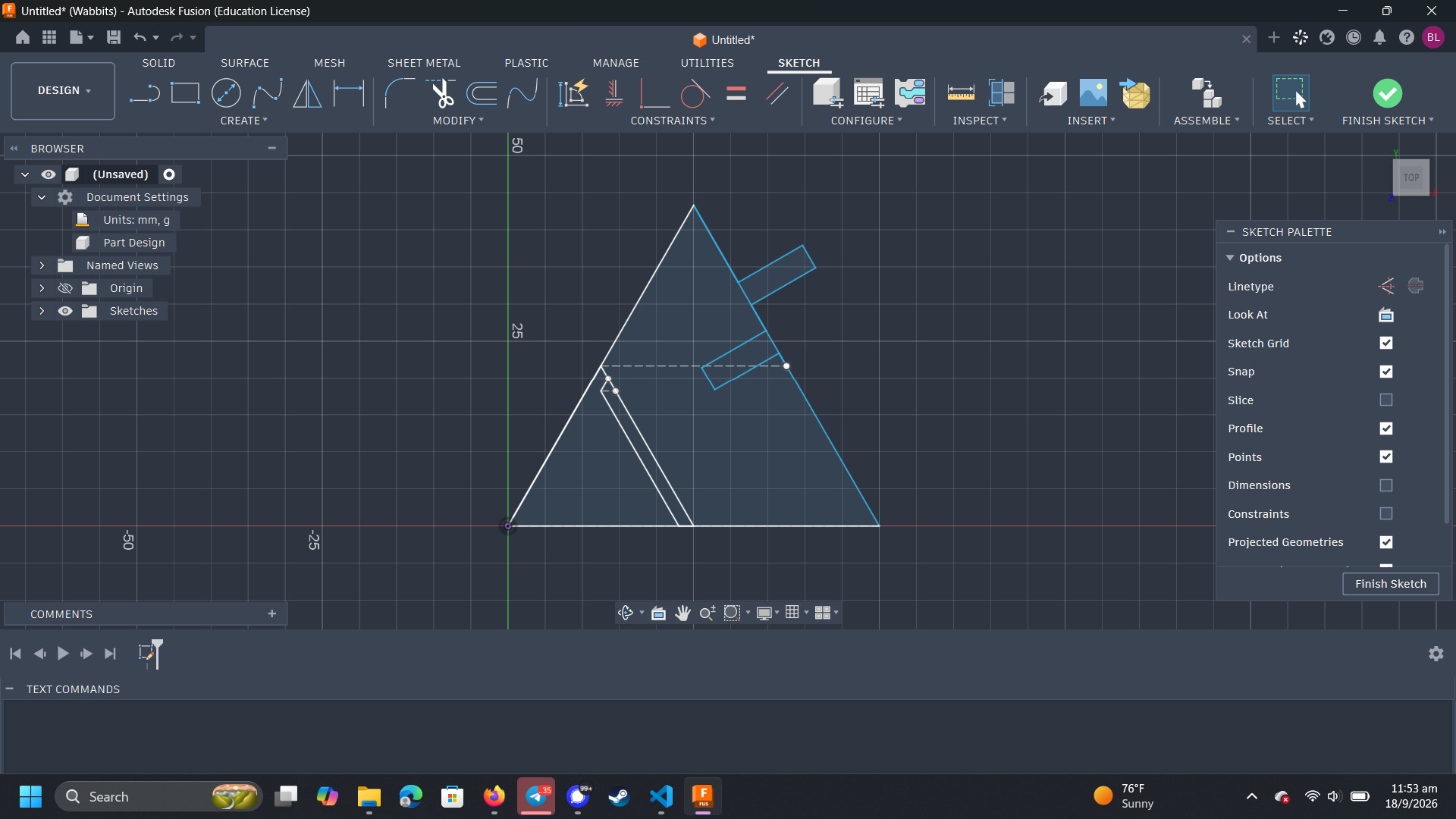
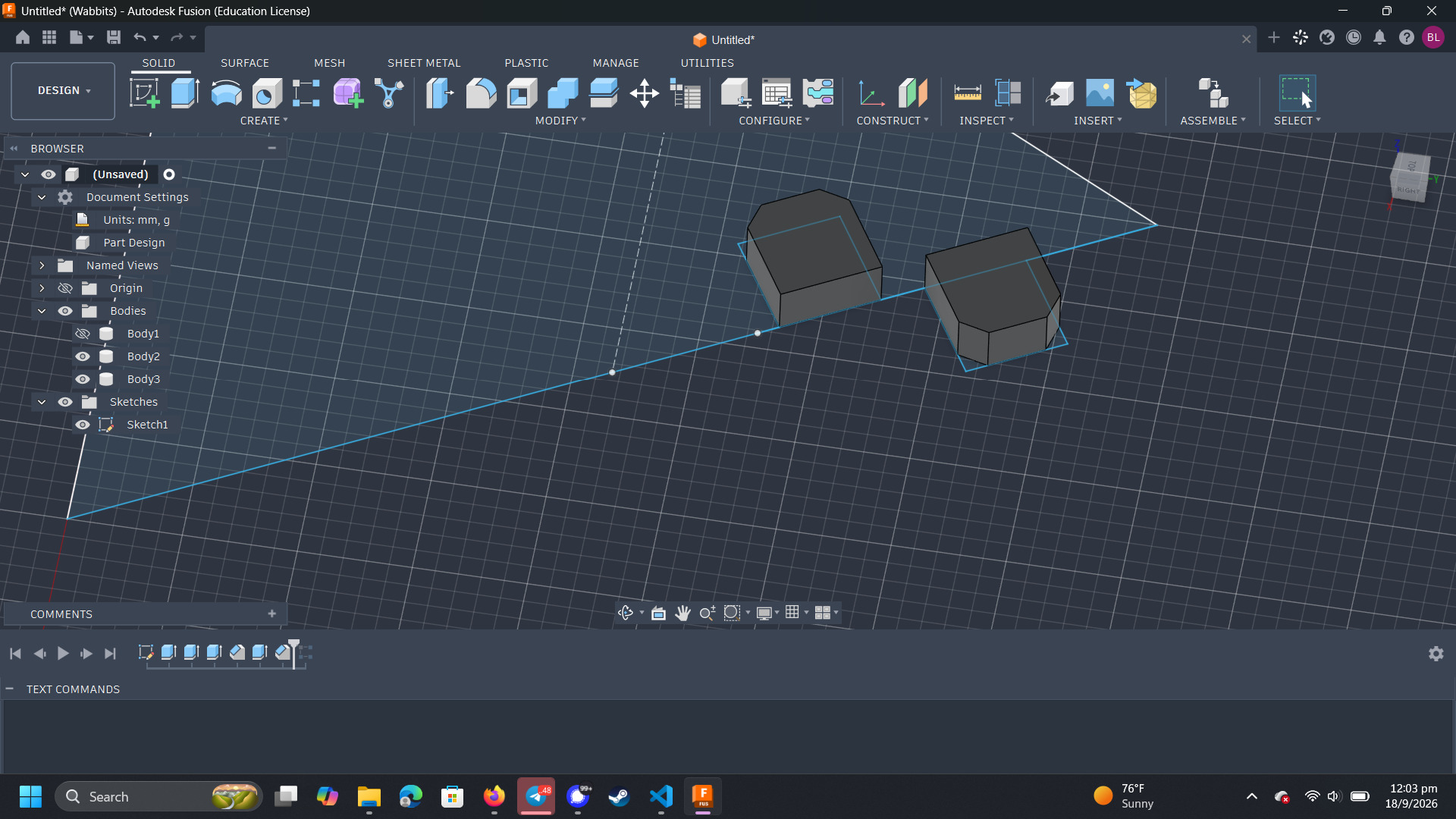
I used an equilateral triangle as the base piece. I would later turn this triangle into a hexagon by rotating it around the z-axis through the origin.
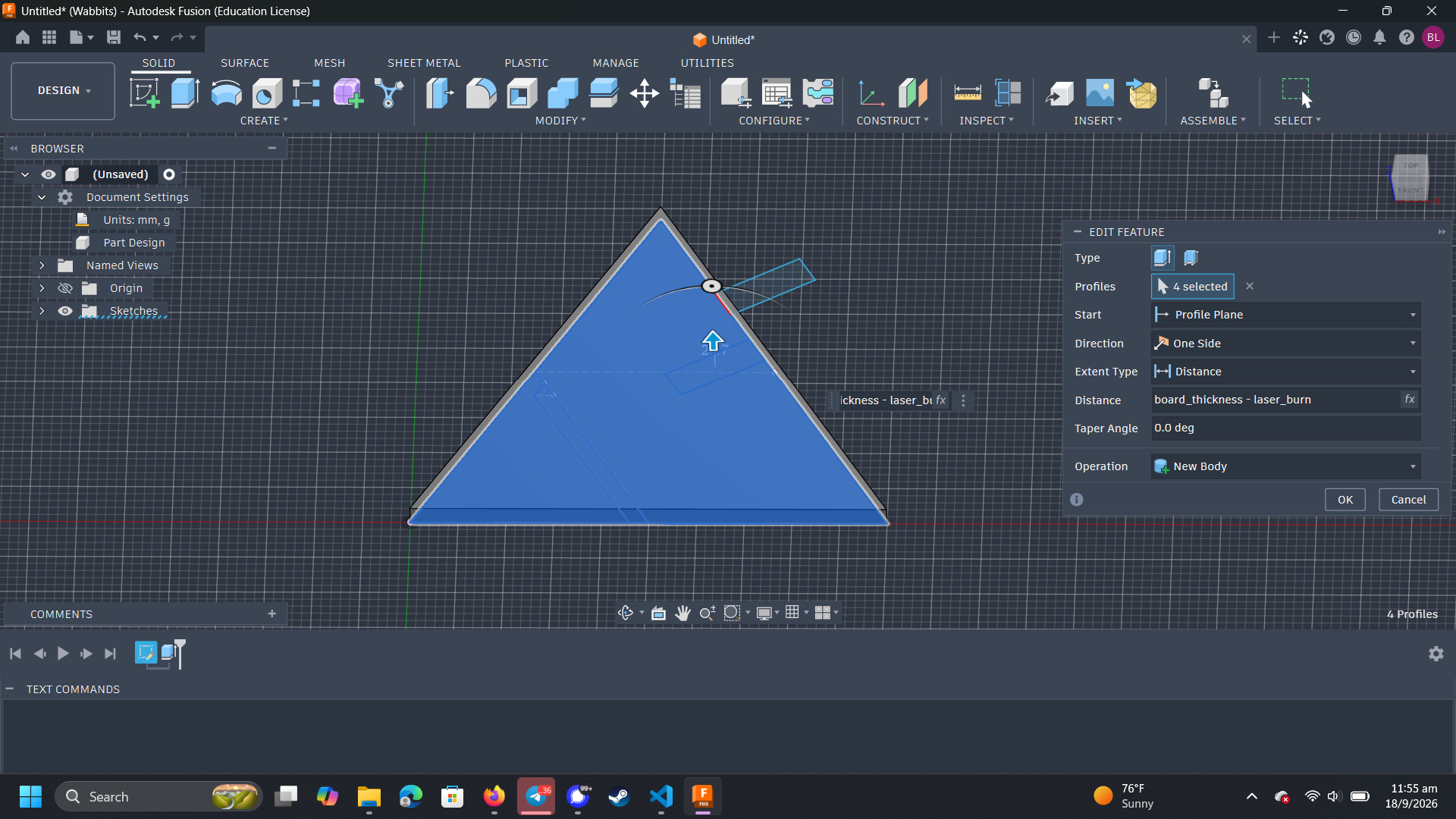
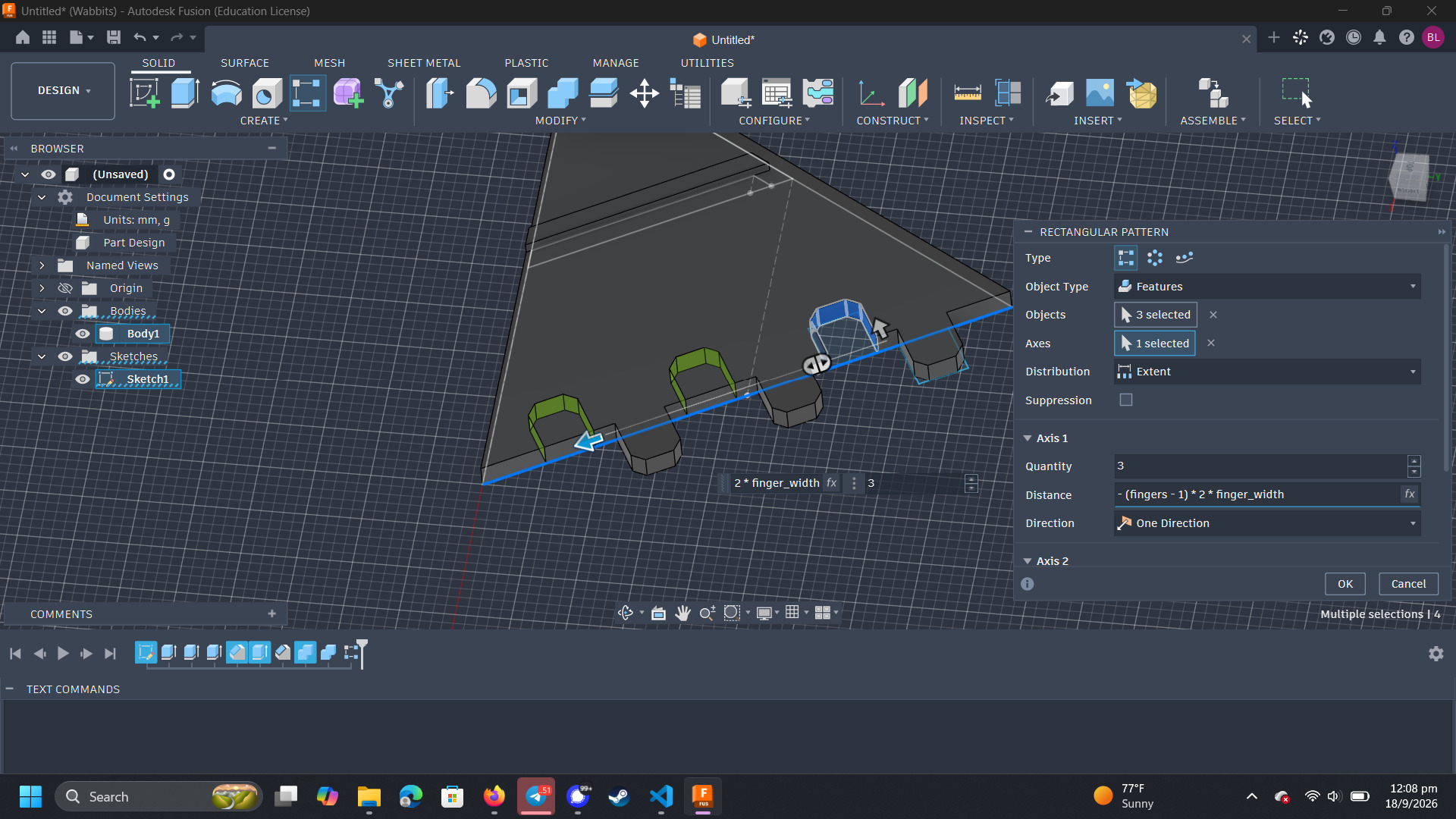
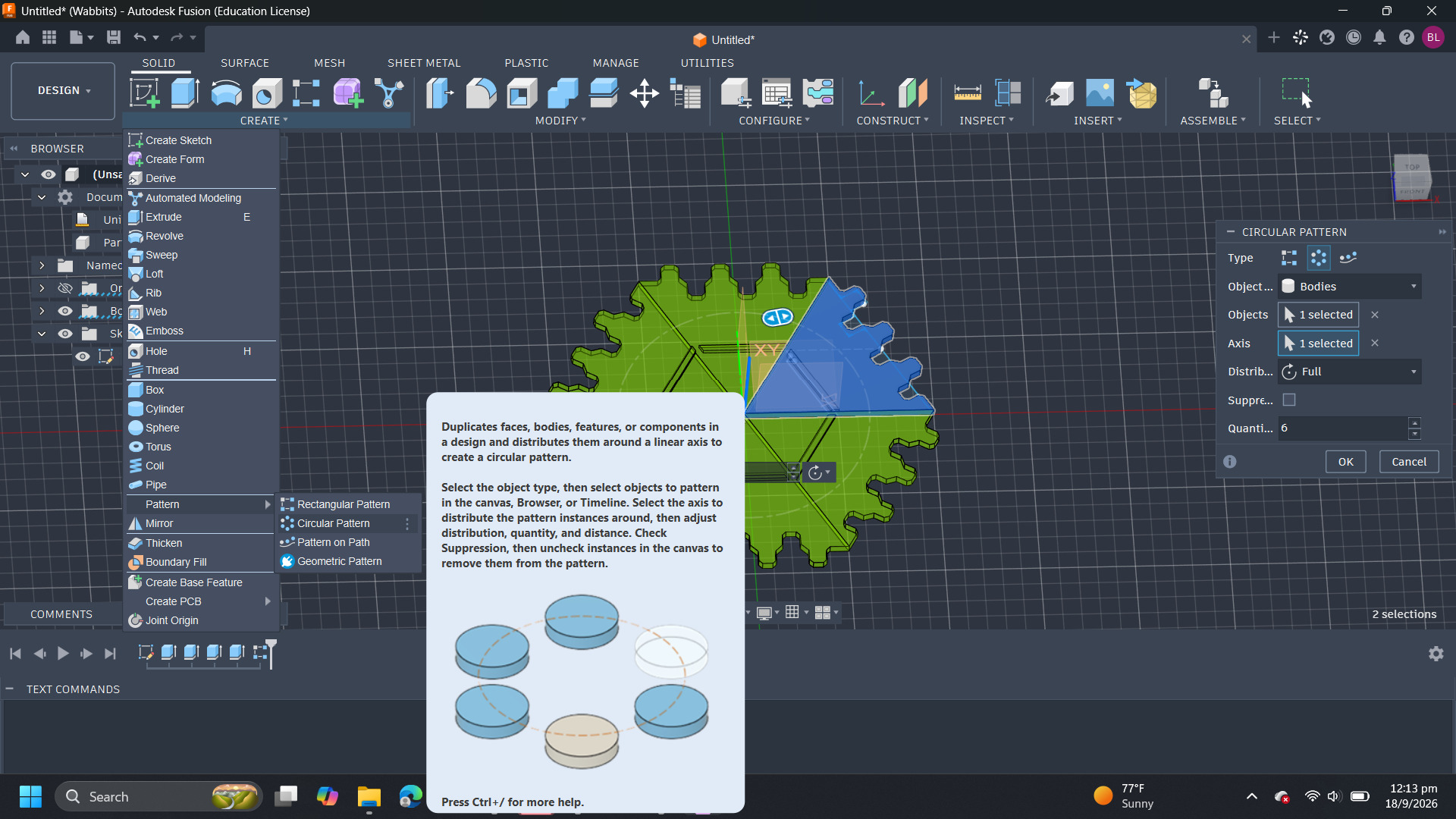
The number of finger joints are parametrized, so I have to construct one and use a pattern tool to repeat the fingers across the edge of the triangle.
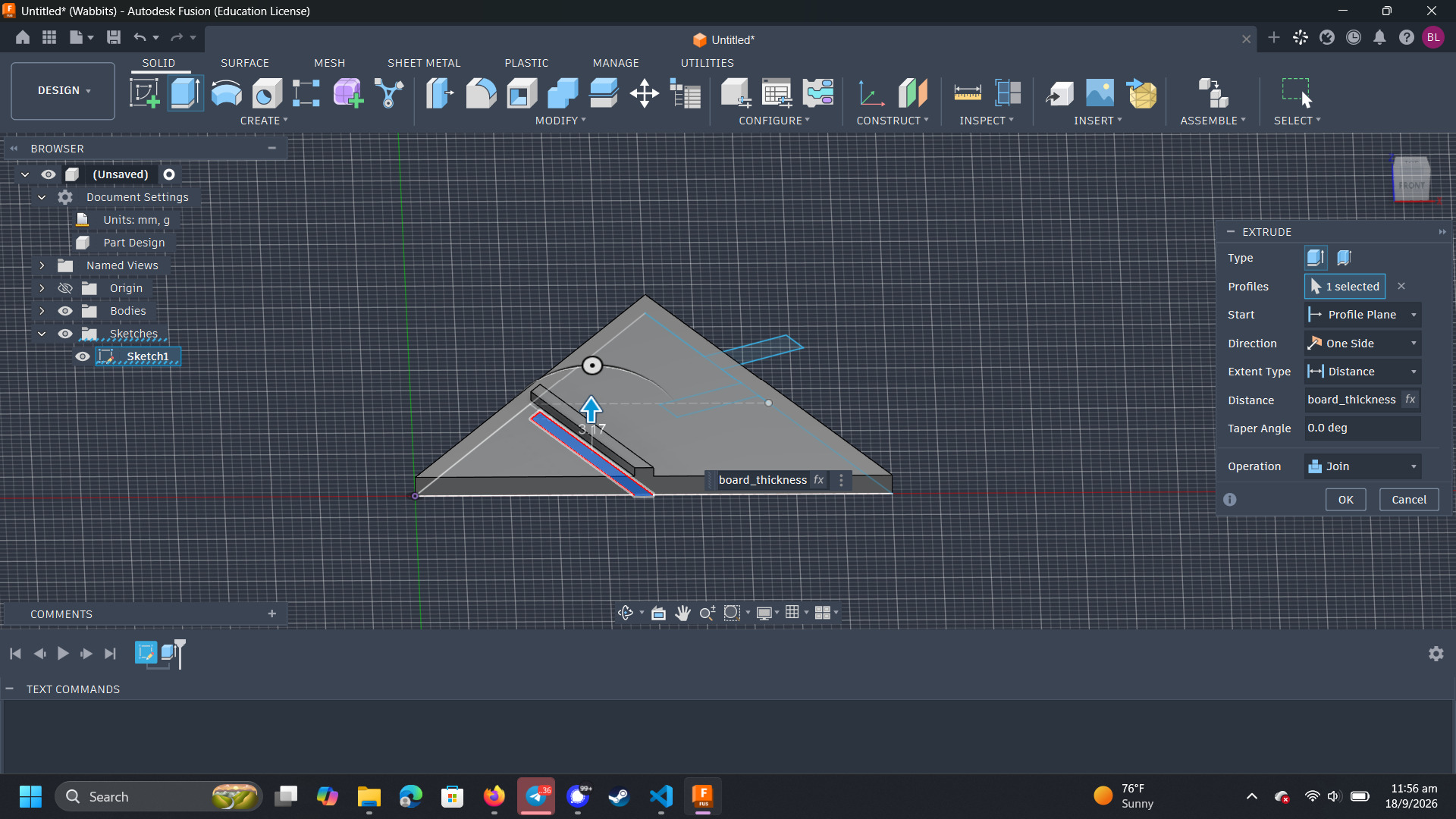
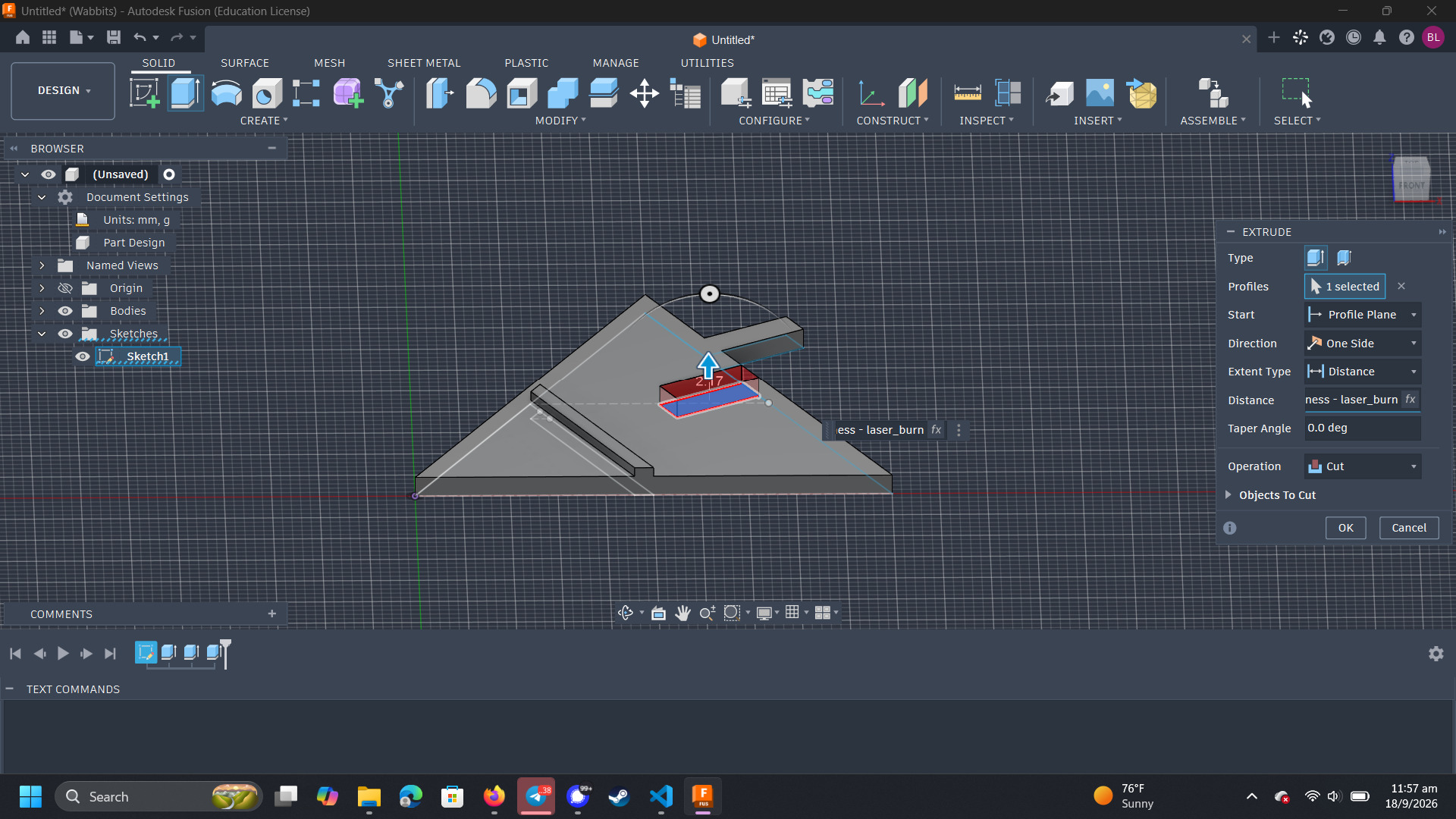
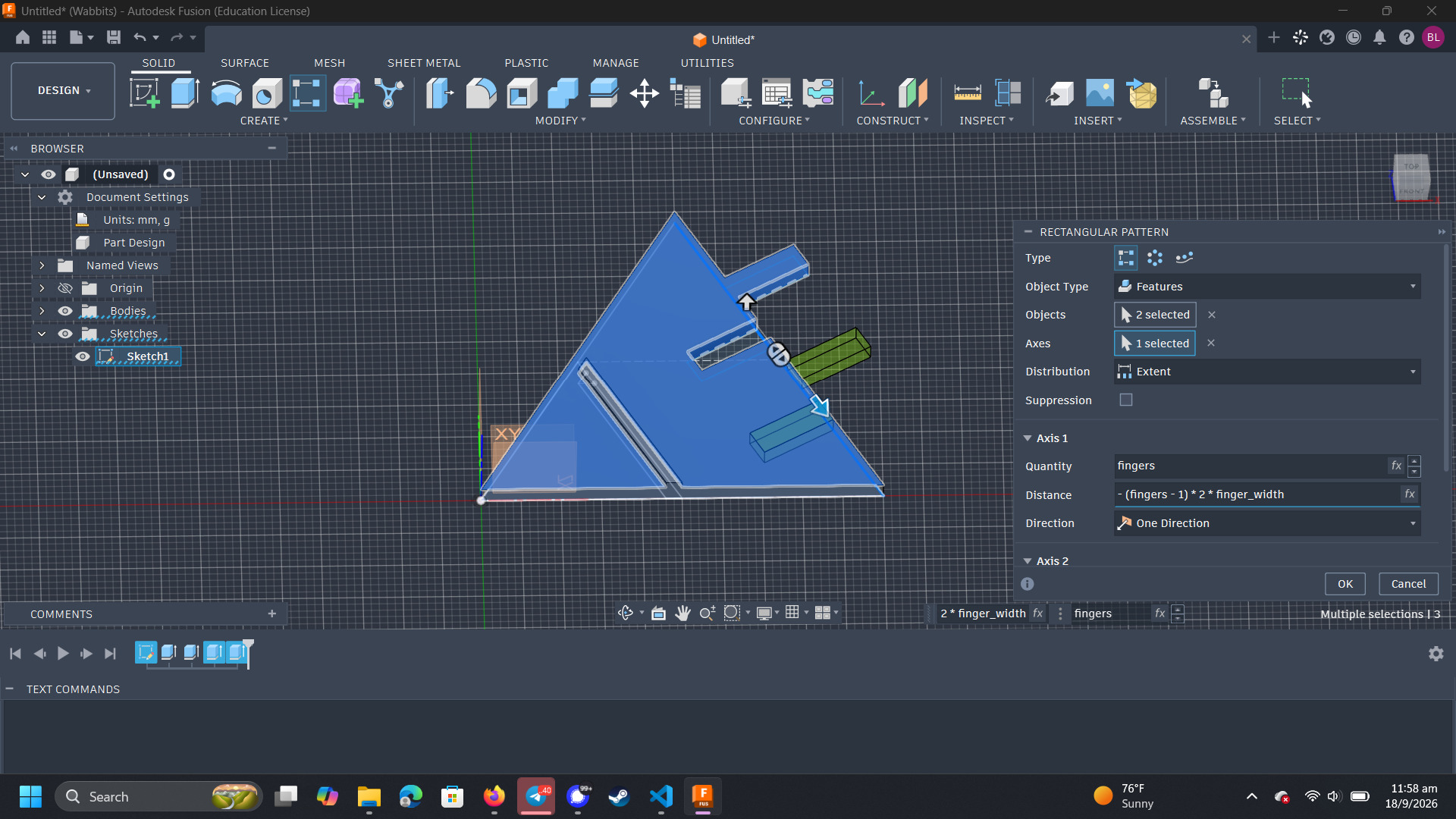
I changed the number of fingers to 3 to ensure that the parametrization worked as expected. I set the width of the fingers to change depending on where the first finger was and the number of fingers. Here, increasing the number of fingers makes them narrower.
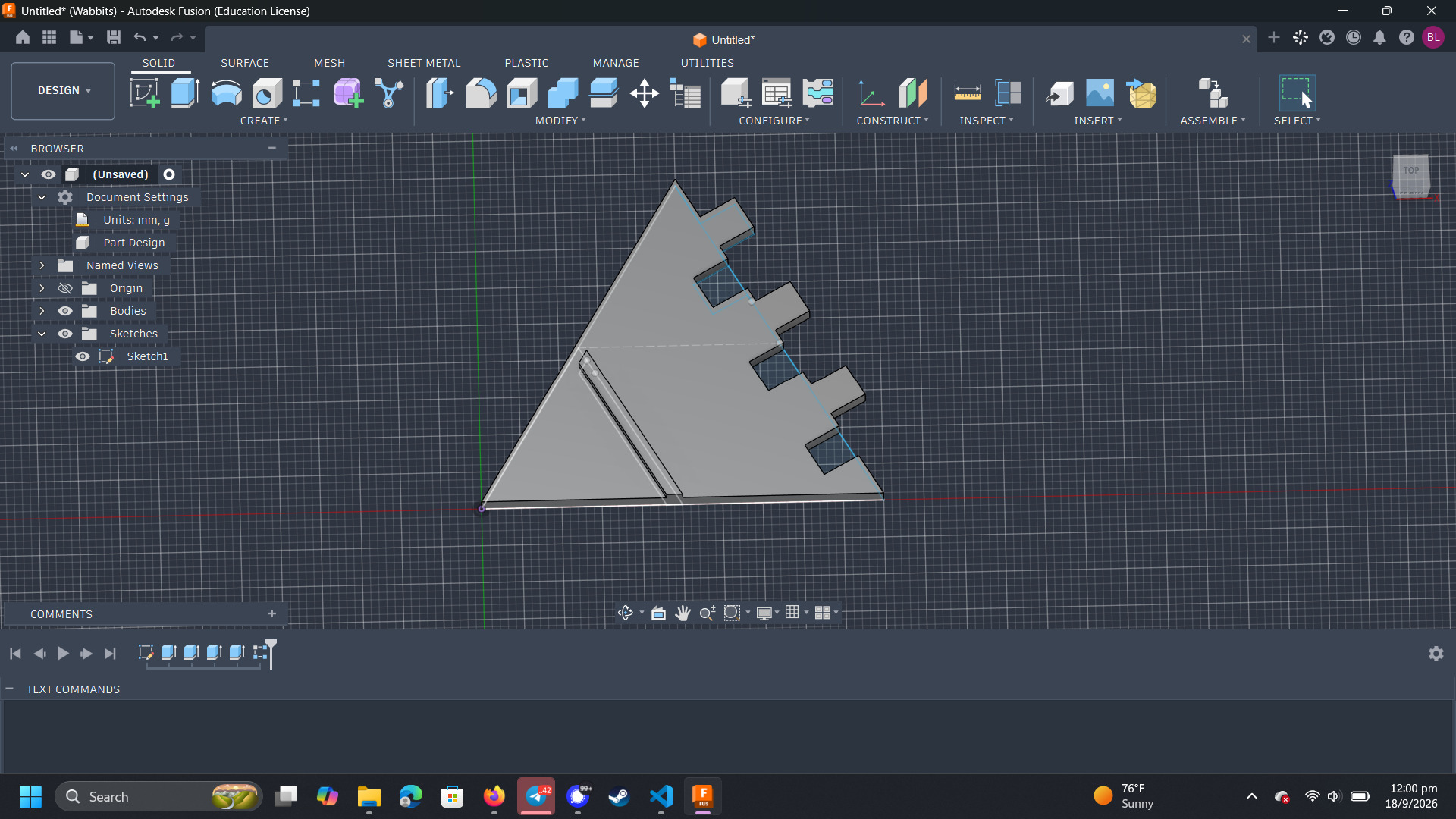
I then added the chamfers on both the protruding and intruding fingers.
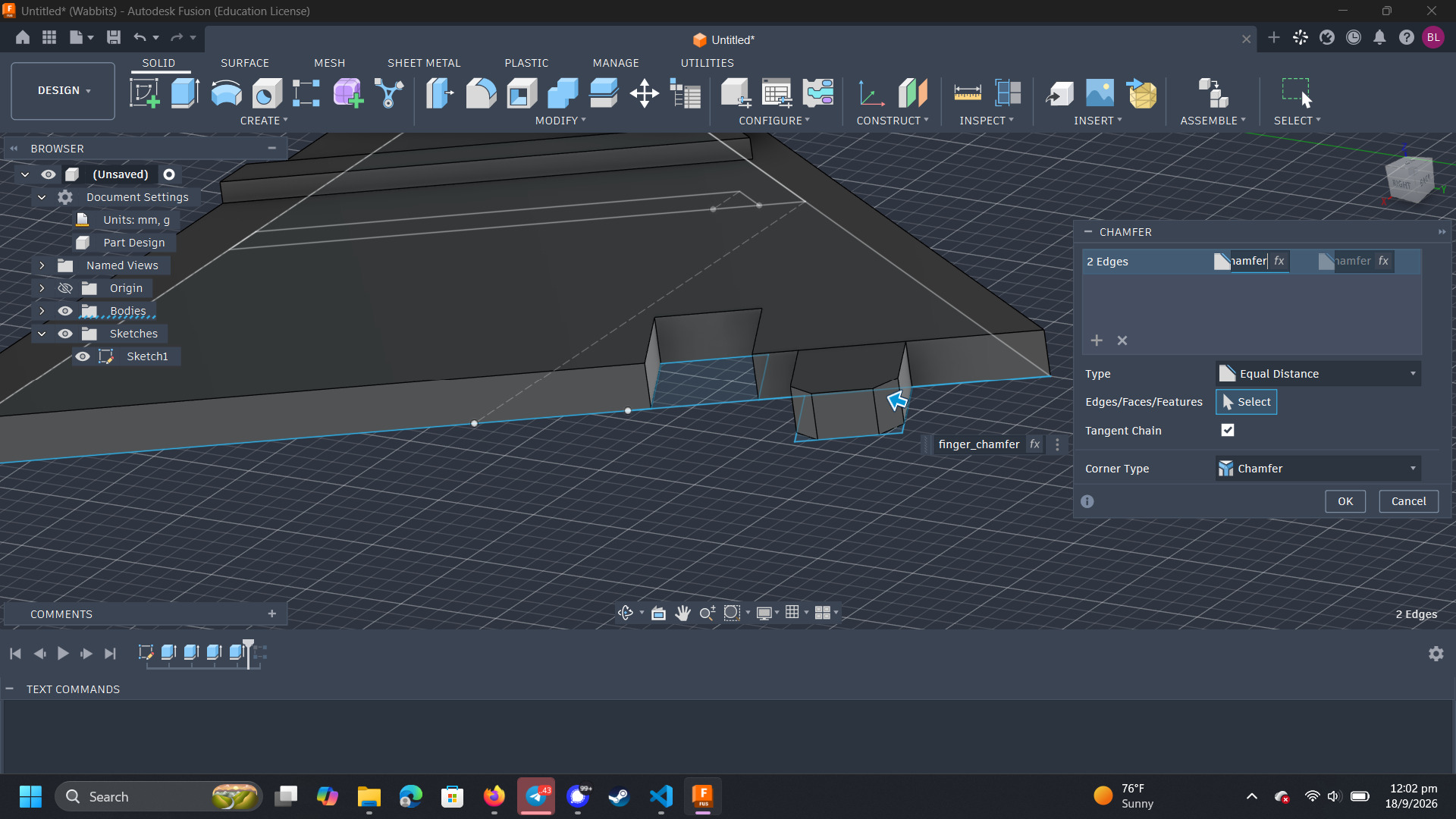
This is again repeated across the length of the edge.
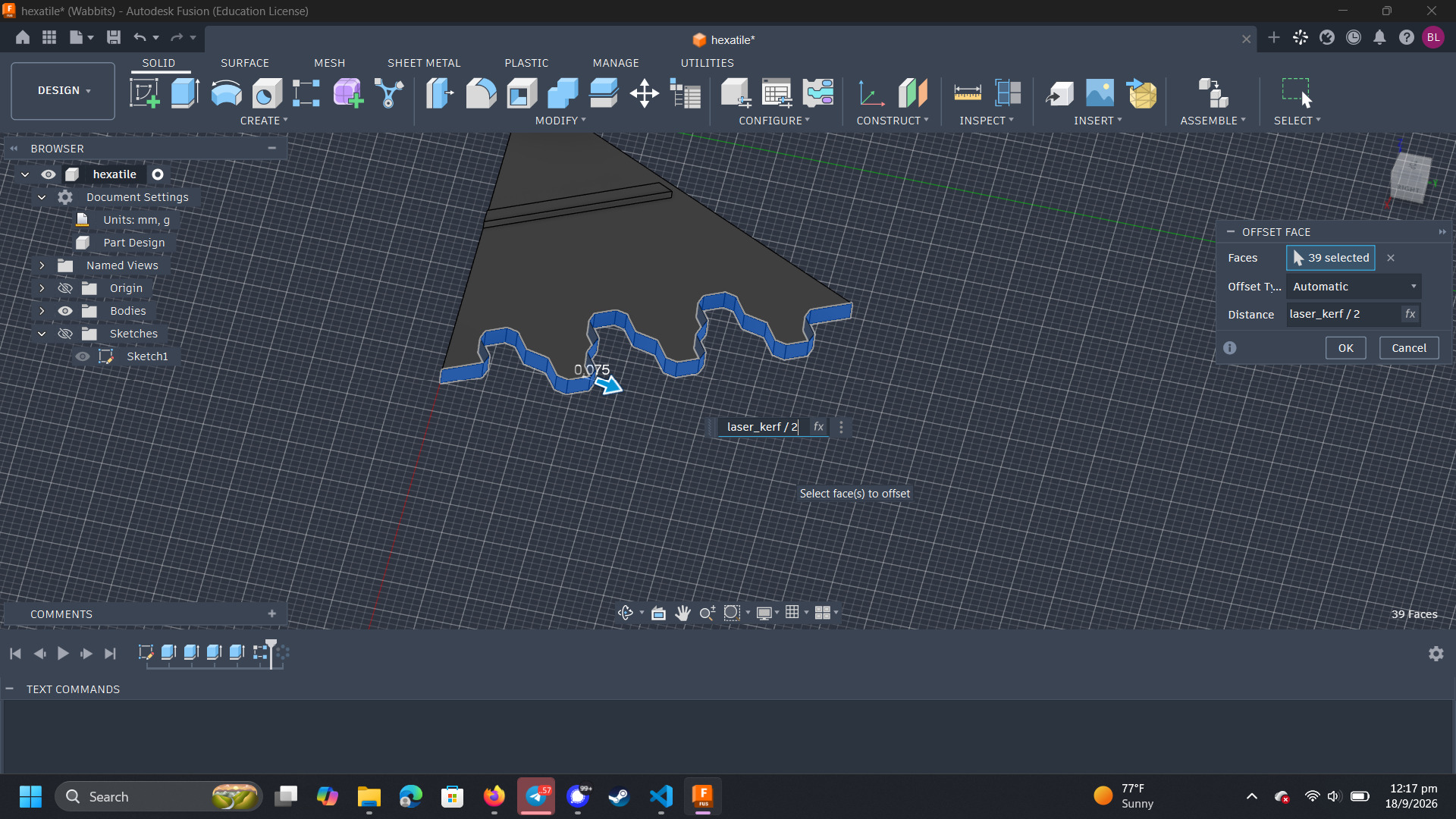
The outward facing edges are the ones that will be burnt away due to kerf. Thus, I need to compensate by offsetting these faces outward by the laser kerf.
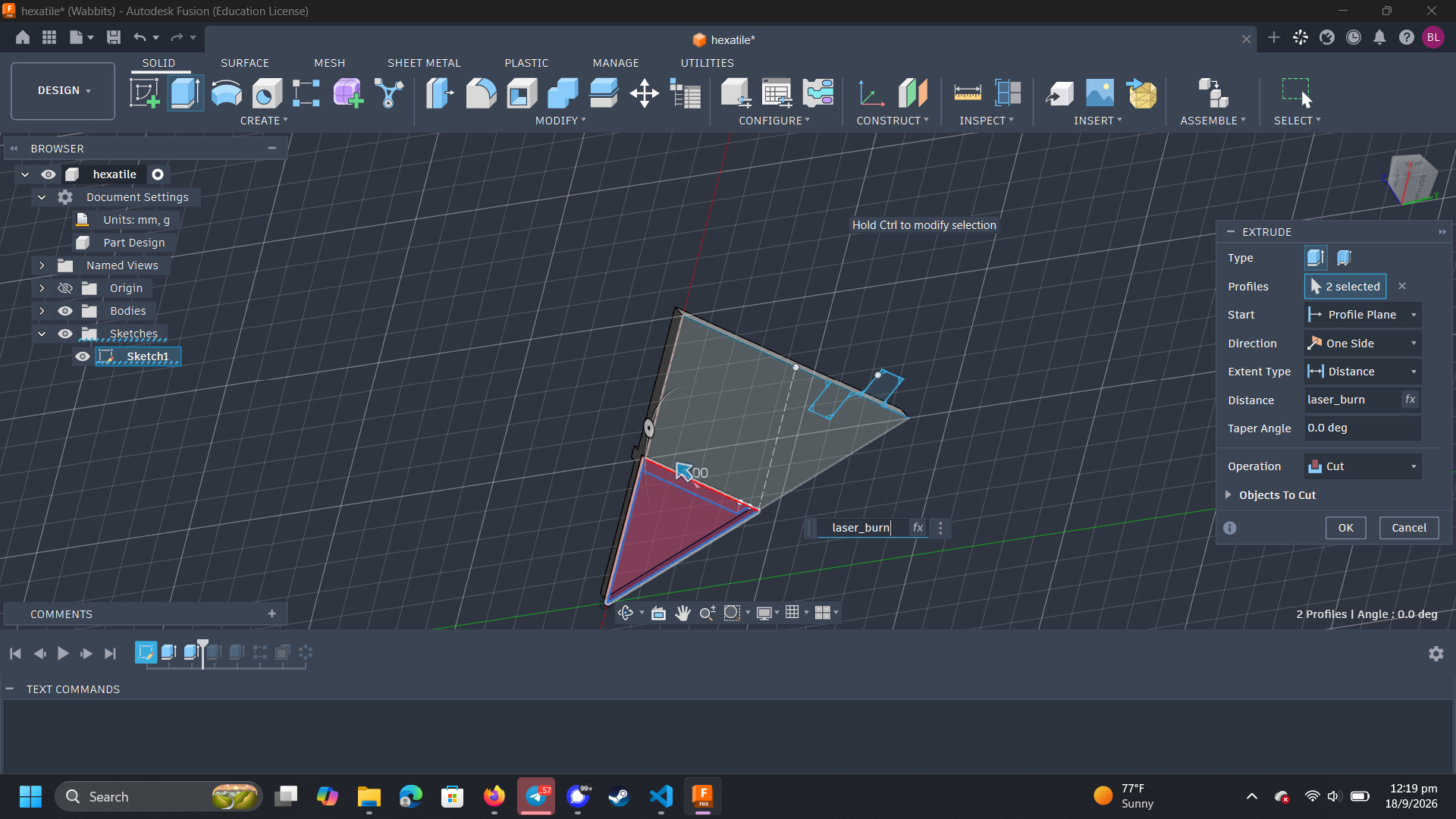
Lastly, I need to cut the hexagon at the bottom of the tile.
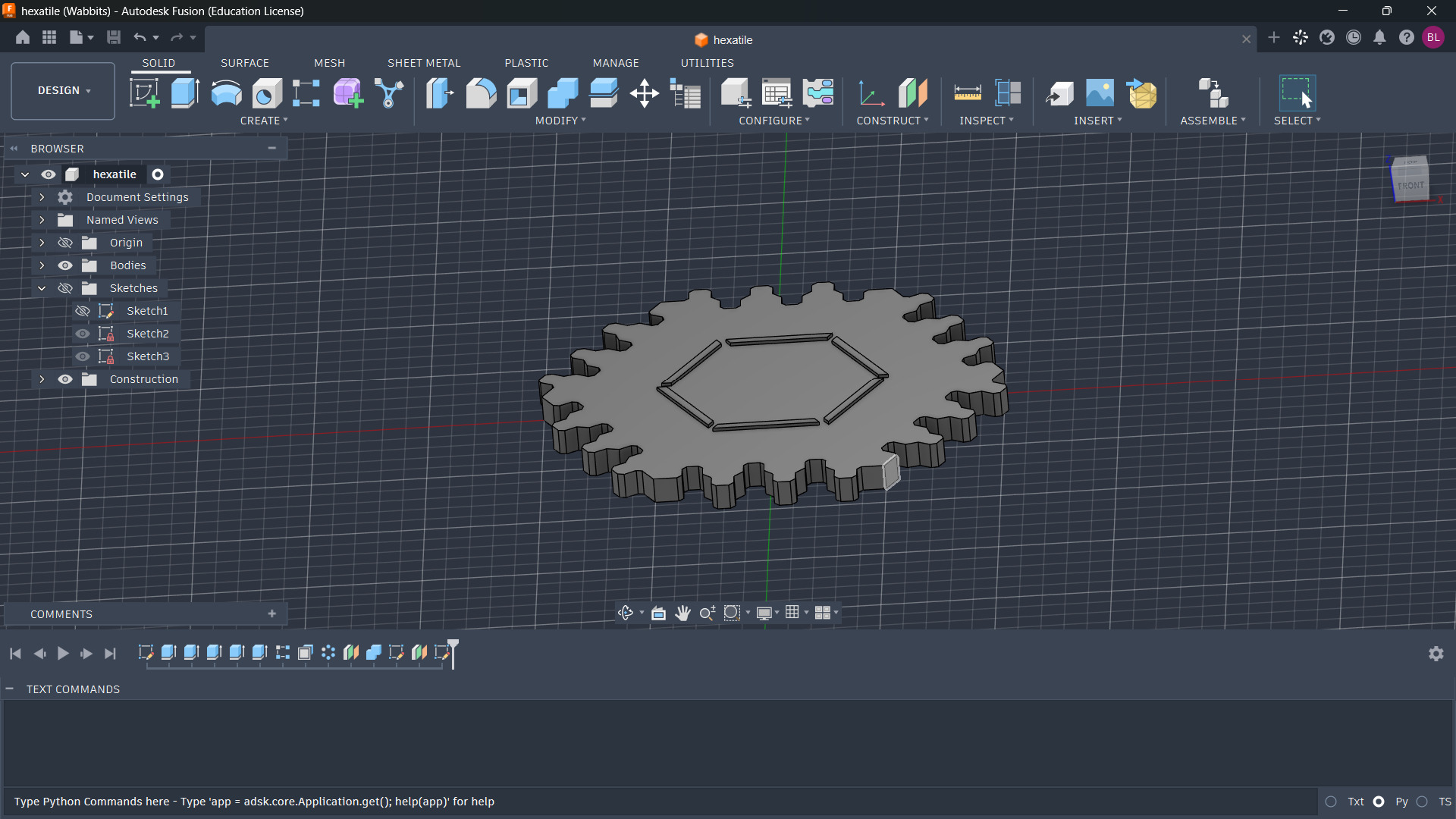
Rotating the triangle 6 times by 60 degrees obtains a full hexagon with finger joints on all 6 sides.
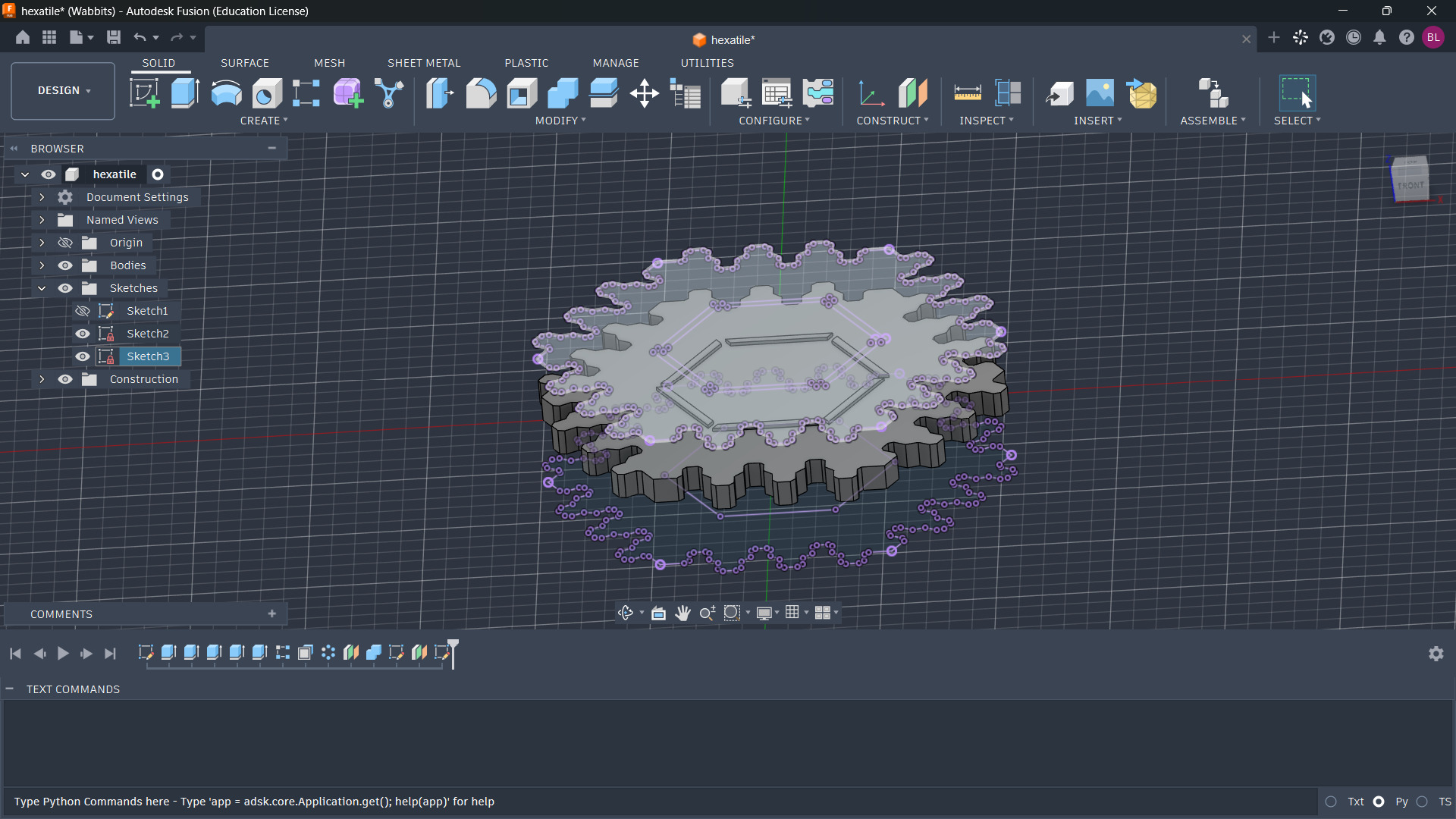
After the calibration tests were done, I changed some of the parameters to accurately depict what the kerf and top layer ablation would look like. I then projected the top and bottom surfaces into DXFs and used Adobe Illustrator to post process them for laser cutting.
Mass Production
In order to mass produce the tiles, I took the 25mm side tile and tiled it in a 55mm hexagonal tiling in Adobe Illustrator. In order to engrave the bottom, I mirrored the bottom design horizontally so that after engraving the top, I could flip the plywood block around to engrave the bottom.
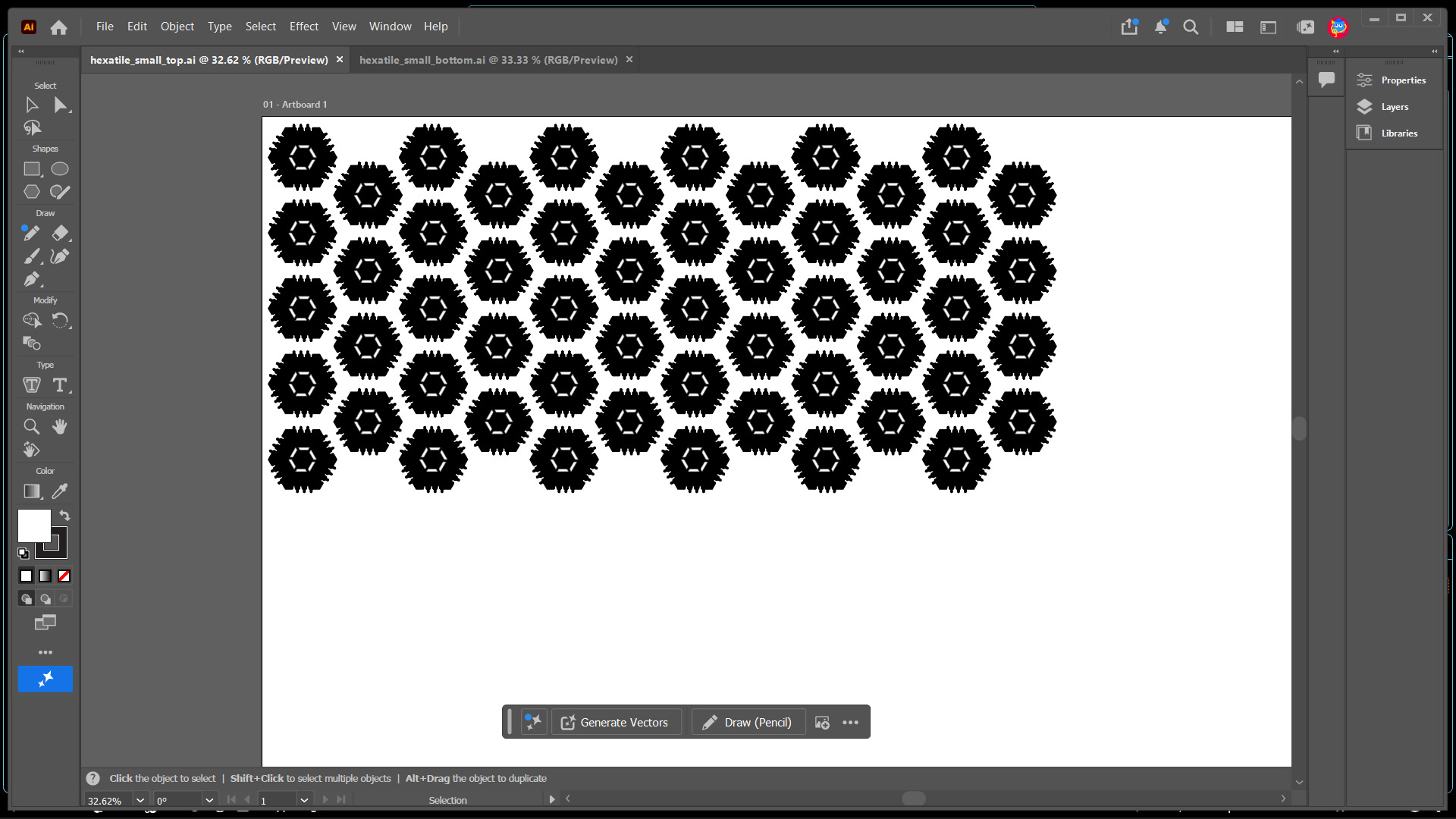
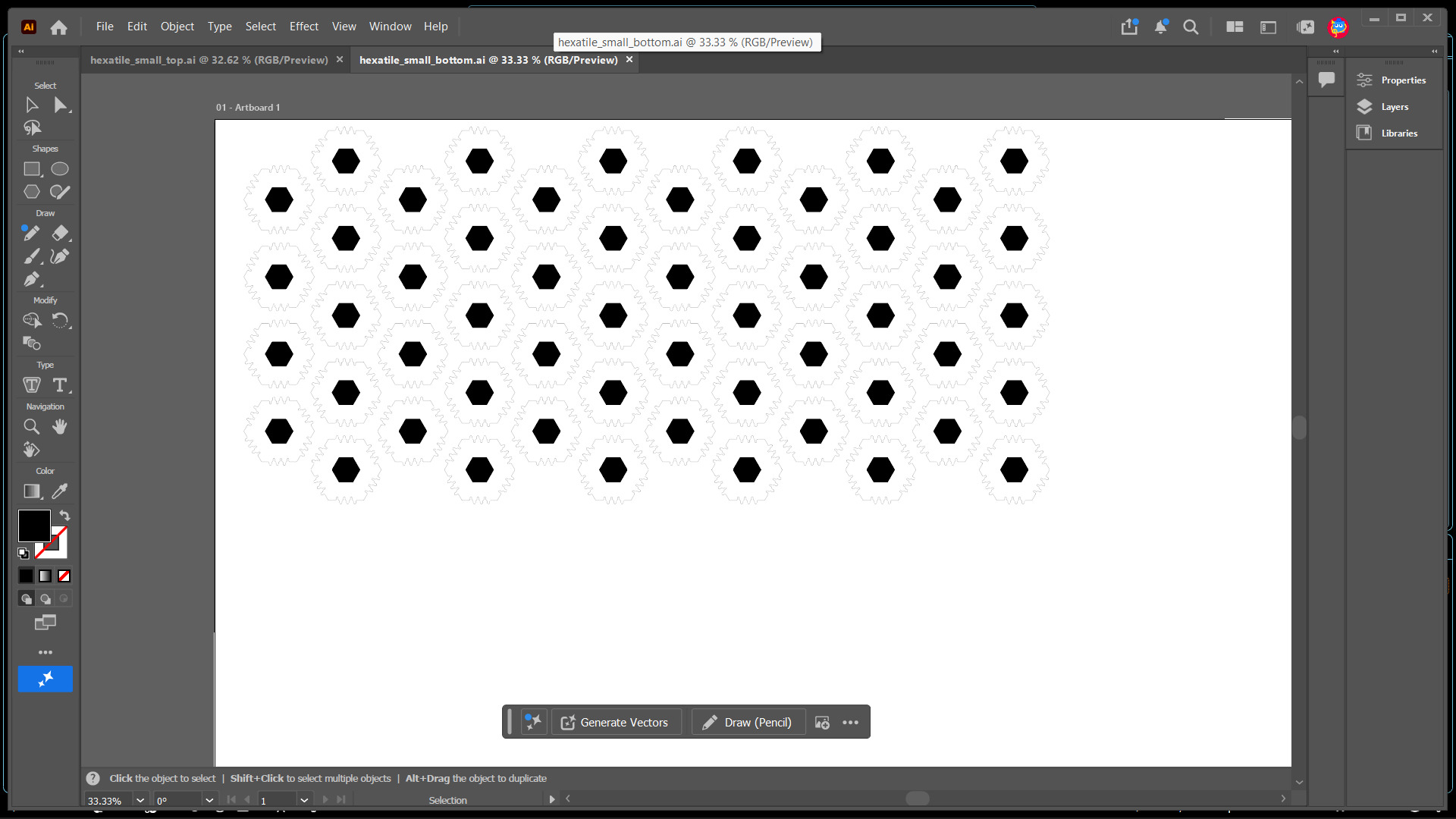
I used the following settings for the FusionM2
- Engrave power 100%
- Engrave speed 30%
- Cutting power 100%
- Cutting speed 5%
- DPI : 300
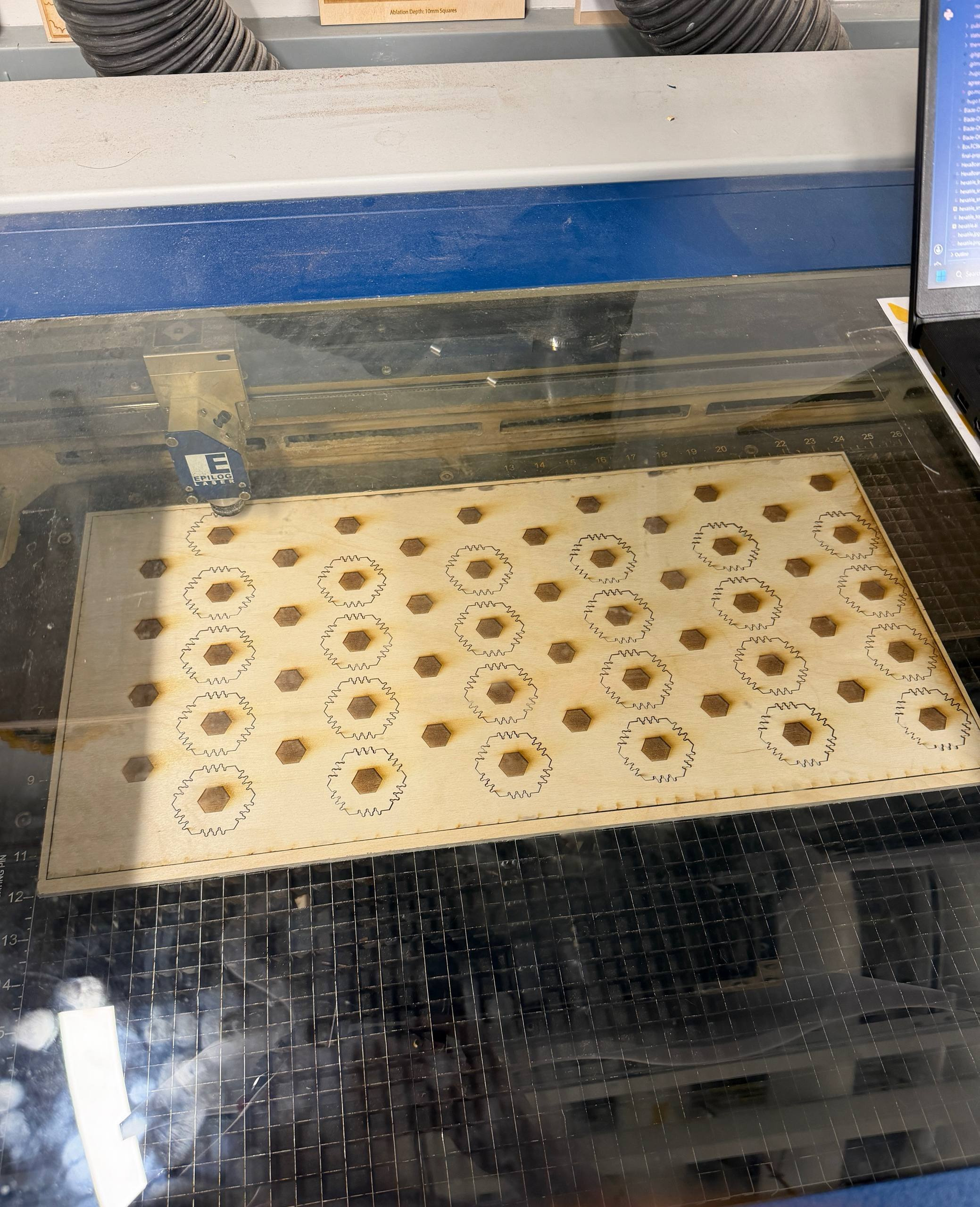
The top side was engrave only. The bottom side was engrave and cut. Each of the sides was predicted to take an hour each, so I let the laser cutter go to town on the plywood while I wrote up this blog. Unfortuntely, the laser stopped cutting about halfway through the bottom side as shown in the right image below.
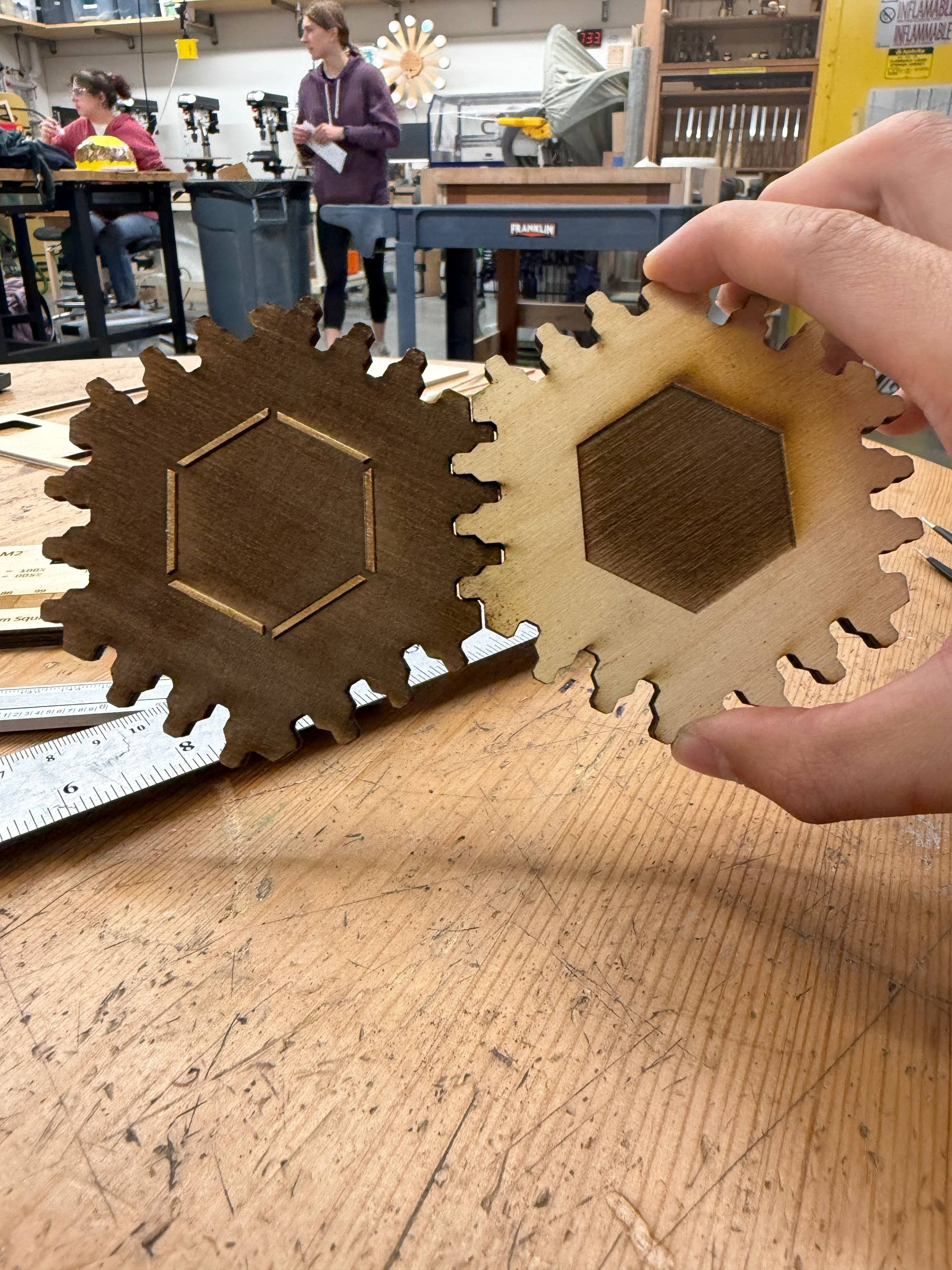
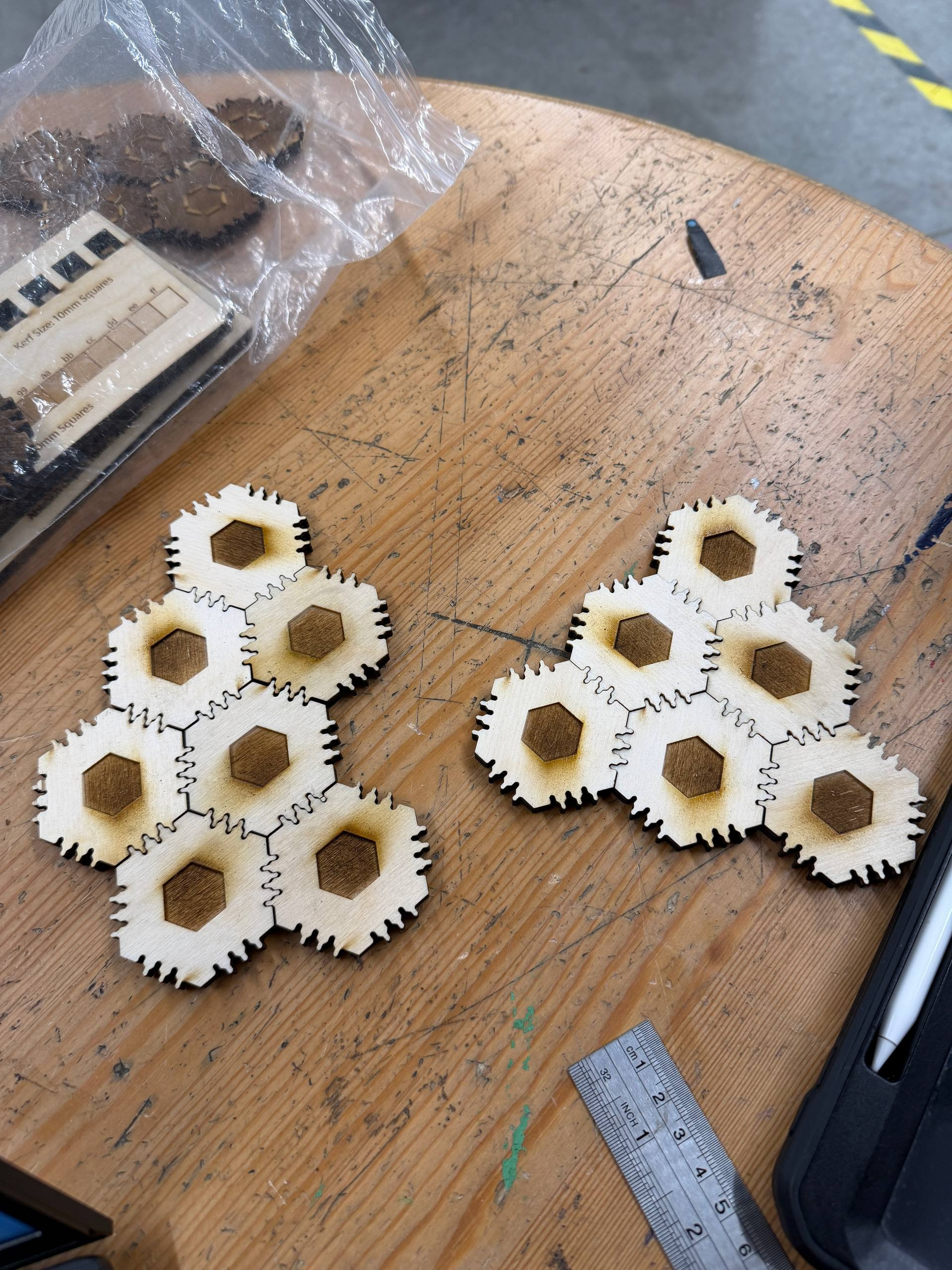
The tiles could fit along the edges as well as through the hexagonal hole as expected! Here’s a video of me putting some of the same pieces (cut separately instead of having both sides on the same piece).
Vinyl Cutting
I wanted integrate the vinyl cutter into my laser cutter project, so I decided to add covers to the laser cut pieces by vinyl cutting the same shape.
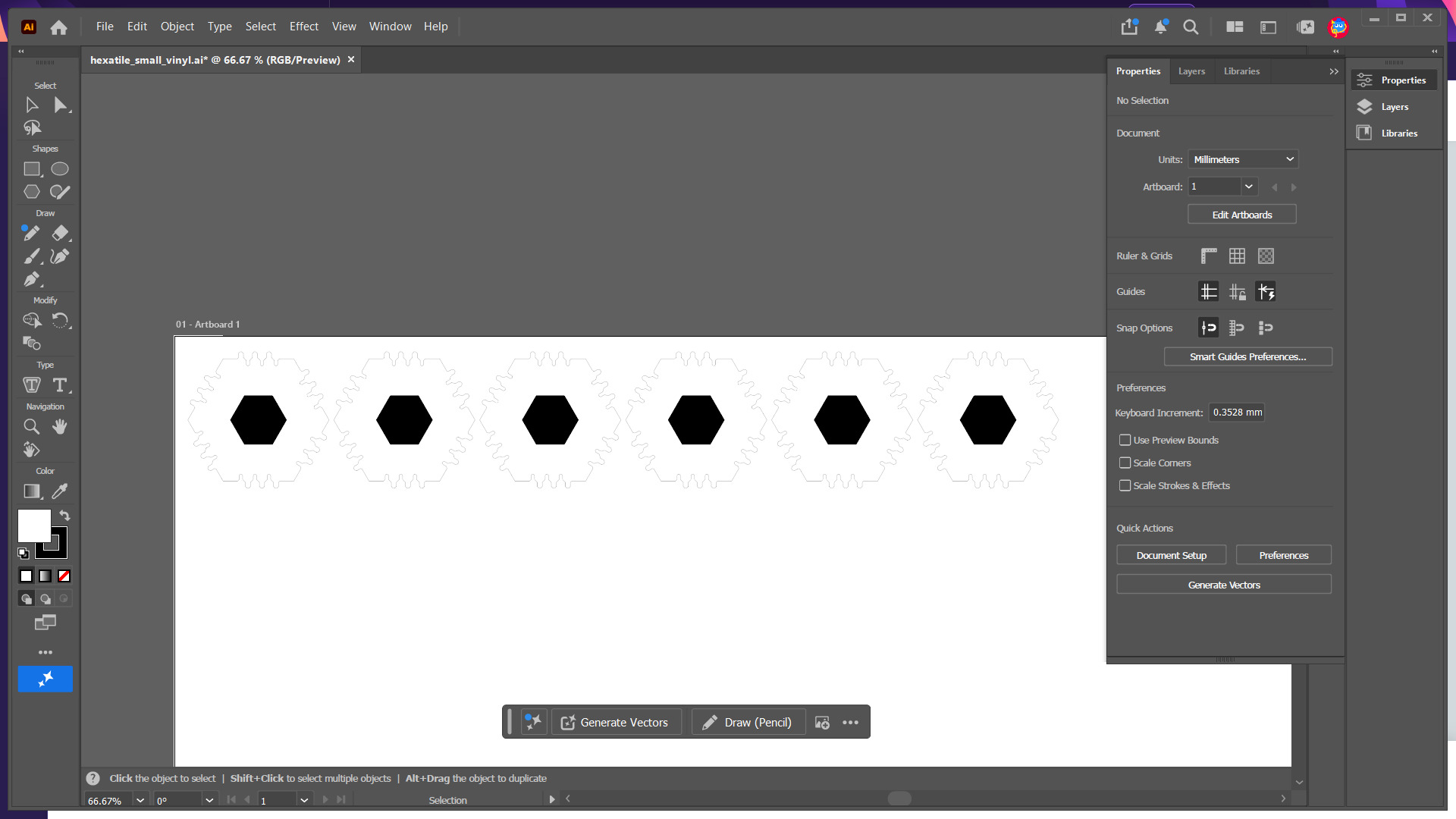
Using the EDS vinyl cutter, I did a small test with black vinyl.
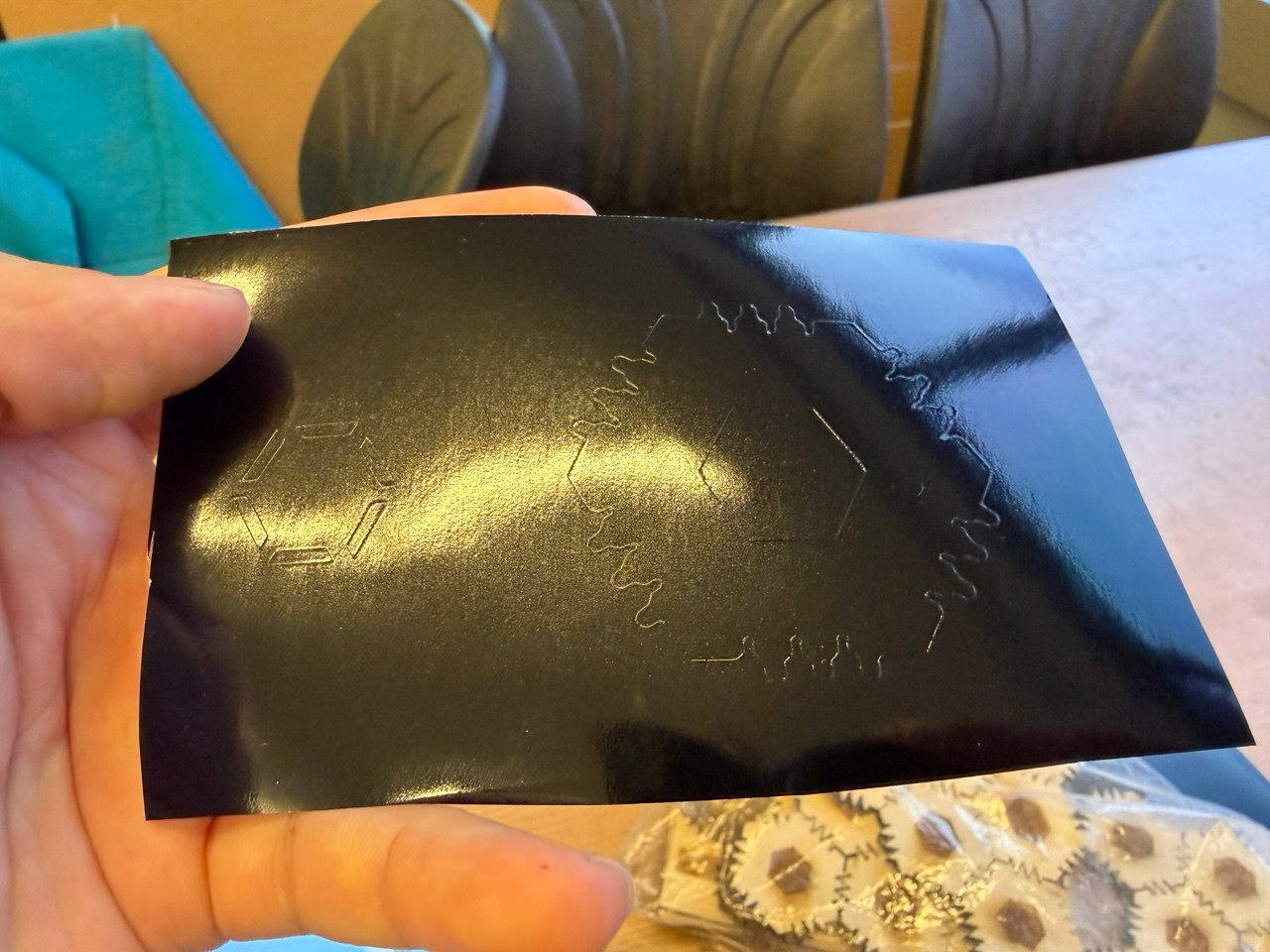
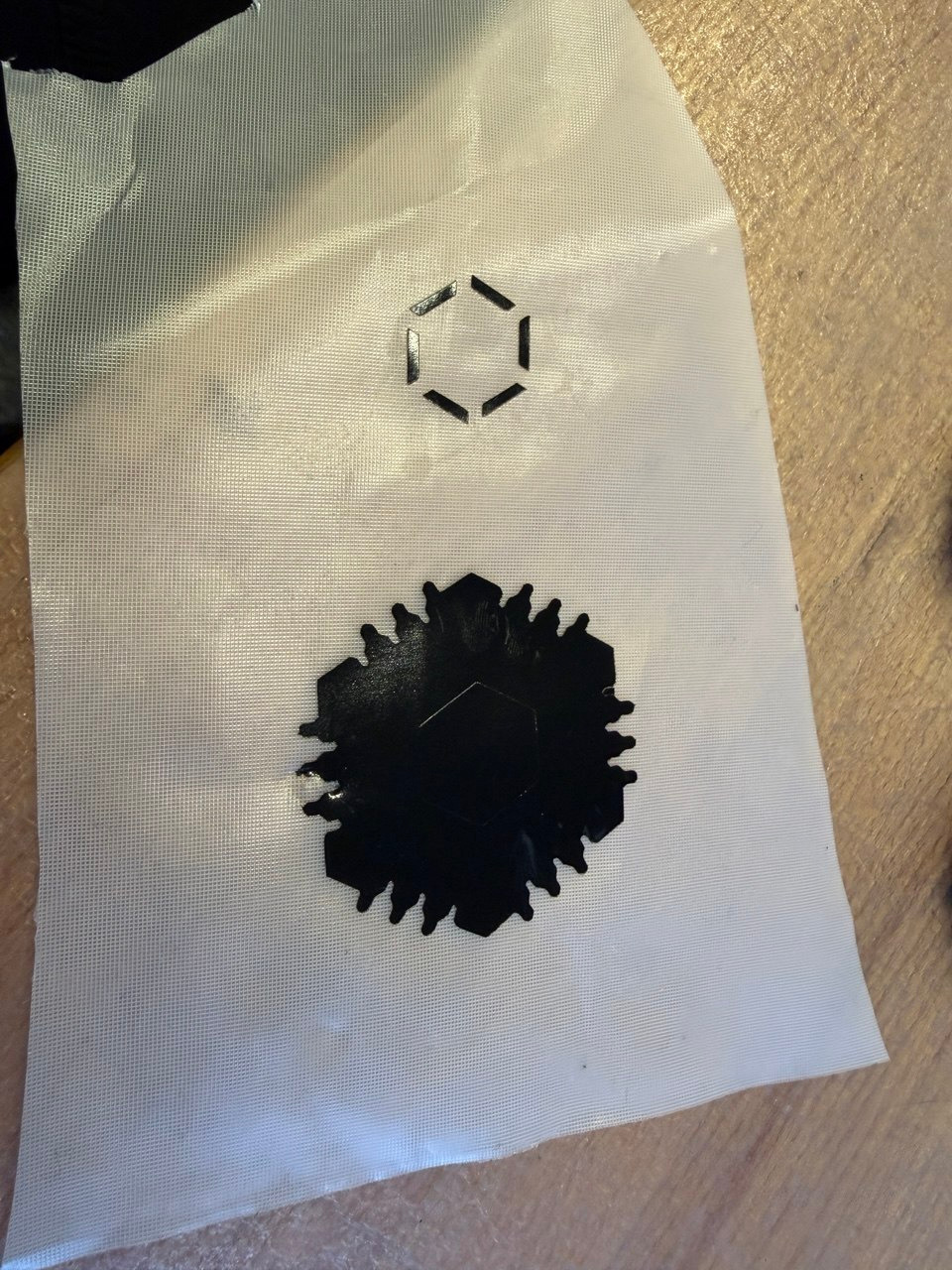
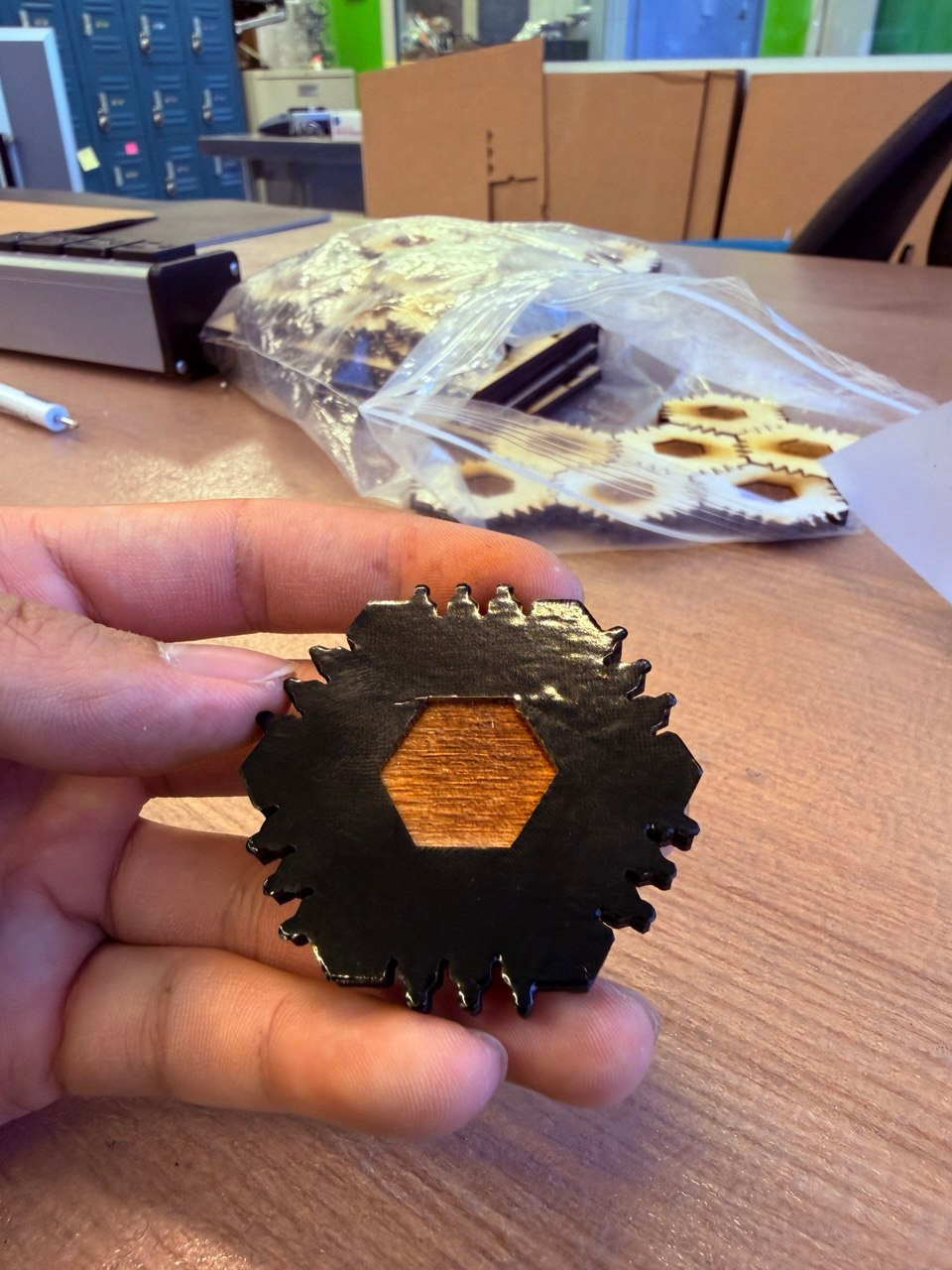
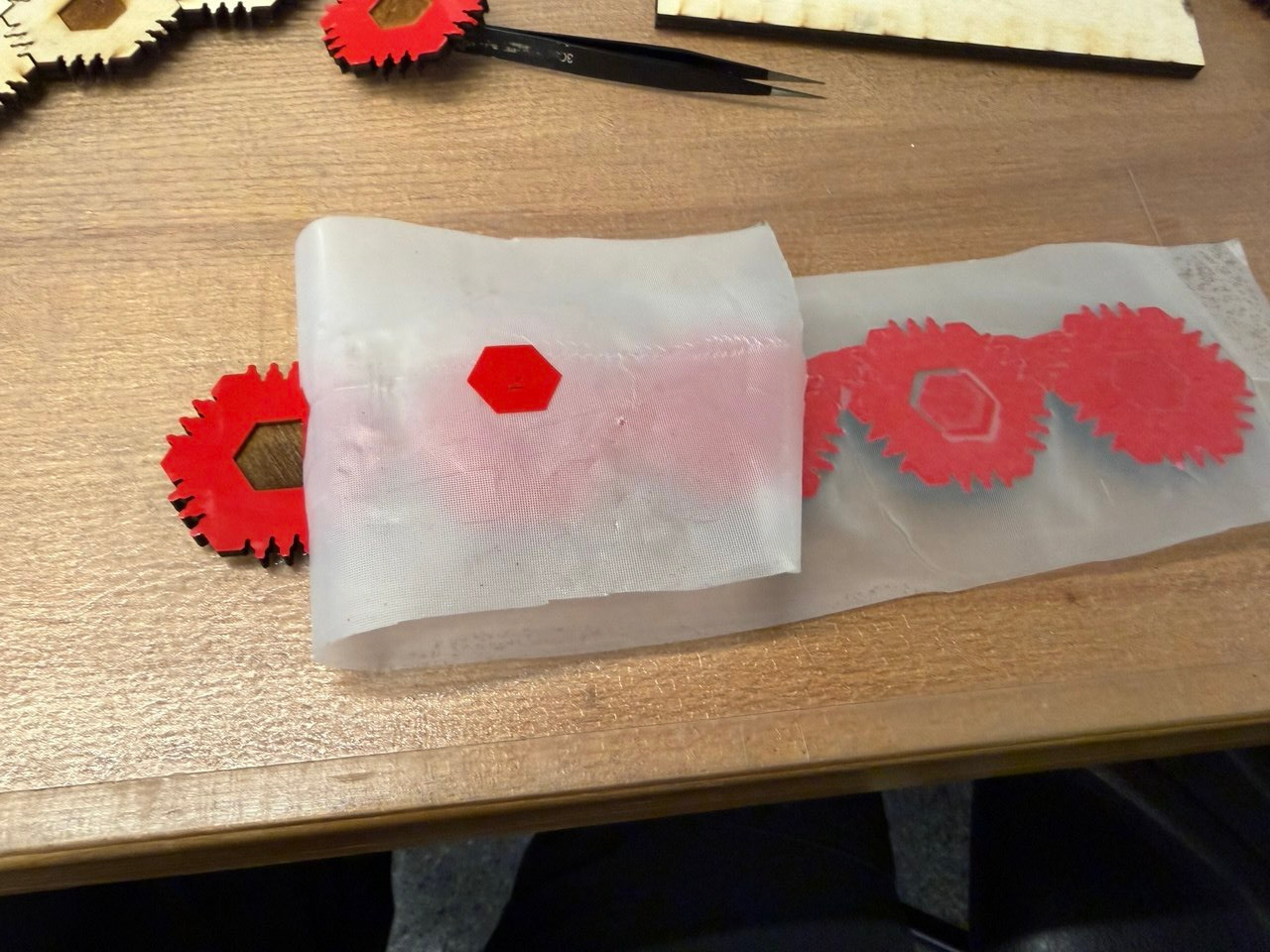
This worked beautifully! I cut the larger pattern of 6 from red vinyl and carefully stuck them onto 6 tiles. I repeated this with blue vinyl to obtain a total of 1 black tile, 6 red tiles and 6 blue tiles.
Assembly
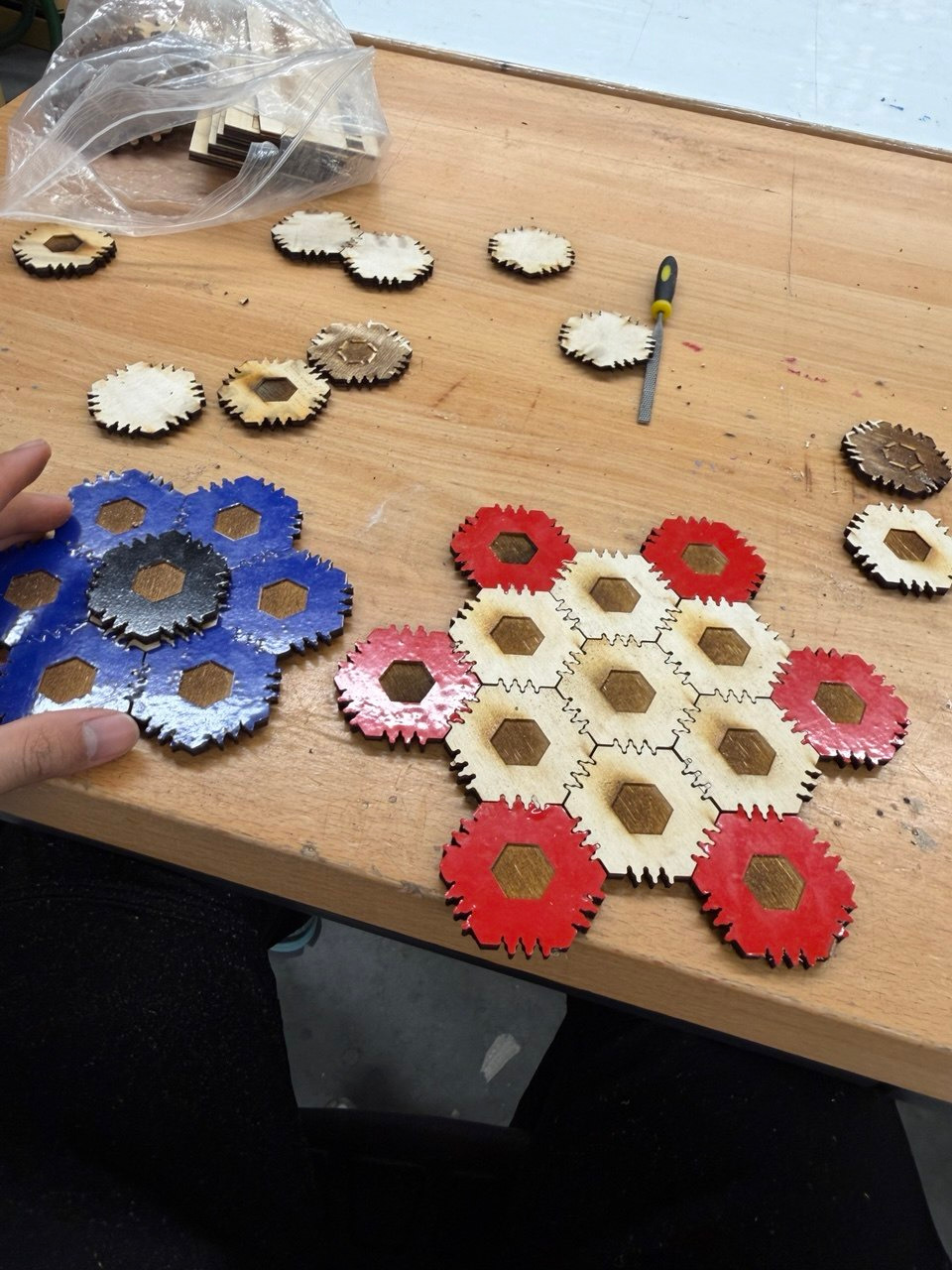
It turned out that I had misaligned the laser cutter when cutting the tiles. This means that the top side had a bunch of extra wood on two of the 6 edges due to a wrong offset for cutting. This also means that the bottom hexagon is sightly misaligned with the top joint pieces.
Fortunately, this offset difference is the same across all pieces, so all I needed to do was file away the excess wood and build the final model layer by layer.
Here’s me filing away the excess wood, also at 10x speed.
Once filed, I could snap the tiles with the colored vinyl together to form layers, then line up the bottom and top hexagons.
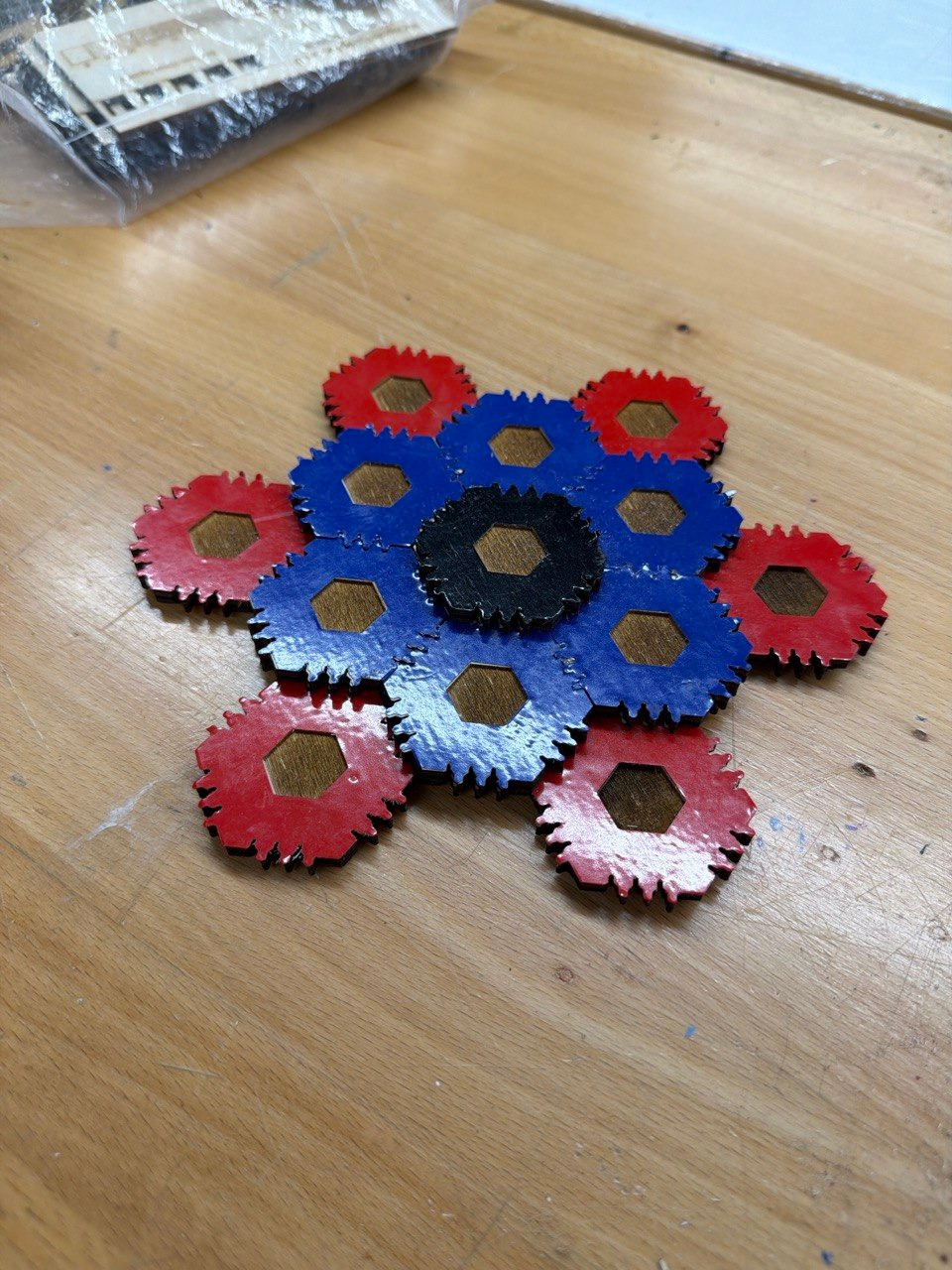
Here’s one last video demonstrating that the pieces are indeed all joined together rigidly in all three axes.
Reflection
Given the time crunch, I’m quite happy that I have pretty much hit all of the extra credit in this assignment.
cut something on the vinylcutter
I cut the same vinyl piece 13 times and placed it on 13 different tiles.
- design, lasercut, and document a parametric construction kit, accounting for the lasercutter kerf
The parameters do allow me to customize the size of the tile, number of fingers, depth of fingers etc.
- extra credit: design it to be assembled in multiple ways
- extra credit: include elements that aren’t flat
- extra credit: engrave as well as cut
I think I’ve managed to hit all three extra credit at once with the design.
- The tile can be assembled upwards instead of just along the plane of the tile.
- The tile technically remains flat, but the overall designs you can form don’t have to be flat.
- The z-axis joint is made entirely by engraving :)
To the other students in my EECS section, feel free to ping me if you ever need Metropolis access and I can open the shop as needed for projects :3
AI Use
Claude for generating the video shortcode used to display videos.
Model Files
Calibration file for Metropolis Fusion M2
From my previous laser cutting experiences, cutting materials thicker than 1/4" causes the kerf to measurably differ depending on whether it is measured at the top or bottom of the stock. This occurs because the laser beam converges at the focal point and diverges after that; if the beam is focused at the surface, the beam width is slightly larger at the base and so the kerf may be thicker at the bottom. ↩︎
I actually started in FreeCAD in an attempt to learn how to use FreeCAD. However, I found it very difficult to iterate in FreeCAD as the timeline was very unintuitive compared to Fusion360. Some actions I took had side effects on the model that I could not explain nor control and so I gave up and used Fusion360 instead. ↩︎