Post 4: 3D Scanning and Printing
With the power of 3 years of 3D printing experience, a personal 3D printer and so much filament in my room, perhaps I can cook up something strange this week.
group assignment:
- test the design rules for your 3D printer(s)
individual assignment:
- design and 3D print an object that could not be made subtractively (small, few cm3, limited by printer time)
- 3D scan an object (and optionally print it)
3D Printing Design
For all of the prints this week, I used PETG that I had laying around in my room. I usually get PETG from Creality, SUNLU or Overture. I also own a Bambu Lab P1S that I use for all of my personal printing needs.
I ended up printing quite a lot this week, including for classes outside of HTMAA.
P1S Calibration Print
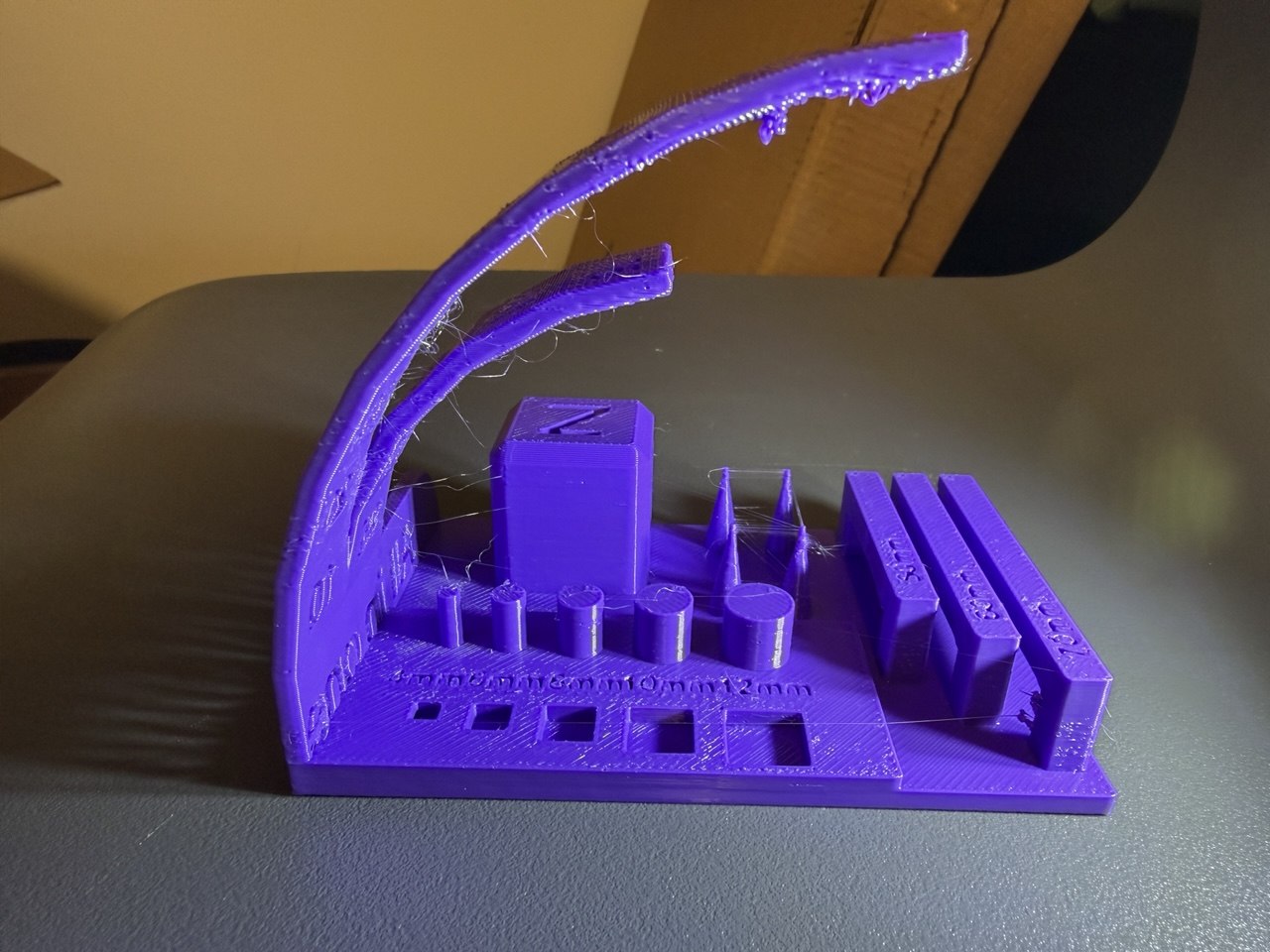
To test the design rules of my P1S, I printed this torture test found on MakerWorld. It consists of two gradually increasing overhangs, bridging tests for 50, 60 and 70mm, spikes for thin details and shrinkage / expansion tests.
The print consisted of two overhang tests, one at 15 degree intervals and another at 10 degree intervals. The P1S managed to print overhangs at 60 degrees, and defects began to appear once the overhang exceeds 60 degrees (so the 70 degree, 75 degree and 80 degree overhangs had defects).
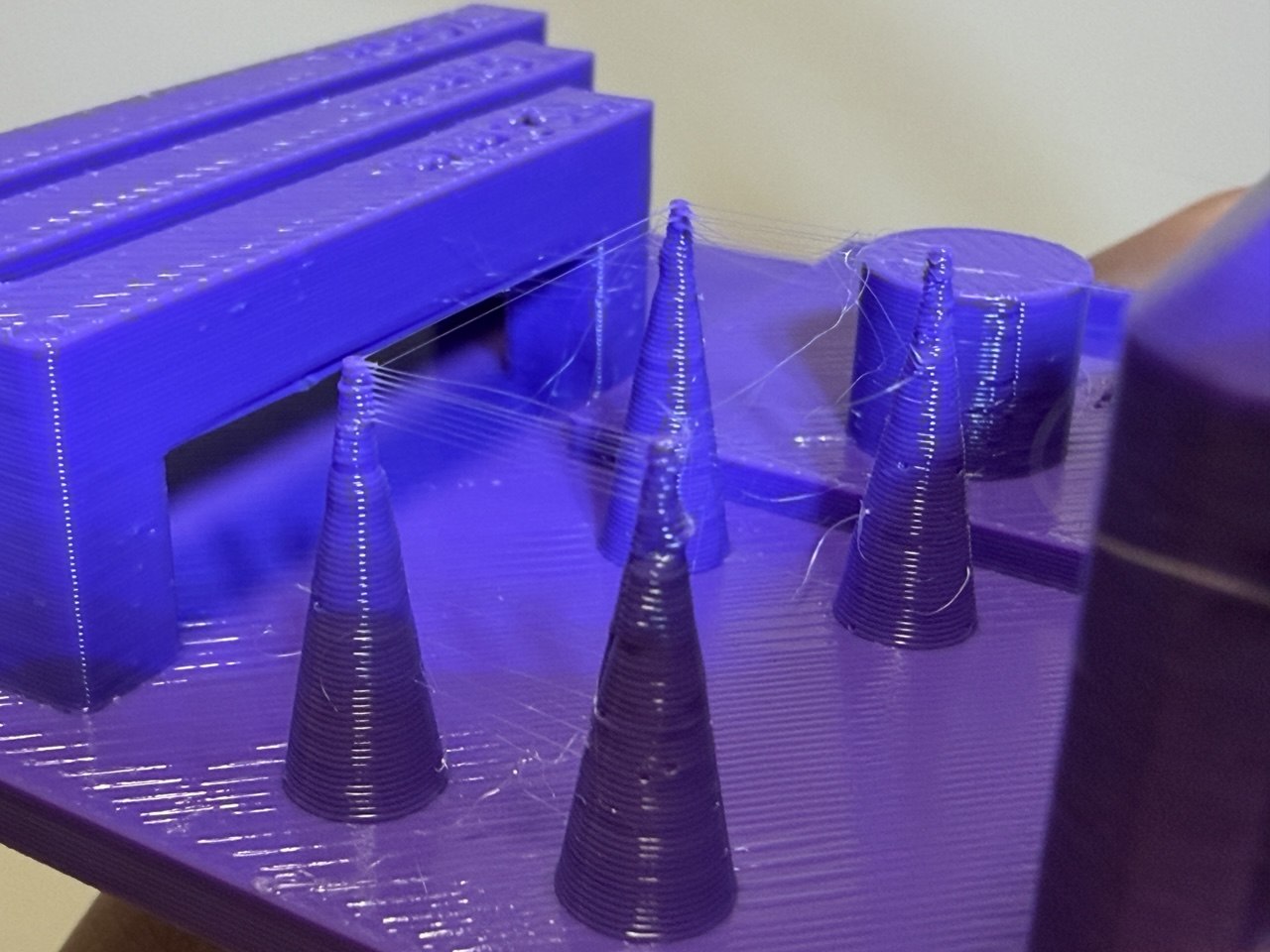
If we zoom in on some of the parts, we see that there is some stringing near the top of the spikes. This could be due to wet filament (it has been sitting exposed over the summer after all) or insufficient retraction on the extruder. There also seems to be some distortion / unevenness at the spike.
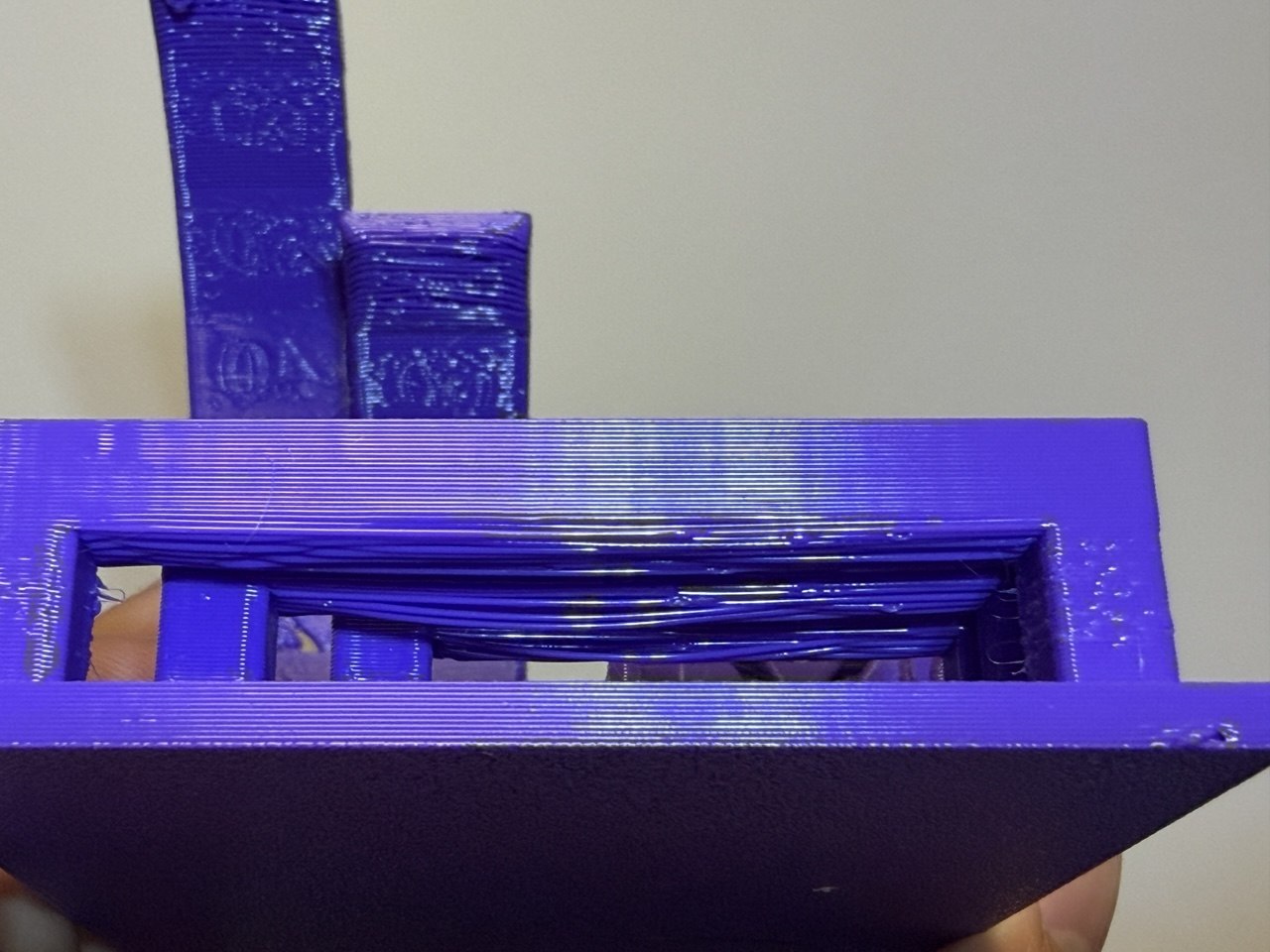
Surprisingly, the shorter bridges printed worse than the long bridges. The 50mm bridges had worse sagging than the 70mm bridges.
The cylinders shrunk by an average of 0.33mm across the 4mm,6mm,8mm,10mm and 12mm diameter cylinders. The square holes shrunk by an average of 0.11mm across the 4mm, 6mm, 8mm, 10mm and 12mm square holes.
We will revisit this model later during the 3D scanning section.
6.2540 Camera Mount
I won’t dwell on this for too long as it is not a model that I designed. For 6.2540 Nanotechnology: From Atoms to Systems, we had to print a camera mount to fit on our phones.
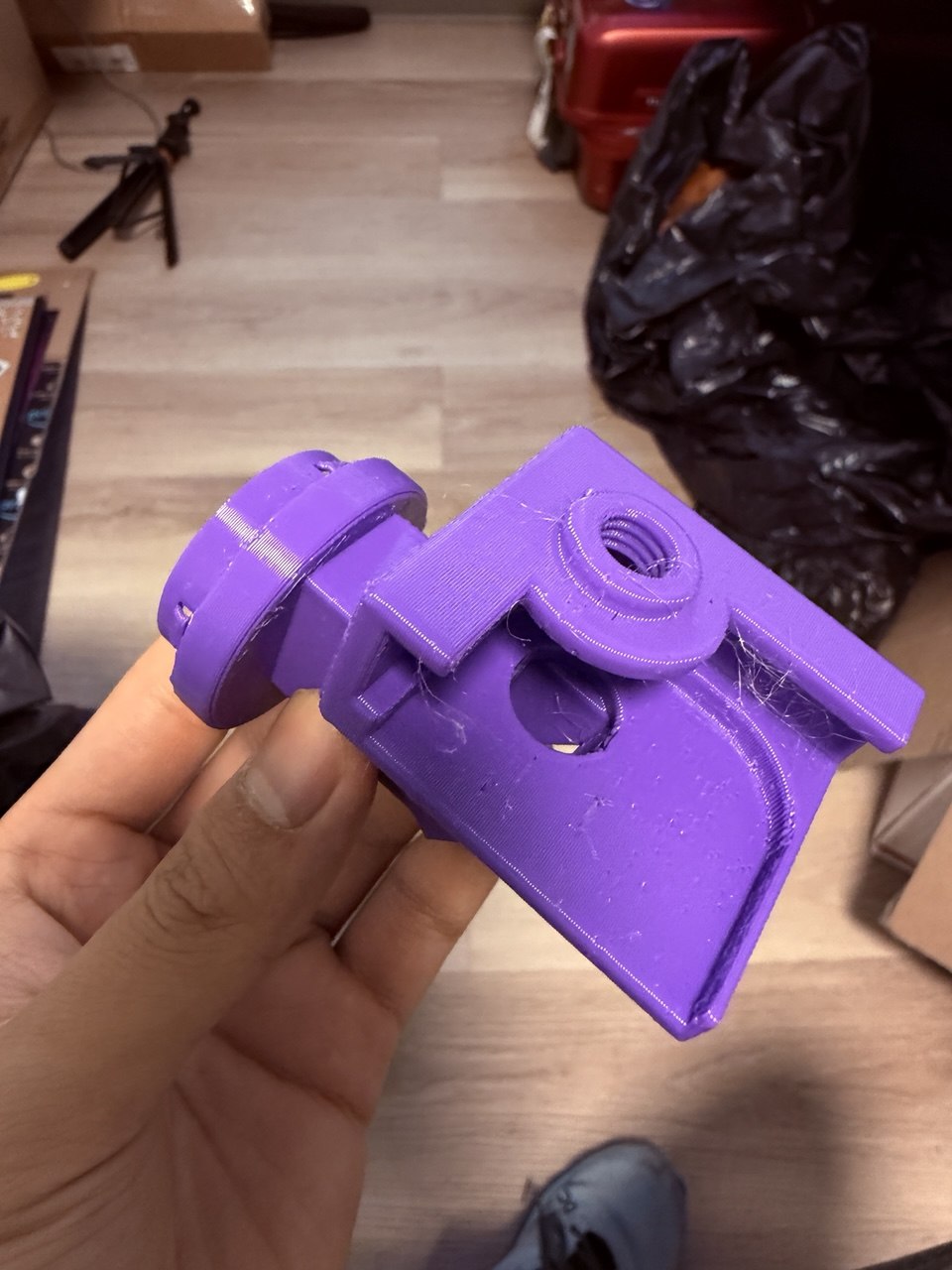
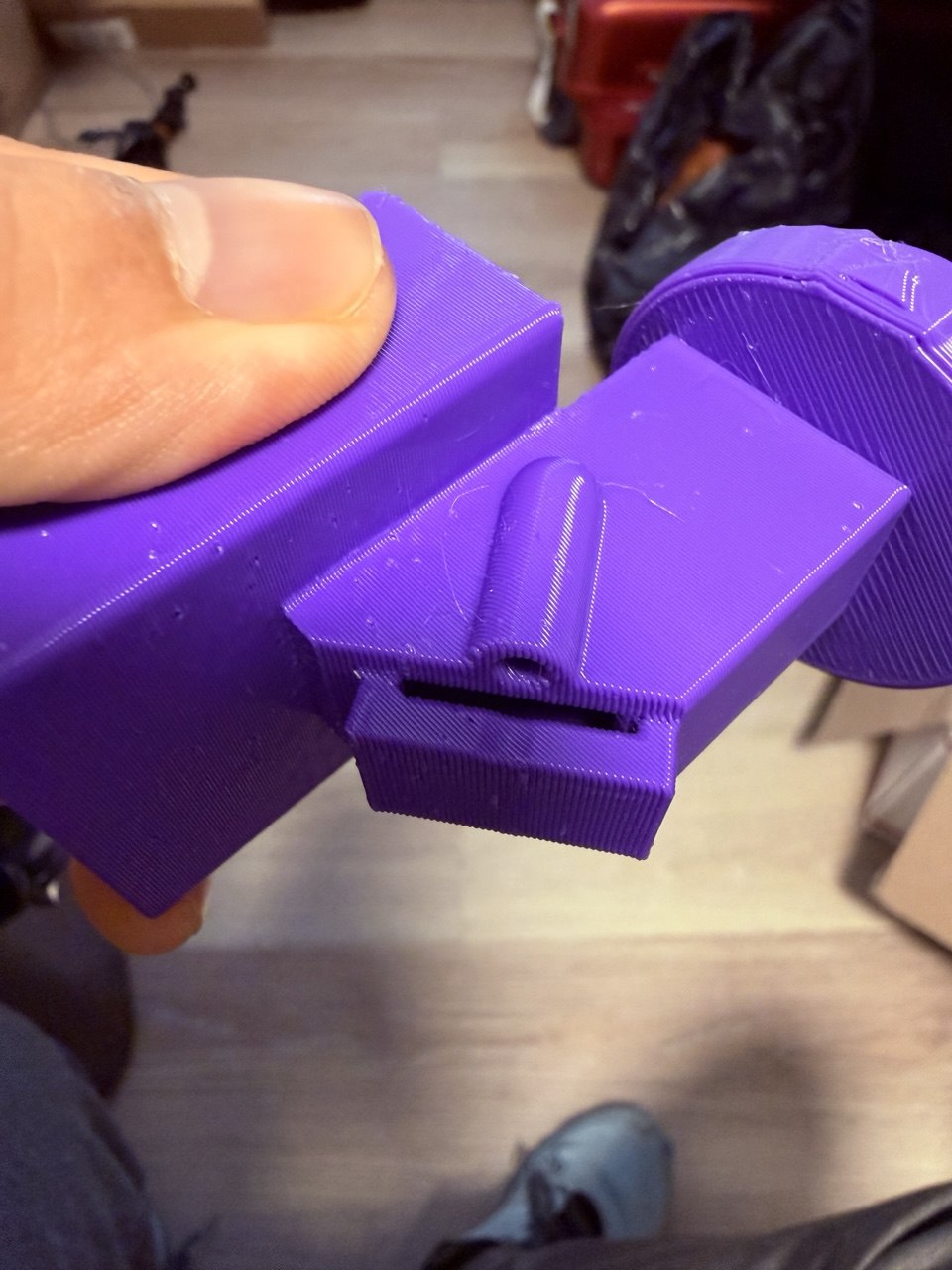
Here is a video of the interior of the camera mount, from the perspective of the phone camera. The small slit in the side is where the diffraction grating is inserted.
I may update this page after I get footage from the diffraction grating experiments, but for now that is all I have :>
Ball and Sleeve Connector
I would like to see if a print-in-place version of the symmetric ball and sleeve connector I devised for my final project would work.
The ball and sleeve connector consists of three parts
- The ball bearings that are inset into holes. When the sleeve is in the locked position, these balls are pushed into the interior space and lock whatever is in that space in place.
- The sleeve around the ball bearings. The sleeve is has different diameters that correspond to the locked and unlocked state of the connector. Sliding the sleeve between those states allows for one to lock and unlock the connector.
- A spring connected to the sleeve. This holds the sleeve in the locked state when not acted upon by a user.
In particular, I theorized that the sleeve, spring and body can be a single 3D printed piece. If designed correctly, I can combine the sleeve and the spring into one part that springs back into position using the flexibility of PETG.
Before going all in with this design, I printed a much smaller test piece that consisted of just the internal tube, the 3D printed spring and the sleeve. Here is the initial model used to sanity check the mechanism. This was designed in Fusion360 and it is shown here using model-viewer.
I use OrcaSlicer as my primary slicer for the P1S. Enabling LAN mode and Developer Mode on the P1S allows for OrcaSlicer to send prints over MIT’s Wifi and monitor the print from the camera inside the P1S.
Here is the initial print just to check that the spring works! The small clearance between the sleeve and the inner tube caused a lot of friction that causes the spring to get stuck at times.
With the spring mechanism settled, I moved on to adding the holes for the ball bearings. These holes were modelled to fit a 6mm-diameter ball bearing. Due to printing tolerances, I would probably have to use 5.5mm-diameter bearings
EDS only had 1mm ball bearings, so I had to either buy some ball bearings or my own or attempt to 3D print some. I printed a few ball bearings as an experiment. These had to be printed with supports as the adhesion surface of a ball is too small.
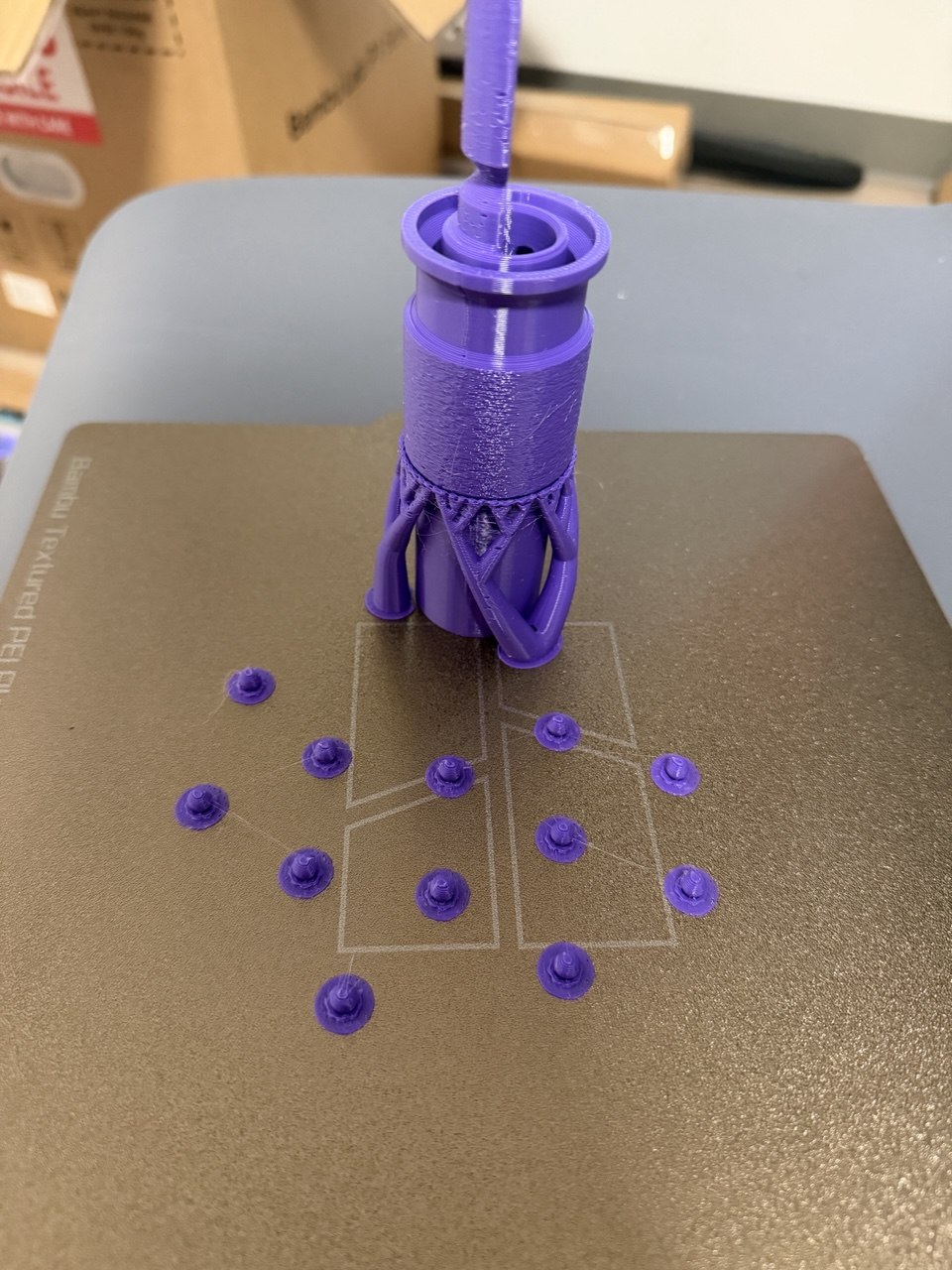
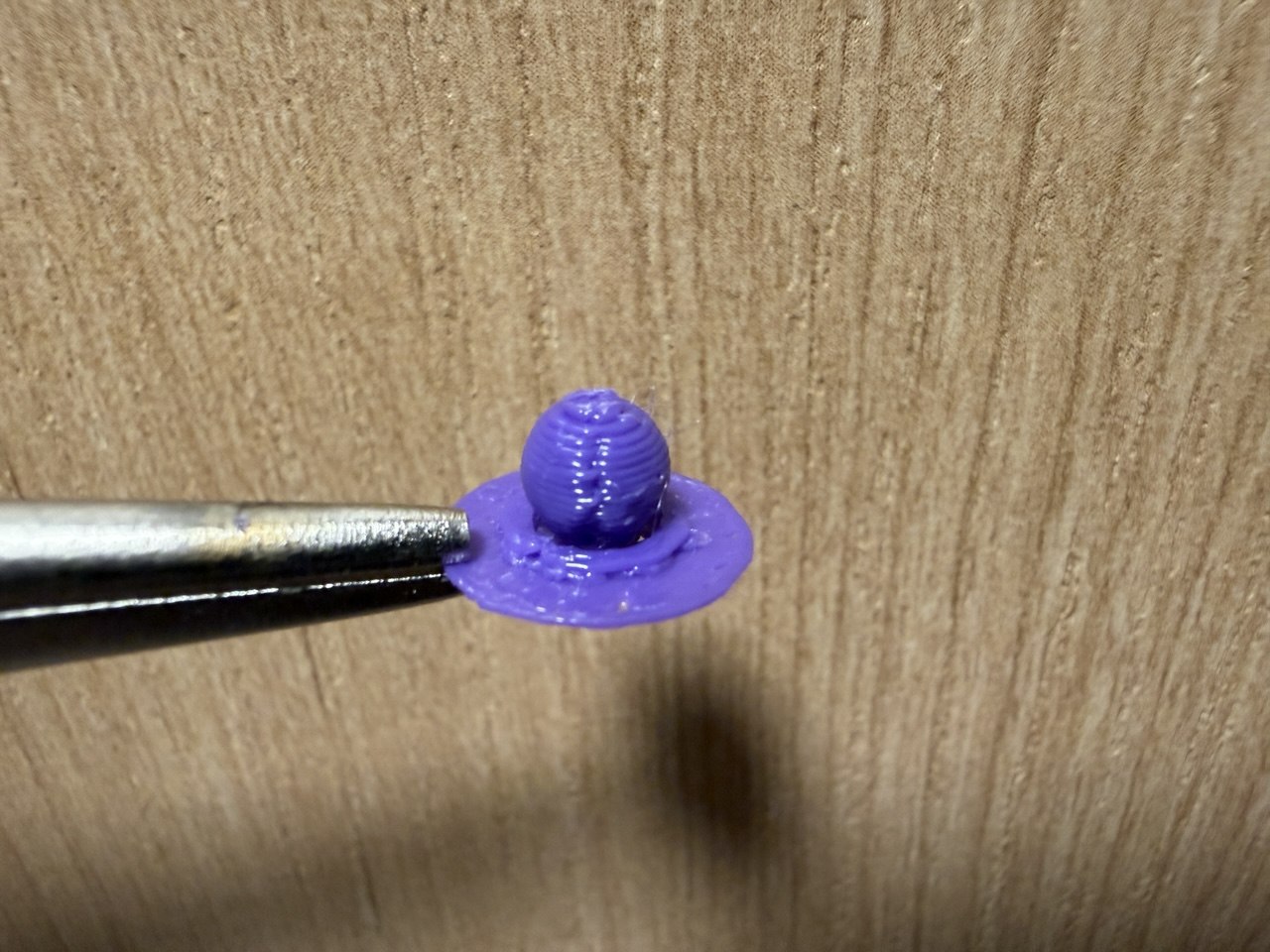
Unsurprisingly, 3D printed bearings have really bad dimensional accuracy. They fit in the hole but the layer lines cause a lot of friction between the bearings and the sleeve.
At this point the real ball bearings had arrived in the mail, so I inserted them into the holes for the first real test of the entire ball and sleeve connector.
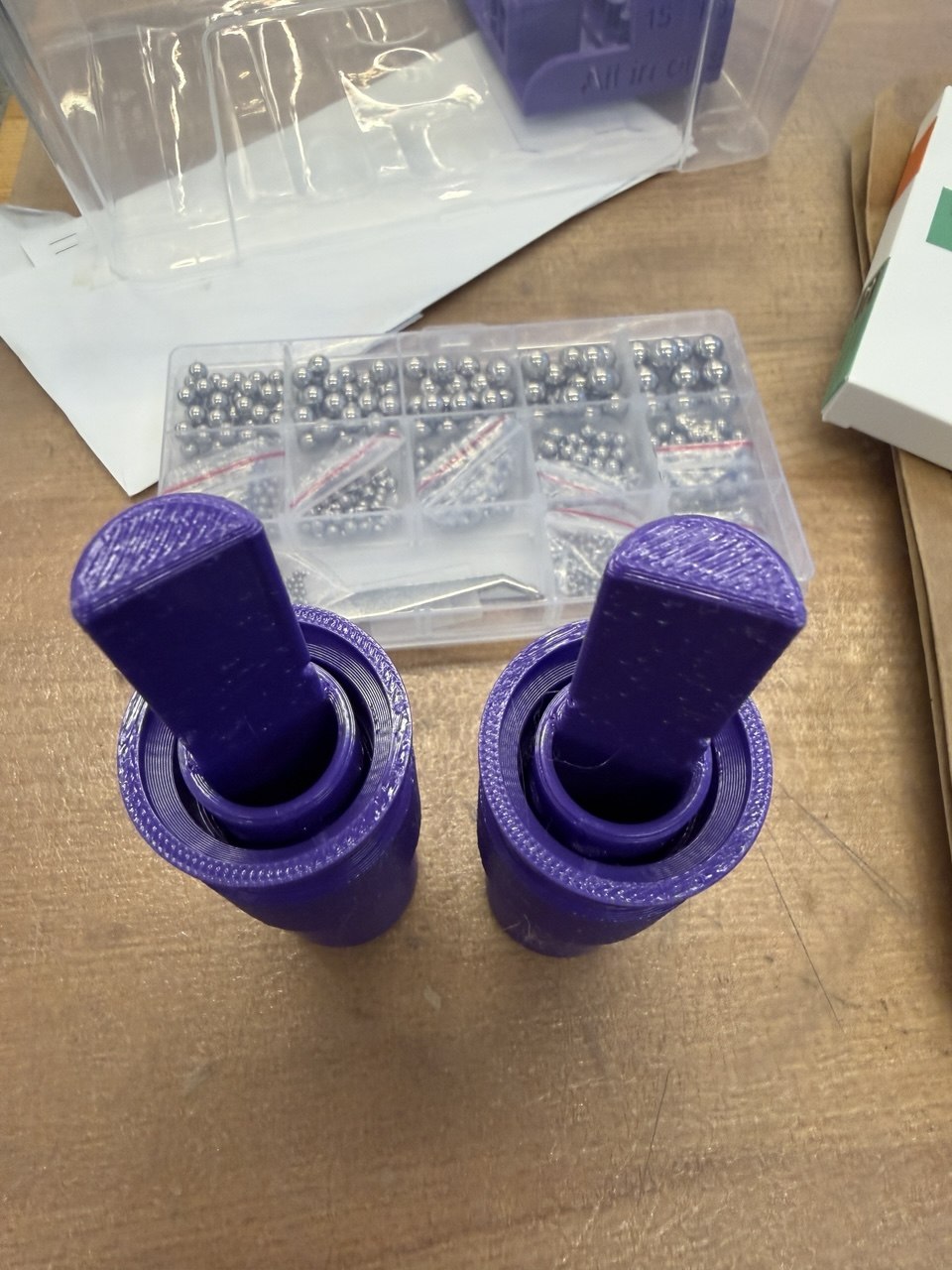
It works! But this also revealed a problem in my design: if there is only one taper between the smallest diameter of the sleeve (which holds the ball bearings in place in the locked position) and the largest diameter of the slevve (which allows me to insert the ball bearings), then the ball bearings can easily be released from their holes and fall out of the mechanism.
I needed to add a second taper which increases the inner diameter of the sleeve by a large enough amount to unlock the balls from the groove, but not enough to release the balls from the sleeve. Here is the model with two tapers.
Here is what it looks like when sliced in OrcaSlicer.
Here is the test for the new design. It looks approximately the same, just that the ball bearings can no longer fall out of the sleeve during normal operation. I printed one with fuzzy skin and one without to feel the difference in grip. Naturally the one with the fuzzy skin had better grip and its sleeve could be pulled more easily.
I could have stopped there, but the model felt kind of empty and I wanted to spice it up. I started by adding some design to the back of the handle, almost like a drill.
In theory this would work with enough supports. It printed fine for quite a while so I left to go to class. Turns out this was not fine.
I then realised that the protrusion itself looked like a blade, so I extended the tip into a blade. I also further hollowed out the inner tube to make space for the blade. This is the final model I settled on.
I had finished my roll of purple PETG and I had a few scrap rolls with very little filament left. Thus, I took the opportunity to make a multicolor print by using the remaining black, translucent and white PETG I had from other prints.
To make the mechanism clearer for everyone else to see, I removed the sleeve around the spring to expose it.
This was also printed, this time in both black and blue.
And the final test:
3D Scanning
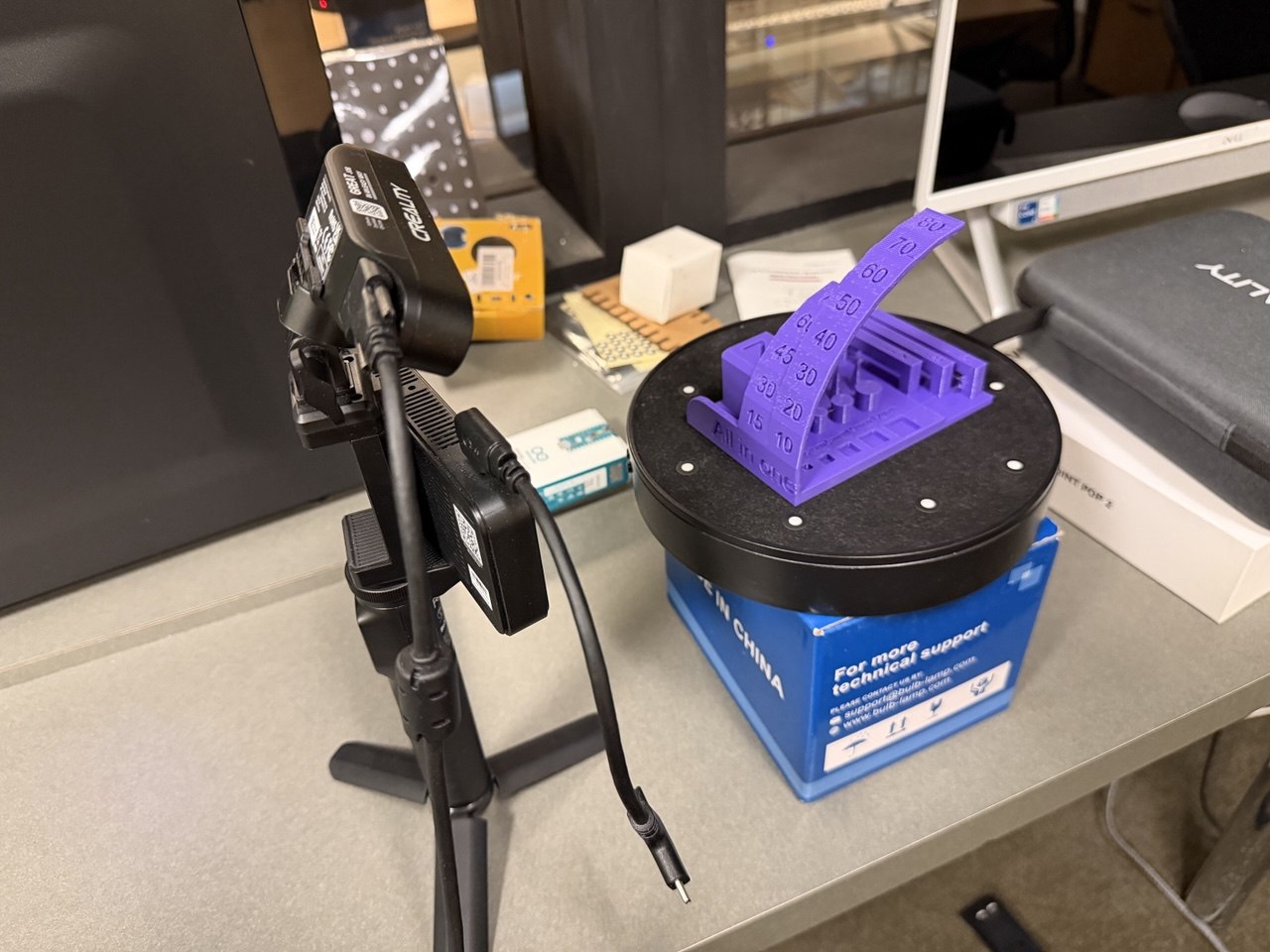
At Anthony suggestion, I wanted to 3D scan an object that I printed and then print the scanned model. I brought the all-in-one test print to EDS in 38-5 and setup the canner as shown. I wanted to take a lower angle as I was hopeing the scanner might be able to catch some of the finer detail under the overhangs.
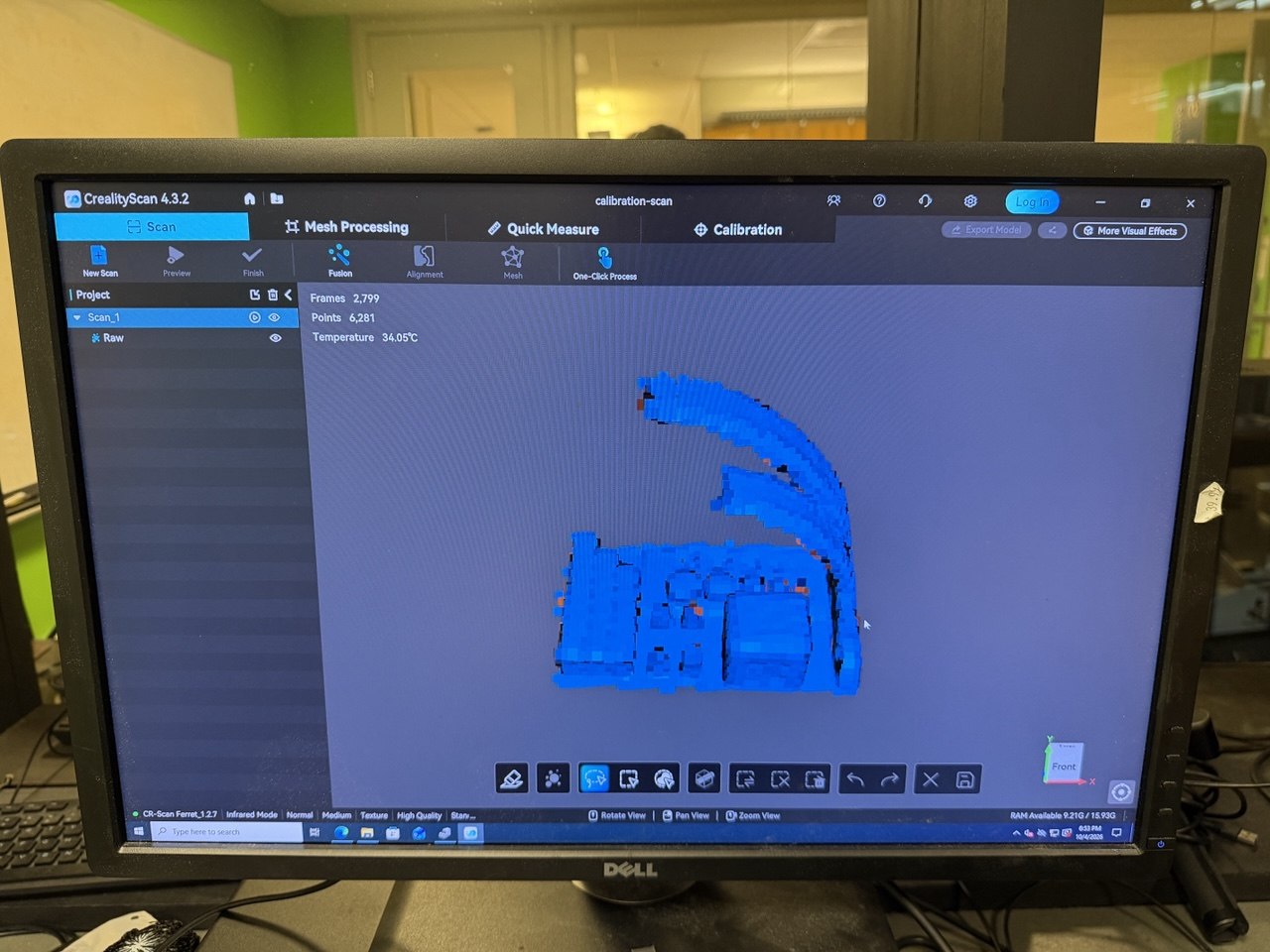
I used the CrealityScan software installed on one of the EDS machines in order to process the scan from the scanner.
The scanner could only see the top-facing surfaces of the model, so it was unable to catch the underside of the overhangs. Notably, it also failed to scan the gaps between the bridge tests, resulting in the bridges fusing together.
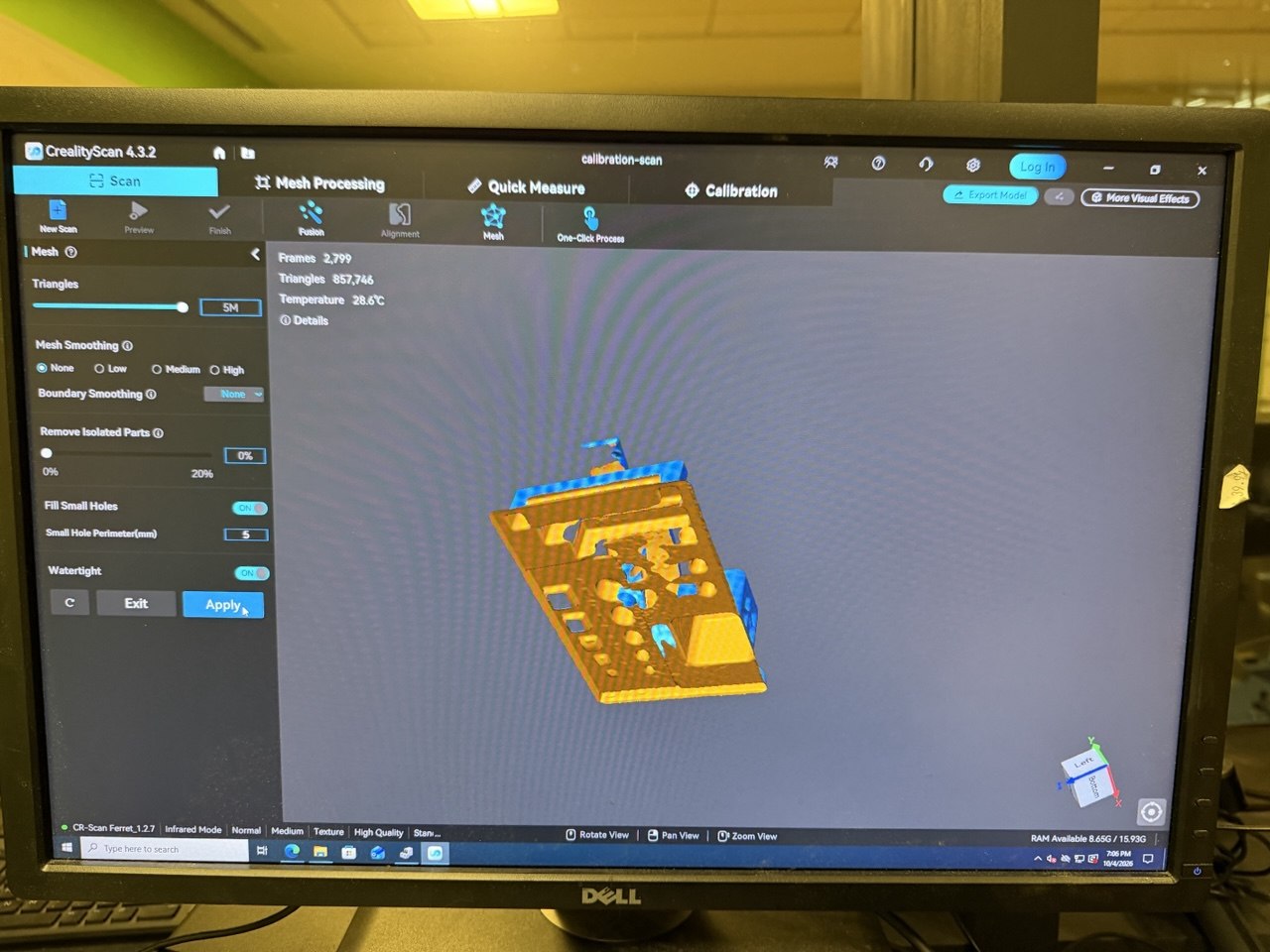
After meshing to patch holes, I simplified the model to reduce the number of triangles on the mesh. This managed to keep most of the important details of the model while cutting the number of triangles to 10% of the original.
Here is the final model that I obtained from the scanner.
Despite how the flat the model may seem in the above model viewer, the bottom face of the model is not actually flat. Attempting to print it again on my P1S results in a partial first layer that requires a raft to be printed properly.
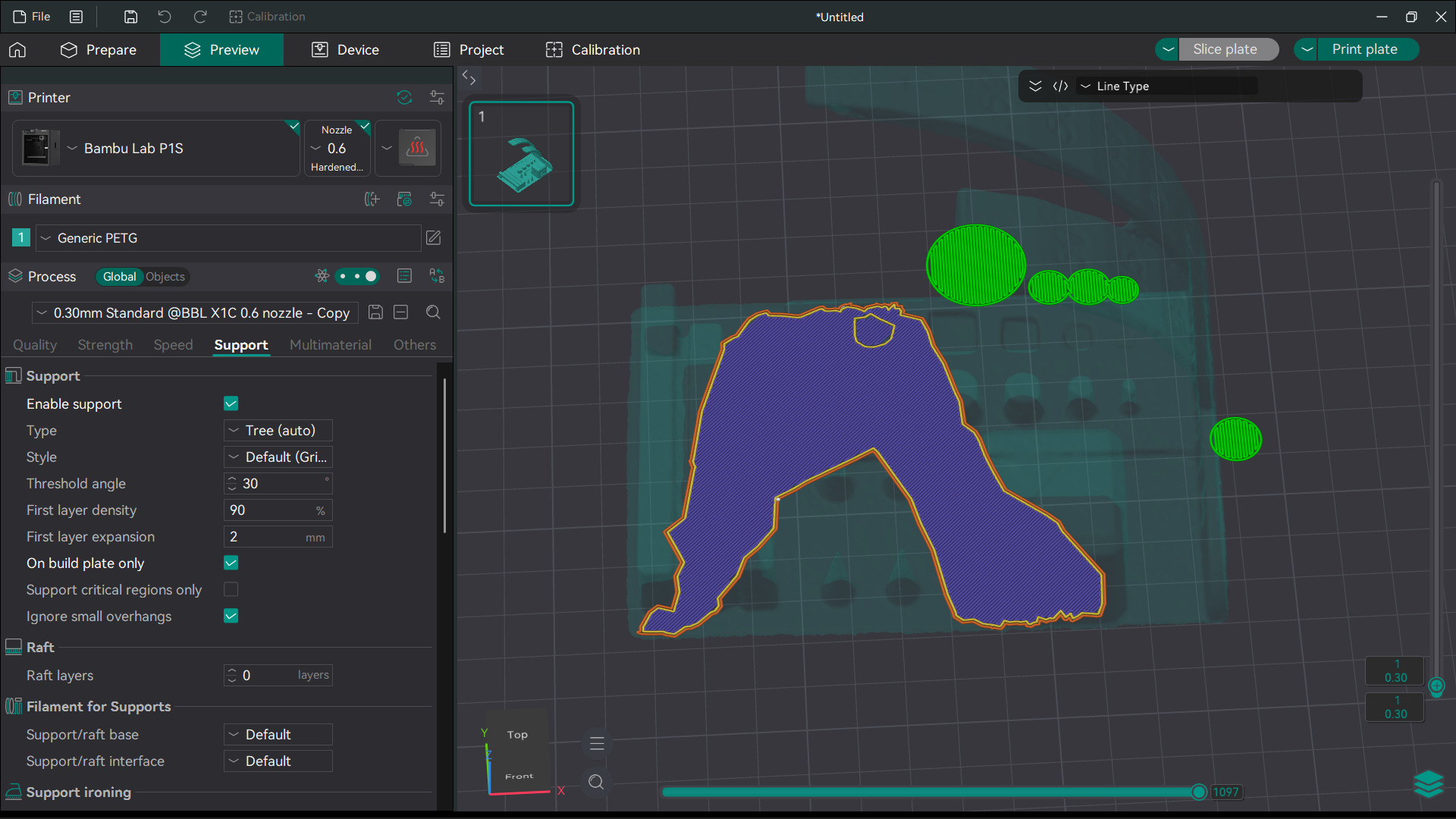
Here’s how that model printed. I had to print with supports as the overhang was too great, and a raft since the bottom was not flat.
AI Use
Claude to prepare a model-viewer shortcode, and for post processing the STLs into GLB files using an STL2GLB script.