Post 5: Electronics Design
Another week where I’m away for the weekend for retreat. Thankfully I already have a bunch of electronics on hand and a desire for something simpler this time.
group assignment:
- use the test equipment in your lab to observe the operation of an embedded microcontroller
individual assignment:
- use an EDA tool to design an embedded microcontroller system using parts from the inventory, and check its design rules for fabrication
- extra credit: simulate a circuit
- extra credit: try another design workflow
- extra credit: design a case
Oscilloscope
I have an ESP-WROOM-32 ESP-32S on an ESP32 DEVKITV1 board in my room that I use to control an WS2812B LED strip runing along the ceiling. I thought that this would be a good opportunity to use the logic analyzer to see the packets that the ESP32 was sending to the LED strip.
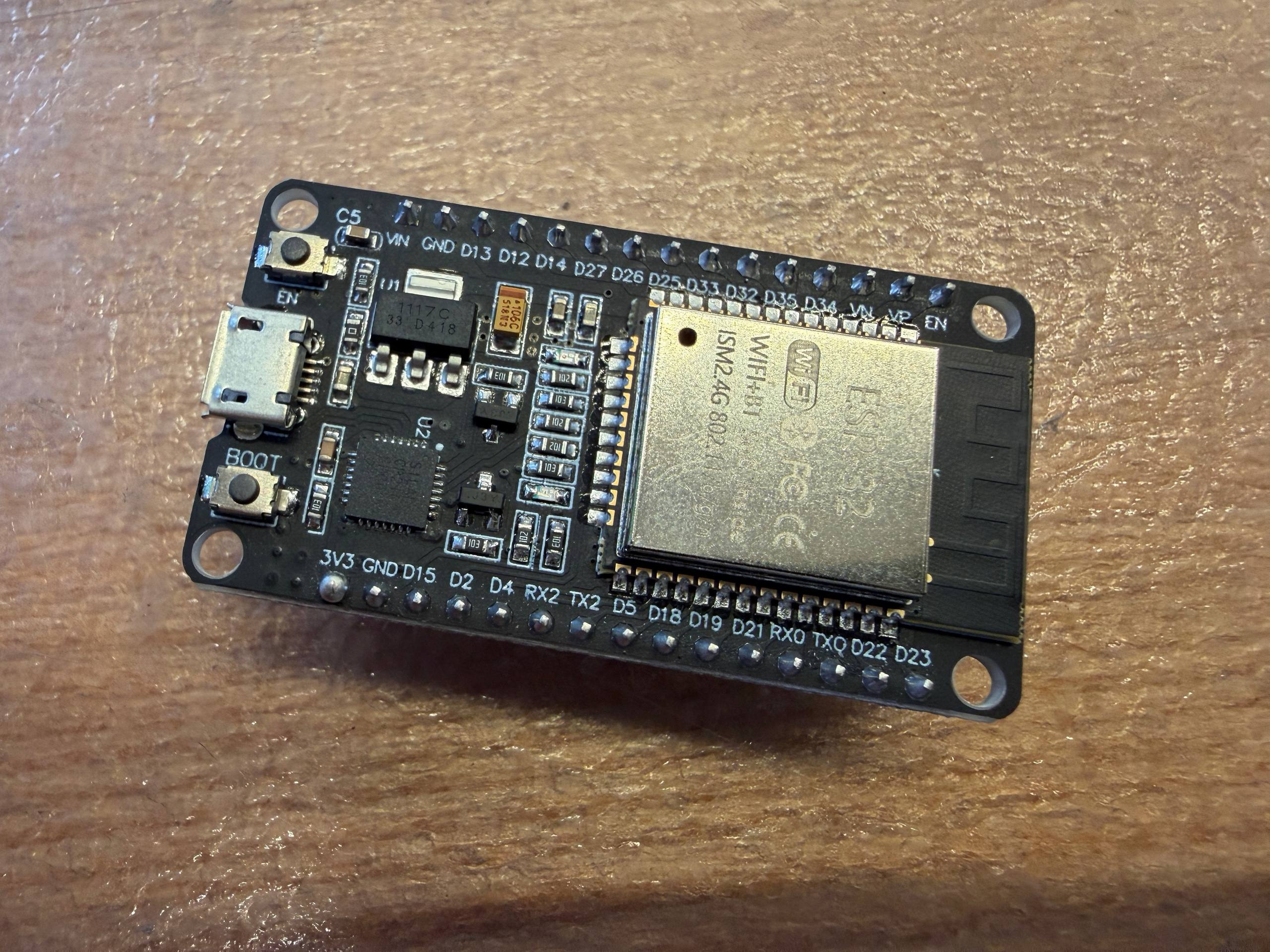
This ESP32 board sends the LED strip packet data through the D13 pin on the board, so I hooked up the oscilloscope to that pin. To make setup easier, I placed the ESP32 board onto a breadboard and stuck two wires to make it easier to access the data pin and ground pin for the oscilloscope to use.
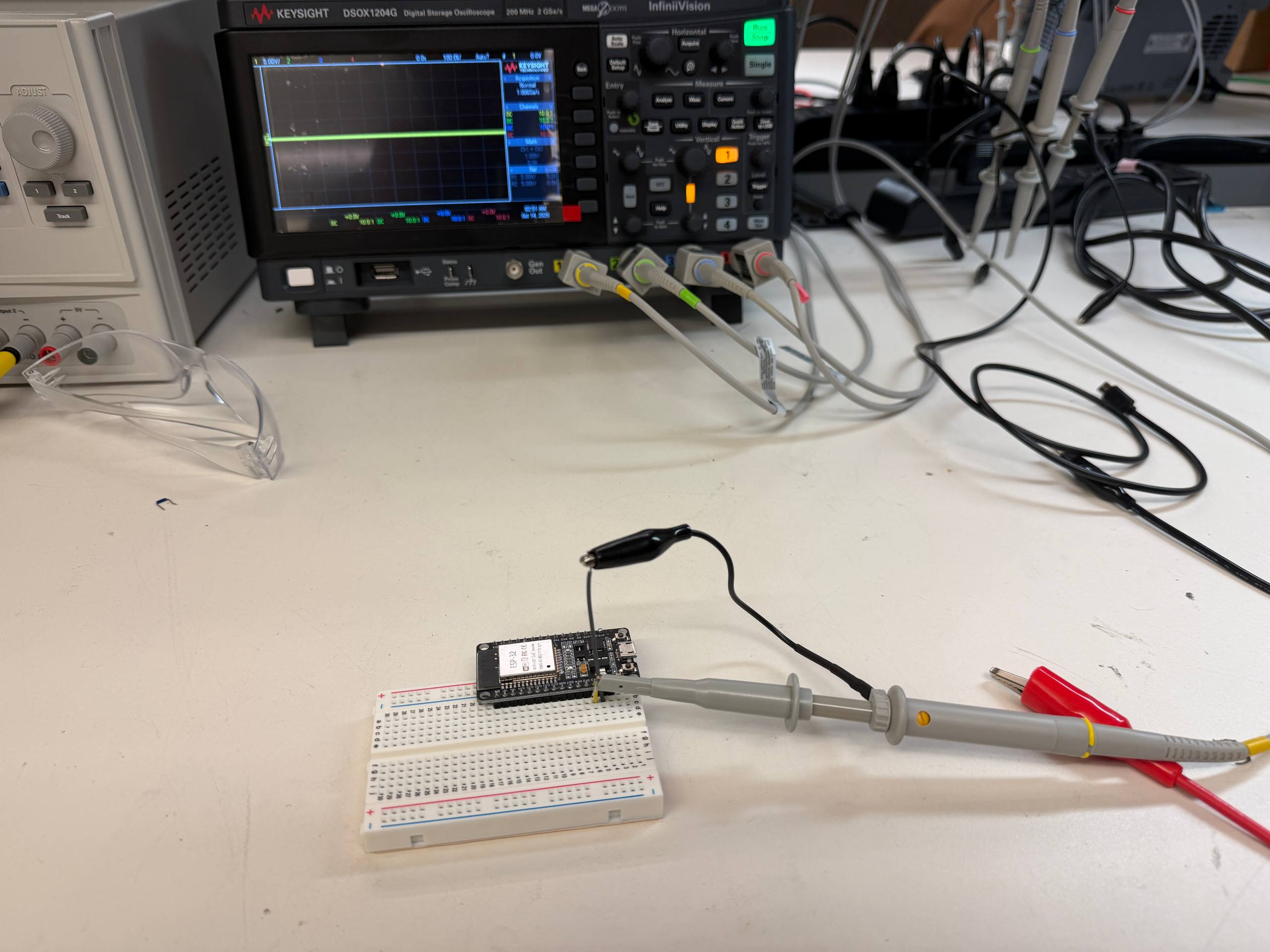
When initially connected to the oscilloscope, all the scope shows is a rapidly moving squiggle which represents the packet being sent by the ESP32.
In order to catch the packet, I had to turn the knob corresponding to the trigger option. I could also turn other knobs to change the delay of the trigger (to shift the packet on screen) and change the time interval on the x-axis (to zoom in and out on the packet).
When zooming in on the individual bits sent, we can see discrete chunks where some have a longer high-voltage period than others. This corresponds fairly well to the WS2812B protocol where 0s are sent as a short high-voltage period followed by a long low-voltage period, while 1s are sent as a long high-voltage period followed by a short low-voltage period.
Design
I wanted to prototype the electronics for my final project this week. It’s a fairly simple design with a microcontroller and some pins broken out that connects to the LED strip and buttons.
Since the microcontroller and LED strips need power, I also needed a rechargable battery. The LED strip uses the WS2812B LEDs. The datasheet indicates that these take an input voltage between 3.5V and 5.3V, so These can take the usual output voltage of an 18650 battery, so I can use those as the batteries.
Here’s a rough sketch on my whiteboard on what I needed to make.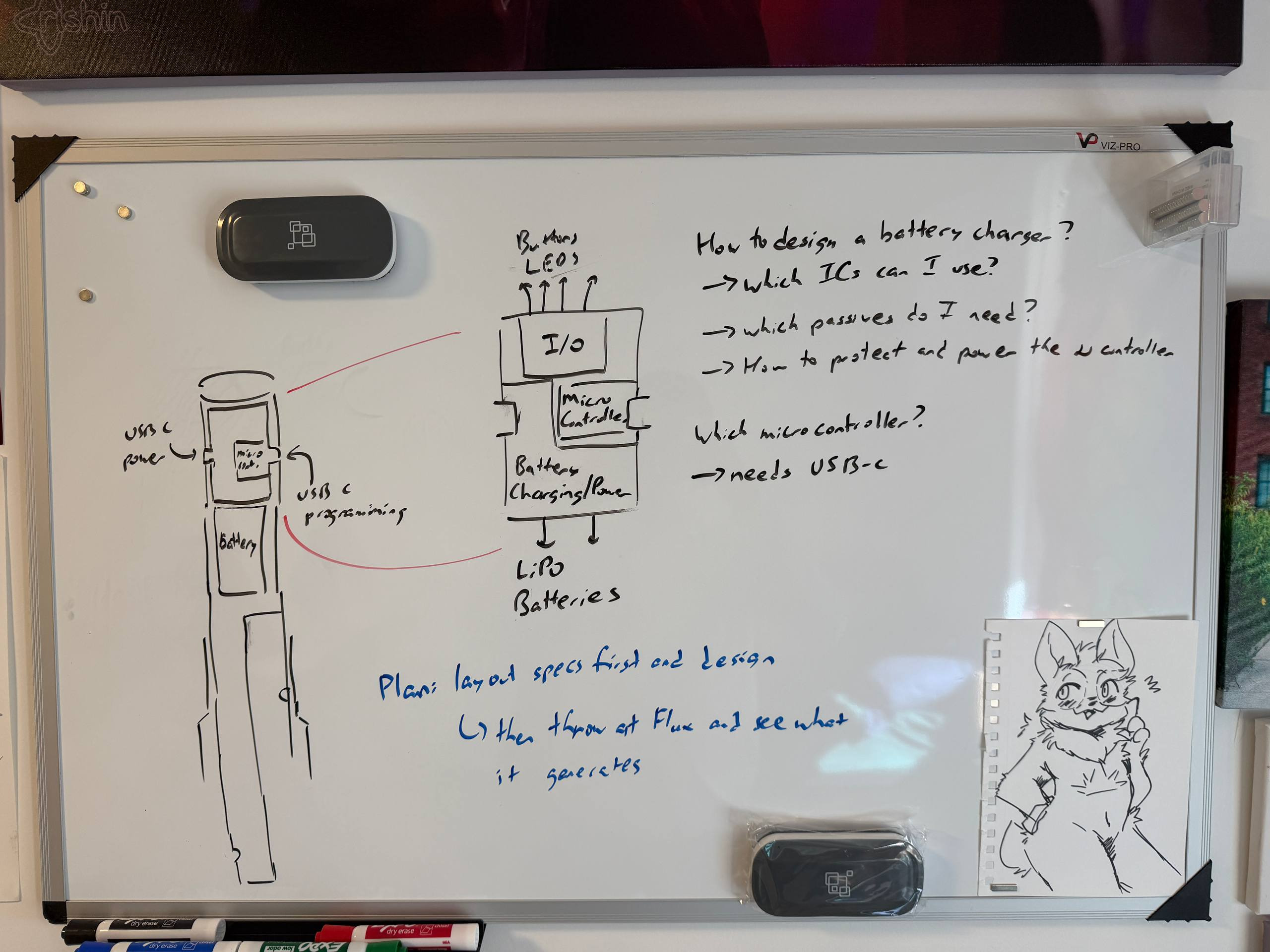
I thought that I would need to design my own battery management system, so I took out an old Adafruit LiIon/LiPoly charger that I had lying around as reference and talked to Anthony for advice.
He informed me that the XIAO ESP32-S3 has a power management system accessible from the back of the board, and thus I wouldn’t need to design my own battery charging circuit.
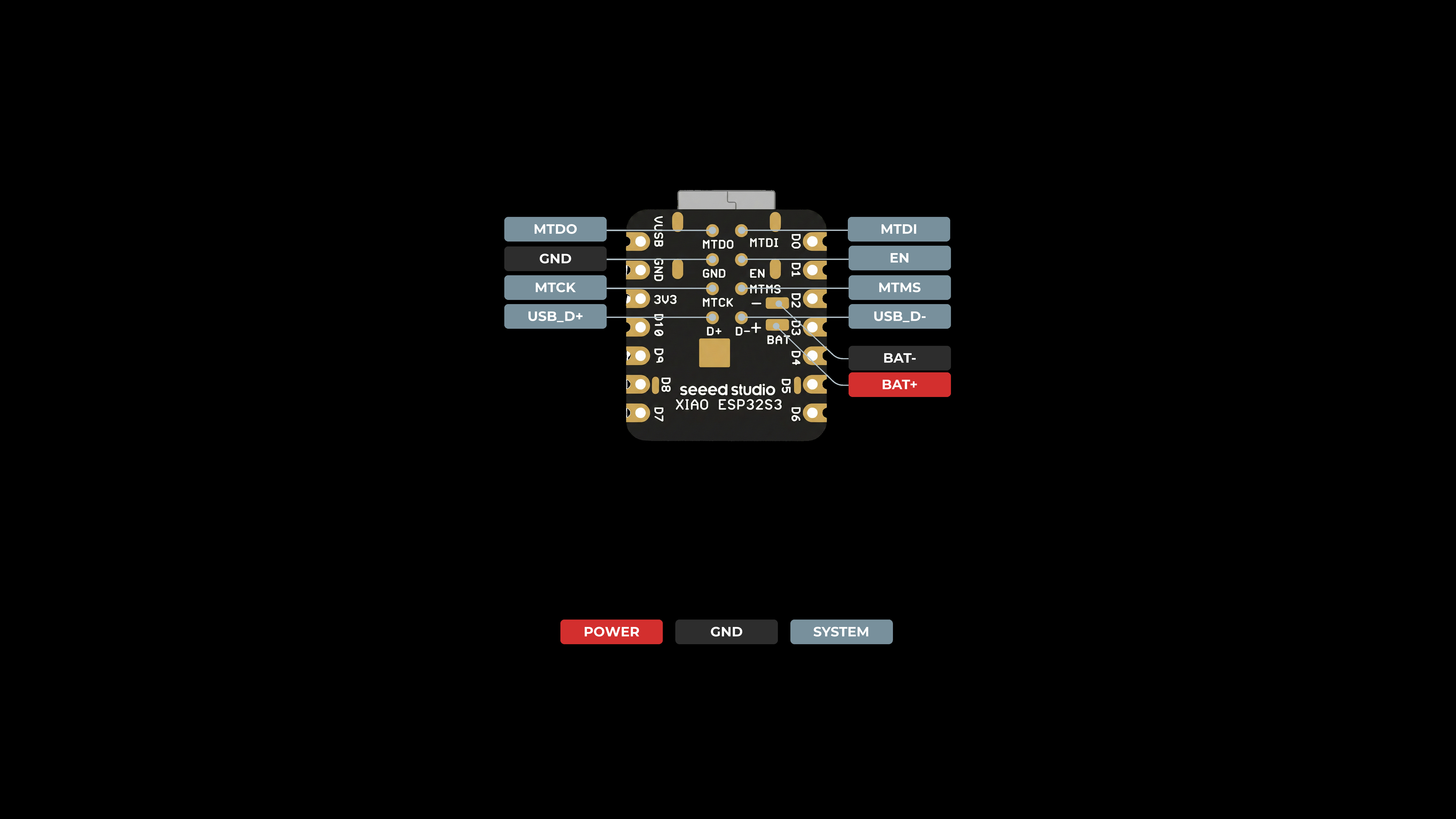
The battery usage section of the ESP32-S3 documentation suggests using 3.7V rechargable lithium ion batteries. It also states that there is no output out of the 5V pin when the ESP32-S3 is on battery power. Thus, we have to connect the battery power directly to the LED strip.
Anthony also mentioned that we would not be able to solder the BAT pin to the FR1 PCB board normally. The XIAO blocks the pin from above, and the FR1 substrate degrades too heavily when heated to the temperature needed to reflow solder paste. I would have to punch a hole through the bottom of the board and solder directly to the BAT pin.
PCB Schematic
I last used KiCad about 2 years ago when I milled a PCB in Metropolis for the first time, so I took me a while to get back in the groove of using KiCad again.
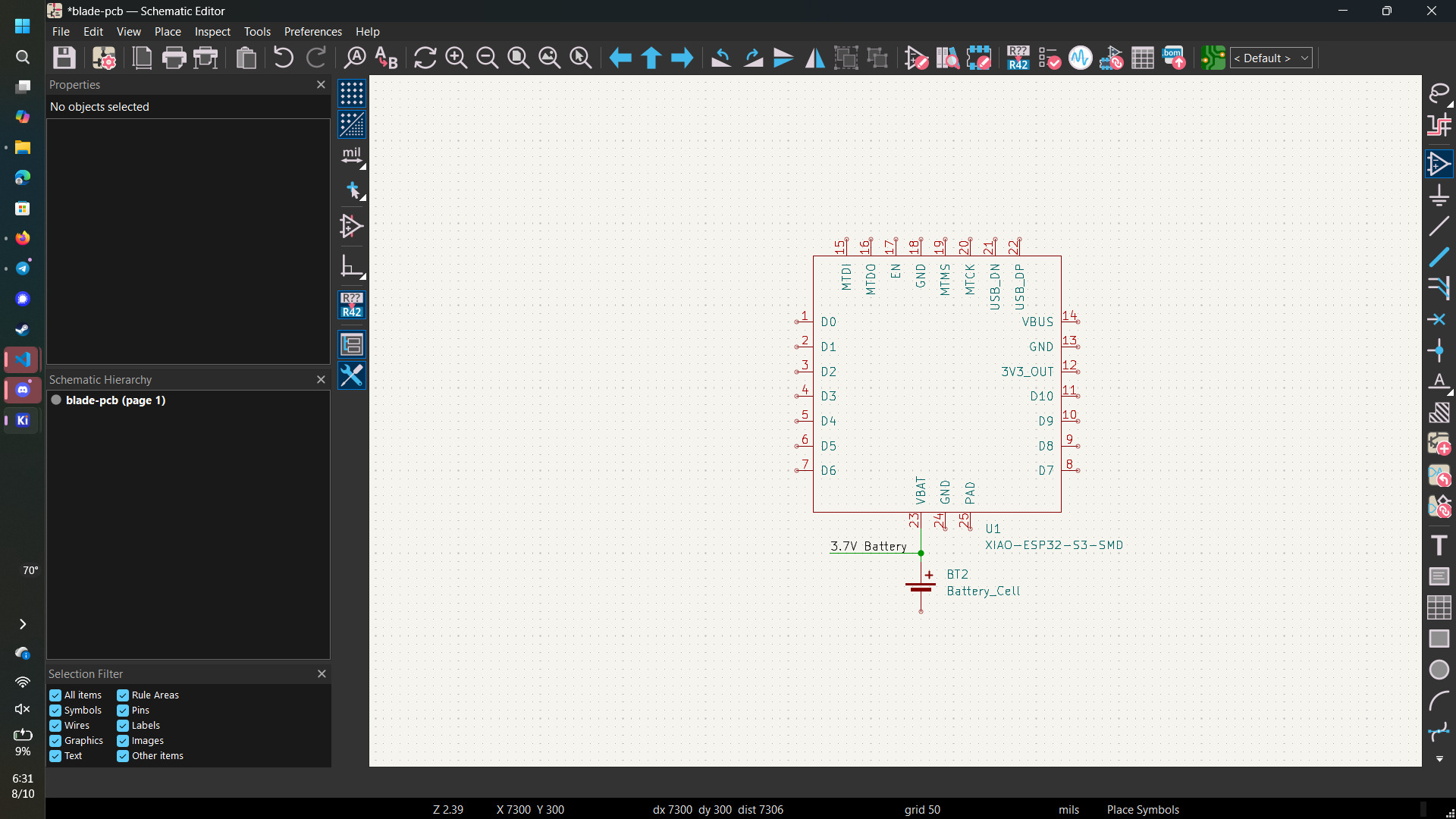
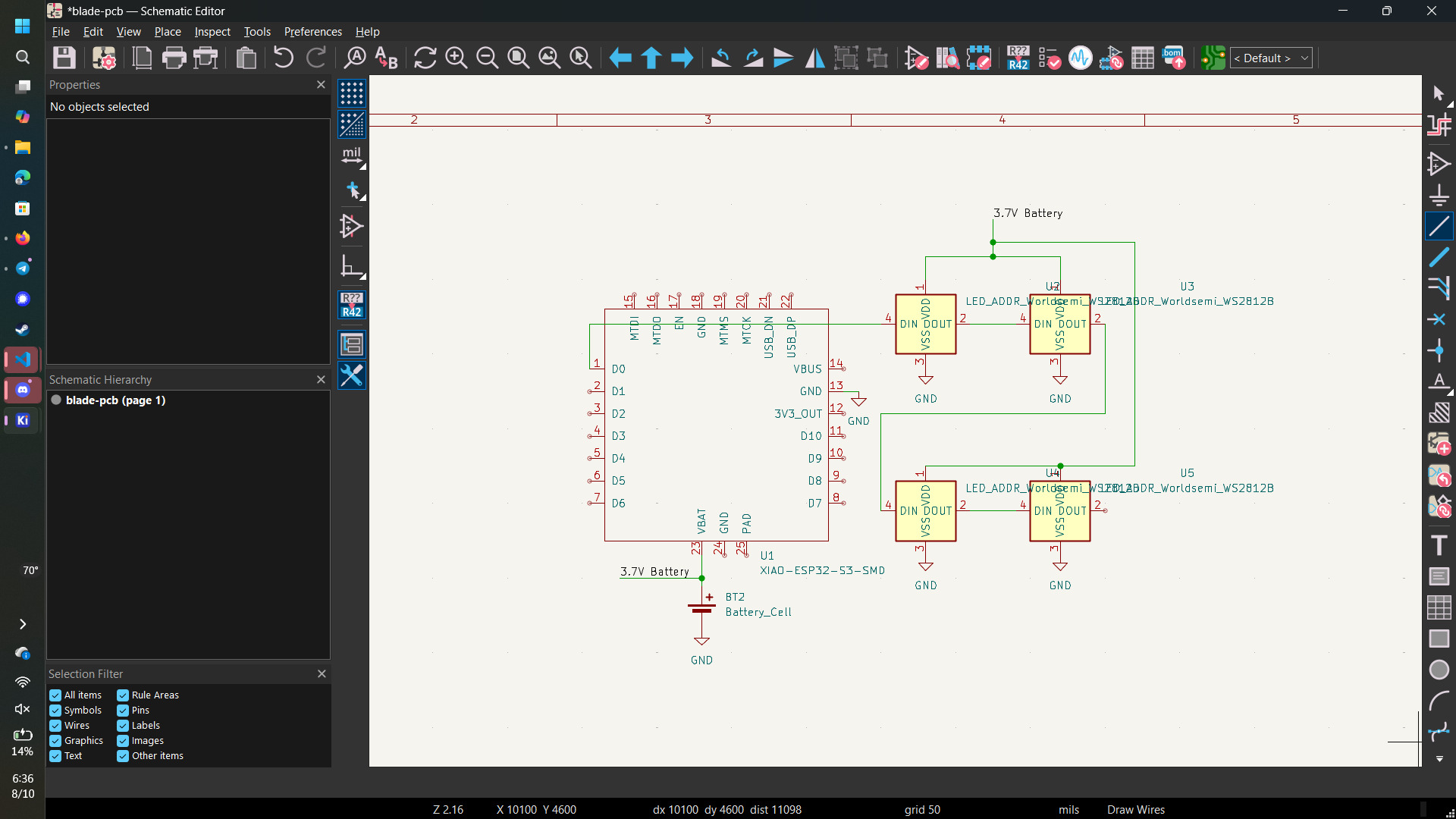
I felt that just breaking out three pins for power, data and ground would be a cop-out, so I added four WS2812B LEDs to the PCB to mimic an LED strip that has to be soldered to the PCB.
To avoid dragging ground all over the schematic, I provided a separate ground for each LED in the schematic. The battery power was also connected to the VDD on all of the LEDs.
PCB Layout
After completing the schematic, I added the corresponding components to the PCB editor in order to lay them out.
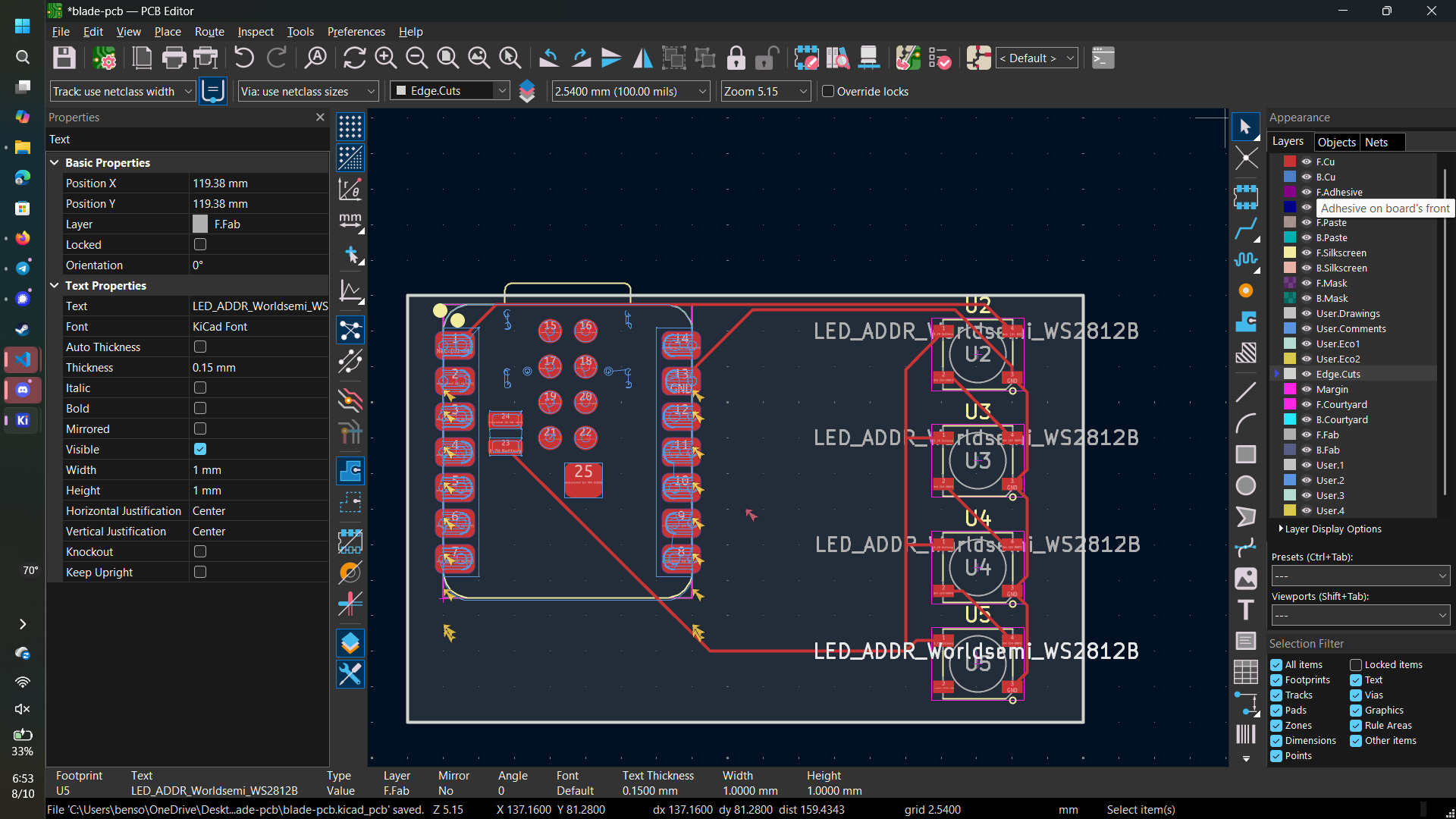
The battery itself is not modelled on the PCB, so I needed to break out the XIAO’s BAT pin and ground to a connector that the battery can be connected to. This is also where I connected the battery pin and the battery ground pin along the underside of the PCB to the two-pin connector. There are 3 vias: one for each of the battery power and ground, and one to connect the battery power to the LEDs.
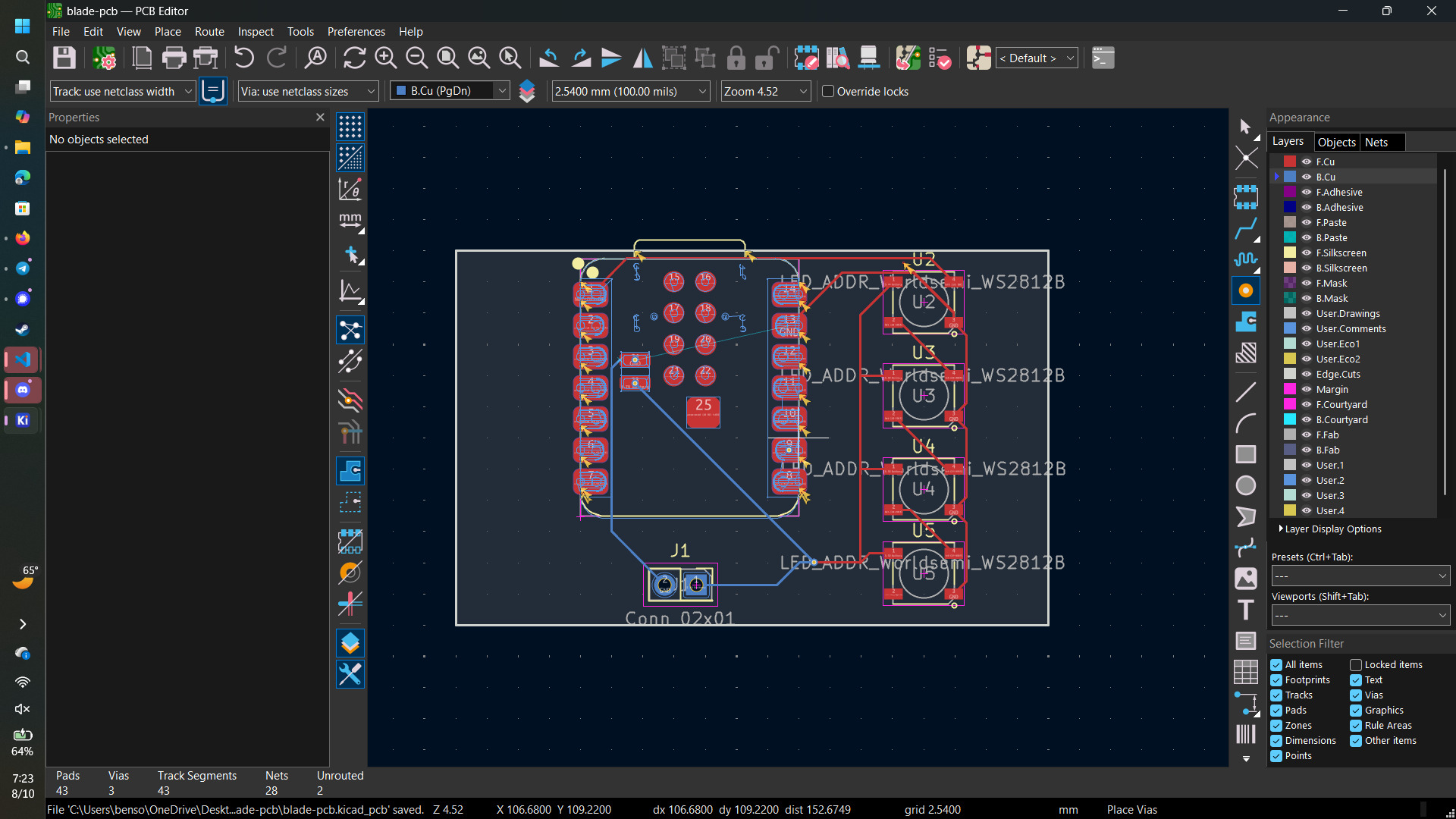
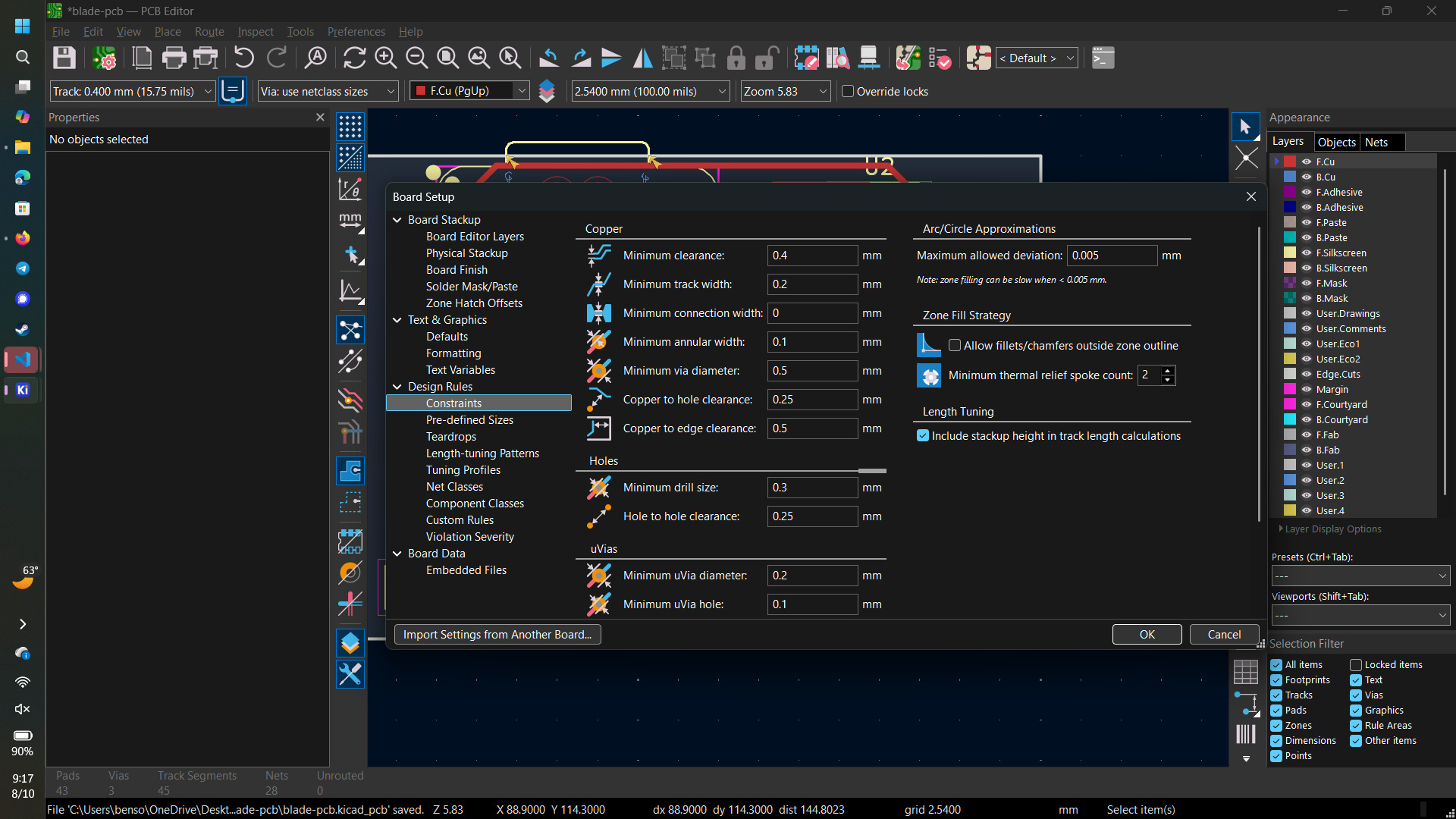
Having finished my first draft of the PCB, I consulted Anthony again for him to review my work. He noticed that my trace widths were too small and that they were too close to some of the pads, so we looked into the design rules I had set. Turns out I forgot to set any of them, so we added
- Minimum Trace Width = 0.2mm
- Minimum Clearance = 0.4mm
I updated the trace widths of all of the traces, and rerouted some of the traces to avoid violating minimum clearance. I also removed the battery ground via, as I could use ground from elsewhere on the PCB instead. On the corners, I placed 4 screwholes to fit M2 screws.
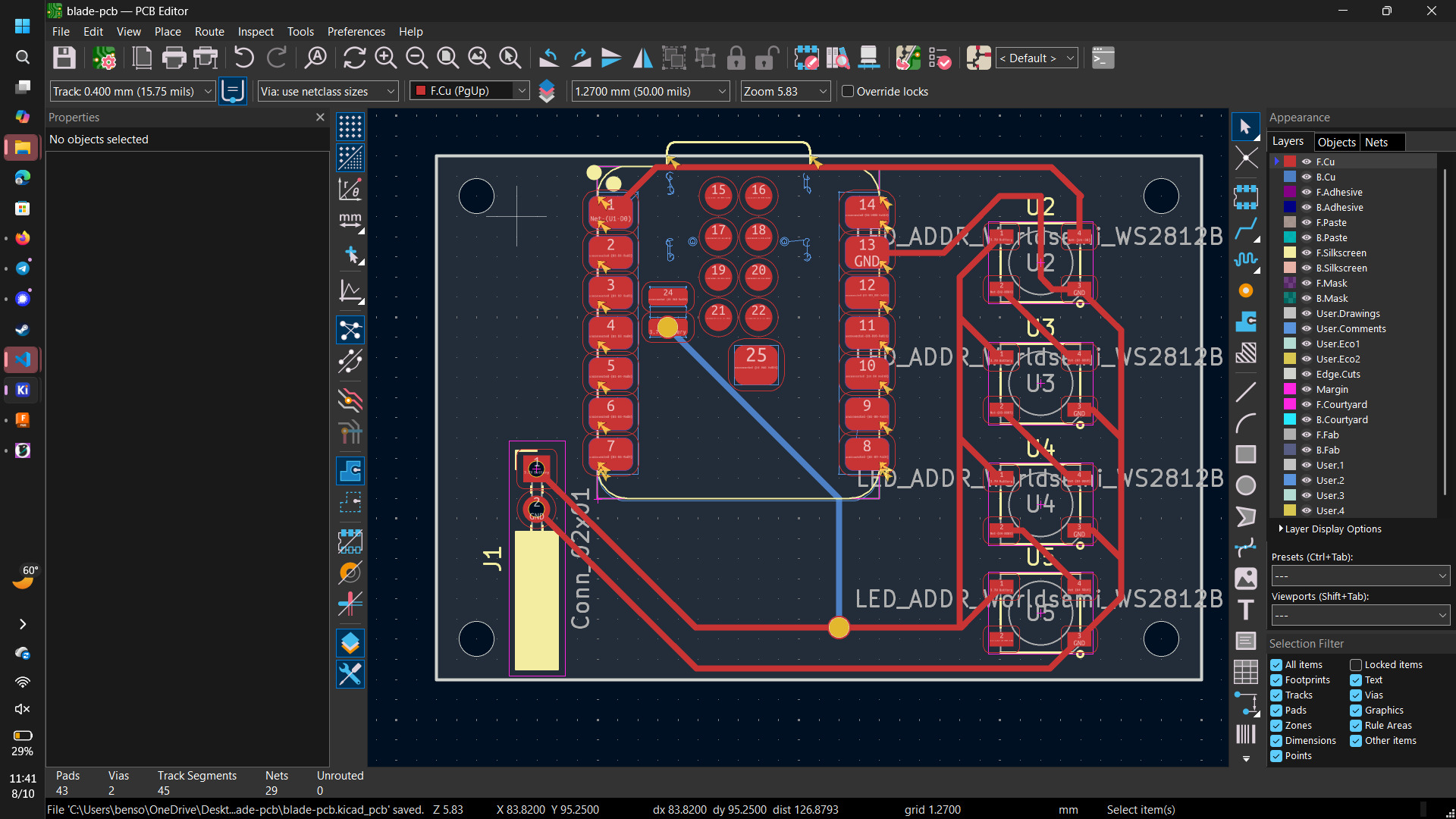
I found the 3D model for the XIAO, but I couldn’t find a freely available WS2812B model.
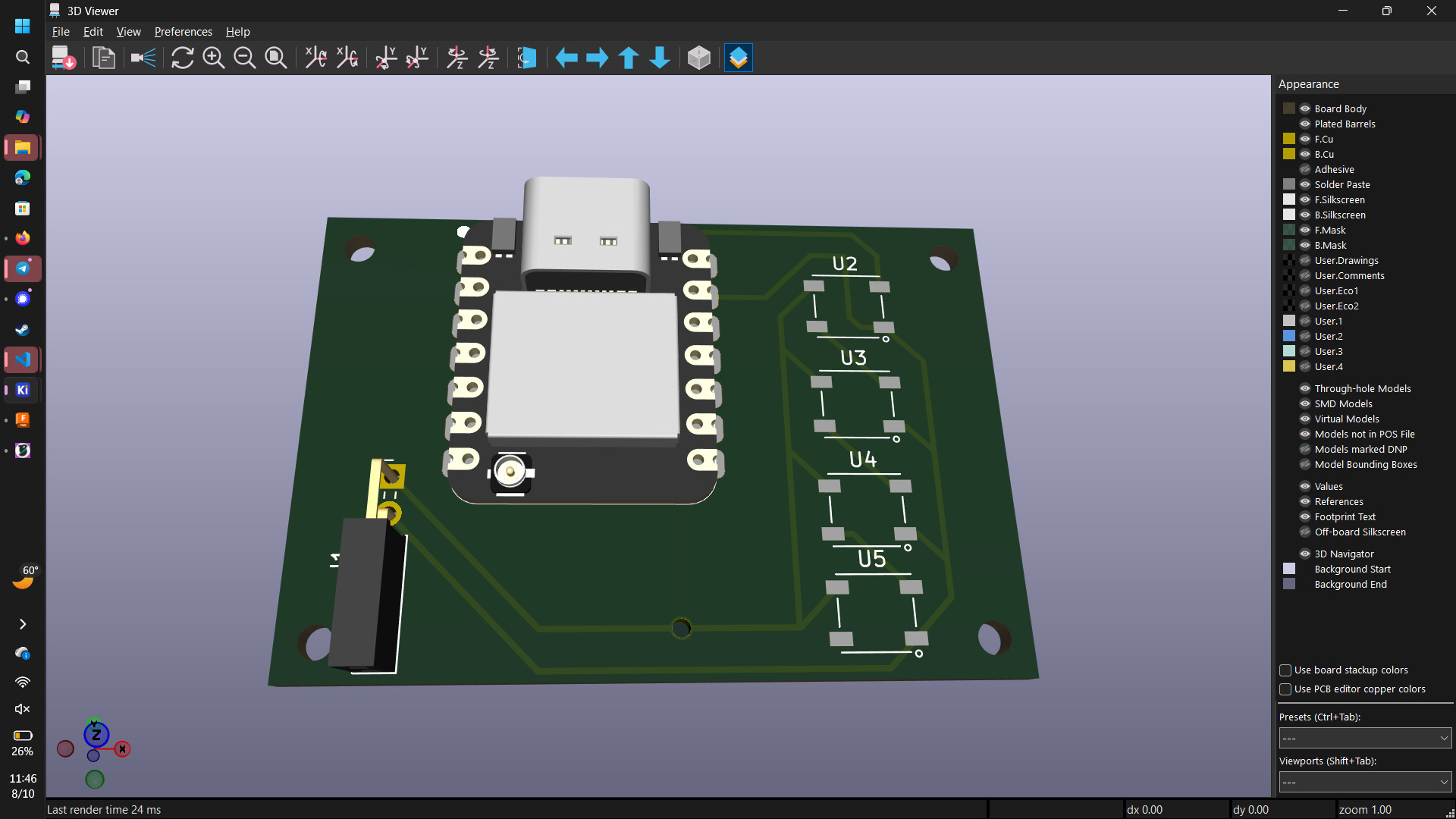
And here is an interactive model of my PCB!
Flux AI
I’ve recently seen a lot of flux.ai advertisements. As someone who would like to build electronics with little PCB design experience, I wanted to see what the workflow would be like with an LLM PCB designer. In particular, I wondered if there are any parallels between using Flux for PCB design and using Claude for writing software.
Upon opening the Flux page, I have to sign up for some sort of free trial.
And this is the chat interface I see upon starting my free trial.
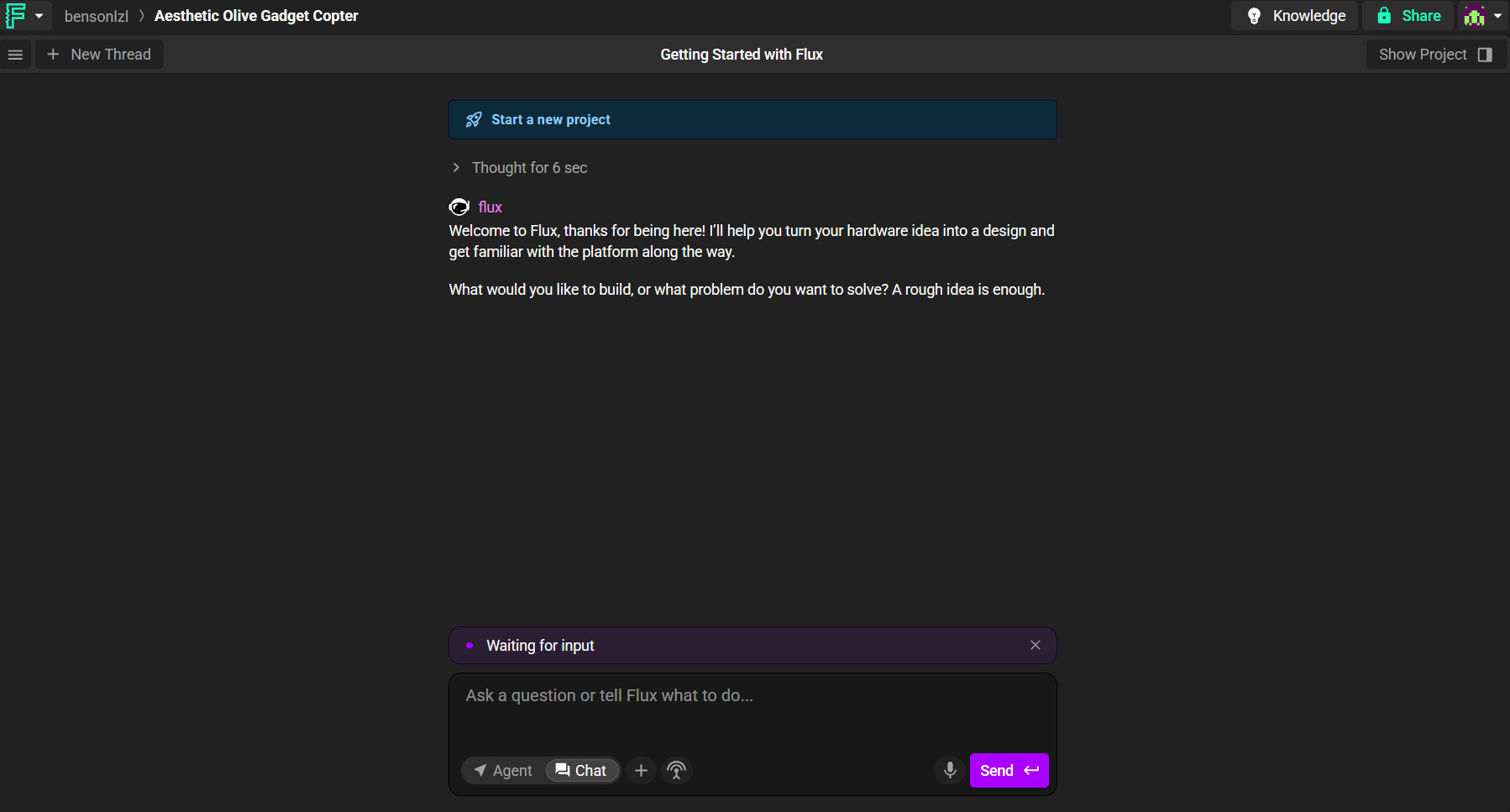
Here is the prompt that I gave Flux.
I would like to design a board consisting of the following components
- A XIAO ESP32-S3
- Four WS2812B LEDs
- A two pin connector to connect to an external 18650 battery
All components should share the same ground.
The XIAO should be able to charge the battery when plugged in, and the battery should be able to power the XIAO and the LEDs when the XIAO is disconnected from external USB sources.
The LEDs should be controlled by D0 on the XIAO.
We can use a two-sided FR1 board. All components should be SMD components except the two pin connector to the battery.
Flux responded with a question about whether the 18650 is a protected cell. Since I intend to source bare 18650s, I told it that I am using a bare 18650.
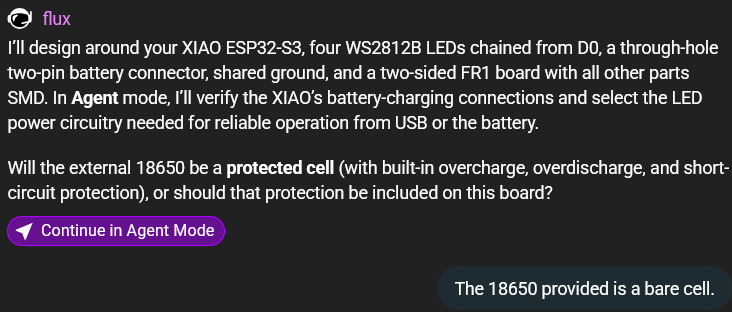
After a few minutes and asking for permission to start agents, Flux started designing the schematics.
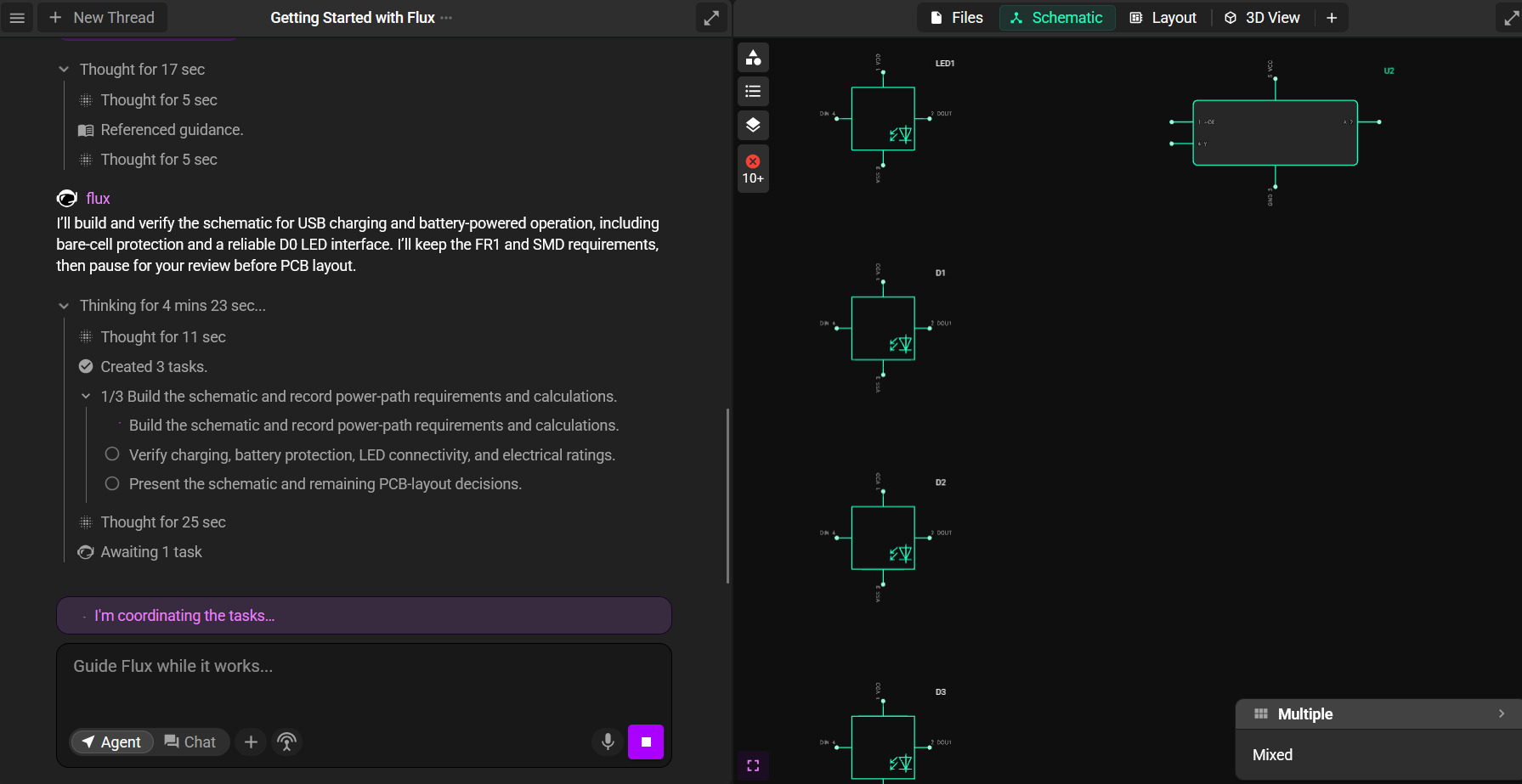
Flux then used all of the free trial computes and provided the following response:
I’ll include board-level overcharge, overdischarge, and short-circuit protection for the bare 18650, while keeping all components on a shared ground. In Agent mode, I’ll verify the XIAO’s charging circuit and design the protected battery power path, LED supply, and D0 interface before building and checking the schematic.
Thought for 17 sec
Thought for 5 sec
Referenced guidance.
Thought for 5 sec
I’ll build and verify the schematic for USB charging and battery-powered operation, including bare-cell protection and a reliable D0 LED interface. I’ll keep the FR1 and SMD requirements, then pause for your review before PCB layout.
Thought for 16 mins 27 sec
Thought for 11 sec
Created 3 tasks.
- 1/3 Build the schematic and record power-path requirements and calculations. Build the schematic and record power-path requirements and calculations.
- Verify charging, battery protection, LED connectivity, and electrical ratings.
- Present the schematic and remaining PCB-layout decisions.
Thought for 25 sec
Awaiting 1 task
"XIAO Battery LED Schematic" completed.
Thought for 4 sec
I renamed the project XIAO Battery LED Board and started the schematic. The last confirmed project state contains 12 components—including WS2812B LEDs, an AHCT logic buffer, resistors, and capacitors—and eight nets.
The design is not yet verified or ready to manufacture. I still need to confirm the XIAO and battery connector are present, complete and check the bare-cell protection and USB/battery power circuitry, and verify the LED chain and shared ground. FR1 fabrication feasibility, PCB placement, and routing also remain.
Execution stopped because your ACUs ran out, before I could inspect the final build results.
"XIAO Battery LED Schematic" completed.
Thought for 22 sec
I inspected the saved schematic and Project Specification. The LED subsystem is built, but the full board is still incomplete despite the task’s completion notification.
Completed:
- Four WS2812B LEDs connected in a daisy chain, with the final LED’s unused output marked no-connect.
- An SN74AHCT1G125 buffer, 330 Ω series data resistor, and 100 kΩ input pull-down.
- Five 100 nF bypass capacitors and a shared ground for all existing components.
Still missing: -The XIAO ESP32-S3 and its D0 connection. The buffer input currently has no MCU connected.
- The through-hole battery connector and bare-cell protection circuitry.
- USB/battery source selection and regulated 5 V LED power. The LED_5V net currently has no power source.
The saved specification preserves your SMD requirement, common cell-negative/system ground, and two-sided FR1 requirement. Next work is to verify the XIAO battery-pad footprint and charging circuit, calculate the power budget, then complete and electrically verify the power circuitry. PCB layout and FR1 fabrication feasibility remain deferred until schematic review; do not connect a bare cell to this unfinished design.
Execution stopped because your ACUs ran out.
Here is the final schematic it came up with. Attempting to auto-route the components it produced was unsuccessful.
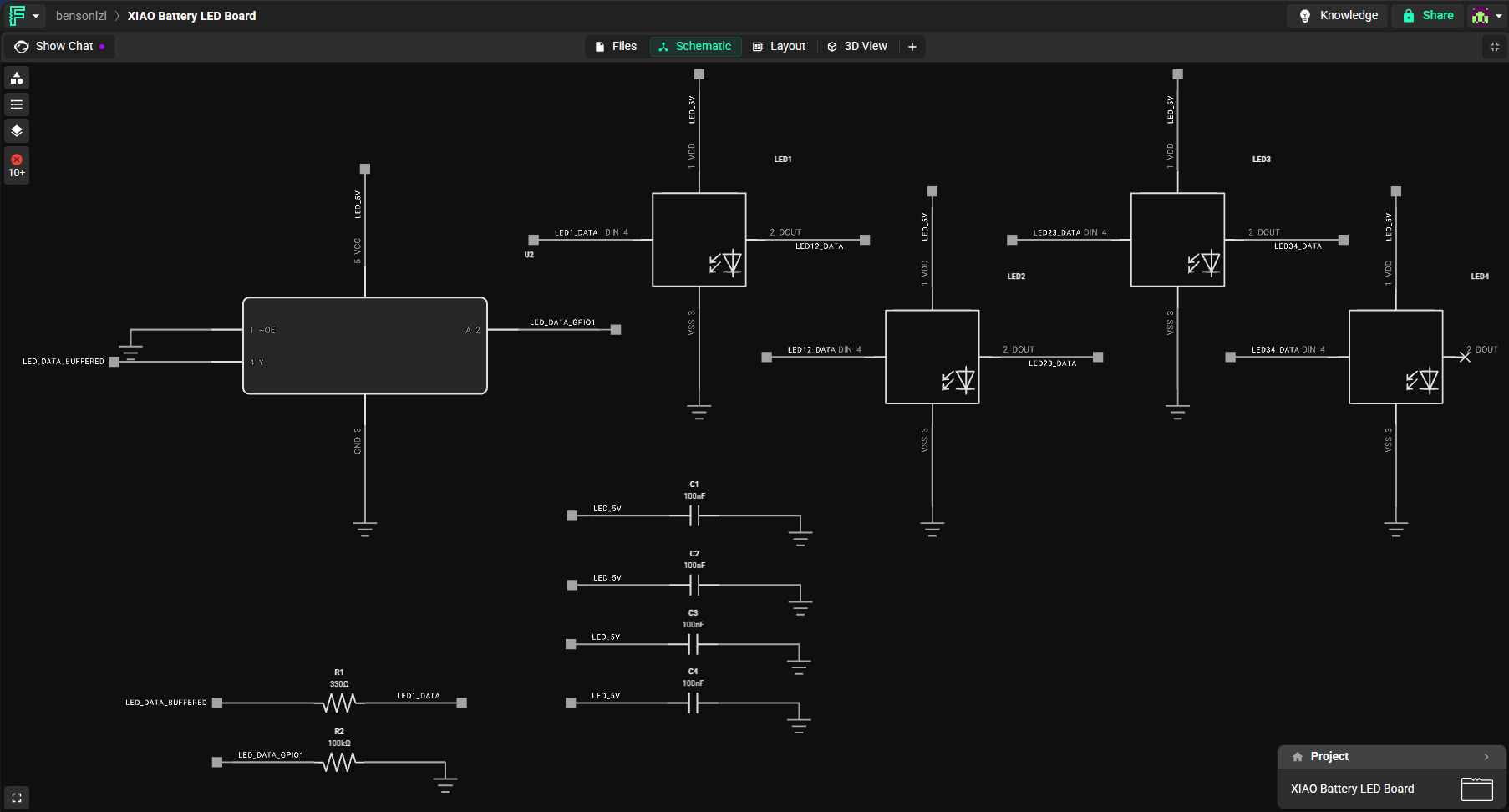
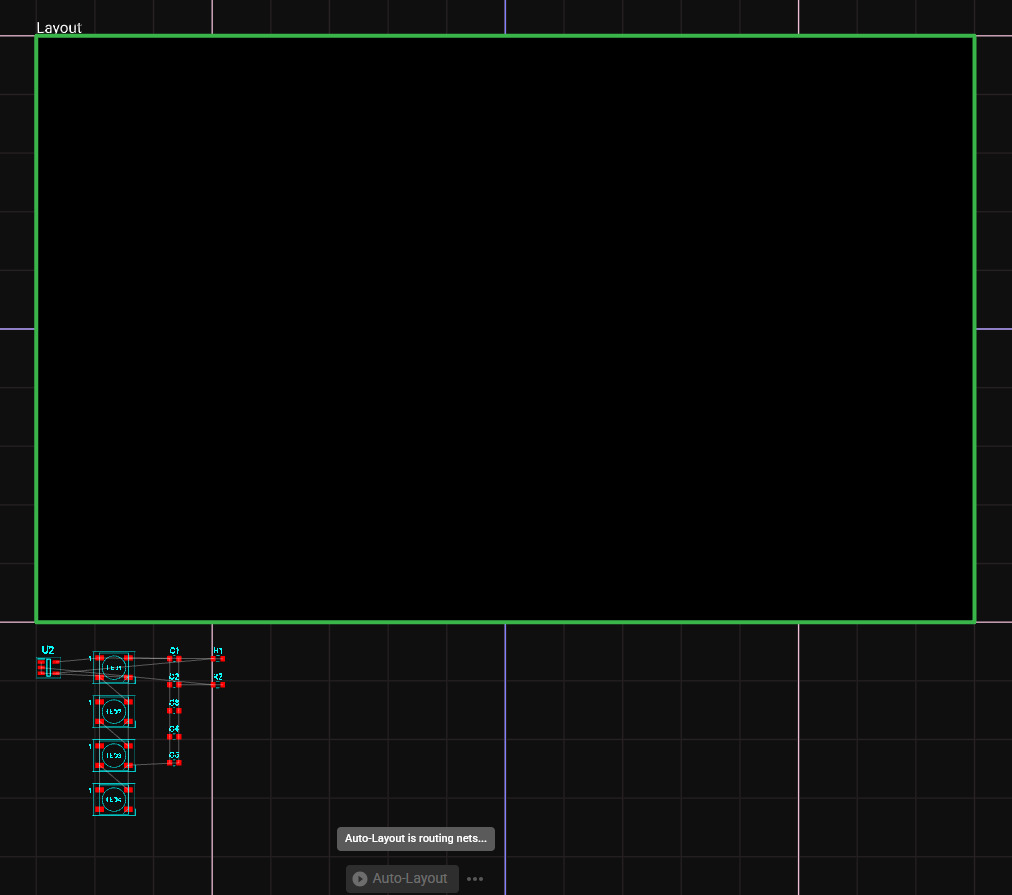
So I couldn’t design the board with just the free compute. This was incredibly anti-climactic.
Case Design
I also designed a small 3D-printed case for the PCB. I added 4 holes in the base in order to fit some M2 heatset inserts. These would secure the PCB to the case using M2 screws. The dimensions of the hole can be found on the packaging of the M2 heatset insert set I bought.
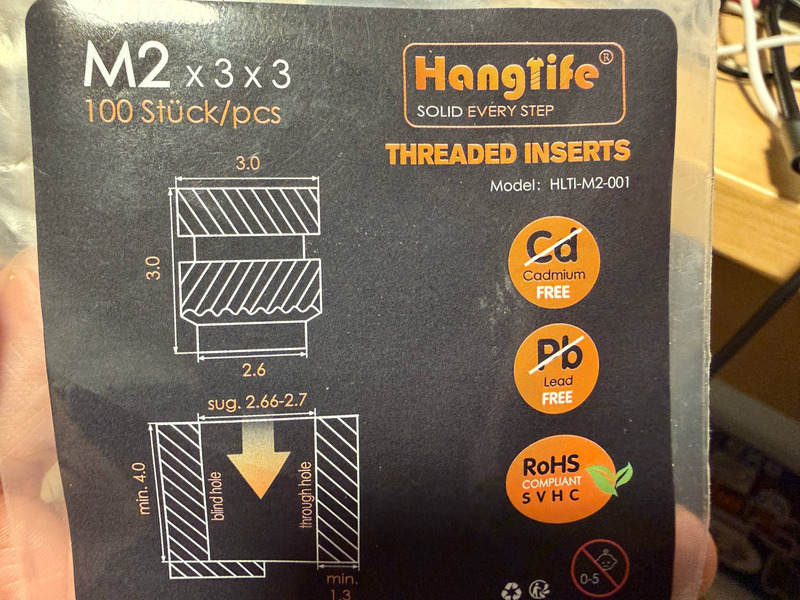
The PCB case would need holes for the XIAO’s USB-C connector and battery wires, so I added two shaped holes for those components in the sides of the case.
For the lid, I wanted to design a friction-fit lid with a pull tab to easily remove the lid. The bottom of the lid has 4 small, thin protrusions that are modelled slightly larger than the inner width of the case, which allows the lid to snap fit into position.
Here is the final design with the PCB model inside!
And here is the printed case with a printed version of the PCB.
AI Use
Flux AI for testing AI PCB design workflows. Details of the interaction are given above in Flux AI.