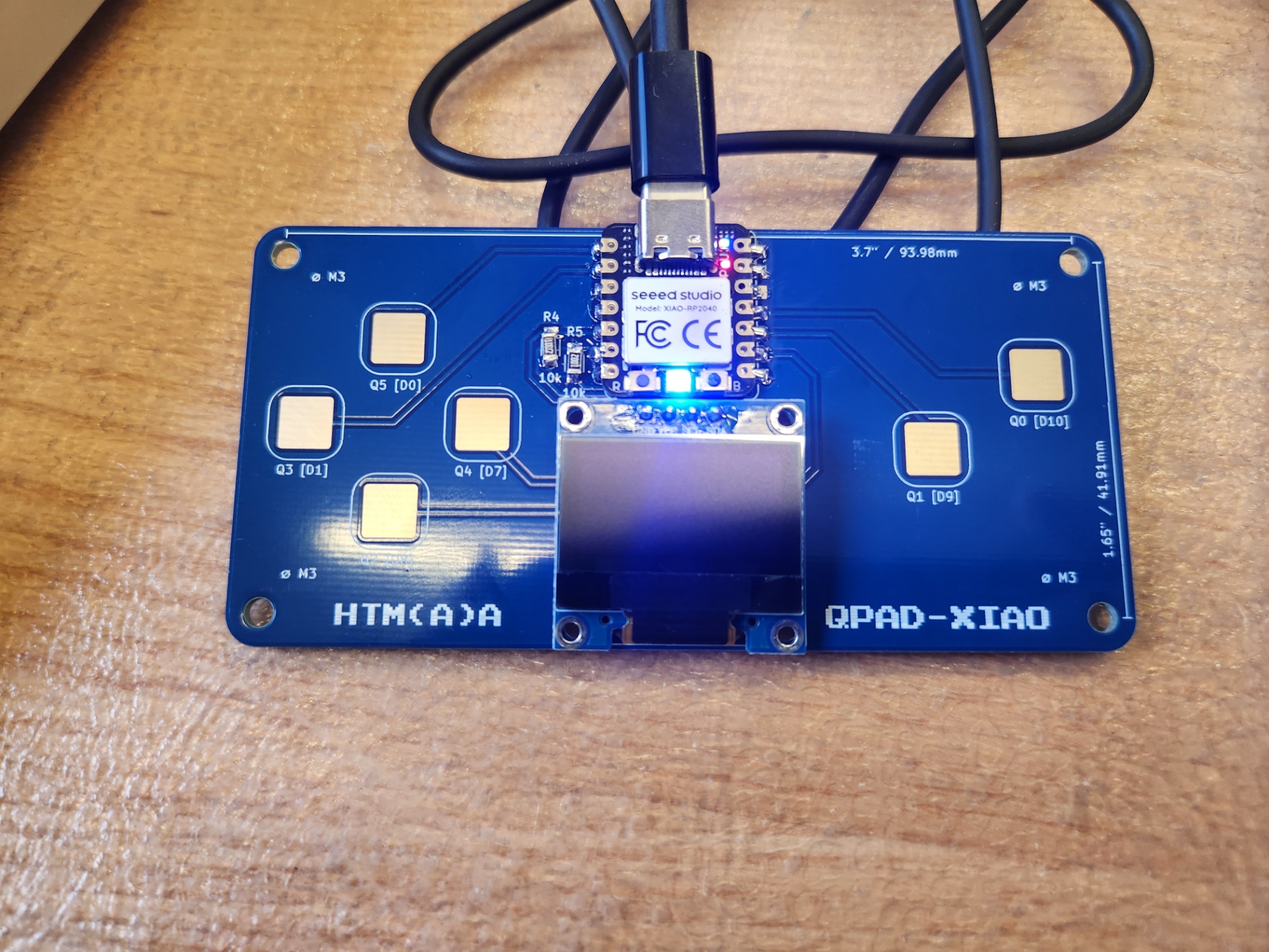
All of the components are soldered. I tried using wire solder and a heat gun, but I melted or discolored some of the microcontroller components (everything is mostly operational still), so I switched to the wire and iron.
To start, I programmed the tiny built-in LED to blink red and blue together. It seems the green is glued to high, perhaps from some issues when soldering.
            #define r 17
            #define g 25
            #define b 25

            void setup() {
            // put your setup code here, to run once:
            pinMode(r, OUTPUT);
            pinMode(g, OUTPUT);
            pinMode(b, OUTPUT);
            //
            digitalWrite(r, HIGH);
            digitalWrite(g, HIGH);
            digitalWrite(b, HIGH);
            }

            void loop() {
            // put your main code here, to run repeatedly:
            digitalWrite(r, LOW);
            digitalWrite(g, LOW);
            digitalWrite(b, LOW);
            delay(100);
            digitalWrite(r, HIGH);
            digitalWrite(g, HIGH);
            digitalWrite(b, HIGH);
            delay(1000);
            }
Next, I turned the QPAD into a controller that allows you to control the color of the onboard RGB LED.
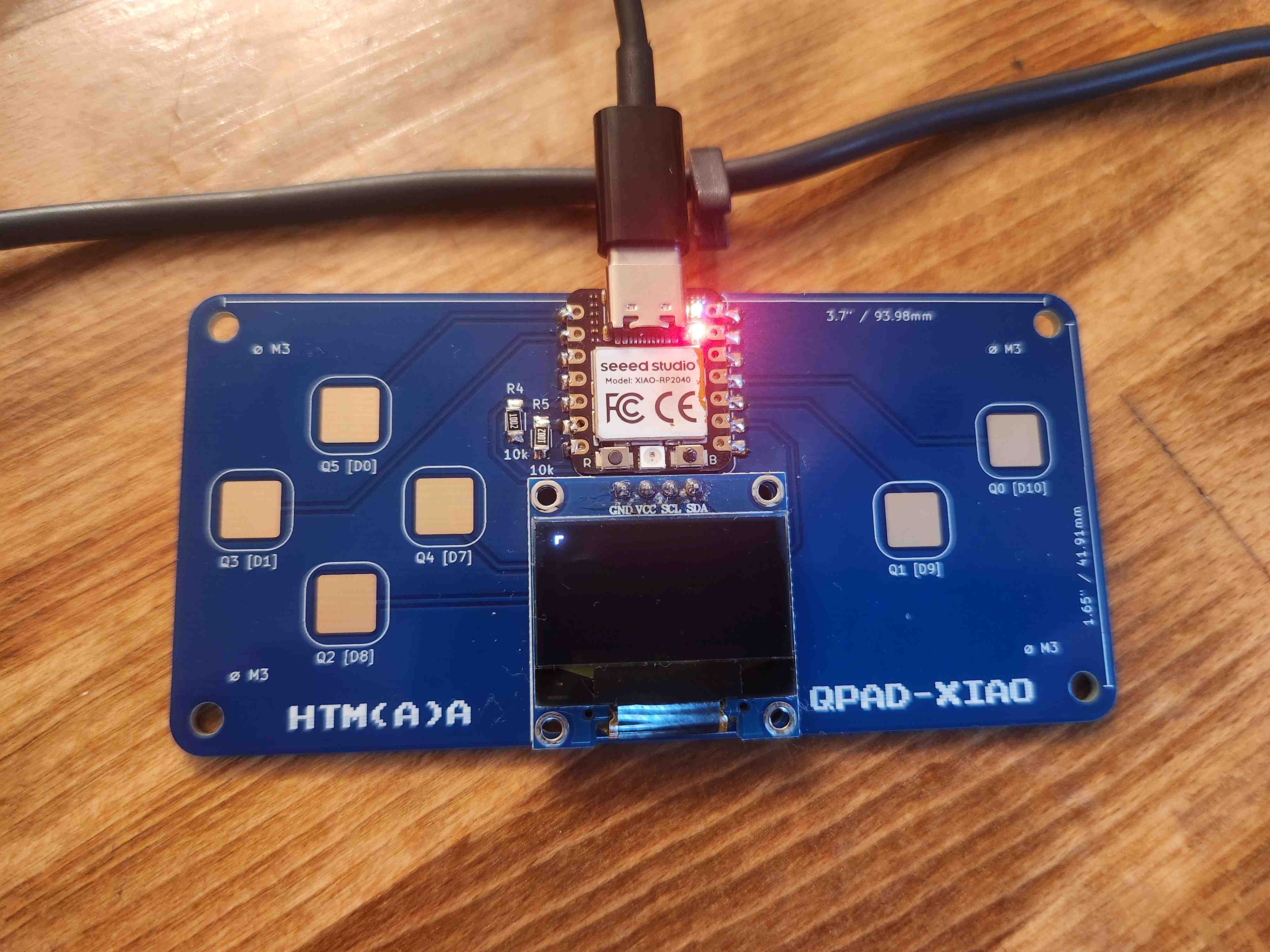
Using lots of the same logic as the Tetris Demo on Quentin Bolsee's Forgejo Page, I was able to get the cursor up and running first with u8g2. It moves one pixel over when a D-pad button is pressed and 2 pixels at a time when it is held. There is a delay for the quick movement to allow for fine control by pressing.
Then I added RGB logic using the Adafruit NeoPixel library. Now I had reason to add the third axis, which I chose to do by adding a button (B) to switch axes. It rotates through 3 sets of RGB axes (RG, GB, and BR). You can move with a cursor through each 2D colorspace and switch axes to have complete control of the color. You can reveal the numerical values of the current color with A. I noticed the mapping isn't perfect, so if you switch axes a lot without adjusting color values each time, the values slowly drift toward 0 (not shown in video).
            #include U8g2lib.h
            #include Adafruit_NeoPixel.h

            U8G2_SSD1306_128X64_NONAME_F_HW_I2C u8g2(U8G2_R0, U8X8_PIN_NONE);

            const int LED_POWER = 11;
            const int LED = 12;
            const int N_LED = 1;

            Adafruit_NeoPixel strip(N_LED, LED, NEO_GRB + NEO_KHZ800);

            const int UP = D0;
            const int DOWN = D8;
            const int LEFT = D1;
            const int RIGHT = D7;
            const int B_PAD = D9;
            const int A_PAD = D10;

            const int N_PADS = 6;
            const int THRESHOLD = 1;
            const int CURSOR_SIZE = 6;

            int cur_x = 0;
            int cur_y = 63;

            int Red = 0;
            int G = 0;
            int Blu = 0;

            bool RG = true;
            bool GB = false;
            bool BR = false;

            int pads[N_PADS] = {UP, DOWN, LEFT, RIGHT, B_PAD, A_PAD};

            bool touched_now[N_PADS]  = {false, false, false, false, false, false};
            bool touched_past[N_PADS] = {false, false, false, false, false, false};

            enum {U, D, L, R, B, A};

            void update_touch() {
            int t;
            const int t_max = 200;
            int pin;

            for (int i=0; i < N_PADS; i++) {
                pin = pads[i];

                pinMode(pin, OUTPUT);
                digitalWrite(pin, LOW);
                delayMicroseconds(25);

                pinMode(pin, INPUT_PULLUP);
                t = 0;
                while (!digitalRead(pin) && t < t_max) {t++;}
                touched_past[i] = touched_now[i];
                touched_now[i] = t > THRESHOLD;
            }
            }

            bool padHeld(int idx) { return touched_now[idx]; }
            bool padPressed(int idx) { return touched_now[idx] && !touched_past[idx]; }

            uint32_t lastTouch[] = {0, 0, 0, 0};

            void move(int x, int y) {
            int new_x = cur_x + x;
            int new_y = cur_y + y;
            if (new_x >= 0 && new_x <= 127) cur_x = new_x;
            if (new_y >= 0 && new_y <= 63) cur_y = new_y;

            }

            void drawCursor(int x, int y) {
            u8g2.drawLine(x - .5*CURSOR_SIZE, y, x + .5*CURSOR_SIZE, y);
            u8g2.drawLine(x, y - .5*CURSOR_SIZE, x, y + .5*CURSOR_SIZE);
            }

            void switchAxes(){
            if (RG) {
                RG = false;
                GB = true;
                cur_x = map(G, 0, 255, 0, 127);
                cur_y = map(Blu, 0, 255, 63, 0);
            } else if (GB) {
                GB = false;
                BR = true;
                cur_x = map(Blu, 0, 255, 0, 127);
                cur_y = map(Red, 0, 255, 63, 0);
            } else if (BR) {
                BR = false;
                RG = true;
                cur_x = map(Red, 0, 255, 0, 127);
                cur_y = map(G, 0, 255, 63, 0);
            }
            }

            void mapColors(){
            int ax1 = map(cur_x, 0, 127, 0, 255);
            int ax2 = map(cur_y, 63, 0, 0, 255);
            if (RG) {
                Red = ax1;
                G = ax2;
                u8g2.drawStr(4, 9, "G");
                u8g2.drawStr(120, 61, "R");
            } else if (GB) {
                G = ax1;
                Blu = ax2;
                u8g2.drawStr(4, 9, "B");
                u8g2.drawStr(120, 61, "G");
            } else if (BR) {
                Blu = ax1;
                Red = ax2;
                u8g2.drawStr(4, 9, "R");
                u8g2.drawStr(120, 61, "B");
            }
            }

            void setup() {
            // put your setup code here, to run once:
            Serial.begin(115200);
            u8g2.begin();
            strip.begin();
            pinMode(LED_POWER, OUTPUT);
            digitalWrite(LED_POWER, HIGH);
            u8g2.setFont(u8g2_font_courB08_tf);
            }

            void loop() {
            // put your main code here, to run repeatedly:
            u8g2.clearBuffer();
            update_touch();

            const int DX[] = {0, 0, -1, 1};
            const int DY[] = {-1, 1, 0, 0};
            const int FAST = 2;
            const int FAST_DELAY = 100; //milliseconds

            if (padPressed(R)) {move(DX[R], DY[R]); lastTouch[R] = millis();}
            if (padPressed(L)) {move(DX[L], DY[L]); lastTouch[L] = millis();}
            if (padPressed(U)) {move(DX[U], DY[U]); lastTouch[U] = millis();}
            if (padPressed(D)) {move(DX[D], DY[D]); lastTouch[D] = millis();}

            for (int i=0;i<4;i++) {
                uint32_t t = millis();
                if (padHeld(i) && (t - lastTouch[i] > FAST_DELAY)) { move(FAST*DX[i], FAST*DY[i]); }
            }

            if (padPressed(B)) {switchAxes();}

            mapColors();

            if (padHeld(A)) {
                char resultStringR[8];
                char resultStringG[8];
                char resultStringB[8];
                snprintf(resultStringR, sizeof(resultStringR), "R = %d", Red);
                snprintf(resultStringG, sizeof(resultStringG), "G = %d", G);
                snprintf(resultStringB, sizeof(resultStringB), "B = %d", Blu);

                u8g2.drawStr(40, 25, resultStringR);
                u8g2.drawStr(40, 35, resultStringG);
                u8g2.drawStr(40, 45, resultStringB);
            }

            strip.clear();
            strip.setPixelColor(0, Red, G, Blu);
            strip.show();

            drawCursor(cur_x,cur_y);
            u8g2.sendBuffer();
            delay(1);
            }