ELLA ZHOU /
HOW TO MAKE (ALMOST) ANYTHING · FALL 2026

ELLA ZHOU

A journal of ideas, experiments, and things taking shape.

01 / INTRODUCTION

Hi, I’m Ella.

I’m Ella Zhou, an MIT student in NEET Autonomous Machines. I’m interested in how programming, design, and physical making come together.

In How to Make (Almost) Anything, I’m learning to take ideas from a sketch or a model on my laptop to something I can hold and test. I’m building my skills in CAD, 3D modeling, digital fabrication, and embedded programming along the way.

This website is my project notebook: a place for process photos, experiments, things that need another try, and what I learn each week. My current final-project idea is a portable neck and shoulder massager, which would bring together a custom enclosure, electronics, and code.

Learning by making.
Follow along as I turn ideas into prototypes, one experiment at a time.
02 / WEEKLY WORK

Week 1 — Making a start.

Week 01 · Laser cutting

A Halloween figure and lantern

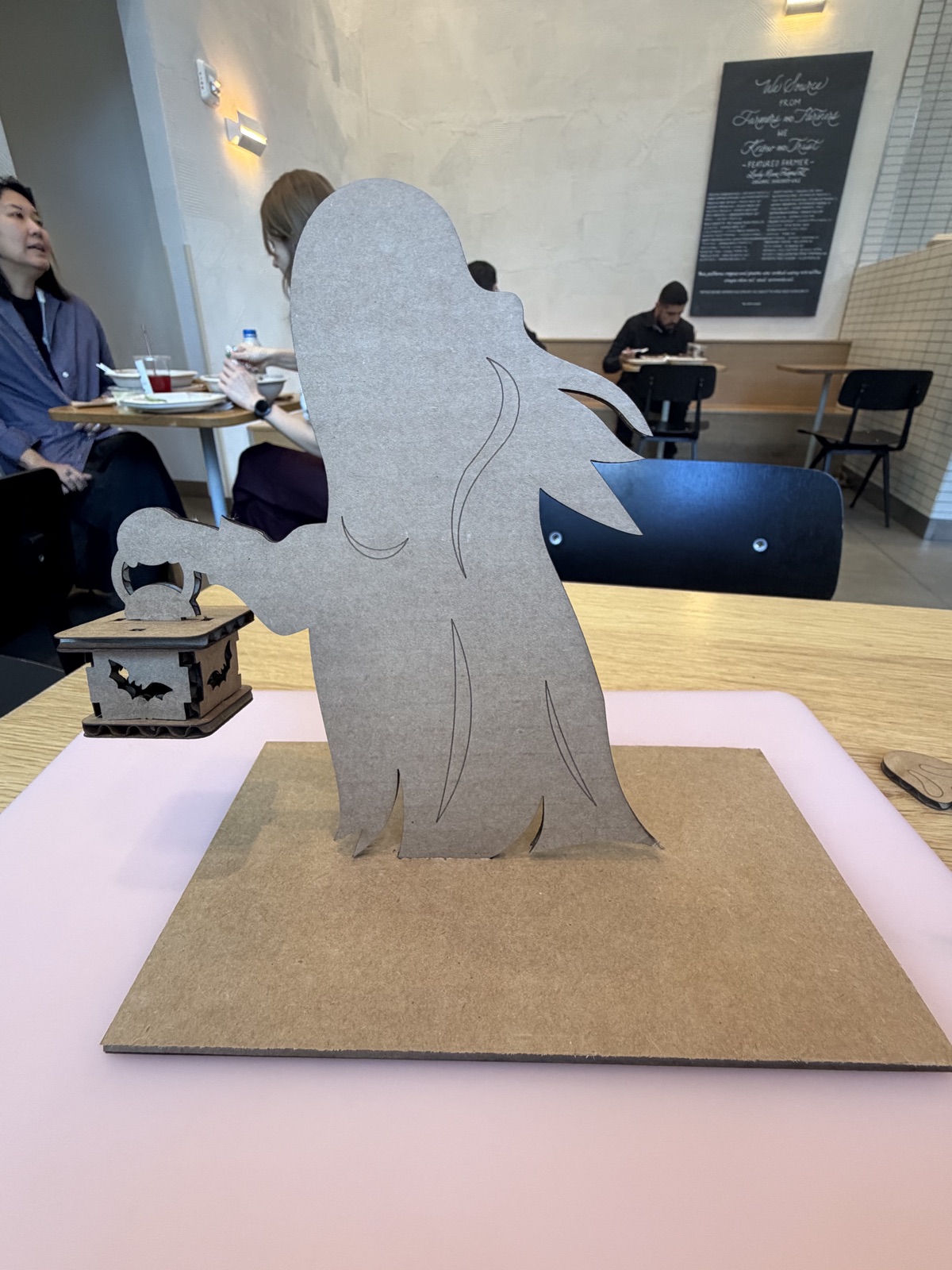
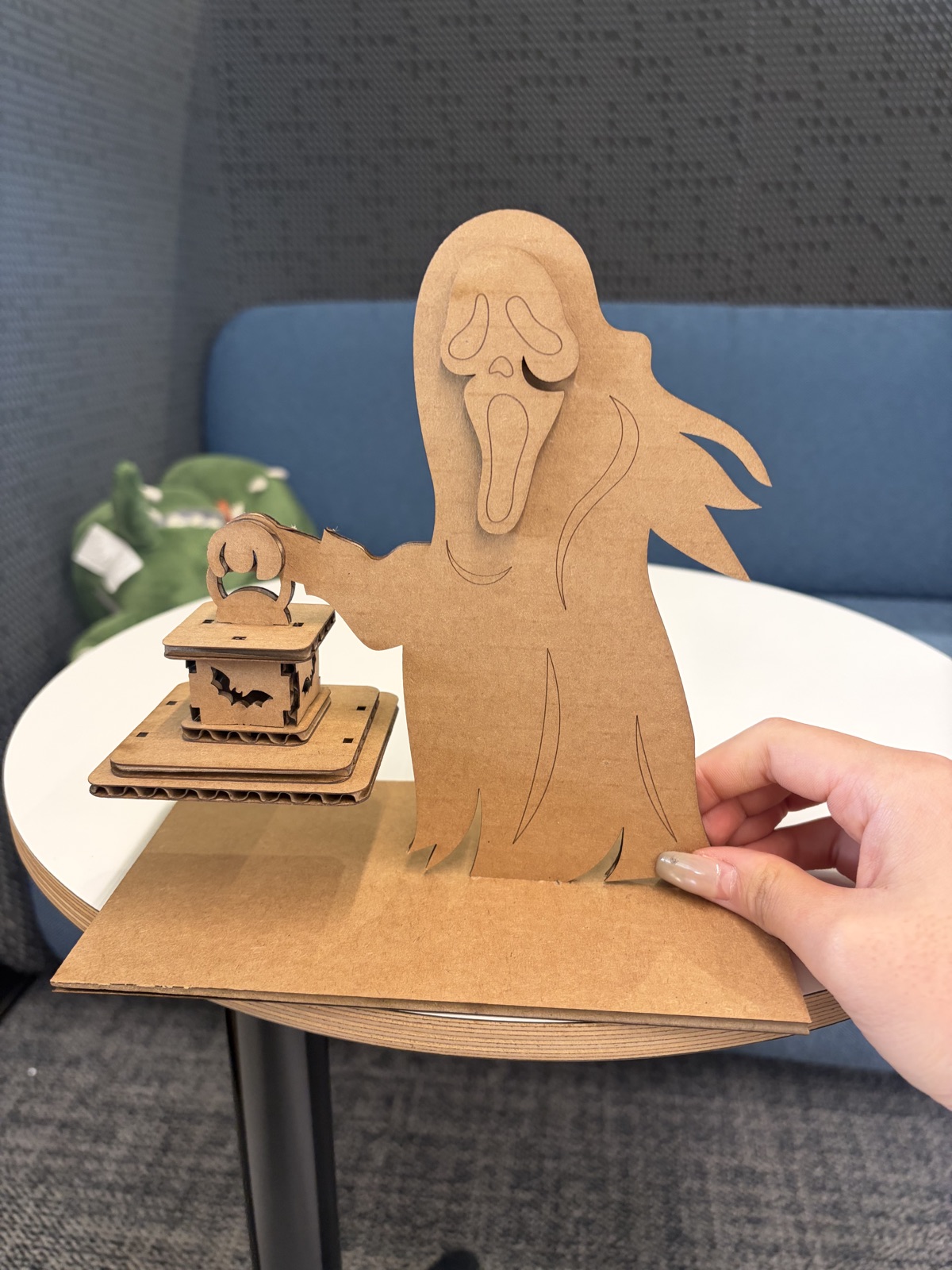
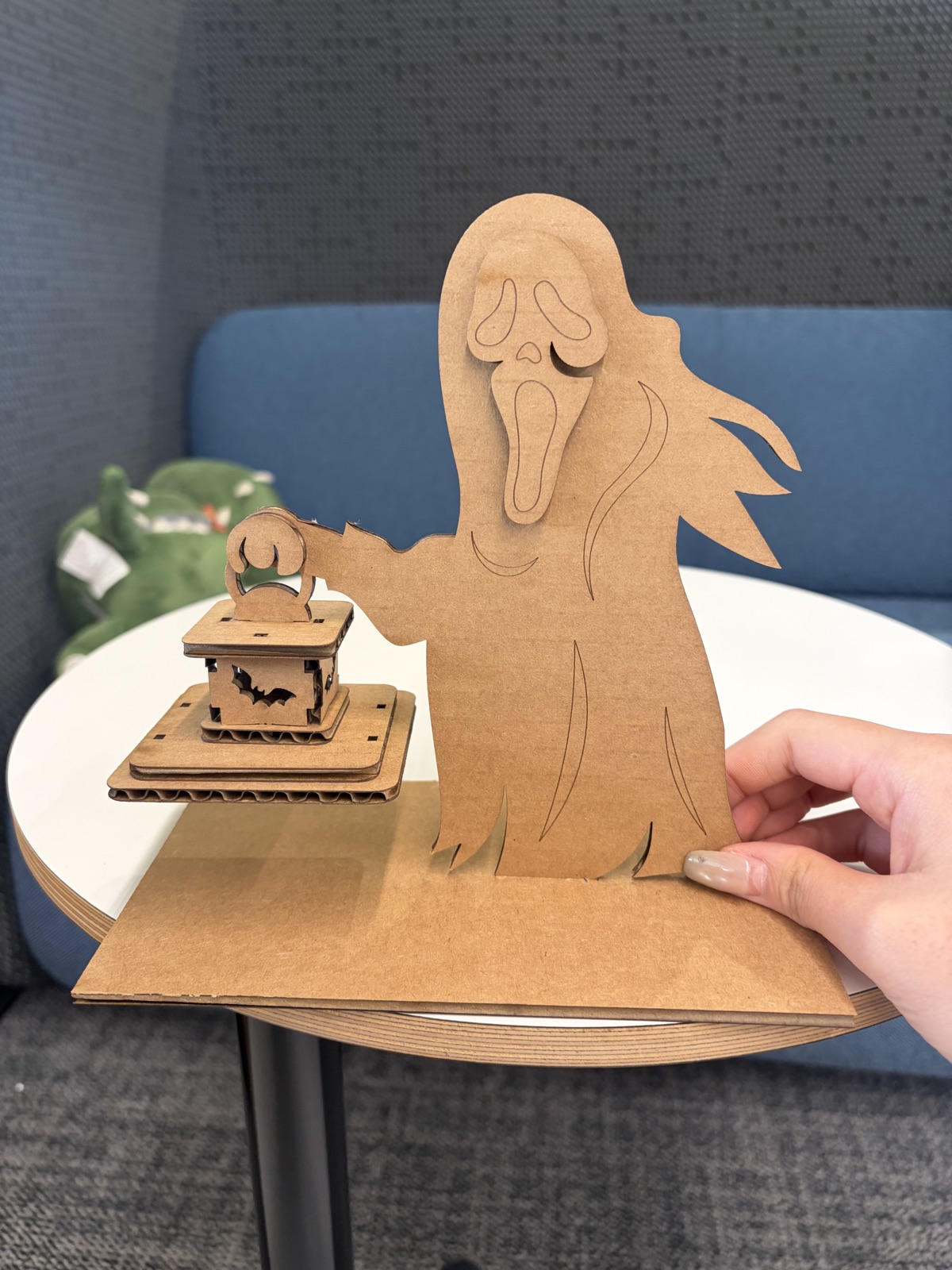
For my first laser-cutting project, I made a Halloween scene with a ghost-like figure holding a small lantern. The lantern has bat-shaped openings, and the figure stands on a rectangular cardboard base. My aim was to turn a flat design into an object with depth, using separate parts for the figure, face, lantern, and support.

From sketch to physical parts

My sketch shows the overall composition: a tall figure, an outstretched arm, a lantern, and a base. The photos document the project at several stages, from separate cut panels to the assembled scene. I have arranged them below as a visual explanation of the construction, rather than a record of the exact order in which every photo was taken.

  1. Plan the composition. The drawing brings together the figure and lantern and includes a box-like support beneath the lantern.
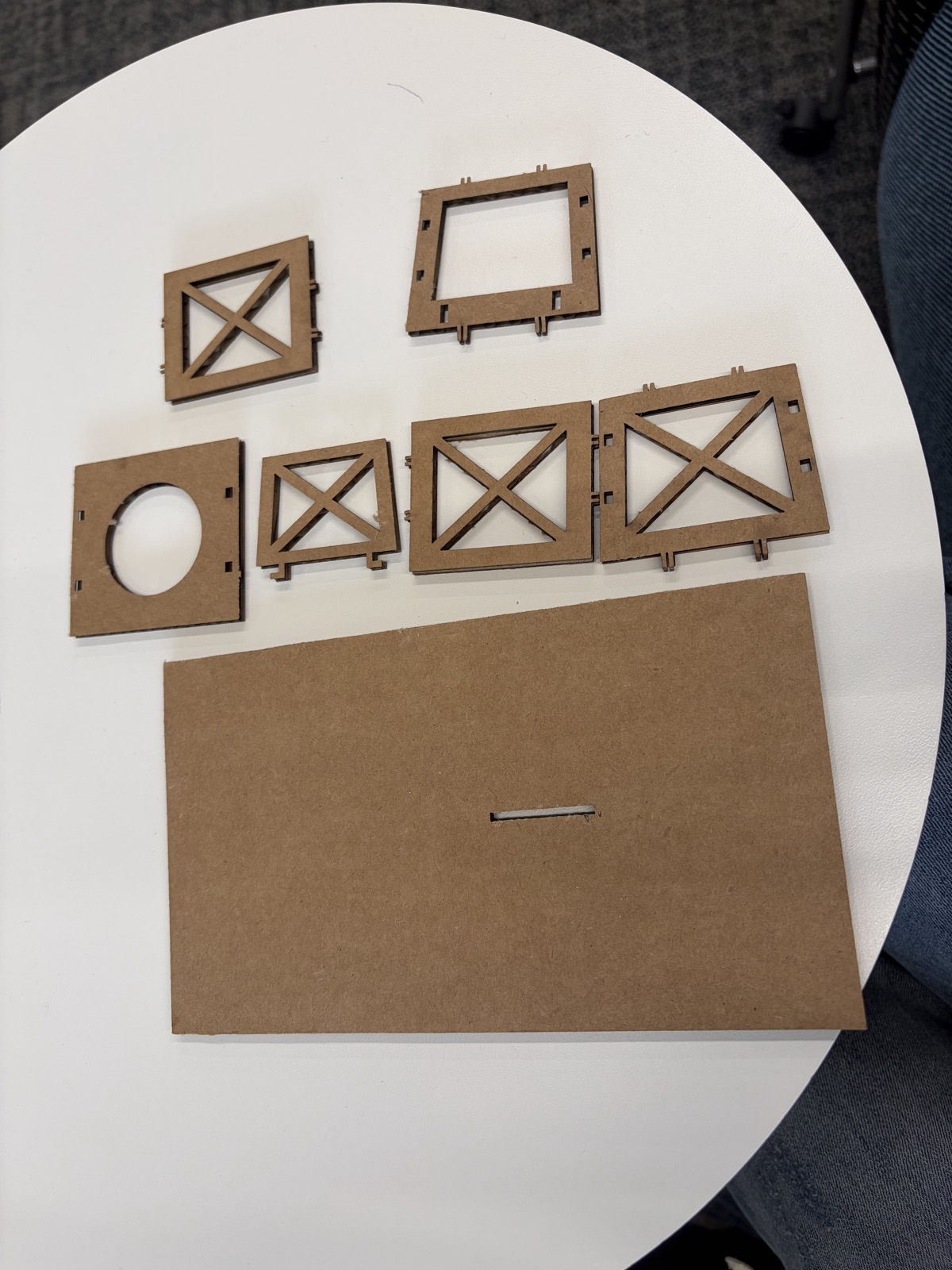
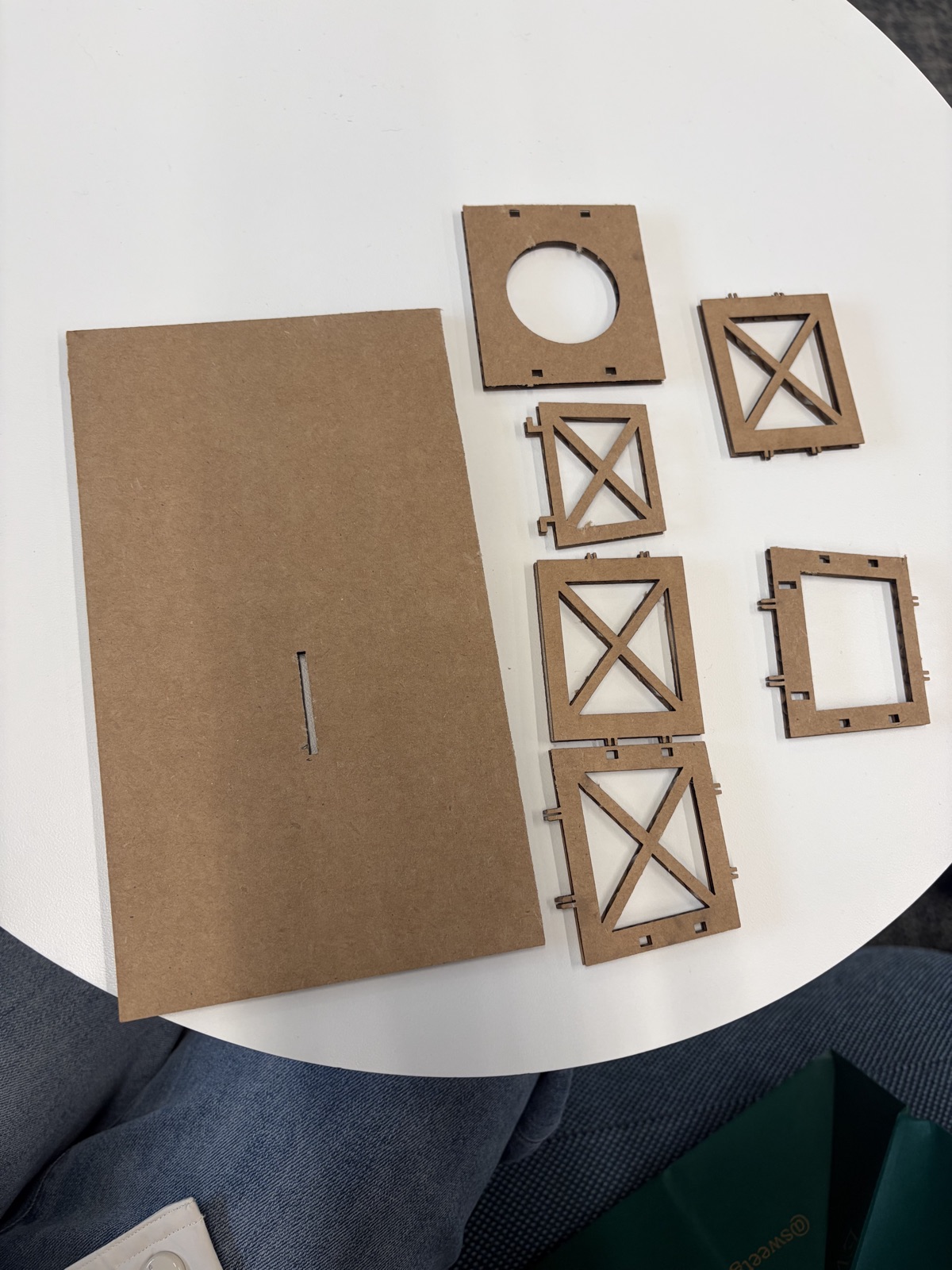
  2. Break the object into flat pieces. The photographed parts include a slotted base, rectangular panels with tabs and openings, and panels with X-shaped details. These pieces show how a three-dimensional structure can be divided into two-dimensional profiles.
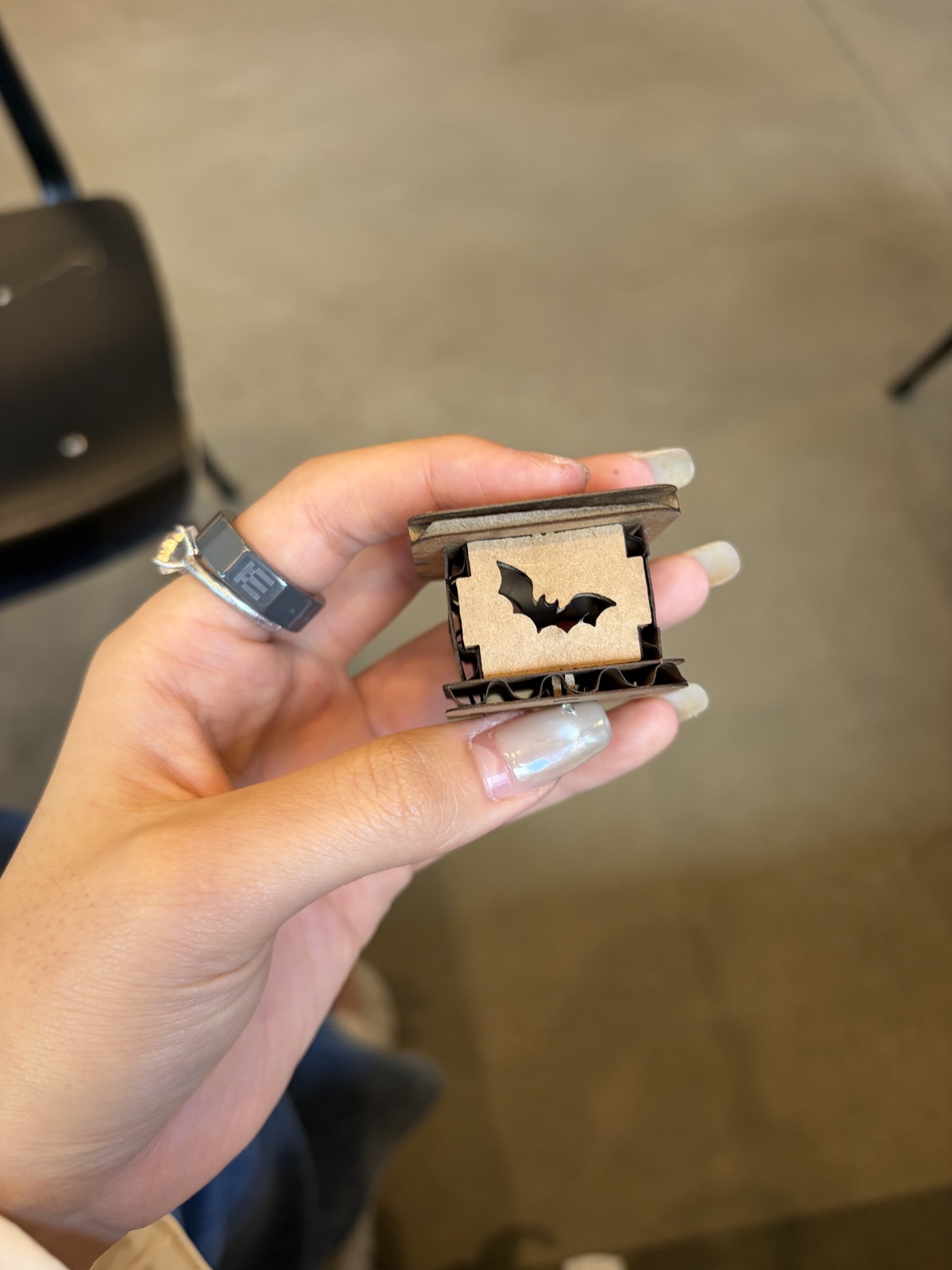
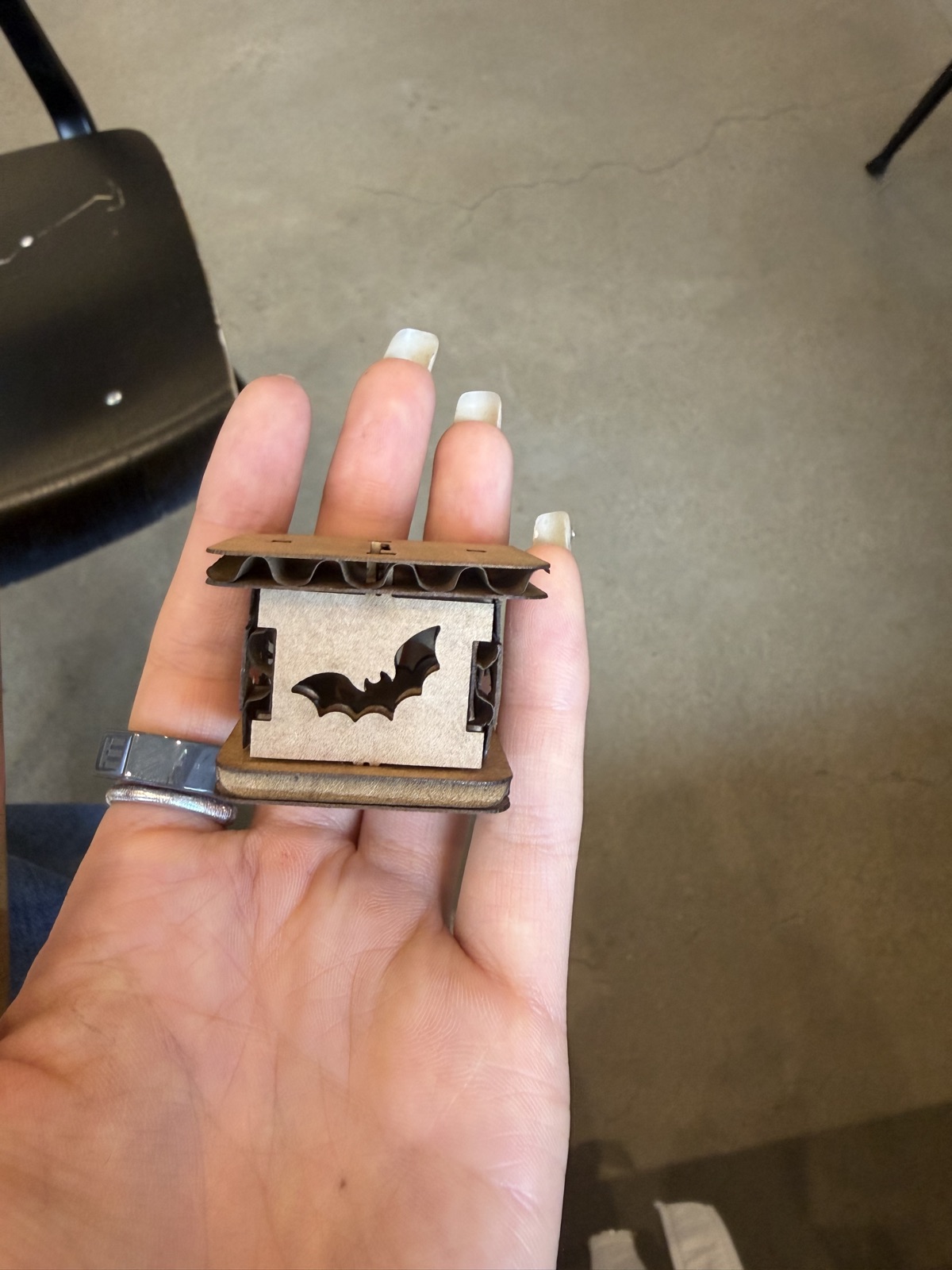
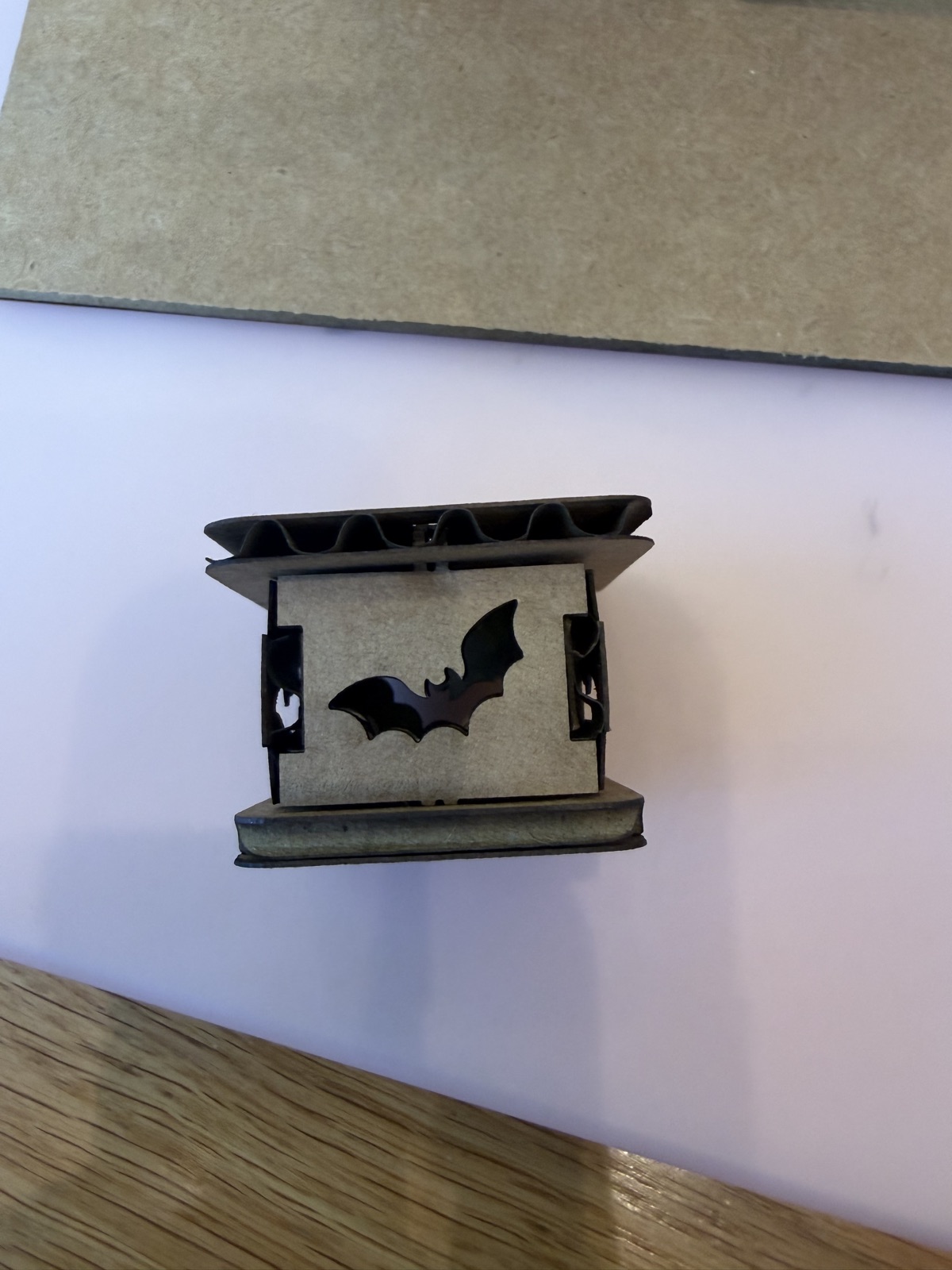
  3. Build the lantern. Close-up photos show the bat-cutout walls between top and bottom pieces. The exposed corrugated edges make the material thickness and layered construction visible.
  4. Bring the scene together. One photo shows the figure and lantern without the separate face layer. Other views show the face in place and the figure on its base, with the lantern beside the outstretched arm.

Challenges and what the photos reveal

The main design challenge was the relationship between the flat profiles and the assembled object: the lantern walls, top, bottom, and handle have to meet, while the larger figure needs support at its base. The close-ups show uneven edges and visible gaps around some lantern connections. These are useful details to inspect in a future fit test, although a photograph alone cannot establish whether a joint is too loose or too tight.

My documentation is incomplete in an important way: it does not record the material thickness, slot dimensions, kerf test results, laser power or speed, or a sequence of failed cuts and recuts. I cannot reliably reconstruct those values from the finished object. For the next iteration, I would measure the cardboard, cut a small joint test, record the settings, and photograph each change before cutting the full design again. I would also keep the source design file alongside the process notes.

A failure in publishing the process

I also encountered a documentation problem. Uploading the original iPhone HEIC photos failed, and an early conversion produced black images on the website. The original photos still displayed correctly in Preview. With assistance, they were converted again, reduced to web-sized JPEGs, and uploaded in smaller batches. This taught me to check the actual published images rather than assume that a successful upload means the photos are readable.

Result: the photographs document a physical cardboard Halloween scene and a separately assembled lantern. They do not show a lighting test. My next improvement would be to document the dimensions, fitting tests, and assembly changes as carefully as the final appearance.

Photo record

Sketch, separate parts, lantern details, and assembly views. Click any photo to see it full size.
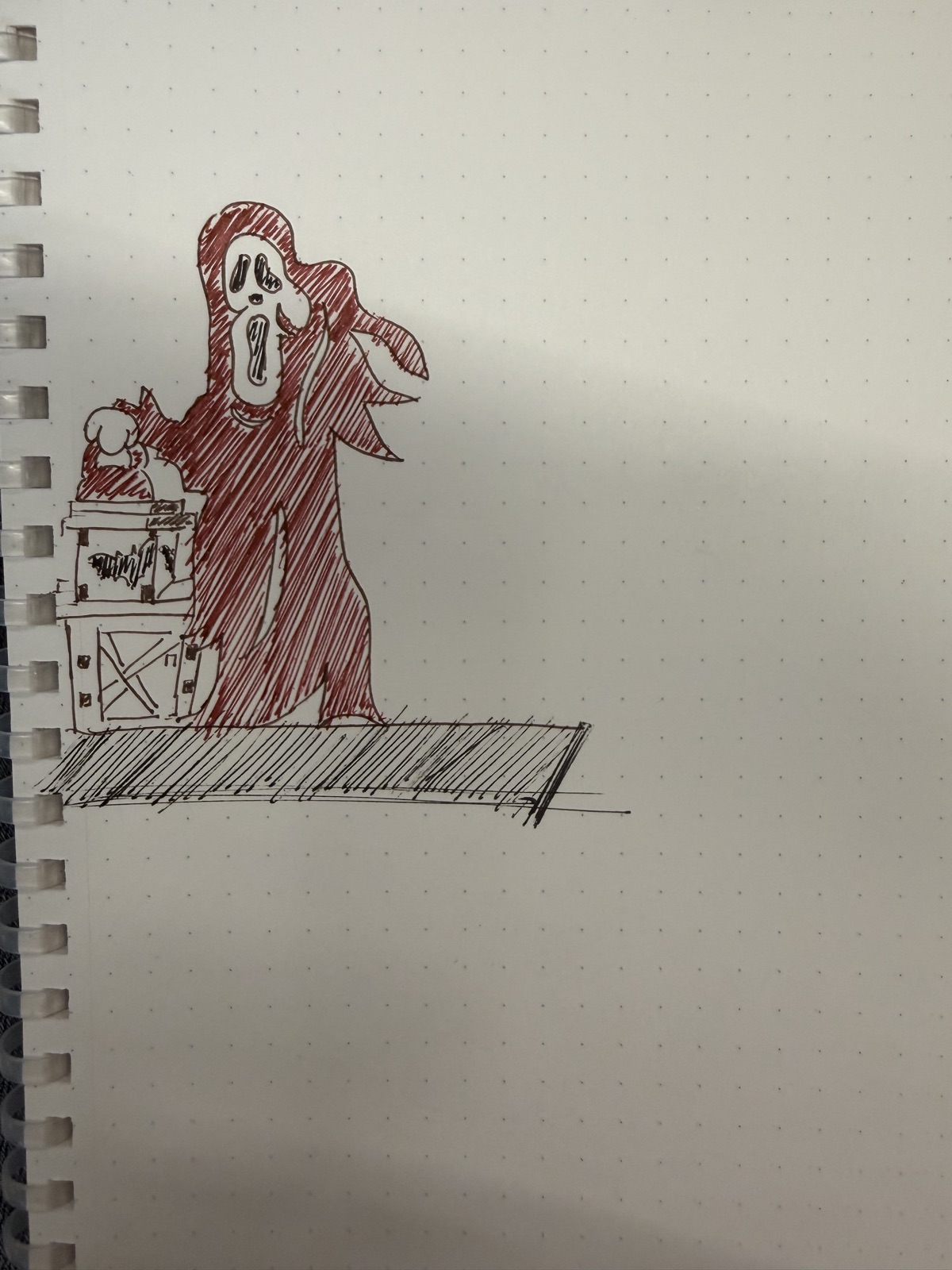
Concept sketch: a Halloween figure holding a lantern, with a base and box-like support.
Separate cardboard parts: slotted base and tabbed panels before assembly.
Another view of the loose panels, showing X-shaped openings and joining tabs.
Lantern close-up: bat-shaped opening and exposed corrugated cardboard edges.
Front view of the assembled lantern walls, top, and bottom.
Lantern resting on the table, showing its panel connections.
Figure and lantern assembly without the separate face layer.
Assembly view with the face layer in place and the lantern beside the figure.
Another view of the assembled Halloween scene on its cardboard base.
03 / EMBEDDED PROGRAMMING

Week 2 — QPad beating heart.

QPAD-XIAO · Tested September 30, 2026

Goal and setup

After assembling my QPAD-XIAO, I wanted its OLED screen to display a beating heart. The controller is a Seeed Studio XIAO RP2040, connected to my Mac by USB-C. I used an AI-assisted MicroPython program saved as main.py. It contains a small SSD1306-compatible driver for the 128 × 64 OLED, so the display code does not need a separate driver package.

Week 2 photo record

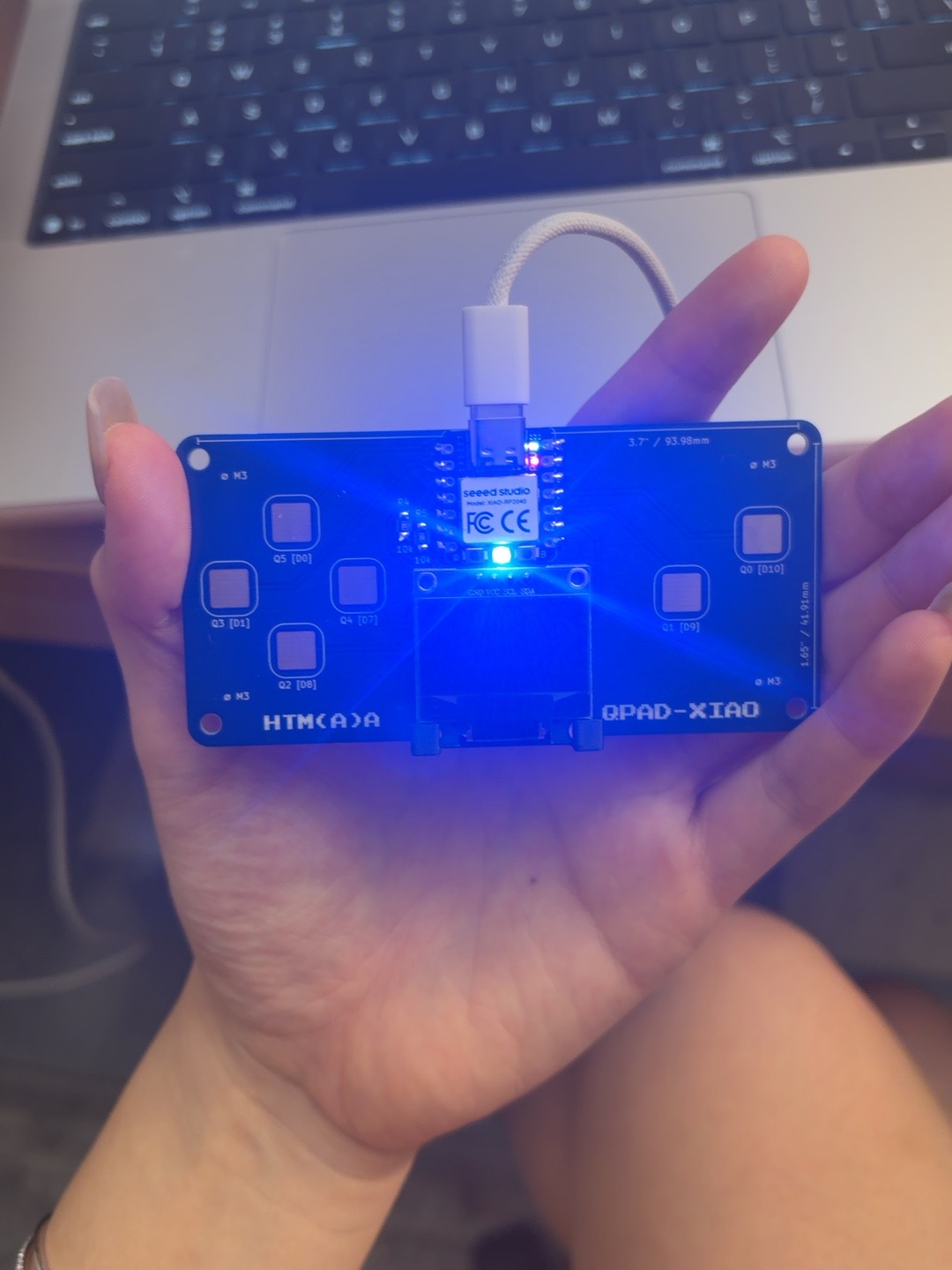
These two photos show my assembled QPAD-XIAO during the initial USB-C setup, before the firmware recovery and successful animation test described below.

Front of the QPAD-XIAO connected by USB-C, with indicator lights on and the OLED blank during initial setup.
Front view during initial setup: USB-C connected and indicator lights on, while the OLED was still blank. Power alone did not confirm that the program had been uploaded.
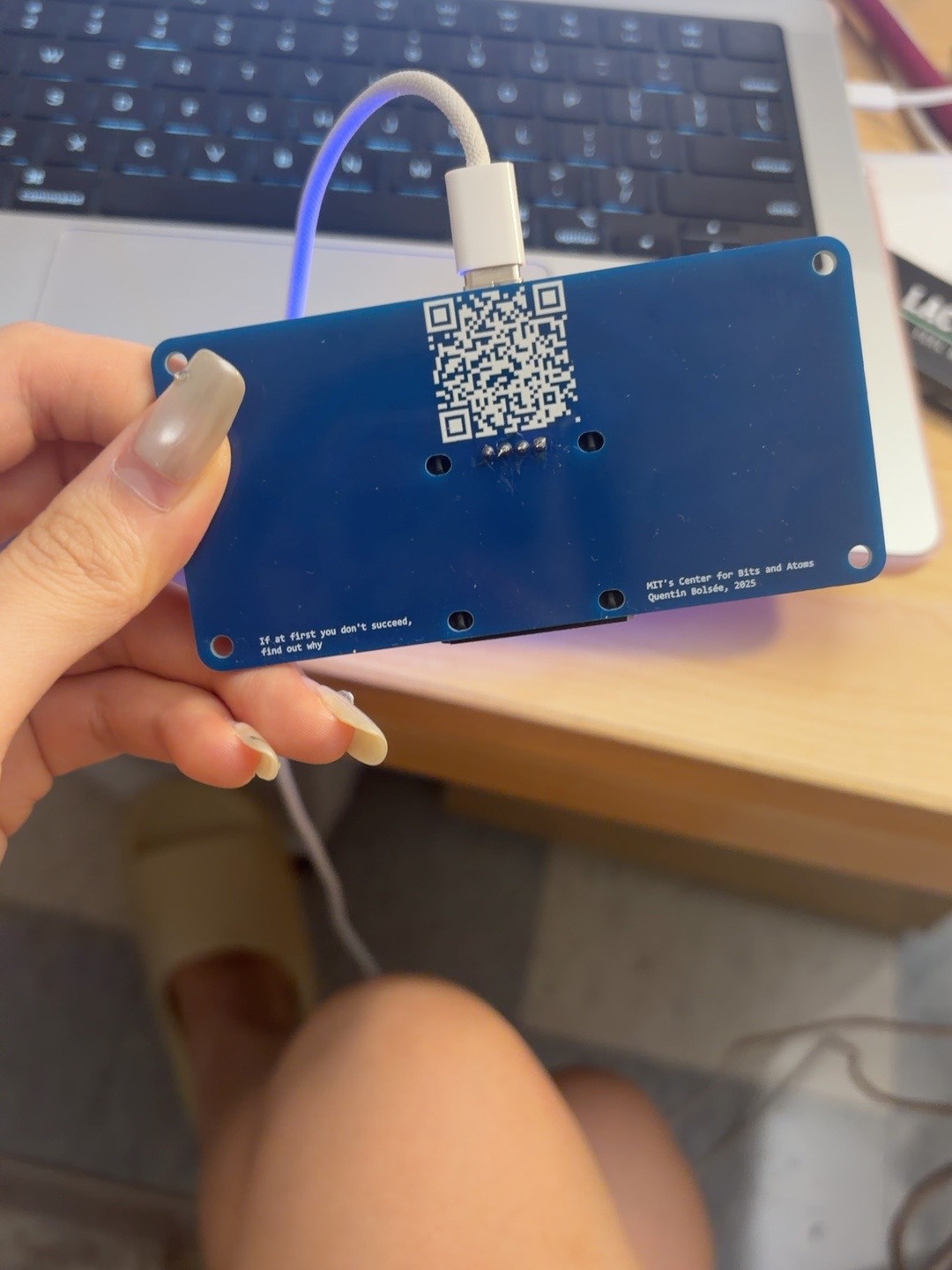
Back of the assembled QPAD-XIAO, showing its PCB, mounting holes, and solder connections.
Back view of the assembled board, showing the PCB, mounting holes, and solder connections. This records the physical assembly; the later communication tests checked the electronics.

What went wrong

At first, the board had power but the display was blank. I had opened main.py on my Mac, which did not upload it to the board. The suggested Thonny workflow was also blocked because Thonny was not installed. With Codex assisting on my Mac, I used MicroPython's official mpremote tool instead.

The Mac detected the XIAO RP2040 as a USB serial device, but the board did not respond to MicroPython commands. The connection failed with could not enter raw repl. Interrupt commands, a soft-reset attempt, and unplugging and reconnecting the cable did not restore communication. Attempts to enter the bootloader manually also did not produce an accessible RPI-RP2 drive. These failures showed that detecting a USB device was not enough to prove that a usable MicroPython environment was running.

Recovery and upload

  1. Enter recovery mode. A 1200-baud USB serial reset signal switched the board into its RP2 bootloader. The Mac could detect the bootloader even though a normal upload drive did not mount.
  2. Back up before changing firmware. Raspberry Pi's picotool saved and verified a complete backup of the board's 2 MB flash.
  3. Install the correct firmware. The official MicroPython v1.29.0 firmware for the Seeed XIAO RP2040 was written, verified, and the board restarted. After this, MicroPython commands worked. This resolved the connection problem; the exact cause of the old firmware's lack of response was not established.
  4. Check the display connection. An I2C scan on bus 1, with SCL on GPIO 7 and SDA on GPIO 6, detected address 0x3C. This confirmed that the OLED responded over I2C.
  5. Save and verify the program. The heart code was copied to the board as main.py, read back, and compared with the original file. The two copies matched.
  6. Restart and test. A soft reboot started the saved program. The serial output reported OLED connected. Preparing heartbeat... followed by Heartbeat running., with no traceback during the startup observation.

How the animation works

The program calculates six heart images at different sizes and stores them in memory. It displays them in a sequence of two quick pulses followed by a longer pause, producing a “lub-dub” rhythm. Calculating the frames once avoids redrawing the mathematical shape for every frame. Saving the program as main.py allows MicroPython to start it automatically at boot.

Result and reflection

The verified result was a responding OLED and a running animation loop with no startup errors. The serial log confirms that the program reached the animation; a photo or video of the heart on the physical display would complete the visual record.

The biggest lesson was to separate power, USB detection, firmware communication, file upload, and display operation. A blank screen did not automatically mean bad soldering or a broken OLED. Testing those stages individually made it possible to fix the programming environment before changing the display code. Codex assisted with the code, connection diagnosis, firmware backup and installation, and upload verification.

References: official XIAO RP2040 firmware · MicroPython remote-control tool · Raspberry Pi picotool.

WEEK 03 / PROCESS PHOTOS

3D scanning and printing

Lab photo record · October 6, 2026

Phone scan, mesh export, and slicing

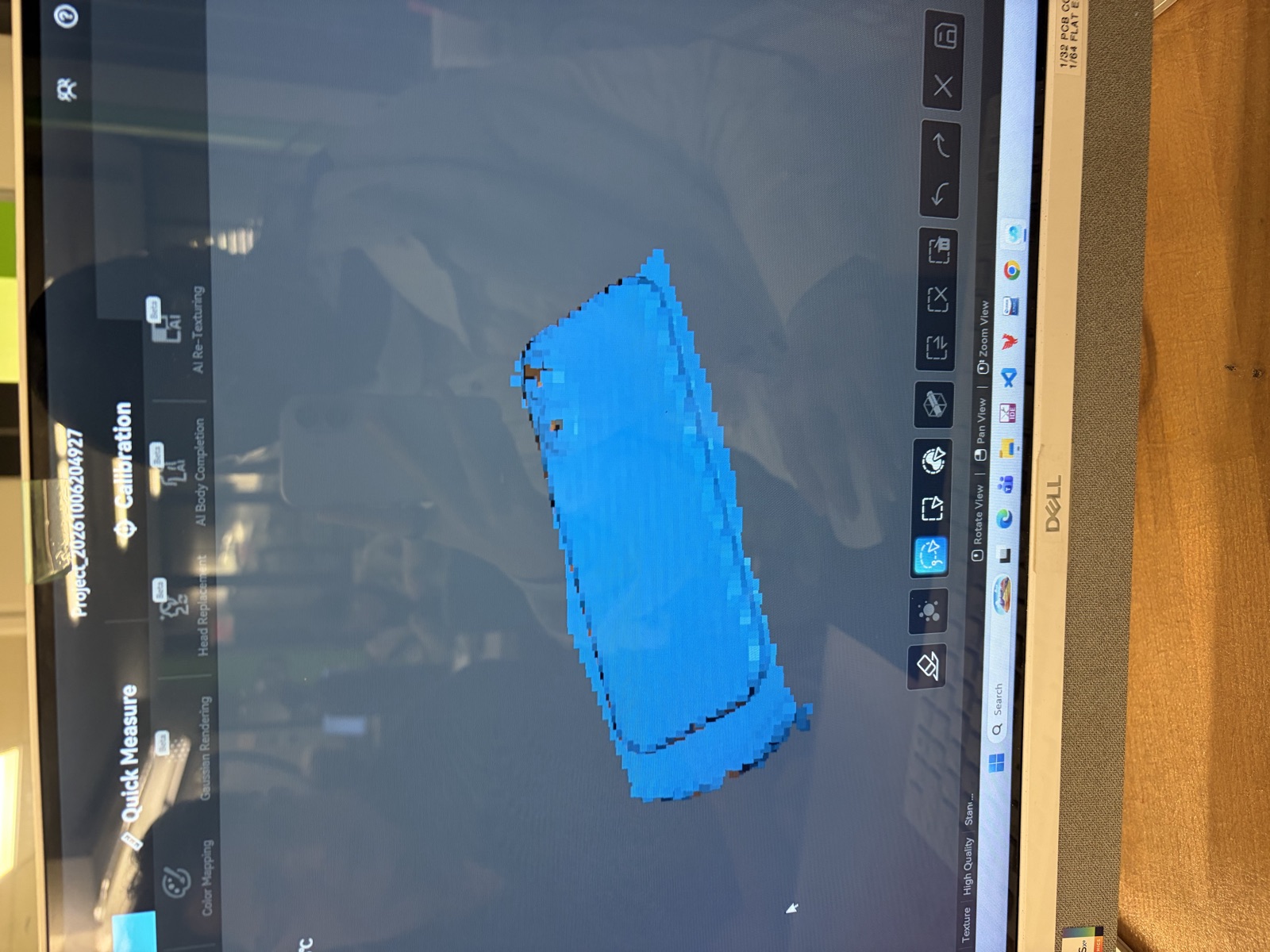
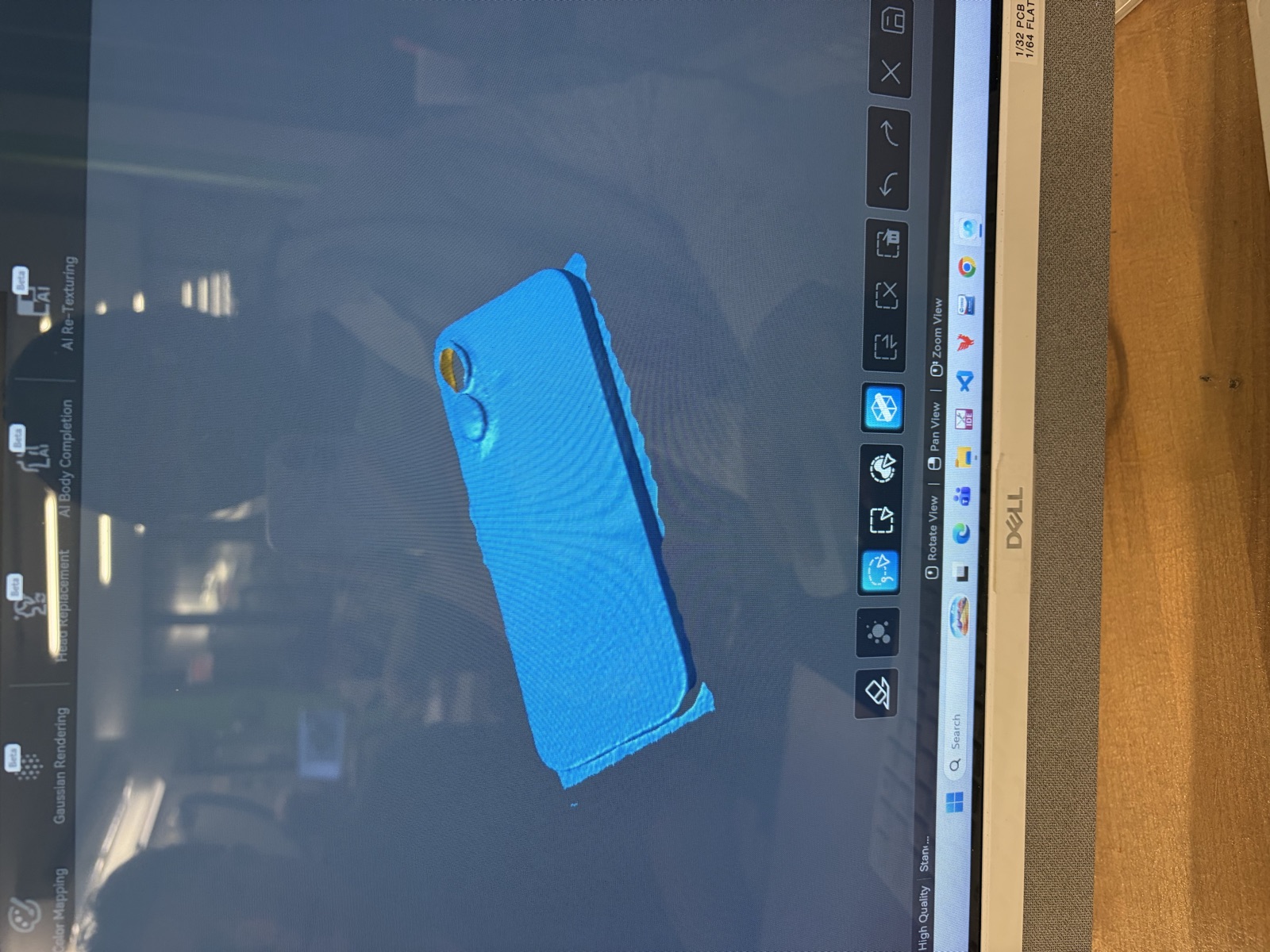
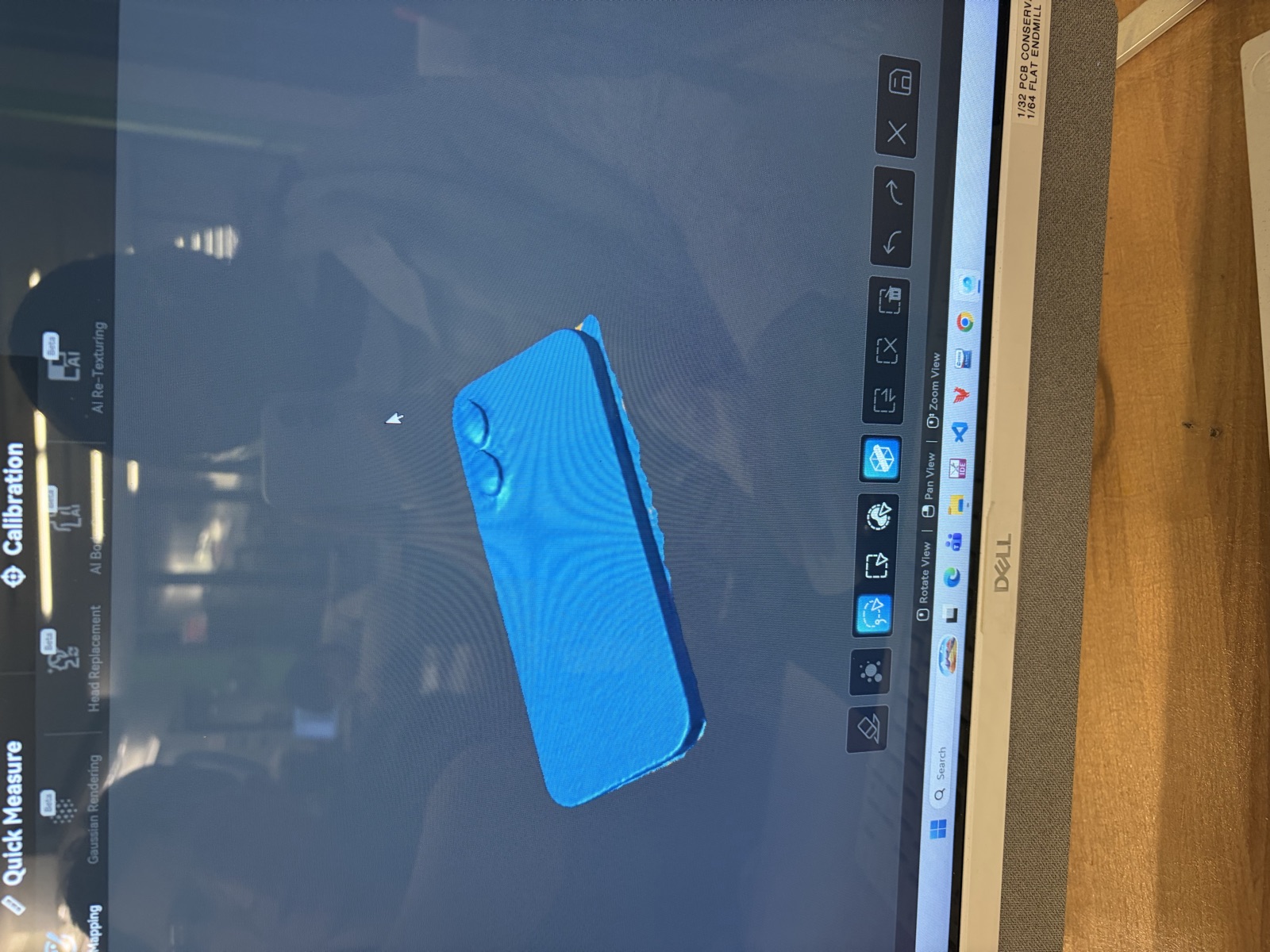
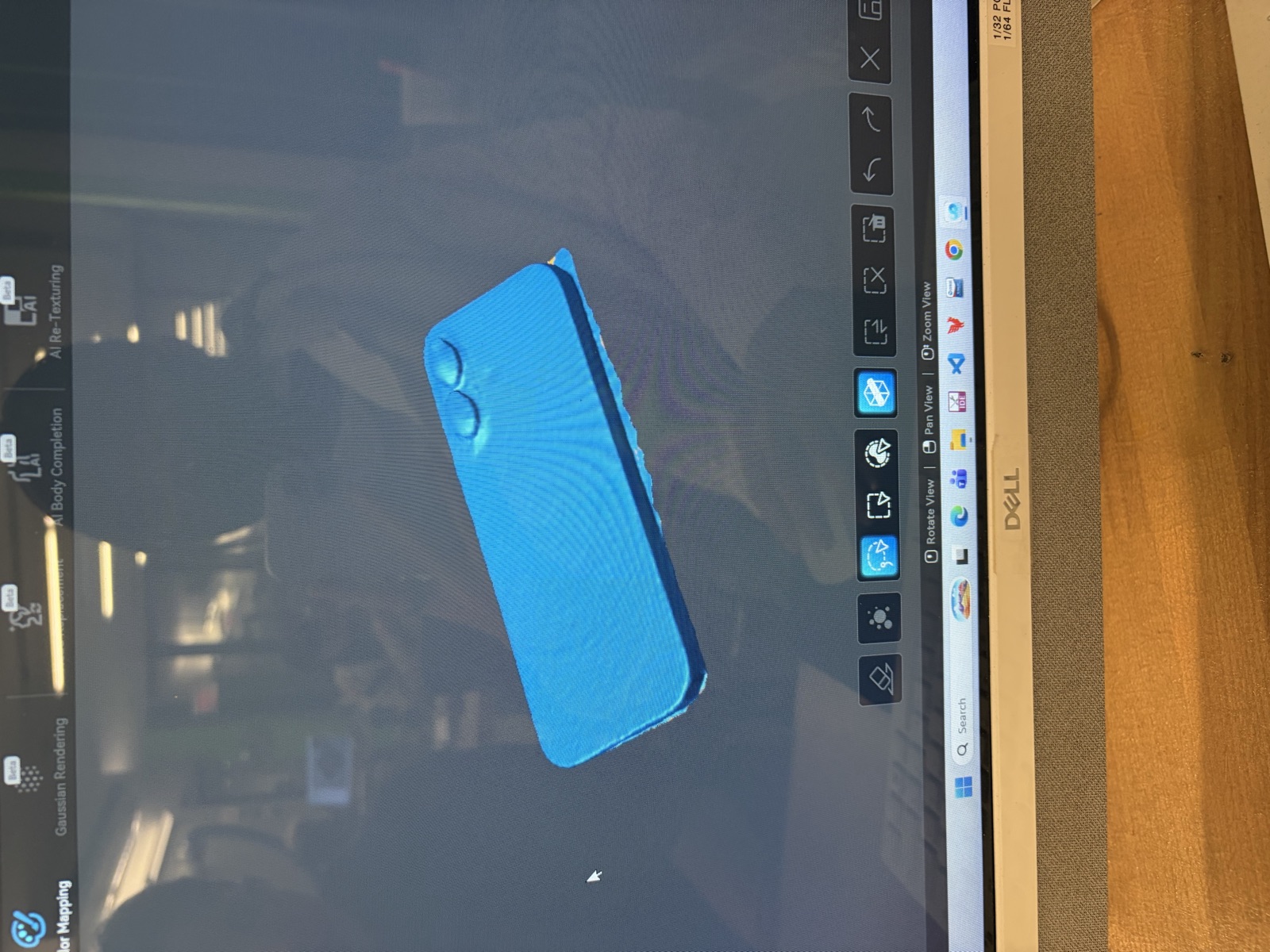
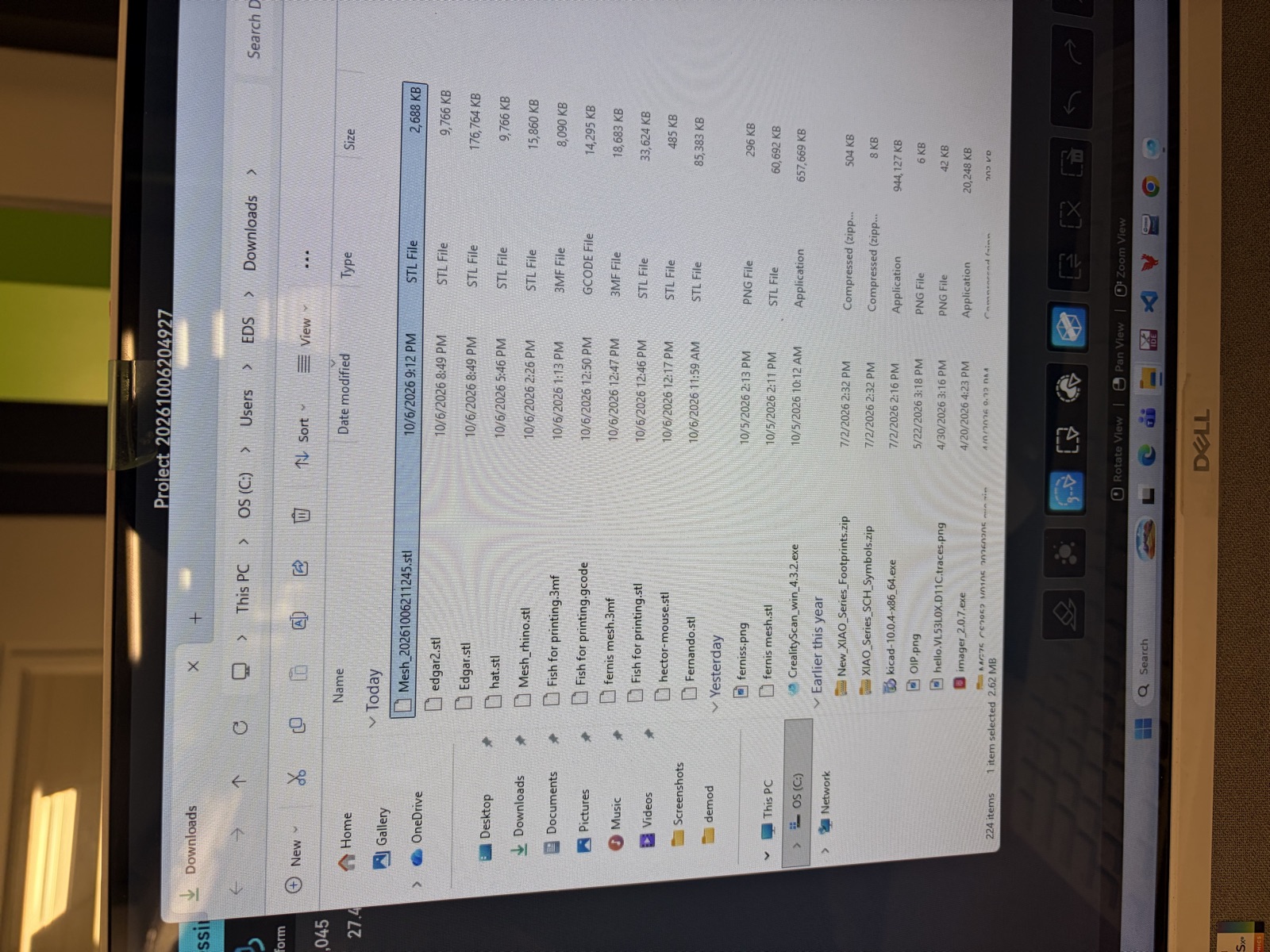
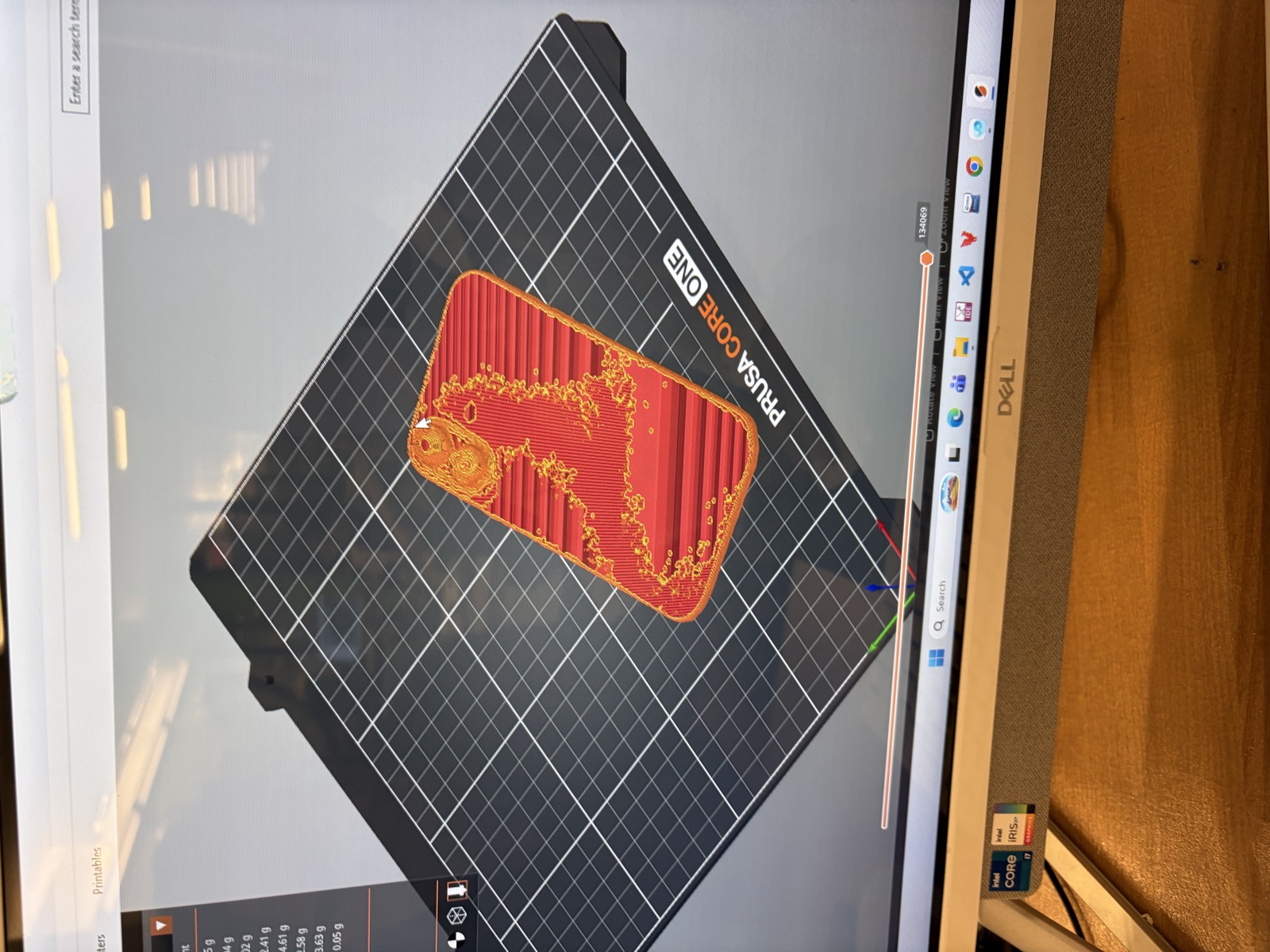
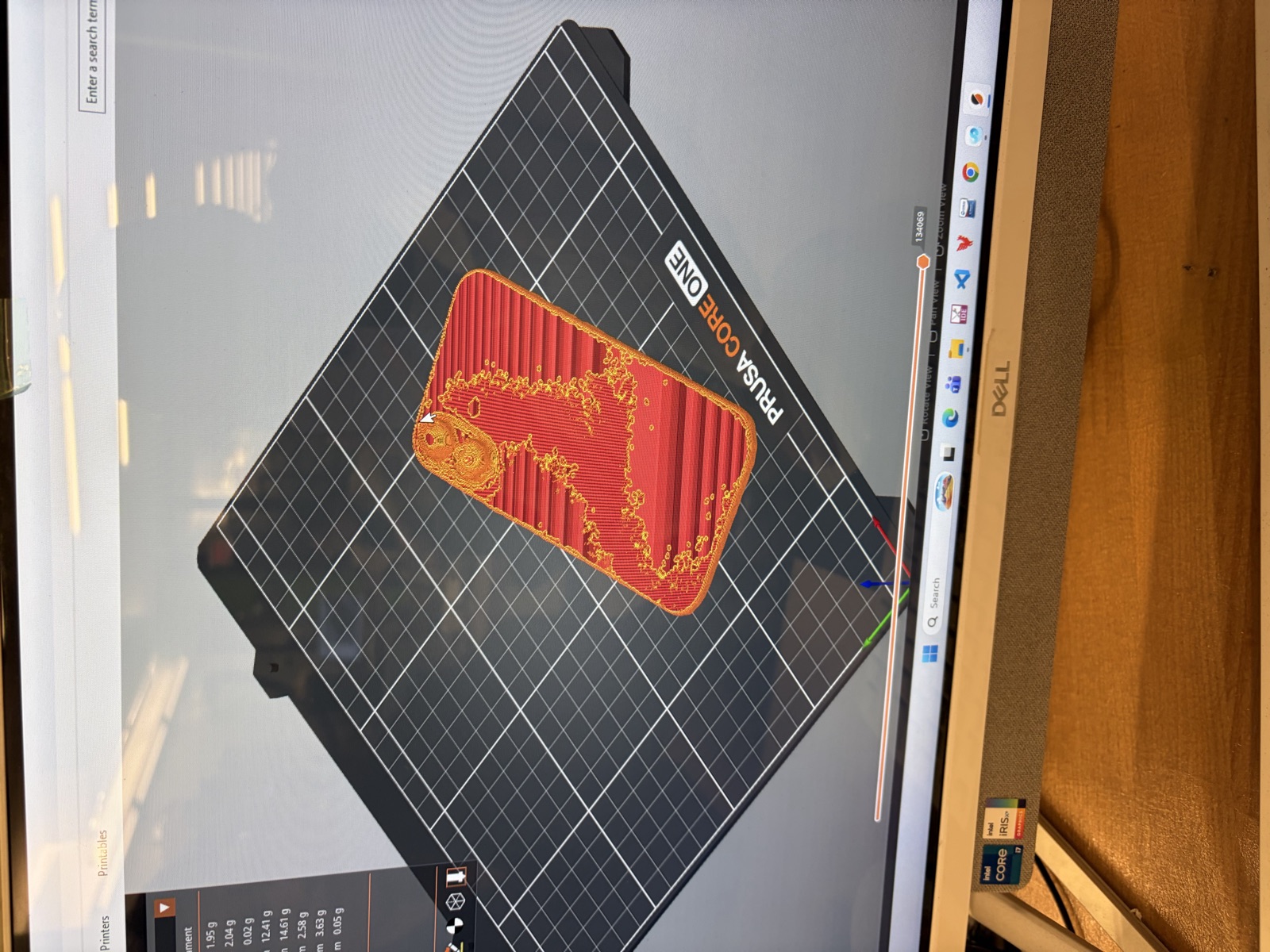
These process photos document the phone scan on the lab computer, the exported STL file, and the slicer preview. The mesh views show uneven edges and gaps; the slicer images show toolpaths, rather than a completed physical print.

Blocky scan view showing gaps and uneven edges around the phone.
Another mesh view, with a visible opening at one camera bump and extra surface around the edges.
Phone-shaped scan mesh displayed in the scanning software, including the two camera bumps.
Surface view of the phone scan with the camera bumps visible.
STL export visible in the lab computer’s Downloads folder: Mesh_20261006211245.stl.
Slicer toolpath preview of the scanned phone on the PRUSA CORE ONE build plate.
A second view of the phone scan’s sliced toolpaths.

Documentation note: captions describe the supplied photographs and were organized with Codex assistance.

WEEK 04 / ELECTRONICS DESIGN

A button, a light, and a first carrier board.

October 12, 2026 · Digital design checked · Lab work pending

A small control-interface experiment built around the standard Seeed XIAO RP2040: one button input and one external red status LED. The intended behavior is to toggle the LED on each press. This is a starting point for understanding controls that could later inform the final project; this board does not drive a motor.

Authorship: Codex generated the new schematic, PCB layout, example code, and this documentation at Ella’s request. KiCad 10.0.7 performed the checks. Ella still needs to review and understand the design, make the board, and document the lab work. No completed fabrication, group measurements, or physical test results are claimed.

From circuit connections to copper traces

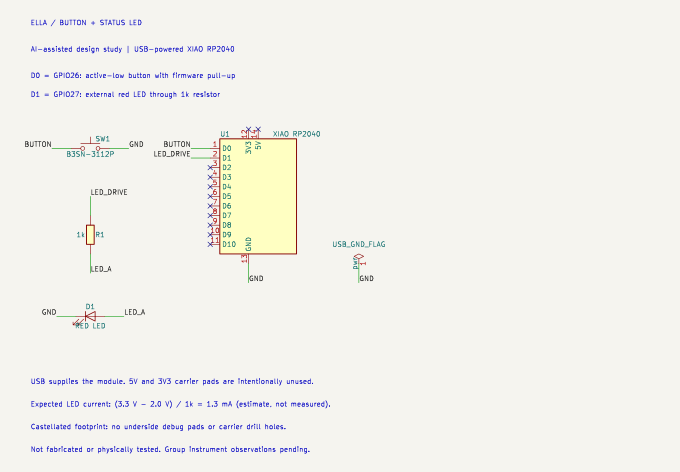
The schematic describes electrical connections; the PCB places the real footprints and routes those connections in copper. This design uses parts represented in the Fab library: a XIAO RP2040, an Omron B3SN-3112P button, a 1206 resistor, and a red 1206 LED. Actual local stock still needs confirmation.

  • Input: D0 on the XIAO is GPIO26. The button connects it to ground when pressed, while the MicroPython internal pull-up keeps it high when released.
  • Output: D1 is GPIO27. It connects through a 1 kΩ resistor to the LED anode; the cathode goes to ground. Assuming a 2.0 V red LED drop, the estimated current is (3.3 − 2.0) / 1000 = 1.3 mA. This is a calculation, not a measurement.
  • Power: the module uses its own USB-C connector. The carrier’s external 3V3 and 5V pads are intentionally unused. The ground flag in the schematic represents USB ground, not another component to buy.
KiCad schematic: XIAO RP2040 D0 button input, D1 resistor and LED output, and USB ground reference
Schematic exported from the actual KiCad design. Matching net labels connect separated wires. Crosses mark intentionally unused pins.

Placement, routing, and fabrication assumptions

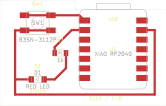
The board fits inside a 44 × 28 mm rectangle, with a stepped outline near the USB end. The XIAO sits on the right; the button and LED sit on the left. All routes are on the top copper layer, with no vias or drill holes. A ground route goes around the lower edge, keeping copper away from the module’s underside.

Tracks are 0.6 mm wide. The project checks a minimum track width of 0.4 mm, clearance of 0.4 mm, and copper-to-edge clearance of 0.5 mm. These are proposed fabrication rules, not measurements of the lab’s milling process; the TA must confirm them for the chosen tool and stock.

The Fab XIAO footprint was adapted for castellated soldering: duplicate through-hole pads and underside debug pads were removed, and the matching symbol was reduced to the 14 edge terminals. Obsolete underside labels, the original underside keepout, and 3D-model links were removed; module outlines were moved to the assembly layer. The included local libraries preserve these changes. Check the actual standard RP2040 module and soldering access before fabrication.

Single-sided KiCad PCB layout with a button and LED left of a XIAO RP2040 module
Actual KiCad PCB export: red copper, yellow silkscreen, grey assembly outlines. This is a digital layout, not a photograph of a manufactured board.

Checks and corrections

The first DRC pass caught a swapped button-pad assignment. The correction assigns the upper pad pair to the input signal and the lower pair to ground. Obsolete module graphics also caused silkscreen warnings and were cleaned up. A later comparison found net-name and component-field differences between the schematic and PCB; these were synchronized using KiCad’s exported netlist.

Final checks: zero ERC violations, zero DRC violations, zero unconnected items, and zero schematic-to-PCB parity issues. The full reports are in the download. KiCad’s default ignored categories are listed in those reports; no individual violations were excluded. Passing these checks does not establish that the physical assembly works.

Files and intended firmware

Download the complete KiCad project and documentation (.zip) — editable project, schematic, PCB, local symbols and footprints, SVG exports, copper/outline Gerbers, BOM, ERC/DRC reports, MicroPython example, references, and Chinese lab instructions.

Extract the folder and open ella-button-led.kicad_pro, keeping its companion files together. The example main.py uses GPIO26/GPIO27 and 30 ms button debouncing. It has not been run on this carrier. The Gerbers must go through the lab’s CAM process; they are not machine toolpaths.

Group assignment and next lab steps

Pending: the required group observation using lab test equipment has not been documented. With the TA, confirm components and fabrication rules, make and assemble the board, check for shorts before power, and measure the 3.3 V rail and button’s released/pressed levels. Observe the LED output with an oscilloscope or logic analyzer. Record actual instrument settings, measurements, photos, errors, and the group documentation link here afterward.

References and attribution

04 / STILL TO COME

More experiments ahead.

Next week

A space for the next project. Notes and photos will appear here as the work develops.

Notes from the first version

Ella Zhou's fab class home page and this is Anthony editing it.

05 / FINAL PROJECT

Portable neck & shoulder massager.

Initial proposal · October 6, 2026 · Not yet built

The idea

A portable massage device for the neck and upper-shoulder area, combining a custom enclosure, electronics, and embedded programming. The design question is how to make the device compact, adjustable, and easy to control while studying.

Proposed first prototype

The starting concept is a soft shoulder band with removable vibration modules. A small first demonstration would use one motor on a padded test fixture, a physical button to change intensity, a visible status indicator, and an automatic shutoff timer. A second motor and a wearable enclosure would follow after the basic control loop works.

How the parts fit together

  • Input: physical start/stop and intensity controls. Pressure sensing is a possible later extension.
  • Control: a microcontroller running the intensity settings and timer, with an appropriate motor-driver circuit.
  • Output: vibration and a visible indication of the operating state.
  • Fabrication: CAD-designed motor housings and mounts, 3D-printed fit prototypes, and soft removable contact pads.
  • Electronics: a custom control board, followed by integration with the enclosure and wiring.

Development plan

  1. Review the scope, contact placement, and power arrangement with Anthony or the section TA; choose available motors and measure their dimensions.
  2. Build a single-module bench prototype and verify start, stop, intensity changes, and timed shutoff.
  3. Model and fabricate an enclosure around the measured components; document fit, access to controls, and cable routing.
  4. Integrate the electronics and soft mounting, then record tests and revise the design.

Open questions and limits

Motor selection, power requirements, dimensions, materials, and budget are still to be determined. The first development stage would use low-voltage USB power; portability would require a suitable enclosed power source and a reviewed power design. Heating, powered squeezing, and phone control are outside the initial scope.

Testing starts on a fixture. Any body-contact prototype needs TA review of the mounting, contact location, release mechanism, and accessible stop control before use. Comfort and therapeutic benefit have not been tested or established.

What a successful demonstration would show

A fabricated module that responds reliably to its controls, changes vibration intensity, displays its state, and stops on command or when the timer expires. If wearable integration takes longer, a single padded module on a bench fixture provides a smaller integration milestone.

Current status: concept and proposed scope only. No completed massager, fabricated parts, or test results are claimed here. The concept comes from Ella’s October 2–4 project discussions; Codex helped organize the proposal and suggest the initial scope. References: HTMAA 2026 course schedule and 3D scanning and printing.