Week 2: Plate Armor
Goal: Laser cut a plate armor arm that bends into shape with living hinges
Tools: FreeCAD, Claude, laser cutter, plywood, cardboard
Overview
When I saw you could cut hinges into flat material, this made me immediately think to plate armor from the past. When I 3D printed things previously, it was pretty tedious because large flat pieces actually take a really long time, especially if they’re high infill. It was really exciting for me to realize I could use laser cutting here instead to cut large pieces, and use hinges to bend them into rough shape.
This definitely wasn’t perfect, since I wasn’t really sure how to hold the curve shapes, or to create more complicated pieces that had straps, and maybe an outer layer to make it look nicer. Instead, I decided to use different materials and their different bending properties, as well as some mounting holes to give myself a chance of making this work.
Ideation
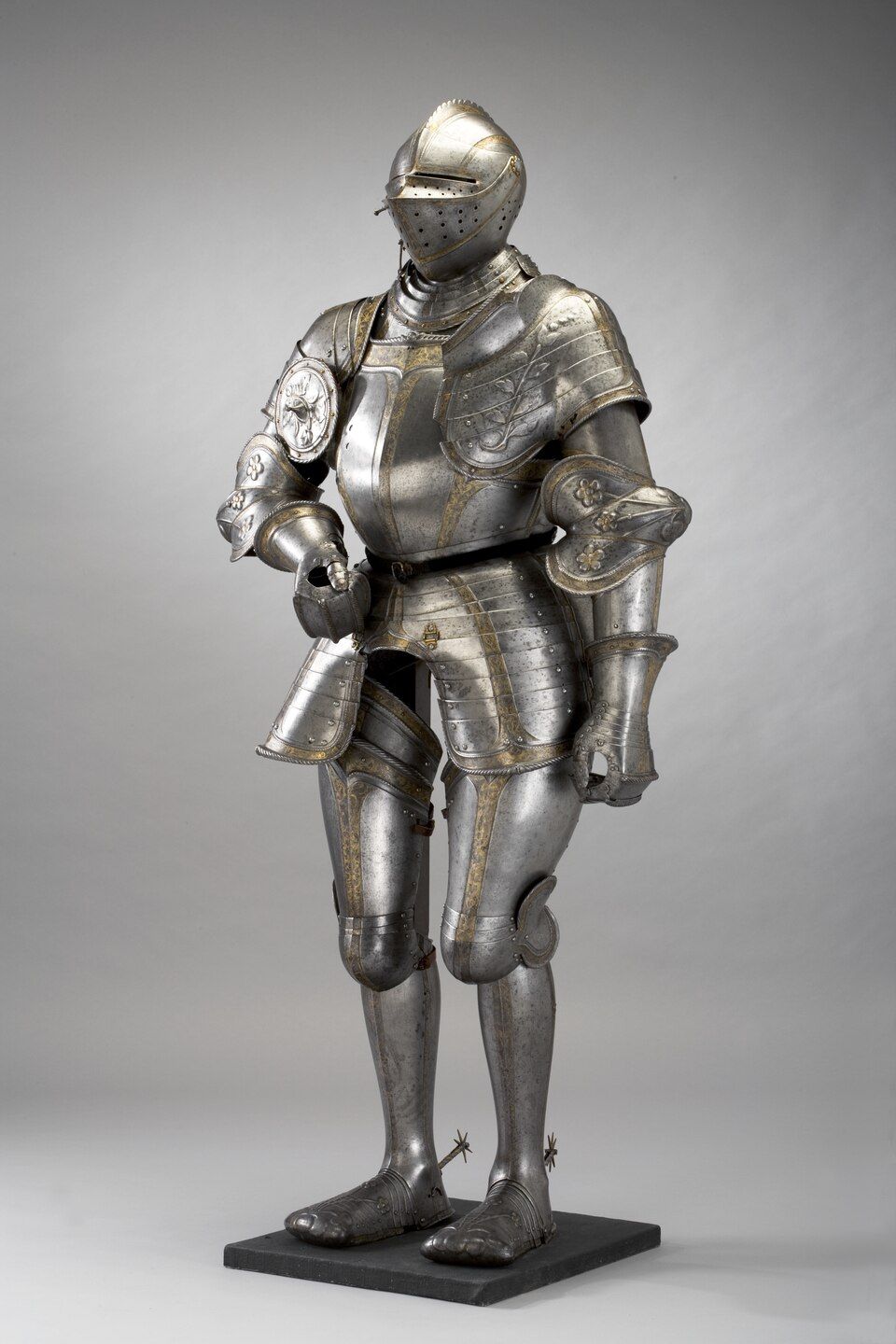
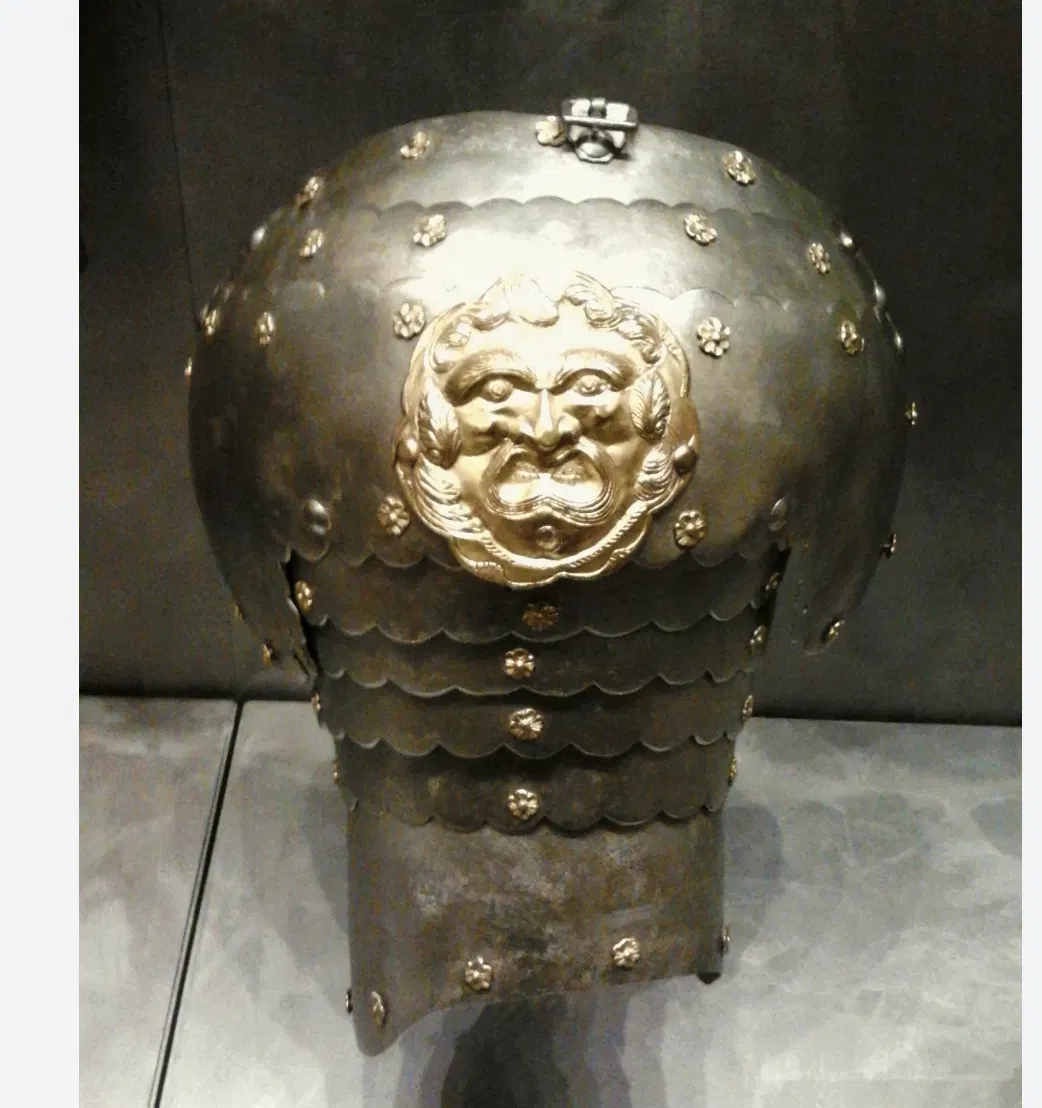
I started with inspiration photos from online, looking for less ornate pieces that were comparatively simpler. I didn’t want to make an entire suit this time around, so I focused on a single arm, which also had less complex curves. I identified a couple of pieces that I would need to model and then could probably be created using 2D materials and hinges:
- The pauldron (shoulder piece)
- The bicep piece
- The elbow piece
- The forearm piece
- A hand piece
The pauldron in my inspiration photo looked a little too complicated, so I opted for something that looked a little simpler, like what you would see from Roman armor (more like bended strips).
Process
I made a mistake here. In the spirit of trying something new, I decided to try FreeCAD. Now, I remember briefly using FreeCAD about 5 years ago to build some simple models. At this time, I had no clue about parametric modeling, and my designs were very rudimentary and basically just rectangular. I also didn’t really understand how to make fully constrained sketches, so my overall builds were extremely messy and error filled. This time around, I approached my design parametrically, which meant I had to get used to how Fusion does parametrics and sketch constraining.
To be honest, even in Fusion, which I used more in undergrad, I kind of just add sketches, pads and pockets on top of existing surfaces instead of trying to build something parametric. This usually works well enough for what I need. So I never really fully constrained my sketches, and just went off grid snapping and luck. Fully constrained sketching took a while to get used to.
Firstly, it was really difficult to get used to the tools FreeCAD has, and how to implement them quickly. For example, there are some analogs to Fusion that I like, but at the same time, a lot of differences:
| Fusion | FreeCAD | |
|---|---|---|
| Mapping sketches to faces | You can map sketches to faces by selecting any face | You need to use ShapeBinders and SubShapeBinders |
| Extruding and pocketing | You can extrude and pocket using the same tool | You have to select different tools |
| Working with sketch regions | You can select parts of a face that are being separated by a sketch, so you can easily use a single sketch to do multiple extrudes/cuts | Only the area bounded by a sketch gets worked on |
I could go on and on, but basically there are a lot of quality of life improvements.
However, FreeCAD is pretty easy to use still. I had to get used to sketch constraining by using different dimension constraints.
- Dimension constraint: By far the most useful was using the dimension constraint that automatically selects the dimension you’re probably constraining. It lets you do length, angle, radius, etc all in one command and works pretty well.
- Symmetry: I think it’s annoying that you have to use the symmetry command to center things, since it’s like 3 clicks for each symmetry command, but once I got used to it, it works.
- Keyboard mapping: I think the best part here is that you can set your own keyboard mapping for your commands really easily. I quickly set new mappings for creating sketches and for padding/pocketing. The keyboard shortcuts are nice in general, it took me about a week, but I got used to it.
Actual Design
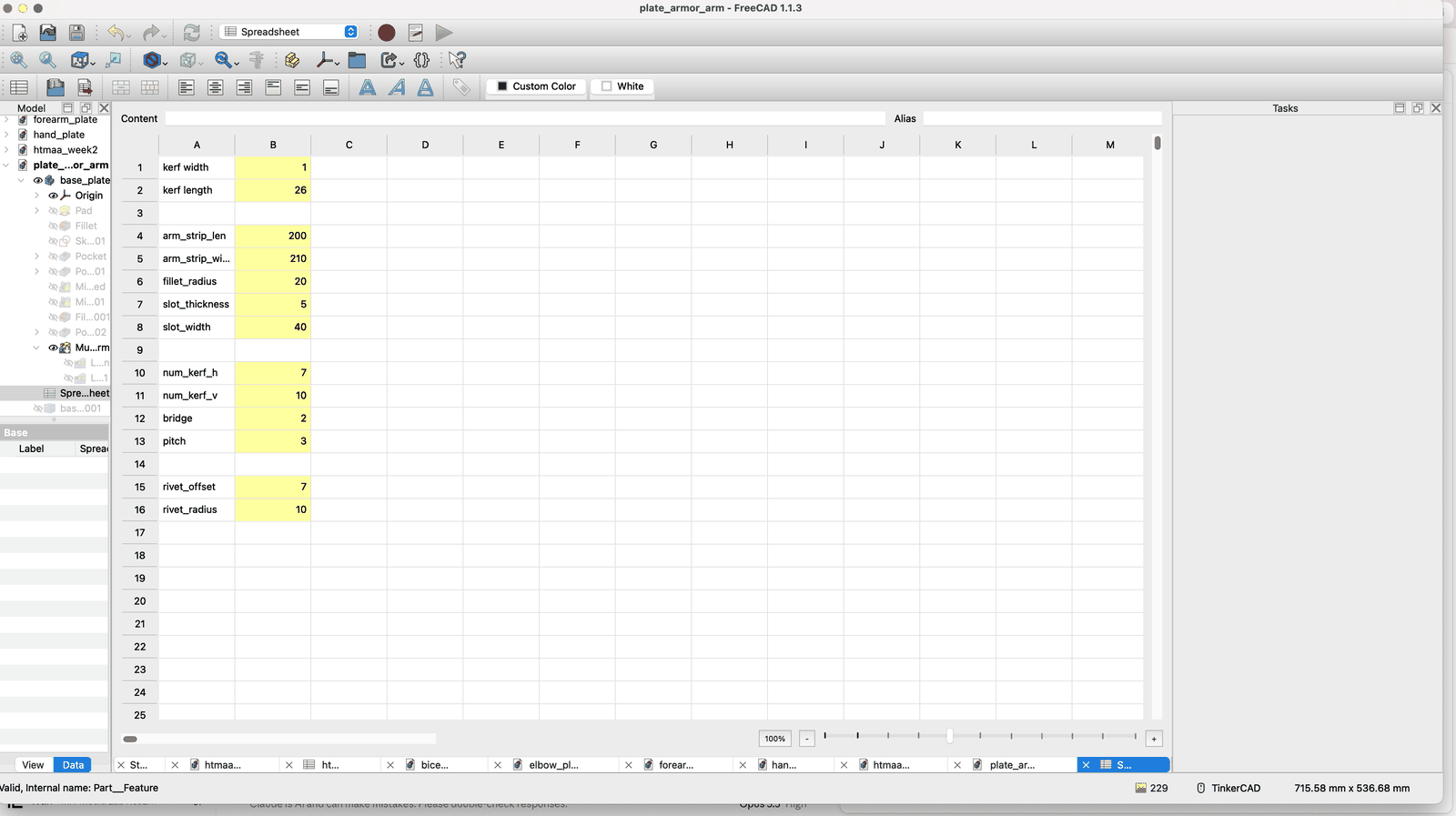
Well, with some experience under my belt, and a couple of very useful videos/documents, I was ready to begin my design. I started with a few things that I thought I could make parametric:
- The size of some parts
- For the hinge, the number of cuts and their spacing/sizing
- The number/size of mounting holes
- The size of the strap holes
I had them all stored in a SpreadSheet, and then referred to by alias. This way I can easily refer to them when part designing.
Working in 3D. Well I was dumb here because I was working 3D when I only needed 2D. Using the part design workbench took way longer than expected. Since the parts were 3D, the parametrics took a long time to propagate (each linear pattern of hinge cuts took a while to do once I edited a single cut dimensions). With some parts having like 100 cuts, this quickly became exorbitant and my computer began freezing after each change. FreeCAD actually crashed a couple of times with this. I couldn’t take it at a certain point, so I made some changes.
Splitting into separate documents. Since I needed so many different parts, and because a lot of these parts have a ton of specific cuts and shaping and tuning to do, I realized that there was no way to keep everything parametric without going insane or taking way too much time. Instead, I modeled out the rough shape and size of each piece I needed, and then I made a bunch of new documents with new bodies. Then I could fine tune each part to look a certain way. This can be done by exporting as STEP, and then setting as base feature of a new body. Really nice and easy actually.
A hard lesson with parametrics. They can easily go really wrong if you reference faces/etc that you create from parametric operations. For example, if I set a new value for my parametrics, like the number of cuts, and then this causes a face to not exist or interfere with another face, then suddenly my fillets and everything else completely crash. This causes a little warning to appear on the operation that fails, and then the entire chain fails. This was immensely frustrating and I’m convinced I still don’t really get parametrics, since there was no way for my design to be completely defined like that and not have edge cases where the design would just be destroyed.
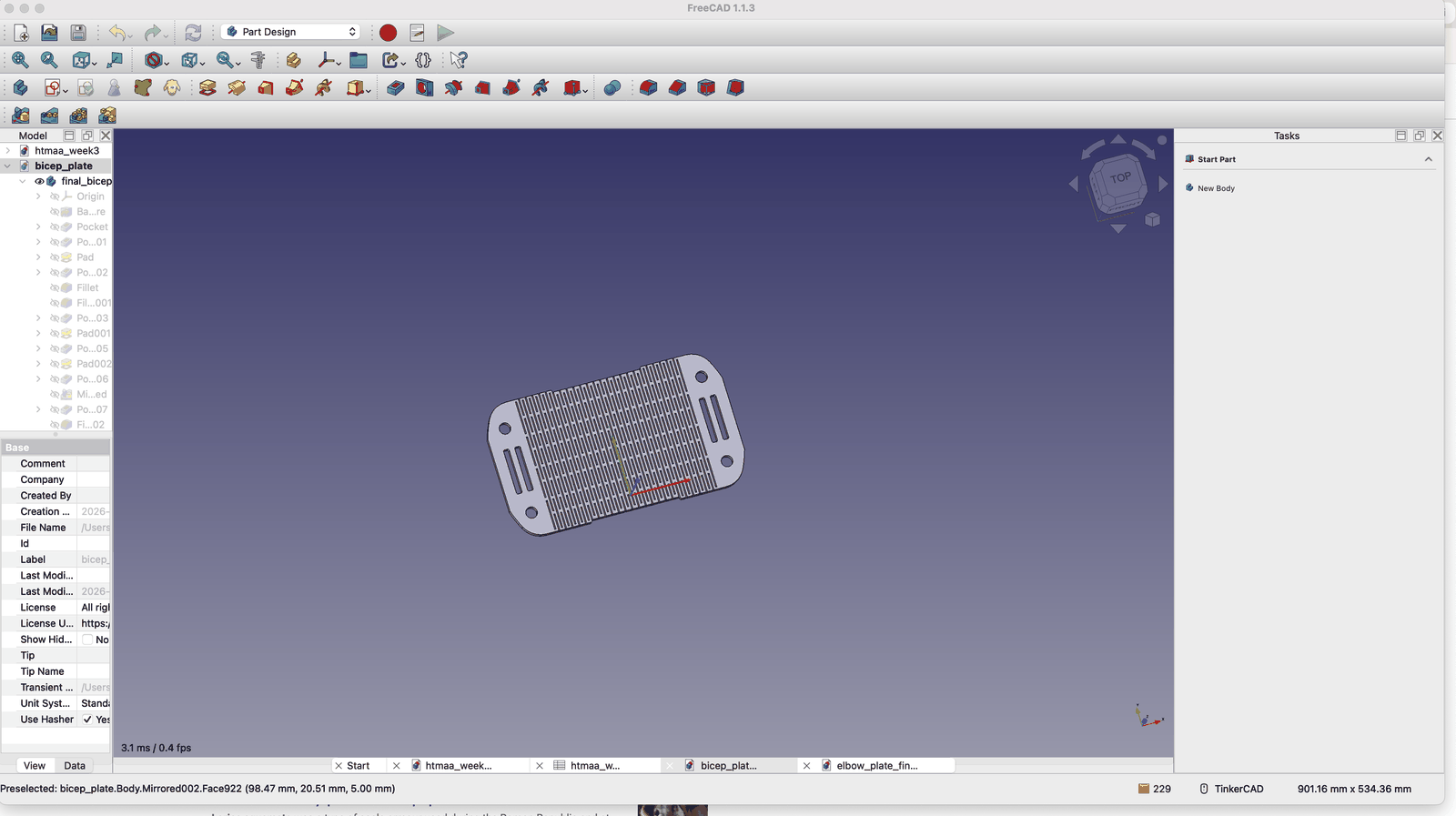
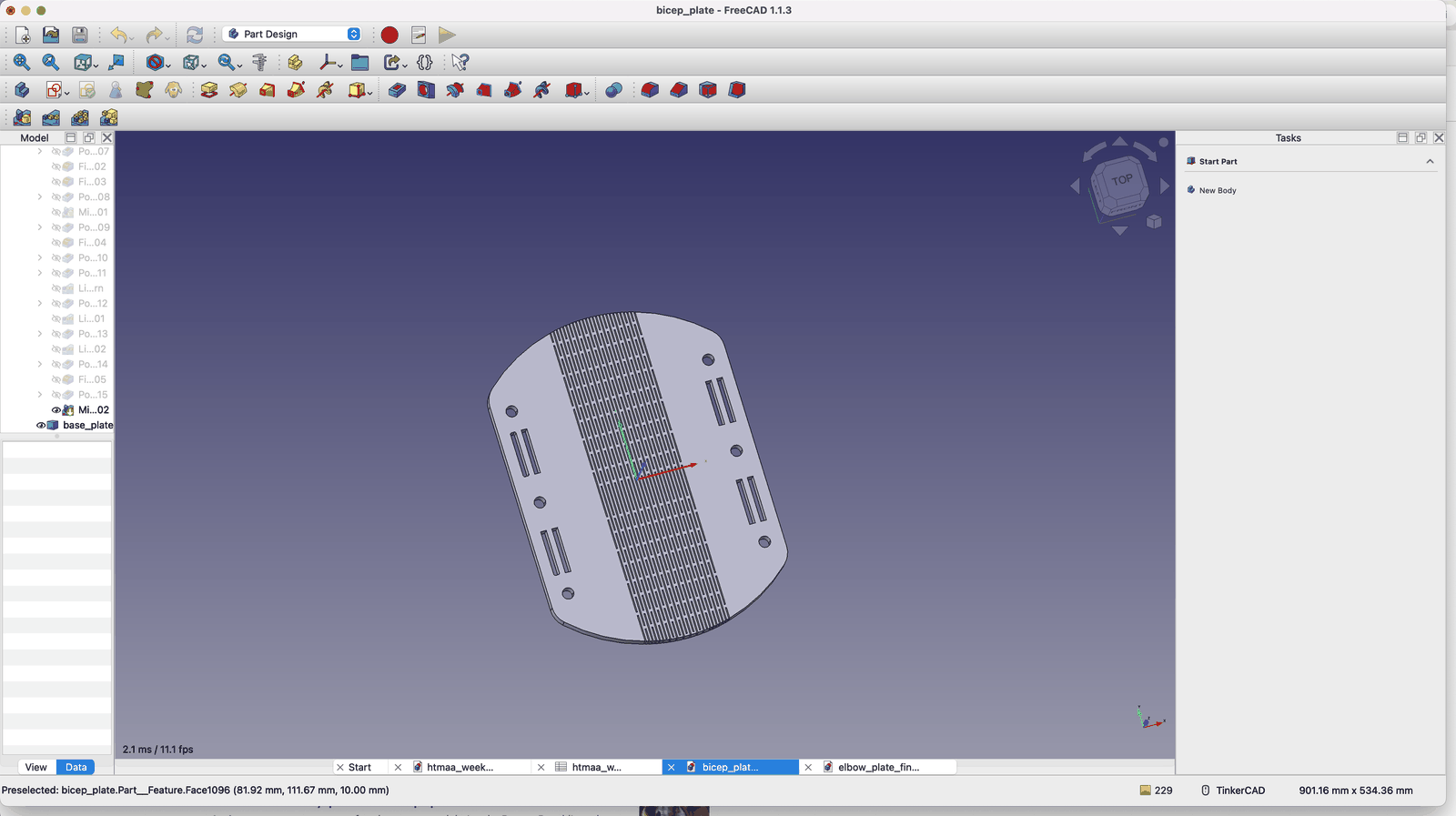
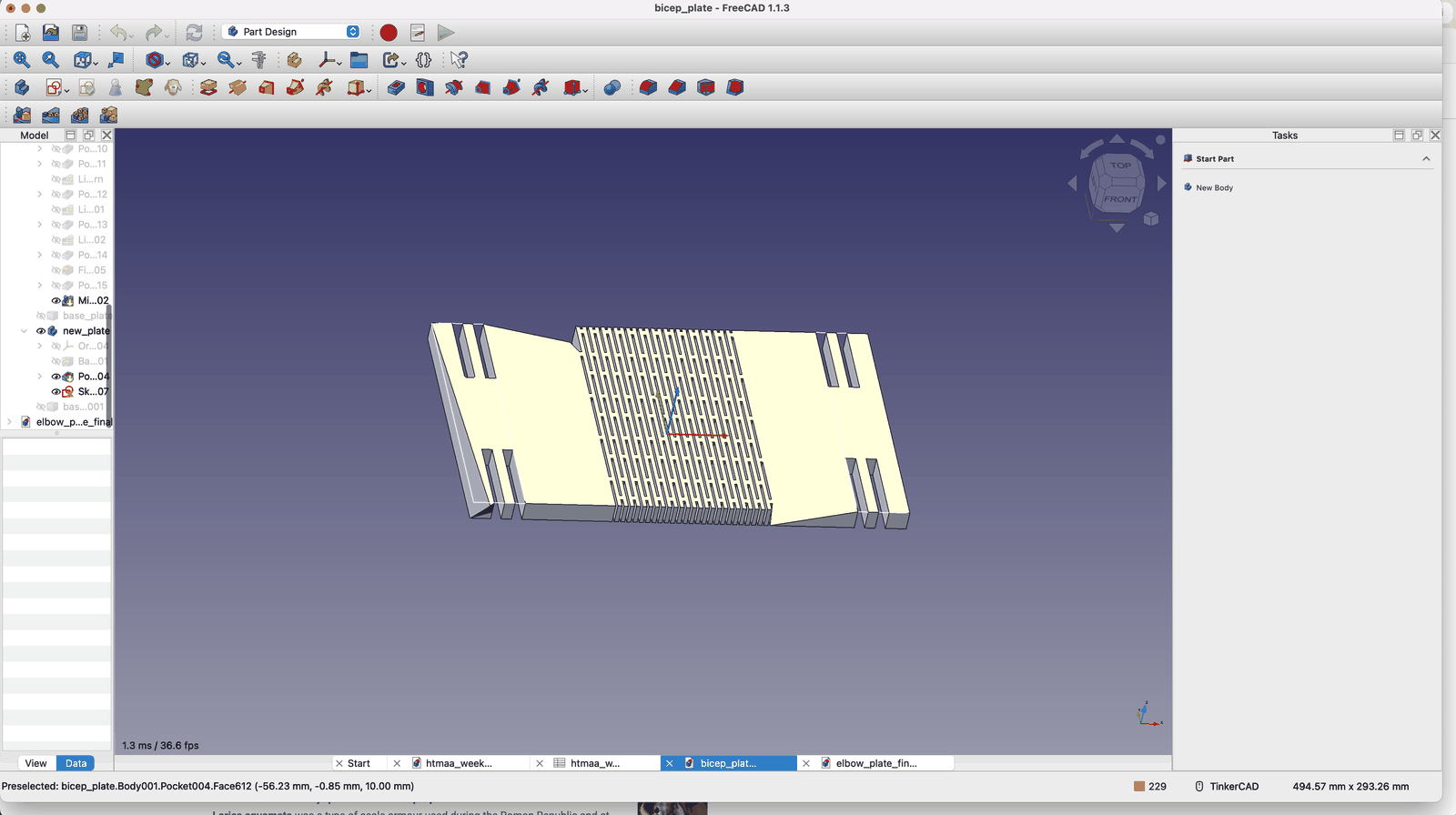
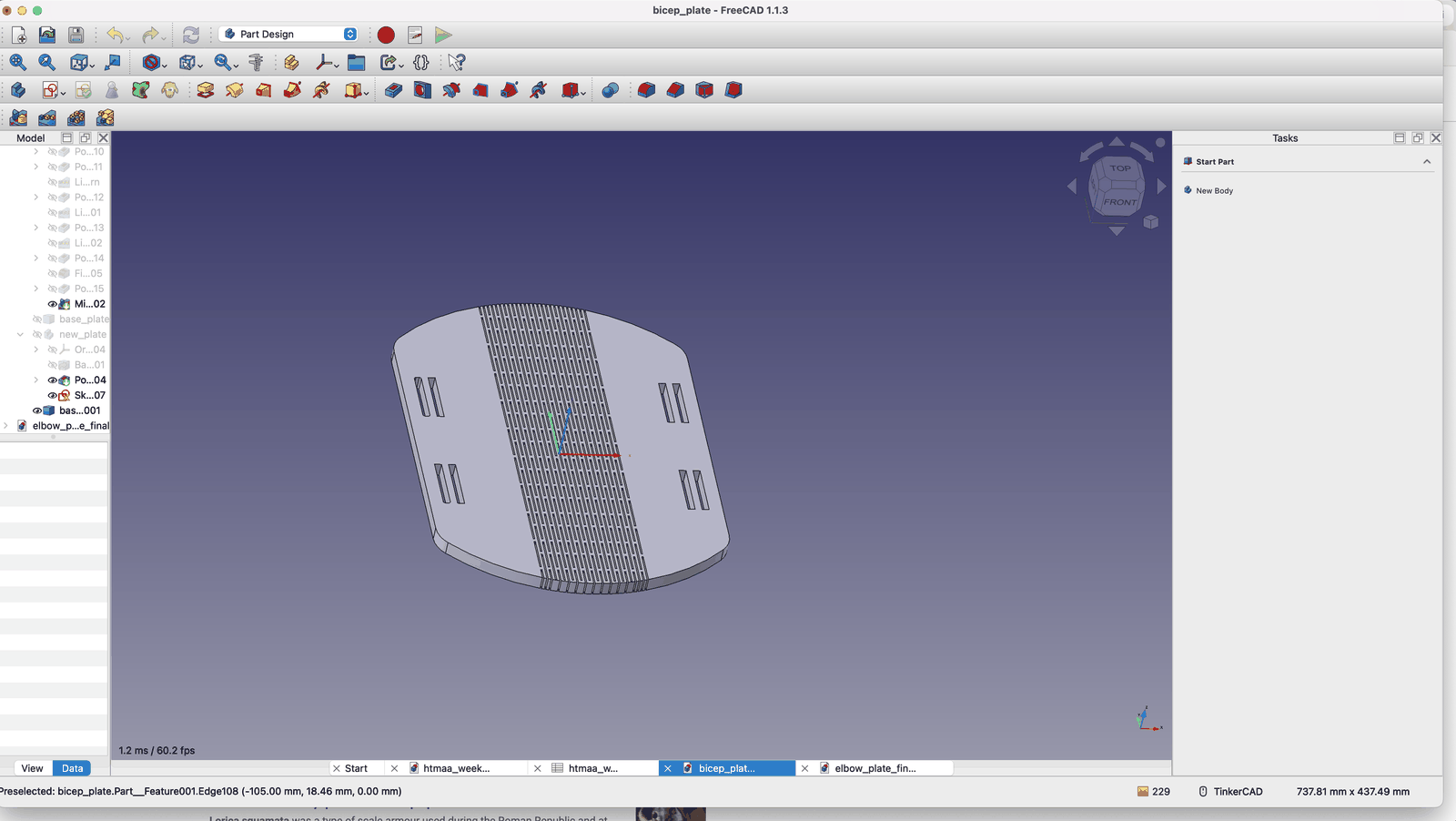
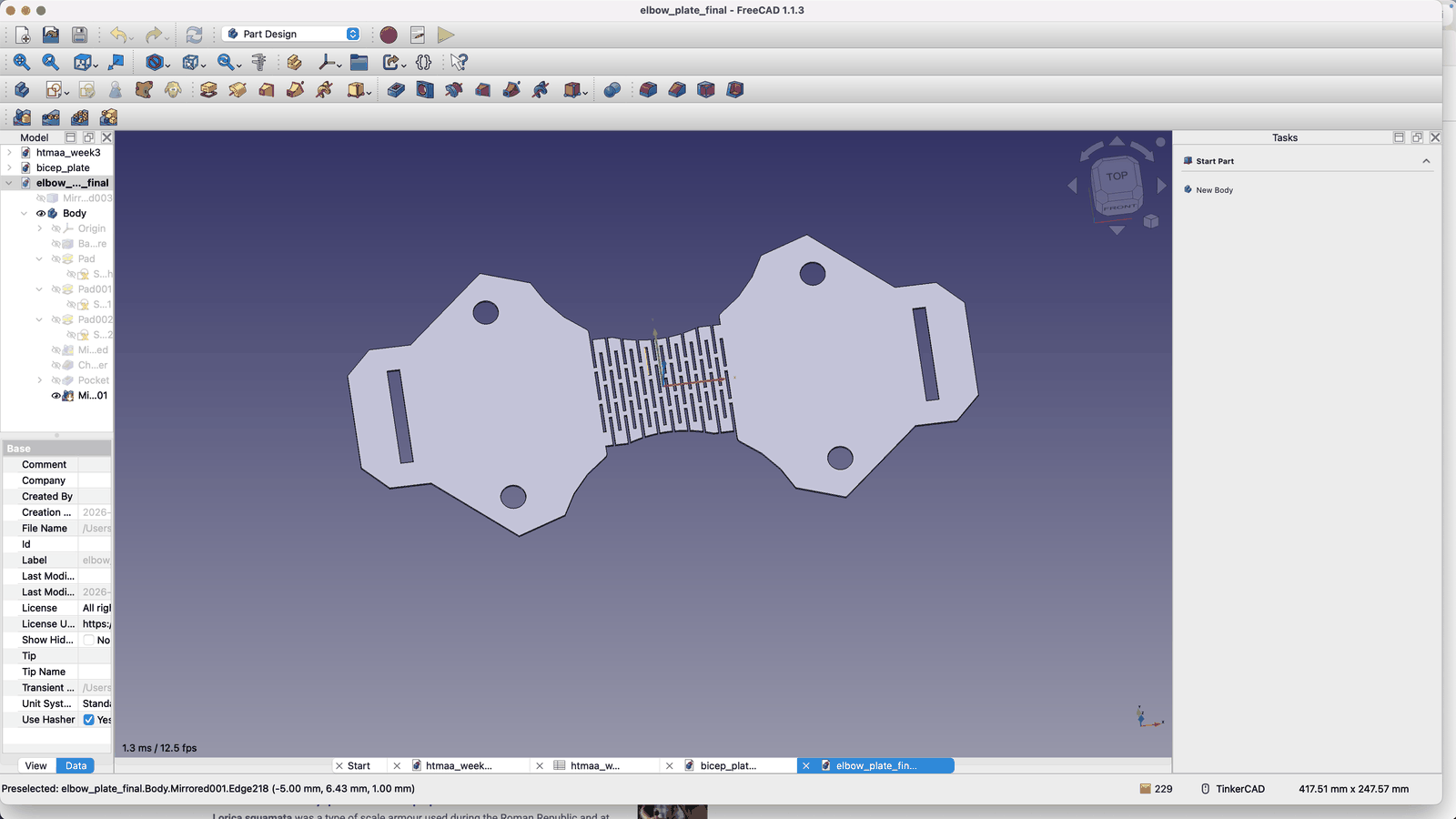
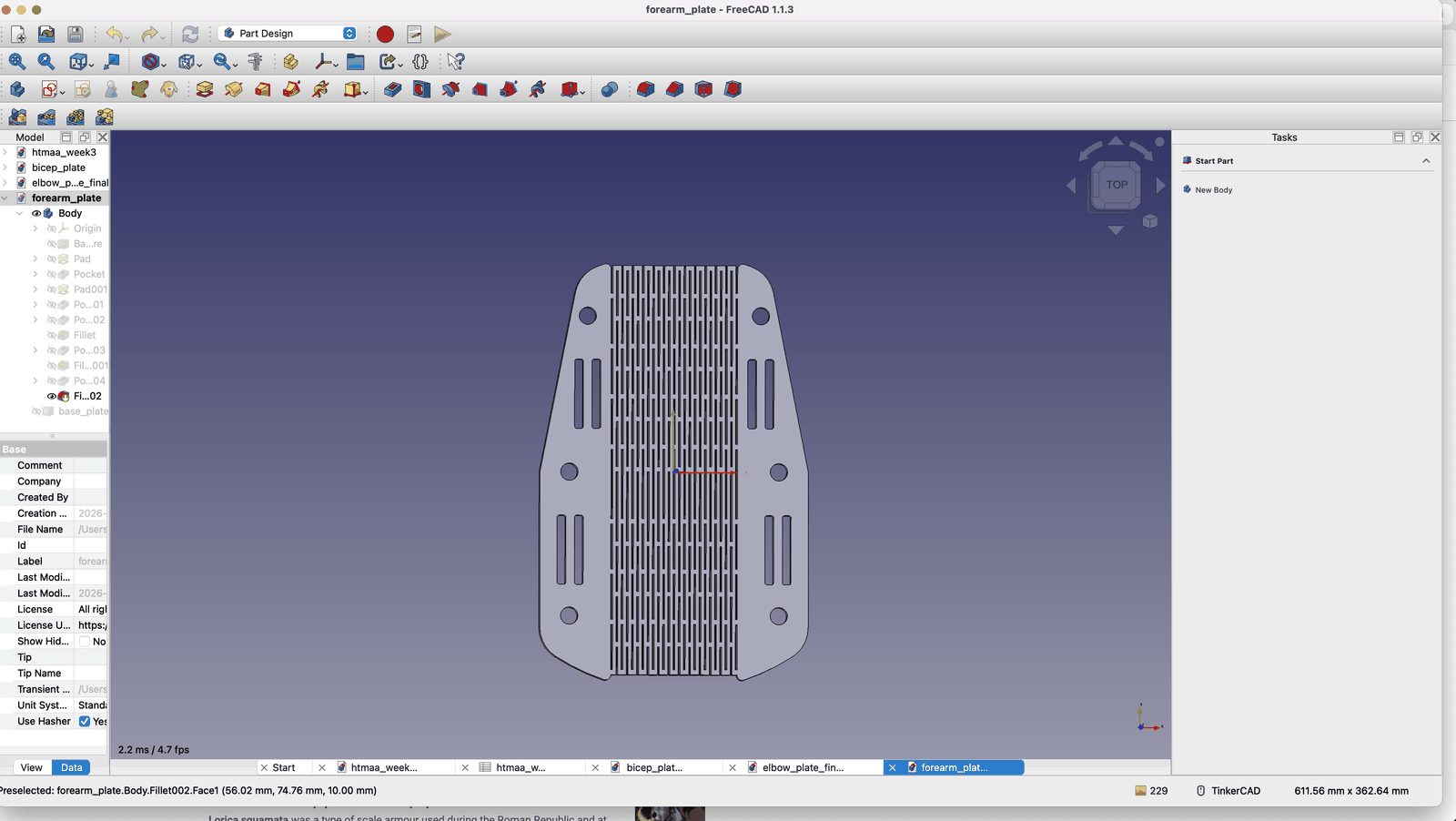
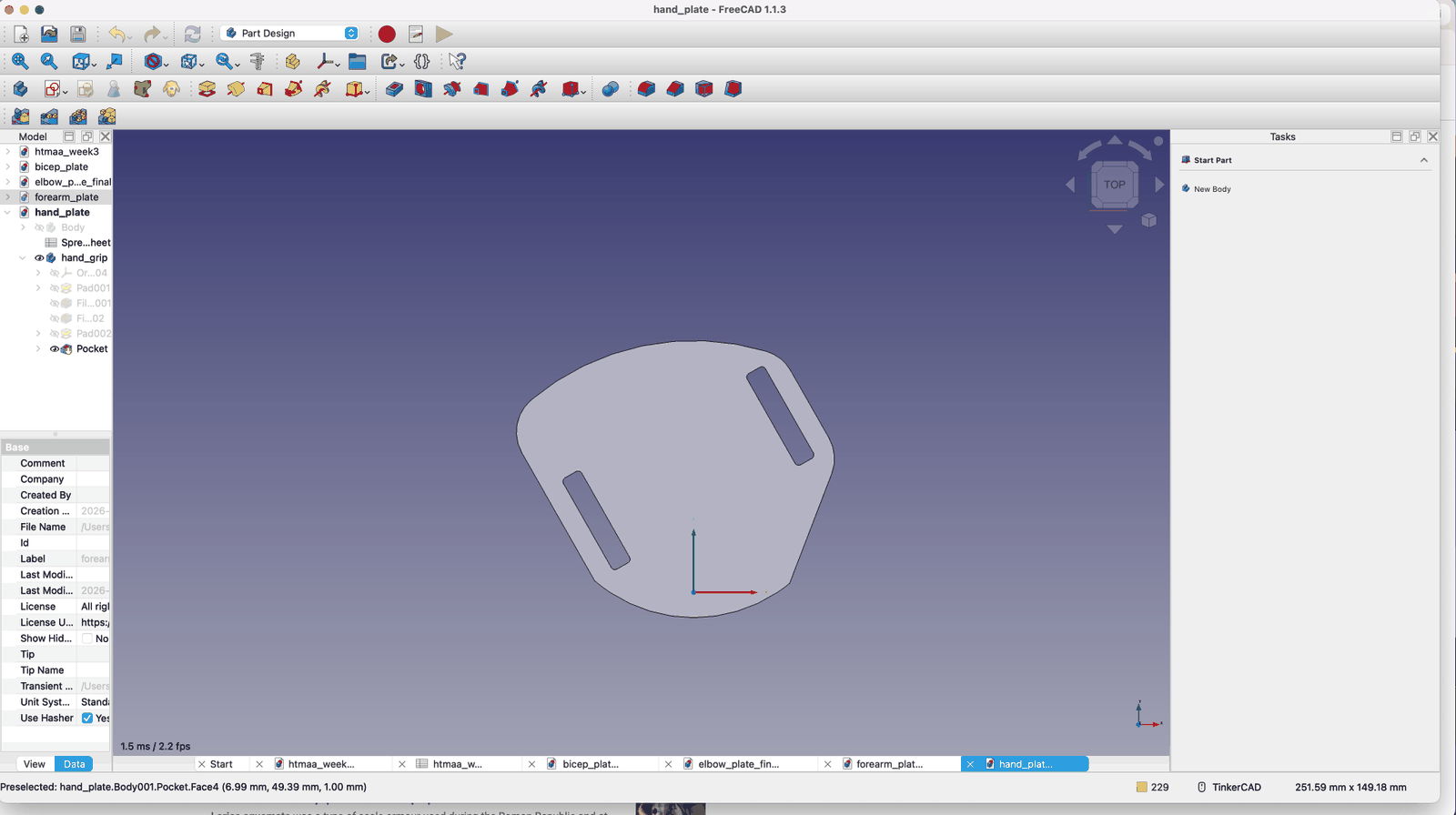
Anyways, time was running out and I still needed to cut everything. So I finished all of my pieces separately. Except I was still missing my pauldron/shoulder pieces. I decided to try something new.
AI Designed Part
I knew the dimensions I needed and the rough shape and size of my shoulder piece. Now I don’t know how good AI is at building 3D models, but this is fundamentally a 2D output. So I sent the AI the reference image and my dimensions and asked for some files in return. We did some back and forth, but I was able to get something good at the end of it. Here is my rough chat log and what I was able to get out of it.
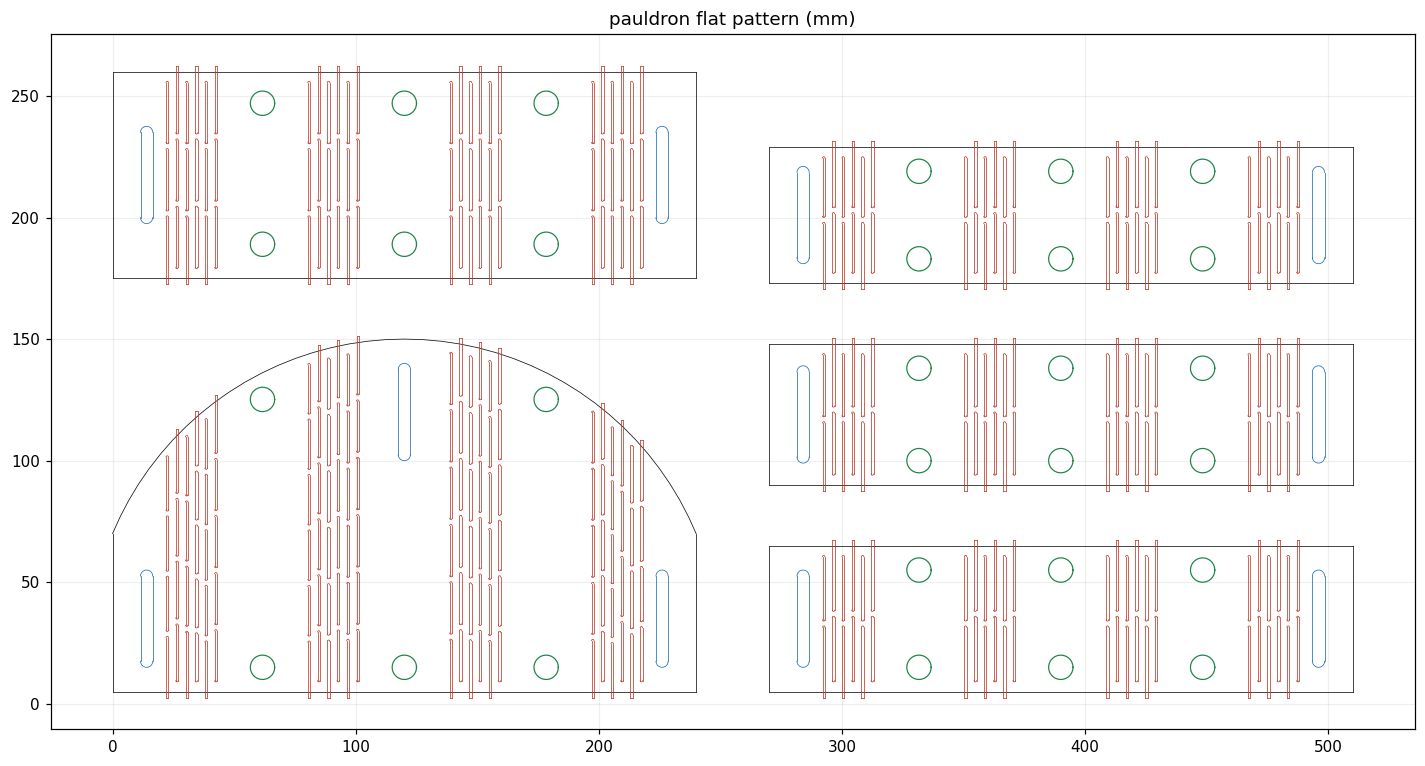
“Would it be possible for you to make a shoulder pauldron? It would need the correct living hinges, and have the correct dimensions. According to my arm, if these are to be seen as strips, they would need to be 240 mm long, width up to you. Also, there needs to be 40 x 5 mm slots for the straps. I need the main round part of the pauldron, as well as the auxiliary strips. The image attached is what I’m going for. I will need you to only give me the 2d final DXF drawing if you can manage it.”
“This is looking much better. Can you place some rivet holes that are 10 mm in diameter? Try to space them out close to the edges without interfering with any hinges or slots. This will be used to secure other materials over them.”
“You mind removing the scallops actually but making sure everything else stays constrained as mentioned?”
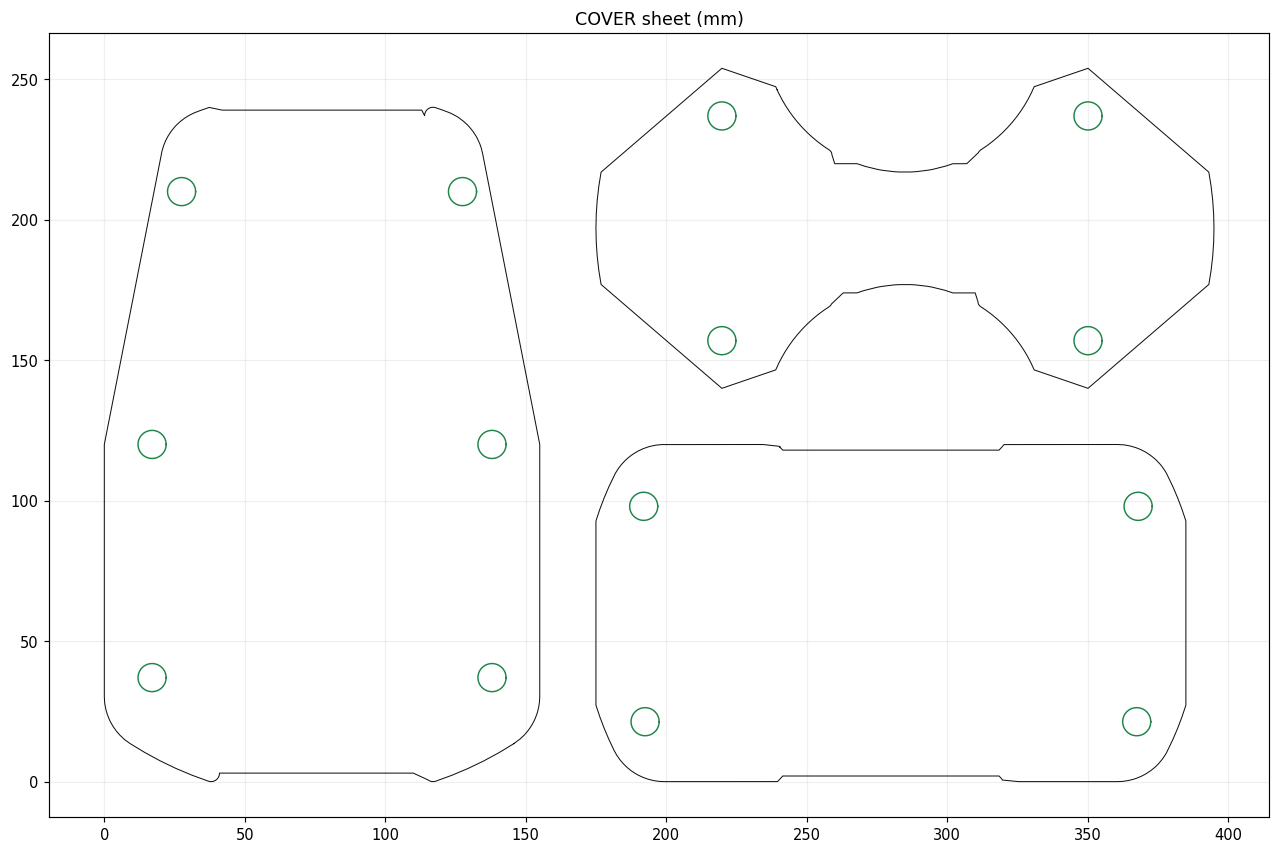
“Can you actually just get me a DXF with the exterior outline of each piece? I want to try using vinyl wrapped over the plywood. Please aggregate these so they’re easy to cut in one file.”
At the end, I also realized it would be nice to have a flexible covering over each of the pieces, so that the hinges didn’t show. Since I already had rivet holes, I used AI to produce extra DXFs that only had rivet holes and the shape of each piece without any of the hinges (just the outline of each shape).
Final Production
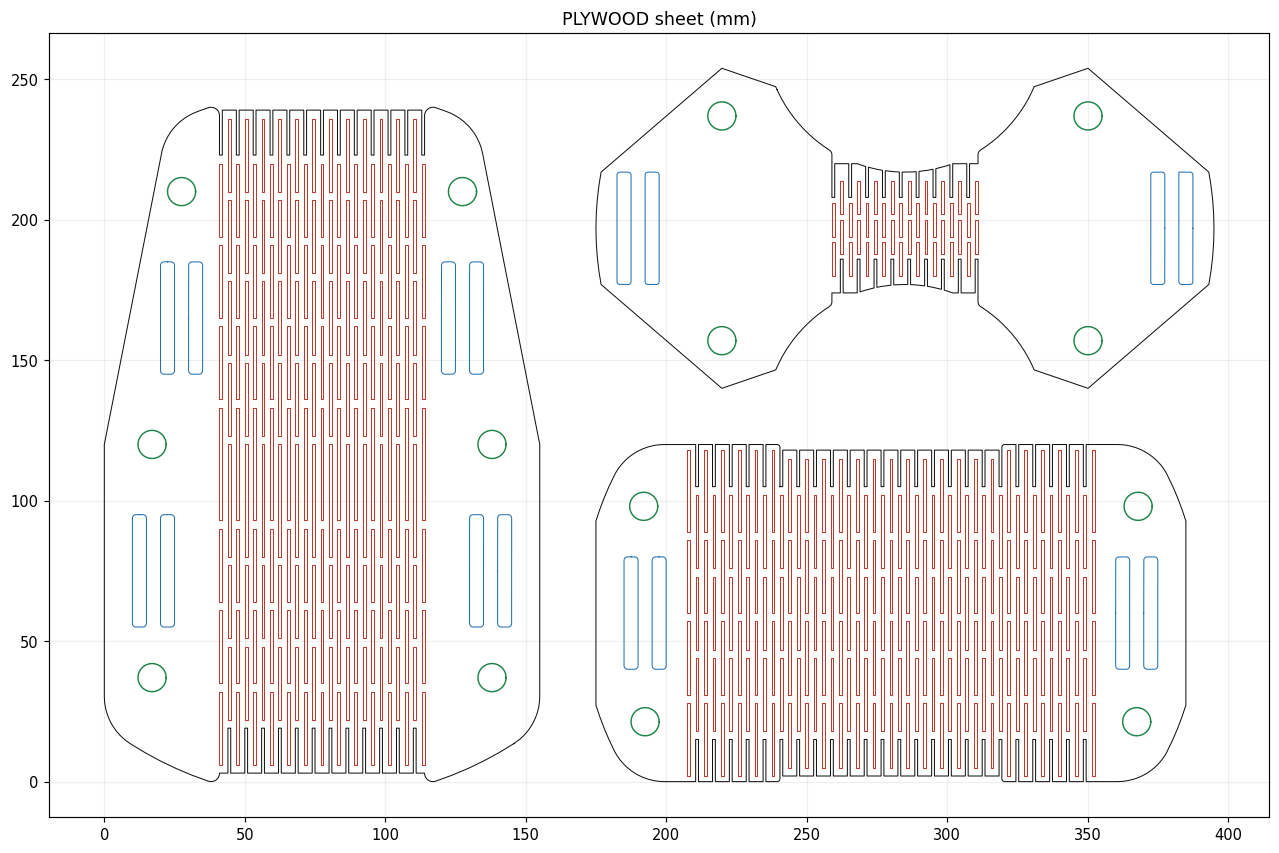
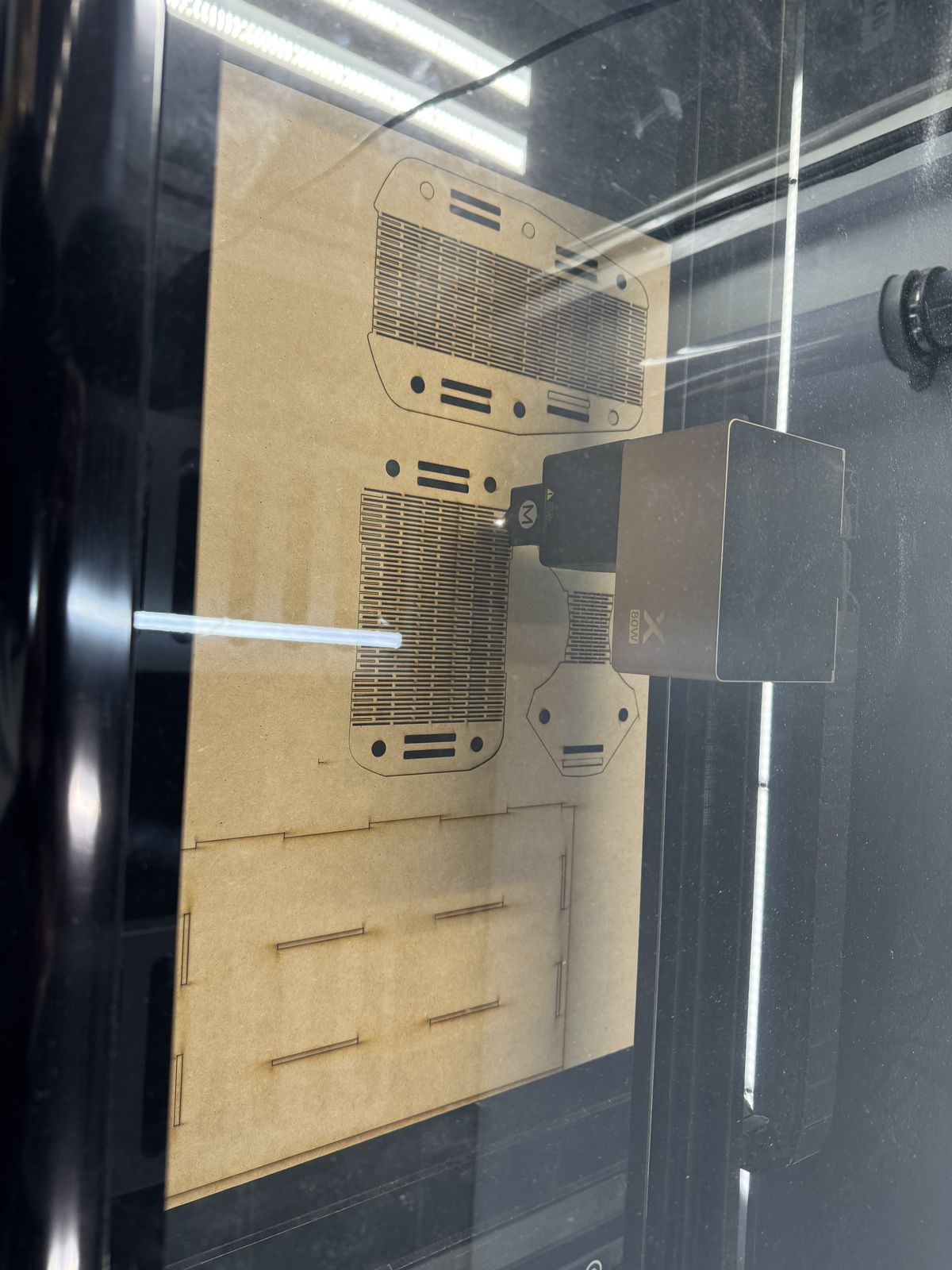
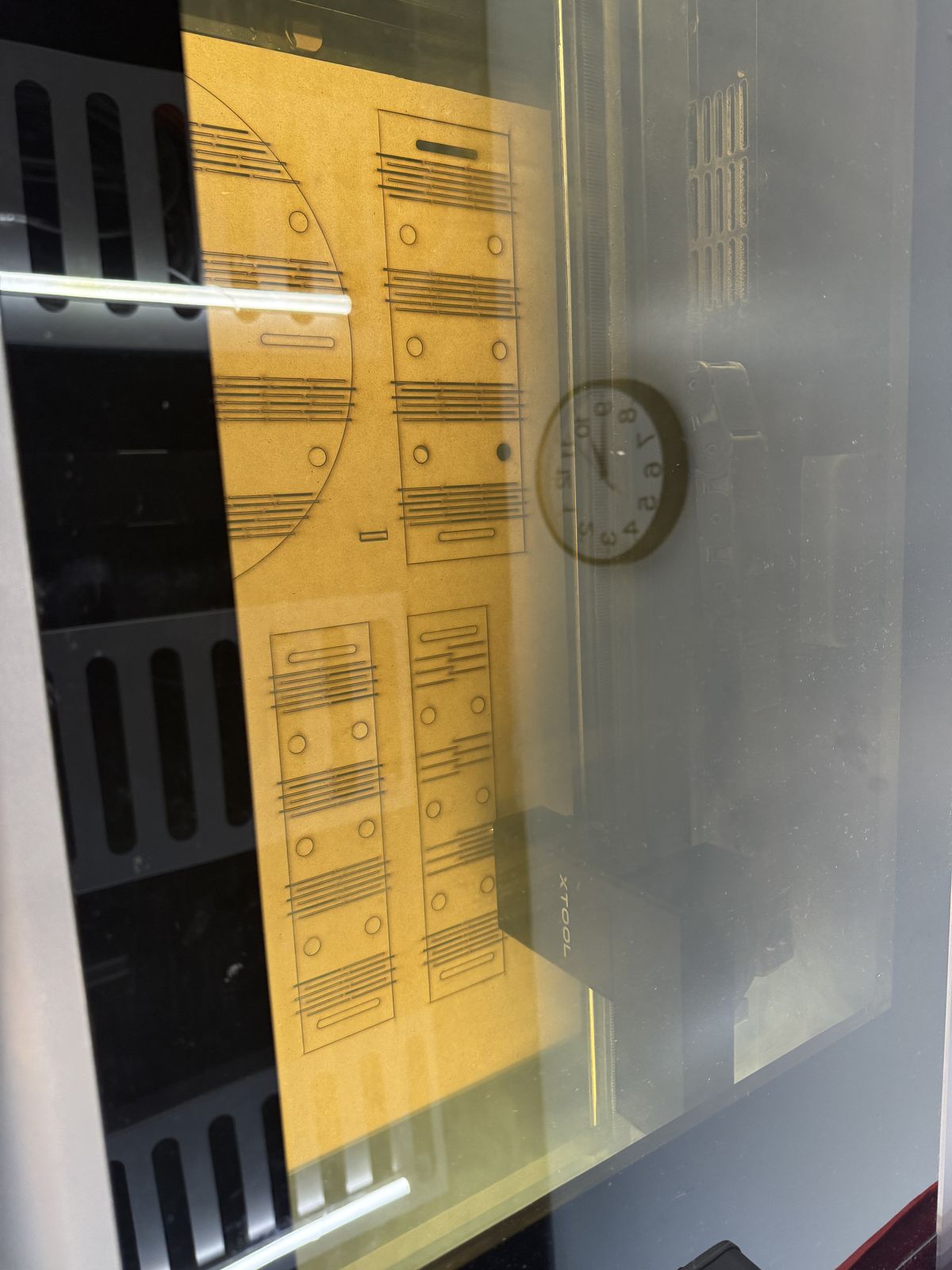
Well again because I was a little dumb, I needed to turn my 3D objects into 2D files that a laser cutter could use, and also orient everything so that I could cut everything in 2 or 3 large passes. You can actually export surfaces and faces of the 3D model as DXF, but I was a little lazy so I had Claude extract the faces from each of my STL files, and then combine them with the generated pauldron. Once I checked everything over, I went over to the laser cutter platform and began looking for materials.
- Plates: I knew I needed something sturdy for the plates, so I used thin plywood (I believe 1/8 inch?).
- Straps: For the straps, I knew the dimensions, just not the length of each strip. So I used the rectangle tool to just cut long strips that I could manually cut later.
- Coverings: And lastly, for the coverings, I found some nice tan cardboard and used that.
Assembly
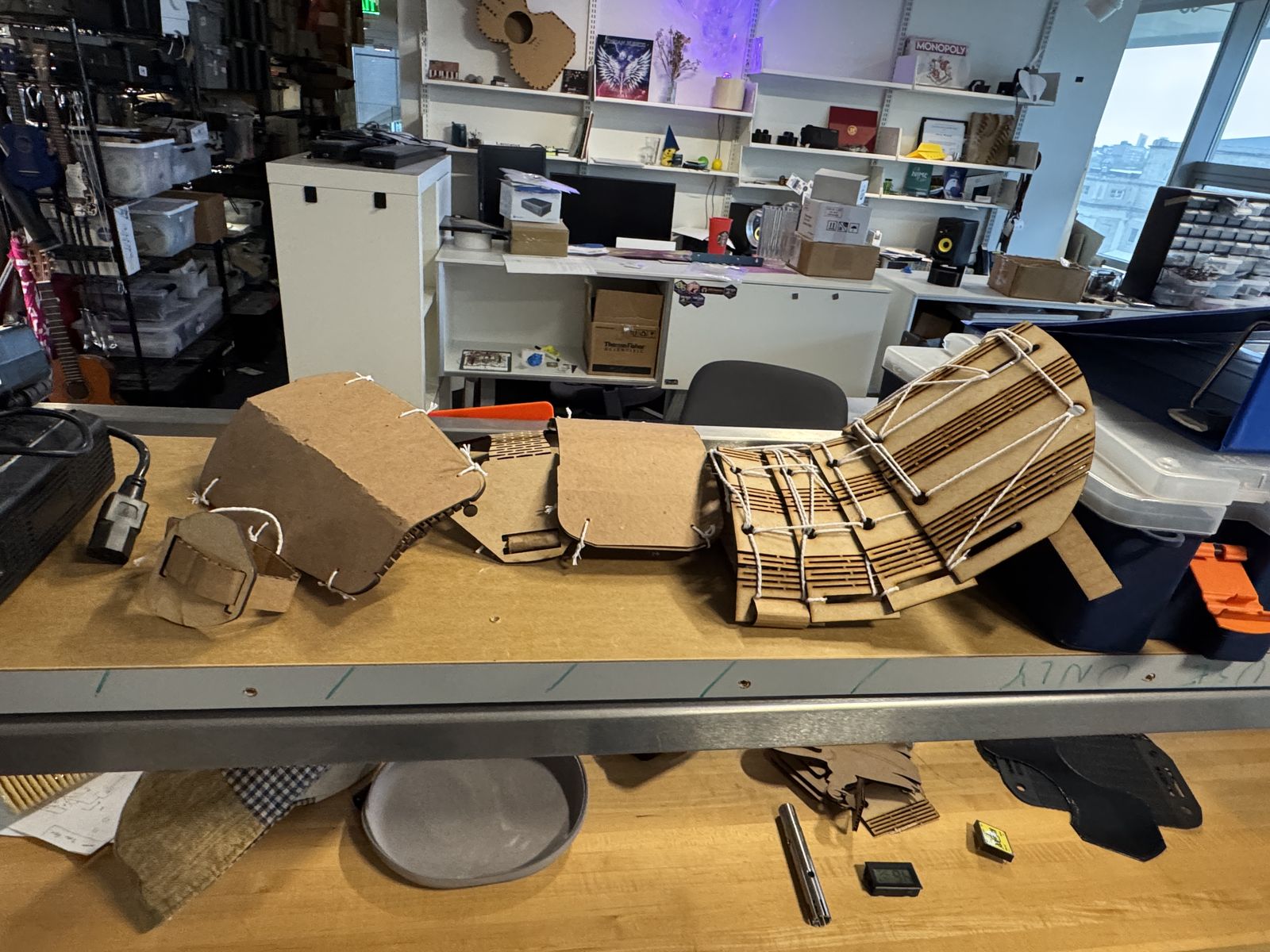
Now the assembly was insane. Problem is, AI did not make the hinges flexible enough while mine were luckily OK (I overbuilt them in terms of flexibility and spacing just in case). So my shoulder pieces began snapping. I knew we couldn’t use glue, so I used a bunch of string and the rivet holes to hold everything together. This worked really well! I couldn’t recut because I didn’t have big sheets like that anymore.
Next, I began making the straps, which was just cardboard straps with a hole punch, and then a piece of string to close the loop. I measured and did each one, and it looked alright by the end of it. Problem is, the straps and string isn’t enough to really bend each piece, so it doesn’t look as good as I expected. But not bad for a day’s work.
Thoughts
I’m actually happy that I was able to try a newish tool, instead of defaulting to something I would usually use like Fusion. I learned a lot, and I’ve always wanted to start moving towards all Open Source software, which is one of my goals this semester that I achieved this week.
- I was happy to see that AI could roughly draft things up, though it did take about 5 minutes per larger design request.
- I like the look of my final pieces, especially since I feel like actual armor might’ve been built similarly (some kind of leather covering the plates, using string and straps).
- The coverings make me very happy, since it hides the hinges very well and almost gives it a leather like look.
- The fact that I didn’t have to use any glue and only string was a very happy coincidence, since I had no time to make the rivets, so I tried string in desperation.
- I definitely made a mistake with my selection of tool this week, and I should have been smarter and used the Sketcher or Draft workbench.
- The time constraints meant I couldn’t test different hinge configs, so my final hinge was just not that great on the shoulder.
Sources
- FreeCAD beginner tutorial (basic constraints and modeling), YouTube
- A FreeCAD Manual, FreeCAD
- Armour of Gustav I (Gustav Vasa), c. 1540, Livrustkammaren (The Royal Armoury), Stockholm. Photo: Livrustkammaren, via Wikimedia Commons, CC0.