Week 4: A peltier holding system
Goal: Design and 3D print an adjustable holder for peltier devices, plus an antenna holder
Tools: CAD, Claude, Prusa and Bambu printers, PETG
Ideation
Peltier holder
While thinking about different ways to mount the TEC modules to the grow chamber, I realized that I wouldn’t want there to only be a predefined shape or size of enclosure. Honestly, to transmit heat better, a thin film like a heavy-duty bag might be the best. If so, there needs to be a way to position and hold the peltier devices in place.
I landed on a swiveling arm idea, with the peltier at the very end, attached to the bag by a magnetic clip (sealed magnets). This way, we can position the heating elements in different orientations for various shapes of interior container.
Antenna holder
Secondarily, I became a little more curious about my previous week’s project. I wanted to make the system more 3D, so I thought about adding a fourth antenna pointing down. There’s still a lot of details to iron out, but I gave AI a chance here and after explaining my original idea, I prompted it to create a holder for the 4 antennas and the PCB.
Initial Plan
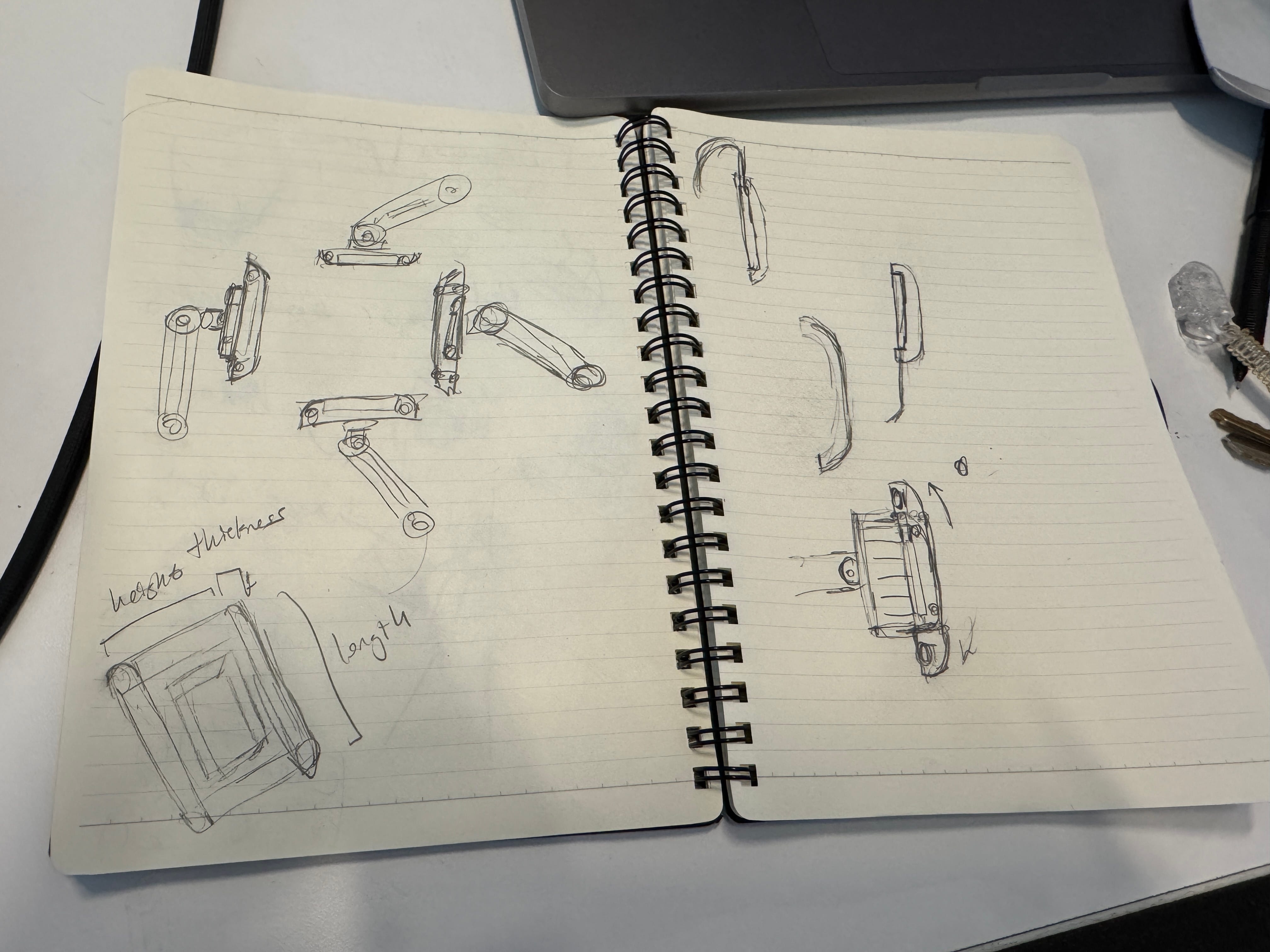
I first began with a rough sketch. I wanted to make sure that I at least captured the correct overall configuration here.
- Swiveling arm: There needs to be a swiveling arm, but also some way for the arm to then lock in with the peltier device.
- Peltier device: The peltier device is modeled as a heatsink and a plate; this will most likely need to be machined out of metal, and then thermal taped to the peltier device.
- Magnetic clip: I also included a little magnetic clip that secures the arm and peltier to whatever surface it’s mounted to.
- Parameters: I also took note of the dimensions that might need to be parametric, namely the height, width and length of the arm pieces.
3D Design Process
Peltier holder
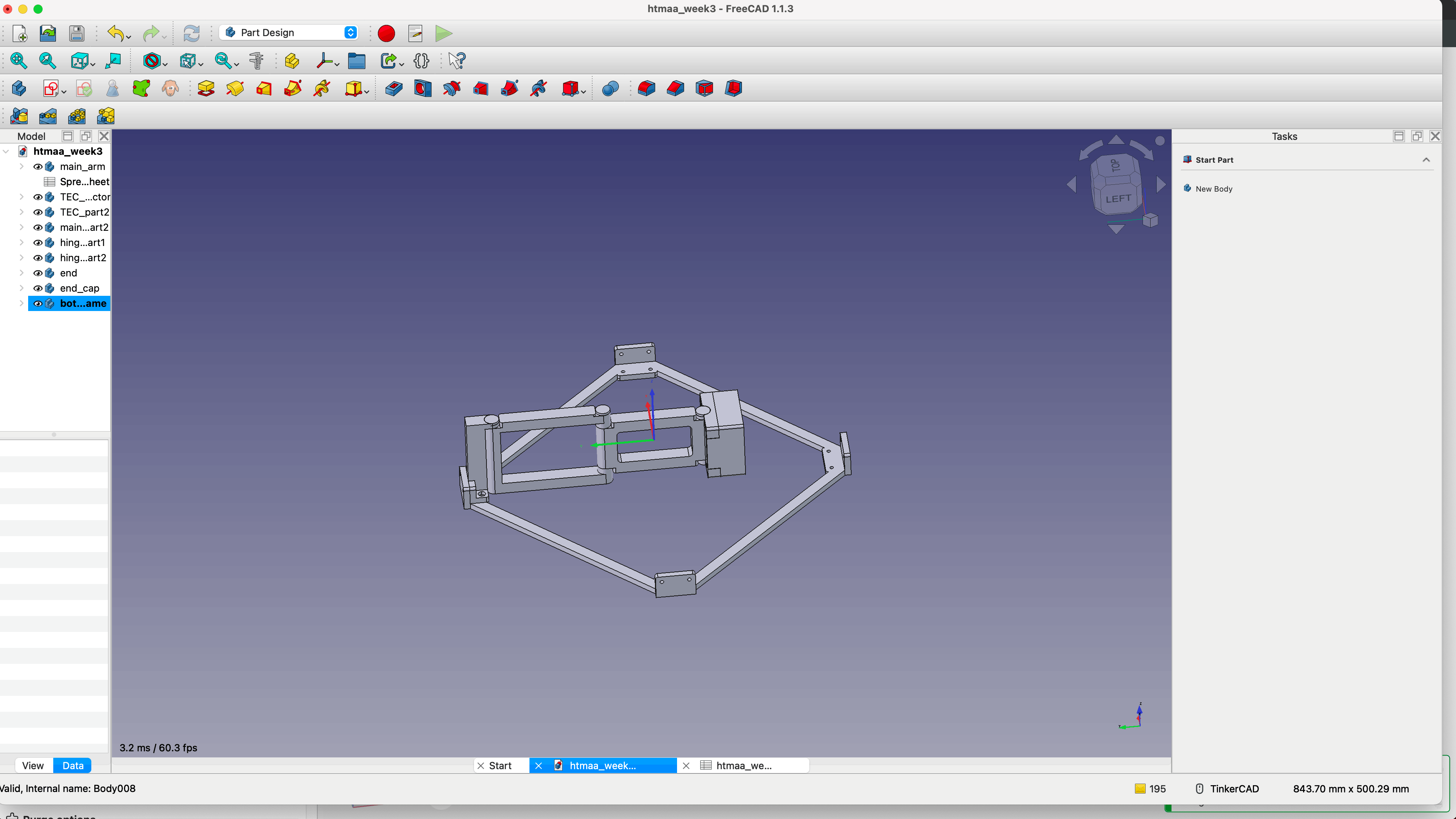
I worked on expanding upon my sketch.
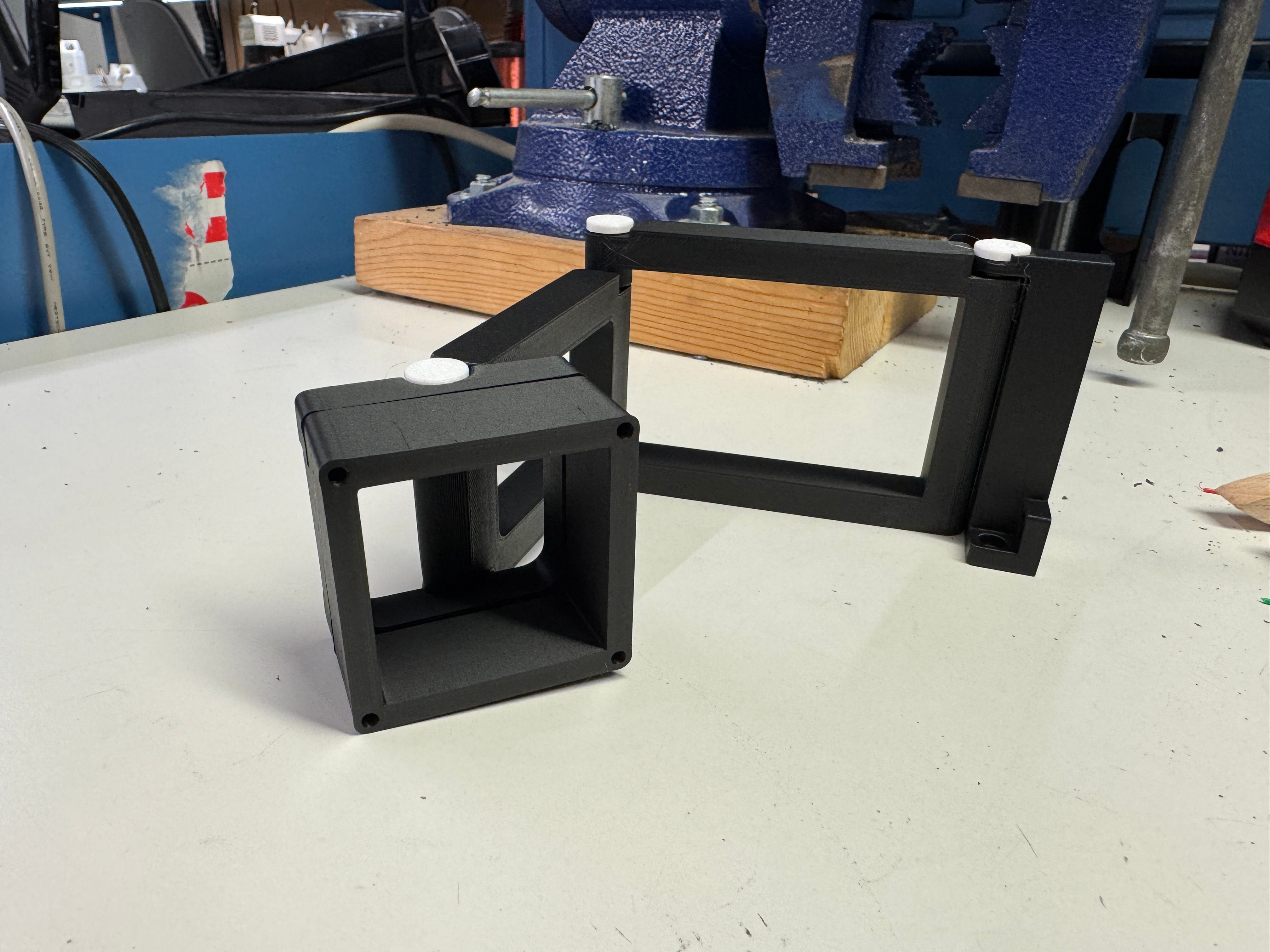
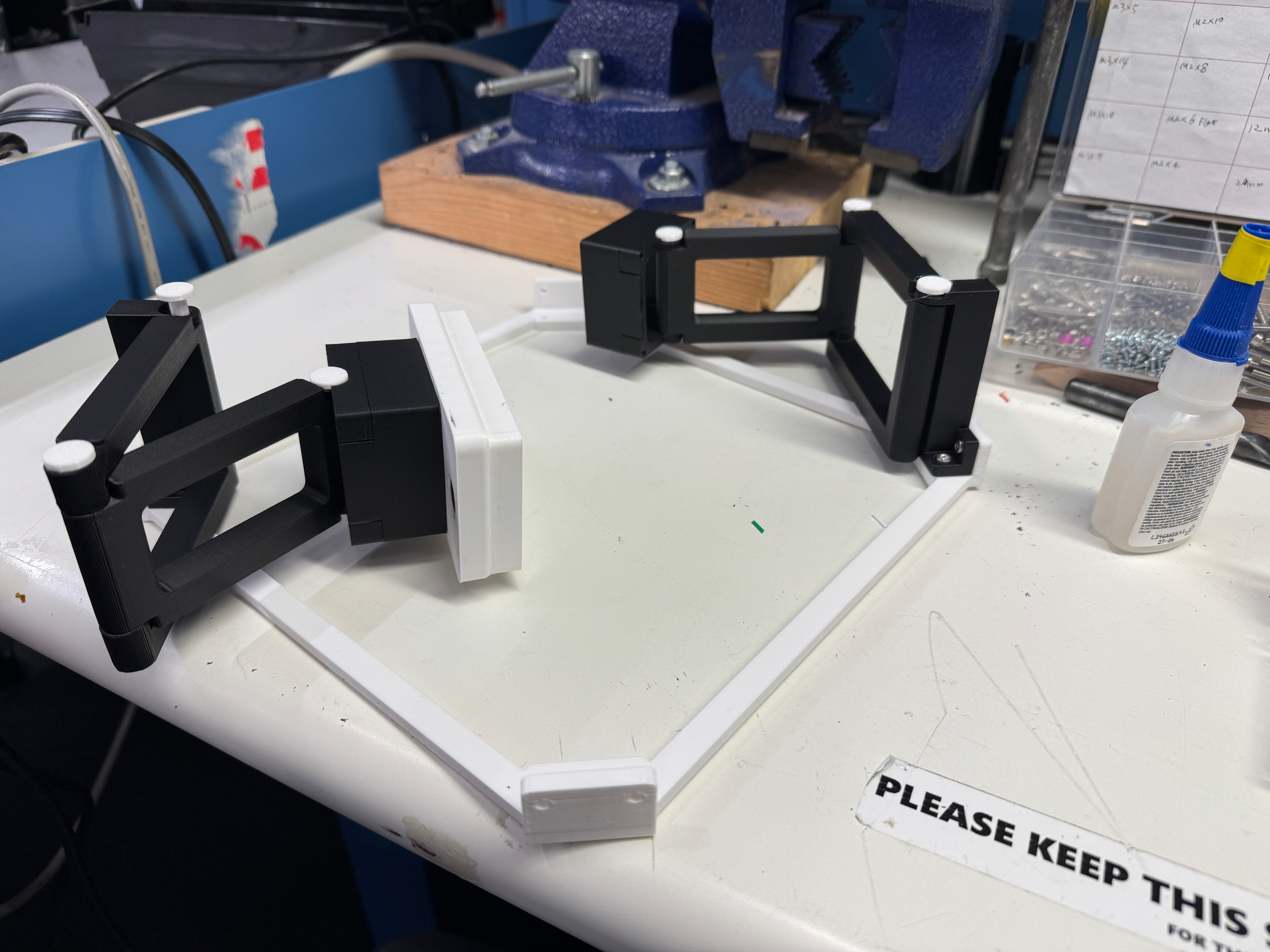
- Swivel: The swivel mechanism was just a rod and some holes, but with enough tolerance that the pieces would mostly stay put while still being mobile.
- Segments: I decided on 3 different segments, with one of the segments able to collapse into the other segment, to provide enough space in case the enclosure was large.
- Parametric design: At first, the design was parametric, which was cool. But once time got tight, I gave up and began designing a little looser. The parametric part worked well enough that I was able to adjust my initial segment dimensions, but then once I locked those in, I just began adding edits to the base segments I had constructed.
- Hollow parts: Each of the segments are mostly hollow to save material and time when printing, and also because none of these parts are especially structural, so high strength is not a requirement.
- Base plate: I planned on mounting 4 different TECs, so I also made a base plate and mounting parts to secure the arms to the base plate.
- No supports: Due to my dislike of supports, I designed the parts here to require no supports, but I realized that this meant some of the circular holes were going to be a little warped. I adjusted my tolerances just in case here.
- Tolerances: In general, for parts that would be contacting each other, I added a 0.4 mm tolerance, which usually is good enough that the prints work right off the build plate.
The rest of the design process was just searching up common TEC and heatsink sizes and then imagining what sort of shape the peltier component and heat exchanger would have, so I could roughly model it.
| Part | Size |
|---|---|
| TEC | 40 mm x 40 mm x 4 mm |
| Heatsink | 40 mm x 40 mm x 20 mm |
I also spent some time working on how the peltier and the arm would interface; I decided on M3 screws. And then lastly, a simple clip with some magnets, to secure the arm to the enclosure. Sealed magnets here are a must if you’re working with saltwater, since metals leaching into the water is a major reason for tank crashes.
Antenna holder
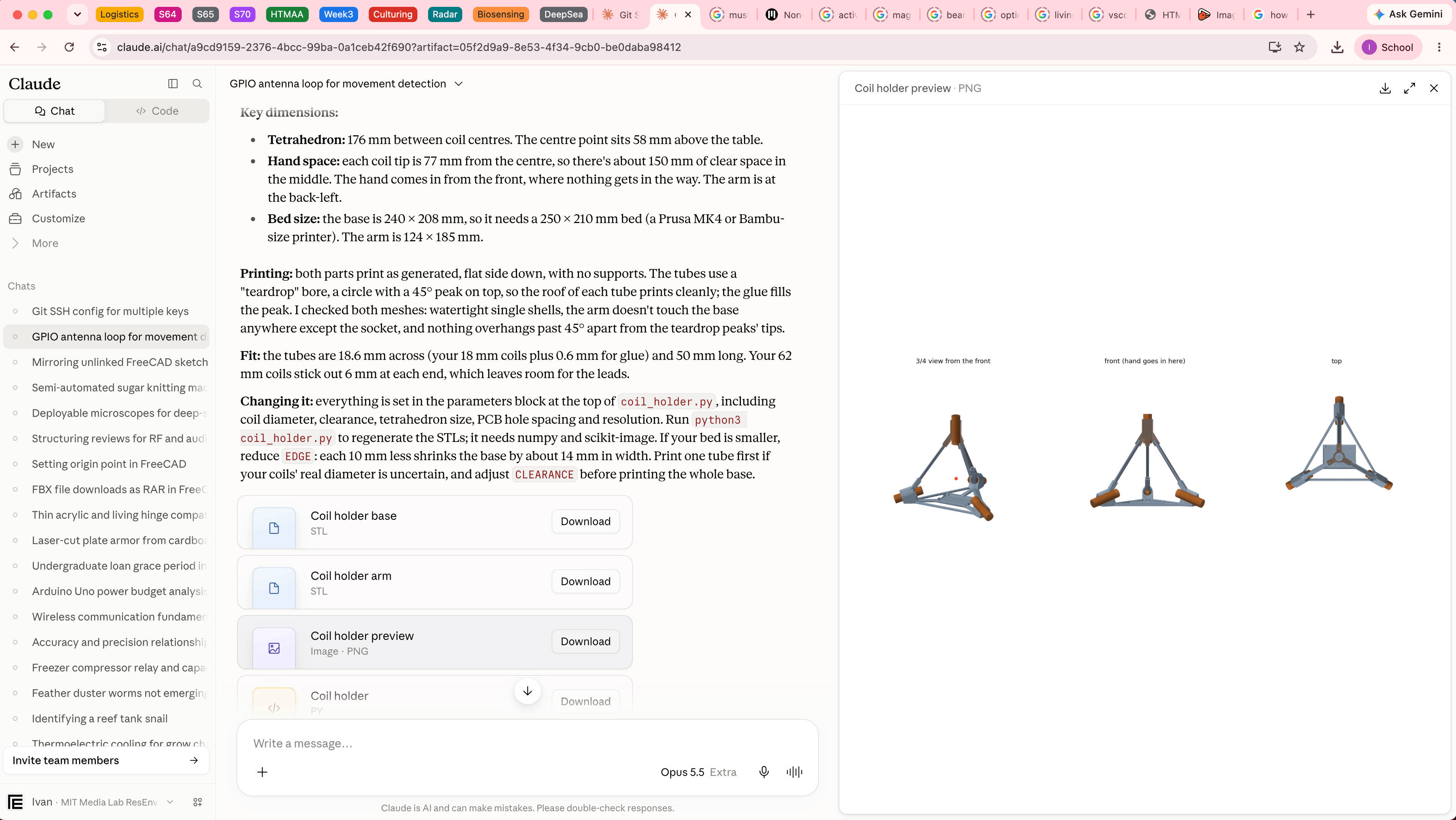
The design process for the antenna holder was more straightforward. Using a previous chat where I was bouncing ideas off of Claude, I went and asked the following prompts. And that was basically it, I adjusted every time it responded, either due to me forgetting something, measuring something, or just reviewing the design:
“You still remember my antenna idea? I want to expand on it. I have 4 coils, roughly 18 mm in diameter and 62 mm in length. I would like you to generate a 3D stl file that places them in such a way that they all point towards the center, a holder of sorts that also has a base and is 3D printable with no supports. Basically circular tubes to hold each of them in place (I can always use some super glue) and at the vertices of a pyramid, but pointing inwards. Make it large enough that a person can place their hand inside, and make a base where a small PCB could go.”
“I really like this. Do you think you could add some beams to it so that it looks more like a pyramid? Like I want the edges of the pyramid to show, but thin while also being printable. This way the hand is somewhat caged in the middle of the contraption and can’t go out of reach”
“Beautiful! But I don’t see a space for a pcb? Just screw mounts? I want a little carved out area to put it, no screw holes, the position is fine though! You can even maybe extrude the bottom a little more”
“Time is of the essence. I don’t need walls that thick, this needs to print within 2 and half hours. Help me here. The rest of the design is perfectly fine, just please help make this a lot less dense”
“Ah wait, the antennas are actually around 19 mm in diameter, please adjust! everything else is good!”
3D Printing Process
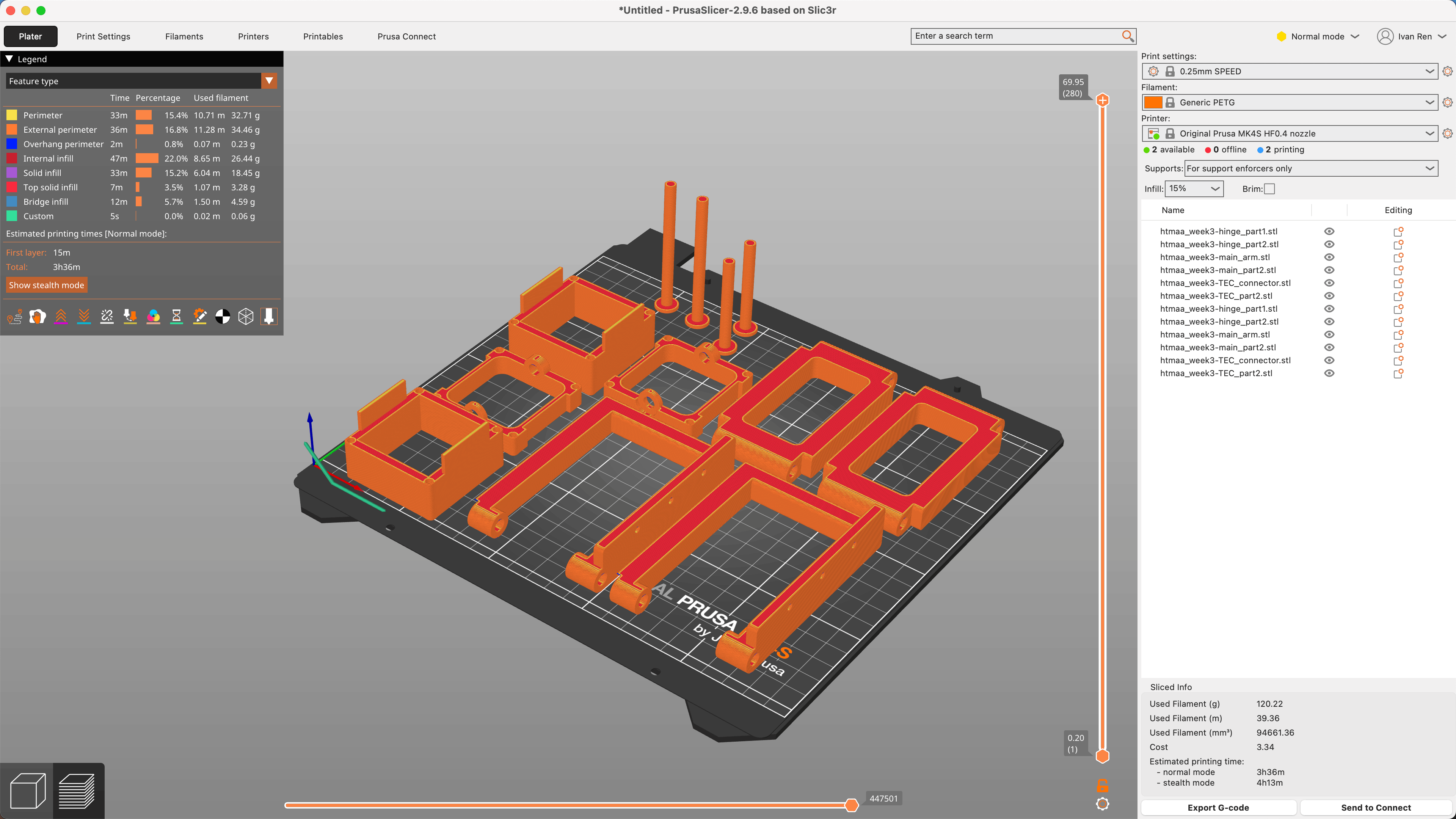
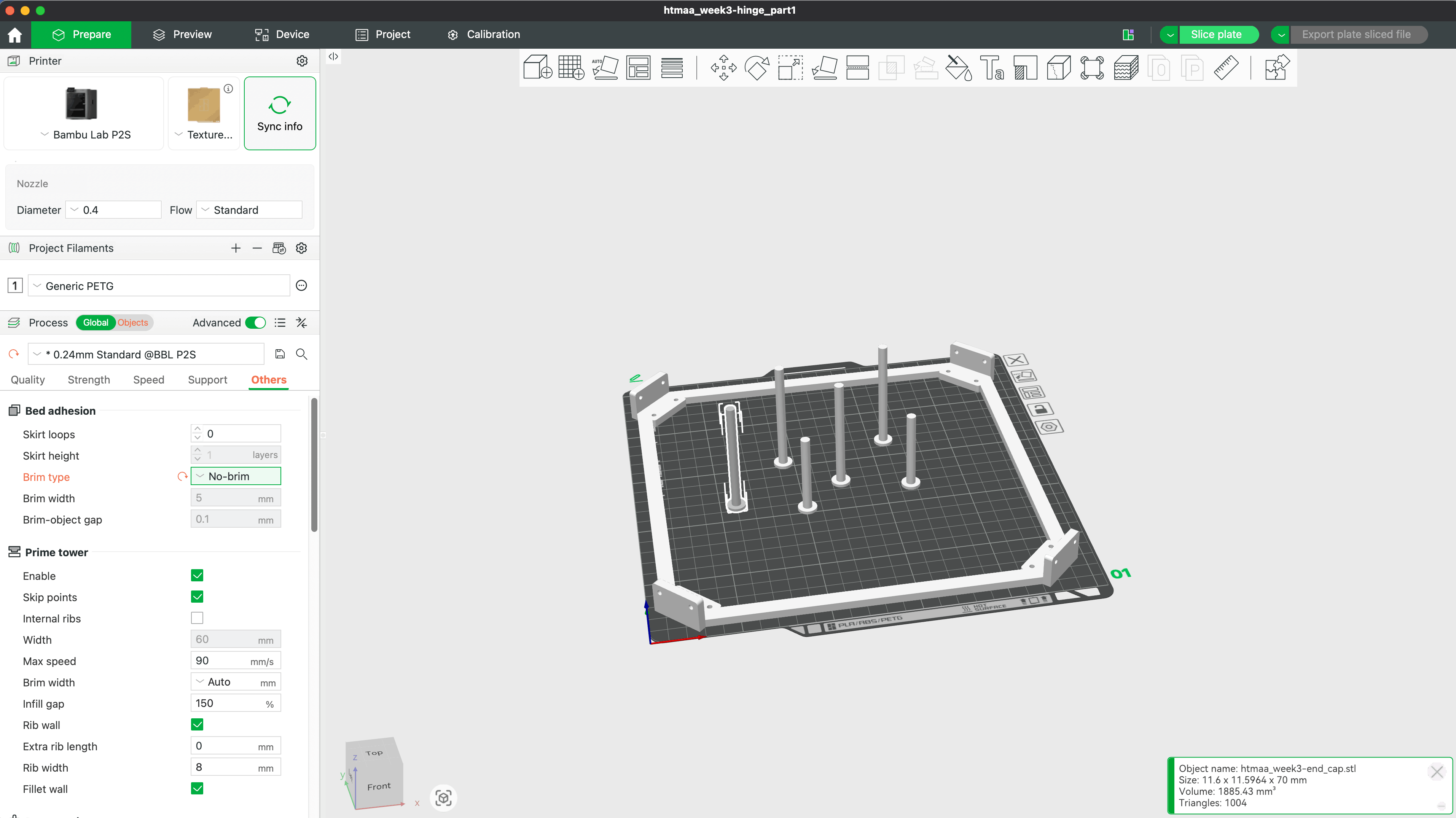
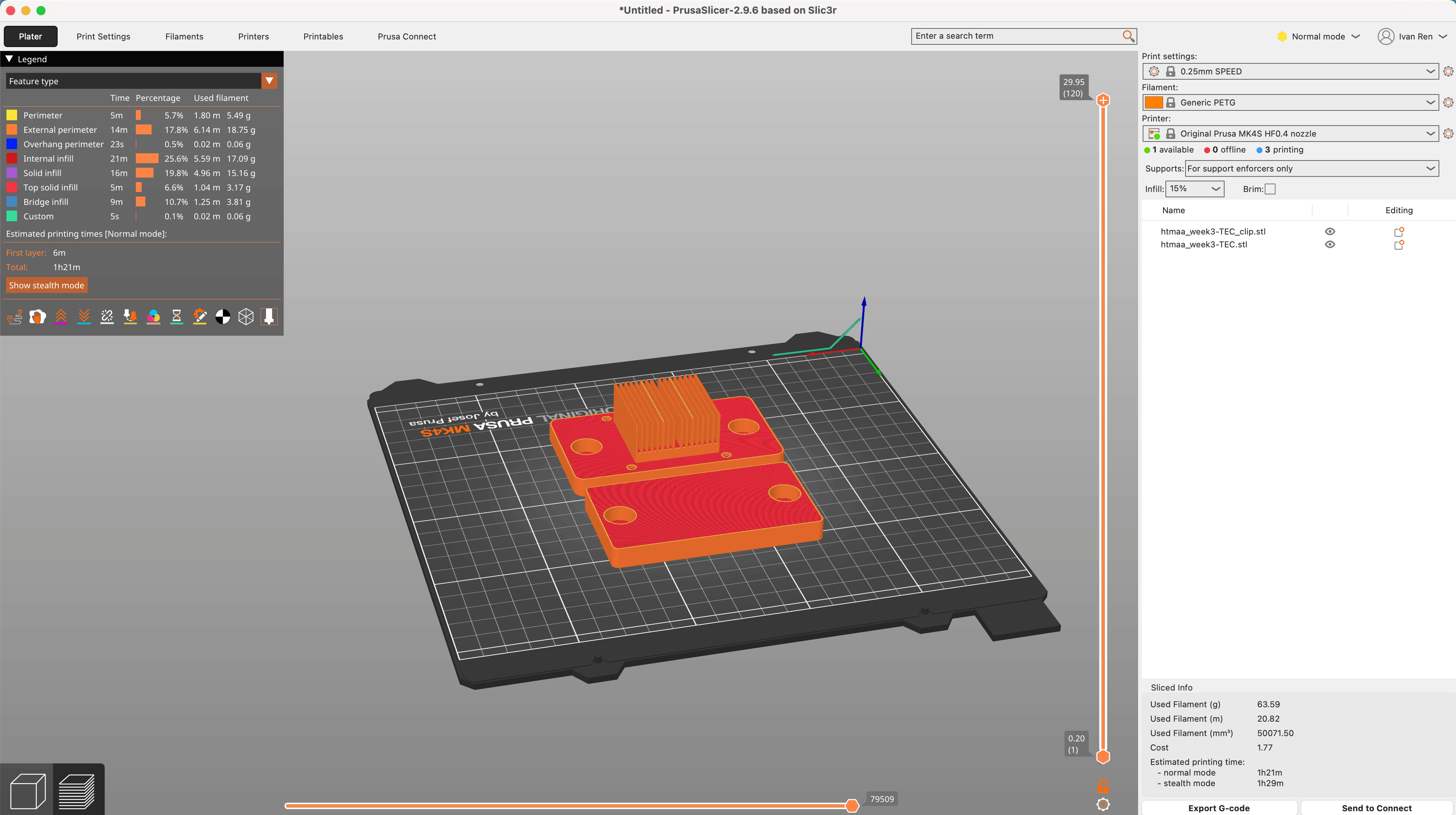
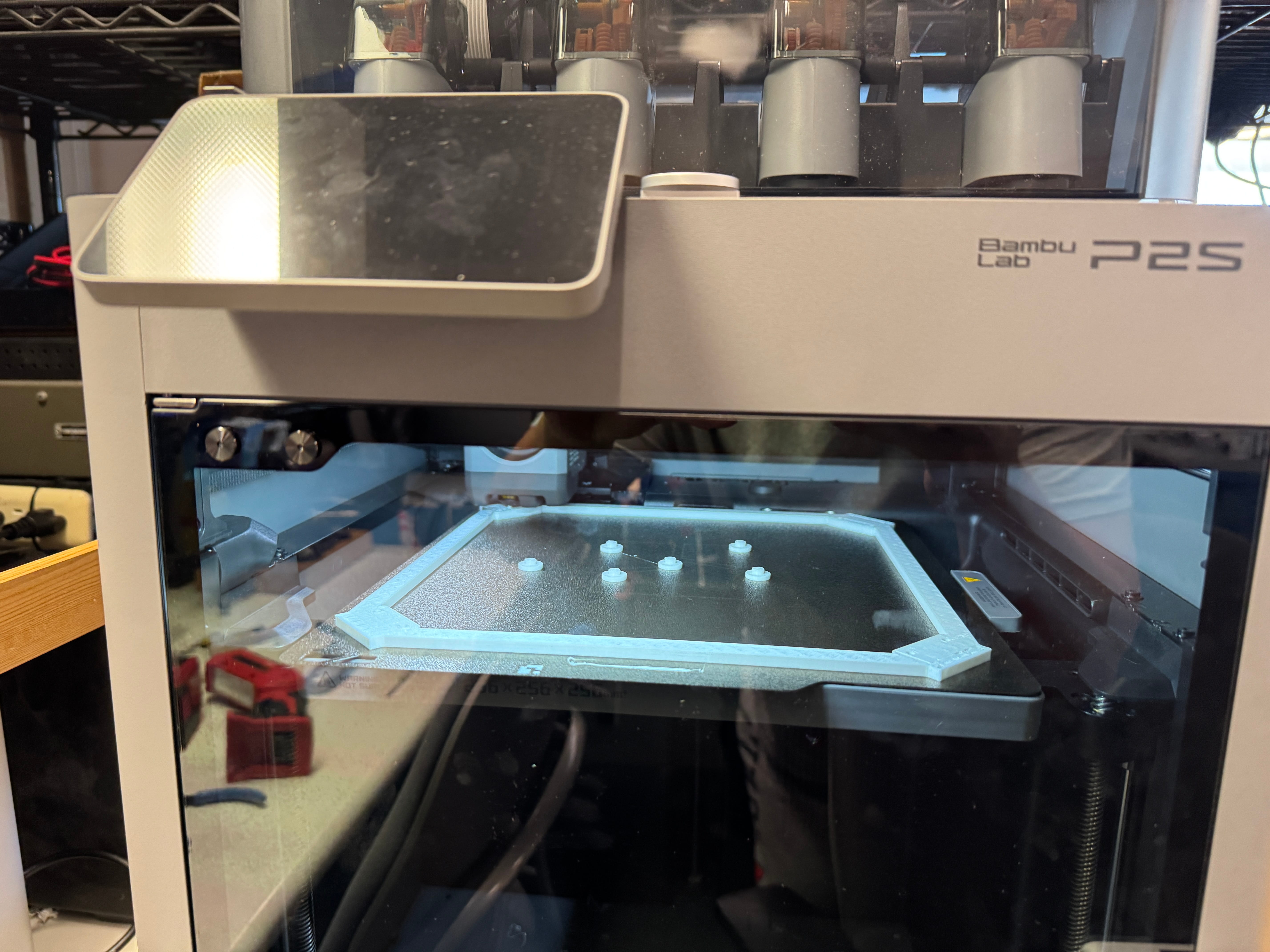
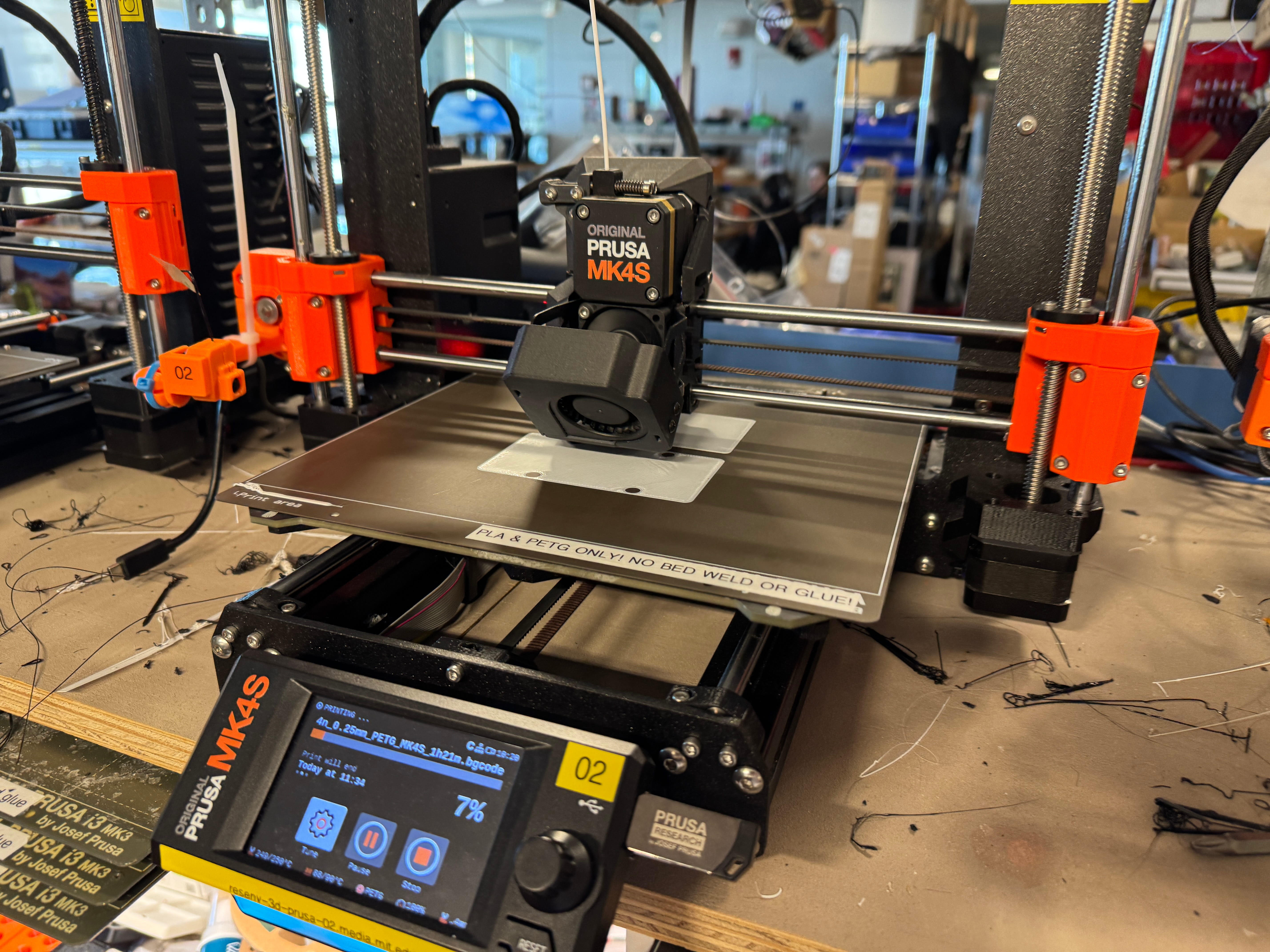
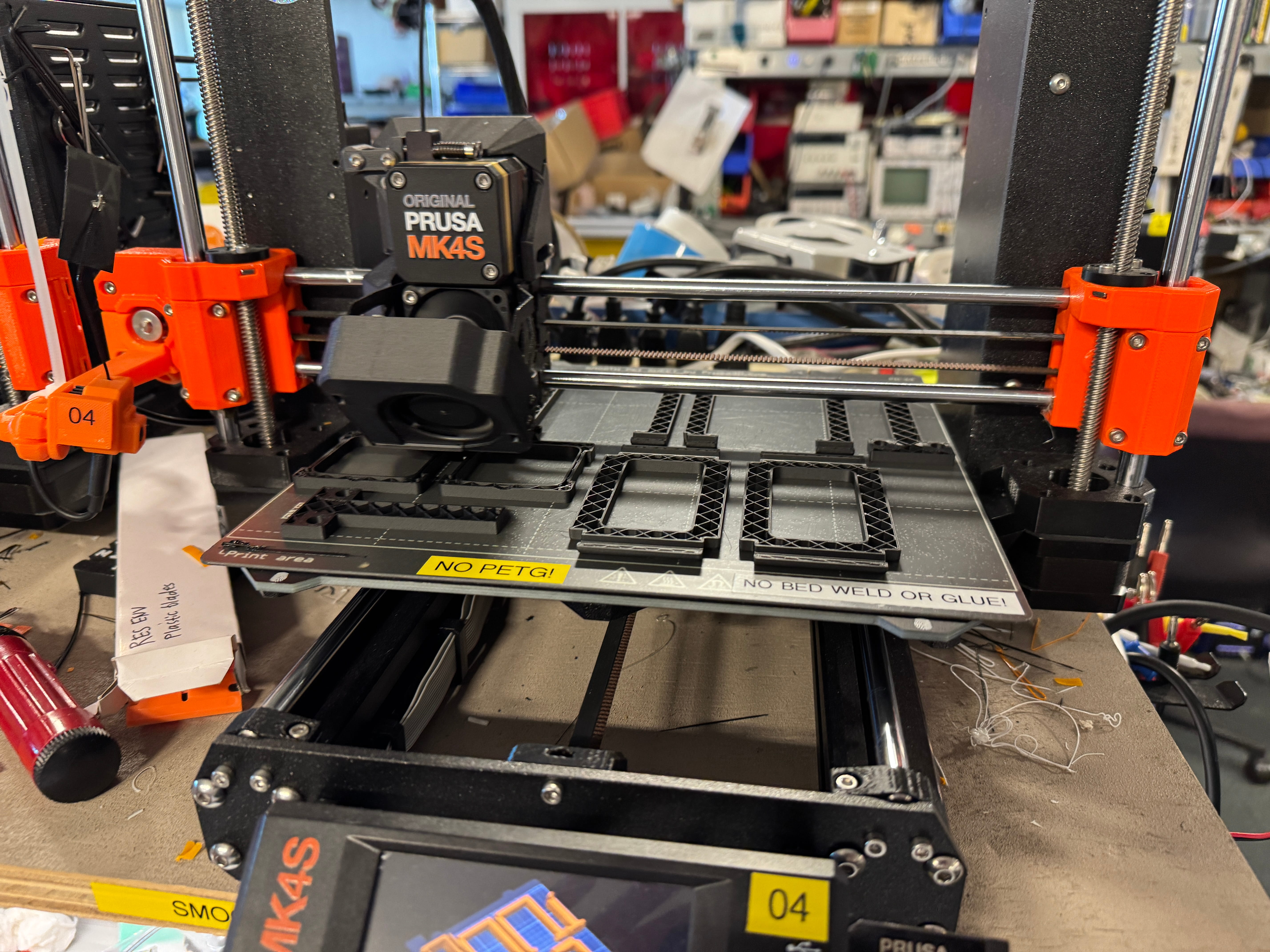
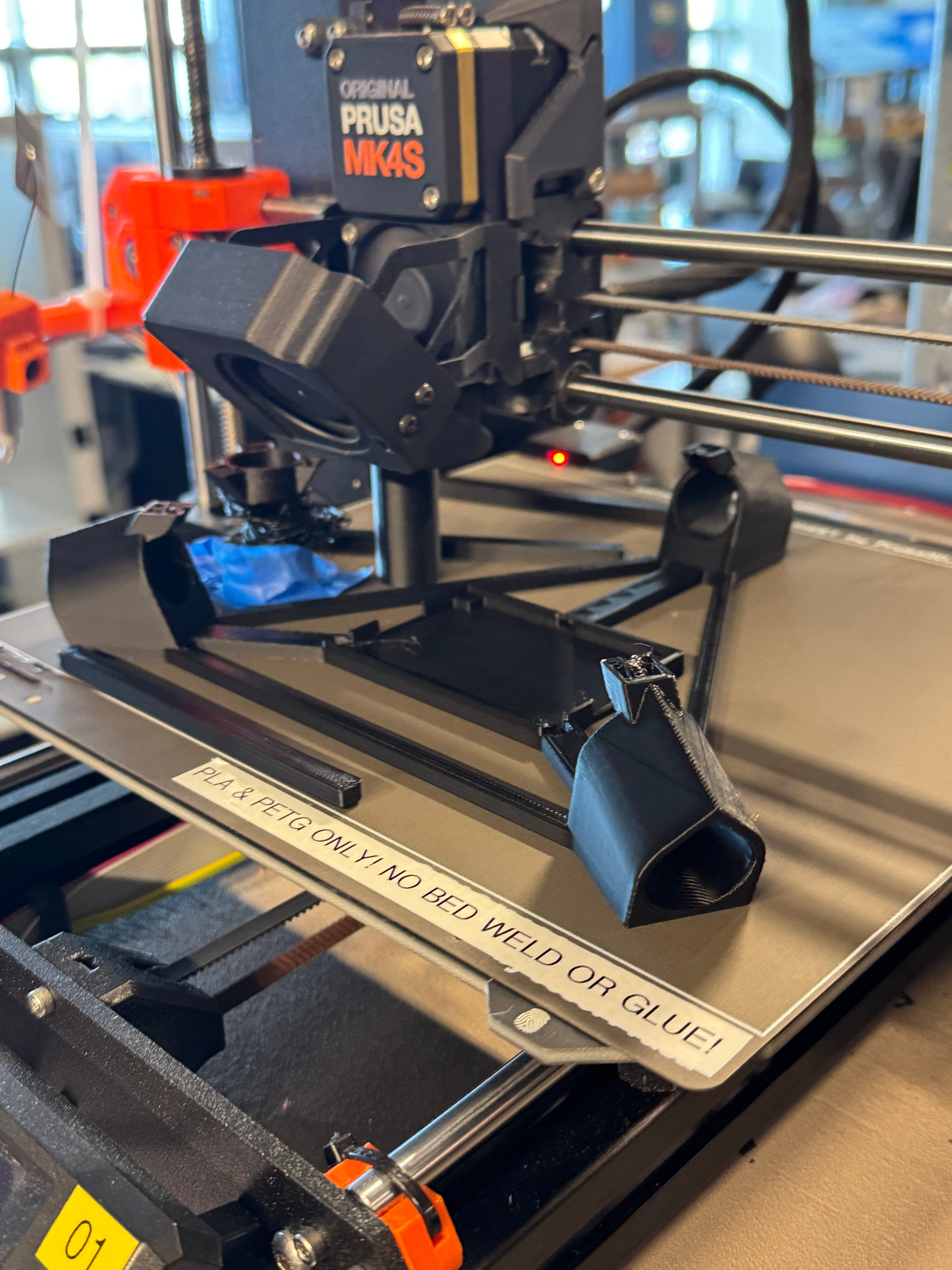
With that done, I moved onto printing. I had to use multiple printers since I was almost out of time, and by spreading things out, it could work.
- Material: The material here is important. PETG is waterproof and more durable than PLA, so I opted to use it for the arms, which might be in contact with residual water/humidity.
- Infill: However, the parts are not very structural, and the majority of the load would not be going onto any of them. So I printed with a low infill value of 15%, and kept other settings the same.
- Supports: No supports, and all the other settings were presets.
- Layer height: Some parts were printed with 0.28 mm layer height, with the DRAFT setting (for speed). The rest were 0.2 mm or 0.25 mm with normal settings. I usually prefer 0.2 mm as a good balance of speed and quality, but time was running out and the difference in print speed is pretty substantial (maybe around 20%? larger layer height means less layers, and movements per layer add up time-wise).
- Nozzles: Nozzles were standard 0.4 mm, and no need for hardened nozzles, etc, because the materials are basic.
- Beds: The beds were all textured beds, but some from Prusa and some from Bambu. These do a good job with bed adhesion, and usually still lift off the plate nicely. I will say that it also leaves a texture on your print, which some people like and some people don’t; depends on your use case.
- Brims: The Bambu printer did keep trying to make brims around some parts, I’m assuming to help it stay on the build plate, but when I was testing, the brims were really hard to remove so I just got rid of them.
After everything was setup, I checked the first layer manually for any defects; once they were good, I let them go.
Assembly
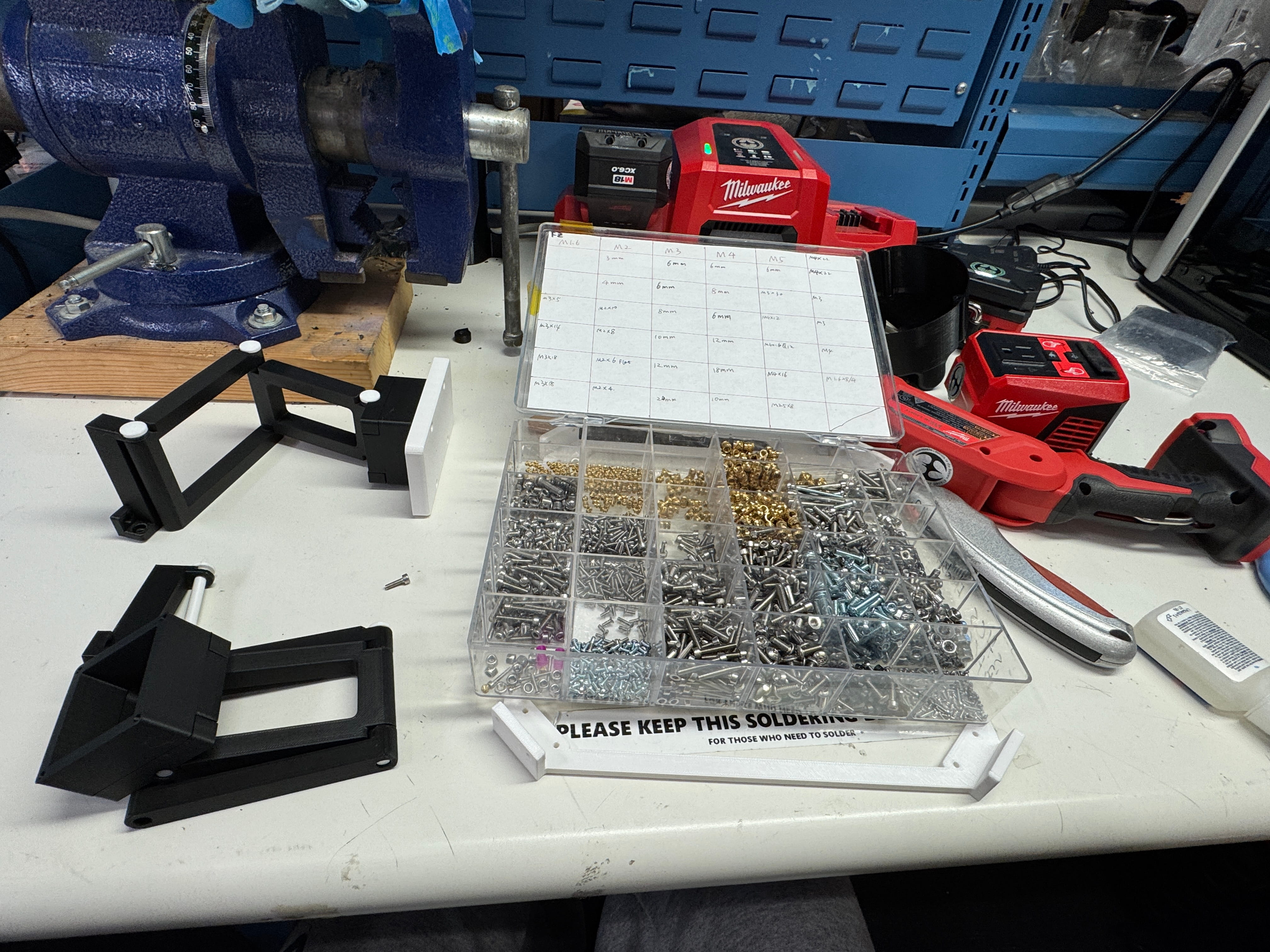
I forgot to print some of the rods. But aside from that, an uneventful assembly.
- Superglue for parts that need to stay put, like the magnets.
- M3 screws to secure the arms to the base.
Thoughts
- The parts are not stiff enough.
- I forgot another clip to secure one of the segments, so it was sliding around.