Week 5: Magnetic Position Sensing (cont)
Goal: Design a driver board for the magnetic position sensor’s transmitter coils
Tools: KiCAD, FreeCAD, Claude
Reflection
Last time, I tried to build a rough position sensor using some pretty naive concepts. I was basically trying to magnetically couple a transmitter coil to a receiver coil and then measure the change in magnetic field to roughly estimate position from each coil. A few big glaring issues I realized:
- Amplifier: My amplifier circuit didn’t work. Now I’m not entirely sure why, but I’m quite confident it has to do with my board that I built. I continuity tested the circuits and did some testing, but I don’t think the system is really all that stable.
- Signal strength: Though I can pick up magnetic field changes on the oscilloscope, not only is the signal I’m receiving quite limited, but the orientation of the fields are especially important and in my case, not very well controlled. I was getting a couple dozen millivolts of voltage at best, and this fell off steeply. For a drawing implement, I would need a decent volume coverage of sensing, so I needed to strengthen the field. There are a couple of ways I could do this, which I considered in the next section.
- Deriving position: I needed to really think about how I wanted to derive position from my measurements. 3 antennas is really just not enough to get the kind of resolution I needed. I think a least-squares method could probably work with more transmitting and receiving antennas, and I thought about a little more down below.
- Driving the transmitters: I needed to consider how I wanted to drive the transmitters, and what capabilities were open to me on the RP2040. If I wanted stronger fields, then I needed more current, and if I was to go without the benchtop supply, I would need a dedicated driver circuit. I probably would want to toggle each antenna transmission and sync this with the receiving end so that different transmissions don’t get muddled.
With this in consideration, I began ideating.
Ideation
To strengthen the fields, we can:
- Increase the current through the wires around the ferrite core
- Increase the turns
- Maybe attempt some form of resonance
Resonance is particularly attractive because I plan on transmitting a 20 kHz magnetic field. The reason here is to avoid DC magnetic fields from things like the Earth’s magnetic field, or other existing fields in the area. By selecting a specific band to transmit and receive at, I can ignore a lot of the other noise that might exist without much extra hardware or computation.
Well increasing the turns means increasing the resistance, so if we want to make sure we can get enough current across the core, it would actually be a good idea to increase the voltage across the coil as well. Of course, this definitely means we need an external power supply as well as a driver circuit that I can control using the RP2040; noted!
Going back to the resonance, I was recently reminded in another class that resonance can help drastically increase the response of a RLC circuit at a specific frequency. Depending on the L, R and C values, we can tune our circuit to set this frequency. For my case, this is almost a non-negotiable if we want to really improve the field output and receiving. But this will highly depend on my driver; reason being RLC circuits and resonance need an AC source. We are essentially measuring an analog of resistance called impedance, which depends on the frequency of the circuit.
This AC source has to be both positive and negative though. Considering a more physical standpoint, from my understanding, this is because if you think of the capacitor, once it charges up, it acts as an open circuit if it can’t be discharged. The AC allows for the capacitor to charge and discharge, stopping the series capacitor from completely blocking up the circuit. Now I did think, why not use a capacitor in parallel with ground as a filter, but I realized that this does nothing with the resonance of the circuit, and only helps filter out certain frequencies depending on cap values.
To be fairly honest, I don’t remember much of resonance or RLC circuits, so I turned to online sources first to try and find guidelines for designing these sorts of circuits. I found a few great sources (Tech Web, HyperPhysics, etc) and then I turned to AI to help me fill in any gaps in my understanding.
Research
Existing solutions
I tried to approach this by asking some of my larger questions in a larger chain first to AI. Primarily, I wasn’t sure what solutions existed for magnetic position sensing. During my first review, I was told that a similar project had been done, but tracked a magnet using an array of hall effect sensors instead. I think tackling this tracking problem from my angle might be interesting, since you can modulate the magnetic fields instead of using DC and then having to calibrate out existing signals. You could also use comparatively less antennas and chips than the amount required for the hall effect method.
I actually looked online and an existing solution is used for medical applications. A small coil is placed on the medical instrument and a special field generator produces a varying magnetic field, essentially what I’m trying to do. The benefits here are pretty clear, aside from ignoring DC noise, most materials nearby are magnetically transparent and don’t really affect the magnetic fields that are being driven at low kHz frequencies. So we don’t need to worry about reflections and obstructions like with optical, RF or ultrasound.
Receiving the signal
Moving on, I began asking more in depth how to receive and measure the signal.
- Hall effect sensors: I originally thought that a coil could work, but then began to think maybe a hall effect sensor could be useful. It seems like most hall effect sensors don’t have that high of a sampling rate, and also suffer from the same problems when it comes to sensor orientation. Might as well just use a really densely coiled receiver with a resonance circuit at that point, and we could even build it in a ring shape to be easily slipped onto a finger if you want to do 3D art.
- TMR sensors: Another option I found was a TMR (tunneling magnetoresistance sensor). I don’t really get how this works, but my guess is that it uses the tunneling effect and a very thin insulating layer. When a magnetic field goes close to it, this allows electrons to tunnel through the insulating layer, and changes the resistance/induces a small current/voltage? Available TMR sensors seem pretty binary, they switch on if they detect a field and switch off if they don’t. So not useful to us.
Number of transmitters
I didn’t want to dive too deeply into the software details, but for my case, I needed to know how many transmitters I might be having. If we model each of the transmitter fields as mostly just parallel to the ferrite rod (since the size of the volume is relatively small and the fields don’t curve back yet), if we want to capture the 6 DOF of a ring (position and angular information) I think we need measurements that can capture at least 6 DOF. So probably 6 transmitters, we guess what the angle is of the ring and the position and then we least squares it with our measured values to find what the most likely position and orientation is? To be honest, I’m still not super sure how I want to approach this, I think it might be useful to exploit the fact that the coupling effect is greatest when the axes are aligned? But 6 seems like more than enough.
Driver circuit
Next, I began figuring out the circuit here.
- H-bridge chip: To generate a positive and negative wave that I would need for the resonance circuit, I began looking at conventional h-bridge driver chips like the DRV8833. However, I quickly realized that a chip like this might be hard to solder on one of the boards we would be milling, especially since there’s a big ground power pad underneath the chip. Reflow is always an option here, but I also just thought that such a fancy chip would sort of defeat the purpose of this week’s project and the spirit of DIY.
- Single MOSFET: I looked for an alternative. At first, I thought maybe I could use just a single MOSFET as a switch, with the gate connected to the PWM output of the RP2040. But the problem here is that the MOSFET can only conduct or not conduct, it can’t switch polarity. This is bad because then we can’t use resonance.
- Dual MOSFETs: Instead of the full h-bridge, I could also buy these dual MOSFETs drivers which is basically a half-bridge. Then, I put two of them in a half-bridge configuration with the transmitter coil across and then a capacitor in series.
The rds_on values here aren’t amazing but again, we don’t want to drive too much current. The ones that I was looking at have values of about 2 ohms, so about 4 ohms across 2 of them. Impedance is a little trickier. At resonance, the contributions from the capacitor and inductor cancel out, which gives us that characteristic peak current and output at that specific frequency. With Claude’s help, the coil resistance is estimated to be around 15 ohms + 4 ohms from the driver = 19 ohms.
If we want closer to 1A across them, we’ll need something like a 12V supply. The maximum current here is pretty large 6A peak value, which is more than enough to handle any larger current values. In comparison the DRV8833 is limited to about 2A peak and 1.5A RMS (for the package with the power pad!) but with an impressively good rds_on of less than 1 ohm. Either one should be good for my use cases actually.
Without resonance, the inductance and capacitor contributions don’t cancel out. For example, if we get rid of the tuning cap, we can calculate the resulting impedance. Since everything is in series, we can actually calculate the inductor reactance to be 2pifL. At 25 kHz, and with Claude estimating the inductance to be 200 microhenries, the reactance here is about 31 ohms. Which would mean our current output would be closer to 12/(31+19) = 0.24 A, which is almost 3 times less.
What I realized looking at this is that I could also maybe go without resonance but decrease the frequency to reduce reactance. Just an option I guess, though resonance seems like the best bet.
Prompts
Here is the rough timeline for prompts:
“I would like to build a position sensor using 4 ferrite core copper wire antennas producing magnetic fields, a set of hall effect sensors in a ring, and a RP2040. My idea is relatively simple, each pair of antennas will produce a magnetic field, current will be ramped and the hall effect sensors will find the point where the magnetic field detected from all of the sensors is completely minimized. This will be a null point detection to roughly estimate where the sensor ring is. I was also thinking about something using the fact that the normal magnetic fields are the easiest to detect from the hall effect and because we know where each normal is coming from, we can use this to find the intersection of magnetic fields and localize? From an electronics design standpoint, I am thinking a high quality amplifiers, hall effect sensors, some filtering circuits, and the RP2040 to generate and read the magnetic waves being generated. What do you think?”
“I like the idea of either TMR or pickup coils, but do they still have the same geometric properties that I can use? AC sinusoids is indeed my idea, but without the null point ramp using current, how do I confirm that each magnetic field is contributing an equal magnetic value? I’m guessing some form of calibration. I don’t need a crazy range, my plan is a simple 3D drawing tool, so maybe 10-20 cm maximum.”
“Ok cool, we need to think about this more. I need to determine what I need for a design, CAD and electronic. I would like to have 4 magnetic field generating antennas, and then some form of magnetic field capturer. What about 3 toroids positioned to be able to detect position (3 perpendicular magnetic axes) on a ring? Or the other option, an array of sensors with a magnet in the center on the ring? This has been done and successfully, I want to see if my idea can also work.”
“any way we can use some multiplexer to use only one DRV8833 chip to generate the current output and then switch between the coils to send the signal to? For the transmitters, why do I have to use this ferrite rod technique? Are there any better designs for sending a broad, strong magnetic wave? How about something like a flat wound antenna on a ferrite square? like the ones used for transmitting in magsafe?”
“Please talk me in or out of using MOSFETS here instead. I feel like using the RP2040 pins and MOSFETs will allow for an easy solution, i just don’t know about the output sine wave part. Maybe just some output filter? But I feel like we’re messing with a large current here and voltage, so I’m not sure. This will be much easier for me to build as well”
“how do I strengthen my fields here? And what kind of MOSFETs do I need to buy? Any way I can still leverage resonance circuits?”
This isn’t the full chat but captures the main details that I think I got stuck on.
Preparation
I’ve been attempting to use a new piece of software, specifically FOSS software. Inkscape and SketchPad for week 1, and then FreeCAD. I’ve mostly used Fusion and Altium in the past, so KiCAD is relatively new to me. In an effort to transition quickly, I had Claude draft me up a guide that details the main differences between the 2 softwares and what I needed to do to set up KiCAD (one time setup, each project setups, etc).
“I want you to then give m a guide of how to use kicad in comparison to altium, including common tools in routing and layout differences, and how to use the schematic/libraries. I also would like you to help me a little with best practices, like where i should keep my part libraries and where i should store my projects in case I need to update kicad”
“Can you explain to me how to find parts and then where to save them in my libraries? Like for my project, i should only be saving them for this project? And not in my overall kicad library? Can I do both?”
Here’s an example of the output that Claude generated as a guide for shortcuts:
| Action | Altium | KiCad |
|---|---|---|
| Route track | Ctrl+W | X |
| Route differential pair | P, I | 6 |
| Add via / switch layer mid-route | * (numpad) | V |
| Change corner style | Shift+Space | / |
| Cycle router mode | Shift+R | Route > Interactive Router Settings |
| Drag track, keep 45° | Drag | D |
| Draw copper pour | P, G | Ctrl+Shift+Z (zone) |
| Repour / refill all | T, G, A | B |
| Unfill all zones | Ctrl+B | |
| Highlight a net | Ctrl+click | ` (backtick) |
| Flip part to other side | L while dragging | F |
| 3D view | 3 | Alt+3 |
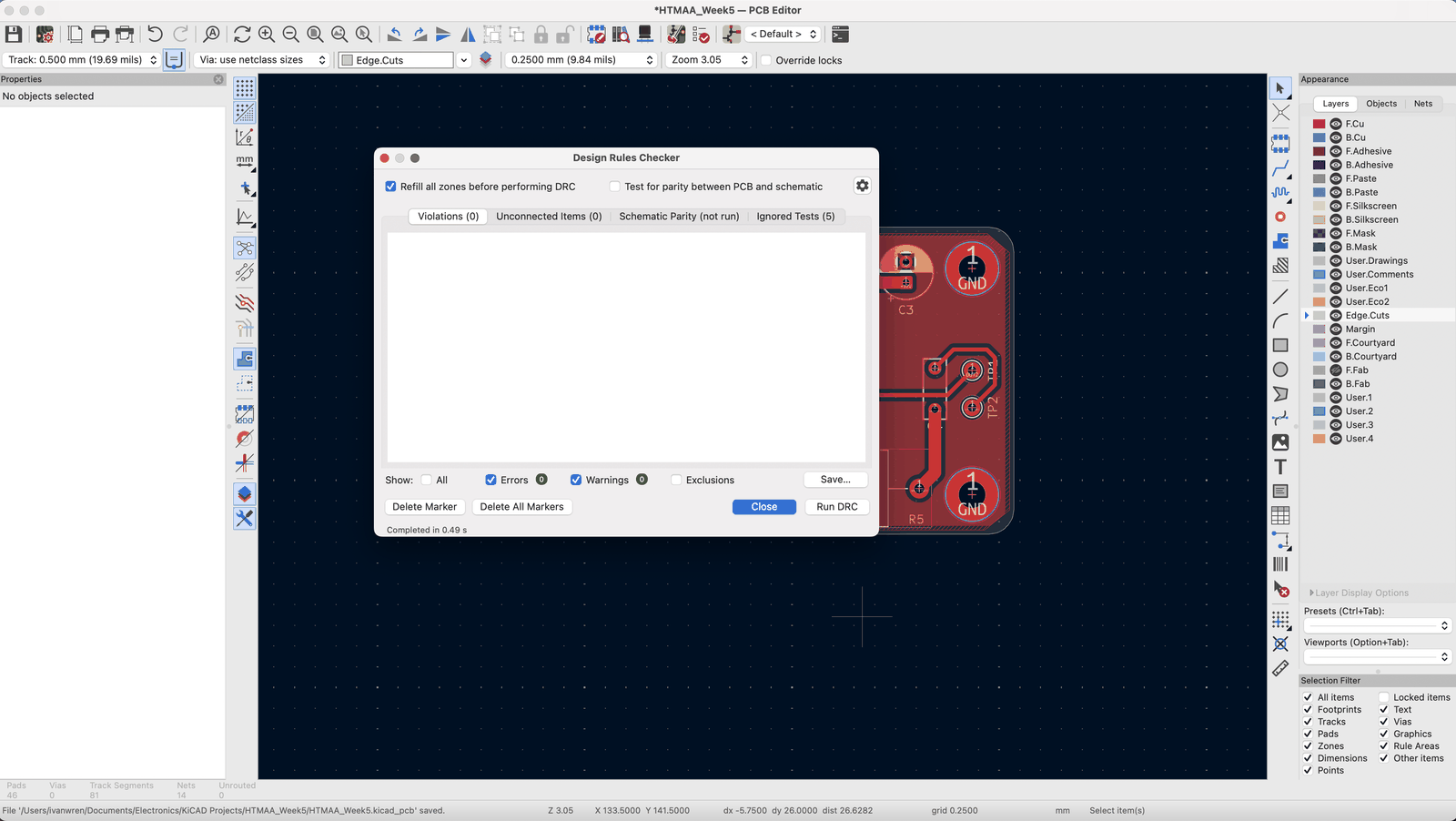
| Design rule check | T, D | Inspect > Design Rules Checker |
I also found this file tree to be very helpful, since when I updated KiCAD, I lost a lot of my files because I didn’t know where to put things originally.
Documents/Electronics/
  kicad-libs/                  personal library, its own git repo
    symbols/MyParts.kicad_sym
    footprints/MyParts.pretty/
    3dmodels/
  projects/
    mag-tracker/               one git repo per project
      mag-tracker.kicad_pro / .kicad_sch / .kicad_pcb
      sym-lib-table, fp-lib-table   (project library tables)
      lib/                     every custom part this board uses
        mag-tracker.kicad_sym
        mag-tracker.pretty/
        3dmodels/
      datasheets/
      fab/rev-A/               Gerbers exactly as ordered
With a very nice guide printed out, I could move onto setting up KiCAD, specifically my library paths and project paths. Each library has schematics, 3d models and also footprints:
- Schematics: the symbol that shows up in the schematic editor for a part
- Footprints: for layout
- 3D models: if you want to export as a CAD design and see it in 3D
I configured my paths which is a one-time setup, and moved on to finding the relevant footprints for my design.
From ideating, I know that we need:
- Some form of half bridge, with some space for a capacitor and pads to connect to the transmitter antenna. The half-bridge probably needs some decoupling caps and supply caps.
- For our amplifier circuit, a small amplifier board that can fit right next to our receiver antenna (don’t want to pull out long wires that can act as antenna and pick up noise/increase impedance).
- A resonance circuit on the receiving end.
- Some kind of power protection to guard against reverse polarity, and a fuse to prevent excessive current from going through the circuit.
I ended up realizing that the DRV8871 exists. Which is a single h-bridge instead of a dual h-bridge solution like the DRV8873. It comes in a more feasible package for hand soldering, and the thermal pad can be handled using a heat gun and some solder paste. The other option is building my own h-bridge, which is possible, but building 6 of these seems problematic. Especially since each one needs to be very similar to the others and we need extra components like the bootstrapping, gate drive, etc. I’ll probably shoot for the DRV8871 for ease here.
Other than that, I went with a pretty robust power protection system:
- Schottky for reverse polarity protection (and low forward voltage drop for less power dissipation)
- Resettable fuse for current limiting
- TVS for transient protection (it conducts at higher voltages to protect your circuit from transient spikes)
- LED and resistor for power status
- Large capacitor for supply stability
Lastly, to limit current across the antenna, a big power resistor was selected. I just found some axial resistor on Digikey using 15W and 15 ohms as my main criteria.
Design Process
Things that were helpful: Schematic
I think a few things I immediately noticed were helpful were setting up a schematic into distinct blocks. You can draw rectangles on your sheet, make them dotted and label them to make your life way easier. It also has a very useful ability when you layout; since selection in the schematic also selects the footprints, this makes moving things around way easier so you don’t have to select every single thing.
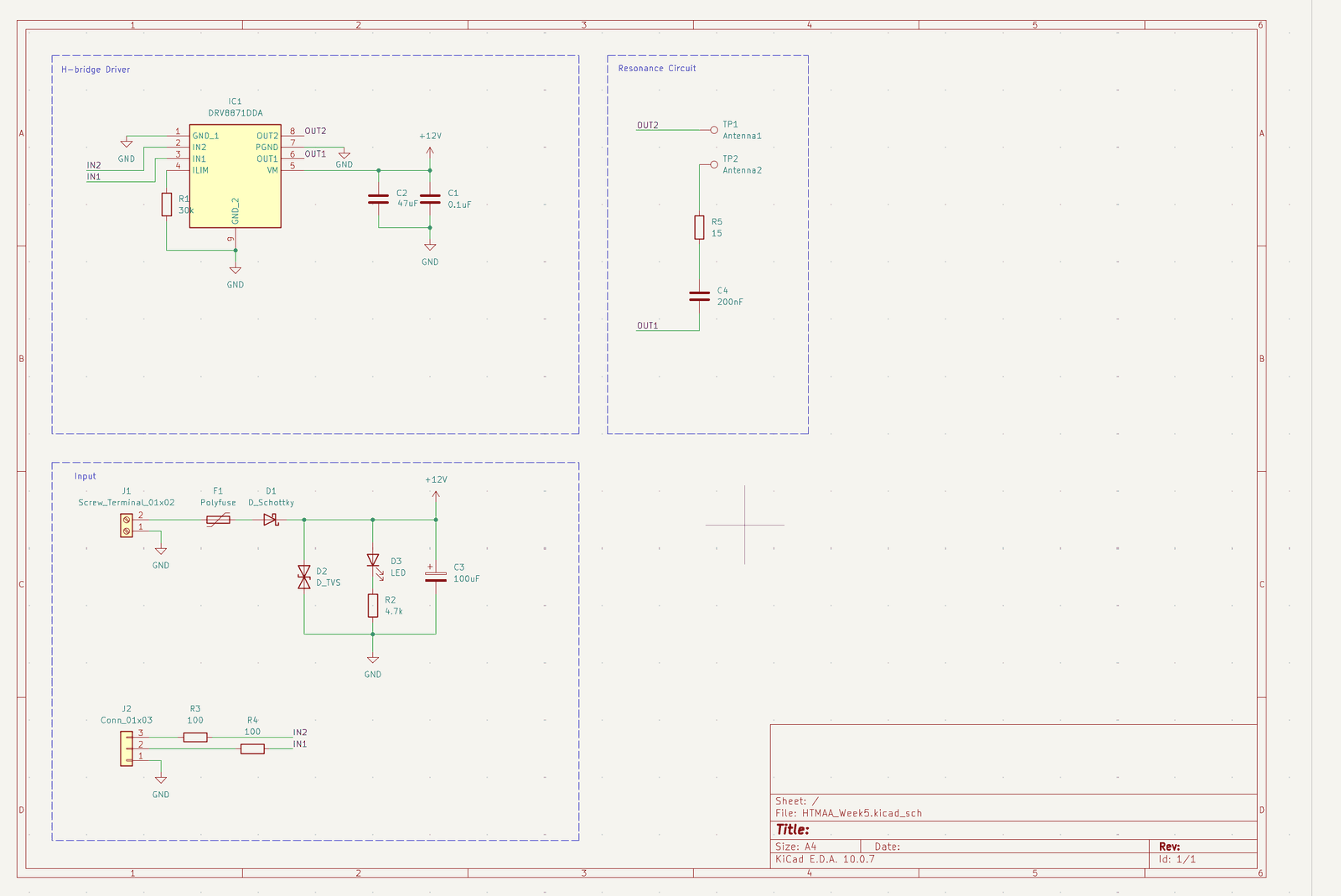
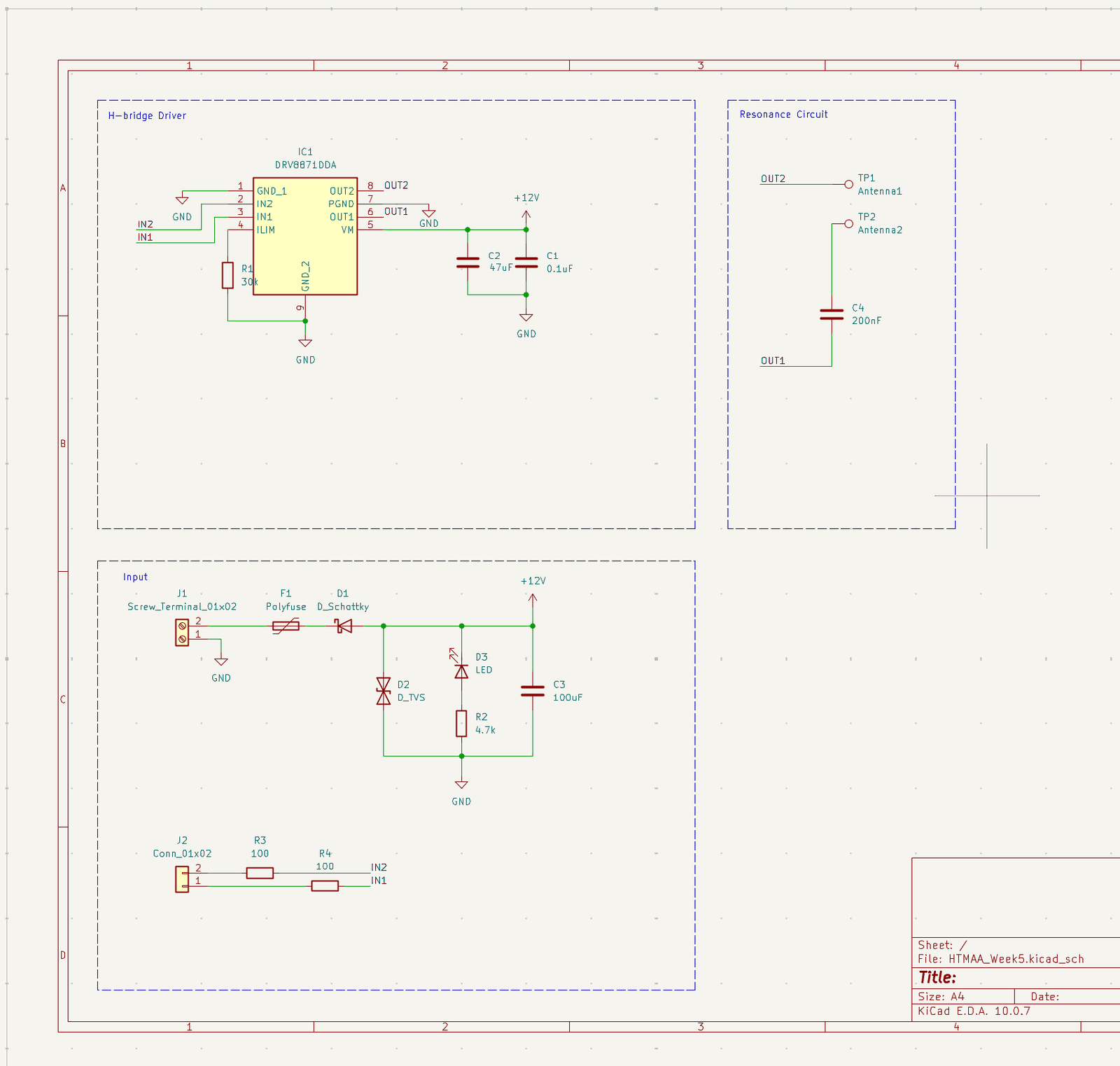
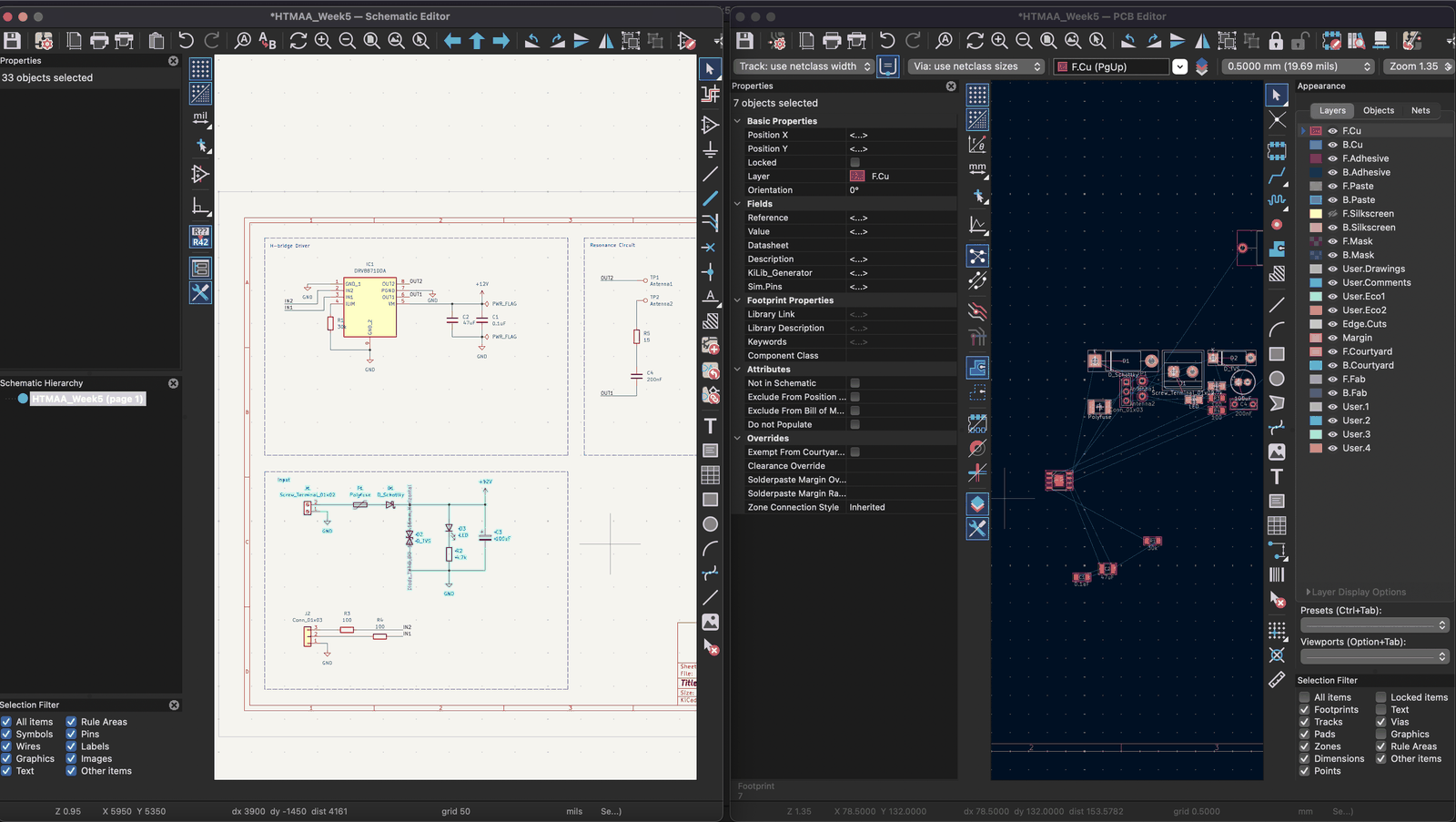
Another tip is just using labels instead of dragging wires around to everything. They do exactly the same thing, and as long as you don’t go overboard, if you know you have 2 subsystems that interface with each other this makes your schematic way less messy. You can also have multiple sheets that connect to each other, but this board didn’t need all of that.
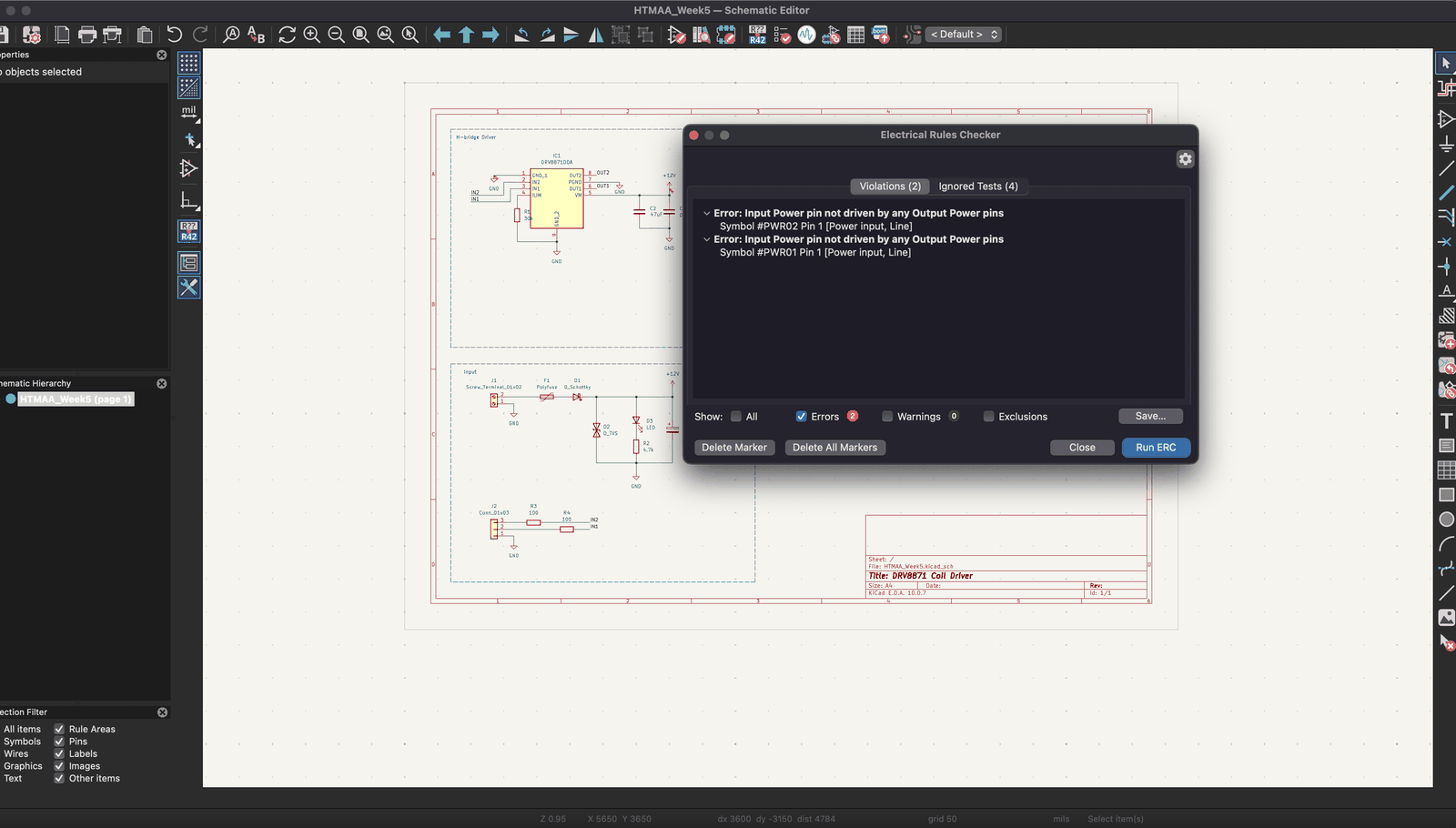
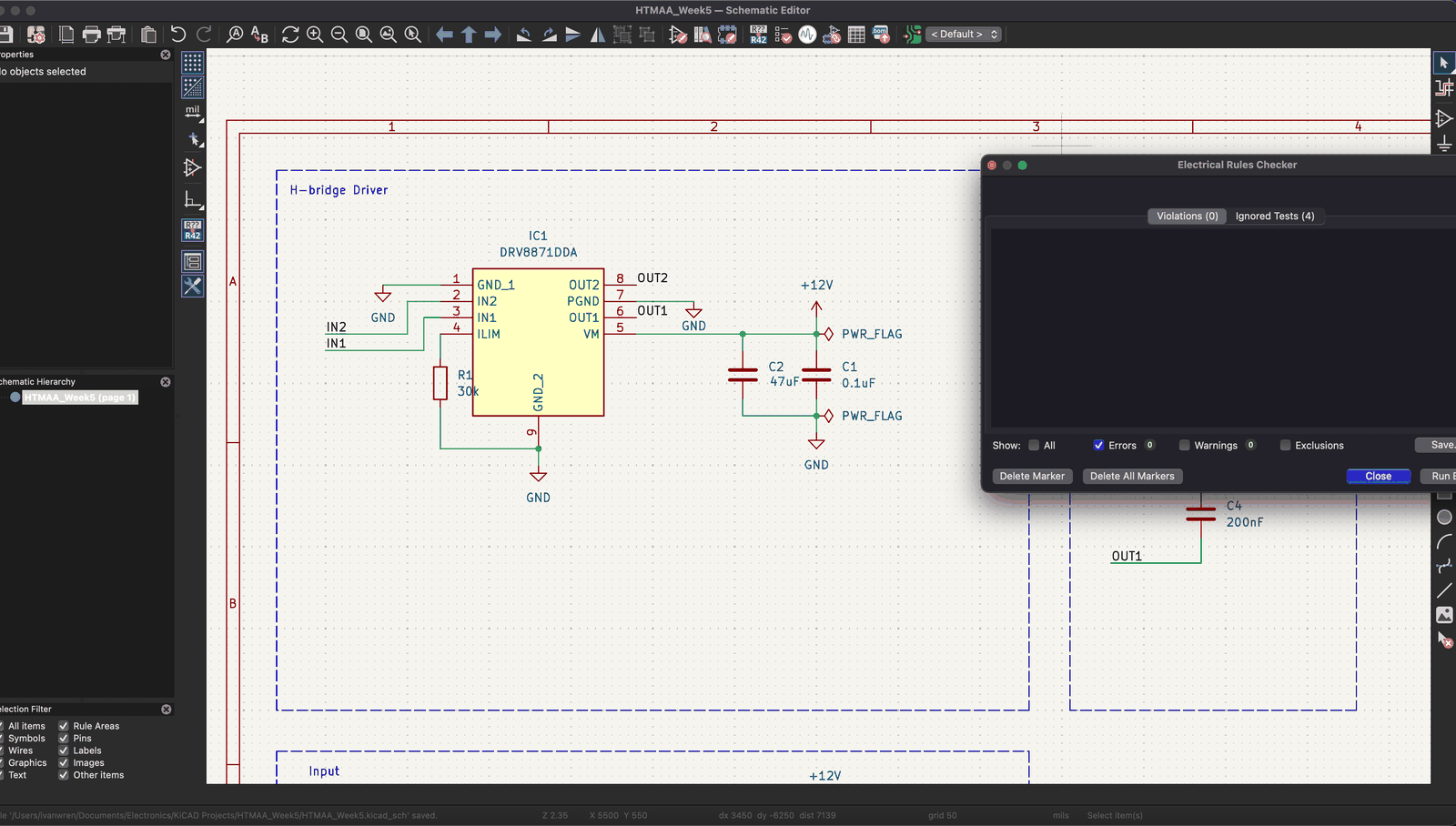
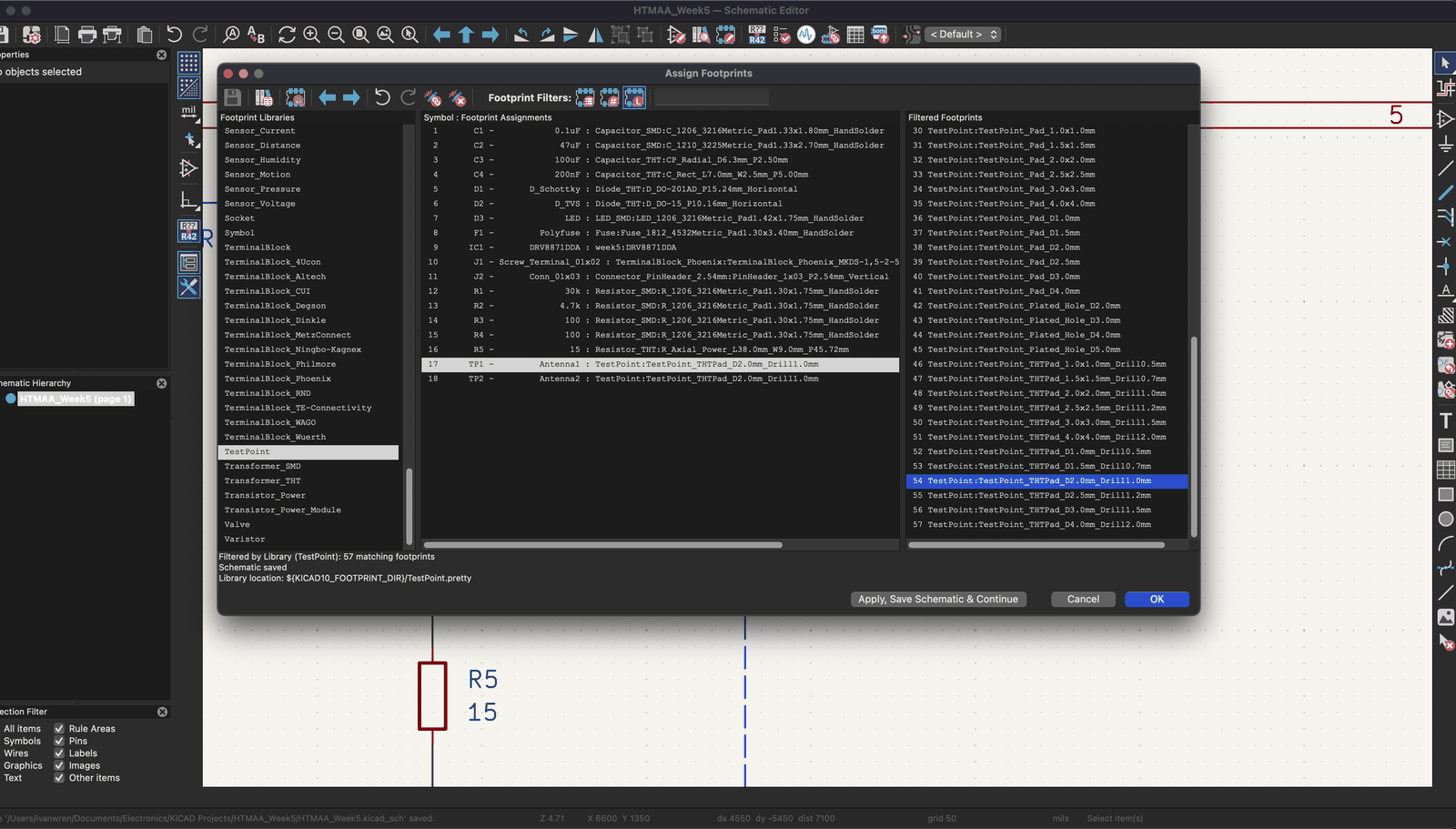
I’m also a fan of how the footprint assignment goes. I used generic parts here, and then I just went through KiCAD’s nice library and selected my footprints for each schematic symbol I used, with 3D models mostly attached!
Things that were helpful: Layout
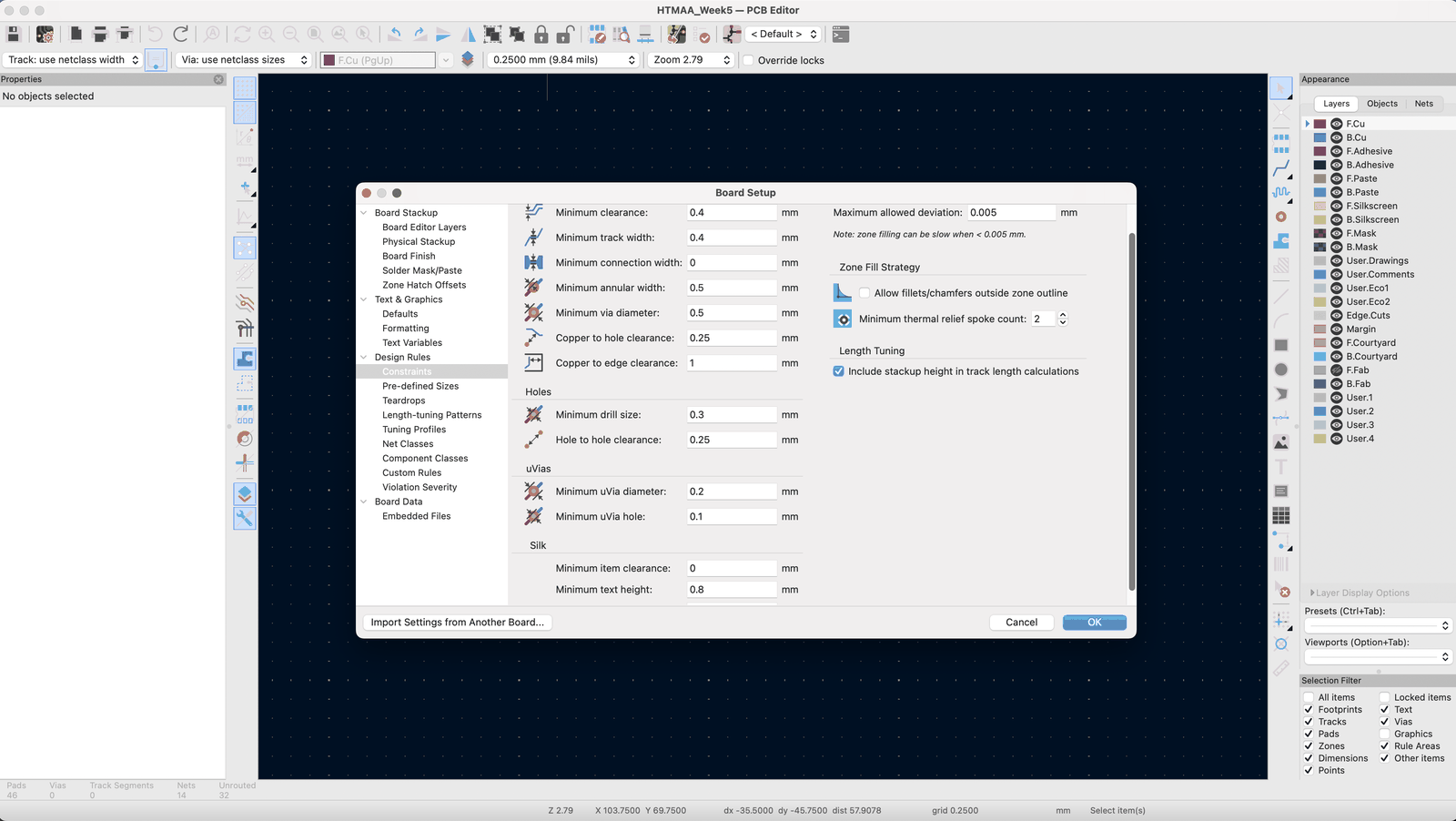
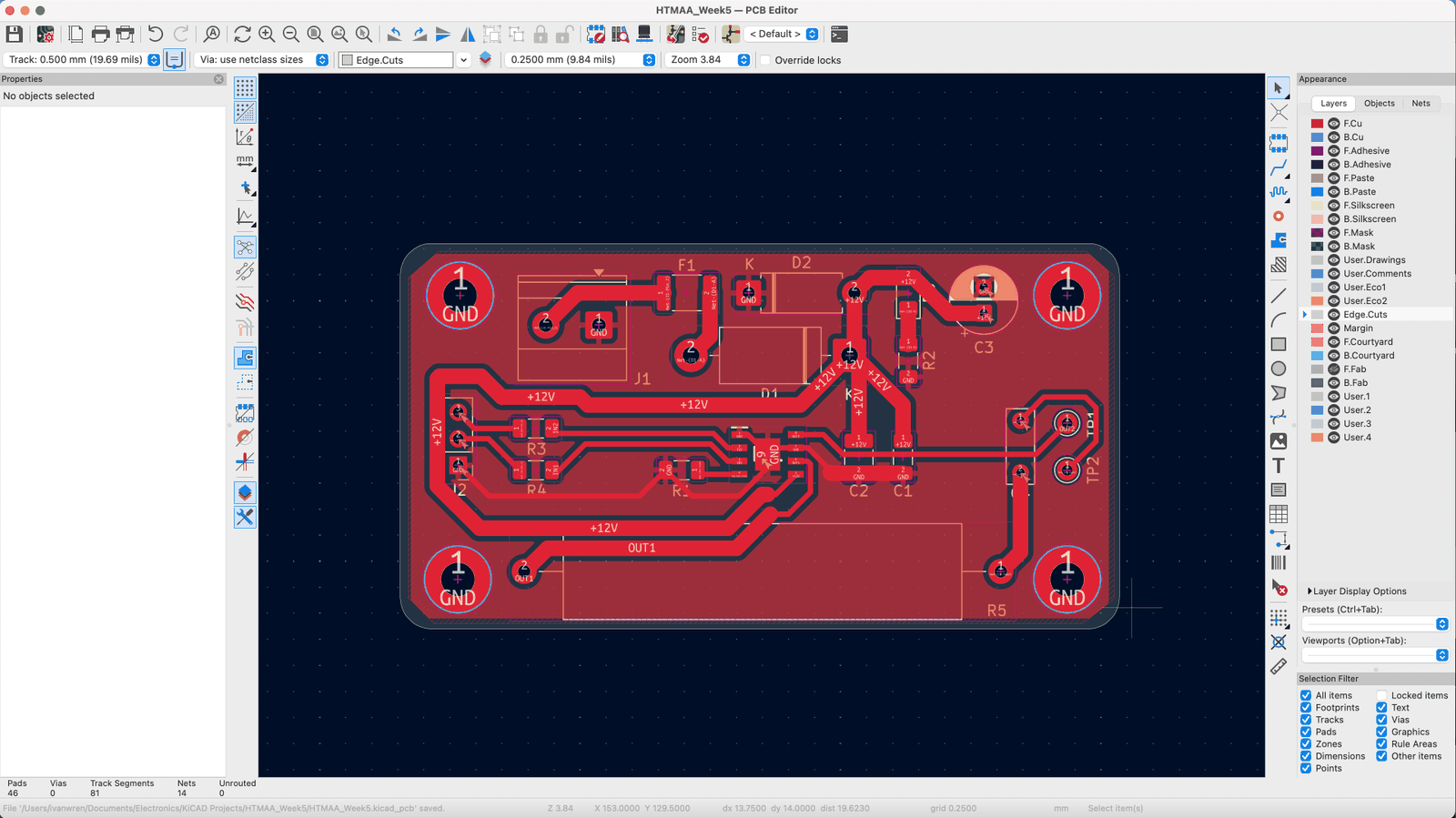
For routing, setting the design rules is almost always first. You go off of whatever manufacturer or fabrication abilities your place has. In my case, I just went generous on the clearance, track widths, and other values since I’m somewhat confident that milling machines don’t have the best resolution. We can always change these later if we’re confident that we can still fabricate it.
I also set some predefined track widths, since I know power traces need a lot thicker traces. And my normal default trace was set to my normal default design rule value of 0.500 mm. This makes it really easy to switch between modes without manually editing.
Actually placing components can get really tricky, but I kind of go off my schematic and try to separate the board into pieces. There’s also always power integrity or signal integrity concerns, but depends on your frequency, power, etc. For a board like this, no need to worry too much.
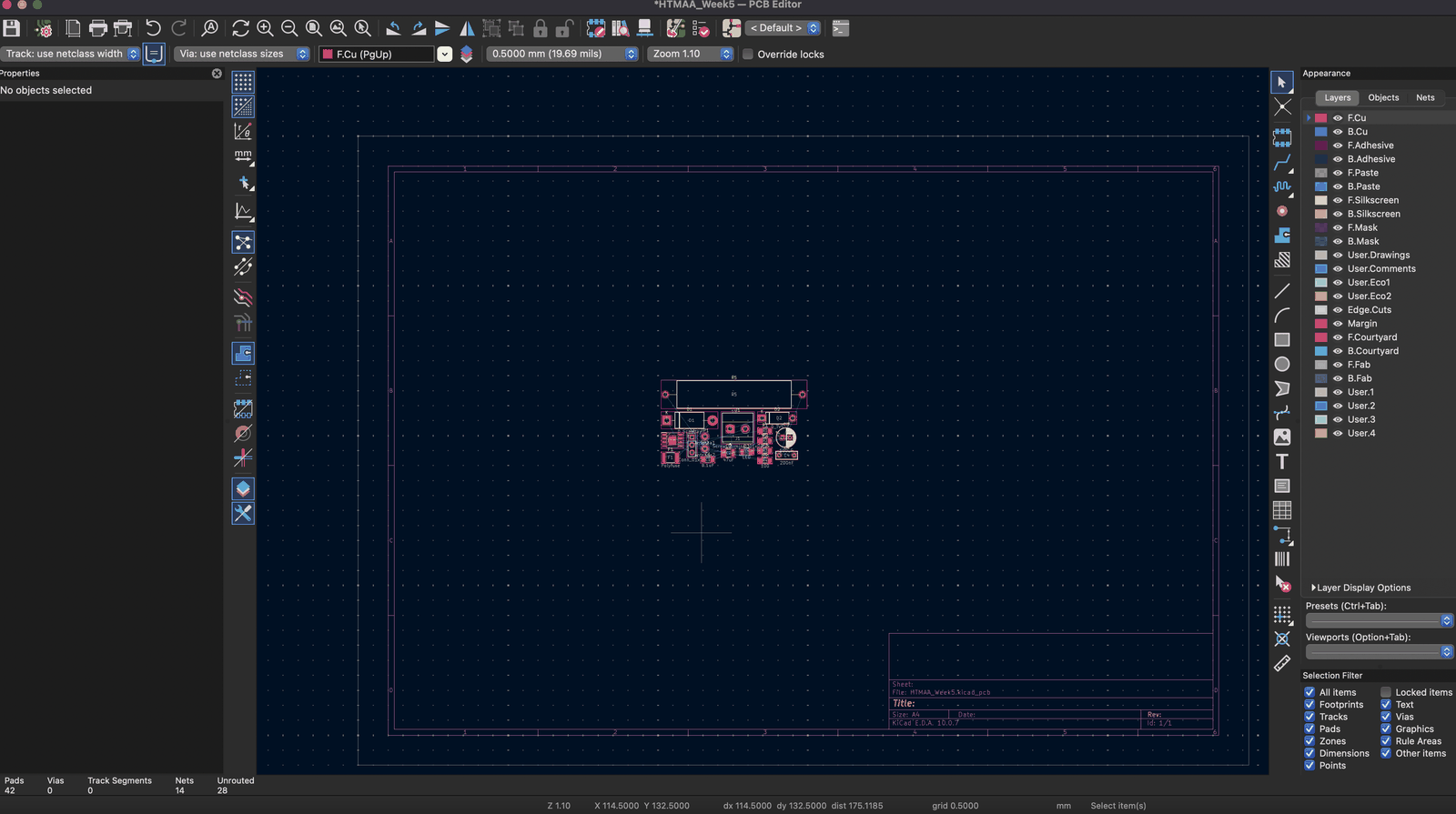
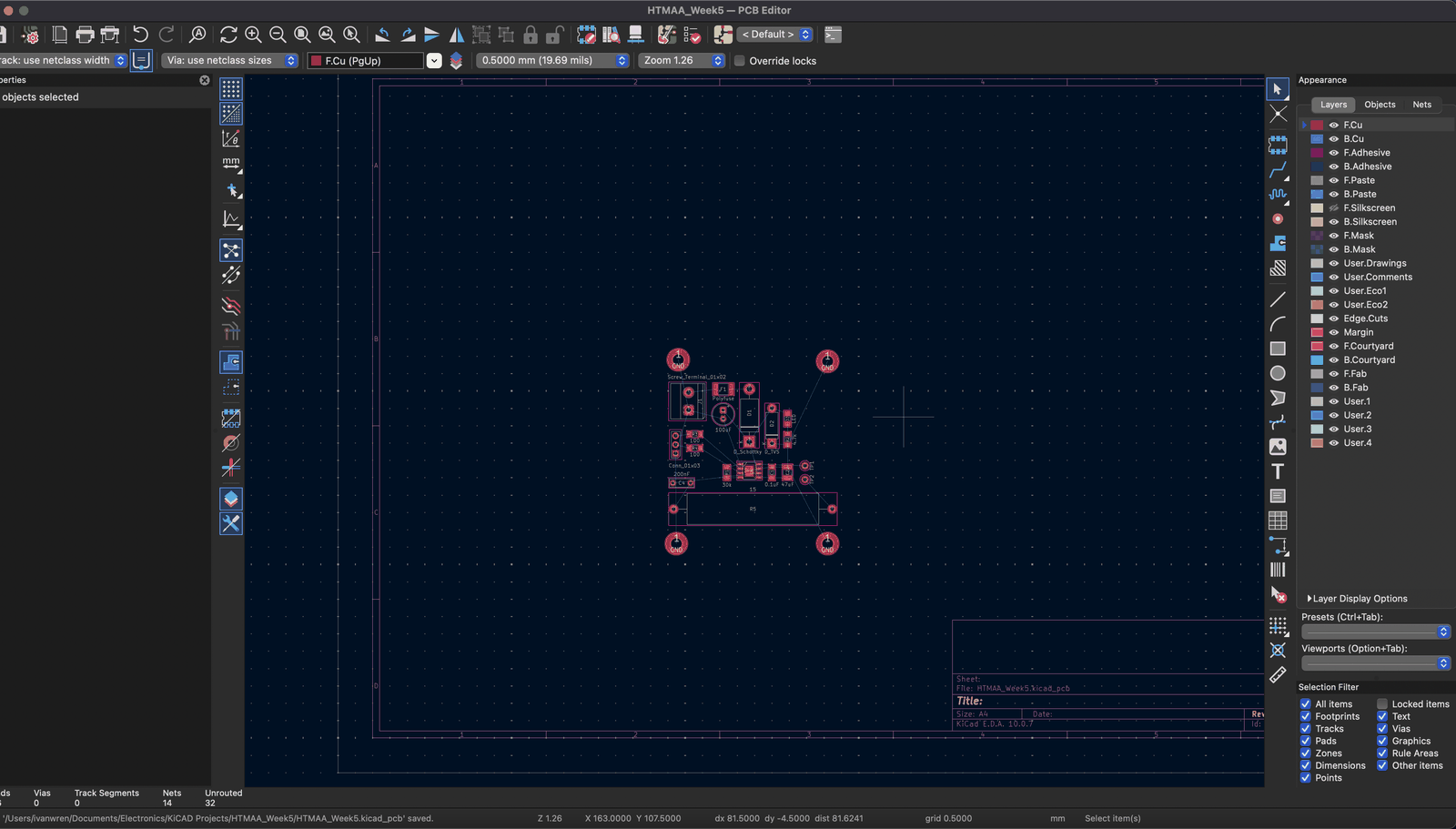
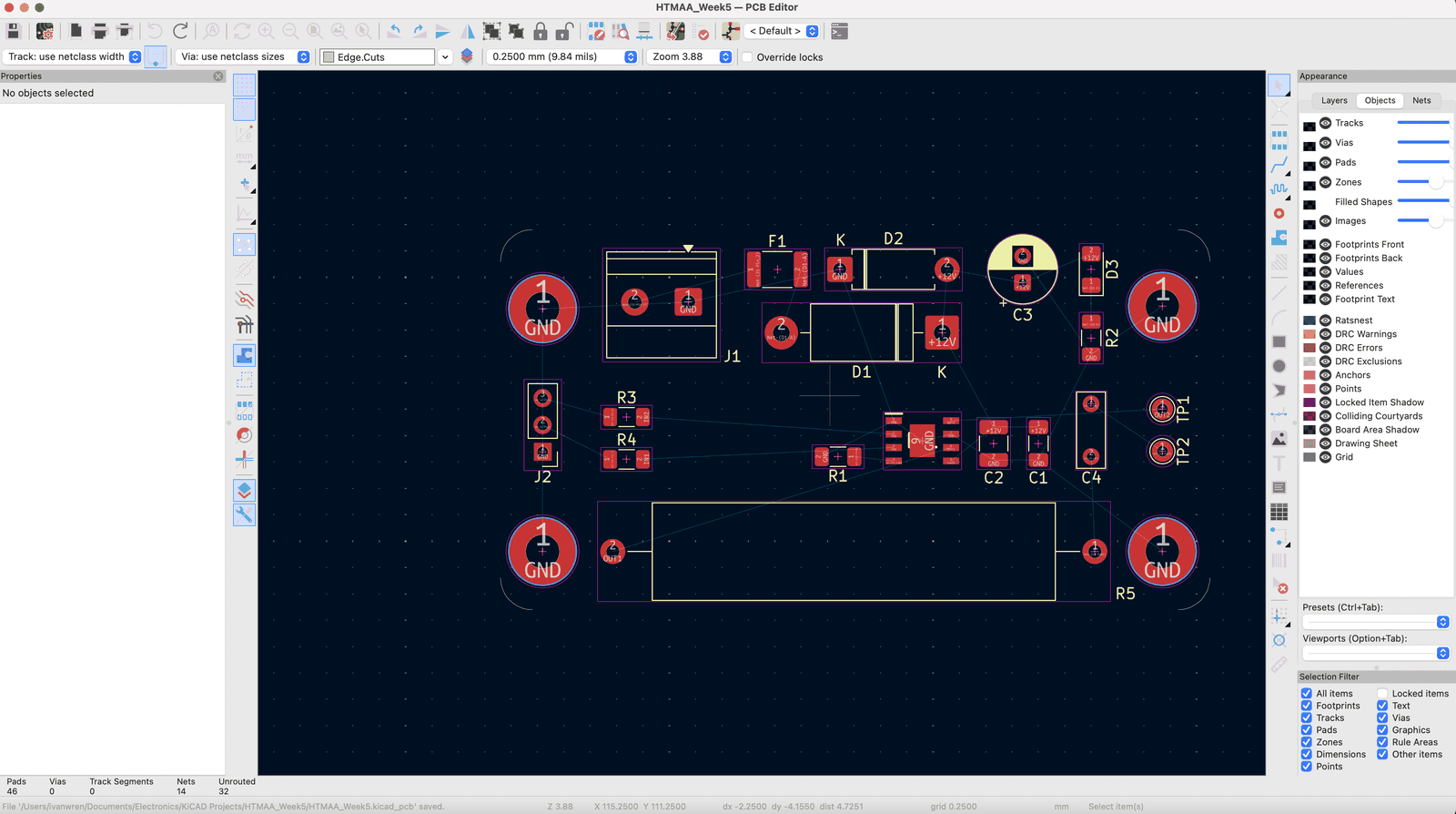
When moving things around, I like to use the selection filter to turn off graphics or text so I don’t get bugged by the text getting moved by accident.
Since this is a 1 layer board, my placement and routing isn’t amazing and I have much longer traces than I would like. But overall, happy with the conclusion.
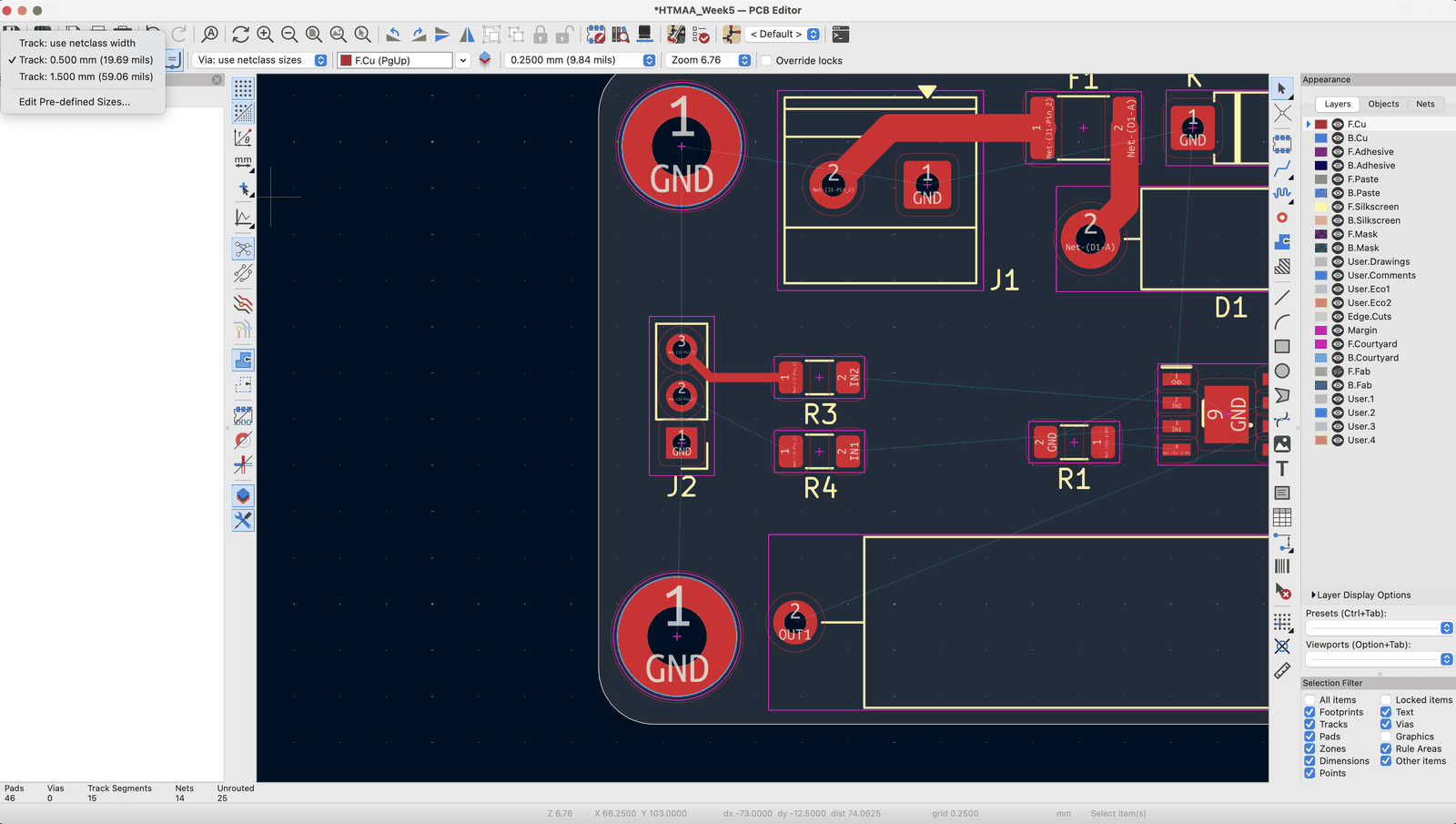
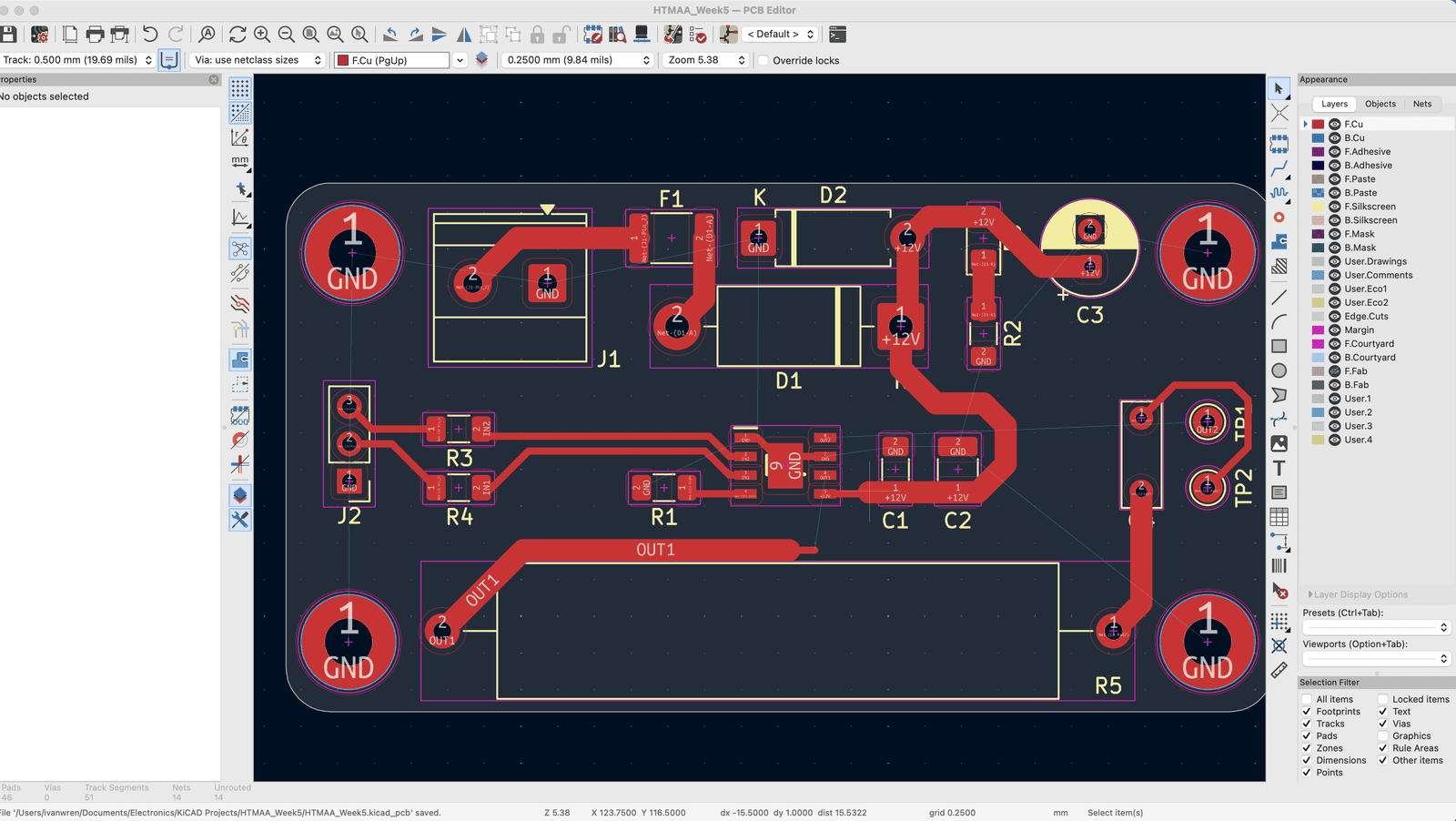
I also recommend a polygon pour for nets like the GND. This helps dissipate heat, reduce return path lengths, and just makes life easier in general. You can do this by selecting a filled zone and then adjusting the dimensions. Press B to recompute the pour.
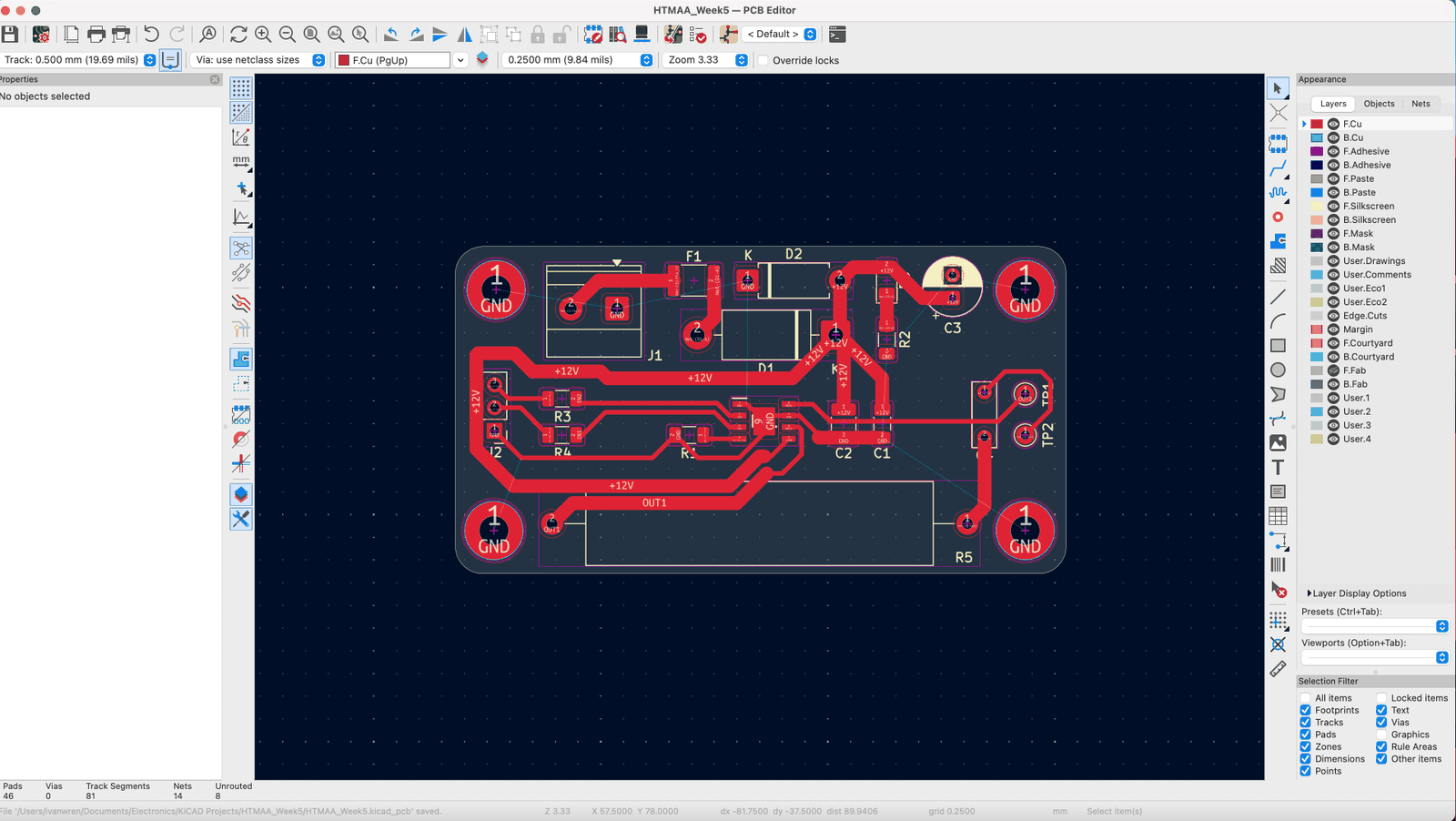
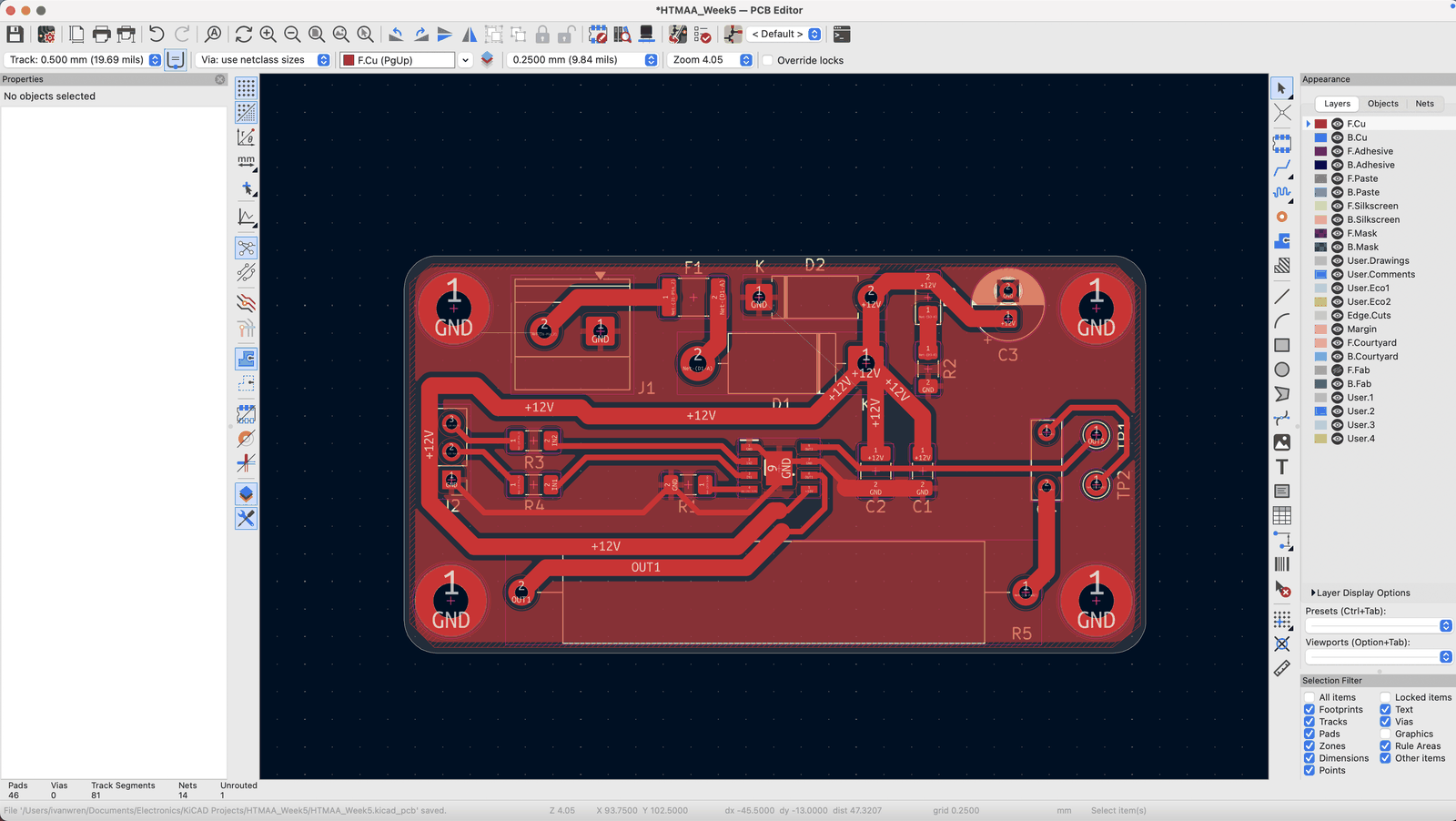
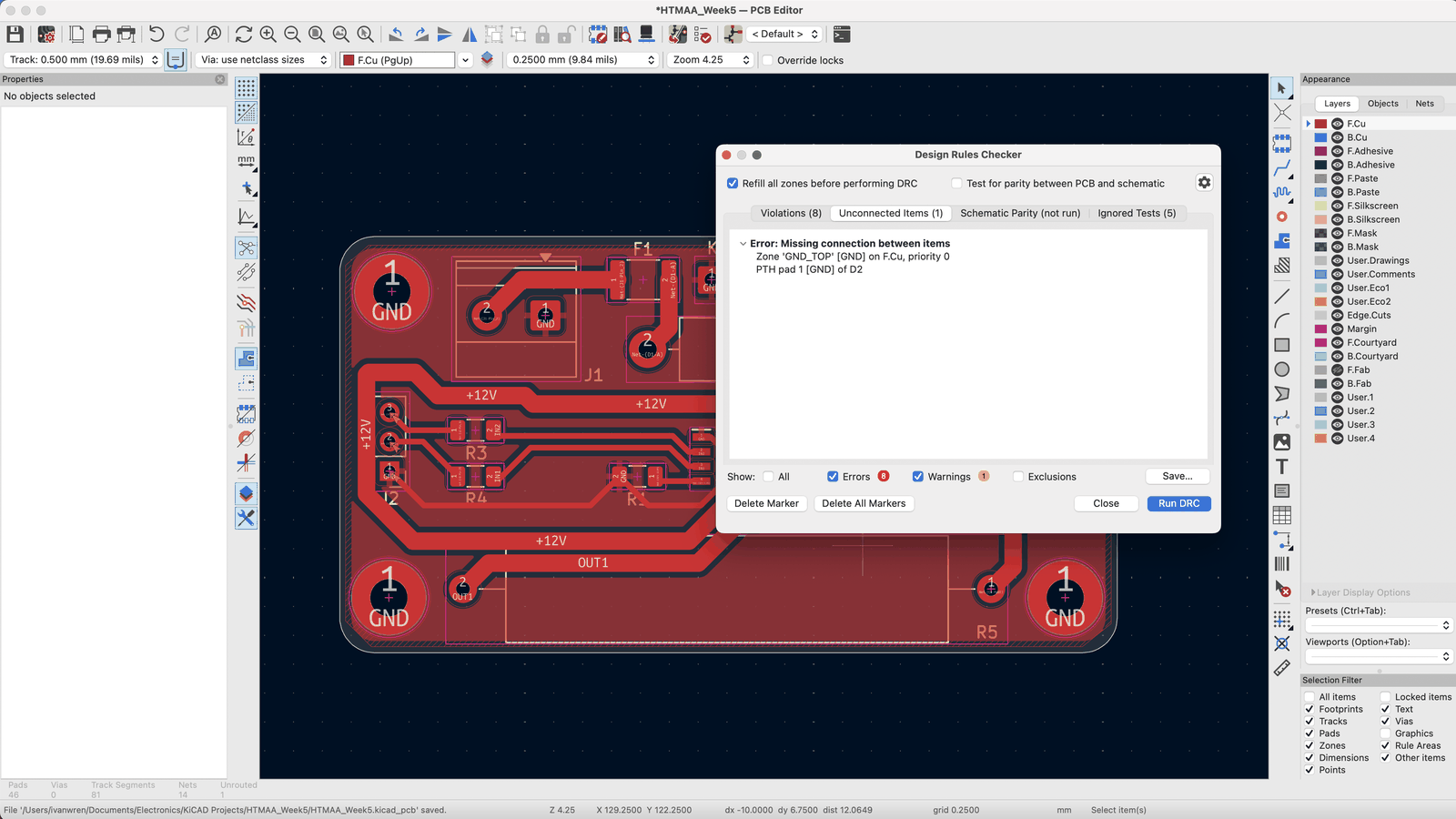
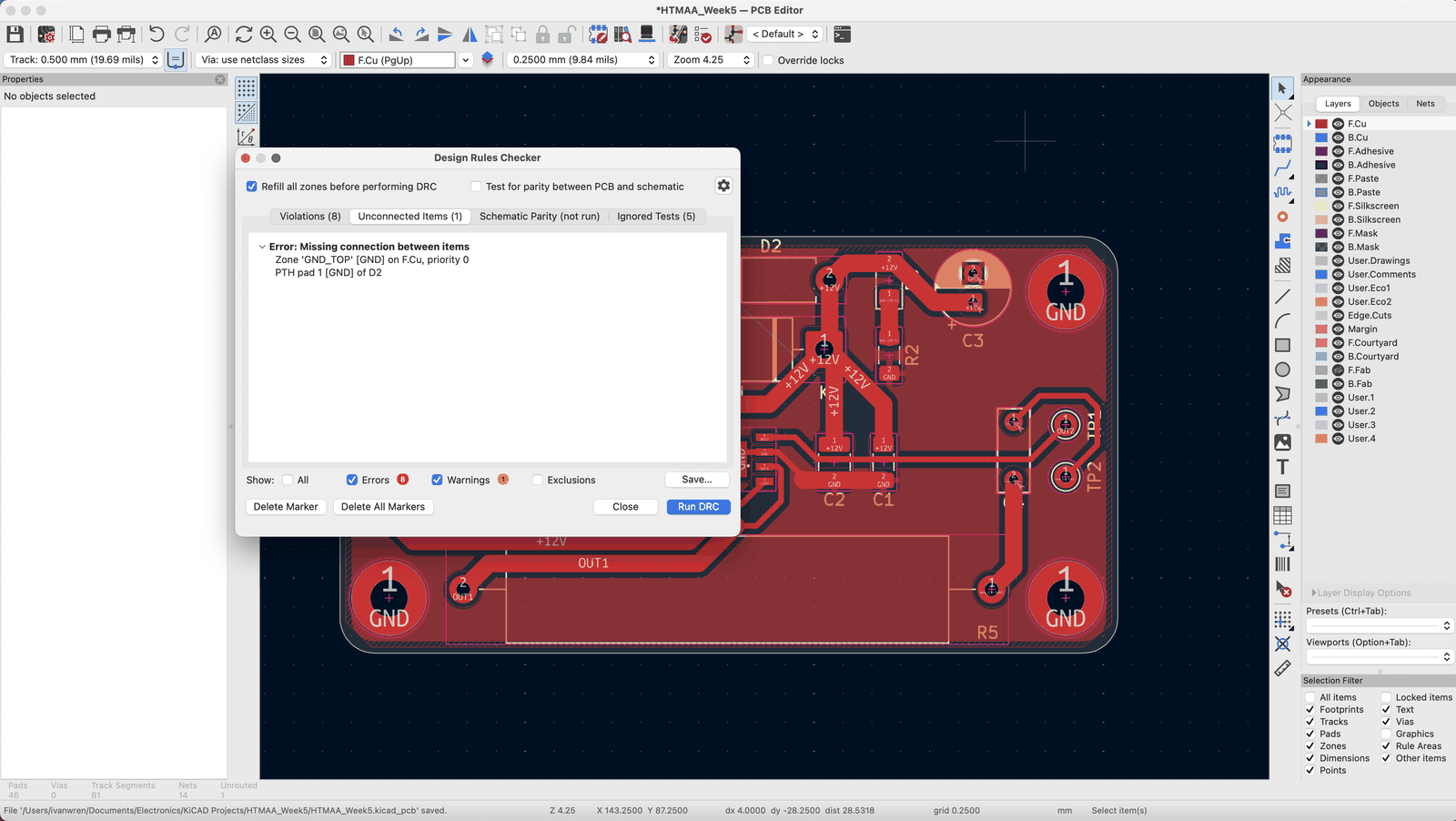
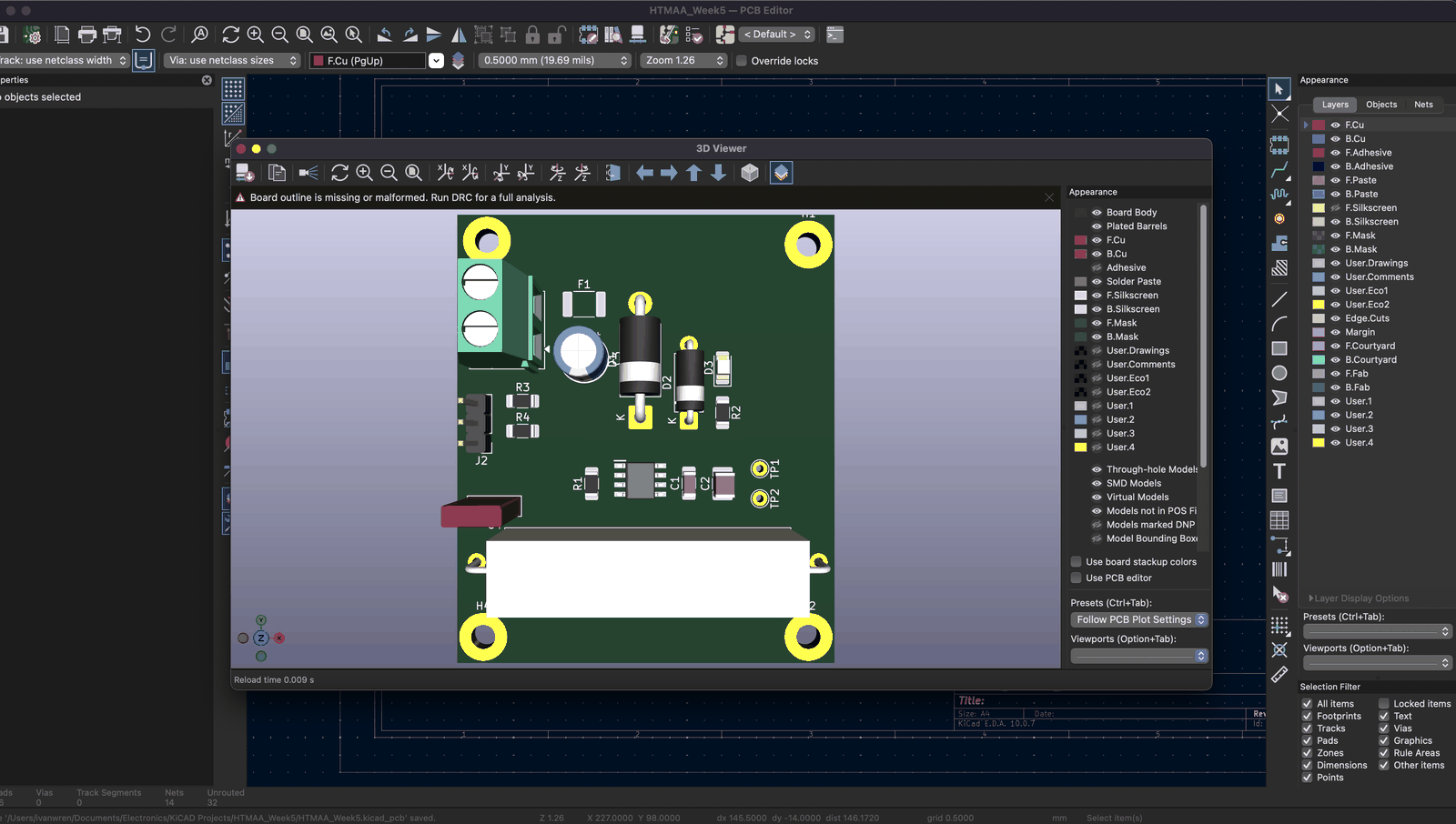
You can check the 3D view too, option 3 on Mac. I like to see the look of the board and make sure things are spaced out and aligned.
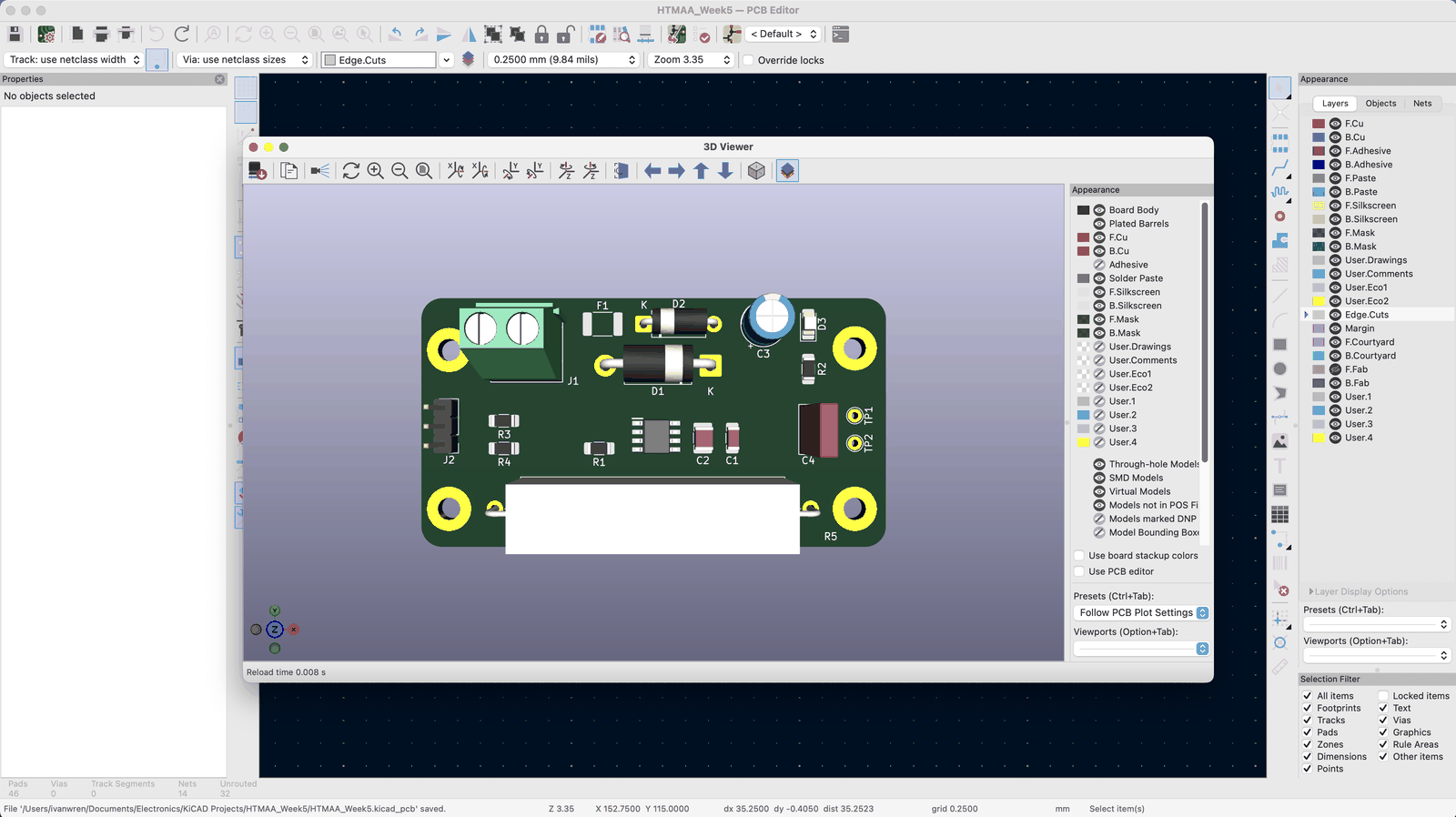
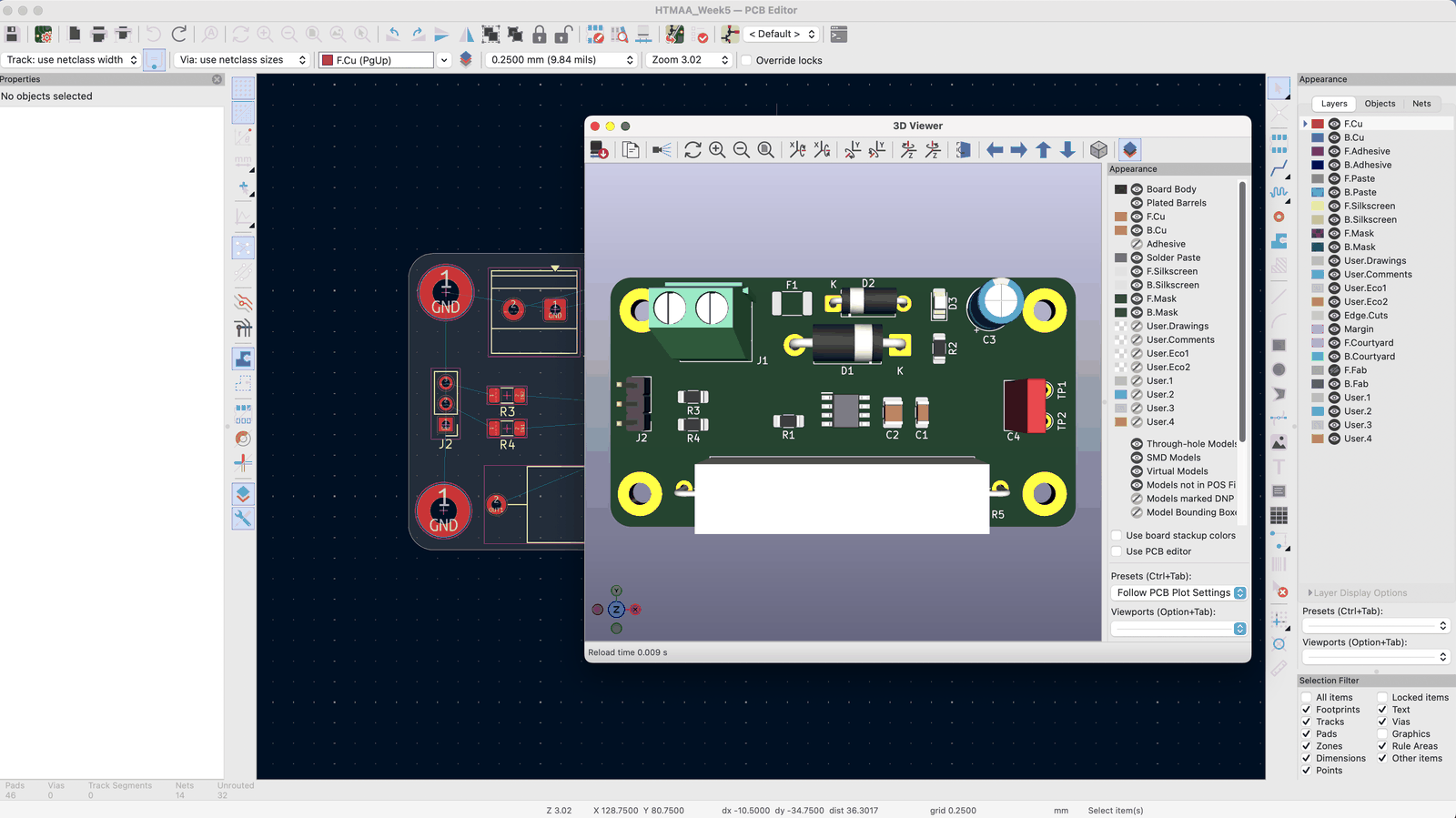
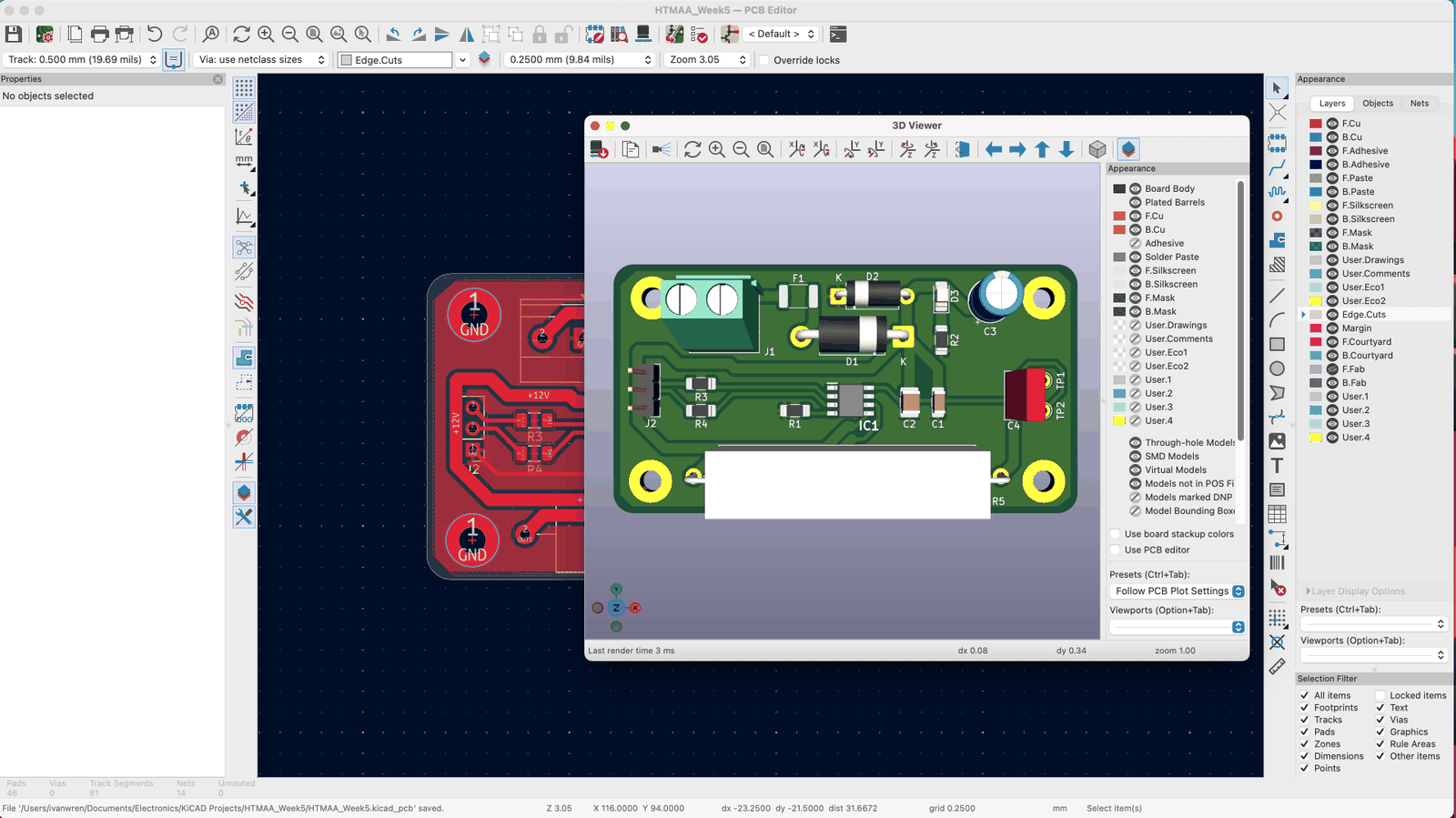
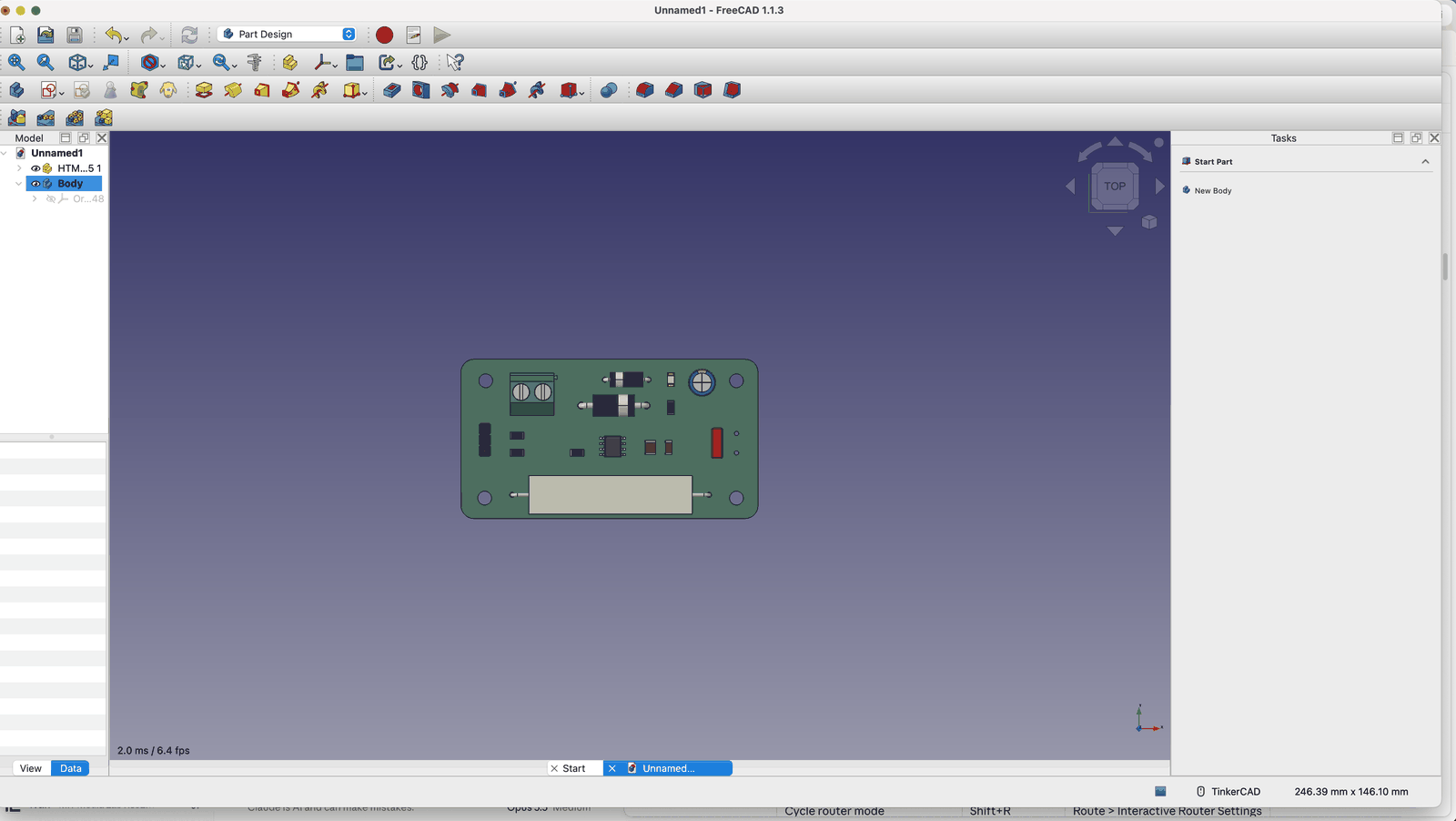
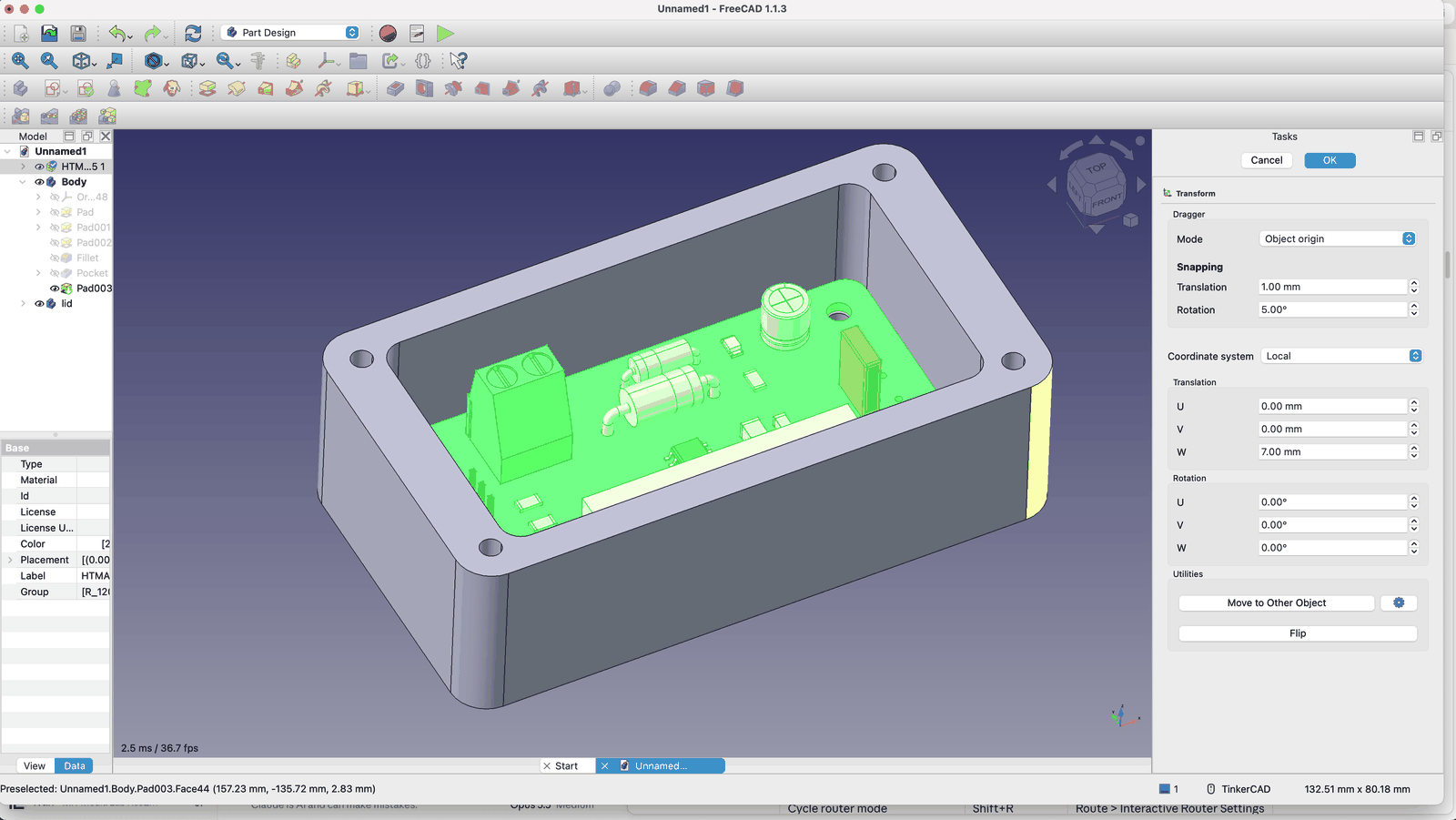
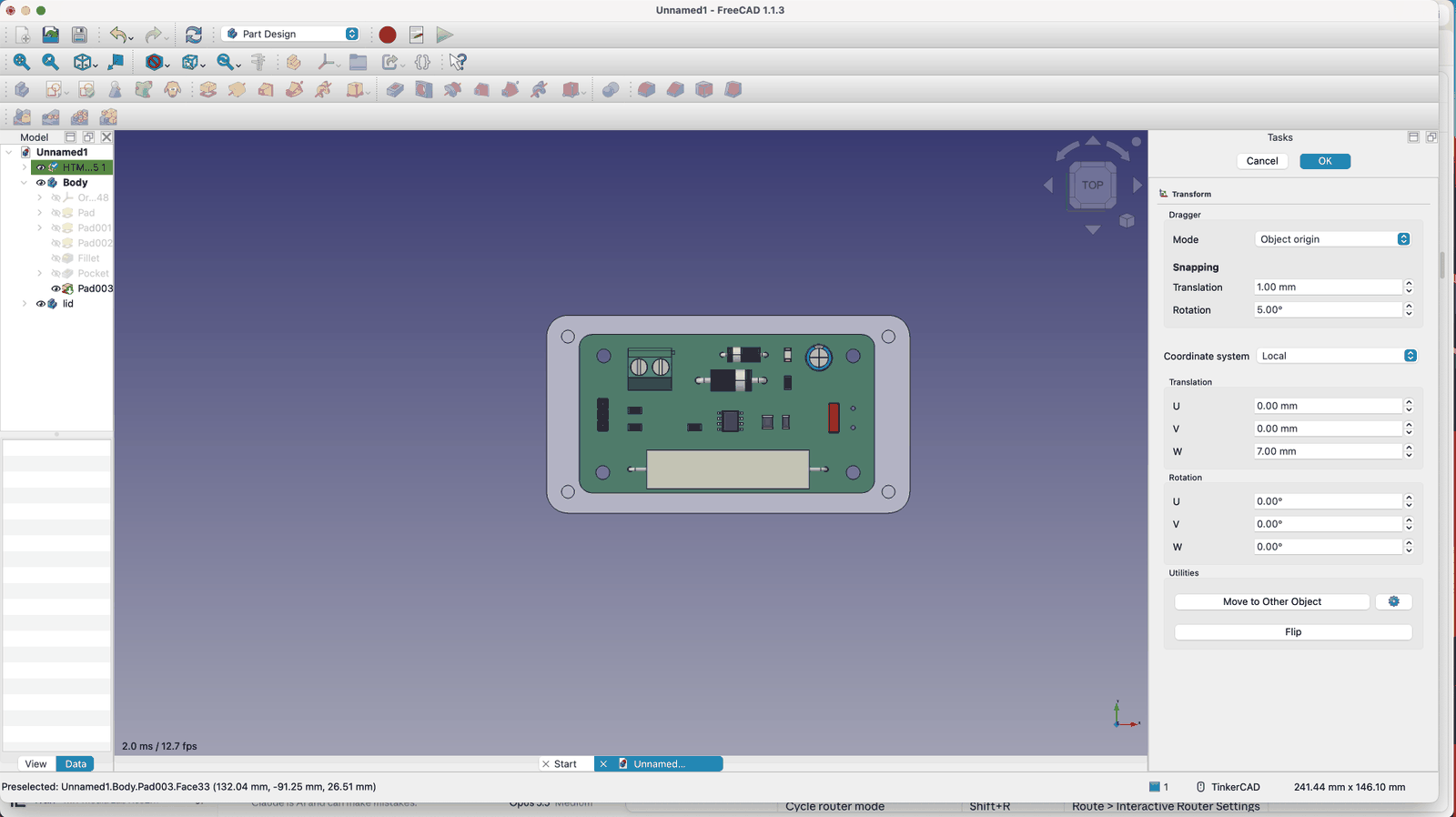
I then exported my STEP file to import into FreeCAD. You can use the PCB as a reference by using a ShapeBinder, and then build things around it. I just made a simple case.
Files
Sources
Resonance and RLC circuits
- Resonant Circuits: Resonant Frequency and Q Factor, ROHM TechWeb
- Series RLC Circuit, HyperPhysics
Magnetic tracking
- NDI Aurora electromagnetic tracking system documentation, NDI
- Coto Technology RR133-1E83-511 TMR sensor, DigiKey
- Fair-Rite 3078990901 ferrite, DigiKey
Driver chips
- DRV8871 datasheet, Texas Instruments
- DRV8871DDA symbol, footprint and 3D model, Component Search Engine
- DRV8833 datasheet, Texas Instruments
- Microchip MCP1407 MOSFET driver, DigiKey