Post
jeannie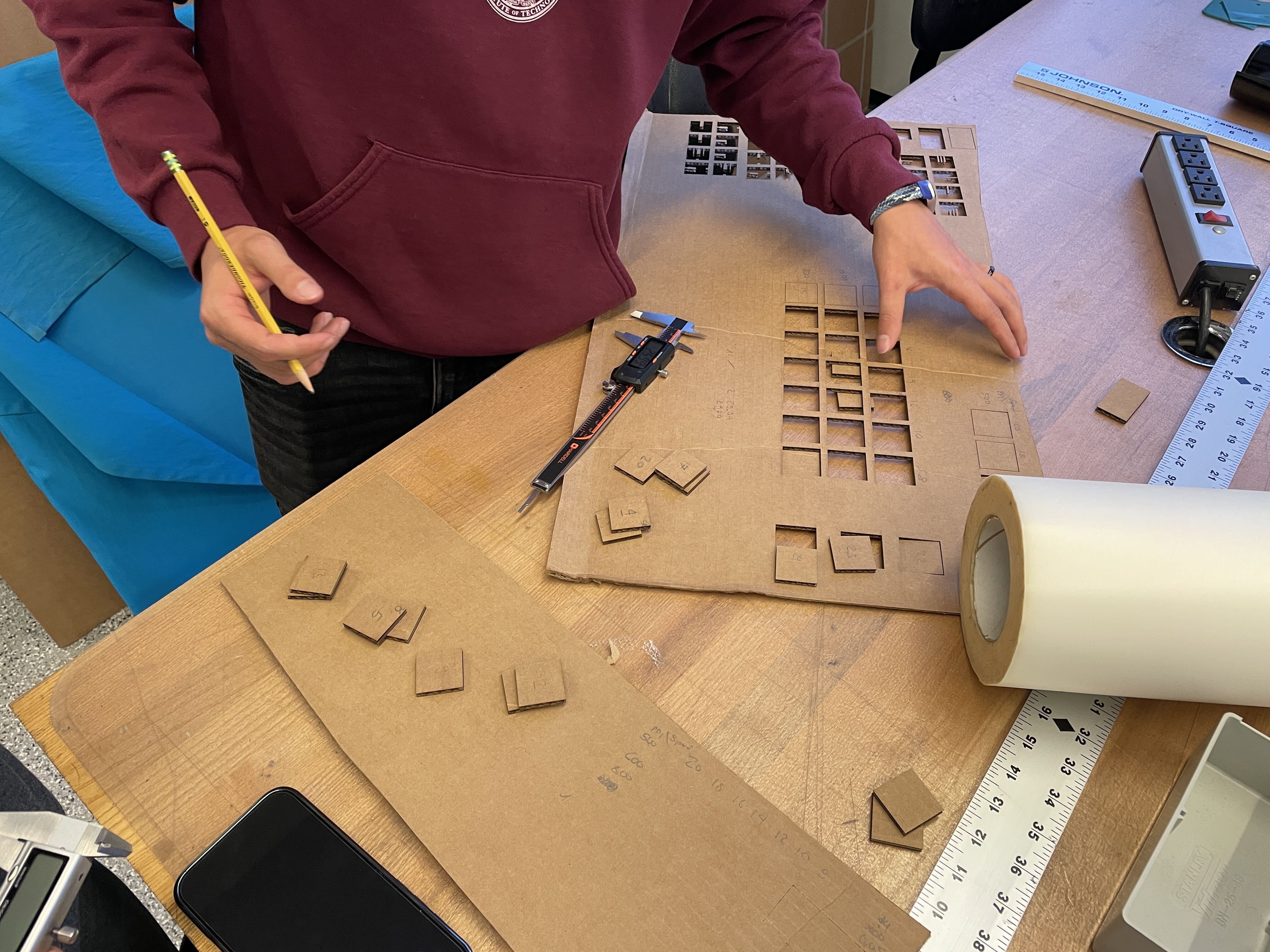
Week 1
Vinyl Cutting and Laser Cutting
Group Assignment
- Complete lab safety training.
I completed lab safety training on Thursday, September 17th, 2026.
- Characterize your lasercutter’s focus, power, speed, rate, kerf, joint clearance and types.
Together with my teammates in the EECS shop group, we tested a sweep of PPI and speed percentage on the laser cutter in EDS. We kept power at 100%, varied rate and speed, and kept the laser in focus (as best we could with curvy cardboard). After measuring the true size compared to the expected size of the squares, we identified that kerf varied with the changing settings.
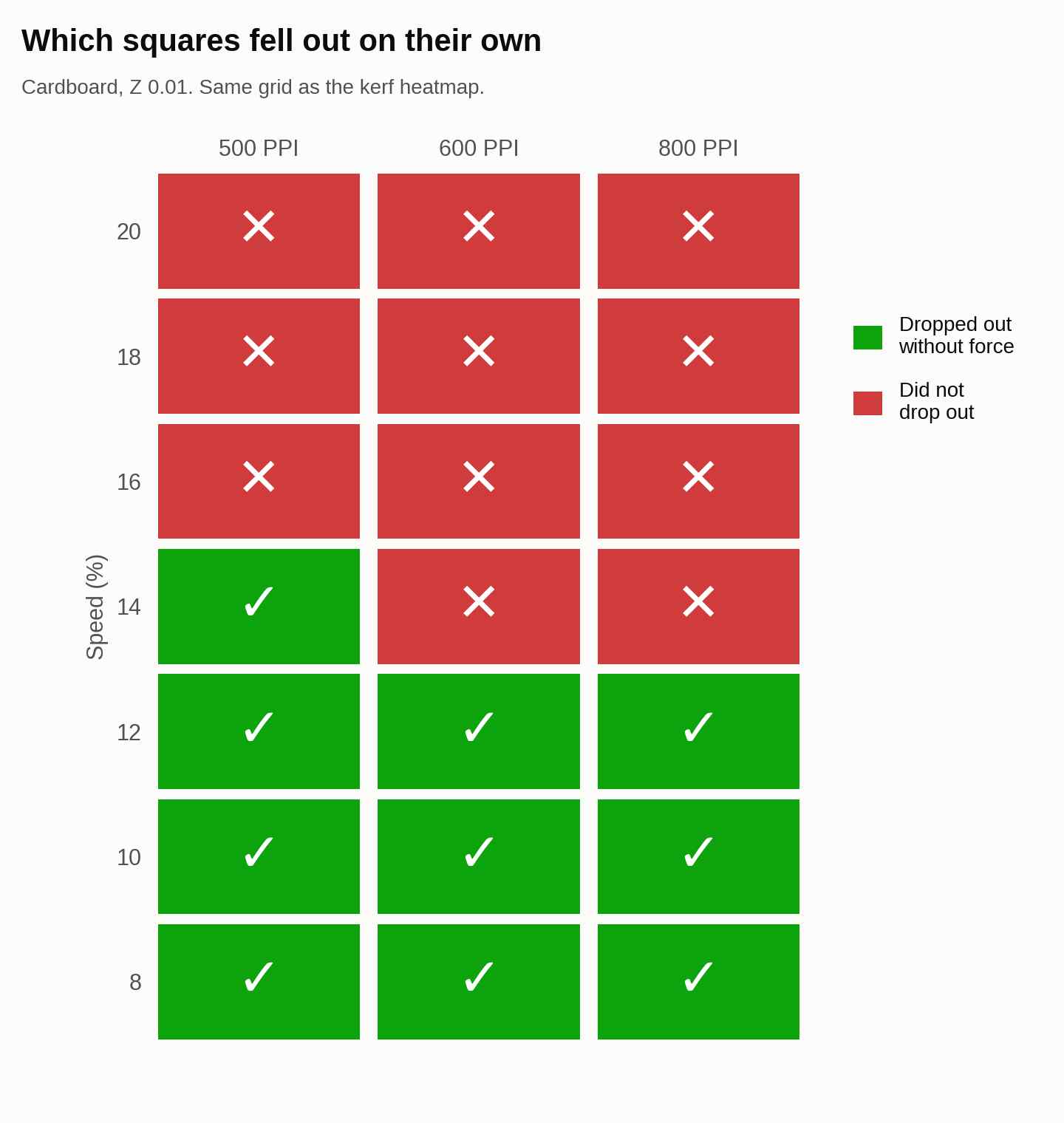
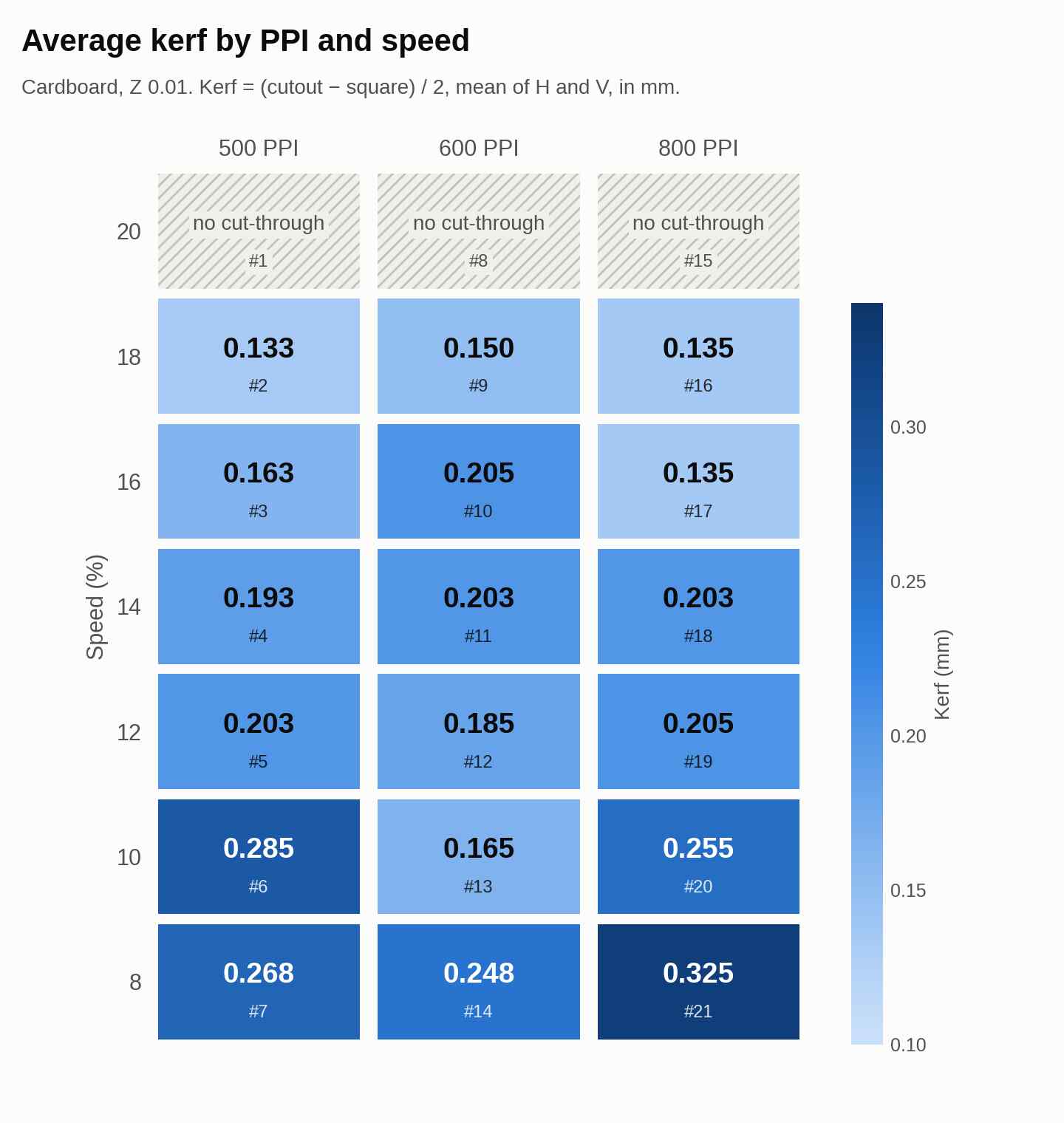
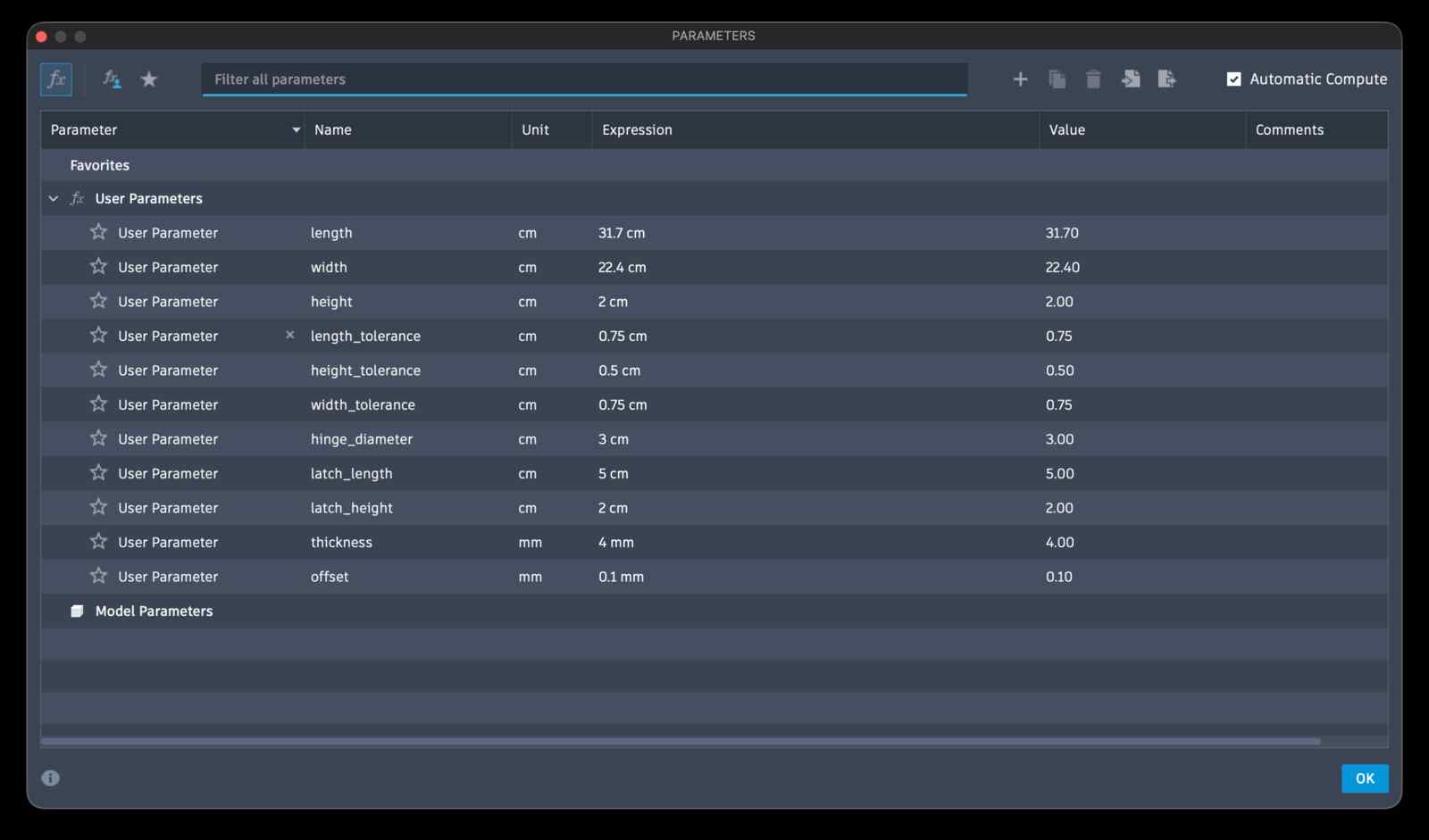
I helped CAD out the simpler joints, and using parametric design, set an offset of 0.1mm when using the speed of 12% and 14%.
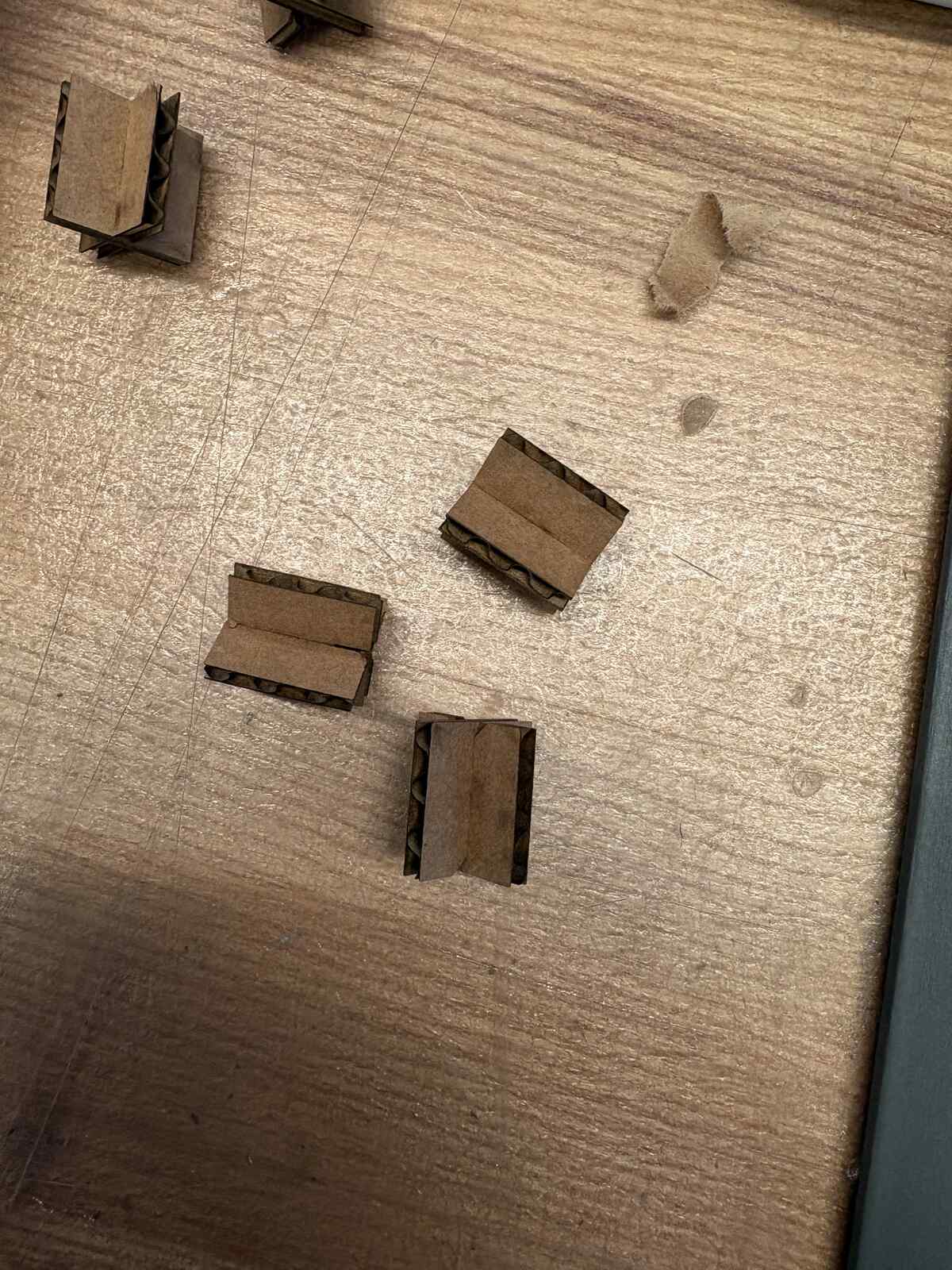
View the group assignment documentation here.
Vinyl Cutting Assignment
Brainstorm
My roommates and I together consider ourselves part of “Bob Cult,” so I wanted to go ahead and make some stickers saying that. To start with, I wanted to use Adobe Illustrator because I have had a little bit of familiarity with that in the past, and I specifically wanted to see if I could recreate the same sort of graphic design that this Spotify feature does. This Spotify feature wraps text around a sphere.

I wrote BOB CULT as text. Then, I created a Symbol from it. I next drew a circle, deleted the left anchor leaving a right hemisphere circle, then pressed Effect > 3D and Materials > 3D > Revolve. I used the “Map Art” feature and selected my text that is now a Symbol. If you check the box that makes the object transparent, you can visualize how your sticker ends up looking.
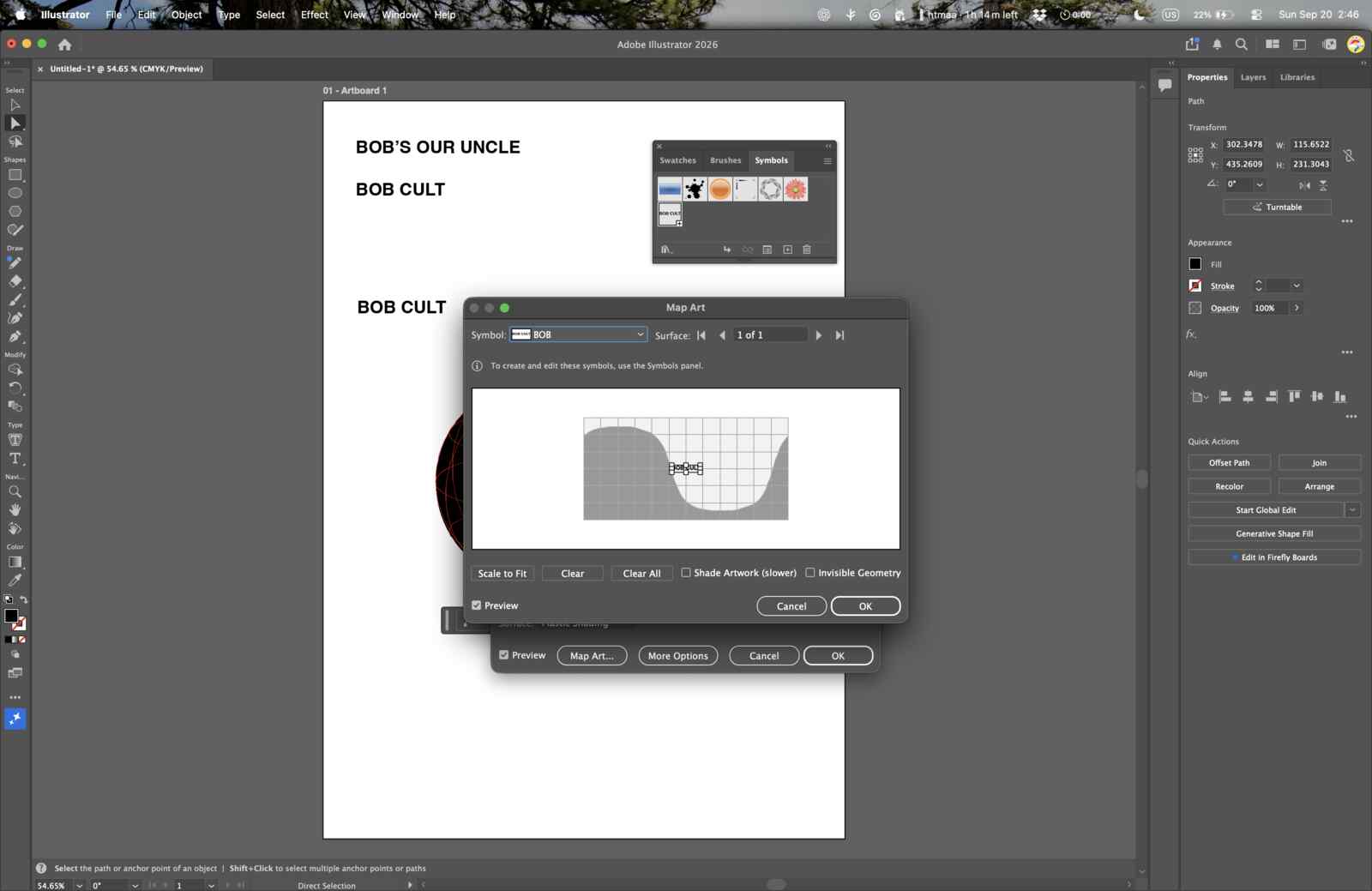
At first, I exported an SVG and loaded that into the mods.cba.org cutting program. Unfortunately, after loading my image in, the preview was completely black and I couldn’t figure out why. I exported again as a PNG and reloaded it, and it worked this time. I spent so long trying to toggle the DPI and unit values, and decided that I should search Google to try and figure out what DPI I should set my image to in order for it to produce a sticker of the desired size.
After weeding, I stuck it onto my laptop case!
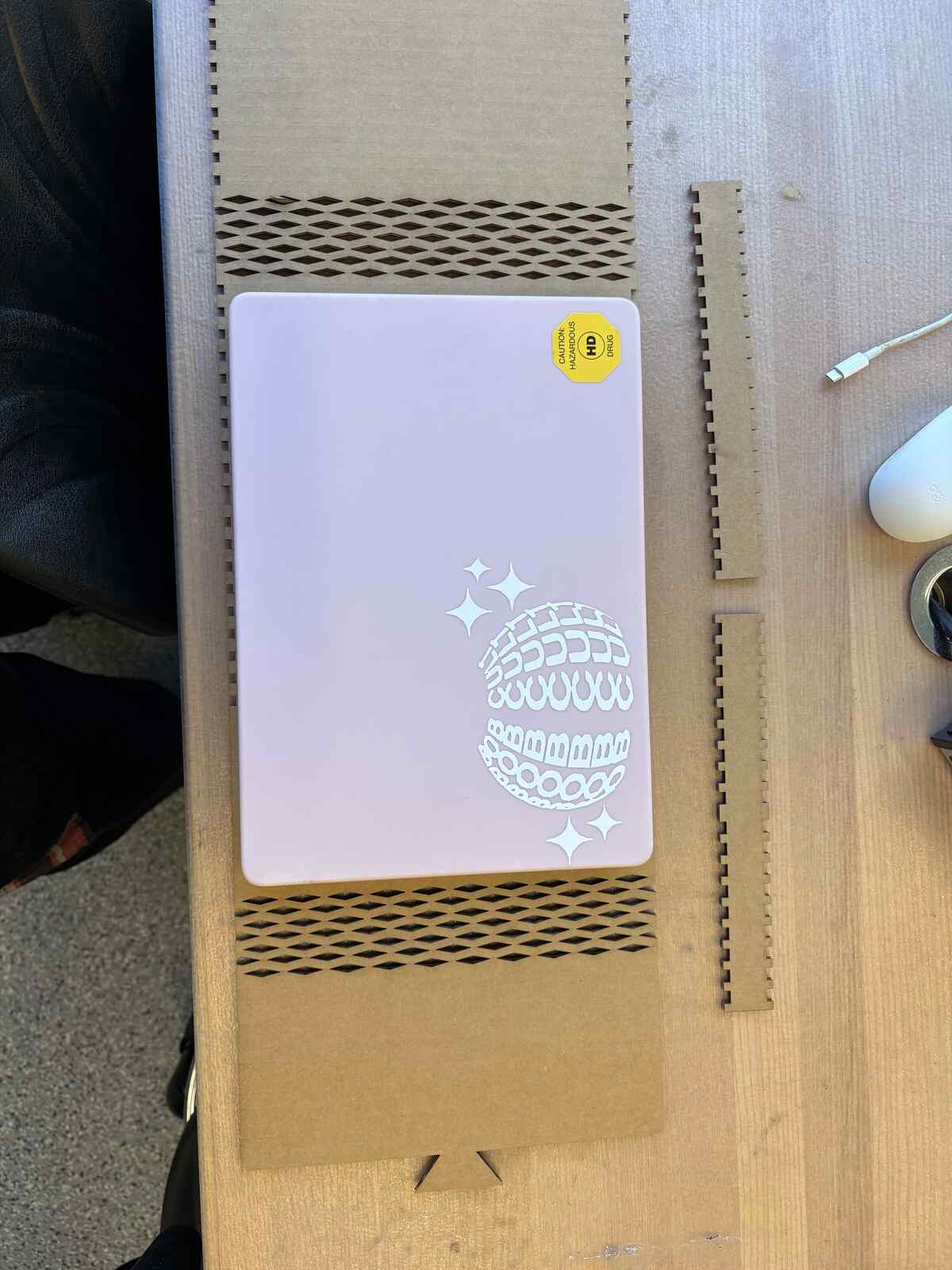
The next stickers I made were simpler; I wanted to label my notebook that I’m using for HTMAA, and make brat-styled stickers for Bob Cult also. Spoiler alert: I did not budget my time well and ended up having too much fun making stickers and avoiding the bigger assignment of the week: laser cutting.
Learnings
Weeding through the sticker was a pain! Takes a lot of patience.
AI Usage
None.
Files
week1_stickers.ai
Laser Cutting Assignment
design, lasercut, and document a parametric construction kit, accounting for the lasercutter kerf
extra credit: include elements that aren’t flat
Brainstorm
I walked to the HTMAA office hours on Monday at 4pm after my 6.310 class and told myself I needed to start brainstorming about the item I wanted to make. Alfonso was a huge help and inspiration, telling me that I should sketch out what I wanted to make first. I decided on a laptop case, because I can add living hinges, engineer finger joints for the sides of the laptop case, and learn to get better at Fusion360 at the same time.
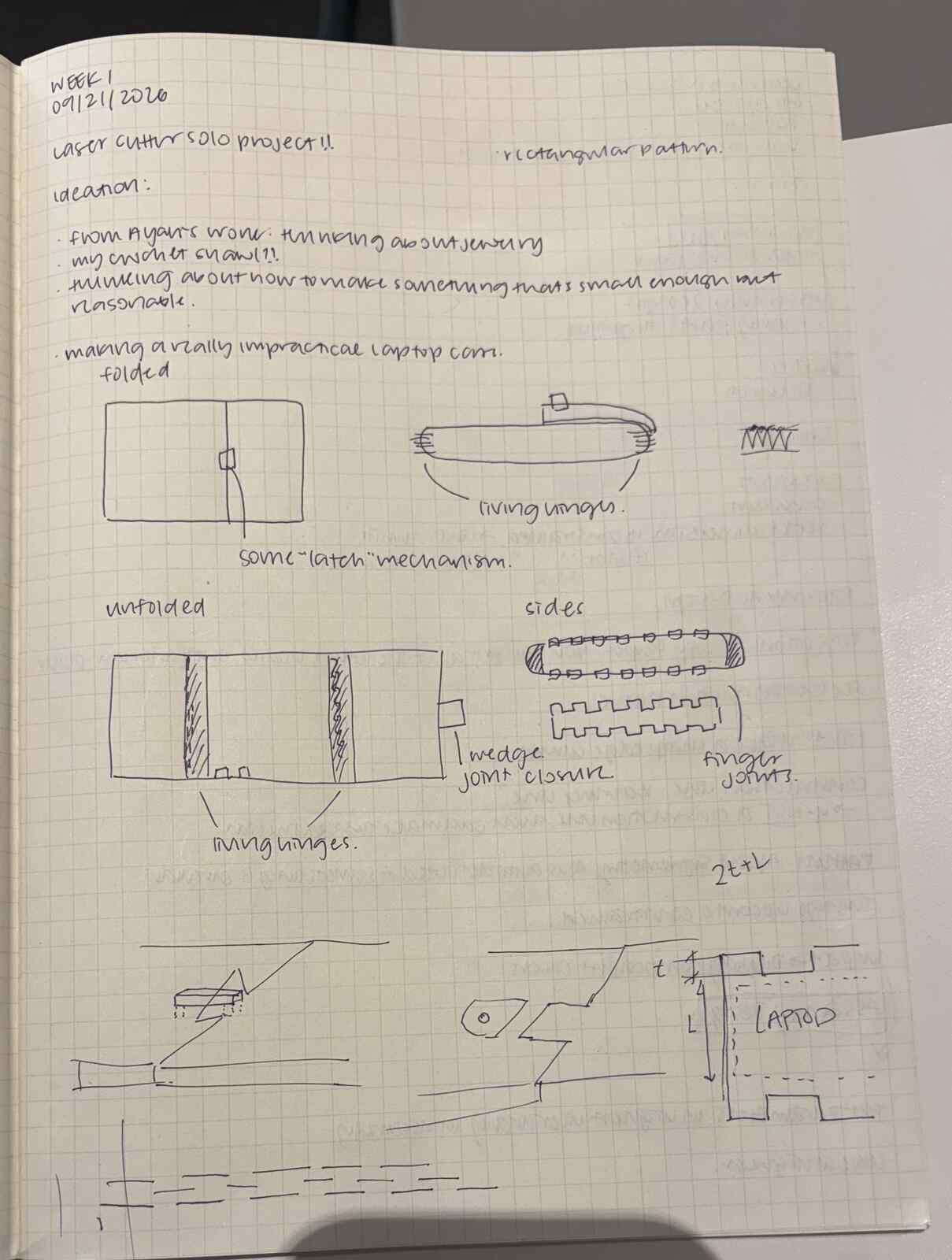
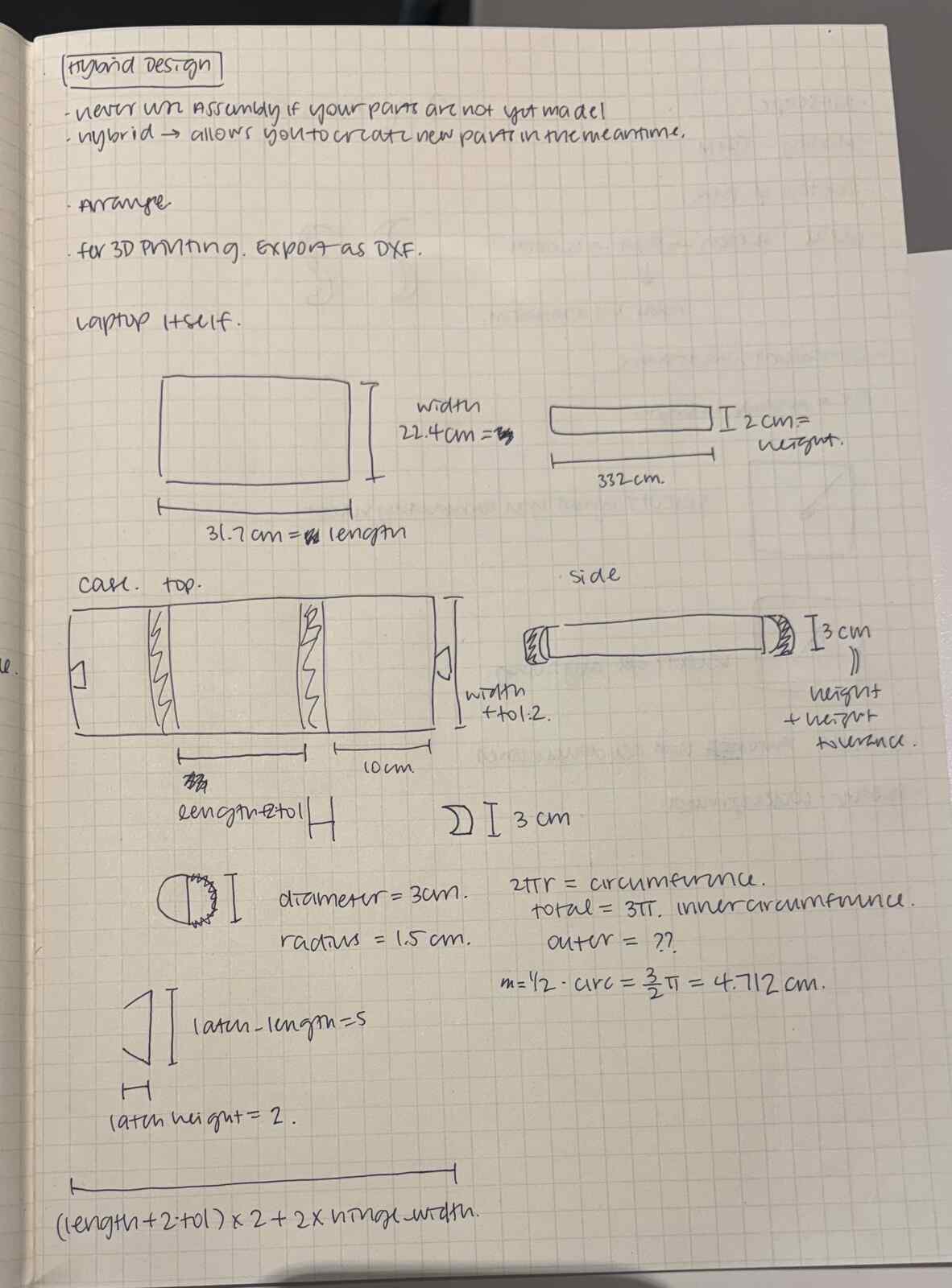
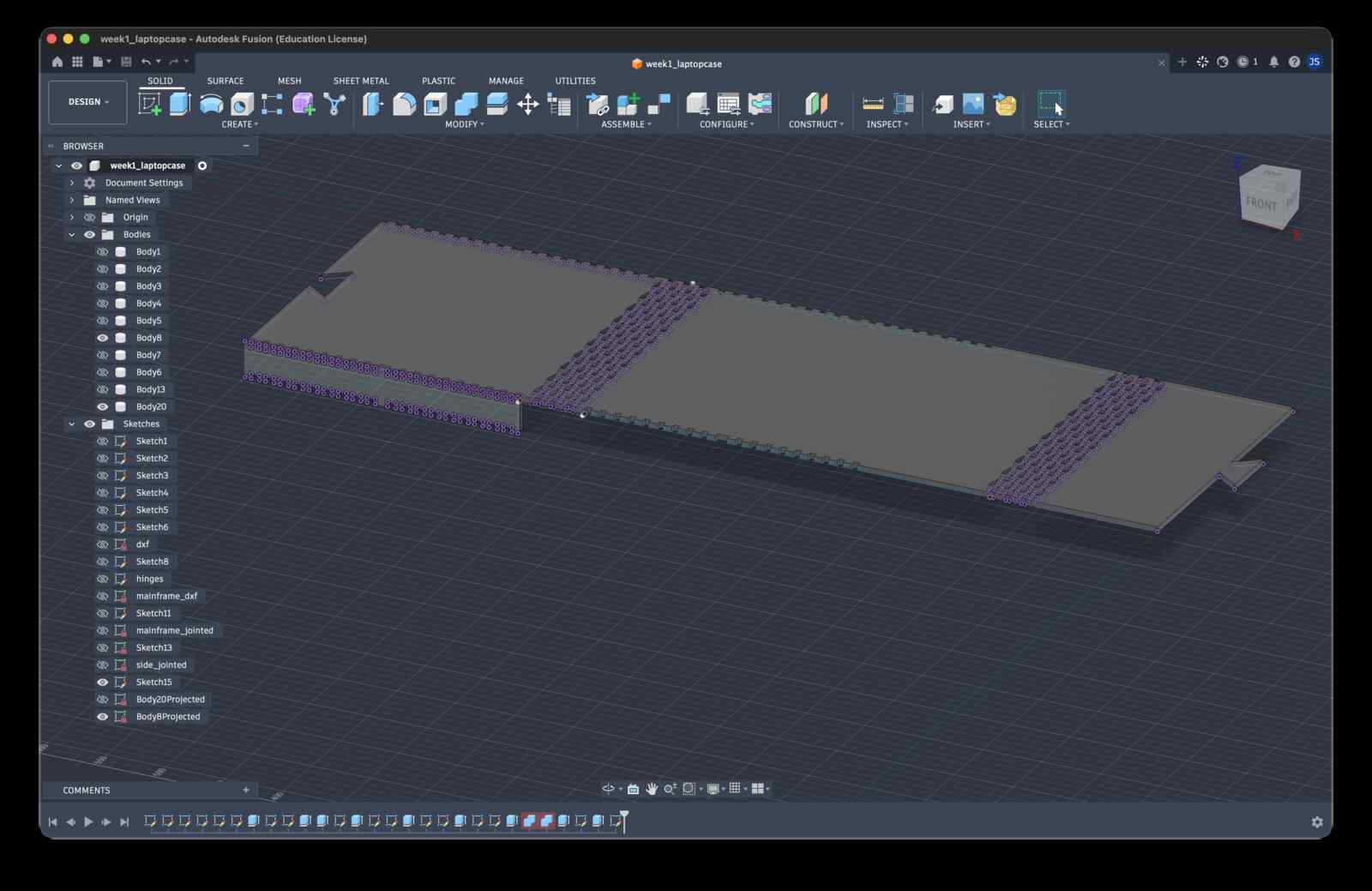
Before ending up with a design that aligned with my vision, I knew I wanted to experiment with the living hinge design. The examples shown in class made me curious to try it out myself. I first spent ages CADding some test designs for this and ended up with a few somewhat, and not so much, bendy hinges.
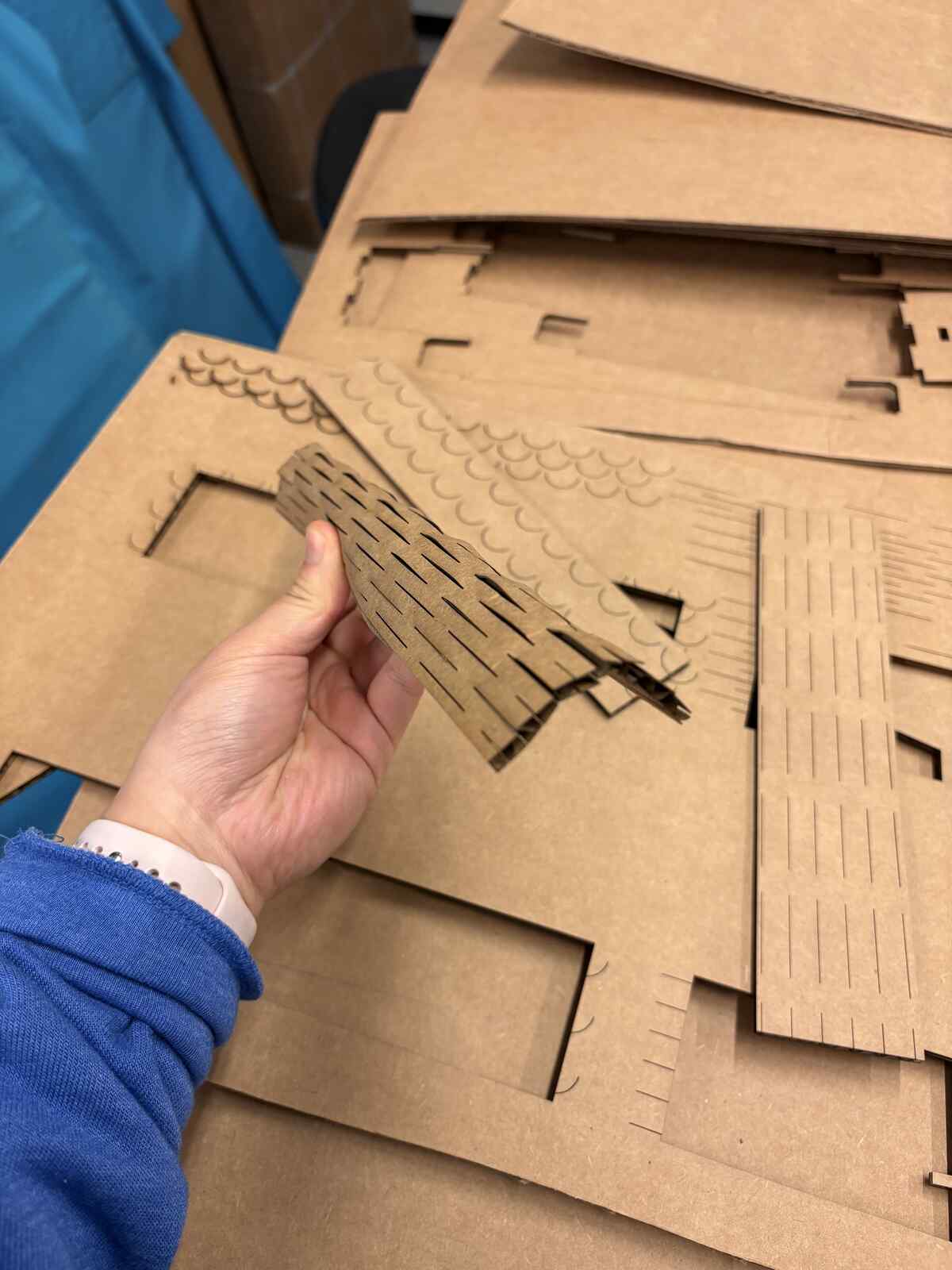
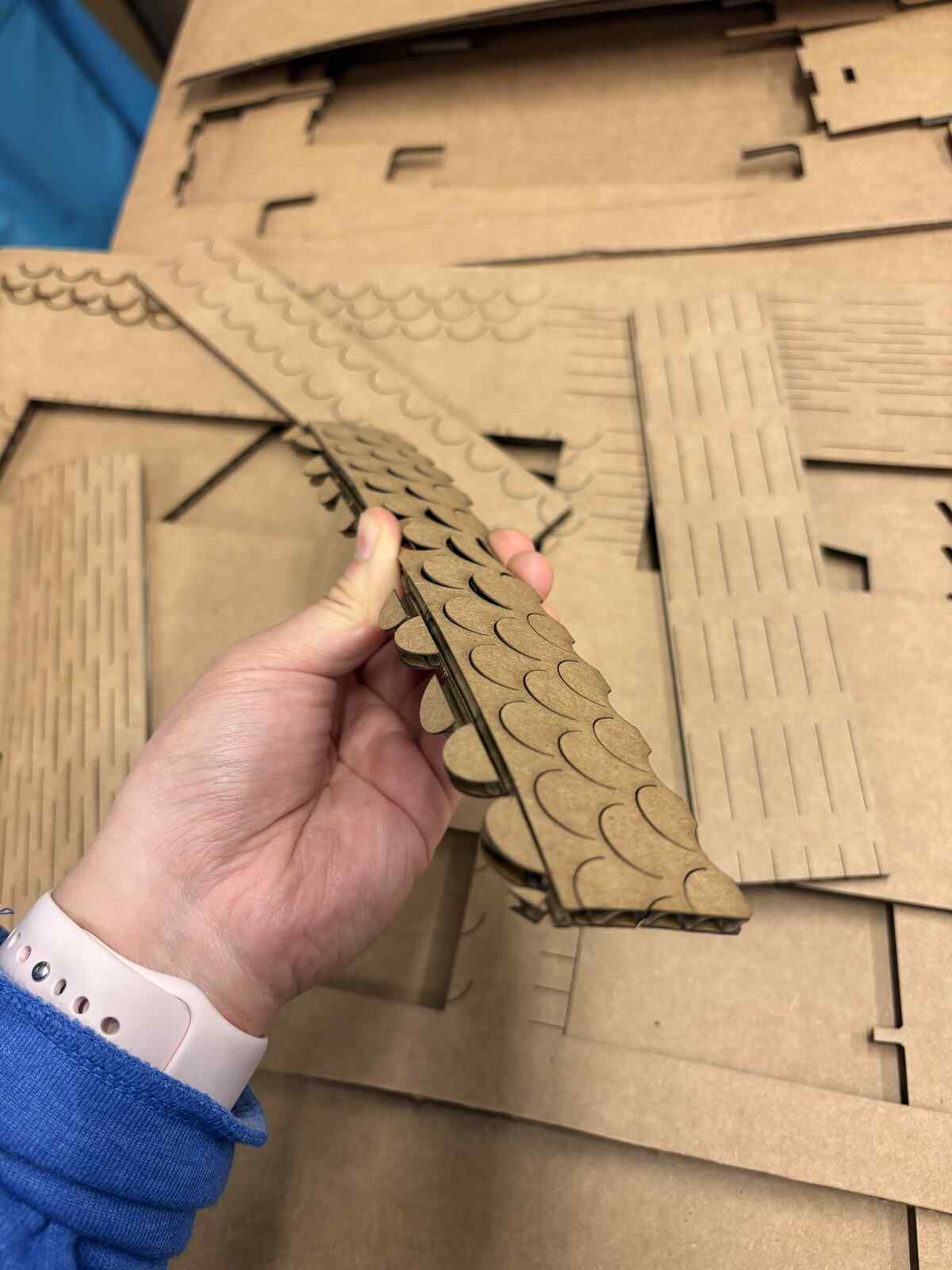
I went back to the inspiration from class and decided to go with the diamond design. I was particularly itching to start over because my Fusion files had gotten so convoluted.
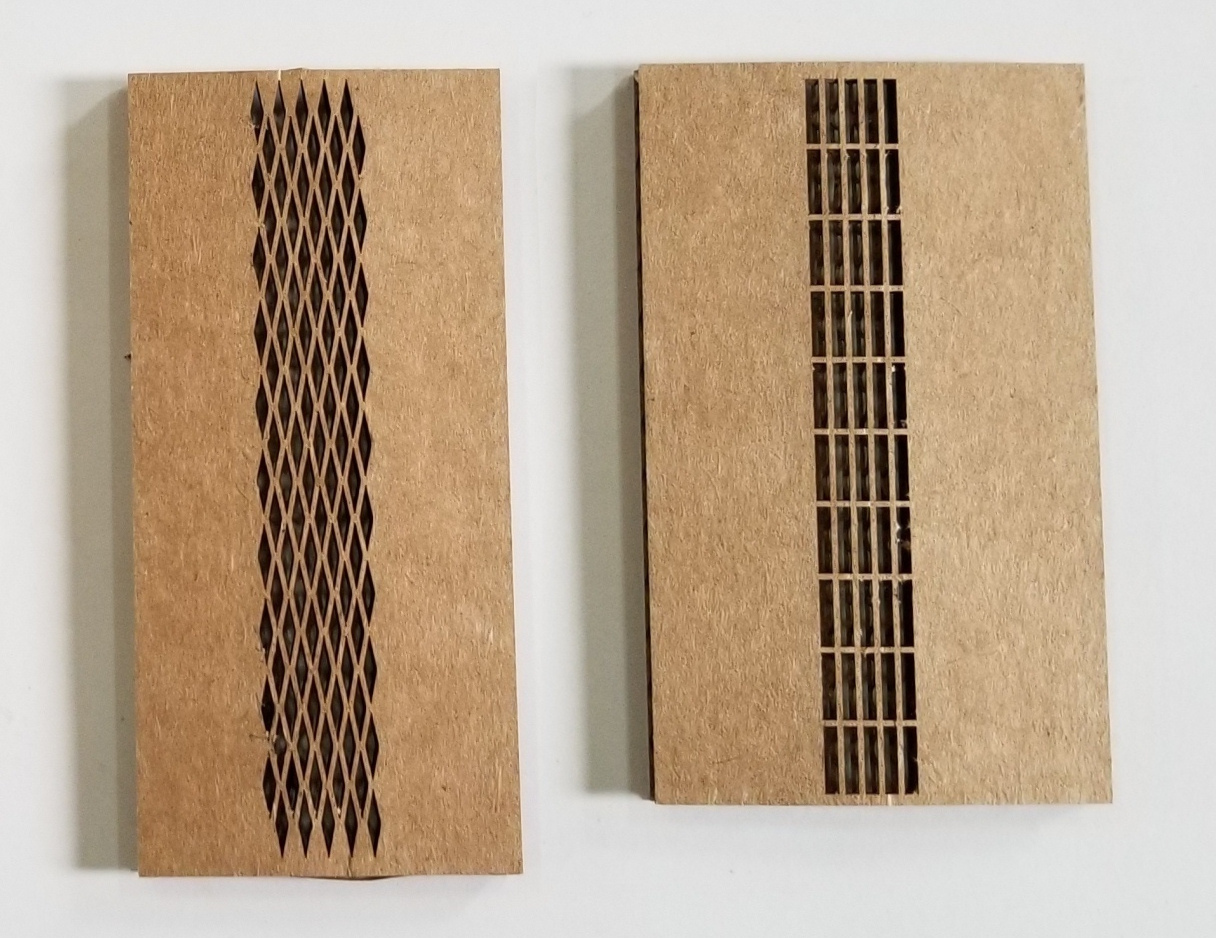
Eventually, I CADded this.
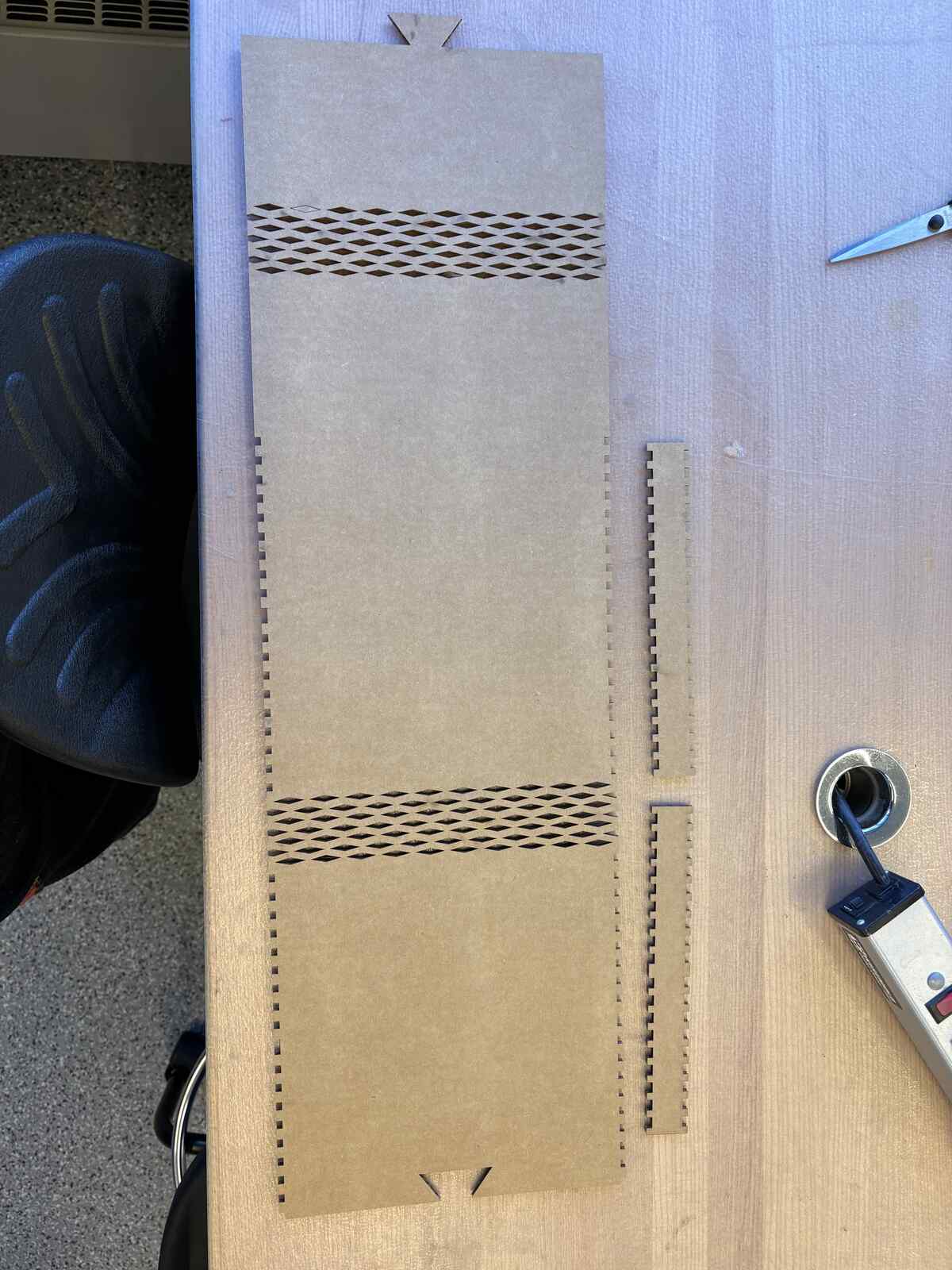
The first attempt at printing was relatively successful, except for how the laser cutter cut lines that I did not intend on cutting. (Sensing a similar theme here…)
After one more night of sleep, I approached Fusion once more and managed to use the Trim and Line tool to my advantage. I also cleaned up my accidentally double-lined side pieces and actually created a piece with the correct offset I wanted. (Shoutout to parametric design for each modification of parameters!)
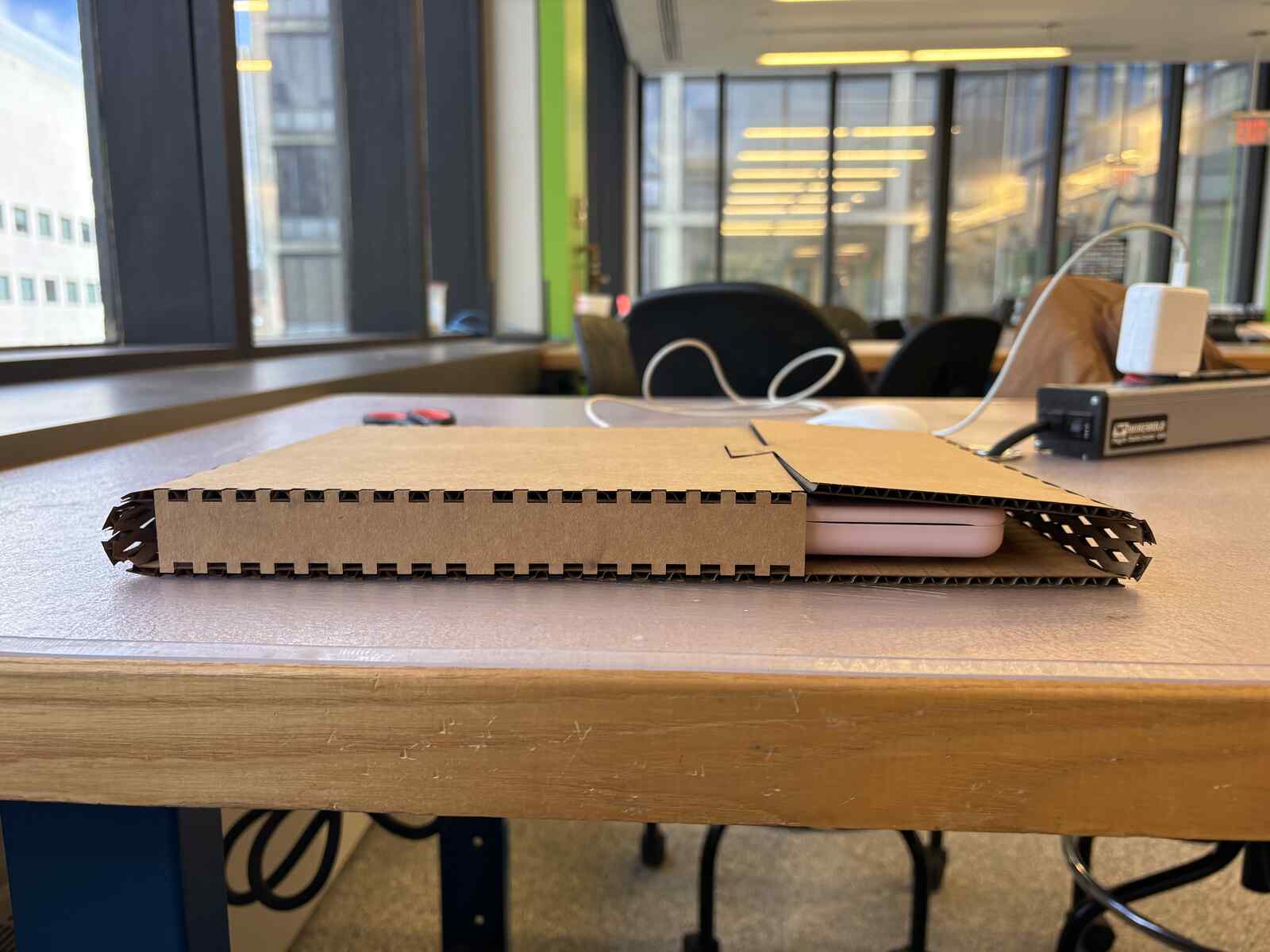
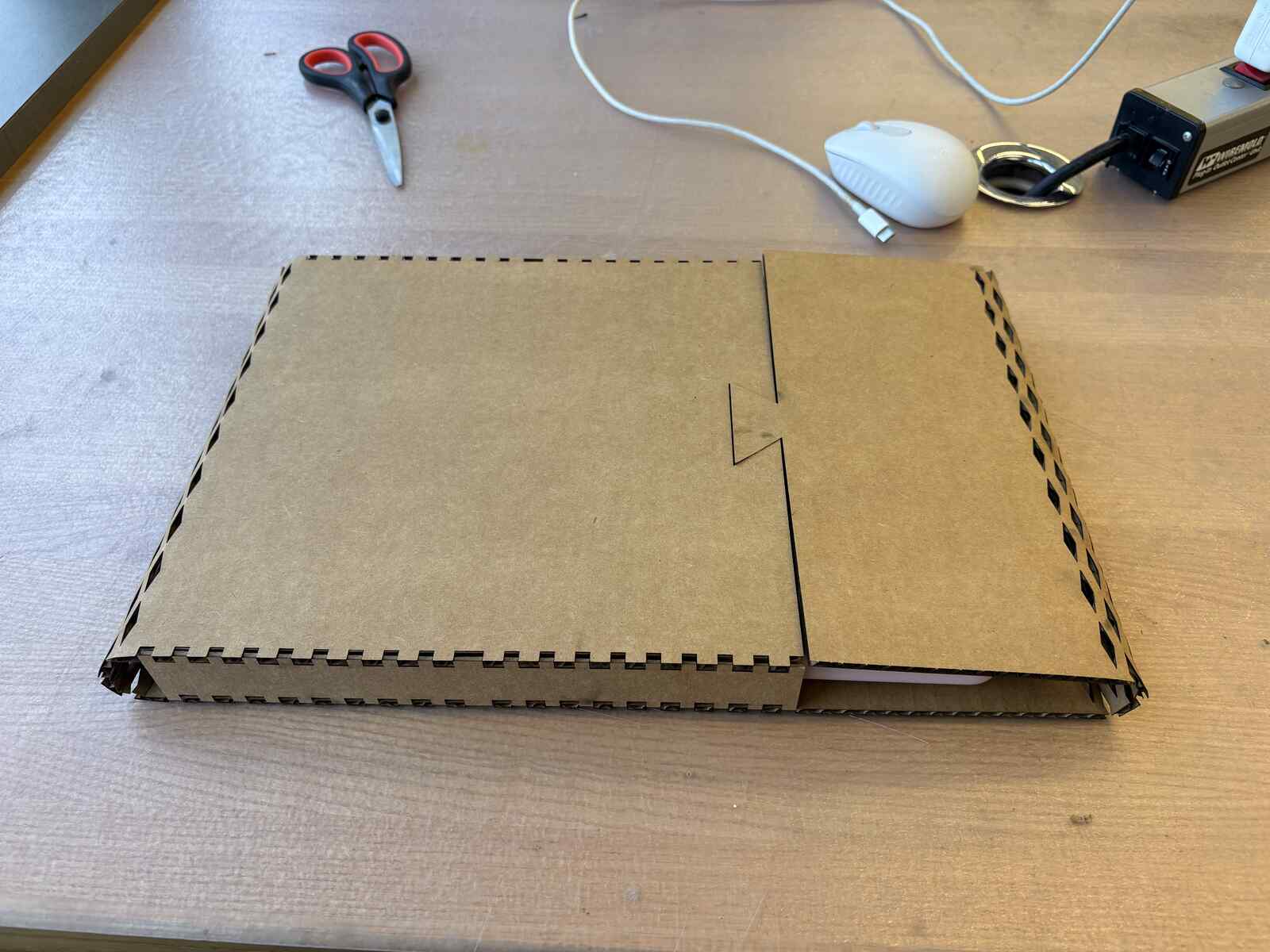
Hallelujah! My laptop case is complete!
Learnings
Parametric design is really nice and reminds me of good software engineering practices!
AI Usage
None. I Googled when Fusion was frustrating me and I was not in the shop.
Files
week1_laptopcase
Takeaways
- Start early in the week on the weekly assignment.
- Learning Fusion is like learning DaVinci Resolve – I’m getting a hang of it now, and even more getting a hang of using the keyboard shortcuts.
- Thank you to Anthony and Jesse for coaching me through Fusion this week!!