What I did this week LOG
- Set up Git on my Mac and connected it to the class Forgejo server with an SSH key.
- Built this site: Shimon Airways, with a three.js flight simulator as the front page (how I built it).
- Signed the student agreement.
- Cut a vinyl sticker of the NYC RATS FC badge on the Roland GX-24 (below).
- Laser cutting is next (coming soon).
Student agreement SIGNED
I read and signed the class student agreement by committing it to my repo: agreement.txt.
Building this site HTML + GIT
I wanted my website to be a reflection of my own world. I thought it would be amazing to slowly add to this world as the course goes on, and so cool to have a little prop plane fly around it. The idea is a gamified mind map.
Fly the plane through the blue rings to land on a page. Grey rings are pages that aren't ready yet, so you bonk off them. Every page opens with a boarding pass, and Home is a departures board.
Learning Git and SSH
Git and SSH are new to me. Learning how they work and how they can be useful to me has been interesting. It was a little confusing at first, but I think I have the idea now.
How a change gets online
- Set up Git on my Mac and made an SSH key, so the class Forgejo server knows it's me without a password.
- Cloned my repo from Forgejo into a folder on my laptop.
- Make changes with Claude and Claude Code. I use them to go farther than I would ever be able to alone.
- Review the changes in VS Code and test them in my browser.
- Commit to save a snapshot of my changes, then push to send it to Forgejo.
- Publish. Each push to the main branch runs the class publish workflow, which copies my files to the public site.
How it's built
- Plain HTML, CSS, and JavaScript. No website builder.
- One theme for every page.
airways.csshas the colors and layout.airways.jsadds the menu, the boarding pass, and the sky with the volcano. - One list of pages. The menu, the departures board, and the rings in the simulator all read from the same list in
airways.js. To add a week, I add one line and make the page. - The flight simulator uses three.js, a library for 3D graphics in the browser.
const DESTINATIONS = [
  { code: 'HOM', name: 'Home',          url: 'home.html' },
  { code: 'ABT', name: 'About Me',      url: 'about.html' },
  { code: 'W01', name: 'Week 1',        url: 'week1.html' },
  { code: 'W02', name: 'Week 2',        url: 'week2.html' },
  { code: 'W03', name: 'Week 3',        url: 'week3.html' },
  { code: 'W04', name: 'Week 4',        url: null },   // null = grey "coming soon" ring
  ...
  { code: 'FNL', name: 'Final Project', url: 'final-project.html' },
];
Keeping the repo small
Everything I push stays in the repo's history for good, so I keep files small. I shrink photos before committing them (most are under 100 kB), put videos on YouTube instead of in the repo, and keep full-size originals in a folder Git ignores.
Vinyl cutting: NYC RATS FC badge ROLAND GX-24
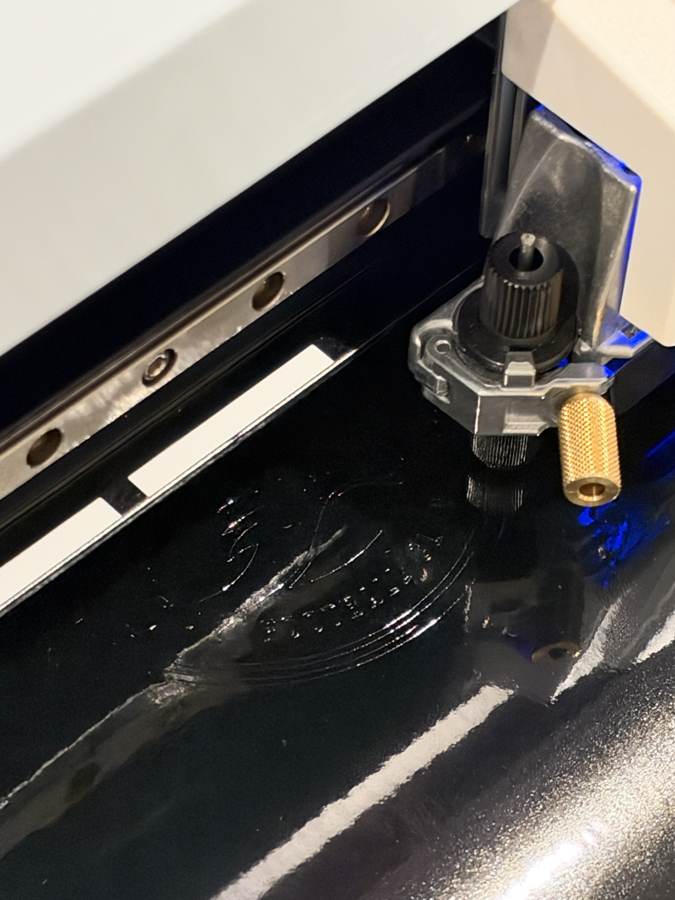
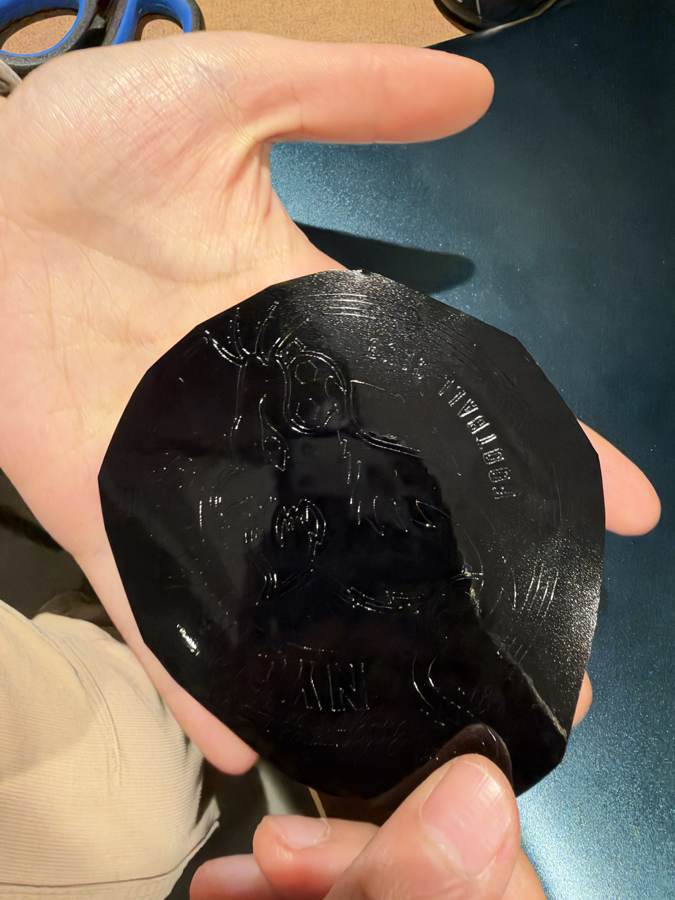
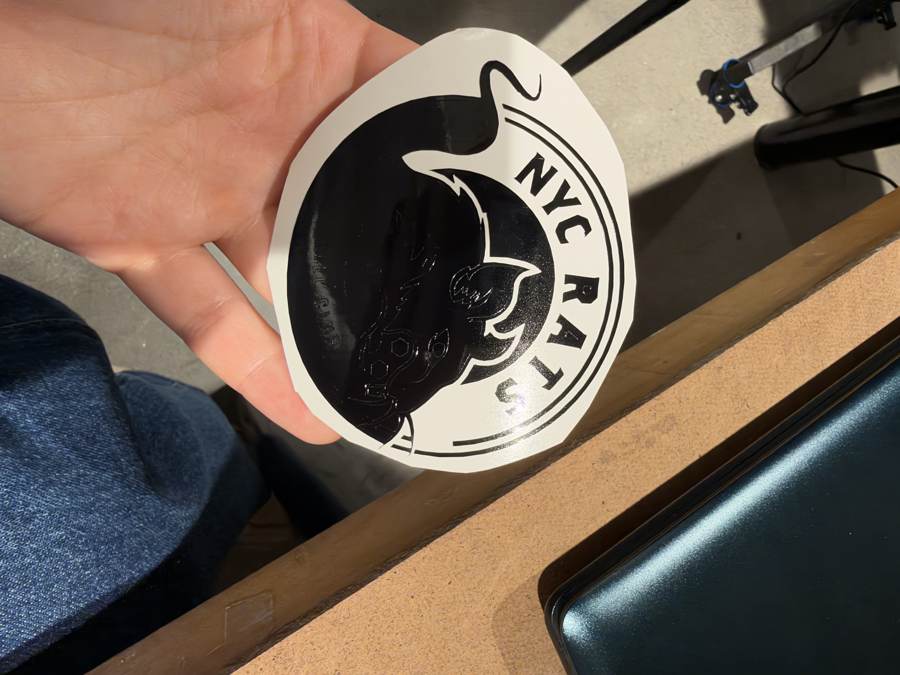
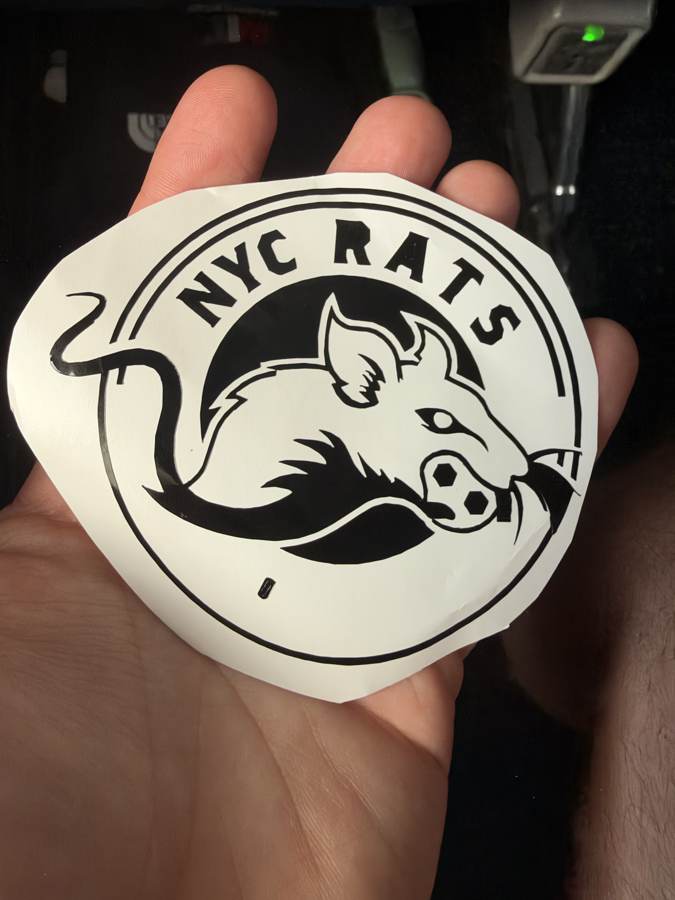
For my first cut I made a sticker of the badge I designed for NYC RATS FC, the soccer team I started in New York. I ran the job through the class vinylcutter mods program on the Roland GX-24.

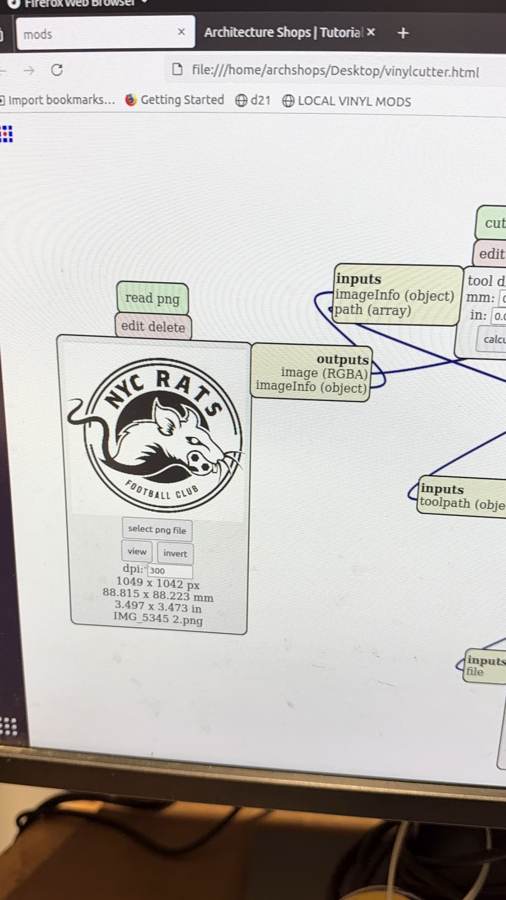
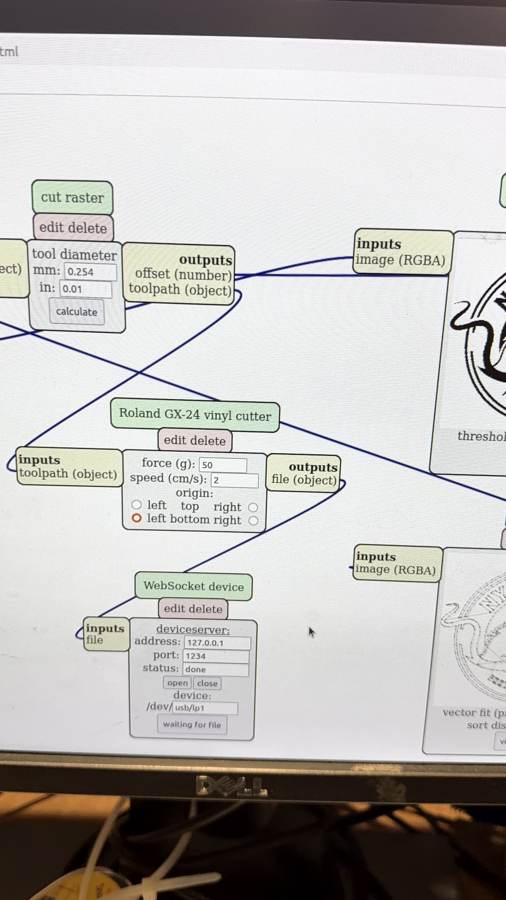
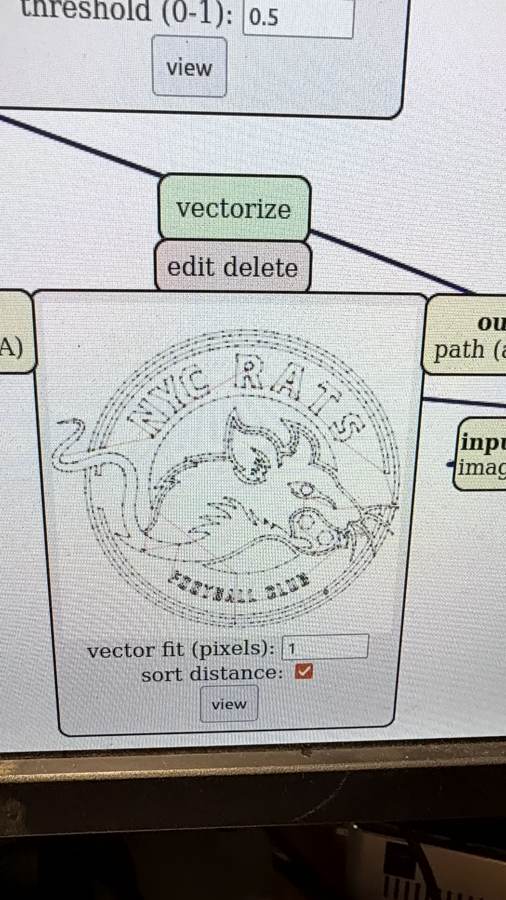
| Module | Setting | Value |
|---|---|---|
| read png | resolution | 300 dpi (88.8 × 88.2 mm) |
| threshold | threshold (0–1) | 0.5 |
| vectorize | vector fit | 1 pixel |
| sort distance | on (cuts the nearest shape next, less travel) | |
| cut raster | tool diameter | 0.254 mm (0.01 in) |
| Roland GX-24 | force | 50 g |
| speed | 2 cm/s | |
| origin | left bottom | |
| WebSocket device | server / device | 127.0.0.1:1234, /dev/usb/lp1 |
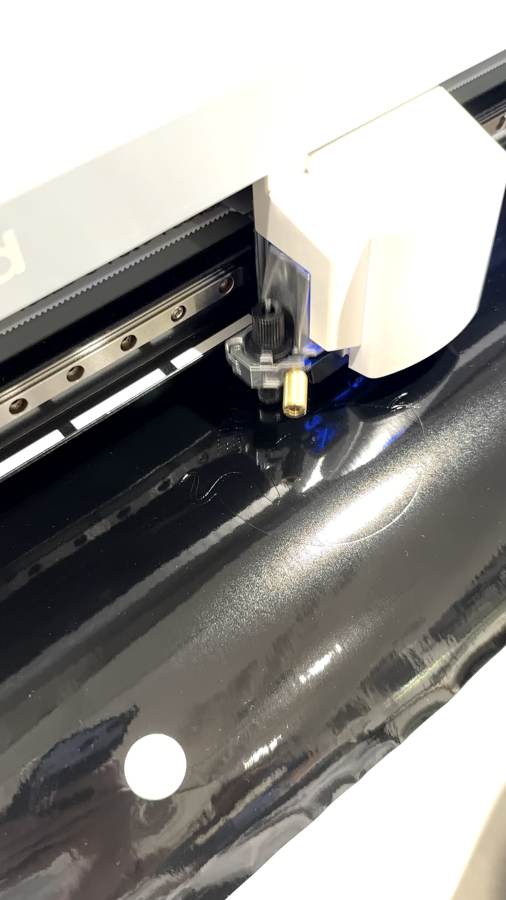
What went wrong and what I'd change
Some of the cuts were so fine that they lifted off with the vinyl I was peeling away, so the final sticker lost detail. It was only 3.5 inches wide, which left the thinnest lines and the whiskers very narrow. Next time I'll pick a simpler design with thicker lines, or cut this one bigger so the small details have more material to hold on to.
Laser cutting COMING SOON
Documentation for my laser cutting work will go here.
How I used AI DISCLOSURE
I built this site with help from Claude, an AI assistant made by Anthropic. The ideas, direction, and content choices are mine. Claude wrote most of the code as my direct coding skills are still developing. I did seek to follow along to understand the structure and mechanisms being used; while recognizing AI allows me to build something fun and far beyond my own capability. I reviewed changes, tested it in my browser, and made the commits myself.
What I came up with: the Shimon Airways concept, the prop plane you fly through rings, featuring Volcán de Fuego, the color schemes, the rings you bonk into, and the lava that sets the plane on fire. The actual work completed in each week is my own, barring AI disclaimers there
What Claude did:
- Walked me through installing and setting up Git, my SSH key, and the class Forgejo server.
- Wrote the flight simulator on the home page with three.js: the plane, the terrain, the volcanoes and eruptions, the rings, the bonk, and the fire and crackling sound.
- Wrote the shared site theme (
airways.cssandairways.js): the boarding pass header, the gate menu, the departures board, and the take-off animation. - Drafted the text on this page and the About Me and Final Project pages from what I told it. I edited it.
- Compressed my photos and video so the repo stays small, and laid out my vinyl cutting documentation from my photos and notes.
- Reorganized my week pages to match the class schedule.
Sources and credits CREDITS
Everything on this page that I didn't make myself, and where it came from.
- Flight simulator: built with three.js (MIT License), version 0.160, loaded from jsDelivr.
- Vinyl cutting: cut with the class mods program (Center for Bits and Atoms, MIT) on a Roland GX-24. The settings screenshots are of mods.
- NYC RATS FC badge: my own design.
- Student agreement: written by the How to Make (almost) Anything class.
- Tools: Git, the class Forgejo server, and VS Code. Videos are hosted on YouTube.
- Across the site: the plane icon is based on the "flight" icon from Google's Material Icons (Apache License 2.0).