Week 1: Computer Controlled Cutting and Project Management
Assignment Details
Computer Controlled Cutting:
	group assignment:
      • do your lab's safety training
      • characterize your lasercutter's focus, power, speed, rate,
         kerf, joint clearance and types
   individual assignment:
      • cut something on the vinylcutter
      • design, lasercut, and document a parametric construction kit,
         accounting for the lasercutter kerf
      • extra credit: design it to be assembled in multiple ways
      • extra credit: include elements that aren't flat
      • extra credit: engrave as well as cut

Project Management:
assignment:
   • download, read, and sign the student agreement,
      and commit the file to your repo
   • work through a git tutorial
   • build a personal site in the class archive
      describing you and your final project
Vinyl Cutting
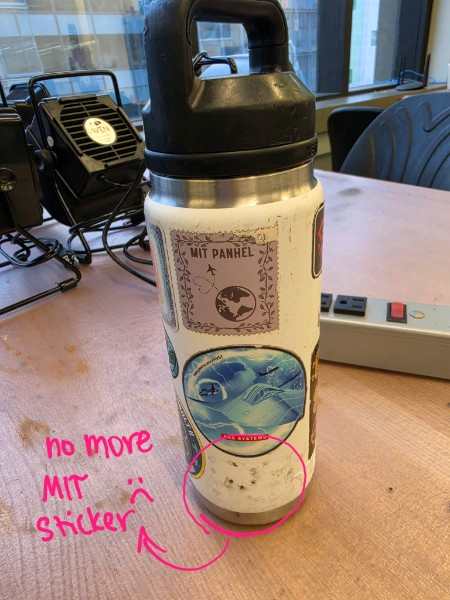
I used to have a sticker of the MIT logo on my water bottle, but after two years of abuse it was too scratched to be legible and I took it off. Learning to use the vinyl cutter seemed like the perfect opportunity to replace it!
I found the MIT logo online and added it to the software. Then, I resized it so that it would fit in the empty space on my water bottle, and cut it out.
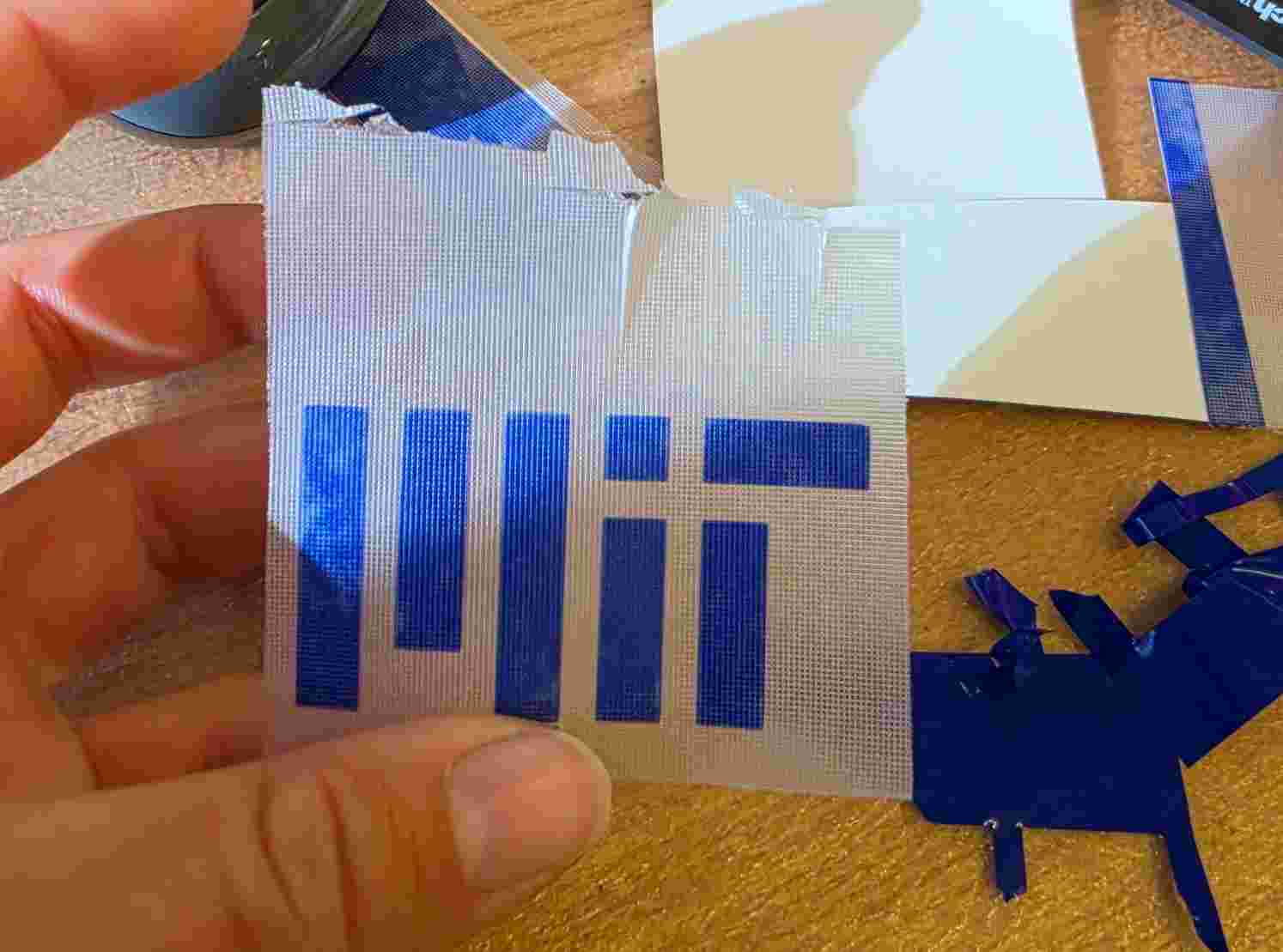
I decided to wait to put the sticker on my water bottle until I could clean it off (because there is adhesive residue from the previous sticker in the way) so that the sticker will actually stay on. So, for now, the sticker is on transfer paper until I put it on.
Laser Cutting
Group Project
The group assignment for this week was to get familiar with the laser-cutter, specifically the focus, power, speed and rate settings, as well as the machine’s kerf and most effective joint types.
The assignment for this week was to build a construction kit using laser-cutting. When I heard construction kit, my mind immediately went to Lincoln Logs. My grandparents had Lincoln Logs at their house, and my siblings and I spent many afternoons making huge buildings or villages of log cabins.
I think laser-cutting could be used to create a variation of Lincoln Logs made from cardboard. They could have the same interlocking structure, and would just create thinner walls.
I did some research about what sizes were available in normal Lincoln Logs, and then did some sketches to try to brainstorm what mine would look like and what their dimensions would be:
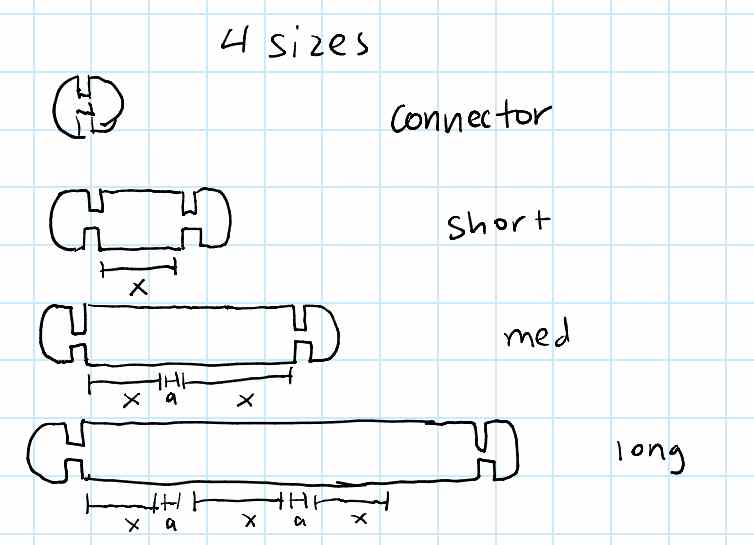
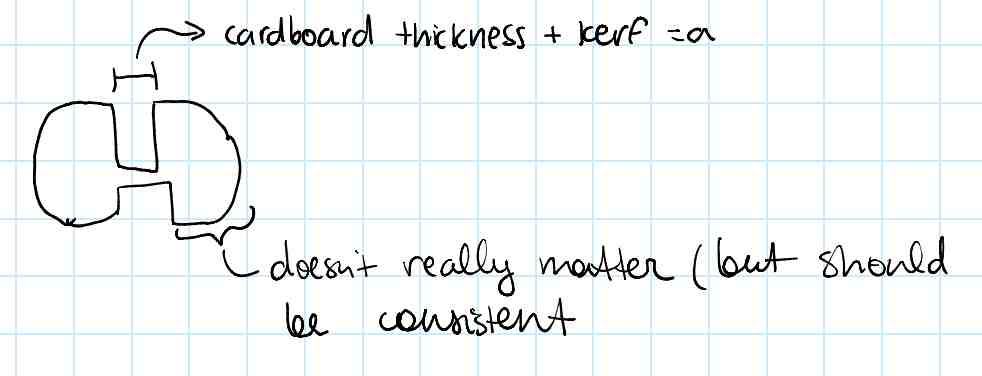
Then, I started trying to CAD the pieces in Fusion. I have a little experience with CAD from being on a robotics team in high school, but I hadn’t really used it for a while. To make the model, I created a sketch that would include the basic shapes of the piece:
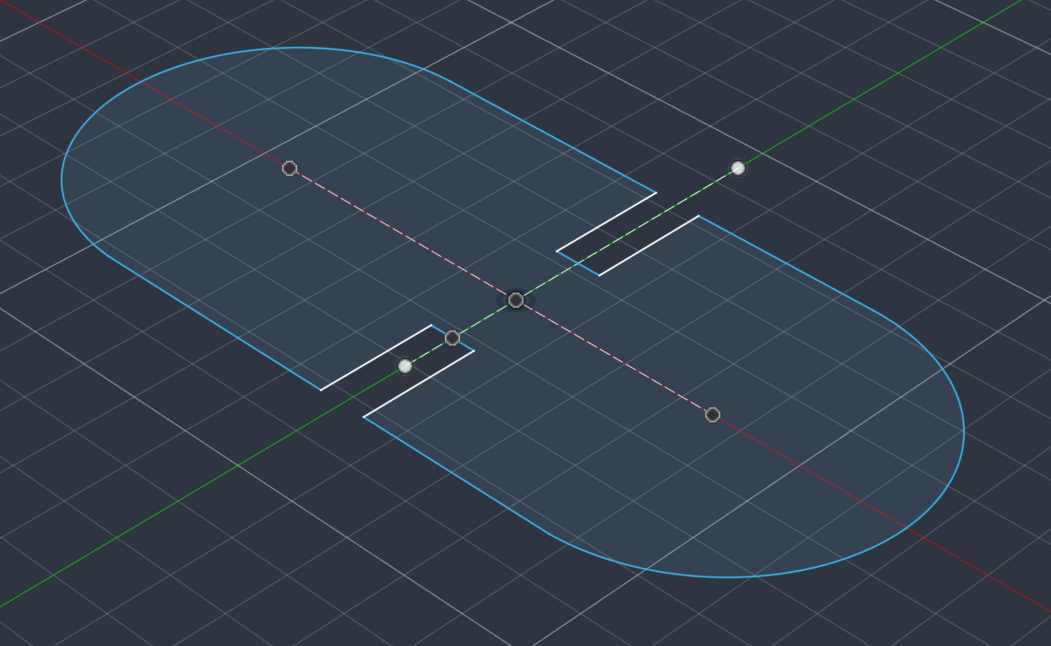
This was just to have the correct number of lines and general shape, and I planned to get the dimensions and proportions sorted afterwards. One thing I tried to keep in mind while I was doing this was making the design easy to edit using parameters. I wasn’t entirely sure which parameters I would want to have, so I just started out with the ones listed in the initial drawing. This is what the sketch looked like after I had it fully constrained, using parameters, construction lines, and constraints. I also realized that adding the fillets while in the sketch made it much harder to constrain the sketch, so I added the fillets after extruding with a parameter for the radius.
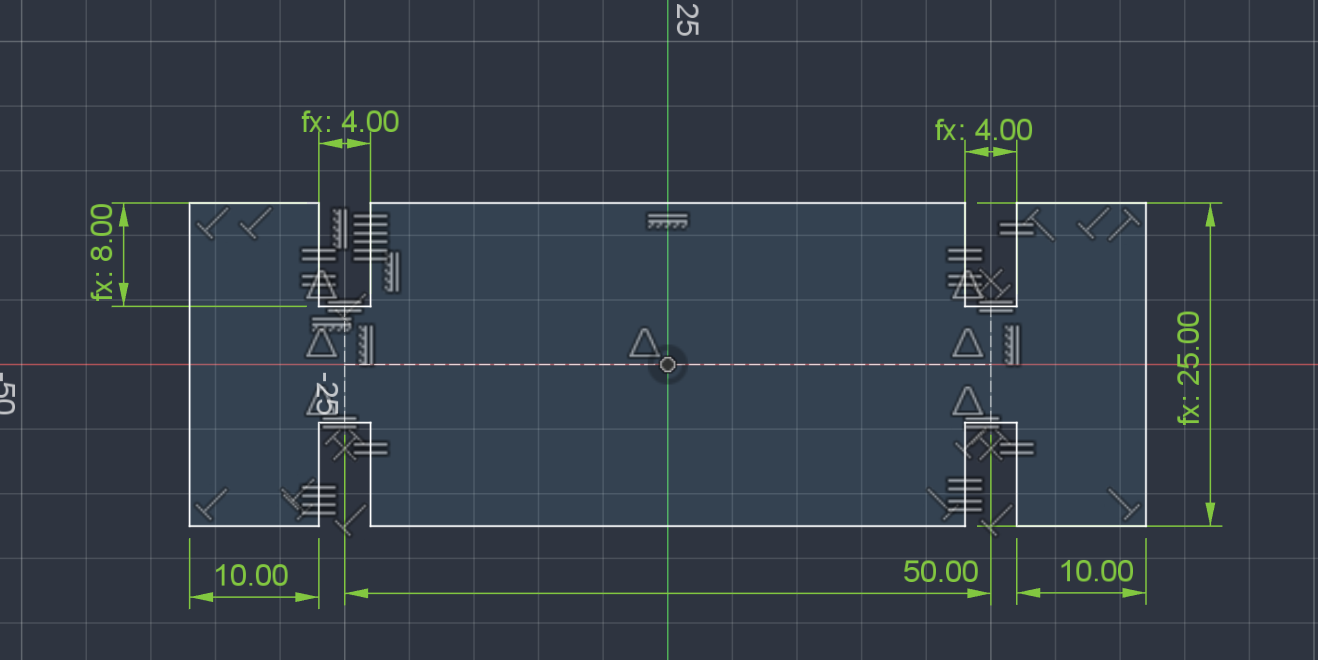
I’m sure there are way cleaner ways to have constrained the sketch and maybe more efficient things to do with the parameters, but this worked. I look forward to getting more fluent with Fusion and parametric design so I can design things more quickly and efficiently.
After I had one piece designed, I tested whether it would fit together in the way I liked…
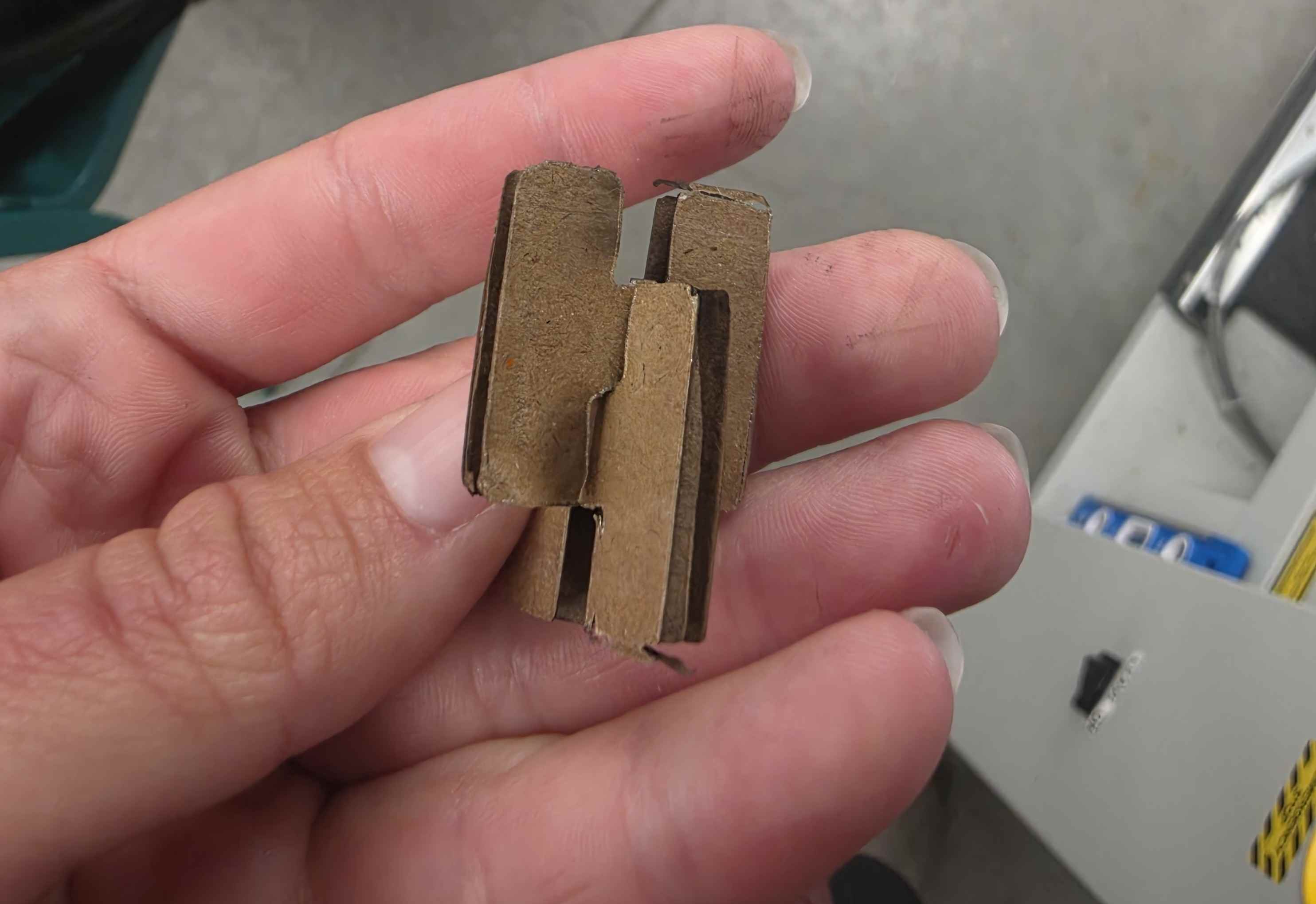
The joint was a too loose (the pieces fell out very easily). So, I modified my parameter in Fusion, which easily changed the size of the slots to make it fit nicer. I also added a little more chamfer to make the pieces slide in easily.
After making these adjustments, I was happy with how the pieces looked and fit.
Initially, I had issues laser cutting because when I tried to export the part as a .dxf it ended up including both the sketch and the outline of the body. This meant that the laser cutter was cutting in a bunch of random segments and cutting the corners twice, because the part had rounded corners and the sketch did not. To fix this, I added the fillets back into the sketch (and just dealt with the fact that it wouldn’t be fully constrained) and then made sure I was only exporting the sketch when sending the .dxf to the laser cutter.
Next, I tried to copy the parameters I created onto new design files so I could easily design the larger logs for the kit. I had some trouble figuring out how to make the parameters apply to new files, but the process I figured out was using the ‘Derive’ tool to make a new file that included the parameters. To do this, I had to make sure the parameters I wanted were favorited. Then, in the new file I also had to favorite the parameters to get them to show up. This did allow me to change the parameters in the first file and (after updating the reference) the changes would update in the second file. I feel like there should be an easier way to re-use parameters, but I couldn’t figure it out.
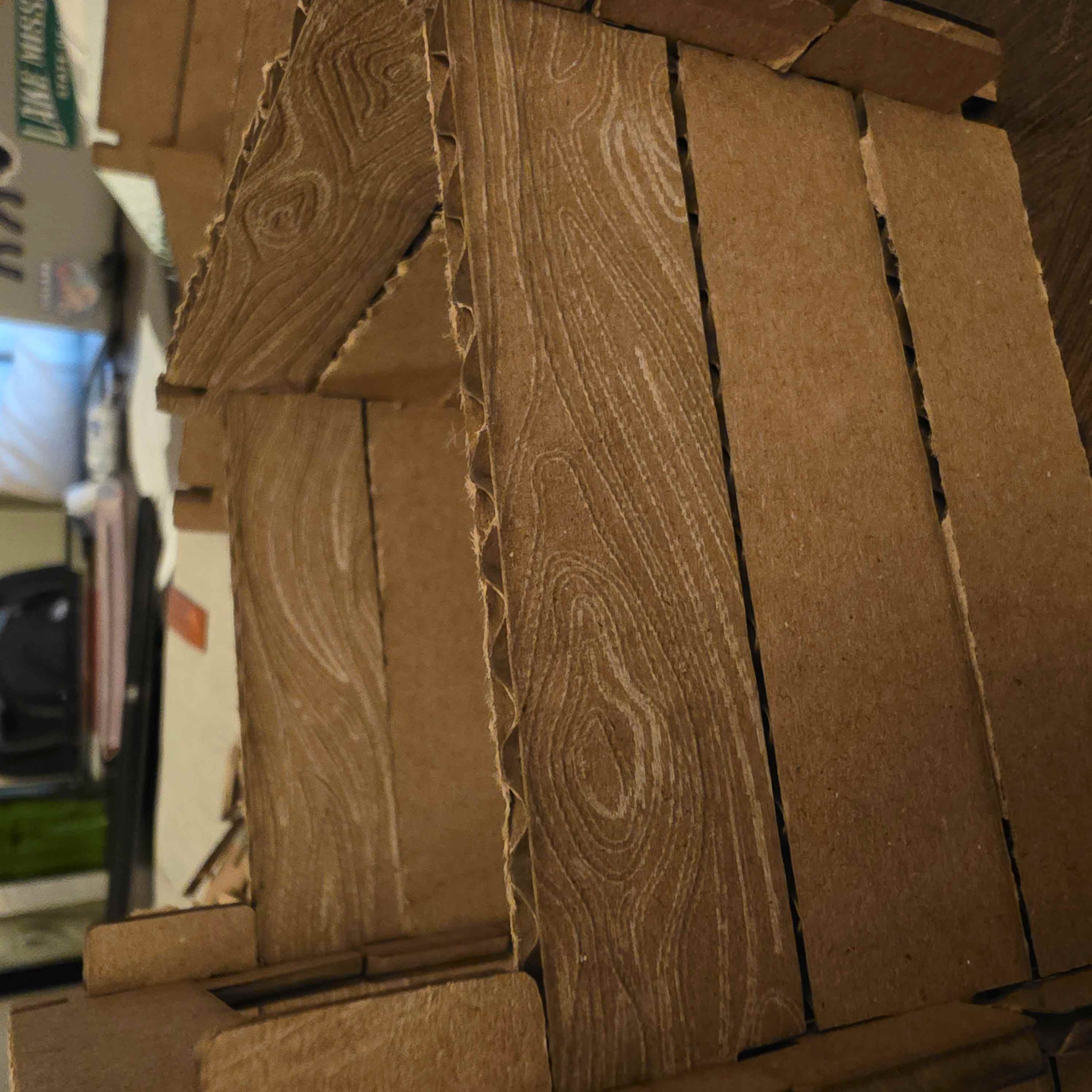
Afterward, I wanted to play with engraving a wood grain texture into the cardboard. I have seen people use laser cutters to engrave into lots of cool things (wood, glass, acrylic…) but never cardboard. I was a little worried because I know cardboard has such a thin top layer of basically paper which can burn easily. I played with the settings a little, and was able to make it work! I think it looks really cool and if I played with the scale a little could look even better. But, I only added the wood grain to a small batch of the logs because engraving the whole area of the logs took a really long time.
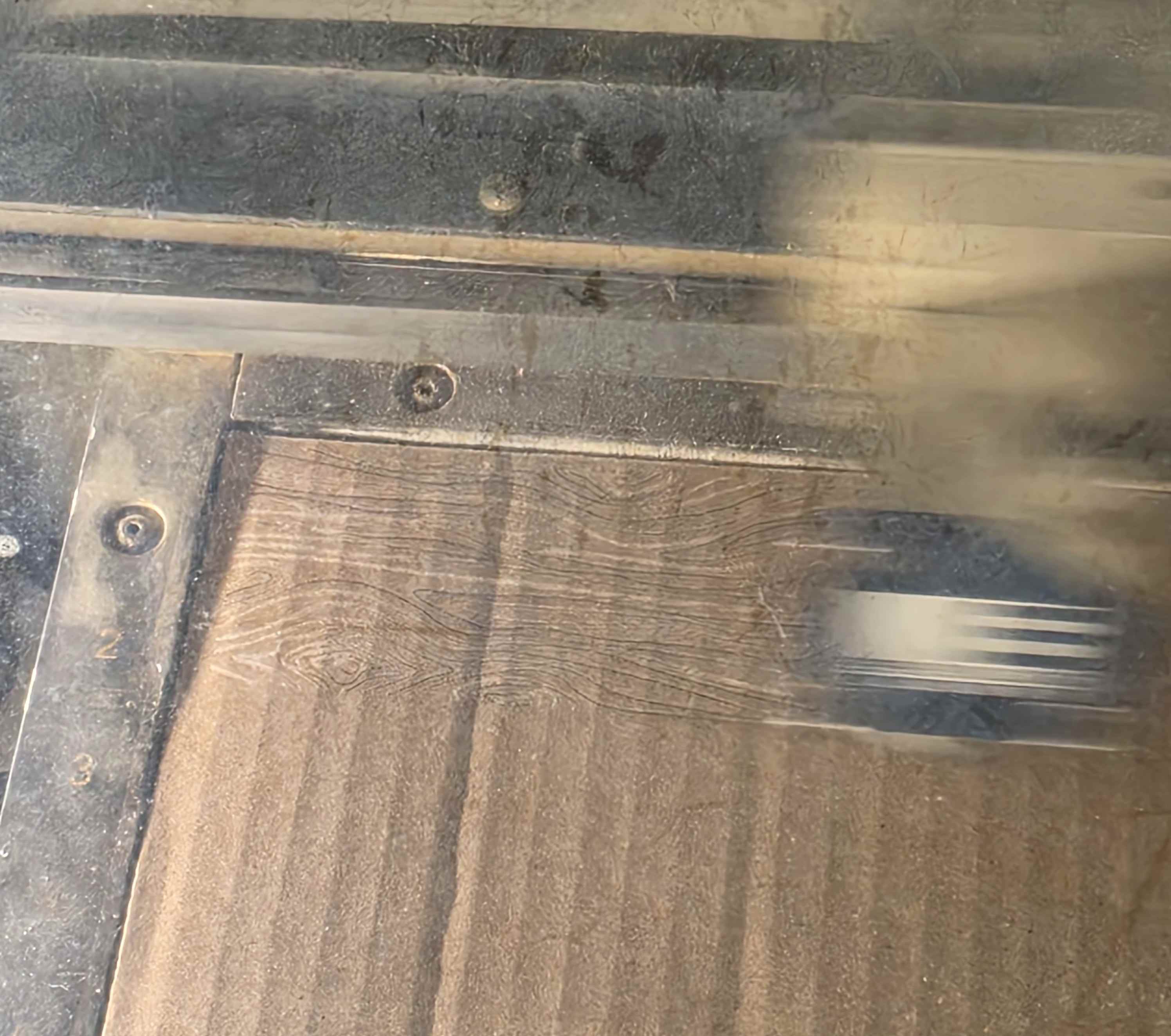
I would love to also design roof pieces for the log cabins, but I didn’t have time for that this week (maybe when I have free time sometime I’ll add it 🙂). I sketched out ideas for the roof pieces, but didn’t get it in to CAD.
Other than adding the roof pieces, there are a couple of things I would change for making these again:
- The logs rest on top of one another along their whole length, rather than just at the joints. I would like to have a little gap between the logs because I think it would make the structure a little more stable and I think the gaps would look nice. This is an easy fix - I just need to either shorten the notches into the logs or make the logs wider.
- I think I’d like to play with the angle that the logs (particularly the longer ones) were cut with respect to the grain of the cardboard. I don’t want them to bend as easily as some of them do, and I would like to try different angles (although I anticipate that putting the grain and long side of the logs parallel would be most stable.
- Related to this, I should have used nicer cardboard. The carboard I used did not pass the bending test (it creased rather than bending in an arc) and therefore was not as strong as it should have been.
- I want to make intermediate notches on the longer logs. Real Lincoln Logs have this, but I somehow forgot to include it when I was thinking about my design. This lets you have compartments in your buildings and gives a lot more flexibility with designs.
Project Management and Web Development
I have never used git, html, css, or any other website making thing (other than Google sites) before, so this part of the assignment took a lot of time, research, and failures. Luckily, I am learning to use git in one of my other classes (6.191), so I followed their tutorial as a starting point. However, it didn’t go into as much depth as the resources on the HTMAA page, so I continued looking at those afterwards.
First, I read through the tutorial on the class page and then followed this one to get set up: https://git-scm.com/docs/gittutorial. Then, I followed the interactive tutorial on this site: https://learngitbranching.js.org/. This was really helpful for visualizing what happens with each git command and how branching and everything works. I now feel like I have a fairly solid understanding of git and project management and hopefully actually using it for this site will make me more confident.
To make the site, I’m using Notion. I chose it because I’ve used it before and am comfortable making things with it. I would like to learn more about the website-making things (formatting things in html, maybe learning how to use something like hugo, etc.) but I got really overwhelmed when I looked at those initially, and I just wanted to get something published. I’m trying to remember the spiral development idea - I can always come back and improve my website and learn more later, but it’s more important to have content on the page now.
After I made the content, it took some trial and error to get it uploaded and published correctly, but it is there now!