Week 3: 3d Scanning and Printing
Assignment Details
group assignment:
      • test the design rules for your 3D printer(s)
   individual assignment:
      • design and 3D print an object
         that could not be made subtractively
         (small, few cm3, limited by printer time)
      • 3D scan an object (and optionally print it)
This week’s assignment was two parts: to 3d print an object that couldn’t easily be made subtractively, and to 3d scan an object.
3d Printing
One thing I remember finding interesting that is only possible with 3d printing is print-in-place joints. Most of the 3d printing file websites have tons of “articulated” models, and many of them come off of the printer ready and require no assembly.
I wanted to make something with movement and print-in-place joints, so I did some research about what was required for those objects to work. This is what I learned:
- It is very important to test your printer’s tolerances and experiment with different clearances in the joints. Different tolerances can result in very different behavior of the joint - tighter tolerances mean the movement is stiffer and the joint can stay in place, while larger clearance gaps would mean the joint can move freely.
- Related to that, the limitations of 3d printing mean some joint types are easier than others.
Common issues and considerations
- joints fusing together where they shouldn’t
- this usually is caused when there is bridging or the clearances are too small
- different materials have different clearance requirements
- ex: PETG is stickier than PLA so it bridges more and requires more clearance
- it can possibly be helpful to play with the cooling, travel speed, and flow ratios while the printer is printing joints because faster cooling prevents oozing and bridging, faster travel time reduces bridging, and flow ratio can mean the bridge is thinner so it won’t get as stuck
While researching I found that many “articulated” models are of animals or other organic shapes. I really liked the wavy movement and nice curves that these had and wanted to make something similar.
I decided to design vines to go with Lego flowers. I thing Lego flowers are beautiful and a great alternative to live plants for people who struggle to keep them alive, but I think many of the Lego flower arrangements lack the organic shapes and movement that real flowers have.
My design will have print-in-place joints so the vines can be arranged however the user likes, with no assembly.
I will size the vines so they would fit the average Lego flower arrangement, which also makes sure they’re within the “few cm^3” part of the assignment.
.jpg)
First, I decided on a joint type.
- I originally wanted to use ball and socket joints because I think those are a great example of something that would be much easier to create with additive manufacturing because the ball can be printed while already in the socket. However, after doing some research about the capabilities of the printers, I was not confident that I would be able to print one small enough to match my vision for how the stem would look. I think the ball and socket would probably fuse together, or the tiny size and layering of the 3d printer would mean that the ball wasn’t actually a ball.
- Then, I thought of a hinge like doors have, with a cylindrical pin and barrel around it. I decided to use this joint type, but then was concerned about preventing the pin and barrel from fusing because the printer would have to print the length of the pin. There’s a drawing of this idea above.
- So, I switched to a similar idea: the hinge would have little bumps that fit into spaces on the outside of the next piece. There’s a rough drawing of this idea at the bottom of the picture with my sketches.
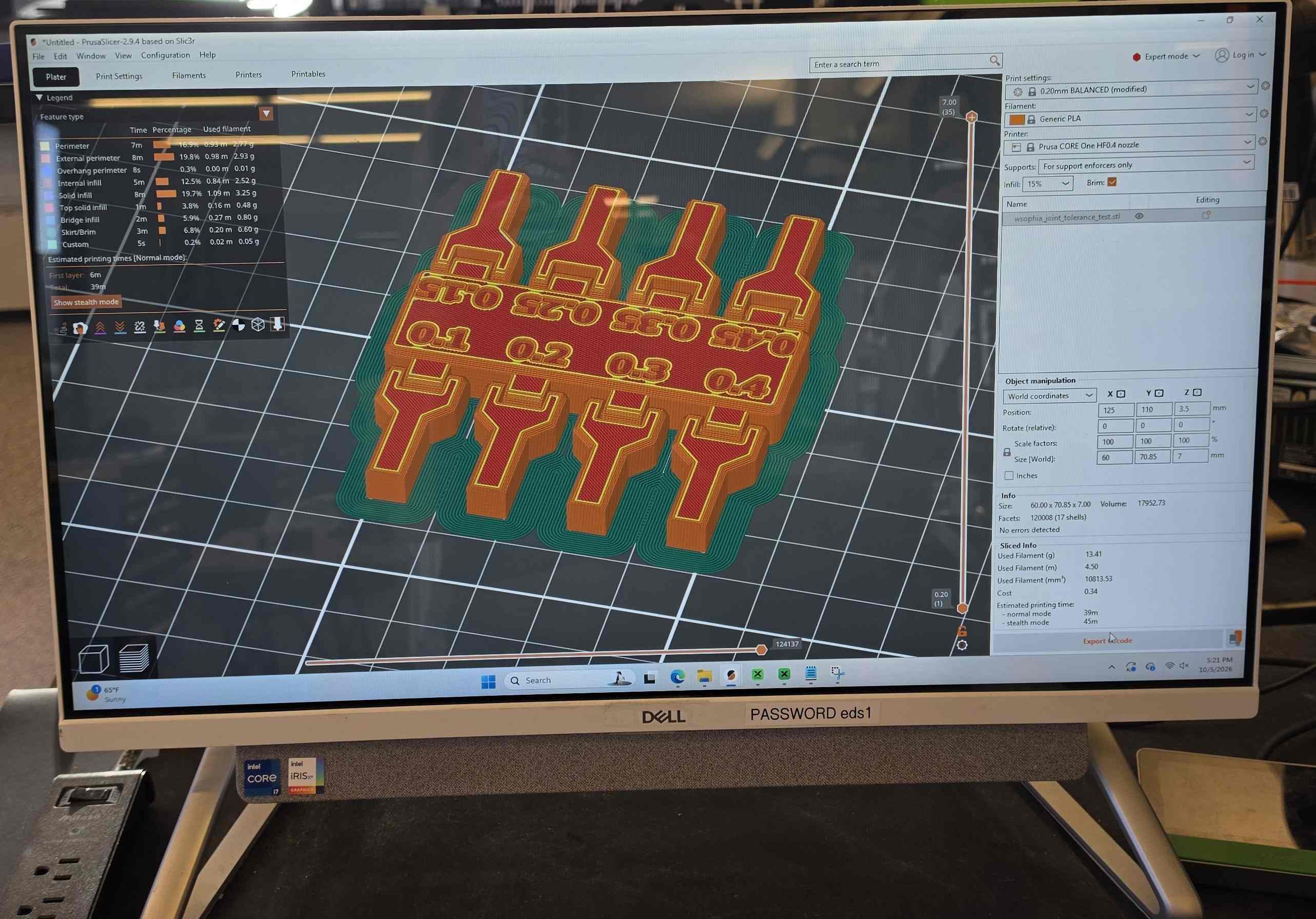
Luckily, I found a model that someone else had made that tested tolerances for this exact kind of joint.
While I was designing my version, I put this on the printer to print to help guide my clearance values.
Now, it was time for CAD:
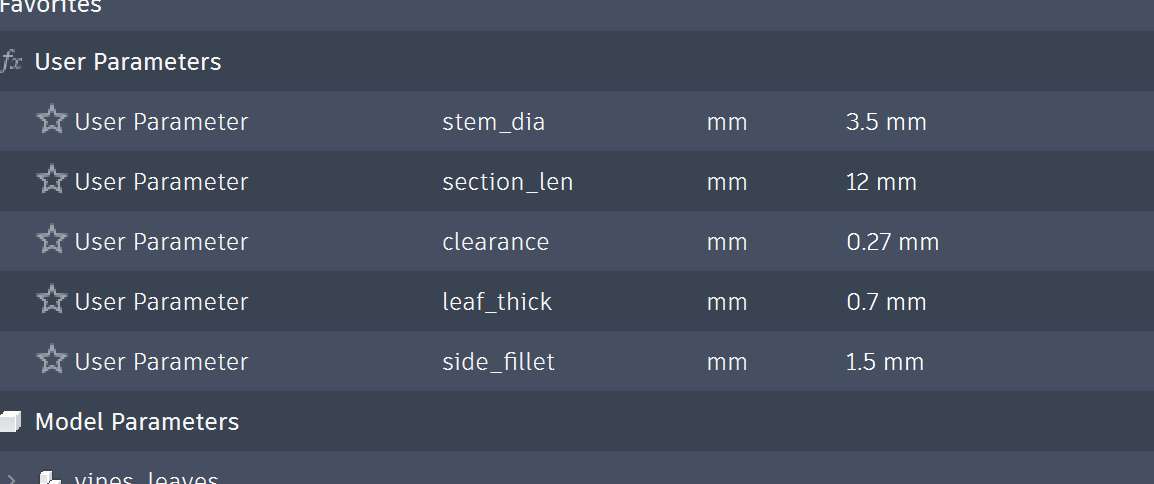
I started out by making parameters for values I thought should be easy to change.
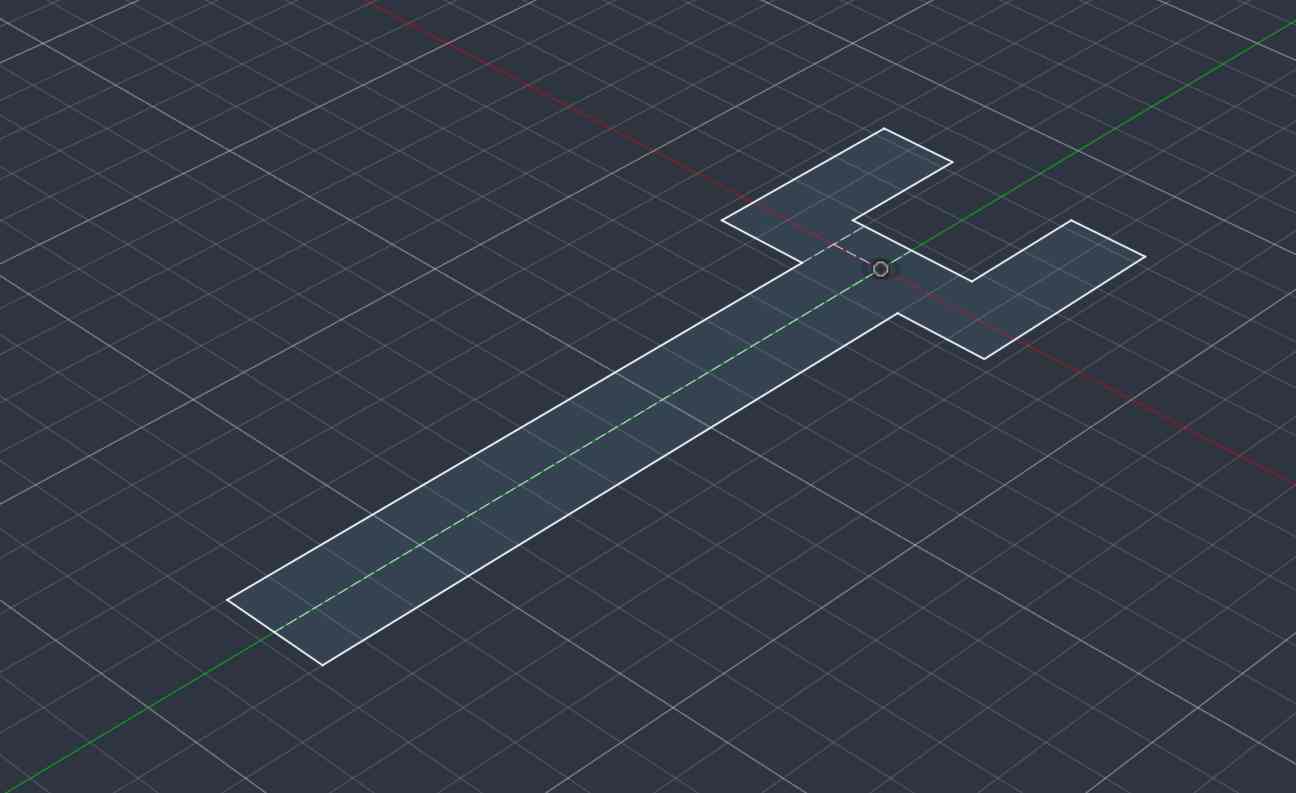
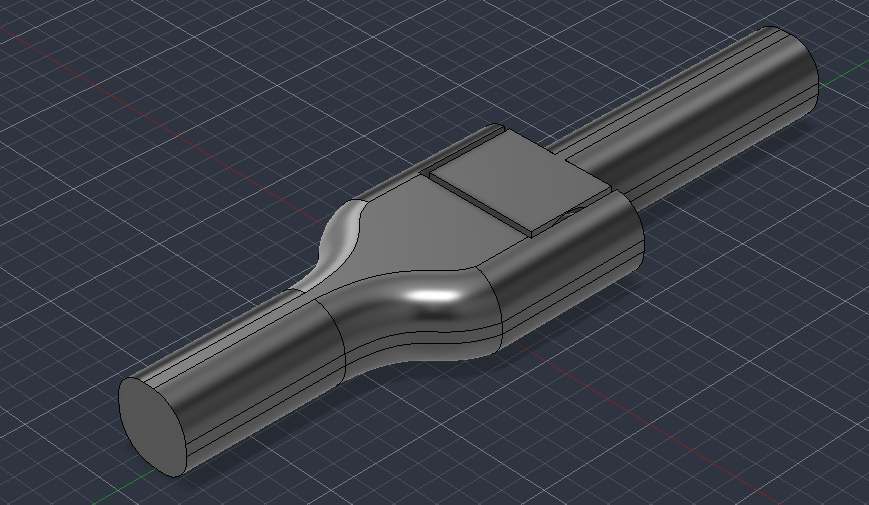
Then, I made a model of just the hinge section
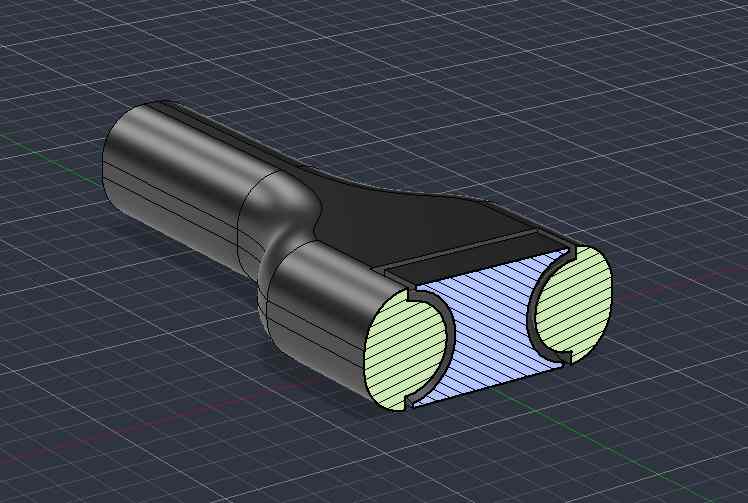
At this point, I was still waiting for the tolerance testing print to be finished, so I decided to start trying to design the leaves. I used the spline tool to make the curves and then extruded it. Then, on the surface of the leaf, I created another sketch with lines for details and used the pipe tool to extrude them. I want to try to heat up the leaves after they’ve been printed so I can make them curve, so I made the leaves very thin. This is a parameter that I can change if I don’t like how they look.
By this point, my tolerance testing print was done and I could see how it turned out.
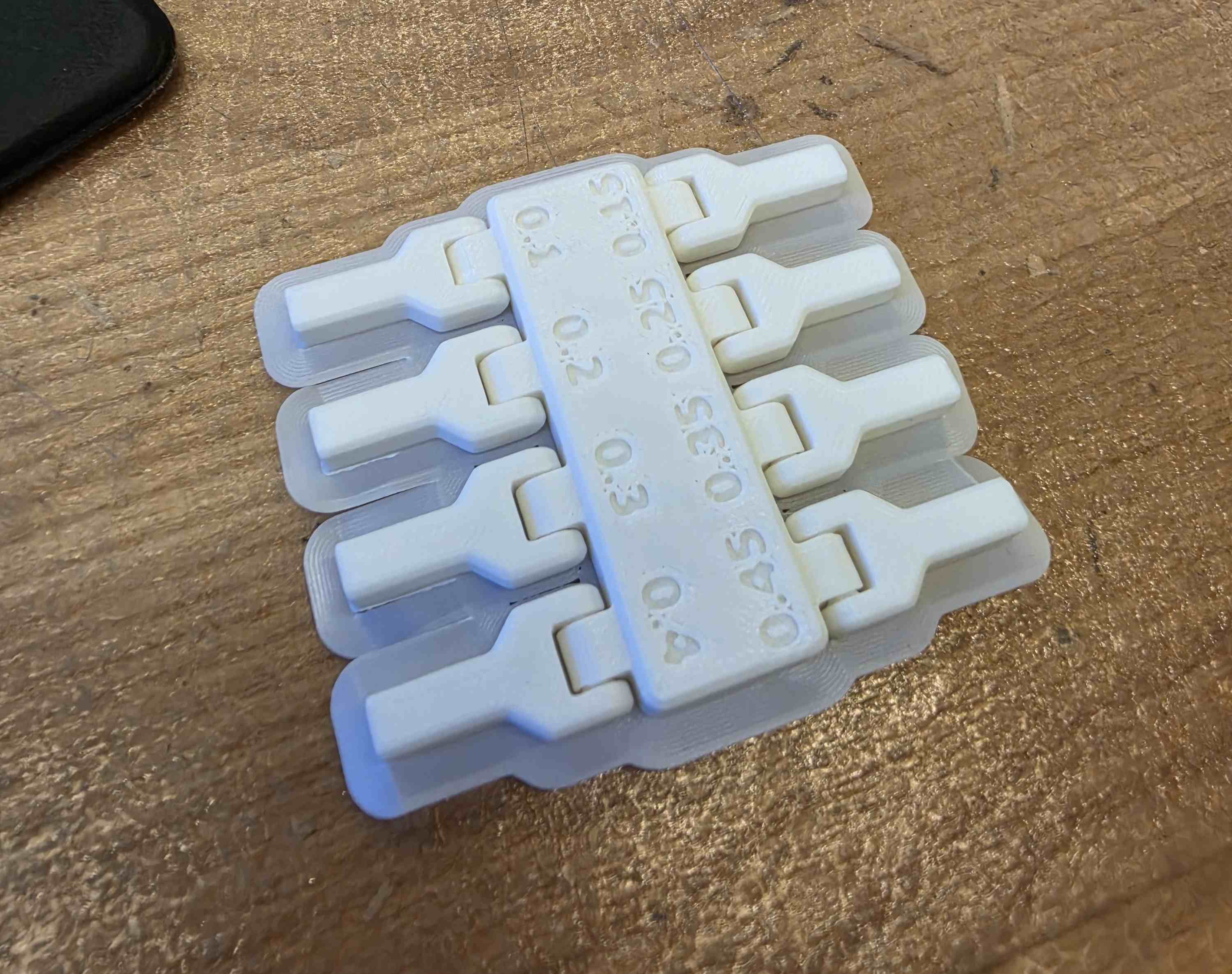
I took the brim off and bent each of the joints to see how they behaved. I was impressed that even down to 0.1mm clearance, the joints were still able to break free and move. I wanted my joints to have a little stiffness, so I decided to start with 0.15mm clearance in the hinge that way the position of the hinge would mostly stay after being moved.
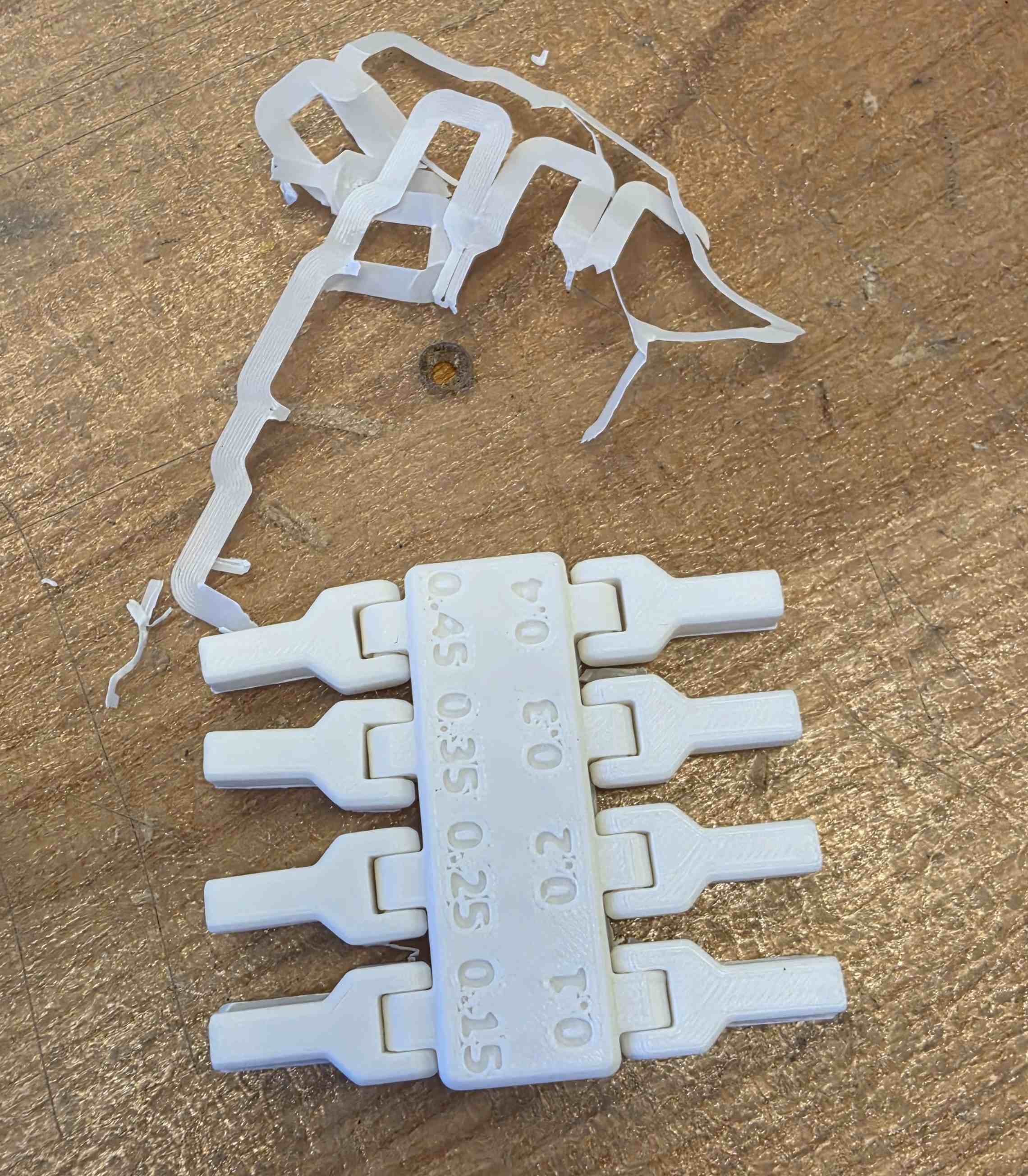
I think that the brim was difficult to remove in the small crevasses of this print and that little parts of it that I couldn’t remove were making all of the joints stiffer, so I decided to avoid using a brim when printing the rest.
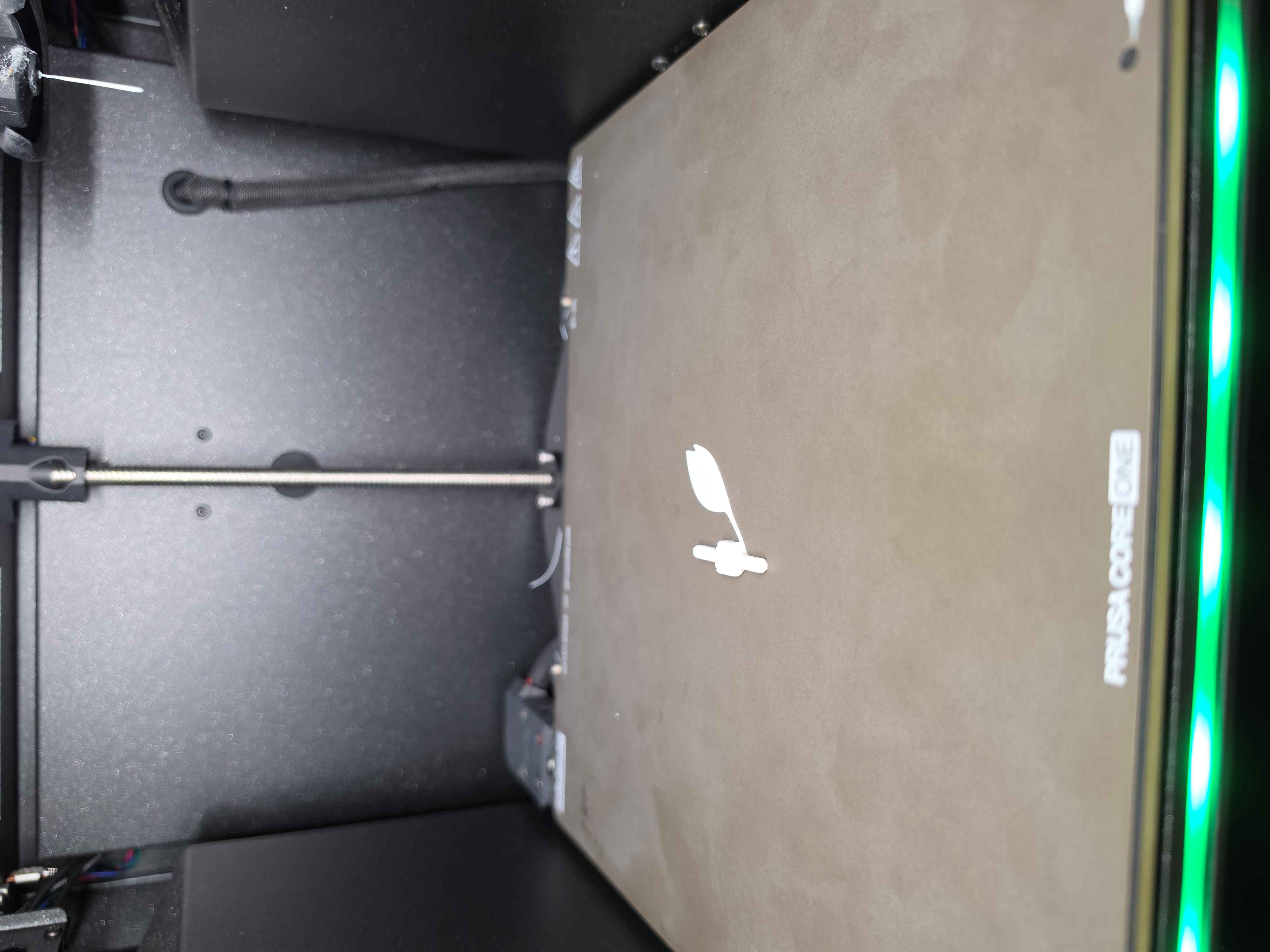
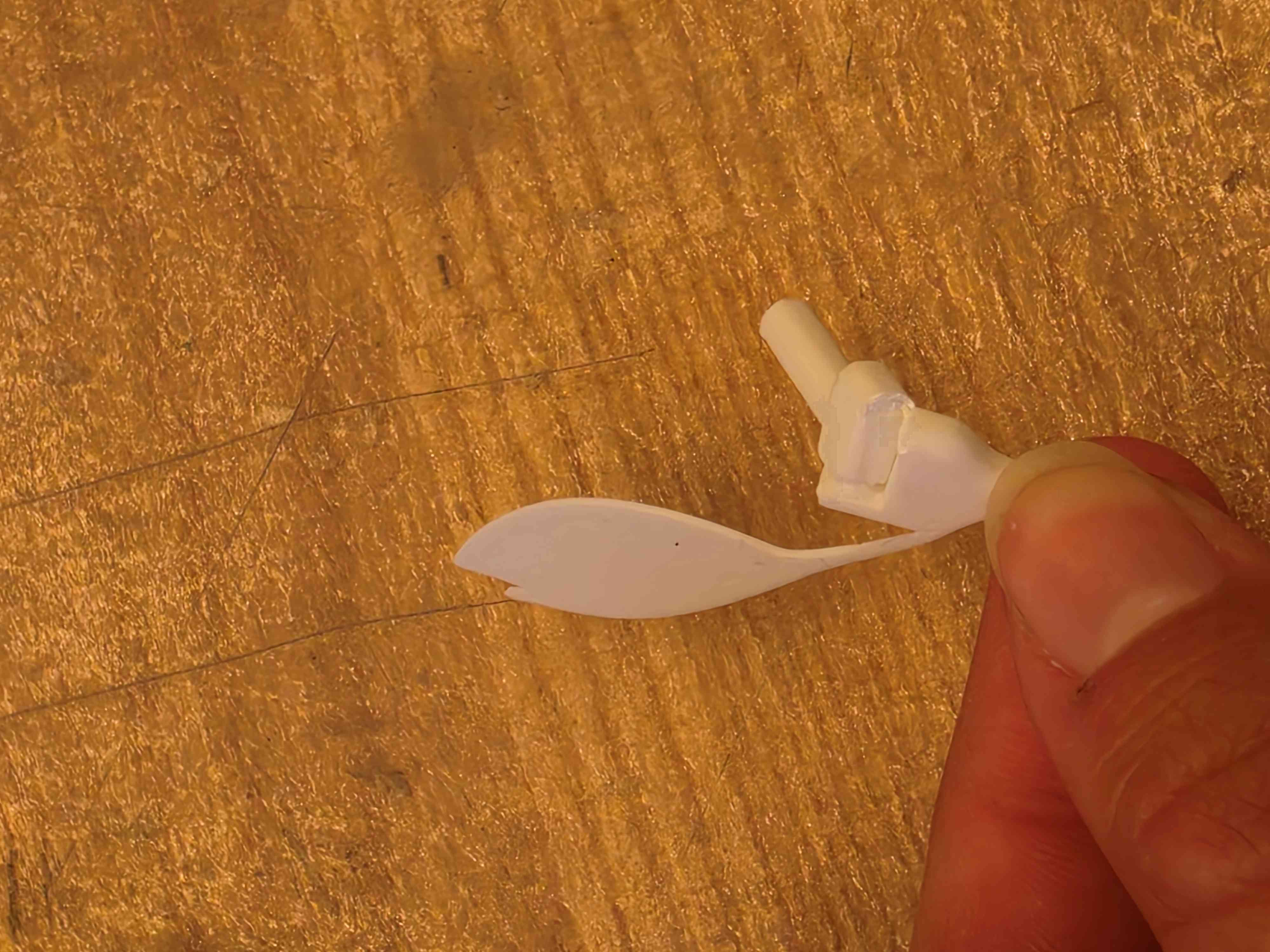
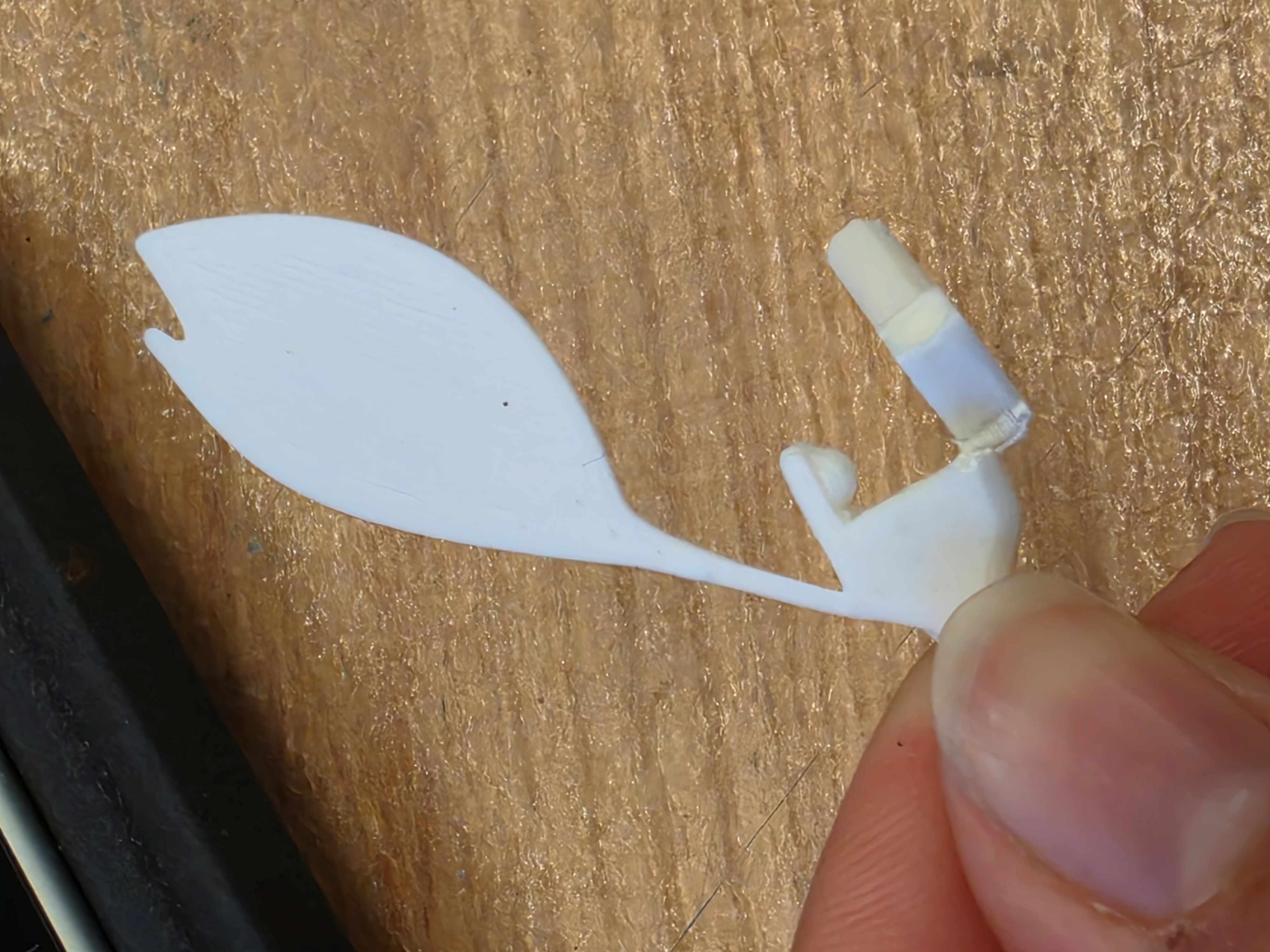
The first version broke immediately when I tried to bend the hinge. This was because it was fused on one side and also the supports on the side were too thin. So, I made them thicker and increased the clearance slightly. I also realized my leaf was a little small and its stem was way too thin.
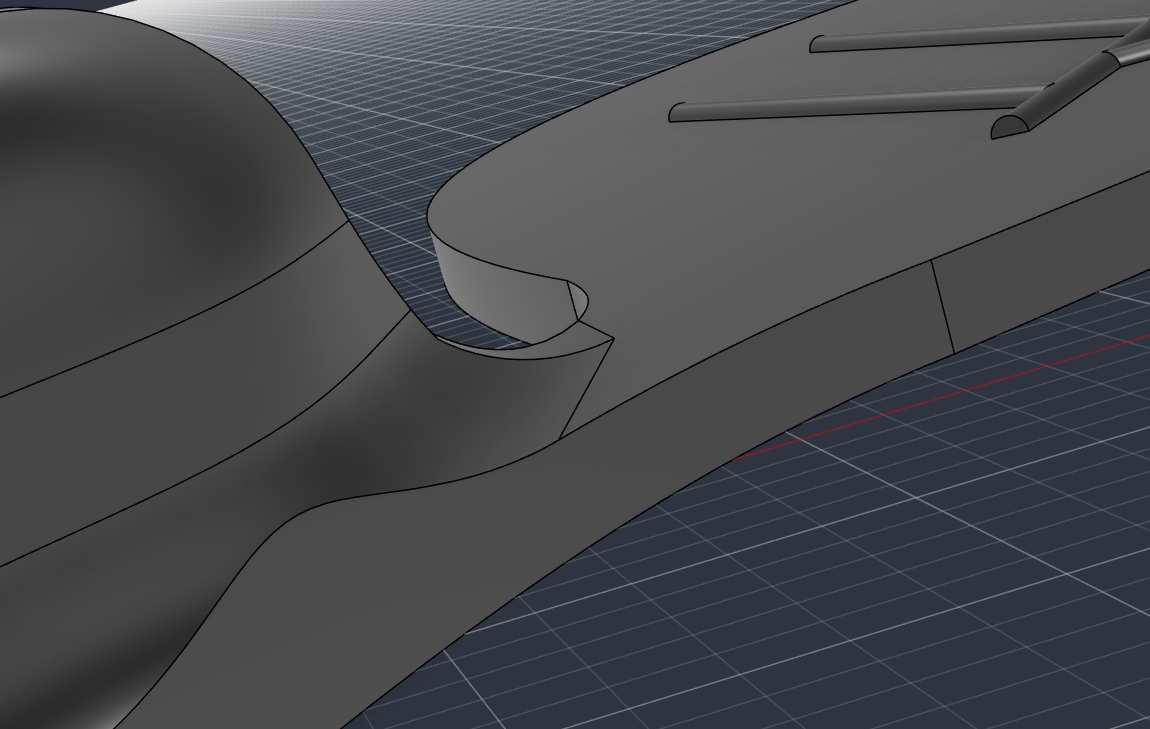
I added a fillet to the leaf stem where it meets the main stem, which hopefully will be enough to keep it from breaking as easily. I didn’t want to add much more because I like the dainty look of the thin stem.
This helped some, but the leaf still broke easily, so I added a little more material on the leaf’s stem for the next iteration.
That iteration ended up working!
The next step was to chain multiple hinge and leaf sections together to make the vine.
Assembling the vine ended up being more difficult than I anticipated because I had a hard time replicating my leaf design to the opposite side of the hinge. I think there was some issue with creating a new component based on the initial one? I ended up figuring it out after a little trial and error, and then was able to import sections in to an assembly file easily.
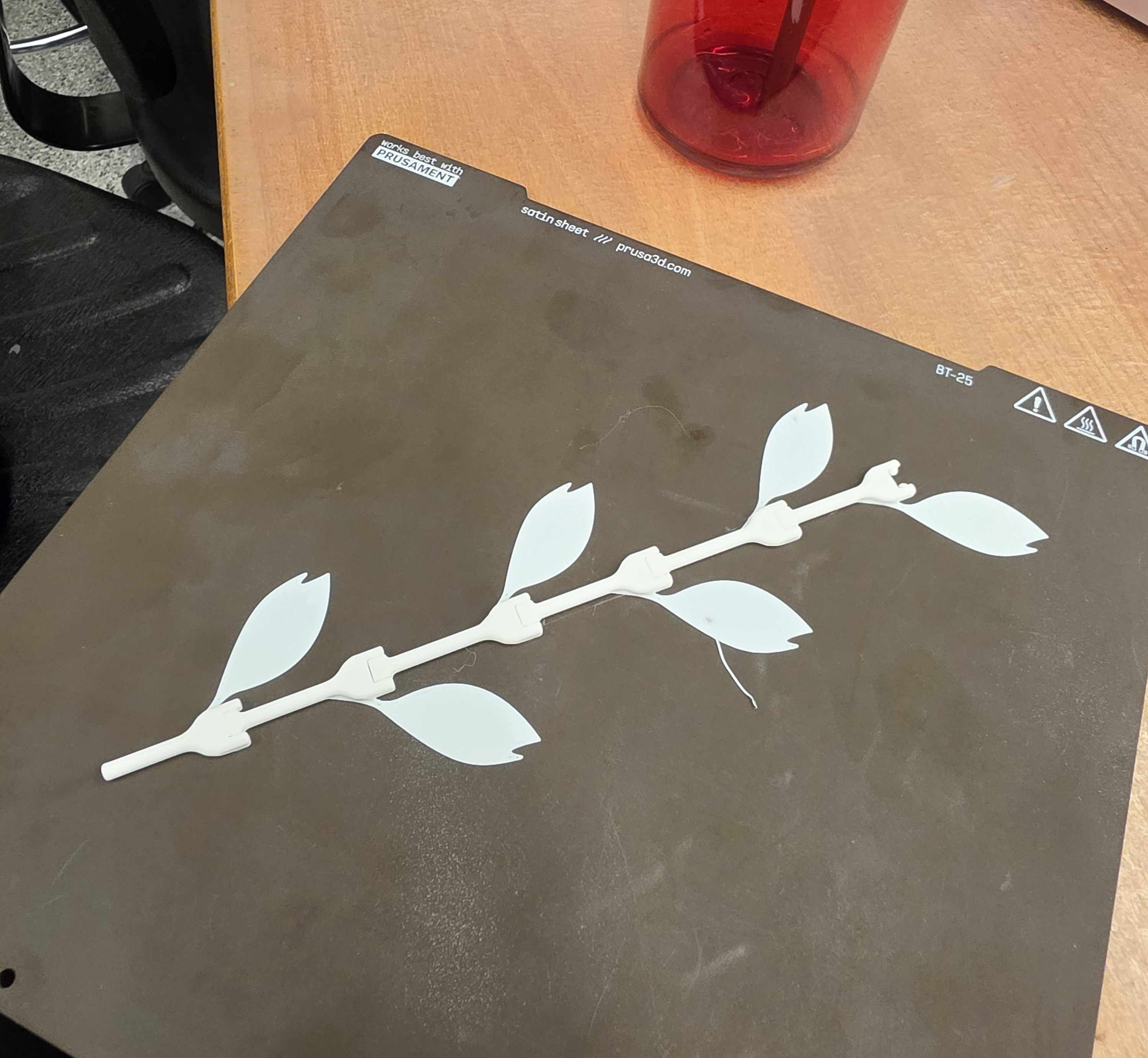
Once I was able to import them, I put enough to take up most of the print bed and and printed it!
The print turned out very nice and the hinges moved easily as soon as I took it off of the print bed.
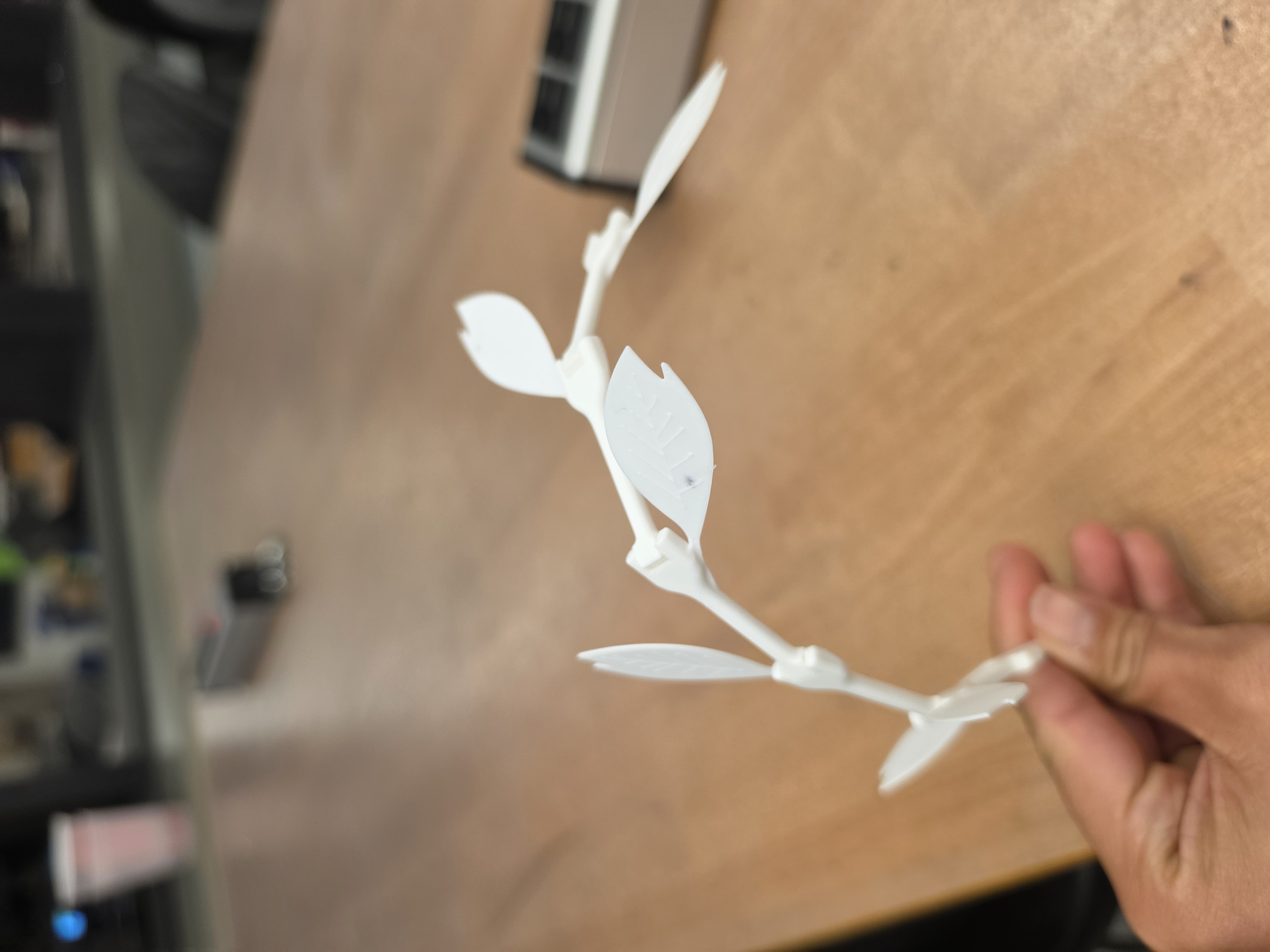
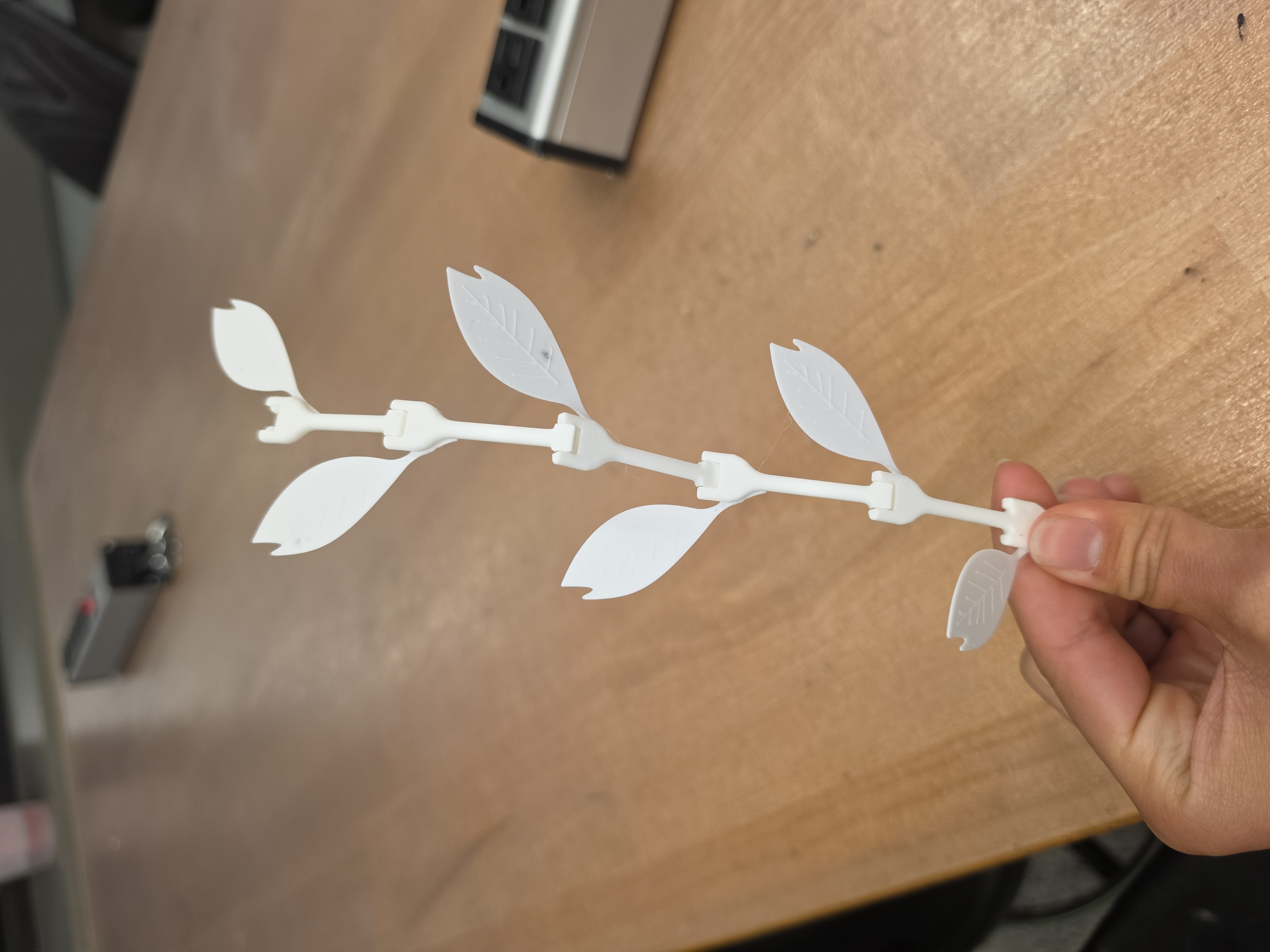
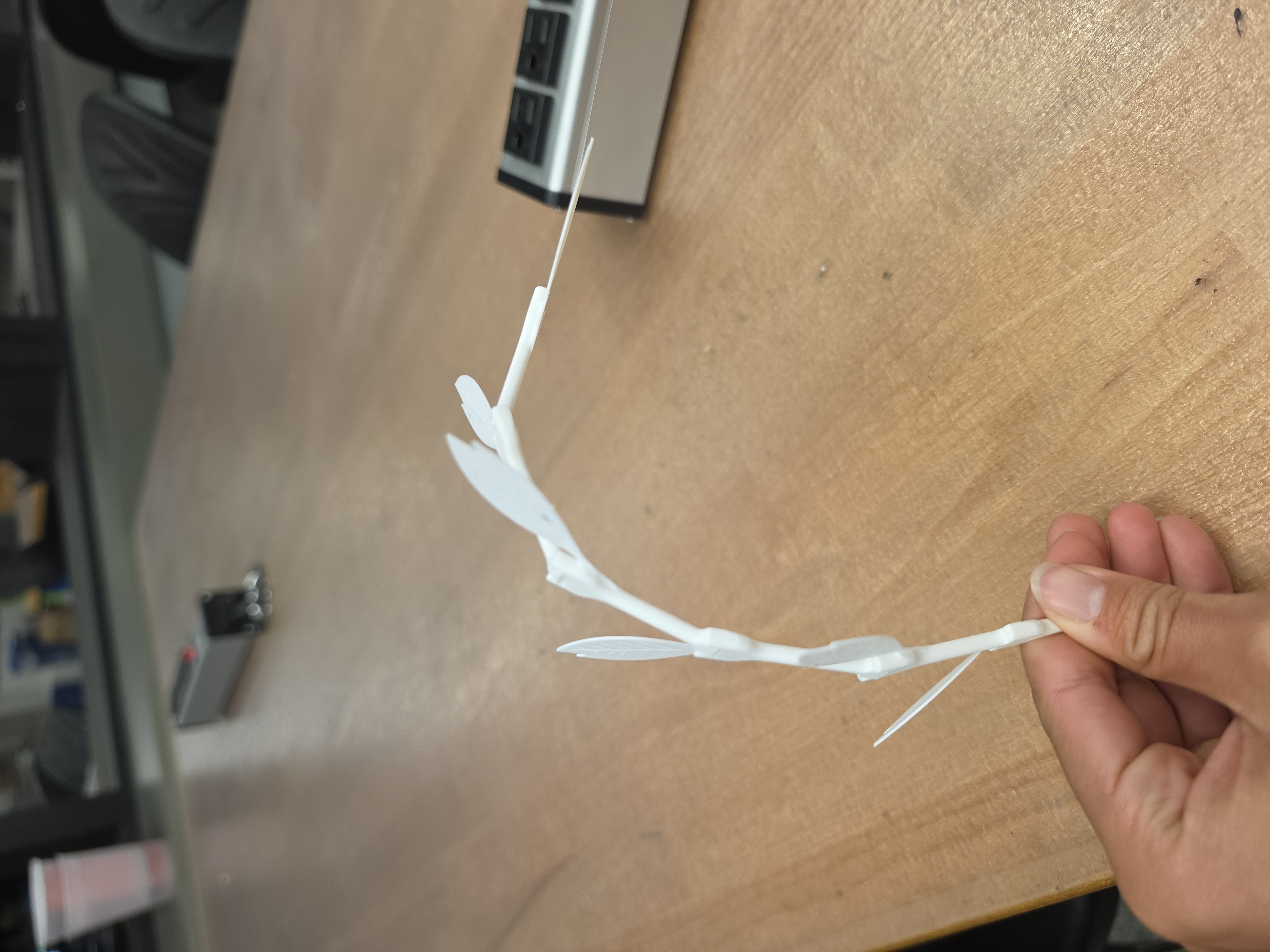
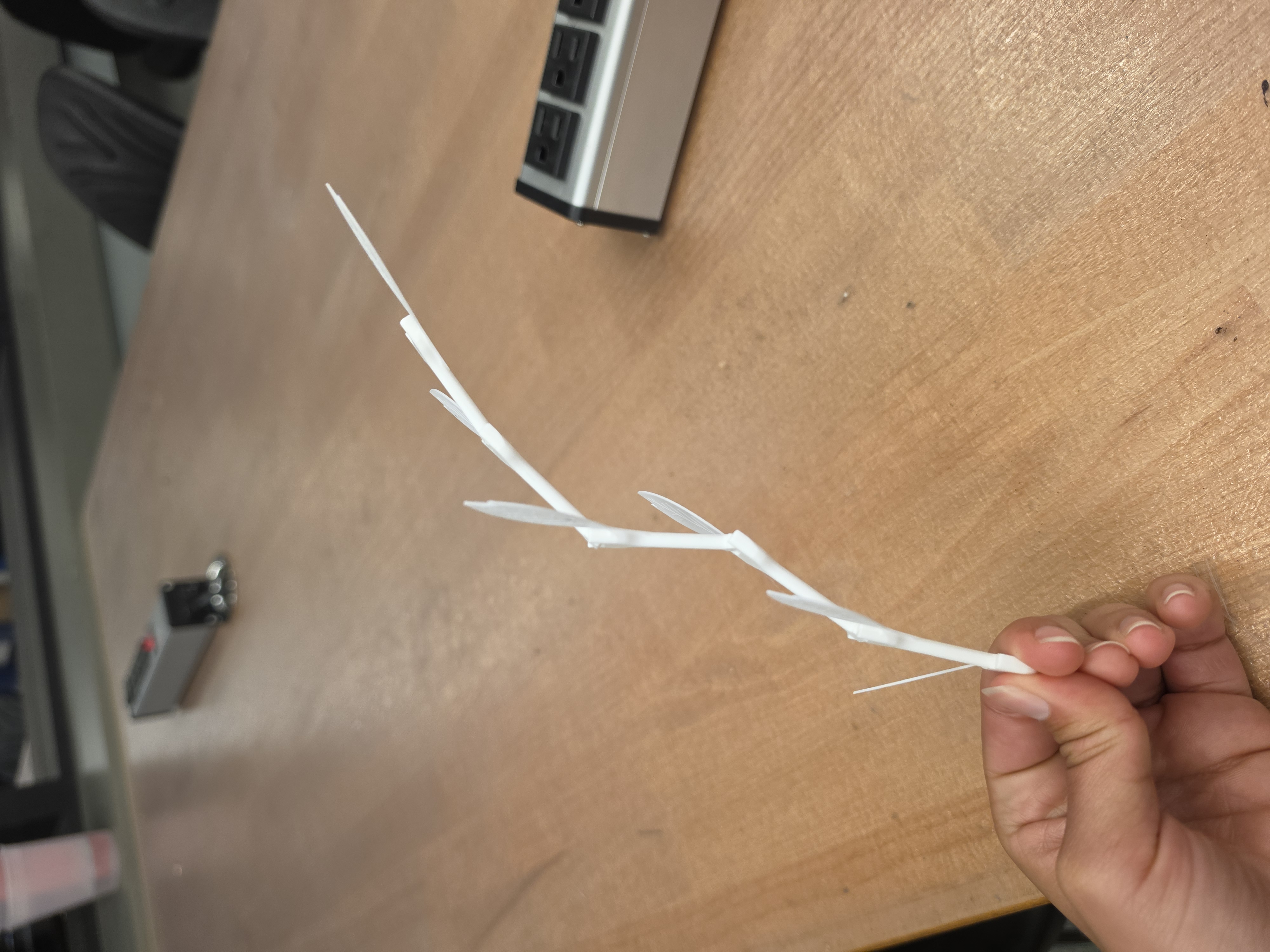
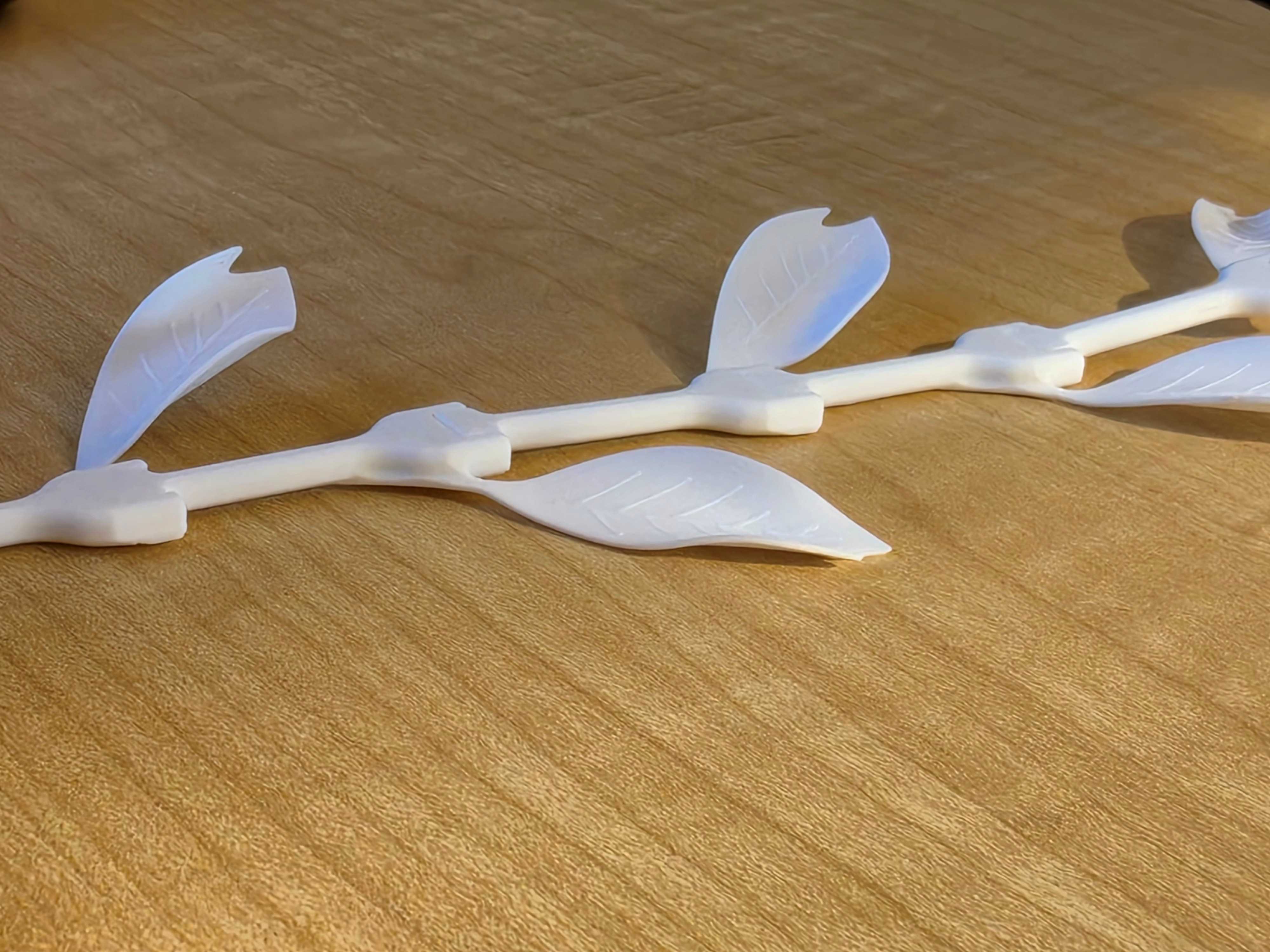
I’m happy with how the hinges and joints turned out and I think the motion of the vine is very pretty.
To make the leaves more lifelike, I used a hair dryer to warm the leaves and then curl the edges of them. I think this added a little depth to the vine that just having hinges didn’t do.
This project taught me a lot about CAD and how to make the design workflow a little better - I think I could have had fewer problems with assembling the design if I had designed it more efficiently. I also learned a lot about the capabilities of 3d printers. I was impressed with how the printer did making the hinges and how easy it was overall to get something from a STL file to a physical object.
Links I looked at
3d Scanning
For the 3d scanning assignment, I decided to scan my house’s pet dog, Bruce. I thought this would be an interesting object to scan to try to see how the scanner did with the texture of the fur, especially the dark colored fur near Bruce’s face/nose.
For this assignment, I used the Creality scan software and the Creality Ferrett scanner.
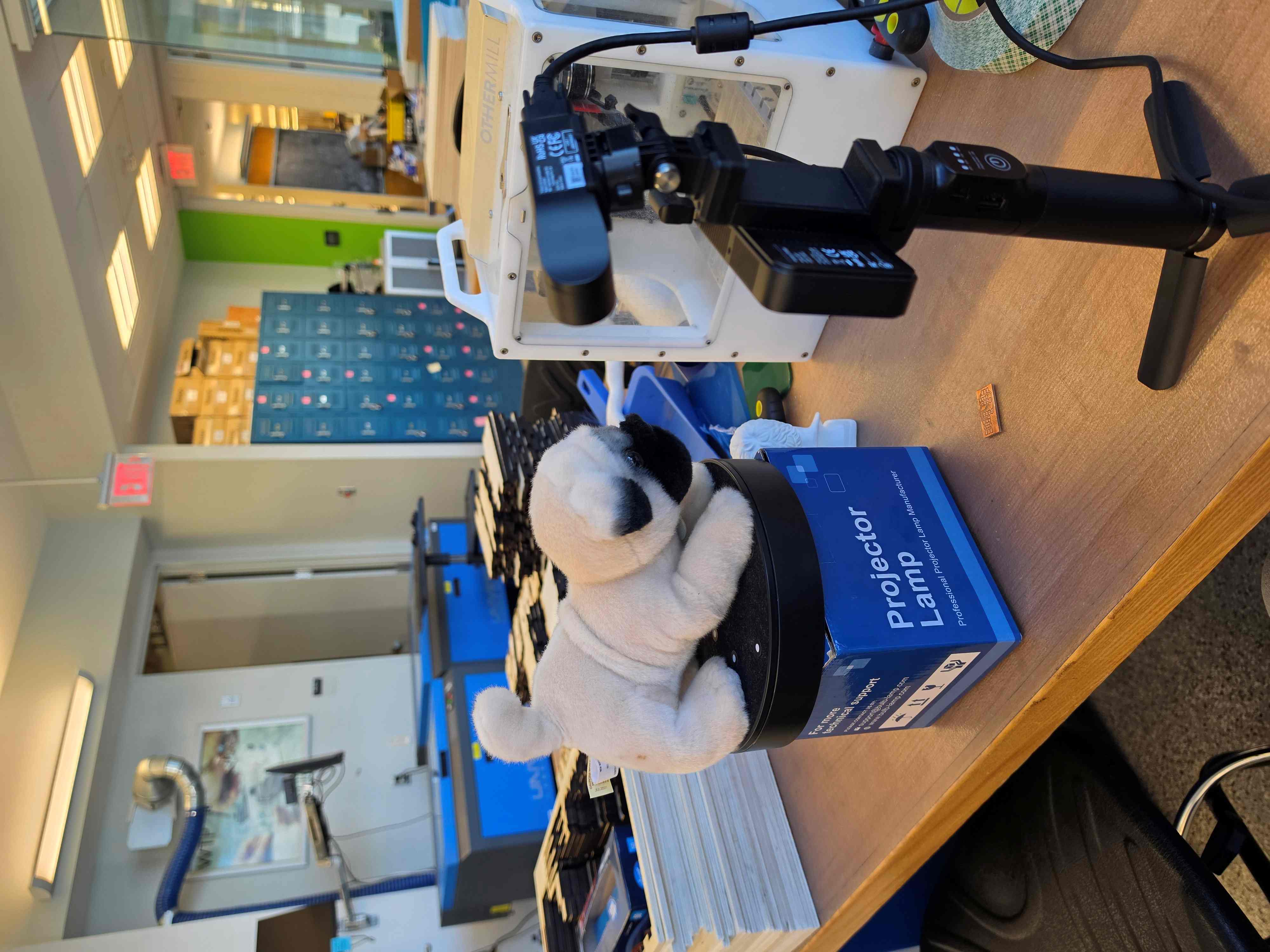
This time, I set the camera up a little lower. I let the turntable go all the way around once, and then on the next turn held the scanner slightly above the object, and then slightly below the object on the next scan.
I didn’t see until later from one of the tips on the loading screen that it isn’t recommended to scan the same parts of the object multiple times. However, it did end up working out for me and letting me scan almost all of the object.
Initially, I set up the scanner a little higher than it was in this picture. That meant that only the top of Bruce was scanned. So, I tried to pause the scan and adjust the scanner a little lower, but it was never able to re-orient itself and continue the scan.
So, I deleted that scan and tried again! Unfortunately, I did not think to get a picture of the scan before I deleted it.
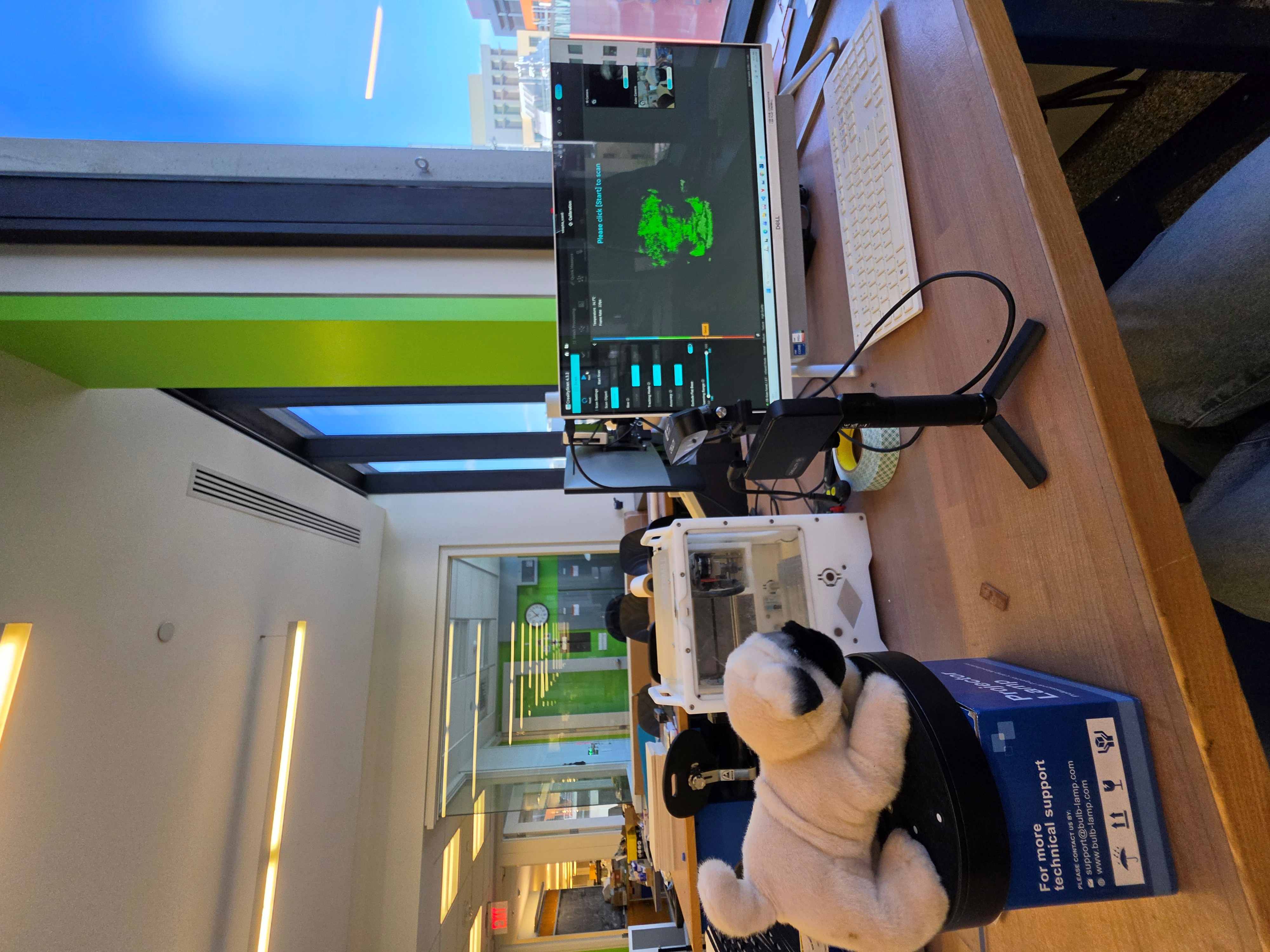
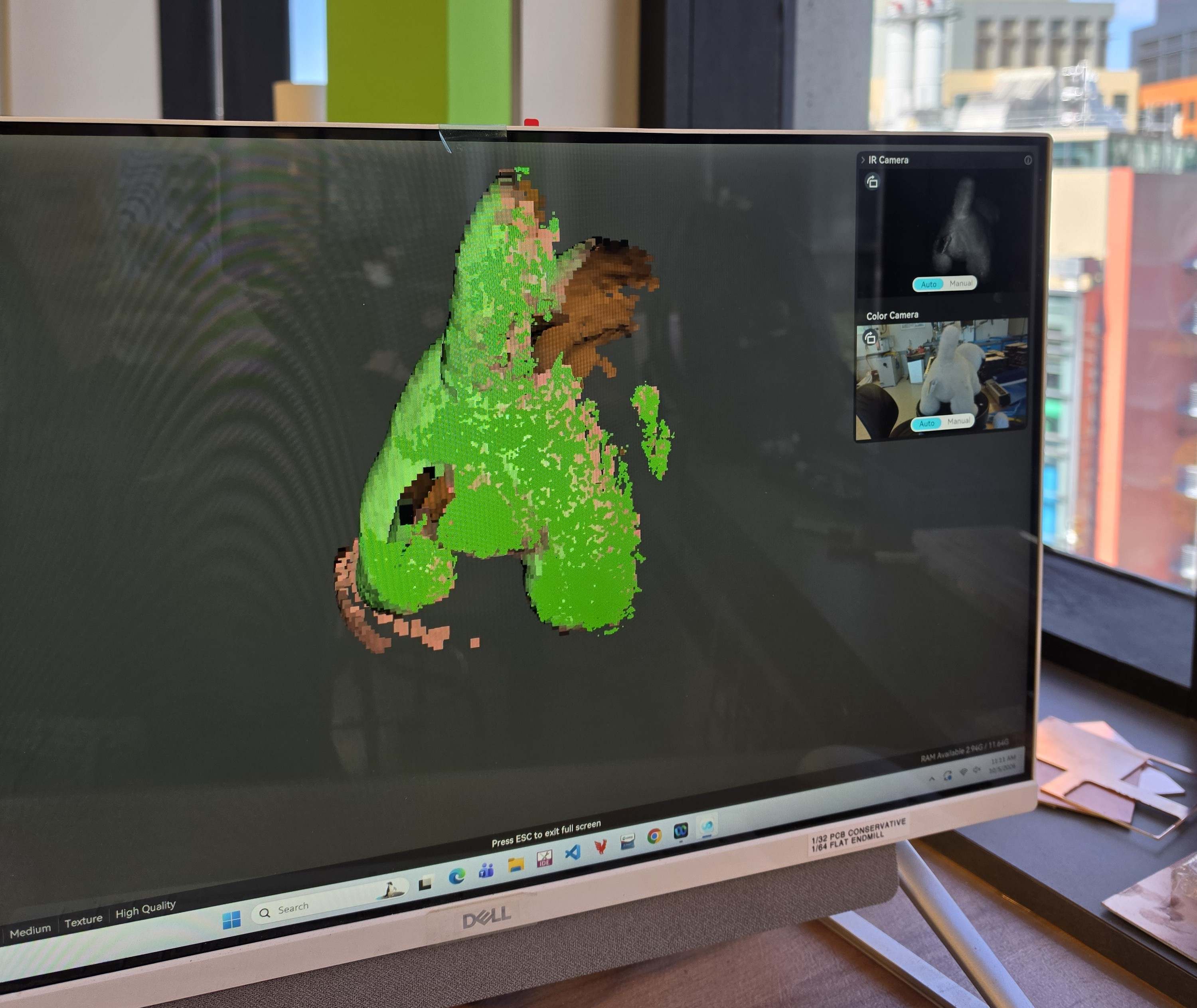
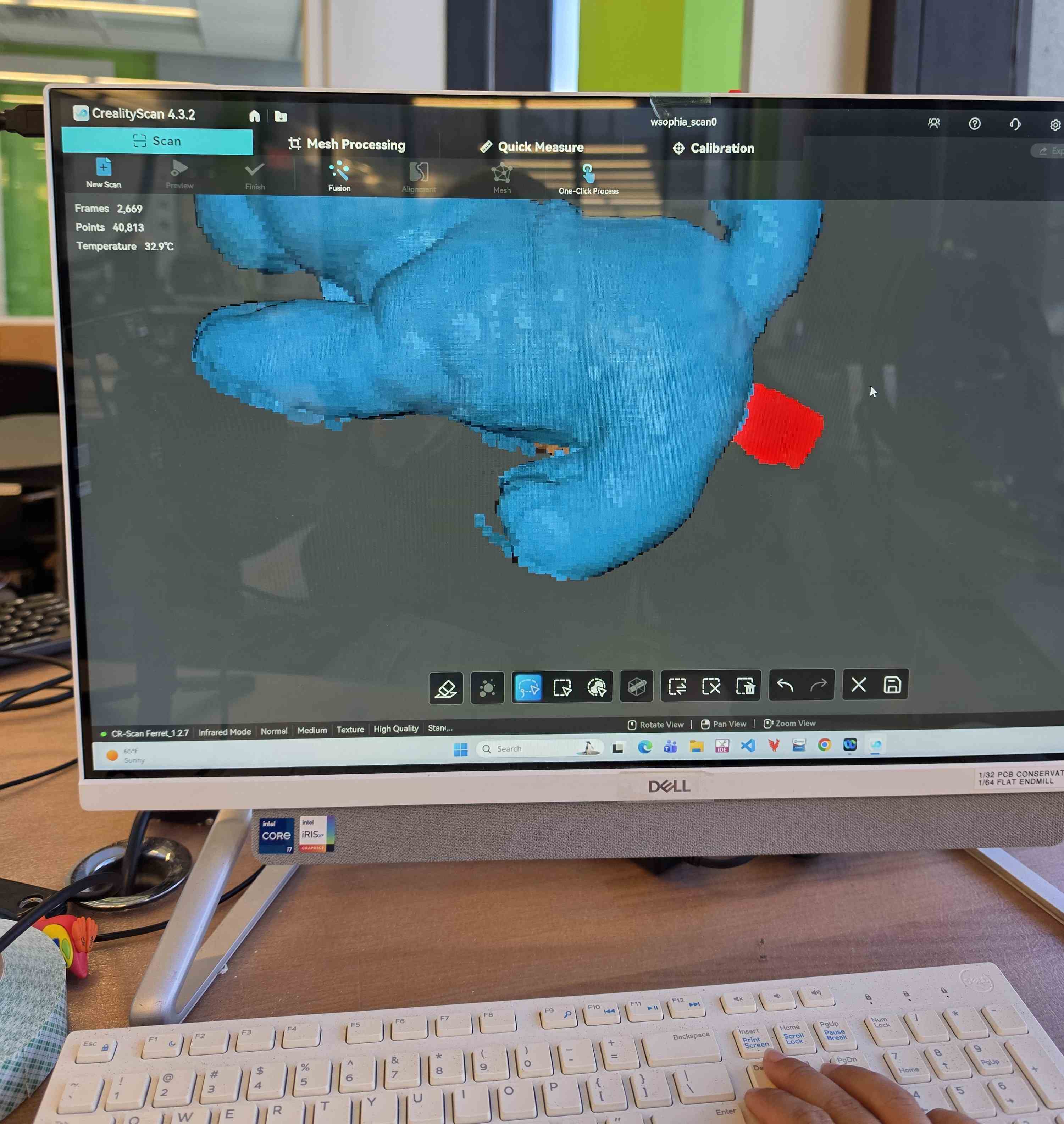
After the scanning was finished, I had to process the result. There was a lot of extra included in the scan that I didn’t want to keep (like the tag below Bruce’s tail and the scan of the turntable). I removed this extra data using the same scanning software. In the picture on the right, I’m removing the tag.
← This is what the scan looked like partway through. You can see how the scanner was having a hard time with the very top of the object.
After doing that, this is what the scan of Bruce looked like: →
The bottom definitely wasn’t perfect, but I think it was close enough to the shape of the object.
The next thing I did was smooth the object. There were millions of triangles because the scanner tried to capture the curves and texture of Bruce’s body. Then, I had a finished file!
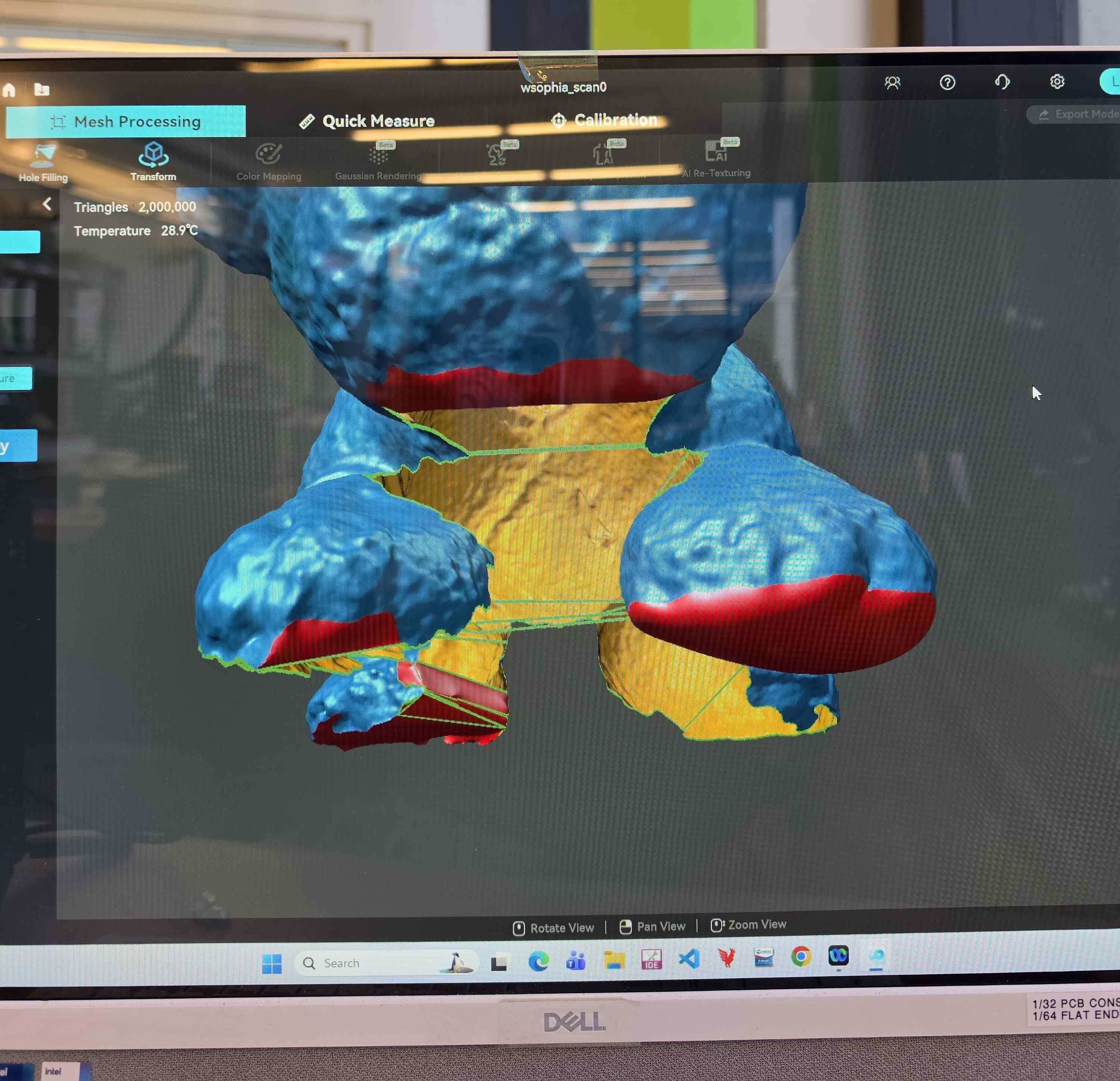
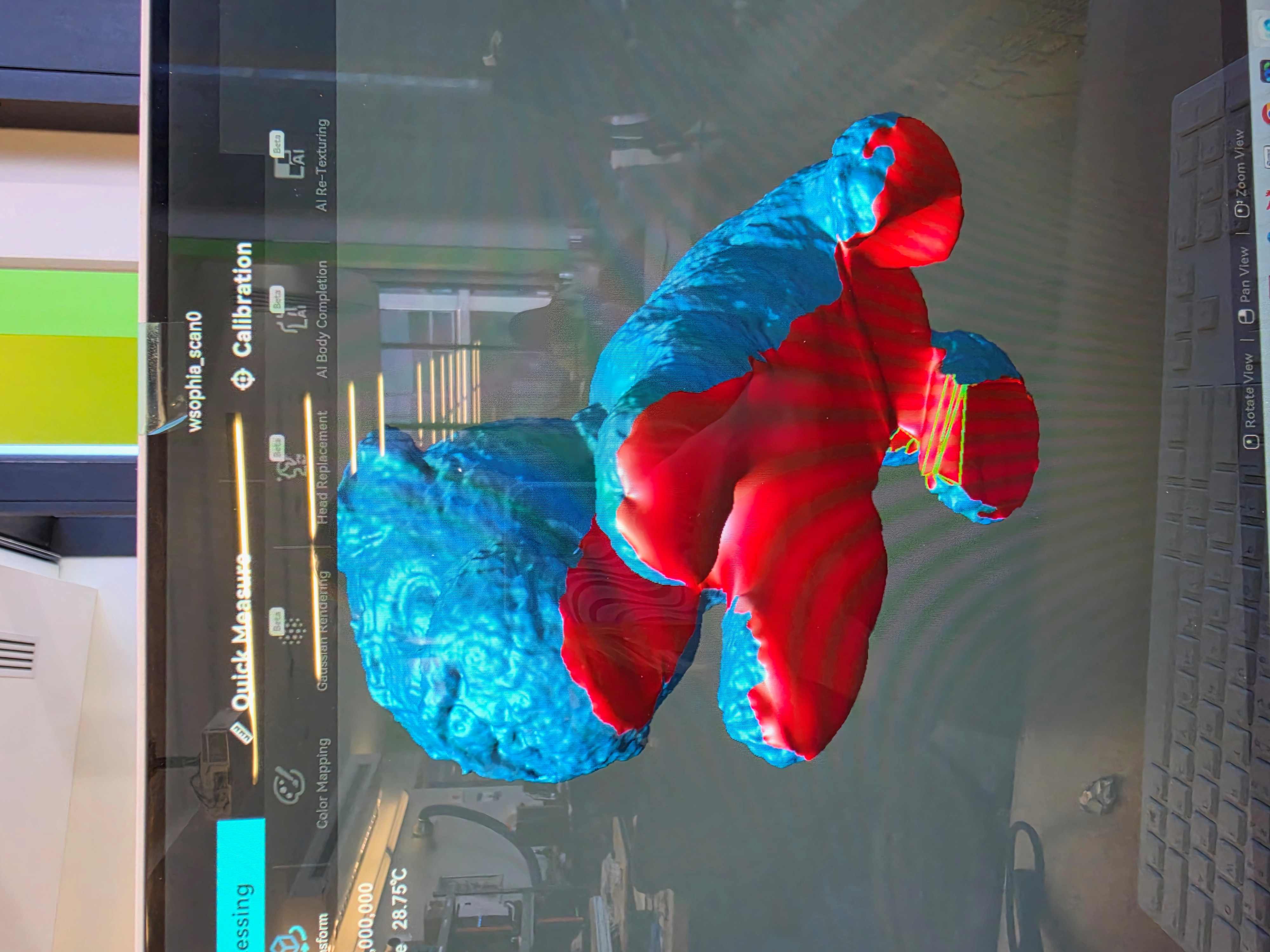
After removing the extra parts, I had to fill in the holes that the scanner missed. The scanner couldn’t see Bruce’s belly or the bottoms of his feet, so it just left a hole there.
To fill this and keep it as close to Bruce’s actual body shape as possible, I used the bridging tool (green lines in the picture on the left) to guide where the surfaces should fill in. Then, I used the software’s curve-following hole filling tool to fill in the holes.
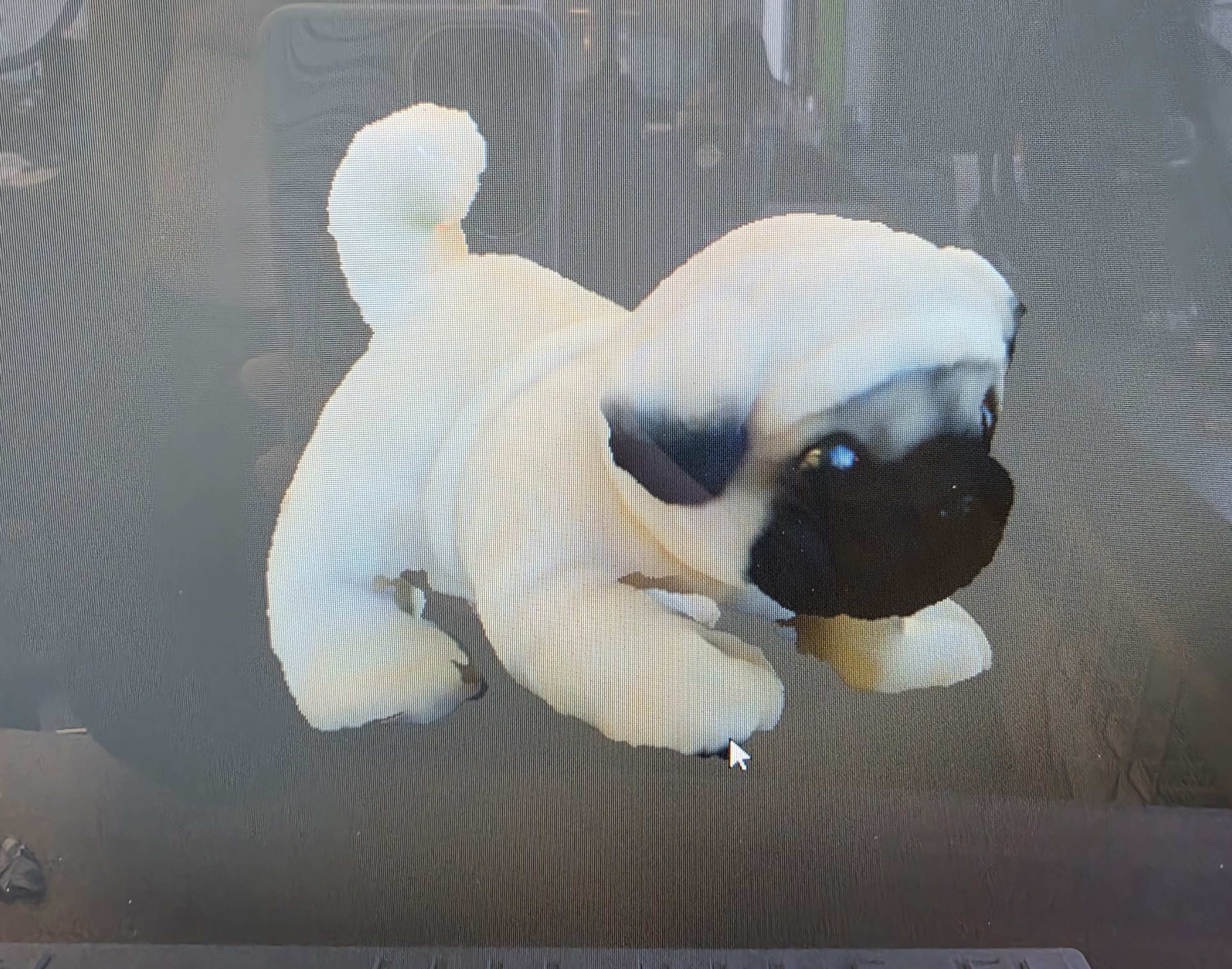
The scanner also made this really cute version that showed the coloring of Bruce’s fur and eyes.