Week 5: Electronics Production
Assignment Details
group assignment:
      • characterize the design rules for your in-house PCB production process
      • submit a PCB design to a board house
   individual assignment:
      • make and test an embedded microcontroller system that you designed
      • extra credit: make it with another process
This week, I'm going to make the soil monitoring PCB I designed last week!
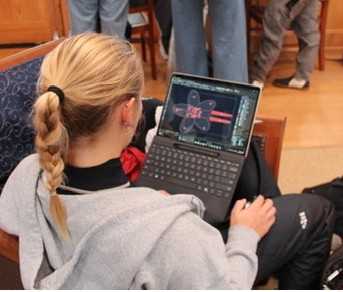
Unfortunately, my regatta this weekend was an away regatta all the way at St. Mary’s, and I had to fly out Friday afternoon and didn’t get back until late on Sunday which meant I had even less time than usual to work over the weekend compared to normal driving away regattas. Here’s a funny picture my friend got of me in sailing gear working on the KiCAD file between races:
First, I got feedback from Anthony about my PCB. Based on his suggestions, I made a couple of changes:
- Moved traces that were closer together further apart. My PCB obviously has some very creative routing and also plenty of open space. So, to minimize the risk of bridging things that shouldn't be connected when soldering, I moved as much as I could as far apart as I could. This also can reduce milling time because a larger tool can be used for more of the board.
- Changed the footprint for the transistor. I missed it in the Fab Inventory, but we didn't have the surface mount (name), so I switched to a through hole one.
- When mounting the Xiao on my PCB, I'll need to put it on headers to make sure the USBC can plug in.
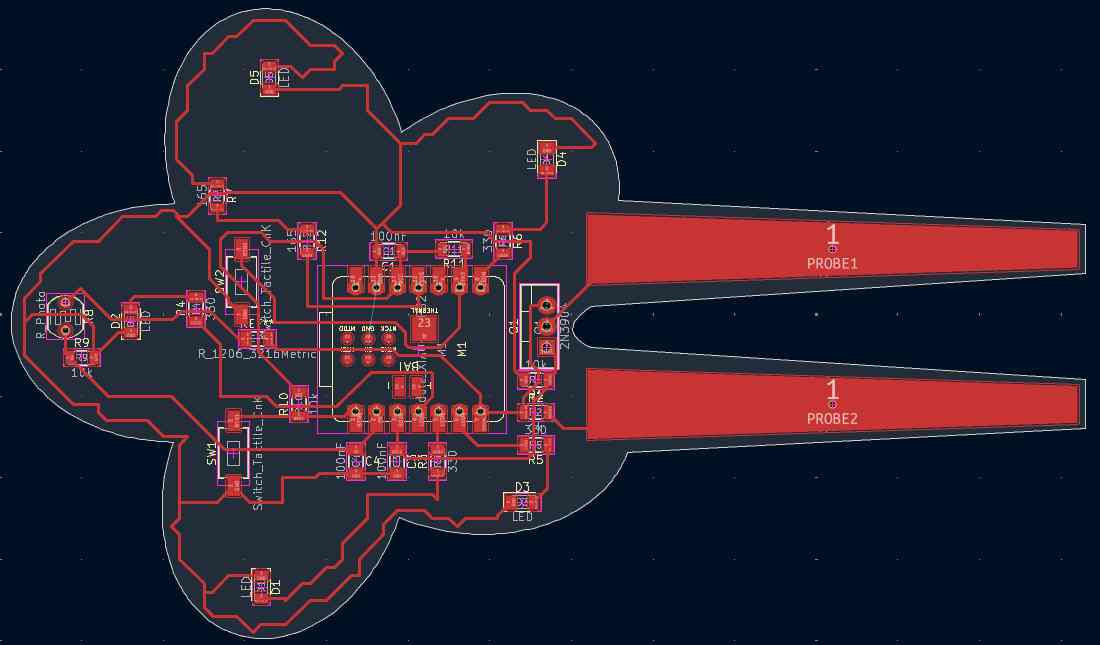
Here’s a screenshot of the final design:
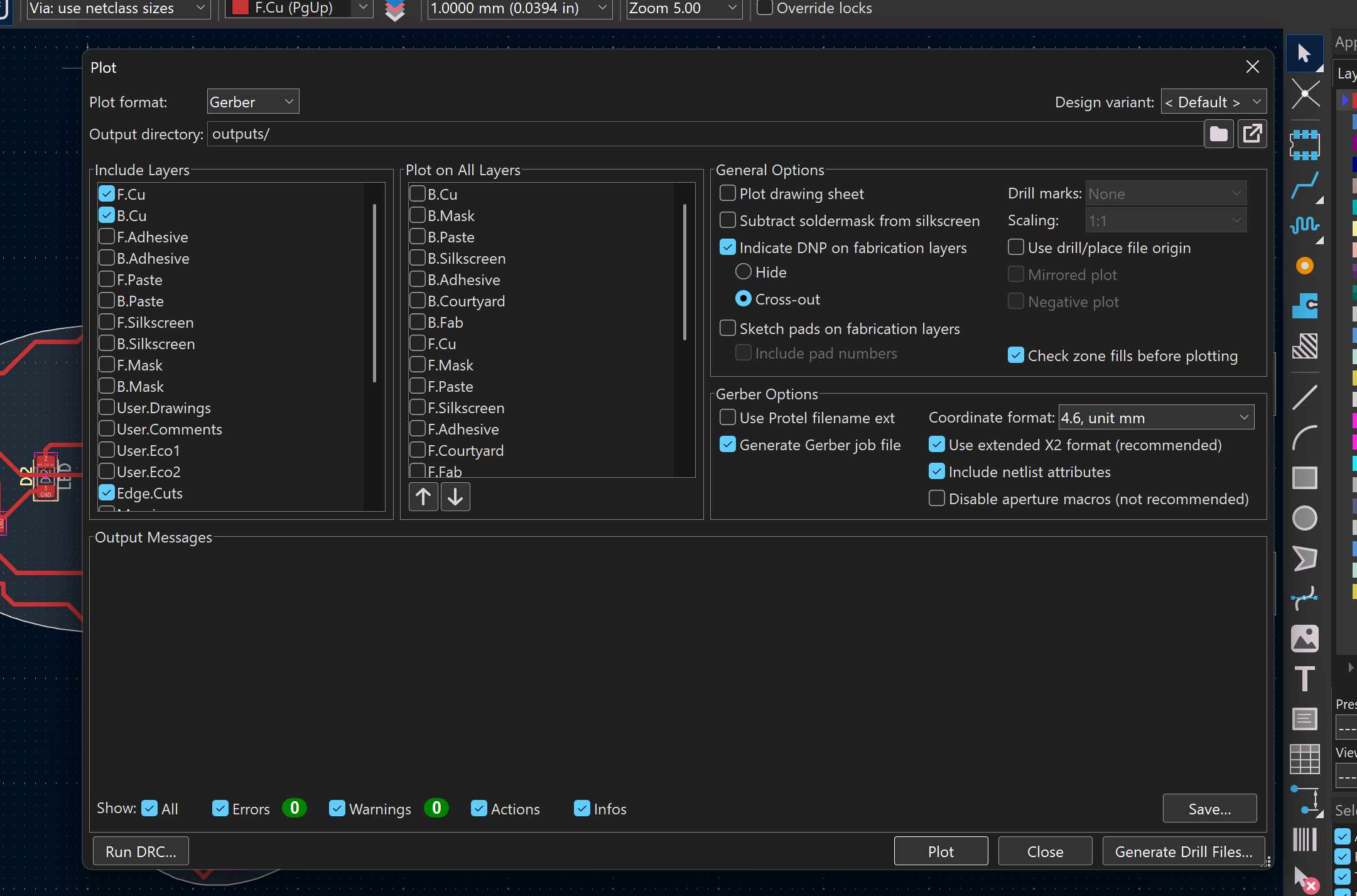
Then, I exported the front and edge cut layers of the PCB from KiCAD as Gerber files. I also exported the drill files.
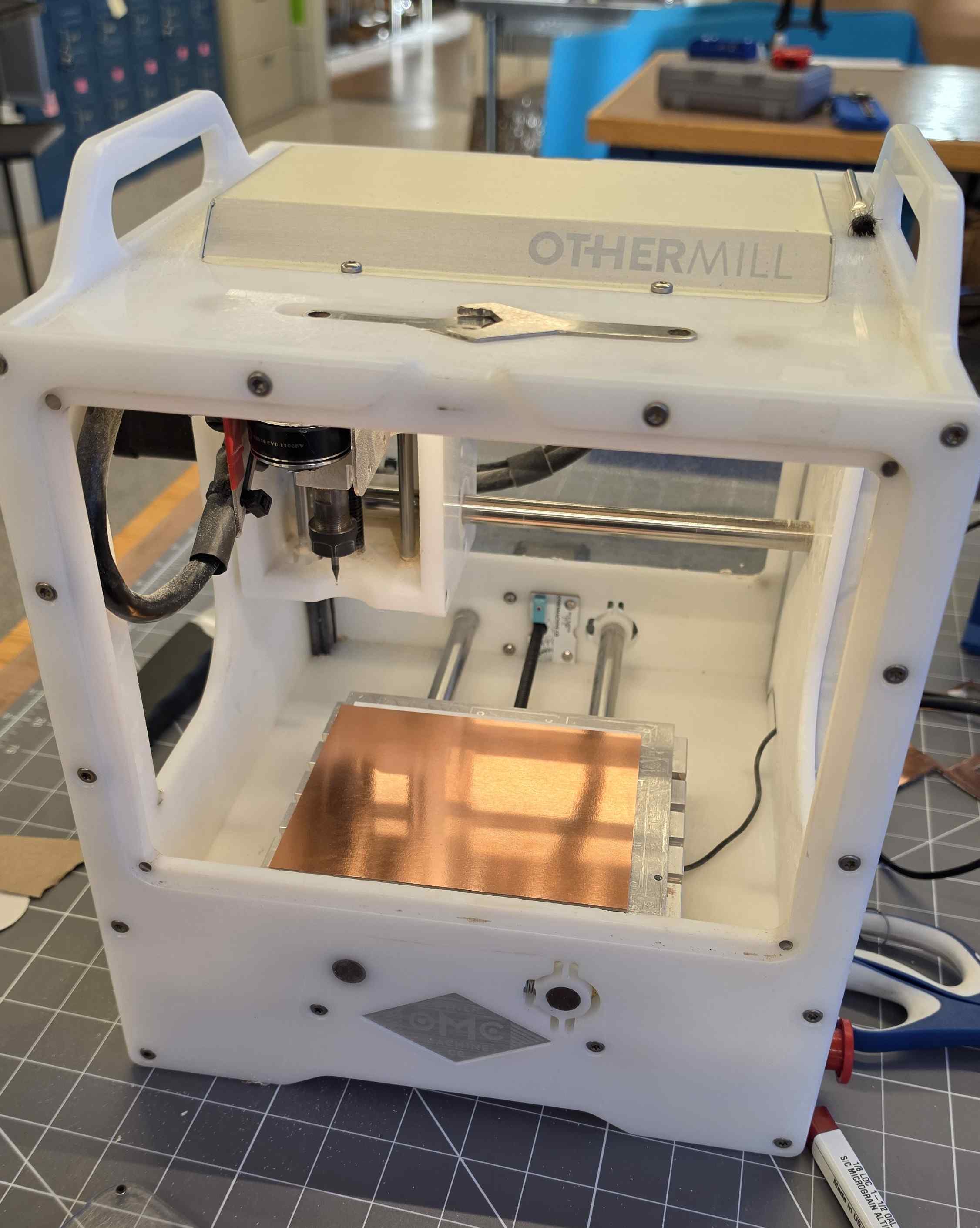
Next, I got my material set up on the mill. I used double-sided tape to secure the copper to the bed in the bottom left corner (because that’s where the origin is). →
Then, I clicked “Change Tool” so the machine could check the depth of the tool. Everything was set up, and I clicked start!
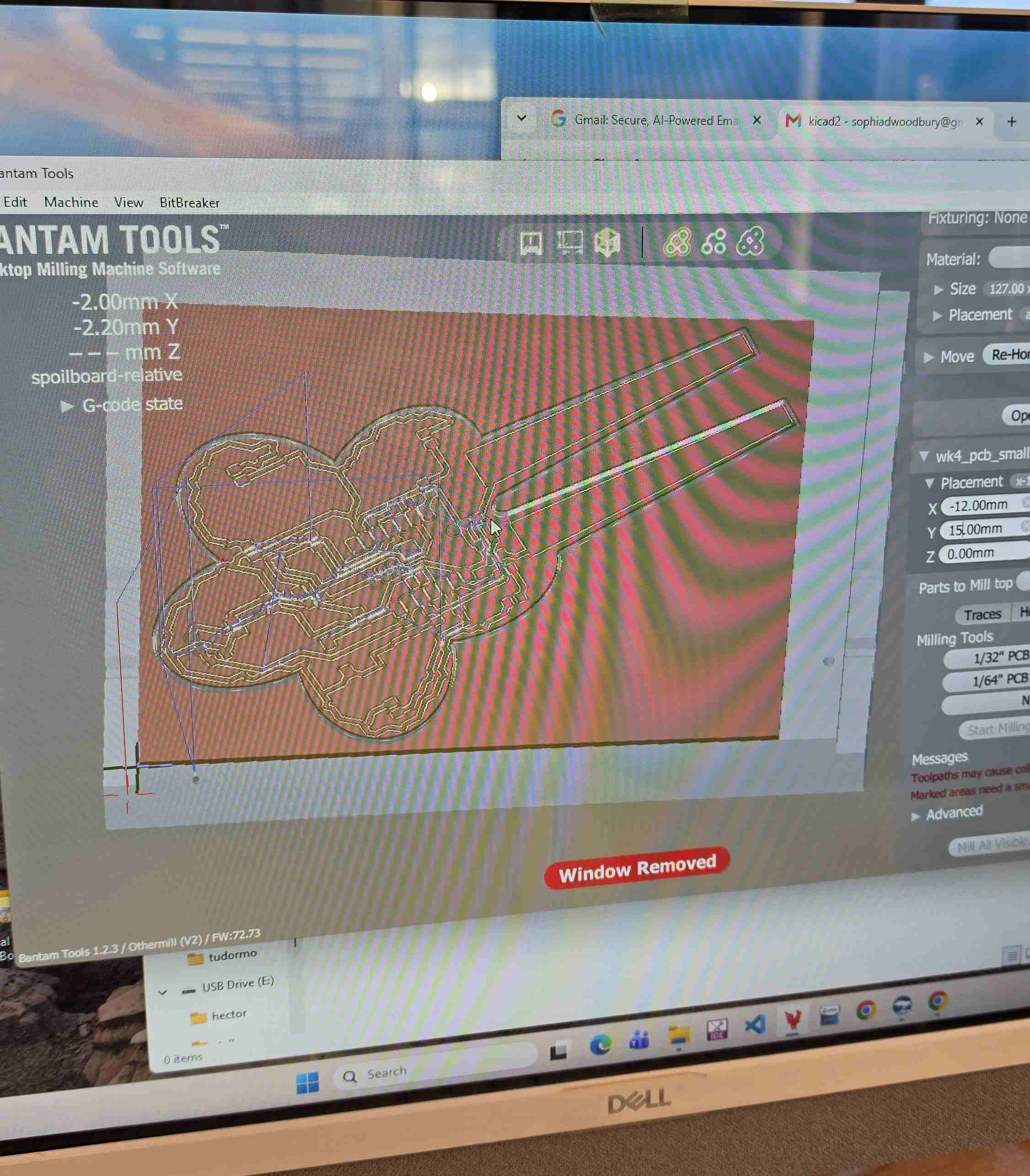
← I added my files to the Bantam software and assigned them to the correct layer. (Or so I thought… I later learned that I did not put the correct drill file in.) I used the software’s rotate and set origin tools to position my design within the material.
There were a couple of parts of my file (the corners of the edge cuts between the petals) that couldn’t be made with even the 1/64th bit because they were too small. But, I don’t mind the corners being a little rounded, so I just ran the job and it won’t cut those parts (which is fine).
After the machine was done running with the 1/64th bit, it paused to let me change the tool to the 1/32. I swapped it and it finished cutting the larger parts of the file. →
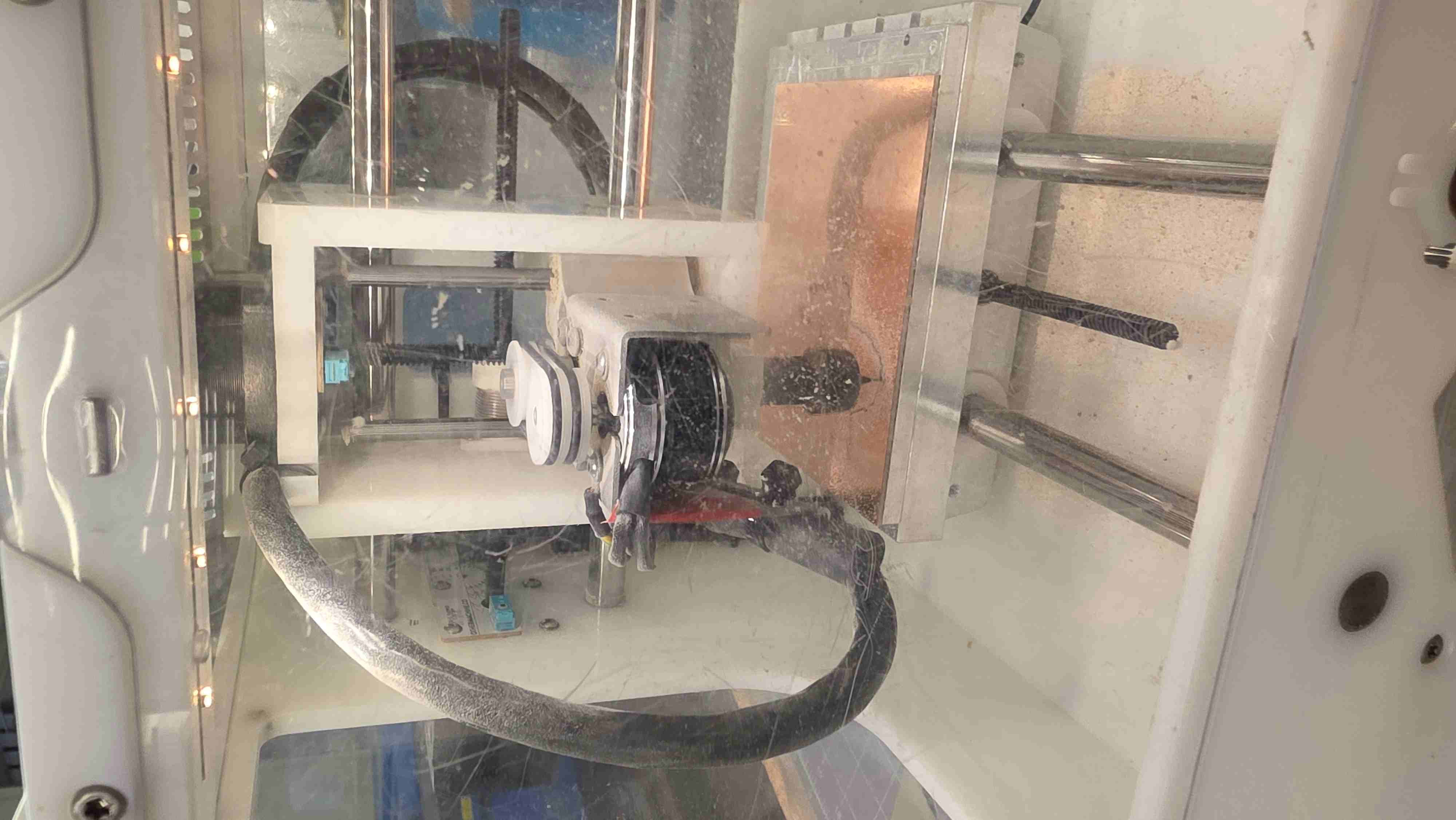
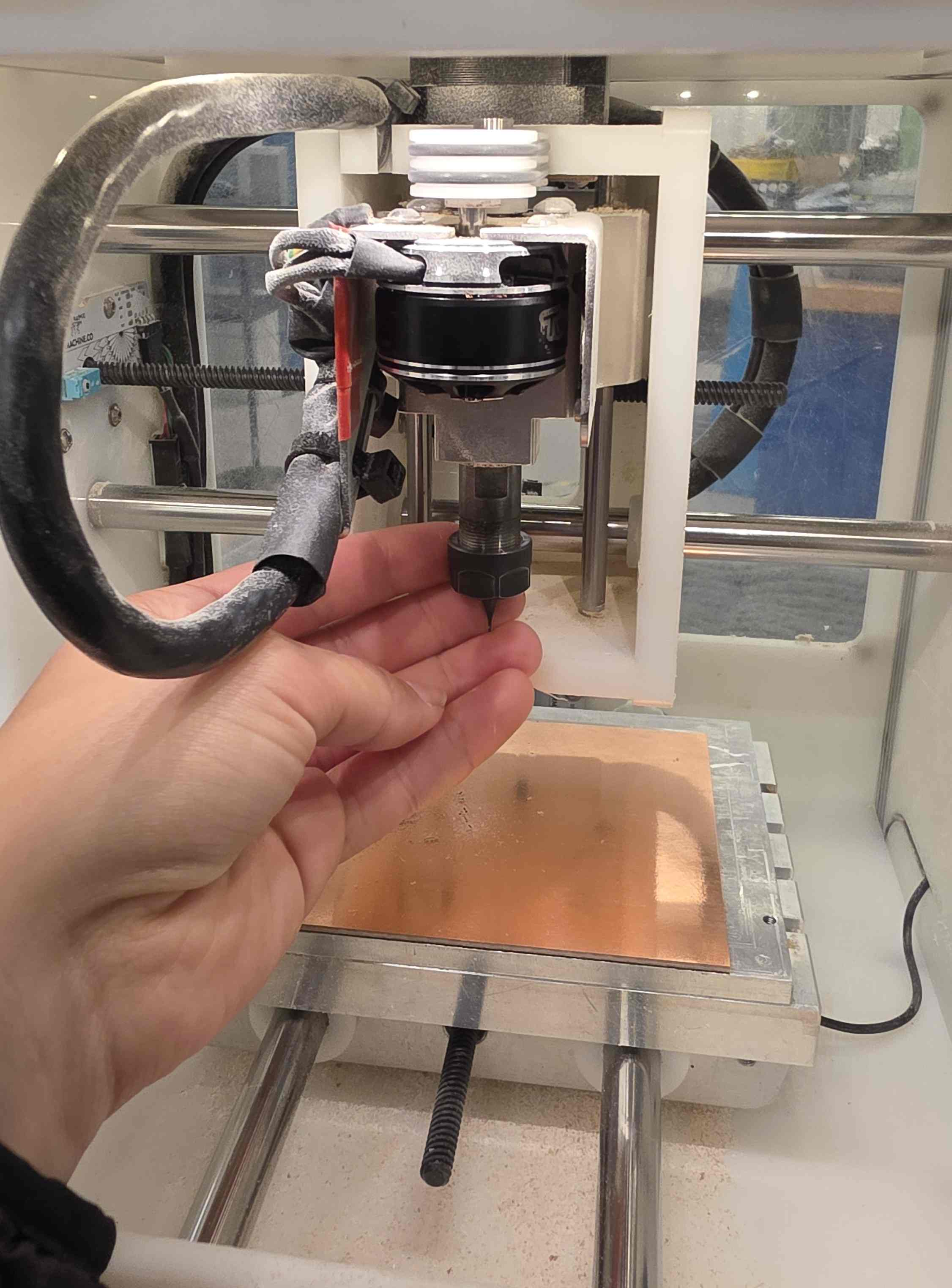
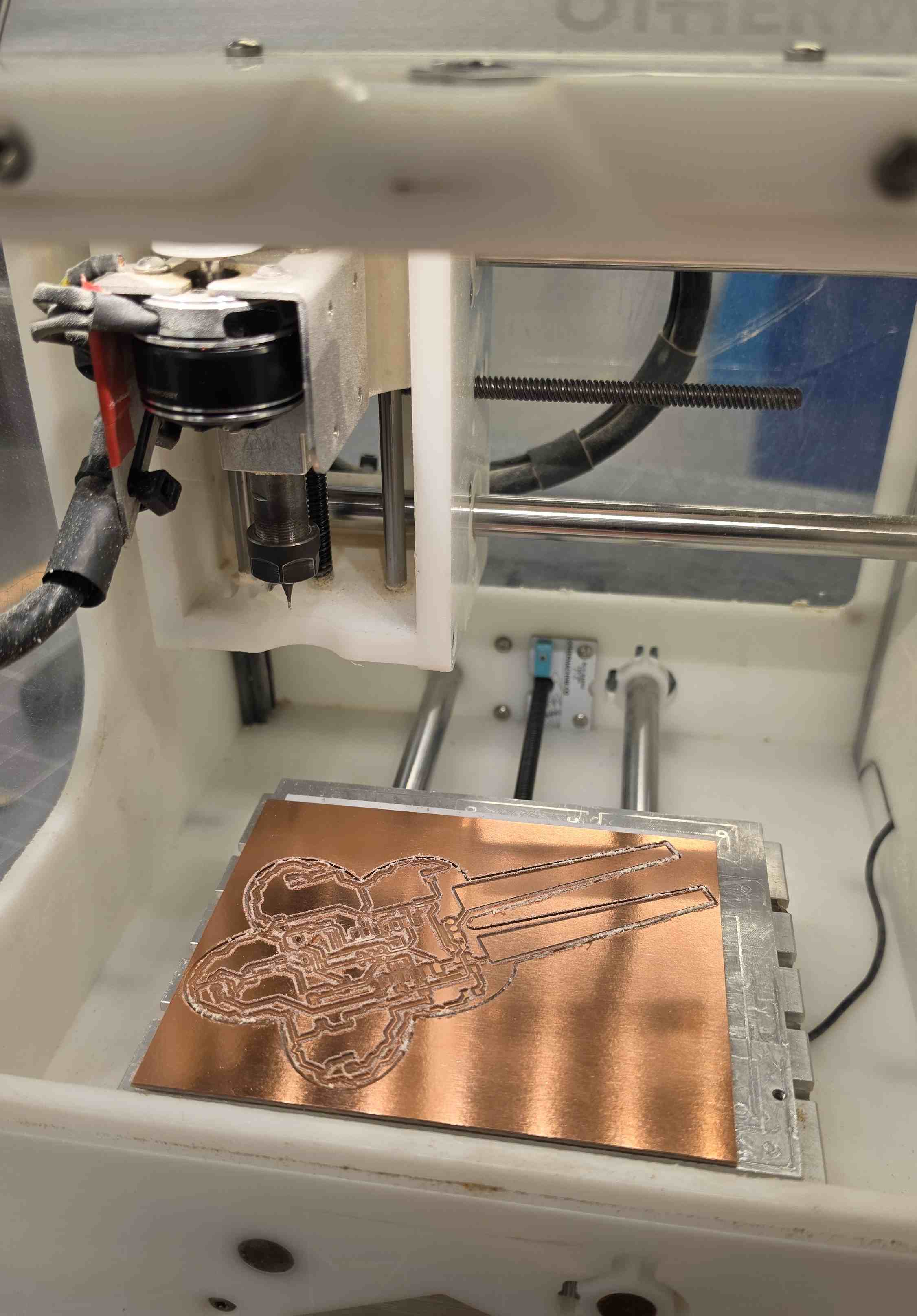
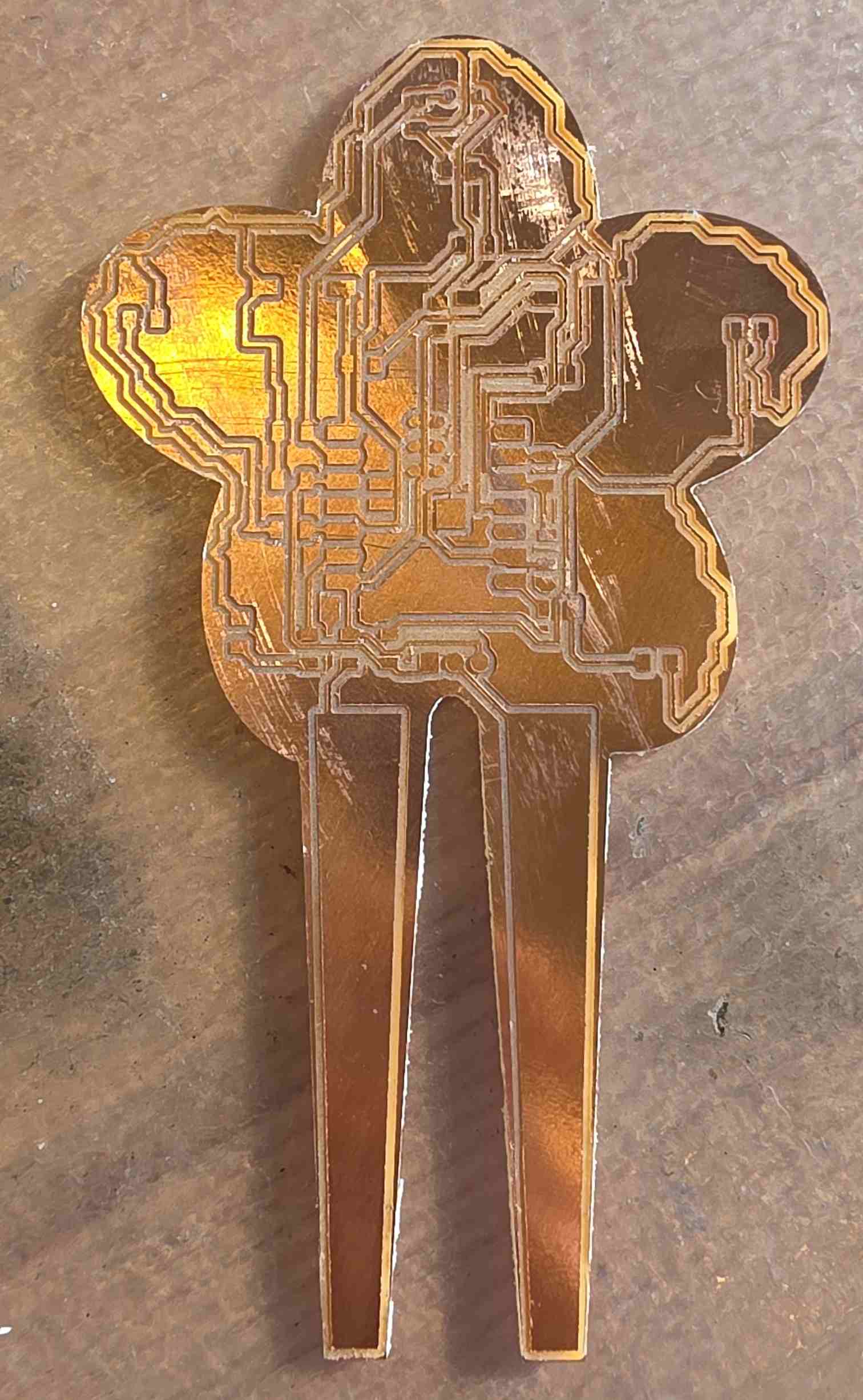
Then, the cutting was done, except that it didn’t drill the holes. Unfortunately, I had to leave to go to a meeting and someone else was waiting to use the mill so I took my PCB off and didn’t drill the holes. This is what the PCB looked at by that point:
This was my strategy for handling the headers for the Xiao:
- Put rivets in the holes so I could solder on socket headers from the bottom of the board.
- Put pin headers on the Xiao so it can be inserted into the socket headers.
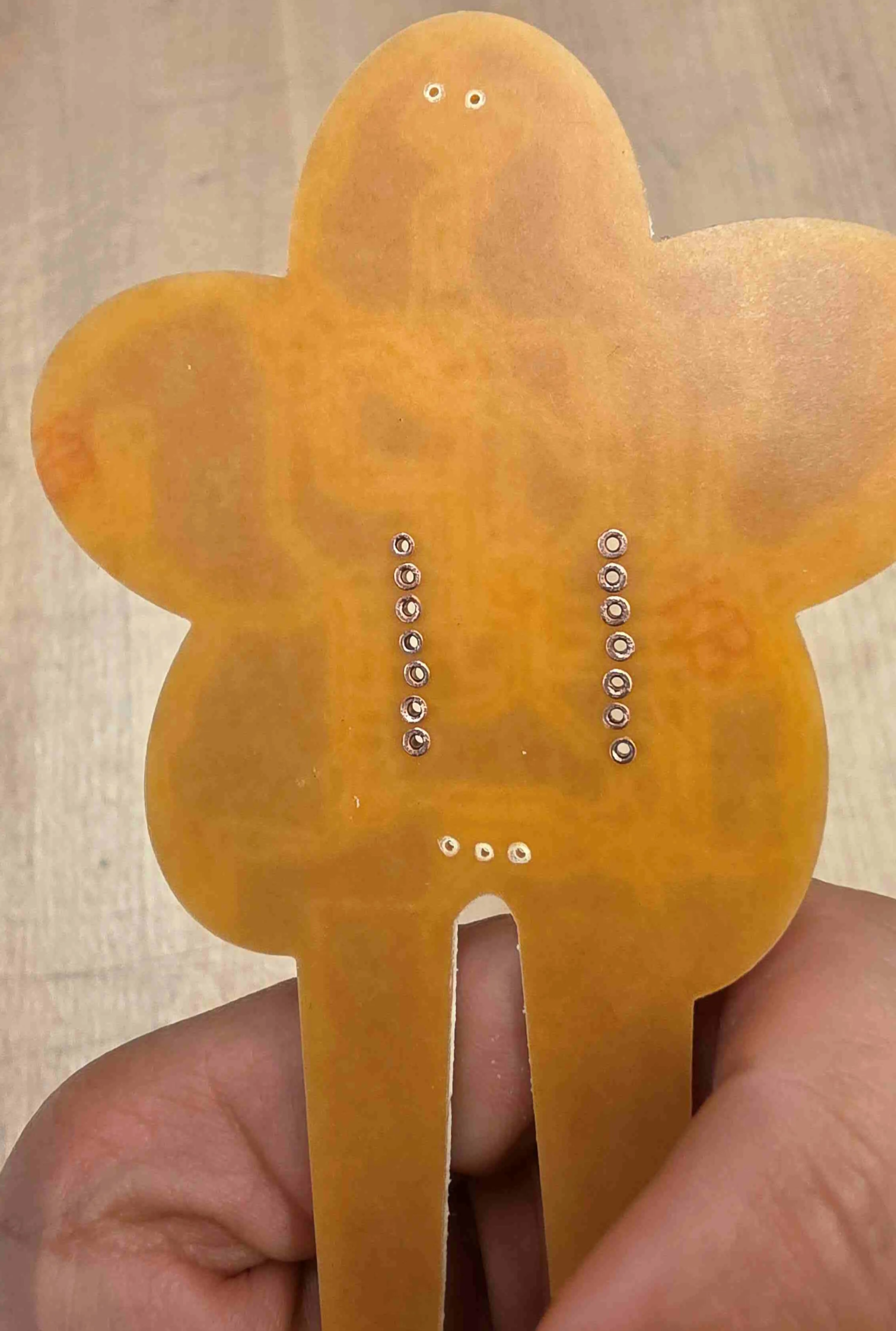
Then I used this adorable little drill press to manually add the holes. I used a bit large enough for the rivets to drill the holes for the Xiao. I did my best to line the holes up on the pads, but they were a little wonky in some spots. Then, I used a smaller bit to drill the holes for the throughole components (transistor and photoresistor). This is what the board looked like with some of the holes:
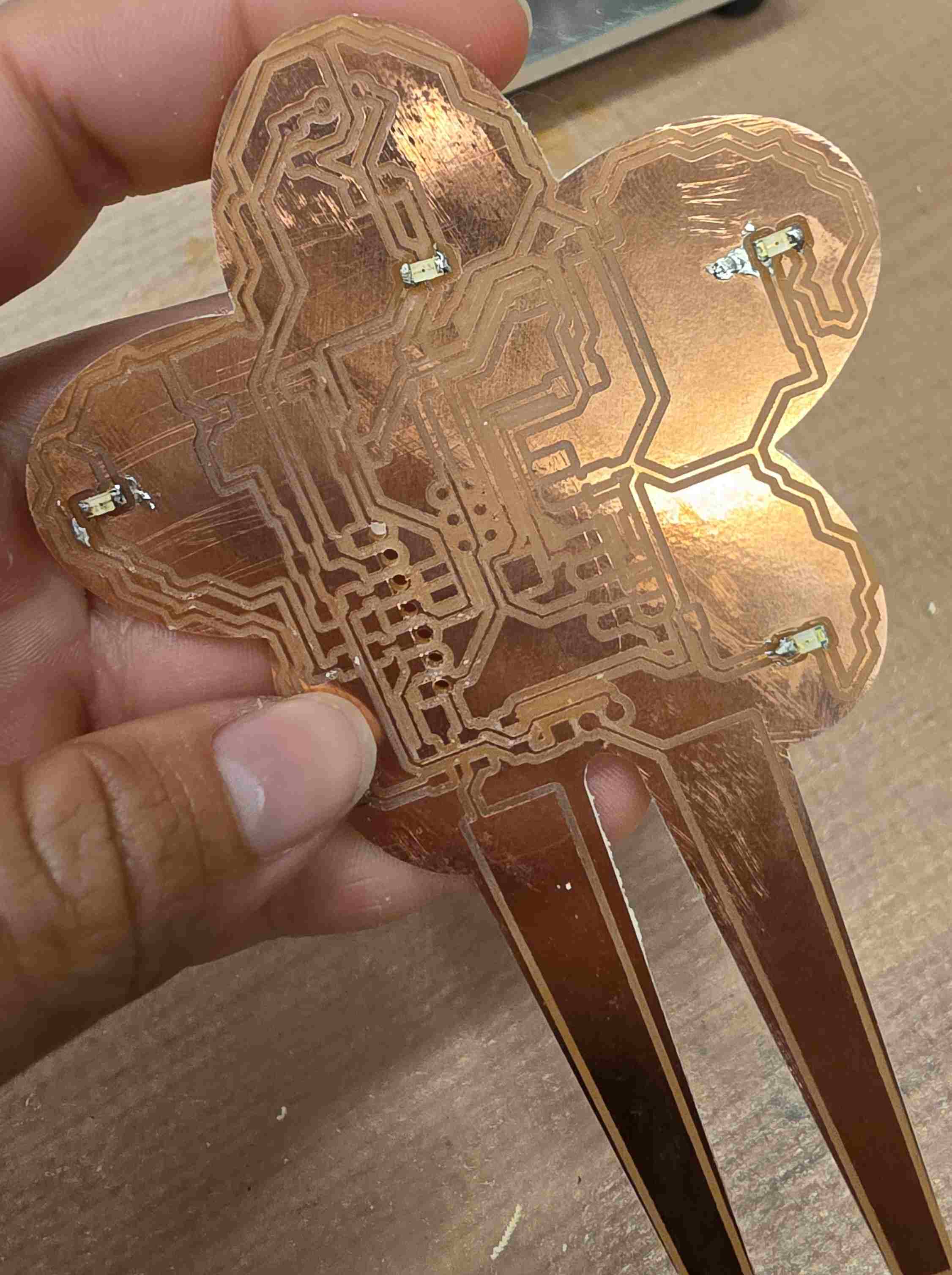
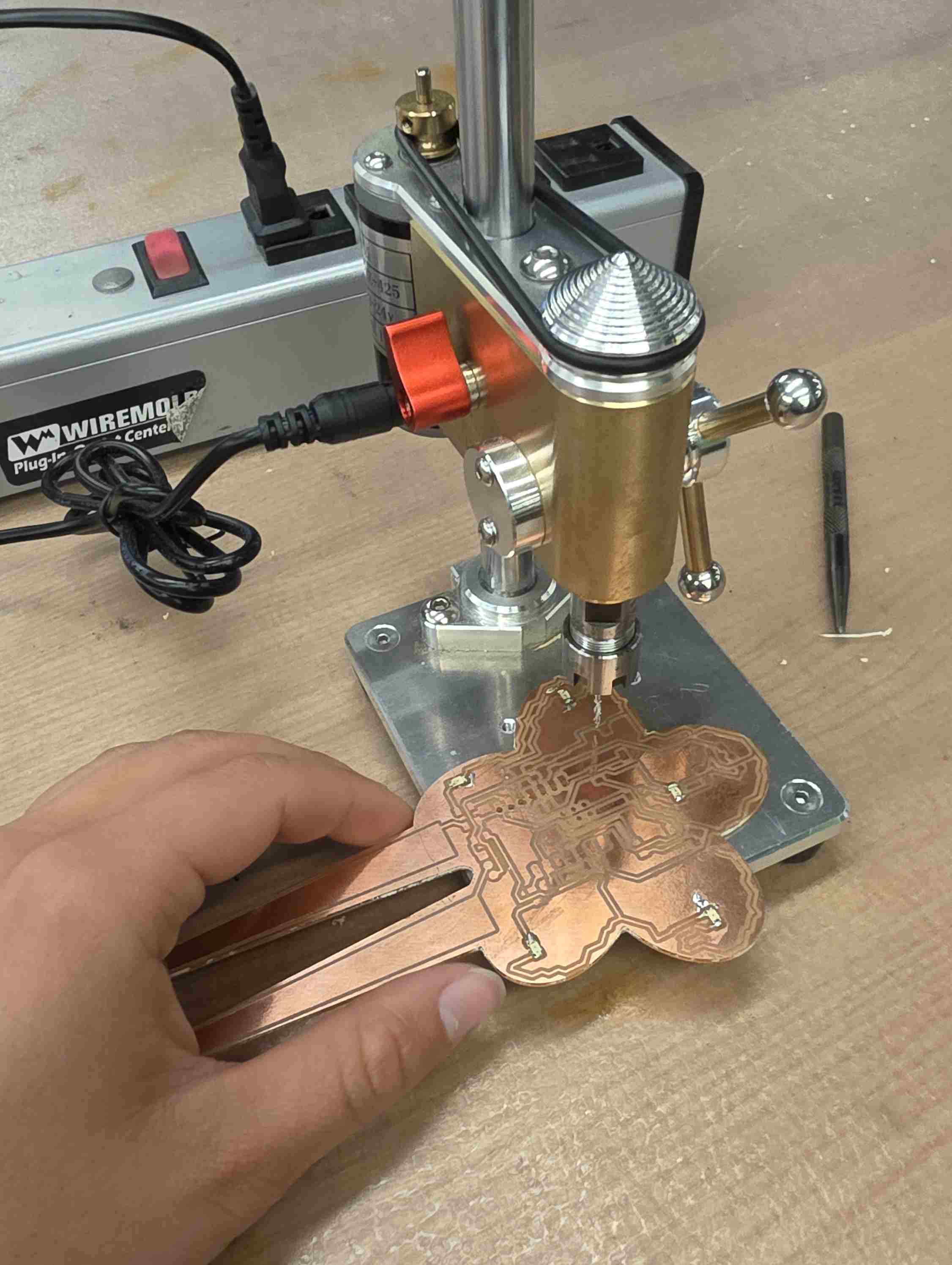
I did mess up the holes for the photoresistor a little bit (they aren’t exactly on the pads) but I should be able to use solder to connect the leads of the resistor to the pads of the circuit.
Then, I added the rivets. This is done with a hammer and a punch. The rivets go in the hole, a punch with a tapered end is used on the open side to widen the hole, and then a flat punch is used to flatten out the rivet. This is what it looked like with all of the rivets:
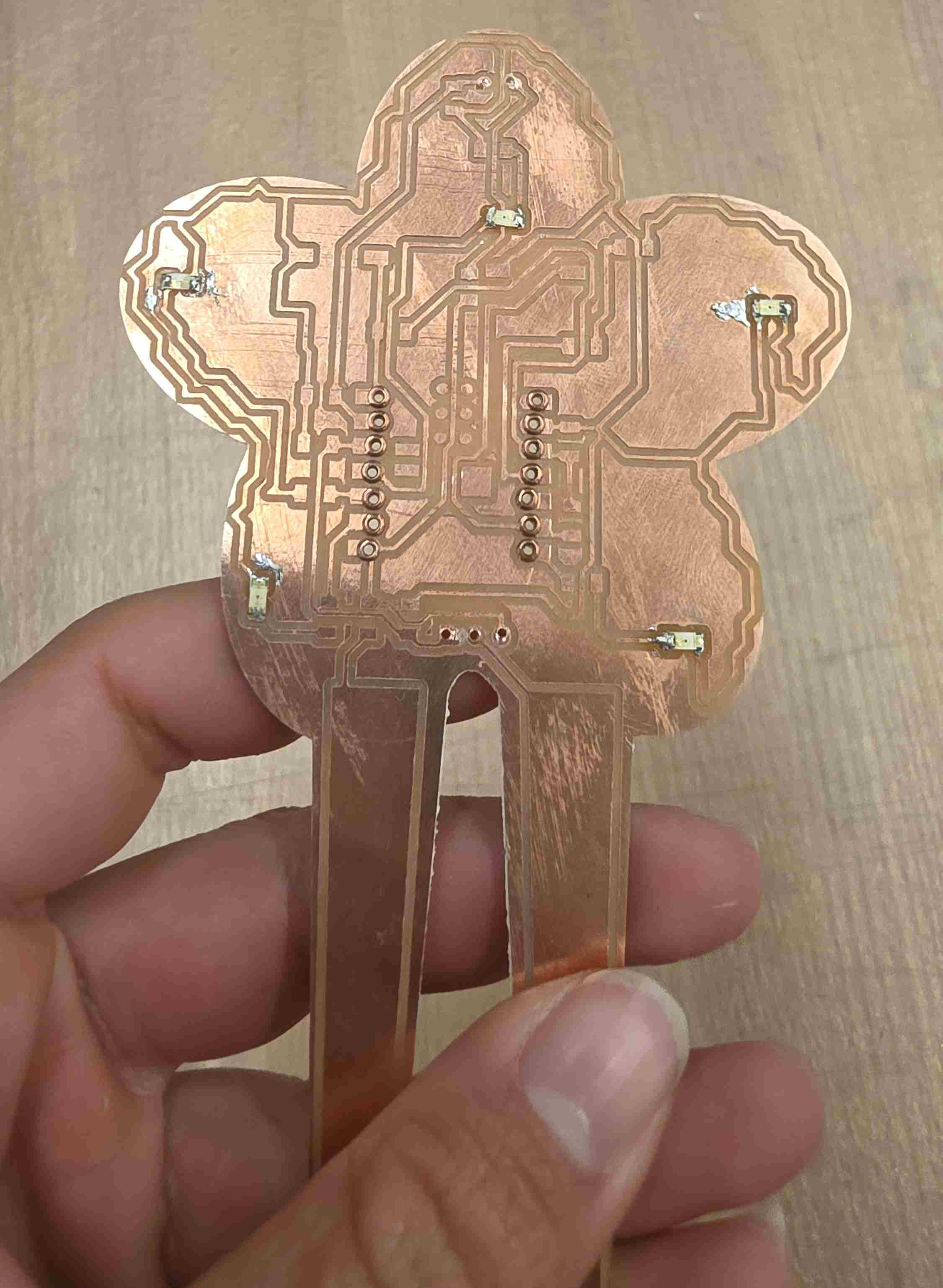
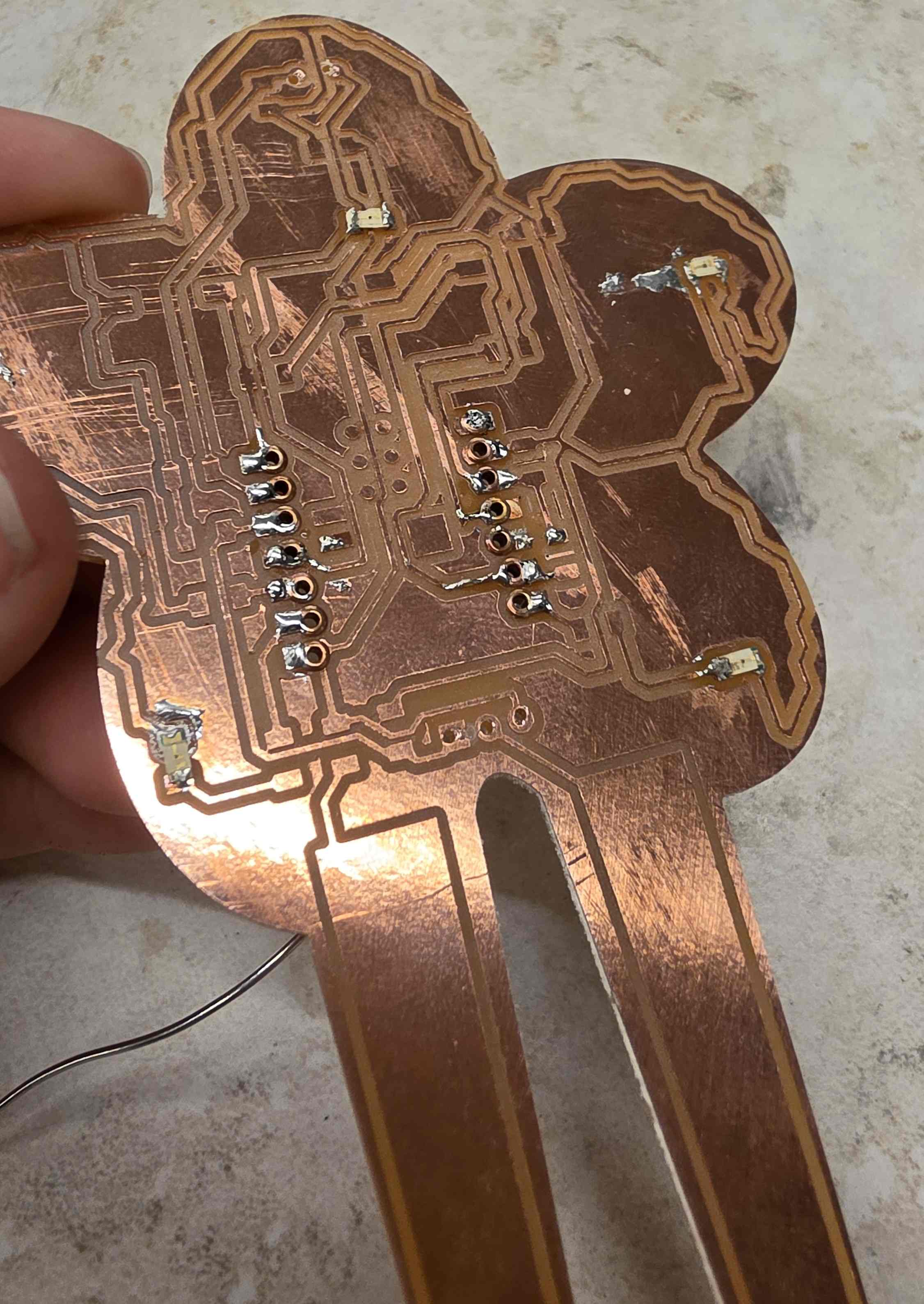
After the rivets were put in, they needed to be soldered to the traces/pads on the top of the board so that there was certainly an electrical connection between the rivets and the board. When soldering, I accidentally filled one of the holes with solder. This gave me an opportunity to practice removing solder - I ended up adding a little solder so it would flow better and then using the vacuum soldering iron to take the solder out.
Finally, it was time to solder the rest of the components! Here’s the board after everything was added:
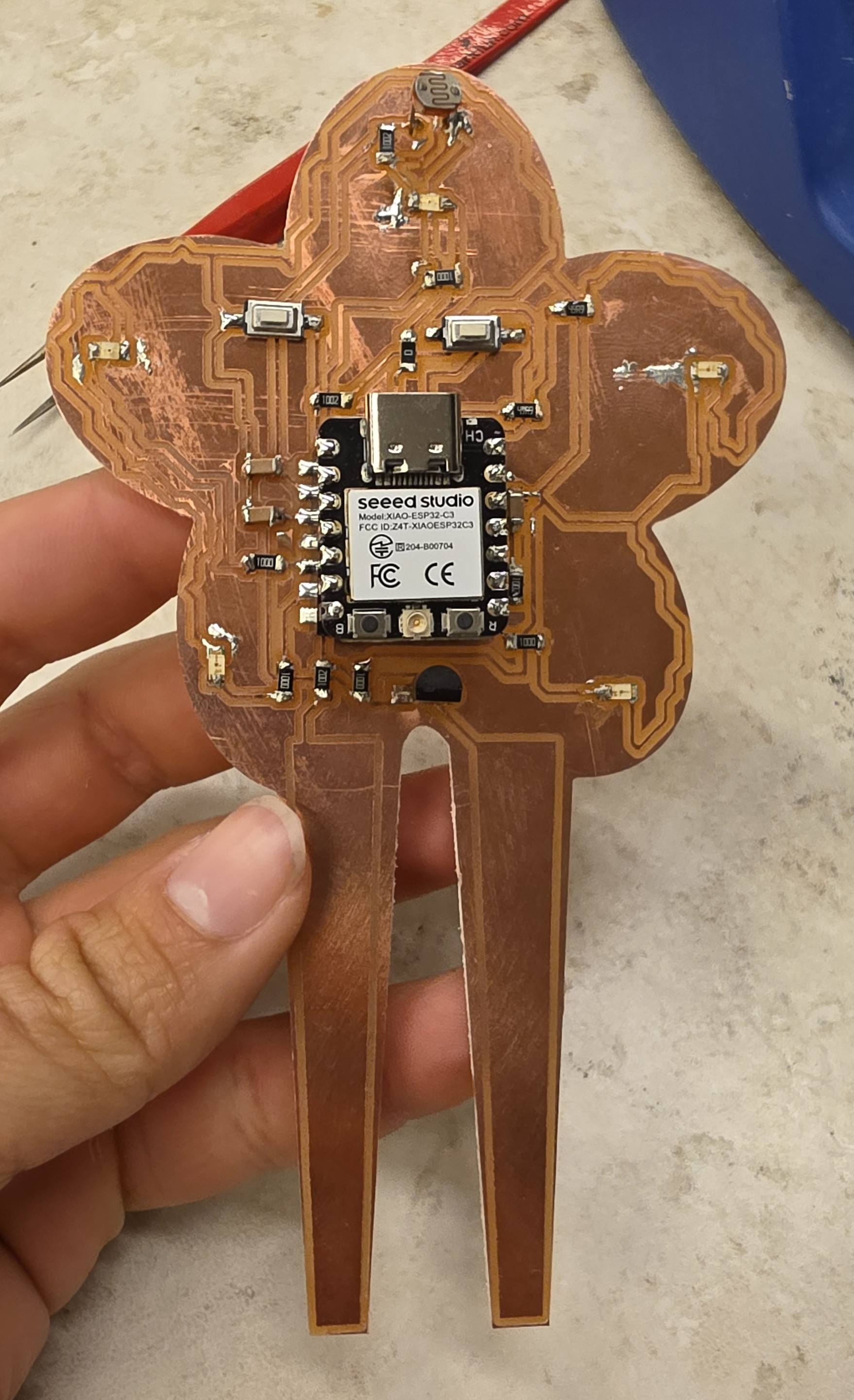
Next, I explained the circuit to Claude and asked for it to generate a test sketch that would let me verify that all of the components were working. The chat and code are linked below. The sketch let me use the buttons to cycle between each of the LEDs and also printed values from the photoresistor and soil probe.
I tested it and everything worked except one of the LEDs. I ended up following the traces that went to the LED visually with a flashlight behind the board and I saw that one of them had a little piece of copper connecting it to another trace. I slid that piece away using some tweezers and immediately the circuit started working.
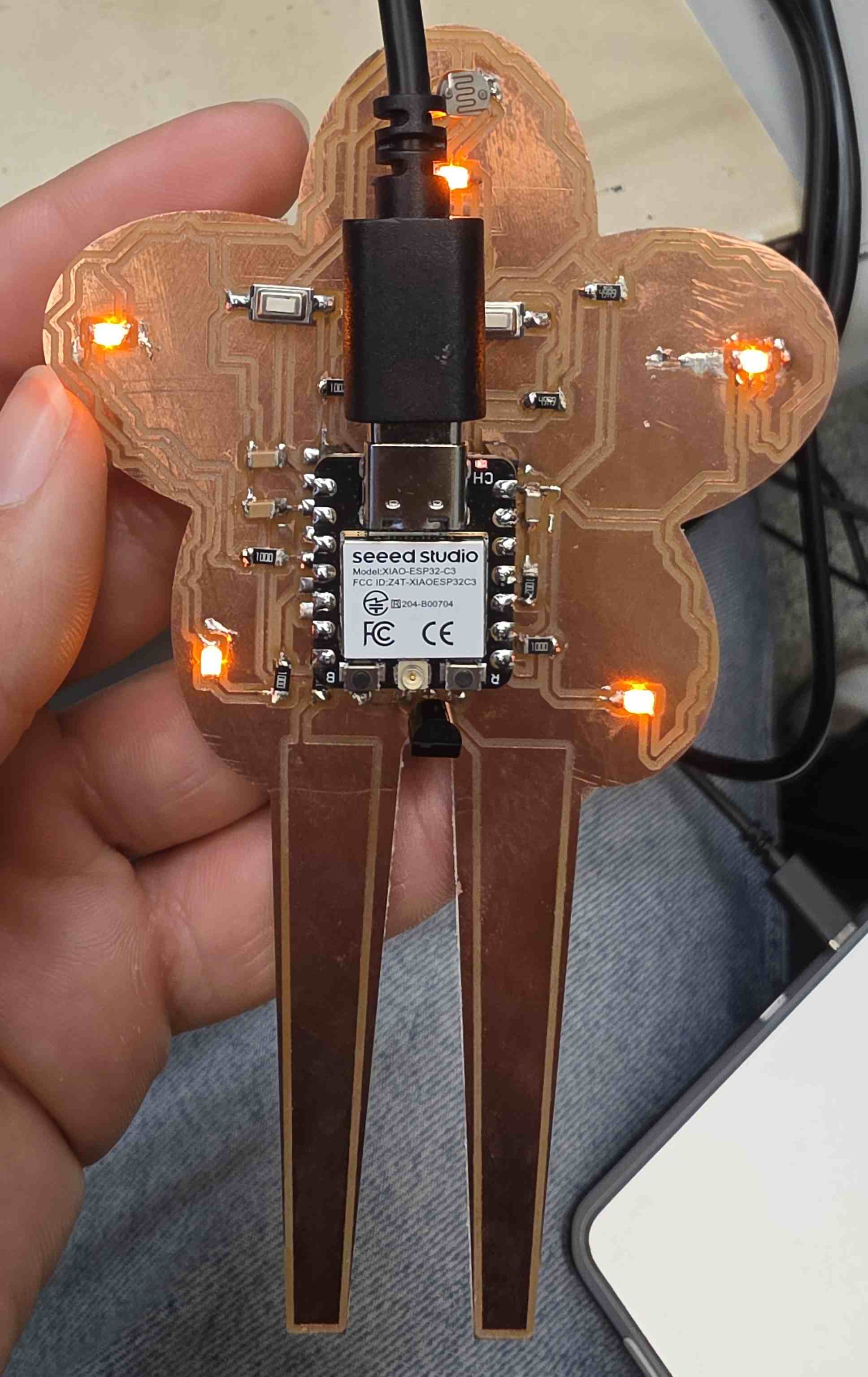
Here’s a snapshot of the output of the test sketch when I pressed the button (which also blocked the photoresistor slightly):
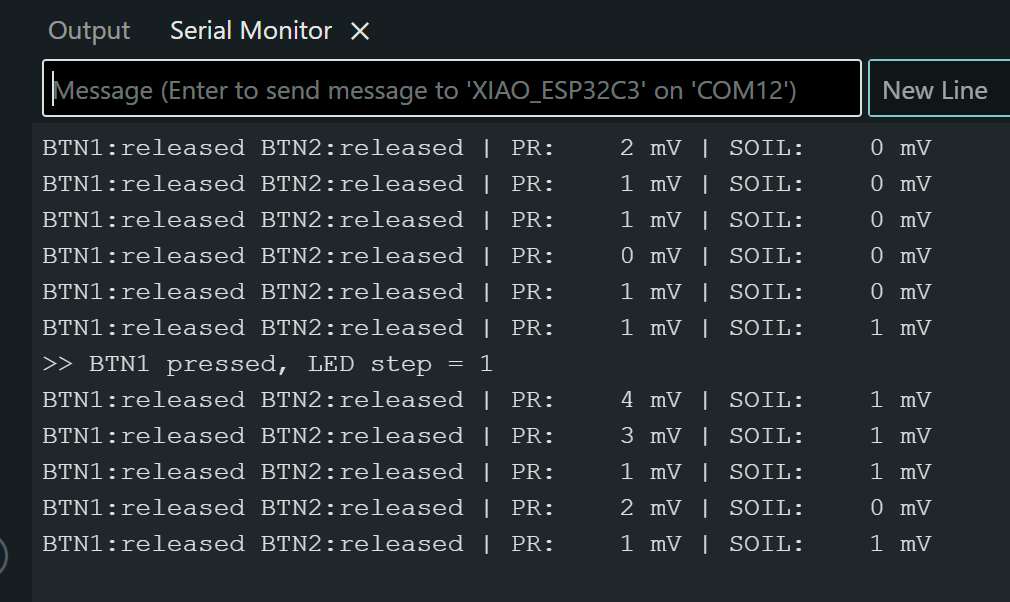
Unfortunately, I didn’t have time this week to actually test the probe in soil or the photoresistor in sunlight. I tested the photoresistor by shining a flashlight on it and the values changed. I also tried touching the soil probe with wet hands and dipping it in a bottle of water and the values changed. I think it would take a good bit of tuning to make it behave well, which I don’t think is worth it for me to play with right now. However, the electronics function, which was the goal of this week :)
Code
// Plant Monitor PCB bring-up test
// Board: Seeed XIAO ESP32C3
// IMPORTANT: Tools > "USB CDC On Boot" > Enabled
// (otherwise Serial uses UART0 on D6/D7, which are SENSOR_PWR and LED4 on your board)

const uint8_t LED_PINS[5]    = {D4, D3, D5, D7, D10};  // LED1..LED5
const uint8_t BTN1_PIN       = D0;
const uint8_t BTN2_PIN       = D8;
const uint8_t PR_PIN         = D1;
const uint8_t SOIL_PIN       = D2;
const uint8_t SENSOR_PWR_PIN = D6;

// Modes
int  ledStep   = 0;      // 0 = all off, 1..5 = single LED, 6 = all on
bool barGraph  = false;  // BTN2 toggles: LEDs show soil moisture

// Button debounce state
struct Button {
  uint8_t pin;
  bool stable = HIGH;
  bool lastRead = HIGH;
  uint32_t lastChange = 0;
};
Button b1{BTN1_PIN}, b2{BTN2_PIN};

// Returns true once on each press (falling edge)
bool pressed(Button &b) {
  bool r = digitalRead(b.pin);
  if (r != b.lastRead) { b.lastRead = r; b.lastChange = millis(); }
  if (millis() - b.lastChange > 30 && r != b.stable) {
    b.stable = r;
    if (r == LOW) return true;
  }
  return false;
}

void setLeds(int step) {
  for (int i = 0; i < 5; i++) {
    bool on = (step == 6) || (step == i + 1);
    digitalWrite(LED_PINS[i], on ? HIGH : LOW);
  }
}

void showBar(int count) {
  for (int i = 0; i < 5; i++) digitalWrite(LED_PINS[i], i < count ? HIGH : LOW);
}

void setup() {
  Serial.begin(115200);
  uint32_t t = millis();
  while (!Serial && millis() - t < 3000) {}

  pinMode(SENSOR_PWR_PIN, OUTPUT);
  digitalWrite(SENSOR_PWR_PIN, LOW);
  for (int i = 0; i < 5; i++) { pinMode(LED_PINS[i], OUTPUT); digitalWrite(LED_PINS[i], LOW); }

  // Plain INPUT on purpose: the board has external pull-ups, and this
  // will expose a missing/broken pull-up instead of hiding it.
  pinMode(BTN1_PIN, INPUT);
  pinMode(BTN2_PIN, INPUT);

  analogReadResolution(12);

  Serial.println("\n=== Plant Monitor PCB Test ===");
  Serial.println("Startup LED walk: LED1 -> LED5");
  for (int i = 1; i <= 5; i++) { setLeds(i); Serial.printf("  LED%d on\n", i); delay(400); }
  setLeds(0);
  Serial.println("BTN1: step through LEDs (off, 1-5, all on)");
  Serial.println("BTN2: toggle soil-moisture bar graph on LEDs\n");
}

void report() {
  // Power the sensors only while measuring (limits probe corrosion)
  digitalWrite(SENSOR_PWR_PIN, HIGH);
  delay(20);  // let the 100nF caps settle
  uint32_t prSum = 0, soilSum = 0;
  for (int i = 0; i < 16; i++) {
    prSum   += analogReadMilliVolts(PR_PIN);
    soilSum += analogReadMilliVolts(SOIL_PIN);
  }
  digitalWrite(SENSOR_PWR_PIN, LOW);

  uint32_t prmV = prSum / 16, soilmV = soilSum / 16;

  Serial.printf("BTN1:%-8s BTN2:%-8s | PR: %4u mV | SOIL: %4u mV\n",
                digitalRead(BTN1_PIN) ? "released" : "PRESSED",
                digitalRead(BTN2_PIN) ? "released" : "PRESSED",
                prmV, soilmV);

  if (barGraph) {
    // Uncalibrated: 0 mV -> 0 LEDs, ~2500 mV -> 5 LEDs
    showBar(constrain(map(soilmV, 0, 2500, 0, 5), 0, 5));
  }
}

void loop() {
  if (pressed(b1)) {
    barGraph = false;
    ledStep = (ledStep + 1) % 7;
    setLeds(ledStep);
    Serial.printf(">> BTN1 pressed, LED step = %d\n", ledStep);
  }
  if (pressed(b2)) {
    barGraph = !barGraph;
    if (!barGraph) setLeds(ledStep);
    Serial.printf(">> BTN2 pressed, bar graph %s\n", barGraph ? "ON" : "OFF");
  }

  static uint32_t last = 0;
  if (millis() - last >= 500) { last = millis(); report(); }
}