01 · Concept
Pixelize the Earth
Say a place, like MIT, Taipei or the Alps, and a table of pins rebuilds it in front of you. Terrain, buildings and photographs all reduce to the same thing, a grid of heights, and turning a place into that grid is what I mean by pixelizing it. A pixel is the smallest thing on a screen. Here it is a pin you can put your hand on.
The table has 20 × 20 pins. Instead of one motor per pin, a row of 20 actuators rides on a carriage and sets the pins one row at a time, the way a 3D printer builds a layer. A pin stays where it was pushed. To change the picture I press every pin flat and push the rows up again.
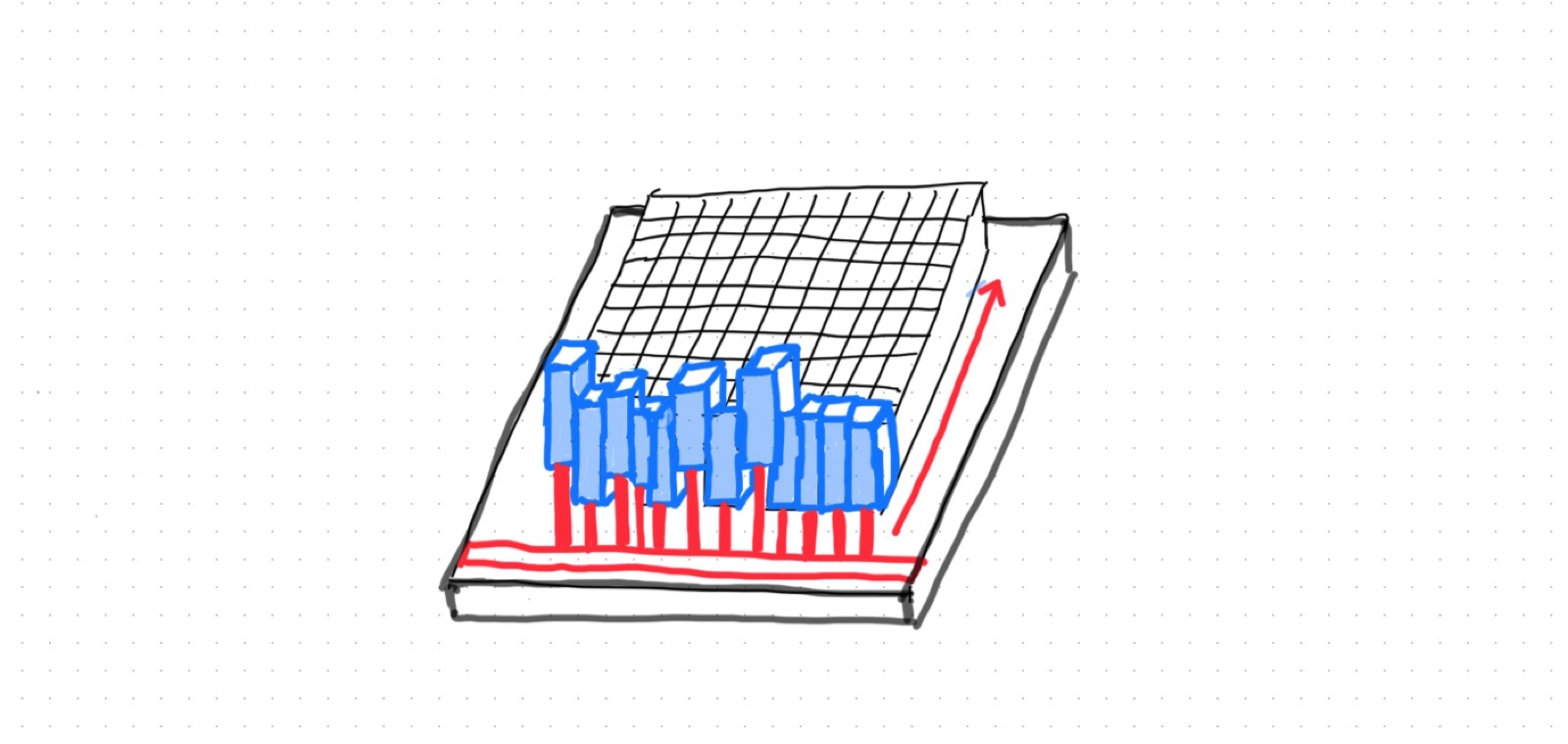
A language model sits in the middle. It decides what to frame, how much to exaggerate height and what to leave out, because 400 numbers cannot hold a city.
The whole path, from voice to pins:
- Say it
"Show me MIT."
→ audio - Transcribe
Speech to text, on a computer.
→ text - Interpret
A language model picks the place, the window, the pixel size and how much to exaggerate height.
→ place, window, scale - Fetch
Building footprints and heights, or elevation tiles, from open data.
→ footprints or elevation - Pixelize
Sample the window at 20 × 20, one height per pixel. Tested in Grasshopper below.
→ 400 heights - Send
The computer passes the 400 numbers to the table's microcontroller, over USB or Wi-Fi.
→ 20 rows of 20 - Build
A plate presses the pins flat, then the carriage sets them row by row.
→ the pins - Reply
The model says what it chose and waits for the next request, like "zoom out".
→ back to 3
02 · Mechanism
How the pins move
A pin is a rod that stays where it was pushed, so everything that moves lives under the table. A carriage holds one row of 20 actuators, one per column, and slides along a single axis. At each stop the actuators push their 20 pins to height and retract, then the carriage steps to the next row.
This is how a printer lays down lines. Twenty columns are set in parallel and twenty rows in sequence, and a height is just the stroke of an actuator, so the carriage is the only axis that has to travel. Before every new picture a plate presses all the pins flat.
You could also do the opposite: keep the row of actuators fixed and slide the whole pin tray over it, like the bed of some 3D printers. I chose to move the actuators instead. That way the table itself never moves, and the only thing you see is the pins rising.
03 · First test
MIT at 20 × 20
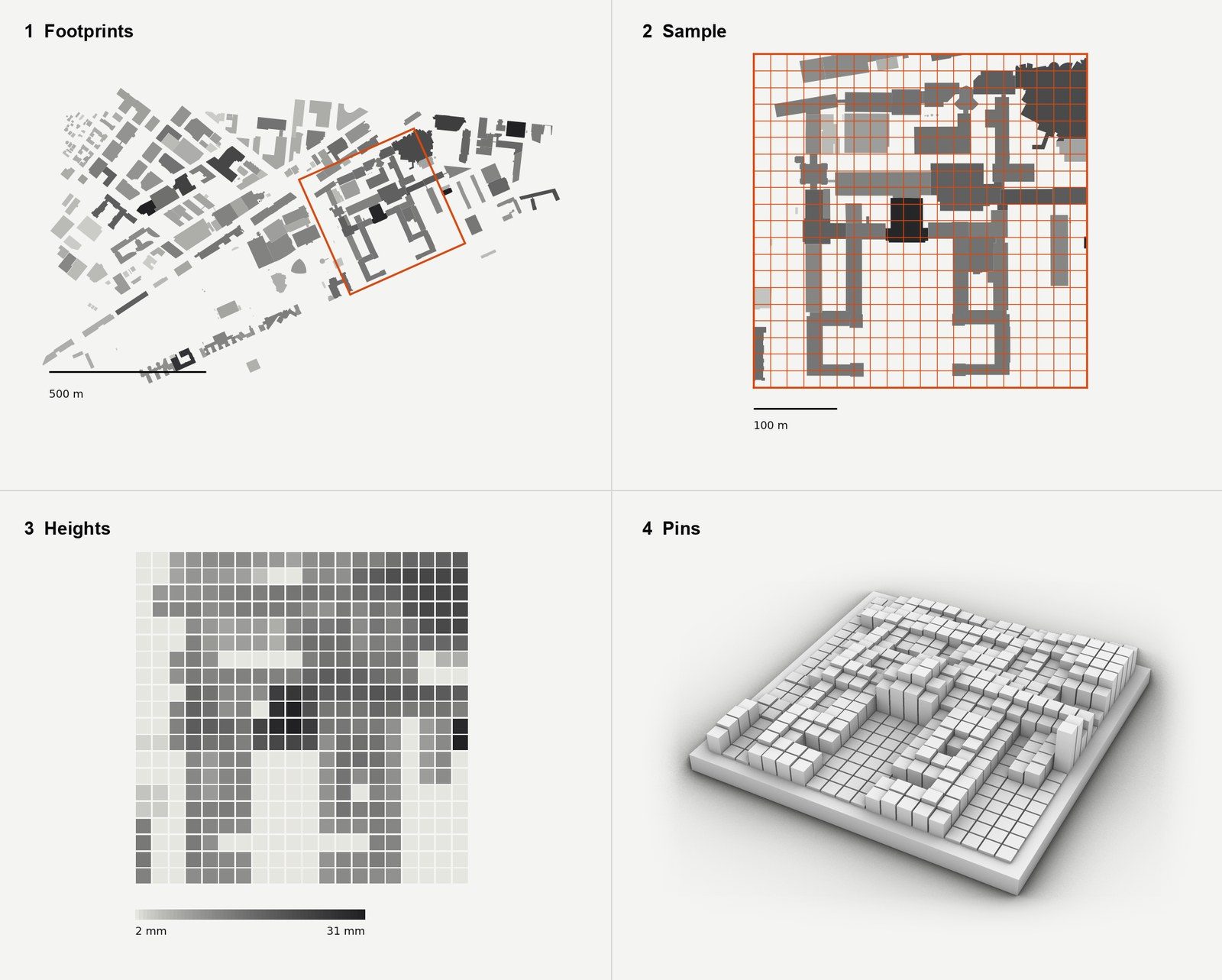
To see whether 400 pixels are enough, I built the smallest version in Grasshopper. The definition takes 262 MIT building footprints with their heights, lays a 20 × 20 grid over a 400 m window and samples each 20 m pixel at 121 points. A pin is 2 mm plus 0.5 mm for every metre of building. Each pixel takes the tallest and the average height, weighted 60:40, so a tower still shows in a pixel that is mostly courtyard. The window is turned 24° to line up with the Main Group.
The result is a 200 × 200 mm model with pins from 2 to 31 mm, at 1:2000 both horizontally and vertically.
04 · Scale
Same pins, different scale
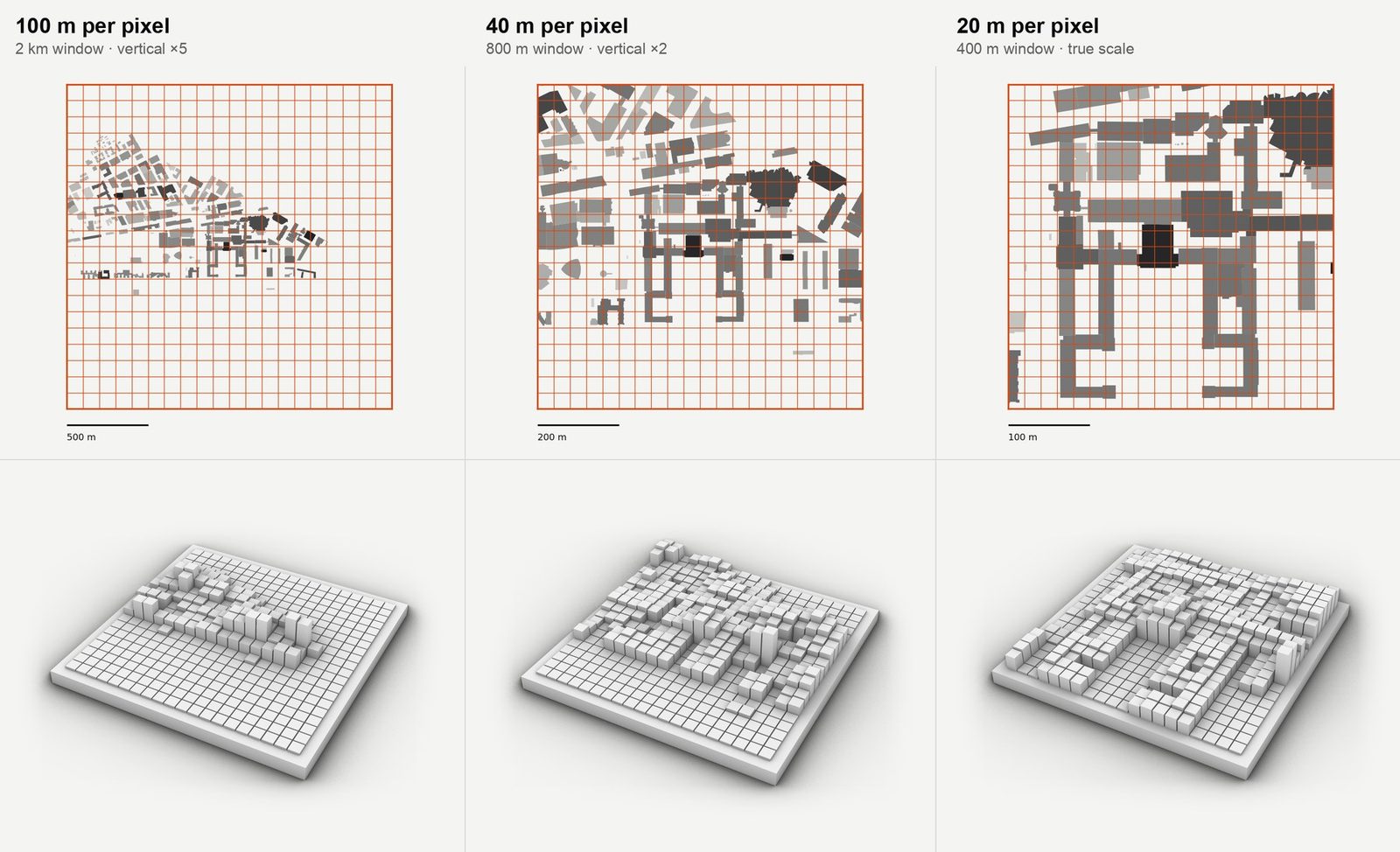
The number of pins never changes, only the size of a pixel does. Asking for a wider place makes each pin cover more ground, so "show me MIT" and "show me Cambridge" are the same 400 pins with different answers. Choosing the window and the height exaggeration for each request is the job I want the language model to do.
05 · Prior art
What already exists
- inFORM (MIT Tangible Media, 2013): 900 pins with a motor each. It follows hands and moves objects, and it does not show places.
- Relief (MIT Tangible Media, 2010): 120 pins showing terrain, the closest ancestor.
- SHAPE-IT (UIST 2024): a text prompt becomes shape-changing behaviour on a 24 × 24 pin display. It authors abstract shapes and motion, not real places.
- Speech To Reality (Alexander Htet Kyaw, HTMAA 2023): speech to a 3D object assembled by a robot arm.
- Mechanically multiplexed flip-dot (James Bruton): one row of servos on a moving carriage sets the dots, which is the mechanism I plan to borrow. PinThing has a motor per pin, and its write-up names the carriage as the cheaper way to scale.
What I add is real places and real data, with a language model choosing the scale and the exaggeration.
06
AI usage
Claude helped me test the idea, find the prior art above and export the figures on this page from my Grasshopper definition: data extraction, Rhino renders and layout.