September 23, 2026
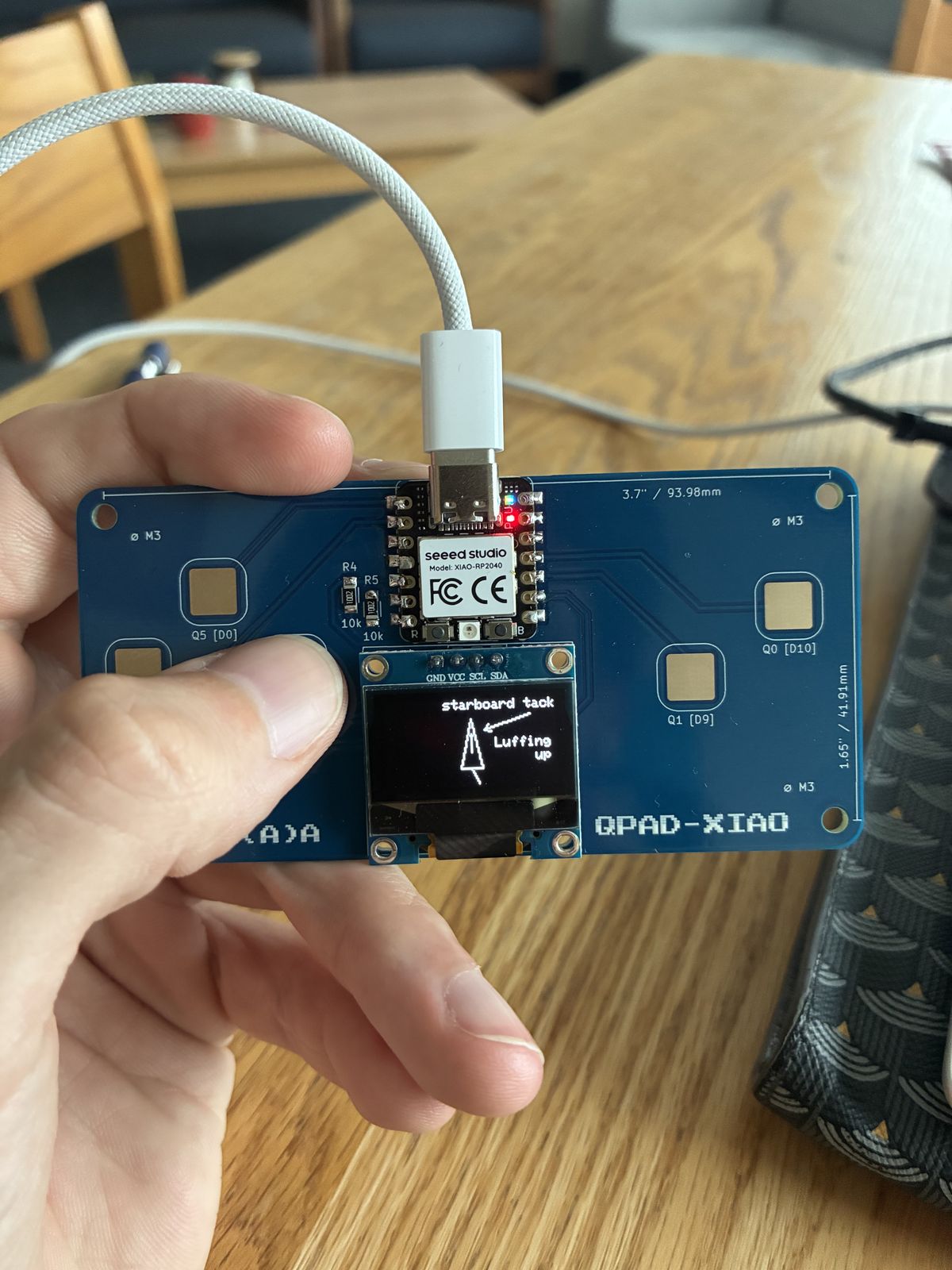
This week I assembled a small game pad, read enough of a microcontroller datasheet (clearly not all of it), and wrote two programs for it. The board is the QPAD-XIAO, a teaching board designed by Quentin Bolsée around a Seeed XIAO RP2040. The assignment asked for a program that takes an input, produces an output and communicates over a wire or wirelessly. My final project is a remote-controlled sailboat, so what I ended up writing is a small sailing simulator called "Victor's boat". Not a coincidence.
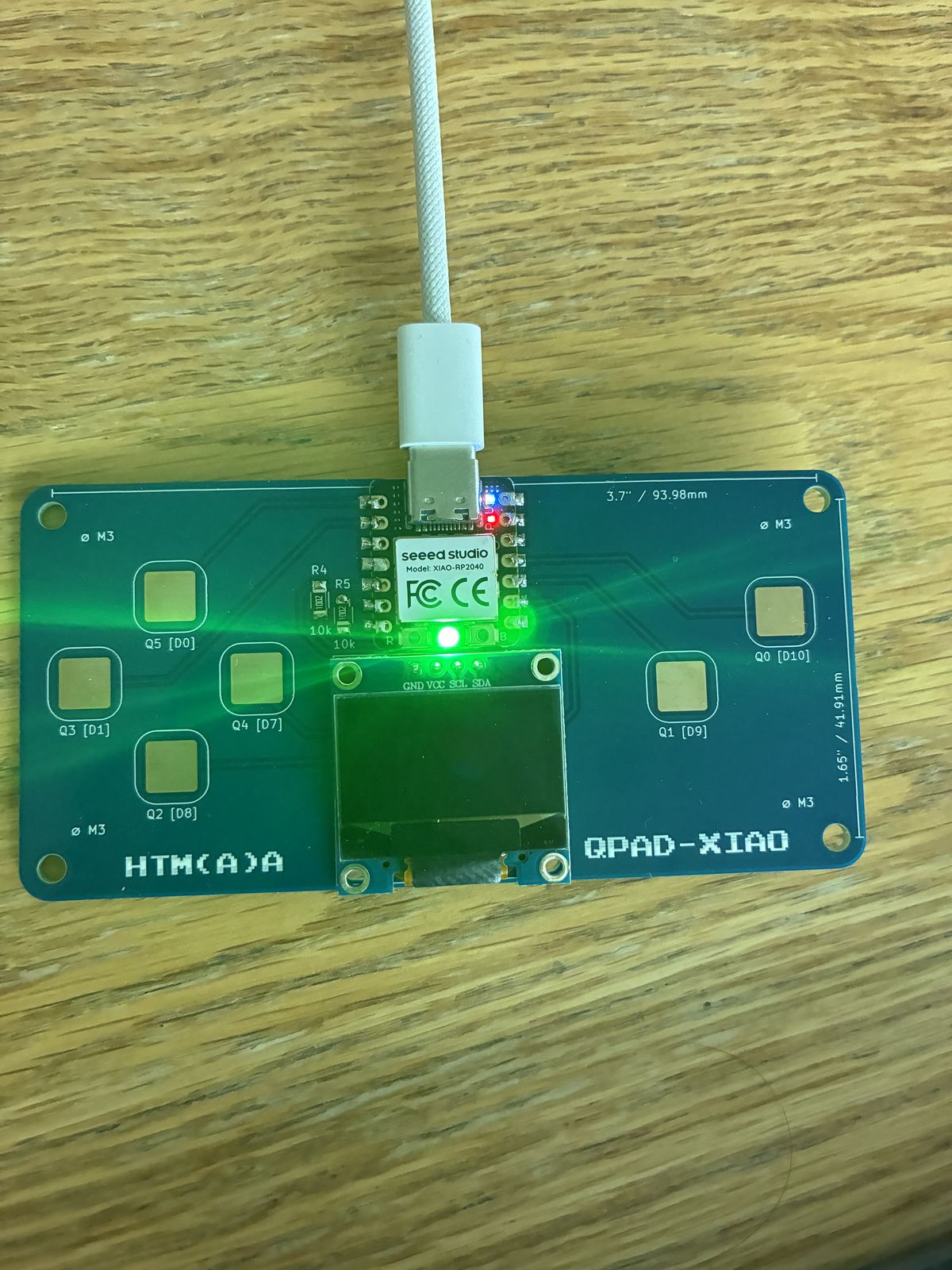
The QPAD-XIAO is built around a Seeed XIAO RP2040. The RP2040 is a 32-bit dual-core chip running at 133 MHz with 264 KB of SRAM, and the XIAO module adds 2 MB of flash. The screen is an SSD1306 OLED, 128×64 pixels. R4 and R5 are the two 10 kΩ pull-up resistors on those lines. There are six capacitive touch pads: Q0 = D10, Q1 = D9, Q2 = D8, Q3 = D1, Q4 = D7 and Q5 = D0.
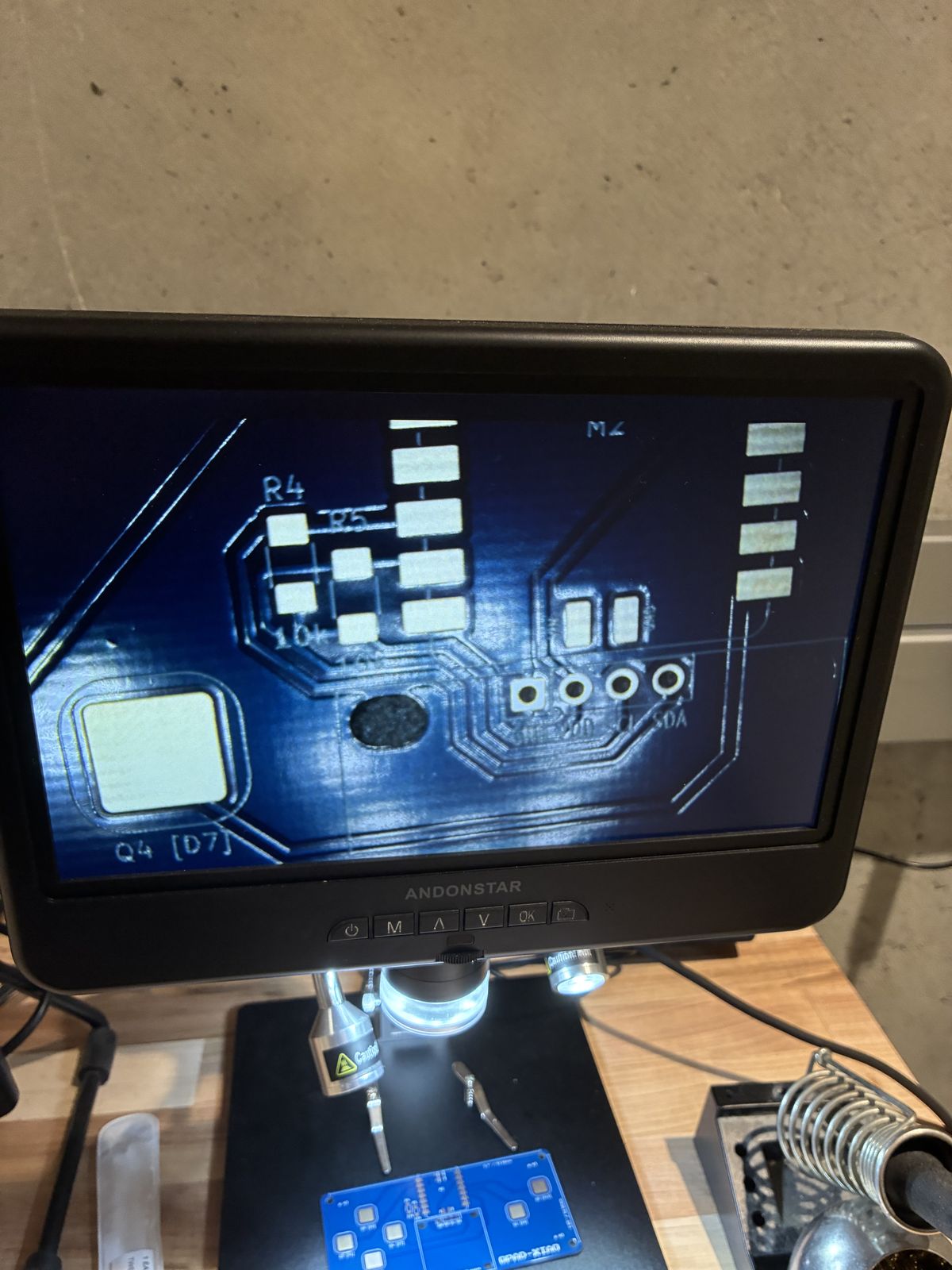
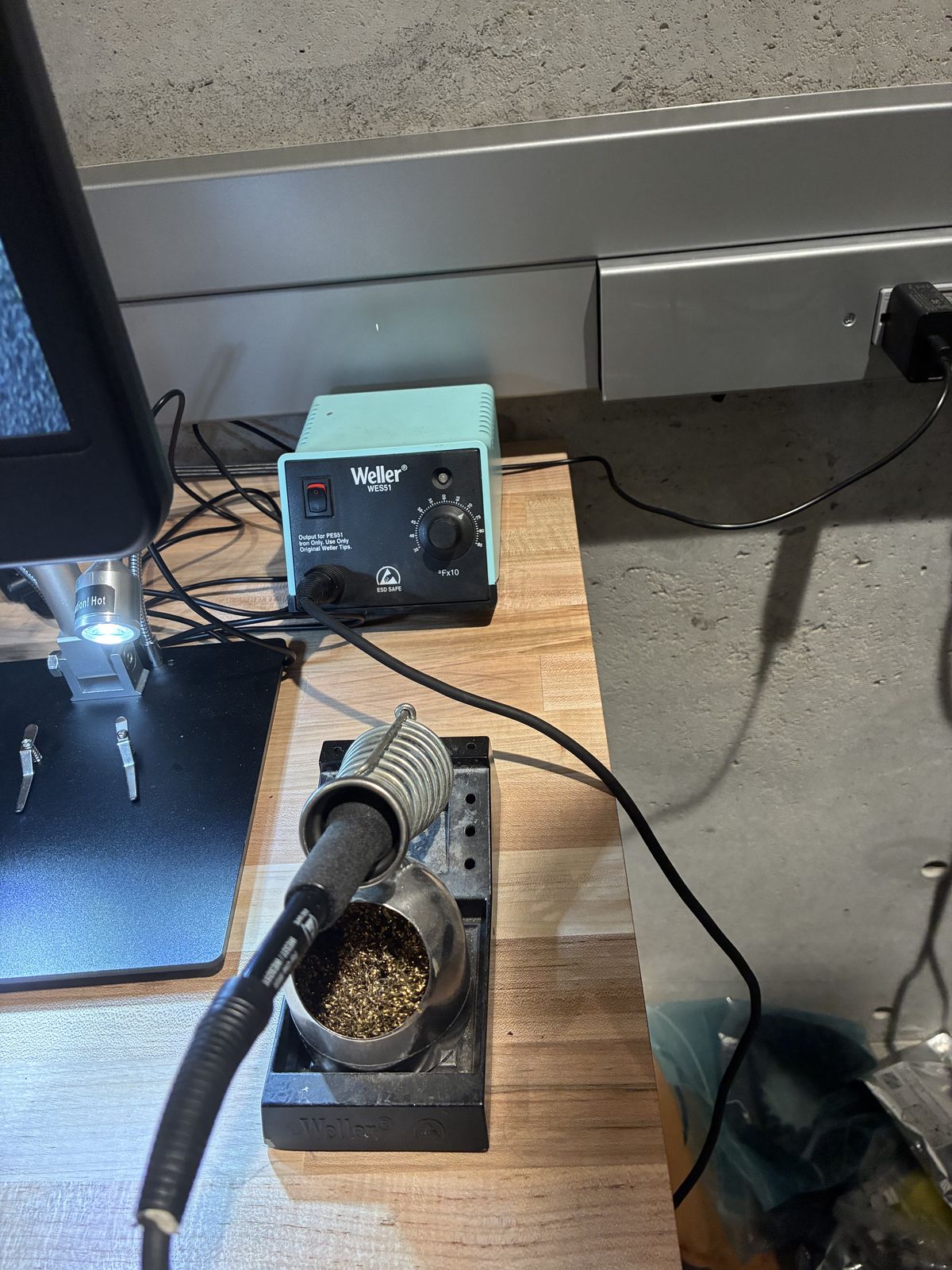
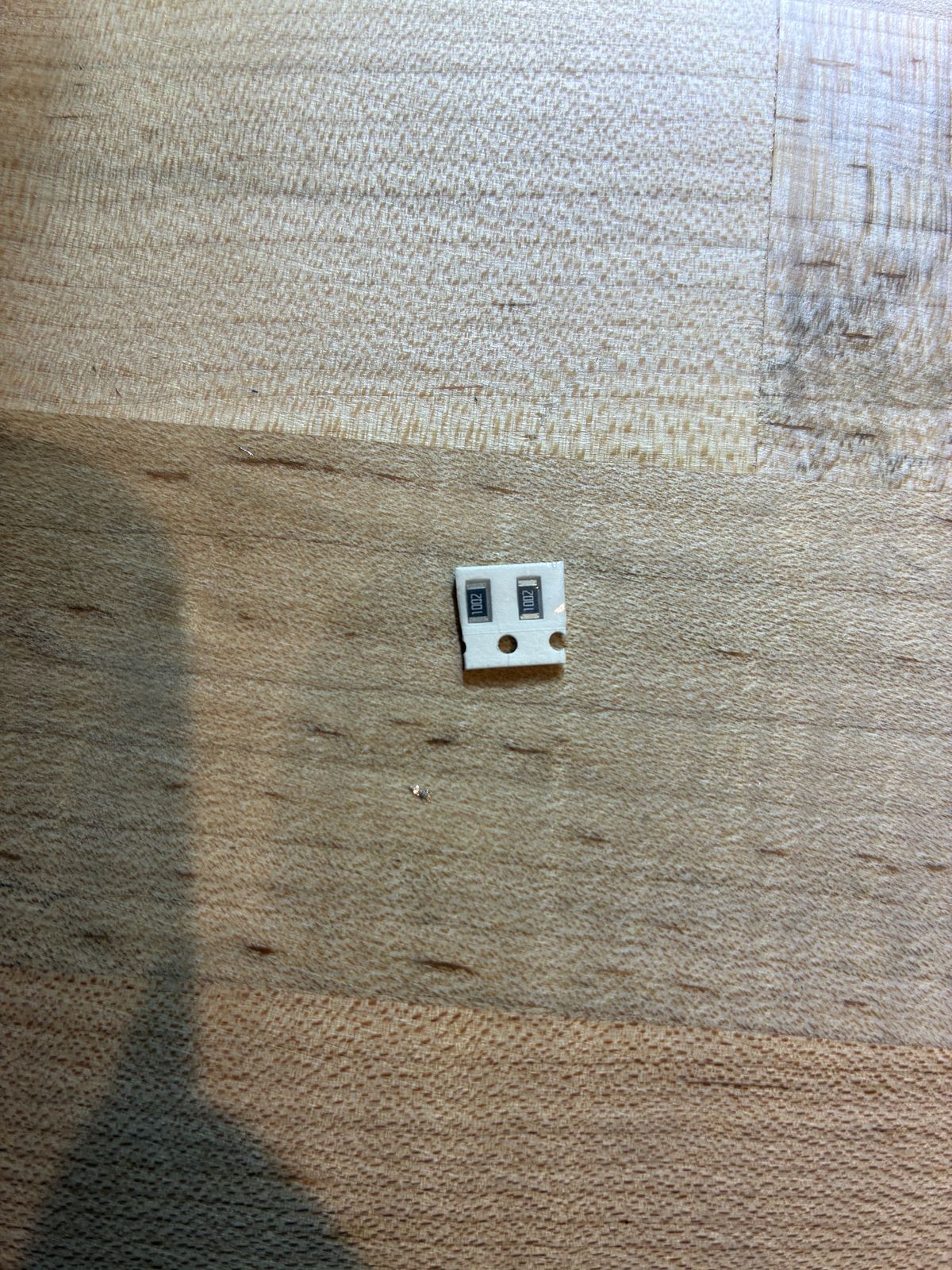
I soldered in this order: the XIAO first, then R4 and R5 with tweezers, then the header for the OLED. The bench had a Weller WES51 iron with a brass wool tip cleaner, an Andonstar digital microscope, and a fume extractor, which I now understand is not optional decoration.
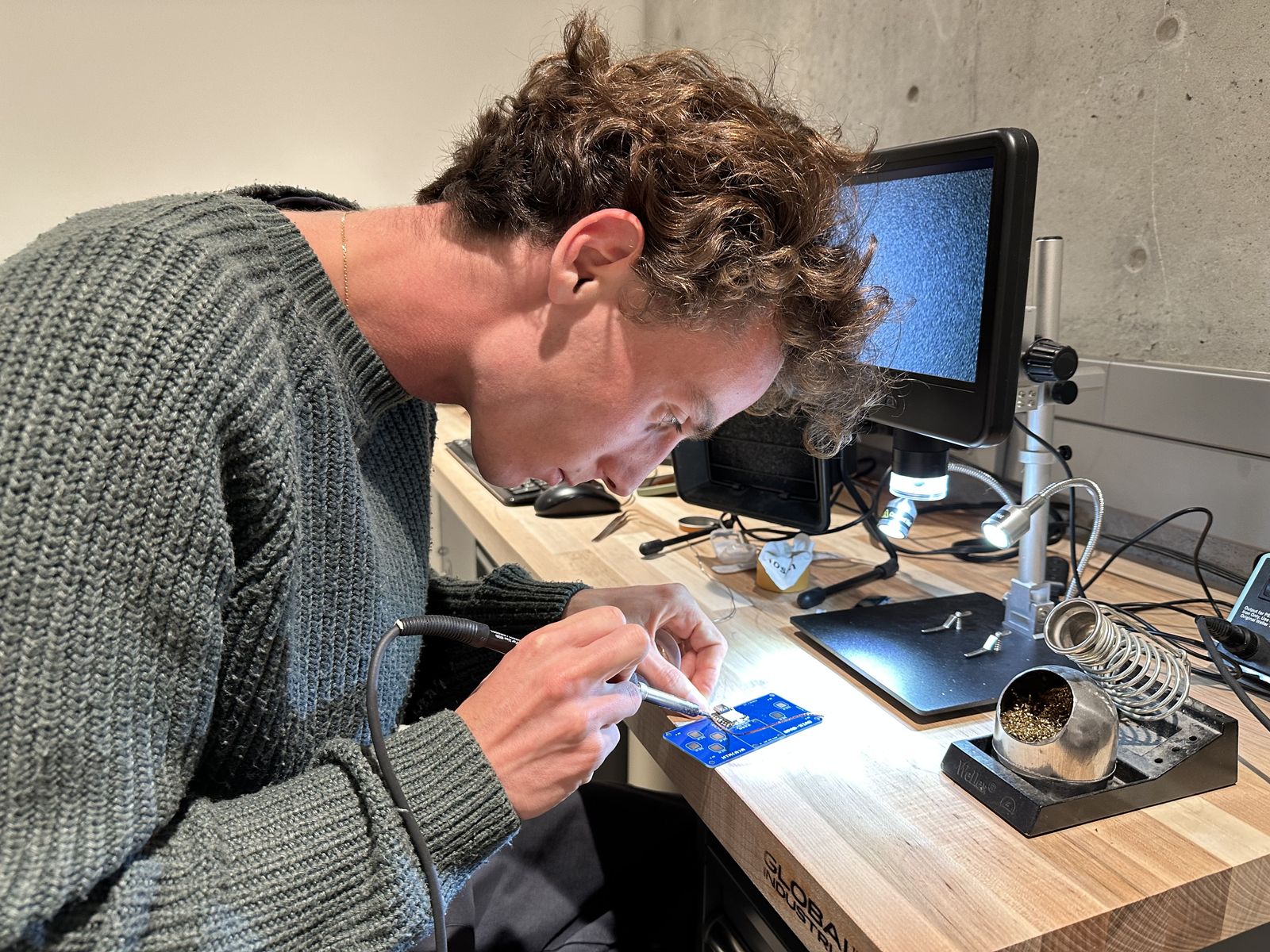
I started with the thick solder wire, which was a mistake. Under the microscope my joints on the XIAO pads were big dark blobs sitting across several pads at once, the kind of thing where you cannot tell by eye whether two neighbours are shorted together. I took them off with a desoldering tool and redid them with thin wire. The lesson is embarrassingly simple: match the thickness of the wire to the size of the pad. These pads are about a millimetre apart, and the thick wire was never going to give me anything precise.
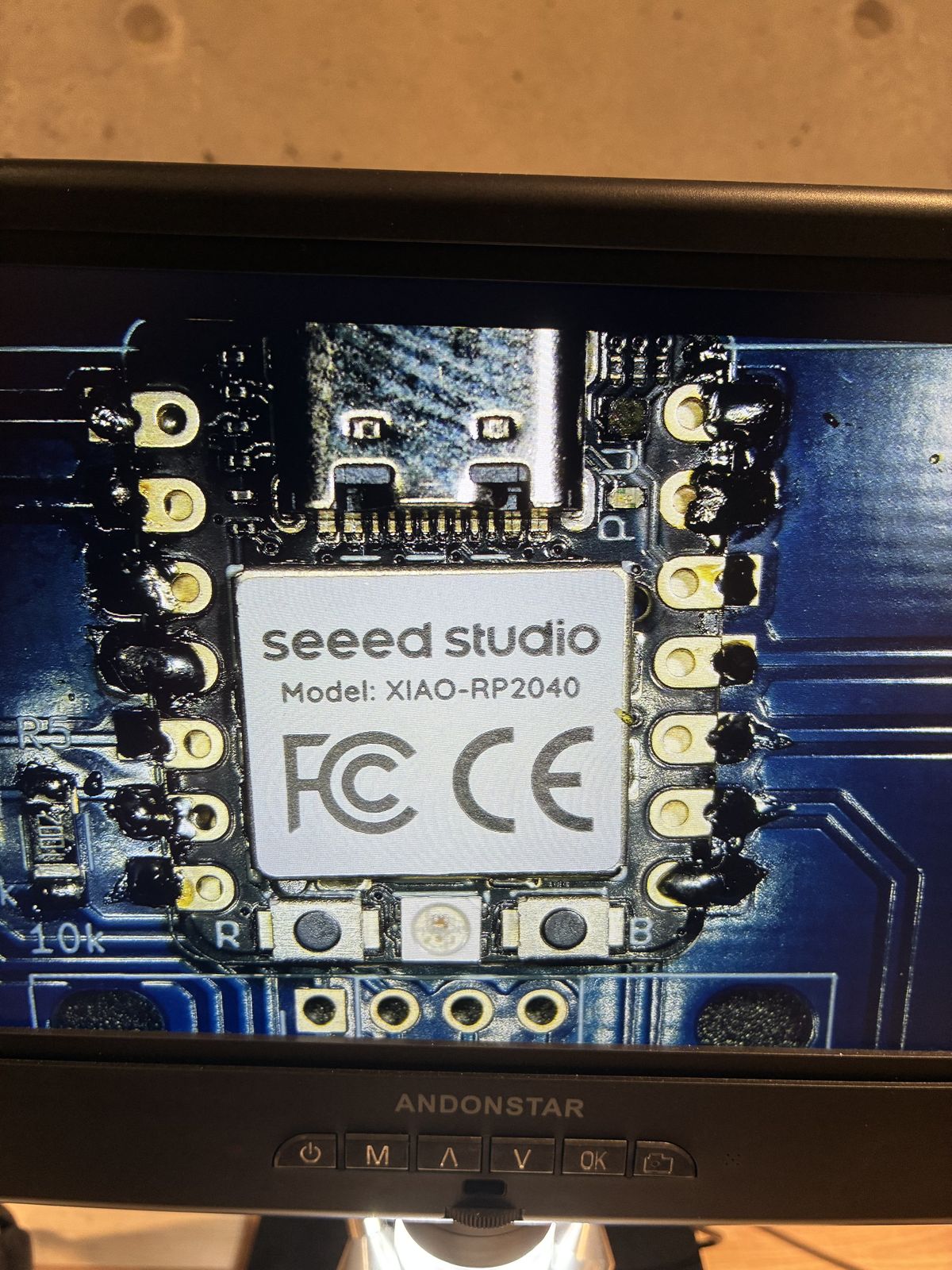
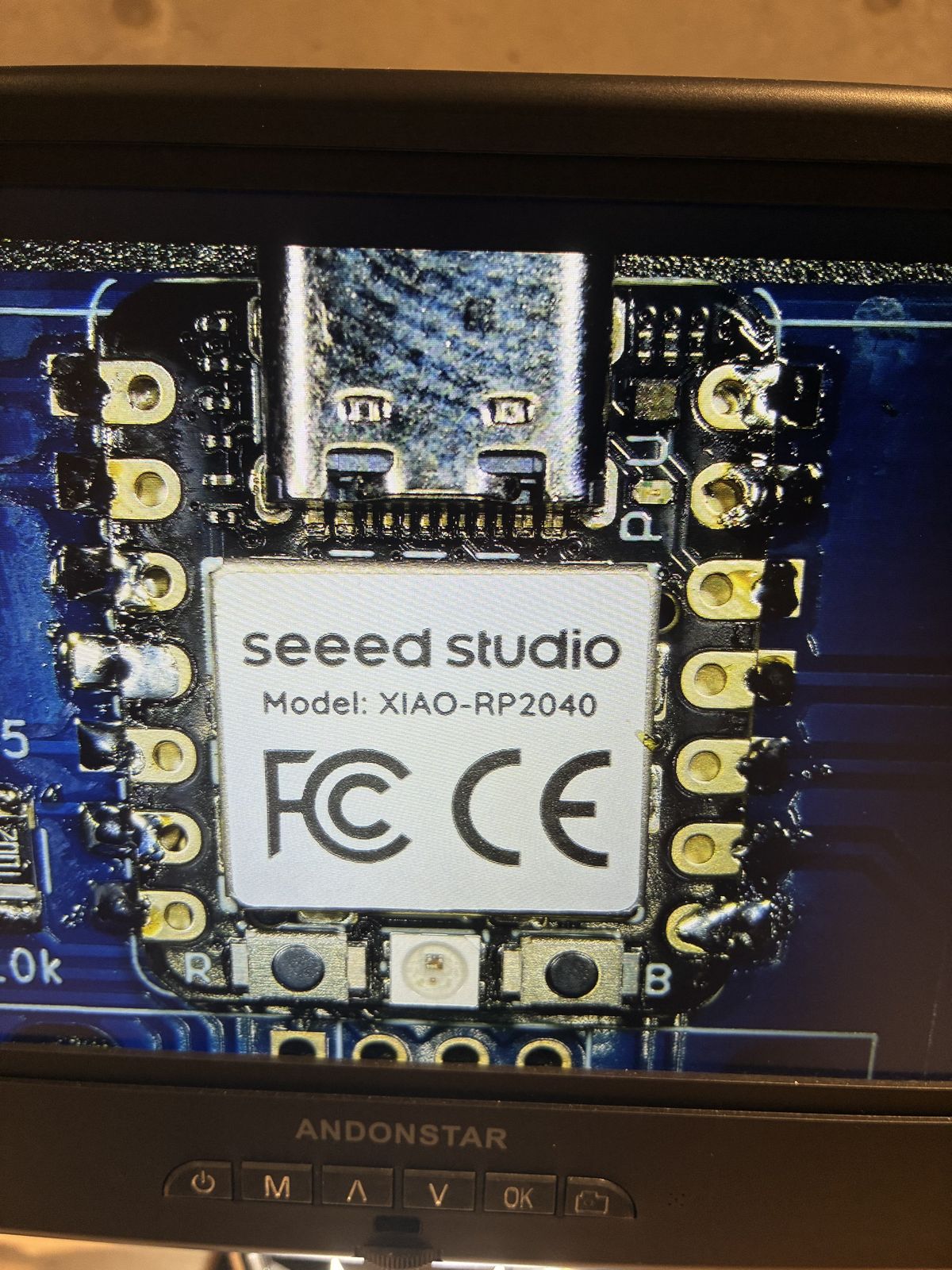
Despite all that, the board powered up on the first try over USB-C.
I used Arduino IDE 2.3.10 on Windows. The setup is four steps: add
https://github.com/earlephilhower/arduino-pico/releases/download/global/package_rp2040_index.json
to the "Additional boards manager URLs", install "Raspberry Pi
Pico/RP2040/RP2350" by Earle Philhower (v6.1.1), install Adafruit SSD1306
(v2.5.17) together with Adafruit GFX (I got this wrong the first time), then select the board "Seeed XIAO
RP2040" and the right COM port.
The other thing worth writing down is how to rescue the board if an upload goes wrong. Hold the B (BOOT) button while plugging it in, and it comes up as a USB drive called RPI-RP2 that you can drop a fresh program onto.
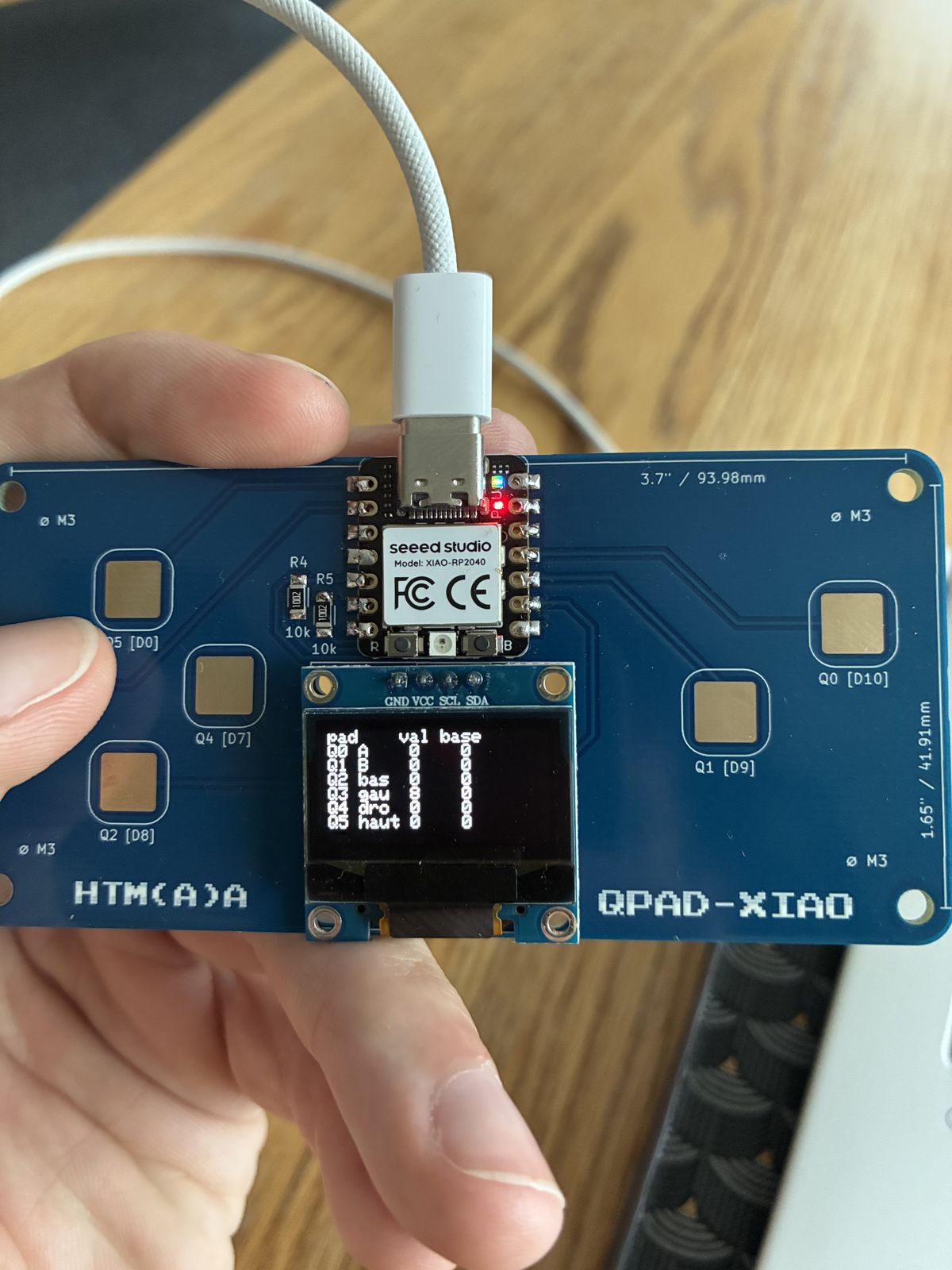
Before writing anything fun I asked Claude to write a test sketch, qpad_test.ino,
that does one job: show each pad's name, its live value and its baseline on
the OLED, and print the same numbers over USB serial at 115200 baud. Without
this I had no way of knowing what a "touch" even looks like numerically.
The RP2040 has no touch controller, so a "touch pad" here is really just a
piece of copper and a trick. The program discharges the pad by driving it LOW
as an output, switches the pin to INPUT_PULLUP, and counts how
many loops it takes to read HIGH. Your finger adds capacitance, so the pad
charges more slowly and the count goes up. Interrupts are off during a
reading so nothing steals cycles mid-count, eight readings are averaged to
calm the noise down, and a baseline is measured at startup, anything more
than baseline + 10 counts as a touch.
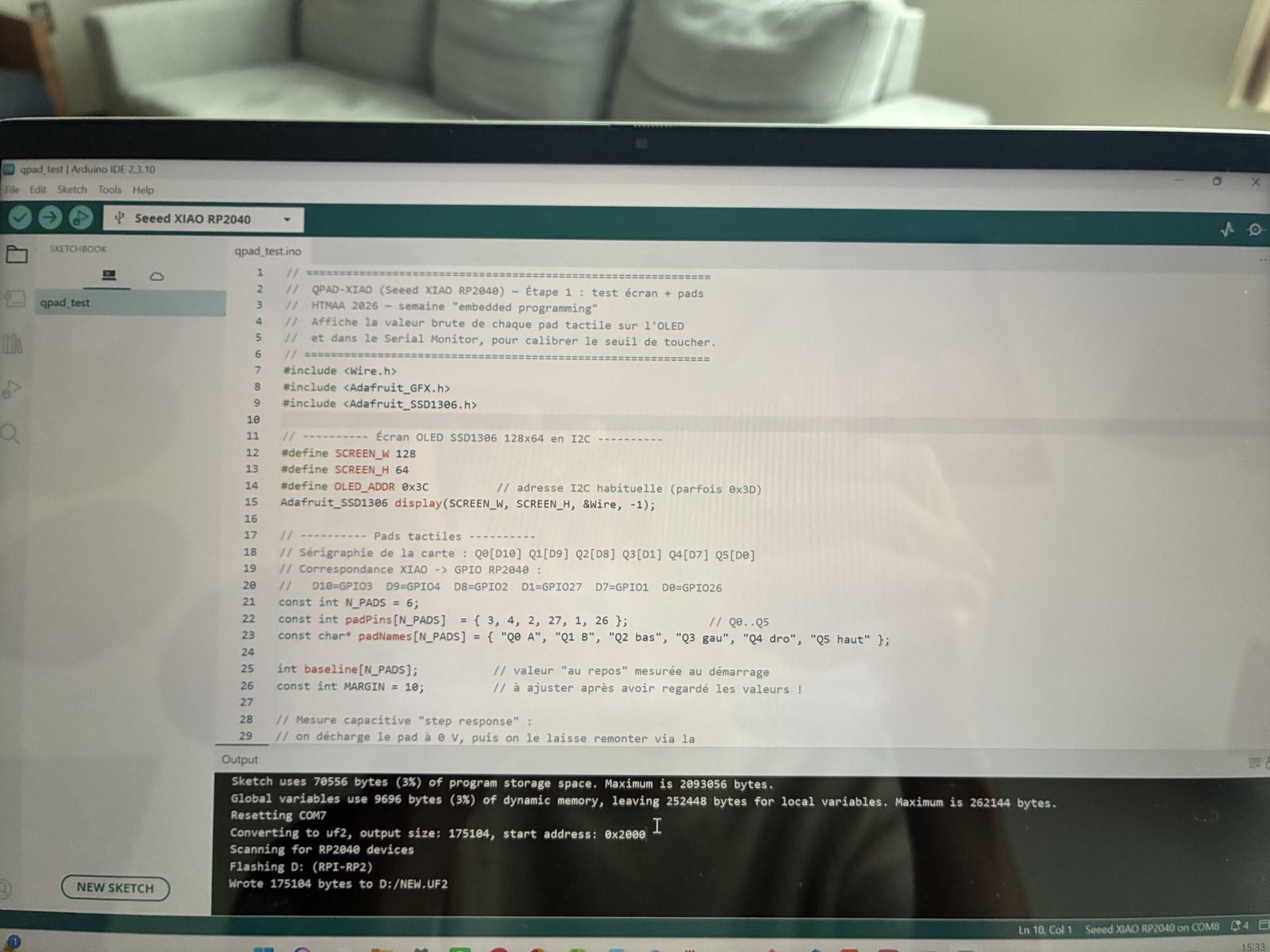
The upload itself taught me how little room I am actually using. The sketch takes 70,556 bytes of flash, which is 3 % of what is available, and 9,696 bytes of RAM, also 3 %. What happens next is a small chain of events: the IDE resets the board into its bootloader, converts the compiled program into a UF2 file, and copies that file onto the RPI-RP2 drive. The board then reboots into the program, and the serial port moves, mine went from COM7 to COM8, which confused me for a minute. The program stays in flash after unplugging, so the board keeps playing even with no computer attached.
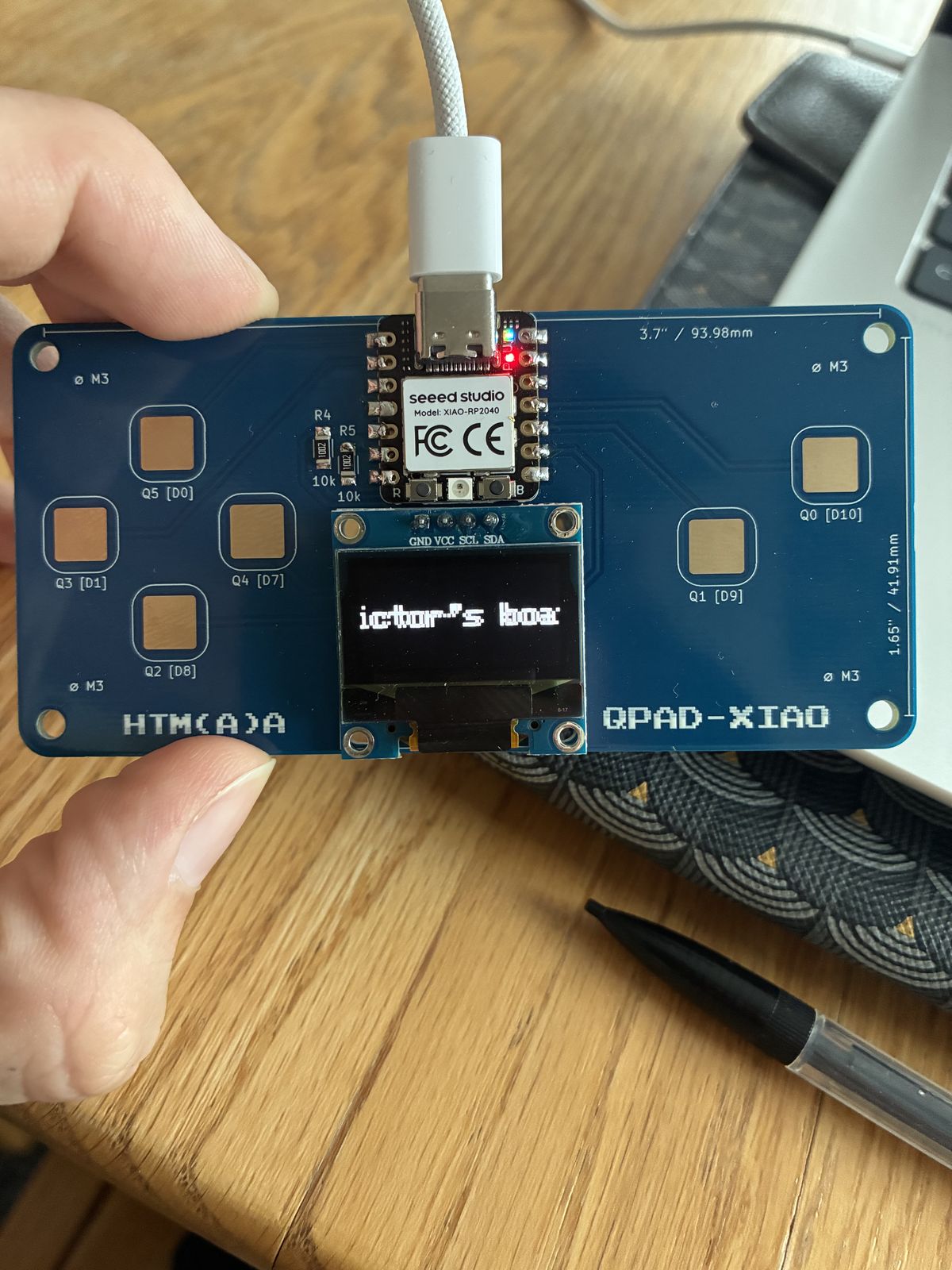
Then the actual point of the week. "Victor's boat" opens with the title scrolling left to right (I coded that wrong) across the screen for four and a half seconds, and then the screen clears and the boat appears.
The boat is seen from above with the bow pointing up, and it never moves. The boat stays put and the rudder and the wind change around it. It is drawn from a triangle hull, a dot for the mast, a short sail along the centreline, and a rudder attached at the stern. The sail is deliberately short so that you do not mistake it for the rudder, which was a real problem in my first version.
The controls use five of the six pads. Q0 sets a starboard tack, with the label in the top-right corner and an arrow pointing at the boat; Q1 sets a port tack, with a mirrored arrow on the left. Only one of the two labels is ever on screen. Q3 and Q4 turn the rudder left and right while you hold them, two degrees per frame, and the rudder keeps whatever angle you left it at, limited to sixty degrees each side. Q2 snaps it back to centre.
While you hold Q3 or Q4, the screen also tells you what that would actually do to a real boat, and this is where the tack matters. On a port tack, Q3 shows "Luffing up" on the left and Q4 shows "Bearing away" on the right. On a starboard tack it is the other way around. Luffing up means turning towards the wind; bearing away means turning away from it. The same rudder movement does opposite things depending on which side the wind is coming from, which is exactly the thing that takes beginners a while to feel.
I built it in seven blocks and tested each one on the board before moving on: screen, scrolling intro, boat, pad reading, wind, rudder, then messages. Later I added Q2 as a rudder reset and shortened the intro from five seconds to four and a half, because five felt like a long time to wait for a boat.
A few things I understood properly for the first time while writing this.
setup() runs once and loop() runs forever, and my
loop does the same four things every time: read the inputs, update the state,
draw, display. Drawing does not touch the screen at all — it happens in a
buffer in RAM, and only display.display() pushes the finished
frame out over I2C. The scrolling text starts at x = −156 px, because the
title is 13 characters at 12 px each and it has to begin completely off the
left edge. The whole game state is two global variables, tack
and rudderAngle. The rudder tip is the pivot at (64, 50) plus
12·(sin θ, cos θ), with the degrees converted to radians first, and
constrain() keeps it inside its limits. The arrow heads are
built with atan2, and the mirrored arrow is just
128 − x. The messages are on two lines because the screen is only
128 px wide, and the right-hand ones are aligned by measuring
strlen() × 6 px. And the (float) cast is there
because without it C++ quietly does integer division and the angle goes
wrong.
The error that cost me the most time was
'display' was not declared in this scope. I had used
display inside a function written above the line that declares
it, and C++ reads a file from top to bottom: at that point in the file, the
name simply did not exist yet.
To tie it back to what the assignment asked for: the input is the six capacitive touch pads, the output is the OLED screen, and there are two wired communication links — I2C between the RP2040 and the screen, and USB serial between the board and my computer, which is how the test sketch streams its pad values.
Match the solder wire to the size of the pad. Thick wire on a millimetre-pitch footprint gives you blobs, and blobs hide shorts.
When a board core does not appear in the Boards Manager, the missing piece is almost always the URL you were supposed to add first, not the board.
C++ reads a file from top to bottom, so anything you use has to be declared above the place you use it. Obvious in hindsight, invisible at the time.
And building in small blocks and testing each one on the real hardware was what made this work at all. Every time something broke, it had broken inside the twenty lines I had just added, which makes finding it a completely different problem.
// =============================================================
//  QPAD-XIAO (Seeed XIAO RP2040) — Step 1: screen + pads test
//  HTMAA 2026 — "embedded programming" week
//  Shows the raw value of each touch pad on the OLED
//  and in the Serial Monitor, to calibrate the touch threshold.
// =============================================================
#include <Wire.h>
#include <Adafruit_GFX.h>
#include <Adafruit_SSD1306.h>

// ---------- SSD1306 OLED screen, 128x64, over I2C ----------
#define SCREEN_W 128
#define SCREEN_H 64
#define OLED_ADDR 0x3C          // usual I2C address (sometimes 0x3D)
Adafruit_SSD1306 display(SCREEN_W, SCREEN_H, &Wire, -1);

// ---------- Touch pads ----------
// Board silkscreen: Q0[D10] Q1[D9] Q2[D8] Q3[D1] Q4[D7] Q5[D0]
// XIAO -> RP2040 GPIO mapping:
//   D10=GPIO3  D9=GPIO4  D8=GPIO2  D1=GPIO27  D7=GPIO1  D0=GPIO26
const int N_PADS = 6;
const int padPins[N_PADS]  = { 3, 4, 2, 27, 1, 26 };            // Q0..Q5
const char* padNames[N_PADS] = { "Q0 A", "Q1 B", "Q2 bas", "Q3 gau", "Q4 dro", "Q5 haut" };

int baseline[N_PADS];           // resting value, measured at startup
const int MARGIN = 10;          // to adjust after looking at the values!

// "Step response" capacitive measurement:
// discharge the pad to 0 V, then let it charge back up through
// the internal pull-up and count how many loops that takes.
// A finger adds capacitance -> it charges back more slowly.
int readPad(int pin) {
  pinMode(pin, OUTPUT);
  digitalWrite(pin, LOW);
  delayMicroseconds(10);
  int t = 0;
  noInterrupts();
  pinMode(pin, INPUT_PULLUP);
  while (!digitalRead(pin) && t < 5000) t++;
  interrupts();
  return t;
}

int readPadAvg(int pin) {
  long sum = 0;
  for (int k = 0; k < 8; k++) sum += readPad(pin);
  return sum / 8;
}

bool isTouched(int i) {
  return readPadAvg(padPins[i]) > baseline[i] + MARGIN;
}

void setup() {
  Serial.begin(115200);

  Wire.setSDA(6);               // D4 = GPIO6 = SDA
  Wire.setSCL(7);               // D5 = GPIO7 = SCL
  Wire.begin();

  if (!display.begin(SSD1306_SWITCHCAPVCC, OLED_ADDR)) {
    Serial.println("Ecran introuvable (essaie 0x3D)");
    while (true) delay(100);
  }
  display.clearDisplay();
  display.setTextSize(1);
  display.setTextColor(SSD1306_WHITE);
  display.setCursor(0, 0);
  display.println("QPAD test");
  display.println("Calibration...");
  display.println("Ne touche rien !");
  display.display();
  delay(500);

  // Calibration: resting average of each pad
  for (int i = 0; i < N_PADS; i++) {
    long sum = 0;
    for (int k = 0; k < 16; k++) sum += readPadAvg(padPins[i]);
    baseline[i] = sum / 16;
  }
}

void loop() {
  display.clearDisplay();
  display.setCursor(0, 0);
  display.println("pad    val base");

  for (int i = 0; i < N_PADS; i++) {
    int v = readPadAvg(padPins[i]);
    bool touched = v > baseline[i] + MARGIN;

    display.print(padNames[i]);
    display.setCursor(48, display.getCursorY());
    display.print(v);
    display.setCursor(78, display.getCursorY());
    display.print(baseline[i]);
    if (touched) display.print(" <");
    display.println();

    Serial.print(padNames[i]); Serial.print(":"); Serial.print(v);
    Serial.print(i < N_PADS - 1 ? "\t" : "\n");
  }
  display.display();
  delay(50);
}// =============================================================
// Victor's boat — QPAD-XIAO (Seeed XIAO RP2040)
// HTMAA 2026 — Embedded programming week
//
// Controls:
// Q0 [D10] -> starboard tack (wind from the right)
// Q1 [D9] -> port tack (wind from the left)
// Q3 [D1] -> turn rudder left (hold to keep turning)
// Q4 [D7] -> turn rudder right (hold to keep turning)
// Q2 [D8] -> reset rudder to center (straight)
// The rudder keeps its angle when released, limited to +/-60 deg.
// =============================================================
#include <Wire.h>
#include <Adafruit_GFX.h>
#include <Adafruit_SSD1306.h>
// ---------- OLED screen: 128x64 pixels, I2C ----------
Adafruit_SSD1306 display(128, 64, &Wire, -1);
// ---------- Boat geometry (pixels) ----------
const int BOW_X = 64; // horizontal center of the boat
const int BOW_Y = 14; // tip of the bow
const int STERN_Y = 50; // stern (back of the boat) = rudder pivot
const int HALF_WIDTH = 8; // half of the stern width
const int RUDDER_LENGTH = 12;
// ---------- Rudder ----------
const float RUDDER_MAX = 60.0; // max angle each side (degrees)
const float RUDDER_SPEED = 2.0; // degrees added per frame while a pad is held
float rudderAngle = 0.0; // 0 = straight, negative = left, positive = right
// ---------- Wind / tack ----------
const int NO_TACK = 0;
const int PORT_TACK = 1; // wind from the left (Q1)
const int STARBOARD_TACK = 2; // wind from the right (Q0)
int tack = NO_TACK; // no wind chosen at startup
// ---------- Touch pads (RP2040 GPIO numbers) ----------
const int PAD_Q0 = 3; // D10: starboard tack
const int PAD_Q1 = 4; // D9: port tack
const int PAD_Q2 = 2; // D8: rudder back to center
const int PAD_Q3 = 27; // D1: rudder left
const int PAD_Q4 = 1; // D7: rudder right
const int MARGIN = 10; // touch threshold above baseline
// Resting value of each pad, measured at startup
int baseQ0, baseQ1, baseQ2, baseQ3, baseQ4;
// =============================================================
// Intro
// =============================================================
// "Victor's boat" scrolls left to right for 4.5 seconds
void introScroll() {
unsigned long start = millis();
int x = -156; // 13 chars x 12 px = 156 px wide
display.setTextSize(2);
display.setTextWrap(false);
while (millis() - start < 4500) {
display.clearDisplay();
display.setCursor(x, 24);
display.print("Victor's boat");
display.display();
x = x + 3;
if (x > 128) x = -156;
delay(20);
}
display.clearDisplay();
display.display();
}
// =============================================================
// Drawing
// =============================================================
// Boat seen from above, bow pointing up, rudder at rudderAngle
void drawBoat() {
// hull
display.drawTriangle(BOW_X, BOW_Y,
BOW_X - HALF_WIDTH, STERN_Y,
BOW_X + HALF_WIDTH, STERN_Y,
SSD1306_WHITE);
// mast + short sail along the centerline
display.fillCircle(BOW_X, BOW_Y + 12, 1, SSD1306_WHITE);
display.drawLine(BOW_X, BOW_Y + 12, BOW_X, BOW_Y + 24, SSD1306_WHITE);
// rudder: rotates around its pivot at the middle of the stern
float rad = rudderAngle * PI / 180.0; // degrees -> radians
int endX = BOW_X + round(RUDDER_LENGTH * sin(rad));
int endY = STERN_Y + round(RUDDER_LENGTH * cos(rad));
display.drawLine(BOW_X, STERN_Y, endX, endY, SSD1306_WHITE);
}
// Line from (x0,y0) to (x1,y1) with an arrow head at (x1,y1)
void drawArrow(int x0, int y0, int x1, int y1) {
const int HEAD = 5; // length of the arrow head lines
const float SPREAD = 0.5; // half-angle of the head (radians, ~30 deg)
display.drawLine(x0, y0, x1, y1, SSD1306_WHITE);
float a = atan2(y1 - y0, x1 - x0); // direction of the arrow
display.drawLine(x1, y1, x1 - round(HEAD * cos(a - SPREAD)),
y1 - round(HEAD * sin(a - SPREAD)), SSD1306_WHITE);
display.drawLine(x1, y1, x1 - round(HEAD * cos(a + SPREAD)),
y1 - round(HEAD * sin(a + SPREAD)), SSD1306_WHITE);
}
// Wind label in the top corner + arrow pointing at the boat (mirror images)
void drawWind() {
display.setTextSize(1);
if (tack == PORT_TACK) {
display.setCursor(0, 0);
display.print("port tack");
drawArrow(20, 11, 54, 22); // top-left -> boat
} else if (tack == STARBOARD_TACK) {
display.setCursor(128 - 14 * 6, 0); // 14 chars x 6 px, right-aligned
display.print("starboard tack");
drawArrow(128 - 20, 11, 128 - 54, 22); // top-right -> boat (mirror)
}
}
// Two-line message on the left or right side of the boat
void drawMessage(const char* line1, const char* line2, bool onLeft) {
display.setTextSize(1);
if (onLeft) {
display.setCursor(4, 28);
display.print(line1);
display.setCursor(4, 38);
display.print(line2);
} else {
// right-aligned: each char is 6 px wide
display.setCursor(124 - strlen(line1) * 6, 28);
display.print(line1);
display.setCursor(124 - strlen(line2) * 6, 38);
display.print(line2);
}
}
// =============================================================
// Touch pads
// =============================================================
// Capacitive sensing: discharge the pad, then count how long
// it takes to charge back up through the internal pull-up
int readPad(int pin) {
pinMode(pin, OUTPUT);
digitalWrite(pin, LOW);
delayMicroseconds(10);
int count = 0;
noInterrupts();
pinMode(pin, INPUT_PULLUP);
while (digitalRead(pin) == LOW && count < 5000) count++;
interrupts();
return count;
}
// Average of 8 readings to reduce noise
int readPadAvg(int pin) {
long sum = 0;
for (int k = 0; k < 8; k++) sum += readPad(pin);
return sum / 8;
}
// Resting value of a pad (do not touch during calibration!)
int calibratePad(int pin) {
long sum = 0;
for (int k = 0; k < 16; k++) sum += readPadAvg(pin);
return sum / 16;
}
// True if the pad is touched
bool isTouched(int pin, int baseline) {
return readPadAvg(pin) > baseline + MARGIN;
}
// =============================================================
// Setup & main loop
// =============================================================
void setup() {
Wire.setSDA(6); // D4 = GPIO6
Wire.setSCL(7); // D5 = GPIO7
display.begin(SSD1306_SWITCHCAPVCC, 0x3C);
display.setTextColor(SSD1306_WHITE);
introScroll();
// Calibration: do not touch the pads right after the intro
baseQ0 = calibratePad(PAD_Q0);
baseQ1 = calibratePad(PAD_Q1);
baseQ2 = calibratePad(PAD_Q2);
baseQ3 = calibratePad(PAD_Q3);
baseQ4 = calibratePad(PAD_Q4);
}
void loop() {
// ----- 1. read inputs -----
bool q0 = isTouched(PAD_Q0, baseQ0);
bool q1 = isTouched(PAD_Q1, baseQ1);
bool q2 = isTouched(PAD_Q2, baseQ2);
bool q3 = isTouched(PAD_Q3, baseQ3);
bool q4 = isTouched(PAD_Q4, baseQ4);
// ----- 2. update game state -----
// wind: the last pad pressed wins, the other label disappears
if (q0 && !q1) tack = STARBOARD_TACK;
if (q1 && !q0) tack = PORT_TACK;
// rudder: turns while held, keeps its angle when released
if (q3 && !q4) rudderAngle = rudderAngle - RUDDER_SPEED;
if (q4 && !q3) rudderAngle = rudderAngle + RUDDER_SPEED;
rudderAngle = constrain(rudderAngle, -RUDDER_MAX, RUDDER_MAX);
// Q2: rudder back to center (straight vertical line)
if (q2) rudderAngle = 0.0;
// ----- 3. draw -----
display.clearDisplay();
drawBoat();
drawWind();
// steering messages (only while Q3 or Q4 is held)
if (tack == PORT_TACK) {
if (q3) drawMessage("Luffing", "up", true); // turning into the wind (left)
if (q4) drawMessage("Bearing", "away", false); // turning away from the wind
} else if (tack == STARBOARD_TACK) {
if (q3) drawMessage("Bearing", "away", true); // turning away from the wind
if (q4) drawMessage("Luffing", "up", false); // turning into the wind (right)
}
// ----- 4. show -----
display.display();
delay(20);
}I used Claude (Opus 5.5) as a mentor this week. It walked me through the toolchain setup, explained the compiler output and the errors I hit, and wrote the test sketch.
For the game the split was different. I wrote the specification myself, the intro, the boat, the tack and rudder controls, and the luffing and bearing logic, which is the part I actually know something about. I typed the first blocks myself with line-by-line explanations: the screen, the scrolling intro and the boat drawing. Claude then provided the code for the touch sensing and the final game logic. I tested every block on the board, found and fixed the declaration-order bug, and made the design changes myself: the triangle hull, the shorter sail, the Q2 reset and the 4.5 second intro.
