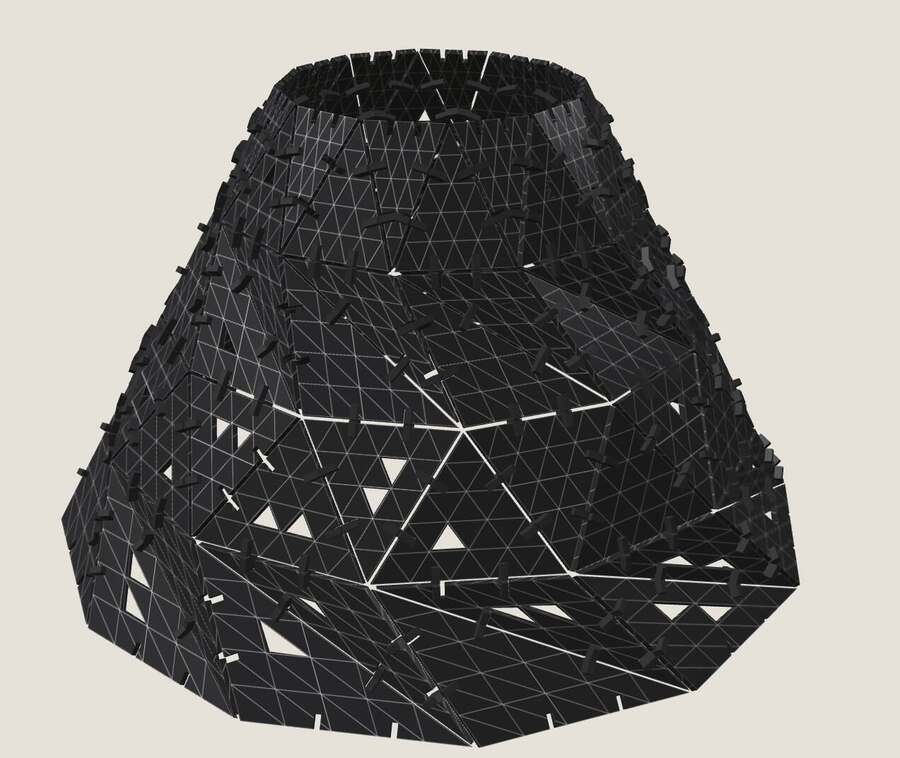
Modular clothes
Modular garments are clothing that can be assembled and taken apart in pieces without sewing the pieces together (definition).

Three ideas run through these. Some garments are adjustable, where the wearer changes the shape, as in Lepore's drawstrings or Anrealage's blocks. Some are docked, where different materials are joined without sewing, as in sacai or Refashion. And some are modular in the strict sense, where one repeated piece makes the whole garment, as in Vogler's work, Variable Seams and Textile Studies.


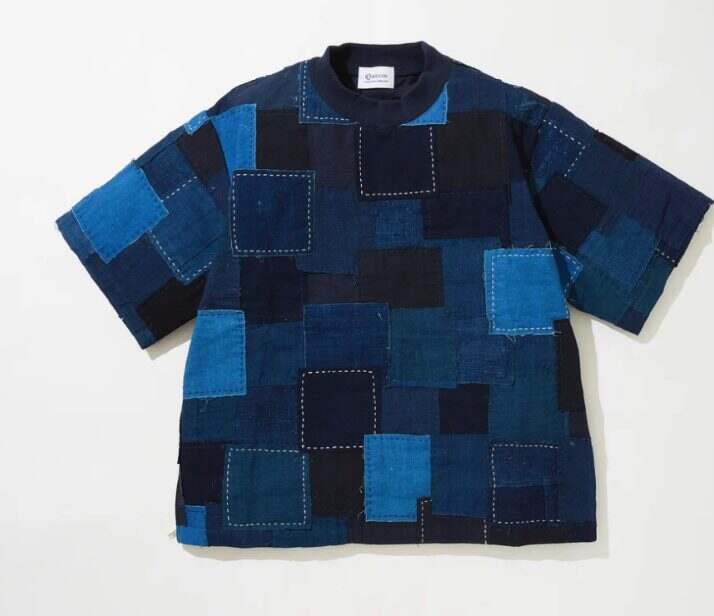
Links: Hiroi Trousers · sacai · modular tote · Refashion · Anrealage / blocks · Textile Studies · Kuon · Vogler, Modular Fashion · Vogler, Fabricating human shapes · Variable Seams
Inspired by these, I decided to use acrylic, where the laser kerf actually matters, joined with press-fit connectors, plus a cardboard mannequin to wear it at tabletop scale like the Textile Studies pieces. So the plan became a modular skirt in acrylic and a mannequin to put it on.
I also built an interactive prototype of the mannequin and skirt in Three.js. Every slider is a real cut parameter, and the whole thing is a single file with no build step.
The triangle kit
I started with panels made from triangles, written in Python with Claude as modkit.py.

tri is an equilateral triangle with slots on every edge; tile, half and dart are a square, a half square and a trapezoid, where the dart gives curvature by its shape; con_0 is a straight connector for coplanar panels and con_<angle> an angled one that sets the dihedral angle between panels; fit_test is a strip of slots stepping 0.1 mm around the material thickness.The generator is Python with shapely and ezdxf, and writes a DXF with CUT and ENGRAVE layers.
modkit.py 227 lines · download
#!/usr/bin/env python3
"""
modkit.py — parametric press-fit construction kit for modular garments
HTMAA Week 2 (computer-controlled cutting)

Parts
  tri       : equilateral triangle panel (triangulated surfaces curve/drape)
  tile      : square panel, N slots per edge
  half      : W x W/2 panel
  dart      : trapezoid panel (top W, bottom W*dart_ratio) -> introduces curvature
  con_0     : straight connector (coplanar tiles)
  con_<deg> : angled connector -> dihedral between tiles (non-flat surfaces)
  fit_test  : strip of slots at varying width to calibrate kerf/fit

Every slot on every part shares one width, so any connector fits any panel.

usage:  python3 modkit.py               -> out/*.dxf, out/*.svg, out/sheet.dxf
        edit P below, or pass overrides: python3 modkit.py thickness=3 kerf=0.15
"""
import math, os, sys
import ezdxf
from shapely.geometry import Polygon, Point, MultiPoint, box
from shapely.geometry.polygon import orient
from shapely.affinity import rotate, translate
from shapely.ops import unary_union

# --------------------------------------------------------------------------- #
P = dict(
    thickness   = 4.0,    # mm  material thickness (cardboard ~4, acrylic 3)
    kerf        = 0.20,   # mm  measured with fit_test (cardboard ~0.2, acrylic ~0.15)
    fit         = -0.10,  # mm  panel slots: negative = tighter press-fit, 0 = slip fit
    con_fit     = None,   # mm  connector slots; None = same as fit (they can differ: panel and connector grip differently)
    W           = 60.0,   # mm  tile side length
    slots       = 2,      # slots per edge
    slot_depth  = 8.0,    # mm  how far a connector sinks into a panel
    con_height  = 18.0,   # mm  connector height (the "fin")
    con_gap     = 2.0,    # mm  space left between two joined panels
    dart_ratio  = 0.6,    # bottom/top width of the trapezoid panel
    angles      = [30, 60, 90],   # angled connectors to generate (deg)
    corner_r    = 2.0,    # mm  round outer corners (0 = sharp)
    counts      = dict(tri=12, tile=6, half=4, dart=4, con_0=20, con_30=6, con_60=6, con_90=6),
    sheet_w     = 600, sheet_h = 400, margin = 6,   # xTool bed-ish, mm
    fit_range   = [-0.4, -0.3, -0.2, -0.1, 0.0, 0.1, 0.2, 0.3],   # slots on the fit_test strip
)

def slot_w(fit=None):
    """drawn slot width so that the *physical* slot = thickness + fit"""
    f = P["fit"] if fit is None else fit
    return P["thickness"] + f - P["kerf"]

def con_slot_w():
    return slot_w(P["fit"] if P["con_fit"] is None else P["con_fit"])

# --------------------------------------------------------------------------- #
def notched(poly, n_per_edge):
    """cut n perpendicular slots into every edge of a sharp convex polygon,
    then round the remaining outer corners"""
    sw, sd = slot_w(), P["slot_depth"]
    poly = orient(poly, 1.0)                      # CCW -> inward = left normal
    pts = list(poly.exterior.coords)[:-1]
    cutters = []
    for i in range(len(pts)):
        (x0, y0), (x1, y1) = pts[i], pts[(i + 1) % len(pts)]
        ex, ey = x1 - x0, y1 - y0
        L = math.hypot(ex, ey)
        ang = math.degrees(math.atan2(ey, ex))
        for k in range(n_per_edge):
            t = (k + 1) / (n_per_edge + 1)
            cx, cy = x0 + ex * t, y0 + ey * t
            # rectangle along edge (width sw), extending inward sd and outward 1mm
            r = box(-sw / 2, -1.0, sw / 2, sd)          # local: +y = inward
            r = rotate(r, ang, origin=(0, 0))          # local +x -> edge dir, +y -> inward
            cutters.append(translate(r, cx, cy))
    return rounded(poly, P["corner_r"]).difference(unary_union(cutters))

def rounded(poly, r):
    return poly.buffer(-r).buffer(r, join_style=1) if r > 0 else poly

def tile():
    W = P["W"]
    return notched(box(0, 0, W, W), P["slots"])

def tri():
    W = P["W"]
    return notched(Polygon([(0, 0), (W, 0), (W / 2, W * math.sqrt(3) / 2)]), P["slots"])

def half():
    W = P["W"]
    return notched(box(0, 0, W, W / 2), P["slots"])

def dart():
    W, k = P["W"], P["dart_ratio"]
    dx = W * (1 - k) / 2
    poly = Polygon([(dx, 0), (W - dx, 0), (W, W), (0, W)])
    return notched(poly, P["slots"])

def connector(angle_deg=0):
    """two arms, each slot_depth+gap/2 long, meeting at the hinge line"""
    sw, sd, h, g = con_slot_w(), P["slot_depth"], P["con_height"], P["con_gap"]
    L = sd + g / 2
    def arm():
        a = box(0, -h / 2, L, h / 2)
        s = box(L - sd, -sw / 2, L + 1, sw / 2)   # slot enters from the far end
        return a.difference(s)
    a1 = rotate(arm(), 180 - angle_deg / 2, origin=(0, 0))   # points left-ish
    a2 = rotate(arm(), angle_deg / 2, origin=(0, 0))          # points right-ish
    # fill the inner wedge so the joint isn't a pinch point
    # fill the V-gap on the outer side of the hinge with a wedge
    ends = [(0, -h / 2), (0, h / 2)]
    corners = [rotate(Point(p), 180 - angle_deg / 2, origin=(0, 0)) for p in ends] + \
              [rotate(Point(p), angle_deg / 2, origin=(0, 0)) for p in ends] + [Point(0, 0)]
    hub = MultiPoint(corners).convex_hull if angle_deg else Polygon()
    c = unary_union([a1, a2, hub])
    return rounded(c, min(P["corner_r"], 1.0))

def fit_test():
    """one strip, slots stepping fit from -0.4 to +0.3 mm around thickness"""
    t, k, sd = P["thickness"], P["kerf"], P["slot_depth"]
    fits = P.get("fit_range", [-0.4, -0.3, -0.2, -0.1, 0.0, 0.1, 0.2, 0.3])
    pitch = 12
    strip = box(0, 0, pitch * len(fits) + 6, sd + 10)
    cutters = []
    for i, f in enumerate(fits):
        w = t + f - k
        x = 6 + pitch * i
        cutters.append(box(x - w / 2, sd + 10 - sd - 1, x + w / 2, sd + 11))
    return strip.difference(unary_union(cutters)), fits

# --------------------------------------------------------------------------- #
def rings(poly):
    if poly.geom_type == "MultiPolygon":
        poly = max(poly.geoms, key=lambda g: g.area)
    yield list(poly.exterior.coords)
    for i in poly.interiors:
        yield list(i.coords)

def write_dxf(parts, path):
    """parts: list of (polygon, dx, dy)"""
    doc = ezdxf.new("R2010", setup=True)
    doc.header["$INSUNITS"] = 4              # mm
    doc.layers.add("CUT", color=1)
    doc.layers.add("ENGRAVE", color=5)
    msp = doc.modelspace()
    for poly, dx, dy, label in parts:
        for ring in rings(translate(poly, dx, dy)):
            msp.add_lwpolyline(ring, close=True, dxfattribs={"layer": "CUT"})
        if label:
            b = translate(poly, dx, dy).bounds
            msp.add_text(label, height=3, dxfattribs={"layer": "ENGRAVE"}).set_placement(
                ((b[0] + b[2]) / 2, (b[1] + b[3]) / 2), align=ezdxf.enums.TextEntityAlignment.MIDDLE_CENTER)
    doc.saveas(path)

def write_svg(parts, path, w, h):
    out = [f'<svg xmlns="http://www.w3.org/2000/svg" width="{w}mm" height="{h}mm" viewBox="0 0 {w} {h}">',
           f'<rect width="{w}" height="{h}" fill="white"/>']
    for poly, dx, dy, label in parts:
        for ring in rings(translate(poly, dx, dy)):
            d = "M " + " L ".join(f"{x:.3f},{h - y:.3f}" for x, y in ring) + " Z"
            out.append(f'<path d="{d}" fill="none" stroke="red" stroke-width="0.2"/>')
        if label:
            b = translate(poly, dx, dy).bounds
            out.append(f'<text x="{(b[0]+b[2])/2:.1f}" y="{h-(b[1]+b[3])/2+1:.1f}" font-size="3" '
                       f'text-anchor="middle" fill="blue" font-family="sans-serif">{label}</text>')
    out.append("</svg>")
    open(path, "w").write("\n".join(out))

def layout(items):
    """shelf packing onto as many sheets as needed. items: list of (name, polygon) -> list of sheets"""
    m, SW, SH = P["margin"], P["sheet_w"], P["sheet_h"]
    x, y, shelf = m, m, 0
    sheets, placed = [], []
    for name, poly in items:
        b = poly.bounds
        pw, ph = b[2] - b[0], b[3] - b[1]
        if x + pw > SW - m:
            x, y, shelf = m, y + shelf + m, 0
        if y + ph > SH - m:
            sheets.append(placed); placed = []; x, y, shelf = m, m, 0
        placed.append((poly, x - b[0], y - b[1], name if name.startswith("R") else None))   # ring labels engraved
        x += pw + m
        shelf = max(shelf, ph)
    sheets.append(placed)
    return sheets

# --------------------------------------------------------------------------- #
def main():
    for arg in sys.argv[1:]:                       # cli overrides: key=value
        k, v = arg.split("=", 1)
        if P.get(k) is None: P[k] = float(v)
        else: P[k] = type(P[k])(v) if not isinstance(P[k], (list, dict)) else eval(v)
    os.makedirs("out", exist_ok=True)

    parts = {"tri": tri(), "tile": tile(), "half": half(), "dart": dart(), "con_0": connector(0)}
    for a in P["angles"]:
        parts[f"con_{a}"] = connector(a)

    # individual files (labelled)
    for name, poly in parts.items():
        b = poly.bounds
        p = translate(poly, -b[0] + 2, -b[1] + 2)
        write_dxf([(p, 0, 0, None)], f"out/{name}.dxf")
        write_svg([(p, 0, 0, None)], f"out/{name}.svg", b[2] - b[0] + 4, b[3] - b[1] + 4)

    ft, fits = fit_test()
    b = ft.bounds
    labels = [(box(0,0,0.01,0.01), 6 + 12 * i, 4, f"{f:+.1f}") for i, f in enumerate(fits)]
    write_dxf([(ft, 0, 0, None)] + labels, "out/fit_test.dxf")
    write_svg([(ft, 0, 0, None)] + labels, "out/fit_test.svg", b[2] + 2, b[3] + 2)

    # full sheet
    items = []
    for name, n in P["counts"].items():
        if name in parts:
            items += [(name, parts[name])] * n
    items.sort(key=lambda it: -(it[1].bounds[3] - it[1].bounds[1]))
    sheets = layout(items)
    for i, placed in enumerate(sheets, 1):
        write_dxf(placed, f"out/sheet_{i}.dxf")
        write_svg(placed, f"out/sheet_{i}.svg", P["sheet_w"], P["sheet_h"])

    print(f"slot width drawn = {slot_w():.2f} mm  (physical ≈ {P['thickness']+P['fit']:.2f} mm)")
    print(f"{len(items)} parts on {len(sheets)} sheet(s) of {P['sheet_w']} x {P['sheet_h']}")
    print("wrote out/" + ", ".join(sorted(os.listdir("out"))))

if __name__ == "__main__":
    main()
Triangles because a surface made of squares can only be flat or bent one way. Triangles are the smallest piece that can tile a curved surface: change the angle between neighbouring triangles and the surface curves. A triangle also cannot change shape once its three edges are fixed, so an assembled triangle mesh is stiff without extra bracing.
Slots on the edges and a separate connector because two rigid acrylic sheets cannot hook into each other the way felt can. Vogler's tab-and-slot only works because felt bends. So the panels carry only slots, and a small connector bridges two of them. That makes every panel identical and every edge identical, so any panel fits anywhere, which is what reconfigurable needs. The connector also carries the angle: a straight one gives a flat surface, an angled one folds it.
Everything is a parameter because the kit was designed in cardboard numbers and cut in acrylic. Only thickness and fit changed; the geometry followed.
Rebuilding the panel in Fusion 360
To understand the logic I rebuilt the panel and connector in Fusion 360 by myself, fully parametric. I gave myself one rule for the whole build: never type a number into a dimension, only a parameter name or an expression.
Parameters
I started with the parameters (Modify → Change Parameters → User Parameters).
| name | unit | expression | note |
|---|---|---|---|
thickness |
mm | 3 | acrylic (measure the real sheet) |
kerf |
mm | 0.15 | laser cut width |
fit |
mm | −0.05 | negative = tighter |
slot_w |
mm | thickness + fit - kerf |
drawn slot width, 2.80 |
W |
mm | 40 | triangle edge |
n_slots |
No Units | 2 | must be unitless or Pattern's Quantity rejects it |
slot_pitch |
mm | W / (n_slots + 1) |
13.333 |
slot_d |
mm | 5 | insertion depth |
corner_r |
mm | 1.5 | |
con_gap |
mm | 1.5 | gap between joined panels |
con_height |
mm | 12 | fin height |
con_len |
mm | 2 * slot_d + con_gap |
11.5 |
Panel
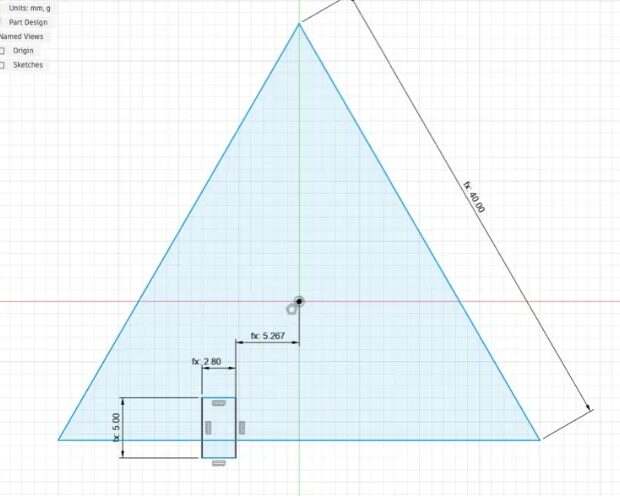
The triangle is an inscribed polygon with three sides, centred on the origin, in a sketch on XY. I dimensioned one edge and typed W; it shows as fx: 40.00 once linked. One vertex sits on the Y axis so the base is horizontal and the centroid is the origin, which the circular pattern needs later.
Then one slot on the base: a two-point rectangle standing on the base line, with three dimensions and one constraint. The width is slot_w (2.80). The top edge to the base is slot_d (5.00), which fixes both depth and vertical position. The right edge to the Y axis is slot_pitch / 2 - slot_w / 2 (5.267); the dimension is edge-based, so half the width has to be subtracted, and with slot_pitch / 2 alone the pair comes out asymmetric. The bottom-left corner is coincident with the base line. Lines turn black when fully constrained; blue means they can still move.
The second slot on the same edge is a rectangular pattern of the slot's four lines, window-selected so the base line is not caught, along the base line, with distribution set to Spacing, quantity n_slots and distance slot_pitch. Two things went wrong first: n_slots stayed red until I changed its unit to No Units, and with Extent instead of Spacing the copy landed on the Y axis, because Extent means total length.
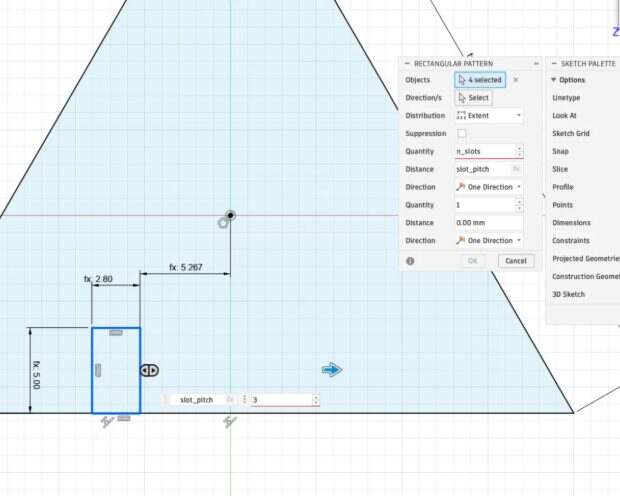
The other two edges come from a circular pattern of the six slot lines about the centroid, full, quantity 3. The slots rotate 120° with the triangle, so they stay perpendicular to every edge. A rectangular pattern can only translate, which is why this step needs the circular one. Then extrude by thickness, selecting only the big triangular profile. My first attempt selected the six small slot profiles instead, which would have extruded six little bars.
Finally a fillet of corner_r on the three corners, and optionally 0.3–0.5 mm on the slot roots, where acrylic cracks.
Connector
The connector con_0 lives in the same file, because parameters are per file in Fusion; the document is in Part Design mode, so it is a second body rather than a component. It is a centre rectangle of con_len × con_height in a new sketch on XY, away from the panel. A slot at the right end is slot_d horizontal by slot_w vertical, with its top-right corner coincident with the body's right edge and its top edge (con_height - slot_w) / 2 from the body top, which centres it without the origin. The same at the left end, or a mirror. Then extrude the H-shaped profile by thickness as a New Body; Join would fuse it to the panel. The result is an H on its side: two 5 mm slots from the ends, a 1.5 mm neck (con_gap), and 4.6 mm rails top and bottom.
To check the assembly I moved the connector body with M: rotate 90° so it stands, rotate 90° again about one of its thickness edges so its length runs perpendicular to the panel edge, then drag until the slot bottoms meet. That took three wrong orientations. The test that finally worked: seen from the top, the connector must read as a 2.8 mm line sticking 6.5 mm past the edge.
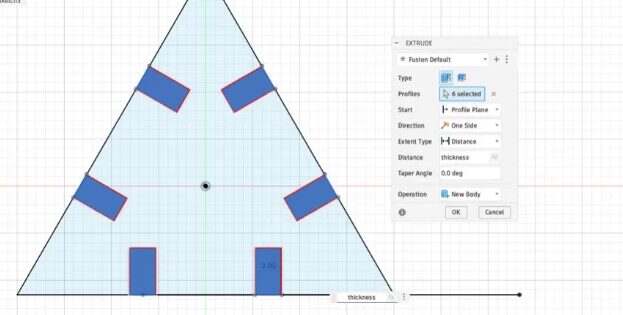
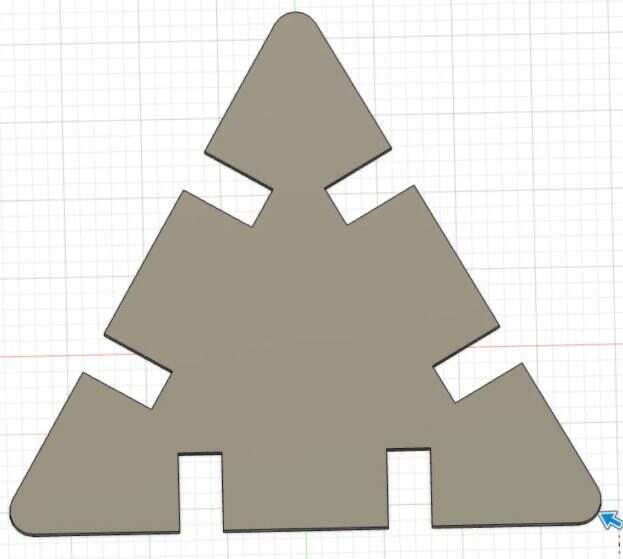
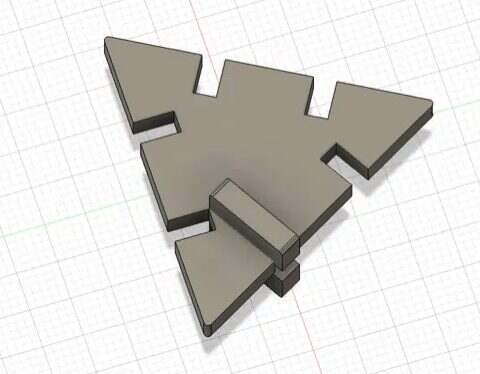
Parameters live per file, so panel and connector belong in the same file. Quantity fields need a unitless parameter. Coincident is point-to-curve; line-to-line is Collinear. Extrude selects profiles, so pick the big face, because the slots are separate profiles. And slot positions must be symmetric about the edge midpoint, because the neighbouring panel sees the edge reversed.
Kerf and fit
Characterizing the laser (group)
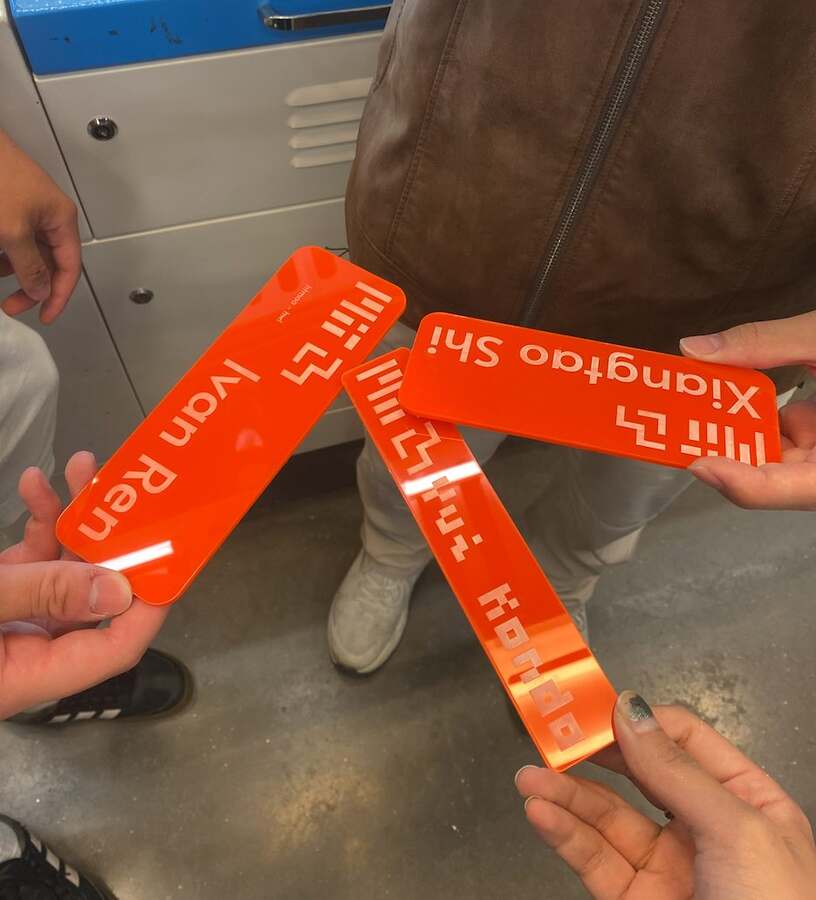
Before cutting anything of my own, we characterized the lab's xTool machines as a group: power and speed on cardboard and acrylic, then focus and kerf.
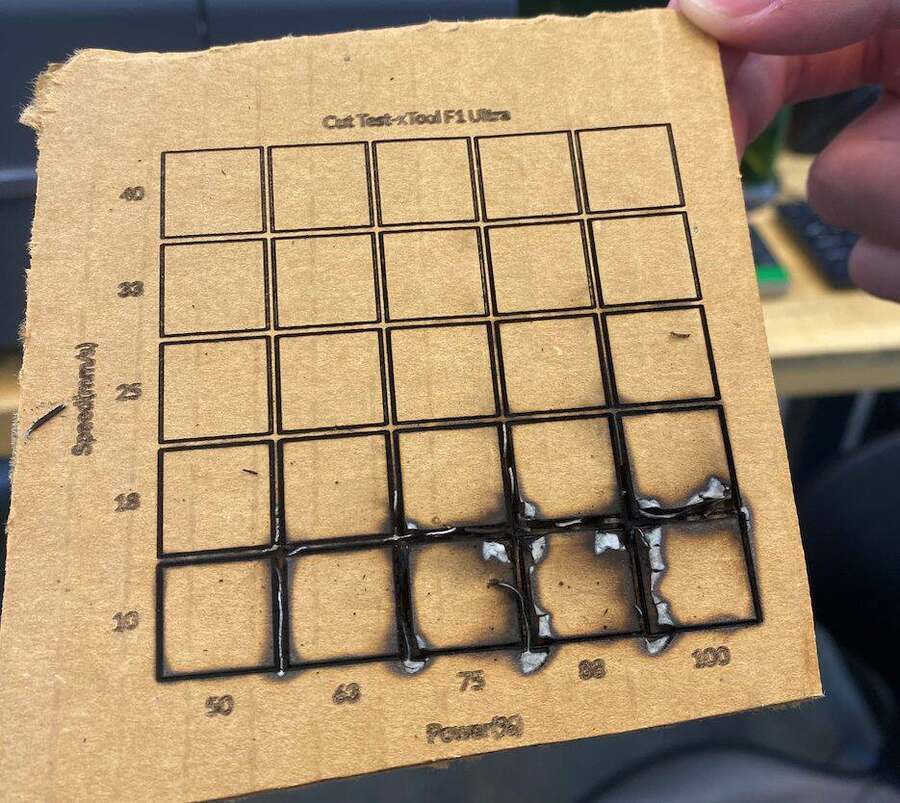
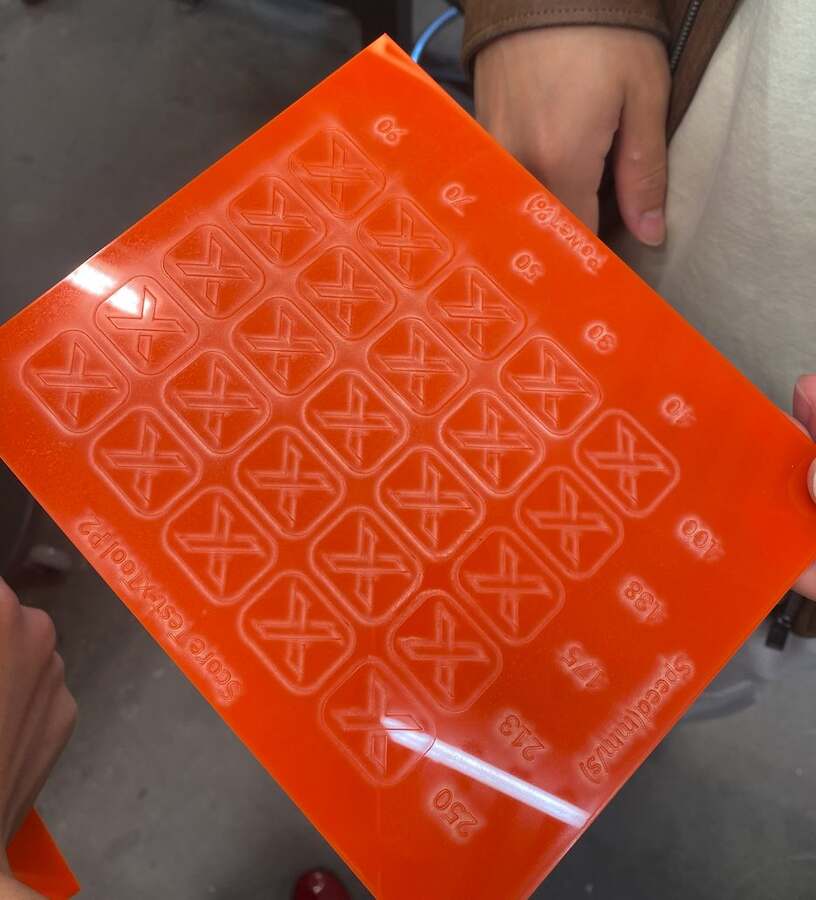
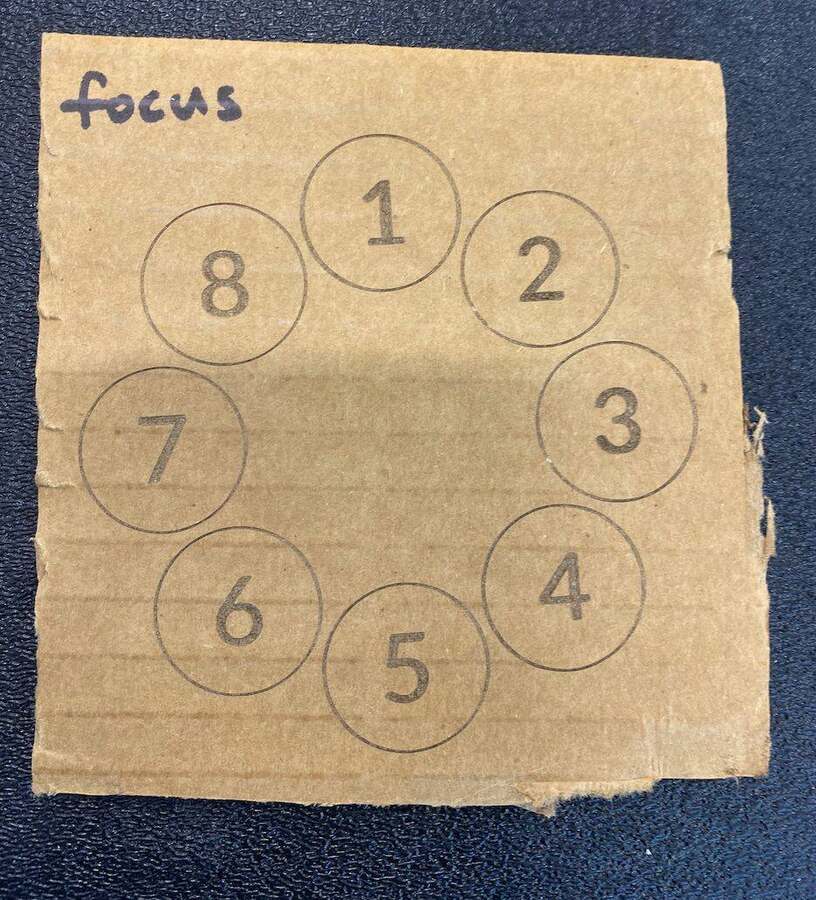
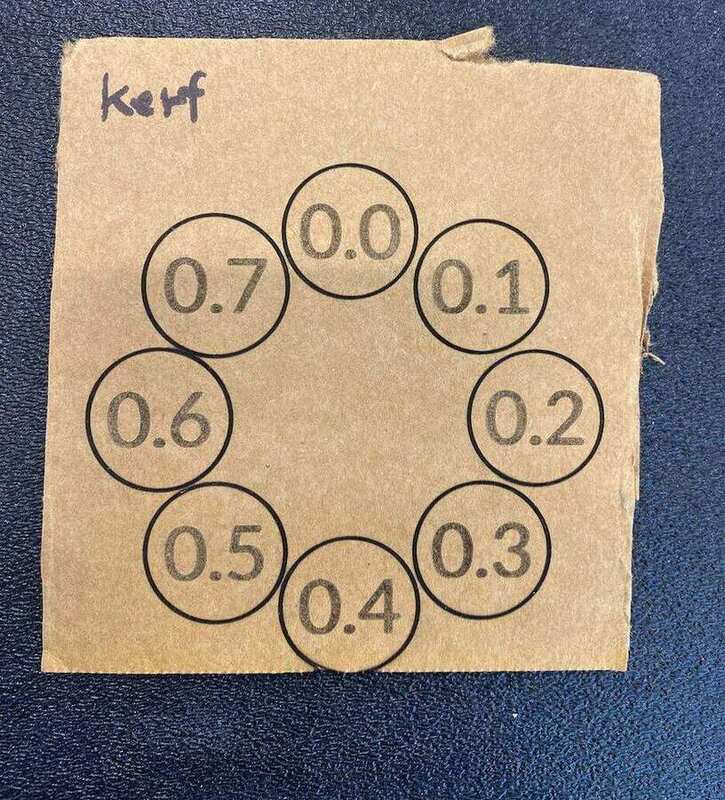
The laser burns a groove of width kerf, centred on the drawn line, so a slot comes out kerf wider than drawn. To get a physical slot of thickness + fit, the file has to draw it kerf narrower, which is where slot_w = thickness + fit − kerf comes from. fit is the design intent, negative for a press fit and positive for a slip fit; kerf is the machine's property. Only the difference fit − kerf reaches the file, so in practice either one can be adjusted.
Test with acrylic
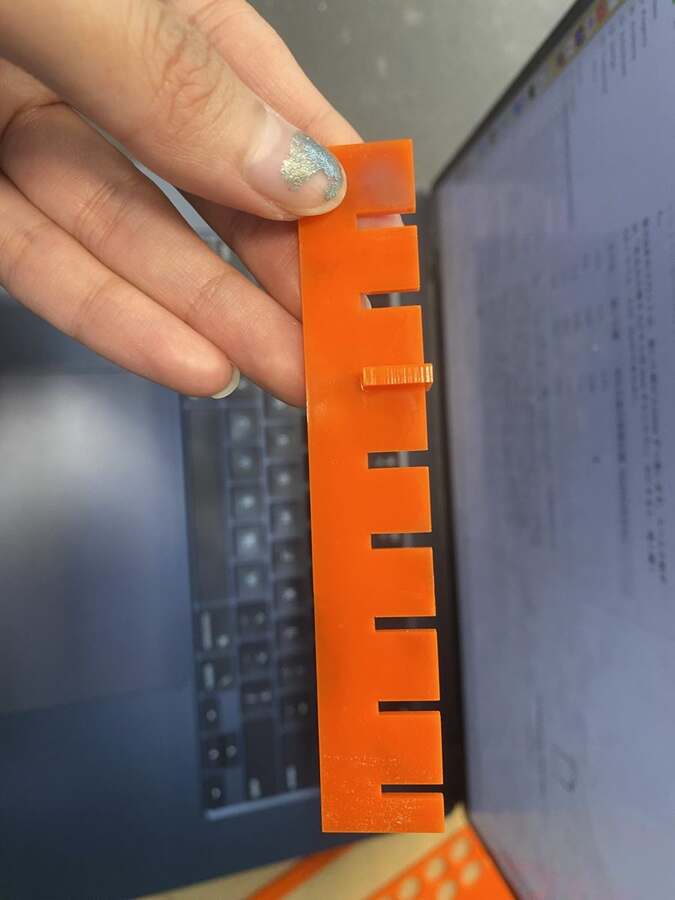
The first fit test was a strip with eight slots labelled −0.4 to +0.3 mm relative to the nominal 3.0 mm thickness. Every slot was loose, even −0.4. So the sheet was thinner than 3 mm, or the kerf wider than I had guessed, or both.
The second test shifted the range to −1.0 to −0.3, and −0.5 held. I cut panels and connectors at −0.5, and they would not go together at all. The strip only loads one joint, where a slot grips a piece of scrap. A real joint loads two at once, the panel gripping the connector and the connector gripping the panel, so it needs a looser number than the strip suggests.
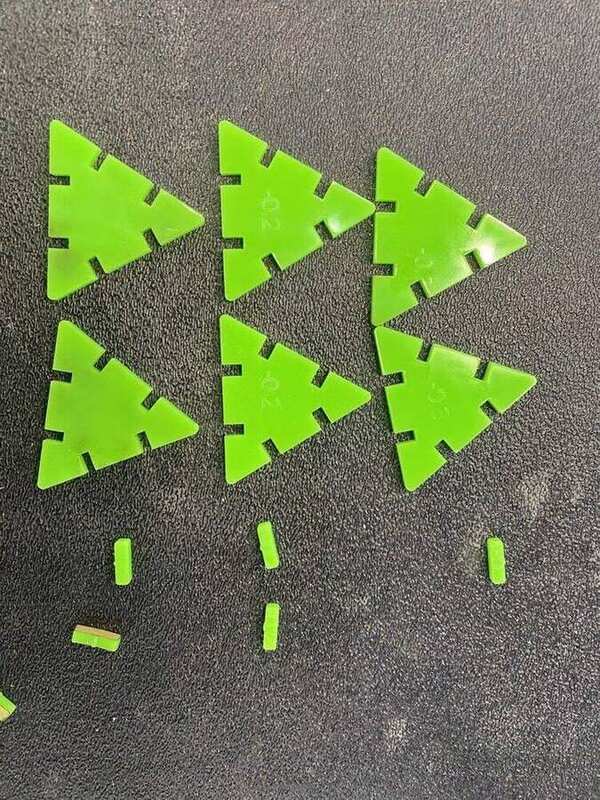
For the third test, I cut three rows, each with two triangles and two connectors, all four parts cut at the same fit (−0.3, −0.2 and −0.1), with labels engraved so the parts could be matched after they dropped out of the sheet. The first attempt had no labels and the parts were impossible to tell apart. Panel slots at −0.2 and connector slots at −0.1 work. The panel and the connector come from the same sheet and still want different numbers, probably because the small connector heats and shrinks slightly. The generator now takes fit and con_fit separately.
Fire
When I cut the acrylic at 80 % power and 20 mm/s, it caught fire. Two things probably came together: I had not removed the protective paper from the acrylic, and there was cardboard left on the bed from the mannequin test. The cardboard is most likely what burned. Next time I will clean the bed before running any job. And once something catches fire, stop immediately, with the emergency stop or pause, and put it out with the fire blanket.
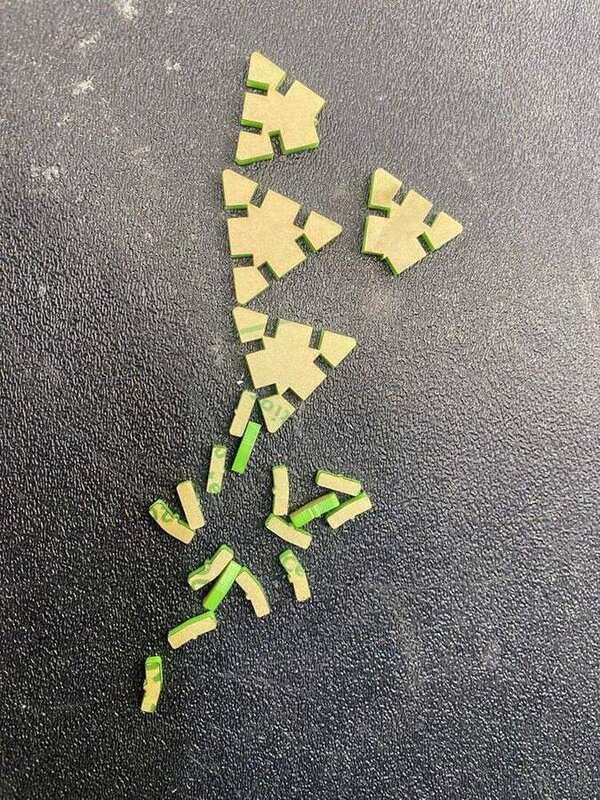
The same file on a black sheet did not fit at all. Nominal 3 mm extruded acrylic ranges roughly 2.6–3.1 mm, and a 0.4 mm change is far larger than the 0.1 mm steps of the fit test. The rule is now: change sheet, measure its thickness with calipers, set thickness. fit and kerf stay. Regenerating takes seconds.
The small scale exposed a bug. Shrinking the skirt to 0.4 scale made the first-ring triangles pointy, with a 49° apex. With two slots per edge at one third and two thirds, the two slots near the apex crossed and cut the apex off as a loose fragment. The fix is one slot per edge for small triangles, which also halves the connector count, or bigger triangles for two slots. The generator now reports an error when slots intersect.
Test with plywood
The acrylic ran out, so I switched to 3 mm plywood. At 90 % power and 30 mm/s the beam did not go through; the parts tore when I pushed them out of the sheet and the thin connector rails broke. At 90 % and 20 mm/s the cut went through and the parts dropped out on their own. The lesson is not to pry: if a part needs to be pushed out, cut again more slowly rather than force it.
The acrylic numbers did not transfer either. Rows at fit −0.3, −0.2 and −0.1 were all too tight for the plywood, so I cut a second strip at 0.0, +0.1, +0.2 and +0.3. Wood is more forgiving than acrylic, because it compresses instead of cracking, so the useful range is wider. Two changes went into this second strip: the slot roots are rounded (0.4 mm) so cracks do not start at the inner corners, and the connector height went from 12 to 14 mm so the rails are thicker. The result is +0.3 for both the panel slots and the connector slots. Final numbers: thickness 3, kerf 0.25, fit +0.3. Only the difference fit − kerf reaches the file, so kerf stays at the guessed value and fit carries the correction.
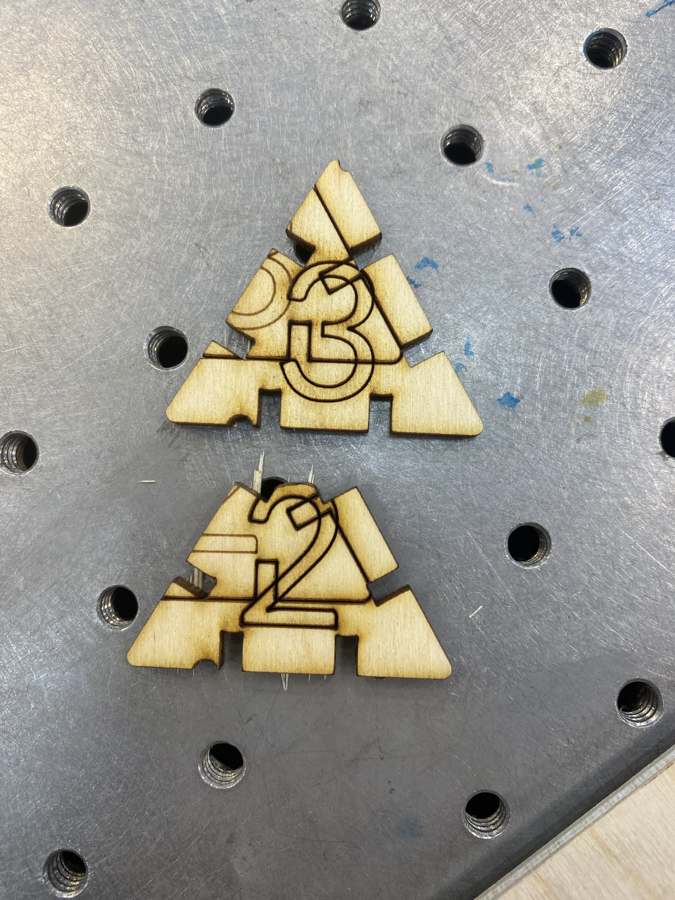
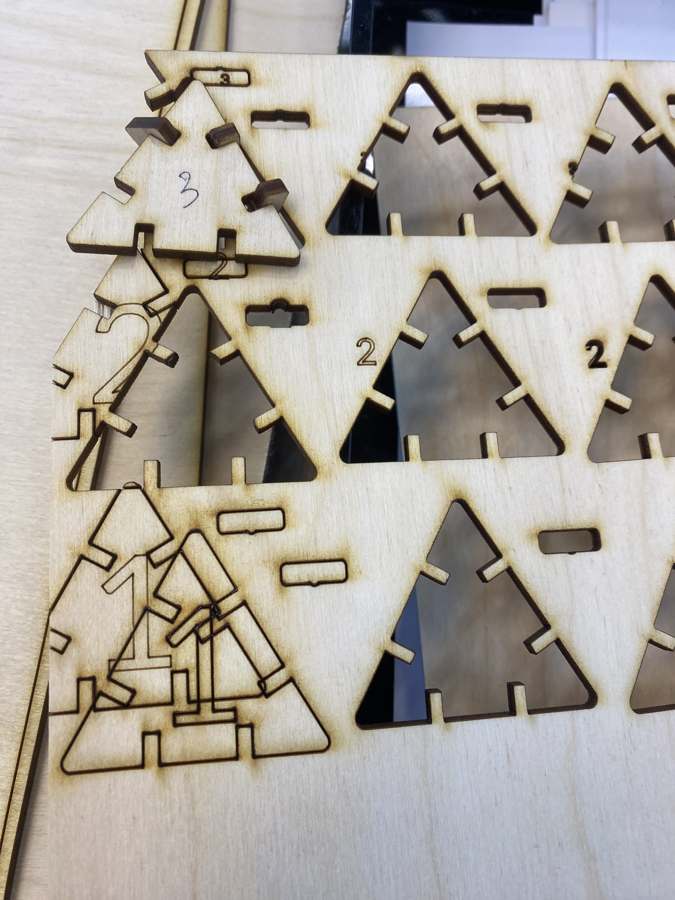
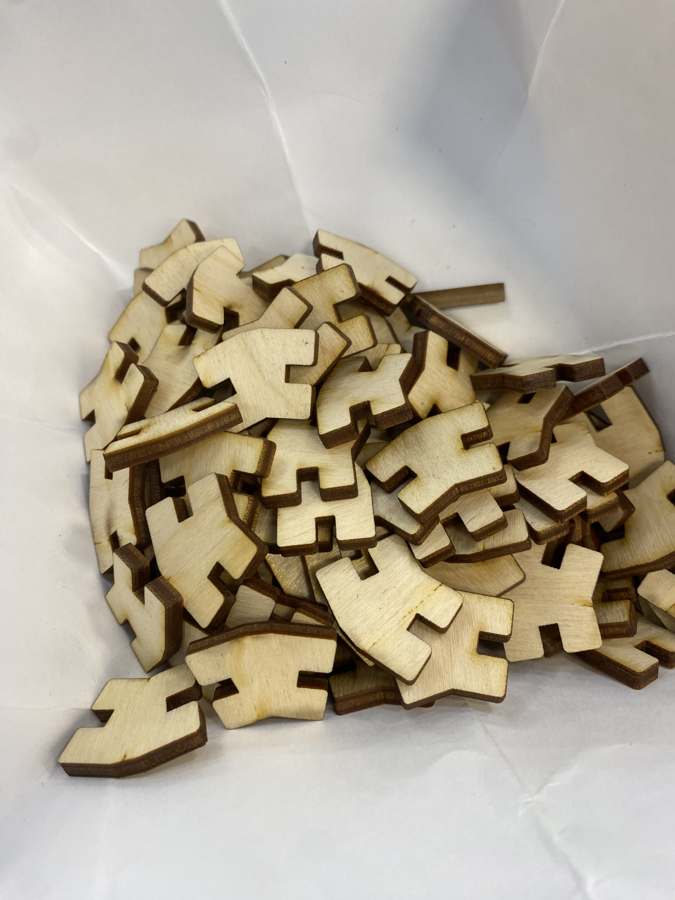
With the numbers confirmed, I cut the whole kit: 42 panels in six labelled shapes and the connectors.
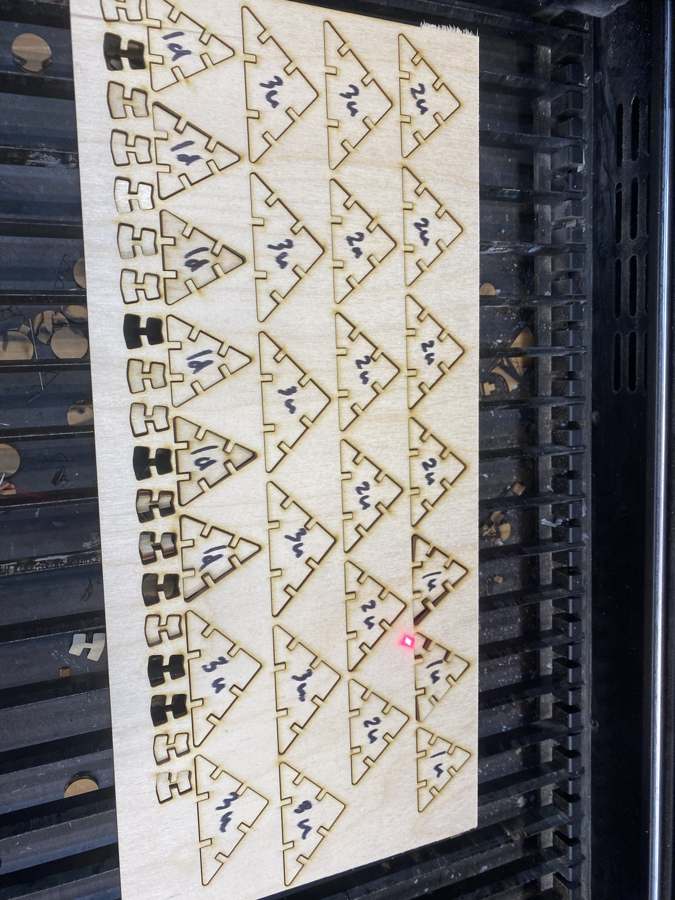
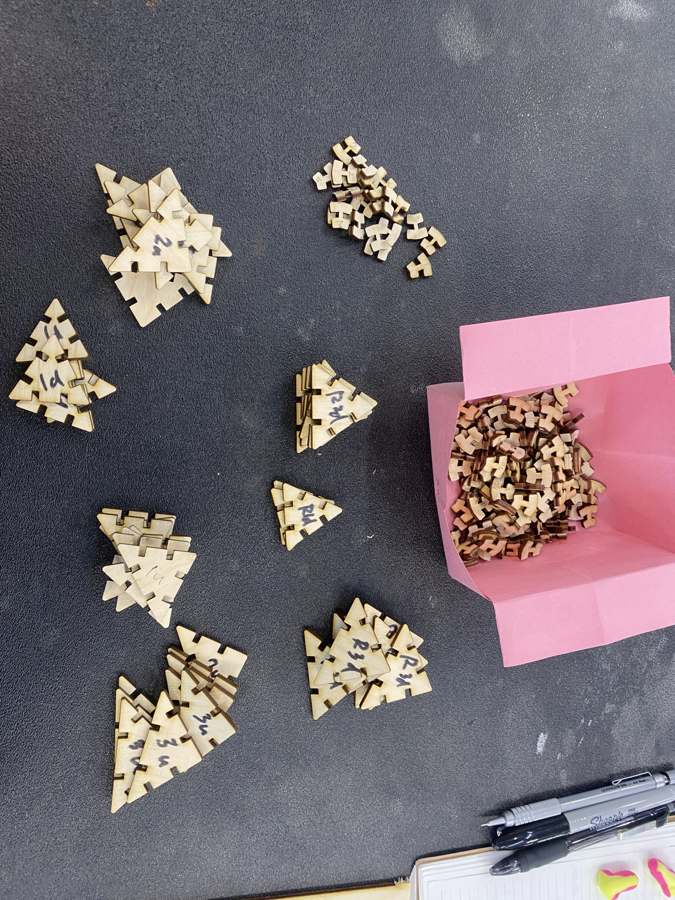
Assembled, the first connectors were too weak in the middle. The designed neck, the material between the two slots, was 1.5 mm, but the laser burns 0.12 mm off each slot bottom, so it came out at 1.25 mm, and the part label was engraved right on top of it, thinning it further. Three fixes: the neck is now drawn kerf-wider so the physical neck equals the parameter, the label moved to the rail, and the neck went from 1.5 to 2.5 mm and then to 5 mm. The trade-off is a wider gap between panels, because the neck is the gap, so the assembled ring grows by about 14 × 3.5 mm per ring.
Three panels joined d–u–d curve as expected, and the first ring closes. But the neck was still too narrow: with two connectors on one edge, neither would seat at the centre.
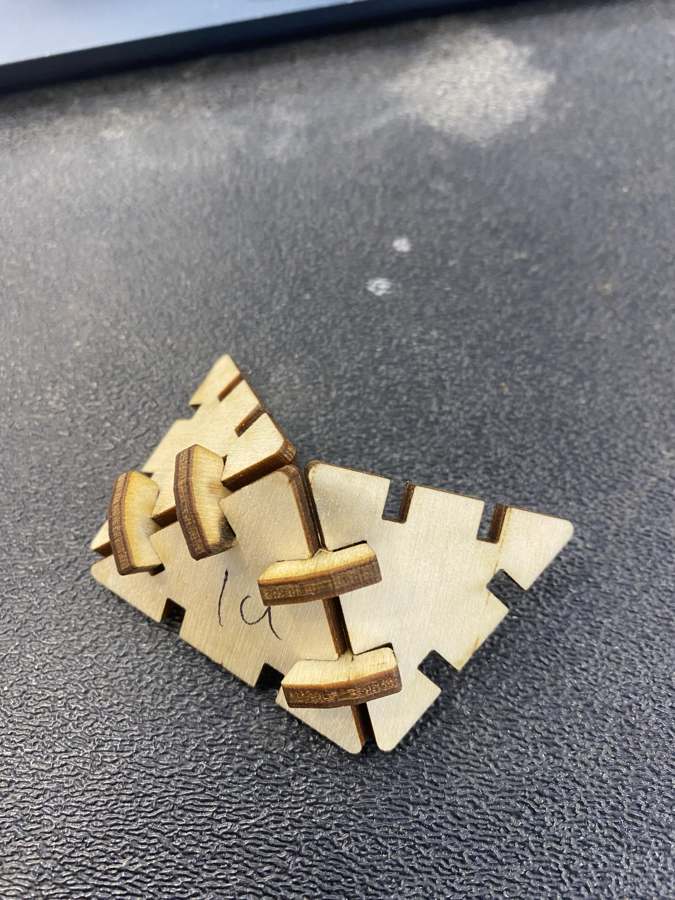
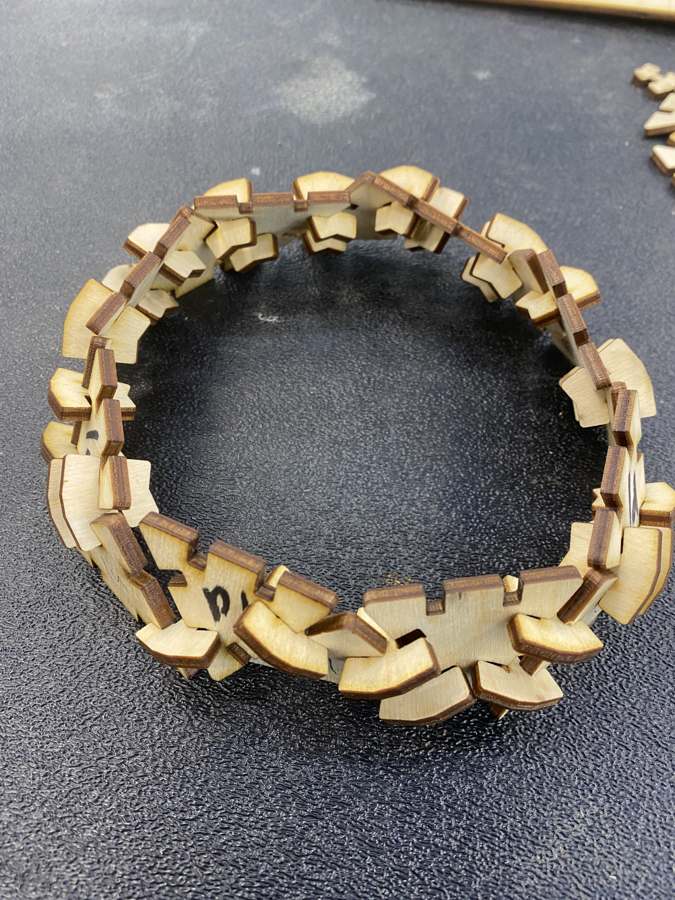
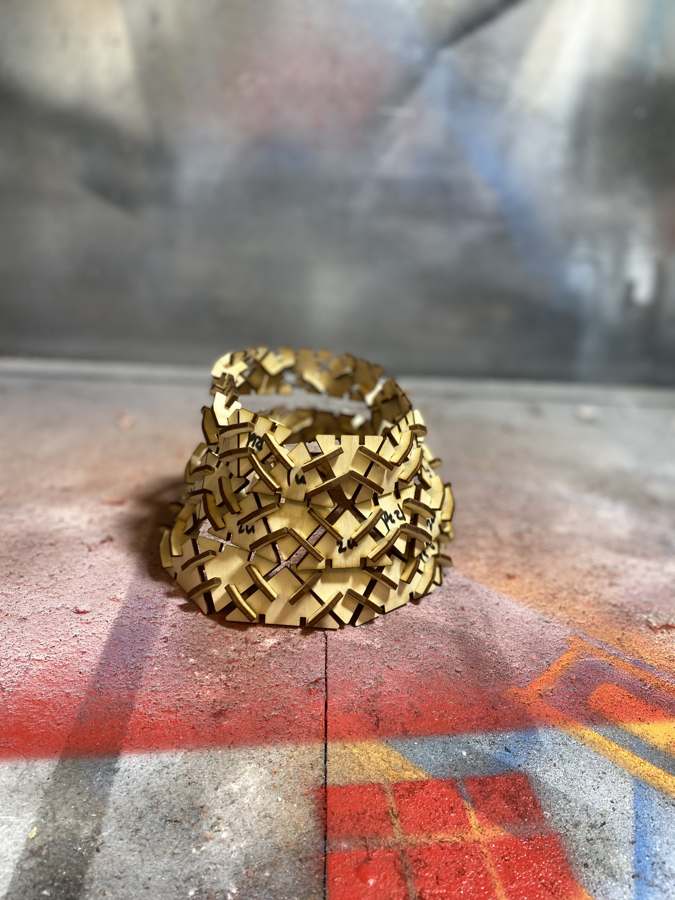
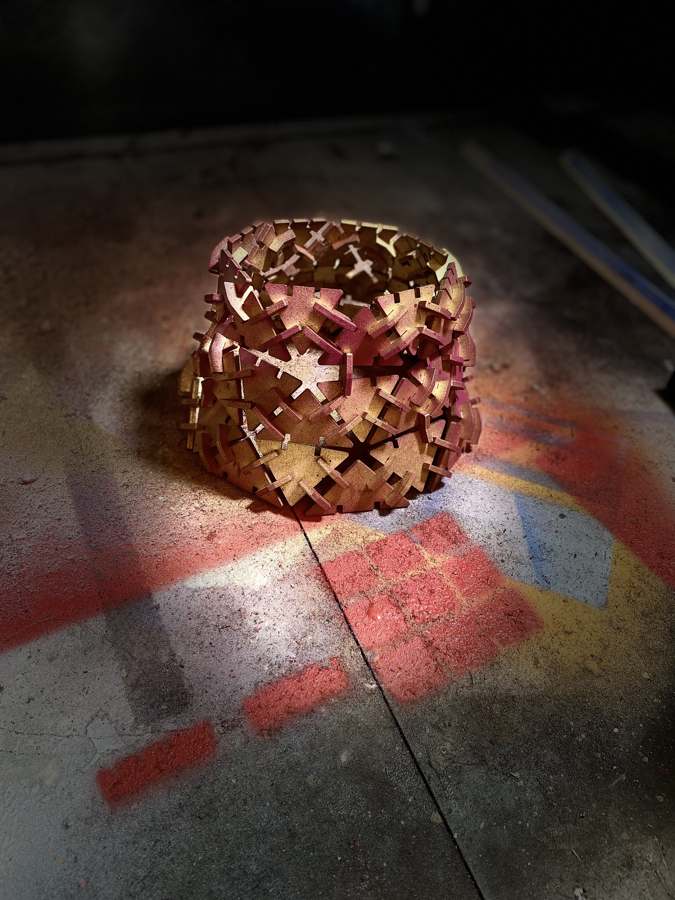
So I doubled the neck again, from 5 to 10 mm, and recut the connectors. Then it worked. The alignment is not perfect: the connector angles are not all the same, so the vertical edges between rings do not line up well yet. Then the time was up. I wanted to have fun with colours, so I sprayed the kit purple and gold.
Next: joint and shape in one piece
The connector count is the weak point of the kit for a user. I want the joint and the shape combined. Vogler's module does this:
by having the positive and negative shapes on opposite sides, every triangle can fold up and connect to itself … having slots enables you to connect multiple positives to the same negative and create a dynamic web … weaving parts through the triangular part in the middle can replace darts
Her module works because felt bends; a rigid acrylic tab cannot pass through a slot. For acrylic this needs a hook shape that rotates in, on puzzle or chainmail logic, or a hybrid: acrylic panels with flexure connectors cut from polypropylene or PETG, which would also let the skirt move like cloth instead of holding a fixed polyhedral shape. Next I will try Vogler's shape in felt, and PP flexure connectors on the current panels.
Laser-cut nori
A side project, inspired by patterned nori with the asanoha (麻の葉) motif. I made the pattern file with Claude (asanoha_nori.svg), engraved asanoha and cut sakura into sheets of nori on the laser, and made onigiri with it.
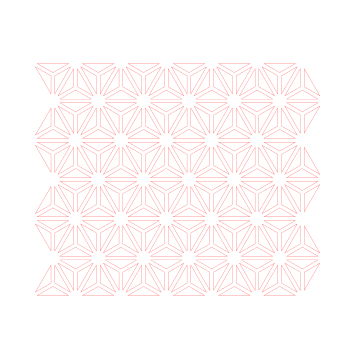

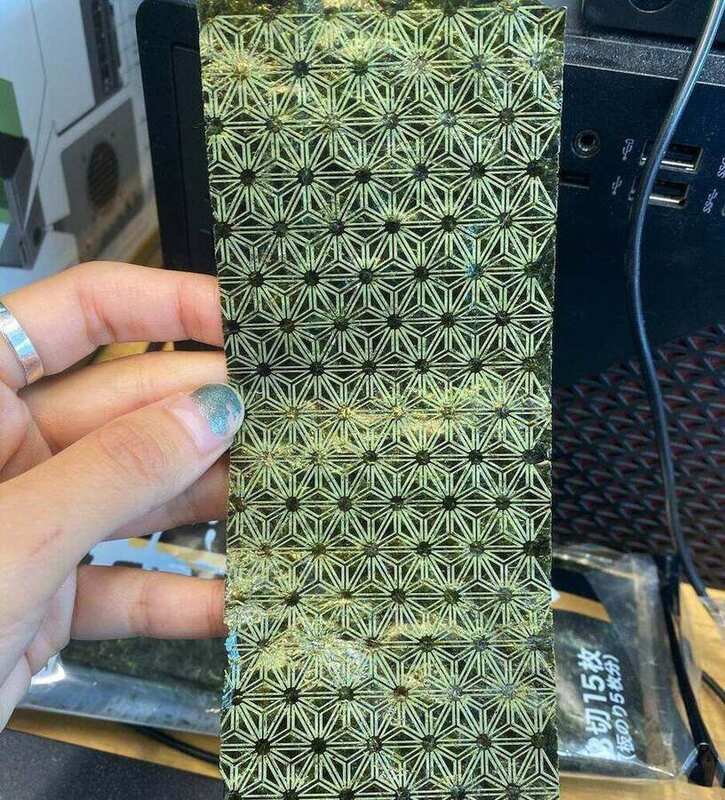
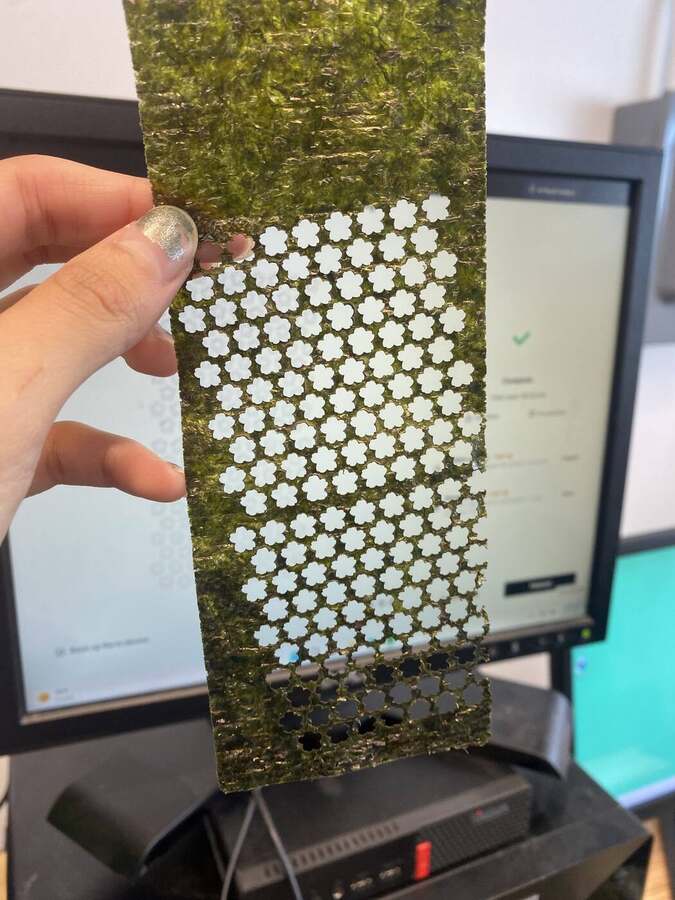
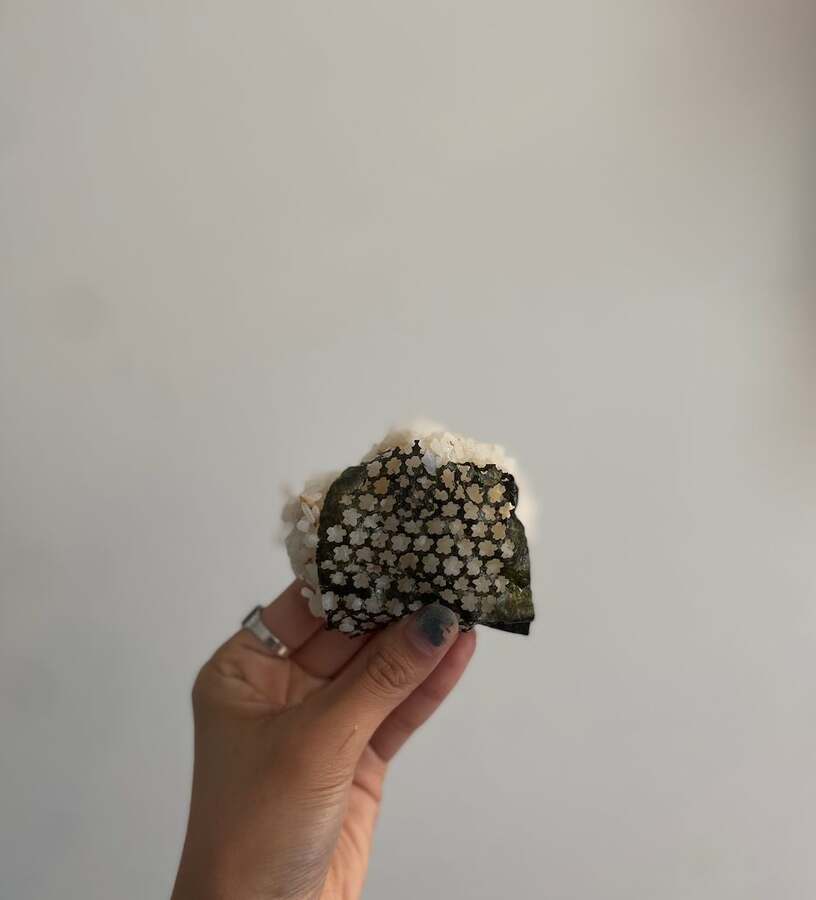
Nori turns out to be a good engraving test material: thin, uniform, and the pattern appears immediately as a colour change. The cut version needs low power and a single pass; it lifts and curls if the bed fan is strong. And the laser toasts it as it goes, so the nori comes out of the machine smelling good.
Files
Everything is under files/week01/ in the repo. modkit.py is the panel and connector generator with the fit test; skirt.py the flared skirt with per-ring panels and connectors at the needed angles; mannequin.py the waffle mannequin. The cut files are zipped: out_skirt.zip (panels, connectors and the 600 × 400 sheet), out_mannequin.zip (two sheets) and fit_tests.zip. week02_preview_en.html is the interactive preview, a single file with no build step. triangle.f3d is the Fusion version of panel and connector, parametric. asanoha_nori.svg is the nori pattern.
Use of AI
I used Claude (Fable 5.1) throughout the week in three roles. As a generator, it wrote modkit.py, skirt.py, mannequin.py and the Three.js preview from my descriptions and references, and we revised them together as tests came back: the apex bug, the separate panel and connector fit, the multi-sheet layout. I read the core functions and can explain the slot formula and the pattern logic; I did not write the geometry code. As a tutor, it walked me through the Fusion 360 panel and connector step by step and through each error (the unit of n_slots, Extent versus Spacing, Coincident versus Collinear, which profile to extrude); the build and the stumbles listed above are mine. As an editor, it drafted this page from my Obsidian notes, and I edited it. The inspiration list, the process log and the fit-test observations are my own.