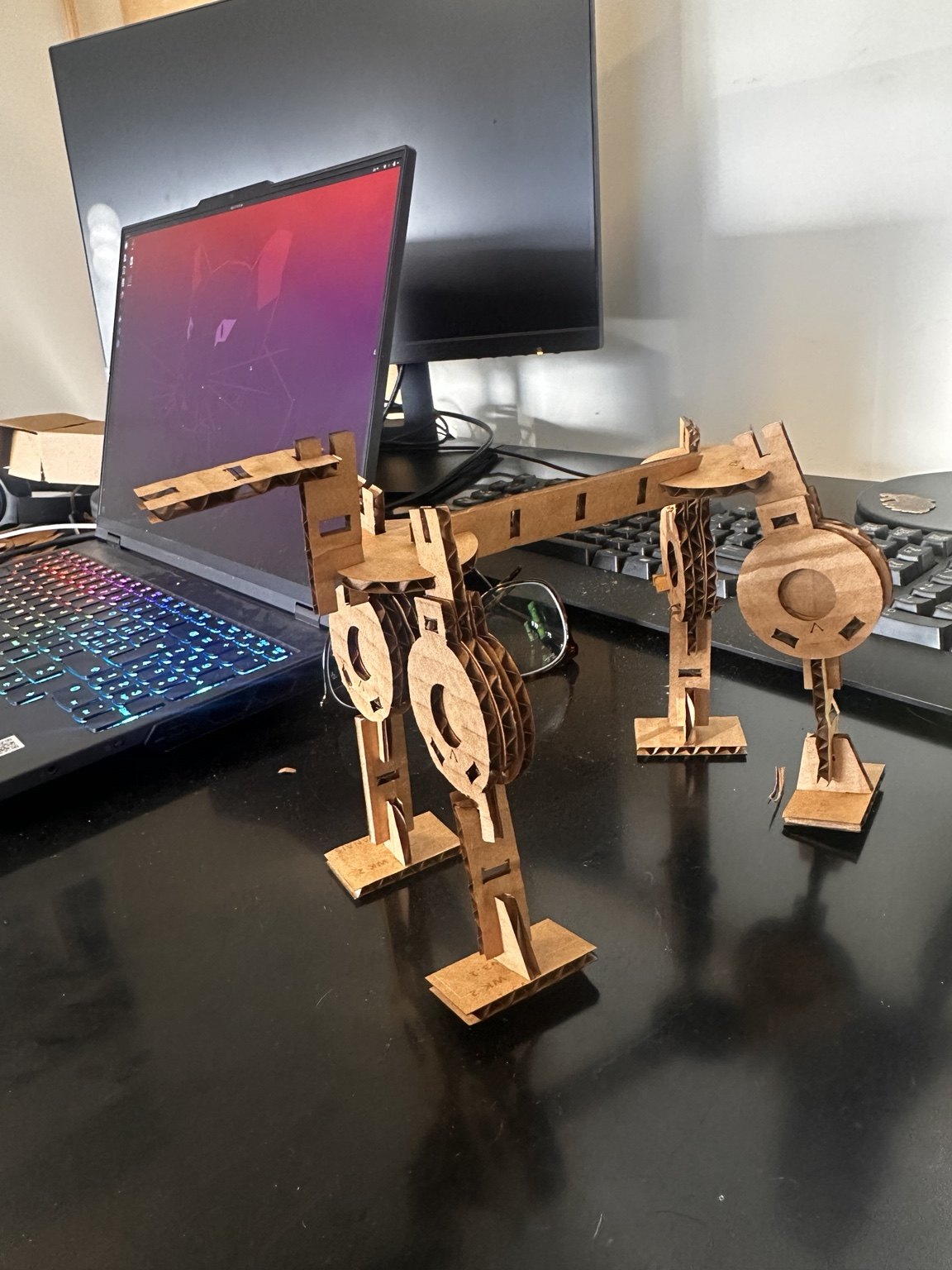
A press-fit kit that builds robots
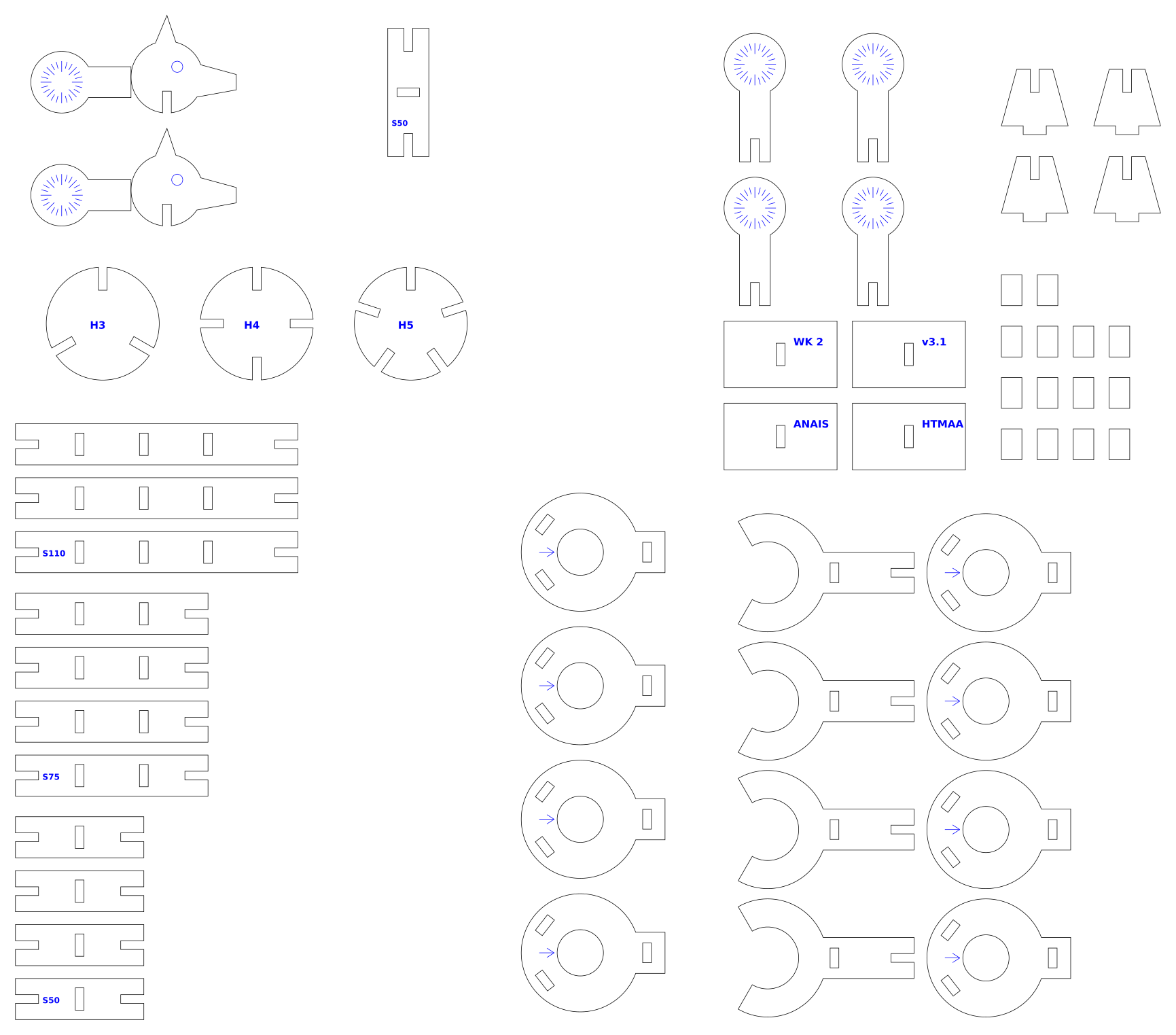
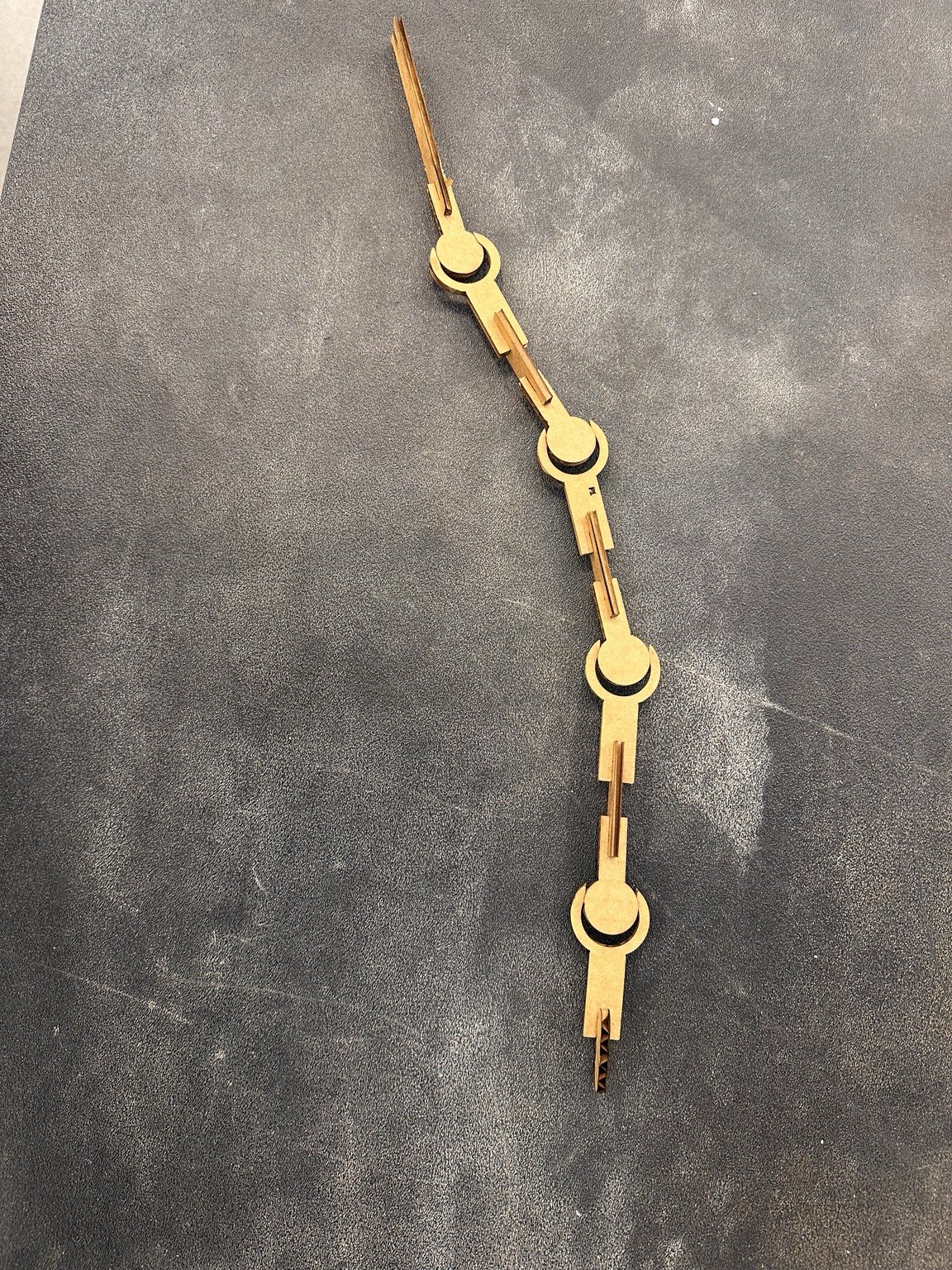
This week was about making a press-fit construction kit with the laser cutter. Since I work on robots that can take different shapes, I thought it would be fun to make a kit that could become several little robot bodies. I designed bars, notched disks, joint disks with angle markings and a clevis joint held together by pins. The parts all come from one Python-generated cut sheet. The important dimension is the slot width, which I calibrated with a test cut rather than assuming it would fit.
Step 1: characterize the kerf
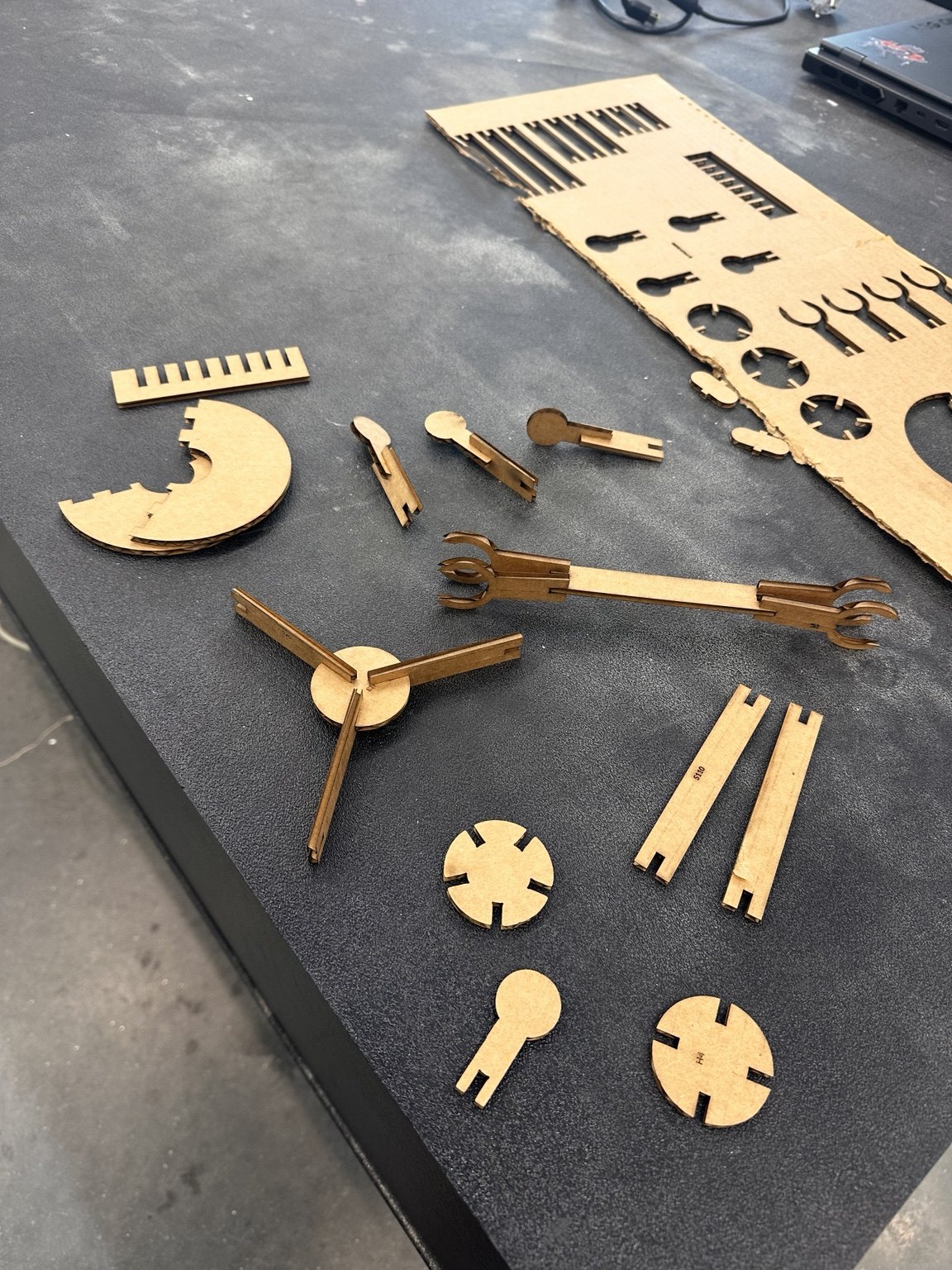
I cut the test comb first and tried fitting a scrap of the same MDF into each slot. The best fit was the 3.4 mm slot for material that measured 3.7 mm with calipers. That suggests about 0.2 mm of kerf plus 0.1 mm of interference. I used those values for the rest of the kit.
# top of kit_v3_1.py
t, k, FIT_PRESS = 3.7, 0.20, -0.10     # measured thickness, kerf, interference
SW = round(t - k + FIT_PRESS, 2)       # = 3.40, the drawn width of every press-fit slot
FIT_RUN = 0.05                         # extra clearance for the parts that must spin
For a different material, measure the thickness, update t, cut a new comb and choose the best-fitting slot. Then adjust FIT_PRESS so SW matches it and regenerate the sheet. There’s no need to edit the SVG manually.
Step 2: the sheet
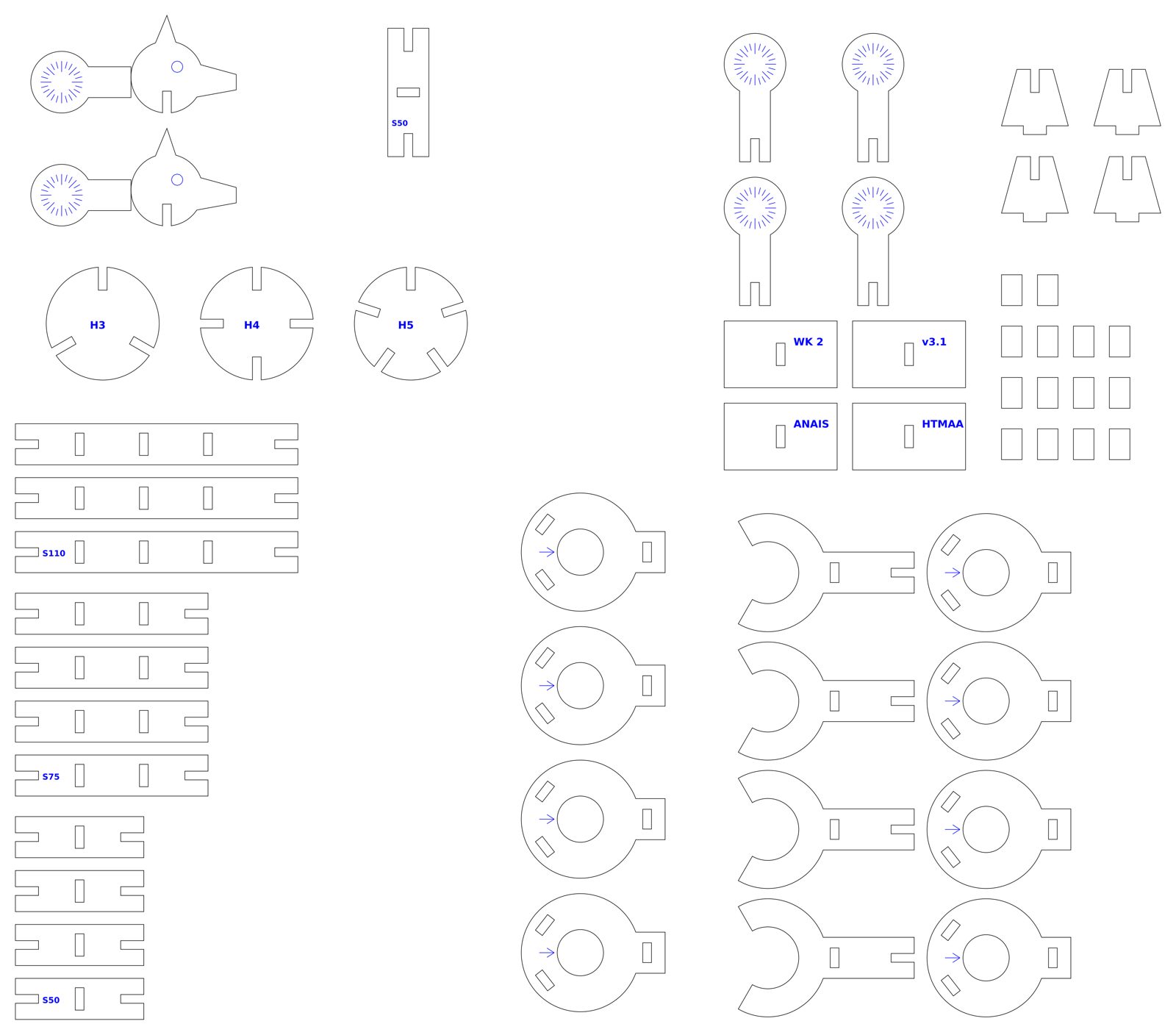
| Part | Qty | What it does |
|---|---|---|
| Bars S50 / S75 / S110 | 4 / 4 / 3 | 16 mm wide struts, 9 mm end slots, mid-bar mortises every 25 mm |
| Cookies H3 / H4 / H5 | 1 each | 44 mm disks with 3, 4 or 5 radial slots; hubs and hip plates |
| Clevis joint | 4 | 1 fork plate + 2 cheeks + pins. The disk is captured between the cheeks; pins clamp it |
| Lollipops | 4 | 24 mm disk on a stem, engraved every 15°. The thing that rotates inside the clevis |
| Pins | 14 | 8×12 mm, press through the cheeks. Push in to lock a pose, back off to spin |
| Heads, feet | 2, 4 | feet are a sole plus a fin tab that mortises into the bar |
Most of the parts connect with perpendicular 9 mm slots. The clevis took more work: its pocket has a radius of 12.05 mm (12 mm for the disk plus FIT_RUN), and the opening is a 120° wedge so the joint has room to swing. I initially thought the smaller opening I'd drawn would allow about 35° of movement. Once I checked the cut geometry, it turned out to be closer to 12°. I widened it before cutting the revised version.
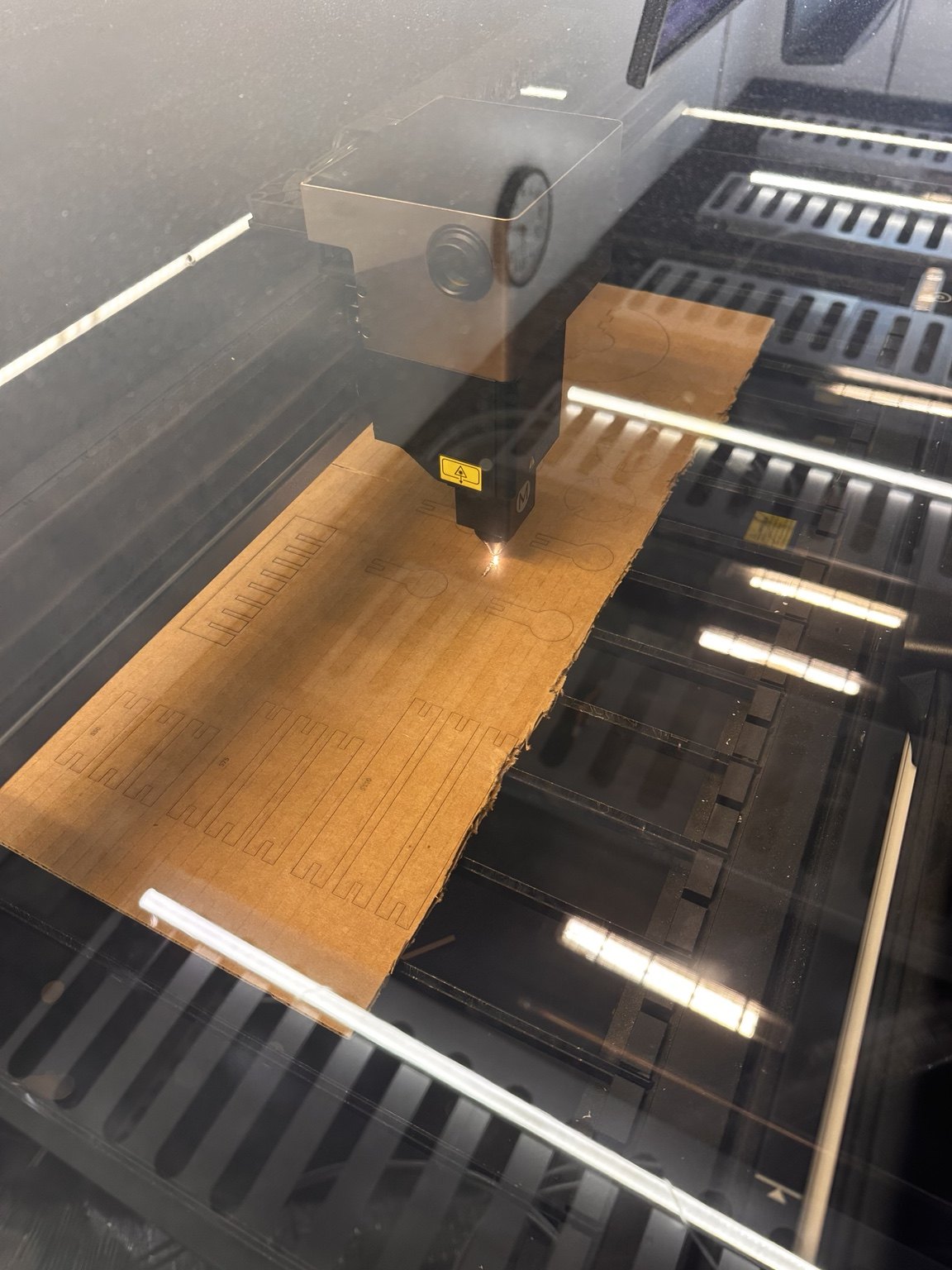
Cut settings
| Machine | xTool laser in the CBA shop |
|---|---|
| Material | 3.7 mm MDF (prototype: single-wall cardboard) |
| File | kit_v3_1.svg, 1:1, mm units. Black 0.2 mm strokes = cut. Blue = engrave (lines and filled labels) |
| Cut layer | power / speed / passes as used on the shop xTool, fill in |
| Engrave layer | power / speed, fill in. All text is outlines, not fonts, because the driver dropped fonts |
| Order | engrave first, then inner cuts, then outer cuts, so parts do not shift before their ticks are done |
Step 3: where it broke, and the fix
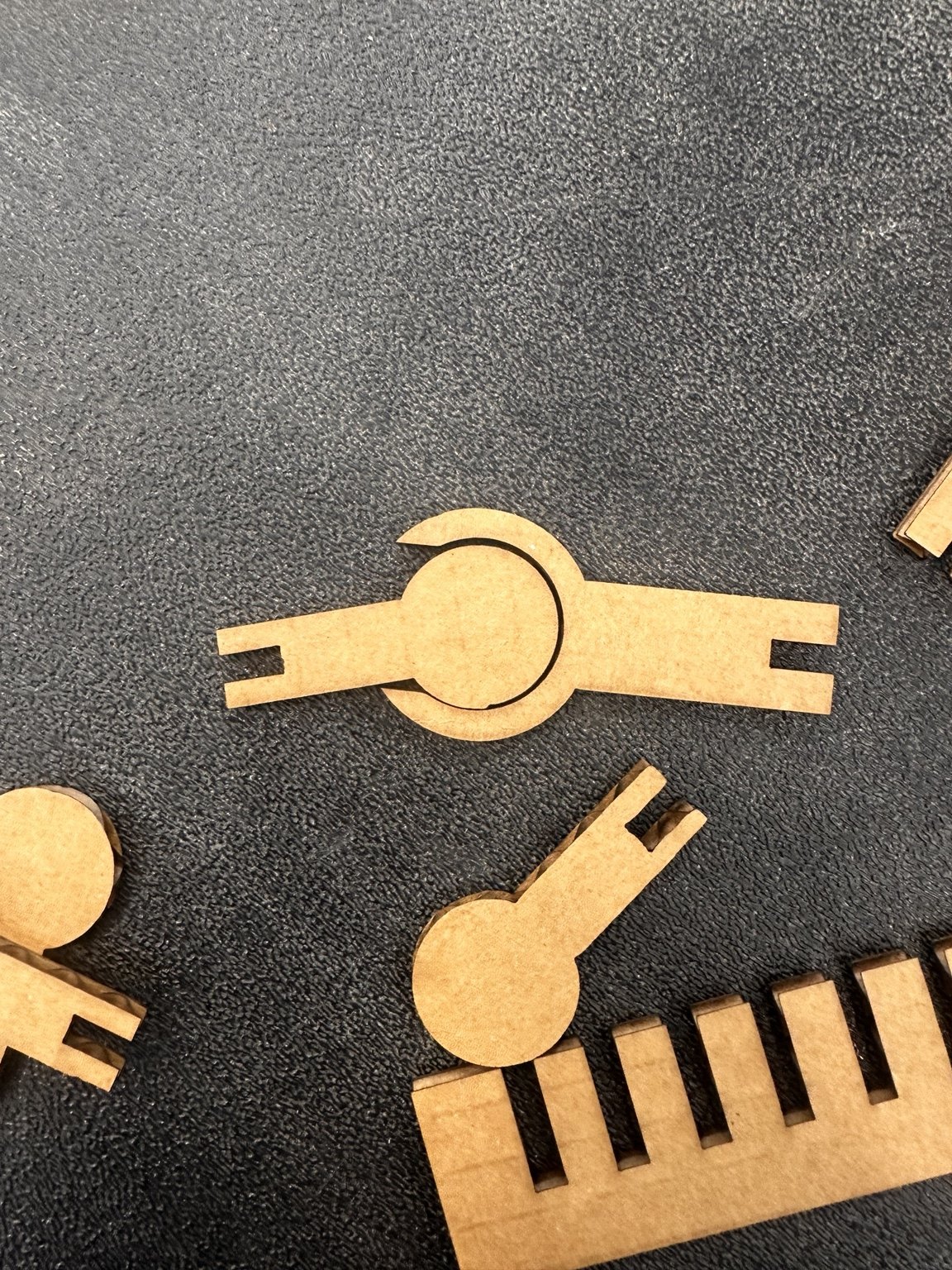
My first joints used a snap fit: push the disk through a narrow opening and it clicks into a round pocket. That was fine in cardboard, but MDF doesn't flex in the same way. The disk didn't stay put. I changed it to a three-layer clevis, with the disk held between two cheek plates and press-fit pins keeping everything together. That's the v3.1 design in the files.
Step 4: build the quadruped
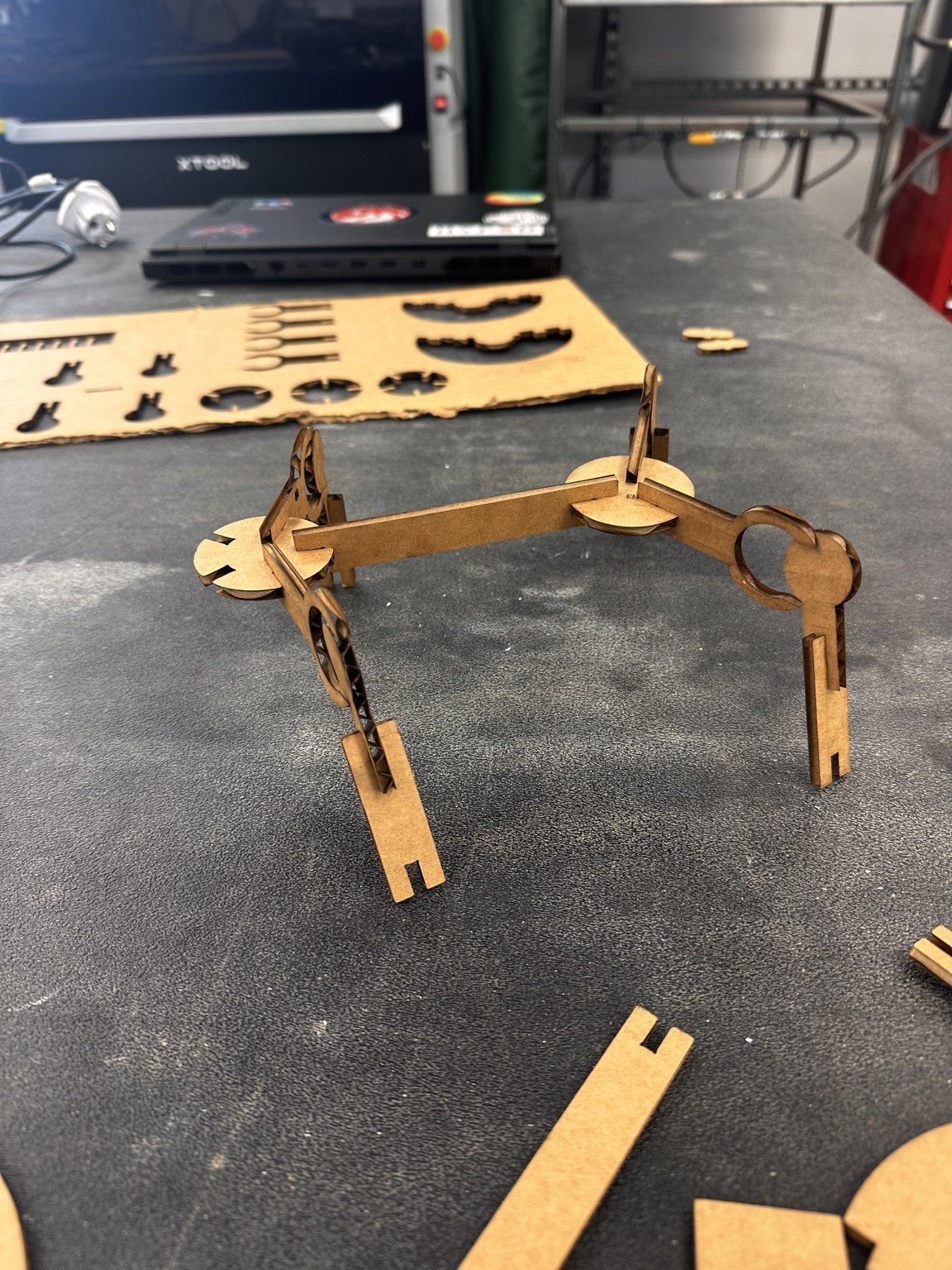
| Step | Do this |
|---|---|
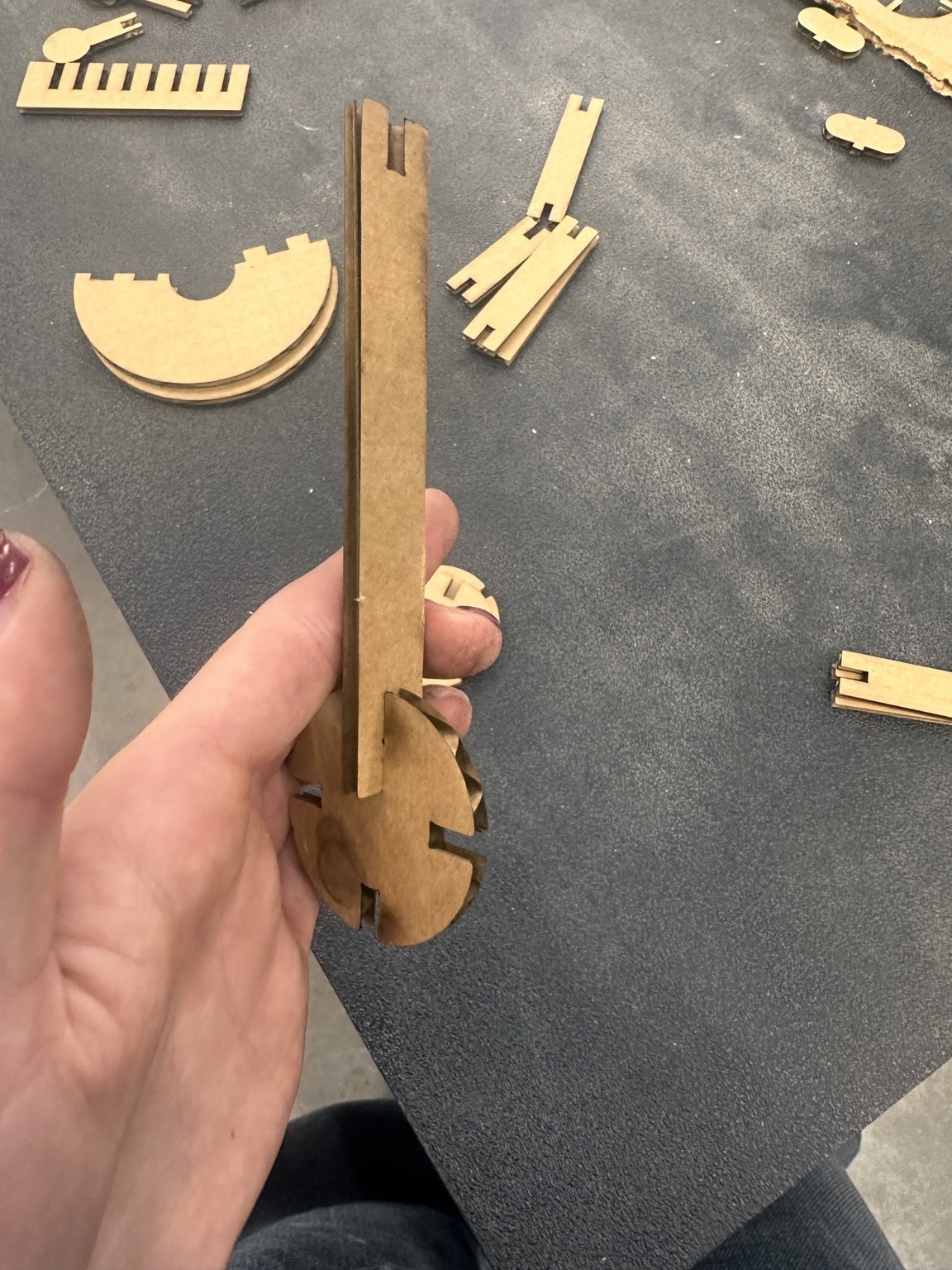
| 1 | Build 4 clevises: cheek, fork plate, lollipop in the pocket, second cheek, then 3 pins through the stack. Leave pins loose for now. |
| 2 | S50 bar end slot onto each lollipop stem, ×4. These are the legs. |
| 3 | Foot on each leg: fin tab through the sole, leg bar into the fin slit. |
| 4 | Chassis: S110 on edge, H4 cookie on the front end slot, H5 on the rear, cookies flat. |
| 5 | Hips: each clevis tail slot up into a cookie side notch, mouth facing down. Two per cookie, one each side. |
| 6 | Set all four lollipops to the same tick, stand it up, then splay to pose. Push the pins home to lock. |
| 7 | Neck: spare S50 upright in the front notch; head slit onto its top. |
The first quadruped had all four hips attached to one central bar, which left the legs almost in a single plane. Its stance was only about 1 cm wide. Using the round disks ('cookies') as hip plates spread the legs to about 13 cm, and the robot could stand much more reliably.
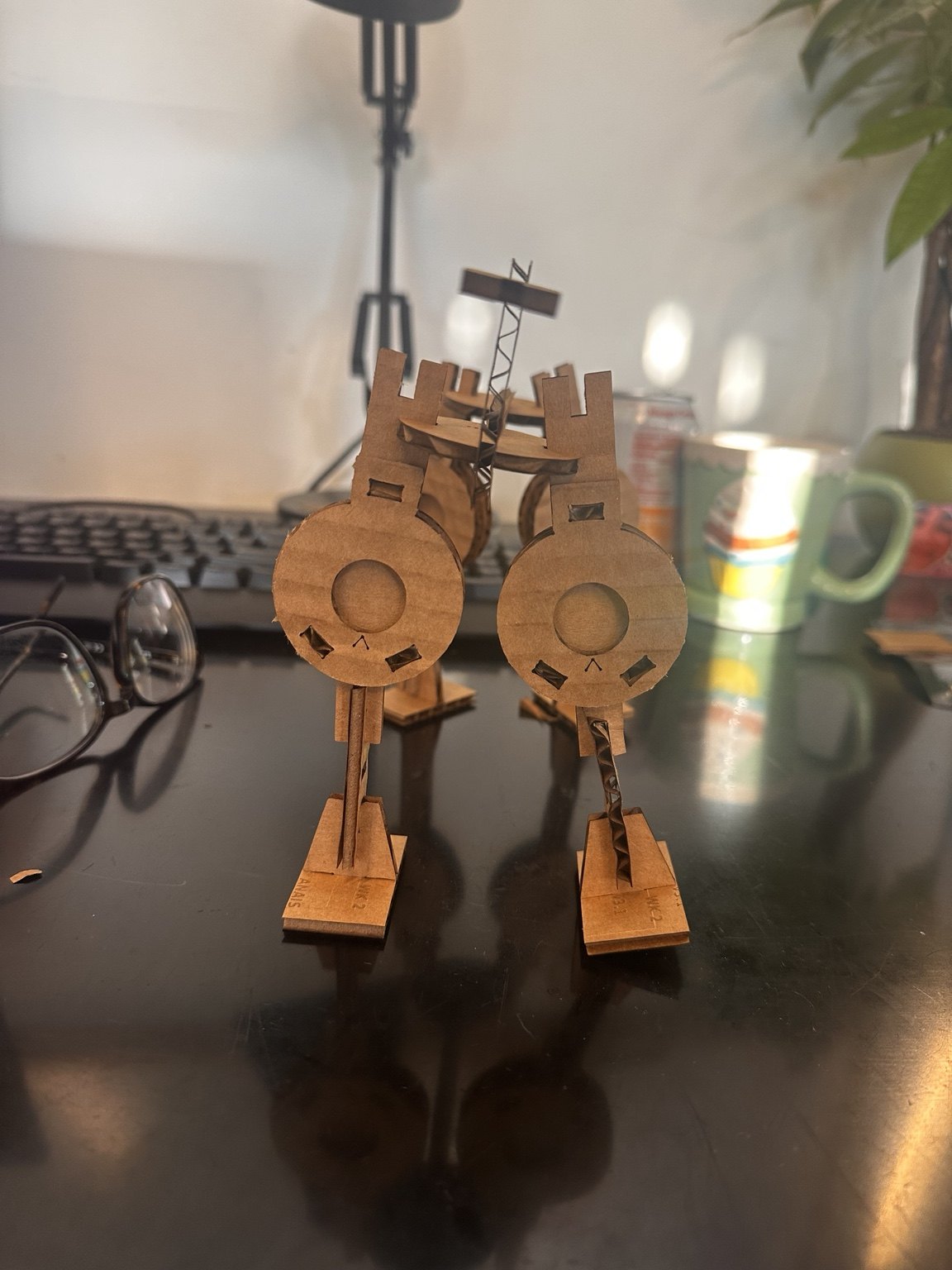
Same parts, other animals
Vinyl: a mission patch
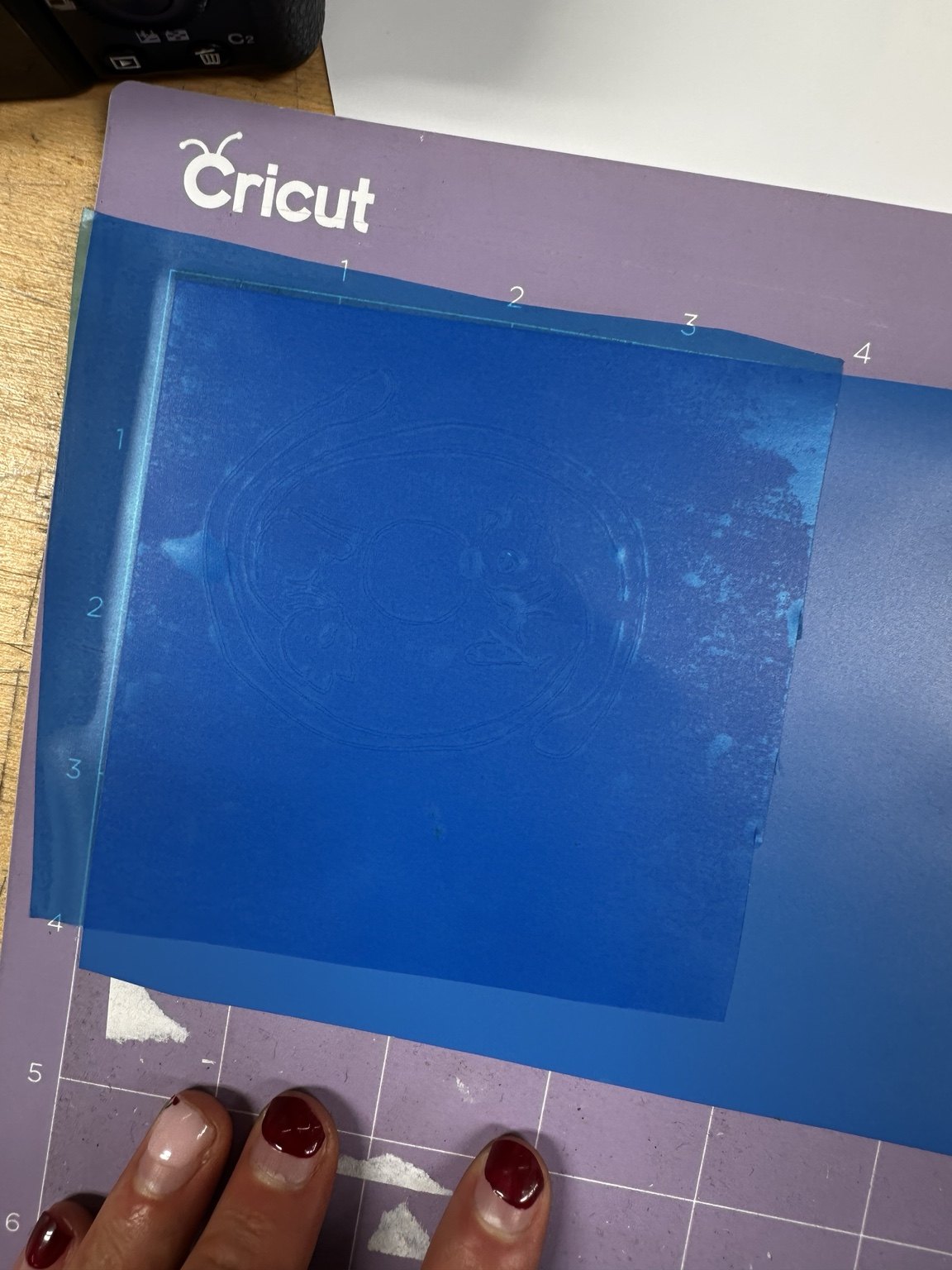
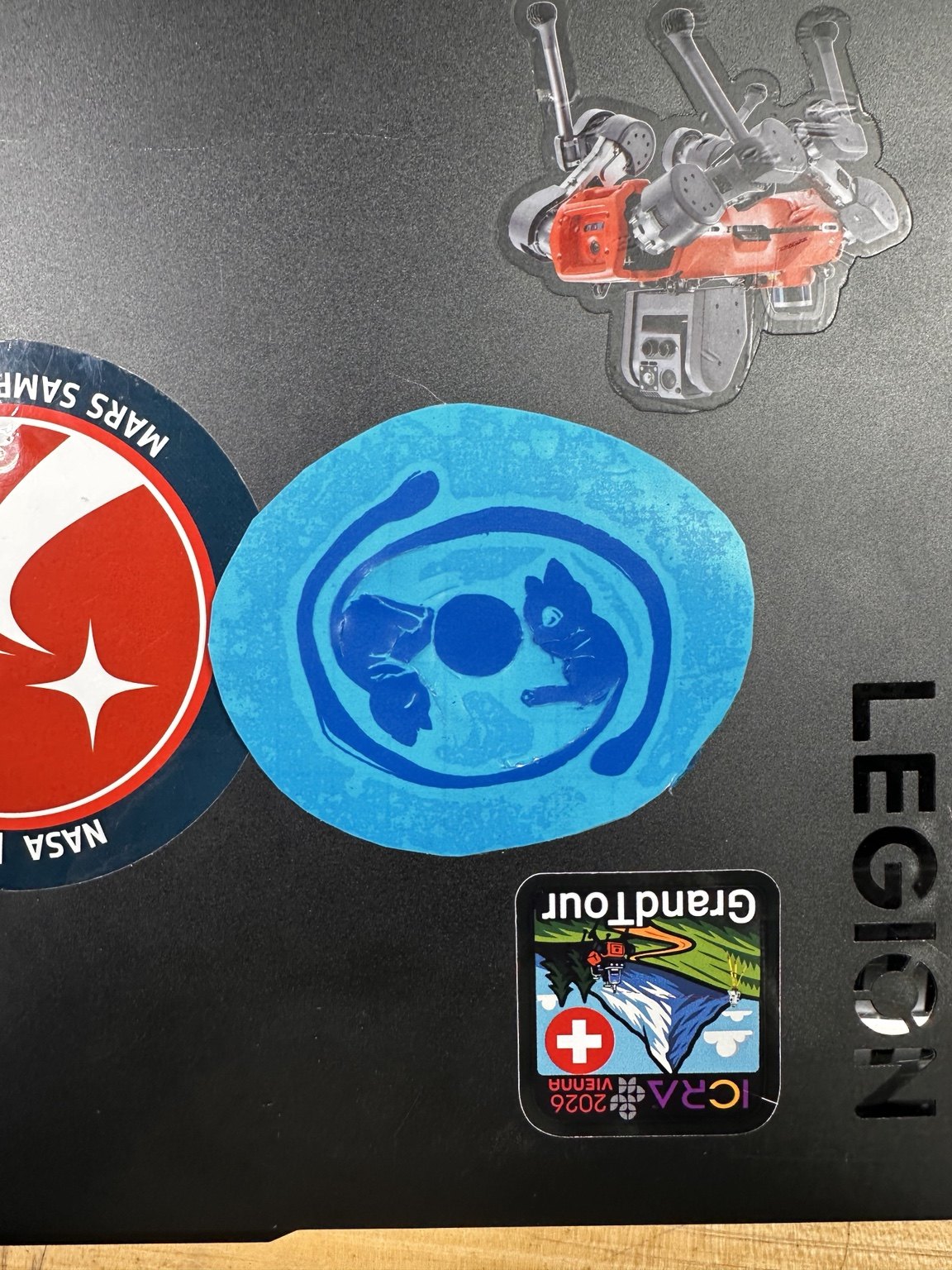
I also used the vinyl cutter for a sticker based on a drawing I already had: two Mews curled around the moon, combining my favourite Pokémon with To the Moon, one of my favourite games. I cut it in two layers and put it with my NASA and ICRA stickers.
| Step | Do this |
|---|---|
| 1 | Photograph the drawing flat, trace the outline and the inner shapes as two vector layers (light blue, dark blue). |
| 2 | Cricut, standard vinyl setting, one sheet per color, roughly 60 mm wide. |
| 3 | Weed each layer with tweezers. The faces are the fiddly part; go slow. |
| 4 | Transfer tape on the dark layer, align over the light layer using the moon as the register mark, burnish, peel. |
Reproduce it
pip install shapely
python3 kit_v3_1.py        # writes kit_v3_1.svg and prints the part inventory
python3 quad_steps.py      # regenerates the 7-step, 4-view build figure (needs trimesh, pyrender)

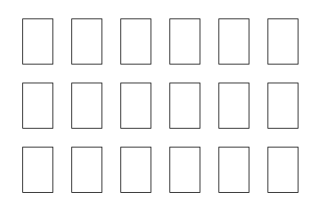
# If you ran out of pins (I did), this cuts 18 spares on an 84×57 mm offcut:
#   pins_only.svg
To remake the kit, measure the sheet, cut the comb, choose the slot and set t and FIT_PRESS before regenerating the SVG. If the joints don’t rotate, try increasing FIT_RUN to 0.10 and recut the fork plates. If the pins are loose, try making FIT_PRESS 0.05 more negative.
Files
| kit_v3_1.py | the generator, every dimension a variable |
| kit_v3_1.svg | the cut sheet as cut, 458×403 mm, for 3.7 mm MDF |
| pins_only.svg | 18 spare pins |
| quad_steps.py | renders the build steps from the kit geometry |