
Seeing the workspace from the wrist
For this CAD assignment, I used an existing camera-mount project to study how to modify a part while preserving its interfaces. The Seeed-derived mount held the RealSense D405 at roughly 15° downward, but I wanted a better view of the gripper and the nearby workspace. The challenge was to change the camera pose while keeping the existing wrist interface, camera retention surfaces and USB access.
The CAD work focuses on three operations: repositioning the camera cradle, connecting it back to the mounting base, and correcting the screw-hole alignment.
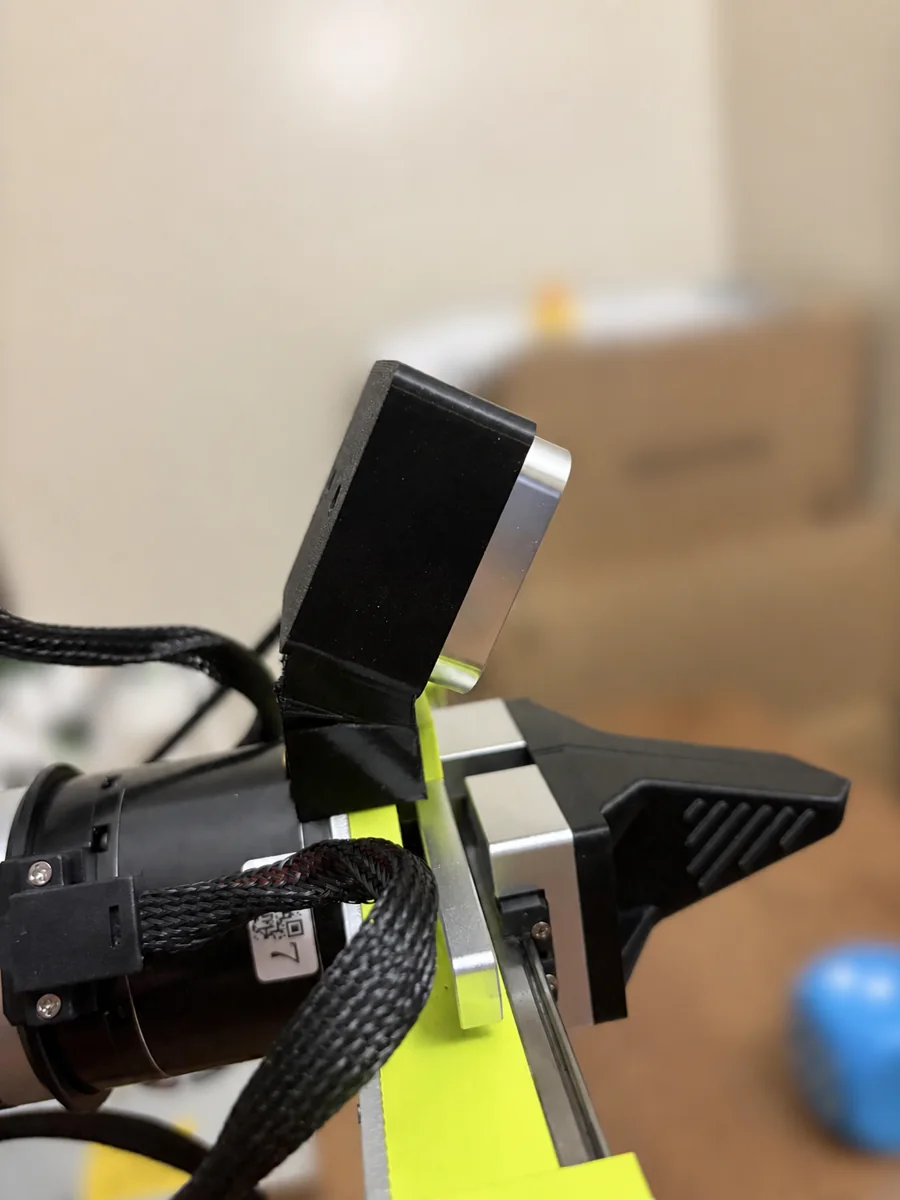
Keep the interfaces, change the pose
I started from Seeed’s D405_305_Mount.step, retaining the complete camera cradle and wrist mounting interface. I checked the physical fit on the B601-RS.
The camera seat, side and top wraps, bottom ledge, backplate, screw holes and USB opening need to move together. Moving only the backplate would leave the screw axes inconsistent with the surfaces supporting the camera. The CAD workflow therefore extracts the full cradle and applies a rigid transformation without mirroring it.
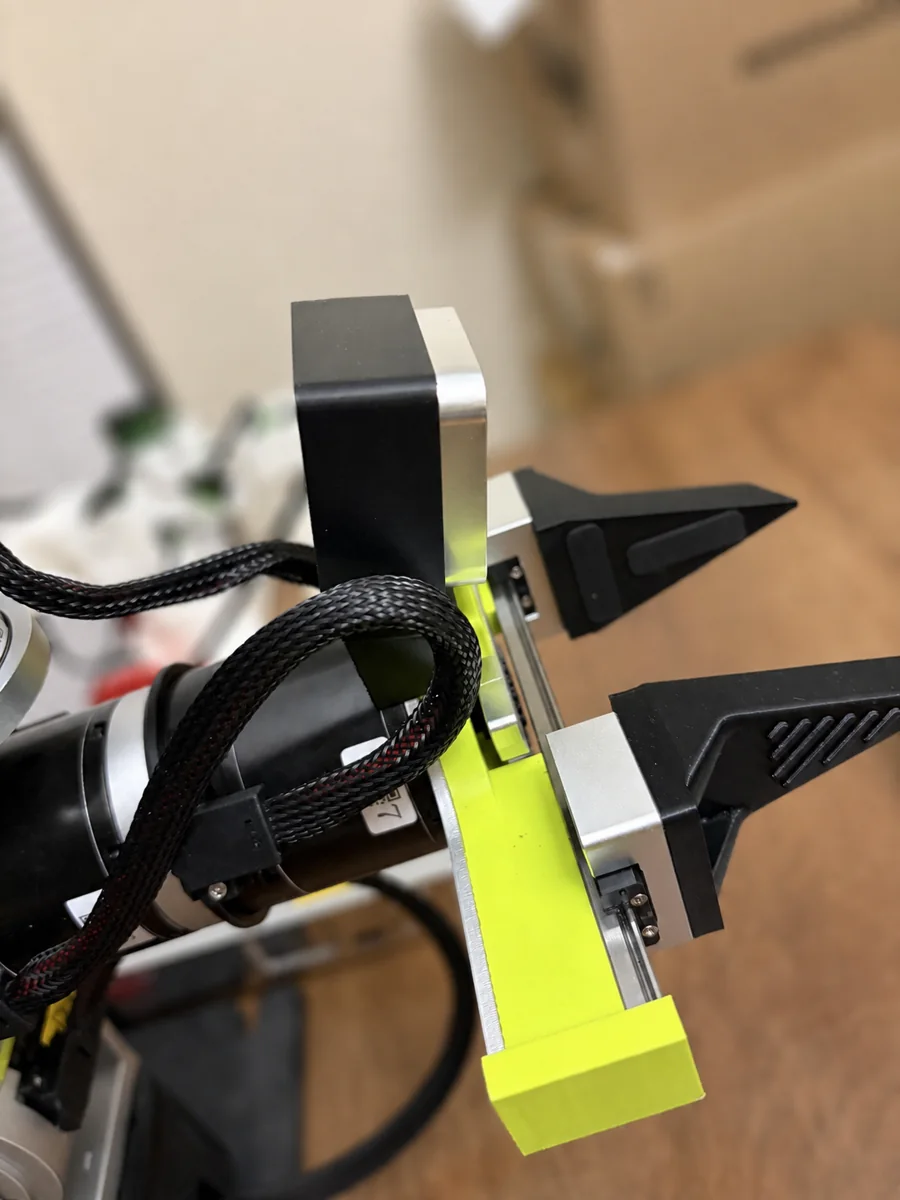
Three parameters with different jobs
- 30° downward pitch
- Bring more of the near workspace into view while respecting camera clearance and working distance.
- 9 mm lateral shift
- Align the left imager’s optical reference with the gripper centerline, rather than centering the camera housing. The 18 mm stereo baseline puts that reference 9 mm from the midpoint; with the original handedness, the cradle translation is −9 mm in CAD X.
- 6 mm lift
- Recover clearance as the camera tilts downward. Pitch alone moves the lower-front camera corner toward the green gripper structure.
These choices solve separate problems. The camera can look mechanically centered while its optical reference remains offset. Likewise, a more downward-looking view is not useful if it crowds the gripper or places the target too close for the intended depth range.
I used the camera’s mechanical drawing and optical reference to define the constraints before changing the geometry.
Why I stopped at 30°
A MuJoCo sweep tested 20°–36° in 1° increments at the fixed mount location. The screening constraints were approximately 9 mm minimum camera-to-green-part clearance, based on the stock baseline, and at least 70 mm from the optical reference to a TCP proxy.
| Pitch | Clearance | Optical–TCP distance | Decision |
|---|---|---|---|
| 29° | 9.53 mm | 70.8 mm | Feasible |
| 30° | 9.12 mm | 70.2 mm | Selected |
| 31° | 8.71 mm | 69.6 mm | Outside both limits |
30° was the largest integer angle satisfying both limits in that model. Interpolating to about 30.3° would imply more precision than the print, seating and camera model support.
Building a continuous part
The transformed cradle reconnects to the retained base through a solid lofted transition. This fills the side notch and gives the two regions a substantial overlapping load path instead of connecting them with a thin skin.
The reproducible CAD checks cover one valid STEP solid, a connected closed manifold STL, open screw passages, preserved handedness, a 20.000 mm camera screw-axis spacing and no new adapter intersection with the modeled D405 envelope. The revised solid is about 32.48 cm³.
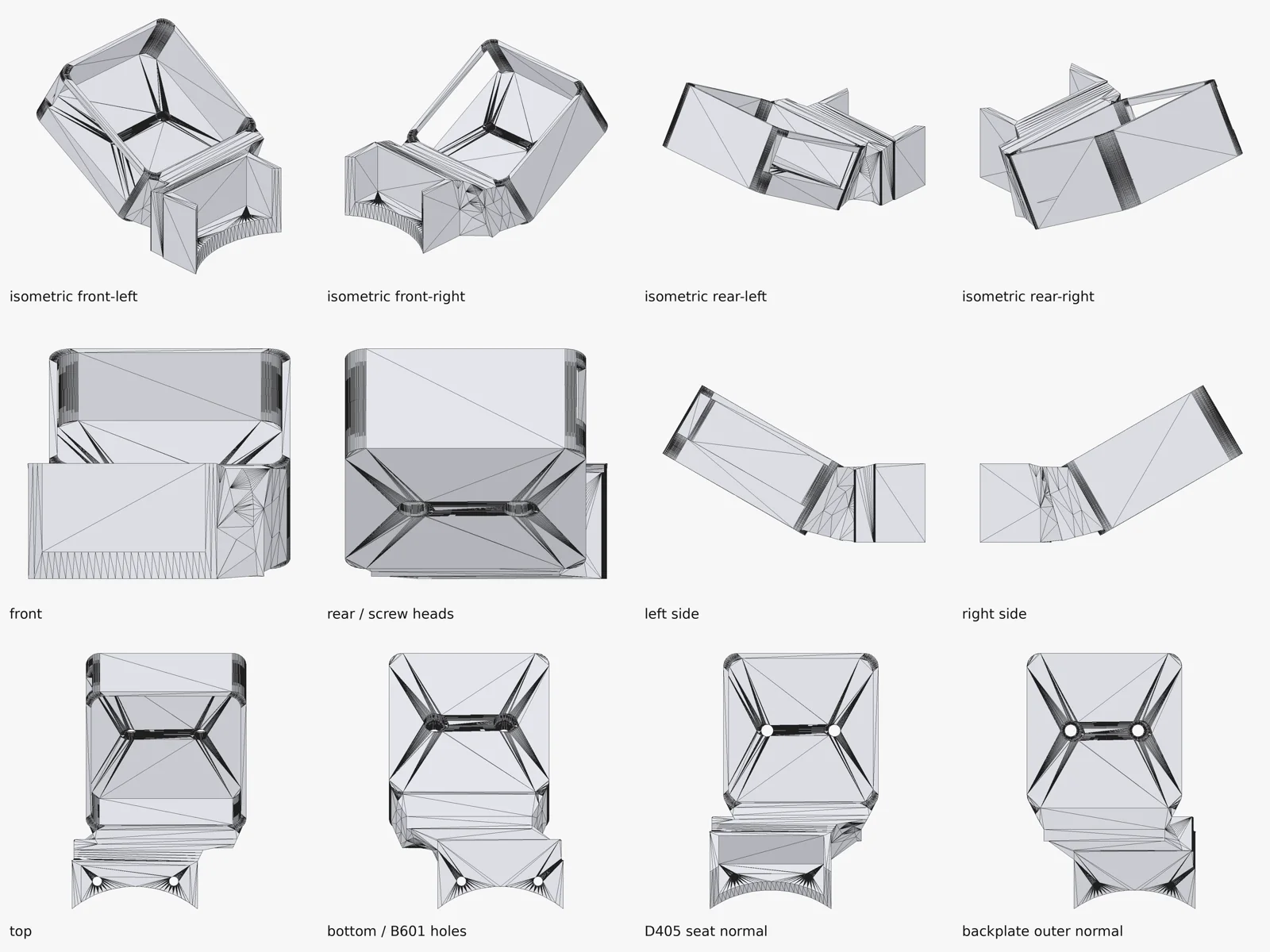
A 1 mm error that installation exposed
The installed 30° version inherited an offset in the source STEP: the midpoint of the rear screw pair was 1.000 mm away from the cradle center. Clearance in the printed holes allowed assembly, but successful assembly did not mean the nominal axes were correct.
The revised model fills the inherited passages and recuts the pair 1.000 mm toward the correct center. It keeps the exact 20.000 mm spacing, using 3.6 mm through holes and 6.0 mm counterbores. The camera contains the M3 threads; the printed backplate provides clearance and clamping.
The corrected model passes the export-level geometry checks. Next, I will print it and measure the screw centering.
Checking the CAD against the physical part
A printed part let me check the designed seating surfaces, screw passages and access to the connector against the actual assembly.
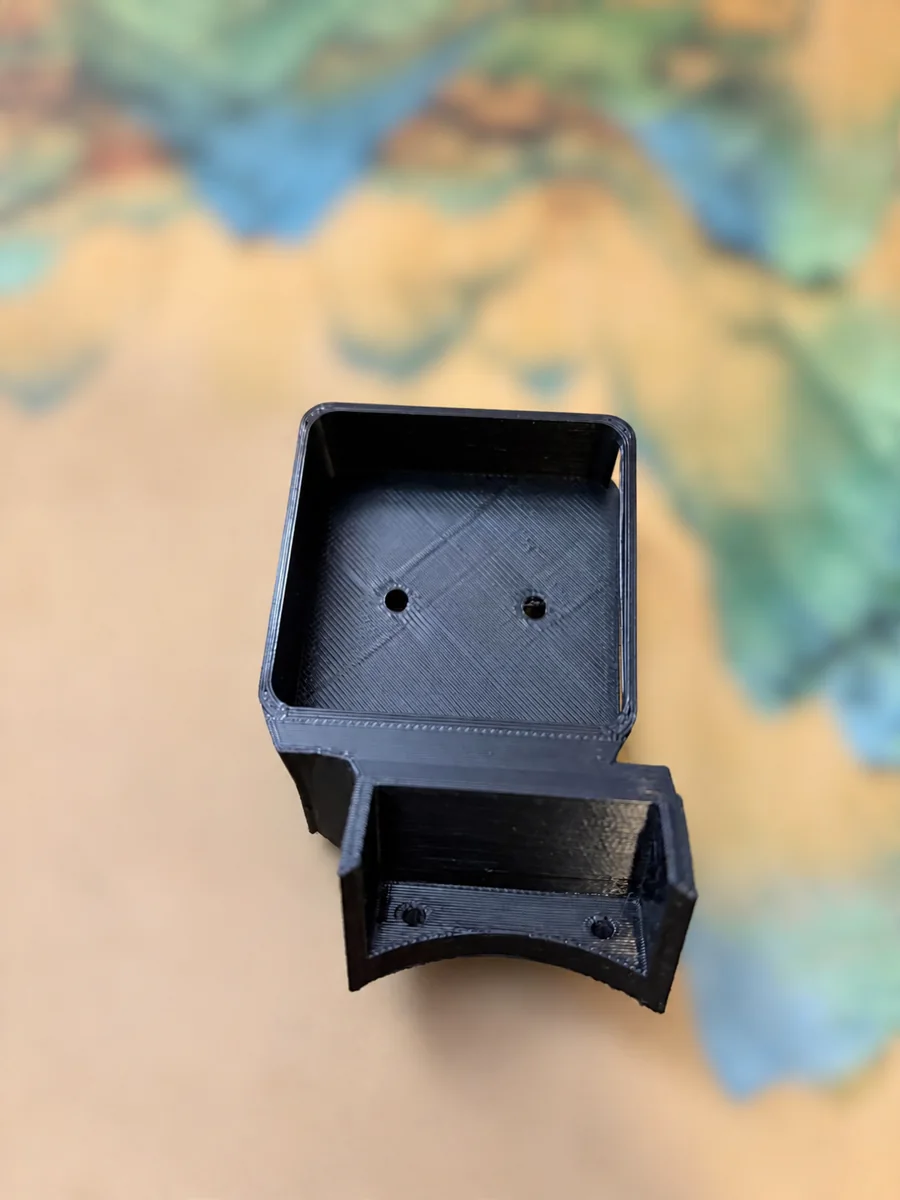
The physical record confirms that the camera seated in the cradle, the camera and wrist screws assembled, USB-C remained accessible, and the mount did not block the front imagers.
Checking the intended viewing direction
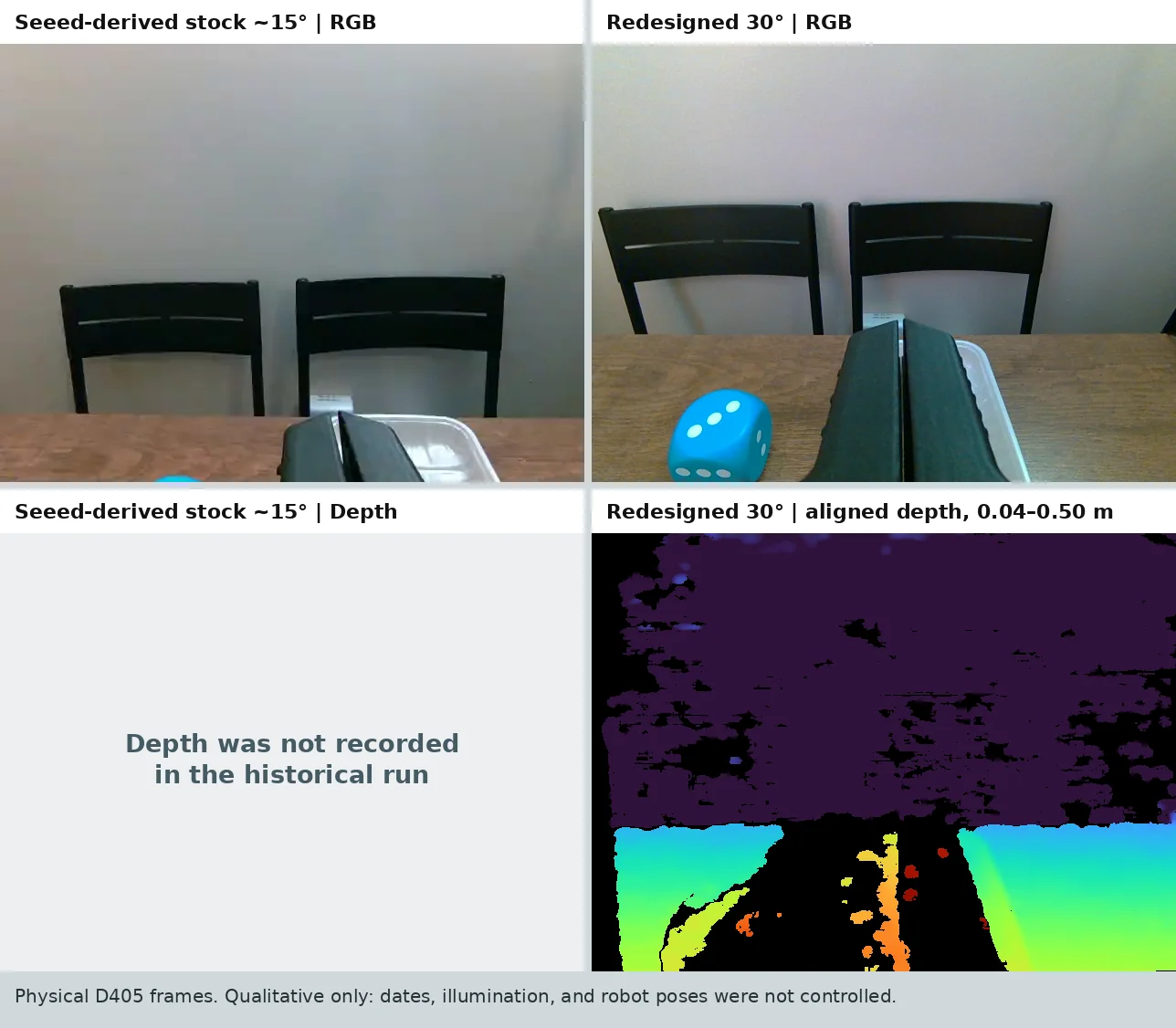
The redesigned view places the gripper nearer the image center and includes more of the nearby workspace, including the blue cube. The frames were captured on different dates, with different lighting and robot poses.
What I learned from the CAD iteration
Separating the retained interfaces from the adjustable camera pose made the model easier to revise. STEP preserved the solid geometry for editing; STL provided a mesh export whose closure and connectivity could be checked before printing.
The main lesson was to check optical reference, mechanical fit and software geometry separately. A plausible CAD view did not reveal the inherited hole offset, and an assembled part did not eliminate it. Next checks include repeat manufacture of the corrected geometry and calibration of the installed camera extrinsics.