[September 20, 2026]#
Inspiration#
For my final project, I’m drawing inspiration from: 1) growing up (and loving) video games; 2) my interest in the survival-horror genre (which also inspired my website theme and design); and, 3) my interest in analog media and what I learned in Hiroshi Ishii’s TeleAbsence class.
Through HTMAA 2026, I’m looking to learn fabrication to bring an iconic artifact from one of my favorite games, Resident Evil , out of the digital realm and into the physical world.
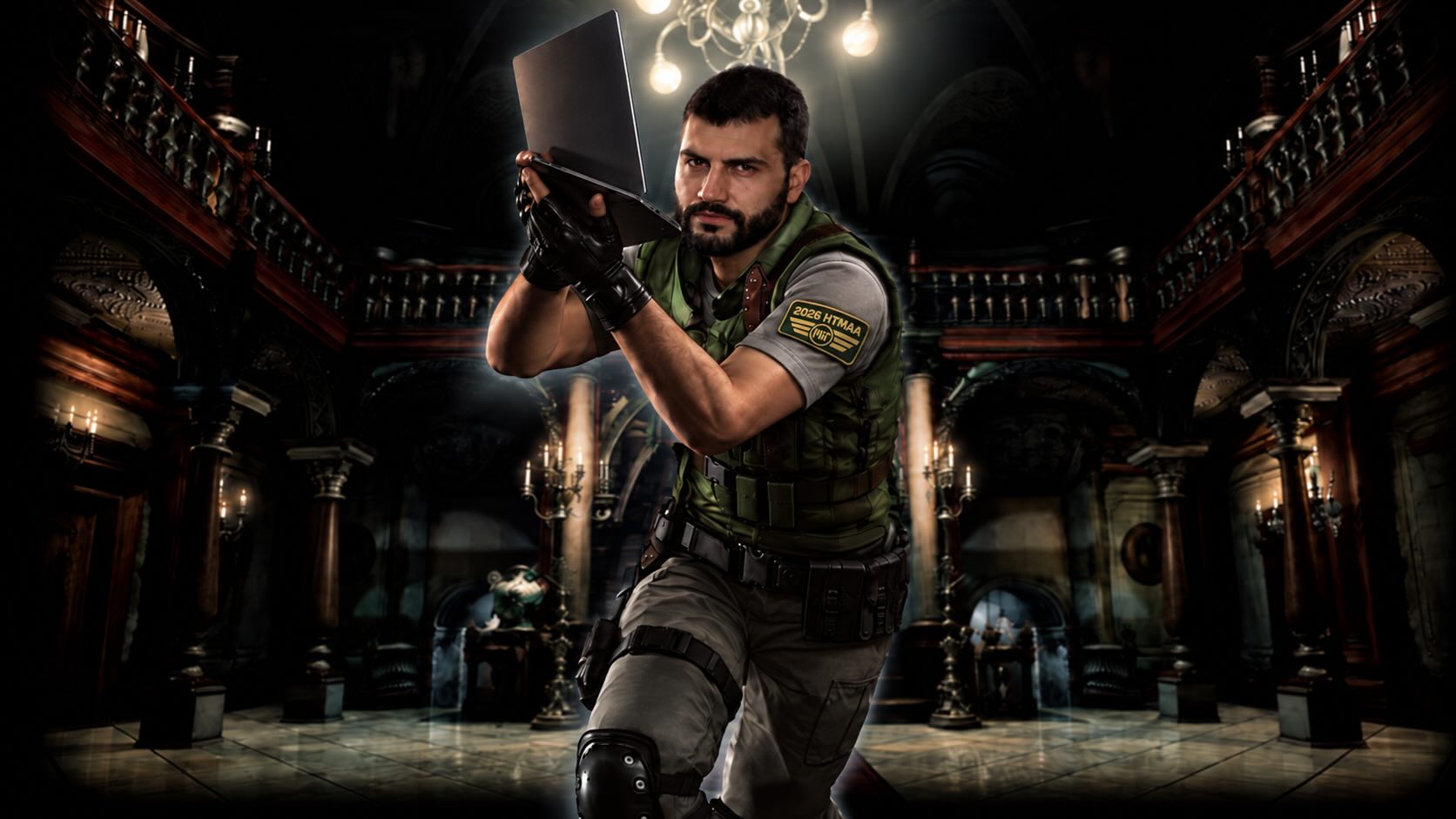
When doing major projects requiring intense focus, I routinely listen to ambient video game soundtracks. And my all-time best is “Safe Haven,” the save room melody from the Resident Evil remake.
Safe Haven — Ambiance*
The save room holds special significance for fans of the series like me. In a horror game that throws you into a terrifying, puzzle-filled mansion surrounded by the sounds of thunder and zombies, the save room provides a much-needed soothing melody and a temporary sanctuary where you can save your game, gather your resources (and your thoughts) before stepping back out to survive against all odds.
The central artifact of the save room is the typewriter. If you find an ink ribbon, which are scarce, you can stamp and save your progress and live to see another day. If you fail to save, you risk losing everything if you’re killed and have to live through the horror all over again.
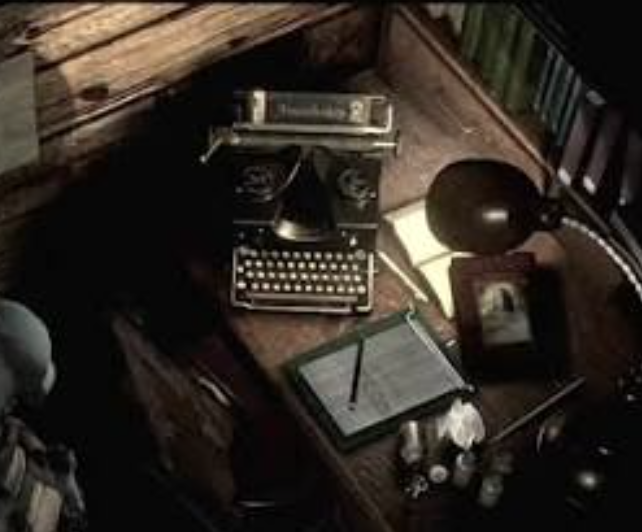
Similarly, when I tackle daunting academic projects, I like to recreate that save room atmosphere to focus with ambiance music, using my workspace as a sanctuary where I can ground myself and immerse in and tackle my work.
Concept#
I’d like to bring the typewriter feeling of a save haven to life to turn fleeting and emotional states of our memories into something material.
What I’m thinking is repurposing/retrofitting a typewriter from the 80s to turn it into a self-writing one, triggered when I place an ink ribbon into a sensor (potentially RFID connected). When placed, the typewriter plays the melody for a minute and is then voice activated to allow recording of thoughts. Inside the typewriter, a raspberry pi with a local LLM could summarize the thoughts into less than 100 words that the typewriter physically stamps onto paper.
An example of an output could be:
Date: September 20, 2026 – 4:56 PM
Status: Checkpoint reached
Log: I hope to survive this crazy last week of the semester;
lots of projects but feeling motivated and ready.
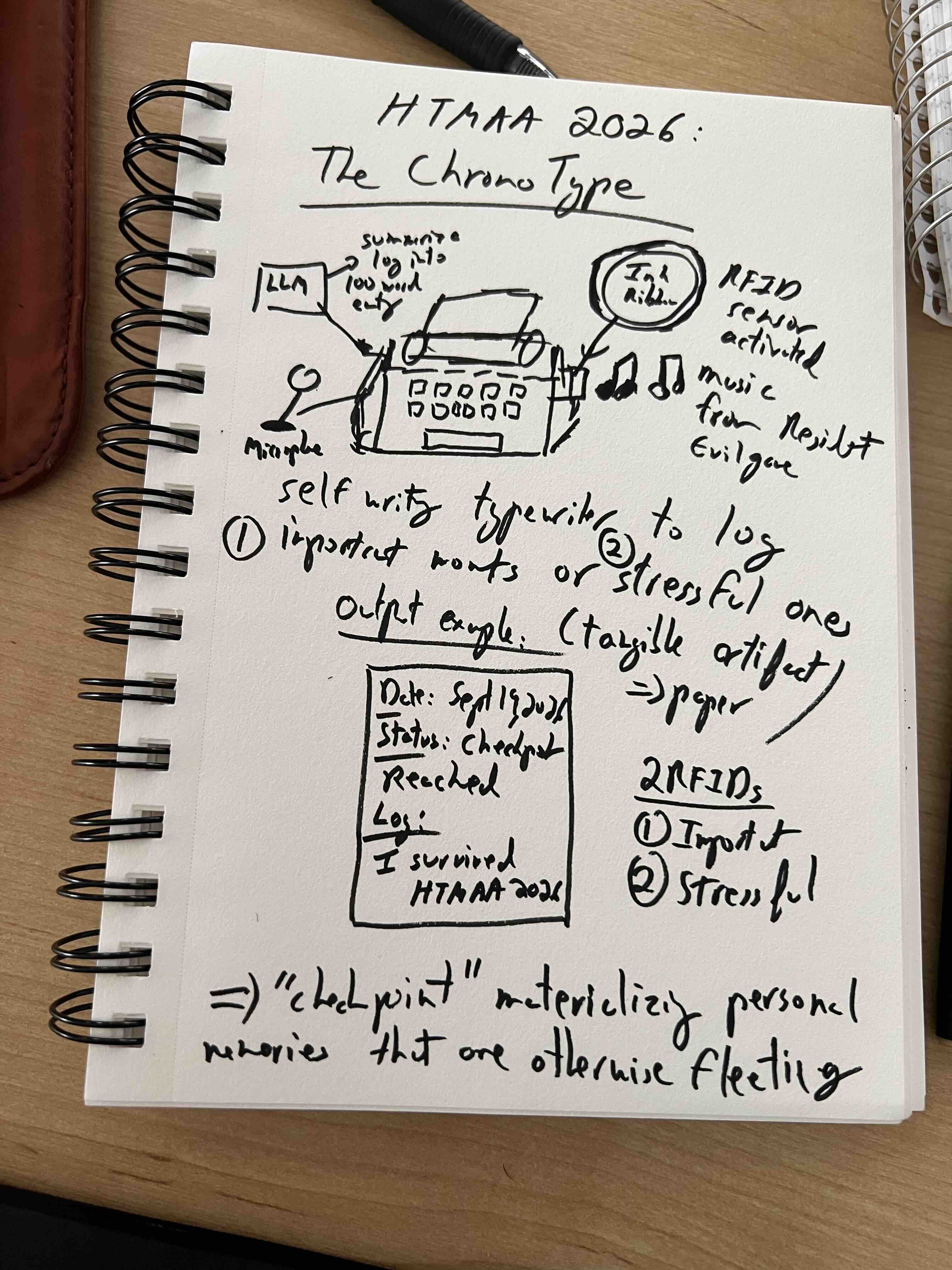
This connects with the idea of surviving challenges like in the survival-horror save point: this edge AI connected and powered typewriter isn’t just a recording tool but a sanctuary when navigating overwhelming high-paced environments and intense workloads. It forces a deliberate pause and reflection and connects with the concept of slow technology .
For now, I am calling it The ChronoType: in other words to mark the time and one’s memories on paper (as well as paying tribute to Chrono Trigger, my favourite game of all time that I discovered at age 10 about time travel, empowerment, and changing an apocalyptic future by making friends along the way).
Plan#
My good friend Alexandros who took the class last year highly recommended to have a final project early in mind and to use the weekly assignments as a way to make progress.
I'm not sure how realistic my project will be and what technology is available (and whether I have the skillset to build it). However, I'm a big believer in vision-driven design: if you have a strong vision for a project or product, you can figure out the technical steps (I'll know by the end of the mission whether I regret this!). That's why I spent (a bit too much) time thinking and landing on a concept that carries deep personal significance for me as well as having an important function.
With Gemini, I began to brainstorm on how to think about how each week of the HTMAA could allow me to advance on the project and to do a preliminary visual representation of how this artefact could look like.
| Week | Focus | Preliminary Plan |
|---|---|---|
| 1 | Introduction & Computer-Aided Design | Identify, sketch and plan potential final project: The Chronotype CAD: Sketch and render a preliminary shell of how the ink ribbon could look like |
| 2 | Project Management & Computer-Controlled Cutting | Set-up git repo and website: inspired by the survival horror genre CCC: Design sticker with the words Ink ribbon on it |
| 3 | Embedded Programming & Electronics | Write a program a controller board that connects to the typewriter that allow it to self-type |
| 4 | 3D Scanning & Printing | 3D print the ink ribbon prop with a hollow internal cavity to hold the RFID |
| 5 | Electronics Design & EDA | Learn to use circuit design software that connects my microcontroller to the typewriter's internal wires |
| 6 | Electronics Production & Debugging | Learn to solder the electronic chips of my circuit board onto the typewriter |
| 7 | Computer-Controlled Machining & CAM | Build attachments/enclosures to the typewriter – including for the ink ribbon placement, the microphone and sound system |
| 8 | Input Devices & Edge AI | Raspberry pi installed with a local LLM function and having the RFID scanner connected so it can detect when the ink ribbon is placed |
| 9 | Output Devices & Motion Control | Have the artefact programmed and playing the melody |
| 10 | Wildcard Week, Molding & Casting | TBD |
| 11 | Mechanical & Machine Design | Making adjustments to the machine mechanisms to automate processes |
| 12 | Networking, Communications & Interface Programming | Ensuring communication from typewriter onto the other devices (e.g., wifi) |
| 13 | System Integration | Assembling components and performing end-to-end testing from the ink ribbon placement to the physical printed output |
[October 5, 2026]#
1-month status check#
During the month of September, I developed my final project idea further by using the weekly assignments to experiment and test potential functions that could form part of The ChronoType module.
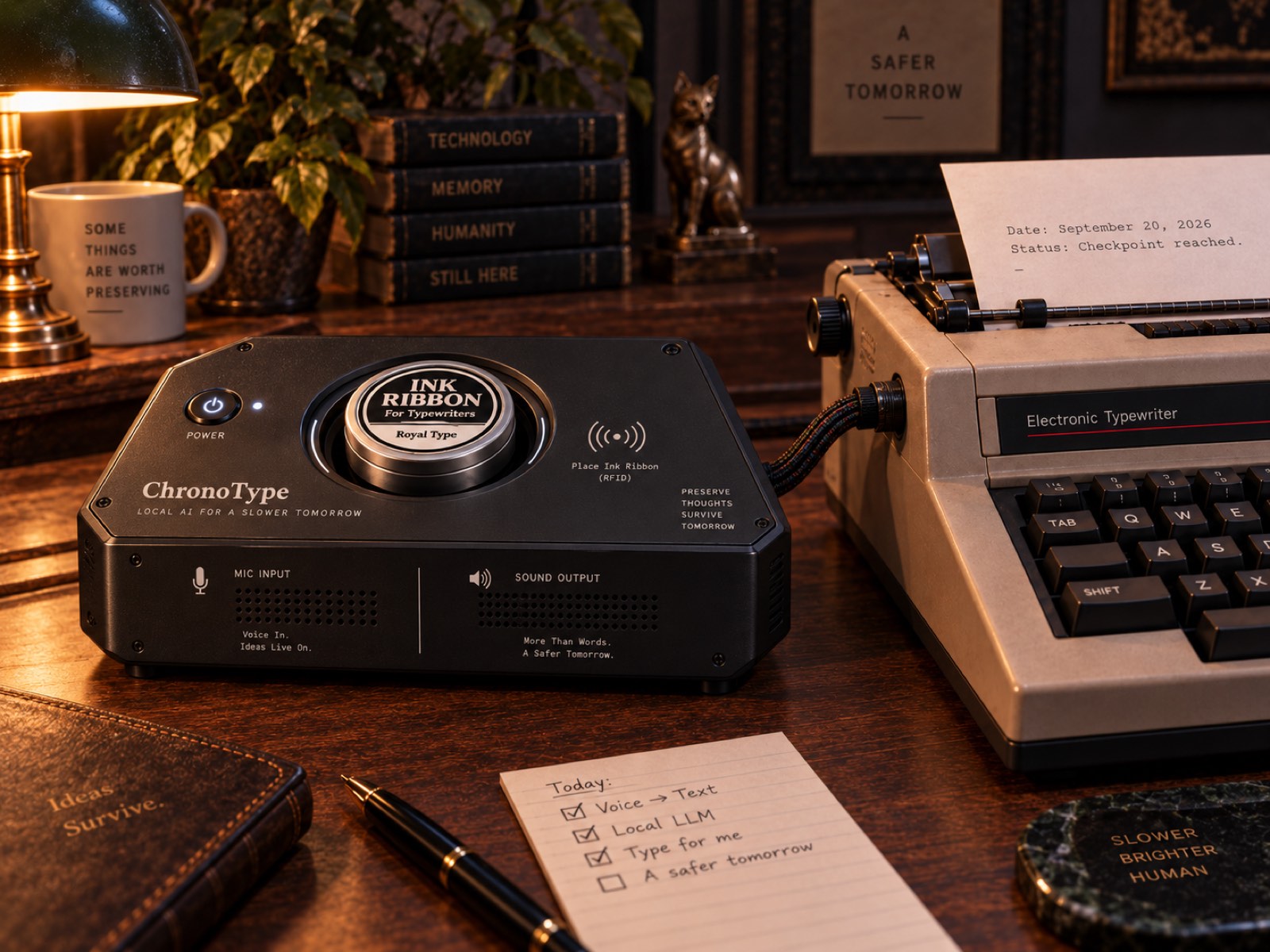
I also did more research on the best vintage typewriter model that could work well with what I had in mind for The ChronoType.
Originally, I was considering the old-fashioned Royal Typewriter model faithful to the video game where a rusty non-working version could easily go for $200-300+ on Ebay.
In addition to being pricey, getting this kind of typewriter meant having to install solenoid actuators on every single key, making it impractical while causing long-term reliability issues (I do intend to use it and displayed in my living room and having a machine that requires regular maintenance is not what I have in mind).
My goal was instead to create and focus my efforts on a module that could attach to the typewriter itself for the writing, and having an edge AI running locally and directing the typing.
I discovered that some typewriters in the 80s, like the Brother daisy-wheel electronic typewriters, began to have optional connections to early computers through built-in serial or parallel expansion capabilities.
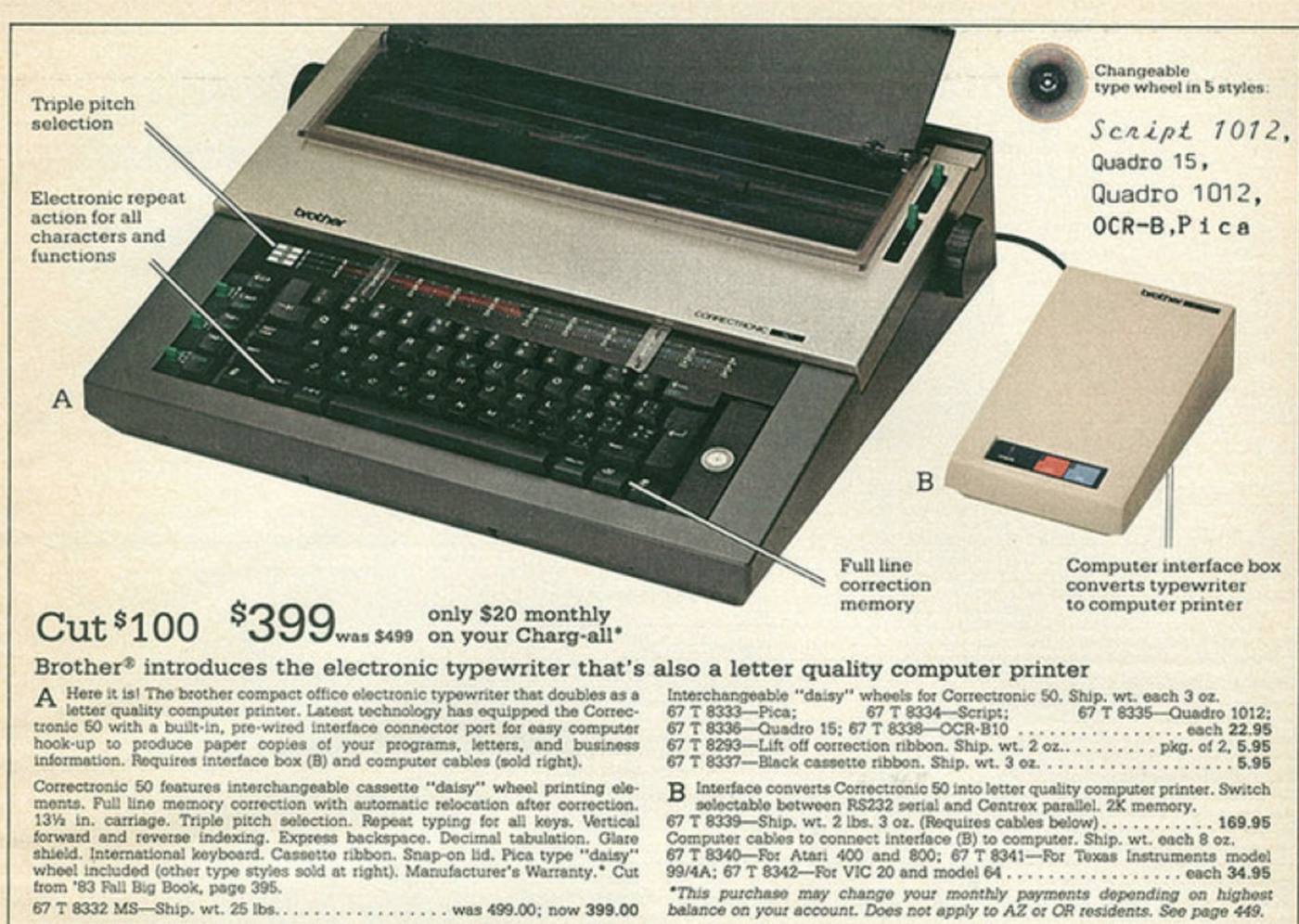
This was ideal if I'm trying to eventually connect a Raspberry Pi to direct the typewriter while still having a vintage look.
Finding the vintage typewriter#
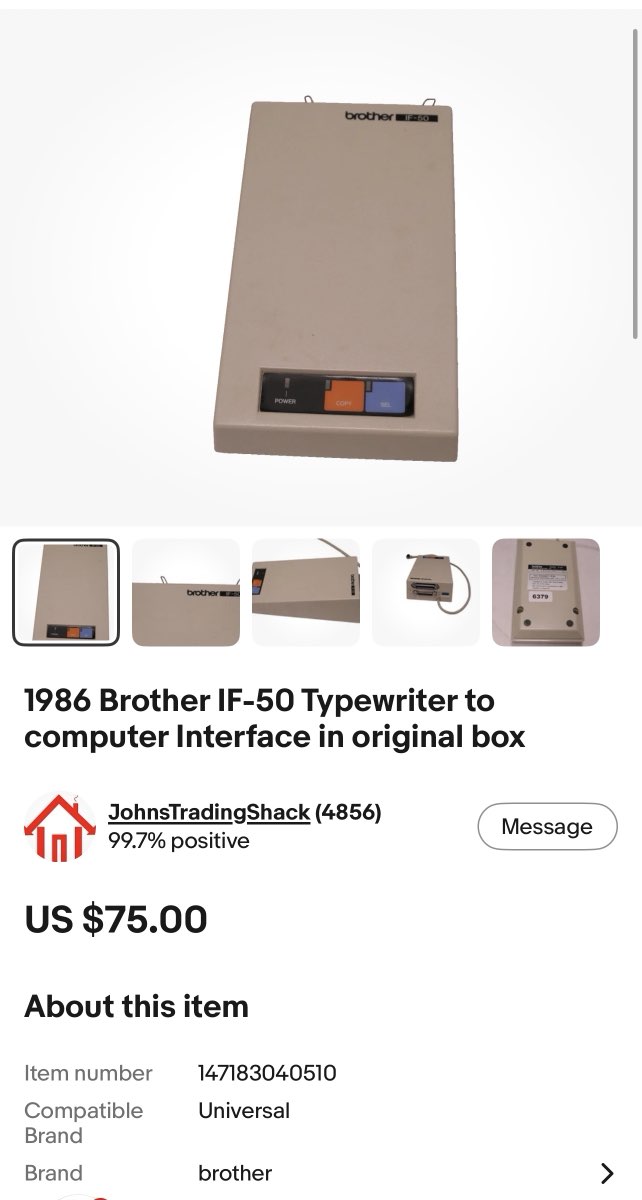
Shopping around ebay I found that some Brother model typewriters were compatible with an interface module (IF-50) that could do the job.
I found both a working condition 1987 Brother Professional CX-90 ($100) and the IF-50 ($80) sold separately and in working condition that cost about $200 total with shipping.
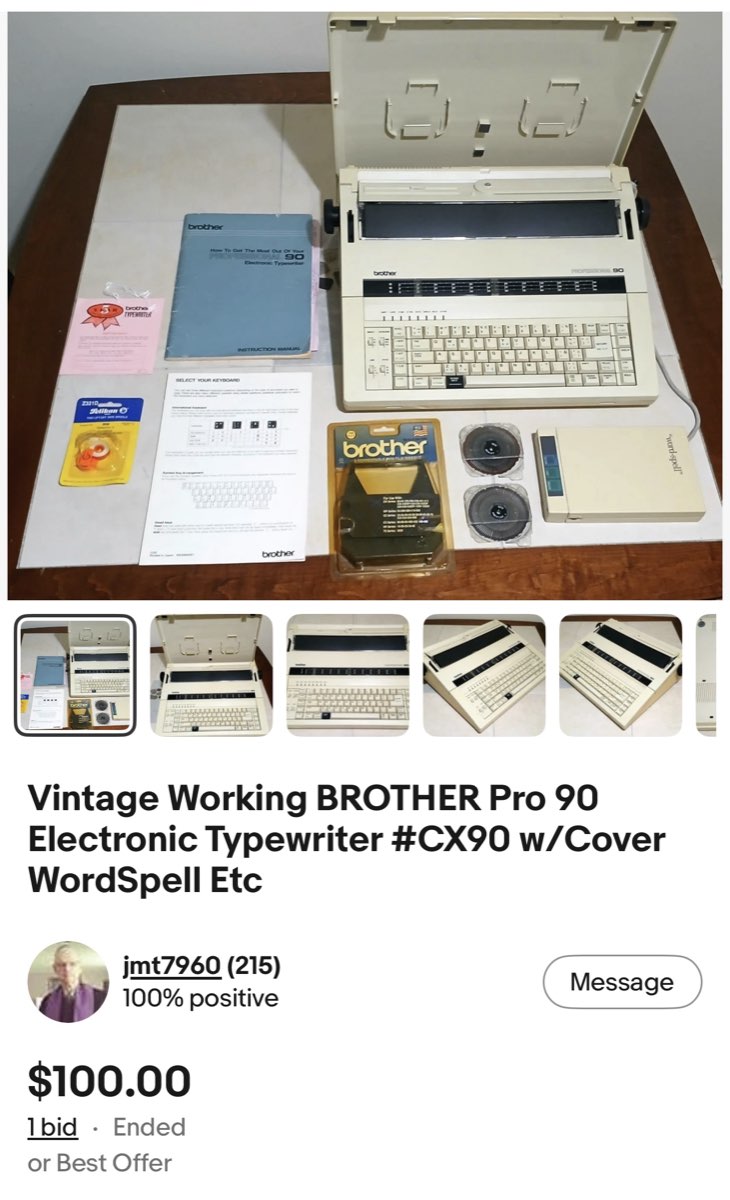
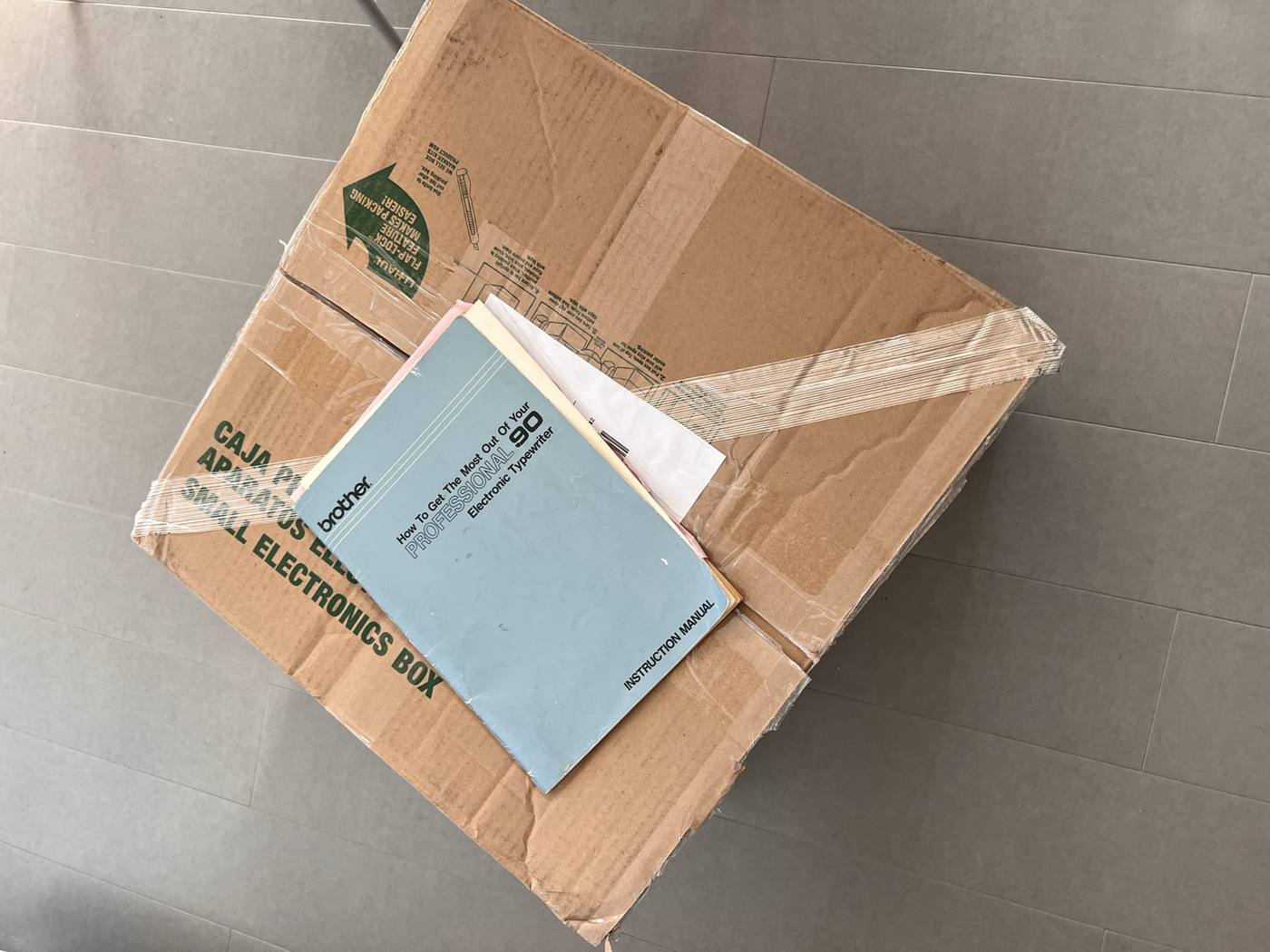
The typewriter came with its original manual and extra ink ribbon so it made the decision, especially since it would be difficult to find these original manuals which I need to consider when having an LLM direct it.
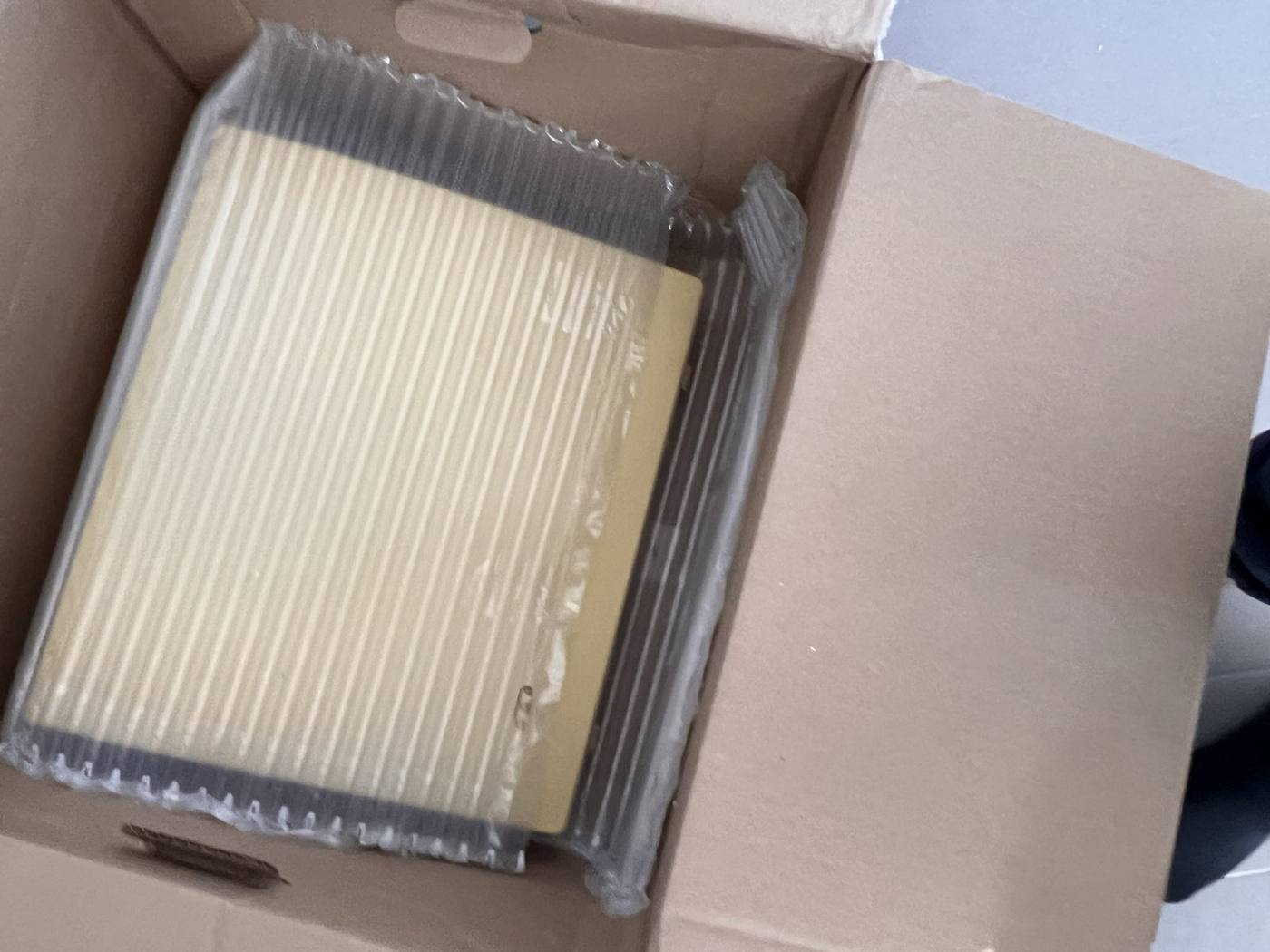
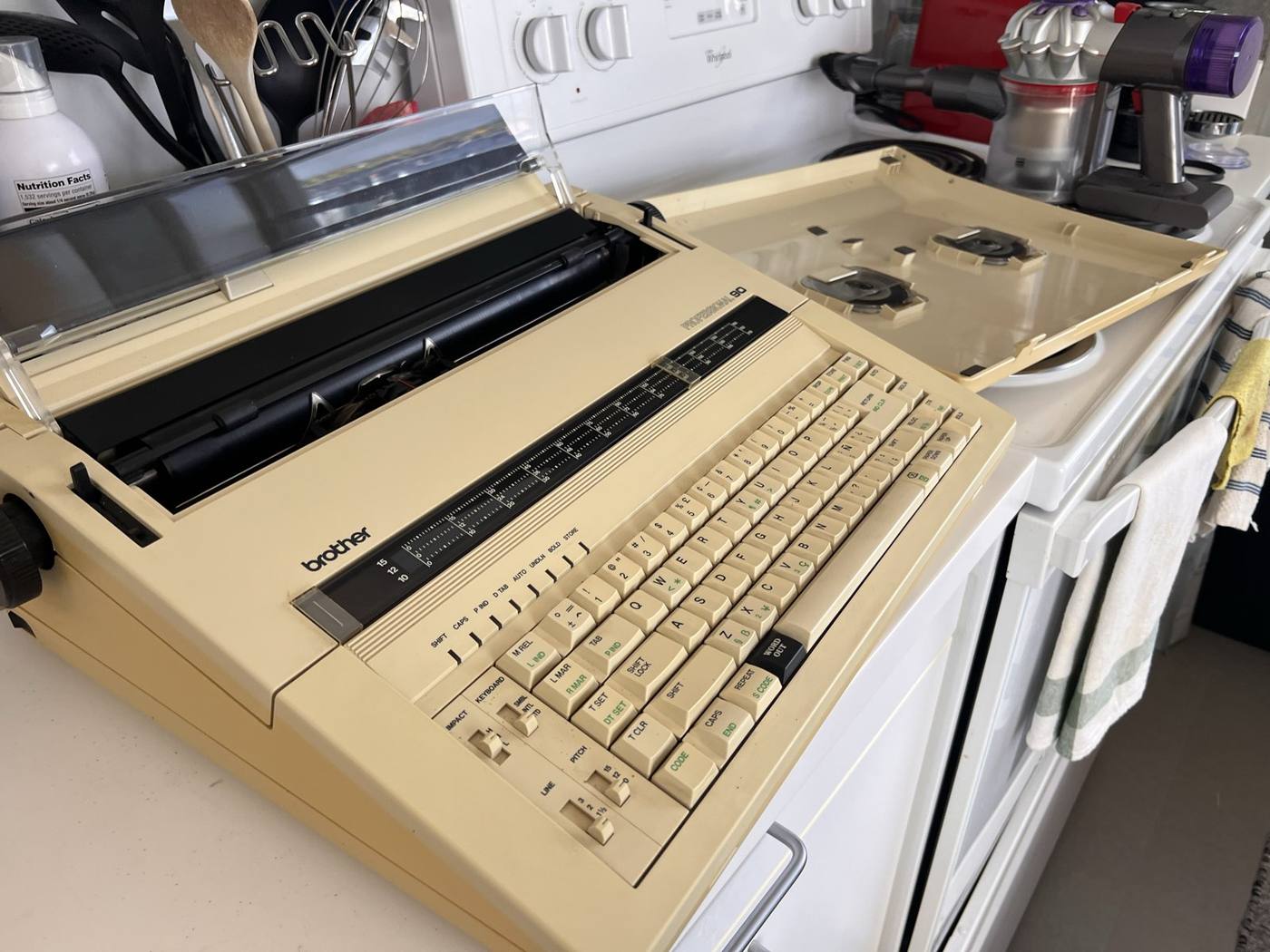
Once it arrived, opening the box containing the cream-coloured typewriter in its case and yellow with age. It also had a strong cigarette smell (not unusual given the era where smoking a cigarette while working in an office would have been completely normal, nauseating).
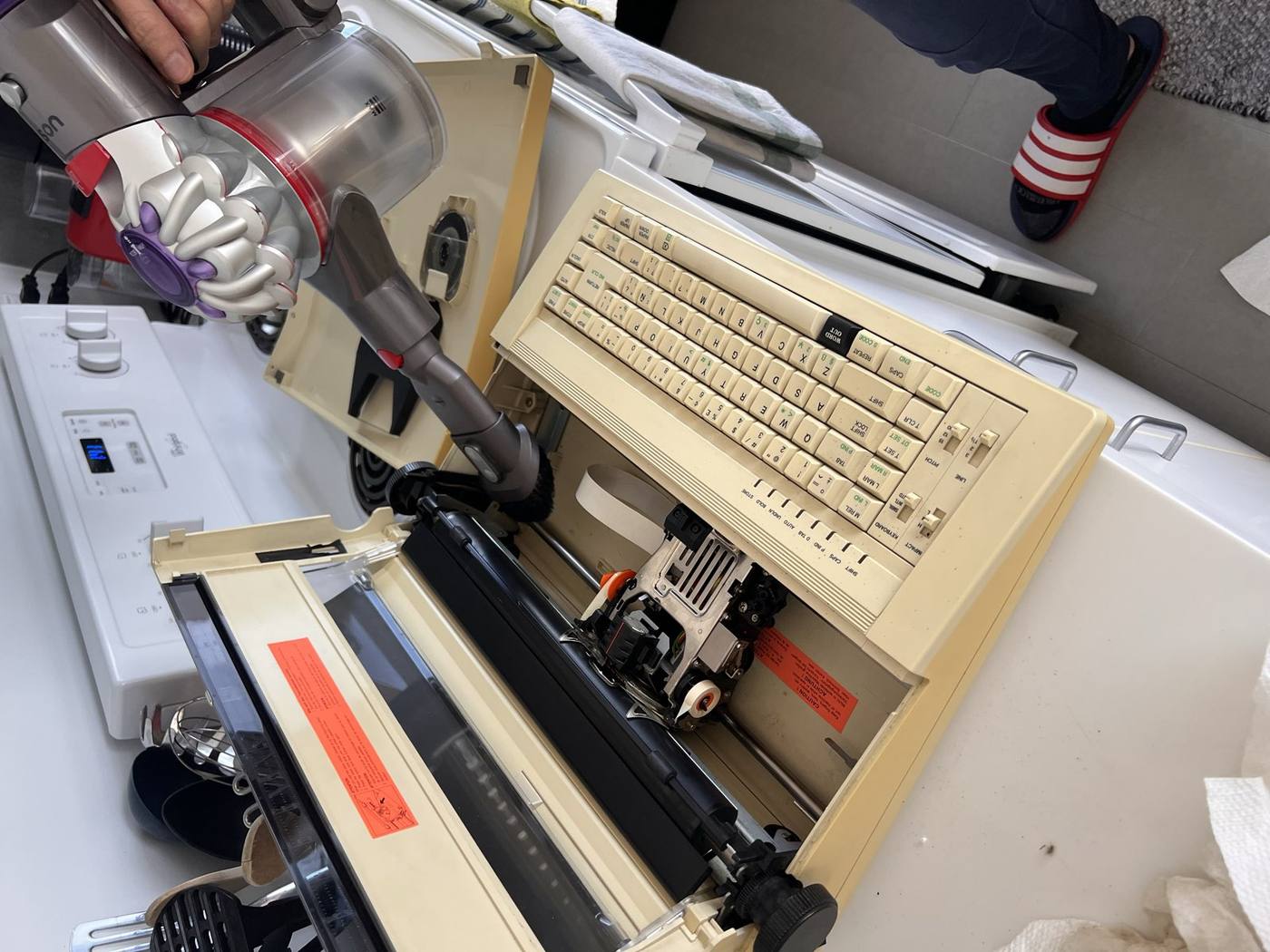
Before anything else, it definitely needed a good cleaning. I took the top cover off and vacuumed years of dust out of the roller, the print carriage and the keyboard.
[October 14, 2026]#
Talking to the typewriter#
The ChronoType would need a Raspberry Pi connected to for typing (i.e., printing) on the Brother Professional 90. This log details some of my findings on how the IF-50 listens to both the typewriter and computer connection.
The Professional 90 (also called the CX-90) has a round 12-pin socket on the back. In the 1980s Brother sold an interface box, the IF-50 and the IF-60, that plugged into it and turned the typewriter into a printer for a PC.
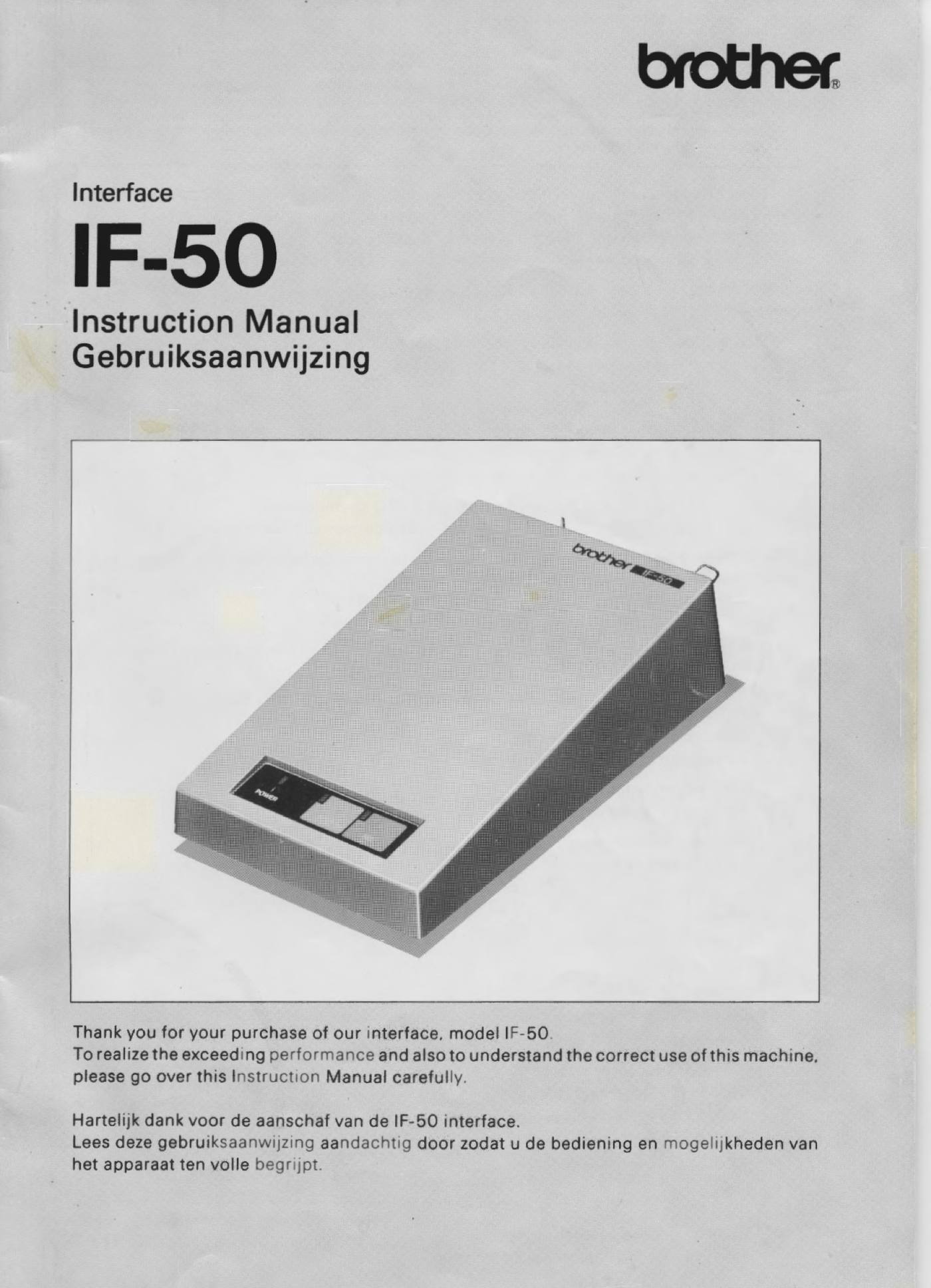
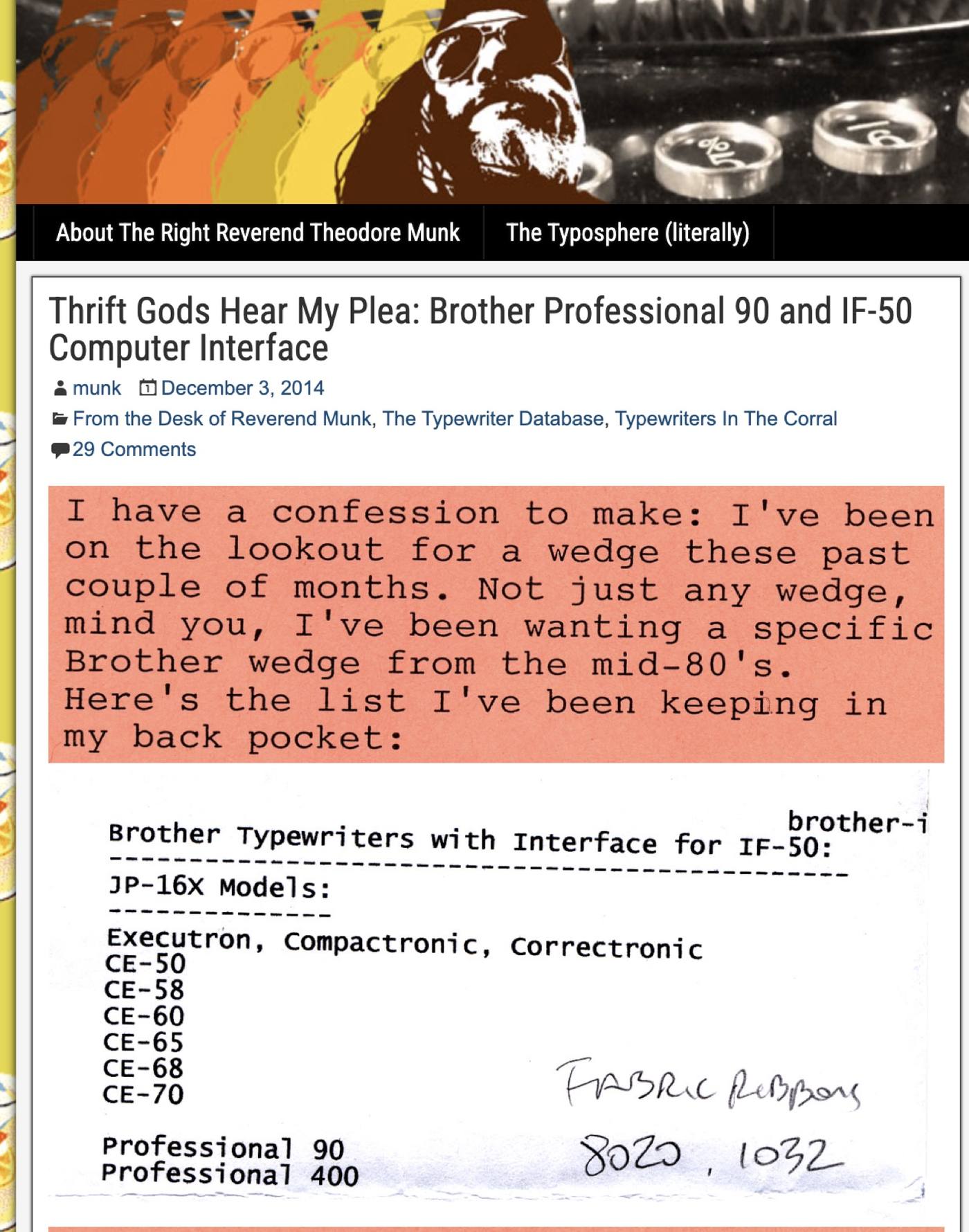
I couldn't find the IF-60 and thought the IF-50 because it had the same 12-pin plug and blog post from 2014 showed a dealer chart showing compatibility with the IF-50 despite not being in the original manual.
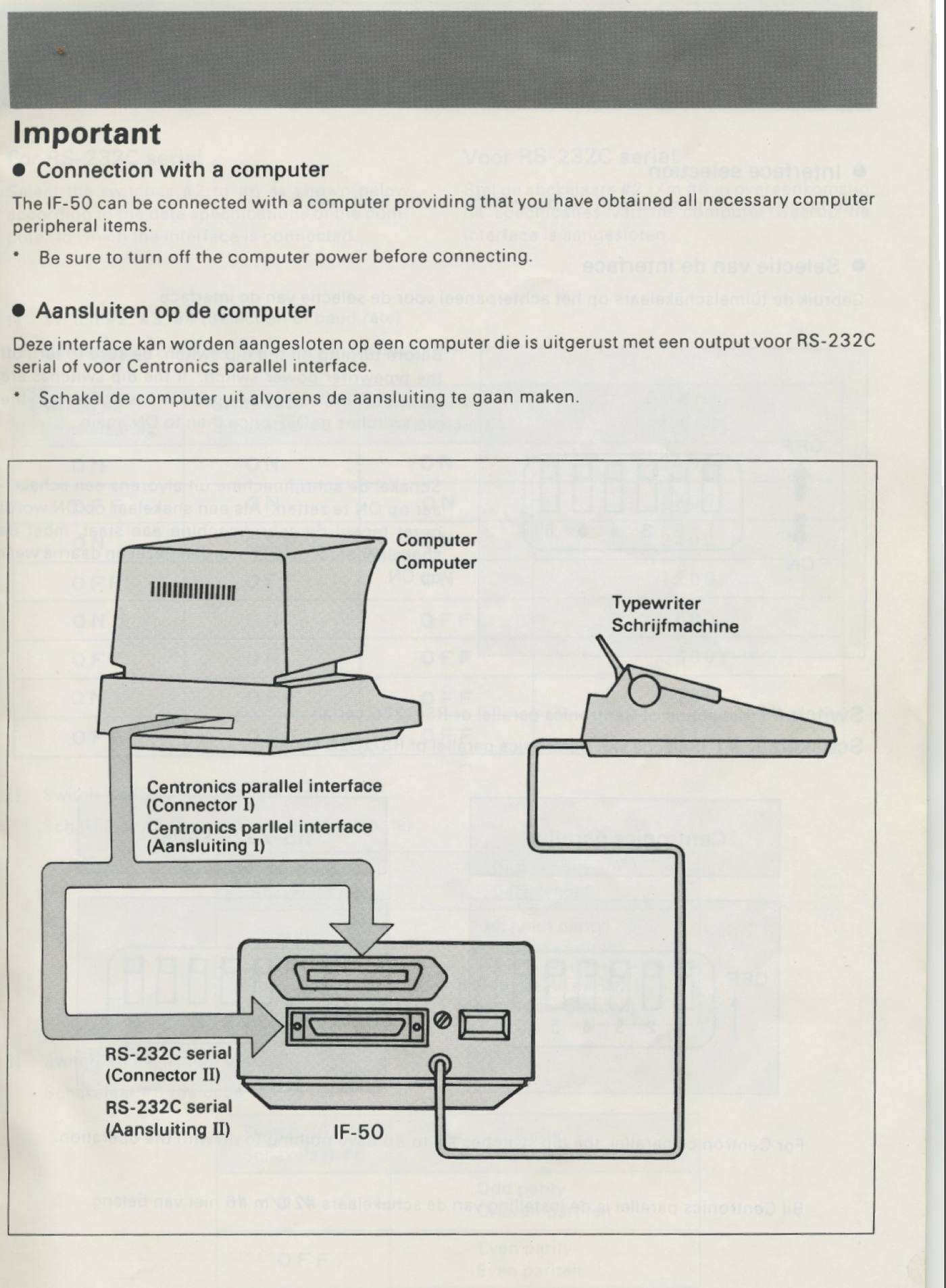
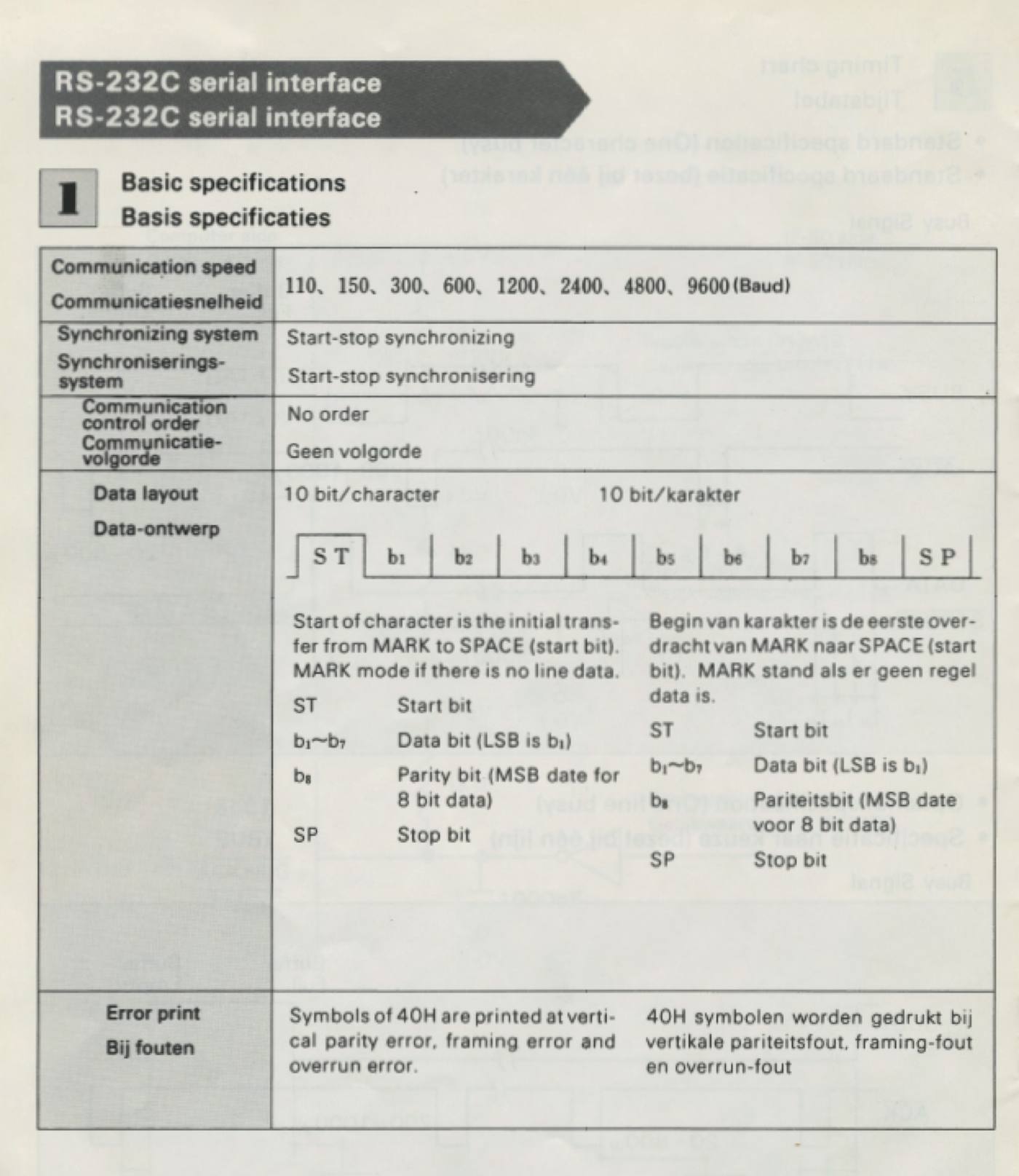
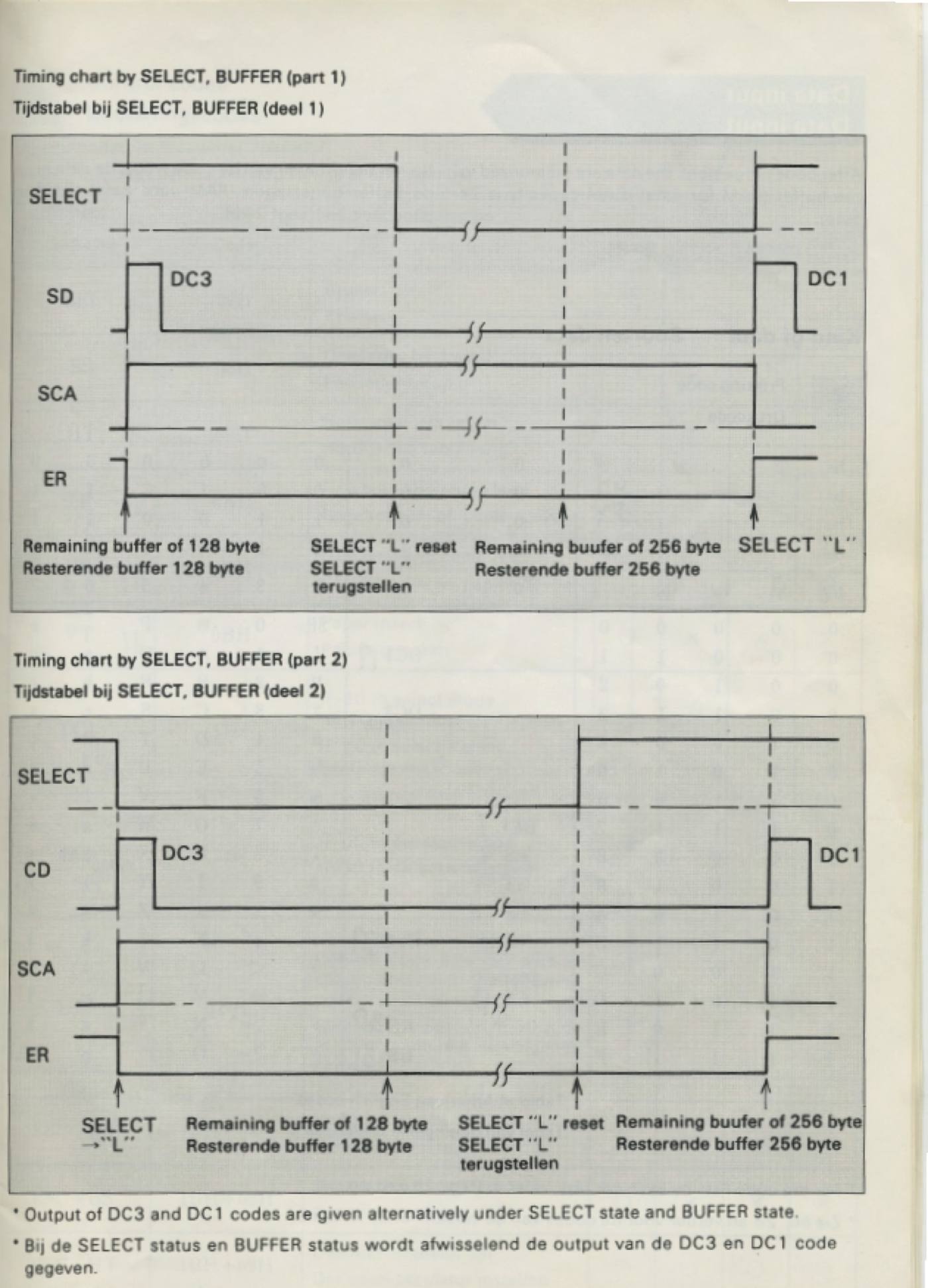
I went through it, detailing the RS-232 serial connection settings, the pin arrays, the set and reset conditions, the timing charts, and the code tables.
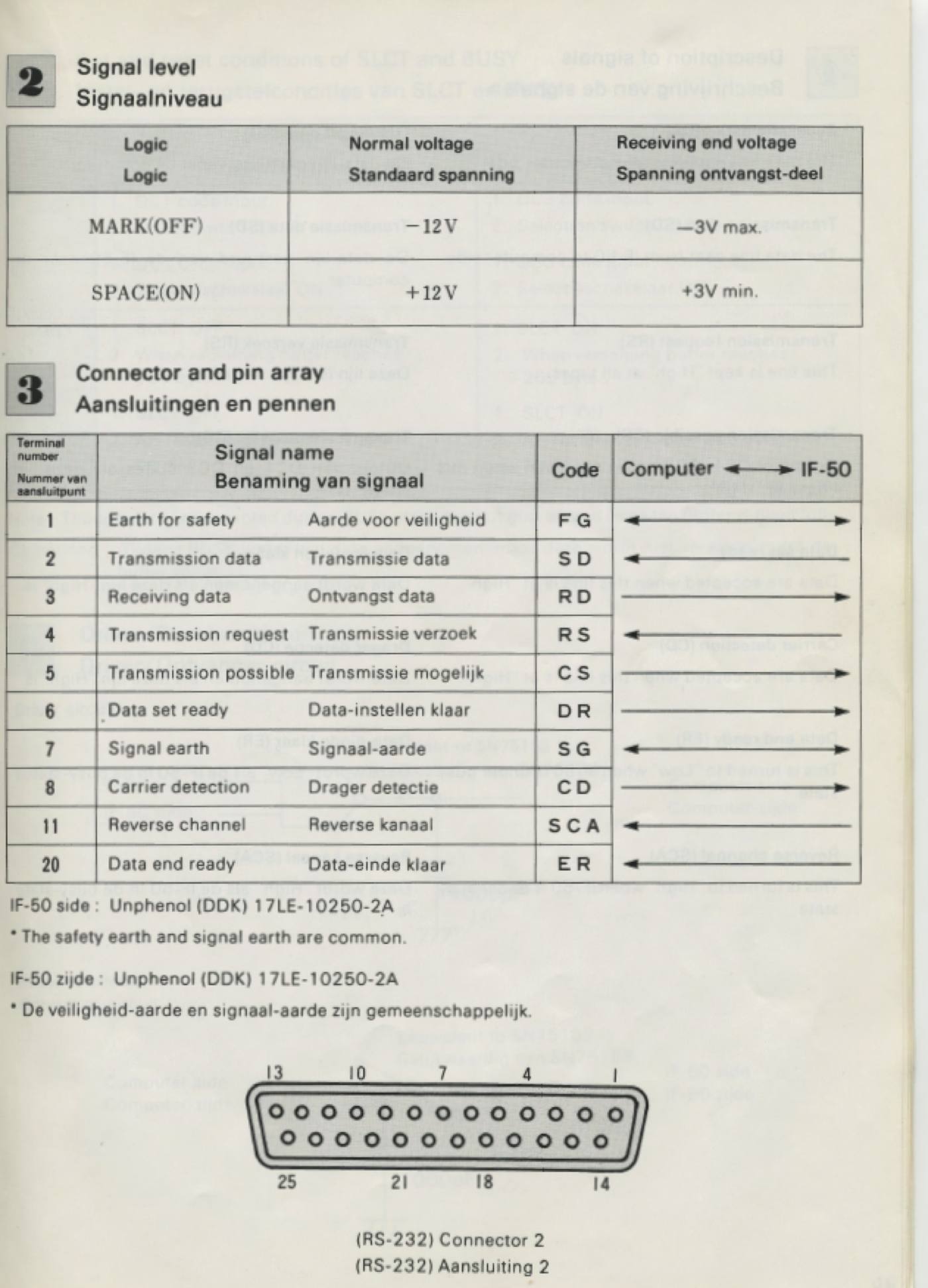
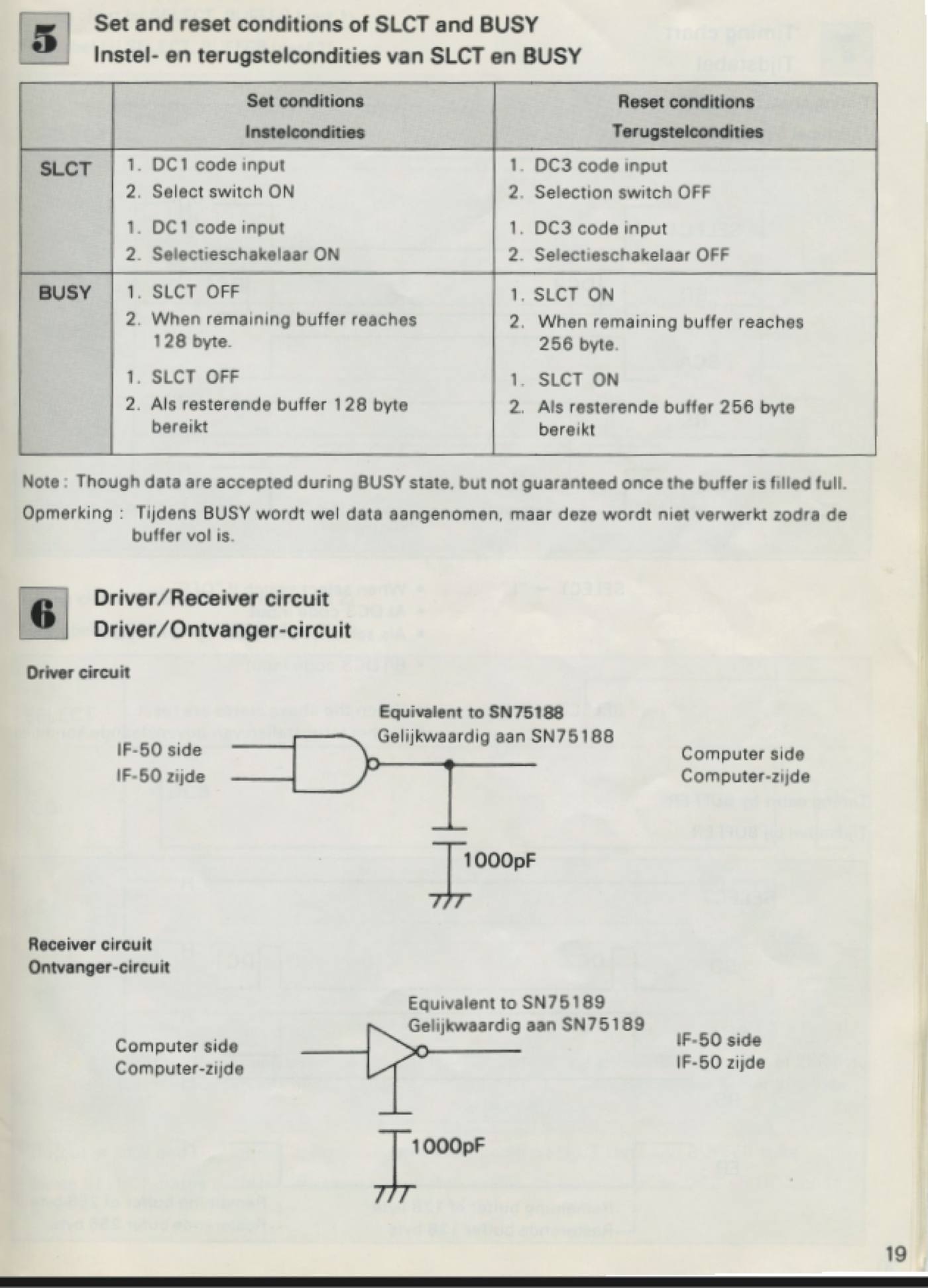
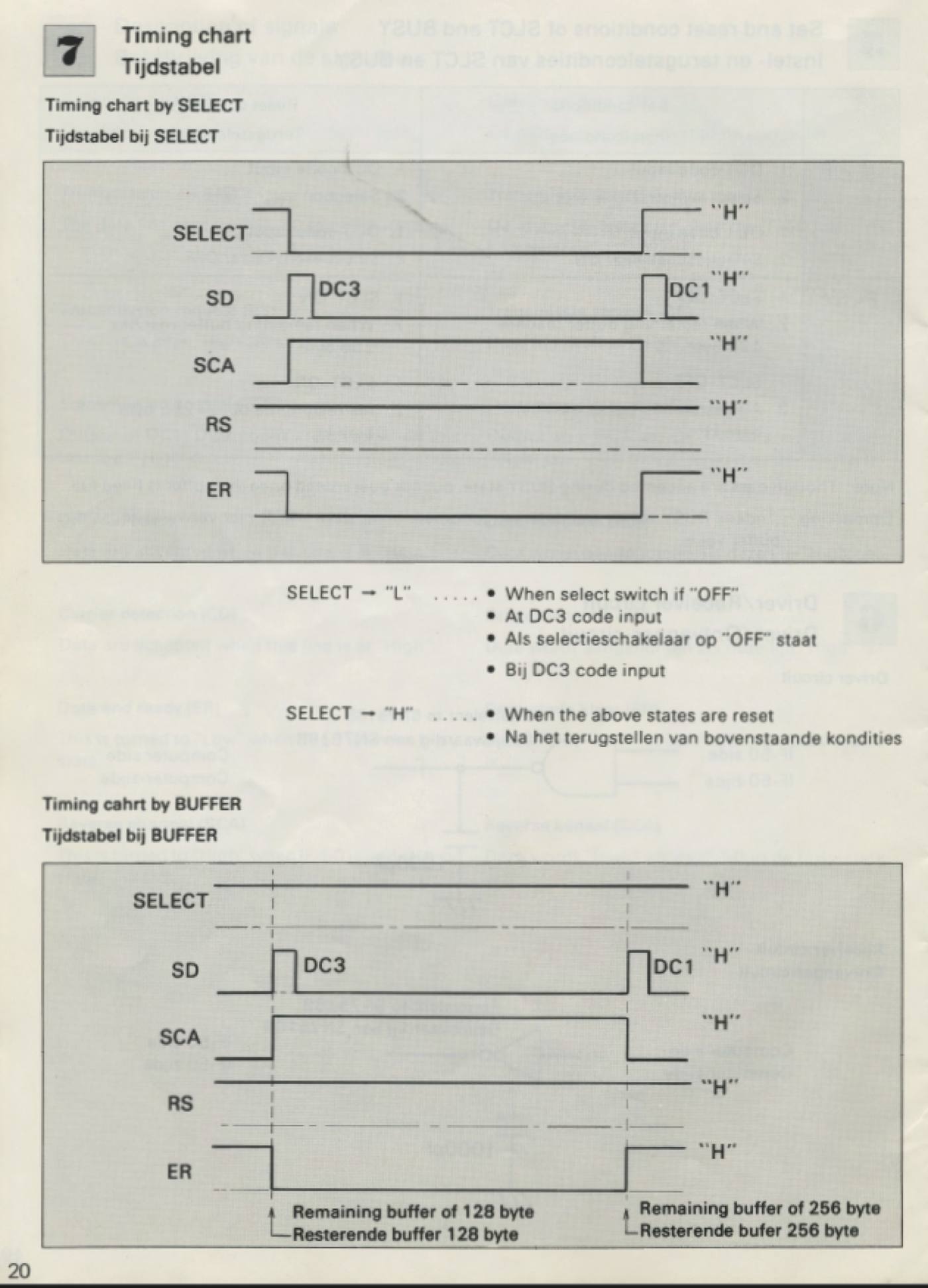
In this process, I realized how detailed instruction manuals were and critical for these devices to function. Luckily fellow typewriter netizens had scanned and archived the manual.
Testing the IF-50#
I connected the IF-50 to my Mac with a USB-to-serial cable through a null-modem adapter based on the wiring specs in the manual, which I got off from Amazon.
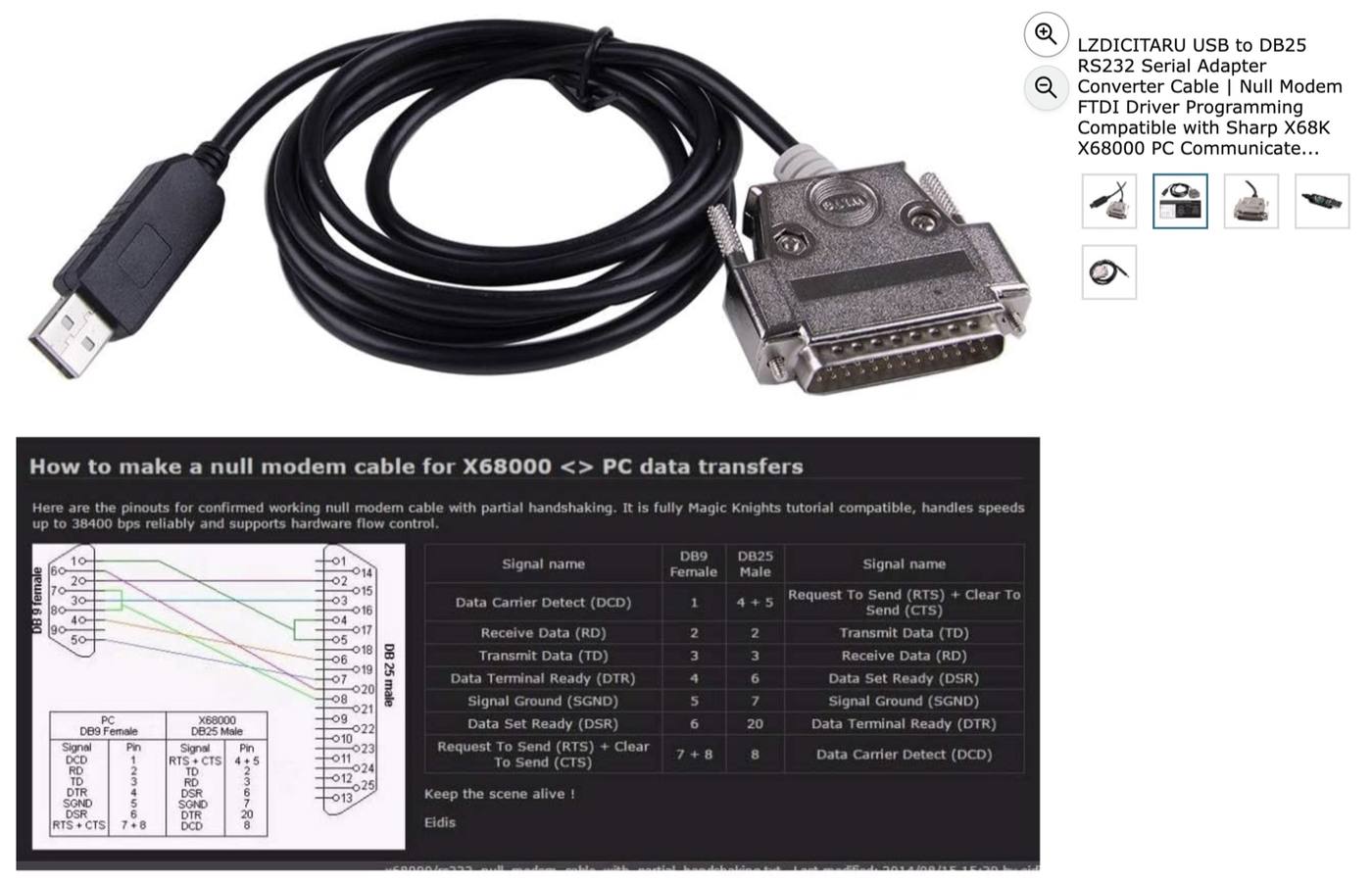
The null model allows to avoid the PC and the IF to talk and listen over the same wire (DTE and DCE) and a null wire cross the wires over since serial devices assumed a connection between a PC-modem connection.
Before connecting, there are six ON/OFF switches in the back for selecting the baud rates and the parity of data. These devices were made to be compatible with no particular operating system, from a regular PC to a Commodore.
Using Claude code, I generated a Python script that logs what was sent, what came back, the state of the handshake lines, and what the typewriter printed.
Show source (77 lines)
#!/usr/bin/env python3
"""
IF-50 send test. Every run is logged to if50_run_log.csv next to this file with the exact bytes
sent, the pacing, and what the box echoed. Add the printed result afterwards with:  --result "TEXT"

Examples
  python3 if50_test.py --nudge --pace 2.0 "ABC"                  # DC3, DC1, then A B C two seconds apart
  python3 if50_test.py --burst "THE QUICK BROWN FOX\r\n"          # one write, bell first (the very first test)
  python3 if50_test.py --pace 0.5 "THE QUICK BROWN FOX"           # paced, no nudge
  python3 if50_test.py --result "QIC OWFOX"                       # attach the paper result to the last run
"""
import argparse, csv, datetime, os, sys, time
import serial

PORT = "/dev/cu.usbserial-DU0DTPSH"
LOG  = os.path.join(os.path.dirname(os.path.abspath(__file__)), "if50_run_log.csv")
FIELDS = ["time", "mode", "baud", "nudge", "pace_s", "bell", "text_sent", "bytes_hex",
          "dc3_echo", "dc1_echo", "dsr_before", "dsr_after", "rx_hex", "printed"]

def log_row(row):
    new = not os.path.exists(LOG)
    with open(LOG, "a", newline="") as f:
        w = csv.DictWriter(f, fieldnames=FIELDS)
        if new: w.writeheader()
        w.writerow(row)

def set_result(text):
    rows = list(csv.DictReader(open(LOG)))
    rows[-1]["printed"] = text
    with open(LOG, "w", newline="") as f:
        w = csv.DictWriter(f, fieldnames=FIELDS); w.writeheader(); w.writerows(rows)
    print(f"logged result for run at {rows[-1]['time']}: {text!r}")

def main():
    ap = argparse.ArgumentParser()
    ap.add_argument("text", nargs="?", default="")
    ap.add_argument("--baud", type=int, default=9600)
    ap.add_argument("--nudge", action="store_true", help="send DC3, wait 1 s, DC1, wait 1 s first")
    ap.add_argument("--burst", action="store_true", help="one write; bell (0x07) 0.5 s before the text")
    ap.add_argument("--pace", type=float, default=None, help="seconds between characters")
    ap.add_argument("--no-bell", action="store_true")
    ap.add_argument("--result", help="attach printed result to the last logged run and exit")
    a = ap.parse_args()
    if a.result is not None:
        set_result(a.result); return
    text = a.text.encode().decode("unicode_escape")  # allow \r\n on the command line
    data = text.encode("ascii", "replace")
    s = serial.Serial(PORT, a.baud, bytesize=8, parity="N", stopbits=1, xonxoff=False, timeout=0.3)
    s.dtr = True; s.rts = True; time.sleep(0.3)
    row = {"time": datetime.datetime.now().strftime("%Y-%m-%d %H:%M:%S"), "baud": a.baud,
           "nudge": a.nudge, "pace_s": a.pace if a.pace is not None else "burst",
           "bell": a.burst and not a.no_bell, "text_sent": text, "bytes_hex": data.hex(" "),
           "dsr_before": s.dsr, "printed": ""}
    dc3 = dc1 = b""
    if a.nudge:
        s.write(b"\x13"); s.flush(); time.sleep(1.0); dc3 = s.read(8)
        s.write(b"\x11"); s.flush(); time.sleep(1.0); dc1 = s.read(8)
    row["dc3_echo"] = dc3.hex(); row["dc1_echo"] = dc1.hex()
    rx = b""
    if a.pace is None:
        row["mode"] = "burst"
        if not a.no_bell: s.write(b"\x07"); s.flush(); time.sleep(0.5)
        s.write(data); s.flush(); time.sleep(1.5); rx = s.read(64)
    else:
        row["mode"] = "paced"
        for b in data:
            s.write(bytes([b])); s.flush(); time.sleep(a.pace); rx += s.read(8)
        time.sleep(1.0); rx += s.read(64)
    row["dsr_after"] = s.dsr; row["rx_hex"] = rx.hex(" ")
    s.close(); log_row(row)
    hung = a.nudge and (dc3 == b"" or dc1 == b"")
    print(f"sent {len(data)} bytes [{data.hex(' ')}] mode={row['mode']} pace={row['pace_s']} nudge={a.nudge}")
    print(f"dc3_echo={dc3.hex() or '-'} dc1_echo={dc1.hex() or '-'} rx={rx.hex(' ') or '-'} DSR={row['dsr_after']}")
    if hung: print("WARNING: box did not echo DC3/DC1 -> it is hung; power-cycle the typewriter before the next run")

if __name__ == "__main__":
    main()
Over two evenings (and about thirty logged runs), the device did not respond consistently. Claude kept insisting to close the chapter and move on but I was convinced the IF should be working giving the green light for the SELECT that turns on in addition to power button.
I did finally manage to eek out a few characters, though. It dropped some letters or the machine hangs until it was power cycled. And my most succesful run was testing "QUICK BROWN FOX JUMPS OVER" came out as "H UIC BROWN OX UMS OV").
I tried every variable with Claude code, including sending one character at a time, pacing characters at different intervals, varying the baud rates and DIP switches. Some lessons learned from this process for understanding the IF-50 behaviour:
- Every byte is sent bit by bit with the clock at about 78 kHz, and the typewriter answers each byte with an acknowledge pulse.

- The box has to wait for that pulse before sending the next byte. The IF-50 apparently doesn't wait the way the CX-90 expects, so it loses letters and eventually deadlocks.

- The typewriter's side uses 5 V logic through open-collector buffers, so a 3.3 V microcontroller can drive it directly, and only the lines coming back need a voltage divider.
While the connection between the IF and my device was visible, for the typewriter-IF side, without a logic analyzer, it was difficult to see past the box.
I was too curious so I opened the 40+ year old box to get a sense of the board which would be useful for the Week 5 and 6 assignments on electronics design and production.
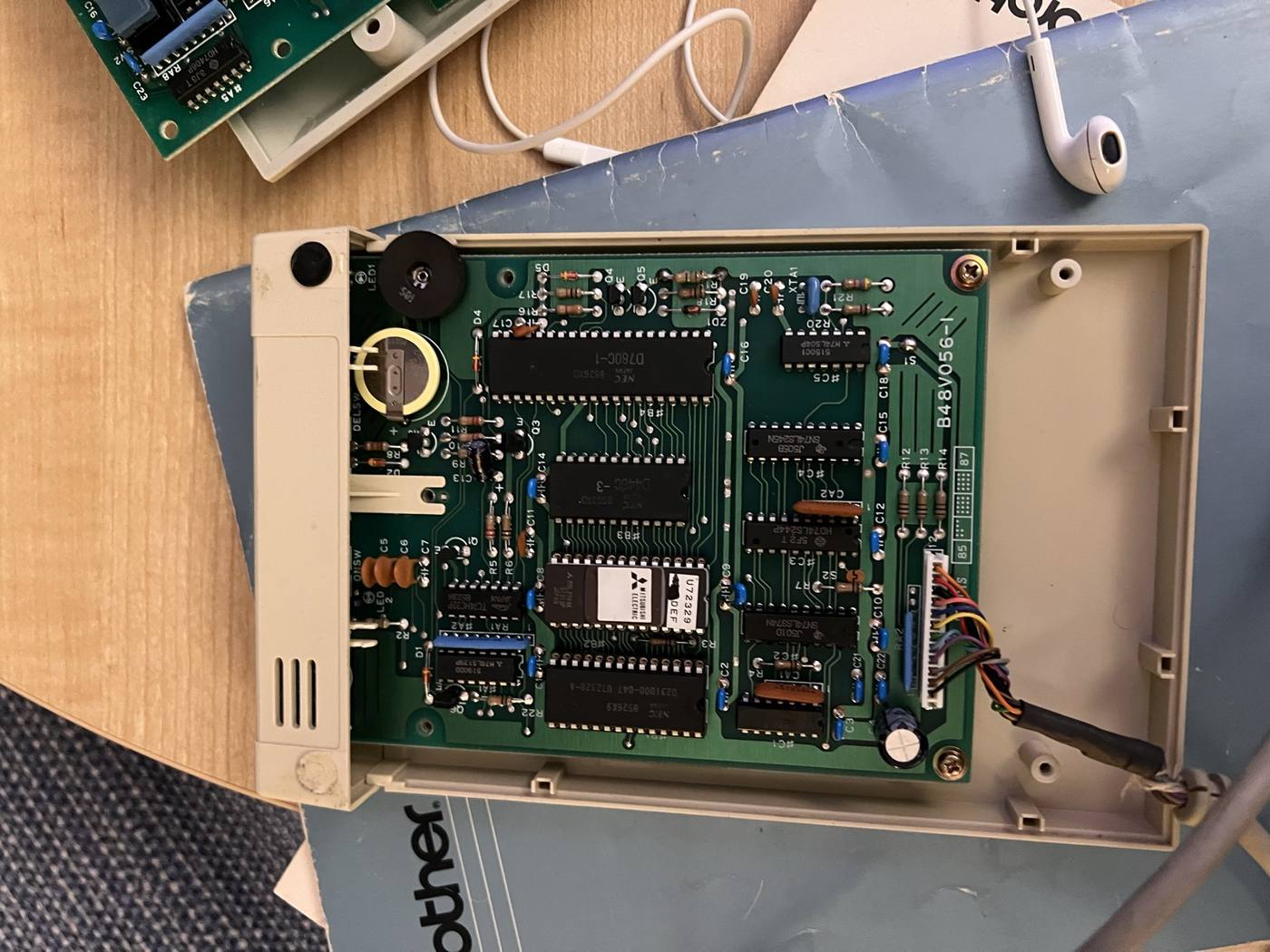
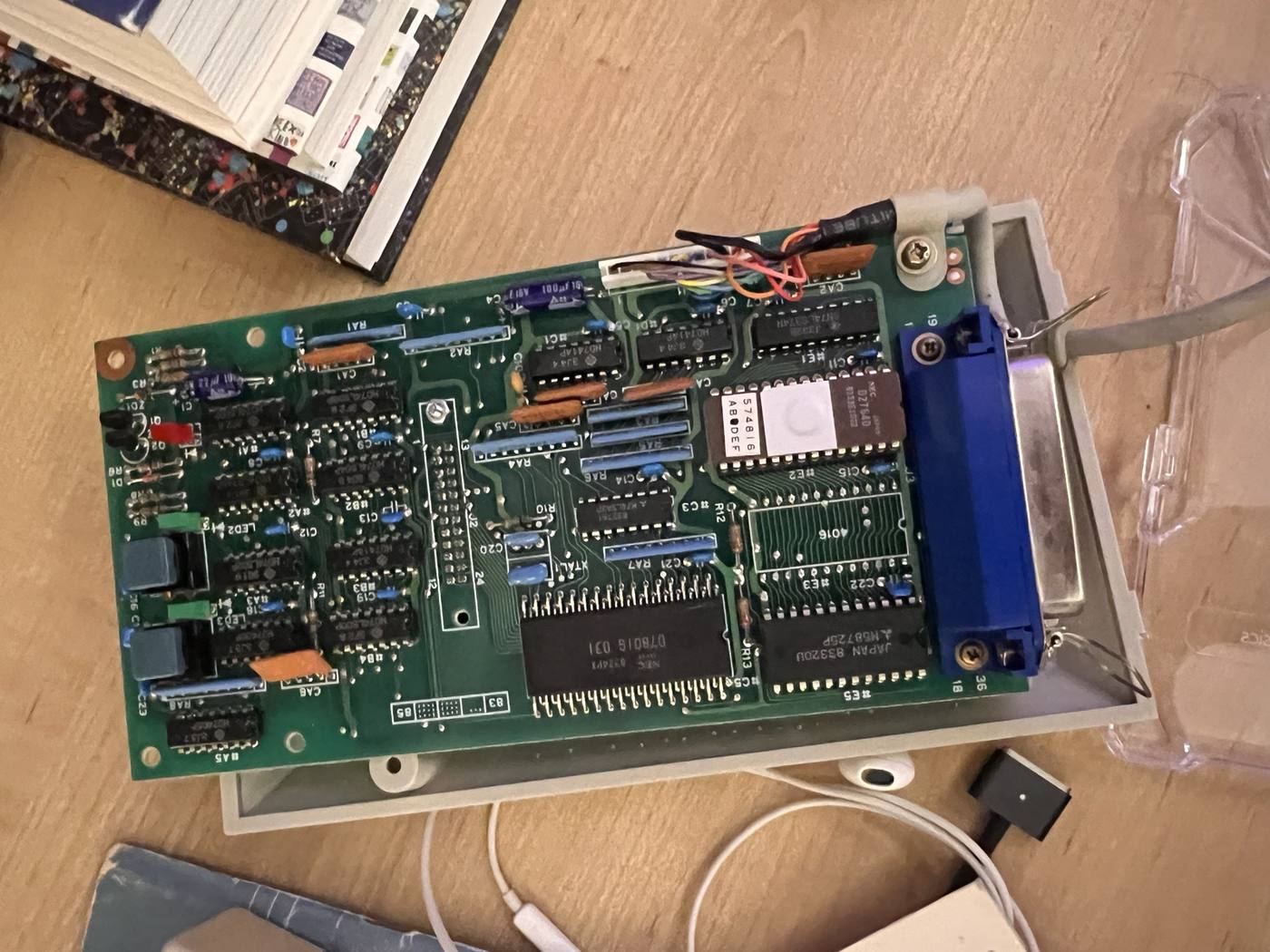
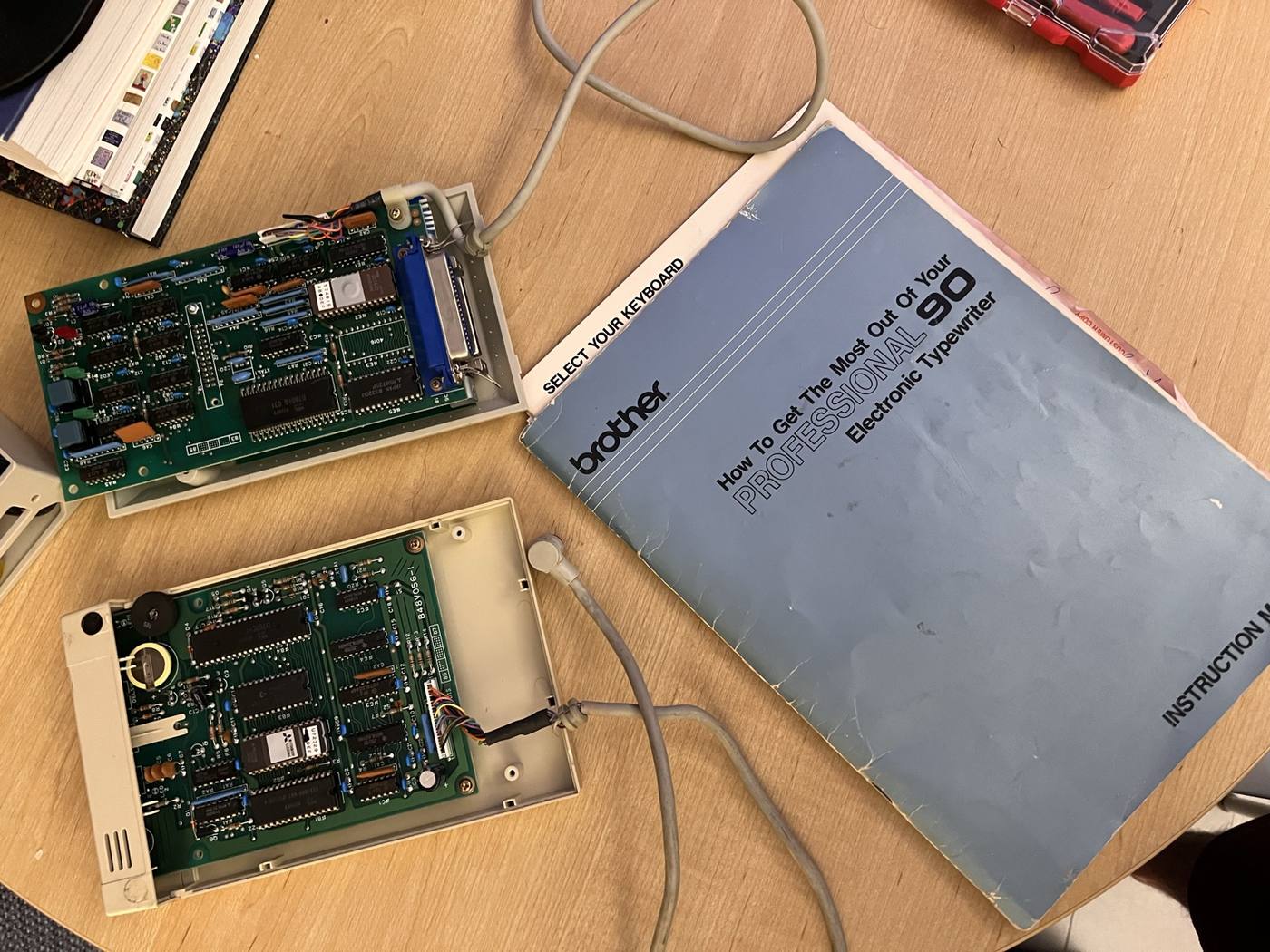
The IF-50's manual lists the machines it knows and was built for the generation before mine. I figured that while it does speak the right electrical language and could have been reverse compatible, which is why anything printed at all, it may have never been taught the CX-90's timing (without maybe some obscure methods Brother resellers had access to).
Someone recently reverse-engineered the IF-60 for their thesis!#
Searching for details on the IF-50 and the newer and rarer supposedly more compatible IF-60 with my typewriter model led me to a Reddit thread from someone looking for one.
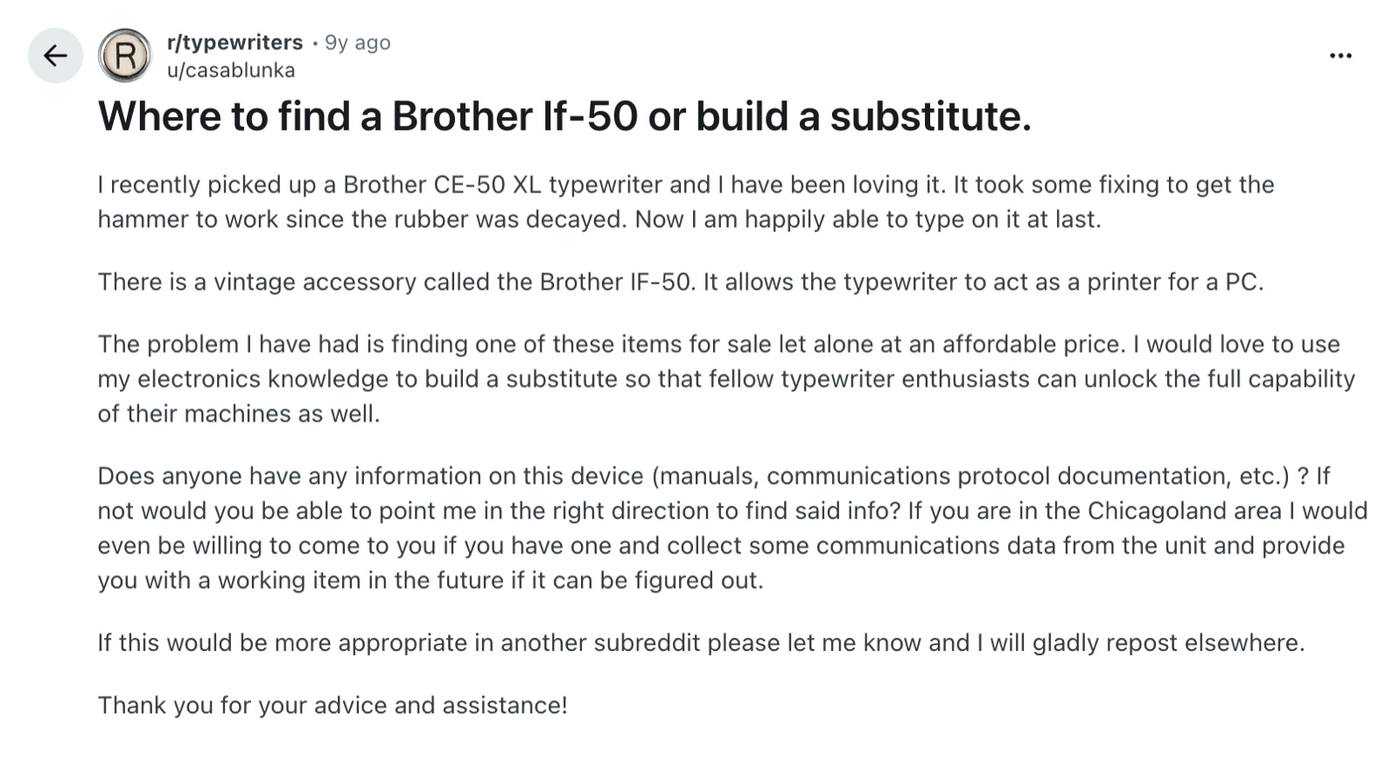
A reply pointing at a GitHub project that had done exactly what I needed: a fully reverse-engineering system with a working replacement for the IF-60 built on an Arduino!

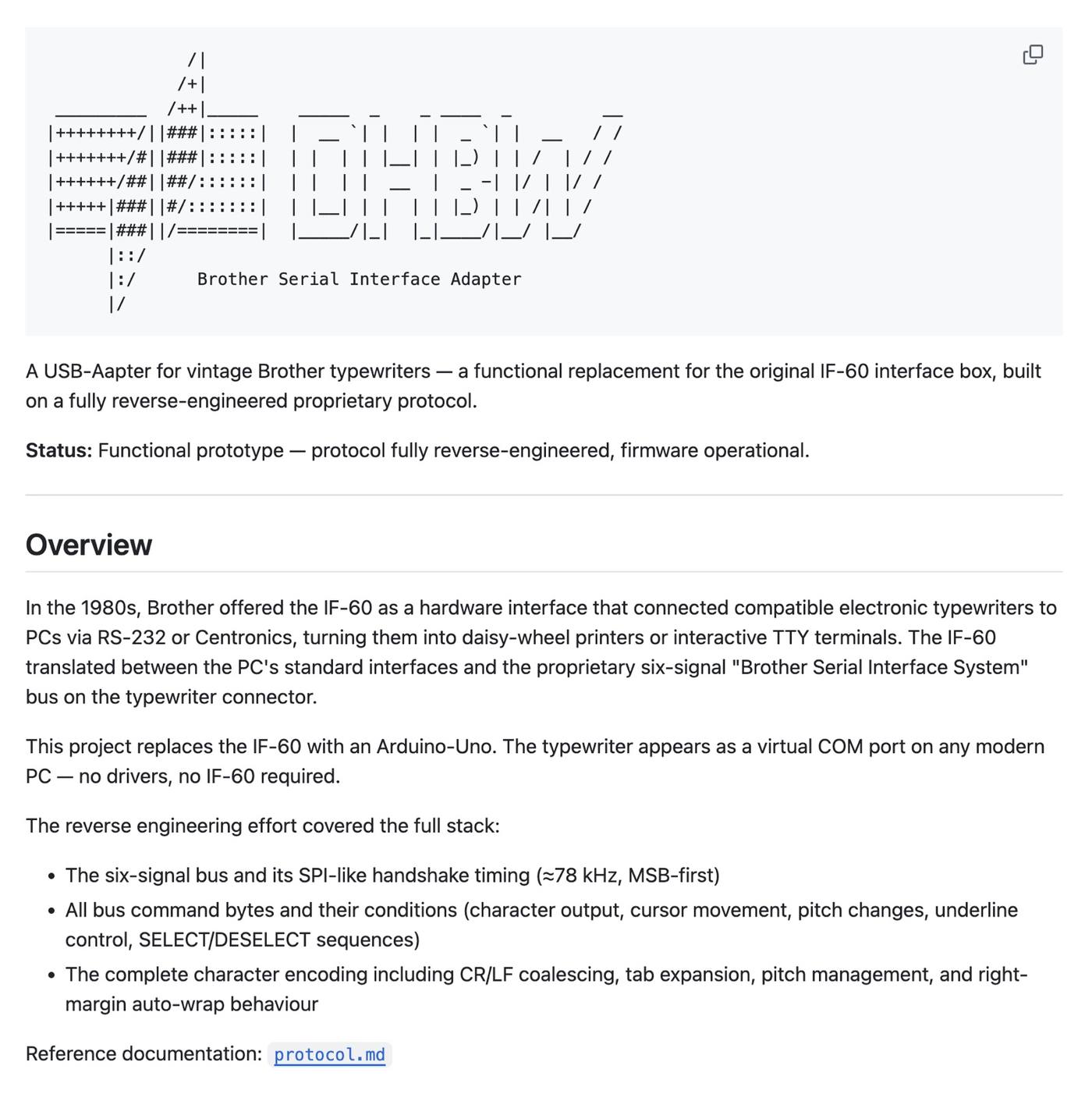
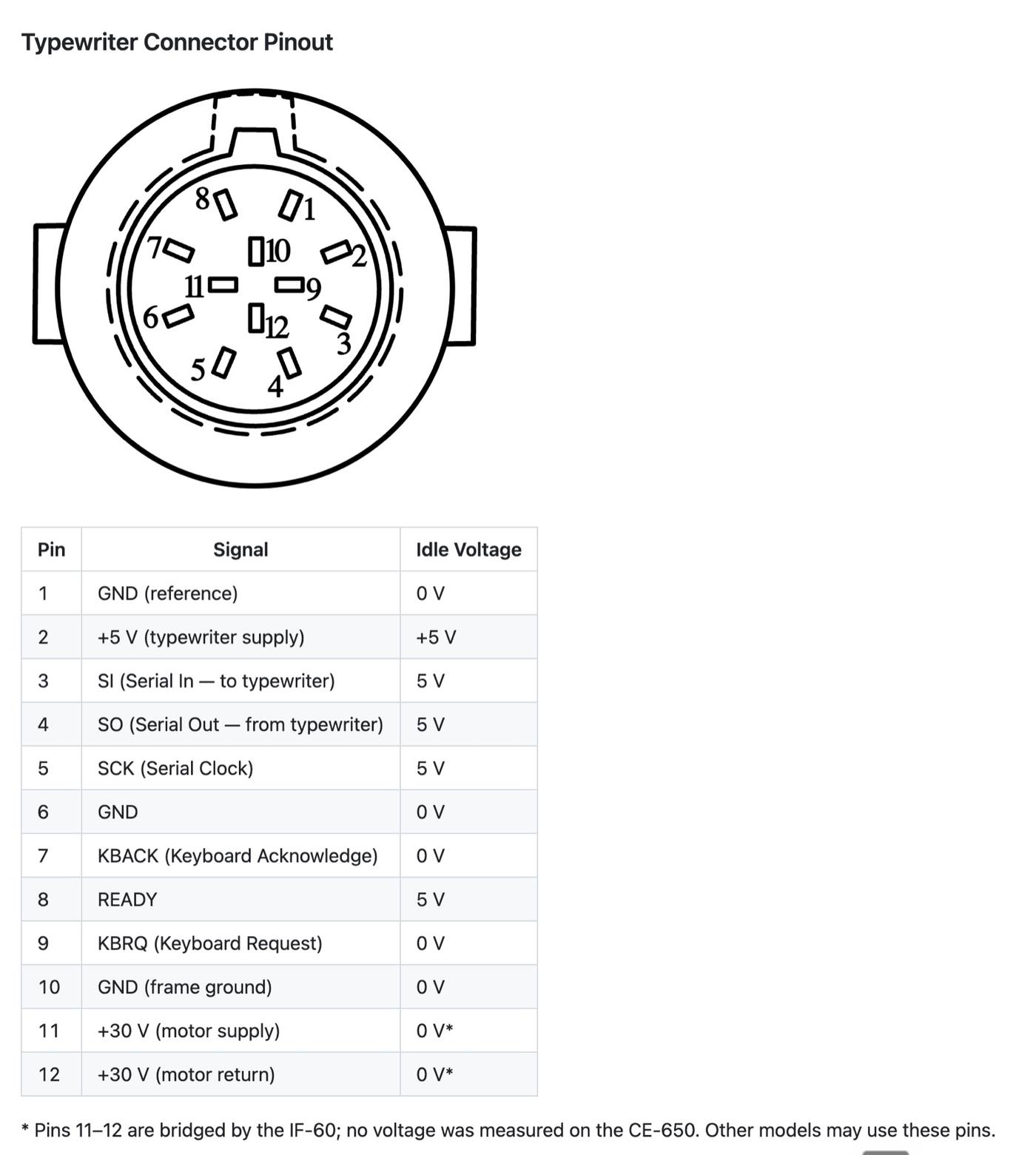
The repository's firmware is written for an Arduino Uno, with 55 lines of arduino code from its 5,700 touching the chip directly, so rewriting the code for those 55 lines to a a readily available XIAO RP2040 from the fablab was (according to Claude) realistic given its higher capability in terms of getting nanosecond precision (which I got to test with Neopixel during Week 4).
Ultimately, this sidequest was what turned the week 5 electronics design assignment into the IF-60 replacement board: see Week 5 for the schematic, the board and the case.