Week 6: PCB Production
Breakout Boards
Under Quentin's advise and the information of the milling maching in cba electronic shop, the minimum clearance and track width were set to be 0.42 mm and 0.3 mm. All the ground were connected to the ground plane and filled with copper. Considering the difficulty of manufacturing and testing, the original design of the boards from week 5 was modified to create five breakout boards design. Following the instruction of KiCad Fablab Library, some of the electronics as well as their footprints were updated. Here are the schemes of the five breakout boards.
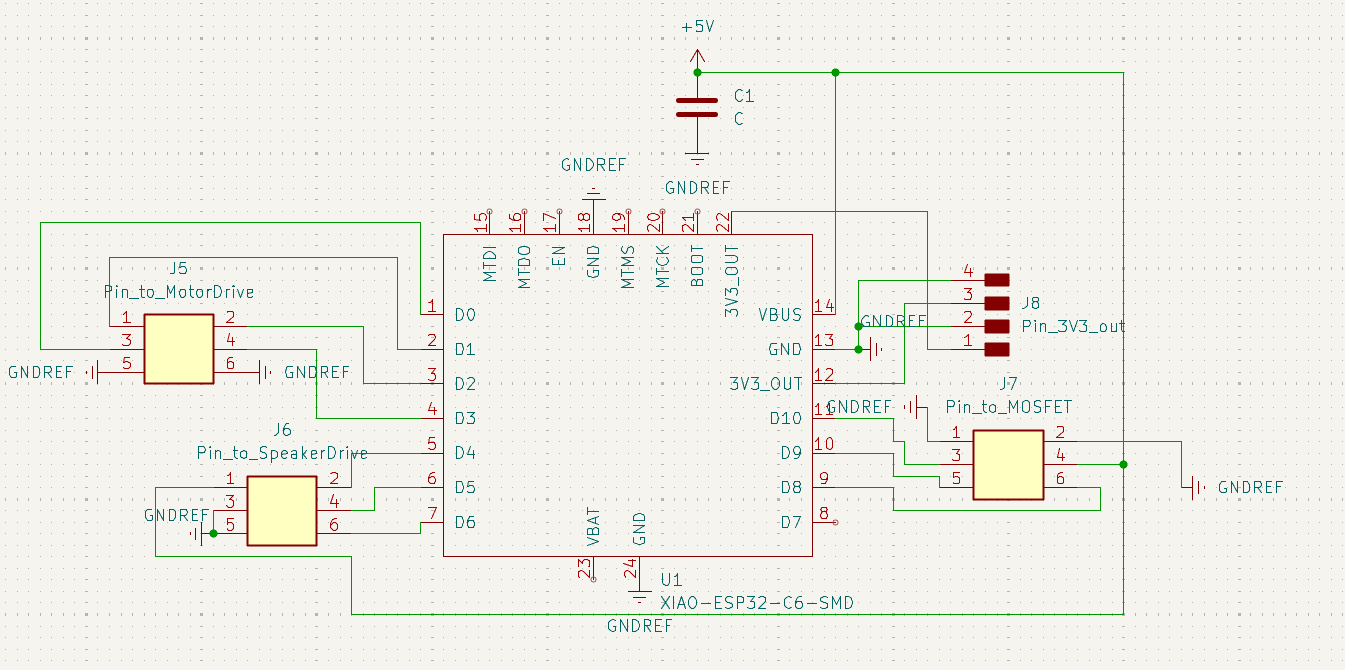
MainBoard Scheme
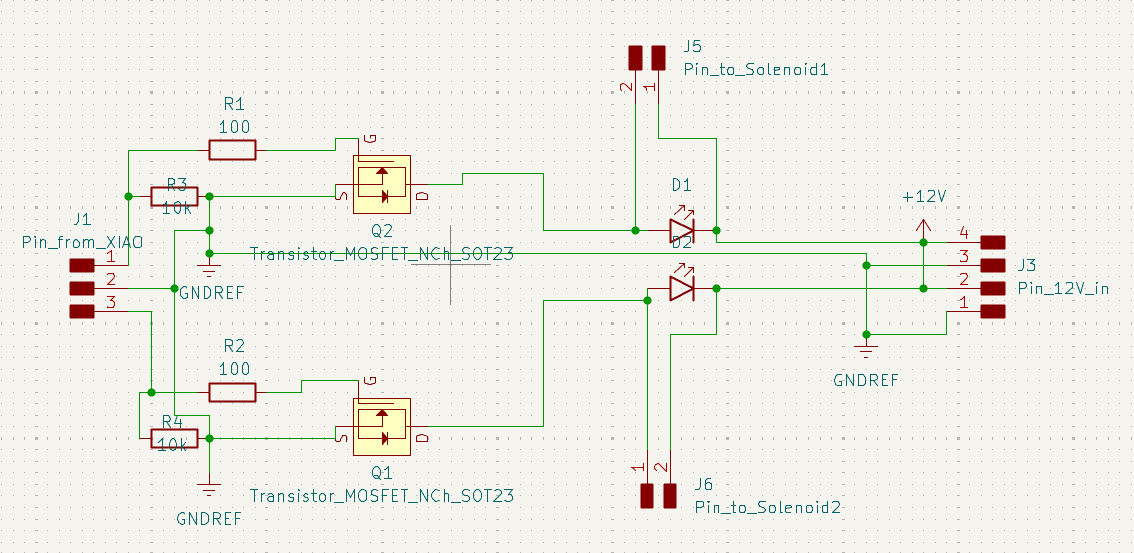
MOSFET Controlled Solenoid Scheme
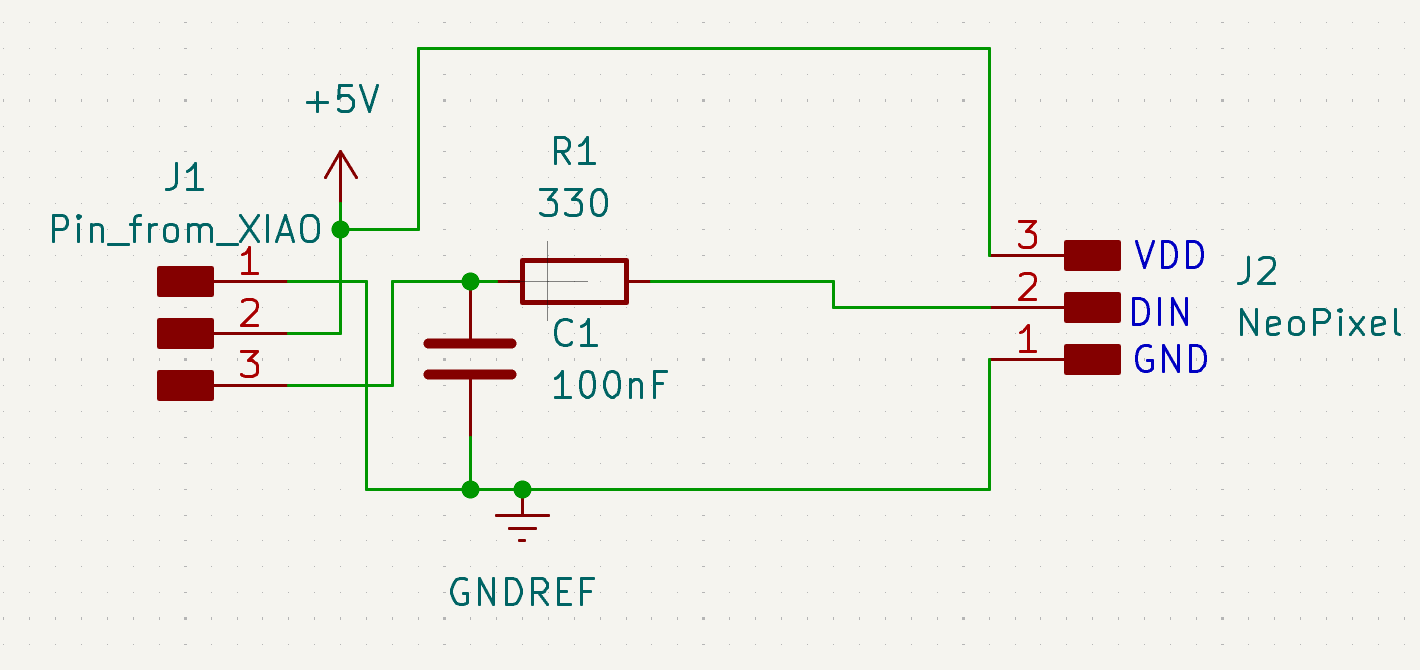
LED Scheme
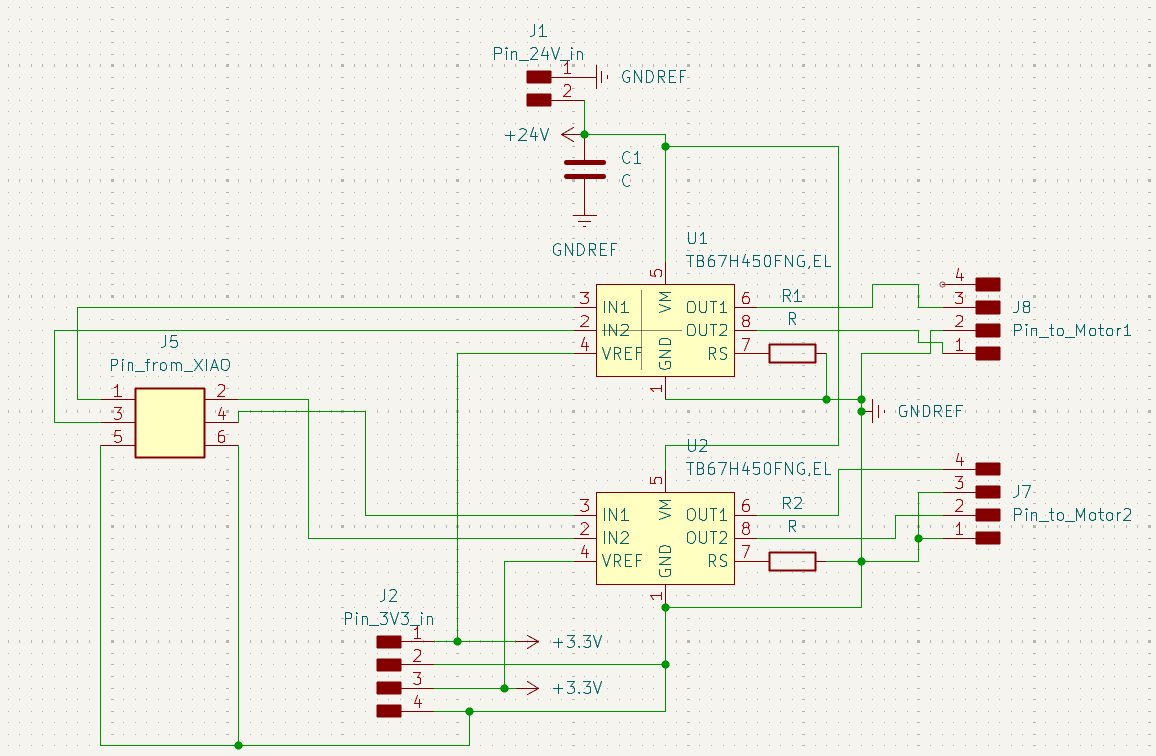
Motor Driver Scheme
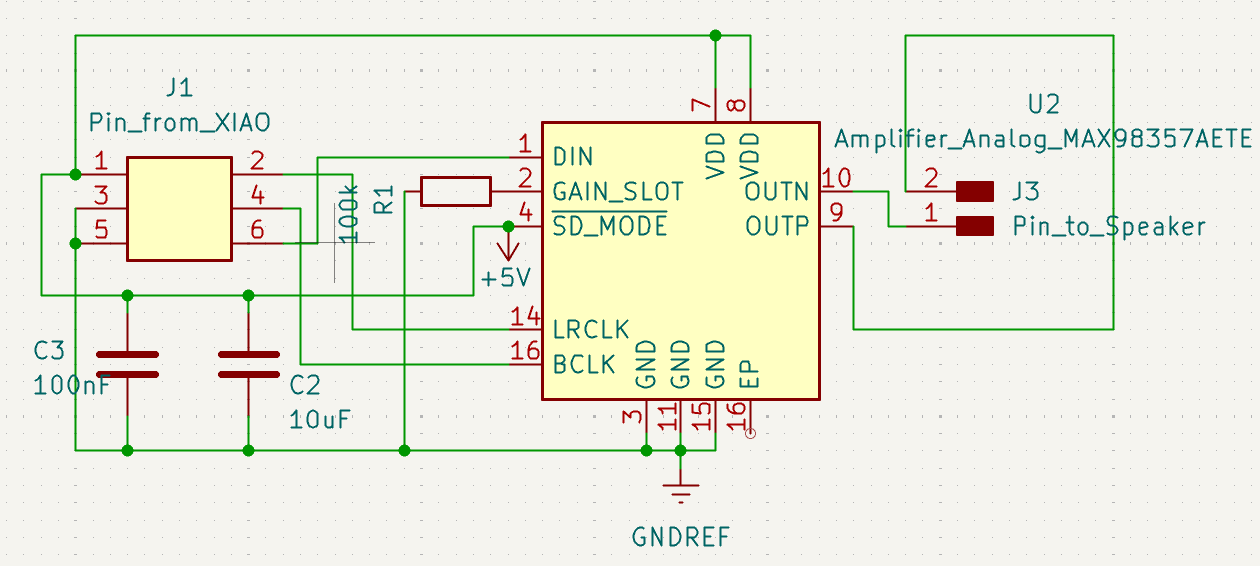
Speaker Scheme
PCB Design
Under the same design rules, each of the five breakout boards were routed filled with ground copper. The design rule check was performed to ensure the design is manufacturable. However, for the breakout board of the Speaker and Motor Driver, the size of the amplifier and motor driver were too small to be routed with the same design rules. Therefore, UV cutting was planned to use for these two breakout boards and the clearance was set to be 0.1 mm. For this week assignment, work was focused on the breakout boards of the Seeed XIAO ESP32-C6, Solenoids, and LEDs. The pictures of the routed breakout boards are shown below.
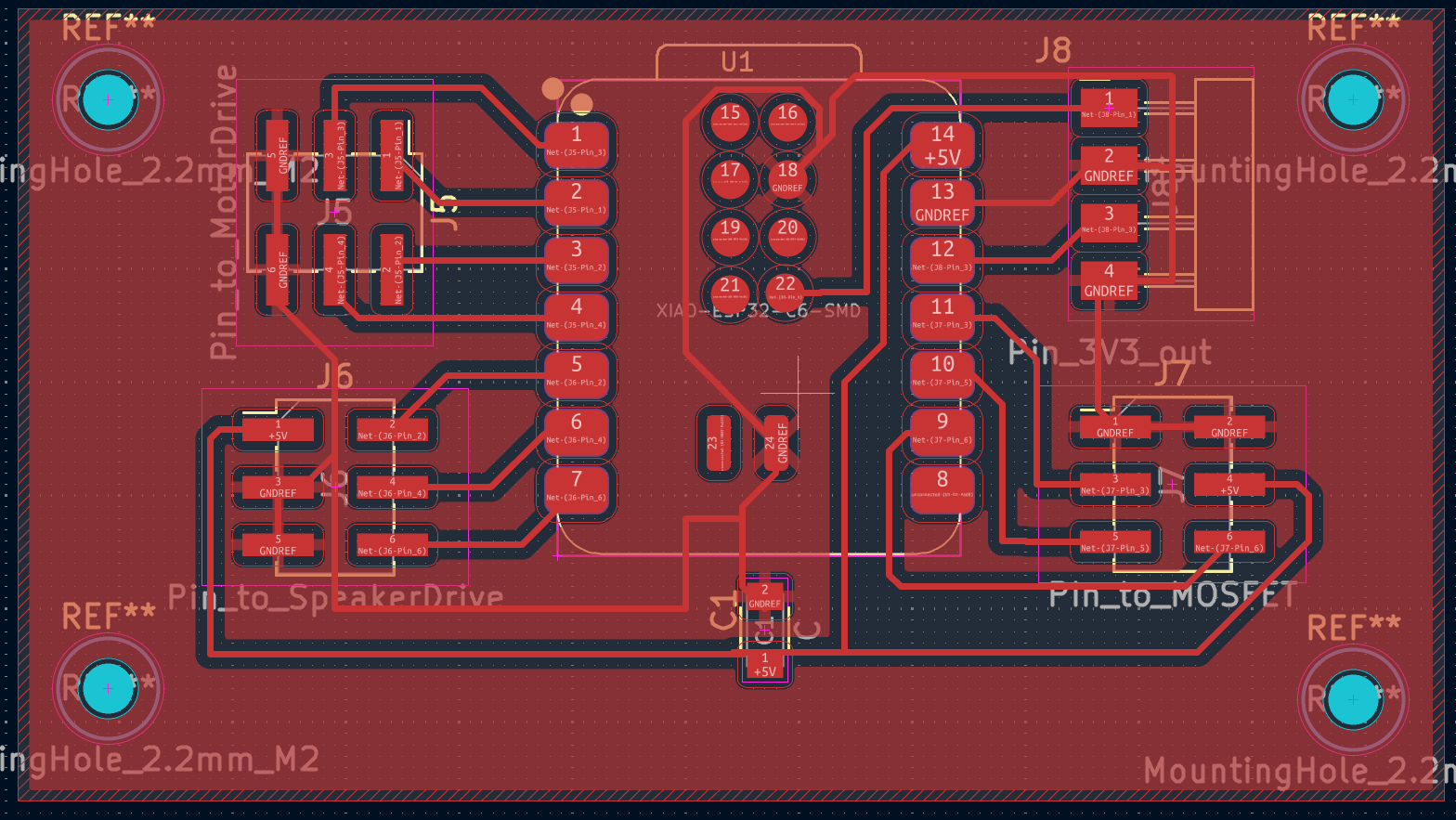
MainBoard PCB Design
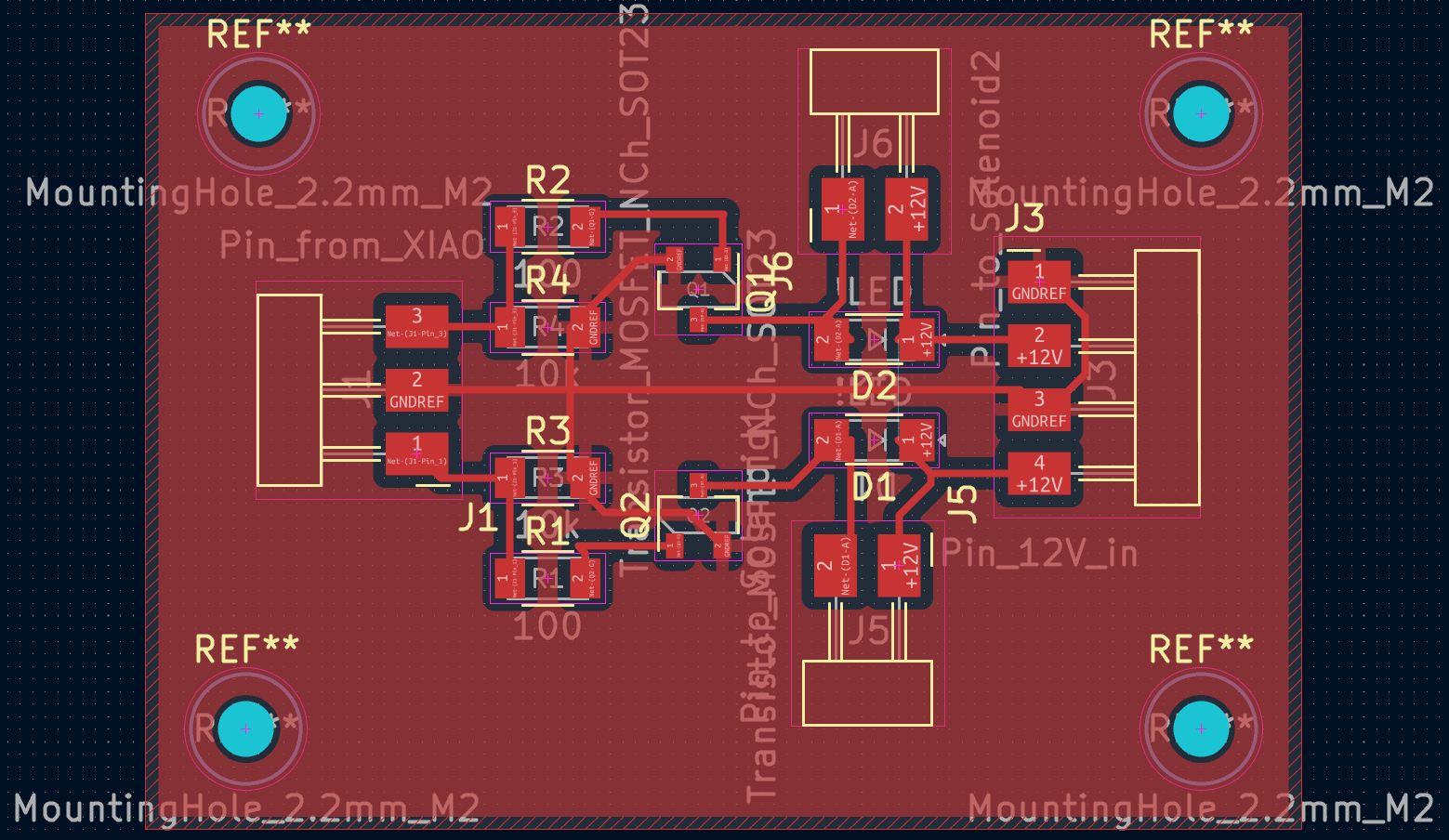
MOSFET Controlled Solenoid PCB Design
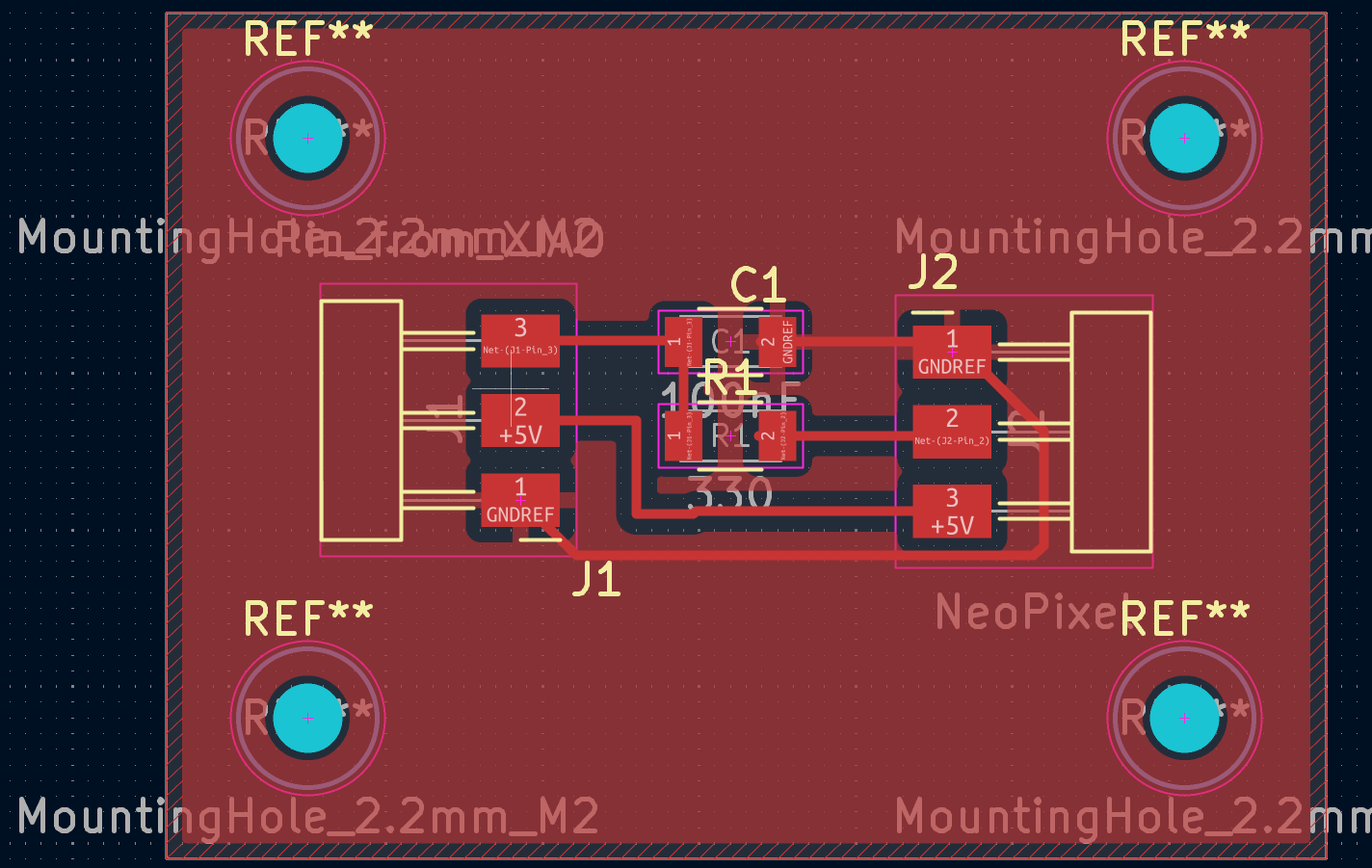
LED PCB Design
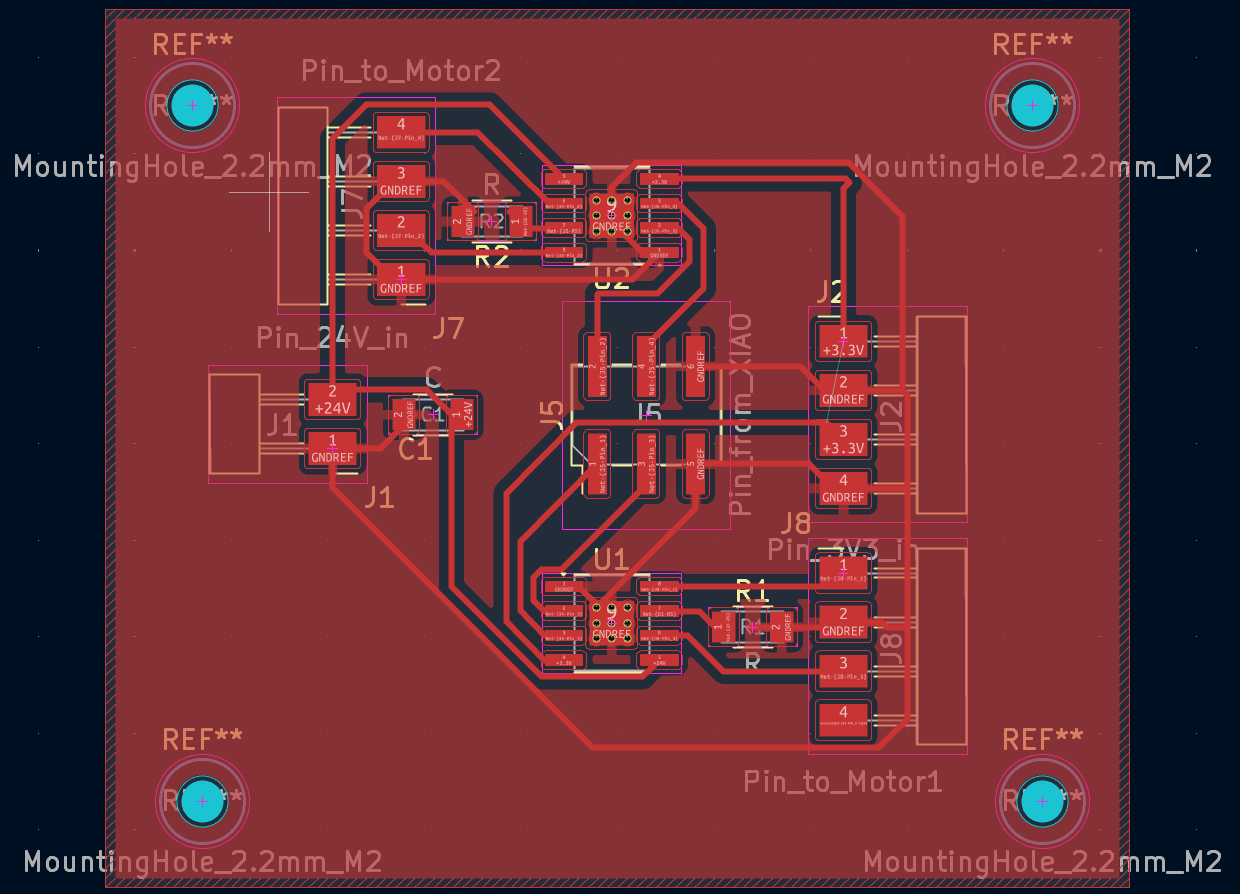
Motor Driver PCB Design
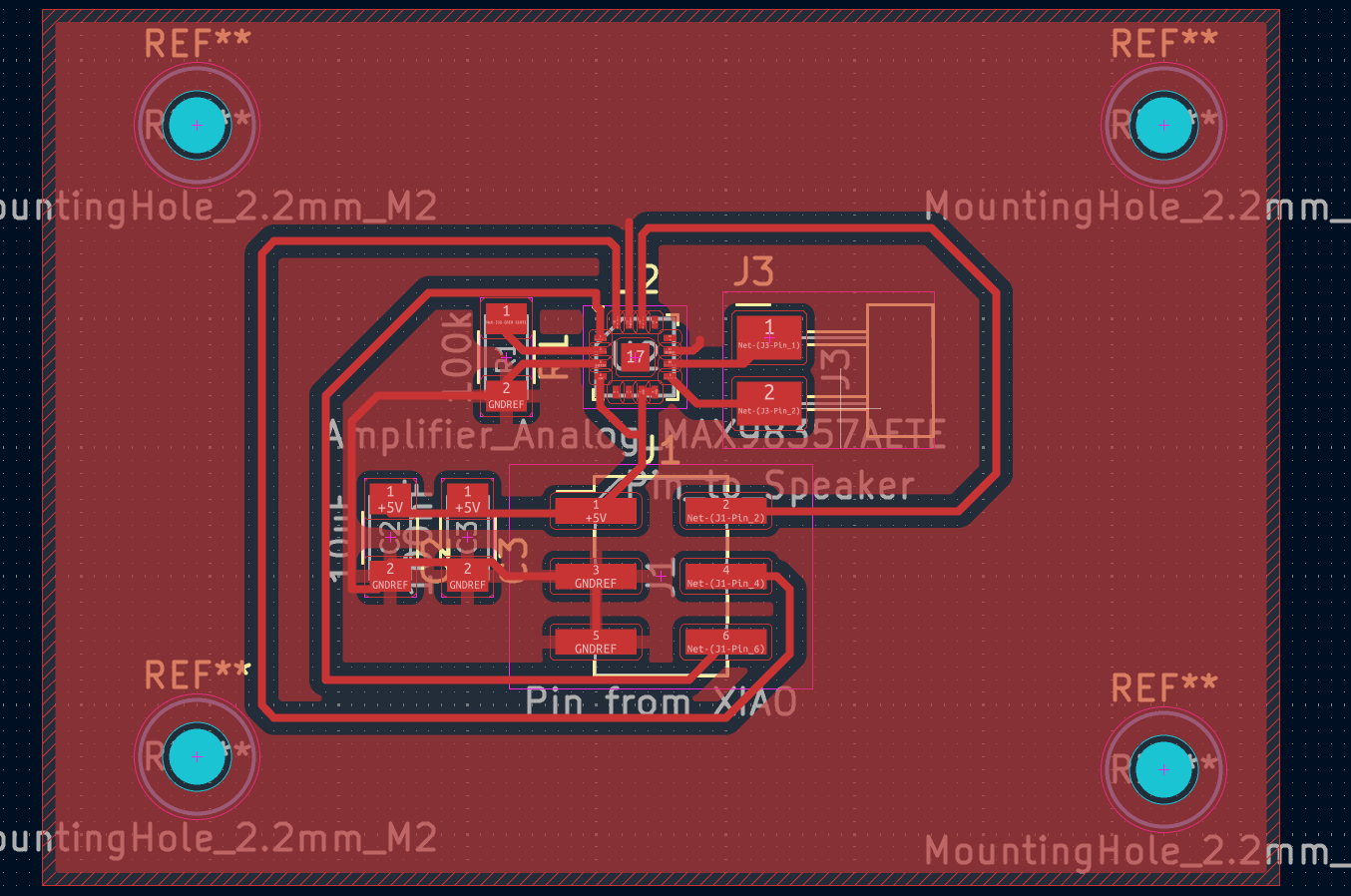
Speaker PCB Design
After the design, the pcb design was output as gerber files with F.Cu layer and edge cuts layer as well as drill files with PTN.drl and NPTH.drl; To get the .png image for further milling process, Quentin's gerber2img was used to convert the gerber files to .png images. For the milling process, the .gbr of the F.Cu layer as well as the .gbr f the edge cut layer were dragged to the website. For rendering, the "Fill edge cuts" was unselected and "Black and white" was selected, the "origin" and "demension" were locked before downloading the .png images. For the drill files, both of the .drl files as well as the edge cut .gbr file were dragged to the website. For rendering, the "Fill edge cuts" and "Black and white"was selected and "Black and white" was selected, the "origin" and "demension" were locked to the same as the milling one.
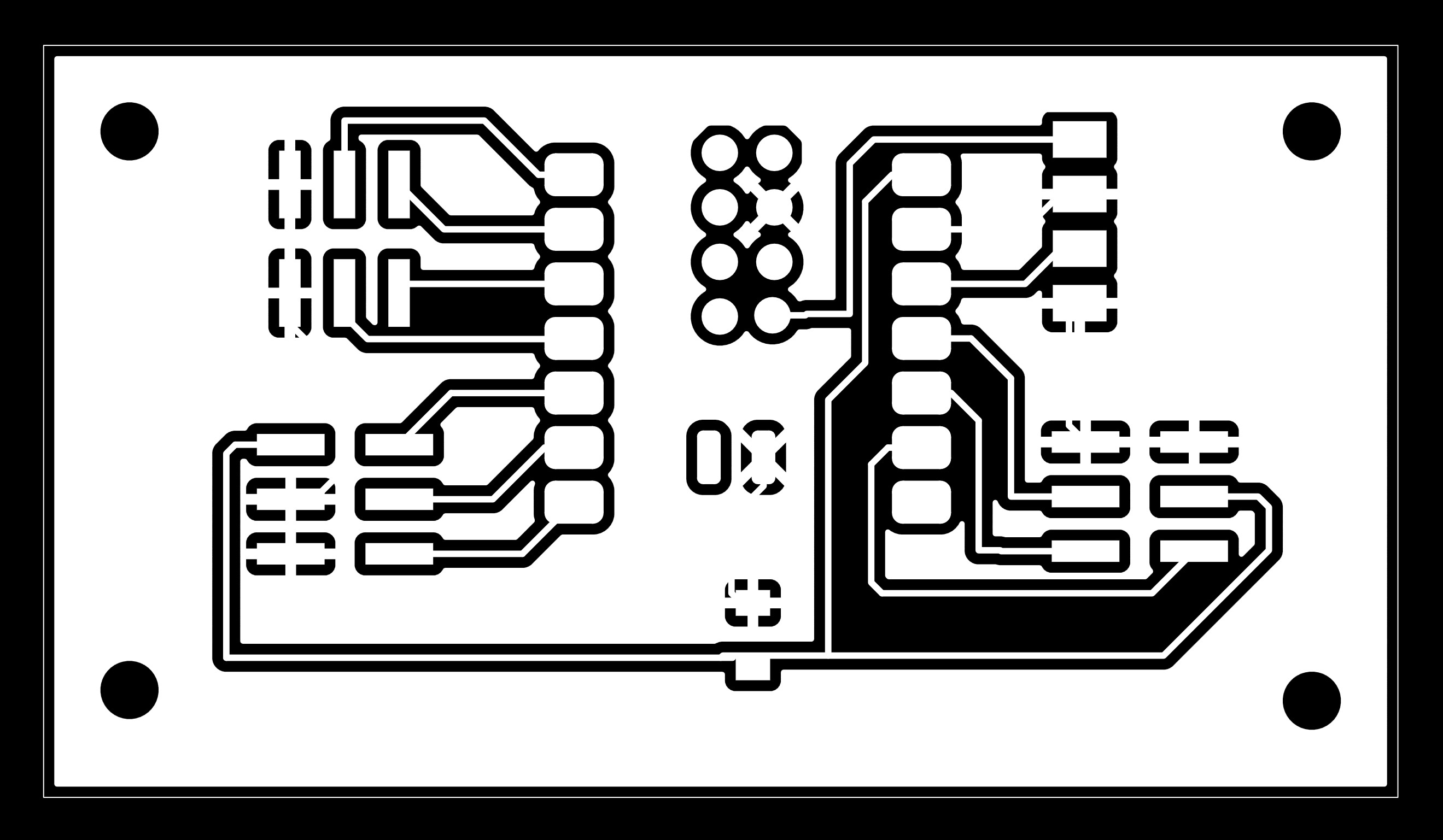
MainBoard F.Cu Layer
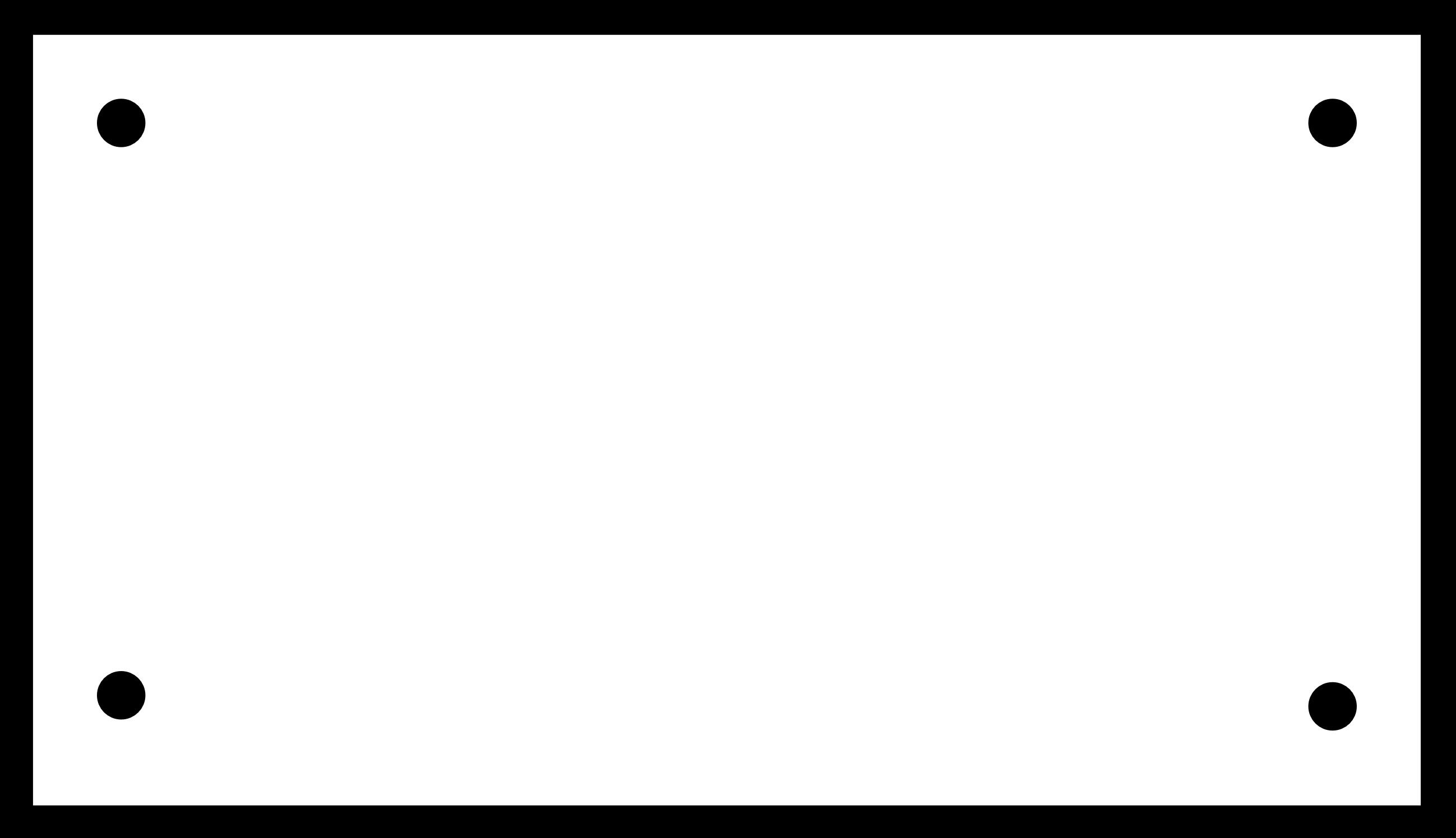
MainBoard Edge Cuts Layer
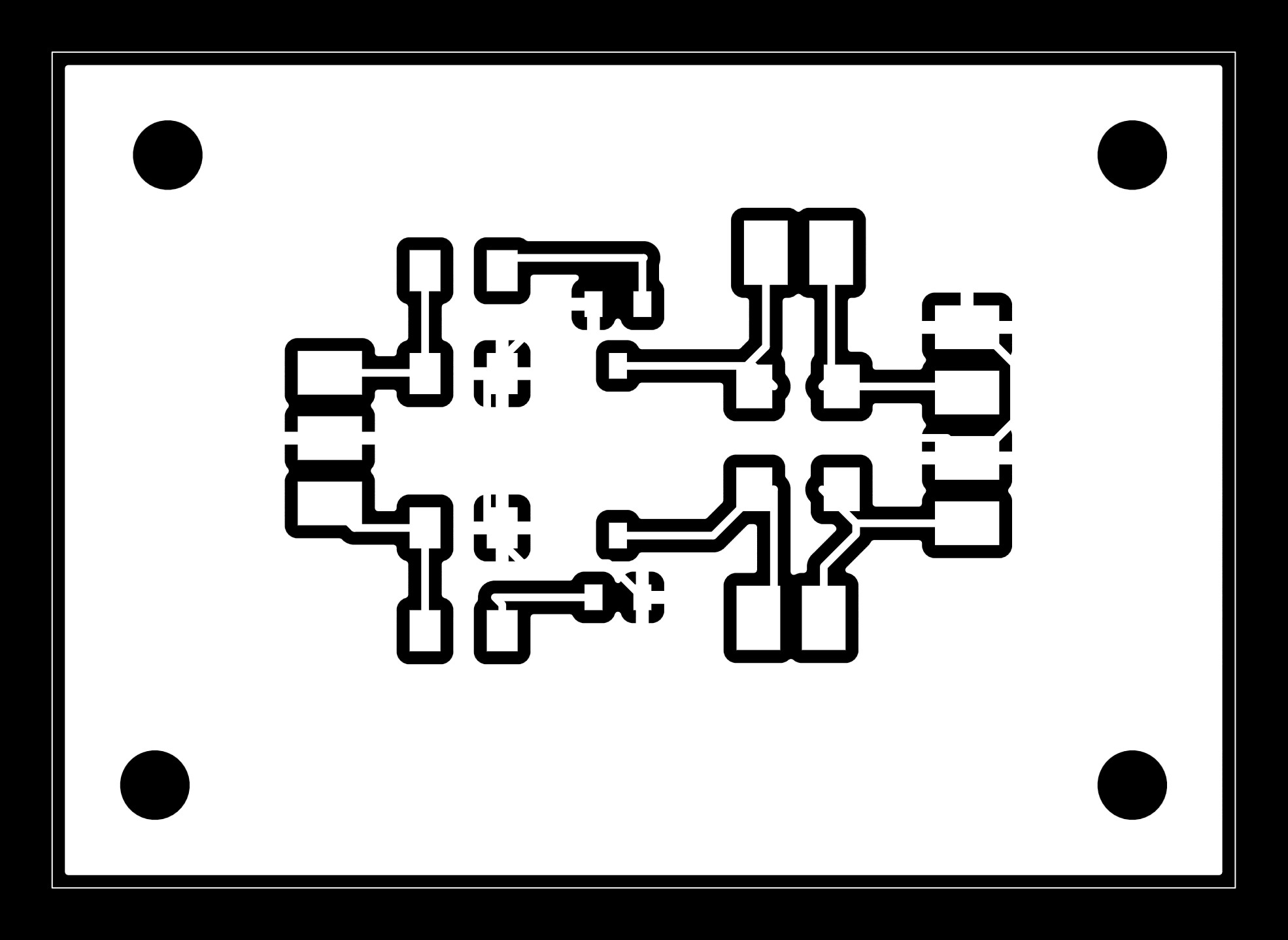
MOSFET controlled Solenoid F.Cu Layer
MOSFET controlled Solenoid Edge Cuts Layer
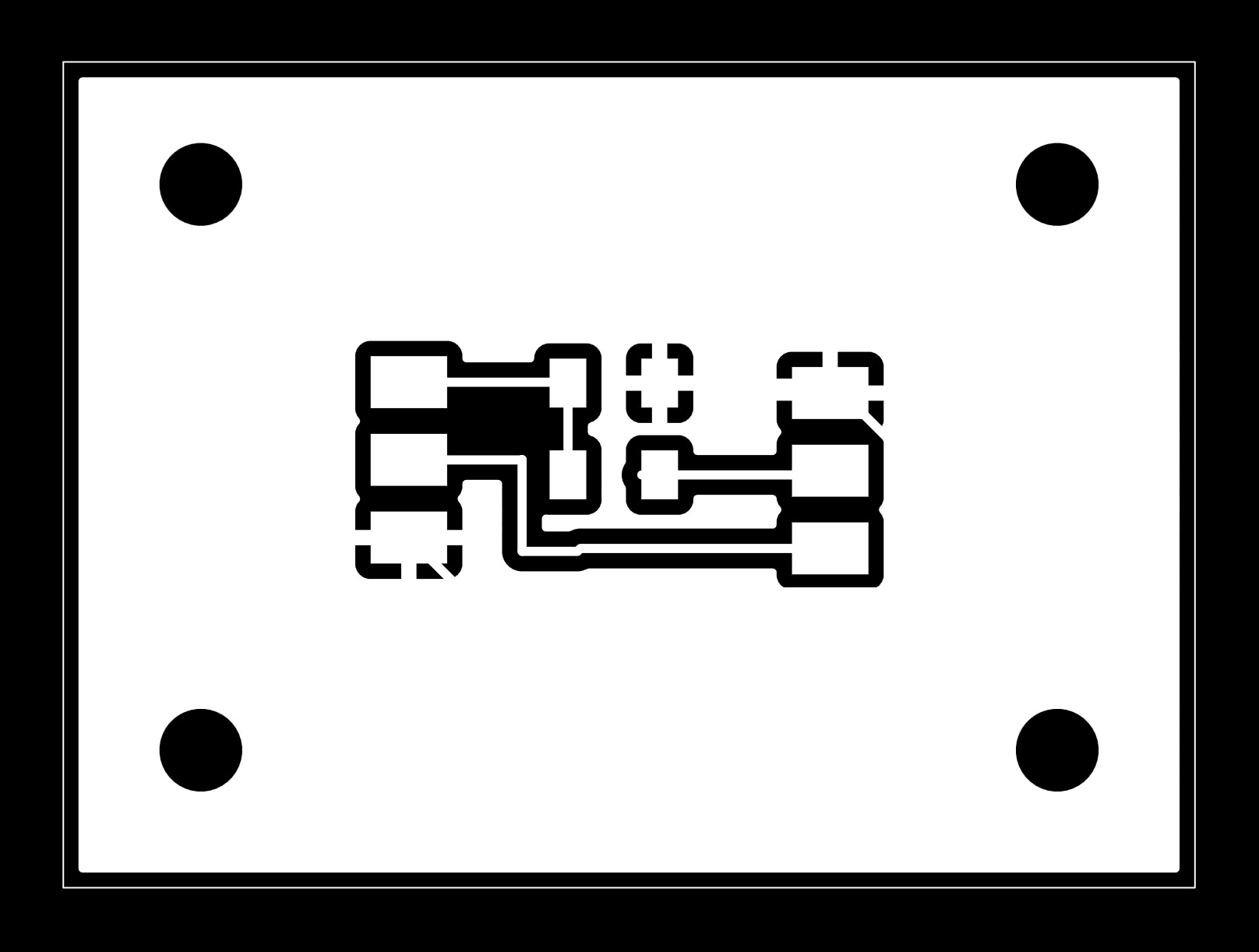
LED F.Cu Layer
LED Edge Cuts Layer
Following the manual provided by Quentin, the g code files were generated from the corresponding modsproject. The milling process was then proceeded following the g code files and the manual.
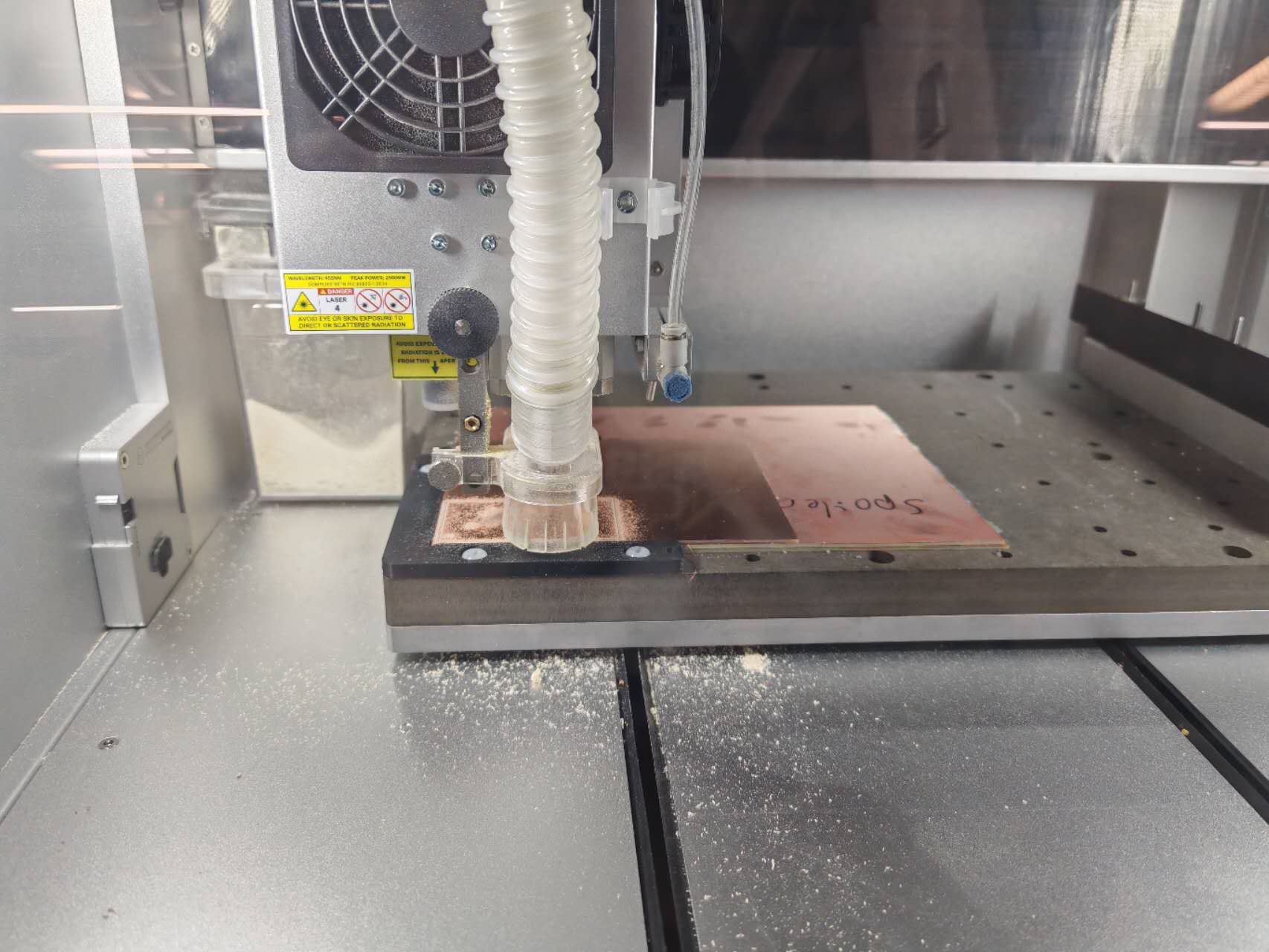
Milling PCB
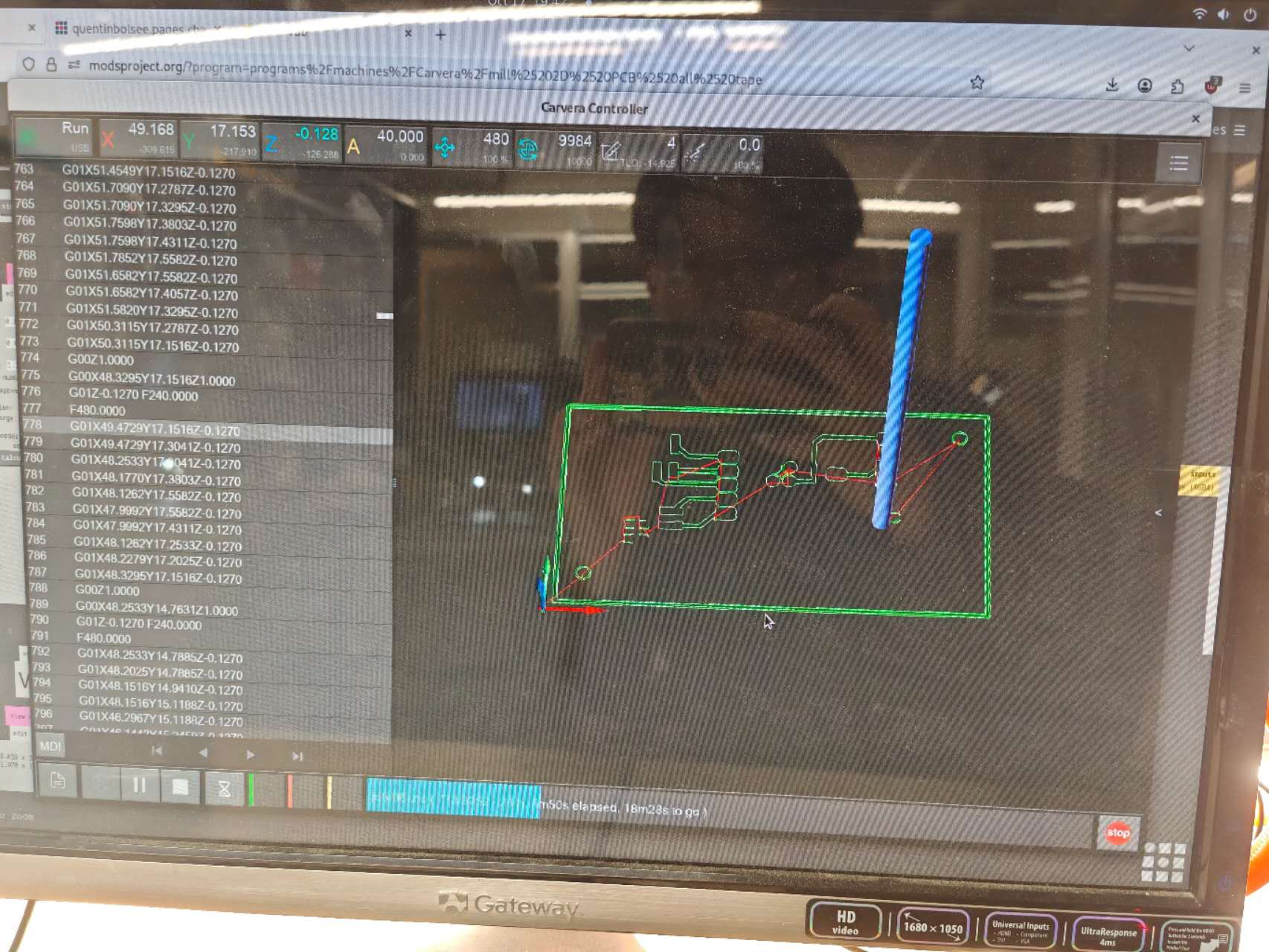
Milling Process
After milling, the PCB was cleaned and slightly sanded, then inspected by microscope to check for any defects. All the three breakout boards were successfully made.
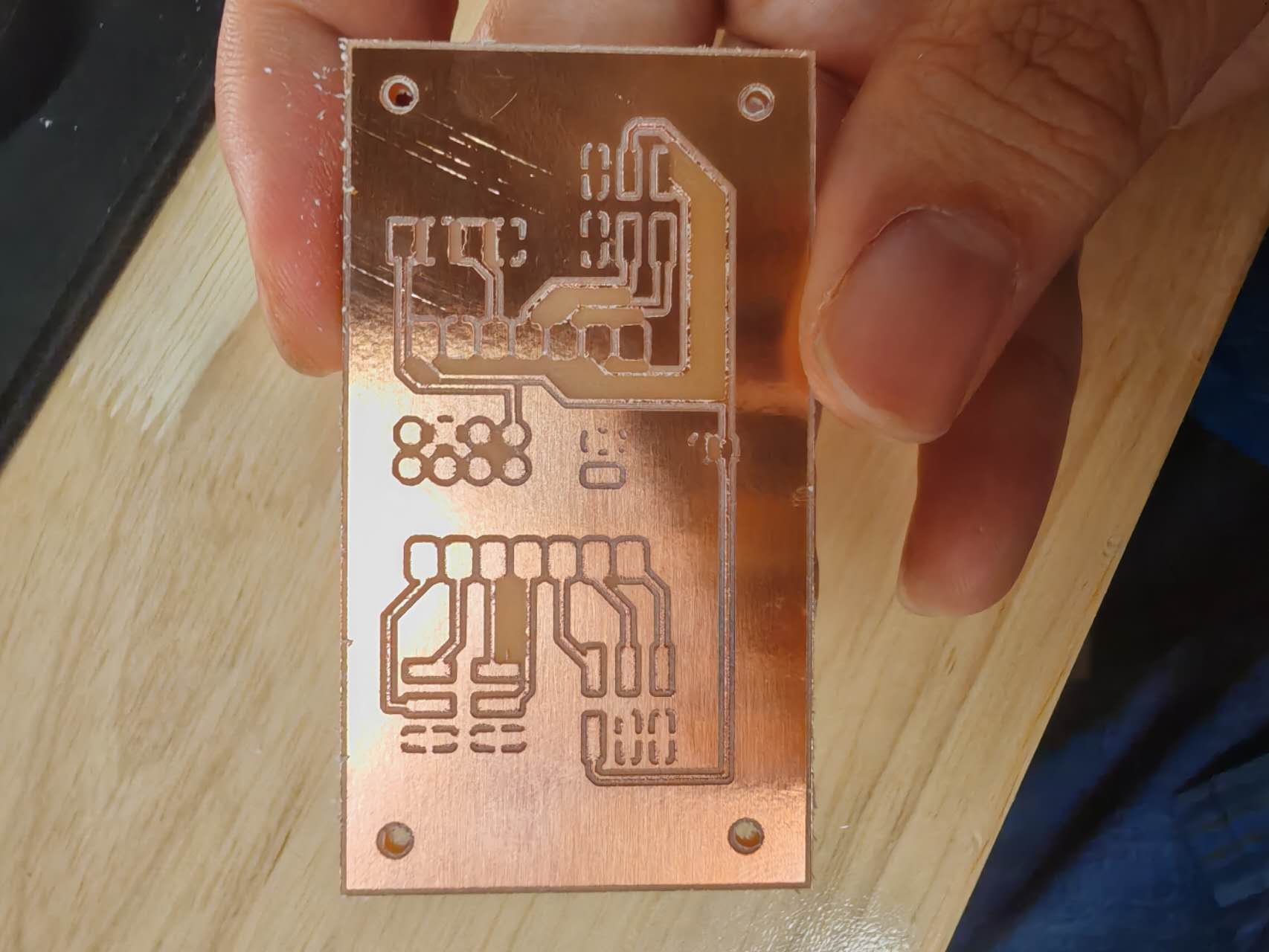
MainBoard v1
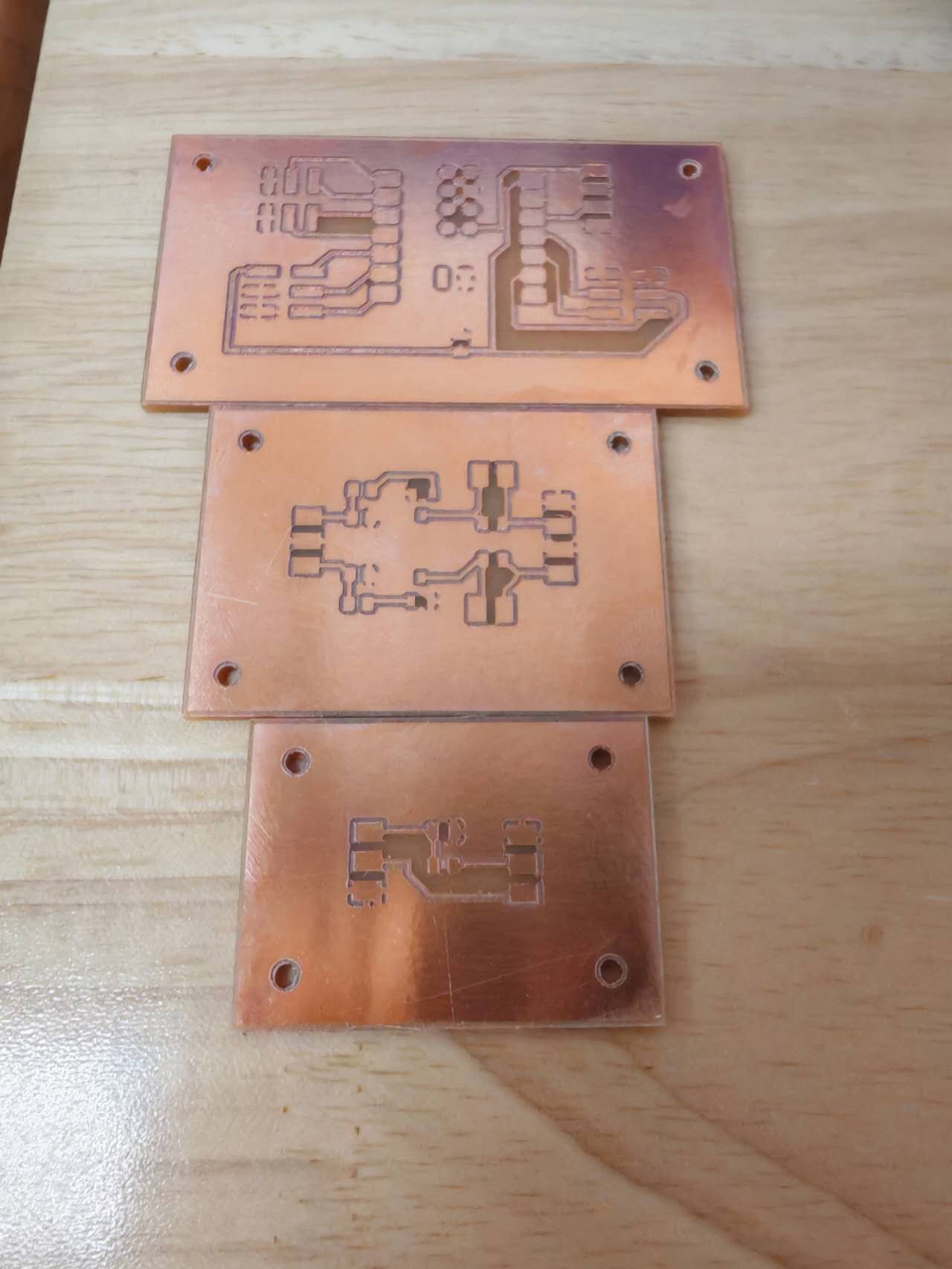
Three Breakout Boards v1
Soldering and test
After the breakout boards were made, the components were soldered to the boards. At the beginning, I find the copper pads were too small to solder the resistors or capacitors, then I find the footprints I used were 0805 instead of 1206, which is the standard size for resistors and capacitors in fab lab. After changing the footprints and redoing the milling, the soldering process was proceeded. The soldering process was painful three of the solder iron guns don't have a good activation surface for heating the solder, the only working one has a large tip making it easier to short wires. After soldering of each conponent, tests with multimeter were performed to check the continuity of the circuit and short circuit. Hours later, I made it! All the three breakout boards were soldered and tested successfully. The pictures of the soldered breakout boards are shown below.
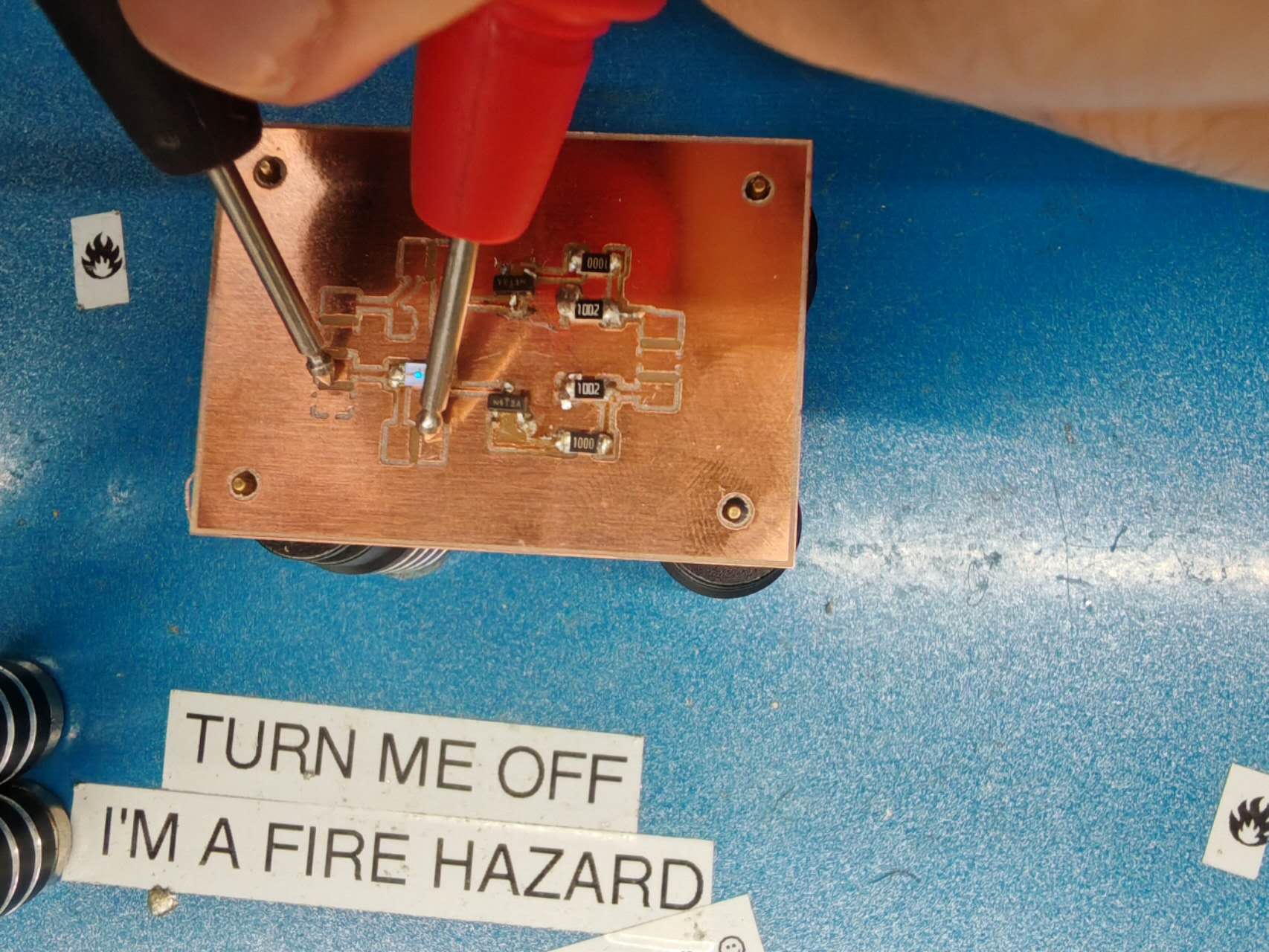
LED test
The LED test function of the multimeter was used to test the LED breakout board, the blue light in the picture shows it is working!
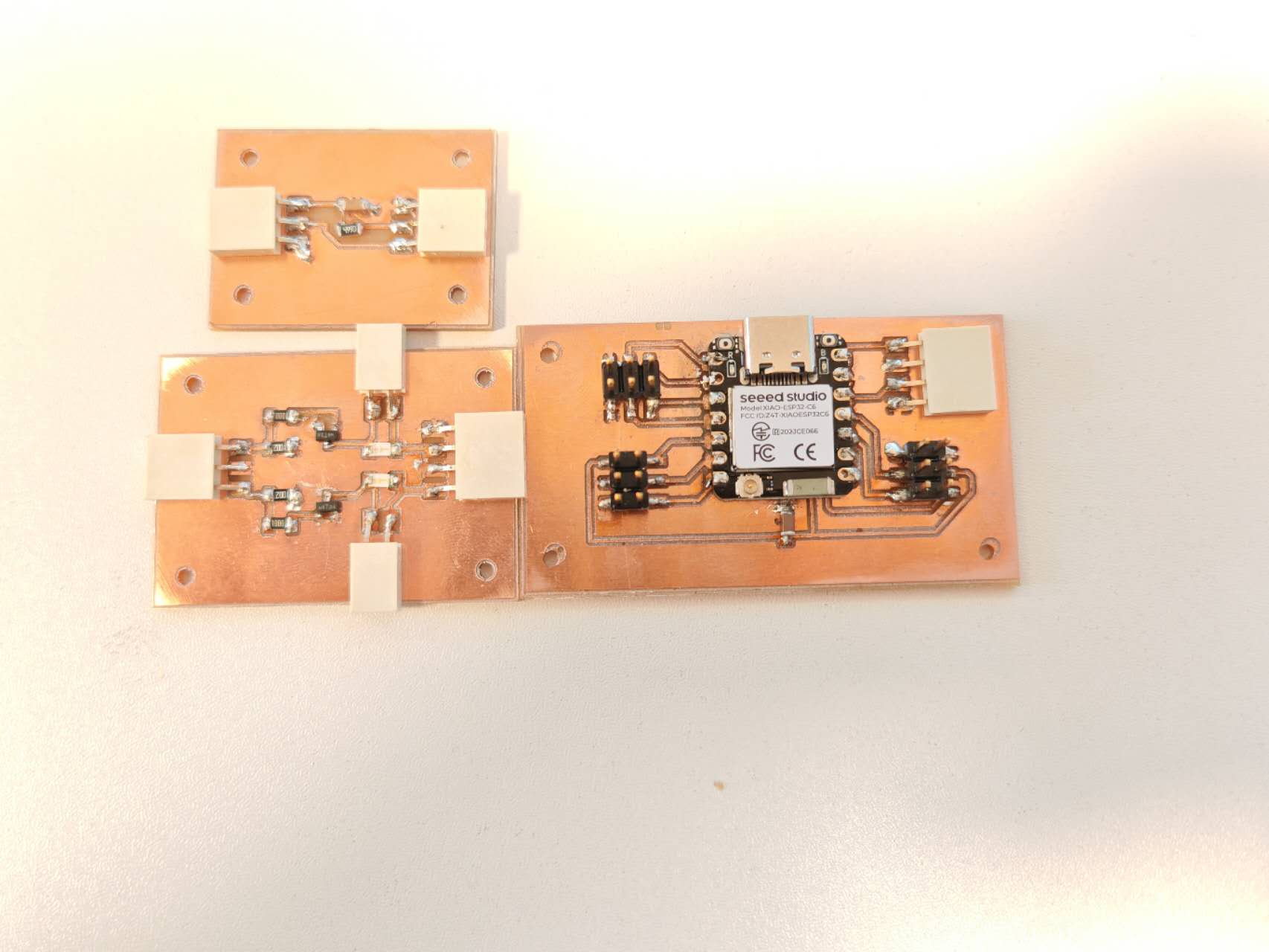
Three Soldered Boards
Arduino library of Seeed XIAO ESP32 C6 was downloaded and referenced from the website. After tapping boot and reset buttons, the board was able to be recognized by Arduino IDE and each pin of the board was tested with a simple voltage blinking code (3.3 V). After the test, Pin D1 and Pin D10 were found to short with the GND and was also confirmed by multimeter.