Week 0: Final Project Ideation, Getting Started in CAD and Website Building 9/17
Final Project Ideation
In registering for this class, I was very interested in the idea of building an instrument that was also
aethetically interesting. I was thinking a lot about the double-meaning of the word "organ", referring to the instrument as well as the parts of our body,
and how an organ "breathes" with its bellows.
Recently, I've been enamoured with Anicka Yi's work connecting machinery with biology
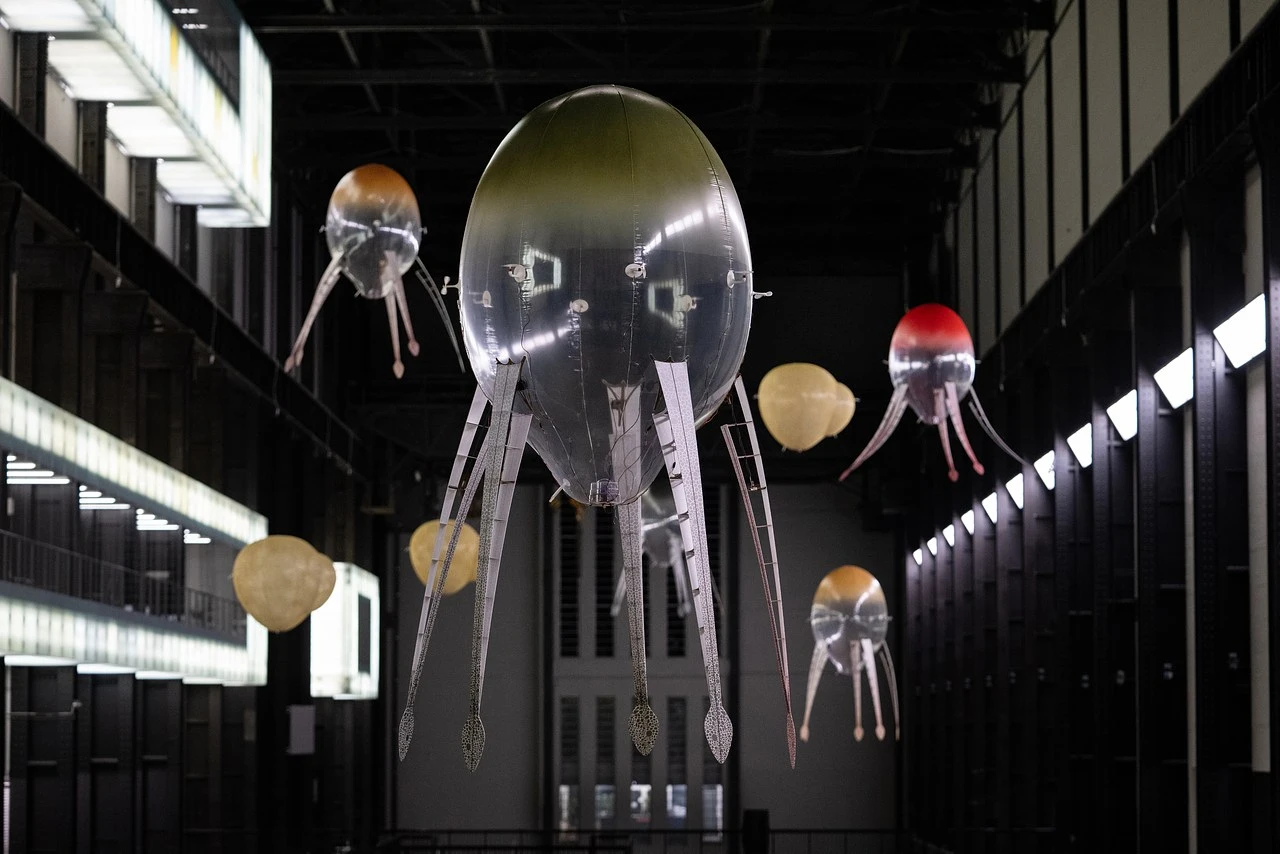 and Sky Macklay's Harmonitrees, inflatable "trees" with harmonica reeds that play beautiful, (somewhat eery) chords.
.
Sketching
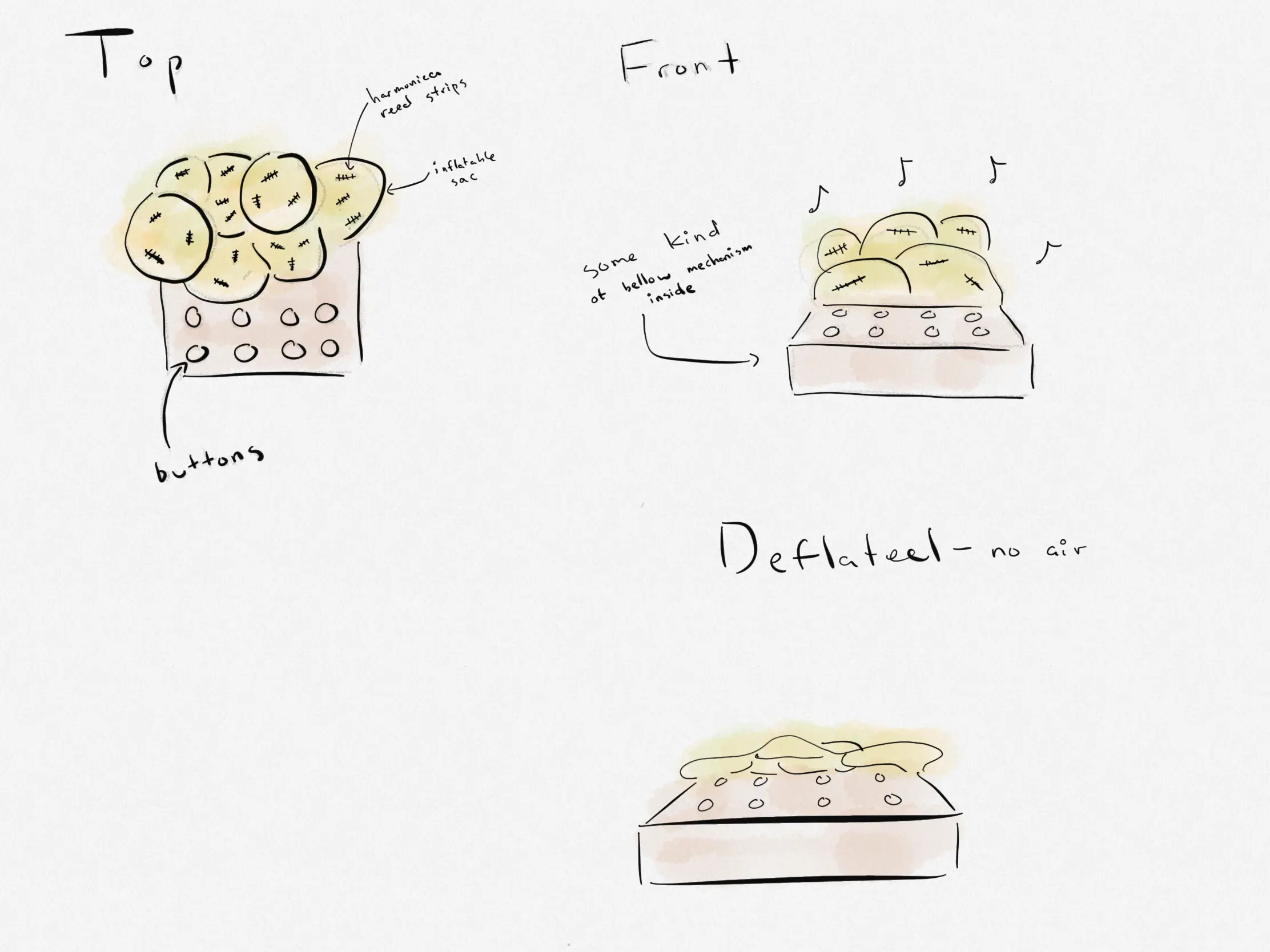
I wanted to combine these two interests into making an organ that inflates organic looking bags (maybe slime-mold-esque?)
with harmonica reeds attached to make sounds while doing so. Making an instrument that you can see "breathe."
In the process of prototyping I first tried using Tayasui Sketches to draw some initial ideas.
CAD Time
I decided to use Autodesk's Fusion 360 for the 3D modeling. Having worked at the company for a year I felt a certain kindship towards it despite never having used the software before. I also learned that it is the tool many of the TAs were familiar with and that Solidworks does not run on Mac. In order to familiarize myself with Fusion I followed this tutorial by Autodesk. It was pretty helpful for getting a basic grasp on the different functions and how to move around.
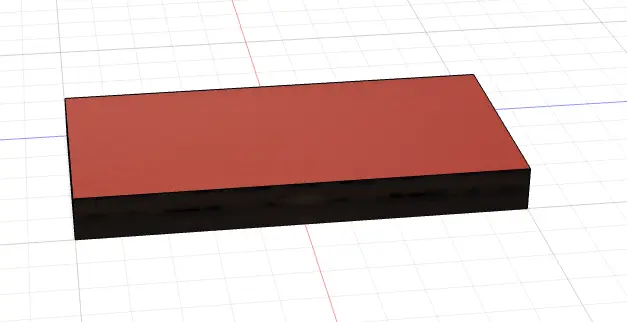
One of the first things I did was to make a box. This was fairly straightforward to find
in under the create tab.
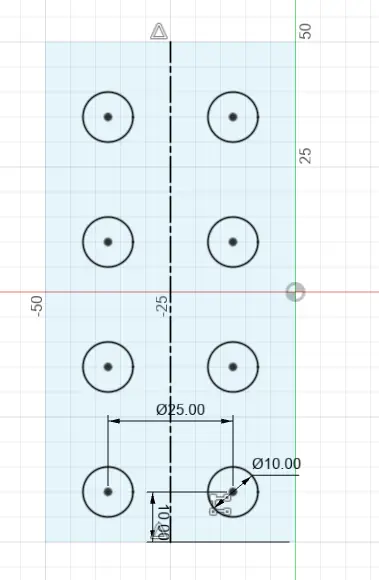
Next I drew a parametric sketch of buttons on the top face of the box, and extruded them to make them 3D. I used
pattern, dimension constraints to get the desired layout.
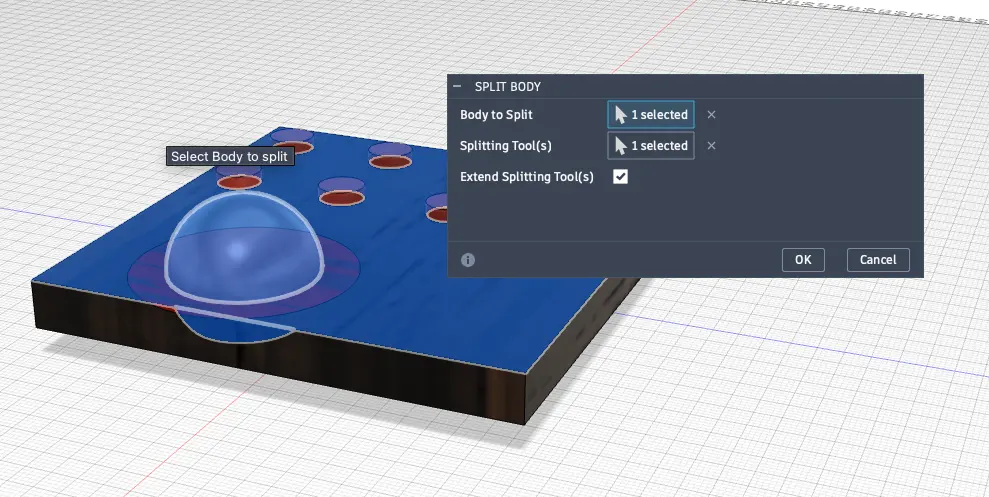
Then I went about modeling the various inflactable "sacs" using spheres. It turned out I had
to use quite a few tools to do this. First creating the sphere, then splitting the body
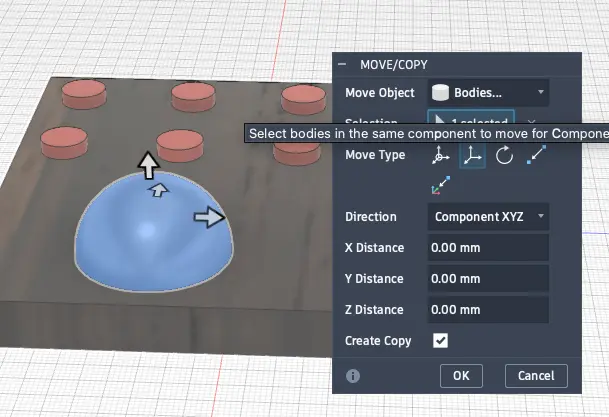
using the top of the box as a the plane. Then after that I had to move and copy it so that
I had a collection of different spheres and also scale them differently. After all of that I
combined them into one body.
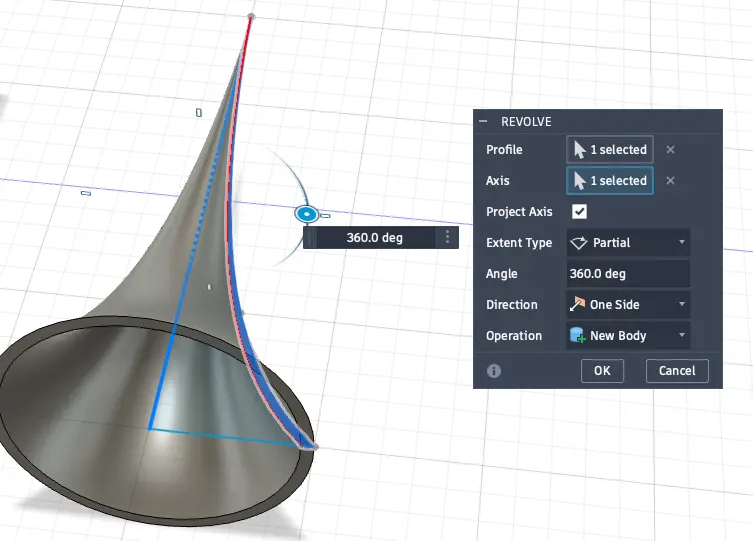
I played around with the revolve tool to make a horn, by using splines to draw a profile in sketch
mode first and then rotating it. Then similarly to the sacs, I copied and scale them
to fit onto the box.
This is what it ended up looking like, certainly one of the doohickeys of all time:
Website Building
I had some prior experience with HTML and CSS, but with the predominance of AI it seems like my brain has rotted and it has been some time since I last built a website from scratch. In following with the principles of spiral development my main goal this week is content and file structure, I will worry about aesthetics and interactivity later. To that end, I created a simple file structure:
    .
└── jason.zhang/
    ├── pages/
    │   ├── aboutme.html
    │   ├── week0.html
    │   └── week1.html
    ├── static/
    │   ├── styles.css
    │   ├── favicon.iso
    │   └── images/
    ├── index.html
    ├── agreement.txt
    └── .gitignore
which will hopefully allow me to organize my files effectively, and keep track of where everything is as this website grows. I also created a minimal CSS file to style the website, and added a favicon to the site.
AI Use
I used AI (Gemini) to generate a .gitignore so that git doesn't track system/logging files that are unessecary for the website to function.