Week 5: Electronics Production
Redesign
The time has come, it's board production week baby. Before I started I wanted to redesign the board a bit, mainly adding more keys so it looks like a piano, and also adding a speaker to play sounds. I took inspiration from the humble stylophone, and I want to make a small toy musical instrument.
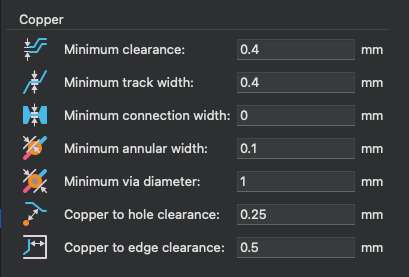
Per Professor Gershenfeld's warning in lecture, I made sure the update the design rules checker to actually reflect the design rules of the millings machines.
Turns out adding a speaker would require a bit of extra work, I needed to add an amplifier so that the speaker can be driven by the microcontroller. For the LM4871 amplifier I would need a couple of resistors and capacitors too. Per Anthony's suggestion I also changed the connector jack to a 2x5.5mm jack, which is more common.
Here's the new board design:
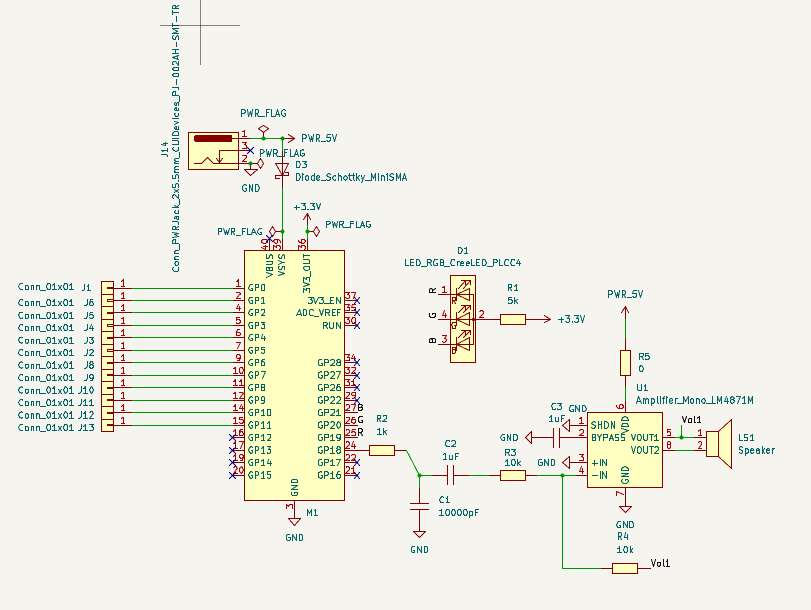
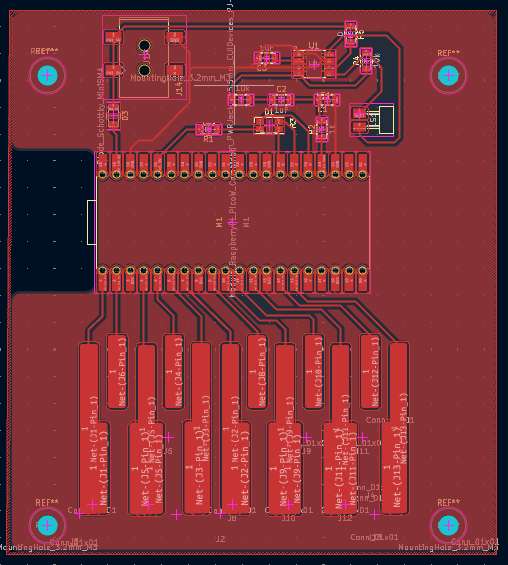
Here are the parts needed:
| Part | Quantity |
|---|---|
| LM4871 amplifier | 1 |
| 0Ω resistor | 1 |
| 1kΩ resistor | 1 |
| 5kΩ resistor | 1 |
| 10kΩ resistor | 2 |
| 100nF (10000pF) capacitor | 1 |
| 1uF capacitor | 2 |
| Raspberry Pi Pico W | 1 |
| LED RGB PLCC4 | 1 |
| Schottky Diode 0603* | 1 |
| 2x5.5mm jack | 1 |
| 8ohm Speaker | 1 |
*I would later have issue with this, I actually needed a Mini SMA sized diode, since I needed 1A
Milling
So for the arch shop, it's necessary to convert the different layers in Gerber files which then get converted into PNGs which get sent to the SRM-20 milling machines. So I had my engraving layer and edge cut layer exported over.
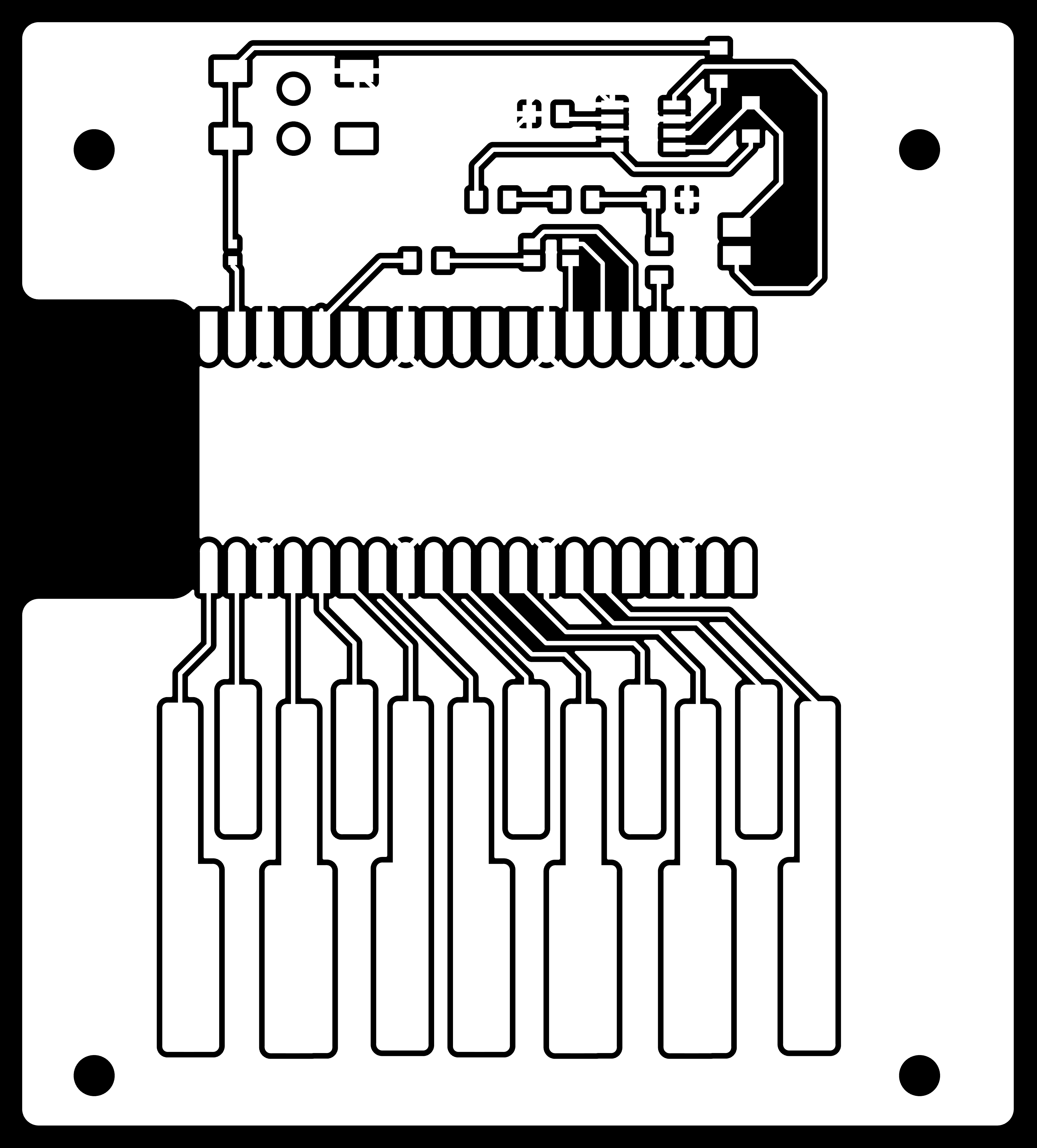
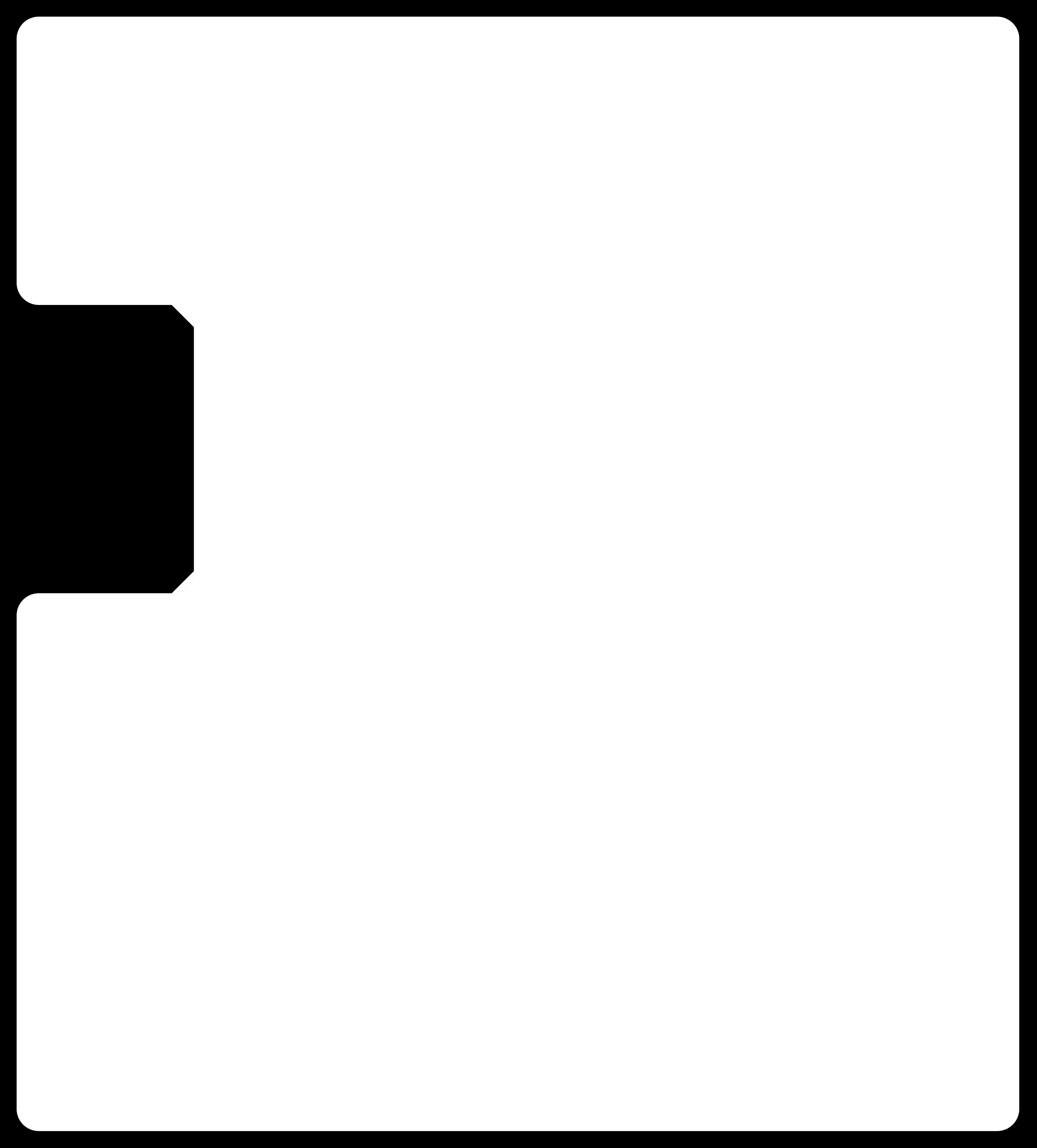
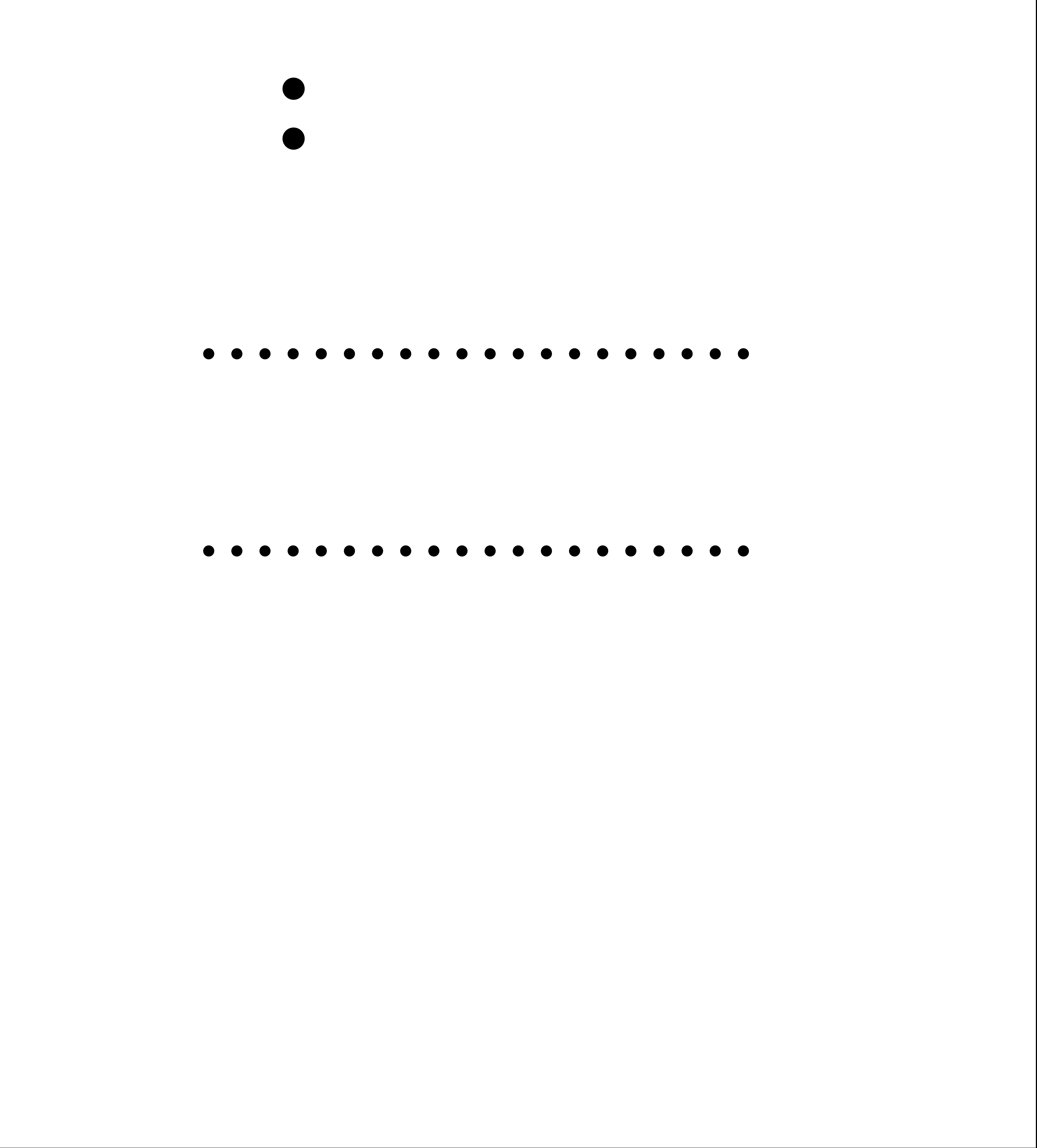

Unforunately, I didn't read the obvious text on Quentin's website that it supported .drl files as well. So I used the B.Mask layer which turned out to have disastrous consequences later on...
But for the time being, I had everything I needed and I was ready to mill!
Then came time to drill the holes, and then...
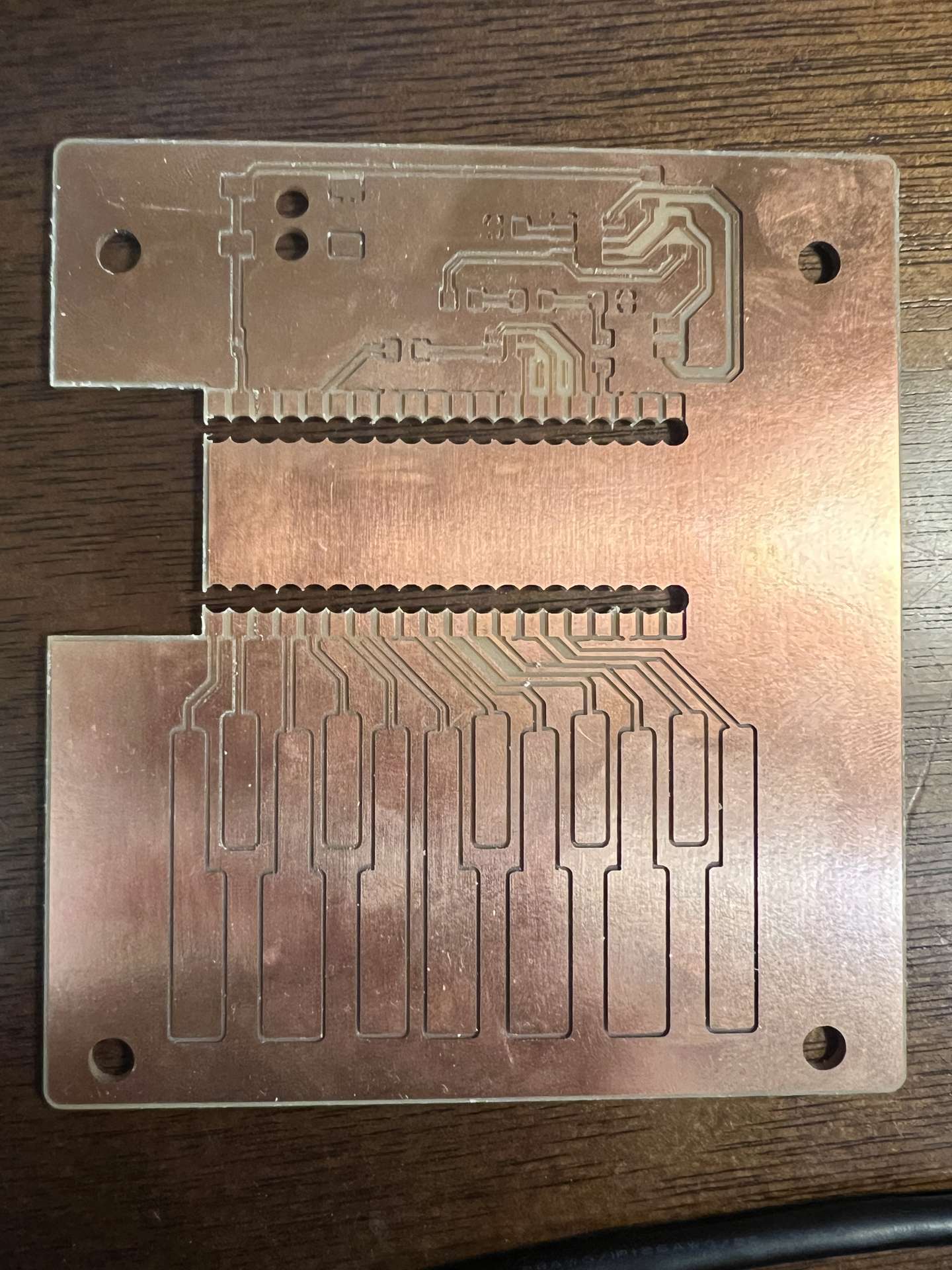
The holes were way to big and overlapped and created these "teeth." I didn't think there would be a way to solder the Raspberry Pi Pico W to the board. So I had to go back and re-mill the holes, this time using the .drl file. This time I was careful to not overlap the holes and I also made sure to use the correct drill bit size.
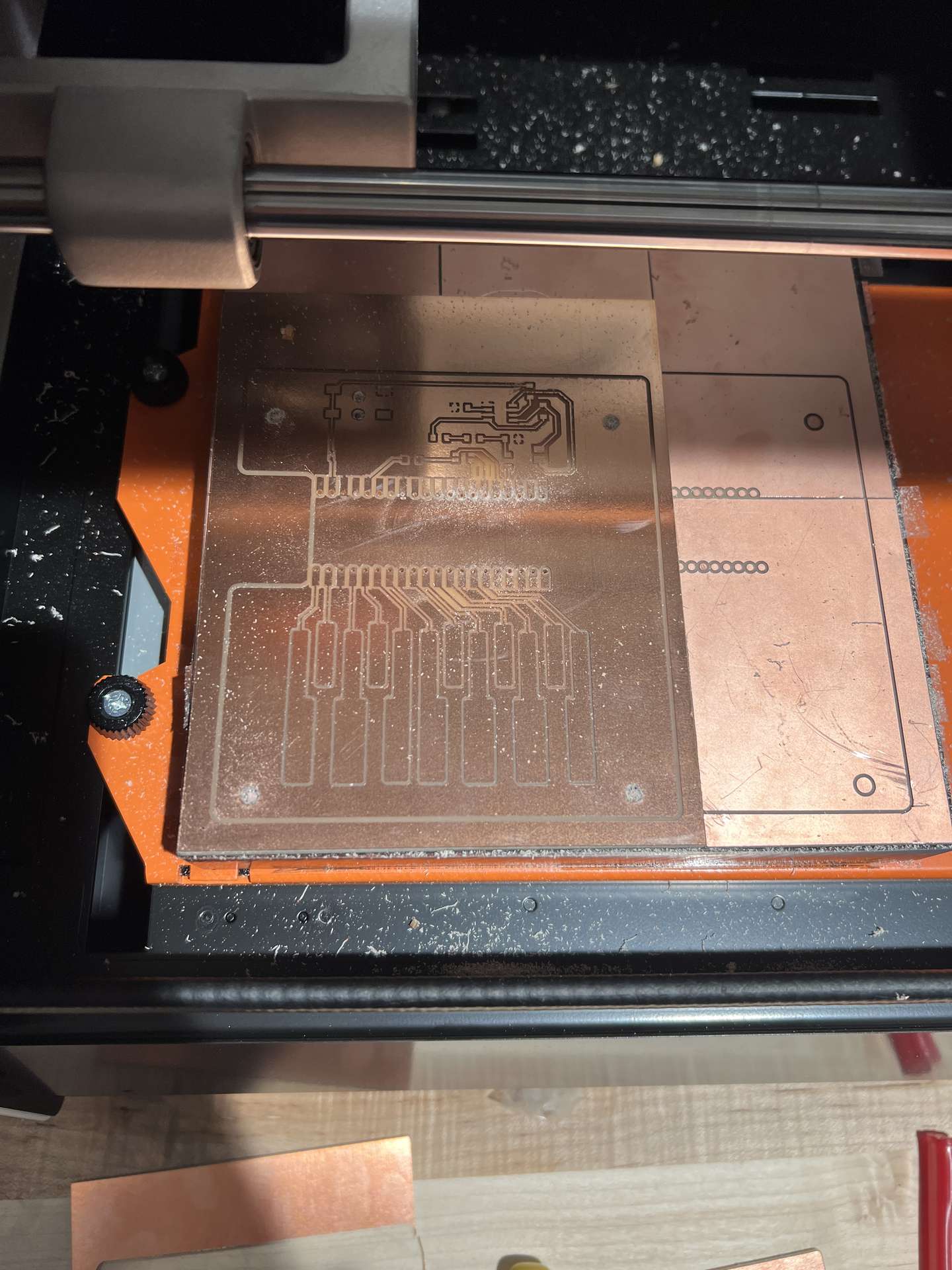
Then I was able to mill the rest of the board. Now the board was ready to be soldered!
Soldering
So soldering went smoothly initially. I soldered all the small components: resistors capacitors, diodes, etc. It looked like it was going to be a smooth ride.
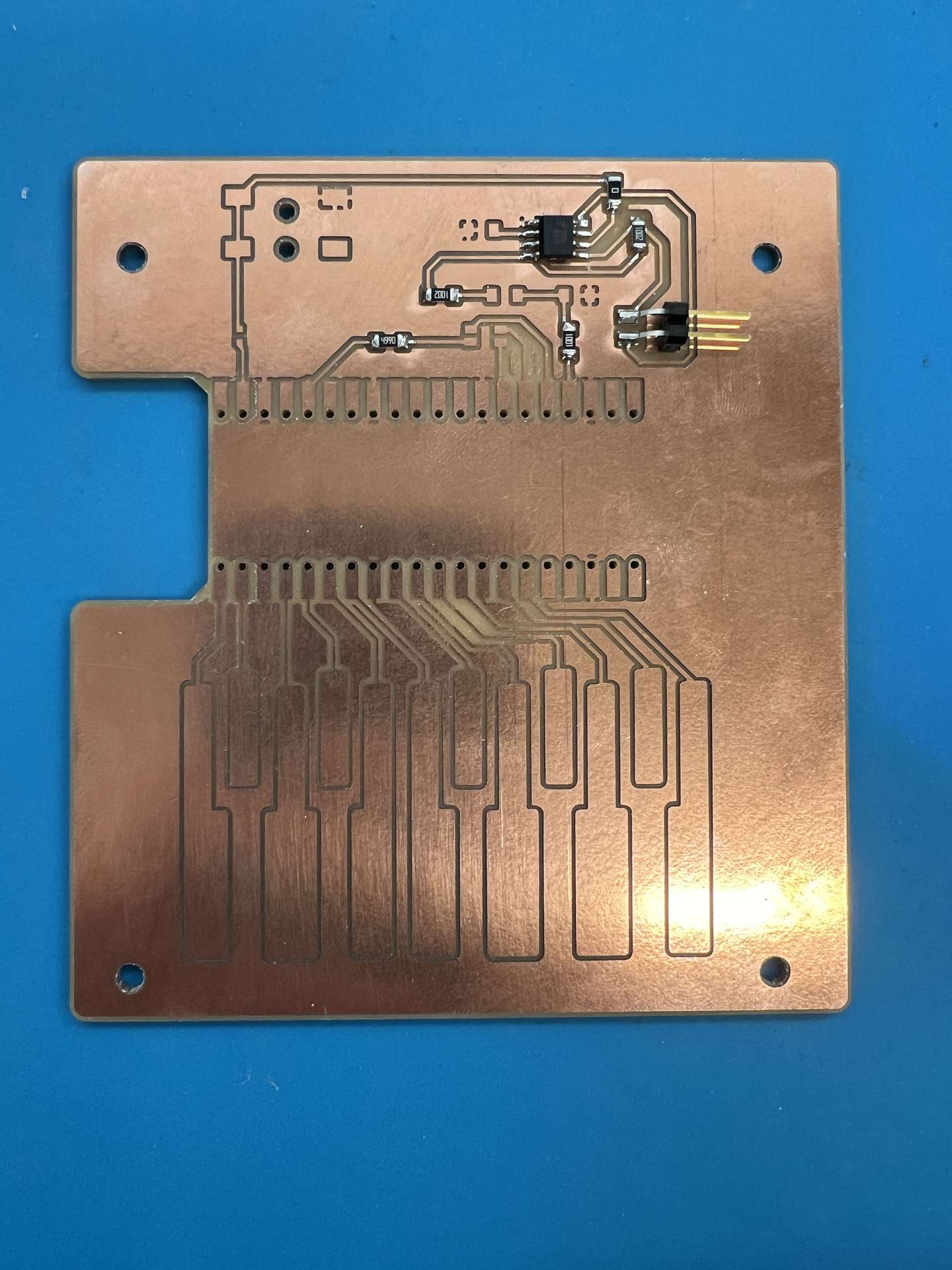
Then I decided I wanted to try soldering male connectors to the board so that I might be able to plug in the Raspberry Pi and reuse it later on. Turns out, I learned later on, the Raspberry Pi still needed to be soldered for the connections to be stable. Ahh, regret.
I thought it would be relatively straightforward especially considering I had just soldered all of the tricky small components. But I had a new enemy this time: gravity. I had to solder the components elevated, since the poke thorugh on both sides. However, The first time I did that the pins began sagging on one side, and I didn't notice until I was done.
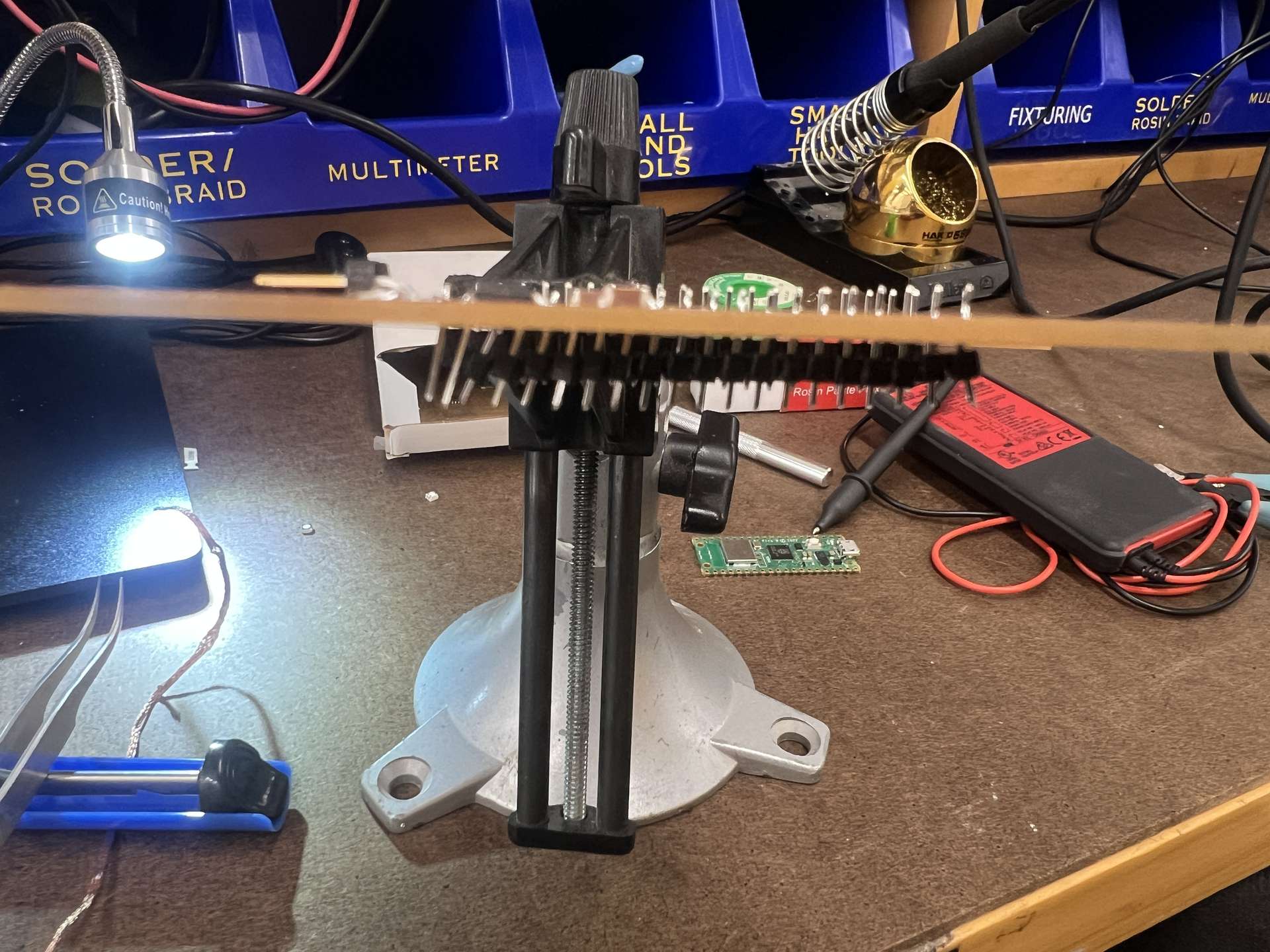
After panicking a little bit, I learned that the situation was savageable, albeit tedious. I had to cut each individual connector and then melt the solder and pull it out. This took a while, but a small price to pay for a lesson learned.
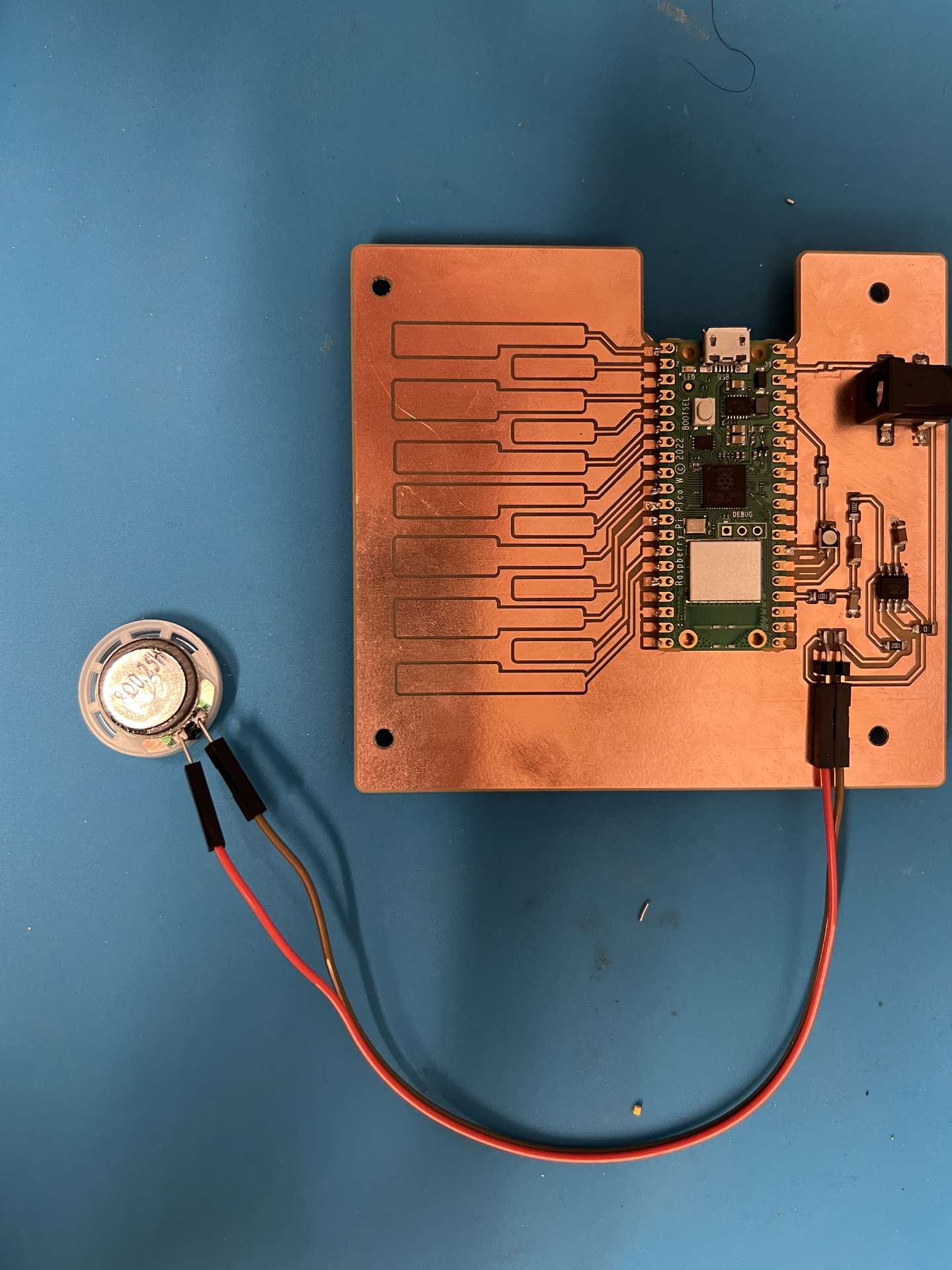
I then soldered the speaker and the jack to the board. This is where I learned I lost the 50/50 coin flip on whether it would be oriented correctly. The hole was facing the board, therefore it was extremely inconvenient to plug in. But alas, the board was printed and I had already put everything else on...
I need a hero (Anthony)
There was one last setback that I had taken in the design of the board. I naively assumed that much like Resistor 1206, the default for Shottsky Diodes was 0603 I would find any spec of diode I needed in that size. Boy was I wrong. After a bit of sleuthing, I discovered I needed a Mini SMA sized diode, since I needed 1A. However the amount of space allocated on the board was nowhere near enough space. Was this it? Was I truly doomed?
But then I remembered that Anthony mentioned during the recitation that he had very special tool that could fix a lot of these kinds of issues. The ultrasonic blade! I consulted Anthony on my plan and I got to work carving out a larger enough area in the board to fit the diode. It helped to illuminate the bottome of the board with a flaslight to see if there were any lingering bits of copper.
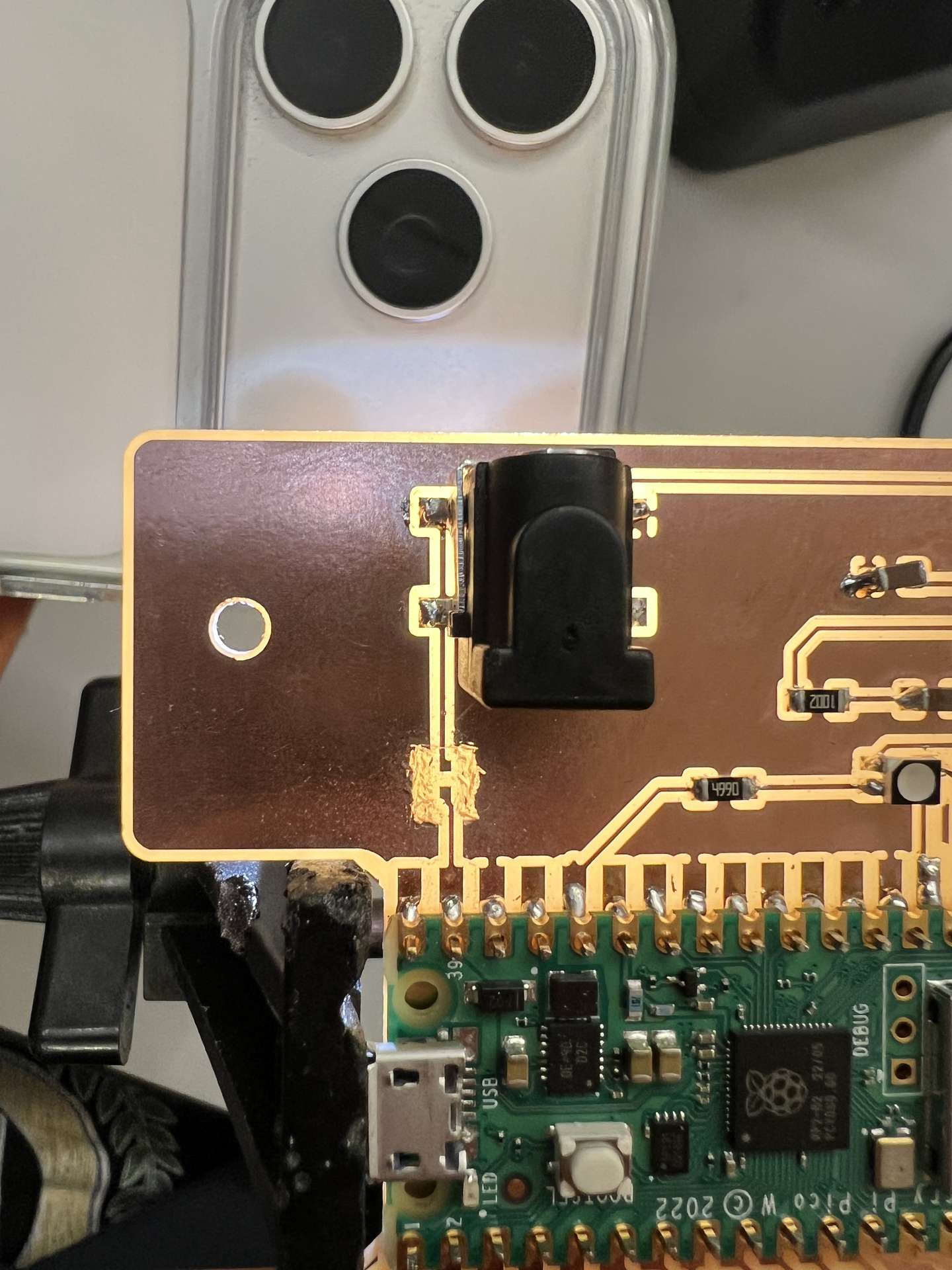
I had the modifications I needed and I finished the last bit of soldering.
I was now ready to test the board
Testing
I started by testing the board with a multimeter. I tested the resistors, capacitors, diodes, and the speaker. Everything seemed to be working fine. I then tested the board with a logic analyzer. I tested the GPIO pins, and the I2C pins. There were a few missing connections but just had to fix some soldering.
Then it was time to run some code on the board
First I plugged the board in, the LED should light up since in order to be off the connected pins actually needed to be HIGH, which would not be the case when the board was not initalized with a program.
Blinking the LED
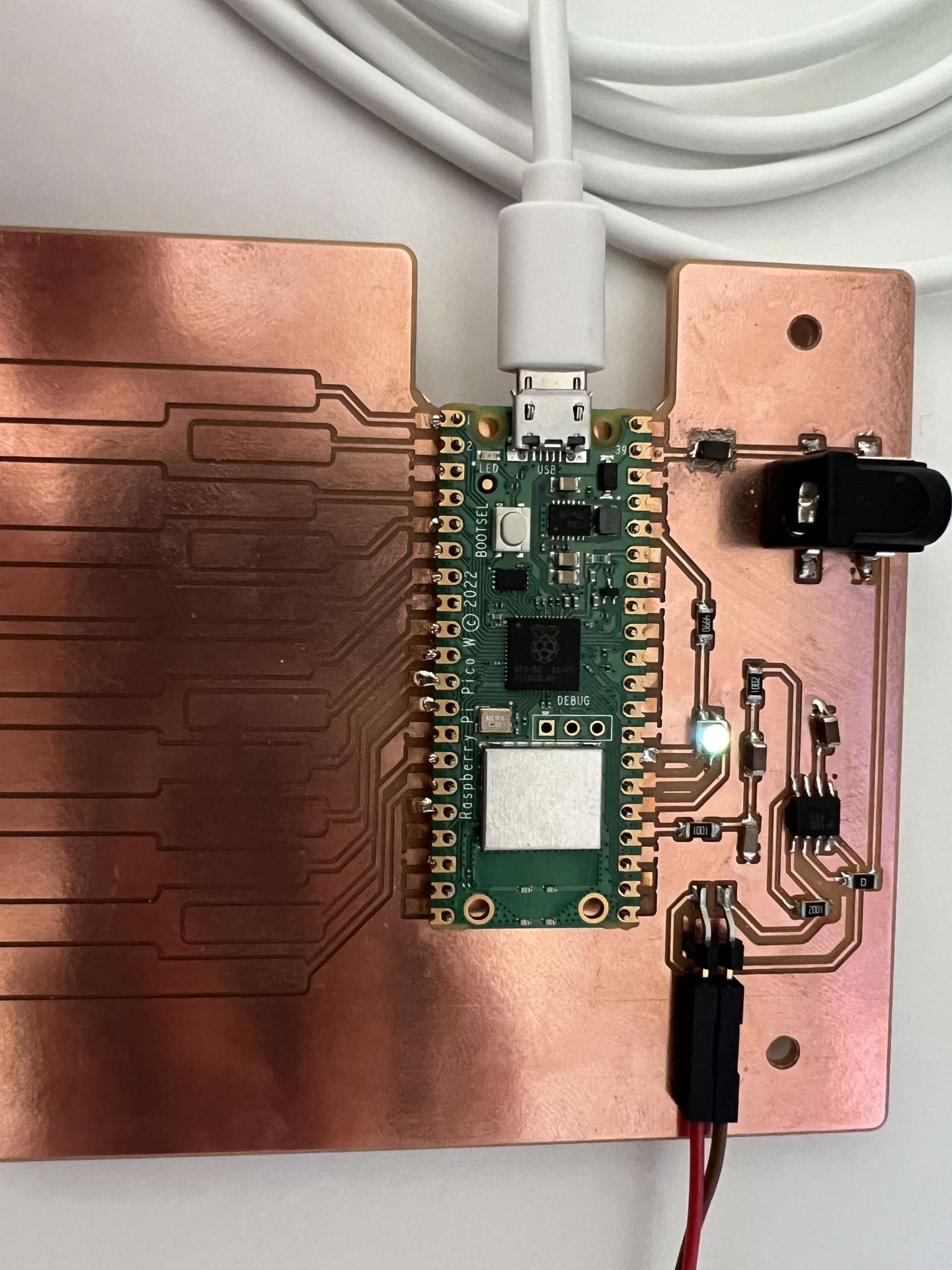
Next I wrote a simple program to blink the LED different colors. I used the following code:
        // RGB LED soak test for FirstPCB (Pico W)
        // Holds each color on for 0.5 seconds, then moves to the next: red, green, blue, repeat.
        // LED is common anode: LOW = on, HIGH = off.

        #define PIN_RED 19
        #define PIN_GREEN 20
        #define PIN_BLUE 21

        const unsigned long HOLD_MS = 500UL;  // 0.5 seconds

        const int led_pins[3] = {PIN_RED, PIN_GREEN, PIN_BLUE};
        const char* led_names[3] = {"red", "green", "blue"};

        int current = 0;
        unsigned long color_start = 0;

        void showColor(int idx) {
          for (int i = 0; i < 3; i++) {
            digitalWrite(led_pins[i], (i == idx) ? LOW : HIGH);
          }
          Serial.print("LED: ");
          Serial.println(led_names[idx]);
          color_start = millis();
        }

        void setup() {
          Serial.begin(115200);
          unsigned long start = millis();
          while (!Serial && millis() - start < 3000) {
          }

          for (int i = 0; i < 3; i++) {
            pinMode(led_pins[i], OUTPUT);
            digitalWrite(led_pins[i], HIGH);
          }

          showColor(current);
        }

        void loop() {
          if (millis() - color_start >= HOLD_MS) {
            current = (current + 1) % 3;
            showColor(current);
          }
        }
Testing the keyboard
Then I wrote a program, based on Quentin's code for the QPAD to test the keyboard. It would light up the LED different colors based on the key pressed.
// Capacitive touch test for FirstPCB (Pico W), v2
// Touch pads: the Conn_01x01 pads on GP0..GP11
// Changes from v1: each pad is measured 16 times and summed (more sensitive),
// and each pad is compared to its OWN baseline taken at startup, so pads with
// longer traces or different capacitance still work.
// Don't touch any pad while it says "Calibrating".
// LED: common-anode RGB, HIGH = off, LOW = on

#define PIN_RED 19
#define PIN_GREEN 20
#define PIN_BLUE 21

#define N_TOUCH 12
#define N_SAMPLES 16   // readings summed per pad per scan
#define T_MAX 200      // max loop count per reading
#define DELTA 20       // touched when value exceeds baseline by this much

int touch_pins[N_TOUCH] = {0, 1, 2, 3, 4, 5, 6, 7, 8, 9, 10, 11};
const char* pad_names[N_TOUCH] = {"J1", "J6", "J5", "J4", "J3", "J2",
                                  "J8", "J9", "J10", "J11", "J12", "J13"};

float baseline[N_TOUCH] = {0};
int touch_delta[N_TOUCH] = {0};
bool pin_touched_now[N_TOUCH] = {false};
bool pin_touched_past[N_TOUCH] = {false};

// LED color per pad (R, G, B bits), one pure color at a time.
// Pads repeat red, green, blue: GP0/3/6/9 red, GP1/4/7/10 green, GP2/5/8/11 blue
const uint8_t pad_color[N_TOUCH] = {
  0b100, 0b010, 0b001,
  0b100, 0b010, 0b001,
  0b100, 0b010, 0b001,
  0b100, 0b010, 0b001
};

// The pad that most recently started a touch decides the LED color
int last_pressed = -1;

int measure(int p) {
  int sum = 0;
  for (int s = 0; s < N_SAMPLES; s++) {
    pinMode(p, OUTPUT);
    digitalWriteFast(p, LOW);
    delayMicroseconds(25);
    pinMode(p, INPUT_PULLUP);
    int t = 0;
    while (!digitalReadFast(p) && t < T_MAX) {
      t++;
    }
    sum += t;
  }
  return sum;
}

void calibrate() {
  Serial.println("Calibrating - don't touch the pads...");
  delay(1000);
  const int scans = 32;
  float total[N_TOUCH] = {0};
  for (int k = 0; k < scans; k++) {
    for (int i = 0; i < N_TOUCH; i++) {
      total[i] += measure(touch_pins[i]);
    }
  }
  Serial.print("Baselines: ");
  for (int i = 0; i < N_TOUCH; i++) {
    baseline[i] = total[i] / scans;
    Serial.print((int)baseline[i]);
    Serial.print(" ");
  }
  Serial.println("");
}

void update_touch() {
  for (int i = 0; i < N_TOUCH; i++) {
    int value = measure(touch_pins[i]);
    touch_delta[i] = value - (int)baseline[i];

    pin_touched_past[i] = pin_touched_now[i];
    pin_touched_now[i] = touch_delta[i] > DELTA;

    // slowly follow drift while the pad is not being touched
    if (!pin_touched_now[i]) {
      baseline[i] += (value - baseline[i]) * 0.01;
    }
  }
}

void print_touch() {
  char print_buffer[30];
  for (int i = 0; i < N_TOUCH; i++) {
    sprintf(print_buffer, "%4d ", touch_delta[i]);
    Serial.print(print_buffer);
  }
  Serial.println("");
}

void setup() {
  Serial.begin(115200);
  unsigned long start = millis();
  while (!Serial && millis() - start < 3000) {
  }

  pinMode(PIN_RED, OUTPUT);
  pinMode(PIN_GREEN, OUTPUT);
  pinMode(PIN_BLUE, OUTPUT);
  digitalWrite(PIN_RED, HIGH);
  digitalWrite(PIN_GREEN, HIGH);
  digitalWrite(PIN_BLUE, HIGH);

  calibrate();
}

void loop() {
  update_touch();

  // Remember the newest press
  for (int i = 0; i < N_TOUCH; i++) {
    if (pin_touched_now[i] && !pin_touched_past[i]) last_pressed = i;
  }
  // If that pad was released, fall back to any other pad still touched
  if (last_pressed >= 0 && !pin_touched_now[last_pressed]) {
    last_pressed = -1;
    for (int i = 0; i < N_TOUCH; i++) {
      if (pin_touched_now[i]) {
        last_pressed = i;
        break;
      }
    }
  }
  uint8_t color = (last_pressed >= 0) ? pad_color[last_pressed] : 0;
  digitalWrite(PIN_RED, (color & 0b100) ? LOW : HIGH);
  digitalWrite(PIN_GREEN, (color & 0b010) ? LOW : HIGH);
  digitalWrite(PIN_BLUE, (color & 0b001) ? LOW : HIGH);

  for (int i = 0; i < N_TOUCH; i++) {
    if (pin_touched_now[i] && !pin_touched_past[i]) {
      Serial.print("GP");
      Serial.print(touch_pins[i]);
      Serial.print(" (");
      Serial.print(pad_names[i]);
      Serial.println(") pressed");
    }
    if (!pin_touched_now[i] && pin_touched_past[i]) {
      Serial.print("GP");
      Serial.print(touch_pins[i]);
      Serial.print(" (");
      Serial.print(pad_names[i]);
      Serial.println(") released");
    }
  }

  // Change from baseline for GP0..GP11 (about 0 when untouched)
  print_touch();

  delay(50);
}
Testing the speaker
Then I wrote a program to play a few sounds on the speaker. I used the following code:
        // Speaker test for FirstPCB (Pico W + LM4871 amp)
        // Plays three beeps (440, 880, 1760 Hz) and then a rising sweep, then repeats.
        //
        // The audio is a sine wave made with fast PWM on PIN_AUDIO. The R2/C1 filter on
        // the board smooths the PWM, and C2/R3 feed it into the amp.
        //
        // Board package: "Raspberry Pi Pico W" (Arduino-Pico by Earle Philhower)

        #define PIN_AUDIO 16        // the amp input wire on the schematic; change if yours differs

        #define PWM_FREQ 100000     // PWM carrier, Hz (well above hearing)
        #define PWM_RANGE 255       // duty resolution
        #define SAMPLE_RATE 20000   // audio samples per second

        // Output level, percent of full swing. The 8 ohm speaker is rated 0.25 W,
        // so keep this at 40 or below. Start lower (20) if it is loud.
        #define AMPLITUDE_PCT 40

        #define RAMP_MS 10          // fade in/out time per tone to reduce clicks

        int8_t sine_table[256];

        void buildTable() {
          for (int i = 0; i < 256; i++) {
            sine_table[i] = (int8_t)lroundf(127.0f * sinf(2.0f * PI * i / 256.0f));
          }
        }

        void silence() {
          analogWrite(PIN_AUDIO, PWM_RANGE / 2);  // mid duty = no AC signal
        }

        // Play a tone that glides from f_start to f_end over ms milliseconds
        void play(float f_start, float f_end, unsigned long ms) {
          const unsigned long period_us = 1000000UL / SAMPLE_RATE;
          const unsigned long total_samples = (ms * SAMPLE_RATE) / 1000UL;
          const unsigned long ramp_samples = (RAMP_MS * SAMPLE_RATE) / 1000UL;

          uint32_t phase = 0;
          unsigned long next = micros();

          for (unsigned long n = 0; n < total_samples; n++) {
            float f = f_start + (f_end - f_start) * ((float)n / total_samples);
            uint32_t phase_inc = (uint32_t)(f * 4294967296.0f / SAMPLE_RATE);
            phase += phase_inc;

            // fade in at the start, fade out at the end (env is 0..256)
            unsigned long edge = (n < total_samples - n) ? n : (total_samples - n);
            int env = (edge >= ramp_samples) ? 256 : (int)((edge * 256UL) / ramp_samples);

            int s = sine_table[phase >> 24];                 // -127..127
            int level = (s * AMPLITUDE_PCT / 100) * env / 256;
            analogWrite(PIN_AUDIO, PWM_RANGE / 2 + level);

            next += period_us;
            while ((long)(micros() - next) < 0) {
            }
          }
          silence();
        }

        void setup() {
          Serial.begin(115200);
          unsigned long start = millis();
          while (!Serial && millis() - start < 3000) {
          }

          buildTable();
          analogWriteFreq(PWM_FREQ);
          analogWriteRange(PWM_RANGE);
          silence();
          Serial.println("Speaker test starting");
        }

        void loop() {
          Serial.println("Beep 440 Hz");
          play(440, 440, 500);
          delay(250);

          Serial.println("Beep 880 Hz");
          play(880, 880, 500);
          delay(250);

          Serial.println("Beep 1760 Hz");
          play(1760, 1760, 500);
          delay(500);

          Serial.println("Sweep 200 -> 2000 Hz");
          play(200, 2000, 3000);

          Serial.println("--- cycle done ---");
          delay(3000);
        }
I need a hero, again
And it didn't work. Ah drat. The circuit doing nothing. A week of setbacks.
I started debugging the circuit. The first thing I wanted to check was the power supply. I measured the voltage for the 5V jack plug, and it was 5.00V.
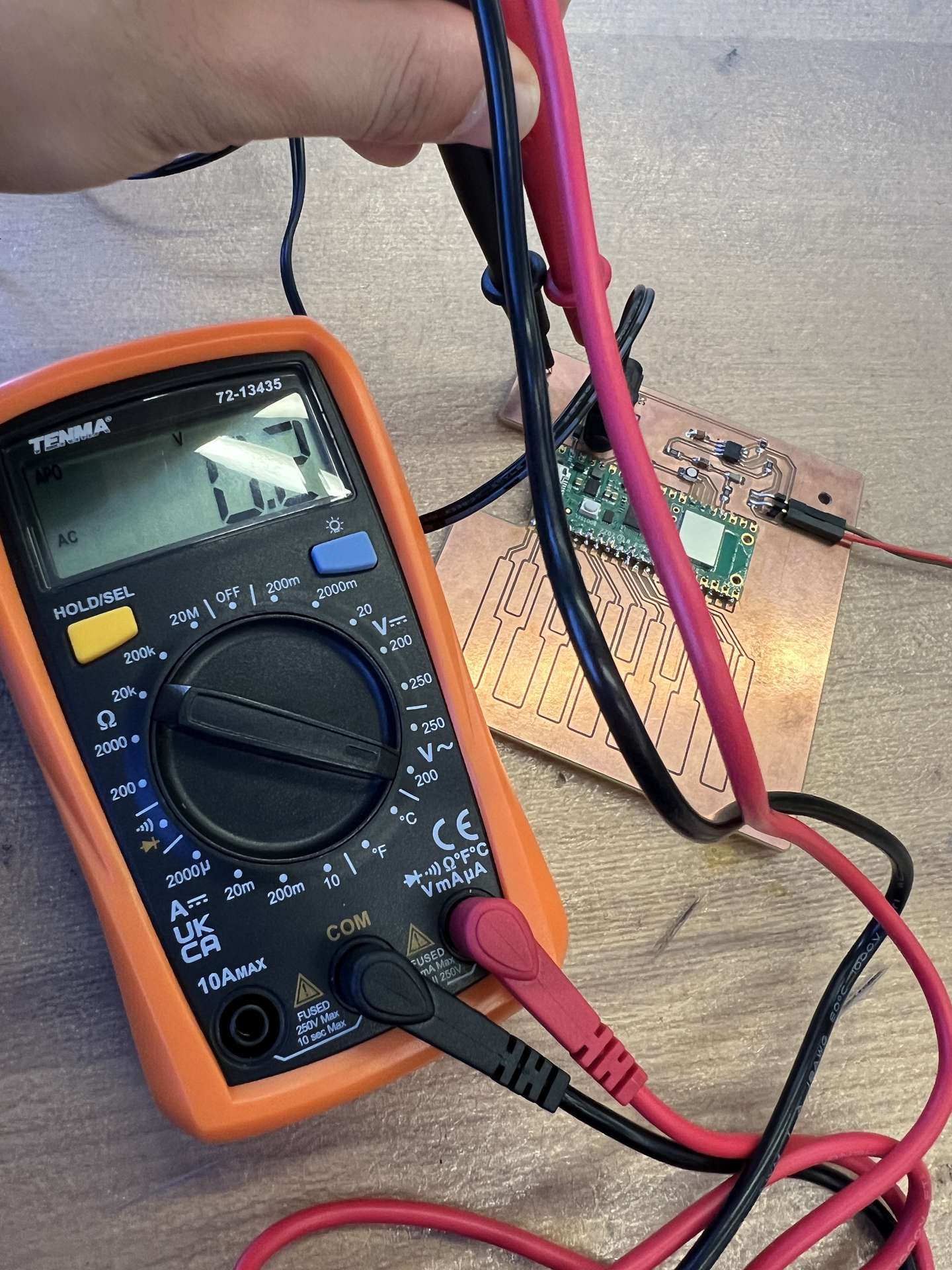
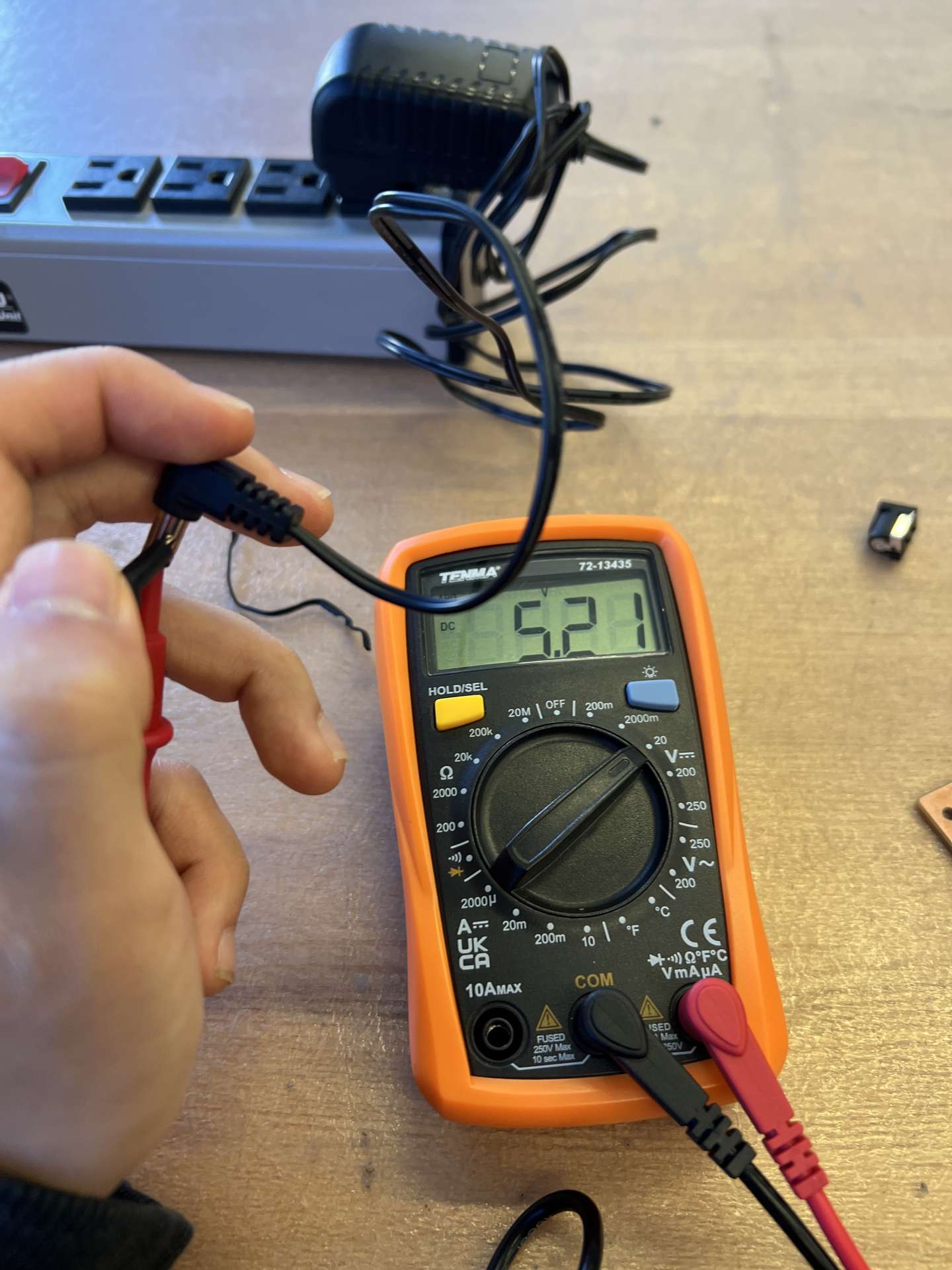
Next, I measured the voltage at the barrel jack connector. There in lied my problem. There was no voltage difference between the 5V line and the ground. After racking my brain for a few minutes, I asked Anthony for help.
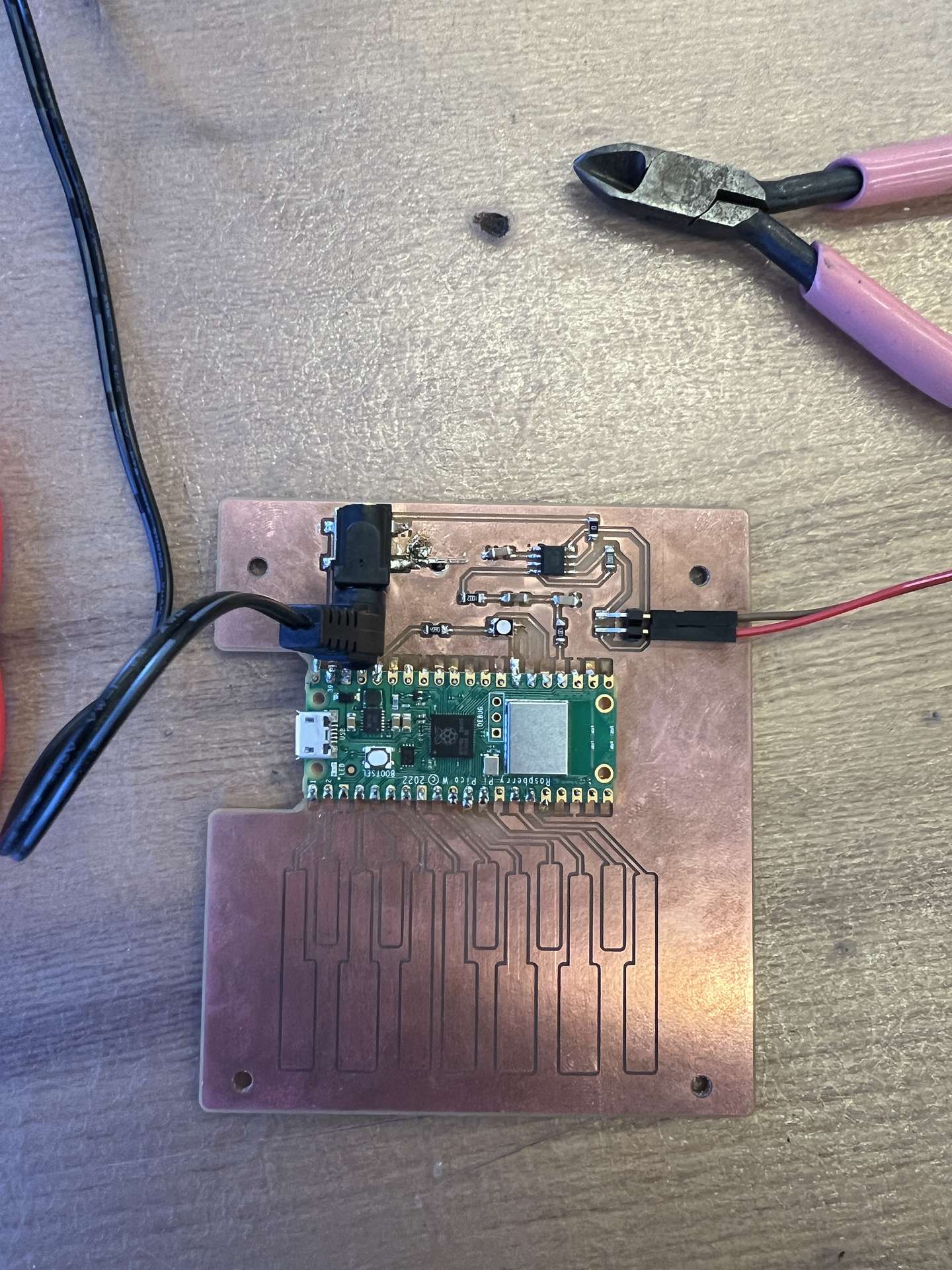
After debugging a short while, I learned that the connections between the plug and the connector can often be somewhat tenuous. After consulting the datasheet it turned out the pin that I was routing to ground was the wrong one. However, that pin didn't actually do anything, so I could just connect to ground pin to ground. After this fix, the circuit was able to be powered on.
I need a hero, again... and again
I turned the circuit on, but I didn't hear any sound still. This was strange, the power was flowing through correctly upon checking the multimeter. Then I started to smell something funny. I flipped over the speaker, and touched the coil. It was very hot and the plastic was melting. Uh oh.
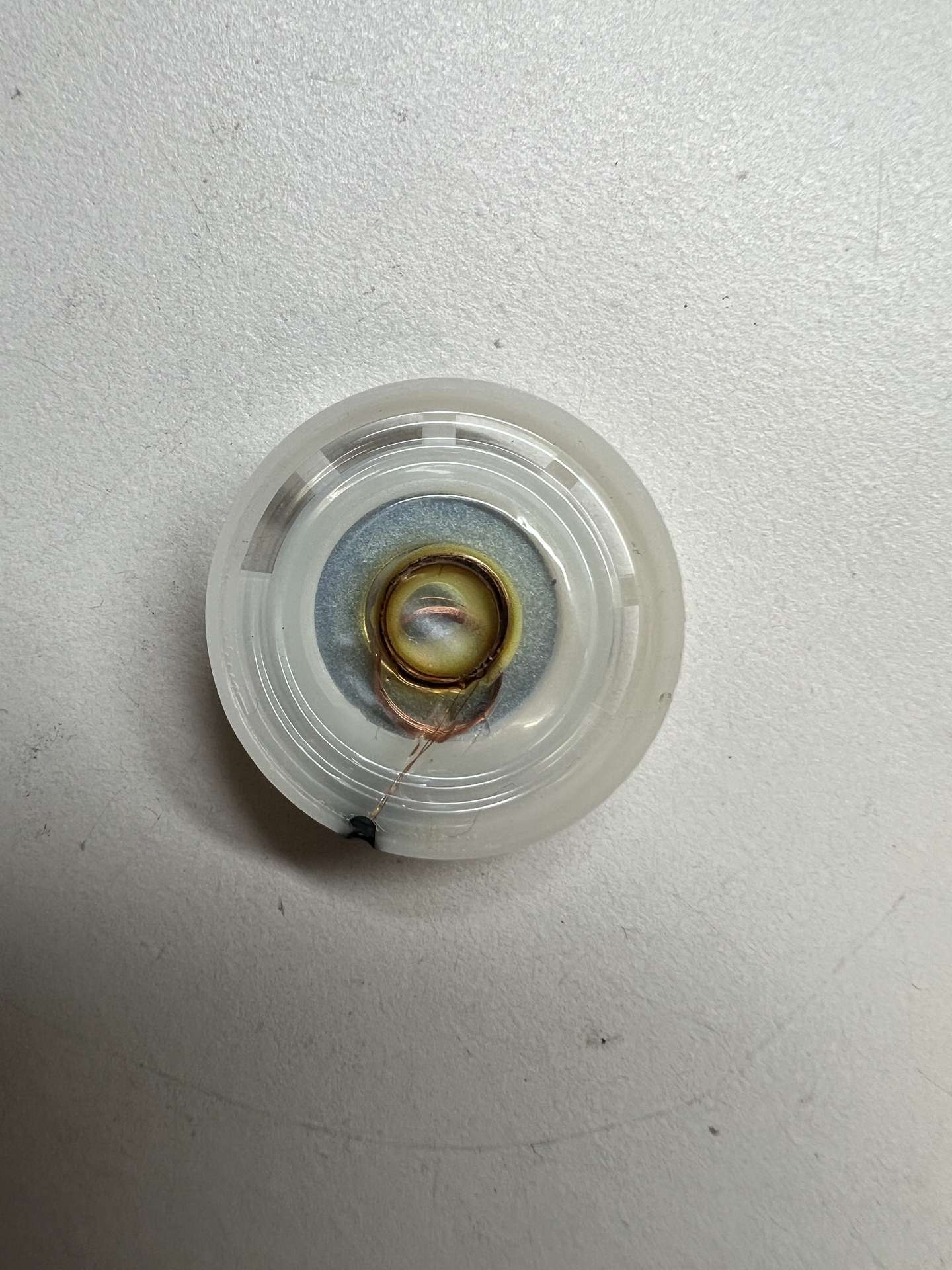
That gave me a clue as to what was going wrong. The power must have been too much for what the speaker was rated for. I measured the voltage between the 5 and 8 pin on the amplifier. It was 5.00V. Using the formula P = V^2 / R, that meant for the 8 ohm speaker, the power was 3.125W. That's a lot more than 0.25 W, which is what the speaker was rated for. That must have meant that something in the amplifier was wrong. I checked the datasheet for the amplifier and sure enough I had wired something wrong. The 3 pin was wired directly to ground instead of through the same capacitor as the 2 pin. This was what was causing the dramatic voltage different between 5 and 8 pins. With some help, I fixed the wiring.

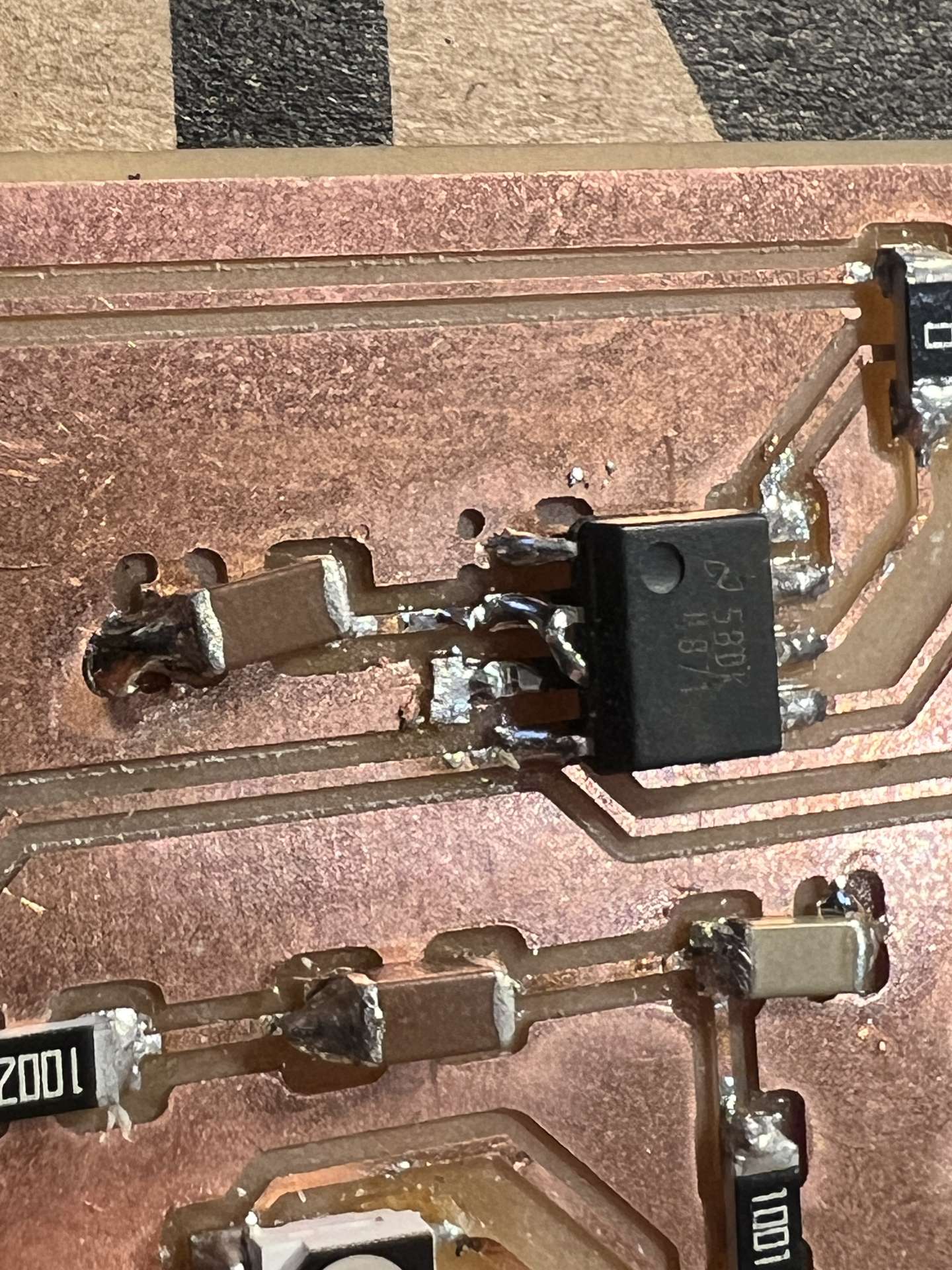
I then ran it again. And still nothing. I was really starting to be at my wits end. But I received some really helpful debugging advice. Starting from the beginning of the signal chain, I needed to check if the audio out signal was working correctly. So I started at pin 18. And there was nothing. I checked my program, it had a typo. The pin was defined as 16, but it should have been 18. After fixing the typo, I was able to hear the sound.
Now all of the components of my circuit were finally working.
Ring Modulator Stylophone
My goal this week was to build a ring modulator stylophone. I knew that input and output portions were done, I was able to produce light and sound, and I could measure inputs through the pads. The only thing now was to map them together. I will say there is somewhat of an irony in this, since the ring modulator was originally an analog circuit, of 4 diodes in a ring (hence the name), but I've had enough circuit design and soldering for this week.
In essence, ring modulation is a simple operation where you multiply two frequencies together. So if I have two sine waves, \(\sin(a)\) and \(\sin(b)\), then the ring modulated signal is \(\sin(a) \cdot \sin(b)\). This can be simplified using the trigonometric identity \(\sin(a) \cdot \sin(b) = \frac{1}{2} \cdot (\cos(a - b) - \cos(a + b))\). So the ring modulated signal is \(\frac{1}{2} \cdot (\cos(a - b) - \cos(a + b))\). Which means the resultant tones are phase shifted, and also have the values of \(a + b\) and \(a - b\). This is interesting because neither of these are the original frequencies, they are the sideband frequencies.
*ring modulation and amplitude modulation are similar but amplitude modulation multiplies the original carrier frequency by (1 + modulating frequency) so the original frequency is still retained.
But you don't necessarily only need to do this with two frequencies, you can continue multiplying signals together to get more complex tones. I decided that I wanted to max out at 4 frequencies (that was just about as many fingers I could fit on the board).
Plugging in three sin tones multiplied together in WolframAlpha, the resultant frequencies will (a-b-c), (a-b+c), (a+b-c) and (a+b+c). Four tones multiplied together will result in eight frequencies. So the number of frequencies scales exponentially with the number of tones.
After the user has four fingers pressed, any subsequent keys pressed will not be added.
I also added activity in the light to signal how many fingers were pressed. Red is 1, green is 2, blue is 3, and all are lit is 4.
Group Assignment
I milled the design rules checker for the group. To be updated...
Files
rgb_test.ino
touch_test.ino
speaker_test.ino
edges.png
engrave.png
holes1.png
holes2.png
ring_mod_scale.ino