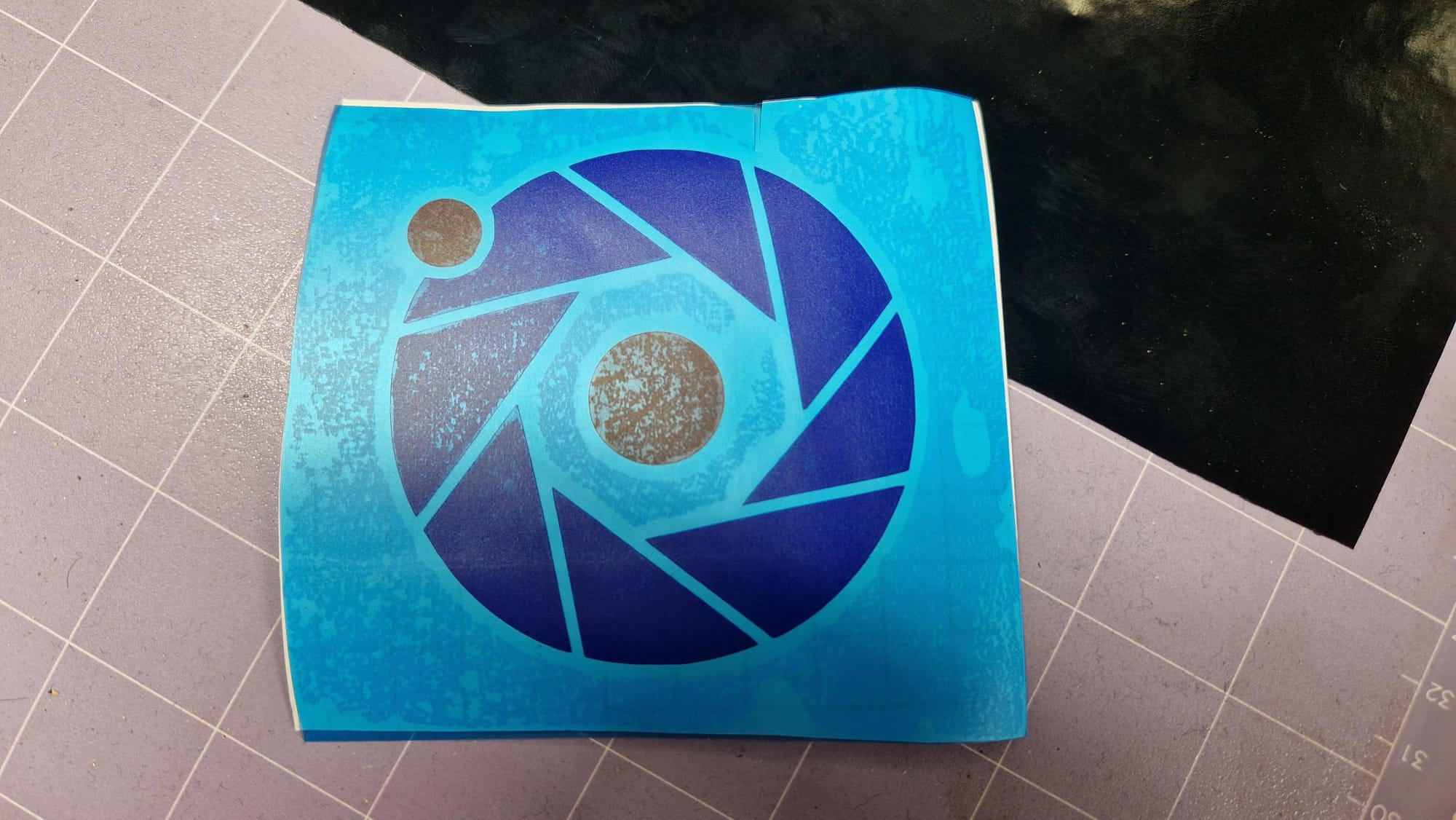
Week 2 — Computer-Controlled Cutting
For this week, I have designed a vending machine and it cut out from cardboard using an xTool P3 laser cutter. Furthermore, I made a tiny sticker on the laser cutter! For more projects, please visit my old HTMAA website here!
Laser Cutting
The body of the vending machine are cardboard plates that interlock together, with slit size being defined by the slit_width parameter. The most interesting part about this design is the dispensing mechanism itself. It consists of a crank shaft at the front of the machine, whose corrigations increase the grip. There is no bearing coupling the turning motion of the outer wheel to the inner mechanism, and the 'bearing' is a 20mm cardboard circle. Inside, there is a wheel with three slits spaced 120 degrees apart, whose dimensions accommodate the US quarter dollar. The entire stack is held together with cyanoacrylate superglue.
The two inner mechanisms are not linked together unless a coin falls into the slot; then both shafts can turn at the same time. The second part of the mechanism holds a tiny pocket to place the dispensing item. Currently, there is no hopper filling the machine, as that would make it way more complex, and remember, we're building this out of cardboard.
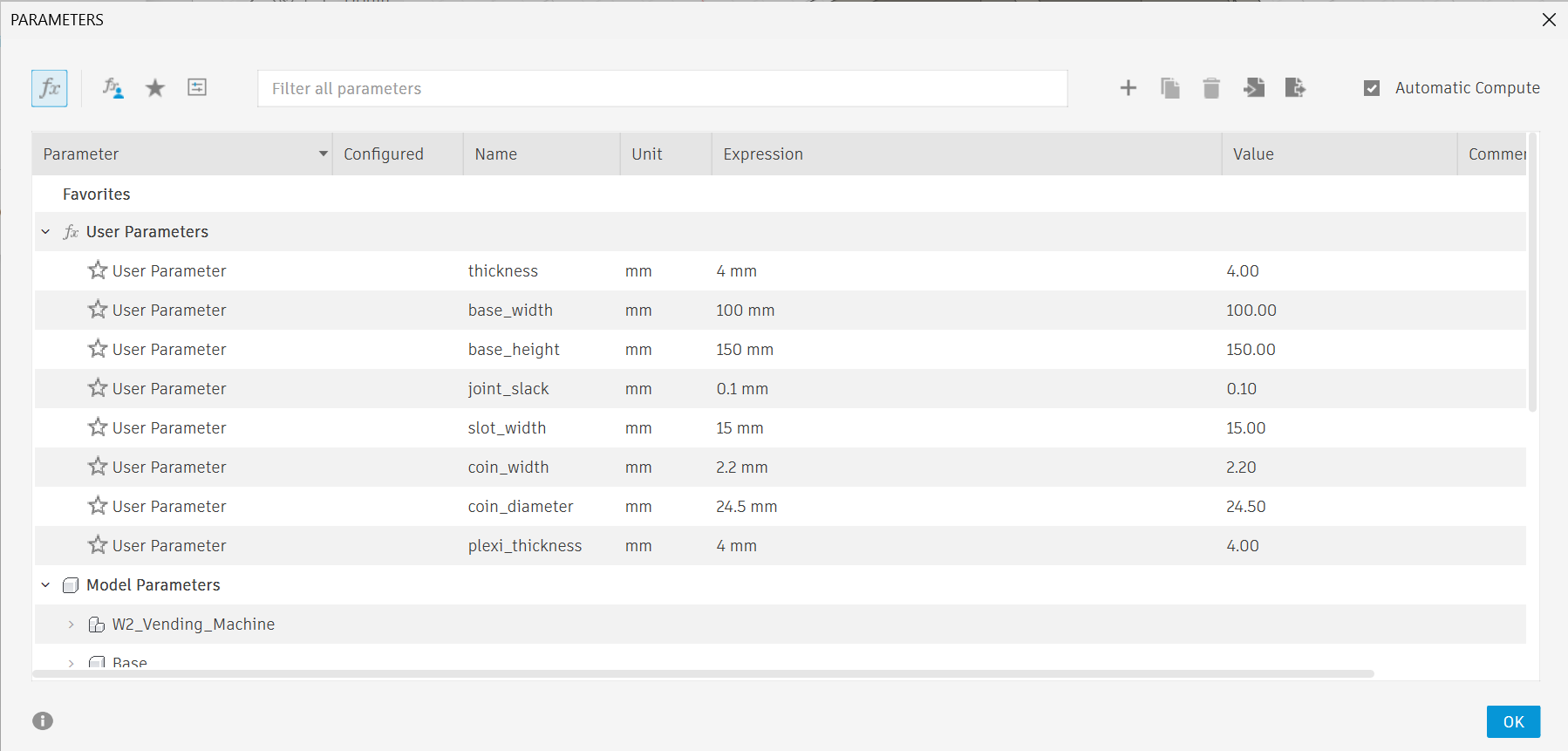
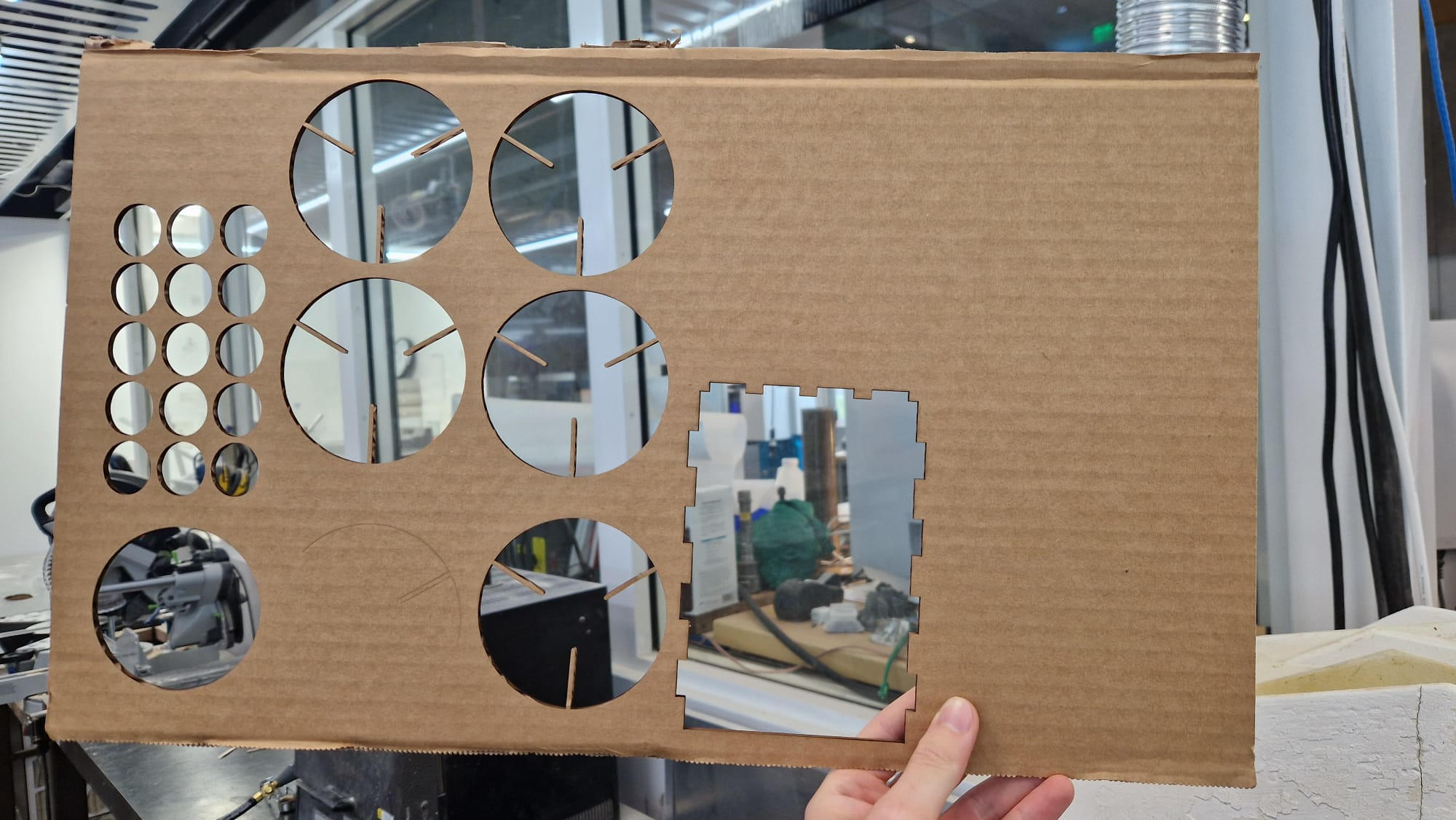
It was important to find the right laser head power and speed for the xTool P3 cutter. If we increase power, our laser can move faster; now, anything less than 100% power is leaving speed on the table, so we have our first parameter figured out! For the speed of the cutting, after some iterations, I found 120 mm/s to be the fastest I could reliably go while still cutting through the material. For the clear acrylic on top of the vending machine, I used the parameters for the xTool 5mm acrylic sheet, which were predefined. It was critical to monitor the laser cutter at all times, as setting the parameters incorrectly will cause the material to catch on fire.
The final operation of the machine can be seen in the video below. As of now, the machine needs to be reloaded every time after use. Furthermore, all of the components, including the bearings, are made of cardboard, held together by joints and superglue.
Vinyl Cutter
For the Vinyl cutter assignment, I have decided to remake the MIT Center for Bits and Atoms logo in the theme of the Portal Aperture Science Laboratories. The image was generated by ChatGPT, and I iterated through a few versions to obtain the final image.
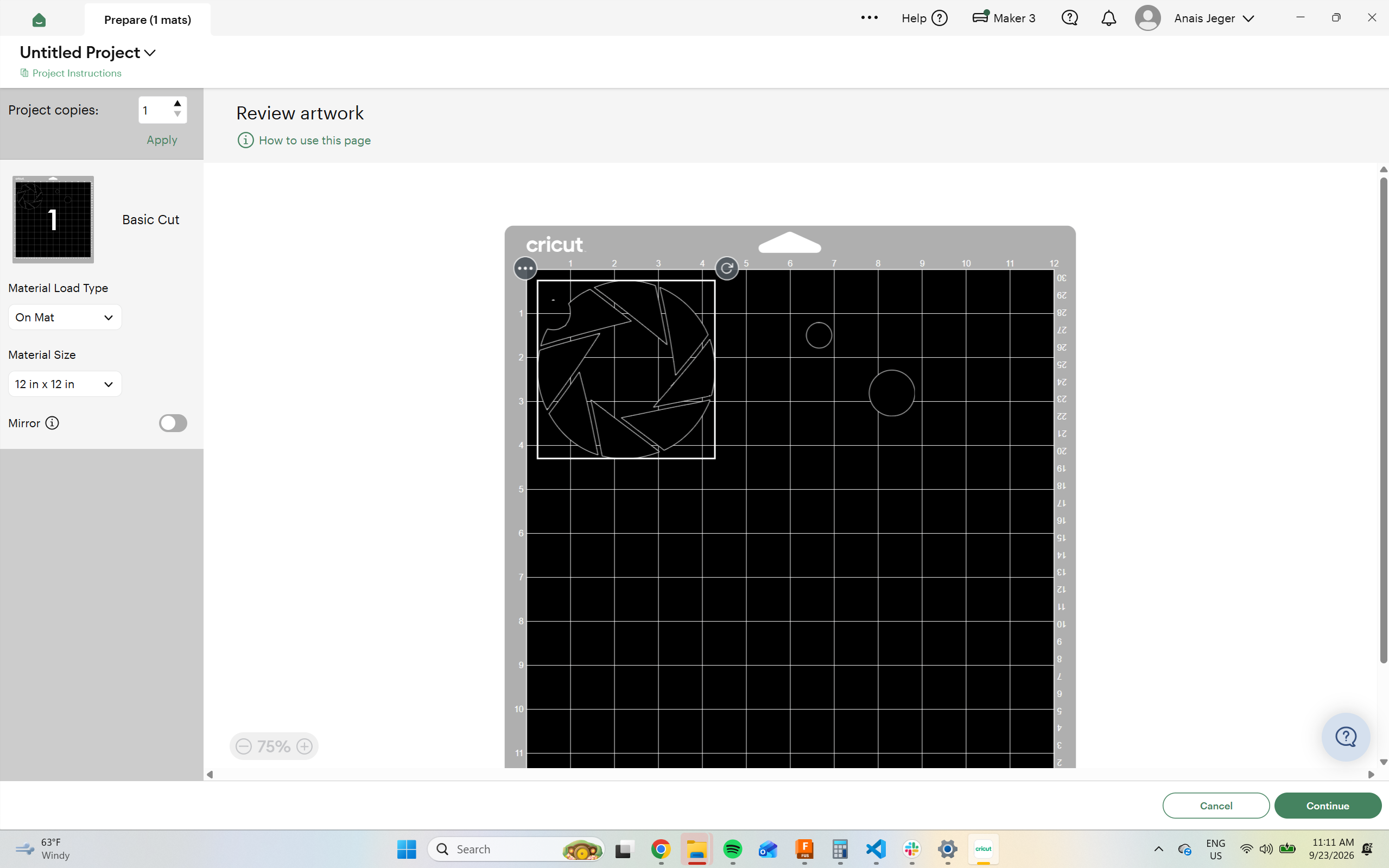
Below, you can see a screenshot from the Cricut Design Space vinyl cutter software. We used the Cricut 3 cutter, which we selected in the Design Space software. It is important to click on the vinyl cutter icon at the top to manufacture the design. If the New Project was selected instead, the image could not be transferred to the cutter in later steps.
After cutting the vinyl, the designs were transferred onto two separate transfer sheets. They were combined by hand, where the red circles were peeled off and manually placed onto the transfer sheet with the blue aperture logo.
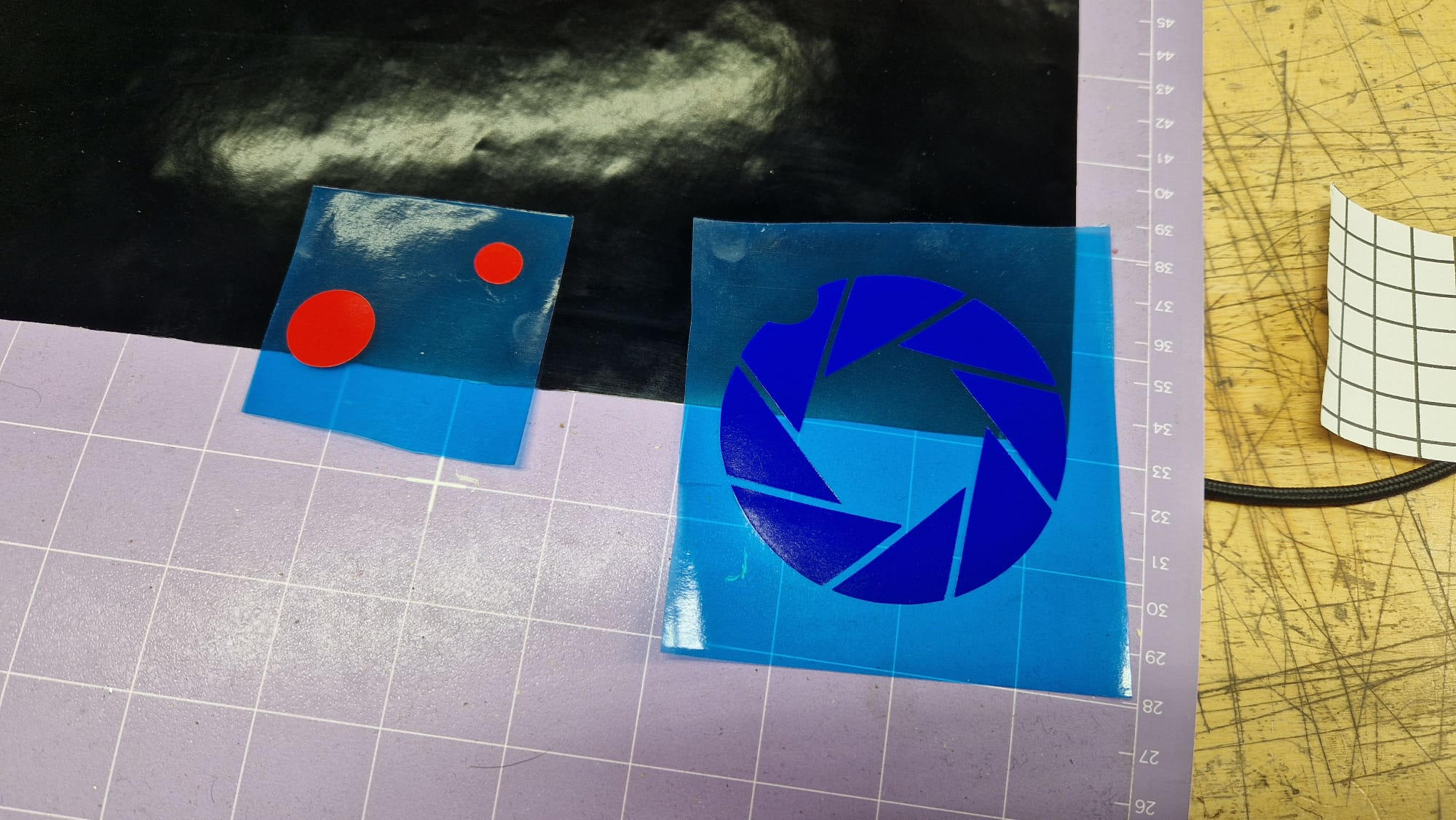
Lastly, the gridded glossy transfer sheet paper was put back onto the sticker to help protect the adhesive layer during transport.