Week 5 — Electronics Design
This week I have finished the final iteration of the XiaoBeGon development board designed to replace the usage of Xaio boards in the How to Make Course.
Why not Xiao?
The Xiao ecosystem of boards from Seeed Studio is a popular option for makers to embed a microcontroller in their projects; this is not an exception for the How to Make class here at MIT, where Xiao boards are preferred for their small form factor. The boards are cheap and standardized, so the pinout is the same across all the boards. This creates a very user-friendly system, allowing people to swap microcontrollers and design circuits on a breadboard.
So why make a custom board? The short answer is because we're engineers, and that's what we do. The longer answer is that although the Xiao system has a high degree of modularity, it's still not enough for a more complex board design. In the How to Make class, students have to design their own boards, and often, they require the same 'building blocks', such as an MCU, a motor controller, USB, or other peripherals—which the default Xiao ecosystem does not natively support. We wanted to design a system that not only would have the microcontrollers in a modular package, but would also offer all the frequently used modules.
Furthermore, the Xiao system can seem way too simple to use. We want to encourage the students to design a PCB, and for that, we moved from a 2.54mm pitch to a 1.27mm pitch. This makes it difficult to breadboard, and it forces students to make a custom PCB. Some people may argue that we shouldn't make breadboarding more difficult; that's why we will design a 2.54mm breakout board, providing the tools for fast prototyping, but still making it more convenient to design a circuit in the end.
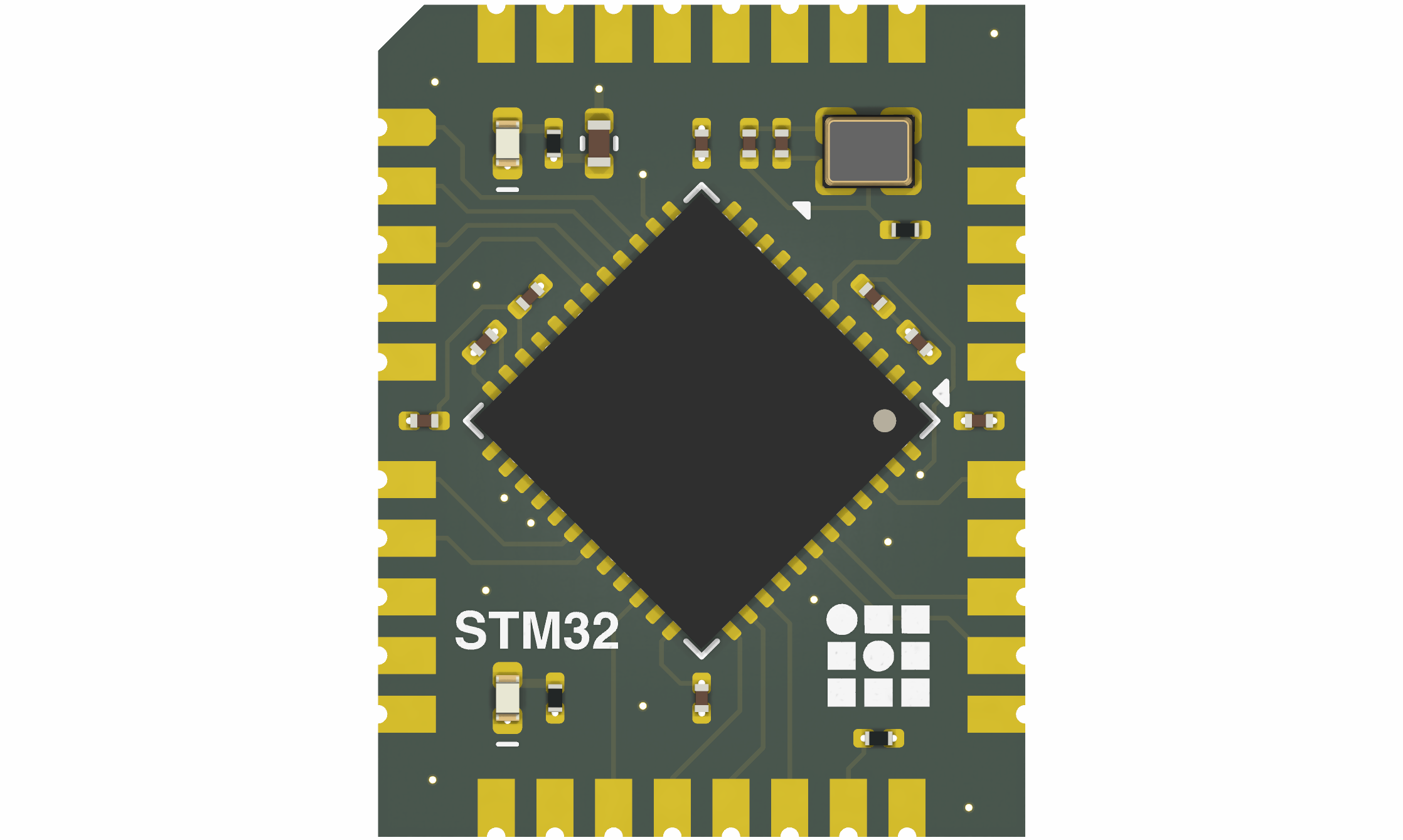
Design Overview
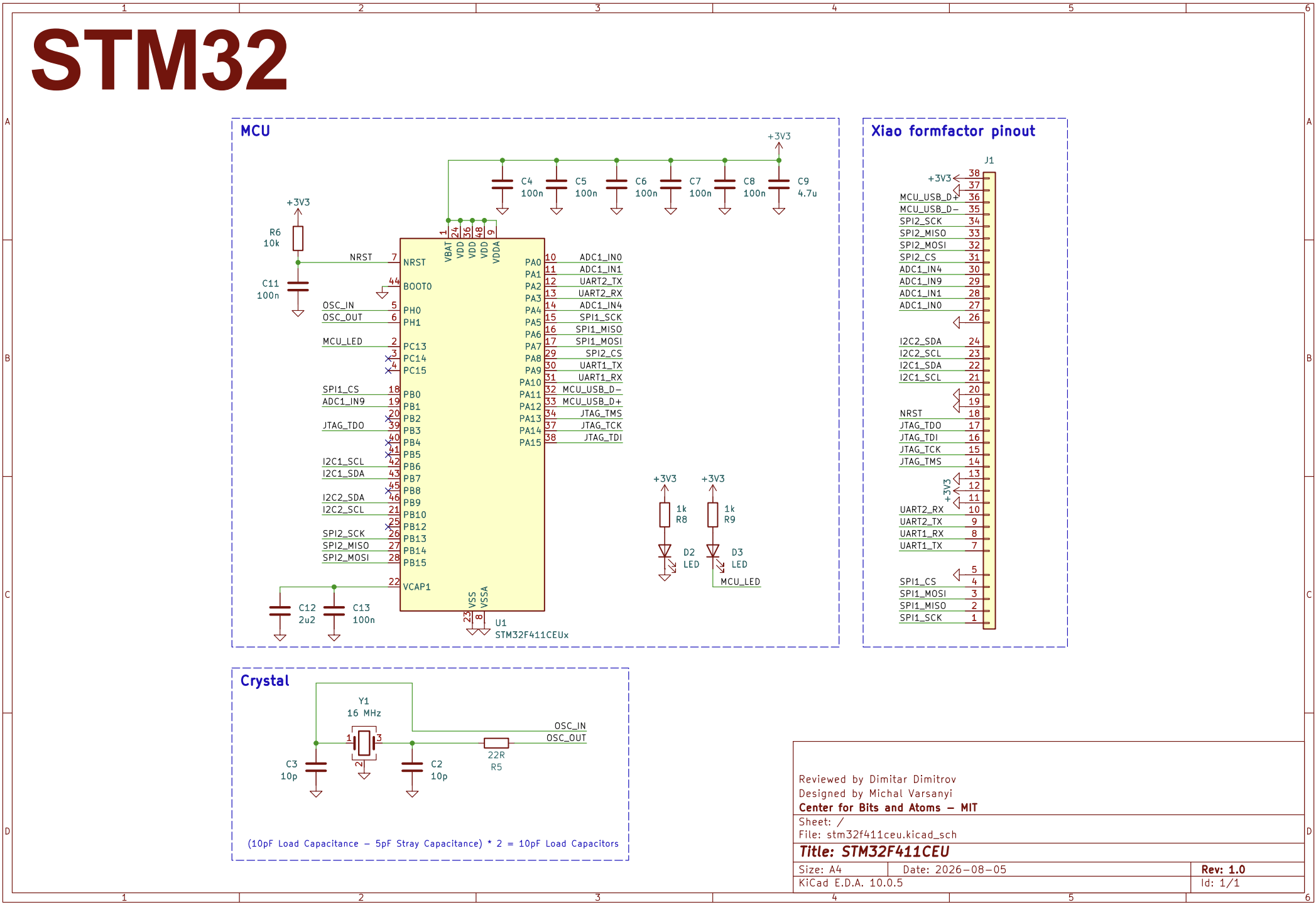
This board is based on the STM32F411CEU microcontroller, which you can program using Arduino IDE or STM32CubeIDE directly from the manufacturer. The board features a 16MHz external crystal for the MCU with load capacitors whose value was calculated as follows:
\((10p\mathrm{F}\text{ Load Capacitance} - 5p\mathrm{F}\text{ Stray Capacitance}) \cdot 2 = 10p\mathrm{F}\text{ Load Capacitors}\).
Furthermore, there are two indicator LEDs. One is for power, and the other is connected to the pin (PC13) of the MCU.

Stackup and Impedance Matching
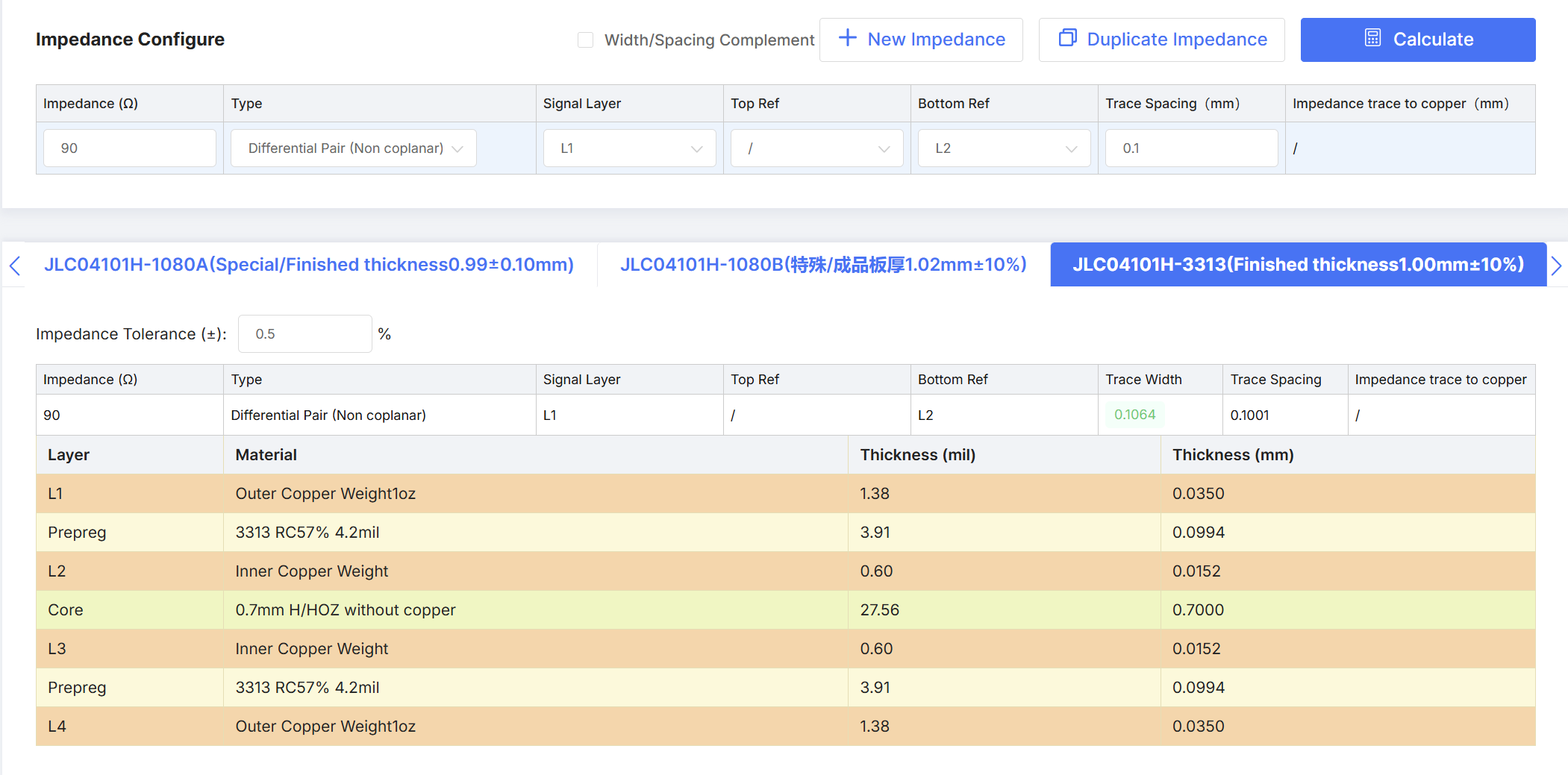
The board went through three pinout iterations and multiple different layer counts to arrive at this final design. Since there is a USB 2.0 HS line on the board, anything below 4 layers would not allow proper impedance matching. The USB standard specifies that the USB 2.0 HS differential pair impedance must be \(90\Omega\) \(\pm\) \(15\%\). This narrows our selection of PCB stackups if we want to meet these criteria. The first stackup chosen was the JLC04101H-3313, providing a tight coupling between the first and the second layers with a separation of 0.09940mm.
This is ideal, as a differential pair with a trace width of 0.1mm and a trace spacing of 0.1mm, being 0.1mm above the ground plane, creates almost perfect \(90\Omega\) impedance.
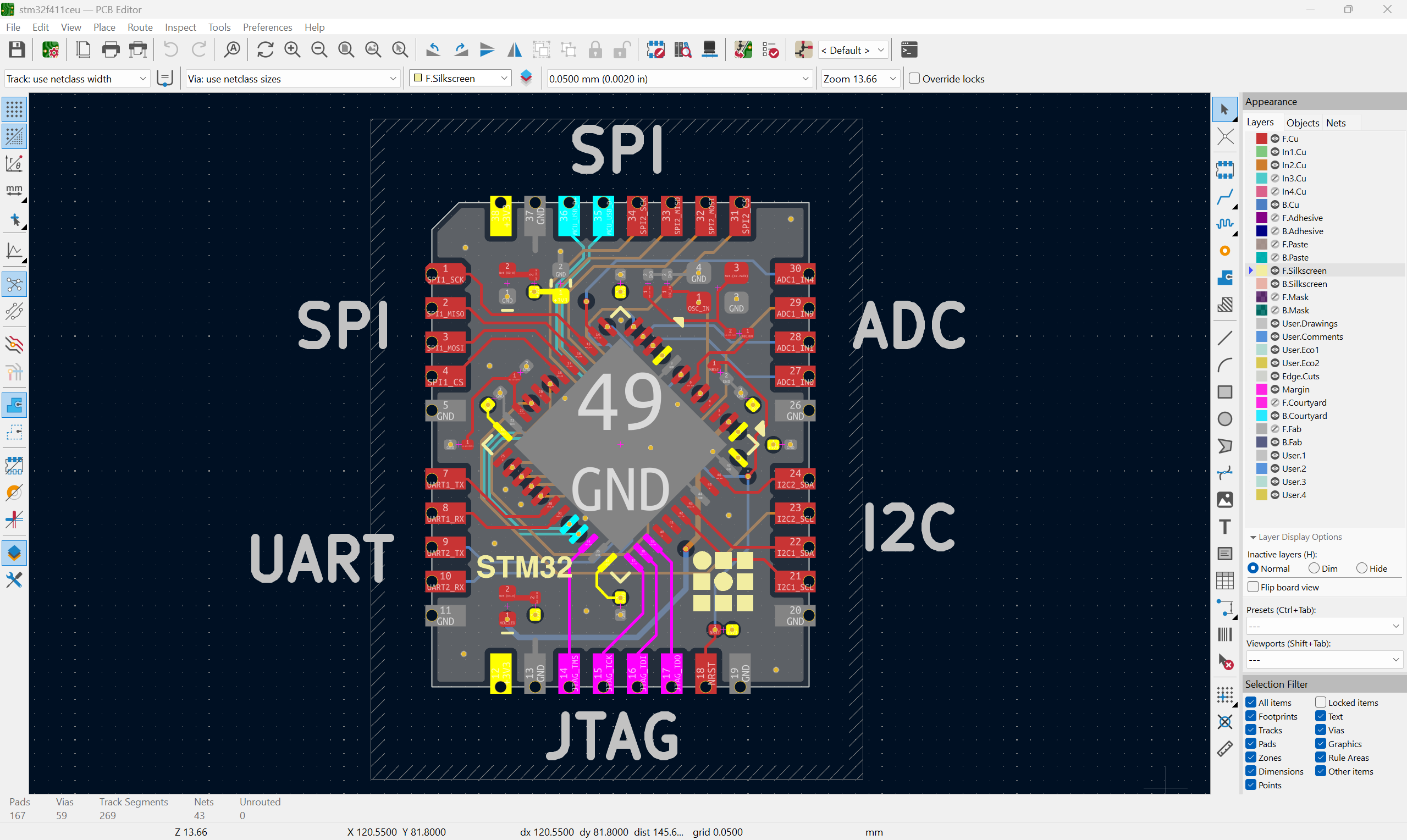
Managed to route the design on 4 layers first, but this forced me to squeeze the SPI and ADC channels 0.1mm apart, which may cause signal integrity issues. To remedy this, I increased the stackup to 6 layers and tried to keep at least 3S (S being the space between the trace and the ground plane) spacing between the sensitive traces.The stackup was SIGNAL on the outer layers and GND on the inner layers.
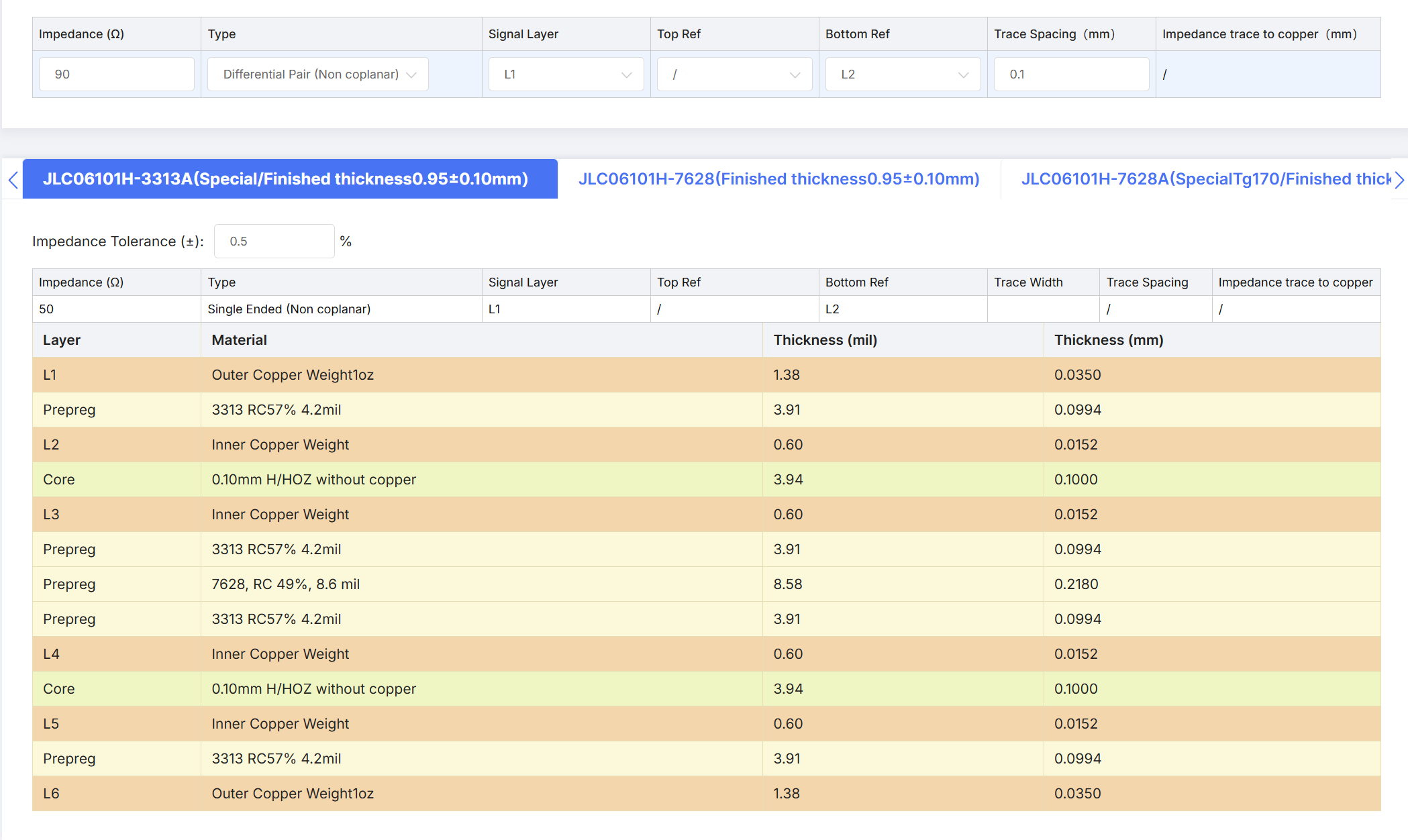
The 6 layers allow for three SIGNAL layers and one POWER layer. The stackup was as follows: SIGNAL, GND, SIGNAL, POWER, GND, SIGNAL. If you look closely at the physical stackup of the PCB, you can see that all signal and power layers are tightly coupled, with just 0.1mm or less between the ground plane underneath. The SIGNAL and POWER planes are spaced quite far apart, with over 0.4mm of spacing.
Routing
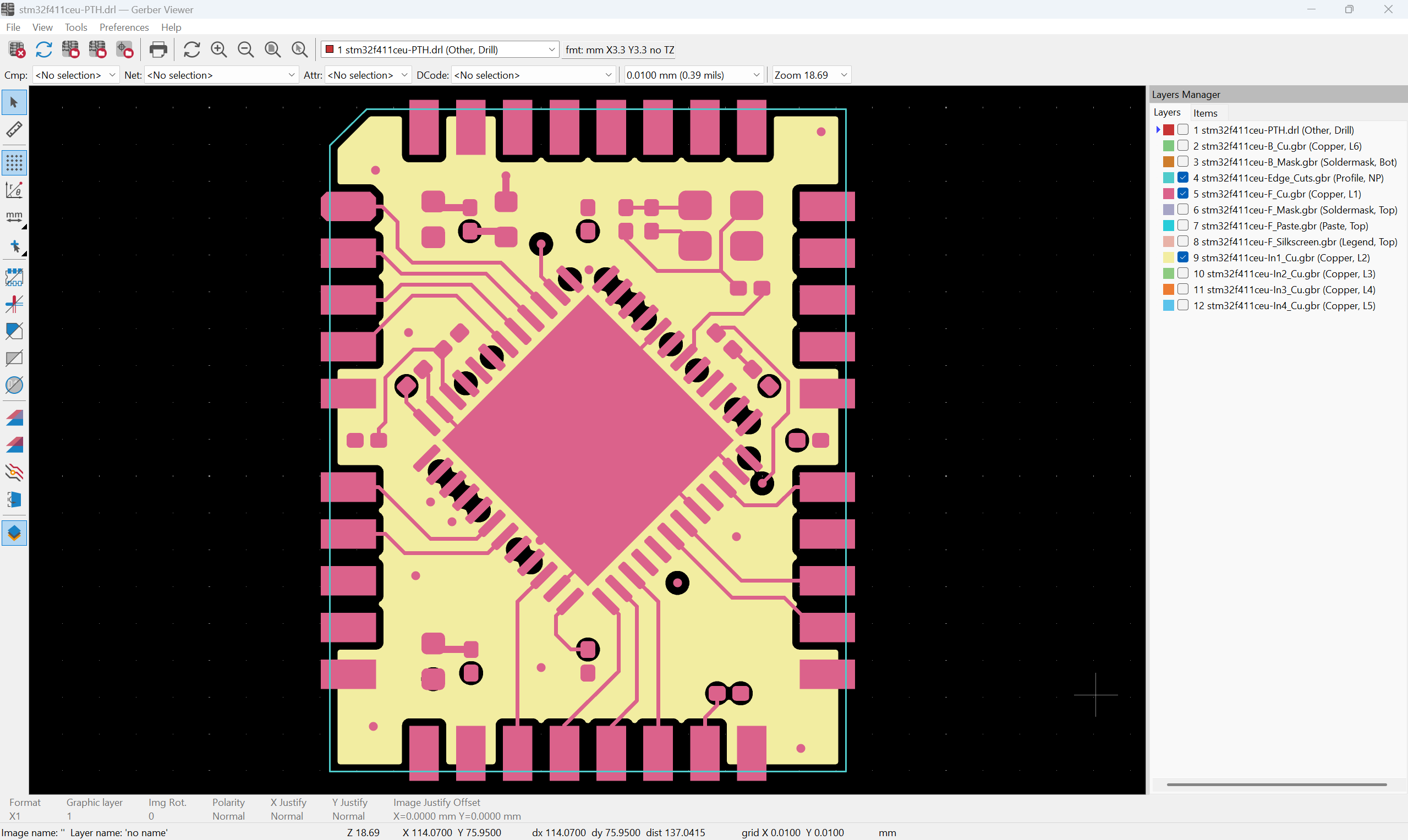
There are some general rules for routing and layout of the board. One of the most important rules to follow is not routing across a split ground plane. This means that the trace needs to have a continuous ground under all its length. You can see this in the image below, where the yellow color represents the ground plane with all the traces running above it. A general rule of thumb is to keep all critical signals above the minimum trace spacing constraint. In the process of generating the manufacturing files, the factory, they change the cutout sizes to match the fabrication process. This effect, combined with layer alignment uncertainty, forces the design not to push the interlayer alignment constraints too strictly.
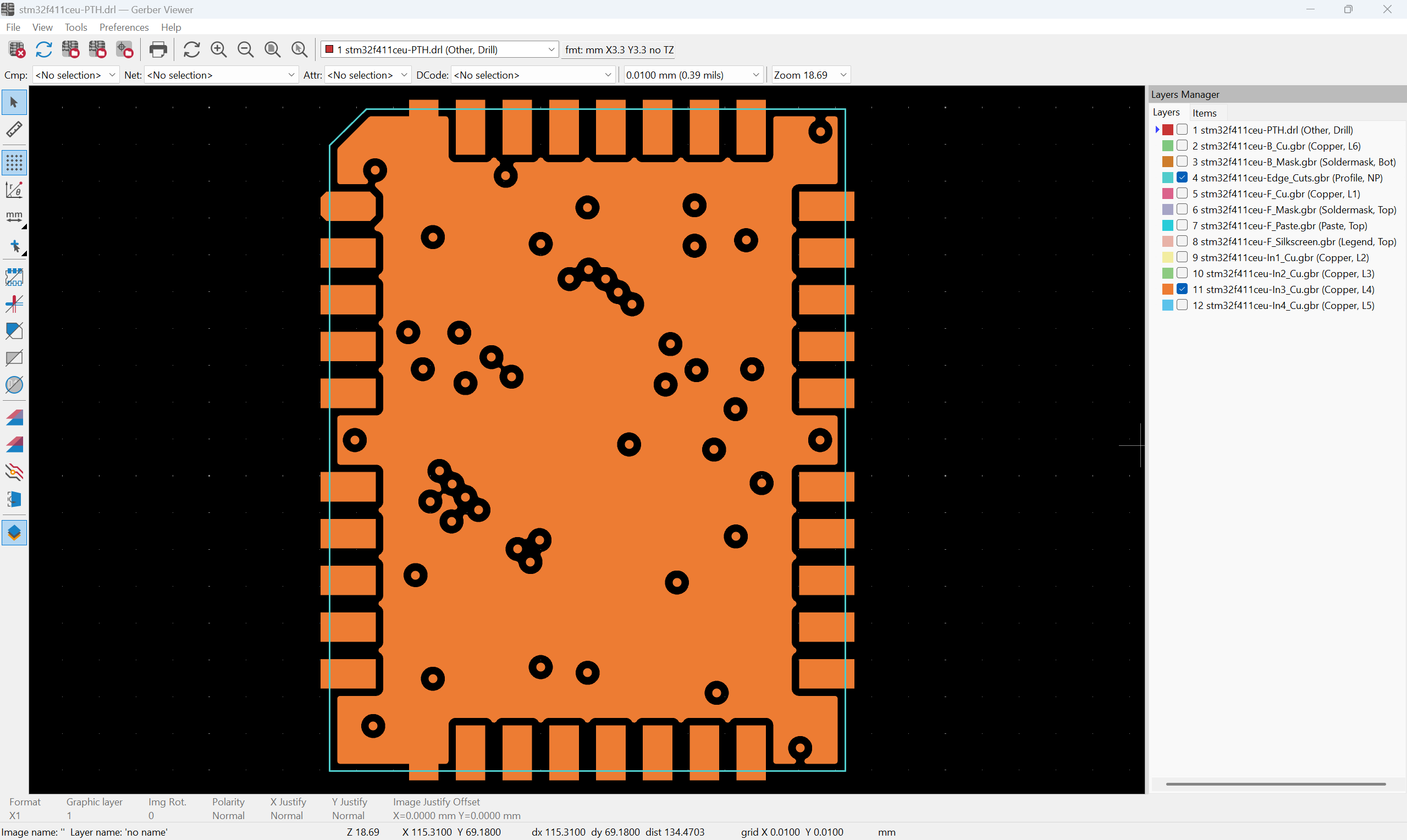
It is also important to pay attention to the POWER plane itself. The excess of grounding vias perforates the plane and increases the resistance. A general rule of thumb is that each square of continuous copper has a resistance of \(1m\Omega\). If you look at the current ground plane, the resistance from the top to the bottom pin can be around \(10m\Omega\), which, at the maximum current draw of 0.5 A, produces \({0.5}^{2}\cdot10\cdot10^{-3}\)W; for this board \(2.5mW\) is a very reasonable power dissipation.
So far, the project files are on a private MIT CBA GitHub, but we will be sharing them shortly!