01 · Individual: print
Line Cube, printed in place
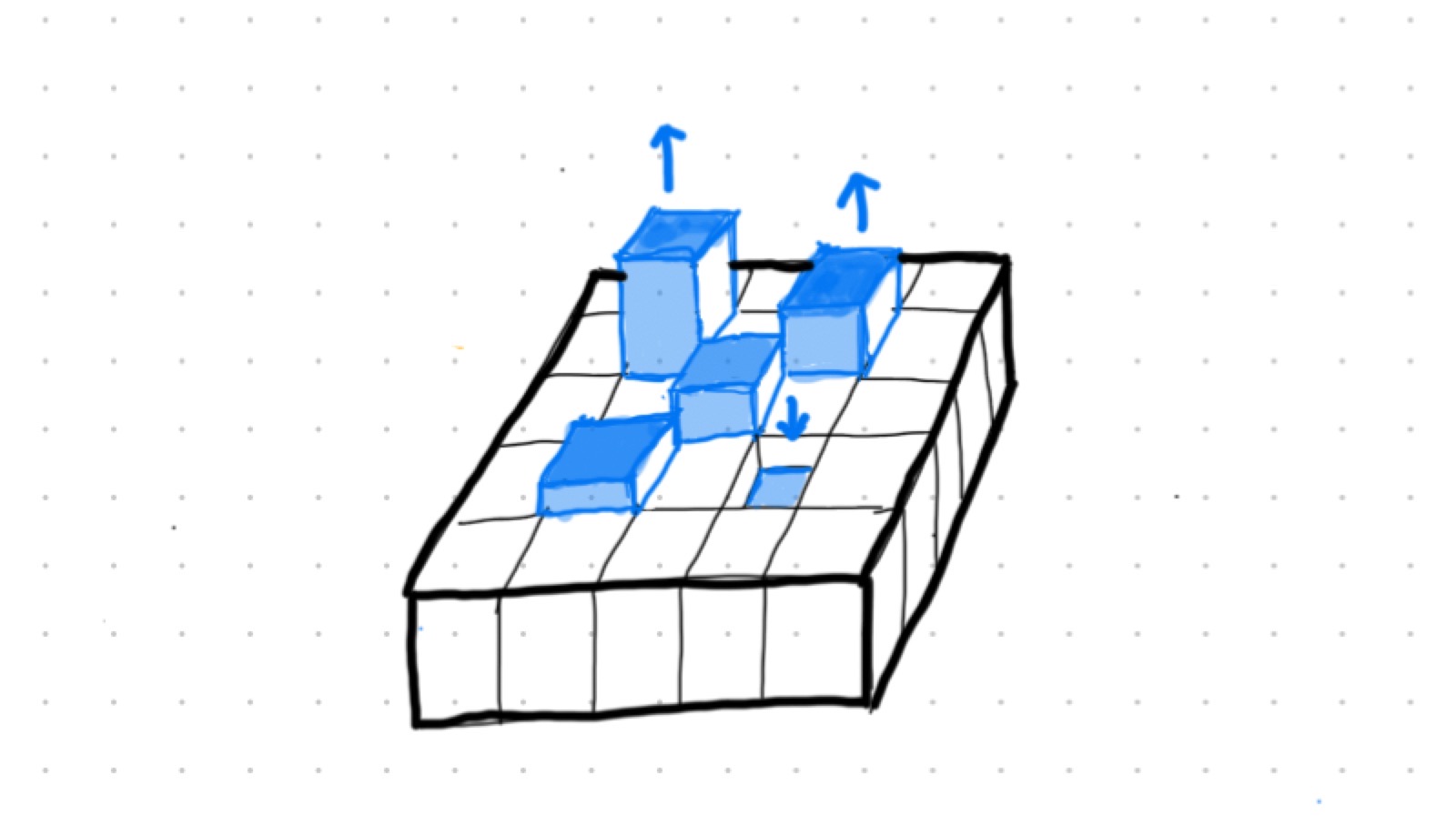
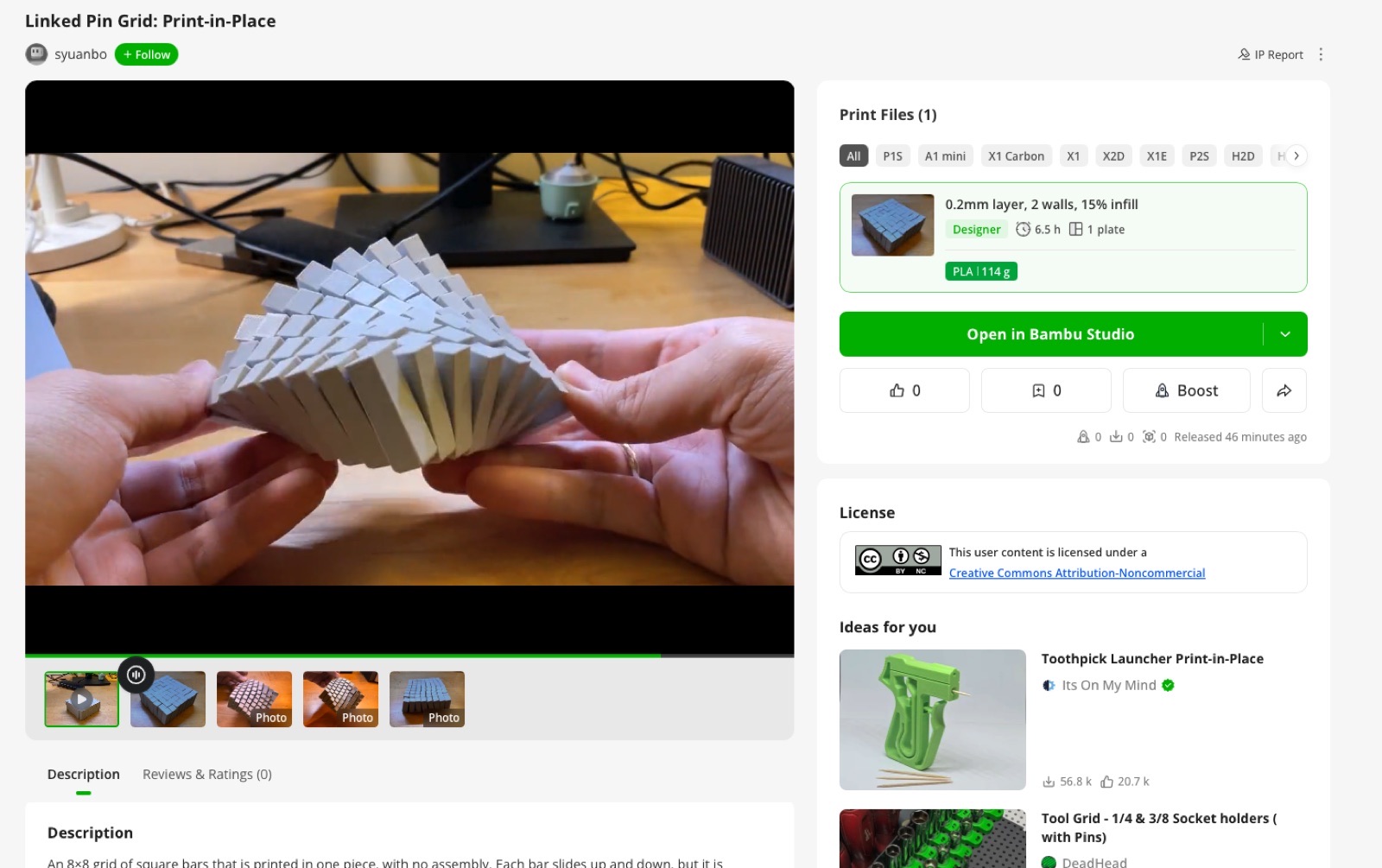
The assignment is to design and print something that cannot be made subtractively. I chose a print-in-place toy: a grid of square bars that each slide up and down, and whose neighbours are tied together inside closed pockets. A milling cutter cannot reach a part that is trapped inside a pocket of another part, so this only exists because it is printed.
The idea comes from the “Line Cube” in Hafu Go’s video I Tested Every Satisfying 3D Print (about 17:50). I could not find who designed it or how it works inside, so I designed the mechanism myself from how it looks in the video.
How it works
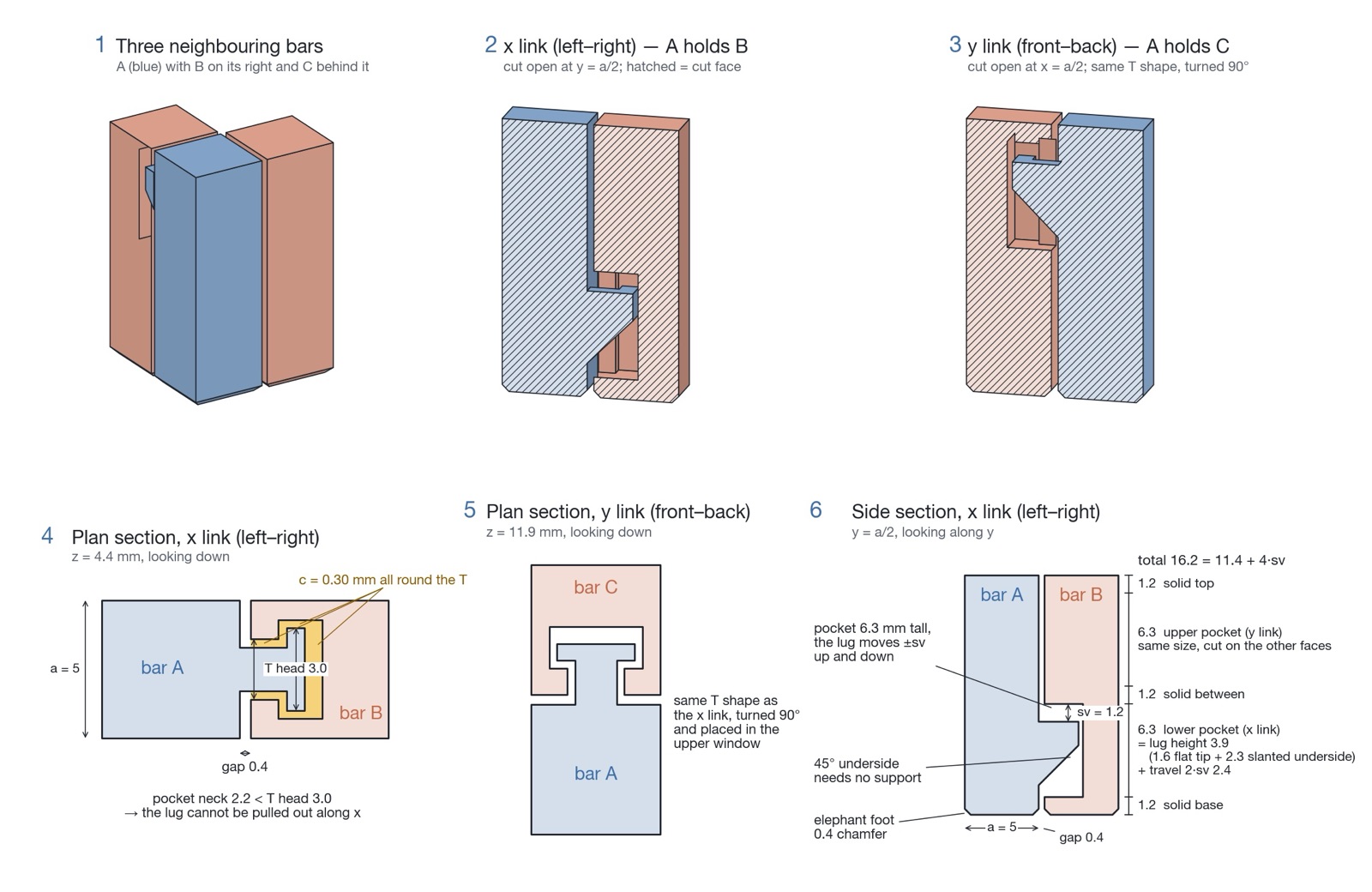
Every bar is identical. Its right and back faces carry a T-shaped lug, and its left and front faces carry a T-shaped pocket. A lug sits inside the pocket of the next bar and can travel sv mm up or down before it hits the end of the pocket and starts to drag its neighbour. So the height difference between two neighbouring bars can never be more than sv. Lift one bar and all the others follow in a staircase, one step per bar, wherever you pick it up.
- The T head is wider than the pocket opening, so a lug cannot be pulled out sideways.
- The left–right links (x links) sit in the lower half of a bar and the front–back links (y links) in the upper half, so the two pockets never cut into the same level.
- The underside of every lug is a 45° slope, so nothing needs support. The pocket roof is a short bridge (under 4 mm).
- The bars are printed standing up, all at the same height, with the lugs in the middle of their travel.
How neighbouring bars are tied together while printing in place
Design rules I used
Clearance c | 0.30 mm between lug and pocket in plan. This is the number I am least sure of, so I made a coupon with 0.20, 0.30 and 0.40. |
Travel sv | 1.2 mm. How far a bar can slide before it pulls its neighbour, and so the largest height step between neighbours. |
| Bar | 5 mm square section, 0.4 mm gap between bars, 16.2 mm tall (11.4 + 4·sv). |
| Elephant foot | 0.4 mm chamfer on the bottom edge of every bar. |
The bar is 16.2 mm tall. From the bottom up it is built from these parts:
| Solid base | 1.2 mm |
| Lower pocket (x link) | 6.3 mm = lug height 3.9 (1.6 flat tip + 2.3 slanted underside) + travel 2 × sv (2.4) |
| Solid between the pockets | 1.2 mm |
| Upper pocket (y link) | 6.3 mm, same as the lower one |
| Solid top | 1.2 mm |
| Total | 1.2 + 6.3 + 1.2 + 6.3 + 1.2 = 16.2 mm, or 11.4 + 4 × sv: only the travel changes with sv, and each pocket has 2 × sv |
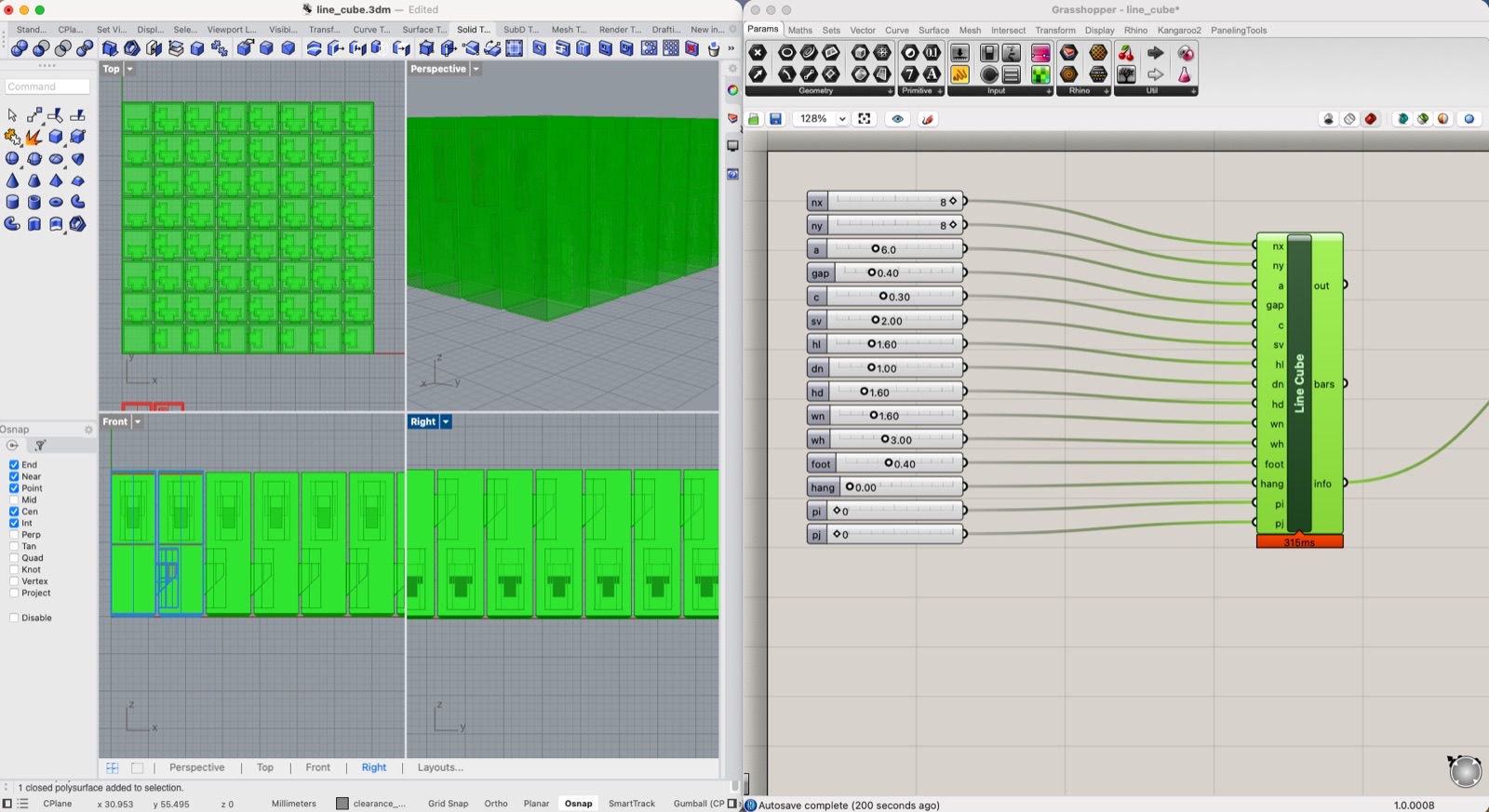
I built it in Rhino 8 and Grasshopper. One Python 3 script (line_cube.py) generates all the geometry and also serves as the source of the Grasshopper component, so I can change the grid size, c and sv with sliders and re-export the STL.
Design intent
The height difference between neighbours is limited, so a pile of bars behaves like a surface with a maximum slope. With 8×8 bars and sv = 1.2 mm you can pick up one bar and get a mountain, a ridge or a slope, but never a cliff. I see it as a small pin-art terrain that cannot tear.
This is also a small test for my final project. Pixelize the Earth is a table of 400 moving pins, so I wanted to try a small grid of moving columns, printed in one piece, before going that big.
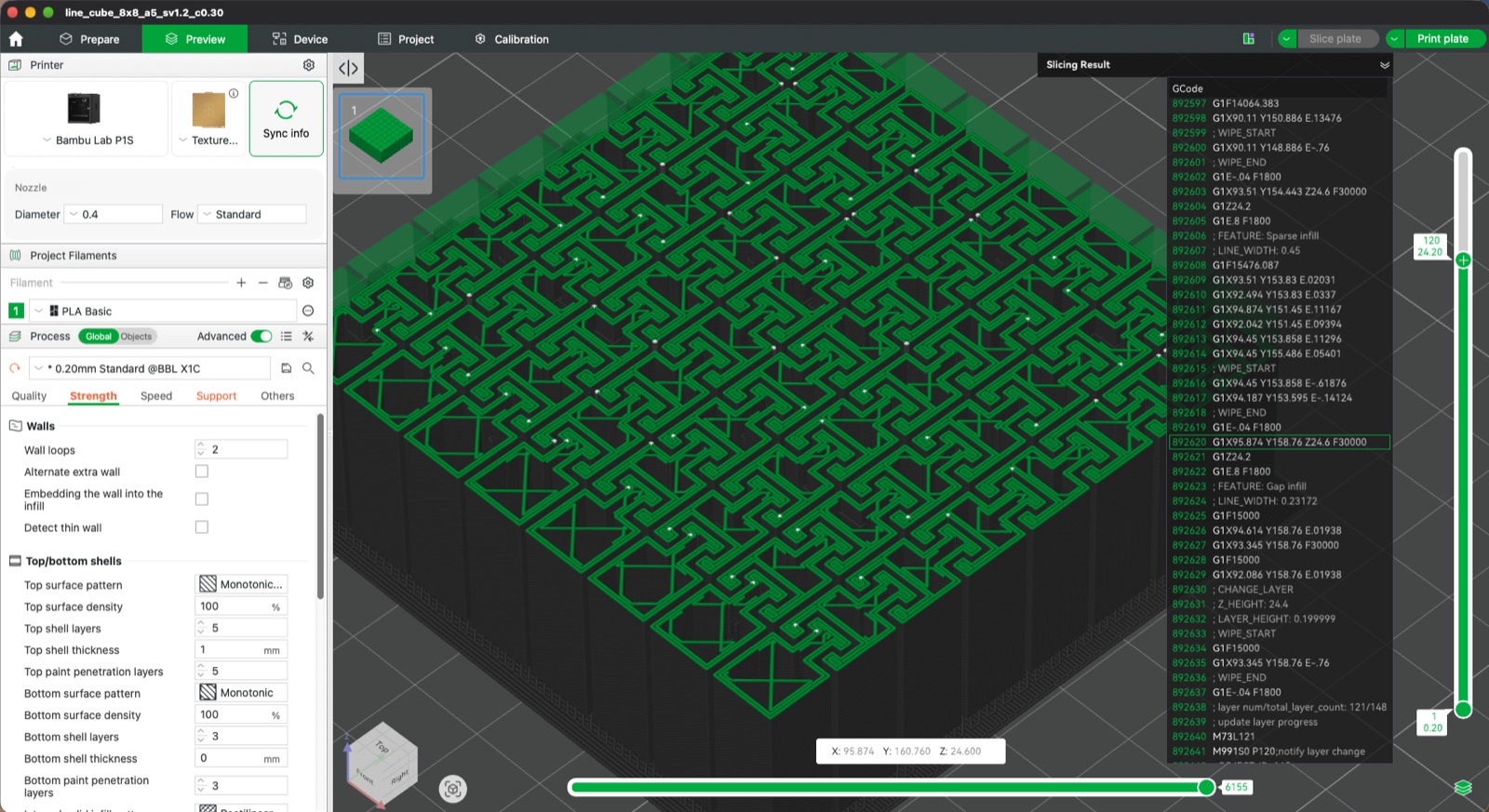
I printed on a Bambu Lab P1S in the Architecture shop, in PLA, and sliced in Bambu Studio. I sliced a three-bar coupon (c = 0.20 / 0.30 / 0.40) first (26 min), then the 8×8 grid (5 mm bars, 1.2 mm travel, 0.30 mm clearance).
| Profile | 0.20 mm Standard @BBL X1C, 0.4 mm nozzle, PLA Basic |
| Raft | Support on with a raft of 2 layers, support Z distance 0.1 mm. Each bar stands on a very small footprint, so the raft ties them to the plate. |
| Walls / infill | 2 walls, 15 % infill, 0.2 mm layers. Bambu Studio estimates 6.5 h and 114 g of PLA on one plate. |
| Infill/wall overlap | Lowered to 10 % (Strength → Advanced), so the infill does not push into the walls of the thin bars. |
Demo
Shared on MakerWorld
I published the 8×8 as Linked Pin Grid: Print-in-Place on MakerWorld, with a print profile for the Bambu printers and my demo video, under a CC BY-NC license. Model page on MakerWorld.
02 · Individual: scan
Scanning myself, fixing it, printing it
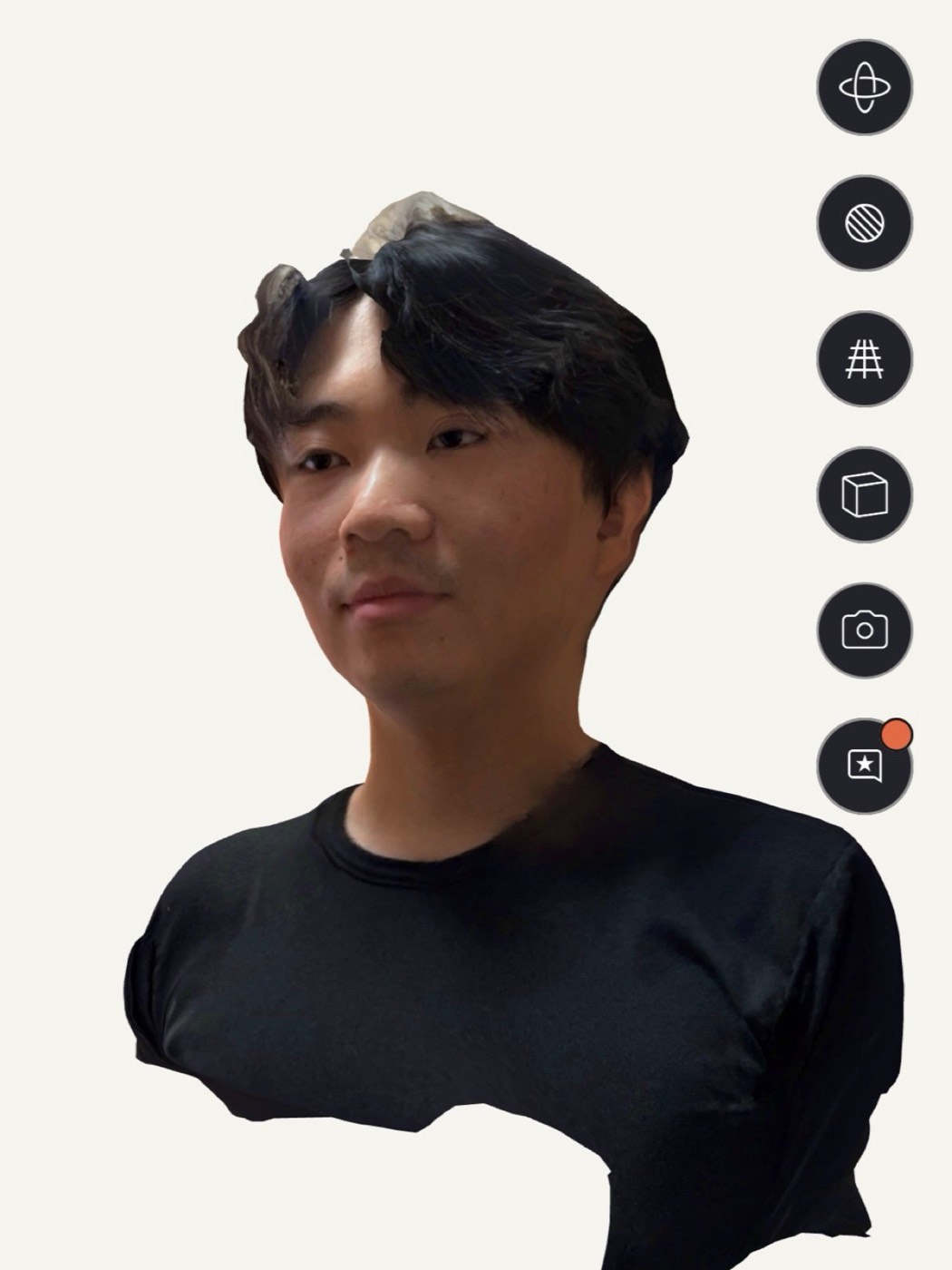
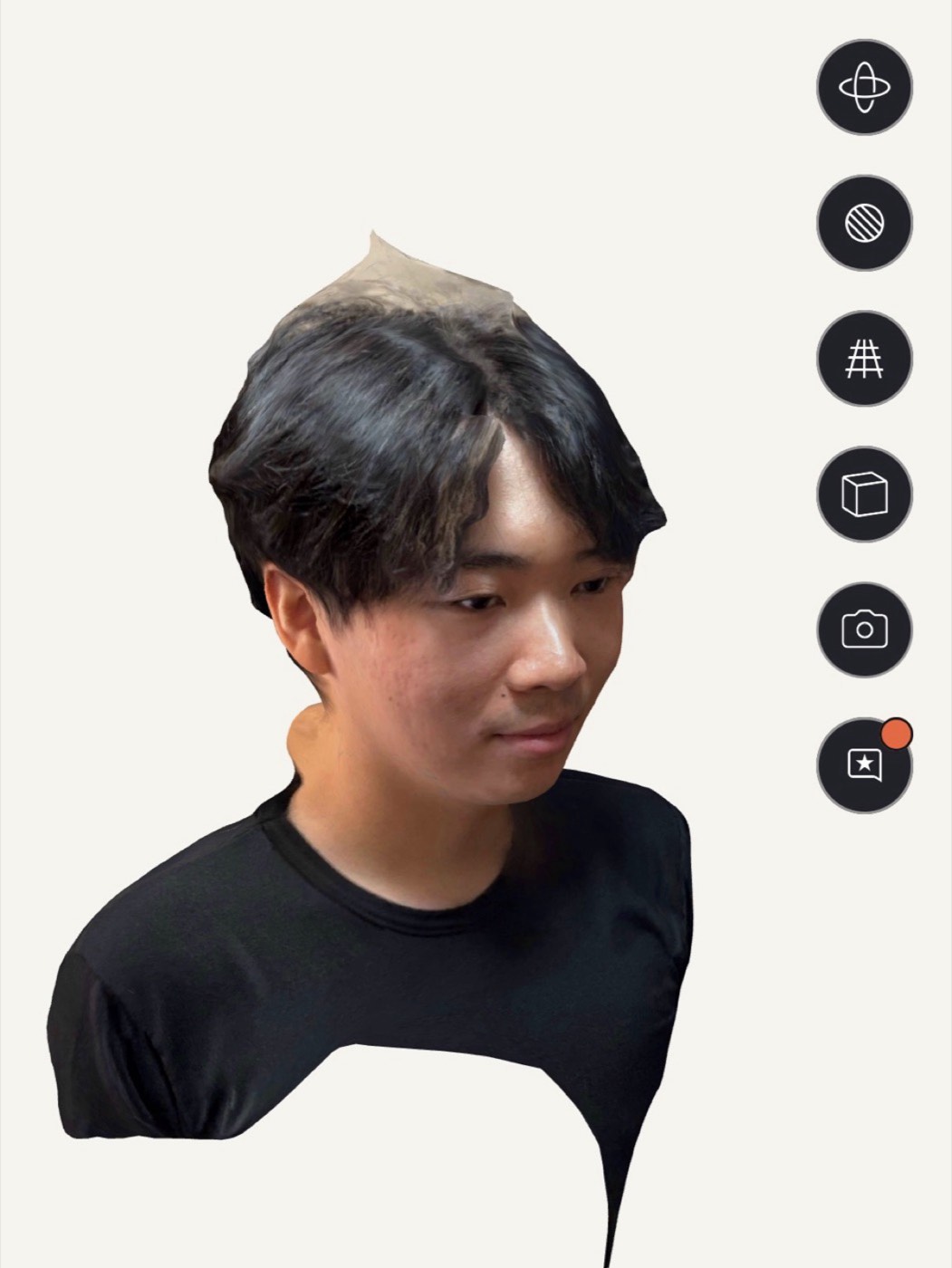
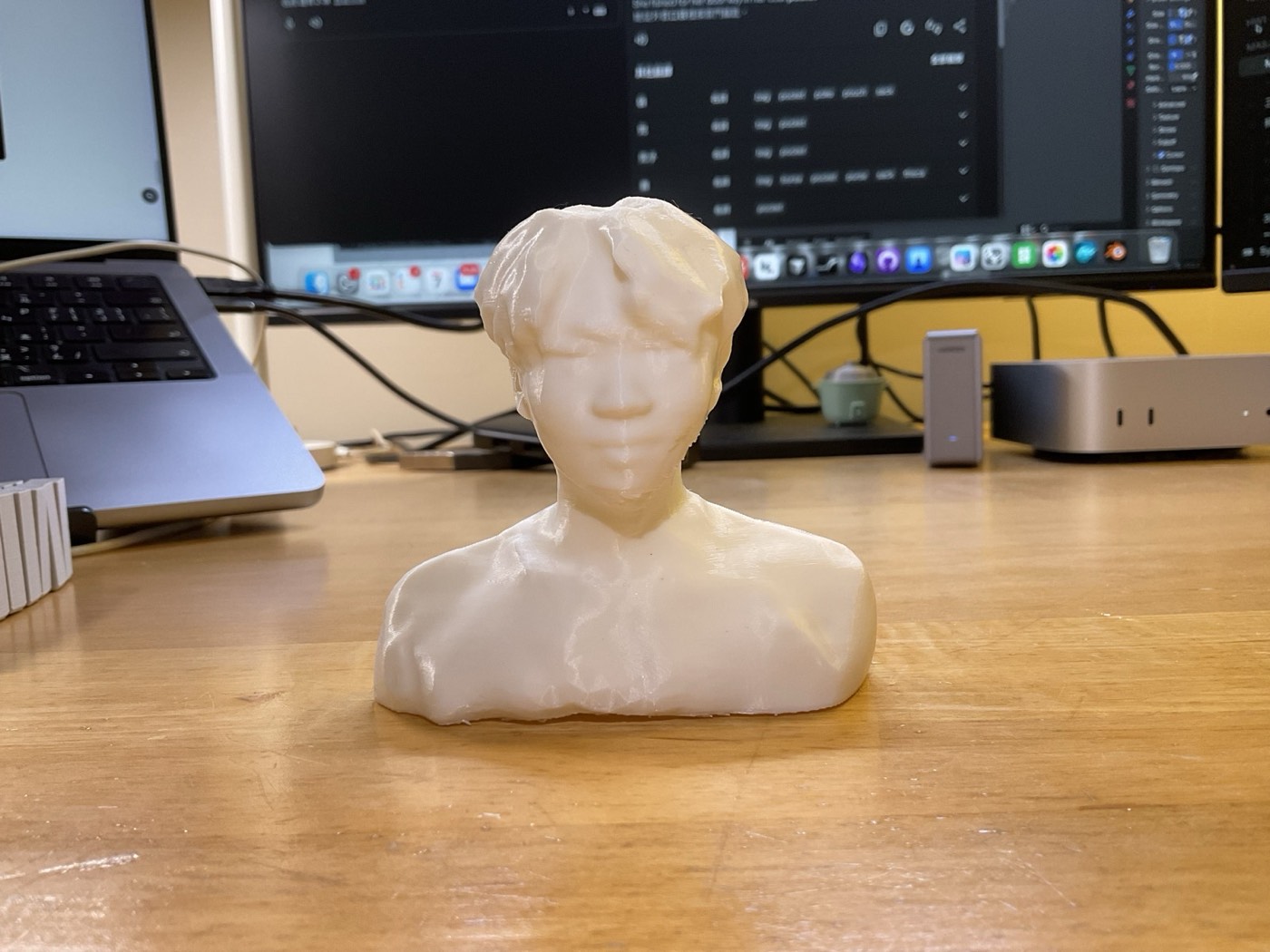
I scanned myself with an iPhone 15 Pro and Polycam, cleaned the mesh in Rhino and Blender, and printed a bust about 9 cm high.
Scan
I scanned with Polycam in Photo mode (photogrammetry). The free plan only exports glTF, which is enough for the next step. The result uses 76 photos taken in a circle around me, with a lot of overlap between pictures, since the algorithm needs the overlap to match them.
Rhino: import, scale, flat base
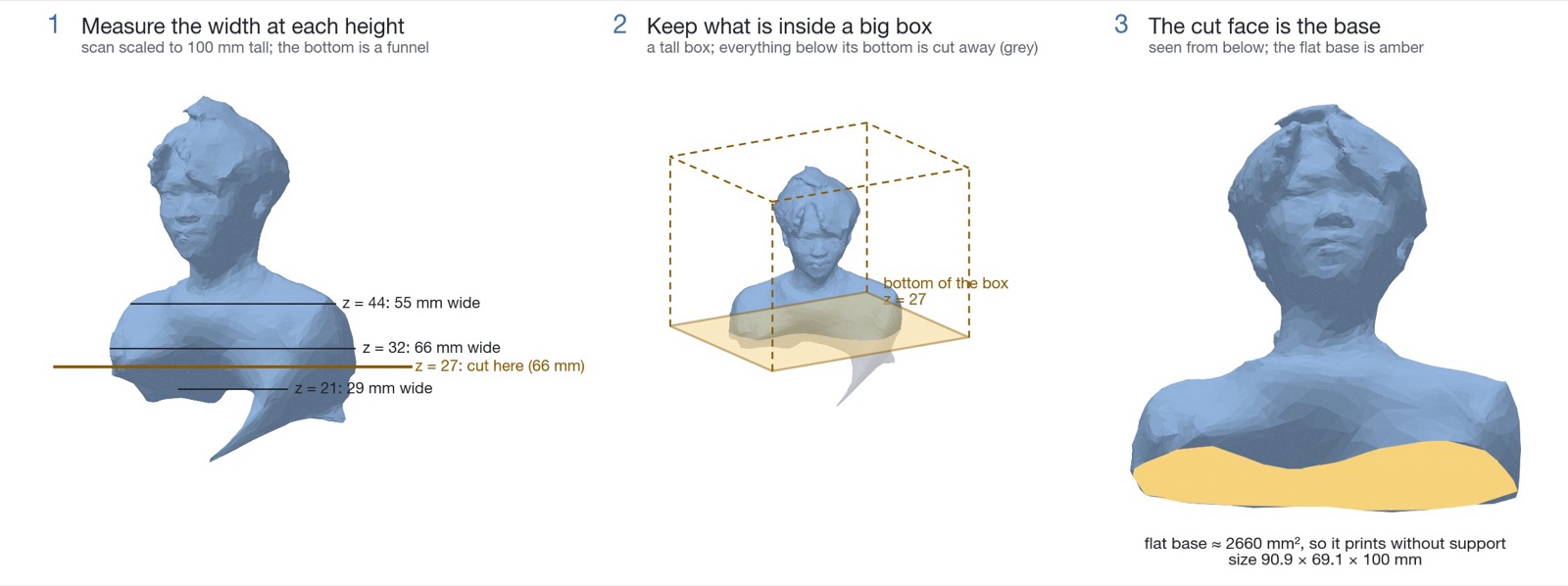
Bambu Studio does not read glTF, so I opened the file in Rhino 8, checked the units against my real height and scaled the bust to 100 mm. I first tried a round disc as a base, but it looked wrong, so I cut the mesh flat instead. I measured the width at every height first: the bottom of the scan is a funnel, so a cut there would have left the shoulders hanging over a small base. I cut near the widest point of the shoulders and used the shoulder outline itself as the base (about 2660 mm², no support needed).
Blender: sculpt the defects away
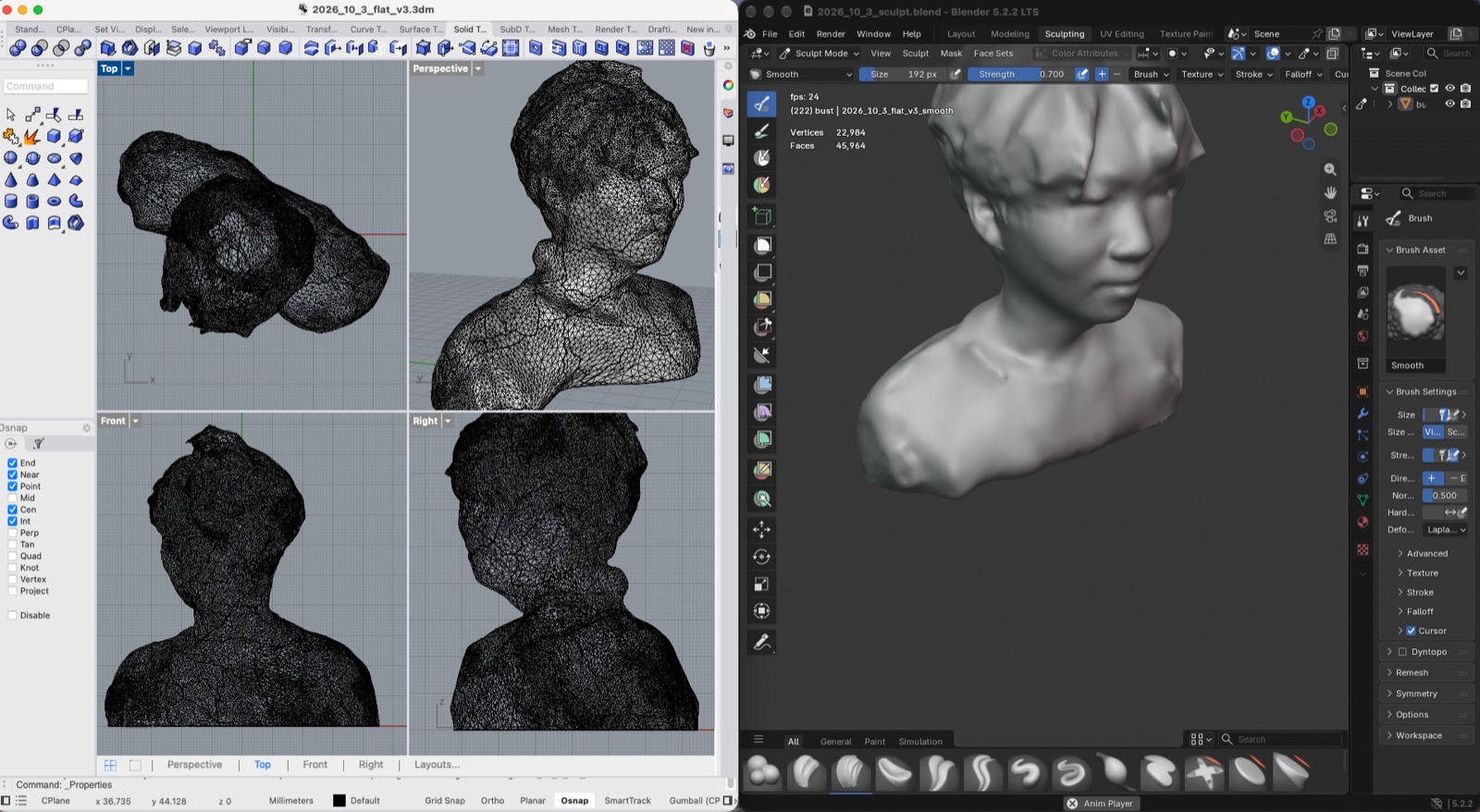
The top of my head was torn, a lock of hair stuck up like a brim, and the chest had a dent. I sculpted these by hand in Blender (Sculpt mode): the Smooth brush for the hair and the top of the head, Draw and Clay Strips at low strength for the dent. This lowered the head from 99 to 91 mm.
Check and export
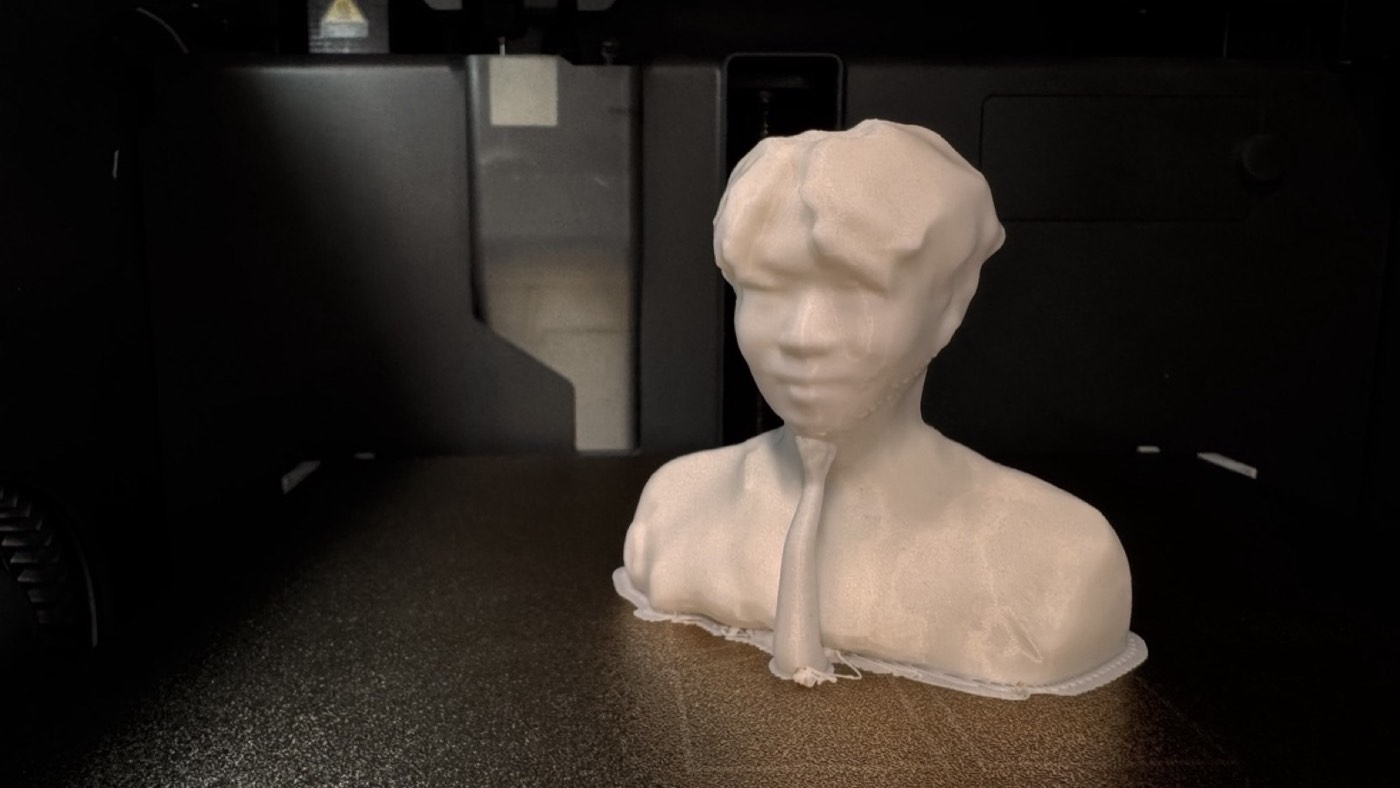
After sculpting, I pulled the bottom a little by accident, so 77 vertices ended up up to 2.2 mm below the base. I cut again at z = 0 and refilled the base. The exported STL is closed (no open edges), 90.9 × 69.2 × 91.4 mm, about 152 cm³. The centre of gravity is 37 mm above the base and 15 mm from the nearest edge, so it would take about a 22° tilt to tip over. Only about 2.5 % of the surface is steeper than 45° (chin, under the ear, fringe).
Bambu Studio, PLA, bottom face on the plate, tree supports (auto) for the chin. Sliced time 2 h 11 min.
03
AI usage
I used Claude (Claude Code) as a mentor and as a pair programmer.
- Line Cube: I picked the idea, the video and the goal, and we built it together one step at a time. Claude was my mentor: it helped me work out a mechanism from one picture and explained the Rhino and Grasshopper steps, and I put each feature in myself and tested it. We checked clearances and overhangs against the geometry as we went.
- Scan: Claude explained the Polycam → Rhino → Blender → Bambu Studio path, measured the cross sections to find where to cut the base, and ran a Blender script for the final flat cut and checks. The decision to drop the disc base, and all of the sculpting, was mine, by hand in the Blender GUI.