Final Project
Castform
A weather-changing Castform plush with a mechanical form swap.
September–October 2026
Project Idea
It all began with this...
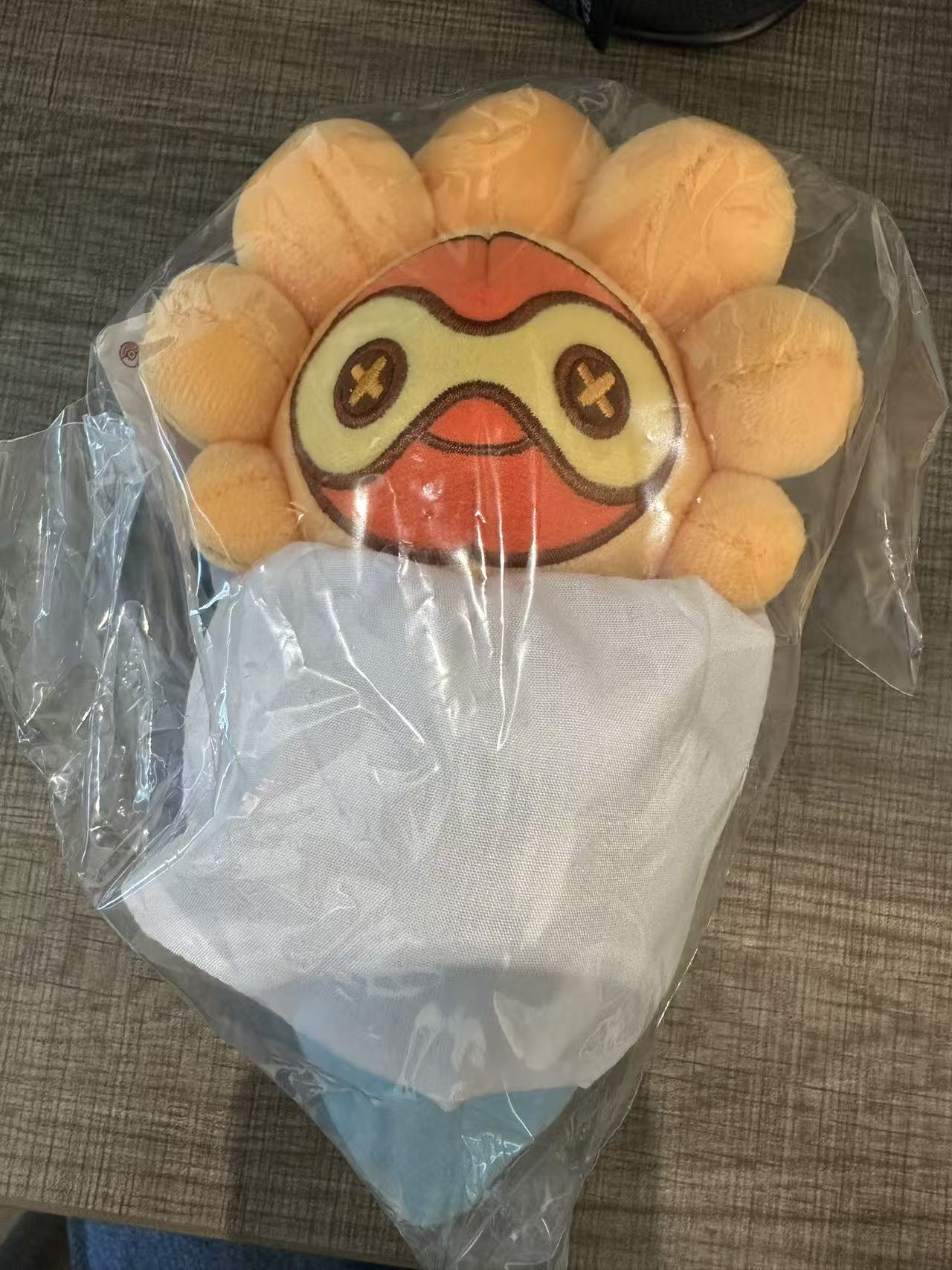
This summer my family brought me a Castform plush from Pokémon game Pokopia. For those who are not super familiar with context, Castform is a pokemon whose design is inspired by Japanese Teru teru bōzu dolls (照る照る坊主). Teru teru bōzu dolls are ghost-like dolls often put up by children outside doors and windows in wish for a sunny day. Consequently, the gimmick of Castform is that its appearance changes depending on the weather in battle. It has 4 different forms: Normal, Sunny, Rainy, and Snowy. (No Sandstorm form for some reason even though it is a common weather in the game.)

While Castform somewhat went under the radar in both popularity as well as competitive play for 20 years since its introduction, it always holds a very dear place in my heart for being one of the first Pokémon I know. Luckily it had a (somewhat) glorious comeback in Pokémon game Pokopia, in which it became a cute in game decoration which later became an actual plush. The neat thing about the plush is that it can be swapped between different forms by rotating up and down.
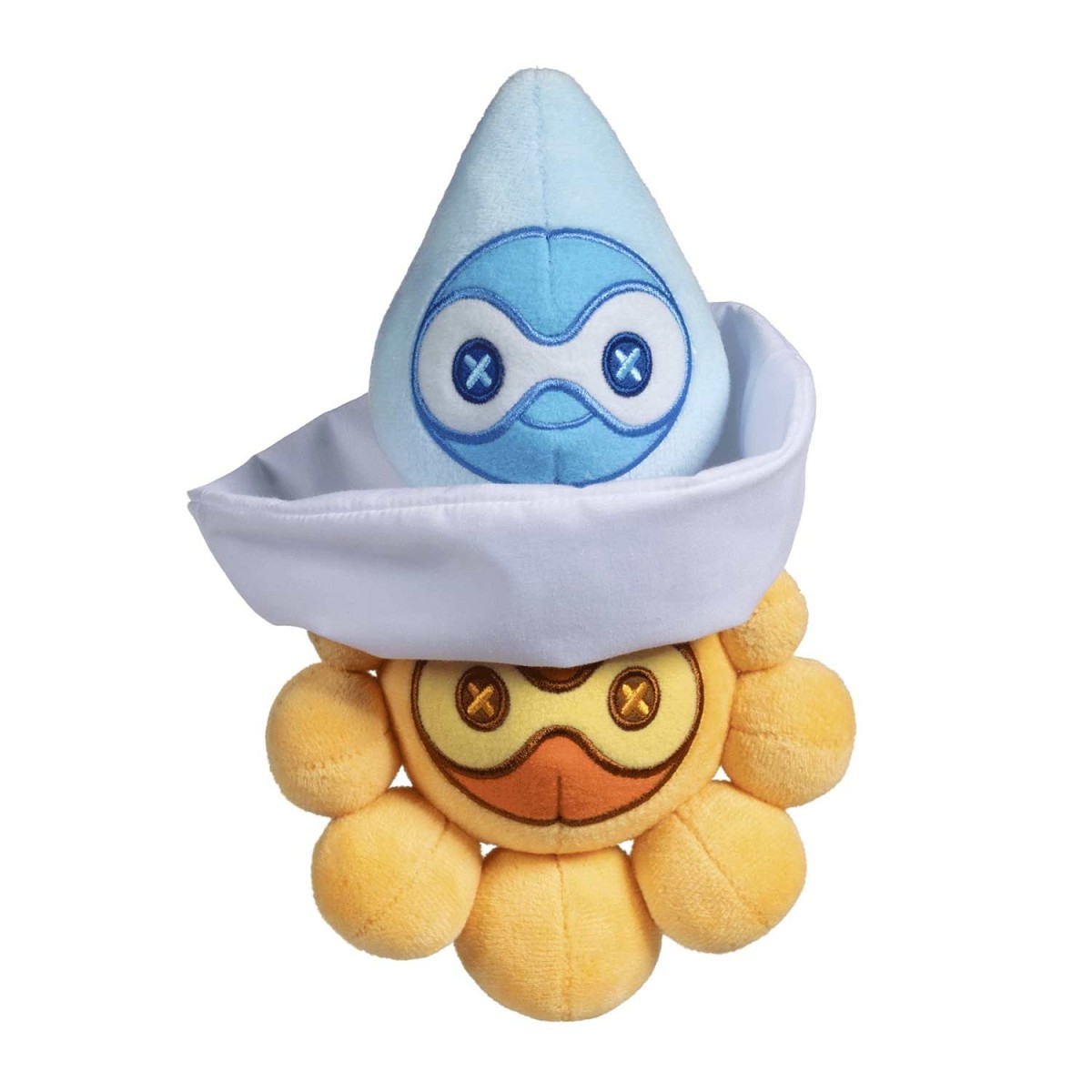
This is all very neat and dear to me, and I had great fun swapping it around in the morning to reflect the weather outside. But soon, an idea struck me: what if I could make it do this on its own?
Initial Mechanism
My current idea is to mount the plush forms around a rotating structure. A motor or rotating wheel would move the appropriate form into the visible position. And hopefully gravity would do the rest for me by pulling its dress down to complete the transformation.
Additionally, the machine need to receive weather information either from a local sensor, such as a humidity sensor, or from an online weather service. We could also add a little display to show the current weather/time etc.
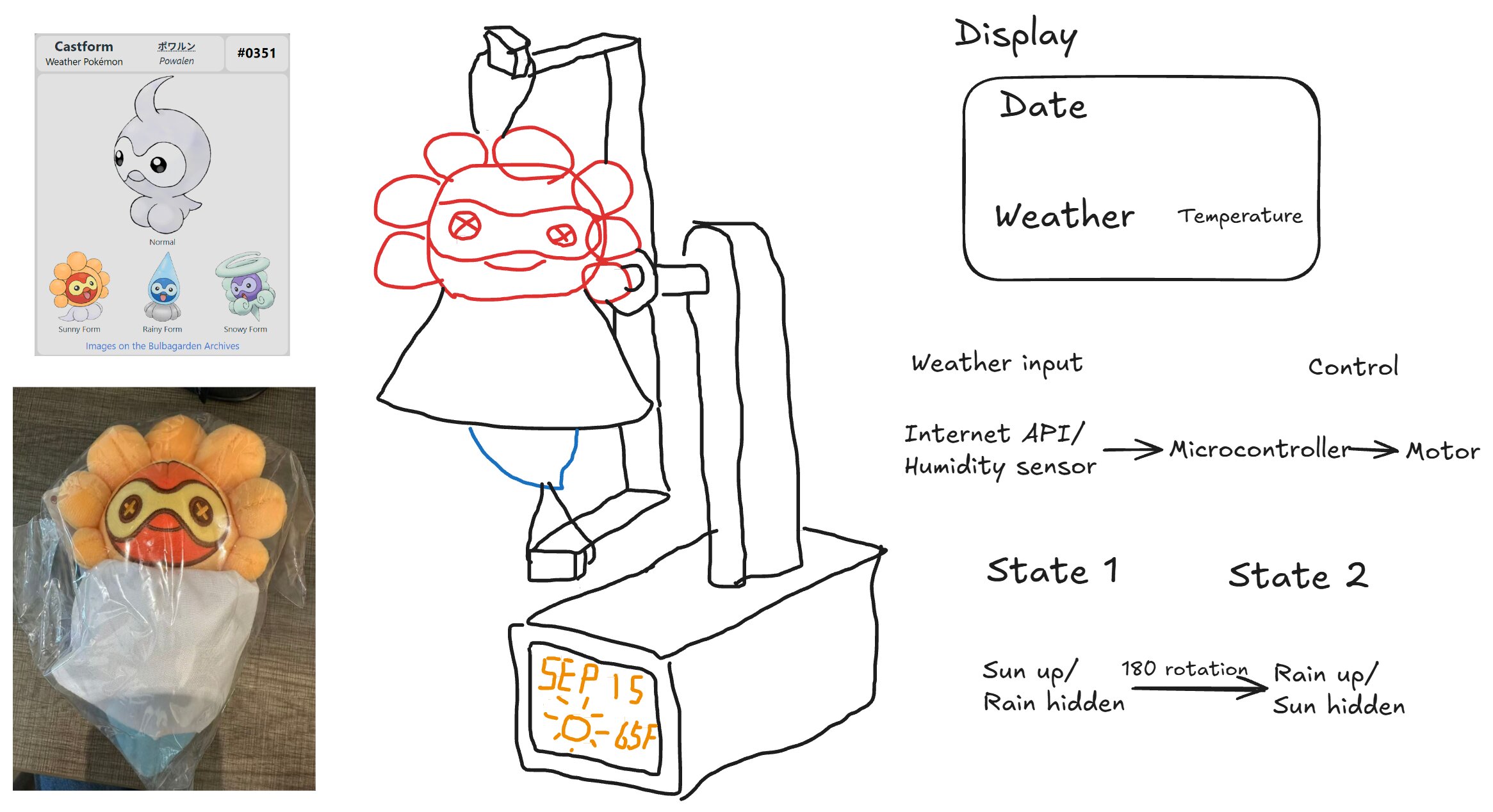
Blender Modeling
After making the initial sketch, I started recreating the basic geometry in Blender. At this stage I am not trying to model the complete machine and draw to scale. Instead, I am using simple shapes to determine the overall proportions and mechanical arrangement.
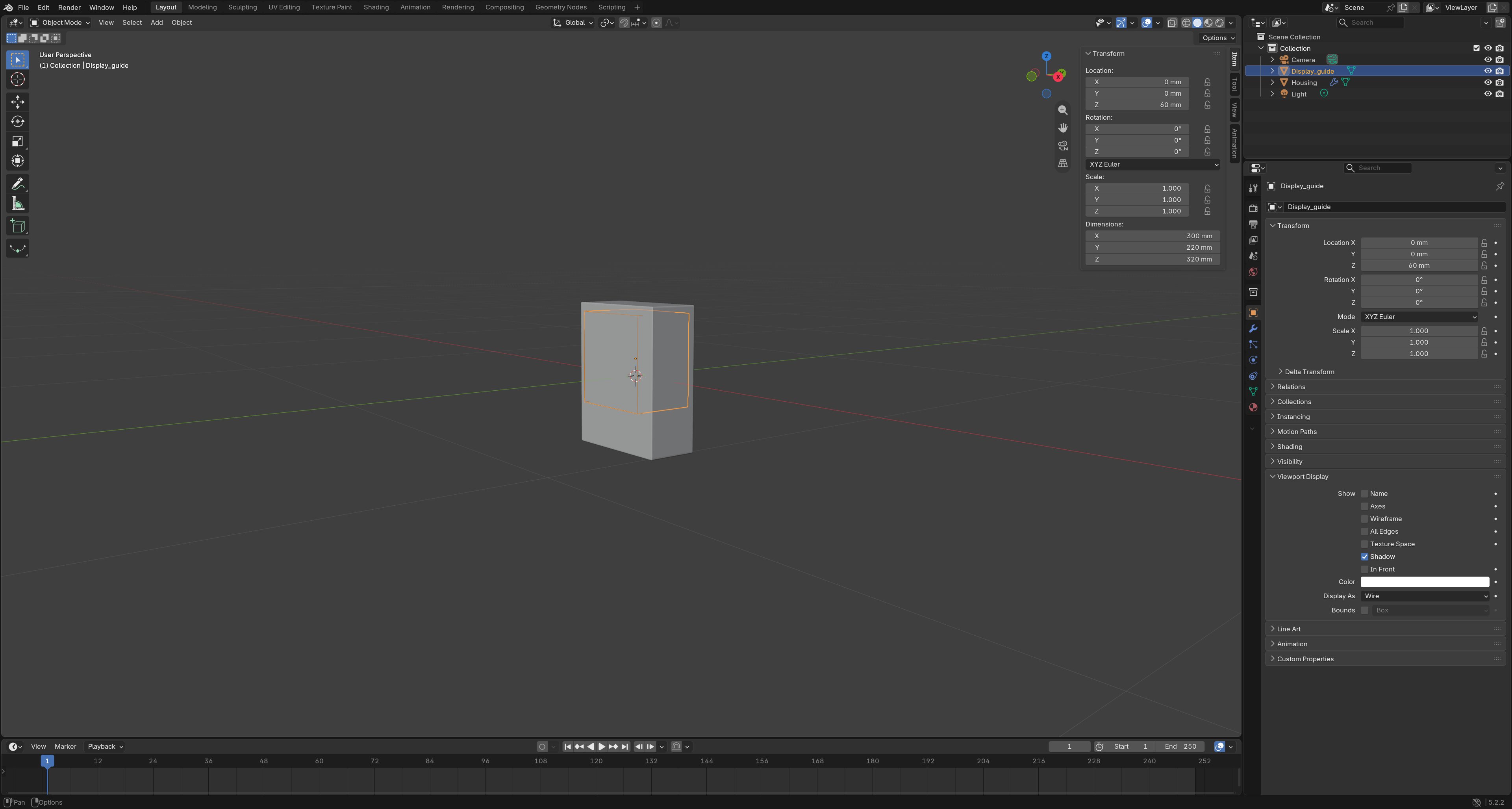
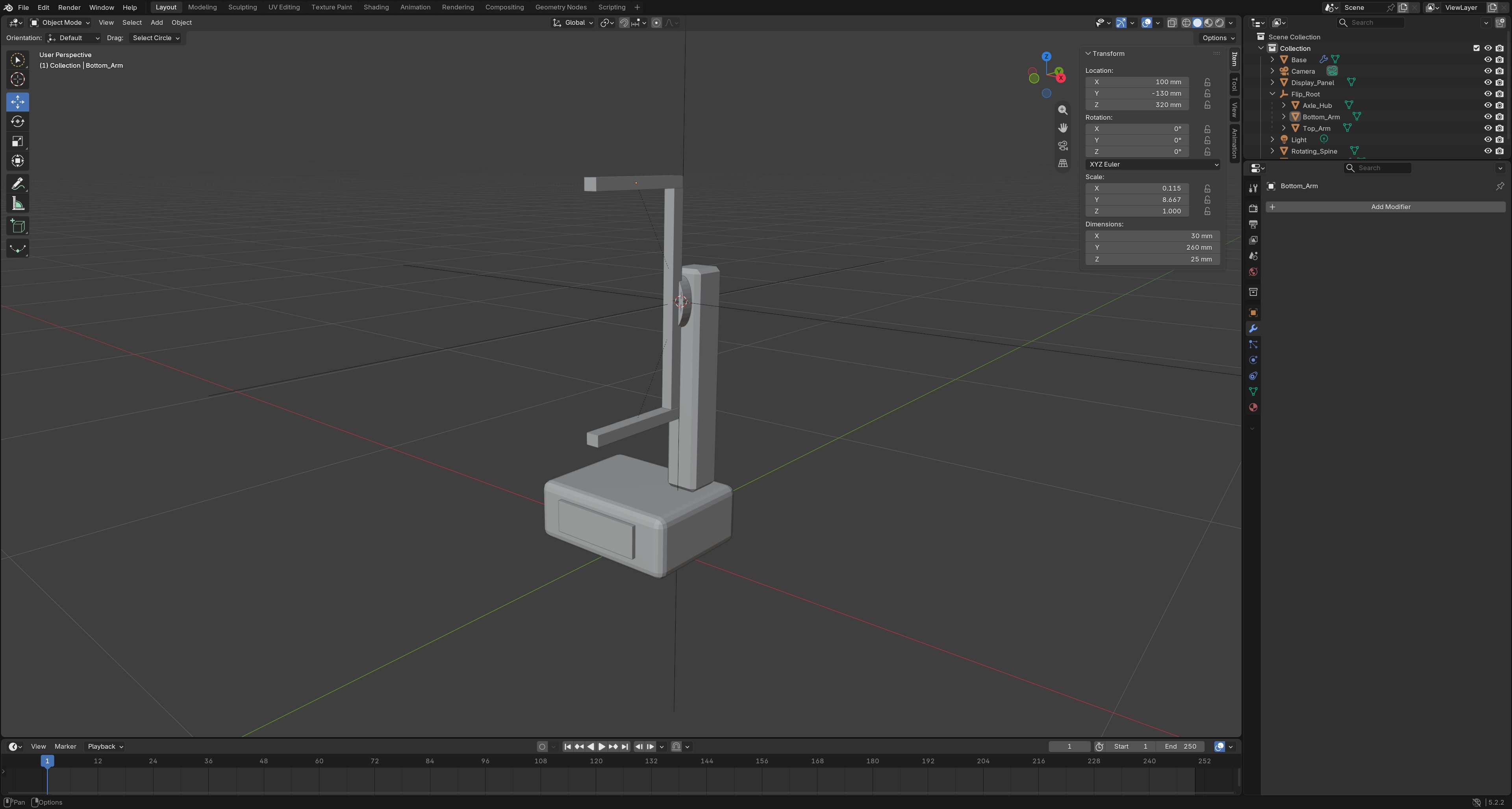
The idea is that in either form, Castform plush will hang from the top holder through strings once it locks into place. The box will hold microcontroller which takes weather input and feeds the decision to the motor, which will rotate the appropriate form into the visible position.
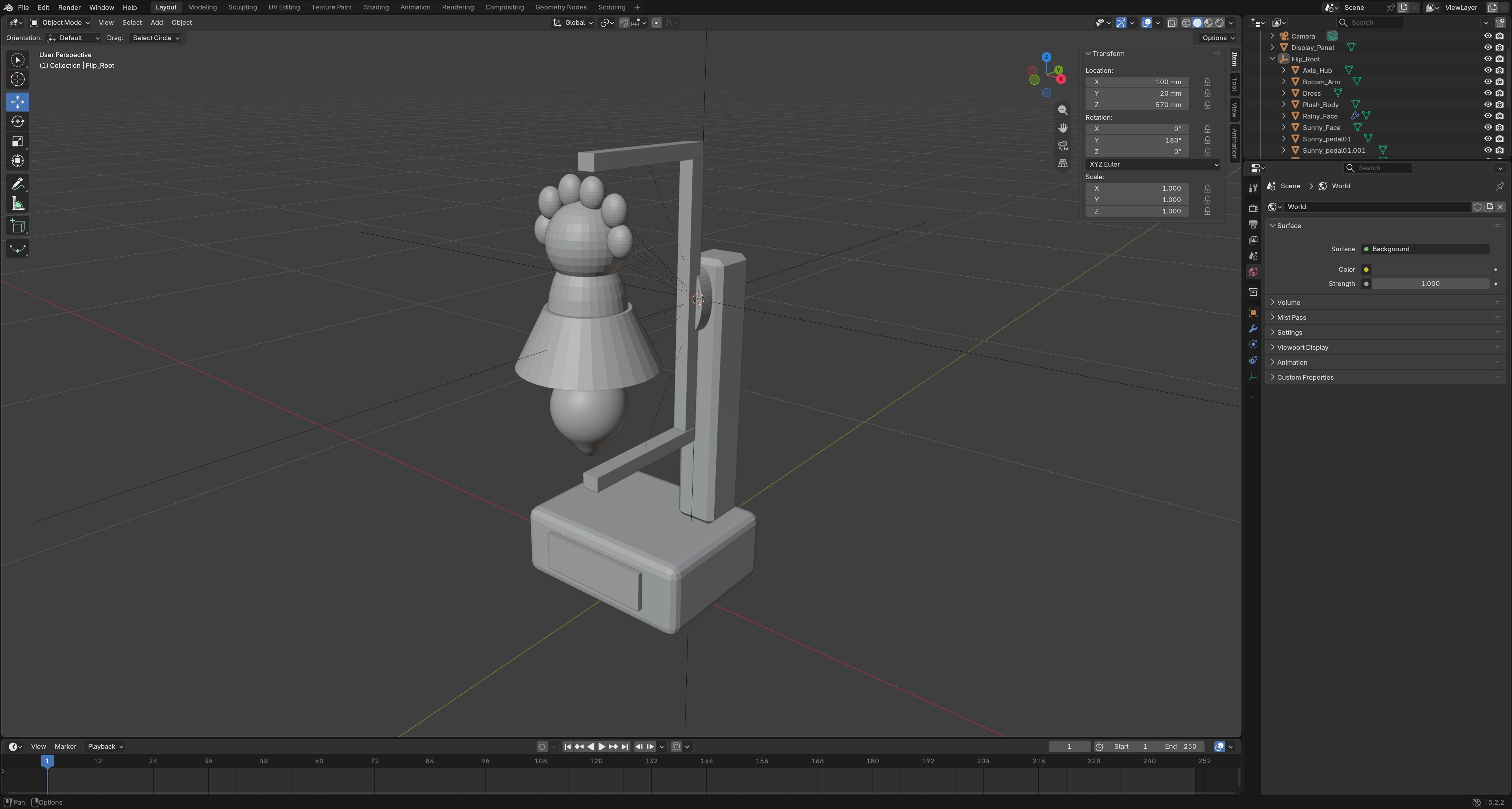
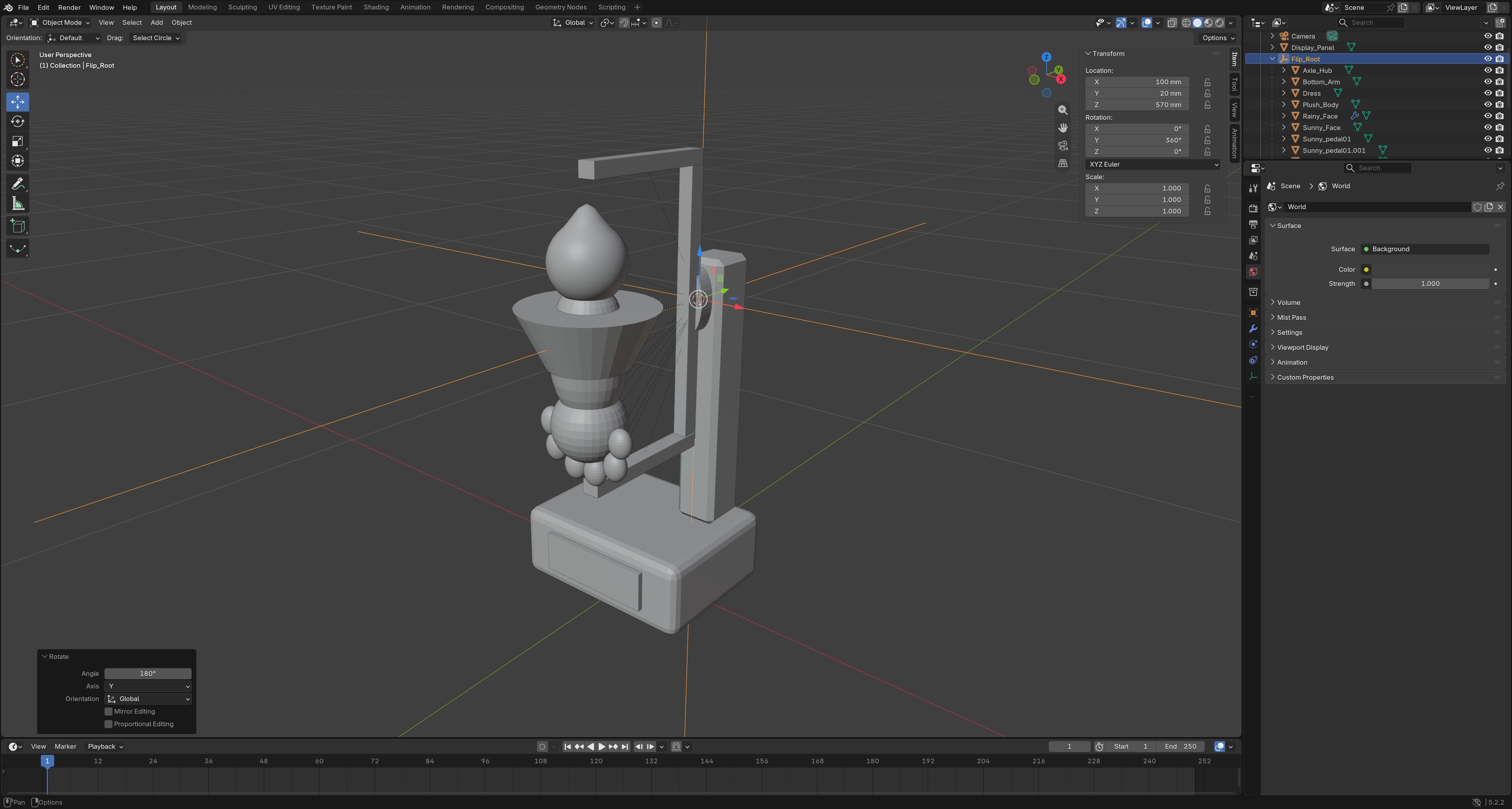
I did not model the dress fabric part realistically. This may be a future improvement. I am also not sure how cleanly the dress will fall once the motor rotates. Maybe it's worth adding a small weight to the dress to help it stay in place.
Electronics Design
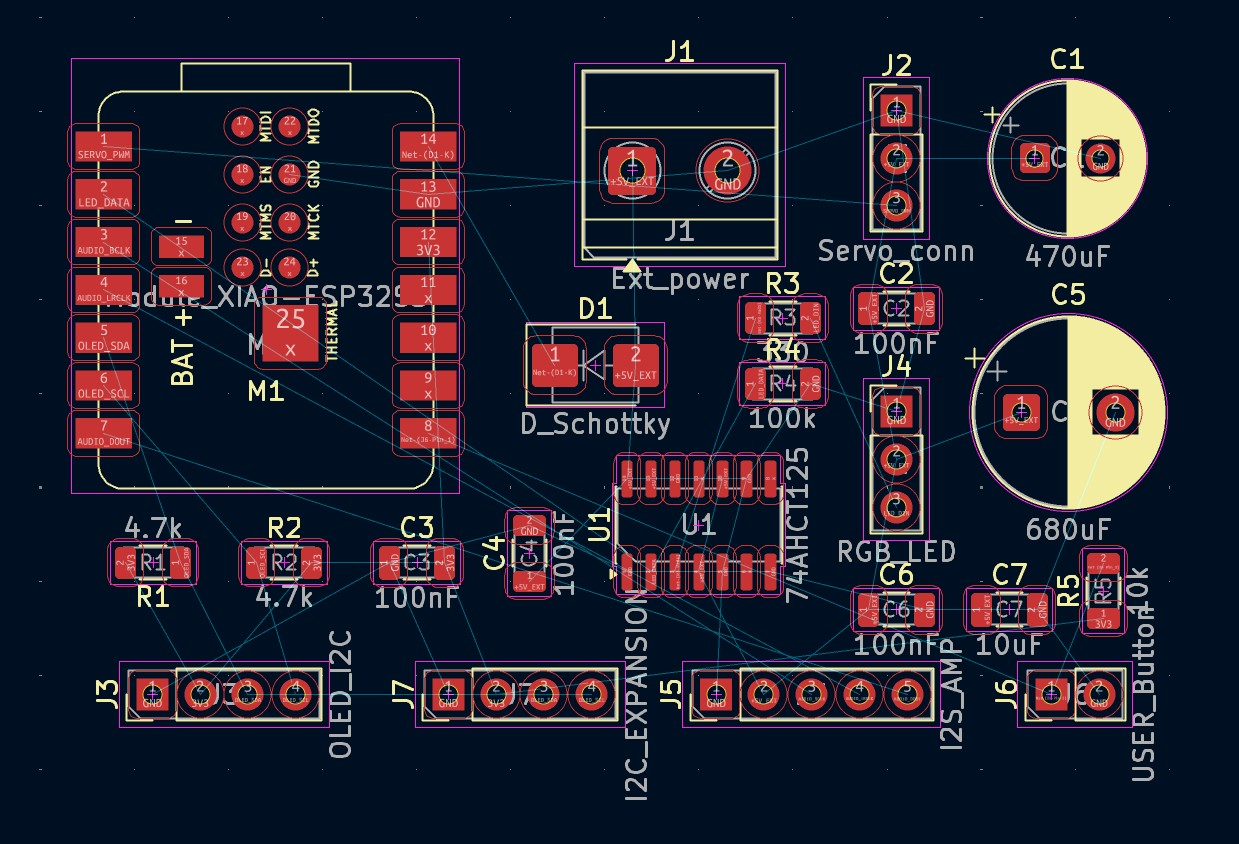
The next step is to make the machine physical. The board has to rotate the Castform plush from the current weather, so this is the circuit for that mechanism.
Since I have some PCB experience before so I want to do something bigger and got ambitious during my sketch. Below is a table of modules I want to build:
| Module | Key part | Usage |
|---|---|---|
| Microcontroller | XIAO ESP32-S3 Sense | Control all the components and provide 3.3V power to the board. |
| Servo Motor | MG996R positional servo motor | Used to rotate the Castform plush |
| OLED Screen | I2C OLED display | Display weather information and date information. |
| LED Lights | Addressable RGB LEDs | Light up the board and decorate around the machine. |
| Audio Amplifier | MAX98357A | Provide voice output for potential voice interaction. |
| Button | Push button | Used for debugging and manual control. |
| Expansion Connector | 4-pin 2.54mm pitch connector | Used to connect additional sensors (i.e. humidity sensor). |
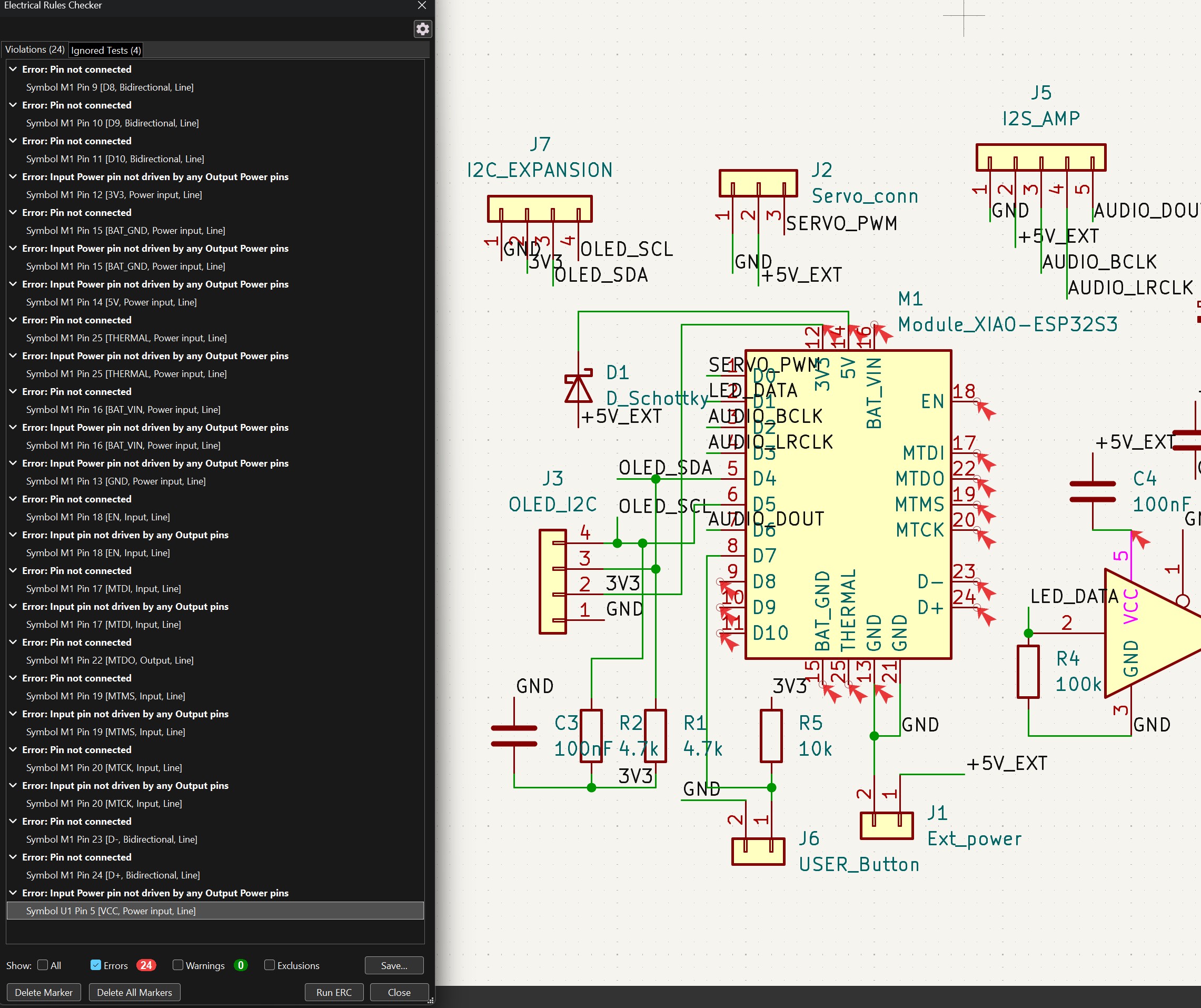
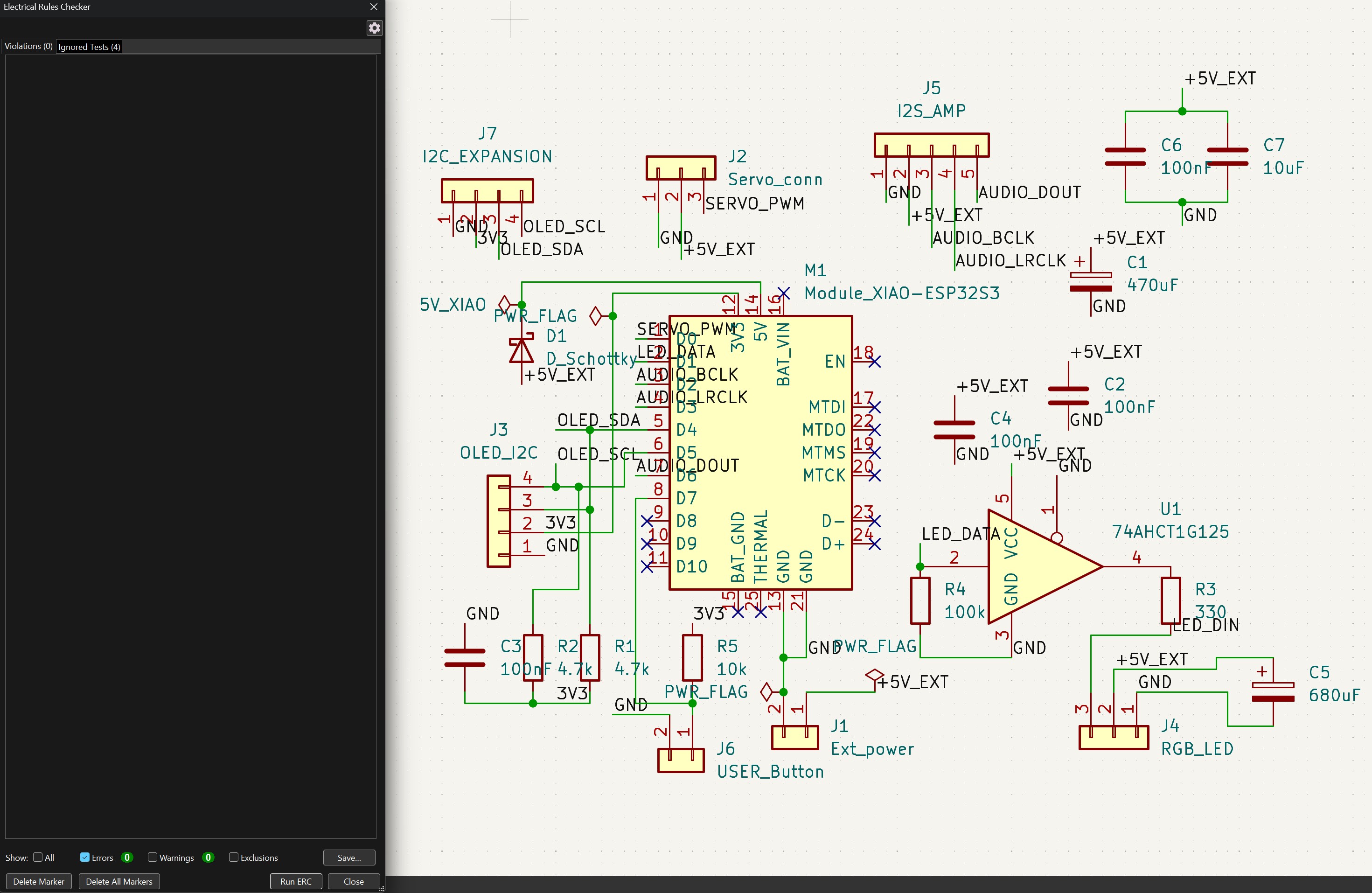
Schematic Design
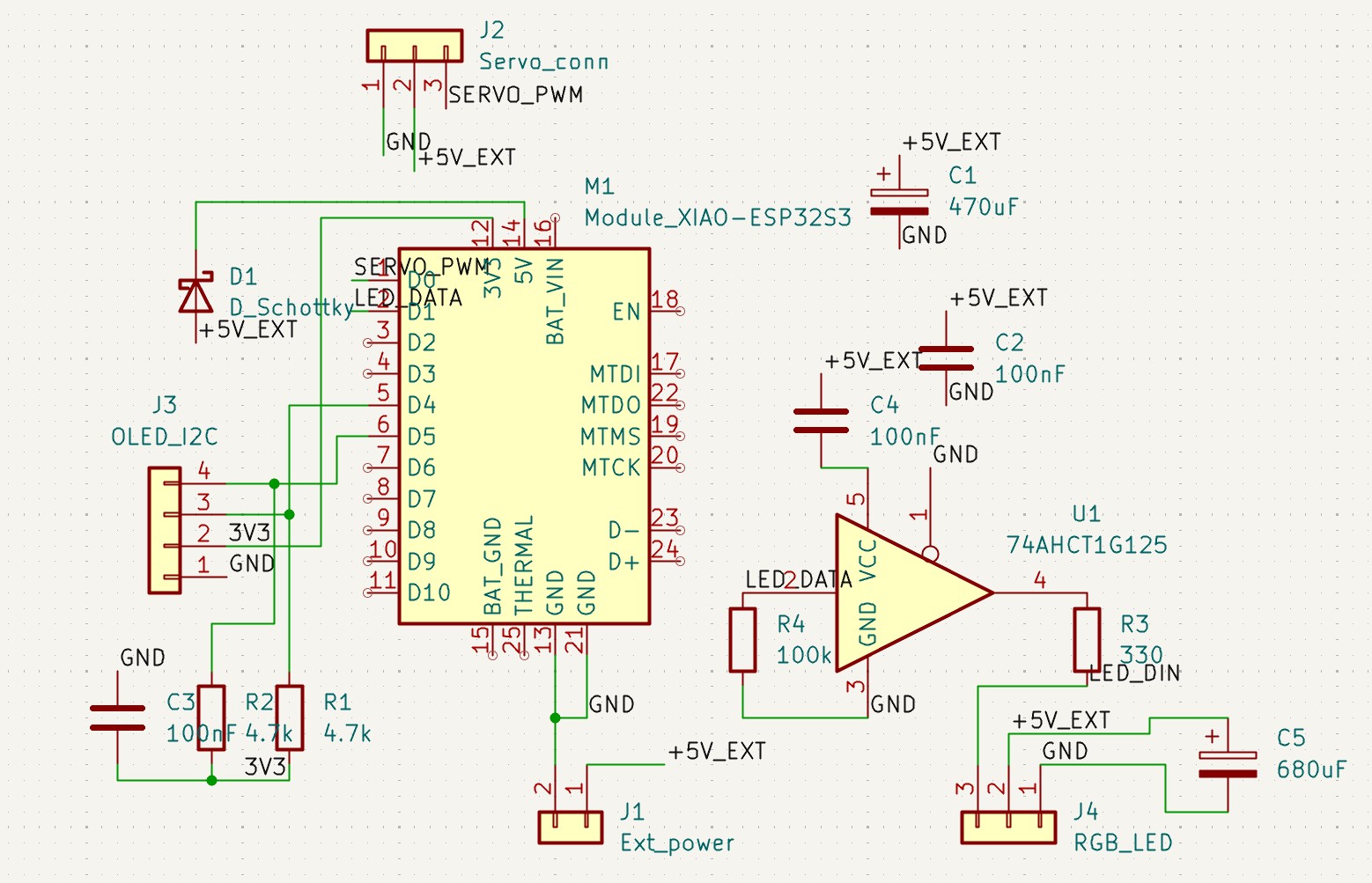
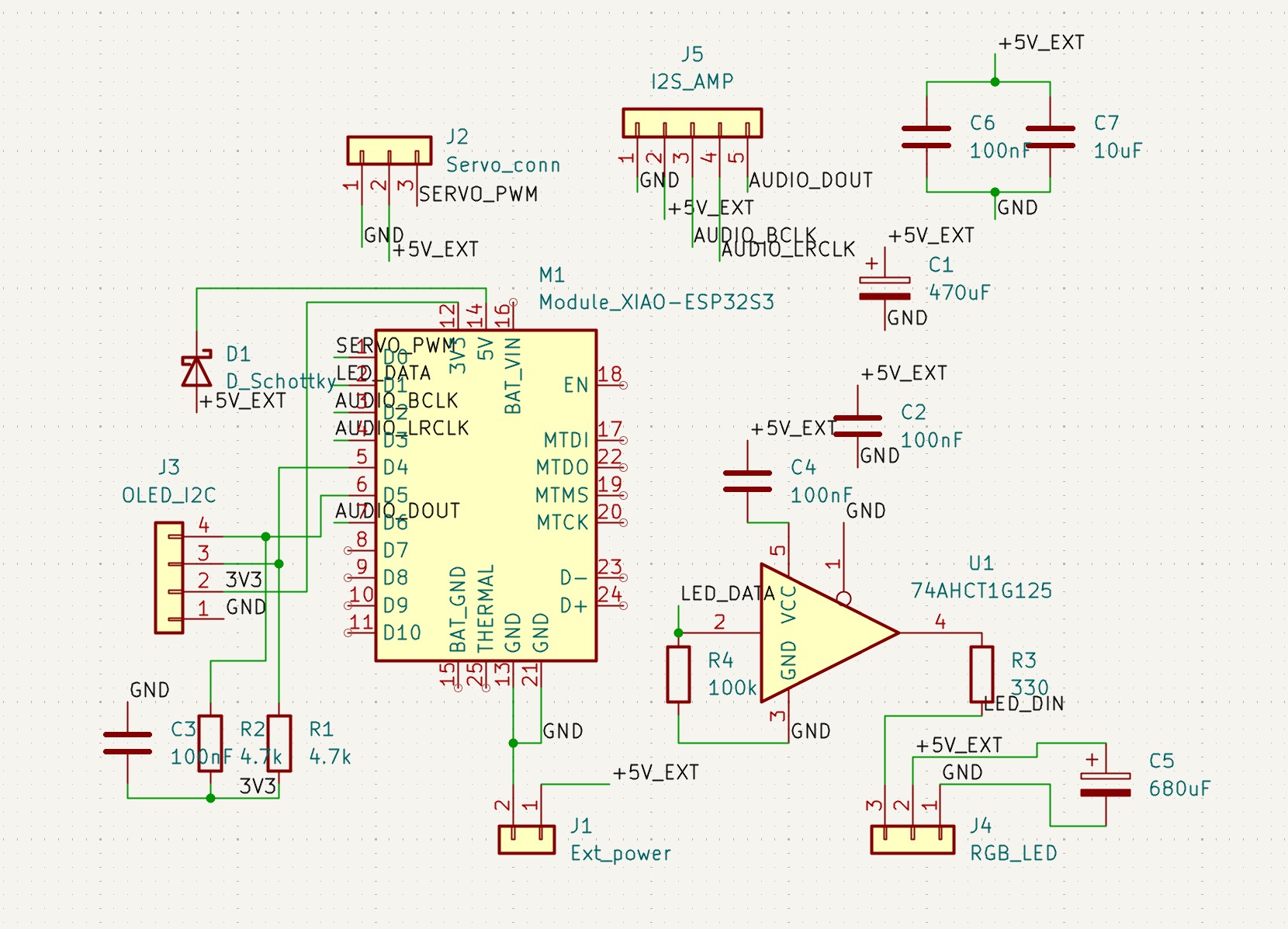
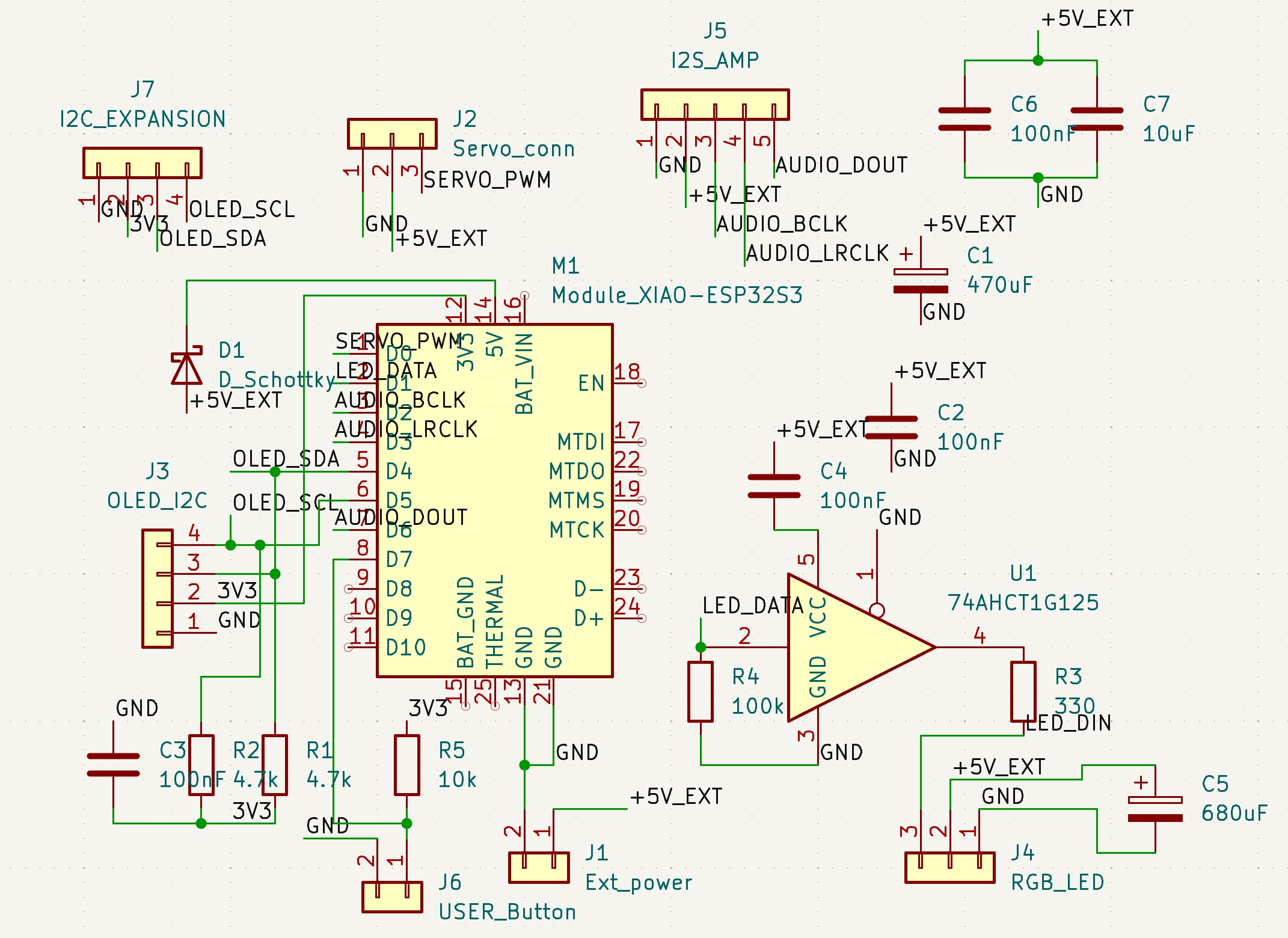
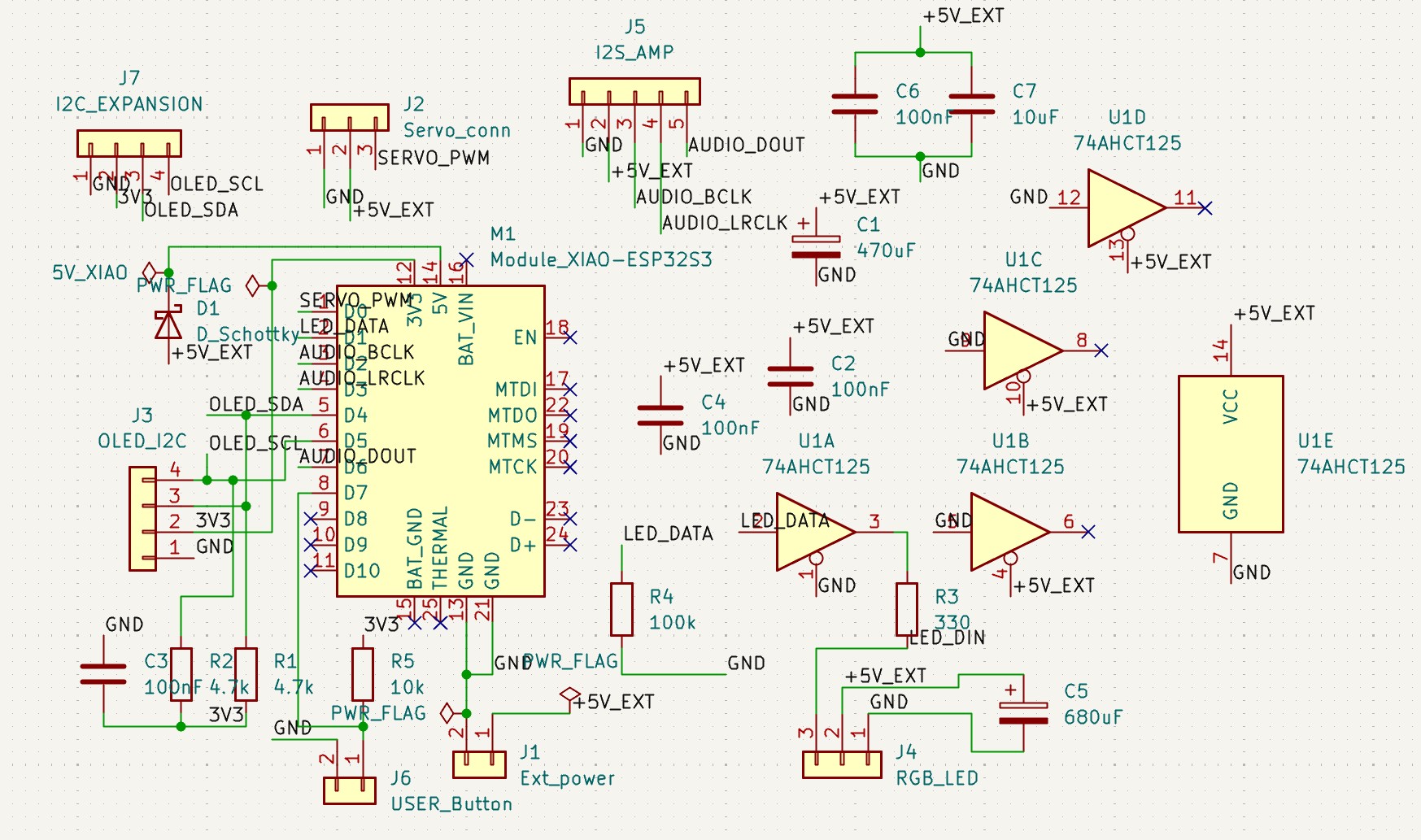
I chose to use KiCad for the schematic and board design.
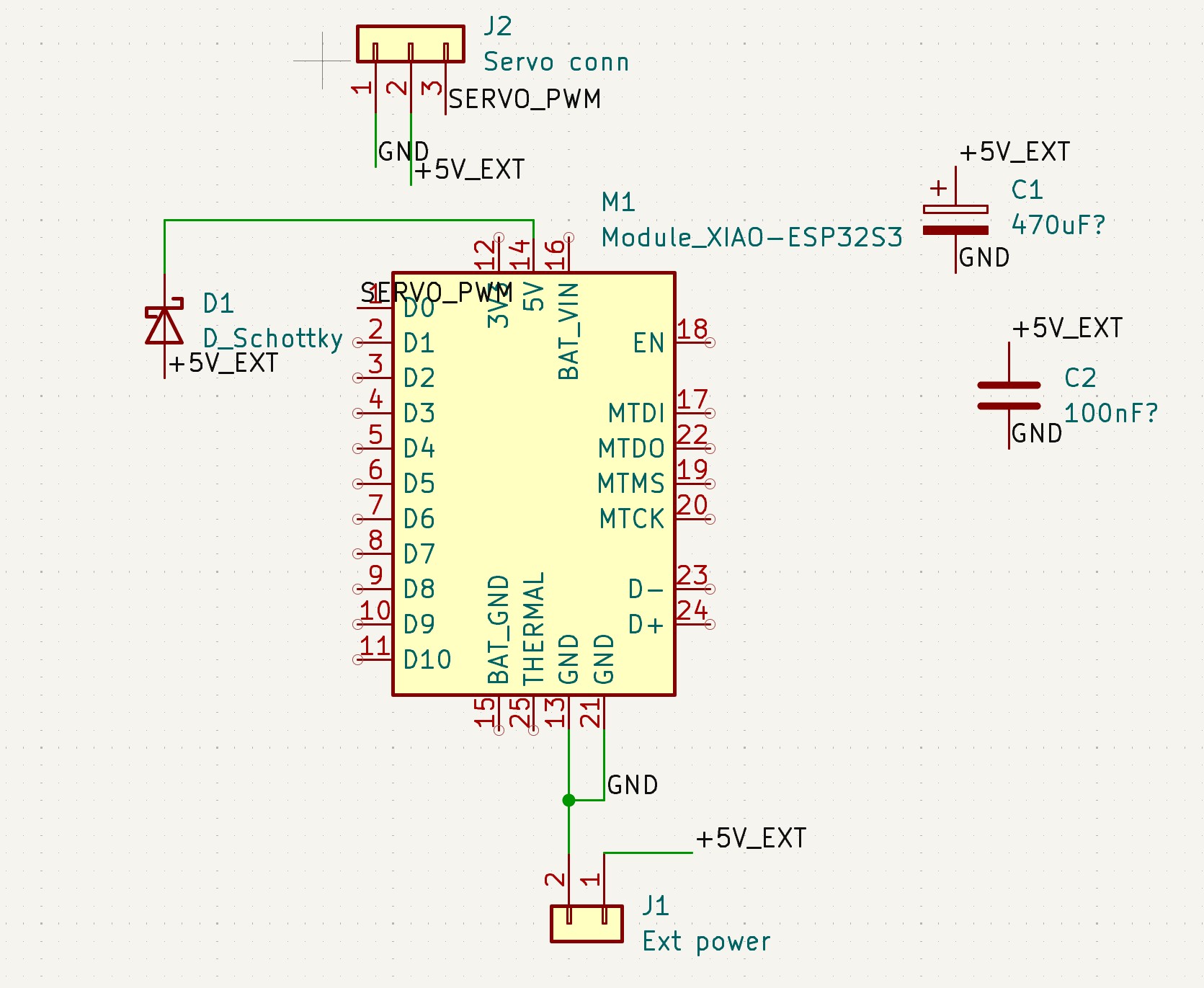
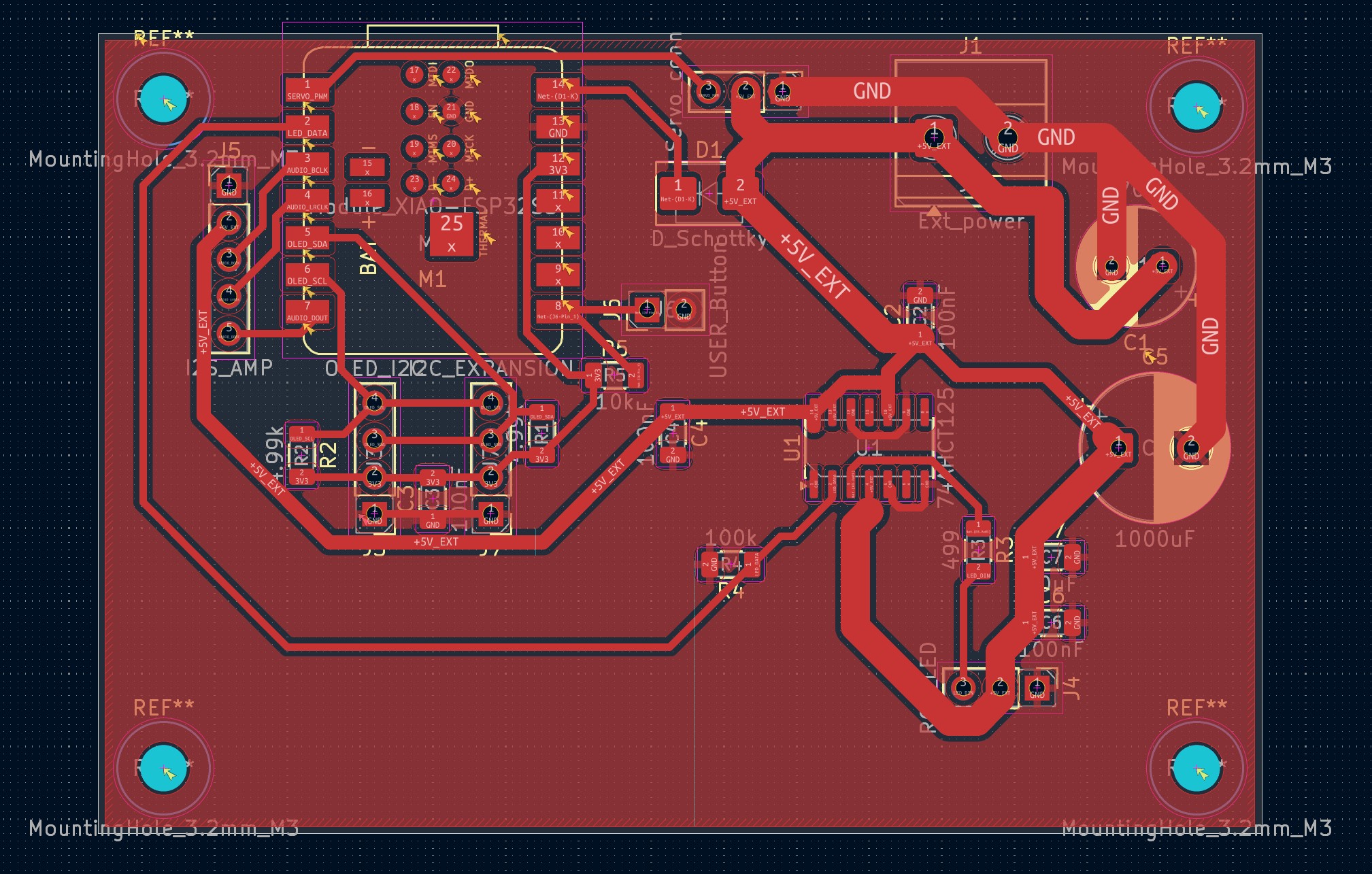
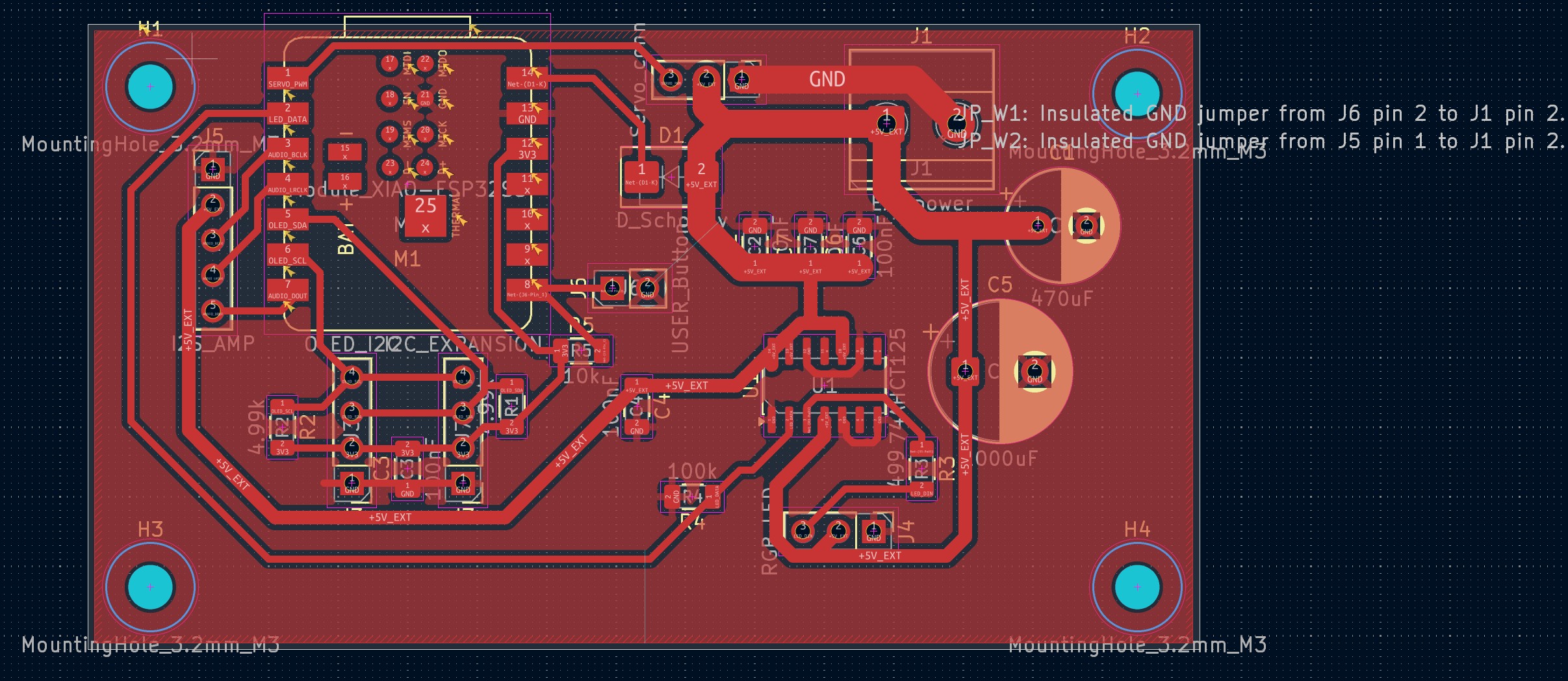
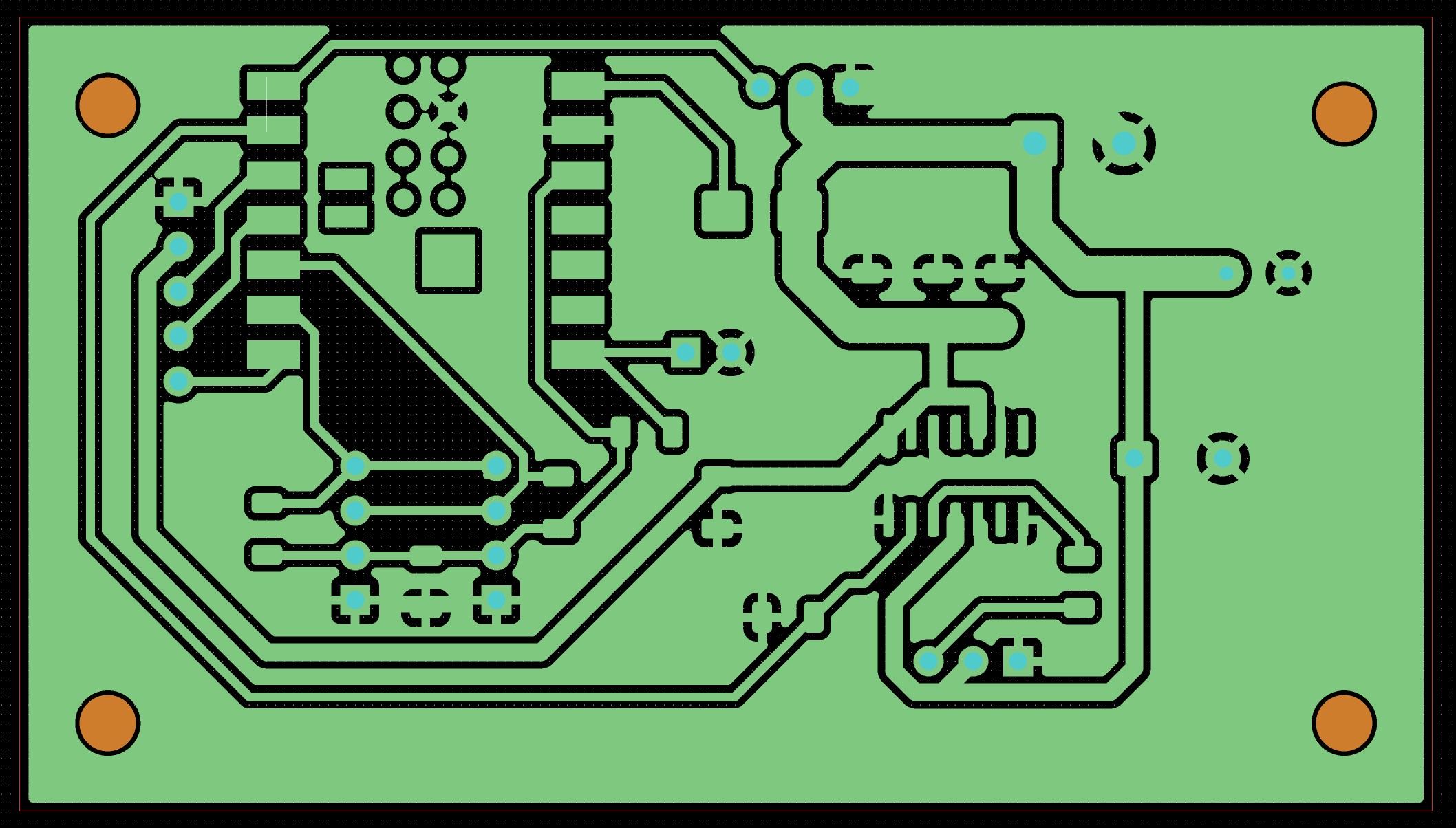
Board Design
After the schematic is done, I can move on to the board design.