A six-pad touch interface
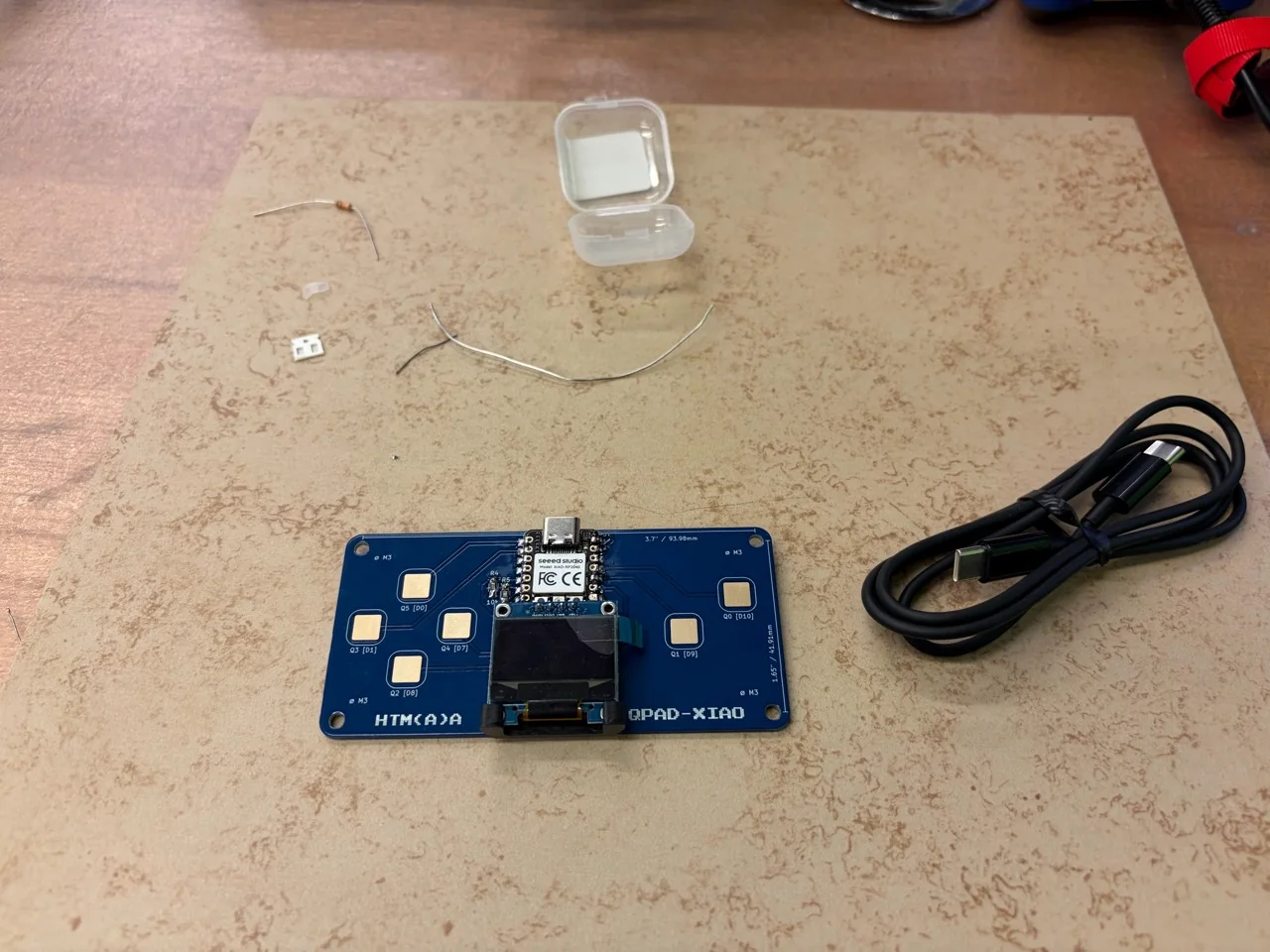
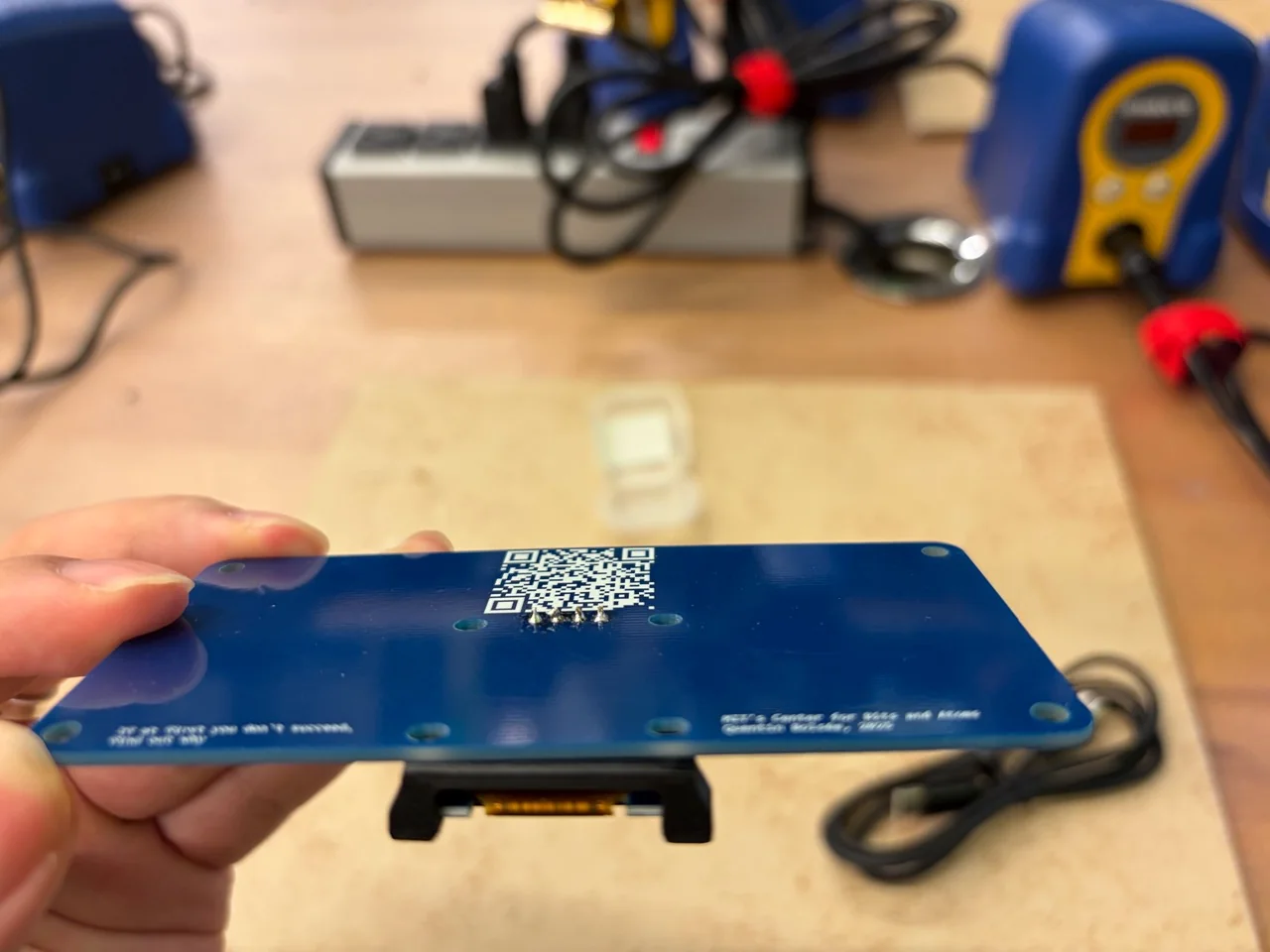
I assembled a QPAD with a Seeed XIAO RP2040, a 128 × 64 OLED and six capacitive touch pads. The diagnostic program connects touch input to the display, RGB feedback and a bidirectional USB serial interface.
Assembly photographs
Firmware and toolchain
The firmware measures touch timing on GPIO 3, 4, 2, 27, 1 and 26. OLED SDA/SCL use GPIO 6/7. Serial commands include status, stream on, stream off and threshold N.
The build used Arduino CLI 1.5.1, Arduino-Pico 6.1.1, Adafruit GFX 1.12.6, SSD1306 2.5.17 and BusIO 1.17.4. Version 2 compiled to 72,076 bytes of program storage and 9,748 bytes of global memory.
Download diagnostic v2 source. Touch timing and pin mapping are adapted from the MIT-licensed QPAD example; the upstream design and license remain with that project. Codex assisted with the diagnostic integration.
First visible output
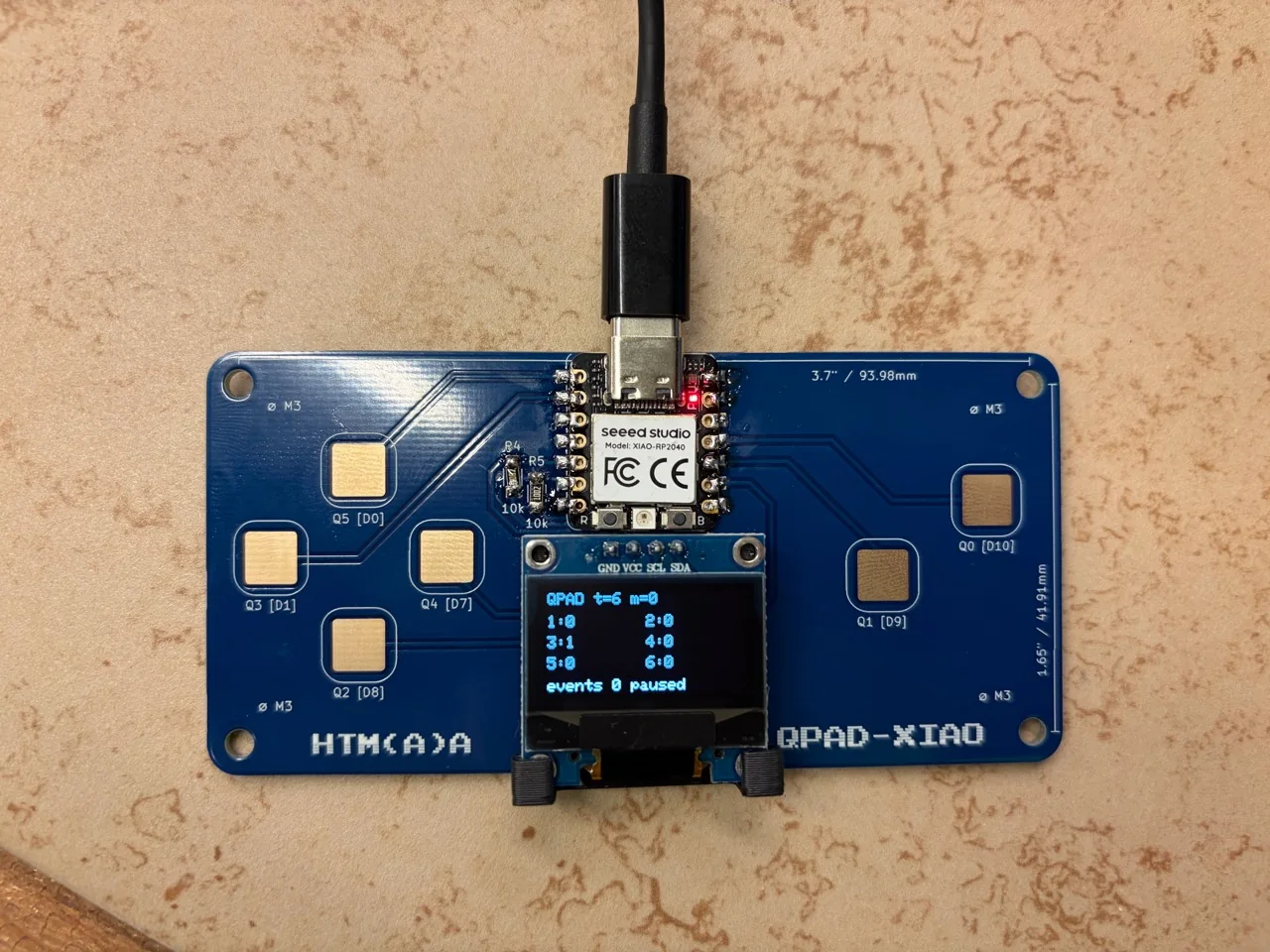
The USB-powered board shows the diagnostic interface on the OLED. At this moment no touch was active and the event count was zero.
The failure: one held touch, several events
All six pads produced press and release events. Untouched values were usually 0,0,1,0,0,0. Initial touched values were 11, 8, 12, 8, 7 and 11 for Q0 through Q5. The values are firmware timing counts.
Version 1 repeatedly reported a release followed by a press while a finger remained on Q1, Q3 or Q4. Longer readings were strongly touched, but occasional measurements dropped to about 0–3. Treating each dip as a release made the event stream unstable.
Revision and physical check
Version 2 takes the maximum of four measurements and requires 24 consecutive below-threshold readings before releasing a pad. The threshold stayed at 6 after the follow-up measurements. A held-touch check on Q4 then produced one press and one release:
event,pad,4,down,18
event,pad,4,up,0
The subsequent status response reported events=2 and mask=0x0. The verification record confirms visible OLED operation and the Q4 debounce fix. All six inputs responded in the earlier test; this final held-touch check was specifically on Q4.
Group assignment: architectures and workflows
We compared our RP2040/QPAD workflow with documented AVR and ESP32-C3 workflows.
| Platform | Architecture / board | Development route | Evidence here |
|---|---|---|---|
| RP2040 / XIAO | 32-bit Arm Cortex-M0+, two cores; 264 KB SRAM on the chip. External flash depends on the board. | Arduino-Pico, Arm GCC, Arduino CLI; compiled C++ with board-specific USB support. | QPAD built, uploaded and tested. New serial probe compiled locally only. |
| ATmega328P / Uno Rev3 | 8-bit AVR; Uno uses 16 MHz, 32 KB flash and 2 KB SRAM. | Arduino AVR core and AVR GCC; bootloader upload through the board’s USB-to-serial interface. | Documentation comparison. |
| ESP32-C3 | 32-bit RISC-V, single core. | ESP-IDF target selection, CMake/Ninja build, flash and serial monitor; Arduino is a separate available software route. | Documentation comparison. |
Primary references: RP2040 specifications, Arduino-Pico documentation, Arduino Uno Rev3, and ESP32-C3 ESP-IDF guide.
The workflow we used
For QPAD, we selected rp2040:rp2040:seeed_xiao_rp2040 explicitly, installed the Arduino-Pico core and OLED libraries, compiled the sketch, then uploaded and checked USB serial. Board detection alone was ambiguous because several RP2040 boards share the same USB identifier.
Compilation established that the program built for the selected target. Upload and a serial response established that firmware was running. The visible OLED and six-pad touch test then checked the application. The false release events led to a firmware revision and a second physical check. These were different steps with different failure modes.
A small common comparison program
We prepared a serial-only probe with two commands: ? reports the widths of int, pointers and long; p returns pong. It uses no GPIO outputs and does not depend on an LED pin. This gives a common behavior to port, while leaving the board’s core, compiler and communication path visible.
arduino-cli compile --fqbn rp2040:rp2040:seeed_xiao_rp2040 workflow_probe
Program storage: 54,256 bytes
Global variables: 8,832 bytes
Build-only check with Arduino CLI 1.5.1 and Arduino-Pico 6.1.1. The memory totals include core and USB support.
Download the probe · Actual build output · Comparison record. Place the sketch in a folder named workflow_probe before compiling.
How the other workflows differ
For the Uno, the same Arduino sketch would use the AVR board target arduino:avr:uno. The sketch API can look similar while the compiler, integer representation, memory limits and upload mechanism differ. In particular, a 128 × 64 one-bit framebuffer alone takes 1,024 bytes, so memory use deserves attention on a 2 KB SRAM device.
For an ESP32-C3 ESP-IDF project, the documented sequence is idf.py set-target esp32c3, idf.py build, then a board-specific flash/monitor step. The build produces bootloader, partition and application images. Our Arduino .ino is not a drop-in ESP-IDF application: the serial probe must be ported or built with an appropriate Arduino core. See the official build and flash workflow.
A common comparison procedure
- Record the exact board, chip, core/SDK version, compiler and communication interface for each participant.
- Build the same serial behavior and save full output, noting whether build time is cold or cached.
- Upload on the confirmed board and record the response to
?andp, including any setup or recovery problem. - Compare memory cost and iteration steps. If timing serial round trips, report the transport and host overhead instead of calling it instruction latency.
Our main takeaway is that choosing a familiar language does not make the hardware interchangeable. The RP2040 route worked well for QPAD because the existing pin mapping, USB path and display libraries could be checked incrementally.