
A part that fit, then broke
The original gripper connector was printed in PLA with sparse infill visible at the broken sections. It failed after a few uses. I then tried reprinting it myself in PETG, working through print orientation, walls, infill and supports.
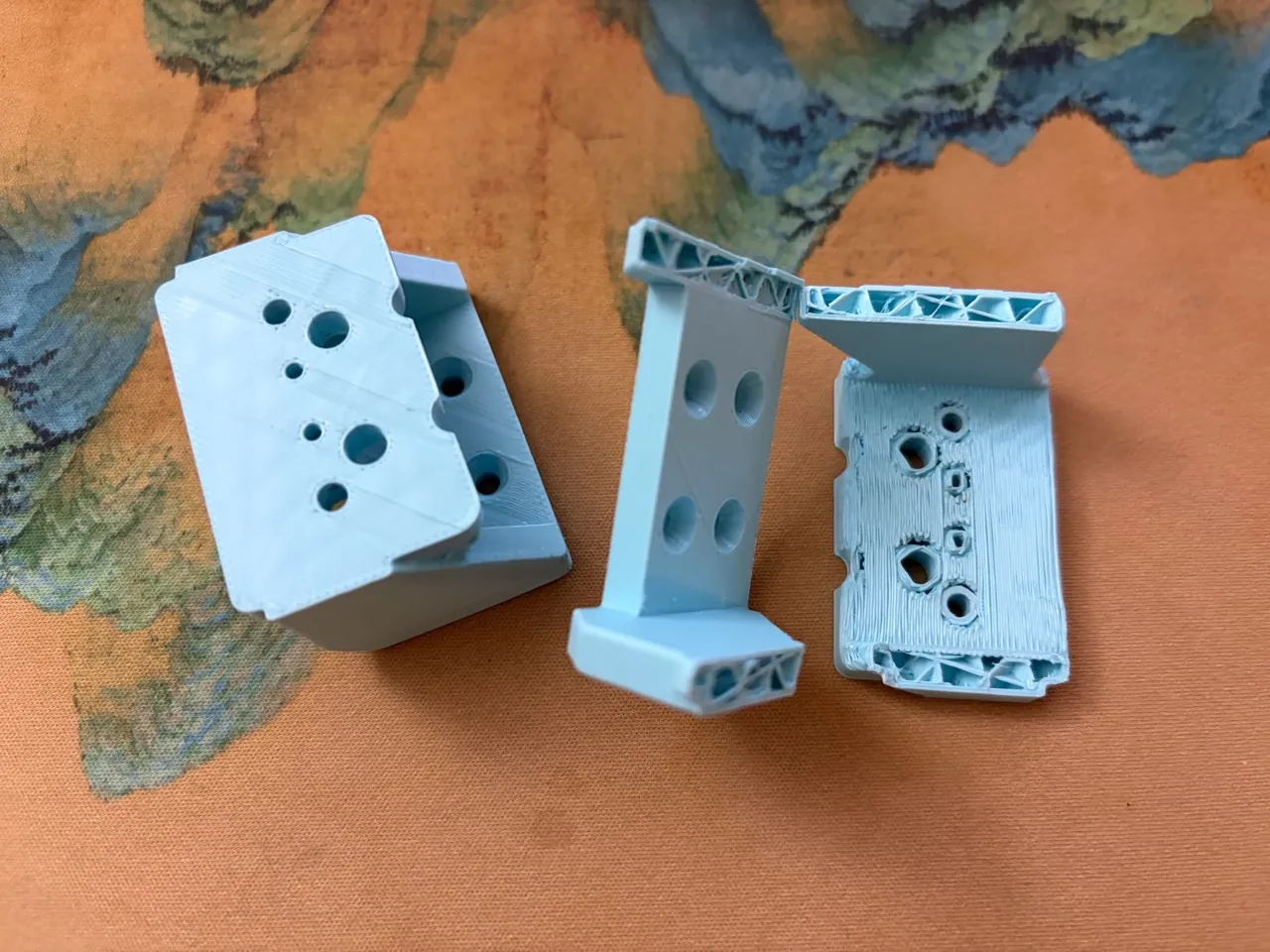
The load-carrying arms broke away from the screw holes. The original infill percentage and wall count were unavailable.
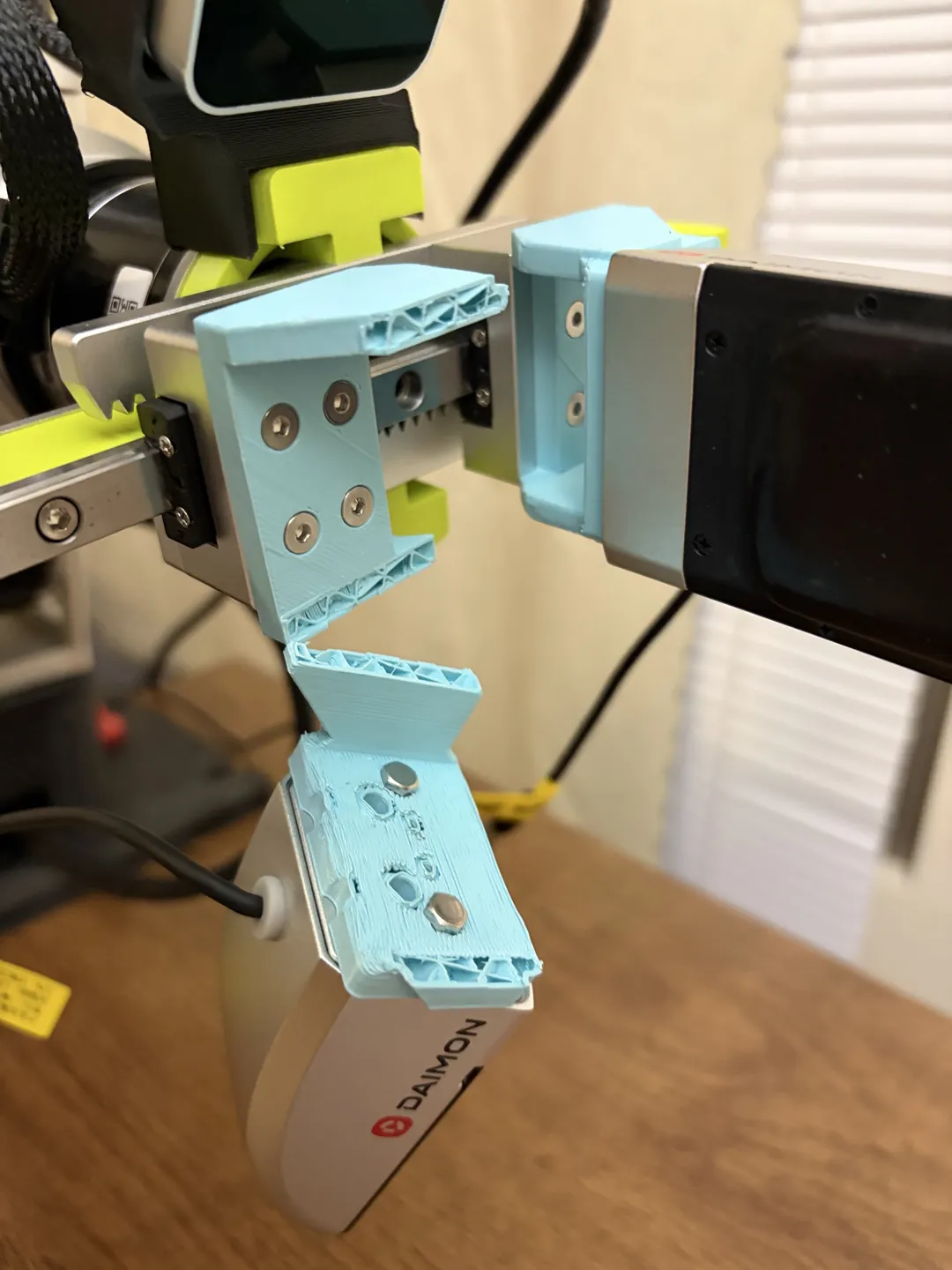
Reorienting the same geometry
I kept the geometry and mounting holes unchanged and rotated the model 90° about CAD Y to place the C-shaped load-carrying section along the layer plane. The print envelope was approximately 25 × 45 × 34.44 mm.
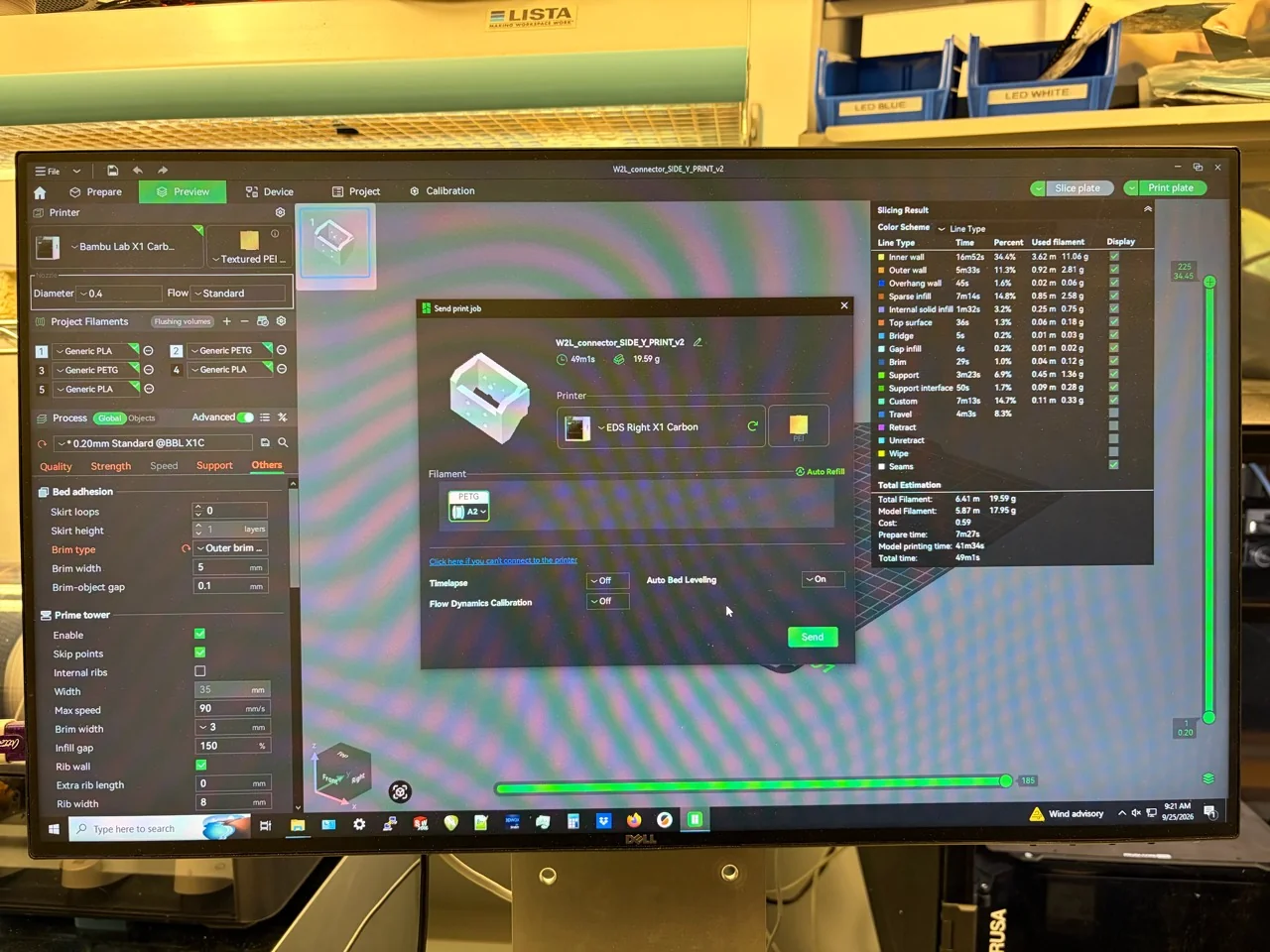
My reprint plan called for PETG, five perimeters, 100% rectilinear infill, five top/bottom layers, a 5 mm outer brim, and 0.25 mm layers with a 0.20 mm first layer on a Prusa CORE One+. The photographed Bambu setup below shows a different 0.20 mm process, and the successful black parts do not have a complete saved parameter record here.
Balancing print time and the repair
The first reprint suggestion used six perimeters. With limited printing time, the plan was narrowed to five perimeters and 0.25 mm layers while keeping the proposed load-carrying regions fully filled. I would first print one replacement, inspect it and check the fit, rather than commit immediately to a pair.
At approximately 34.44 mm build height, moving from 0.20 to 0.25 mm nominal layers would reduce the layer count by about 20%. I would compare slicer estimates to see how walls, infill and supports affect the total print time.
The side orientation also needed a support preview. The proposed workflow was to generate supports and inspect the necessary contact areas before sending the job.
Checking the slice
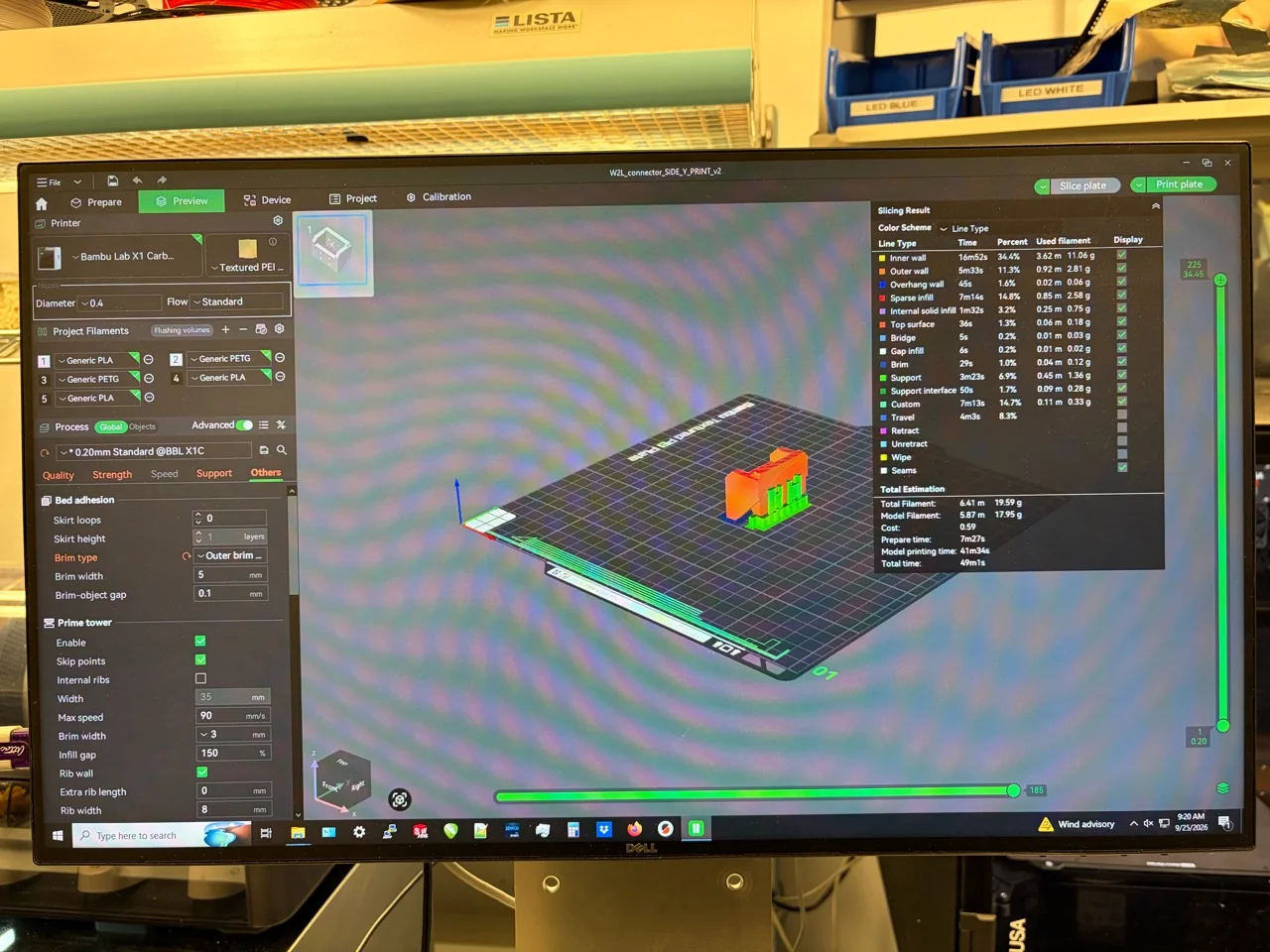
- Printer profile and nozzle
- Bambu Lab X1 Carbon profile, 0.4 mm nozzle shown in the screenshot.
- Layer preset
- 0.20 mm Standard @BBL X1C.
- Bed adhesion
- Outer brim, 5 mm width, 0.1 mm brim-object gap shown in the panel.
- Support
- Support and support-interface paths are present.
- Estimate
- 49 min 1 s and 19.59 g total filament. Slicer estimate.
The “Sparse infill 14.8%” entry is a share of estimated printing time. The configured density needs to be recovered from the slicer project.
Additional printer and job photographs
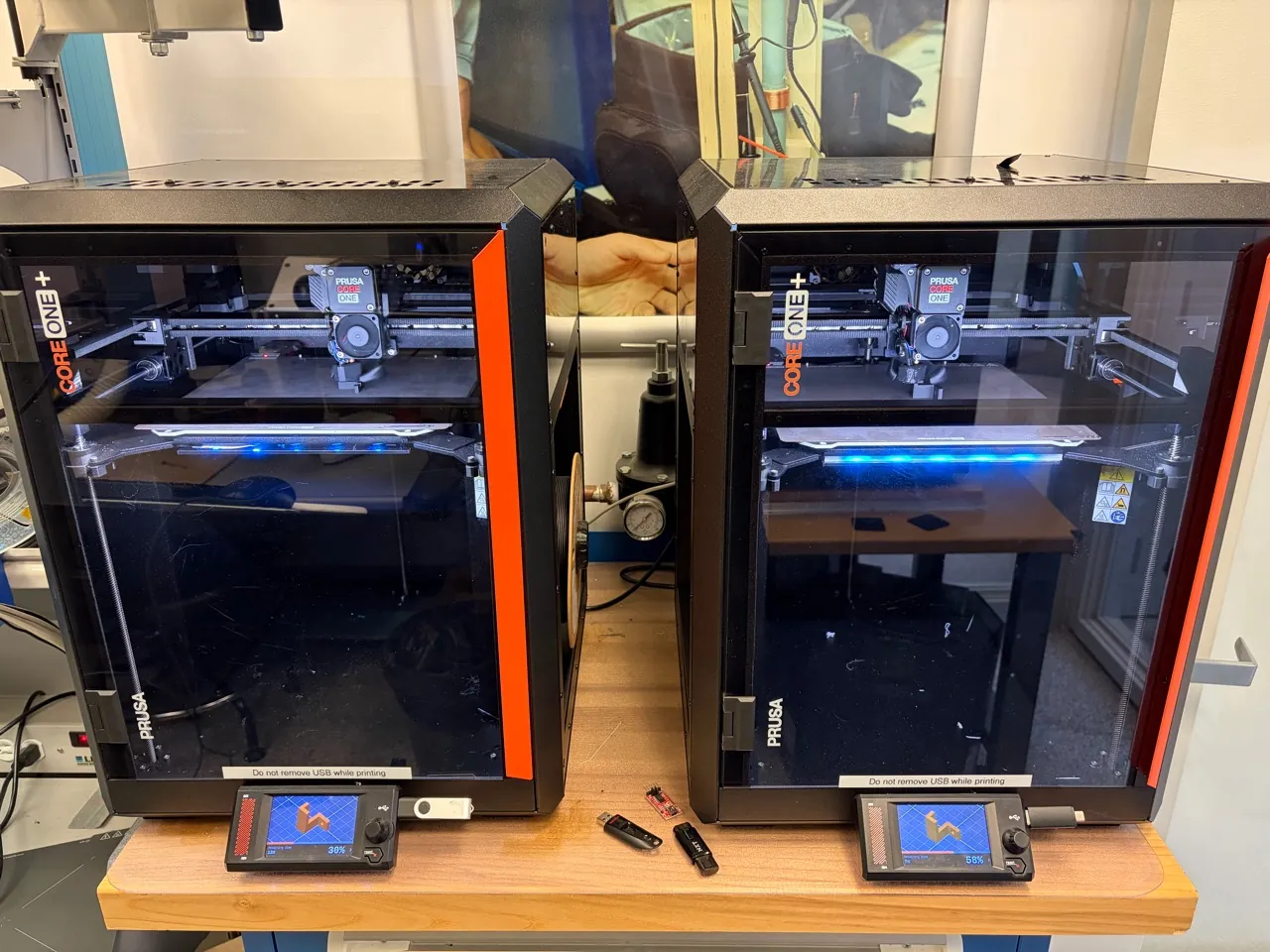
A separate interruption: filament would not feed
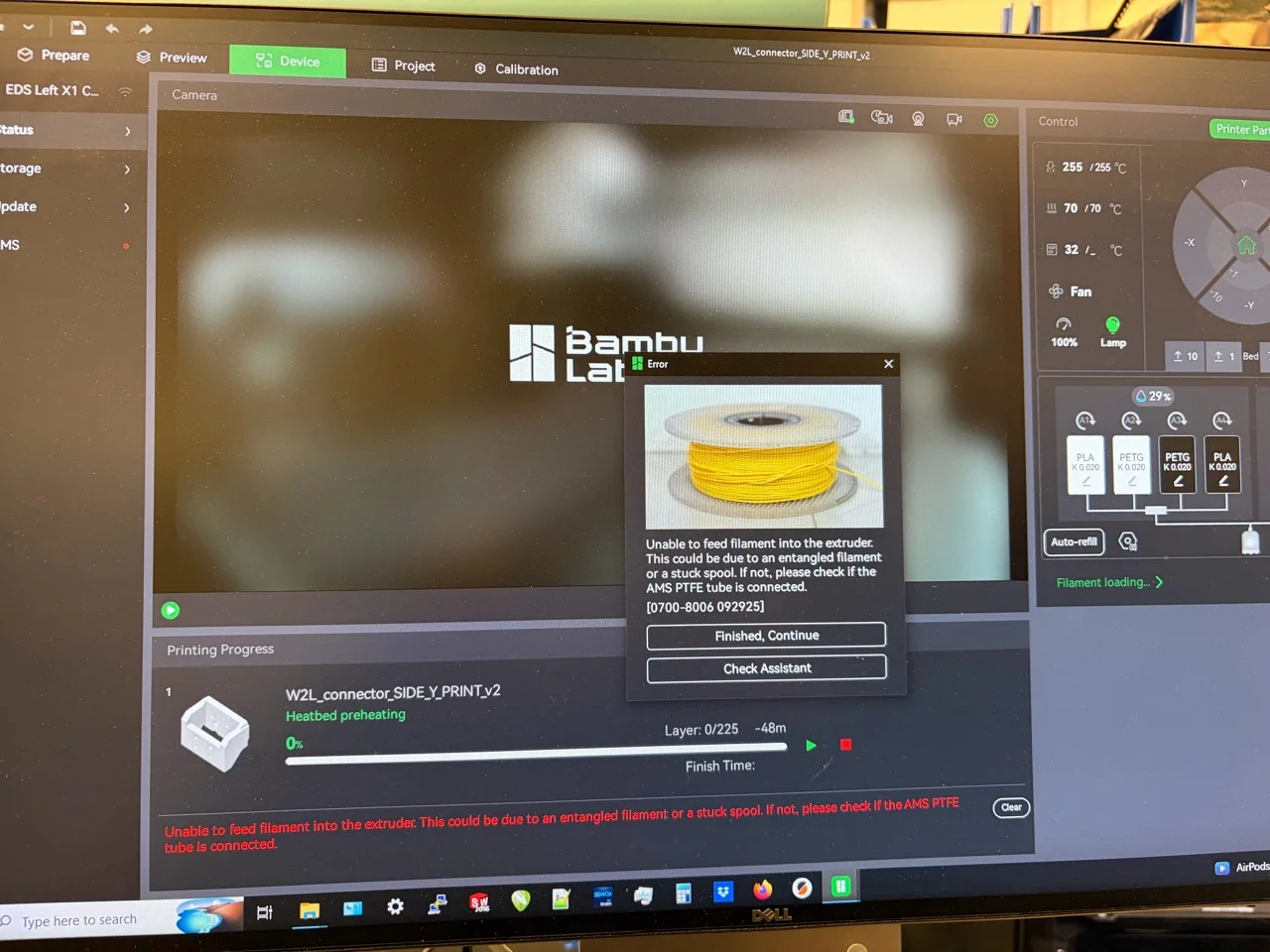
This attempt stopped at the filament-loading stage, before printing began.
PETG was not the whole answer
I tried several prints before getting a usable result. The black parts in these photographs are the successful PETG prints. The white parts are also PETG, but I used filament that had absorbed moisture. Those prints had many small bumps and spots across the surface, and the support material was extremely difficult to remove.
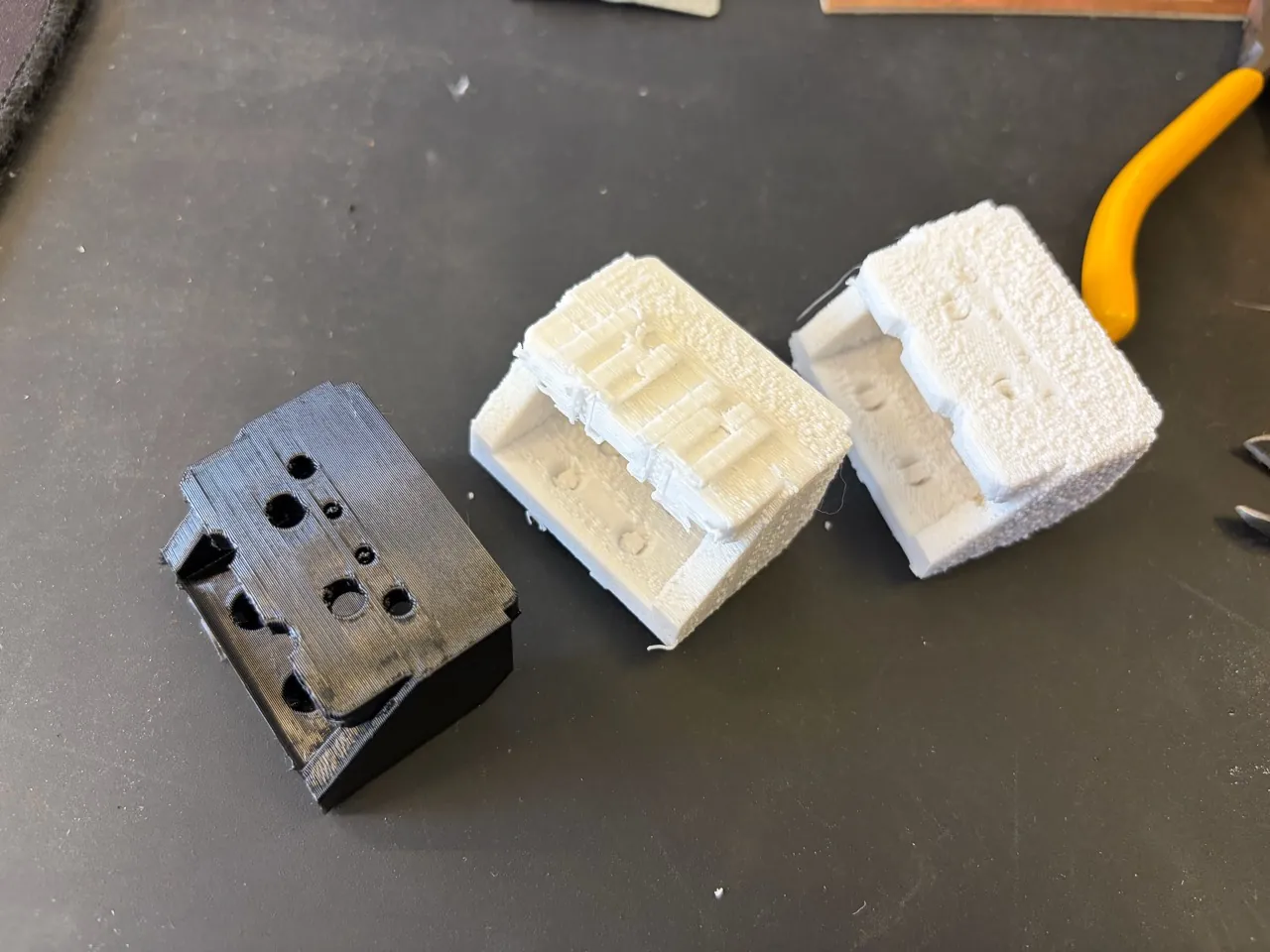
The surface defects and difficult cleanup made me pay closer attention to filament storage and support-interface settings.
More of the printed iterations
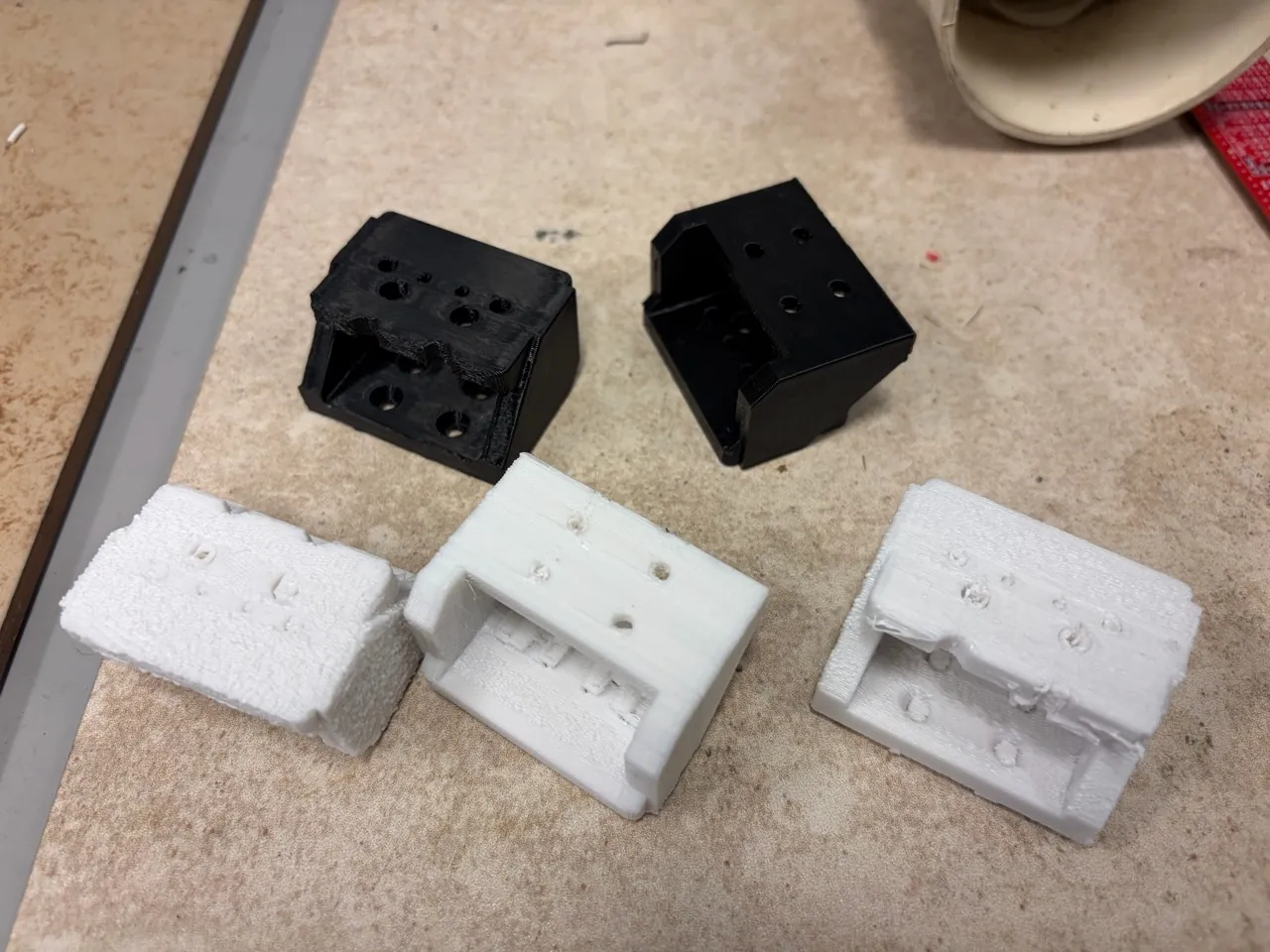
The successful installation
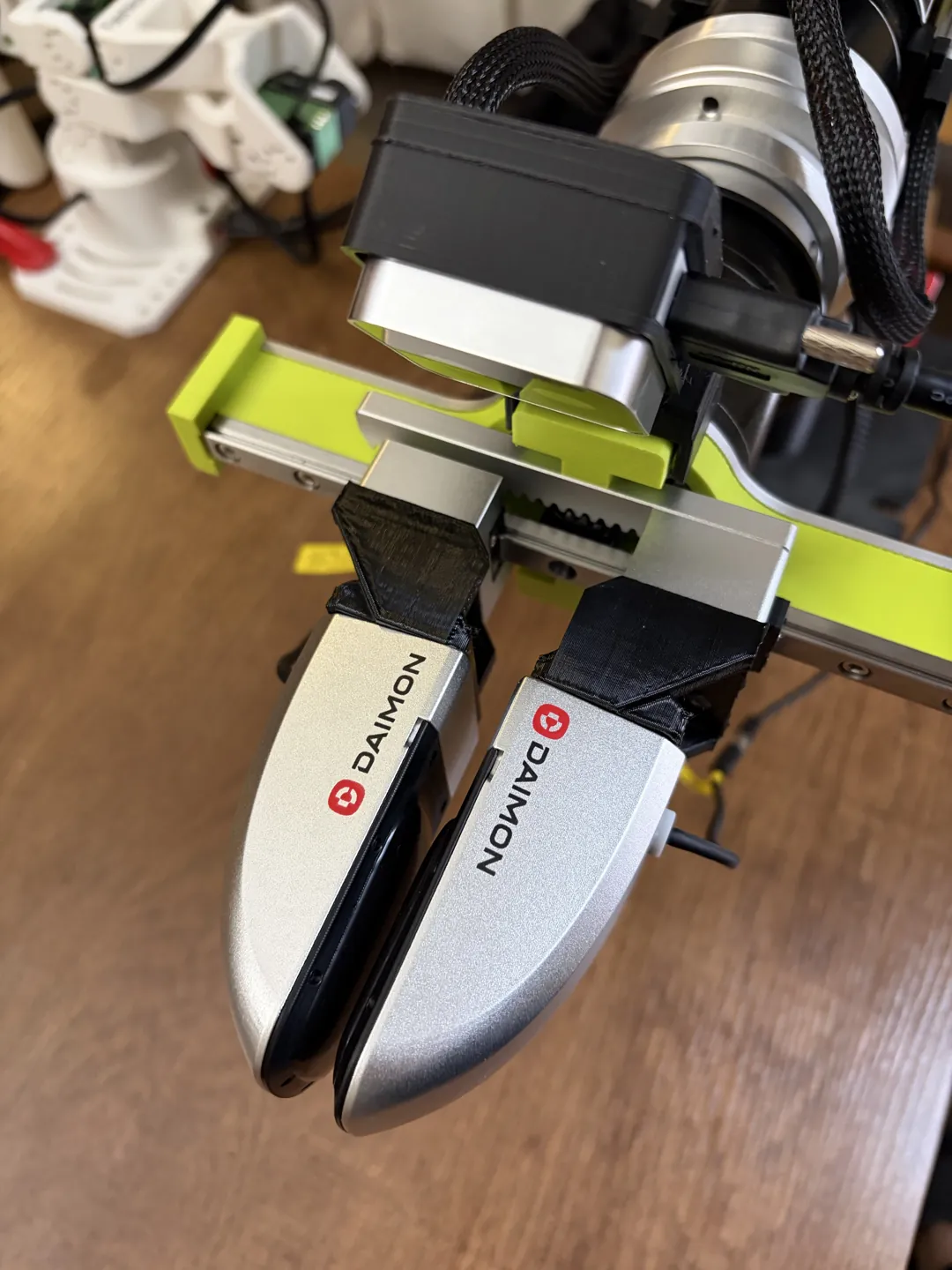
After several attempts, the black PETG gripper connectors printed successfully and I installed them. They fit the assembly.
A second experiment: a flexible TPU gripper
I also tried printing a flexible gripper in TPU. Choosing which face to place on the build plate was unexpectedly tricky. I had to think about the supports that each orientation would create, and whether I would be able to reach and remove them from the narrow features afterward.
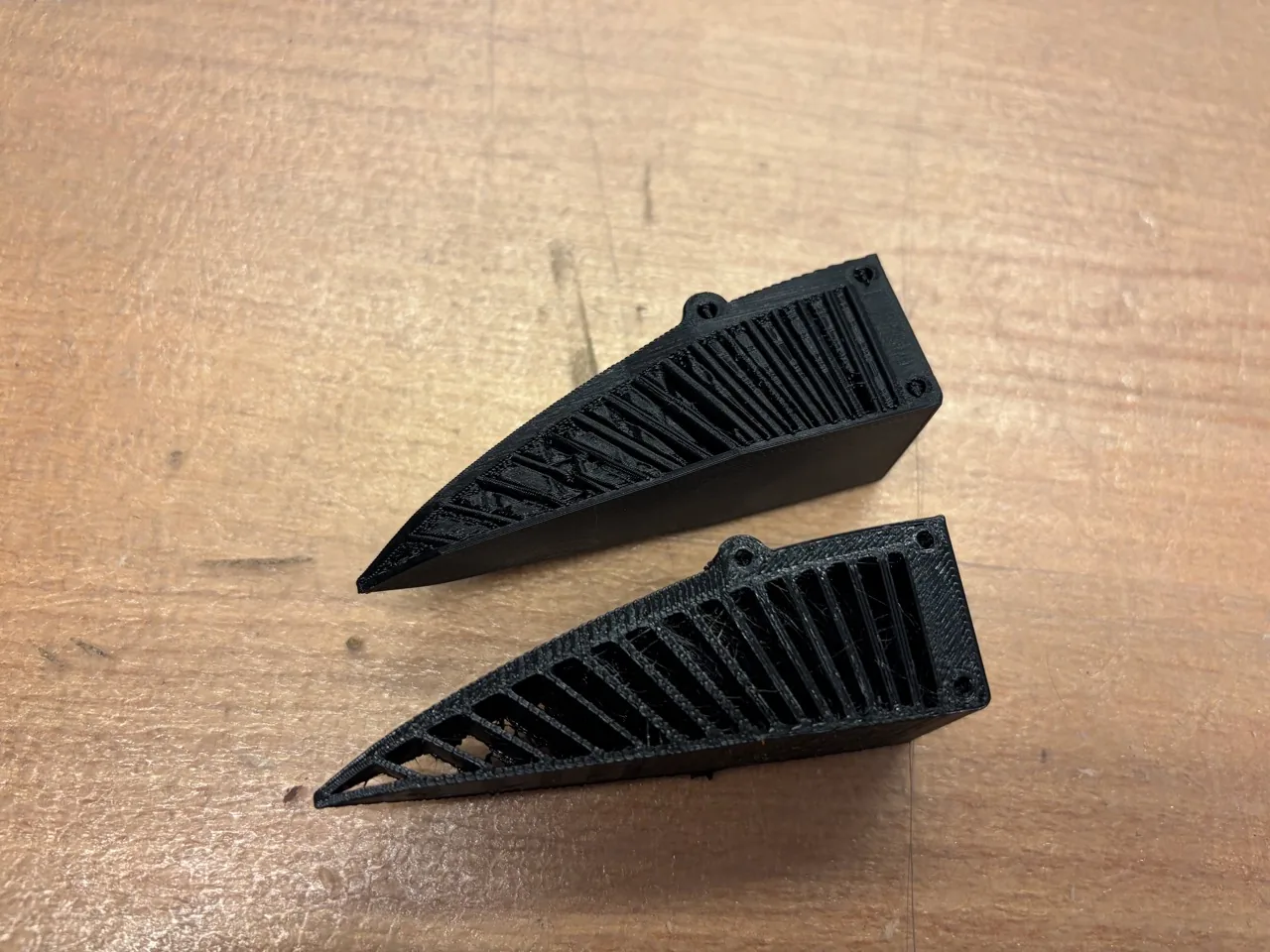
Getting the supports out
The flexible supports were difficult to separate from the gripper’s narrow ribs.
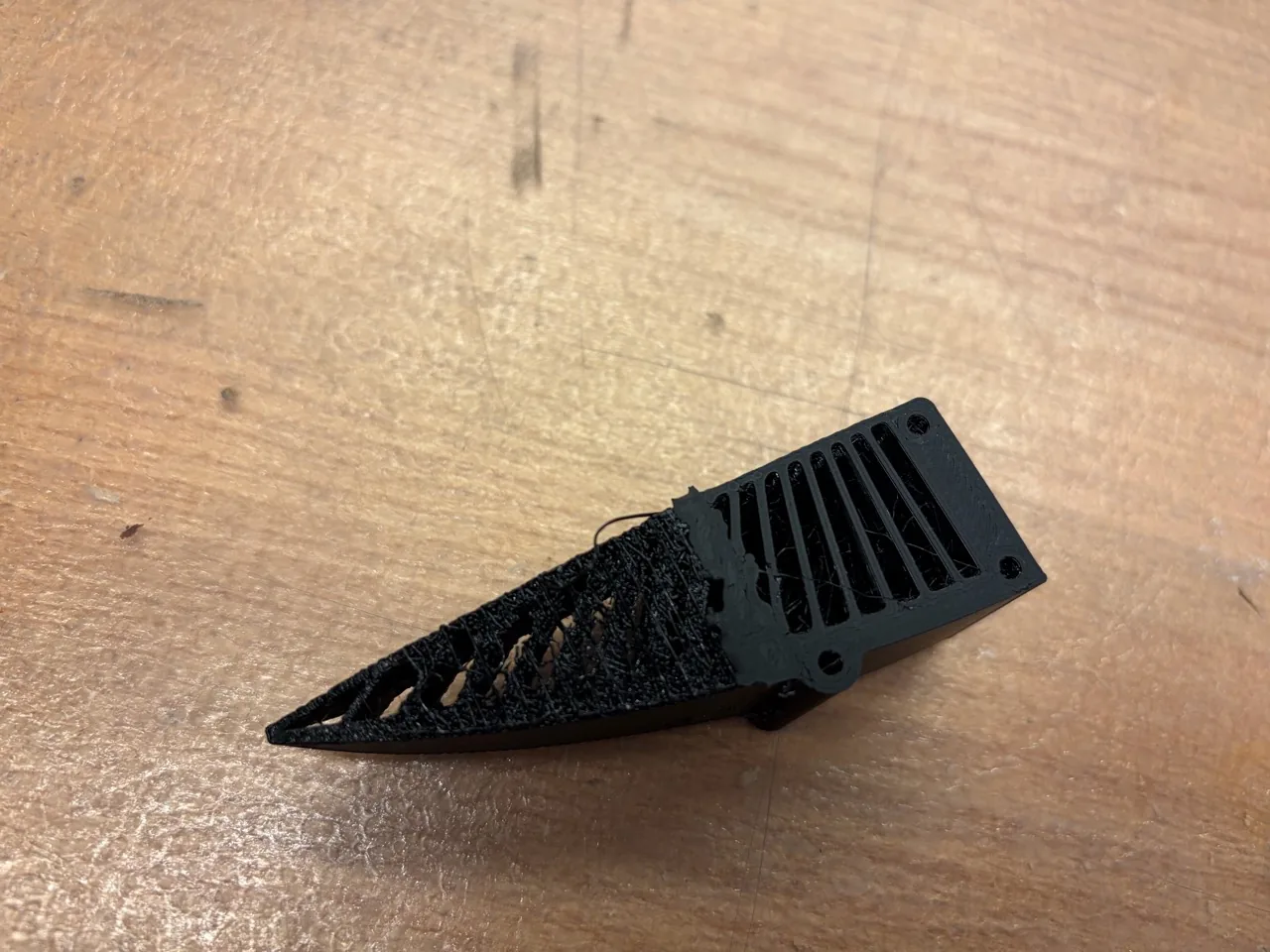
A possible next approach is to use a different material for the support, or just its contact interface, so that it separates more easily from the TPU part.
The available workflow was another constraint
The available material-changing route in the EECS shop was the Bambu Lab AMS. Automatic material changes were unreliable during my attempts, so the separate-support-material approach is still a next step.
Before trying again, I need to check the TPU grade and feeder compatibility.
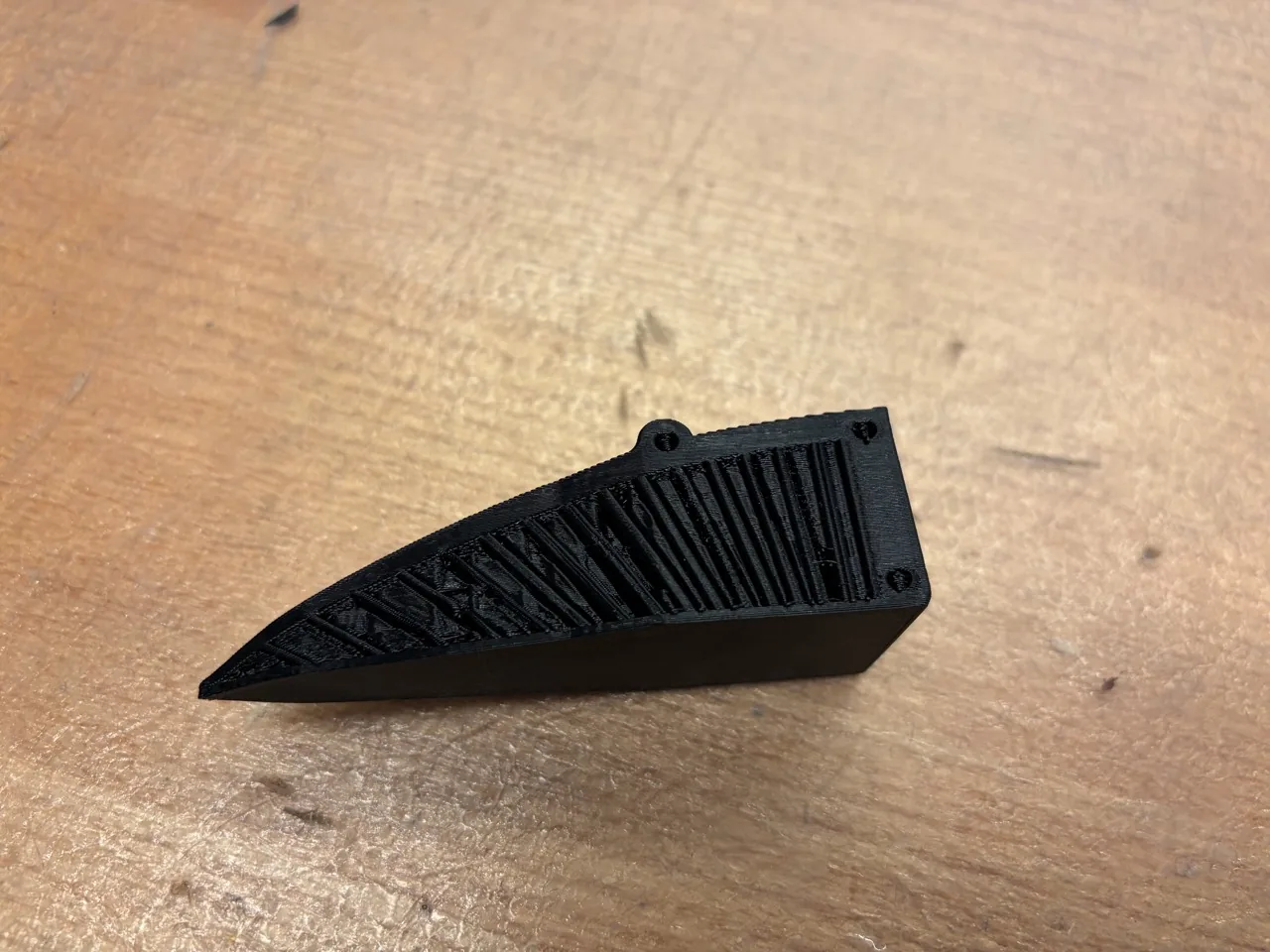
For a repeat, I want to save the chosen build-plate face, support placement and interface settings alongside the TPU grade and printer configuration. The goal is a part that can be cleaned up without damaging its flexible features. Gripping performance and repeatable flexing still need their own tests.
3D scanning: a wireless mouse
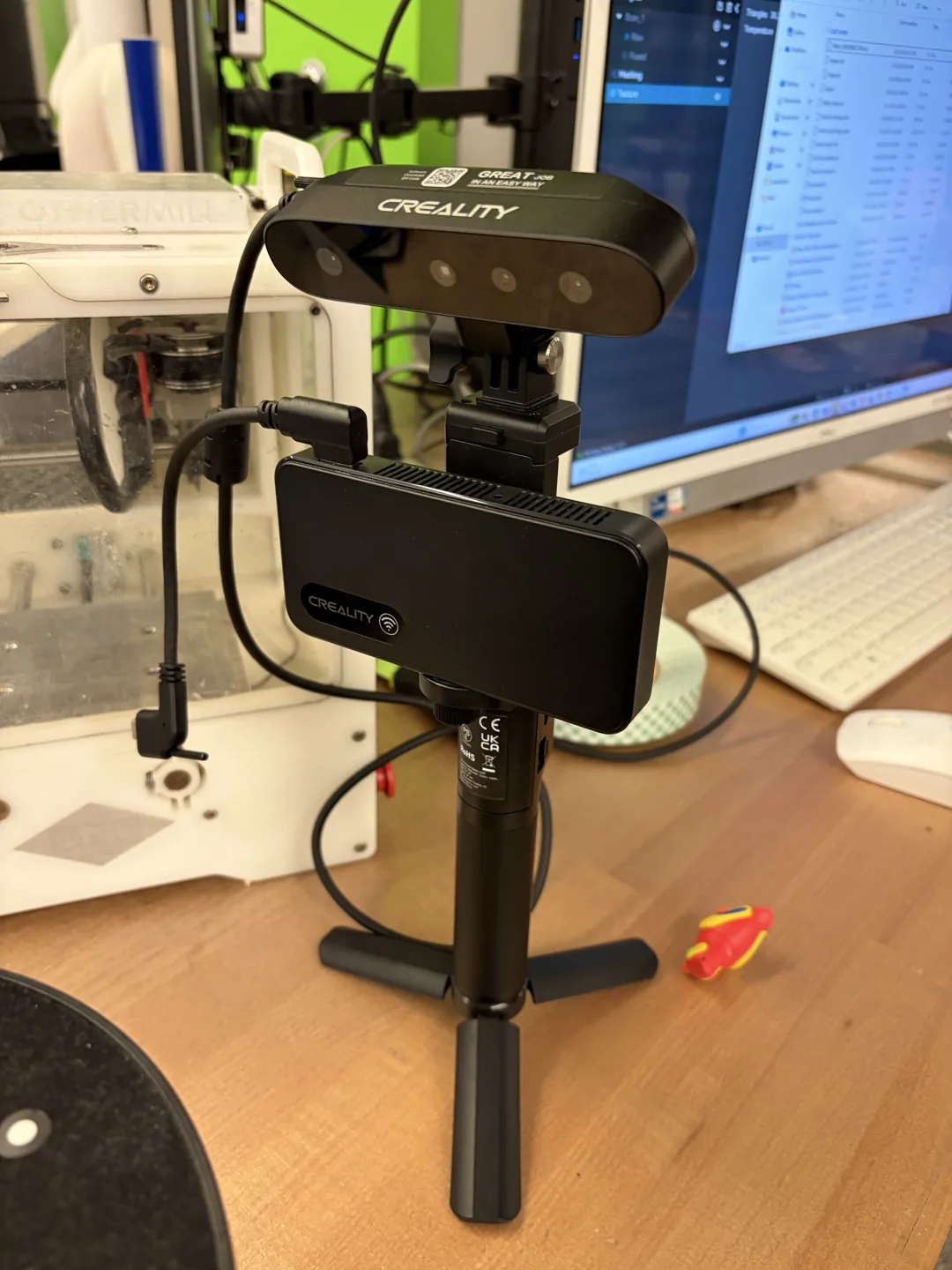
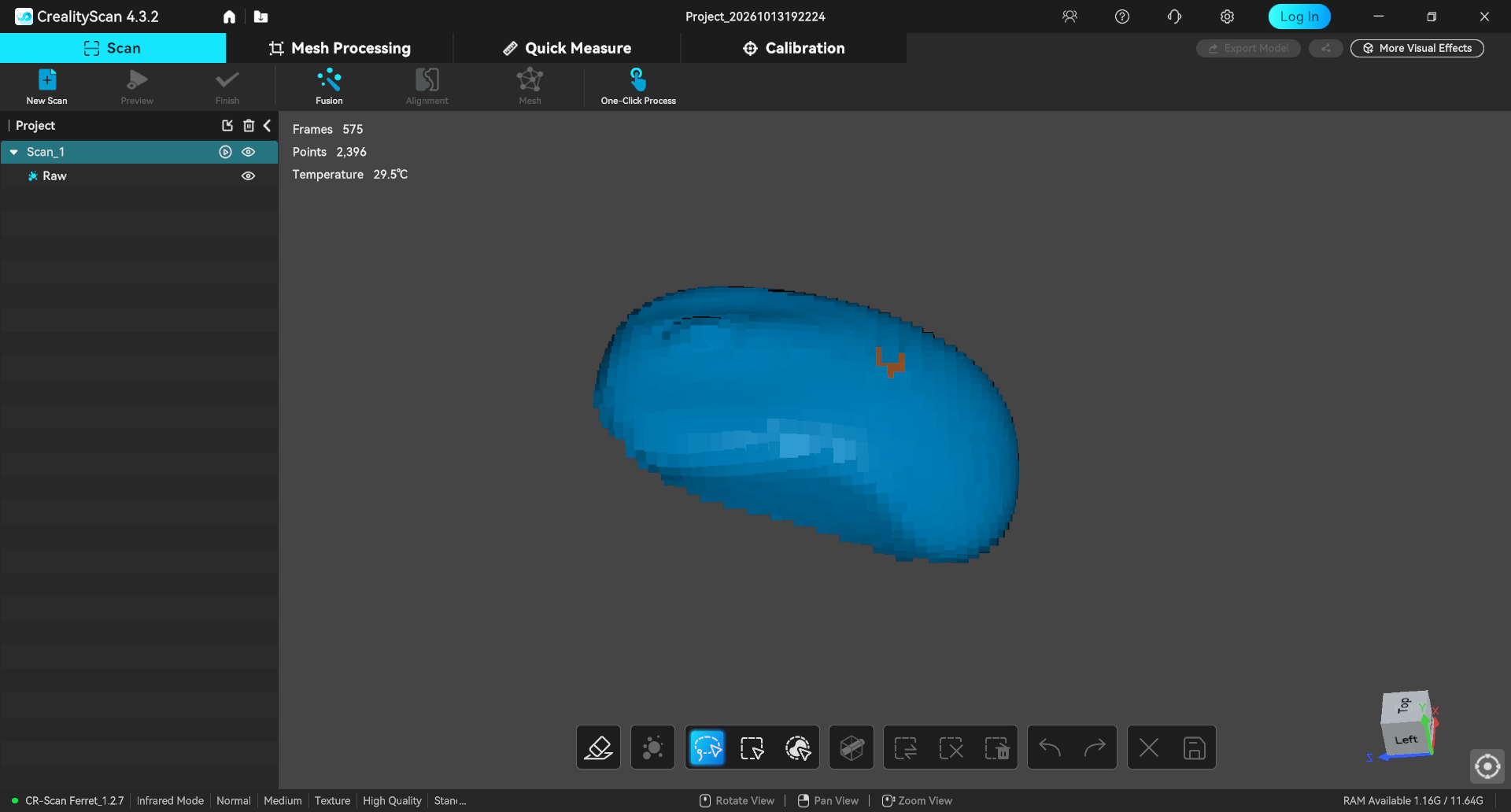
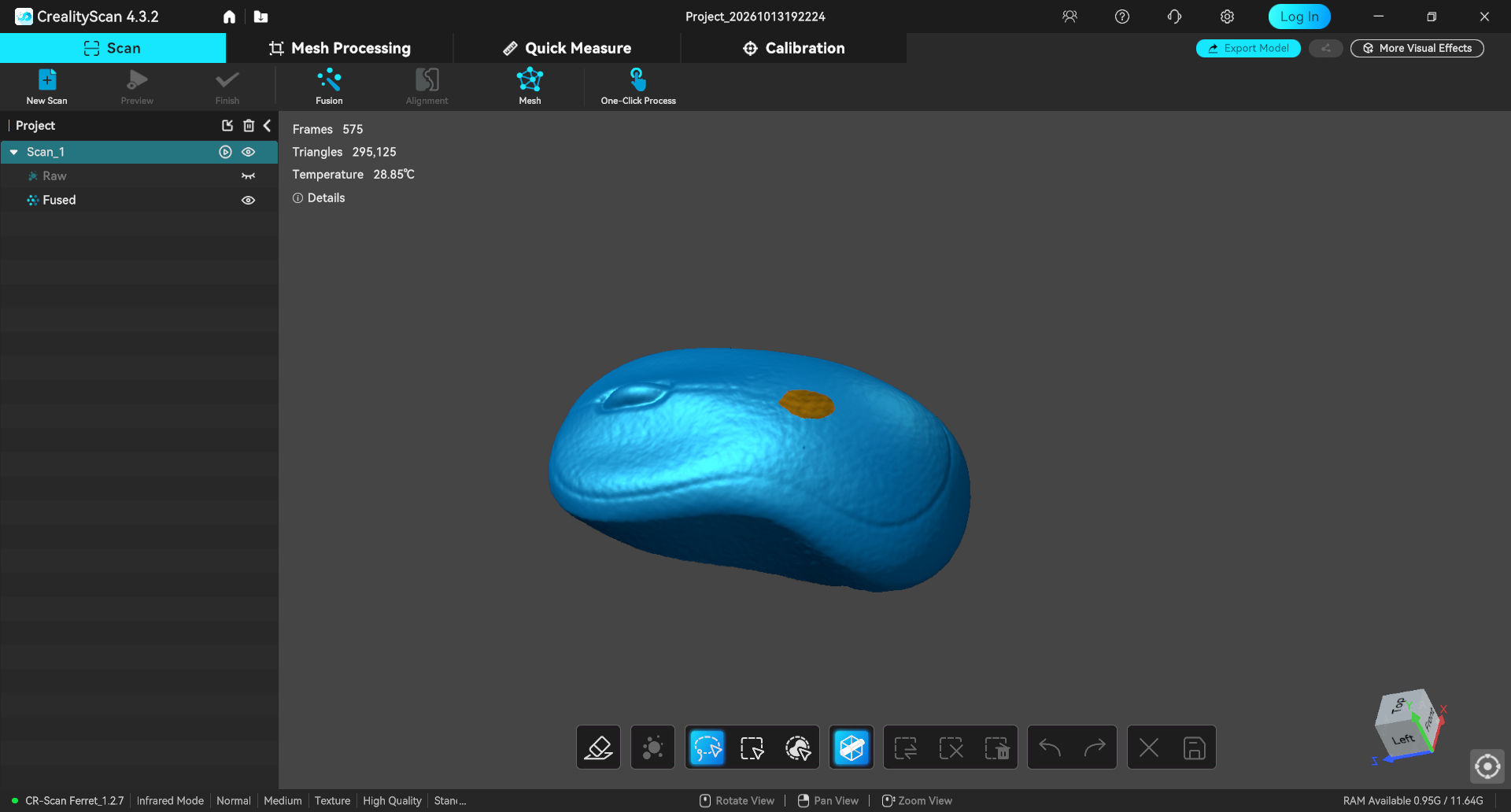
I scanned a Logitech wireless mouse using a CR-Scan Ferret and CrealityScan 4.3.2. The screenshots follow the capture through fusion, meshing and a textured result.
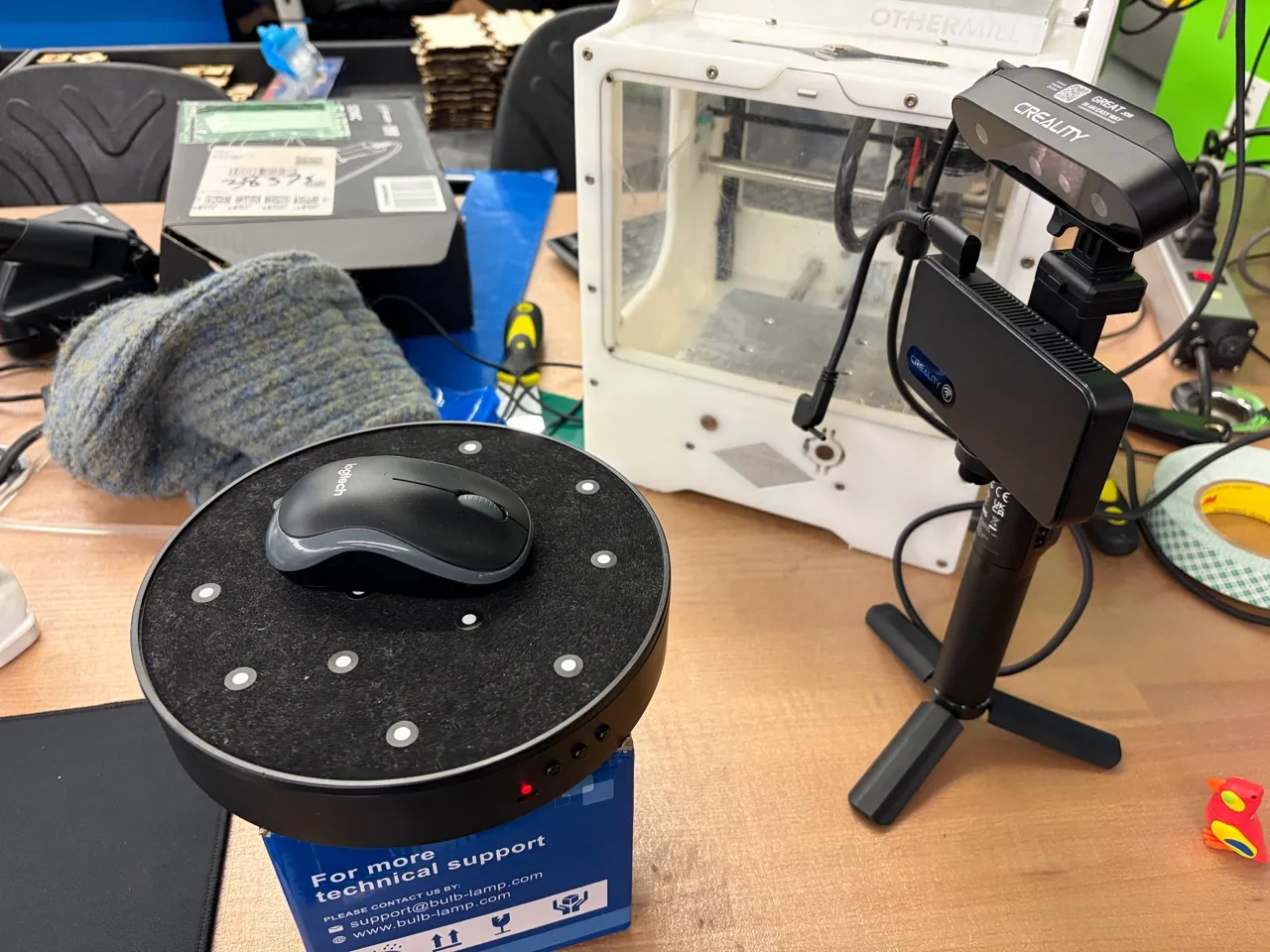
Scanner and workstation photographs
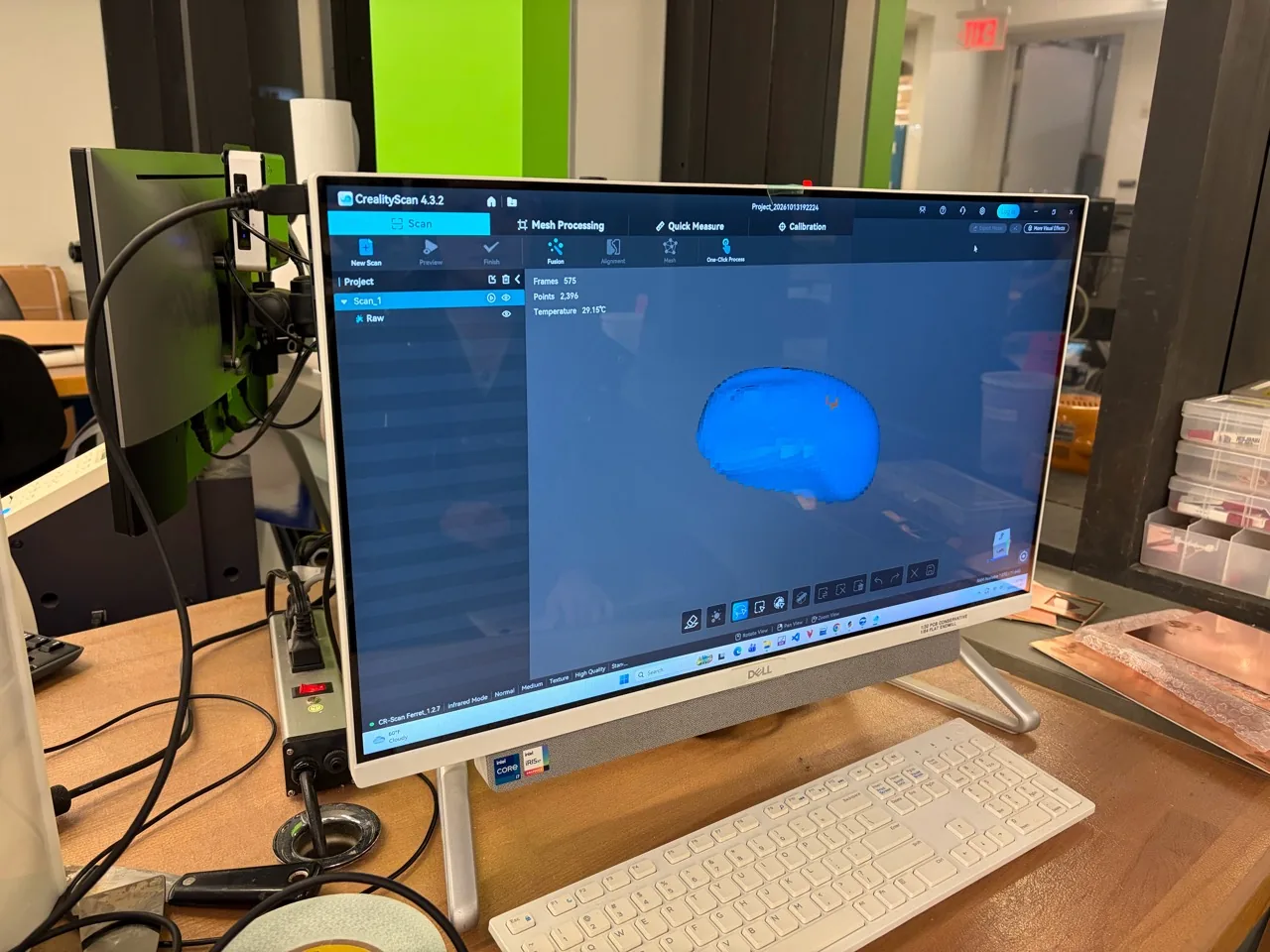
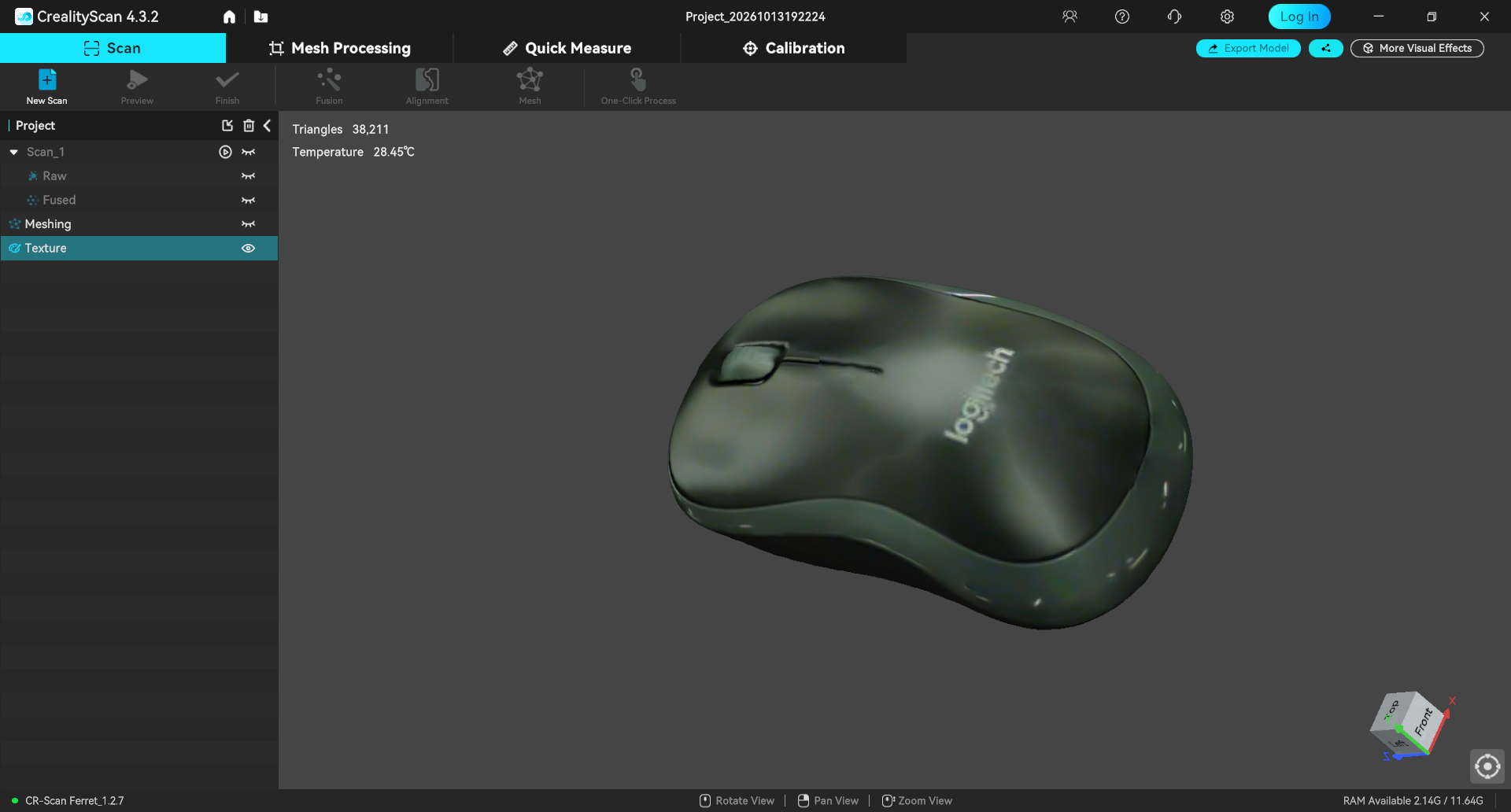
From capture to a textured surface
The capture view records 575 frames. The scanner status bar shows Infrared Mode, Normal, Medium, Texture and High Quality. After fusion, the surface view reports 295,125 triangles; the later textured view reports 38,211.
Capture and fusion screenshots
Checking the result from another angle
The mouse is recognizable, but the alternate view reveals a large missing region in the surface. The color texture helps identify the object; it does not establish that the geometry is complete. A repeat capture should target this region and include a physical dimension check.
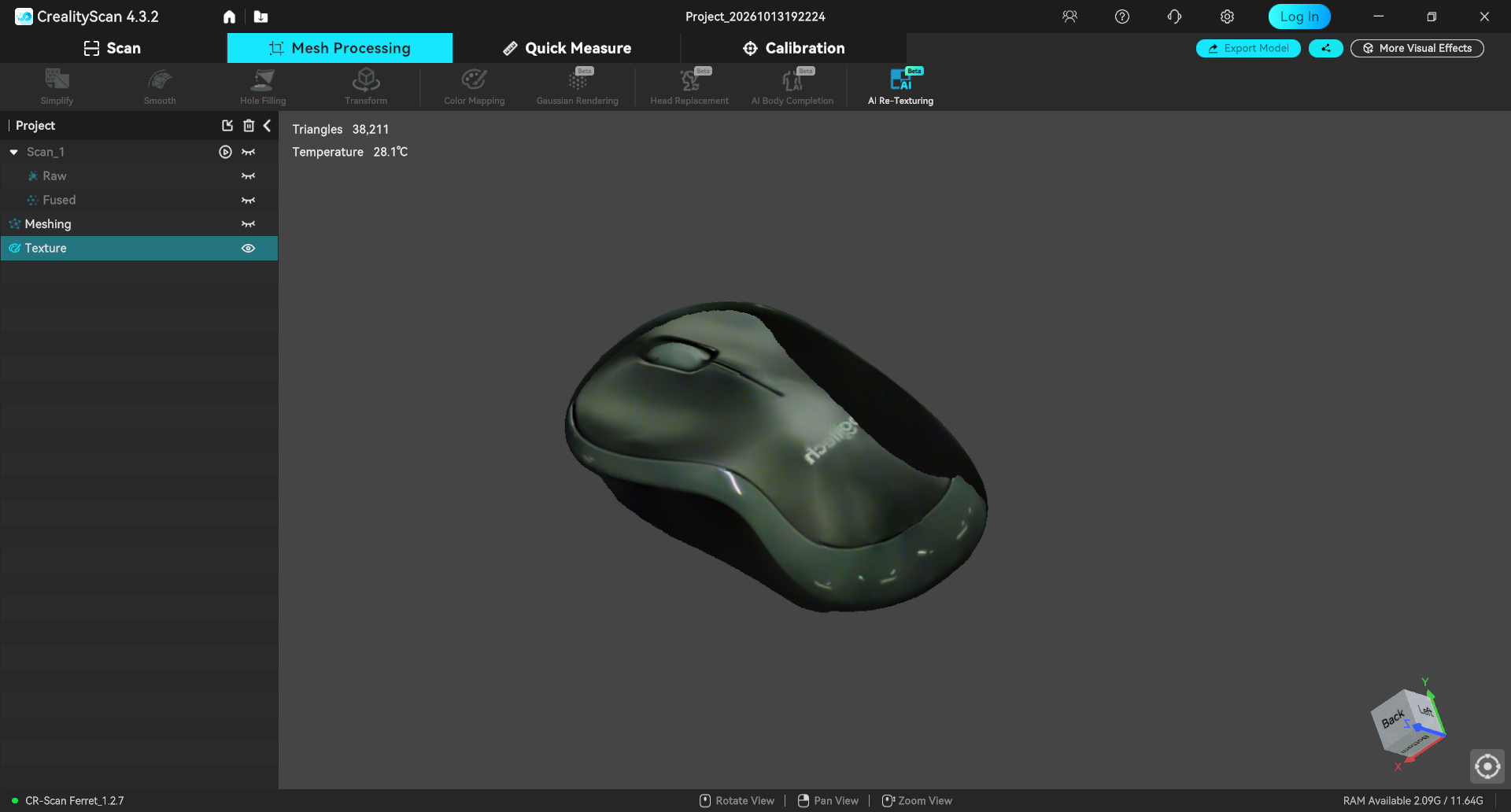
Download the textured scan (OBJ, MTL and PNG, ZIP, 5.2 MB). Keep the three extracted files together so the OBJ can resolve its material and texture.
The supplied OBJ contains 111,517 vertices and 220,727 triangular faces. This differs from the triangle count in the textured screenshot, so I am recording the exported file and the displayed processing stage separately. Physical scale has not yet been checked.
What I learned
I initially treated printing as a final export step after CAD. The broken PLA part showed why that was incomplete. Now I pay attention to the material and its condition, the orientation of the load-carrying sections, the walls and infill, adhesion to the bed, and whether the supports can actually be removed without damaging the part.
For the next iteration I want to save the slicer project with each sample, label the material and print revision, and change one factor at a time. The TPU attempt added another check: can I remove the supports from the flexible geometry? A brim and a support structure solve different problems, so simply adding more of both is not a substitute for checking the sliced paths and the resulting part.