Week 3: Embedded Systems
ASSIGNMENT
- browse through the data sheet for a microcontroller
- write and test a program for an embedded system using a microcontroller to interact (with input &/or output devices) and communicate (with wired or wireless connections)
- extra credit: assemble the system
- extra credit: try different languages &/or development environments
This week, I built a small game console around the QPAD-XIAO board: an RP2040 microcontroller, an OLED screen, and six capacitive touch pads (four on the left, two on the right). I soldered the board myself, wrote a raycasted first-person maze game for it, and attempted to design a 3D-printed housing for the board.
SOLDERING
The first part of the week was assembling the board. I had to solder together the PCB, the microcontroller, two resistors, and the OLED screen. It was harder than I expected to get the solder to stick to the right areas while making sure it didn’t bridge neighboring pads or pins, since that would connect them electrically and cause a short.
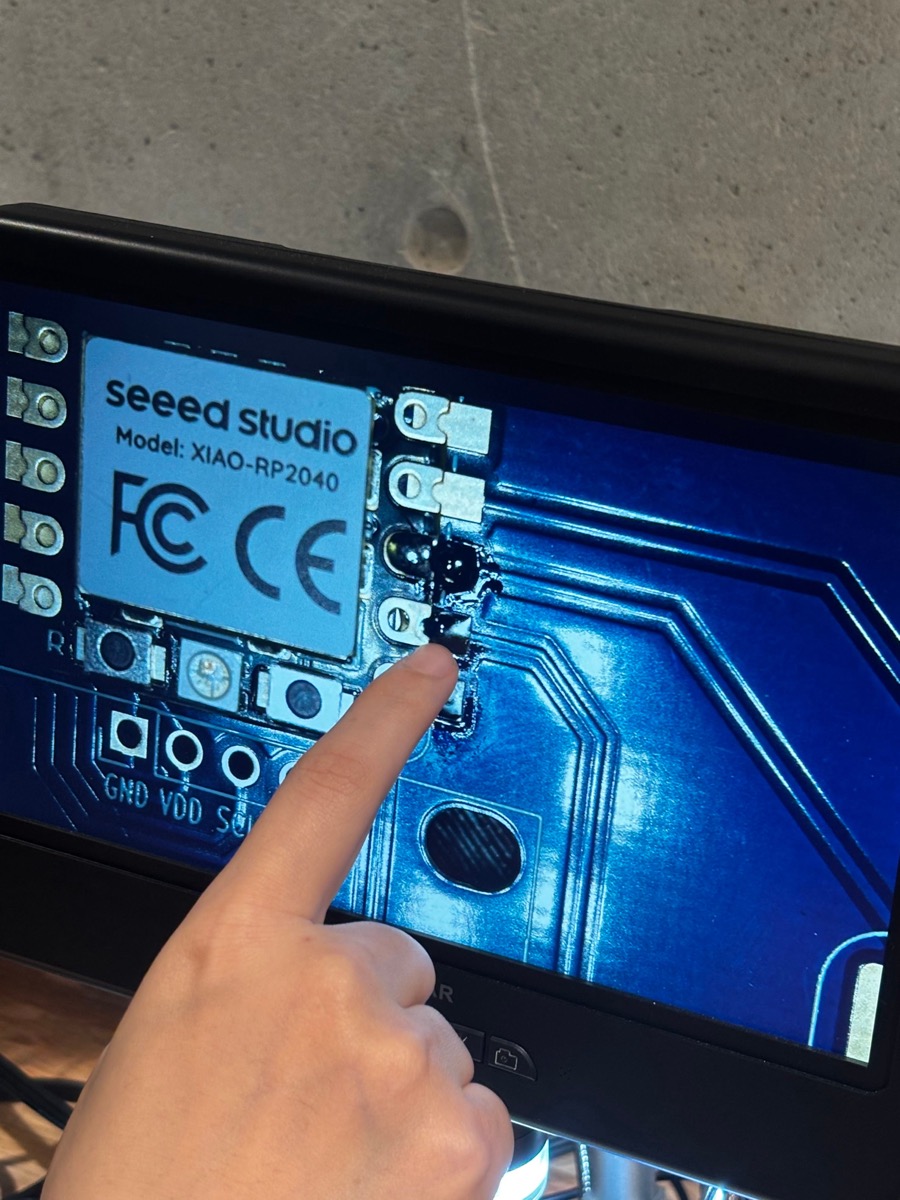
What worked for me was working under the microscope the whole time and adding flux every once in a while, so the solder flowed nicely onto the correct surfaces.
My first board was a design failure. When I put the four OLED pins through the four holes and soldered from the back, I didn’t hold the panel correctly, so the pins ended up uneven: one side was pushed further in than the other and the whole OLED panel sat lopsided. I tried to melt the solder to pull the pins back out, but there was just enough leftover solder inside the holes that the screen wouldn’t come loose. In the end the board just didn’t look good, so I decided to start over with a second one.
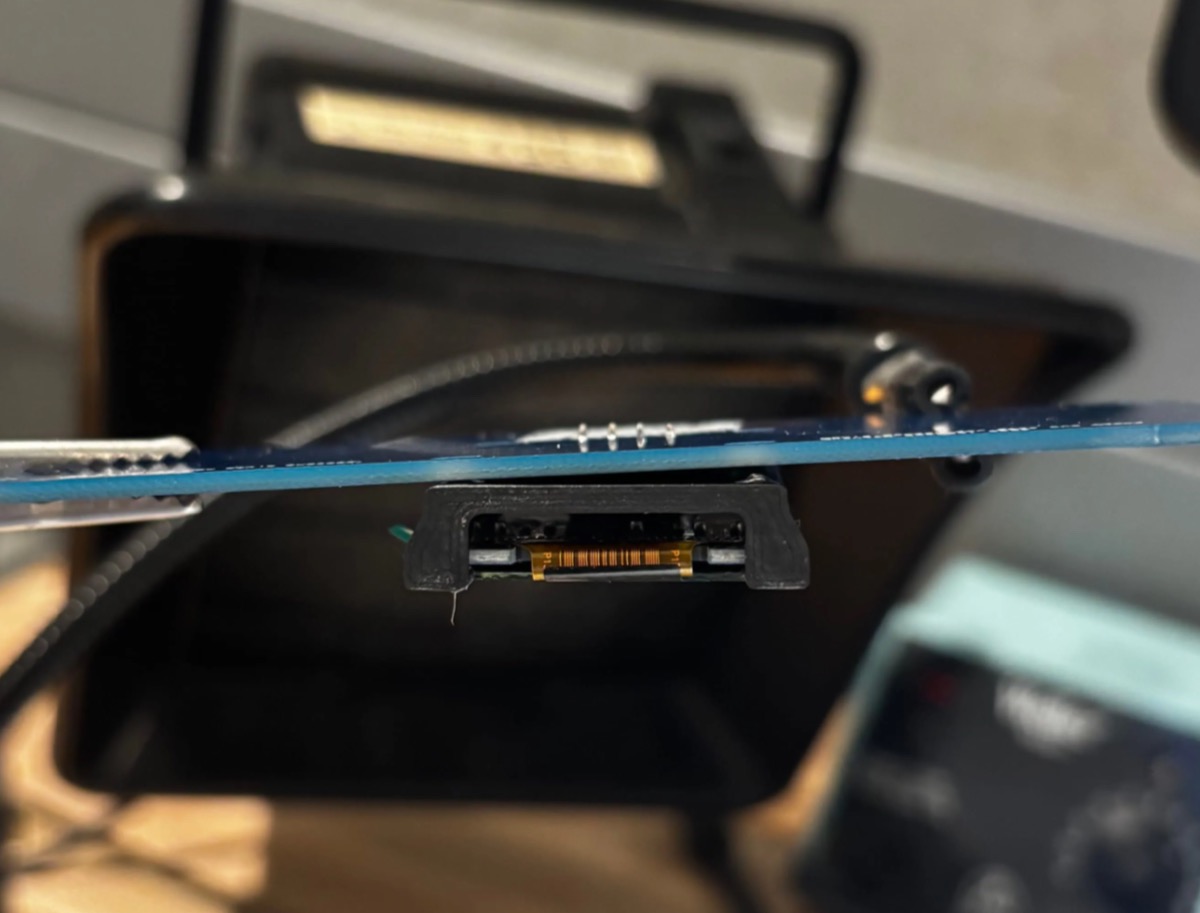
The second board went much better. The solder formed a nice cone shape on the back, climbing up the pins, and the connections were great.
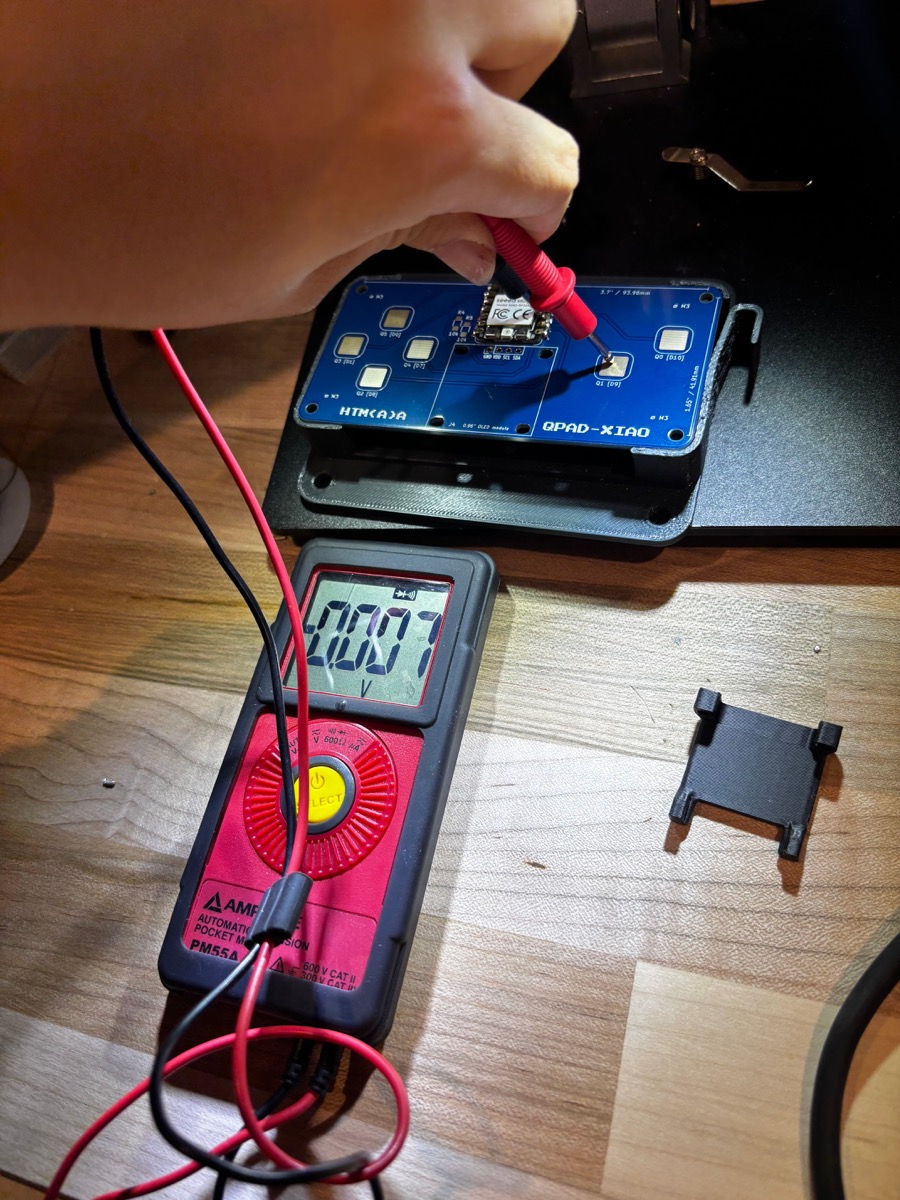
TROUBLESHOOTING: THE OLED WOULDN’T TURN ON
I tried Quentin’s code for Blink and for the touchpad, and both worked just fine. But the OLED screen would not turn on. When I debugged in the serial console, it reported that no I2C screens were found. I checked all of my solder joints again with a multimeter and they looked fine, so I knew the hardware wasn’t the problem.
After some more debugging, I realized the board was set to Raspberry Pi Pico in the Arduino IDE instead of the Seeed Studio XIAO RP2040. That happened because I had never installed the Seeed Studio XIAO RP2040 board package on the website! To install it, I followed the Seeed Studio setup steps: in File > Preferences, I pasted the board manager URL into Additional Boards Manager URLs.
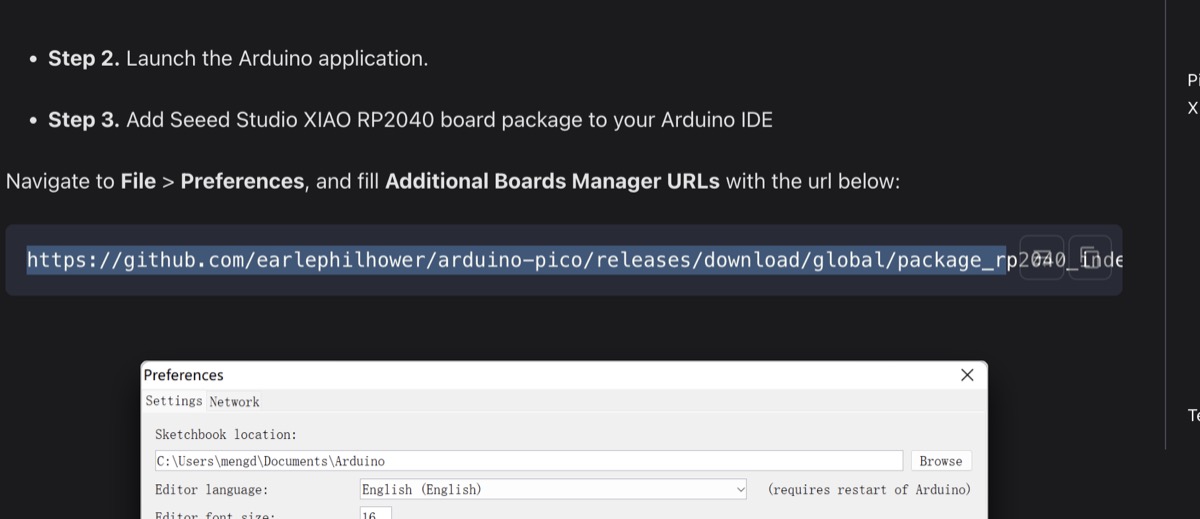
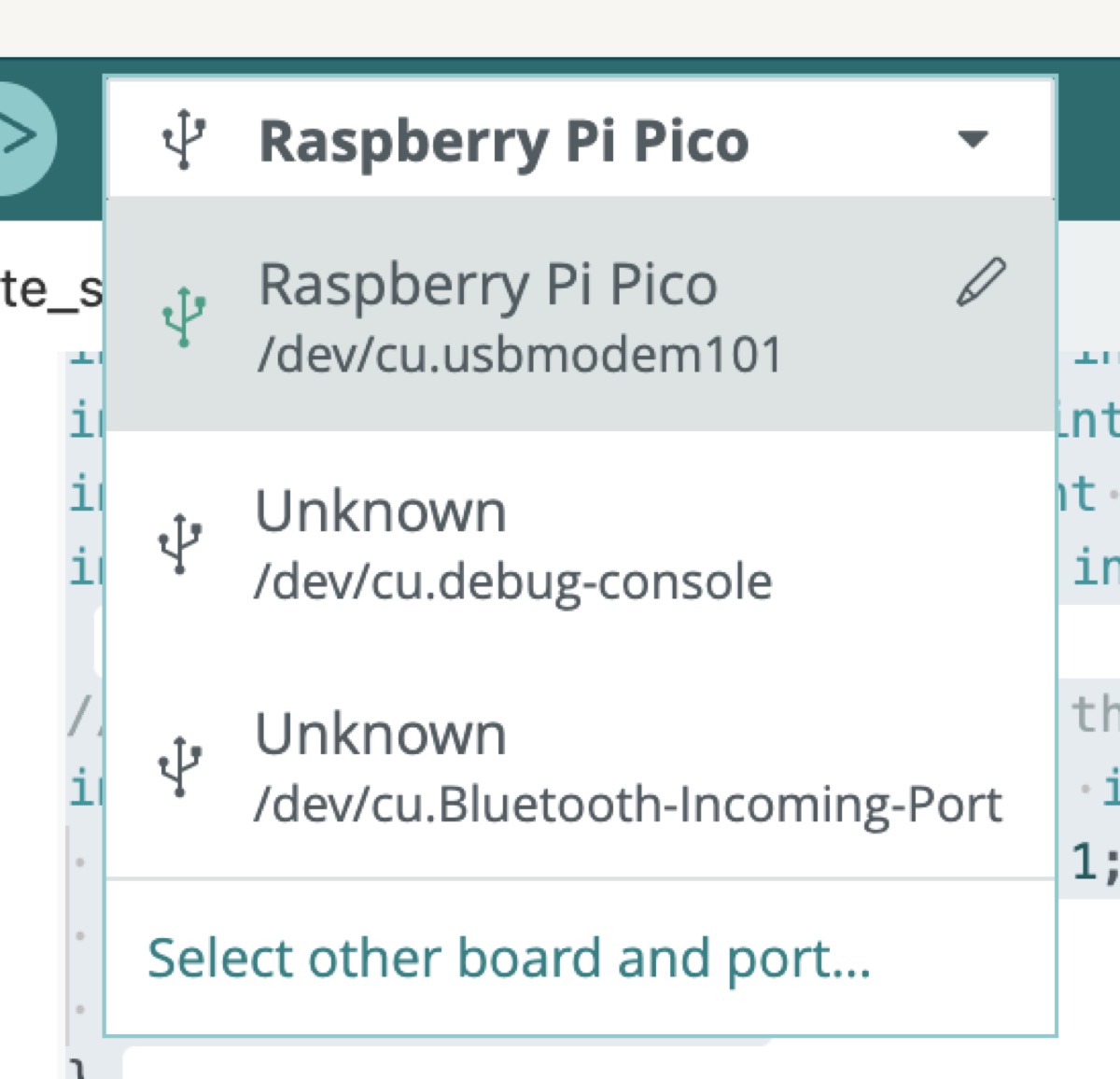
Once the correct board package was installed and selected, the screen started working. Hello world!
CODING & DEVELOPMENT
THE IDEA
The idea started with a friend of mine who really likes to smoke cigarettes; I thought it would be a fun birthday present to surprise him with a small DIY game console containing a Smoking Simulator game.

I was inspired by the (slightly antiquated) trend of running Doom on everything: old cameras, smart fridges, and even pregnancy tests.
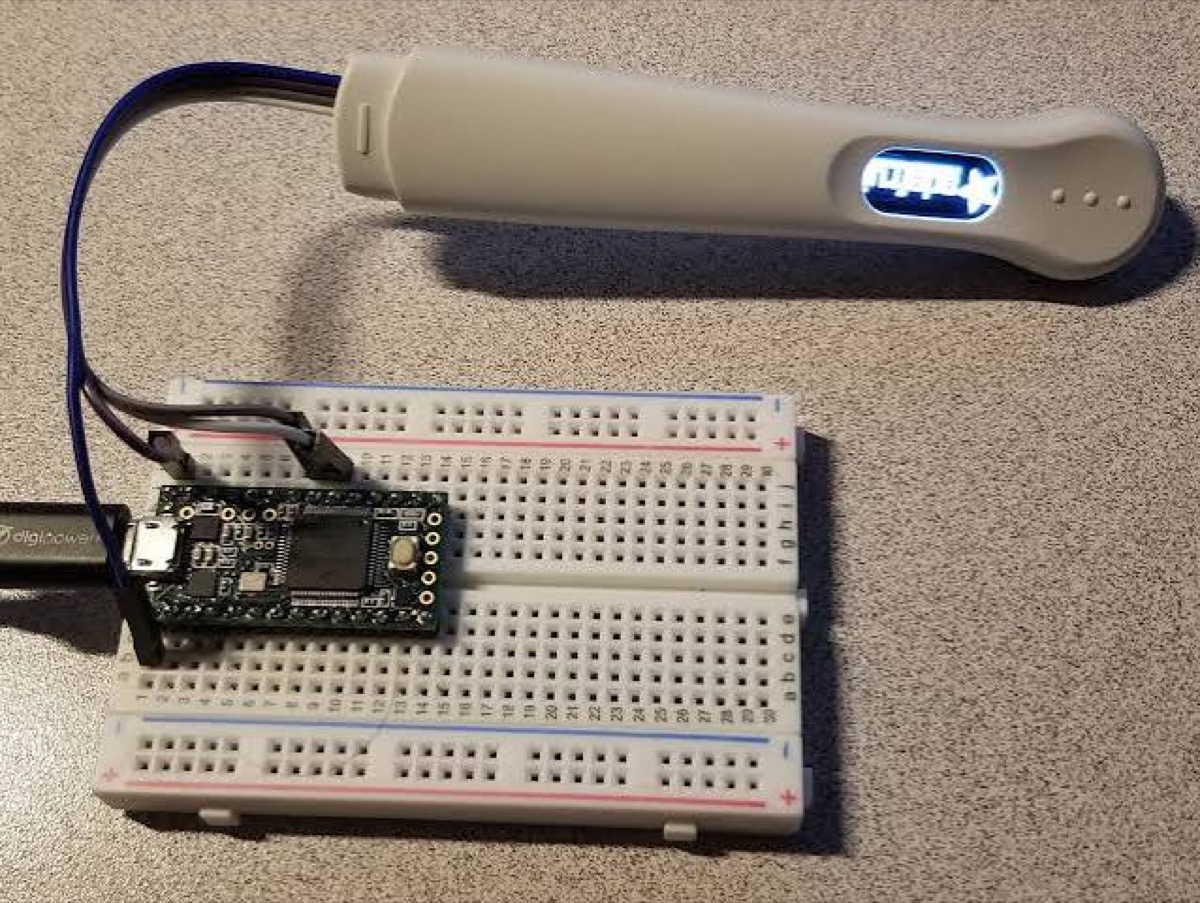
I wanted to make a very small 3D raycasted game in that spirit. It was also a good challenge, because although I have done a fair bit of 3D gamedev in higher level interfaces like Unity, I have never tried hardcoding anything like this.
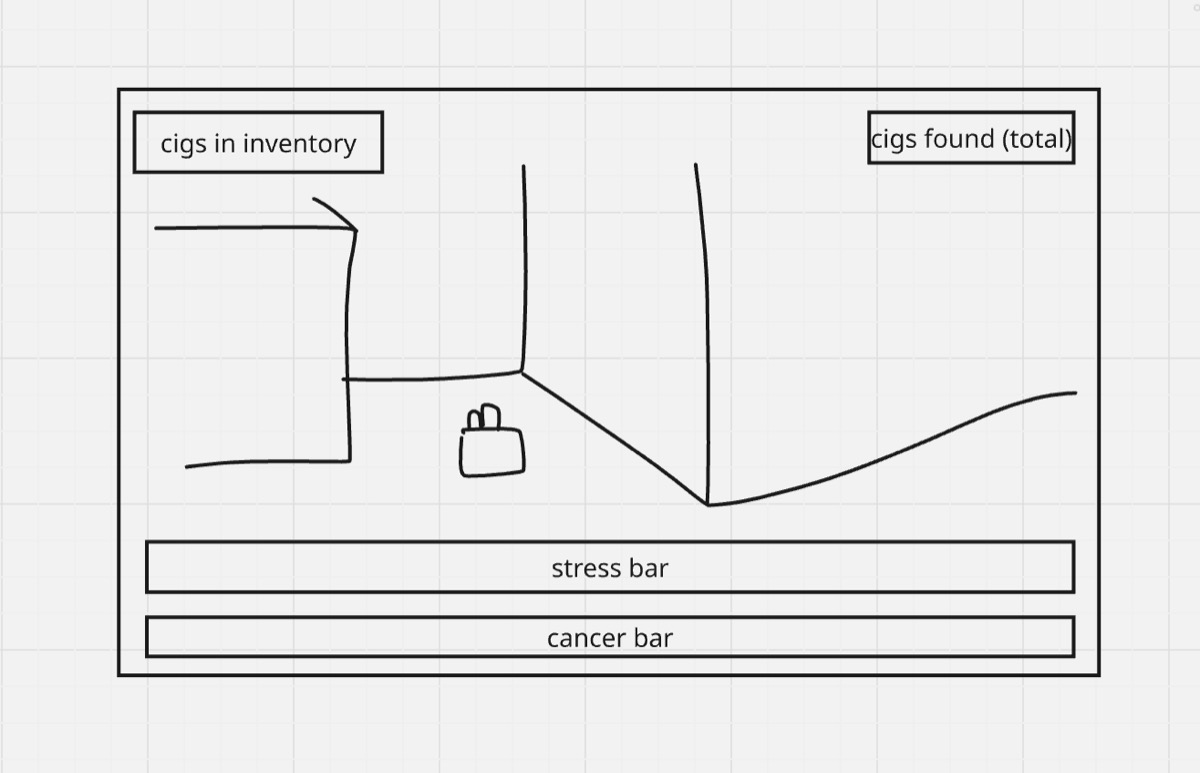
The basic game logic behind the great Smoking Simulator is as follows: you walk around a 3D maze with walls and try to survive.
- Find and pick up the five cigarettes placed throughout the map.
- Smoke cigarettes to lower your stress bar. Stress steadily increases all the time whenever you aren’t smoking.
- Smoking too many cigarettes too quickly raises your lung cancer bar, the other bar at the bottom of the screen.
- The challenge is balancing the two: smoking lowers stress but raises the risk of cancer.
- You win if you don’t die of stress and don’t die of lung cancer.
The game also needed some specific assets and systems:
- Cigarette packs on the floor in set locations
- Wall collision
- Hand animations for picking up and smoking a cigarette
- An inventory that counts your cigarettes
- Win and lose states
- A proper 3D view of the map
CODE OVERVIEW
Oh my god. I wish I knew how hard this would be BEFORE I started!!! Even tiny things like importing a hand sprite took 50 lines of code. I probably spent about 15 hours on this and the code ended up being around 700 lines.
To start, I broke down the entire challenge into three parts that I would code one by one:
- Game environment: the pad controls, the map design, and the raycasting with collision.
- Game systems: the player state and game parameters, the stats bars and game screens, and the game logic (including the setup and loop functions).
- Assets and support: the textures, animations, and helper functions.
PART 1: GAME ENVIRONMENT
Pad controls (lines 1–100 ish)
I started with the controls. I took Quentin’s Tetris code and modified it, renaming each capacitive sensor from a Tetris control to a game action. This first chunk of code, up to about line 100, defines the pins, the screen size, and what each pin controls. In other words, it defines how the board knows a pad is being touched, and how each touched pad becomes an action in the game.
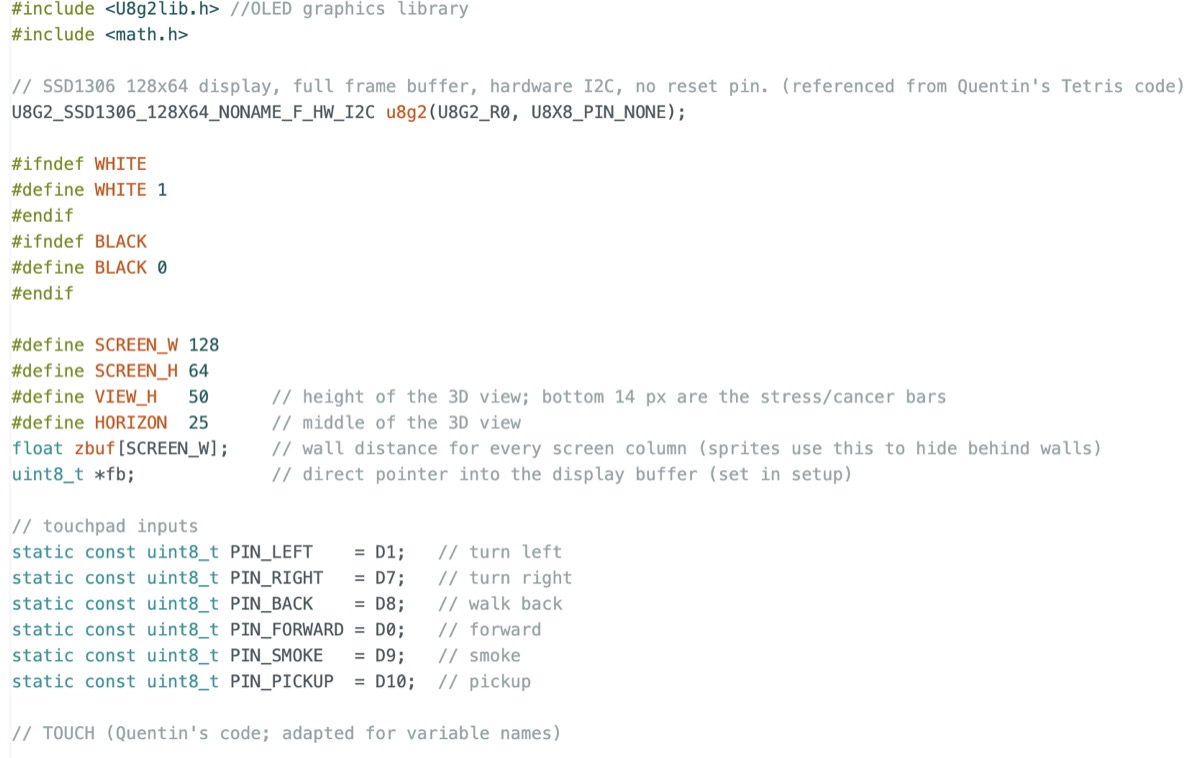
- The four pads on the left: turn left, turn right, go back, go forward.
- The two buttons on the right are the action buttons: Q1 is smoke the cigarette and Q0 is pick up the cigarette.
Map
Next I set up the map. A raycasting game doesn’t really have any 3D in it, even
though it looks 3D. What actually exists is a 2D, top-down grid. Everywhere there is a wall
that you can’t pass through, the grid holds a 1, and everywhere you can
freely walk, it holds a 0. The player has their own coordinates and moves
through this space. Here is the code that defines my map grid:
#define MAP_W 12
#define MAP_H 12

// 1 = wall, 0 = floor. This is a 2d view from above
// Keep the outer border solid so rays can never leave the map

const uint8_t worldMap[MAP_H][MAP_W] = {
  {1,1,1,1,1,1,1,1,1,1,1,1},
  {1,0,0,0,0,0,0,0,0,0,0,1},
  {1,0,0,0,0,0,0,0,0,0,0,1},
  {1,0,0,1,1,0,0,0,1,0,0,1},
  {1,0,0,1,0,0,0,0,1,0,0,1},
  {1,0,0,0,0,0,0,0,0,0,0,1},
  {1,0,0,0,0,1,1,0,0,0,0,1},
  {1,0,0,0,0,0,0,0,0,0,0,1},
  {1,0,1,0,0,0,0,0,1,0,1},
  {1,0,1,0,0,0,0,0,0,0,0,1},
  {1,0,0,0,0,0,0,0,0,0,0,1},
  {1,1,1,1,1,1,1,1,1,1,1,1}
};
The map is fixed, so unfortunately it does not generate differently each time. I’d like to change that in the future, although I ran out of time this week.
Raycasting with collision
With the map set up, we’re now getting to what I think is the most exciting part of development: RAYCASTING!!!
TLDR on how it works: from the player’s position, the game fires out 128 rays, one for every horizontal pixel on the OLED screen. Each ray travels in a slightly different direction, roughly along the direction the player is facing, until it hits a wall (marked as a 1 on the map grid above). Then the game uses trigonometry to calculate how far the ray traveled, which tells us how far away that wall is. For each ray, I draw a vertical line of pixels in that ray’s column of the screen. The line is taller when the wall is close (the ray didn’t travel far) and shorter when the wall is far away (the ray traveled a long way). Put all 128 columns together and you get a view where nearby wall sections look tall and distant ones look short, just like a real 3D environment.
The raycasting section has these pieces:
render walls: Casts one ray per screen column and drawing a vertical line based on the distance to the wall it hits.
  // Facing direction as a vector
  float dirX = cos(angle), dirY = sin(angle);

  // camera plane is a vector perpendicular to direction. field of view (length) is set to 66 degrees for now. turn it up to get a higher fov
  float planeX = -dirY * 0.66, planeY = dirX * 0.66;

  // One ray per screen column
  for (int x = 0; x < 128; x++) {

    // build ray for this column
    // cameraX goes from left edge (-1) to right edge (+1)
    float cameraX = 2.0 * x / 128 - 1.0;
    // The ray direction is straight ahead plus a sideways offset from the plane.
    float rayDirX = dirX + planeX * cameraX;
    float rayDirY = dirY + planeY * cameraX;


    int mapX = (int)posX;   // this is the cell
    int mapY = (int)posY;   // you're standing in (x,y)
    // How far the ray travels to cross from one vertical/horizontal line to the next (on the grid)
    // line to the next. The 1e30 (infinity) avoids dividing by zero for rays that are paralll.
    float deltaDistX = (rayDirX == 0) ? 1e30 : fabs(1.0 / rayDirX); // if your line is nearly parallel to a vertical line, distX will be huge
    float deltaDistY = (rayDirY == 0) ? 1e30 : fabs(1.0 / rayDirY); // vice versa for parallel to horizontal line

    //step dir
    int stepX, stepY;               // which way the ray walks through the grid
    float sideDistX, sideDistY;     // distance from the player to the next x / y grid line
    if (rayDirX < 0) { stepX = -1; sideDistX = (posX - mapX) * deltaDistX; }
    else             { stepX =  1; sideDistX = (mapX + 1.0 - posX) * deltaDistX; }
    if (rayDirY < 0) { stepY = -1; sideDistY = (posY - mapY) * deltaDistY; }
    else             { stepY =  1; sideDistY = (mapY + 1.0 - posY) * deltaDistY; }

    // hop from grid line to grid line until we enter a wall
    int side = 0;         // 0 = we hit a vertical wall face, 1 = a horizontal one
    bool hit = false;
    while (!hit) {
      // Advance whichever grid line is closer.
      if (sideDistX < sideDistY) { sideDistX += deltaDistX; mapX += stepX; side = 0; }
      else                       { sideDistY += deltaDistY; mapY += stepY; side = 1; }
      // Did we just step into a wall cell?
      if (worldMap[mapY][mapX] > 0) hit = true;
    }
draw floor: I added this after my first test, so the floor has some texture below the horizon.
// dotted floor texture below the horizon for feeling of depth
  void drawFloor(int x, int fromY) {
    for (int y = fromY; y < VIEW_H; y++) {
      int r = y - HORIZON;
      uint8_t m = r < 5 ? 7 : (r < 12 ? 3 : 1);
      if ((((x + y * 2) & m) == 0)) gPx(x, y, WHITE);
    }
  }
At this point I had the pad controls, the map, and the raycasting all working, which gave me an empty map I could walk around in.
PART 2: GAME SYSTEMS
Player state and game parameters
This section spawns the player in the center of a block somewhere on the map, facing a certain direction (marked in radians), and defines the move speed and turn speed. It also holds the rest of the game parameters, all of which are numbers I can tweak:
// GAME PARAMS
#define NUM_CIGS        5
#define STRESS_START    10.0f   // starting stress (0..100)
#define STRESS_RATE     1.0f    // stress gained per second
#define STRESS_PER_CIG  35.0f   // stress removed per cigarette
#define LUNG_PER_CIG    45.0f   // cancer meter added per cigarette
#define LUNG_DECAY      1.6f    // cancer meter recovered per second
#define SMOKE_MS        2800    // length of smoking animation
#define PICKUP_RANGE    1.1f    // how close you must be (in blocks)

// cig locations where x,y are map coordS
struct Cig { float x, y; bool got; };

Cig cigs[NUM_CIGS] = {
  {5.5,  4.5,  false},
  {9.5,  1.5,  false},
  {9.5,  6.5,  false},
  {3.5,  9.5,  false},
  {10.5, 10.5, false}
};

// stress/health meters and inventory params
float stress = STRESS_START;
float lung   = 0;
int carried = 0;   // cigarettes in your pocket
int found   = 0;   // total picked up so far
int smoked  = 0;   // total smoked so far
As a bonus, I added small pop-up messages to make sure players understand what they’re doing. For example, pressing pick up when there’s nothing around shows a short “nothing here” message. And if a cigarette pushes the lung cancer meter over 60%, a little cough appears to warn you that you’re about to get lung cancer. The game states are also defined in this section.
// popup messages to hint players
char msg[20] = "";
uint32_t msgUntil = 0;
void showMsg(const char* m) { strncpy(msg, m, 19); msg[19] = 0; msgUntil = millis() + 1200; }

// game states
enum { S_TITLE = 1, S_INSTR, S_PLAY, S_END_STRESS, S_END_CANCER, S_WIN }; // title, instructions, game, stress ending, cancer ending, win screen
int state = S_TITLE;
uint32_t stateSince = 0;   // when we entered the current state
uint32_t gameStart = 0;    // when the current run began
uint32_t endElapsed = 0;   // how long the run lasted
int pendingEnd = 0;        // upcoming ending
Stats bars and screens
The two bars at the bottom of the screen show your stress level and your lung cancer level. Each bar flashes when it gets high so that you get a warning before you die. There is also a small inventory display that counts the cigarettes you’re carrying.
// STATS BAR

void drawBar(int y, const char* label, float v) {
  gText(0, y, label);
  gFrame(38, y, 90, 6, WHITE);                        // bar outline
  int w = (int)(v / 100.0f * 88.0f);
  if (w > 88) w = 88;
  bool blink = v > 80 && ((millis() / 180) & 1);      // flash when dangerously high
  if (!blink && w > 0) gFill(39, y + 1, w, 4, WHITE);
}

void drawHUD() {
  useSmallFont();
  char buf[12];

  // top-left: cigarettes in inventory
  gFill(0, 0, 30, 10, BLACK);
  gLine(2, 4, 11, 4, WHITE);
  gLine(2, 5, 11, 5, WHITE);
  if ((millis() / 250) & 1) gPx(13, 4, WHITE);
  snprintf(buf, sizeof(buf), "x%d", carried);
  gText(17, 1, buf);

  // top-right: found count
  gFill(98, 0, 30, 10, BLACK);
  snprintf(buf, sizeof(buf), "%d/%d", found, NUM_CIGS);
  gText(104, 1, buf);

  // short message (e.g. "Nothing here")
  if (millis() < msgUntil) {
    int w = u8g2.getStrWidth(msg) + 4;
    gFill((SCREEN_W - w) / 2, 12, w, 10, BLACK);
    gText((SCREEN_W - w) / 2 + 2, 14, msg);
  }

  // bottom bars
  gFill(0, VIEW_H, SCREEN_W, SCREEN_H - VIEW_H, BLACK);
  drawBar(50, "STRESS", stress);
  drawBar(57, "CANCER", lung);
}
The game screens switch between:
- The menu screen
- The instructions screen
- The actual gameplay
- Two death screens (one for dying of stress, one for dying of lung cancer)
- The win screen, with an option to play again
// SCREENS

void drawTitle(uint32_t now) { // TITLE SCREEN
  u8g2.clearBuffer();
  useBigFont();
  gTextCenter("CIGARETTE", 1); // title in two lines
  gTextCenter("SIMULATOR", 22);
  gFill(28, 45, 56, 4, WHITE);
  gFill(28, 45, 14, 4, BLACK); // cigarette
  gFrame(28, 45, 14, 4, WHITE);
  if ((now / 200) & 1) gFill(84, 44, 3, 6, WHITE); else gFill(84, 45, 2, 4, WHITE); // smoke effect
  static uint32_t lastP = 0;
  if (now - lastP > 260) { spawnPuff(86, 43, 1, 1.5f); lastP = now; }
  drawPuffs();
  useSmallFont();
  if ((now / 500) & 1) gTextCenter("Press Q1", 56); // blinking indicator
  u8g2.sendBuffer();
}

void drawInstructions(uint32_t now) { // INSTRUCTIONS SCREEN
  u8g2.clearBuffer();
  useSmallFont();
  gText(0, 0,  "You're feeling pretty");
  gText(0, 9,  "stressed today, maybe"); // flavor text
  gText(0, 18, "5 cigarettes would");
  gText(0, 27, "help.");
  gTextCenter("Q0 - pickup", 38); // controls
  gTextCenter("Q1 - smoke", 47);
  if ((now / 500) & 1) gText(0, 56, "Press Q1 to start"); // action item
  u8g2.sendBuffer();
}

void drawEnd(uint32_t now) { // GAME SCREEN!!
  u8g2.clearBuffer();
  char buf[28];
  int secs = endElapsed / 1000;
  bool blink = (now / 500) & 1;
  if (state == S_END_STRESS) { // die if you get too stressed
    useSmallFont();
    gTextCenter("YOU DIED OF", 2);
    useBigFont();
    gTextCenter("STRESS", 15);
    useSmallFont();
    snprintf(buf, sizeof(buf), "Smoked %d/%d  %d:%02d", smoked, NUM_CIGS, secs / 60, secs % 60); // states at end of game
    gTextCenter(buf, 42);
    if (blink) gTextCenter("Press Q1 to retry", 56);
  } else if (state == S_END_CANCER) { // died of cancer (smoked too fast)
    useSmallFont();
    gTextCenter("YOU DIED OF", 1);
    useBigFont();
    gTextCenter("LUNG", 11);
    gTextCenter("CANCER", 31);
    useSmallFont();
    if (blink) gTextCenter("Press Q1 to retry", 56);
  } else {
    useSmallFont();
    gTextCenter("CONGRATULATIONS!", 2); // win state
    useBigFont();
    gTextCenter("YOU WON", 13);
    useSmallFont();
    snprintf(buf, sizeof(buf), "Time %d:%02d", secs / 60, secs % 60);
    gTextCenter(buf, 37);
    if (blink) {
      gTextCenter("Press Q1", 46);
      gTextCenter("to play again", 55); // repeat
    }
  }
  u8g2.sendBuffer();
}
Game logic
A little bit of game logic sits right before the end of the code:
- Smoke timing: you have to wait for the hand animation to finish before you can smoke again.
- Inventory tracking: picking up a cigarette adds one to your inventory, and smoking one removes one.
- One action per touch: each touch only triggers a single action.
- Ending conditions: this makes sure you can’t smoke a cigarette right as you’re about to die of stress. If both things somehow happen at the same time, death comes first, so you lose anyway.
Finally, there are a couple of functions at the very end for setting up the game
(setup) and actually running it (loop). As I’m continuing
this writeup, I am realizing that the code blocks are taking up a crazy amount of space, so
I’m going to stop inserting all of them here and drop the entire commented code file
at the end of this section if you’re interested in building your own smoking
simulator.
PART 3: ASSETS & SUPPORT
Textures
To make the walls less bland, I designed a brick texture. It is made of several arrays in a repeating pattern: a horizontal mortar line, then a brick row with thin vertical mortar lines, then another horizontal line, then another brick row, and so on.
We also made the cigarette pack sprite, which is the item sitting on the floor for the player to pick up. It is a set of masked, drawn, and white pixels shaped like a cigarette pack.
Claude helped me design both of these textures.
Animations
I first tried to draw the hand and cigarette animations myself, as small pixel art that I could import into the game as arrays. This was inspired by the game No, I’m Not a Human, made by a wonderful Russian game studio. In the game, there’s a part where the character drinks a beer with a really nice animation that makes the game more interesting to look at, and I wanted the same kind of vibe for picking up and smoking a cigarette in my Smoking Simulator.
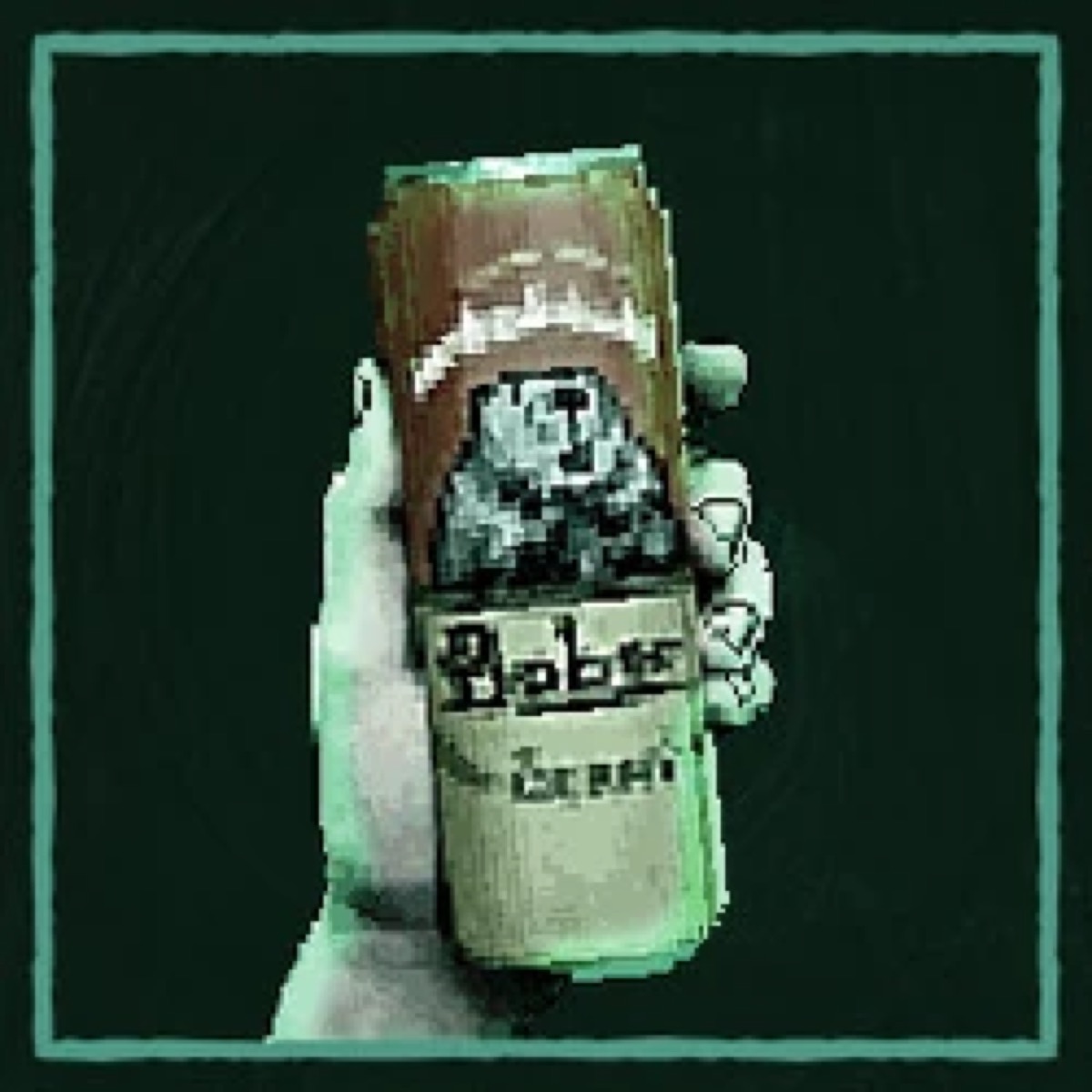
I drew some of the sprites and converted them into arrays of black and white pixels using an image-to-bitmap website.
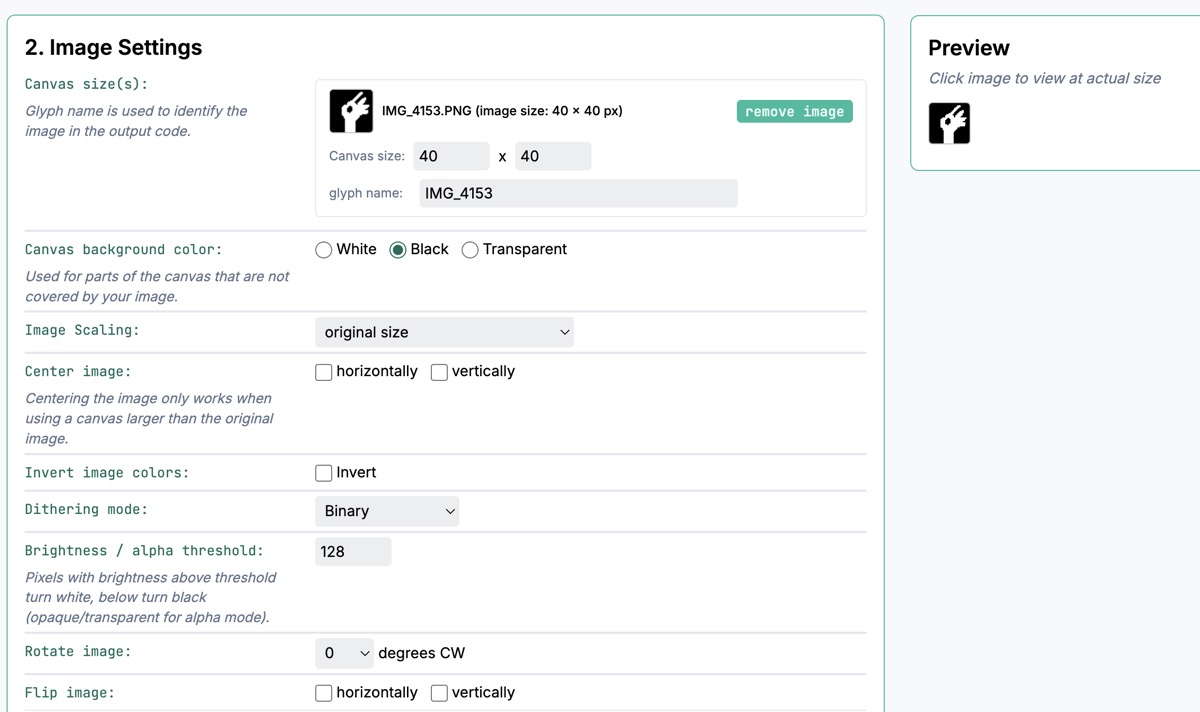
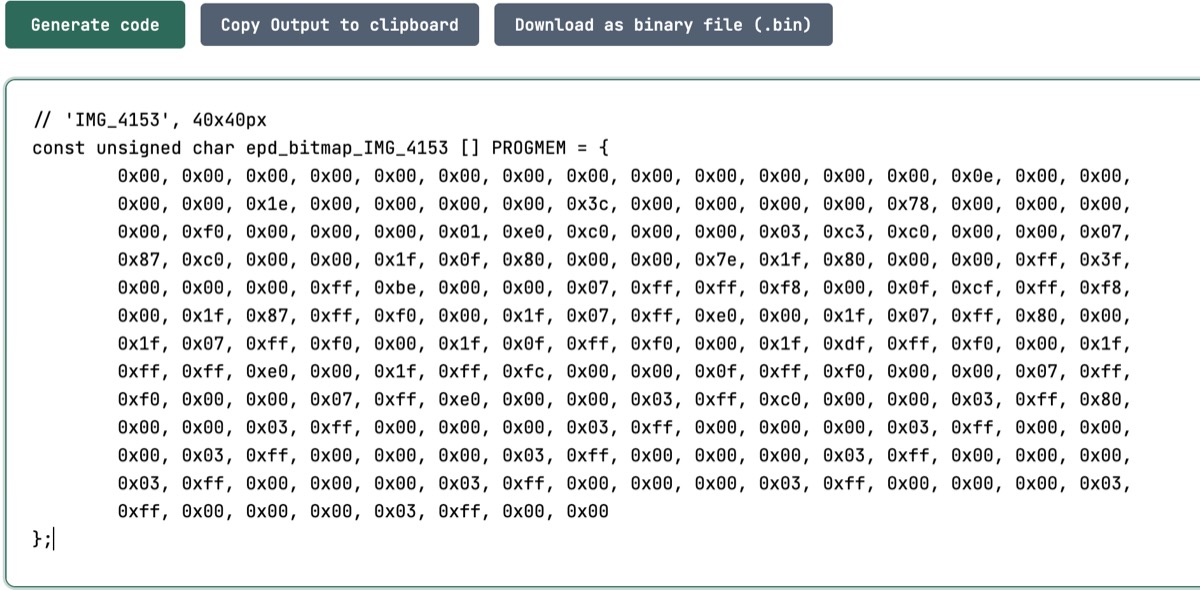
The reason I had two images of the same hand was for solving a transparency problem. If I just drew the picture of the hand holding a cigarette on a black background, it would show up on screen with a big rectangular border. To fix that, I made two versions of each sprite: the correct picture on a black background, and a second one with only the outline and the inside of the picture marked white on a black background. Using the two together as a mask, one bitmap could carry three kinds of information: black, white, and transparent.
Ultimately all of that turned out to be pointless, because I didn’t like the way it looked ☹️. So I ended up creating a bunch of helper functions to draw the hand holding the cigarette with basic shapes. This turned out to be a nice solution, and also easier to tweak if I wanted everything to be slightly larger/smaller.
The final result for this game---combining the raycasted environment, game mechanics, and assets---is shown below. Tada!
The complete code file is below. If you'd like to make your own Cigarette Simulator, feel free to plug and play in Arduino with the board set to Seeed XIAO RP2040. More instructions can be found here, and a great soldering guide with components is here.
PCB HOUSING
Because I wanted the board to look like a game console, I designed a housing for it. To
have something to work from, I downloaded KiCad and got the .kicad_pcb file
from Quentin’s repo, which gave me a 3D file of the board before I 3D printed my
casing design.
I exported the .kicad_pcb file as an STL and imported it into Fusion, so the
board became a mesh I could design around. I also exported a DXF of the copper plates and
placed it as a sketch over the PCB mesh in Fusion, so I could see where the holes in the
housing needed to go.
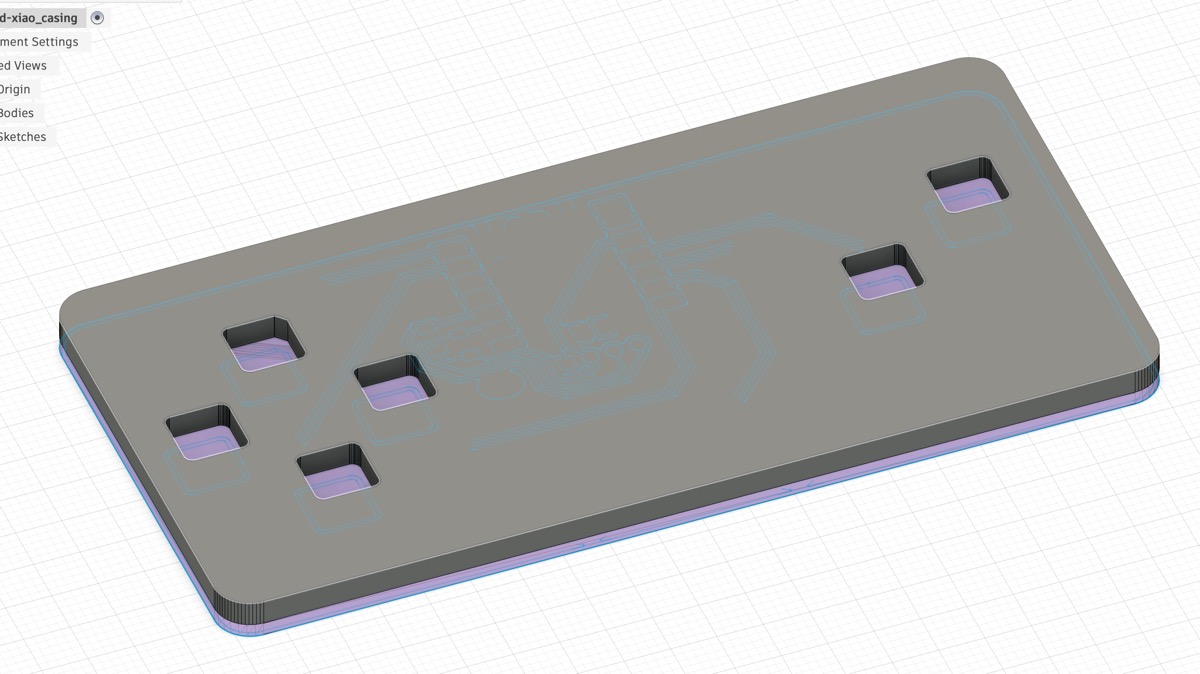
Unfortunately, I remain very new to Fusion and could not figure out how to make it past this step. I will try again this week with the help of some office hours!
HOW I USED CLAUDE
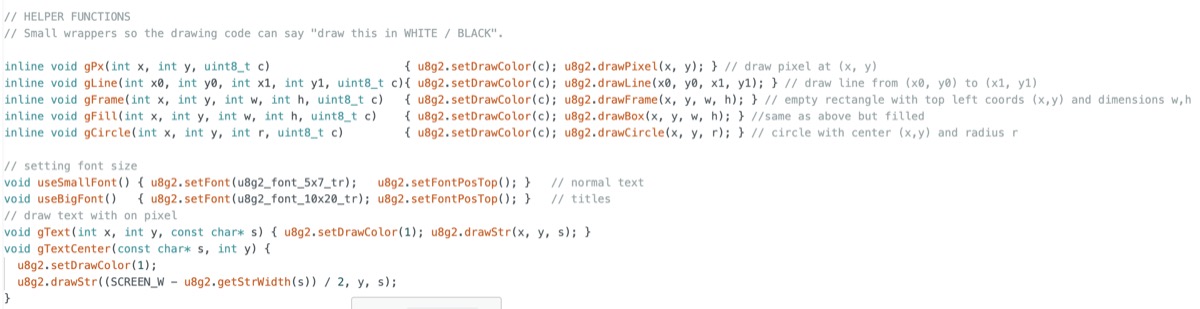
Claude was a BIG helper in this week’s project. I’ve never coded in C++ before, so while I know the components to put in the game and basic coding logic, I needed a lot of support in specific syntax. I described each part of the game and the helper functions I wanted to Claude so that I could receive detailed instructions on how to actualize my idea line by line, and I also put in lots of comments to remind myself what each part of the code did. I also used Claude for lots of debugging (the most common one was frankly exit status 1 when uploading… fixed by a quick reset of the board).
I spent way too much time talking to Claude while working to record progress. This turned out to be a big time saver because it could memorize our conversation chronologically and create an MD file for me to review, so that I only have to tweak small parts of the report instead of writing up the entire thing by hand (after all, voice input is much more efficient than typing).