Week04
For this week’s assignment I designed one of the two boards in my final project: the base board, which controls everything in the stationary base. It sits below the spinning display, reads the knob and sensors, and sets the motor speed.
Started here with the XIAO-ESP32S3 because it has wifi, bluetooth, and the right memory and speed for my project.
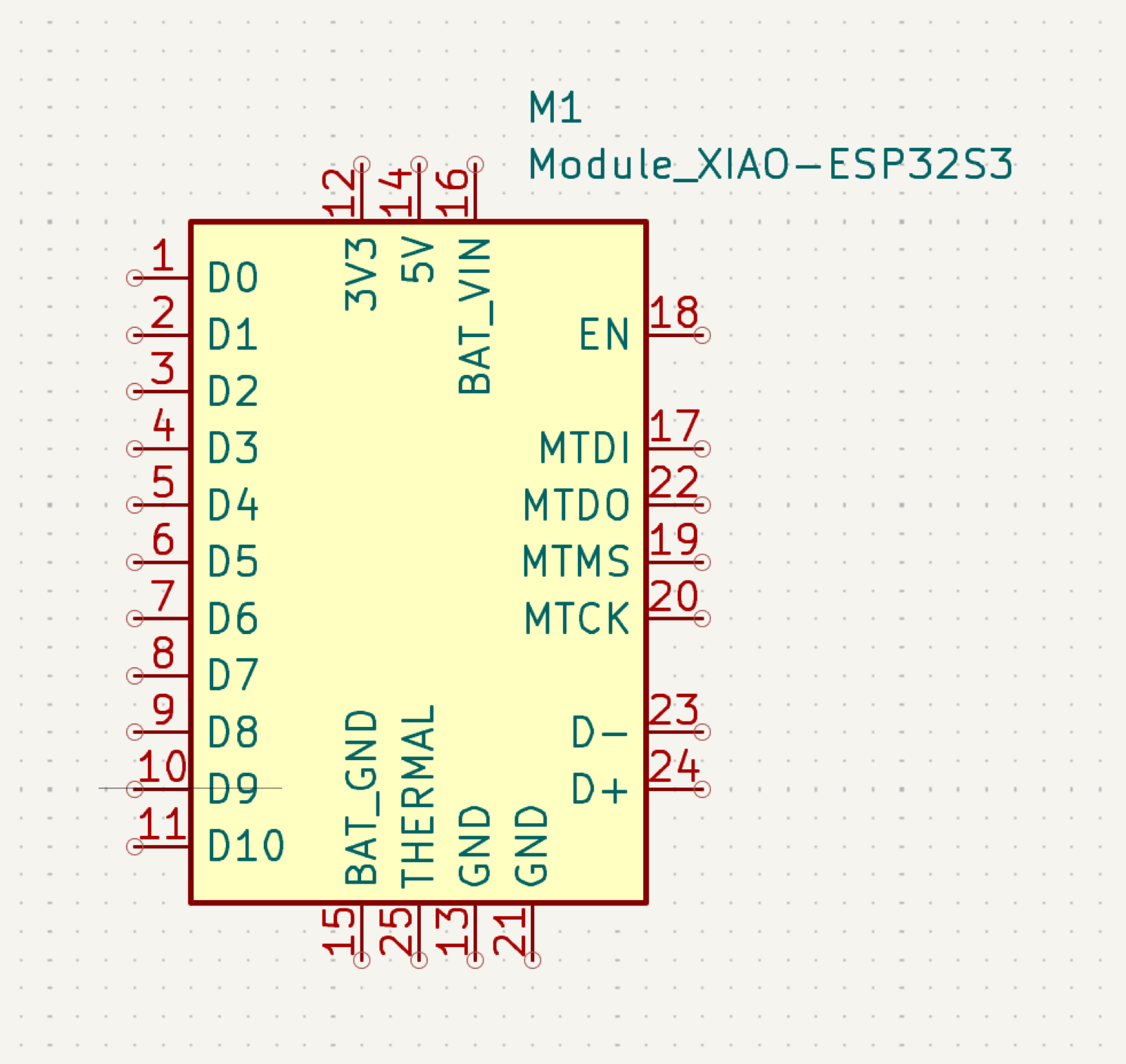
I then worked through each of the components required for my board and tried to figure out the required connections to my xiao. For each component, I asked:
- Which pins are power and which are signals?
- Which way does each signal flow, and does it need to be connected? (and check default state in this step)
- Do the voltages match?
Item: Motor Driver
Model: Pololu G2 High-Power Motor Driver 24v13
Link: https://www.pololu.com/product/2992
Function: operate the motor that spins the rotor
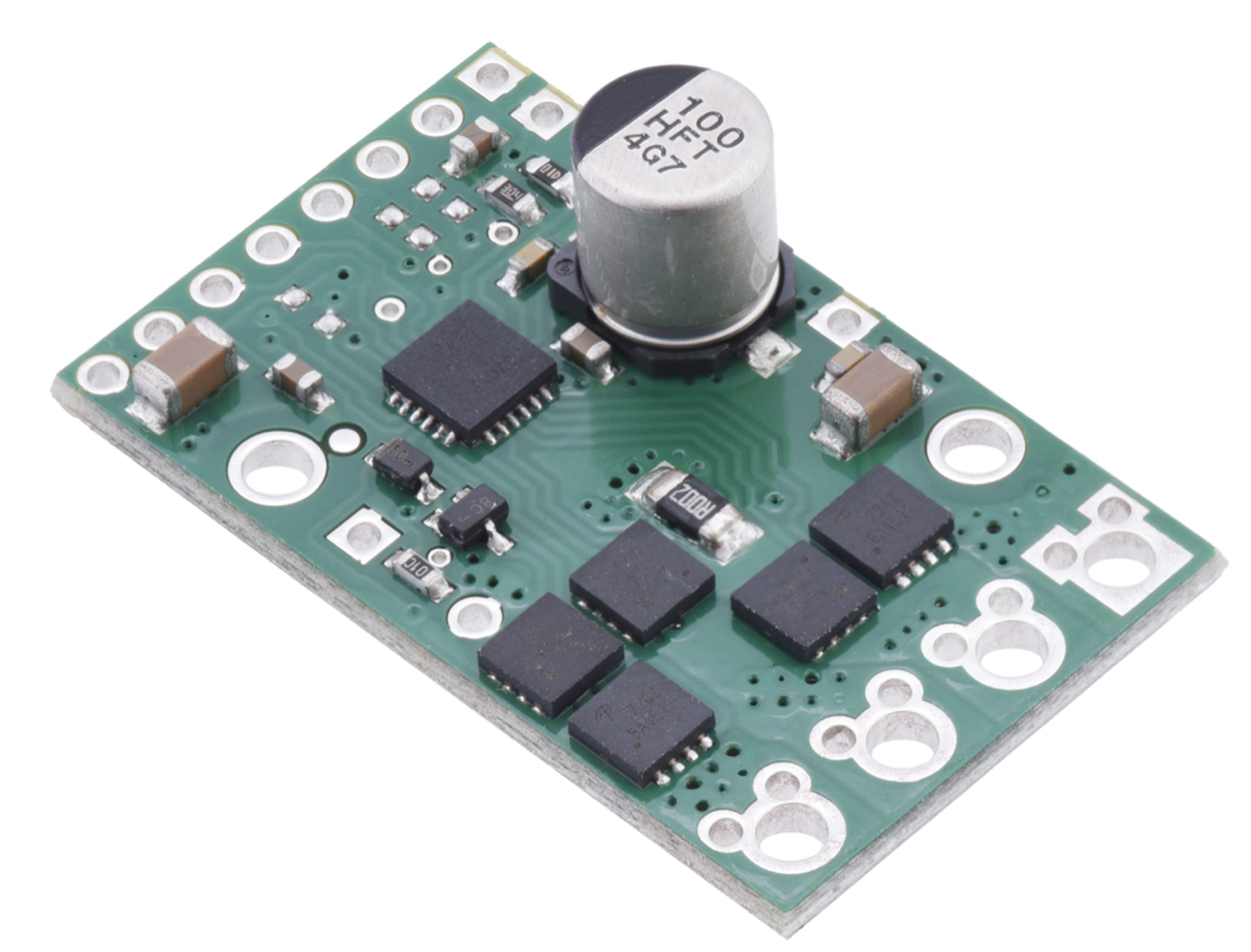
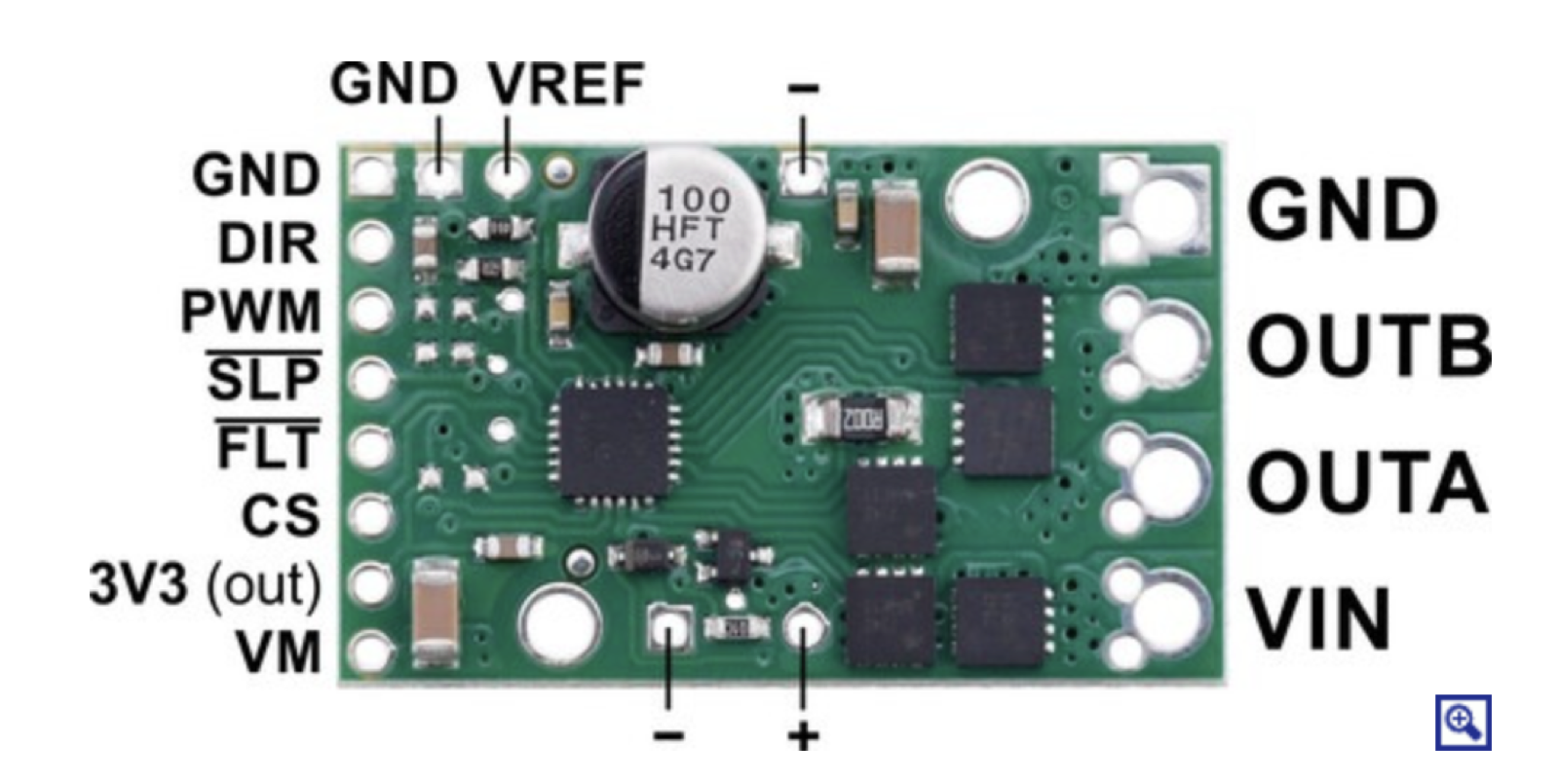
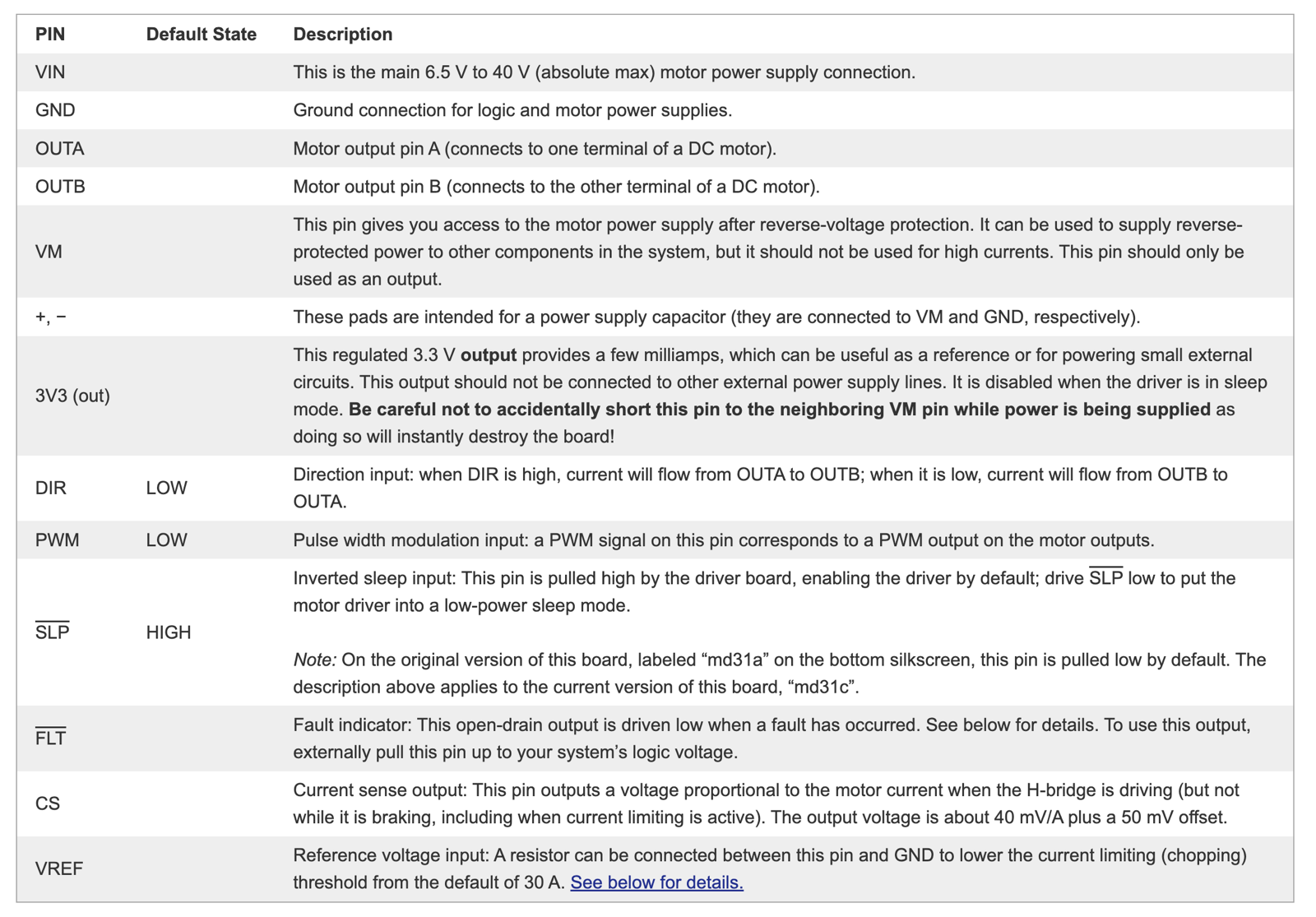
Conclusion: The XIAO only needs two wires to the driver: PWM, which sets the motor speed, and a shared ground. DIR and SLP can stay unconnected, since their default states (one direction, awake) already do what I need. The driver’s inputs accept 3.3 V logic, so the XIAO can drive it directly.
Item: Speed sensor
Model: Allegro MicroSystems A1324LLHLT-T
Link: https://www.digikey.com/en/products/detail/allegro-microsystems/A1324LLHLT-T/2639989
Function: senses a magnet on the rotor once per turn to measure rotor speed. The base uses this like cruise control to hold the speed steady, and pairs it with the accelerometer to find the heavy side when balancing.
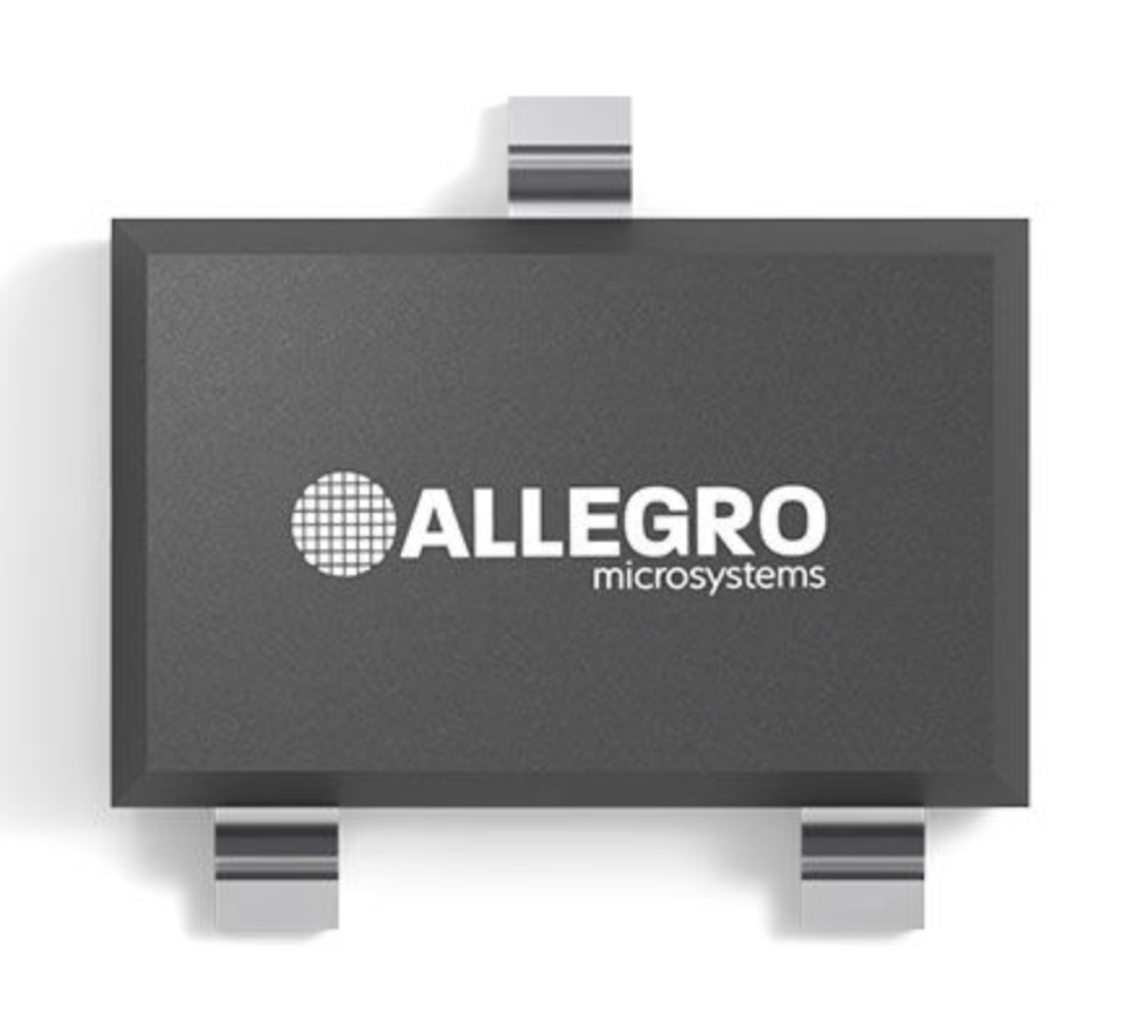
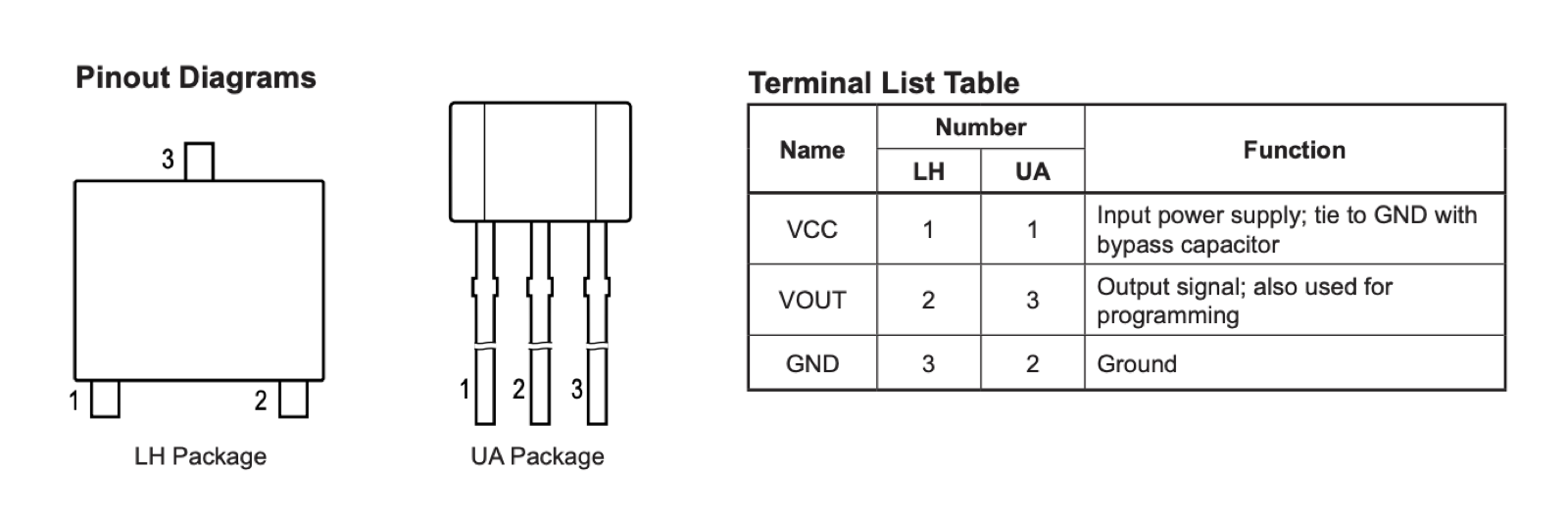

Learned here that I need to implement a voltage divider to turn 5 V into about 3.3 V.
Conclusion: the A1324 has three pins: VCC, VOUT, and GND. It needs 4.5 to 5.5 V to run, so I power it from the XIAO’s 5 V pin, not 3.3 V. Its output is an analog voltage that rises as the magnet gets closer and can swing toward 5 V, which is too high for the XIAO’s 3.3 V pins. A voltage divider (a 4.99k and a 10k resistor) scales the signal down to about 3.3 V before it reaches the xiao’s D10. On the board, the sensor’s signal comes in on J2, and its 5 V and ground come from the shared power header J5.
Item: knob
(no rotary encoder in the inventory, so the knob is a purchased KY-040 module that plugs into an inventory header)
Model: KY-040
Link: https://www.amazon.com/dp/B07B68H6R8
Function: a knob in the base that lets me set the rotor speed by hand. Turning it speeds up or slows down the motor, and pressing it works as a button, for example to start or stop the spin.
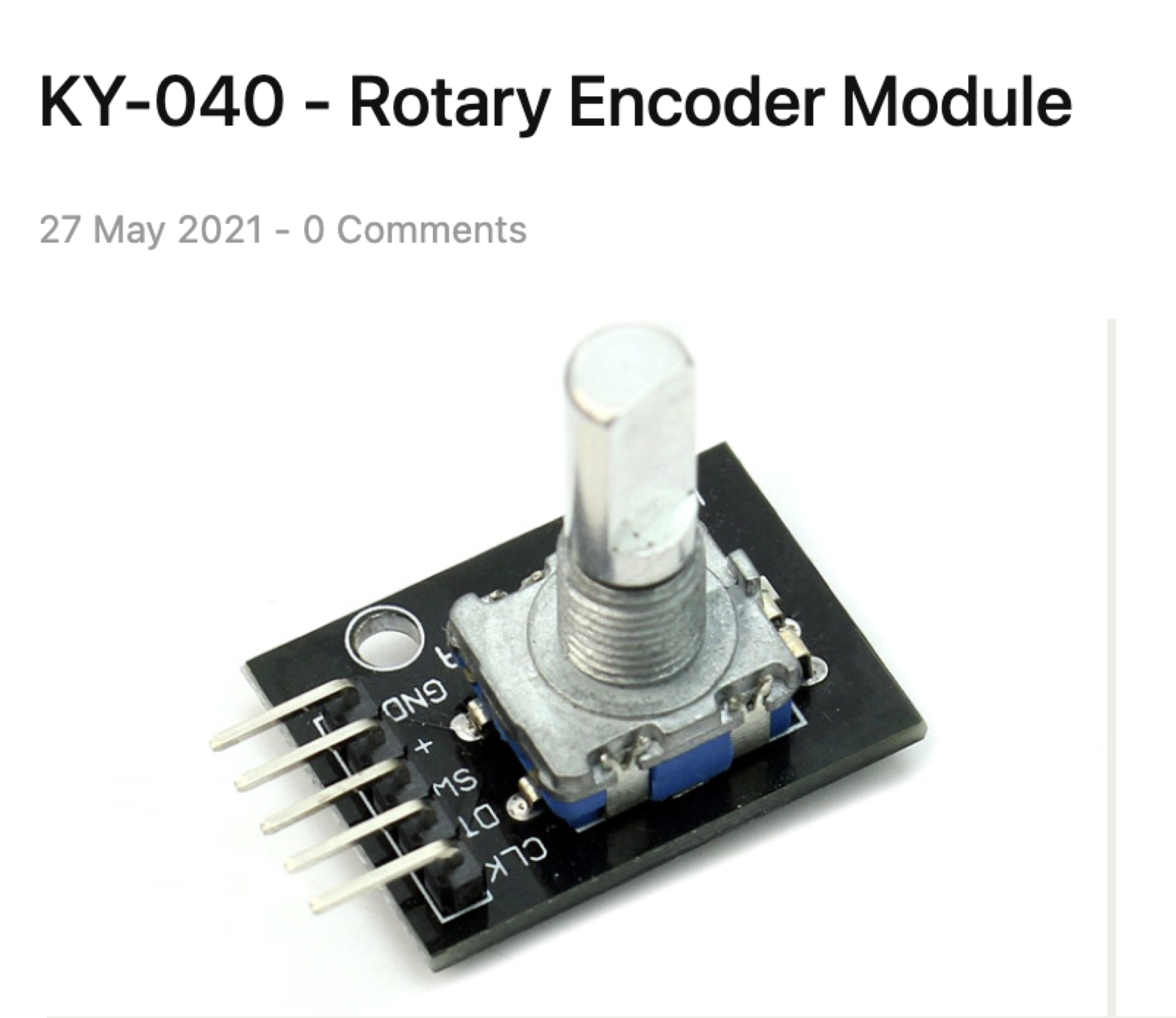
Conclusion: The KY-040 has five pins: power (+), ground, and three signals: CLK and DT, which pulse as the knob turns, and SW, the push button. There’s no rotary encoder in the inventory, so this is a purchased module that connects to my board with individual jumper wires.
Item: accelerometer
Model: GY-521 module (MPU-6050), in the inventory
Link: - https://www.amazon.com/dp/B00LP25V1A
Function: senses vibration in the base. Paired with the speed sensor, it shows where in each turn the shaking peaks, which points to the heavy side of the rotor so I can add counterweight and balance it.
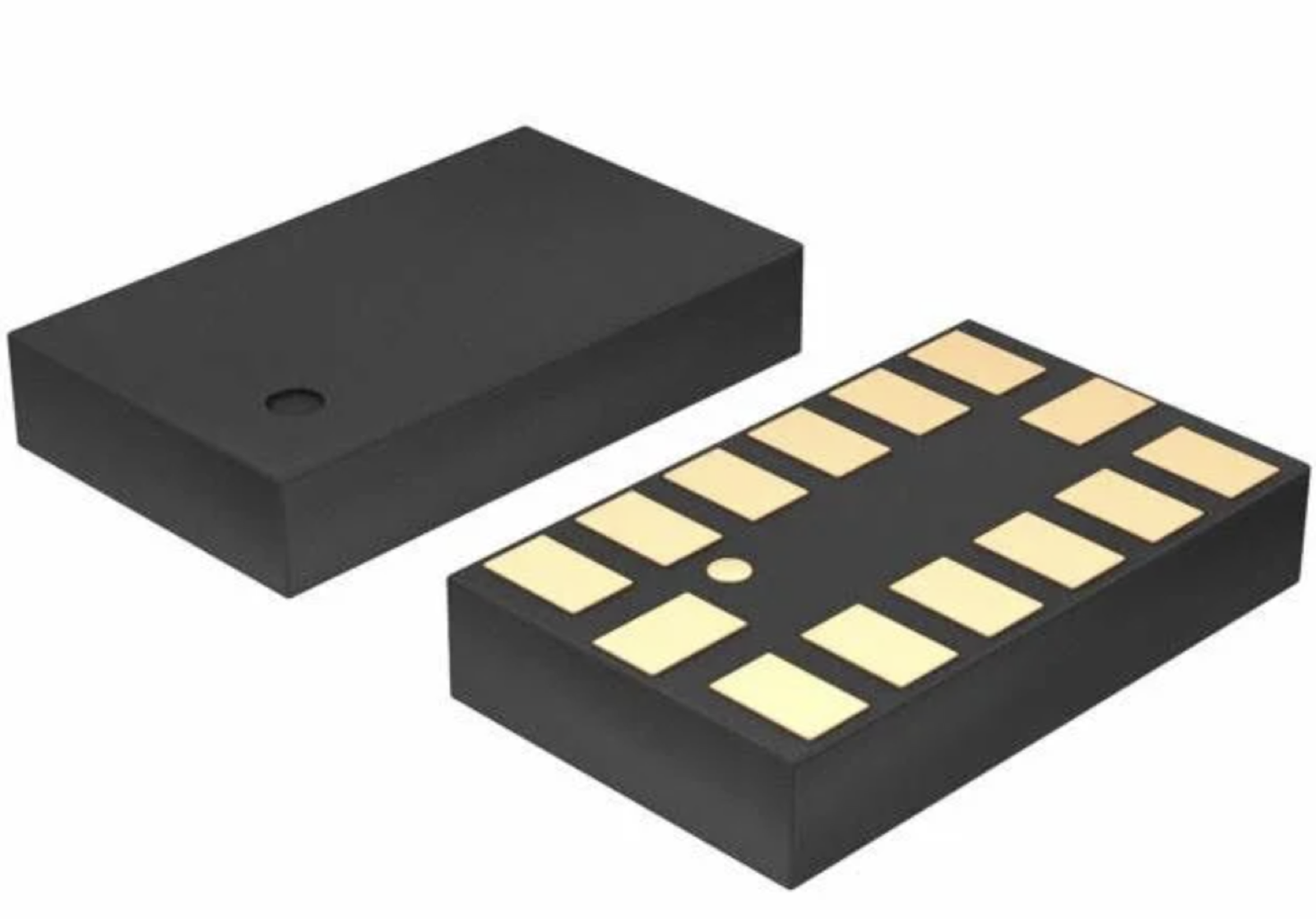
First option considered
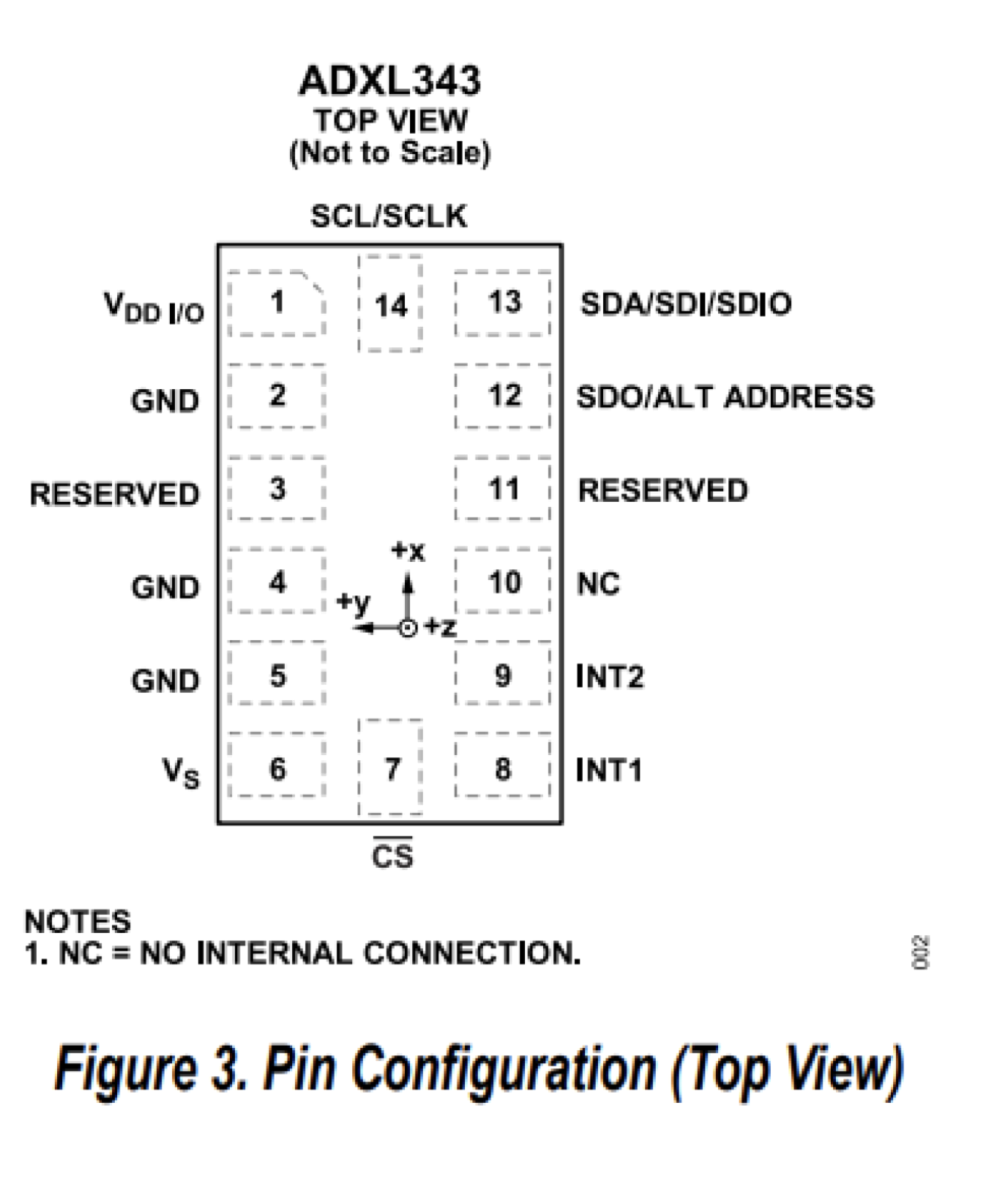
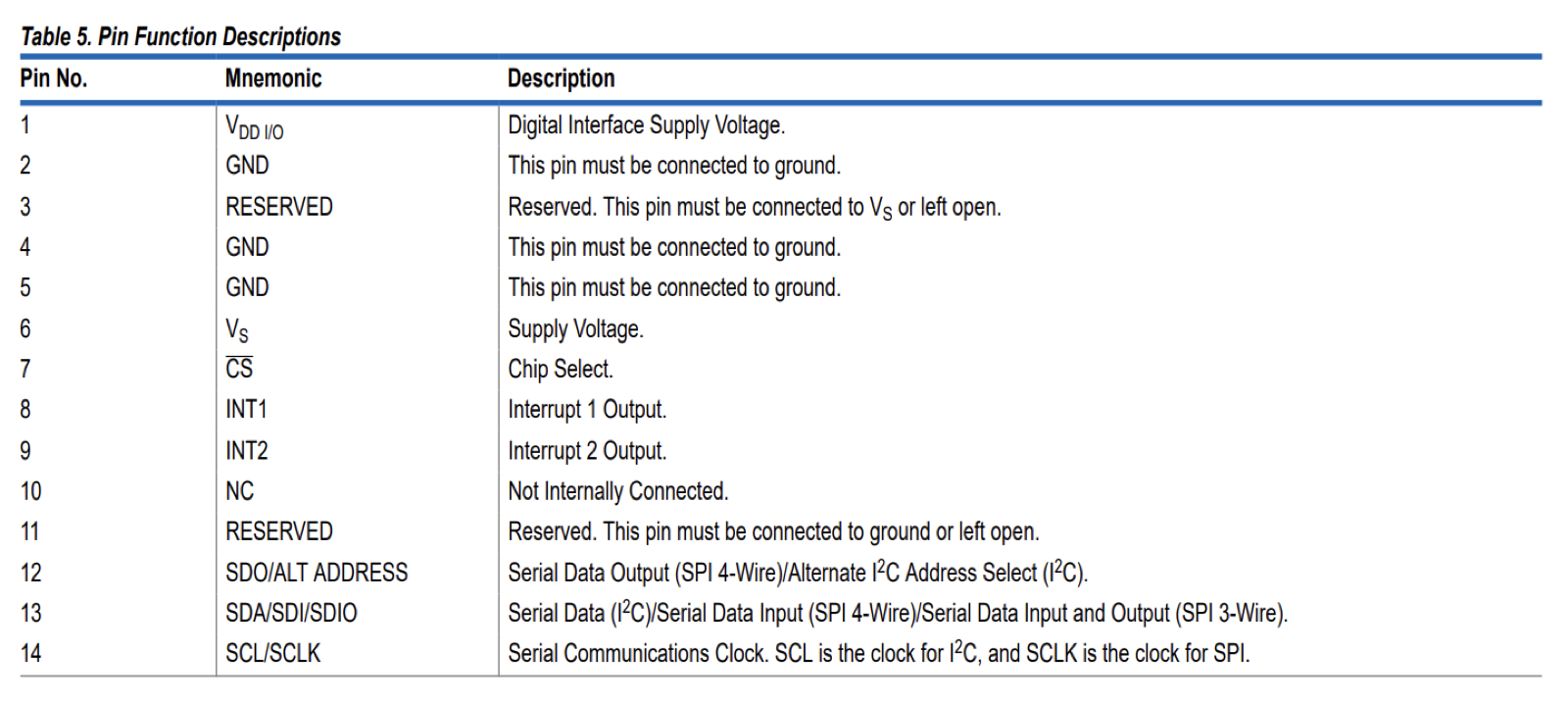
Then moved to this option:
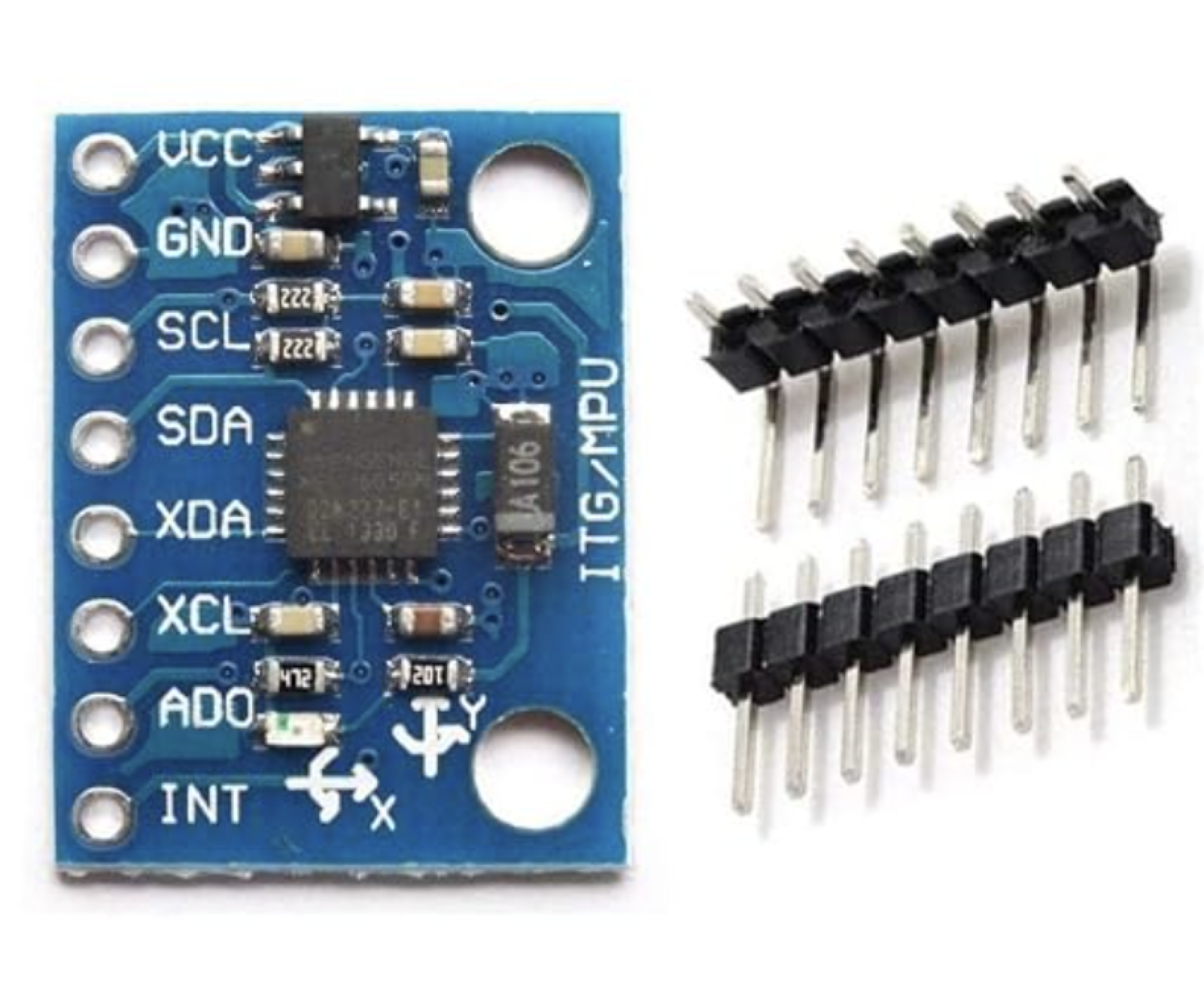
Conclusion: I first looked at the ADXL343 chip from the inventory, but its pads are hidden underneath, which makes it hard to mill and solder on a first board. The inventory also has the GY-521, which is the MPU-6050 already mounted on a small board with header pins.
Zooming Out
| XIAO pin | Goes to |
|---|---|
| D0 | Motor driver PWM (J1) |
| D1 | Knob power (J3) |
| D2 | Knob CLK (J3) |
| D3 | Knob DT (J3) |
| D4 | Knob SW (J3) |
| D5 | Accelerometer SDA (J4) |
| D6 | Accelerometer SCL (J4) |
| D10 | Speed sensor, through the divider (J2) |
| 5V, GND | Power header (J5) |
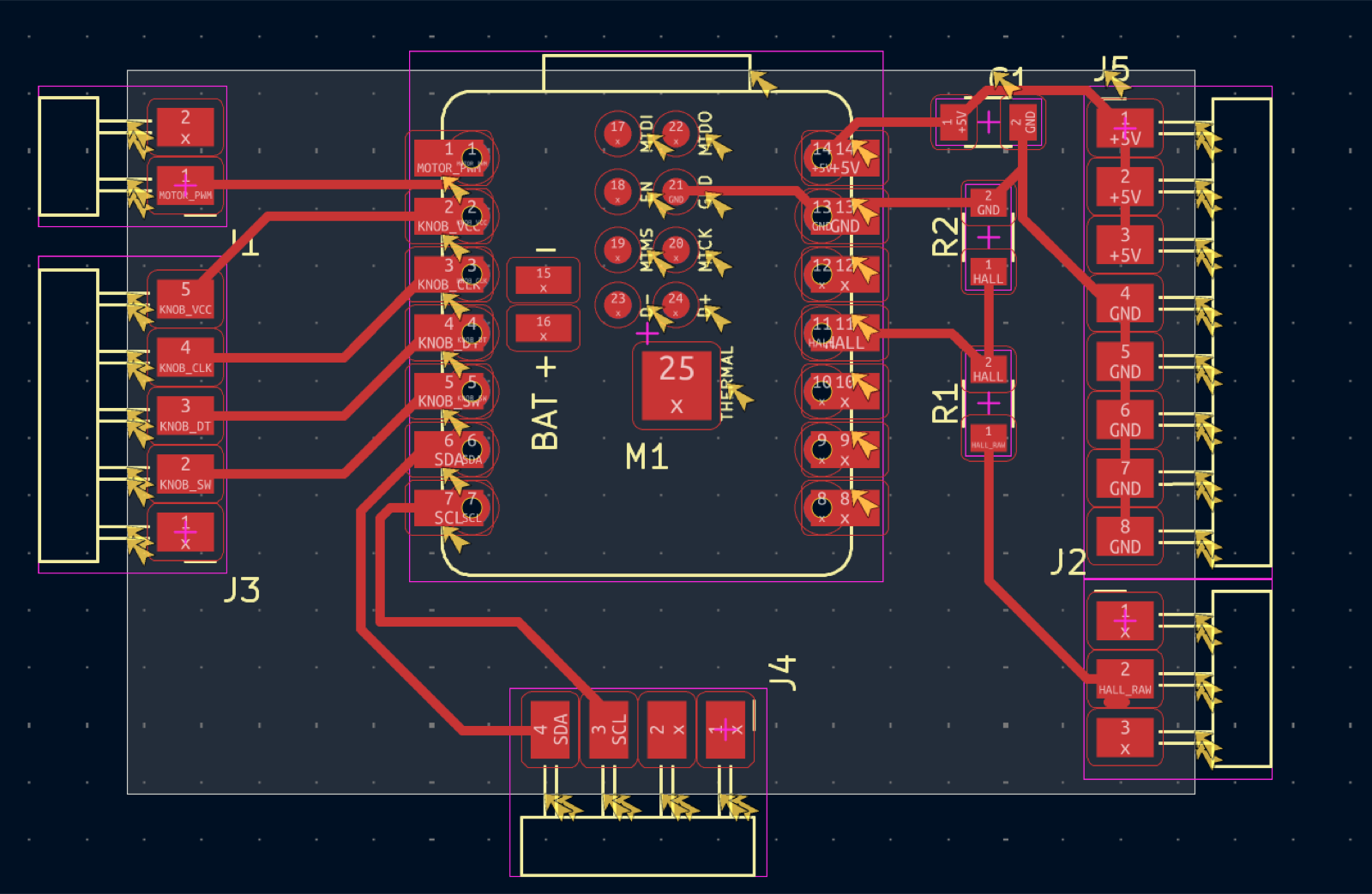
J1: Motor driver (2 pins)
- Pin 1: PWM → XIAO D0
- Pin 2: unused (ground comes from J5)
J2: Speed sensor (3 pins)
- Pin 1: unused
- Pin 2: signal → voltage divider → XIAO D10
- Pin 3: unused (5 V and ground come from J5)
J3: Knob (5 pins)
- Pin 1: unused
- Pin 2: SW → XIAO D4
- Pin 3: DT → XIAO D3
- Pin 4: CLK → XIAO D2
- Pin 5: + → XIAO D1 (set high in code to power the knob)
J4: Accelerometer (4 pins)
- Pin 1: unused
- Pin 2: unused (5 V and ground come from J5)
- Pin 3: SCL → XIAO D6
- Pin 4: SDA → XIAO D5
J5: Power (8 pins)
- Pins 1 to 3: 5 V, from the supply and out to the speed sensor and accelerometer
- Pins 4 to 8: GND, shared by the supply and every module
Other small parts on the board:
- R1 (4.99k) and R2 (10k): the speed sensor’s voltage divider
- C1 (1 µF): smooths the power near the XIAO
NEXT UP KICAD
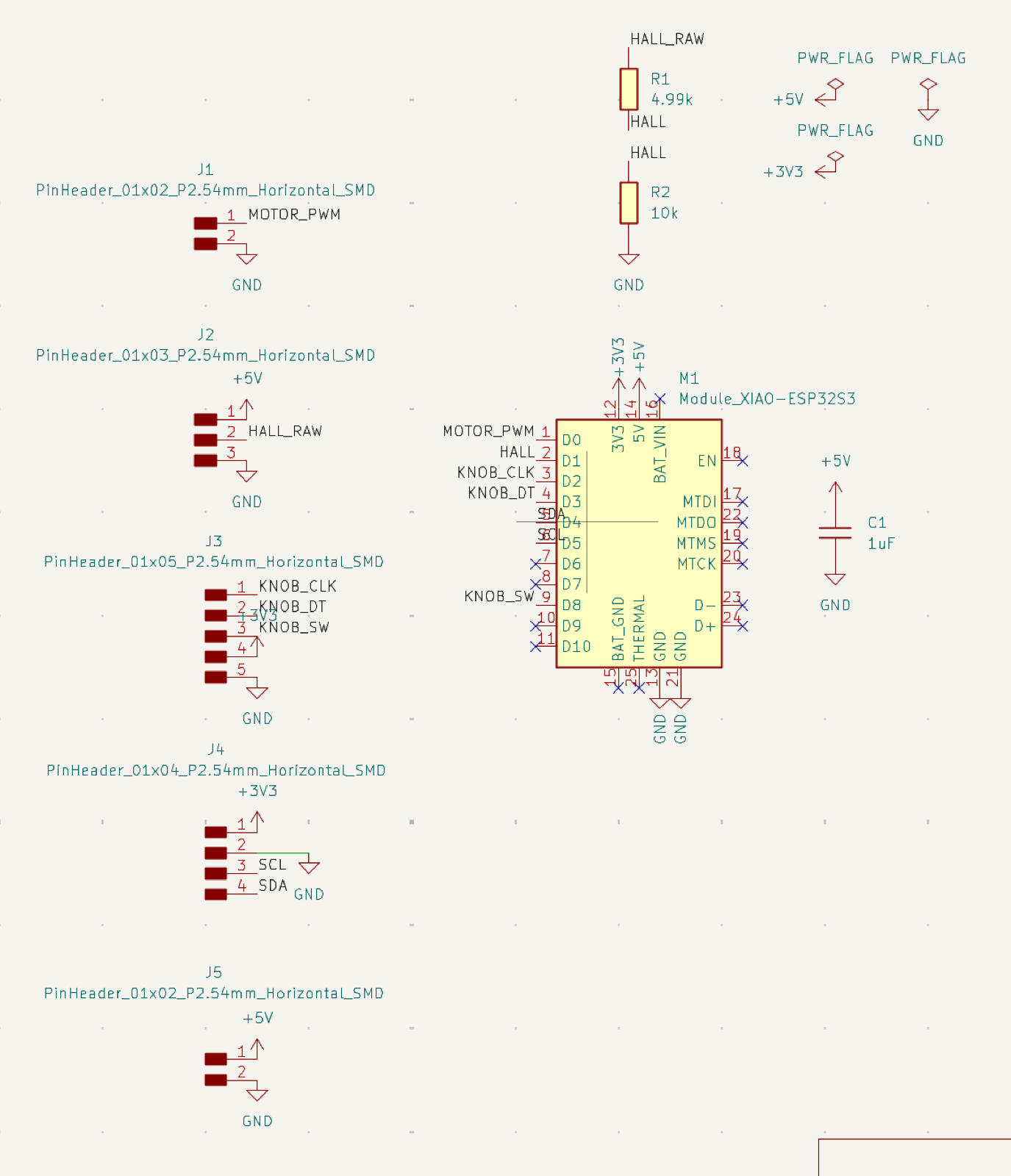
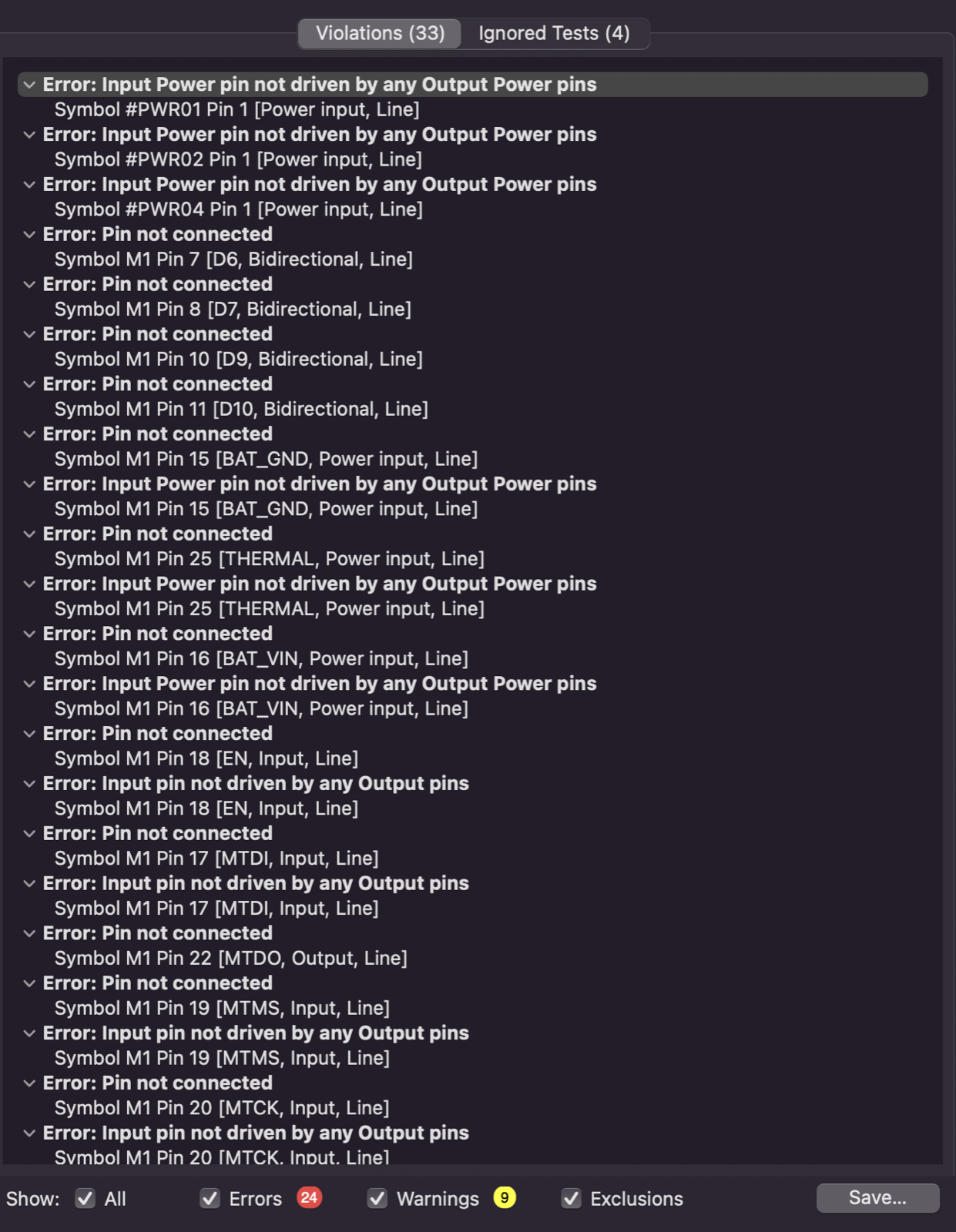
Ok, this was my first time doing this. After a lot of back and forth and asking Claude how to select things or move things in here, I got the above. I had 33 errors on my first ERC. Those were mostly places requiring an X and PWR_FLAGs since I’ll be using external power and I hadn’t noted that.
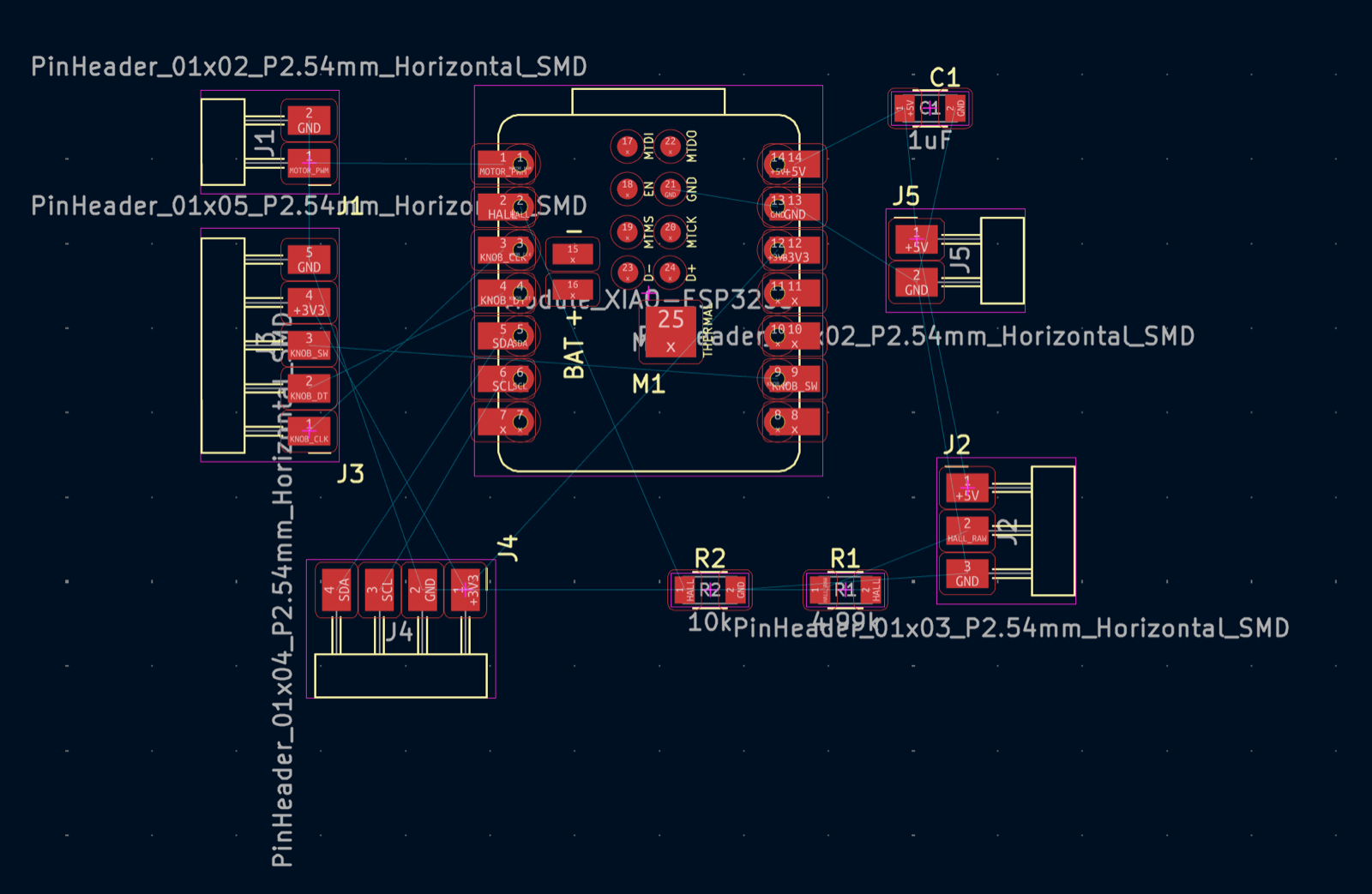
Time to arrange…looking jacked up!
A little better, still jacked up. Moved a few labels from left side to right side of the xiao.
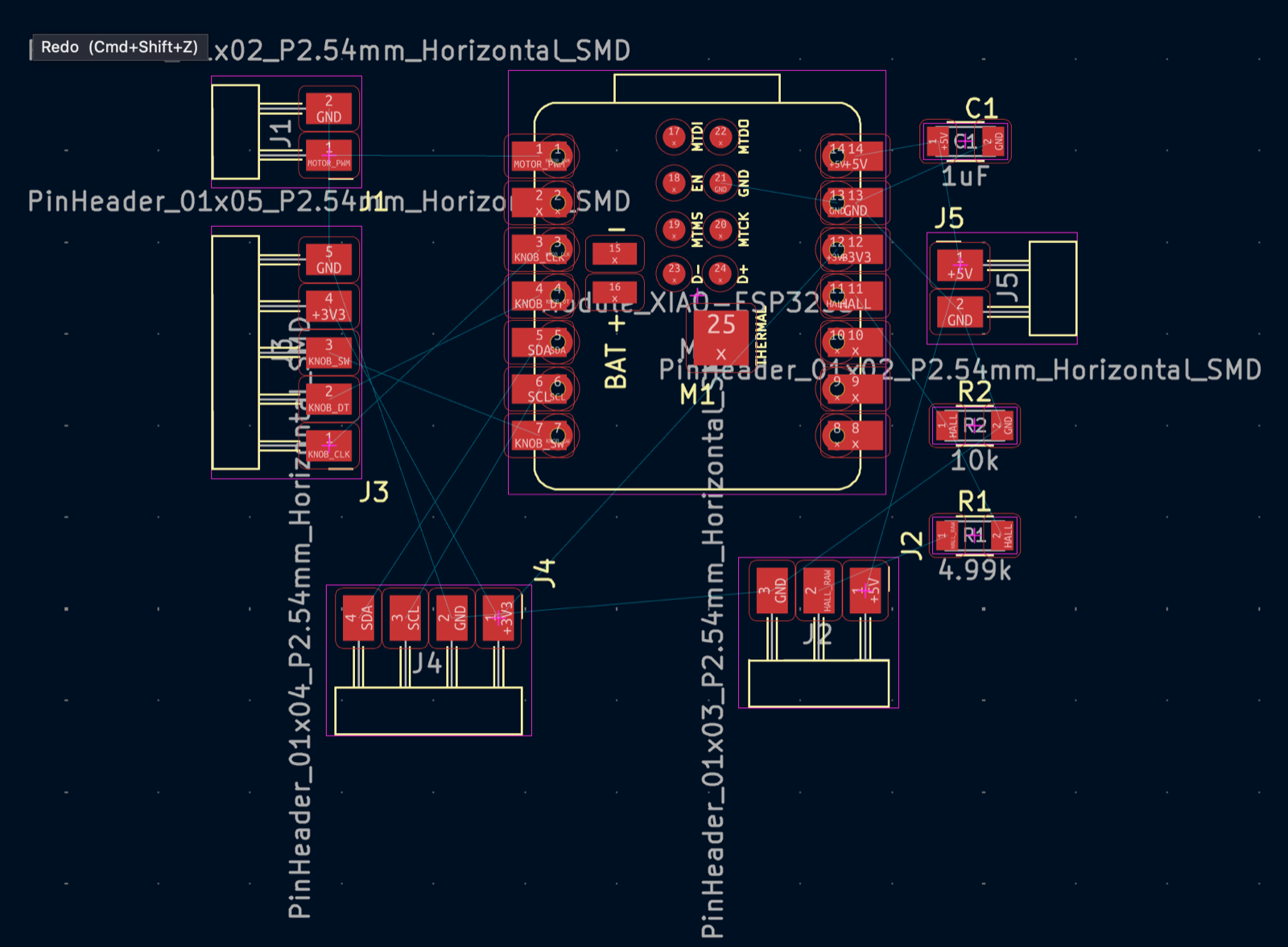
Ok, then I learned that I had improperly routed power to each of the headers, which made it impossible to route properly. I had to go back to the schematic, remove the 3v, 5v, and GND from each header, and then create a new header (J5) for all power, distinct from signals.
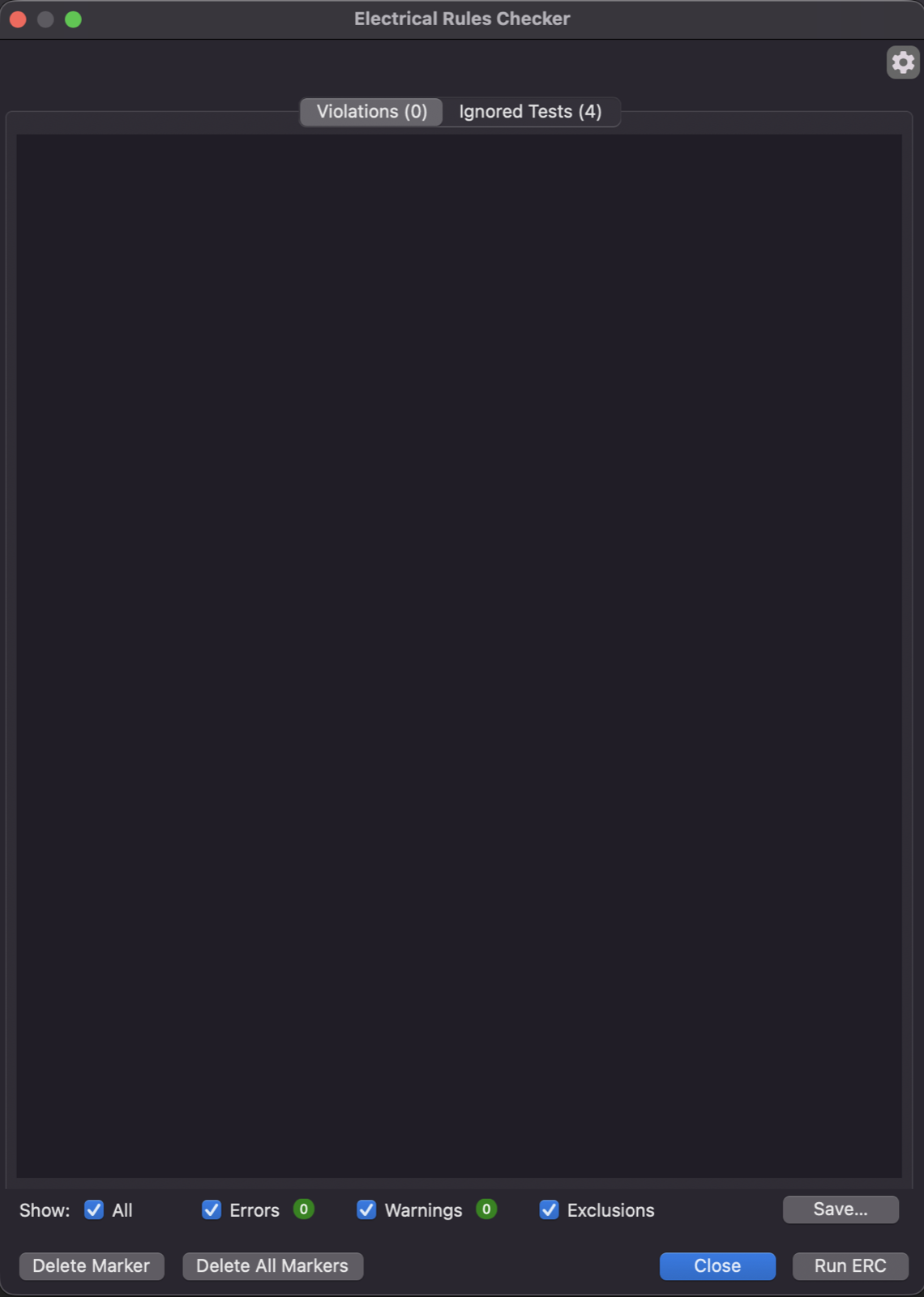
After much more trial and error, I finally got this. Ran the design checker and no errors!
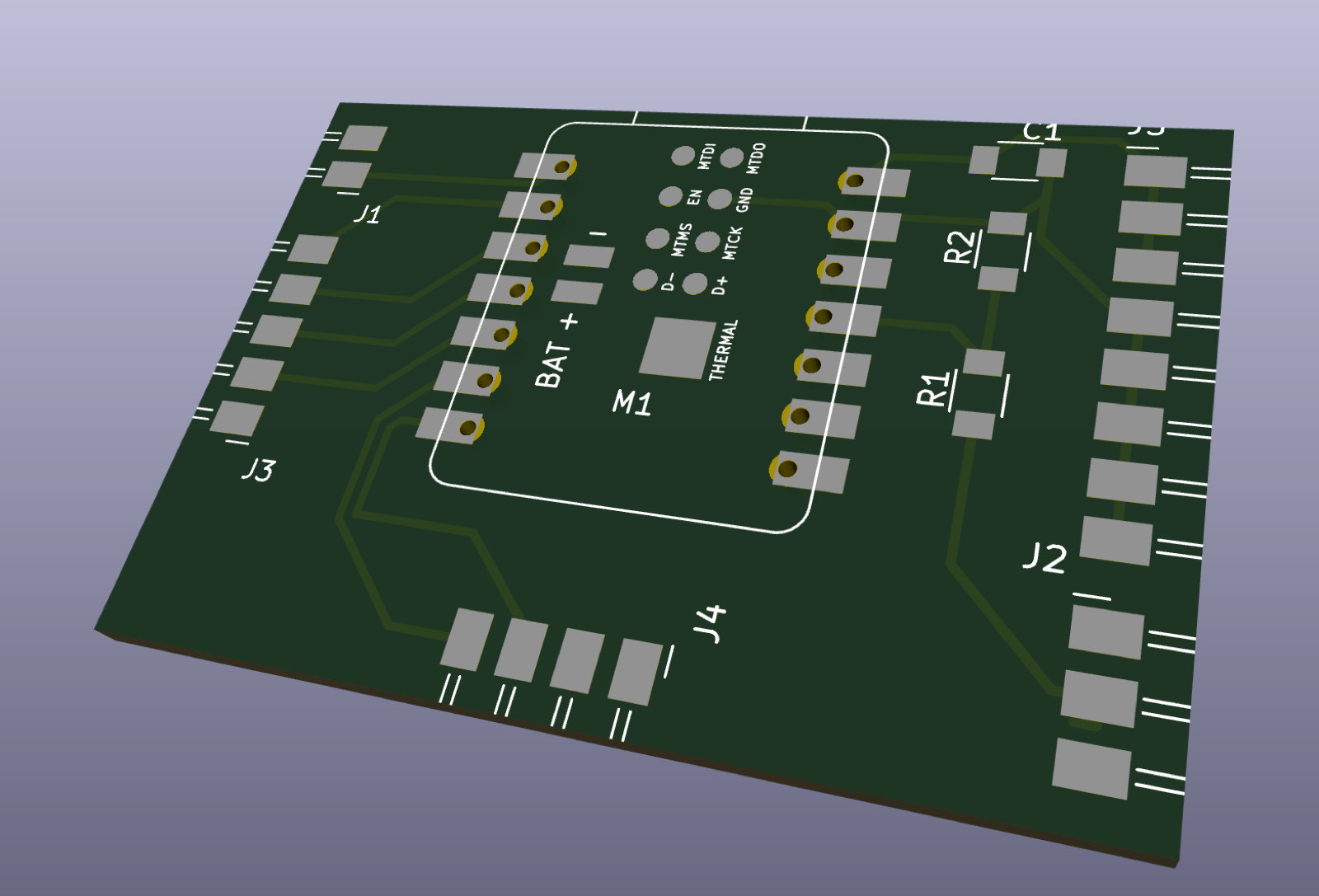
3D view!
Use of AI in this assignment: I used Claude throughout this week as a tutor. Since I came in with no electronics background, I started by asking it to explain the basics in plain terms: what a circuit board actually does, how the electronics weeks build on each other, and how my final project breaks down into boards. When it began handing me finished pin assignments, I asked it to show me how I would work them out on my own. That gave me a method I then applied to each component: sort the pins into power and signals, decide which signals actually need to connect, and check whether the voltages match the XIAO. I found and read each datasheet myself and took my own screenshots, and Claude helped me interpret what I was seeing. Some of what I learned came from mistakes caught along the way. Claude initially steered me toward the wrong board before I shared my earlier planning notes, and the generic KY-040 reference page had errors that we caught by checking it against how the part actually works. Claude also searched the Fab inventory library for parts