October 7, 2026
The assignment this week was to use an EDA tool to design an embedded microcontroller system with parts from the Fab inventory, and to check its design rules for fabrication. I used KiCad, and instead of designing a practice board I decided to design the real thing: the main PCB of my final project, a 50 cm remote-controlled sailing boat.
The board holds the microcontroller and drives two servos. One turns the rudder (the tiller), and the other pulls the mainsheet in and out (the sail winch). It will sit in a waterproof box inside the hull, held down by four M3 screws.
I started as a complete beginner. The only board I had ever used before was the QPAD-XIAO from week 3, and I had not designed that one, I had only managed to put too much solder on it.
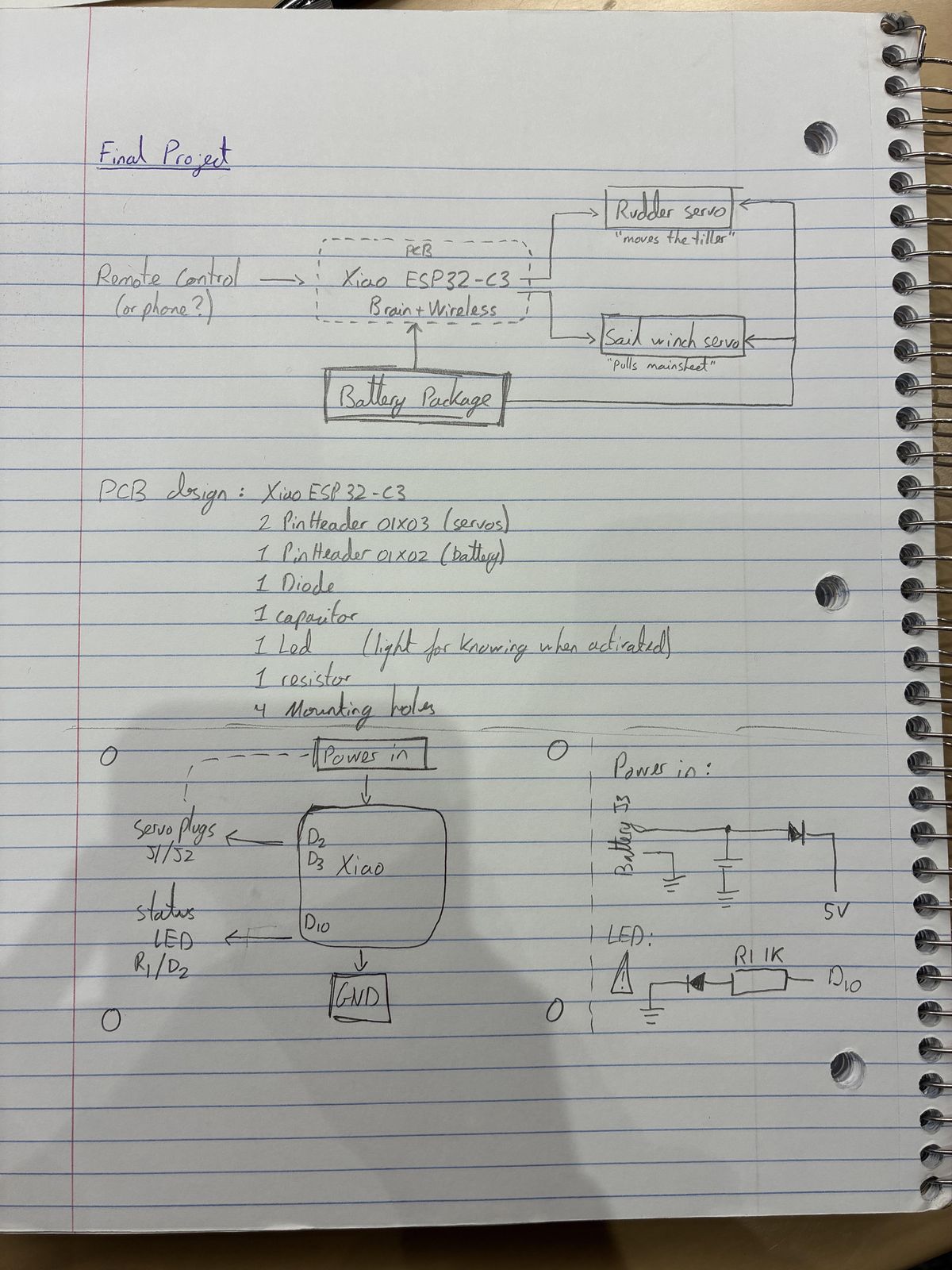
Before opening KiCad I drew the plan in my notebook, because I needed to understand what I was asking the board to do before asking a piece of software to draw it.
For the microcontroller I chose the Seeed XIAO ESP32-C3. The obvious choice would have been the XIAO RP2040, since it is the one I already know, but the RP2040 has no radio, and a remote-controlled boat with no way of being remotely controlled is just a boat. The ESP32-C3 has Wi-Fi and Bluetooth built in, so I can steer from a phone or from a second XIAO. That was Qilmeg's advice, and it was good advice. It is also the same size and the same pinout as the board I already knew, so I did not have to relearn everything, and it comes with an external antenna that I can place high up inside the box, away from the water.
The two servos are not on the board, they plug into it. The plan is an MG90S (metal gears) for the rudder and a bigger MG996R for the sail, because pulling a sail in against the wind takes a lot more force than turning a small rudder. Both use the standard 3-wire servo plug. The plan for power is a pack of four AA NiMH batteries, about 4.8 V, feeding both servos and the XIAO.
On the board itself, that gives a short shopping list:
The first step was installing the Fab KiCad library, which means adding the symbol library, the footprint library and a path variable called FAB. Then I could start drawing the schematic, which is the part where you only say what is connected to what, without caring yet about where things physically are.
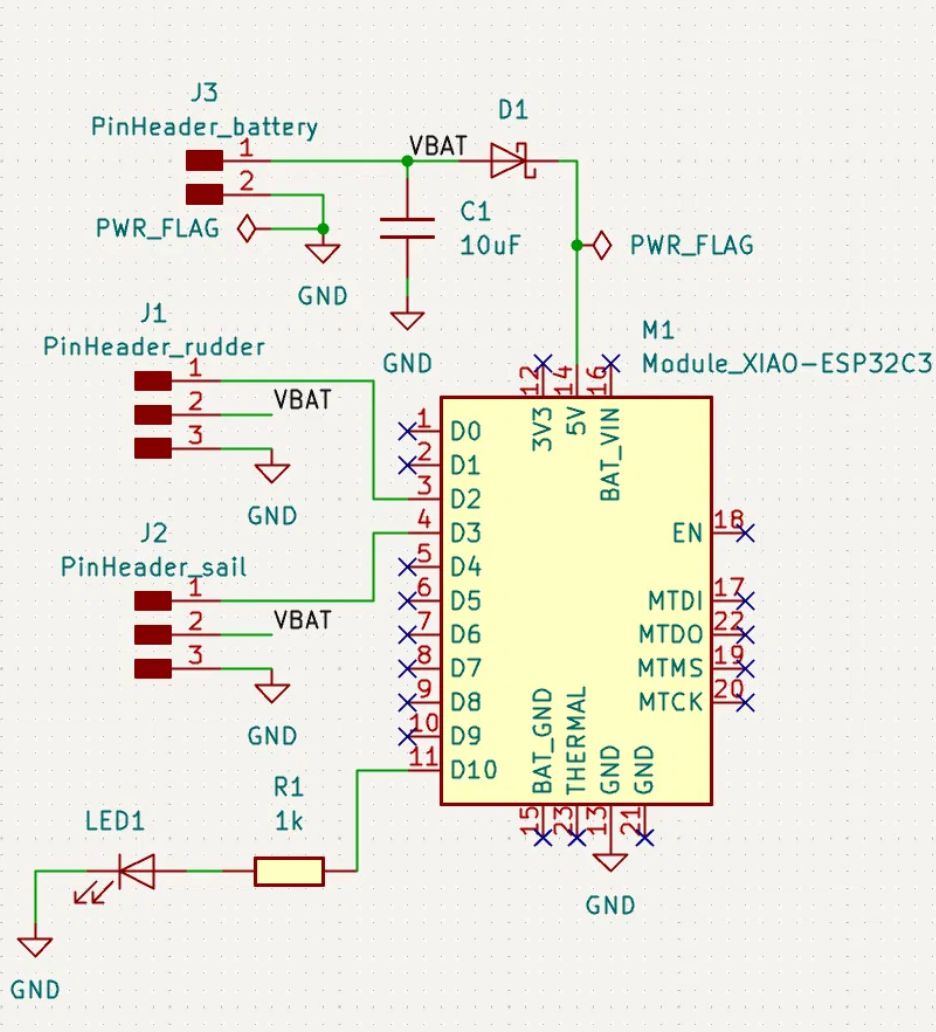
The wiring choices, and why I made them:
To keep the drawing readable I used net labels (VBAT) and GND symbols instead of long wires going across the whole page, and I marked every unused pin as "no connect", which is what the small blue crosses are. The ERC (electrical rules check) came back with 0 errors, after I added the PWR_FLAG symbols that tell KiCad where the power actually comes from.
This was the hard part, with a lot of back and forth with the schematic view to get the wires right. When you first move from the schematic to the board, KiCad hands you all the parts in a heap, with thin lines showing which pads still need to be connected.
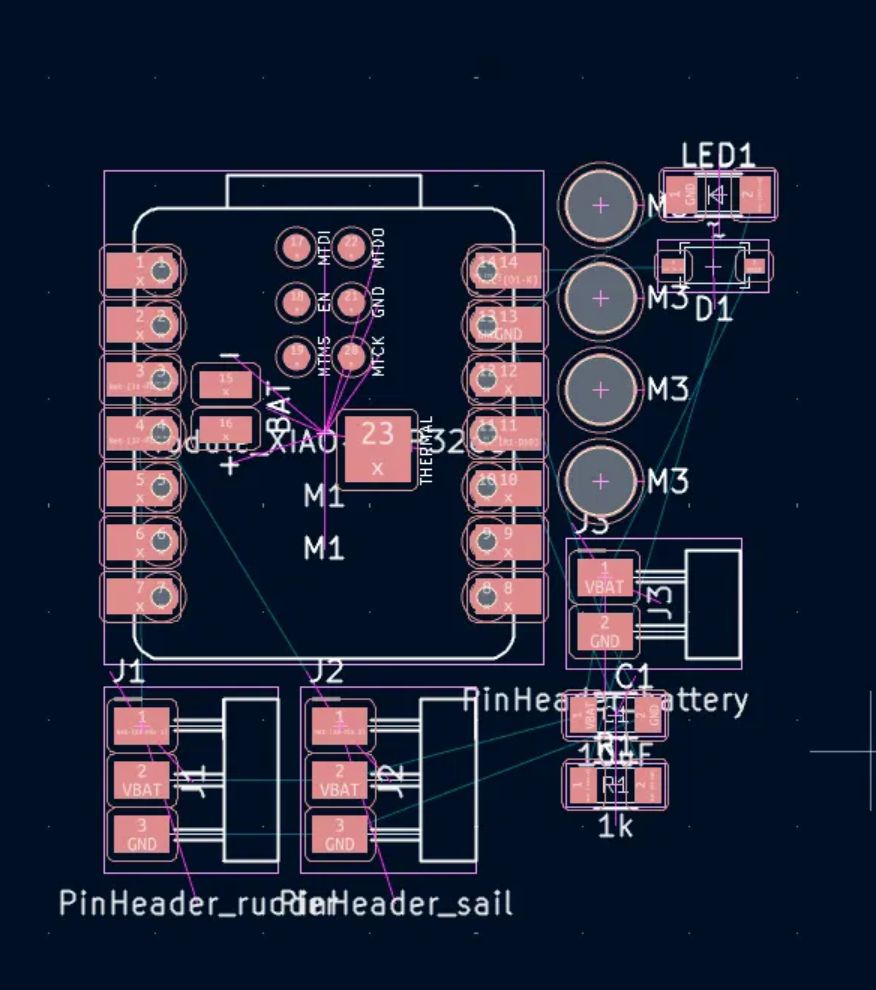
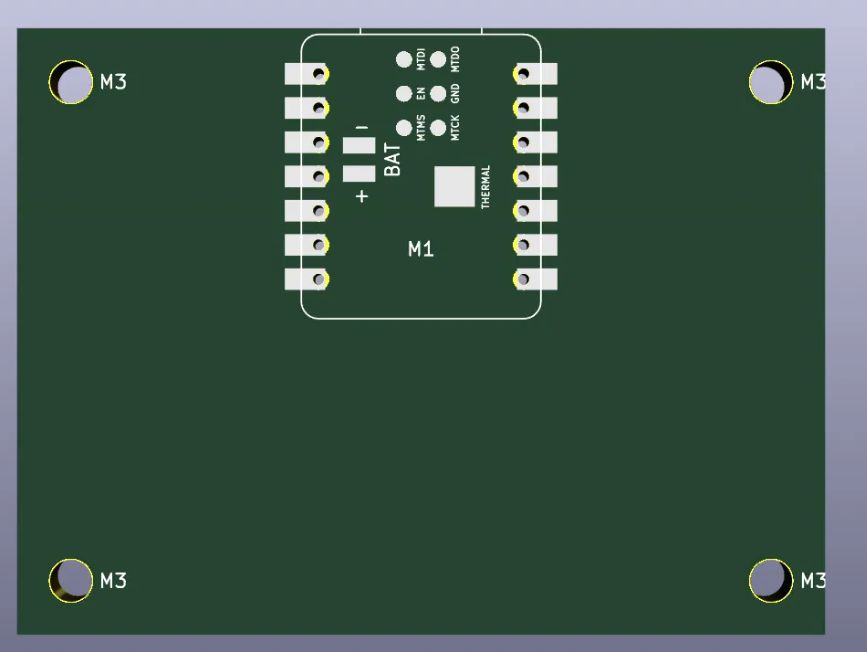
Before placing anything I set the fabrication rules. The board will be milled, not etched in a factory, so the rules are generous: 0.4 mm minimum clearance and 0.4 mm minimum track width. Then I drew the outline, 60 × 45 mm, on the Edge.Cuts layer. The board is single-sided, which sounds like a simplification and turned out to be the source of most of my problems.
The placement follows from how the board will be used:
"Footprint not found". The Fab symbols point to a
footprint library named PCM_fab, and I had named mine
fab. Renaming the footprint library fixed it. It is the kind of
error that takes thirty seconds to fix and much longer to understand.
A diode that was too small. My first Schottky diode was a tiny 0603 part. Claude pointed out that it was possibly underrated for the current spikes of the XIAO's Wi-Fi (about 0.35 A), and that it would be hard to solder by hand. Given my record with a soldering iron, I switched to an SOD-123 package, which is bigger.
Shorts that the design rule check cannot see. My first routing worked, in the sense that every pad was connected. But I had passed tracks between a header's pads and its plastic body, which is exactly where the bare metal pins lie flat on the board. The pins would have touched the tracks underneath them and shorted everything together. KiCad does not flag this, because the pins are drawn on the silkscreen layer and not on the copper layer, so as far as the software is concerned nothing is there.
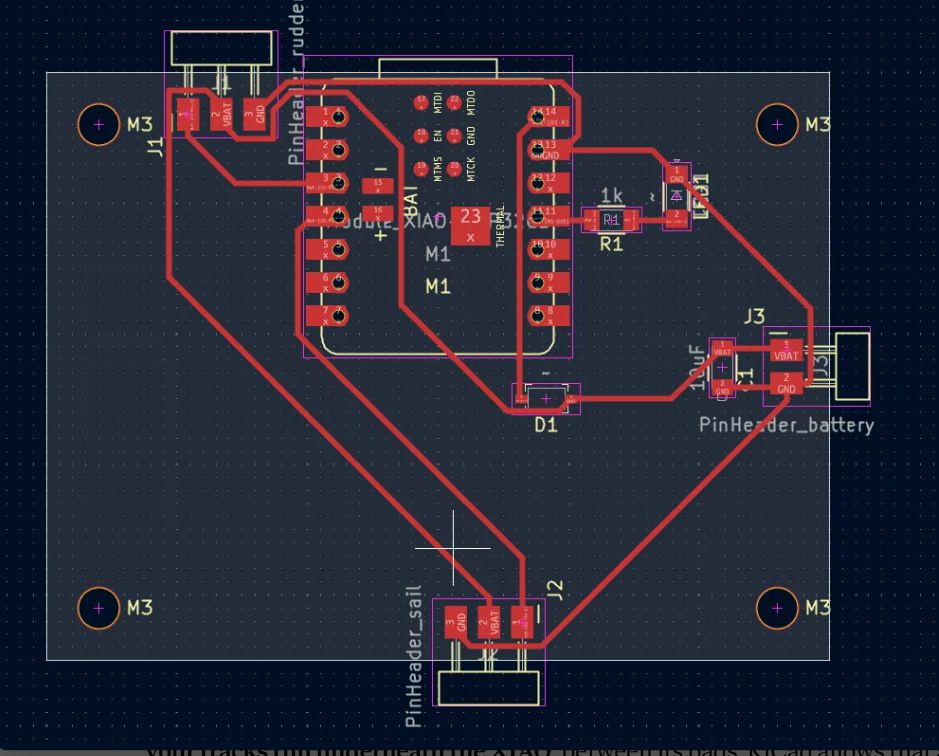
Crossing tracks on a one-sided board. Once the tracks were no longer allowed under the pins, I ran into the real problem. There are three groups (two servos and the battery) that each need power, ground and a signal, and on a single layer of copper some of those tracks simply have to cross. On the second attempt I was left with one connection that I could not route at all.
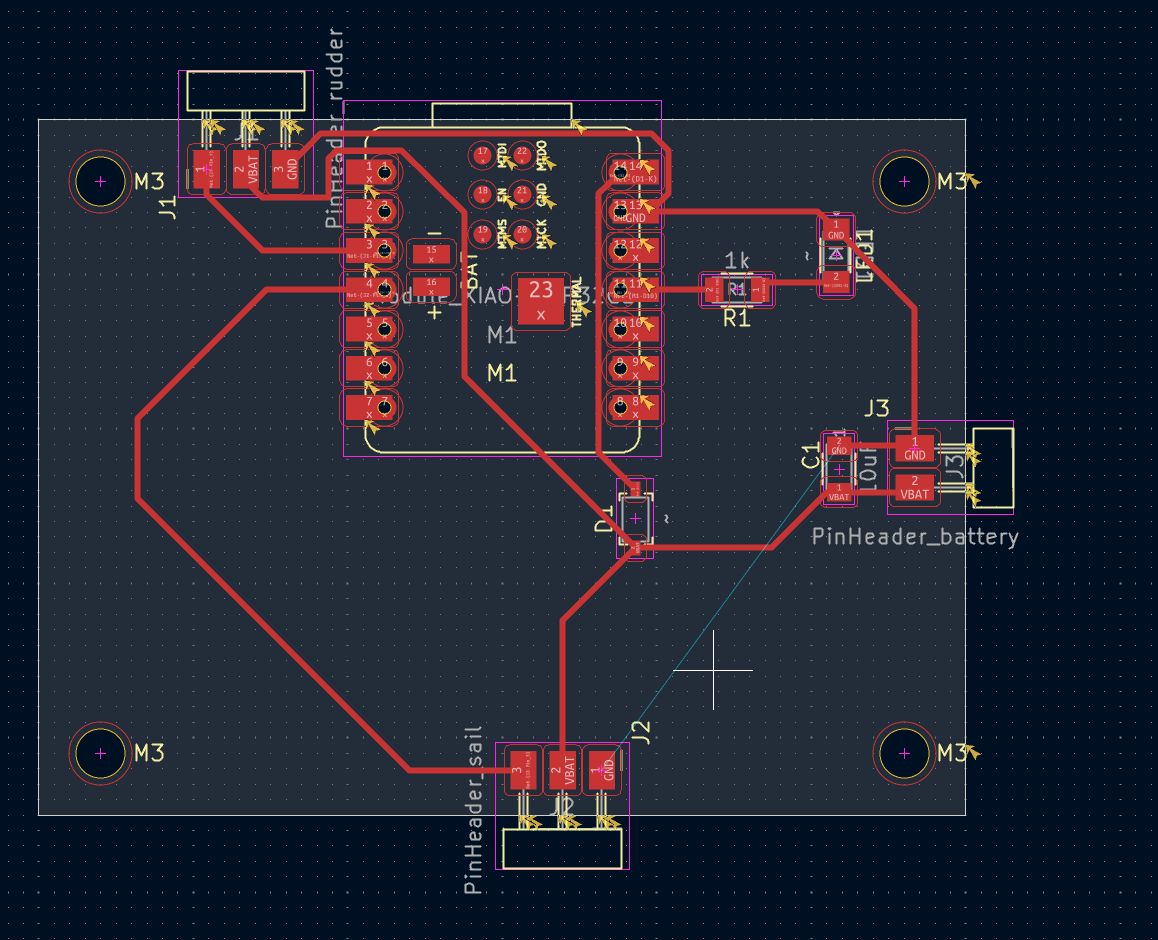
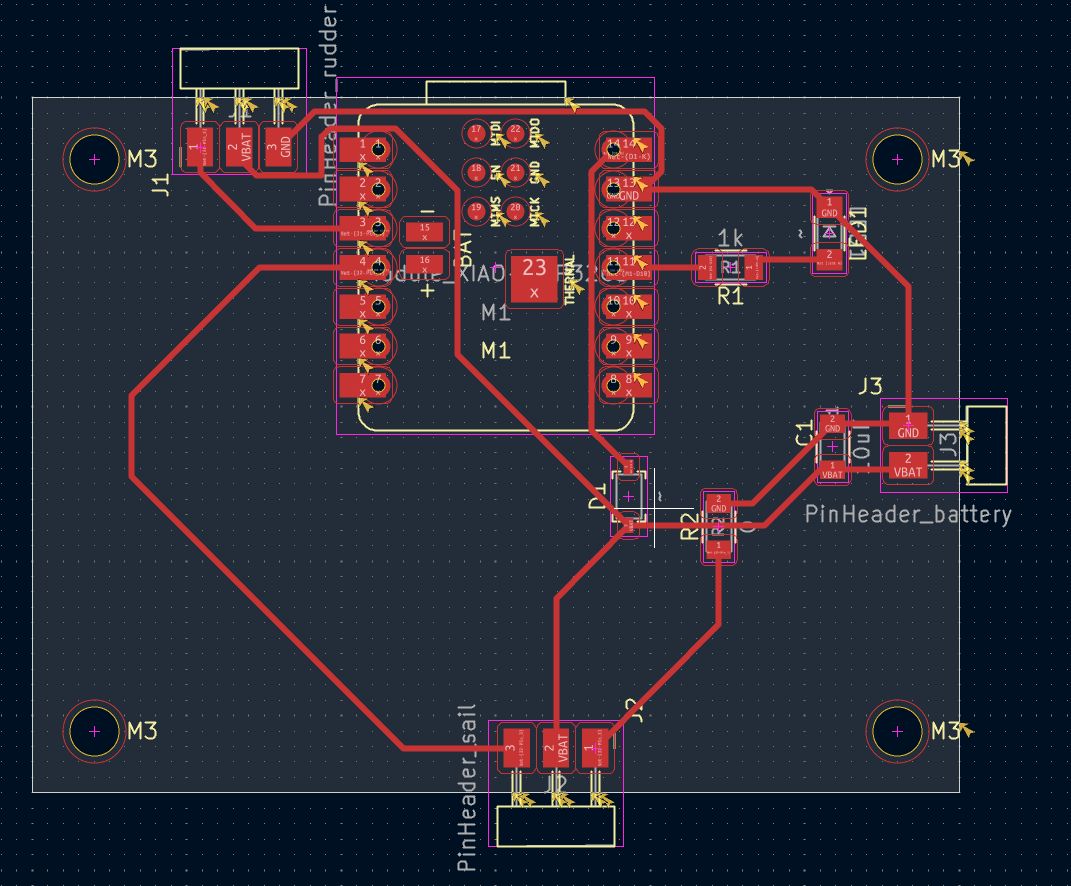
What got me out of it was a combination of three things:
Labels on a milled board. The milling machine ignores the silkscreen layer, so any text I want to be able to read on the real board has to be drawn in copper, on the F.Cu layer, at least 2 mm tall with 0.4 mm strokes. I added an "S" next to each servo signal pin, "+" and "−" next to the power pins, and, because there was room, "Victor's Boat PCB" and "HTMAA 2026".
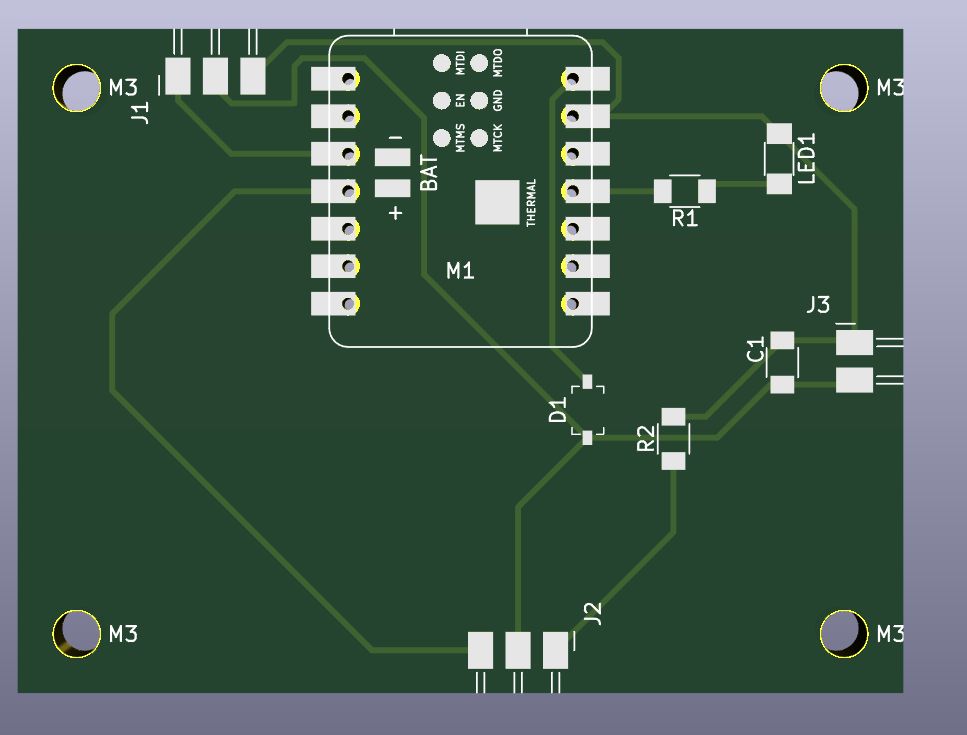
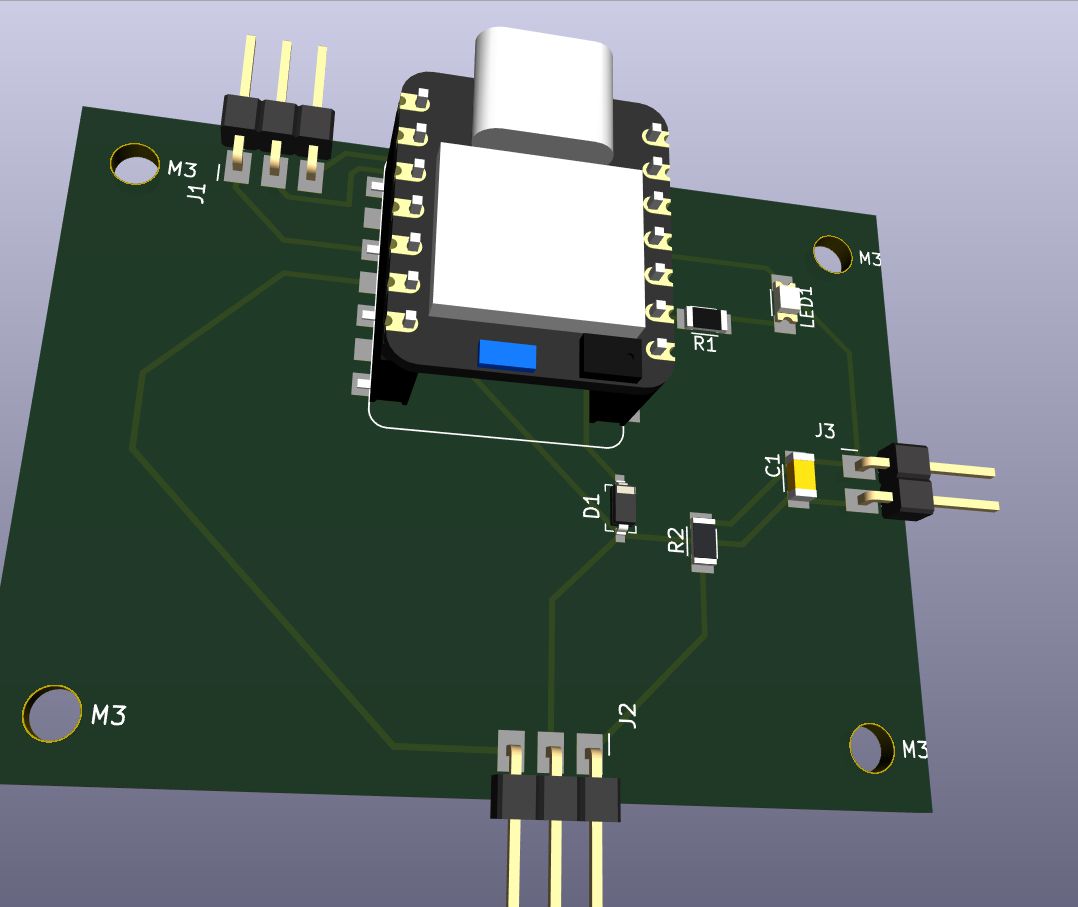
With the 0.4 mm rules set, the final DRC (design rules check) reports 0 errors and 0 unconnected pads. It still gives 40 warnings, all of them about the silkscreen: silkscreen clipped by the board edge (the headers overhang the edge on purpose), silkscreen over pads, and text that is too small. Since the milling machine does not do silkscreen at all, I left them alone.
The schematic is the easy half. Deciding what connects to what is logic, and the ERC tells you when you are wrong. The layout is geometry, on one layer, and most of the week went there.
A design rule check that passes does not mean the board works. The DRC only knows about copper. The rule I take away is that tracks can pass under insulating parts, never under bare metal.
When two tracks have to cross on a one-sided board, the way out is usually not more clever routing. It is going back to the schematic to swap two pins, passing under a component, or adding a 0 Ω resistor as a bridge.
Next week is electronics production: milling and soldering this board, then testing the servos and the LED. That is when I find out what else the DRC could not see.
I used Claude (Opus 5.5) as a mentor again this week, to explain KiCad and to review my choices. Two of the changes described above came from it: replacing the 0603 diode with an SOD-123 one, and using a 0 Ω resistor as a jumper.