Week 2
Embedded System Using a Microcontroller: Xiao RP2040 on QPAD
Assembling the QPAD
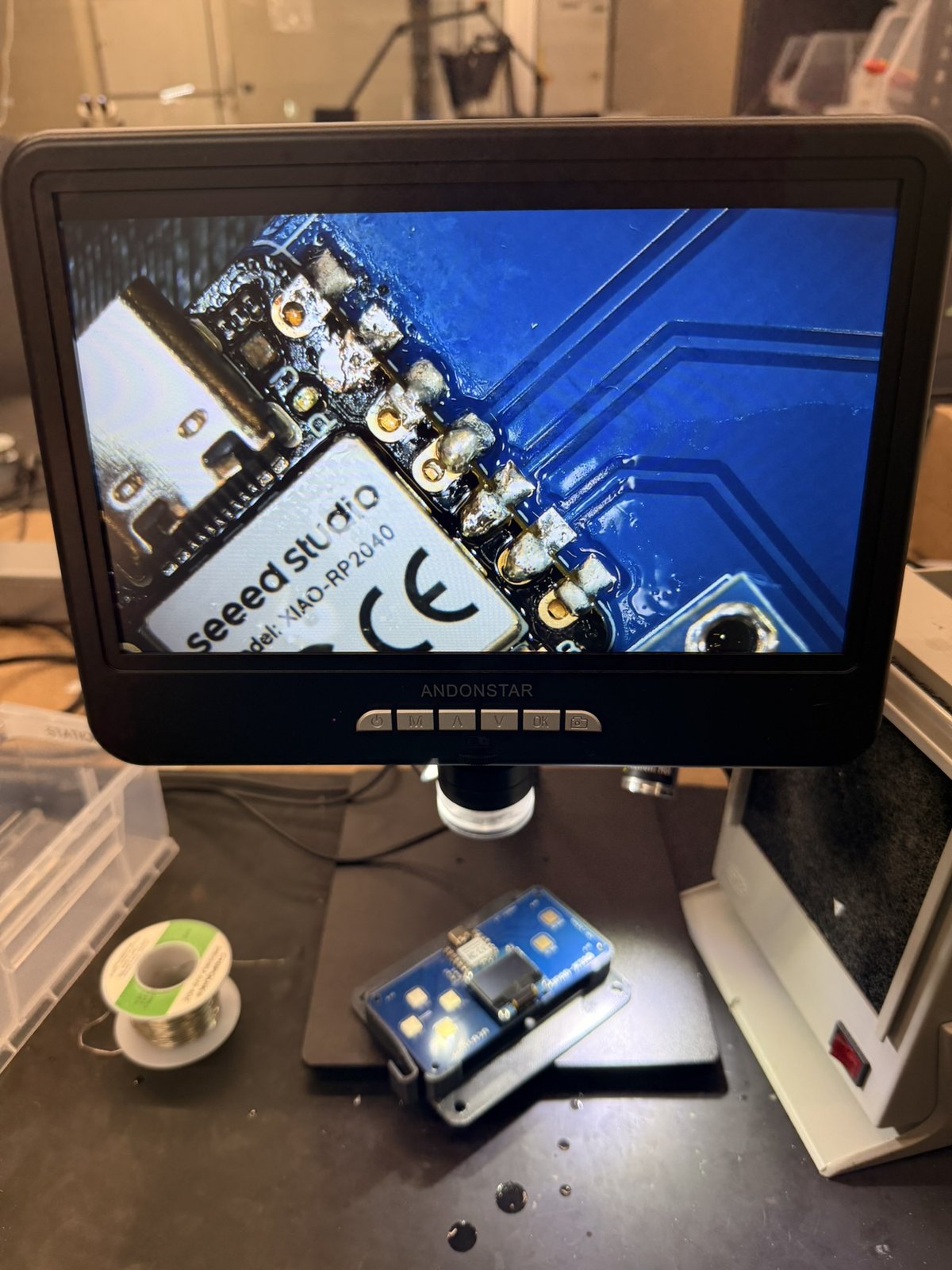
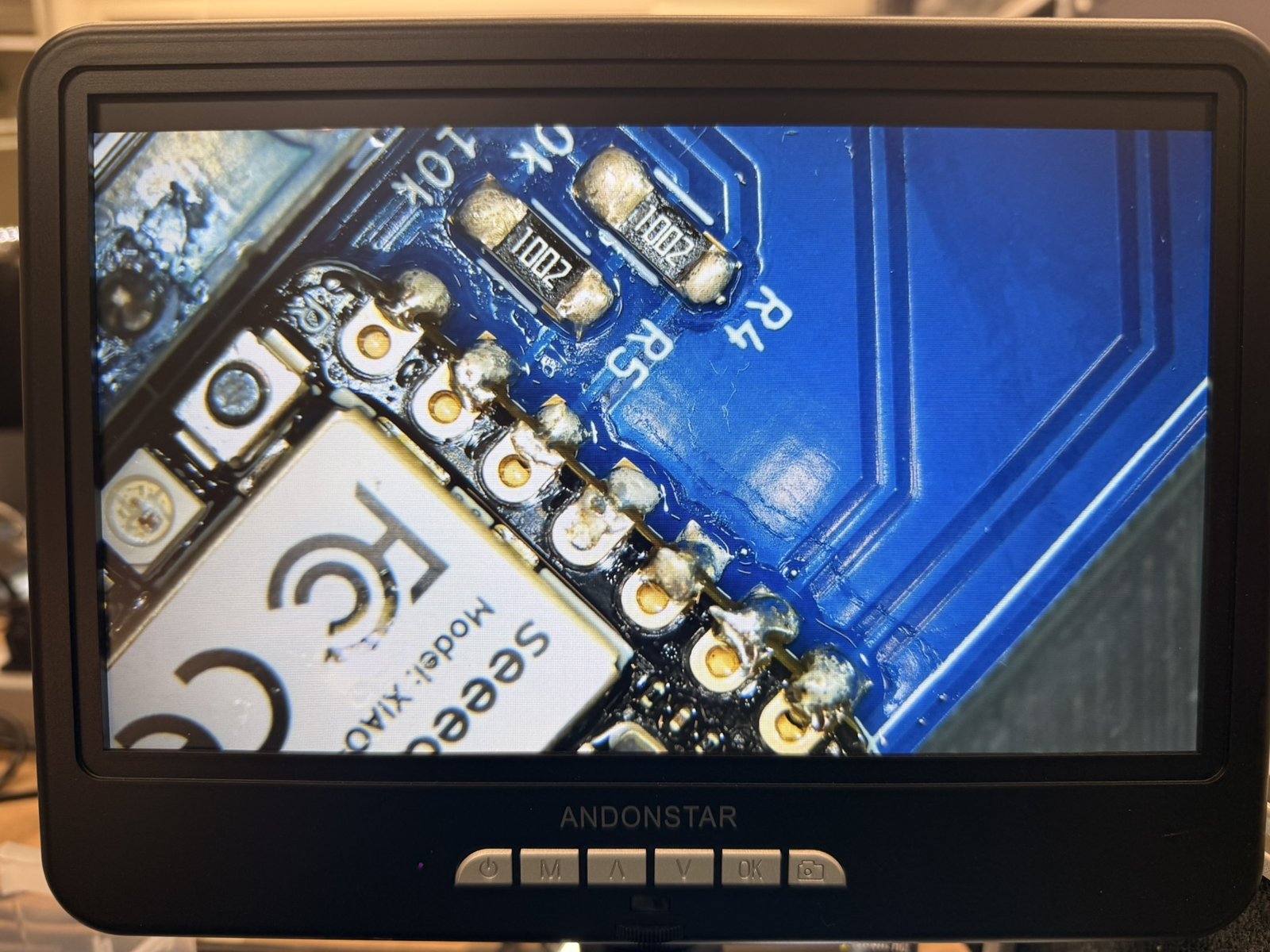
This week was a lot of fun. I was pretty intimidated by this assignment at first. I had never programmed hardware before, much less assemble it. Since I was a bit intimidated by the programming, I decided to assemble the QPAD first (i.e. to solder everything on). The soldering was a bit infuriating at first, but I feel as though I got the hang of it towards the end (you may see that the joints on one side of the Xiao are much, much better than on the other). Still — I had plenty of trouble and had to spend quite some time working on the board. I'm new to this!
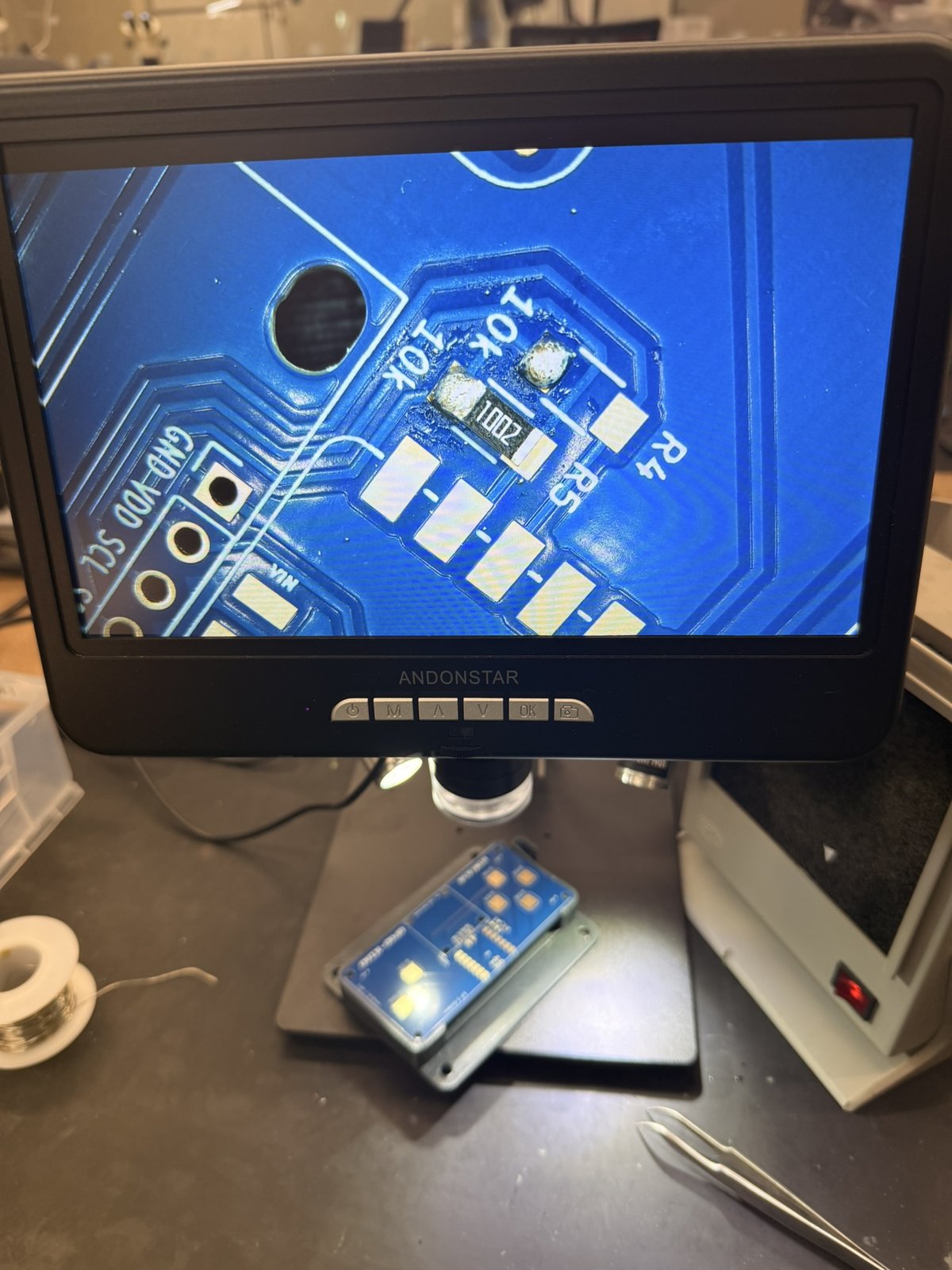
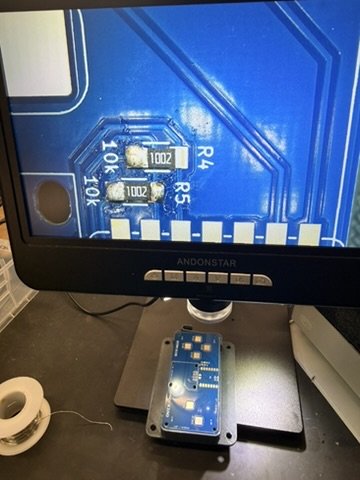
The first bit of real trouble I ran into was an accidental short between the ground pad on the Xiao and one of its neighbors. It was kind of nightmarish getting it fixed. If it wasn't for Alan's help, I'd probably still be working on fixing it. I feel like I tried everything: the copper tape — which I never got to work — , the syringe, adding new solder to encourage the flux a bit, the flux pen, blasting it with heat with the soldering iron. Nothing worked. Eventually, my cries for help in the CBA slack were answered, and Alan bailed me out. I noticed my issue was the placing of the soldering tip (mainly).
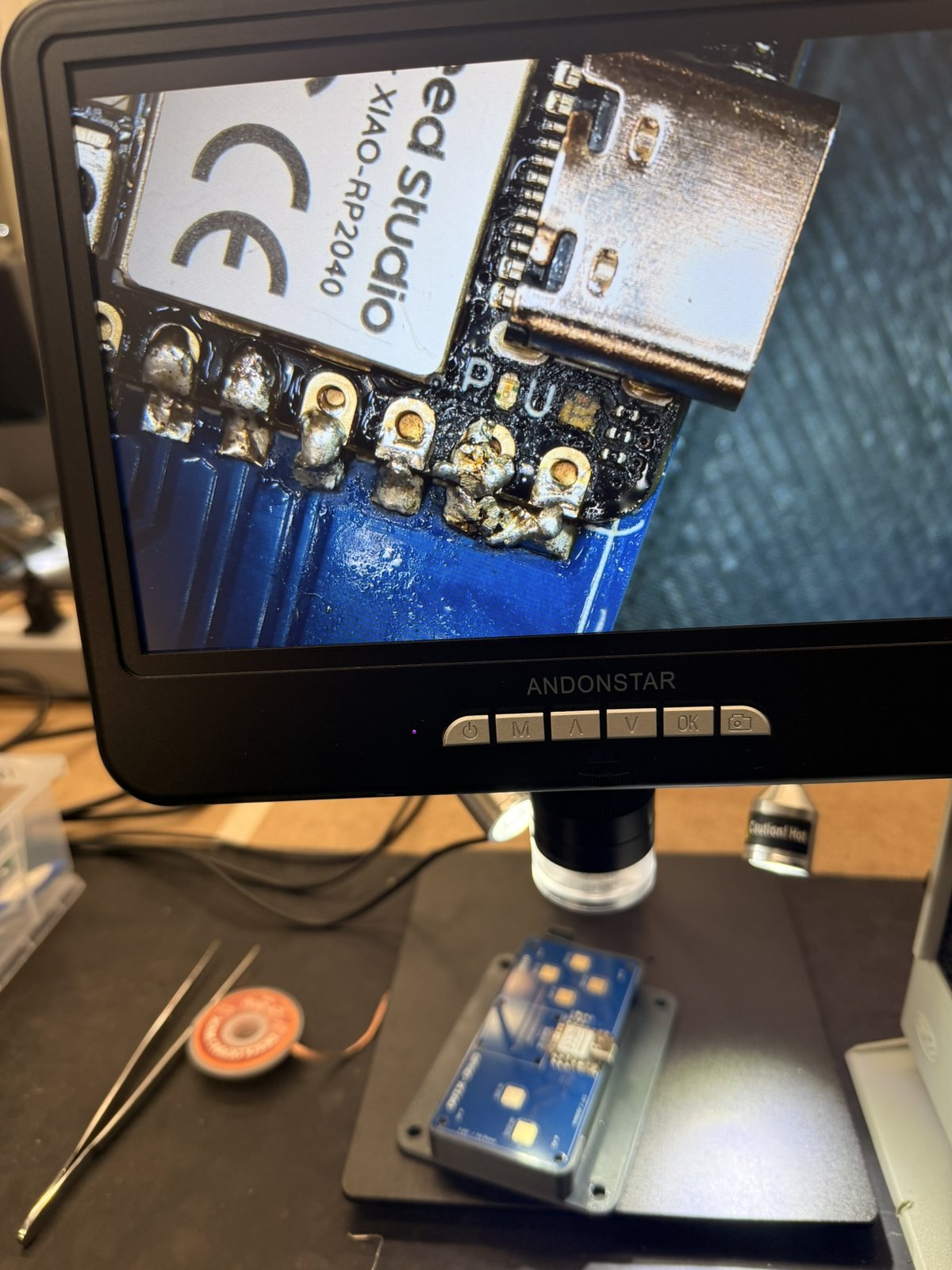
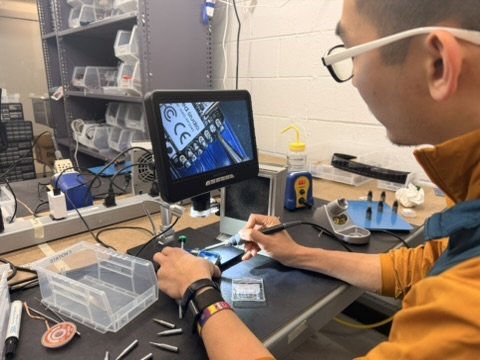
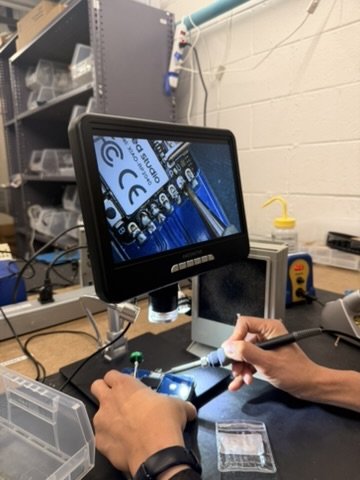
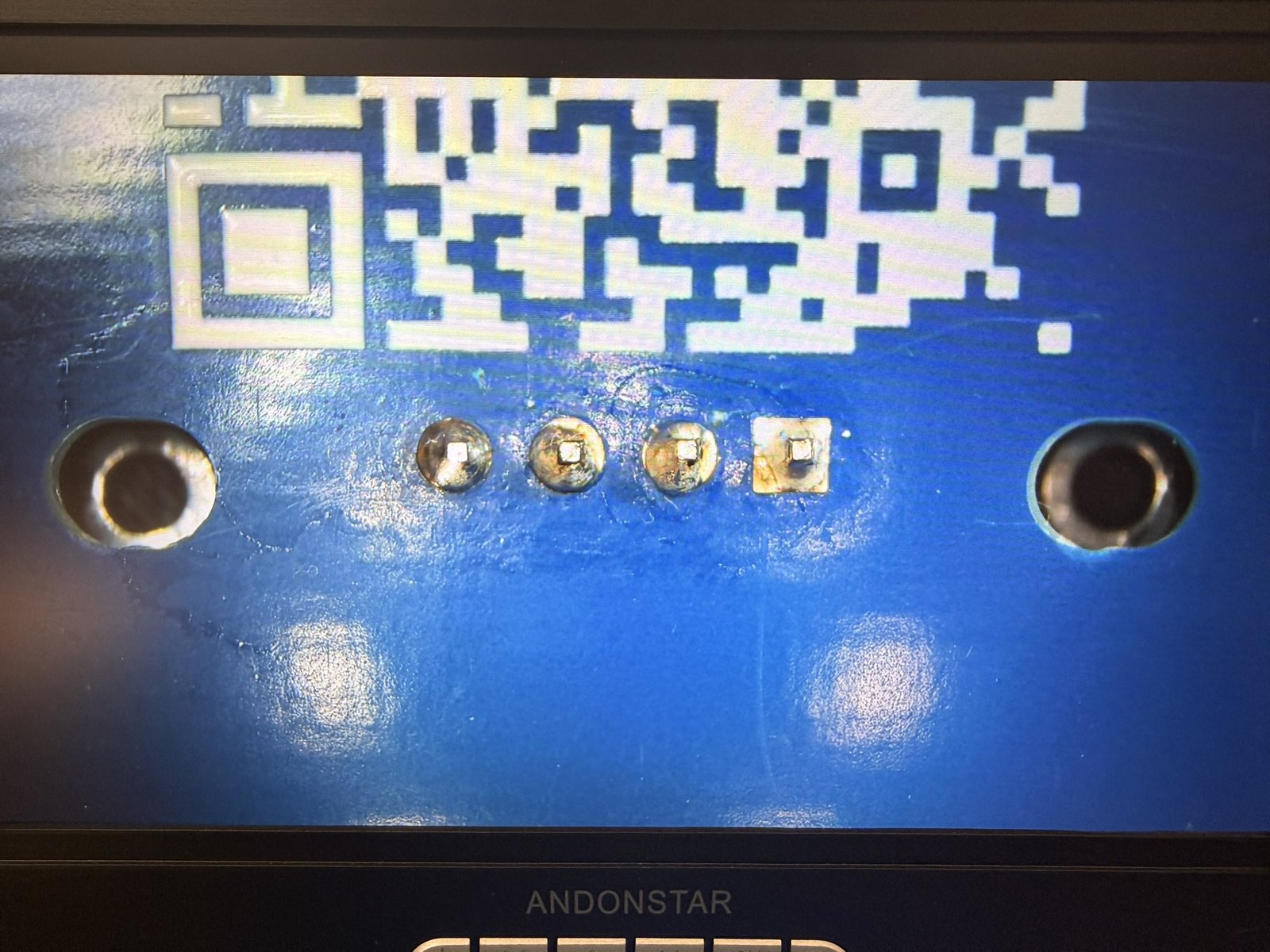
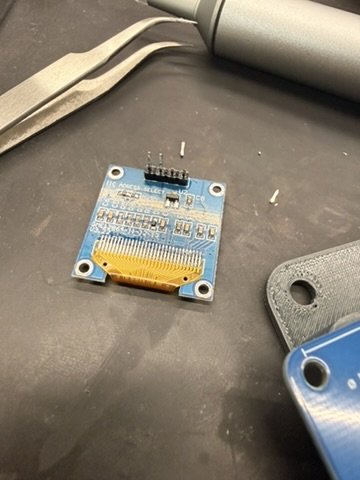
I continued to solder the other side of the Xiao and the OLED display. The pins in the back were tricky at first, but I also kind of got the hang of it. When I thought I was done, Alan pointed out that I should install the 3D printed support for the display. We quickly realize I'd have to remove the OLED to install the support. By using a lot of flux and the syringe, I was able to remove most of the solder from around the pins. When neither of us were able to remove the solder inside the holes, however, Alan cut the display off with pliers and I reinstalled a new one. The suddering on the second one was way better.
Programming the QPAD
After assembling the board, I got to programming. Well, I got to asking Chat how to do the programming. Again, this was the first time I ever did anything like this, so I worked extensively with AI this week. Still, I had it explain the code to me step by step as opposed to just having it do it for me. I needed a lot of help with the very basics: downloading and including libraries, connecting to the correct board on Arduino IDE, and fundamental syntax. Luckily, I found that there was a lot of existing infrastructure online (such as libraries) that made everything very digestible. I will attach a pdf with my prompts and the responses generated here.
Initially, I set out to do something simple. I wanted the display to indicate which button I am pressing as I was pressing it. This, as trivial as it is, was challenging and interesting for me. I spent a lot of time understanding how the input works, for example. I know it was repeated in class that the buttons were not actually buttons, but that they functioned as capacitors whose capacitance changed when it touched our fingers (since they are just metal pads). I spent quite some time, however, trying to understand how that was accounted for in the program and what the thing was actually measuring to detect this. Since our body increases the capacitance, the build up time for it in an RC circuit increases (t = RC). By counting how long it takes the pin to go from "LOW" to "HIGH," the button can tell if it's being pressed or not. I thought that was pretty nifty. As a physical chemist, it was what I found most interesting.
I started trying to play around with it a bit more to try to understand the system better. Initially, if I pressed Q0, the display would continue to say "Q0" until another button was pressed. My first modification was to "re-initialize" the display to say "READY" after pressing a button. Also, I made sure to include code which printed the time recorded for each pin to go from "LOW" to "HIGH" on the serial monitor. This, besides meeting the "communicates" part of the assignment, essentially served as an analog for live capacitance readings, which I thought was cool! The next step was to make it a little funner. Instead of having the display just show what button is being pressed, I set out to make the display show these live capacitance measurements graphically. I ended up just having a bunch of little rectangles whose height is dictated by the capacitance analog at each button. The harder your press it, the taller the rectangle. The last thing I did, just to be fancy, was include the MIT logo whenever the QPAD initialized. To do this, I had to convert the MIT logo to a bit-map so that it would be displayed on the screen. Essentially, translating the MIT logo into a big array with hexadecimals telling the screen specifically what pixels to turn on. Keeping the live capacitance readings on my laptop, I finalized my assignment as it met all the criteria. It had input/output and communicated with a wired connection.
I'm sure there's gonna be people who have a fully functioning Gameboy or something crazy on their QPAD, but given how little I knew when I started this assignment, I'm honestly pretty happy with my little QPAD.
Arduino Code
#include <Wire.h>
#include <Adafruit_GFX.h>
#include <Adafruit_SSD1306.h>

#define SCREEN_WIDTH 128
#define SCREEN_HEIGHT 64
#define OLED_RESET -1
#define SCREEN_ADDRESS 0x3C

#define N_TOUCH 6
#define THRESHOLD 20

Adafruit_SSD1306 display(
  SCREEN_WIDTH,
  SCREEN_HEIGHT,
  &Wire,
  OLED_RESET
);

// Q0, Q1, Q2, Q3, Q4, Q5
int touch_pins[N_TOUCH] = {D10, D9, D8, D1, D7, D0}; //In order of Q0, Q1, Q2, Q3, Q4, Q5

int touch_values[N_TOUCH] = {0, 0, 0, 0, 0, 0};

bool wasTouched[N_TOUCH] = {
  false, false, false, false, false, false
};

const unsigned char mit_logo_mit_logo_std_rgb_white[] PROGMEM = {
  0x00, 0x00, 0x00, 0x00, 0x00, 0x00, 0x00, 0x00, 0x00, 0x00, 0x00, 0x00, 0x00, 0x00, 0x00, 0x00,
	0x00, 0x00, 0x00, 0x00, 0x00, 0x00, 0x00, 0x00, 0x00, 0x00, 0x00, 0x00, 0x00, 0x00, 0x00, 0x00,
	0x00, 0x00, 0x00, 0x00, 0x00, 0x00, 0x00, 0x00, 0x00, 0x00, 0x00, 0x00, 0x00, 0x00, 0x00, 0x00,
	0x00, 0x00, 0x00, 0x00, 0x00, 0x00, 0x00, 0x00, 0x00, 0x00, 0x00, 0x00, 0x00, 0x00, 0x00, 0x00,
	0x00, 0x00, 0x00, 0x00, 0x00, 0x00, 0x00, 0x00, 0x00, 0x00, 0x00, 0x00, 0x00, 0x00, 0x00, 0x00,
	0x00, 0x00, 0x00, 0x00, 0x00, 0x00, 0x00, 0x00, 0x00, 0x00, 0x00, 0x00, 0x00, 0x00, 0x00, 0x00,
	0x00, 0x00, 0x00, 0x00, 0x00, 0x00, 0x00, 0x00, 0x00, 0x00, 0x00, 0x00, 0x00, 0x00, 0x00, 0x00,
	0x00, 0x00, 0x00, 0x00, 0x00, 0x00, 0x00, 0x00, 0x00, 0x00, 0x00, 0x00, 0x00, 0x00, 0x00, 0x00,
	0x00, 0x00, 0x00, 0x00, 0x00, 0x00, 0x00, 0x00, 0x00, 0x00, 0x00, 0x00, 0x00, 0x00, 0x00, 0x00,
	0x00, 0x00, 0x00, 0x00, 0x00, 0x00, 0x00, 0x00, 0x00, 0x00, 0x00, 0x00, 0x00, 0x00, 0x00, 0x00,
	0x00, 0x00, 0x03, 0xff, 0x07, 0xfc, 0x1f, 0xf8, 0x3f, 0xf0, 0x7f, 0xff, 0xff, 0xc0, 0x00, 0x00,
	0x00, 0x00, 0x03, 0xff, 0x07, 0xfc, 0x1f, 0xf8, 0x3f, 0xf0, 0x7f, 0xff, 0xff, 0xc0, 0x00, 0x00,
	0x00, 0x00, 0x03, 0xff, 0x07, 0xfc, 0x1f, 0xf8, 0x3f, 0xf0, 0x7f, 0xff, 0xff, 0xc0, 0x00, 0x00,
	0x00, 0x00, 0x03, 0xff, 0x07, 0xfc, 0x1f, 0xf8, 0x3f, 0xf0, 0x7f, 0xff, 0xff, 0xc0, 0x00, 0x00,
	0x00, 0x00, 0x03, 0xff, 0x07, 0xfc, 0x1f, 0xf8, 0x3f, 0xf0, 0x7f, 0xff, 0xff, 0xc0, 0x00, 0x00,
	0x00, 0x00, 0x03, 0xff, 0x07, 0xfc, 0x1f, 0xf8, 0x3f, 0xf0, 0x7f, 0xff, 0xff, 0xc0, 0x00, 0x00,
	0x00, 0x00, 0x03, 0xff, 0x07, 0xfc, 0x1f, 0xf8, 0x3f, 0xf0, 0x7f, 0xff, 0xff, 0xc0, 0x00, 0x00,
	0x00, 0x00, 0x03, 0xff, 0x07, 0xfc, 0x1f, 0xf8, 0x3f, 0xf0, 0x7f, 0xff, 0xff, 0xc0, 0x00, 0x00,
	0x00, 0x00, 0x03, 0xff, 0x07, 0xfc, 0x1f, 0xf8, 0x3f, 0xf0, 0x7f, 0xff, 0xff, 0xc0, 0x00, 0x00,
	0x00, 0x00, 0x03, 0xff, 0x07, 0xfc, 0x1f, 0xf8, 0x3f, 0xf0, 0x7f, 0xff, 0xff, 0x80, 0x00, 0x00,
	0x00, 0x00, 0x03, 0xff, 0x07, 0xfc, 0x1f, 0xf8, 0x00, 0x00, 0x00, 0x00, 0x00, 0x00, 0x00, 0x00,
	0x00, 0x00, 0x03, 0xff, 0x07, 0xfc, 0x1f, 0xf8, 0x00, 0x00, 0x00, 0x00, 0x00, 0x00, 0x00, 0x00,
	0x00, 0x00, 0x03, 0xff, 0x07, 0xfc, 0x1f, 0xf8, 0x00, 0x00, 0x00, 0x00, 0x00, 0x00, 0x00, 0x00,
	0x00, 0x00, 0x03, 0xff, 0x07, 0xfc, 0x1f, 0xf8, 0x00, 0x00, 0x00, 0x00, 0x00, 0x00, 0x00, 0x00,
	0x00, 0x00, 0x03, 0xff, 0x07, 0xfc, 0x1f, 0xf8, 0x00, 0x00, 0x00, 0x00, 0x00, 0x00, 0x00, 0x00,
	0x00, 0x00, 0x03, 0xff, 0x07, 0xfc, 0x1f, 0xf8, 0x3f, 0xf0, 0x7f, 0xe0, 0x00, 0x00, 0x00, 0x00,
	0x00, 0x00, 0x03, 0xff, 0x07, 0xfc, 0x1f, 0xf8, 0x3f, 0xf0, 0x7f, 0xe0, 0x00, 0x00, 0x00, 0x00,
	0x00, 0x00, 0x03, 0xff, 0x07, 0xfc, 0x1f, 0xf8, 0x3f, 0xf0, 0x7f, 0xe0, 0x00, 0x00, 0x00, 0x00,
	0x00, 0x00, 0x03, 0xff, 0x07, 0xfc, 0x1f, 0xf8, 0x3f, 0xf0, 0x7f, 0xe0, 0x00, 0x00, 0x00, 0x00,
	0x00, 0x00, 0x03, 0xff, 0x07, 0xfc, 0x1f, 0xf8, 0x3f, 0xf0, 0x7f, 0xe0, 0x00, 0x00, 0x00, 0x00,
	0x00, 0x00, 0x03, 0xff, 0x07, 0xfc, 0x1f, 0xf8, 0x3f, 0xf0, 0x7f, 0xe0, 0x00, 0x00, 0x00, 0x00,
	0x00, 0x00, 0x03, 0xff, 0x07, 0xfc, 0x1f, 0xf8, 0x3f, 0xf0, 0x7f, 0xe0, 0x00, 0x00, 0x00, 0x00,
	0x00, 0x00, 0x03, 0xff, 0x07, 0xfc, 0x1f, 0xf8, 0x3f, 0xf0, 0x7f, 0xe0, 0x00, 0x00, 0x00, 0x00,
	0x00, 0x00, 0x03, 0xff, 0x07, 0xfc, 0x1f, 0xf8, 0x3f, 0xf0, 0x7f, 0xe0, 0x00, 0x00, 0x00, 0x00,
	0x00, 0x00, 0x03, 0xff, 0x07, 0xfc, 0x1f, 0xf8, 0x3f, 0xf0, 0x7f, 0xe0, 0x00, 0x00, 0x00, 0x00,
	0x00, 0x00, 0x03, 0xff, 0x07, 0xfc, 0x1f, 0xf8, 0x3f, 0xf0, 0x7f, 0xe0, 0x00, 0x00, 0x00, 0x00,
	0x00, 0x00, 0x03, 0xff, 0x07, 0xfc, 0x1f, 0xf8, 0x3f, 0xf0, 0x7f, 0xe0, 0x00, 0x00, 0x00, 0x00,
	0x00, 0x00, 0x03, 0xff, 0x07, 0xfc, 0x1f, 0xf8, 0x3f, 0xf0, 0x7f, 0xe0, 0x00, 0x00, 0x00, 0x00,
	0x00, 0x00, 0x03, 0xff, 0x07, 0xfc, 0x1f, 0xf8, 0x3f, 0xf0, 0x7f, 0xe0, 0x00, 0x00, 0x00, 0x00,
	0x00, 0x00, 0x03, 0xff, 0x07, 0xfc, 0x1f, 0xf8, 0x3f, 0xf0, 0x7f, 0xe0, 0x00, 0x00, 0x00, 0x00,
	0x00, 0x00, 0x03, 0xff, 0x07, 0xfc, 0x1f, 0xf8, 0x3f, 0xf0, 0x7f, 0xe0, 0x00, 0x00, 0x00, 0x00,
	0x00, 0x00, 0x03, 0xff, 0x07, 0xfc, 0x1f, 0xf8, 0x3f, 0xf0, 0x7f, 0xe0, 0x00, 0x00, 0x00, 0x00,
	0x00, 0x00, 0x03, 0xff, 0x07, 0xfc, 0x1f, 0xf8, 0x3f, 0xf0, 0x7f, 0xe0, 0x00, 0x00, 0x00, 0x00,
	0x00, 0x00, 0x03, 0xff, 0x07, 0xfc, 0x1f, 0xf8, 0x3f, 0xf0, 0x7f, 0xe0, 0x00, 0x00, 0x00, 0x00,
	0x00, 0x00, 0x03, 0xff, 0x00, 0x00, 0x1f, 0xf8, 0x3f, 0xf0, 0x7f, 0xe0, 0x00, 0x00, 0x00, 0x00,
	0x00, 0x00, 0x03, 0xff, 0x00, 0x00, 0x1f, 0xf8, 0x3f, 0xf0, 0x7f, 0xe0, 0x00, 0x00, 0x00, 0x00,
	0x00, 0x00, 0x03, 0xff, 0x00, 0x00, 0x1f, 0xf8, 0x3f, 0xf0, 0x7f, 0xe0, 0x00, 0x00, 0x00, 0x00,
	0x00, 0x00, 0x03, 0xff, 0x00, 0x00, 0x1f, 0xf8, 0x3f, 0xf0, 0x7f, 0xe0, 0x00, 0x00, 0x00, 0x00,
	0x00, 0x00, 0x03, 0xff, 0x00, 0x00, 0x1f, 0xf8, 0x3f, 0xf0, 0x7f, 0xe0, 0x00, 0x00, 0x00, 0x00,
	0x00, 0x00, 0x03, 0xff, 0x00, 0x00, 0x1f, 0xf8, 0x3f, 0xf0, 0x7f, 0xe0, 0x00, 0x00, 0x00, 0x00,
	0x00, 0x00, 0x03, 0xff, 0x00, 0x00, 0x1f, 0xf8, 0x3f, 0xf0, 0x7f, 0xe0, 0x00, 0x00, 0x00, 0x00,
	0x00, 0x00, 0x03, 0xff, 0x00, 0x00, 0x1f, 0xf8, 0x3f, 0xf0, 0x7f, 0xe0, 0x00, 0x00, 0x00, 0x00,
	0x00, 0x00, 0x03, 0xff, 0x00, 0x00, 0x1f, 0xf8, 0x3f, 0xf0, 0x7f, 0xe0, 0x00, 0x00, 0x00, 0x00,
	0x00, 0x00, 0x03, 0xff, 0x00, 0x00, 0x1f, 0xf8, 0x3f, 0xf0, 0x7f, 0xe0, 0x00, 0x00, 0x00, 0x00,
	0x00, 0x00, 0x00, 0x00, 0x00, 0x00, 0x00, 0x00, 0x00, 0x00, 0x00, 0x00, 0x00, 0x00, 0x00, 0x00,
	0x00, 0x00, 0x00, 0x00, 0x00, 0x00, 0x00, 0x00, 0x00, 0x00, 0x00, 0x00, 0x00, 0x00, 0x00, 0x00,
	0x00, 0x00, 0x00, 0x00, 0x00, 0x00, 0x00, 0x00, 0x00, 0x00, 0x00, 0x00, 0x00, 0x00, 0x00, 0x00,
	0x00, 0x00, 0x00, 0x00, 0x00, 0x00, 0x00, 0x00, 0x00, 0x00, 0x00, 0x00, 0x00, 0x00, 0x00, 0x00,
	0x00, 0x00, 0x00, 0x00, 0x00, 0x00, 0x00, 0x00, 0x00, 0x00, 0x00, 0x00, 0x00, 0x00, 0x00, 0x00,
	0x00, 0x00, 0x00, 0x00, 0x00, 0x00, 0x00, 0x00, 0x00, 0x00, 0x00, 0x00, 0x00, 0x00, 0x00, 0x00,
	0x00, 0x00, 0x00, 0x00, 0x00, 0x00, 0x00, 0x00, 0x00, 0x00, 0x00, 0x00, 0x00, 0x00, 0x00, 0x00,
	0x00, 0x00, 0x00, 0x00, 0x00, 0x00, 0x00, 0x00, 0x00, 0x00, 0x00, 0x00, 0x00, 0x00, 0x00, 0x00,
	0x00, 0x00, 0x00, 0x00, 0x00, 0x00, 0x00, 0x00, 0x00, 0x00, 0x00, 0x00, 0x00, 0x00, 0x00, 0x00,
	0x00, 0x00, 0x00, 0x00, 0x00, 0x00, 0x00, 0x00, 0x00, 0x00, 0x00, 0x00, 0x00, 0x00, 0x00, 0x00
};


void updateTouch() {

  int t;
  int t_max = 200;

  for (int i = 0; i < N_TOUCH; i++) {

    int p = touch_pins[i];

    // Discharge pad
    pinMode(p, OUTPUT);
    digitalWriteFast(p, LOW);

    delayMicroseconds(25);

    // Allow pad to charge through pull-up
    pinMode(p, INPUT_PULLUP);

    t = 0;

    // Count how long the pin remains LOW
    while (!digitalReadFast(p) && t < t_max) {
      t++;
    }

    // Store measured value
    touch_values[i] = t;
  }
}


void printTouchValues() {

  for (int i = 0; i < N_TOUCH; i++) {

    Serial.print(touch_values[i]);
    Serial.print("\t");
  }

  Serial.println();
}


void showMessage(const char* msg) {

  display.clearDisplay();

  display.setTextColor(SSD1306_WHITE);
  display.setTextSize(1);
  display.setCursor(10, 20);

  display.println(msg);

  display.display();

  Serial.println(msg);
}


void showTouchMessage(const char* msg) {

  // Show which pad was touched
  showMessage(msg);

  unsigned long startTime = millis();

  // For one second, keep measuring and
  // sending all six values to the computer
  while (millis() - startTime < 1000) {

    updateTouch();

    printTouchValues();
  }

  // After one second, return display to READY
  showMessage("READY");
}

void drawVisualizer() {
  display.clearDisplay();

  display.setTextSize(1);
  display.setTextColor(SSD1306_WHITE);

  for (int i = 0; i < N_TOUCH; i++) {

    int barHeight = map(
      touch_values[i],
      0,
      200,
      0,
      42
    );

    barHeight = constrain(barHeight, 0, 42);

    int x = i * 20;

    display.fillRect(
      x,
      50 - barHeight,
      15,
      barHeight,
      SSD1306_WHITE
    );

    display.setCursor(x, 55);
    display.print("Q");
    display.print(i);
  }

  display.display();
}

void showSplashScreen() {
  display.clearDisplay();

  display.drawBitmap(
    0,   // x
    0,   // y
    mit_logo_mit_logo_std_rgb_white,
    128, // width
    64,  // height
    SSD1306_WHITE
  );

  display.display();
  delay(1000);  // show logo for 1 second
}

void setup() {

  Serial.begin(115200);

  Wire.begin();

  display.begin(
    SSD1306_SWITCHCAPVCC,
    SCREEN_ADDRESS
  );

  // NEW: show MIT logo at startup
  showSplashScreen();
}


void loop() {
  updateTouch();
  drawVisualizer();
  printTouchValues();
}