Week 3: 3D Printing
This week was also very fun. I have never 3D printed anything in my life, and after week 1, this is the second time I ever design anything on CAD as well. I found this week a bit more straightforward than the first two as well. The 3D printing process was very smooth — there were nowhere near as many roadblocks or annoying errors to make. Once I had designed my piece, exported it to PRUSA Slicer, and put the G-Code on the flash drive, there was not much more to do than sit and watch the printer do its thing.
For this week, like for the lasercutting week, my objective was to make something which would be functional and useful for me. I have taken this class's weekly assignments as opportunities to device clever solutions to small problems or inconveniences in my day-to-day life. In the first week, I laser-cut a paper tray to help me organize my side desk, as I had papers sprawled all over it before. This week, I wanted to see if I could fix something which had been bothering me at home for a while. For this assignment, I wanted to 3D print a door stop.
My building is 127 years old. Though I love my location and my proximity to campus, I cannot wait to move out next year. The floor has a very noticeable slant (to the point that if I drop something round it will just roll away from me), and I feel like the building could collapse beneath my feet with every step I take. The combination of super old and slanted floor makes the doors in my apartment quite wonky. Some have a diagonal cut at the top to account for the fact that the roof, too, has a slope. Some other doors don't really fit all the way into the doorframe. Some others, like the one in my bedroom, do not close all the way for one or more of the reasons I've just mentioned.
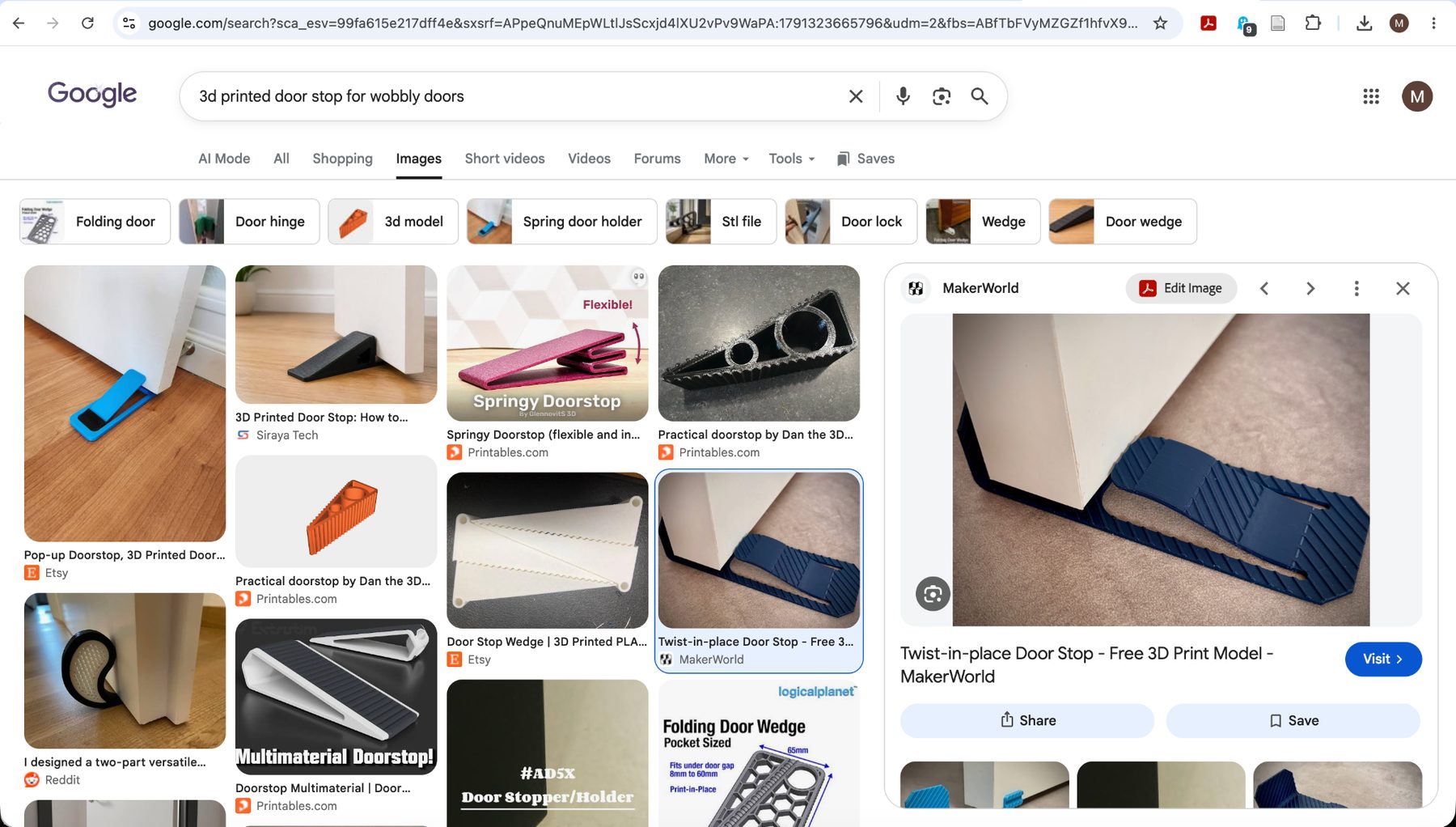
As you can imagine, this is really quite annoying, and I figured this assignment was the perfect opportunity to fix this problem. I had a design in my head when I started. I wanted something to rest under the door which had some sort of little latch or tongue that could pop up and down. The idea was to have something which would allow the door to move over it in one direction and keep the door propped closed in another. To get an idea of how to actually CAD it, I googled "3D printed doorstop" for inspiration and saw many designs which were pretty much exactly what I had in mind, but it was very helpful to see how other people have designed working devices before. Below is the picture I used for reference in my design process.
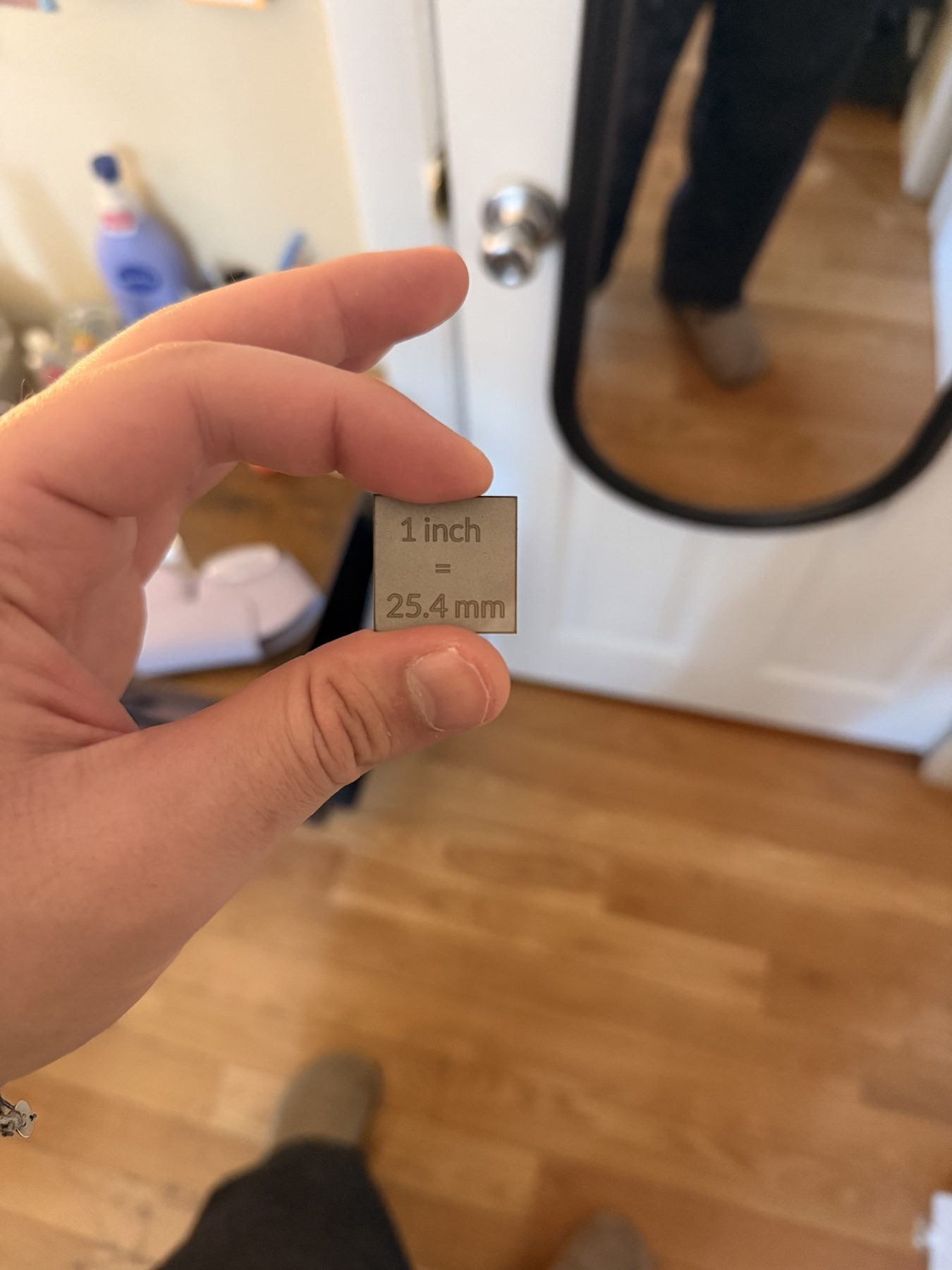
The design process was as simple as the part itself. I began by simply sketching a rectangle and extruding it about 4 mm, as I figured this would be a good thickness for the part itself. The morning before I started designing, I took a rough measurement of the height between the bottom part of the door and the floor beneath it with a trusty measuring device I had lasercut during our very first shop training (picture attached for reference below), and I saw that I had to make the tongue rise about 1 inch. In reality, this was really the only important measurement I had to make beforehand. I could have measured the thickness of the door as well, but I was able to get by simply by googling the average thickness of a door and using those dimensions. As to the dimensions for the base, I simply asked ChatGPT what "reasonable dimensions" would be and it suggested something in the ballpark of 160 mm in length and 55 mm in width. These worked perfectly fine!
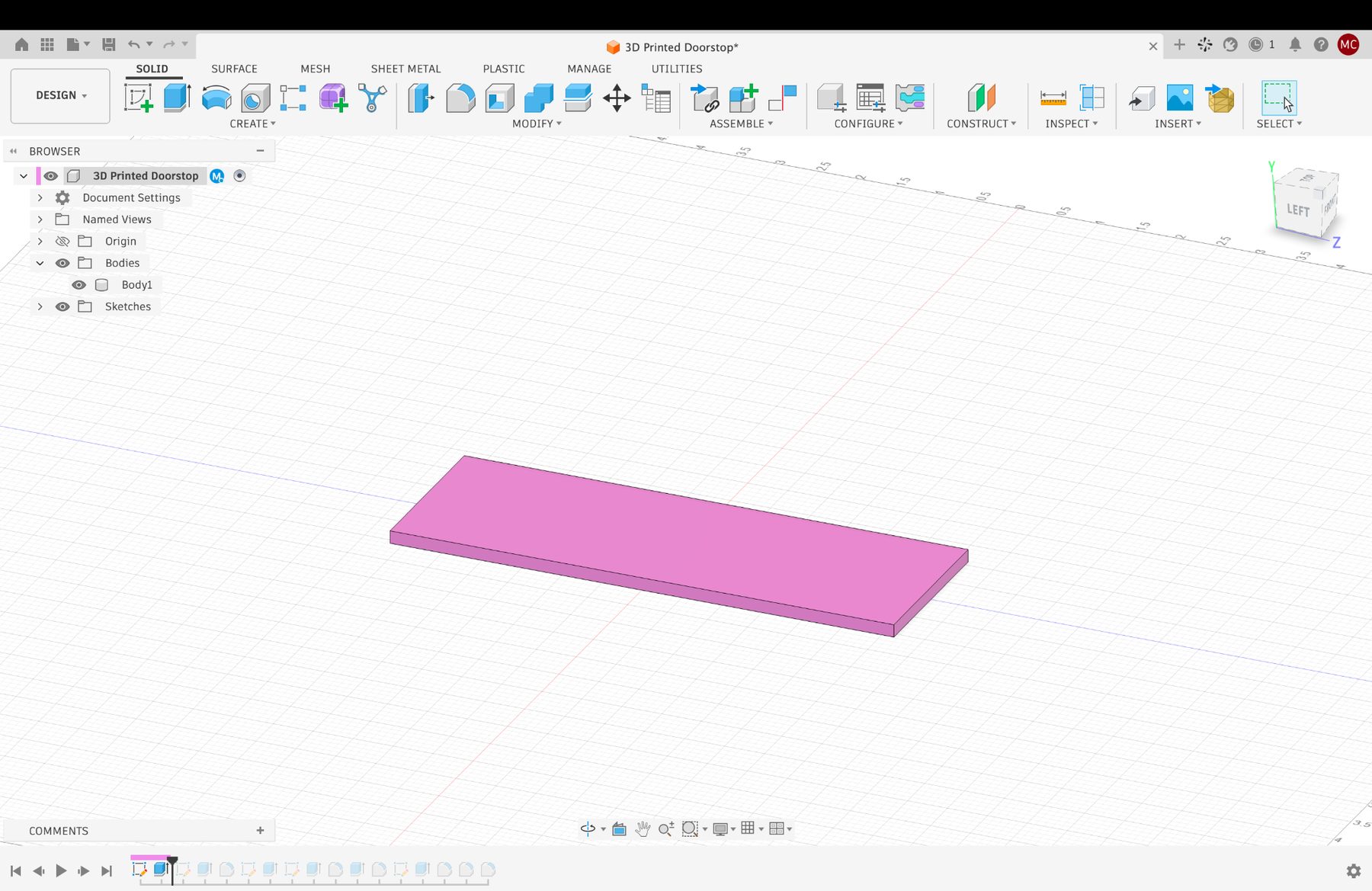
After this, I simply added a vertical "stop" to the part so that the door would rest between this part of the design and the latch I would add later. I added a fillet to edge between the two faces of the part where the door would be to reduce the stress on the part, and then I got to designing the part of the design which pops up and down.
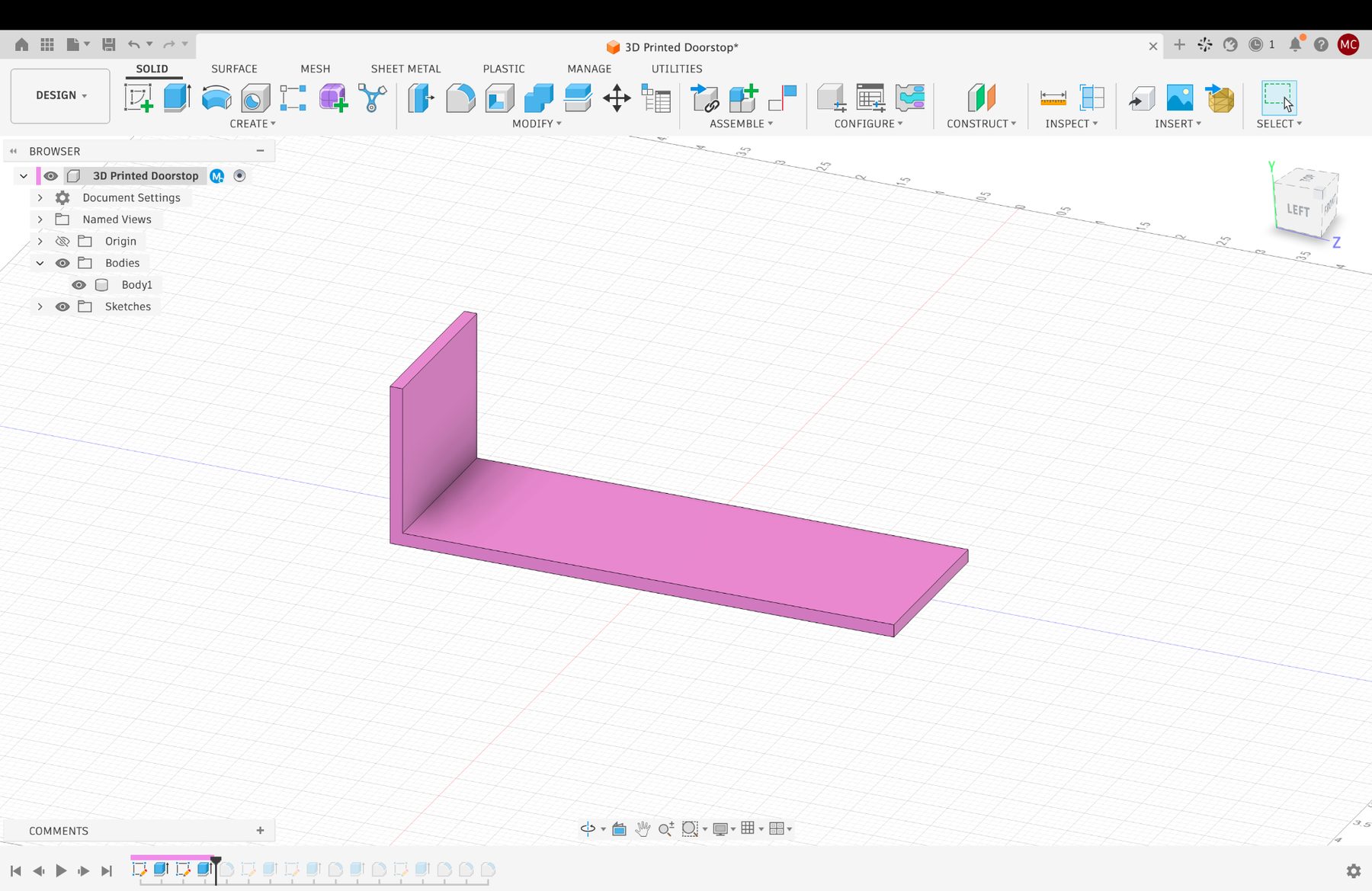
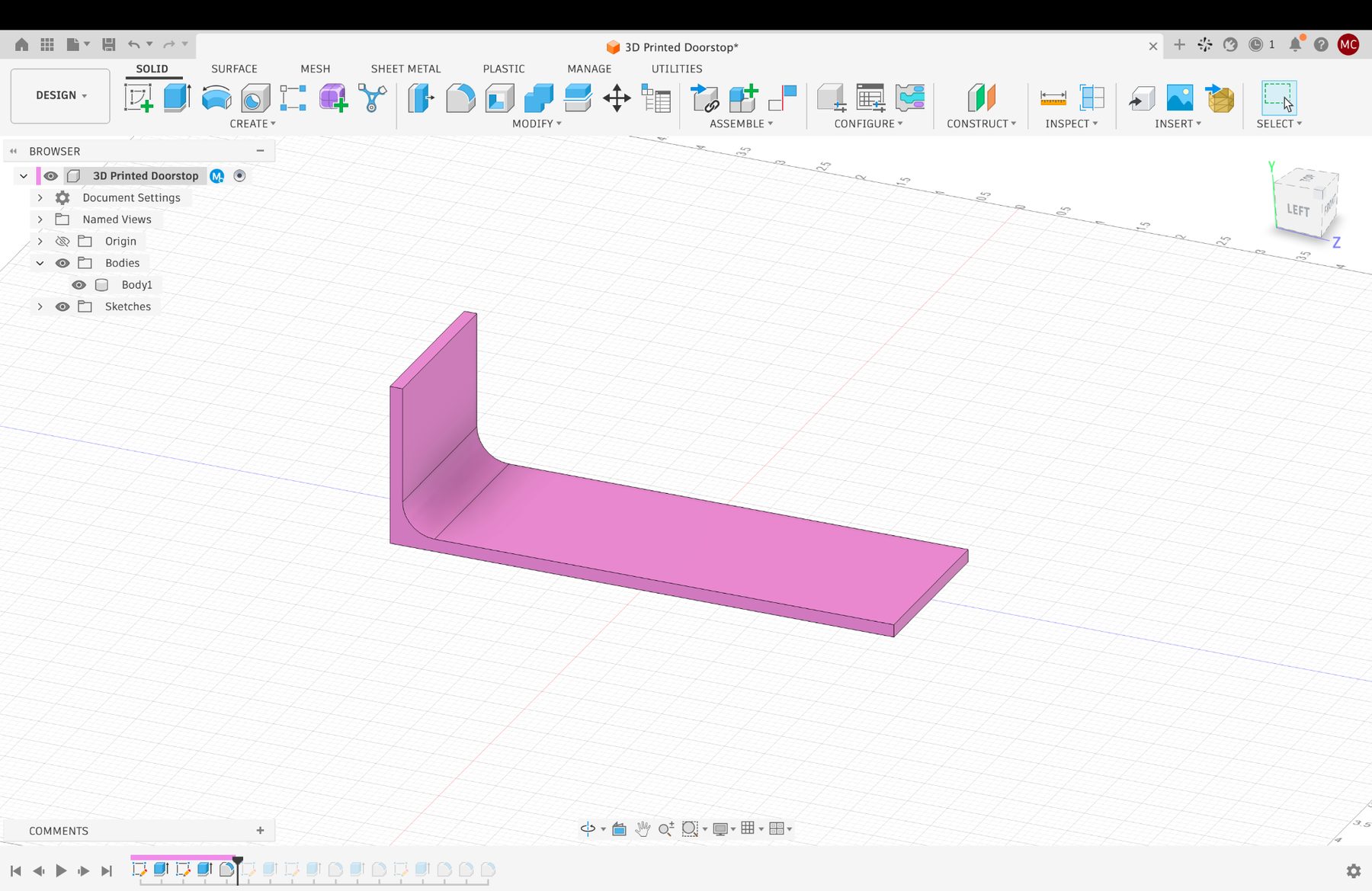
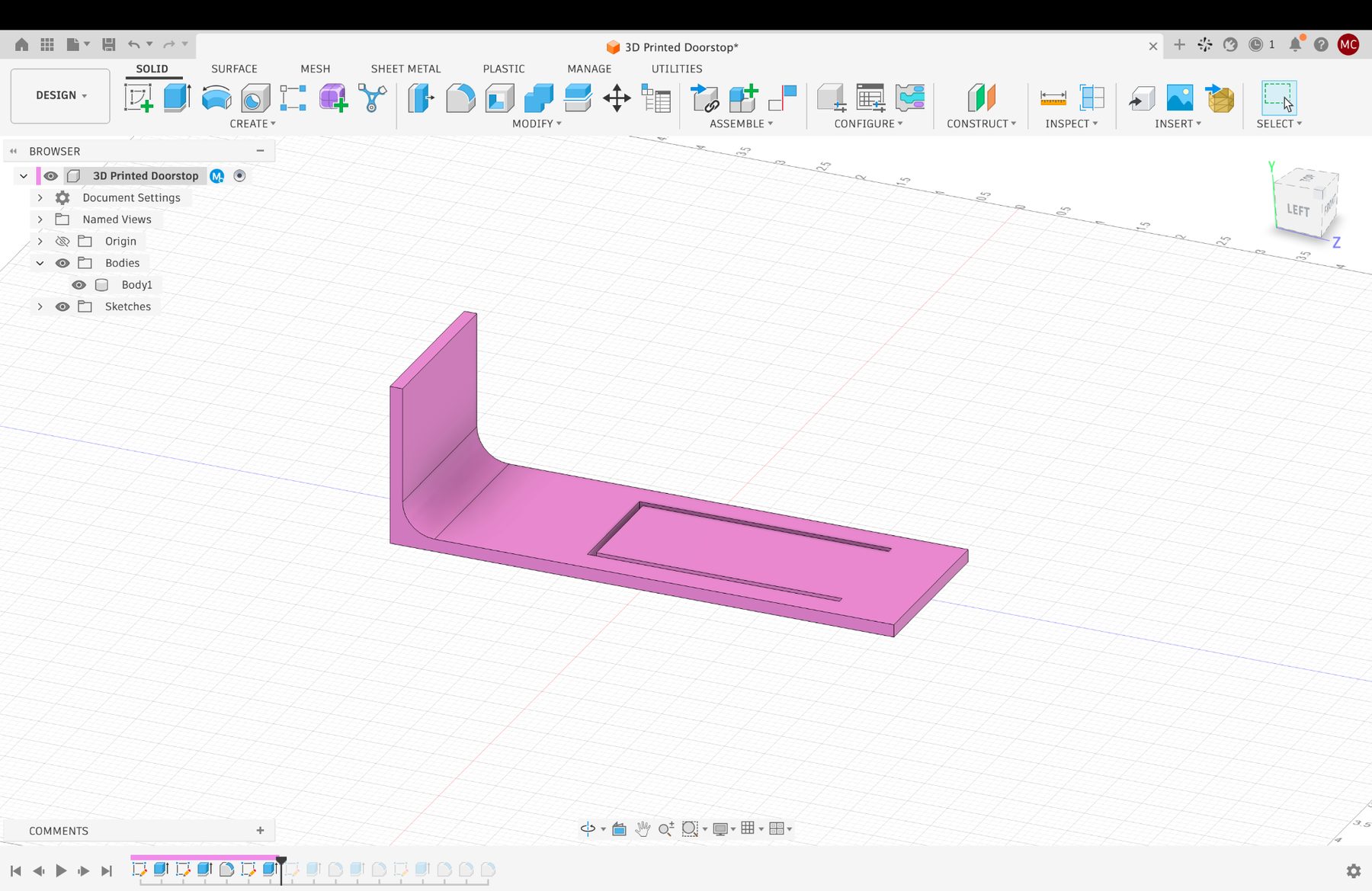
The first thing I did was draw a rectangle on the top face of the part, and I added small rectangles around three of its edges (except for the one directly opposite from the door) so that I could then cut a thin, U-shaped slot into the design. Once I had done this, I designed the "raised" component of the part. I asked ChatGPT about how much flat space at the beginning of the tongue would be appropriate before starting the "rise" on the material to make sure I didn't make it too long or too short, as this part of the doorstop would be the most important. If it was too short or too long, the part might break instead of bend up and down. Chat said for PLA something in the ball park of 20 to 30 mm would suffice, so I think I ended up going with 25 mm. Having dropped that line to get a sense of dimension, I added a 1 inch vertical reference line so that I could draw the top part of the tongue at the correct height, and then I simply connected that top flat surface to the main base of the design using lines. Once fusion recognized the closed surface, I just extruded it to the end of the U-shaped cut and now I had 90% of the design done, I just needed to cut away some residual things and add some fillets.
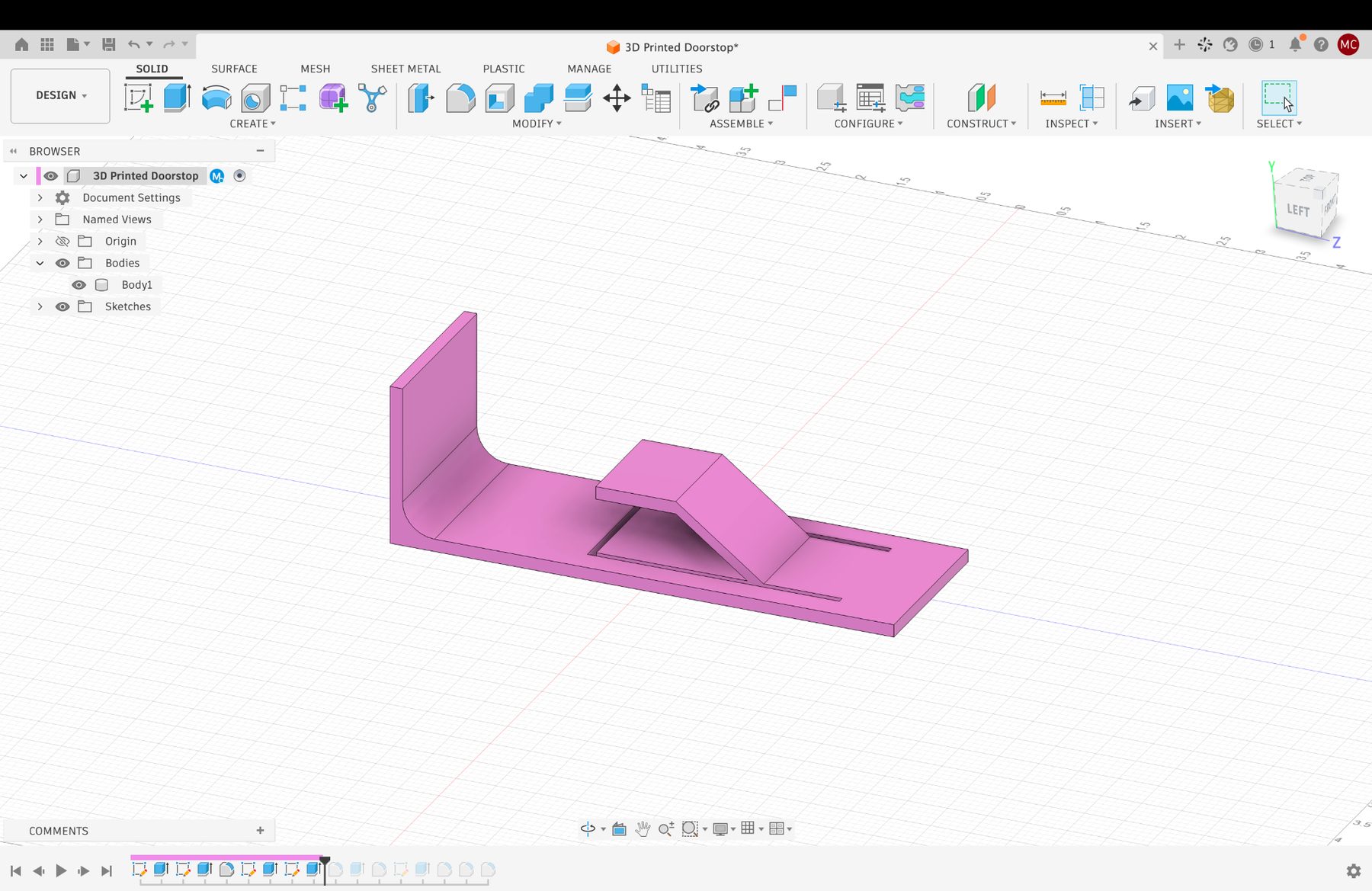
I cut through the remaining piece of the U-shaped cut at the base of the design, and reduced the thickness of the material at the beginning of the tongue from 4 mm to 2 mm so that this thin part would be more flexible and it could act as a sort of spring, bending downward when the door was swung over it and staying in place once it was in its little notch. I then added fillets around any sharp edges I saw on the moving part of the design to reduce stress on the material, and I had my doorstop!
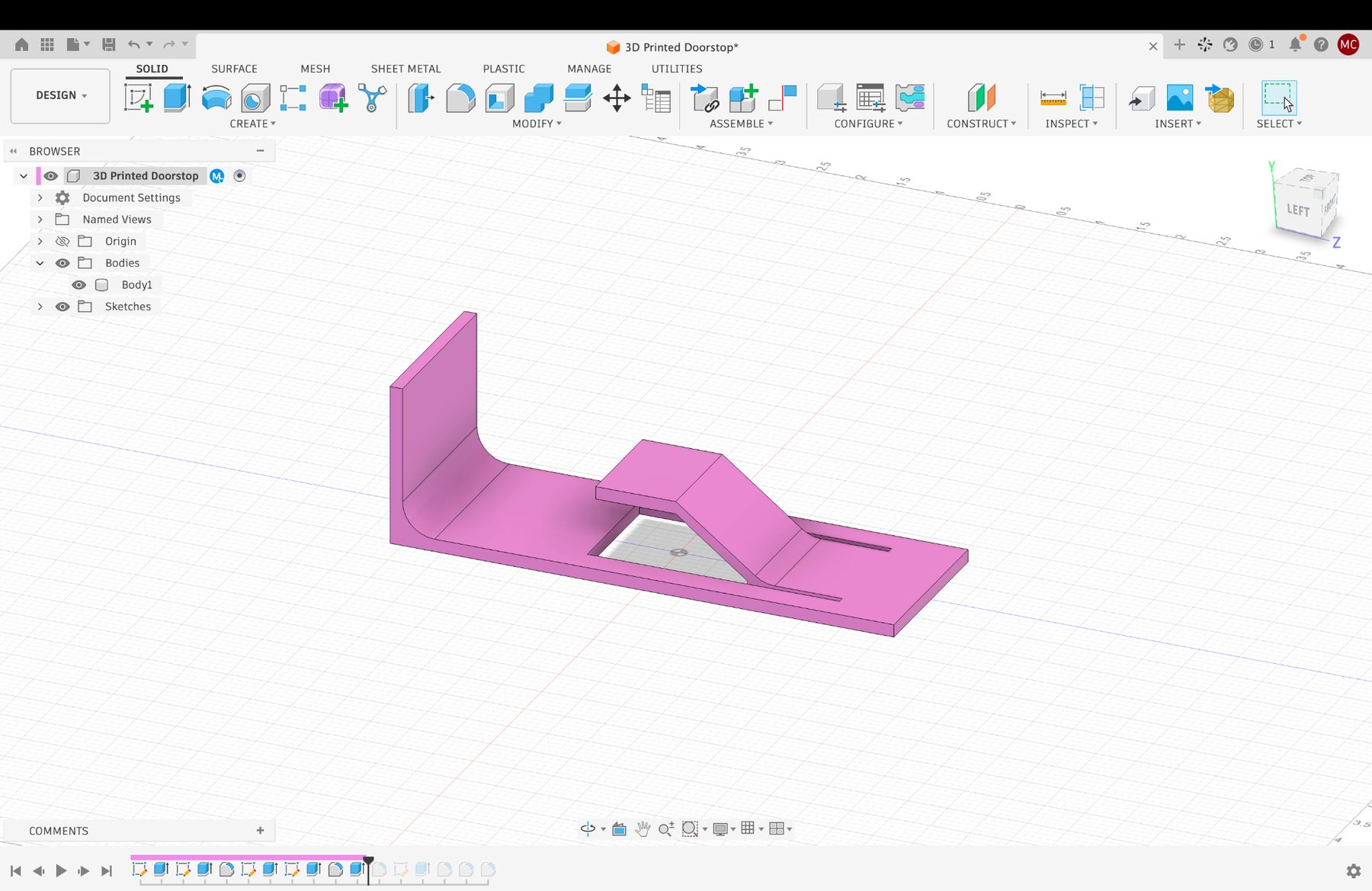
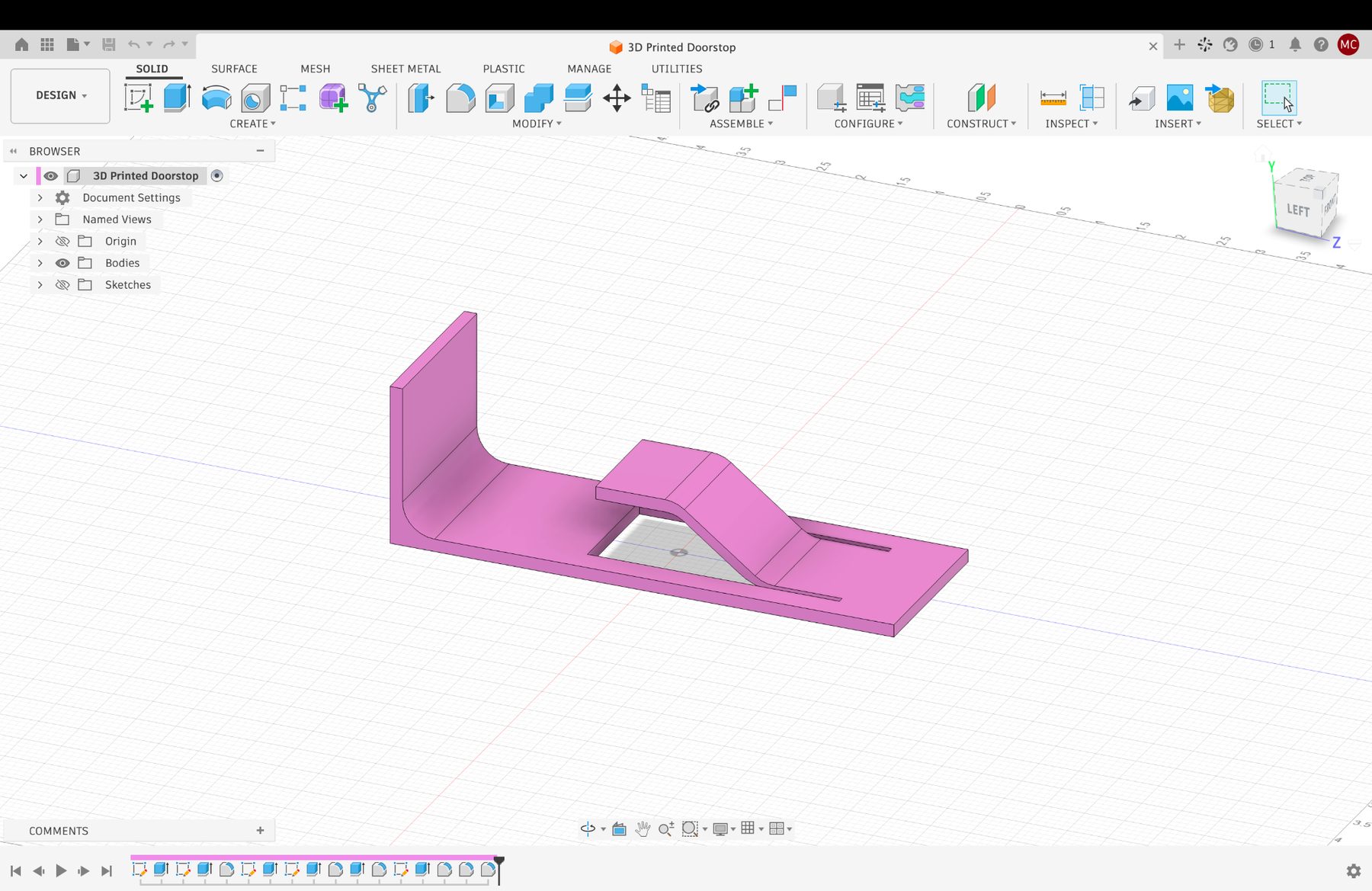
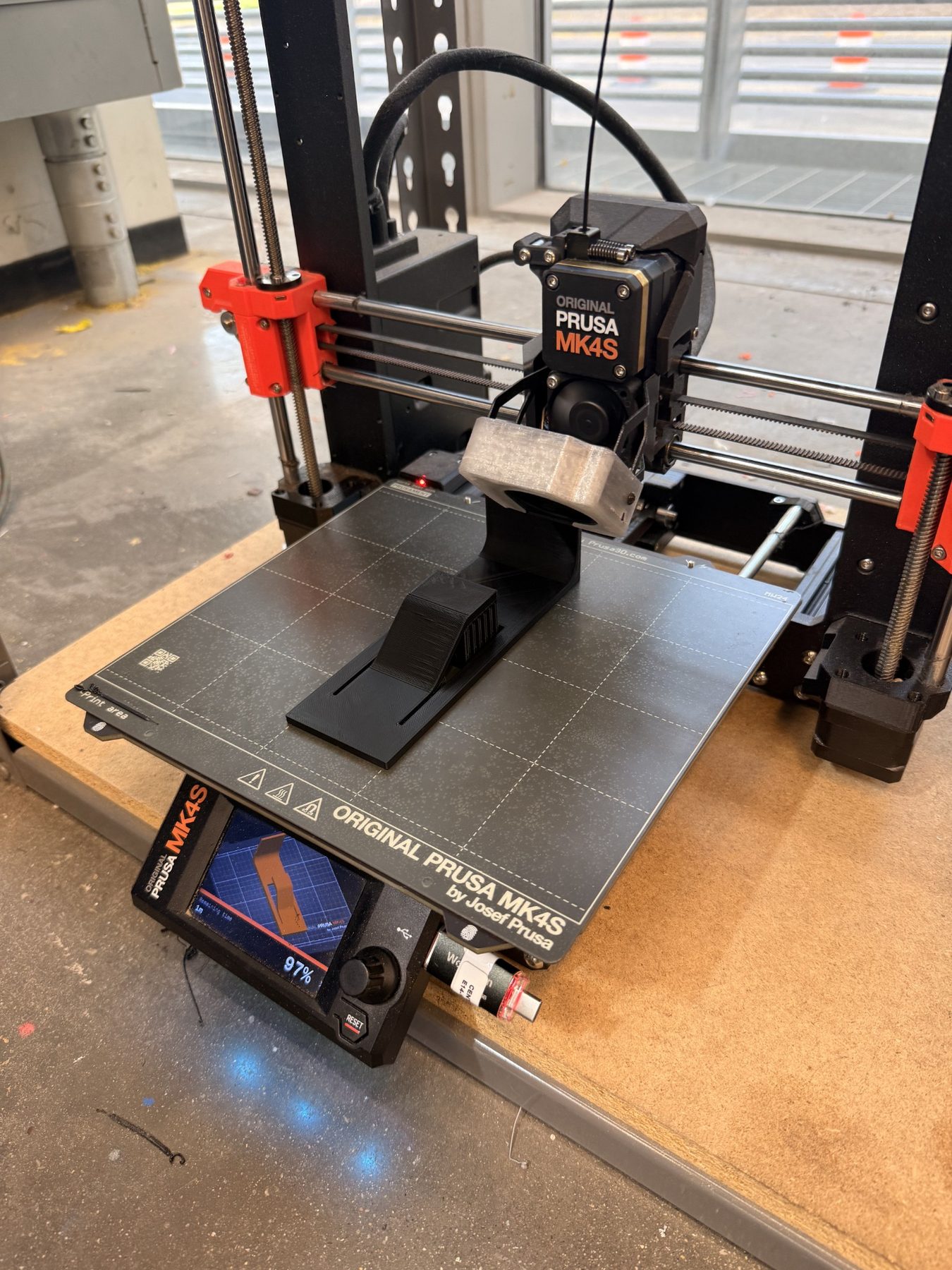
Once this was done, I simply exported the Fusion design as an stl file to drag-and-drop it into PRUSA Slicer. From there, I just made sure the print would add supports to the raised sections, set the infill to gyroid, and plugged the USB into the printer. That was it! Luckily, the print went smoothly and I did not have to do any troubleshooting. I just sat to monitor the printer to ensure I wasn't getting any weird spaghetti and went to office hours to pass the time discussing my final project idea with Ben. When I came back, I just had to wait 10 minutes for my design to finish printing, and everything printed well!
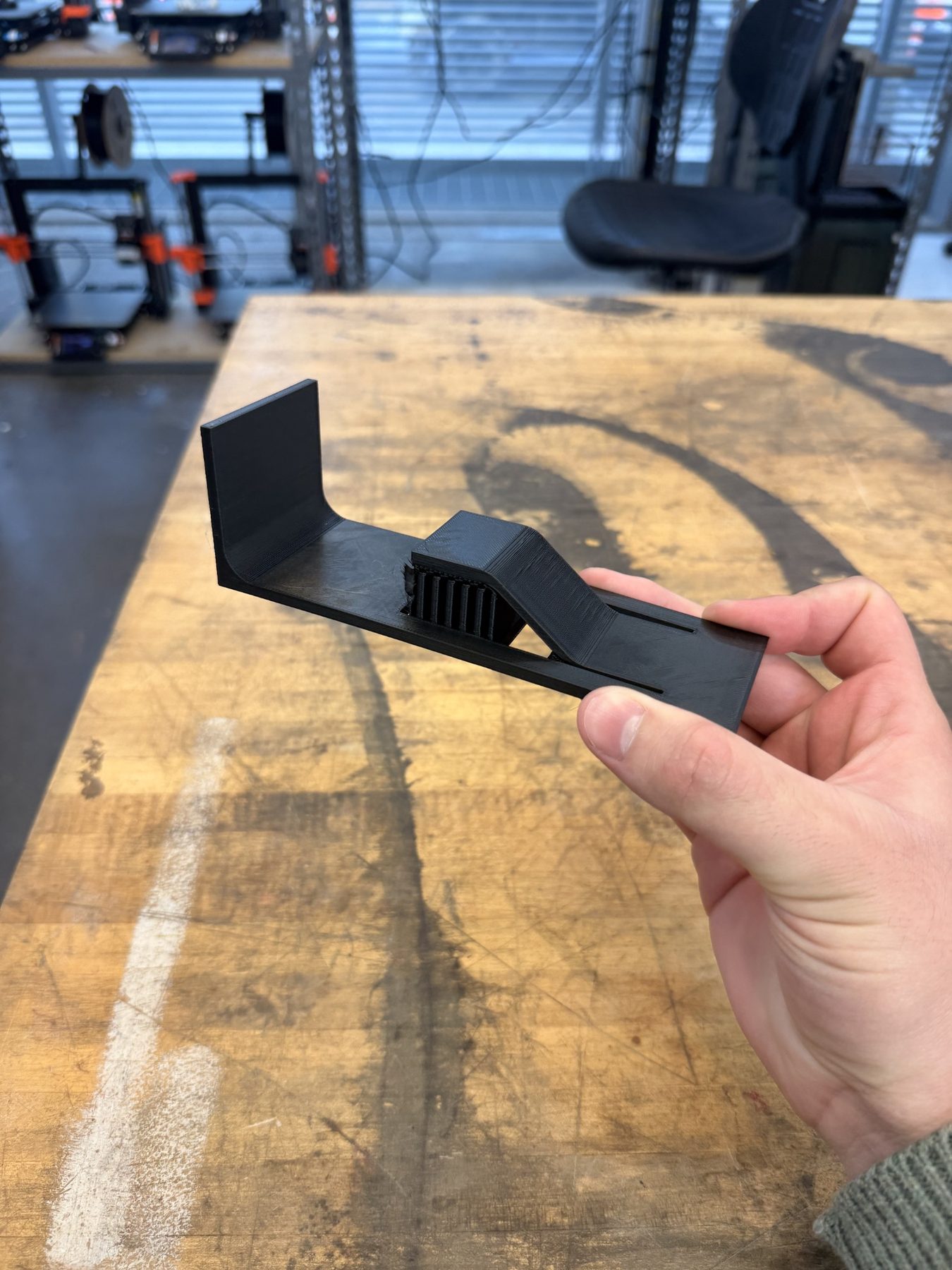
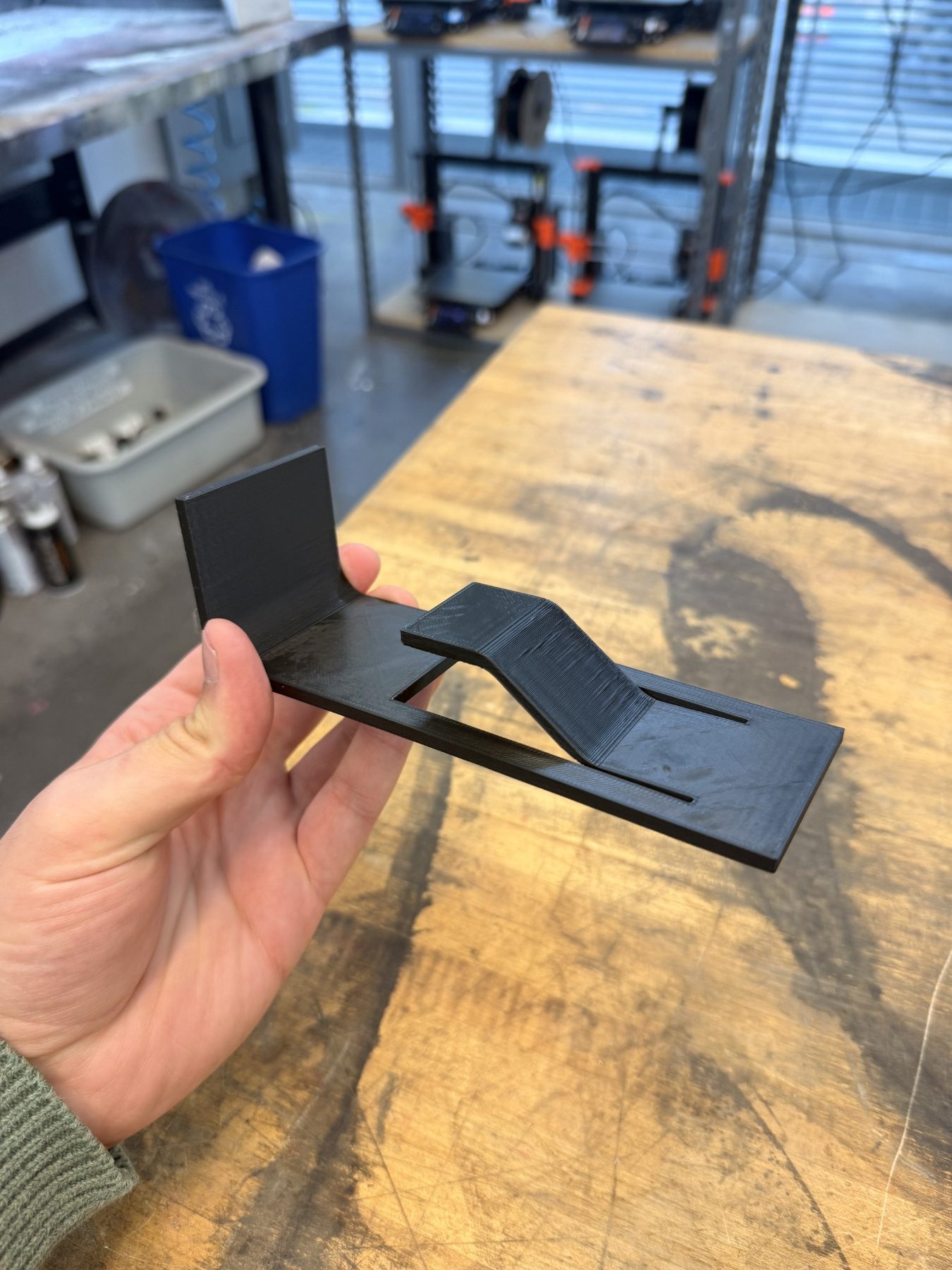
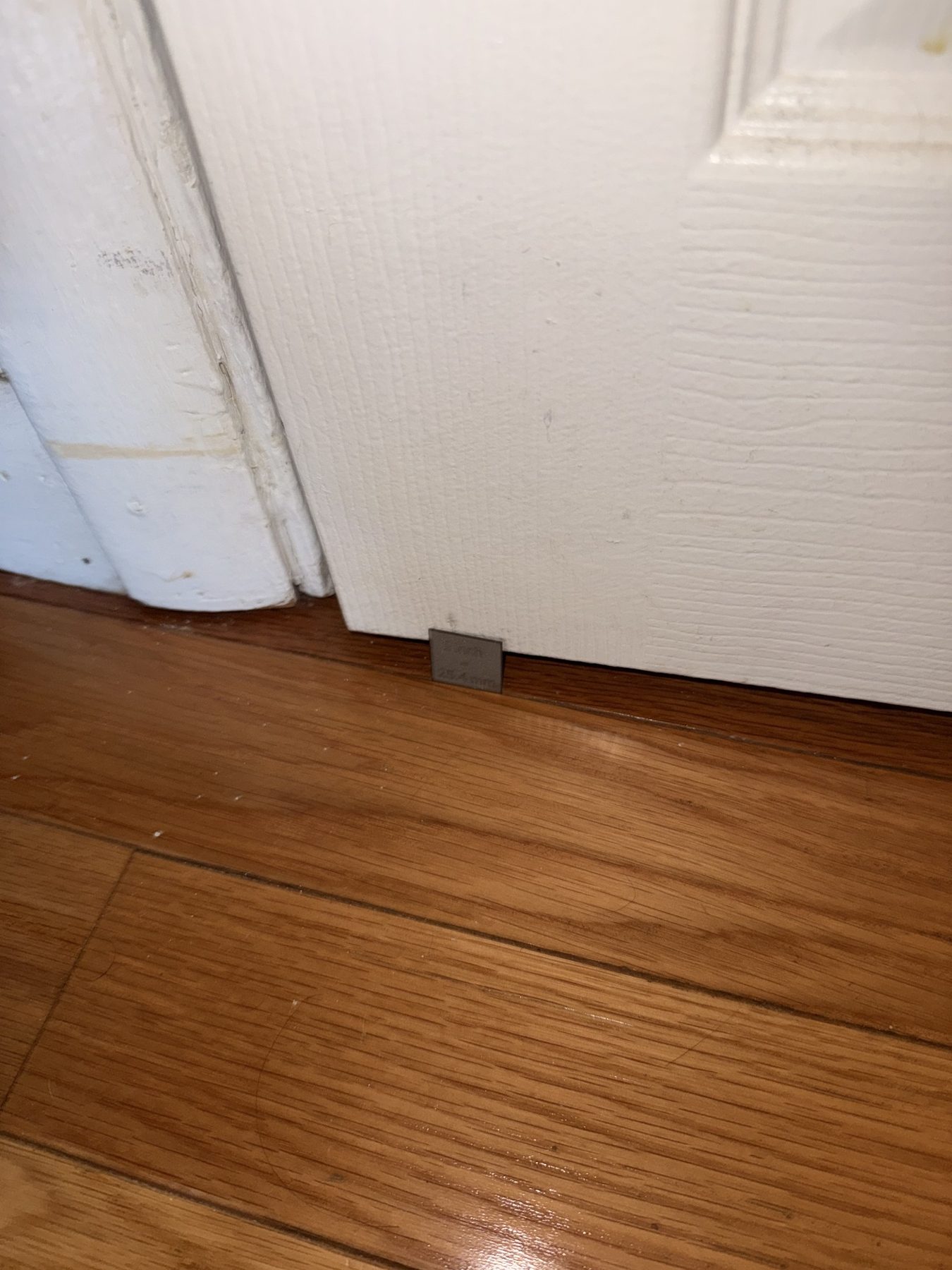
I took my part home and attached it to the floor under my door using one Command strip, and I am delighted to say that it worked like a charm:
Now that's what I call engineering at work! The only thing is that in my design, I did not account for how to open the door from the outside once the part is in place. Honestly, I think I might just add a little lever or something to the design which allows me to do this, because I really do believe this part is going to be a permanent feature in my apartment from now on. It is very nice to have a door which closes all the way now and that I won't have to call the building management to install a new door. Those guys are kinda mean whenever you have to call them to fix something, so I'm glad I was able to fix it by myself.
3D Scanning
I would love to go into detail about how I did this, but it was as simple as downloading polycam, snapping some pictures around my Einstein rubber ducky, and letting the file process. It returned a surprisingly good quality 3D model of the rubber ducky! Here it is below:
AI Documentation
To see my AI usage, please see here.