Electronics Design

This week I learned electronics design and how to use Electronic Design Automation (EDA) tools.

Project Overview

This week presents a great opportunity for me to start working on my final project and put it into something more physical. For context, I intend to build a Castform machine that knows how to auto-rotate based on current weather. So this week's electronics design seem to be really fitting for designing out the circuits part of the machine.

Since I have some PCB experience before so I want to do something bigger and got ambitious during my sketch. Below is a table of modules I want to build:

Module Key part Usage
Microcontroller XIAO ESP32-S3 Sense Control all the components and provide 3.3V power to the board.
Servo Motor MG996R positional servo motor Used to rotate the Castform plush
OLED Screen I2C OLED display Display weather information and date information.
LED Lights Addressable RGB LEDs Light up the board and decorate around the machine.
Audio Amplifier MAX98357A Provide voice output for potential voice interaction.
Button Push button Used for debugging and manual control.
Expansion Connector 4-pin 2.54mm pitch connector Used to connect additional sensors (i.e. humidity sensor).

Schematic Design

I chose to use KiCad for the schematic and board design.
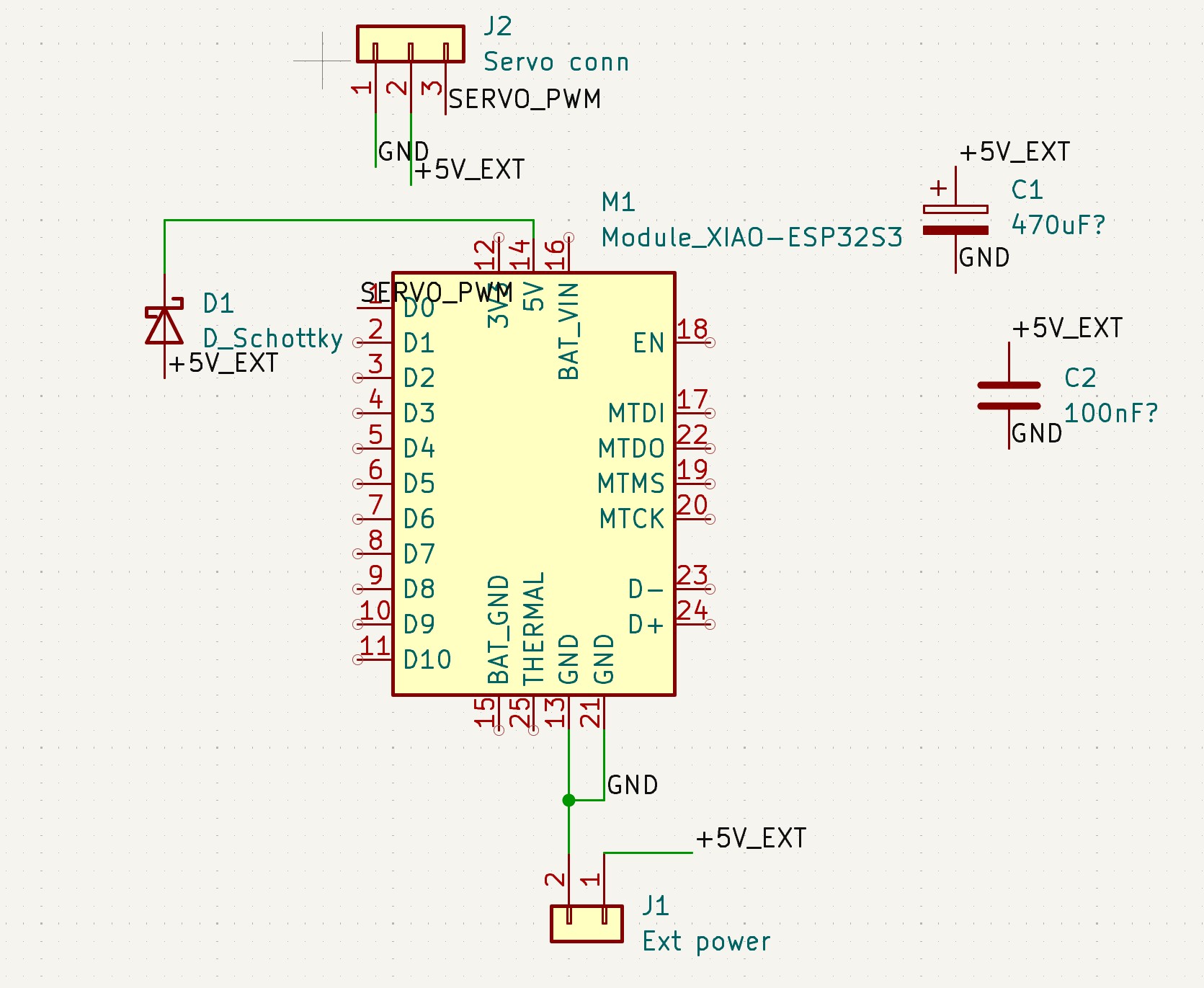
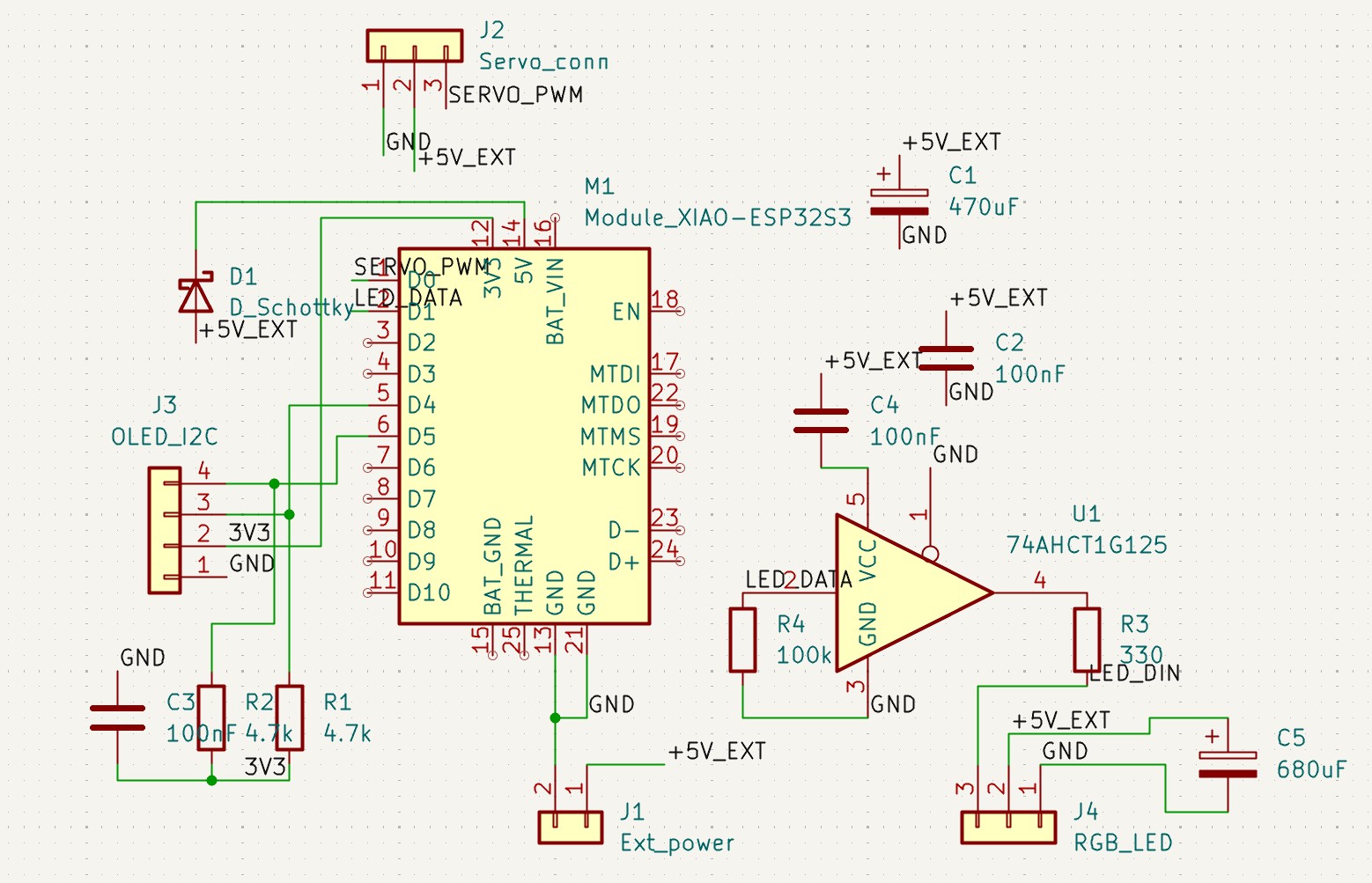
Initial M1 and connector
First piece of my schematic: Microcontroller M1 and its corresponding accessories. Connector J1 and J2 will supply power and provide servo communication. D1 offers some reverse voltage protection for the microcontroller. And two capacitors C1 and C2 are used to stabilize the power supply.
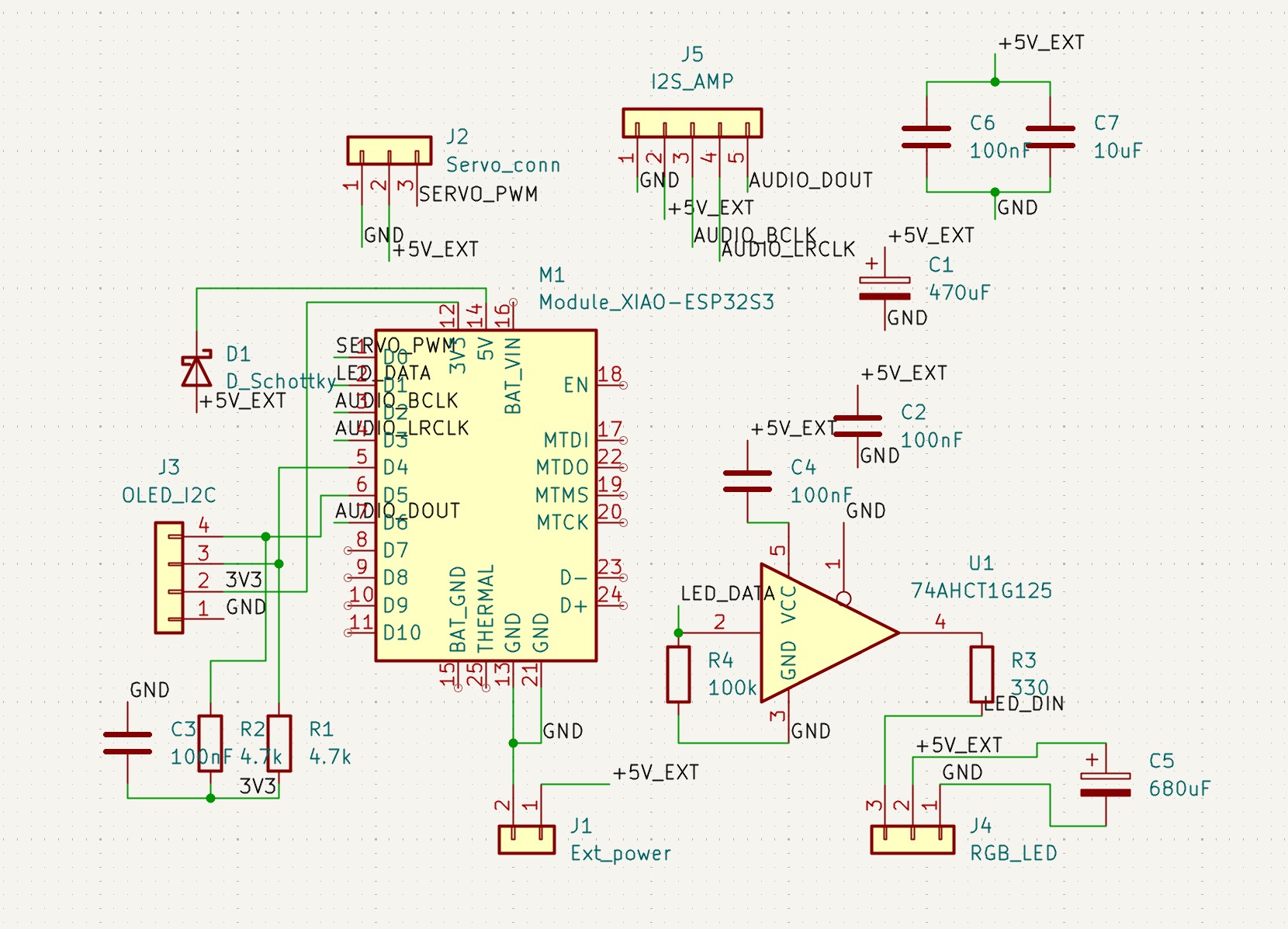
OLED and LED connector
Next up I put in the parts to support OLED screen and LED lights. J3 connects two output from M1 to the OLED screen. And the resistor R1 and R2 are used to pull up the voltage level through 3.3V to the OLED screen. Since native 3.3V from M1 is not enough for LED lights, I added a logic buffer U1 on the right to provide 5V supply under M1 command.
Audio amplifier
Next up I put in the parts to support audio amplifier. J5 connects two output from M1 to the audio amplifier. Again this is powered by 5V power supply with two additional capacitors C6 and C7 to stabilize the power supply.
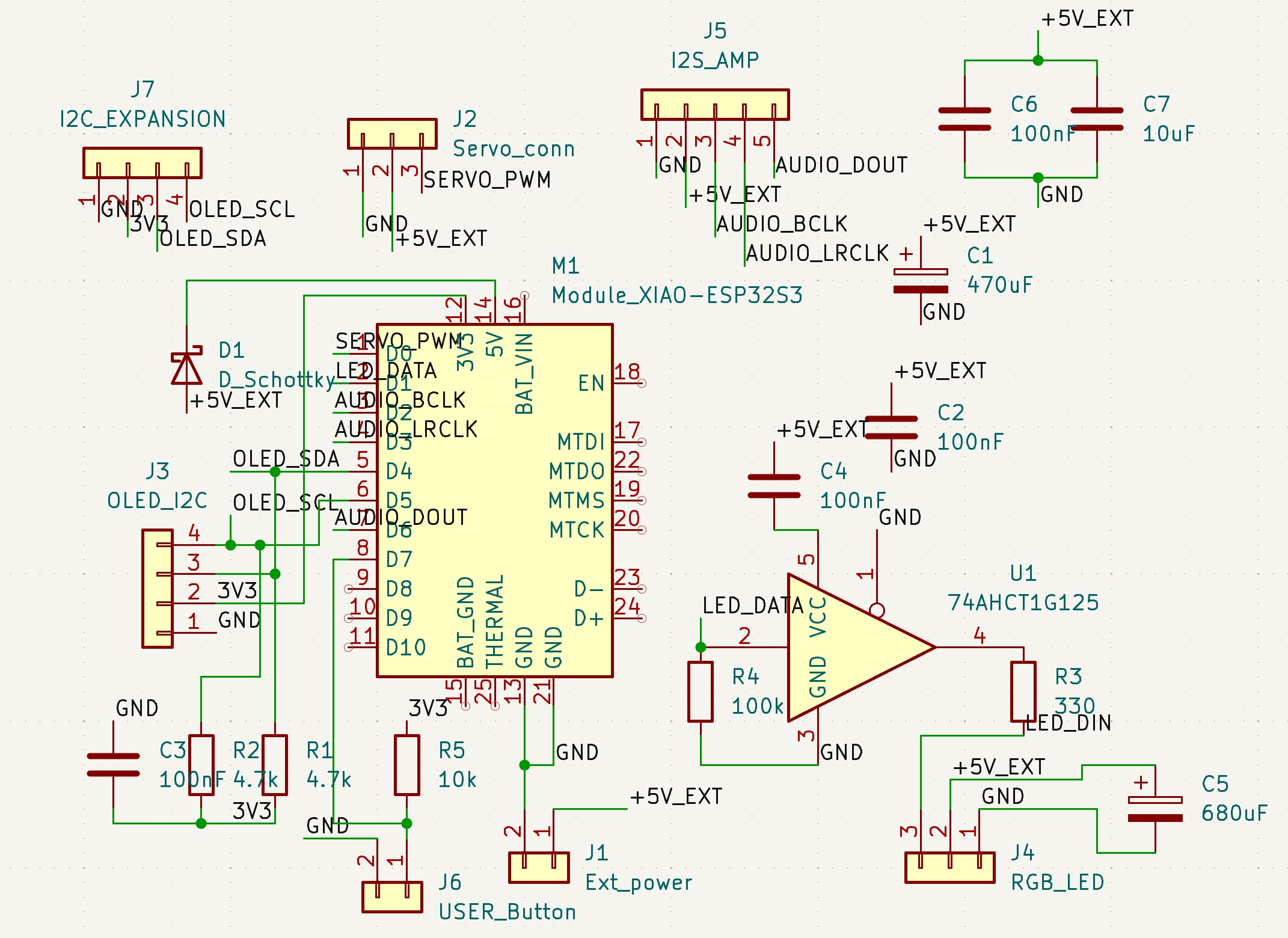
Button and expansion connector
Next up I put in the parts to support button and expansion connector. J6 connects the button to M1. And J7 provides some additional I2C control that shares with the OLED screen. We can potentially use it for humidity sensor control if we are not using API approach.
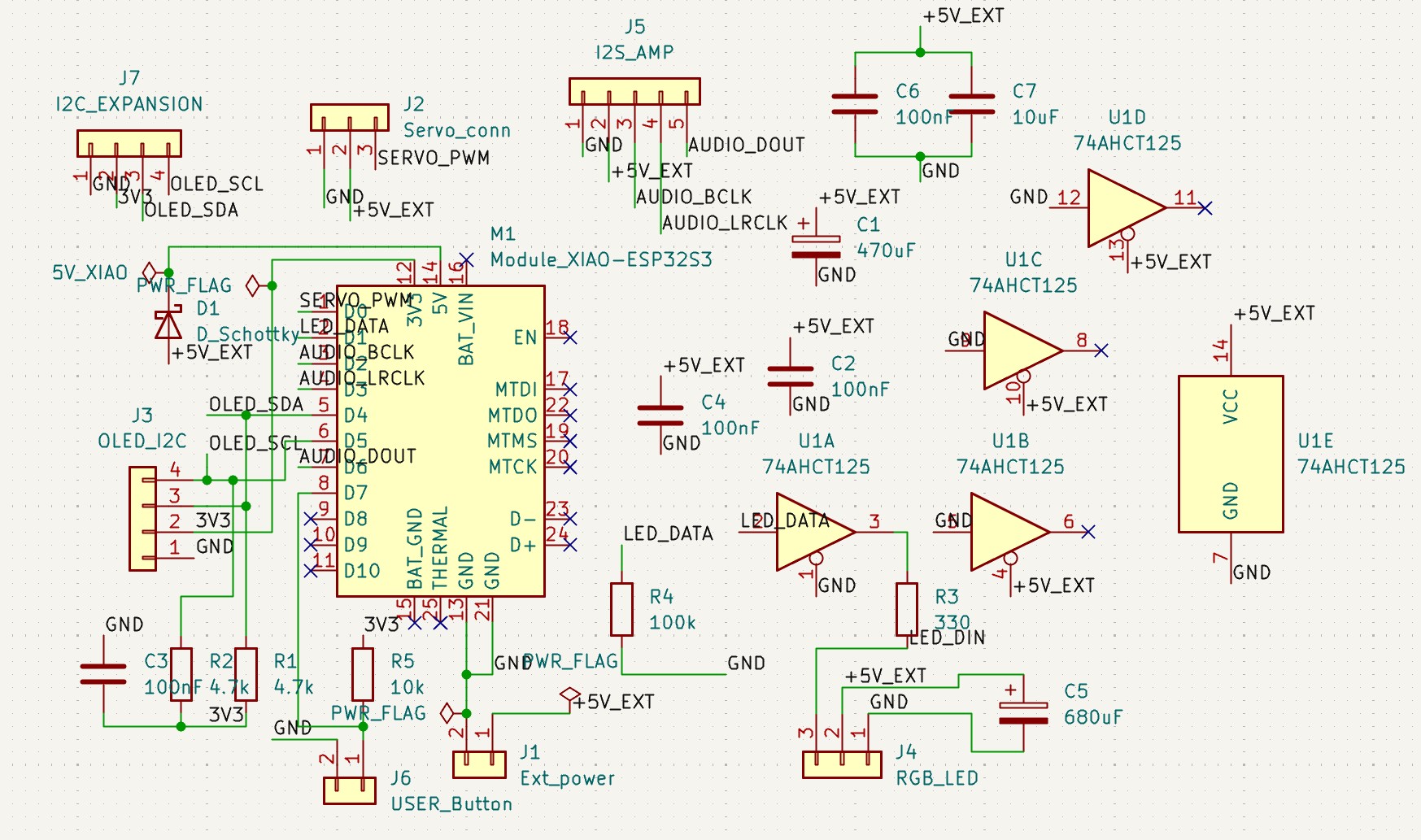
Swapping out the logic buffer
After some inspection, I found that the original buffer I had in mind is too small for our milling clearance. So I swapped it out for a bigger one 74AHCT125 on schematic. Note that it has five subcomponents in the drawing but we will not use most of them.
Electrical rule check
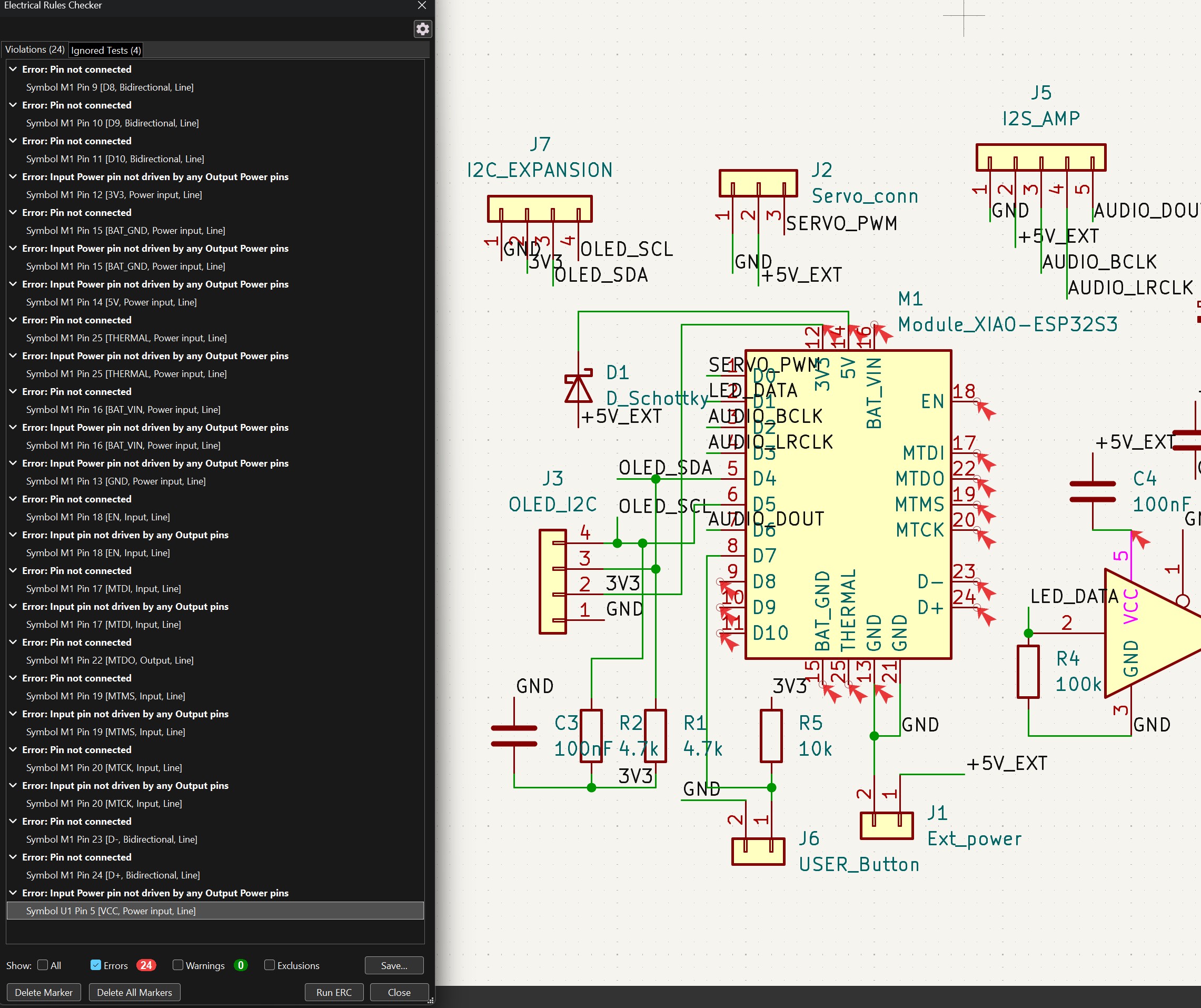
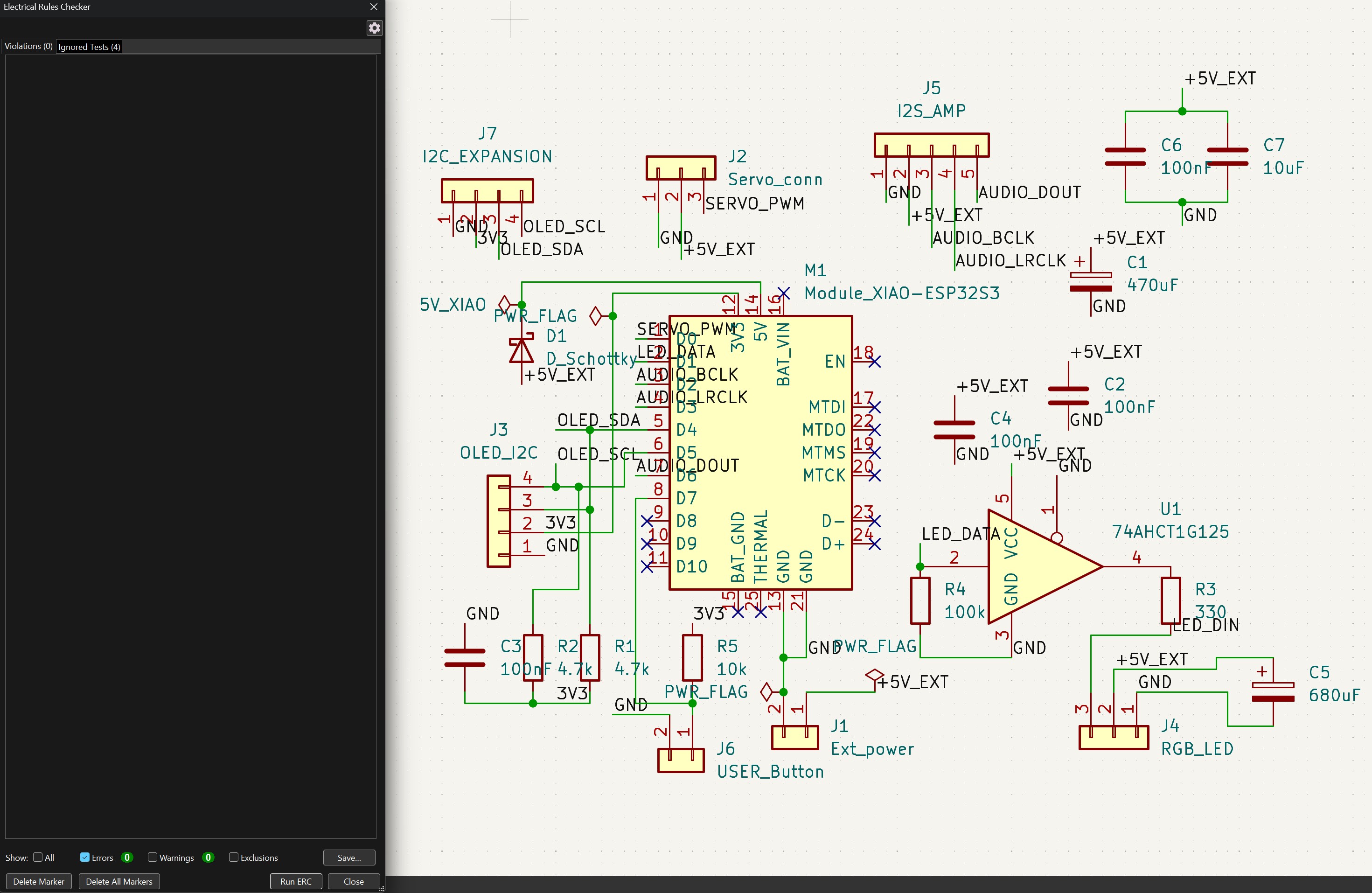
After all these parts are added, I did an Electrical Rule Check (ERC) to make sure my design is valid. There are no major issues and I mostly need to address the floating pins and assign proper power symbol so the software can recognize it.
Resolved electrical rule check
ERC issues fully resolved.

Board Design

After the schematic is done, I can move on to the board design.
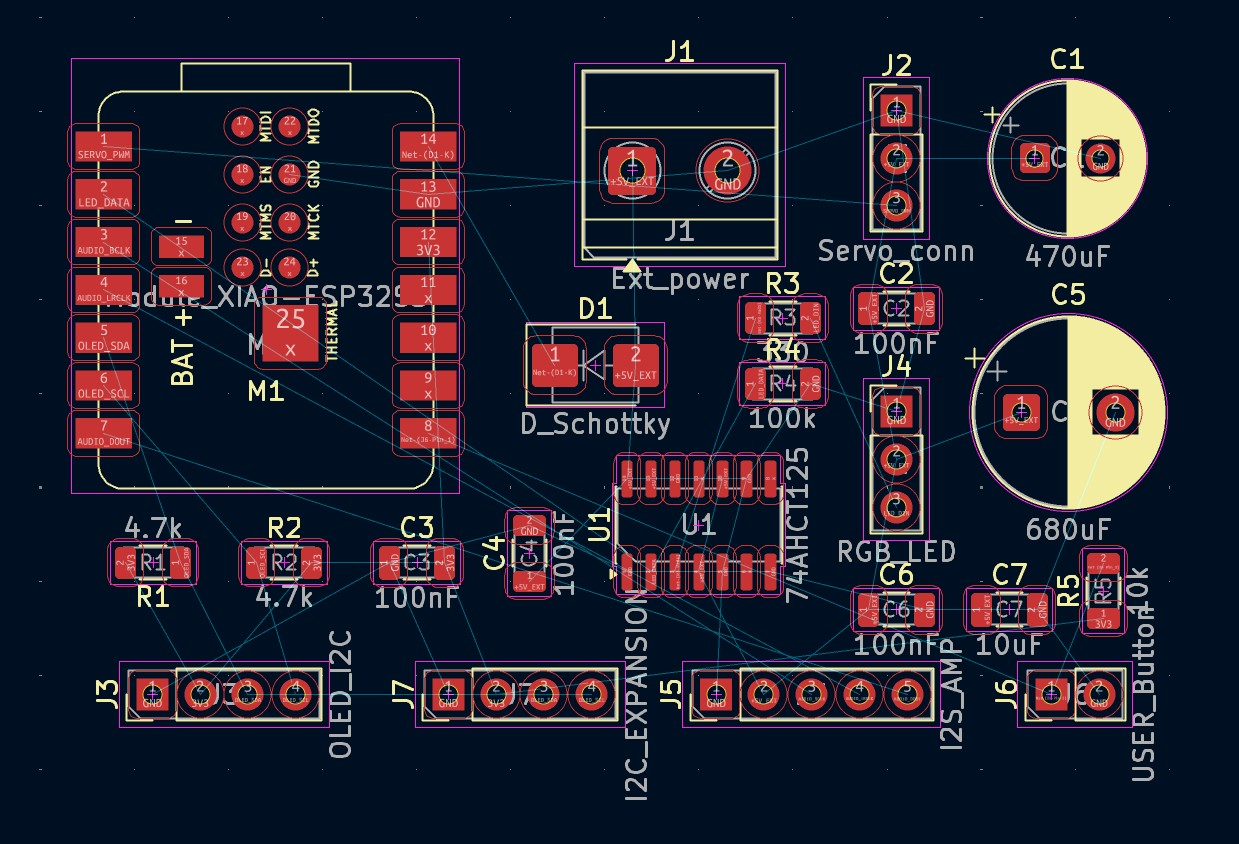
Resolved electrical rule check
First screenshot of board design. I moved everything from the schematic to the board and nothing is connected yet.
First round of routing
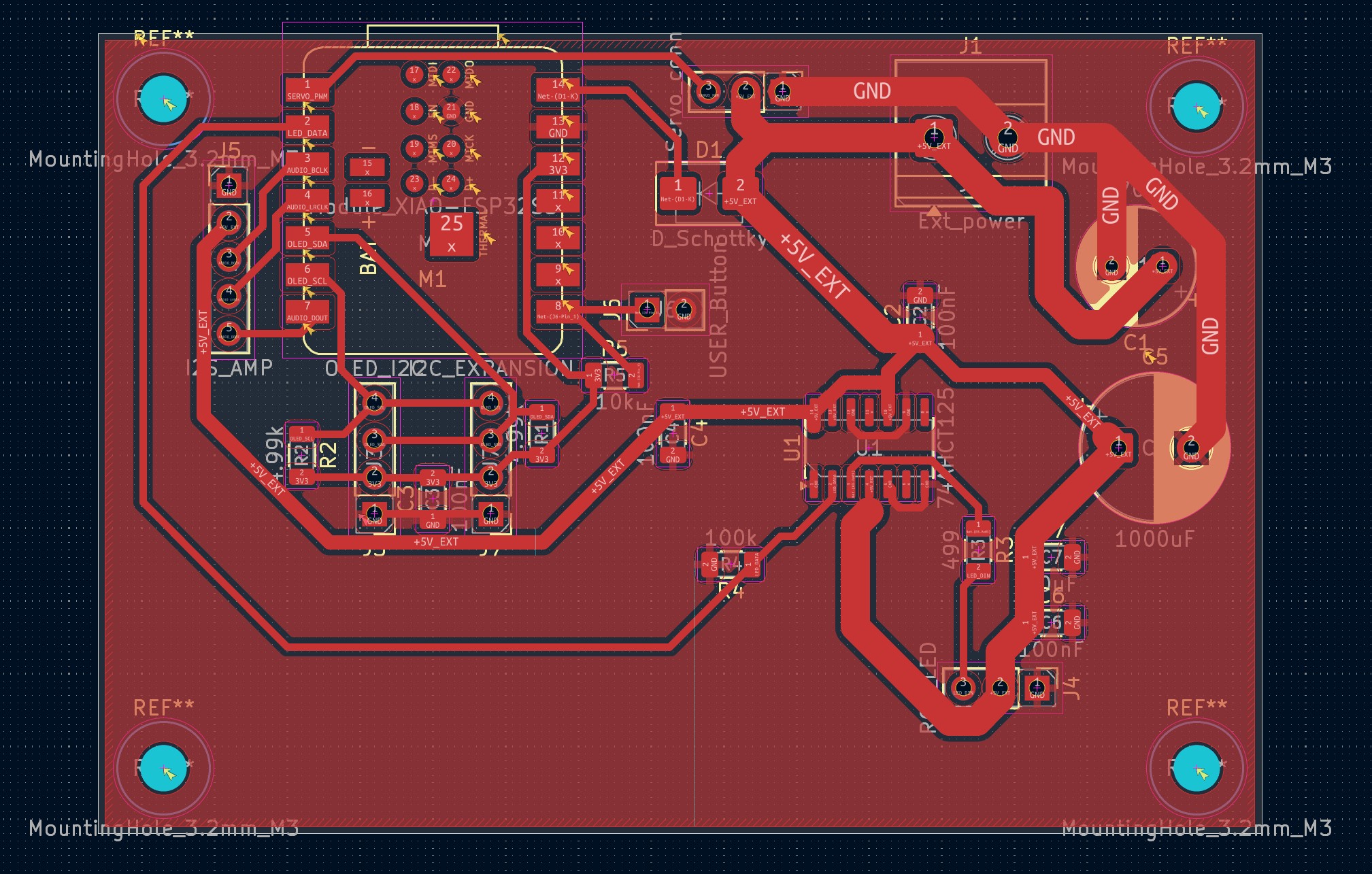
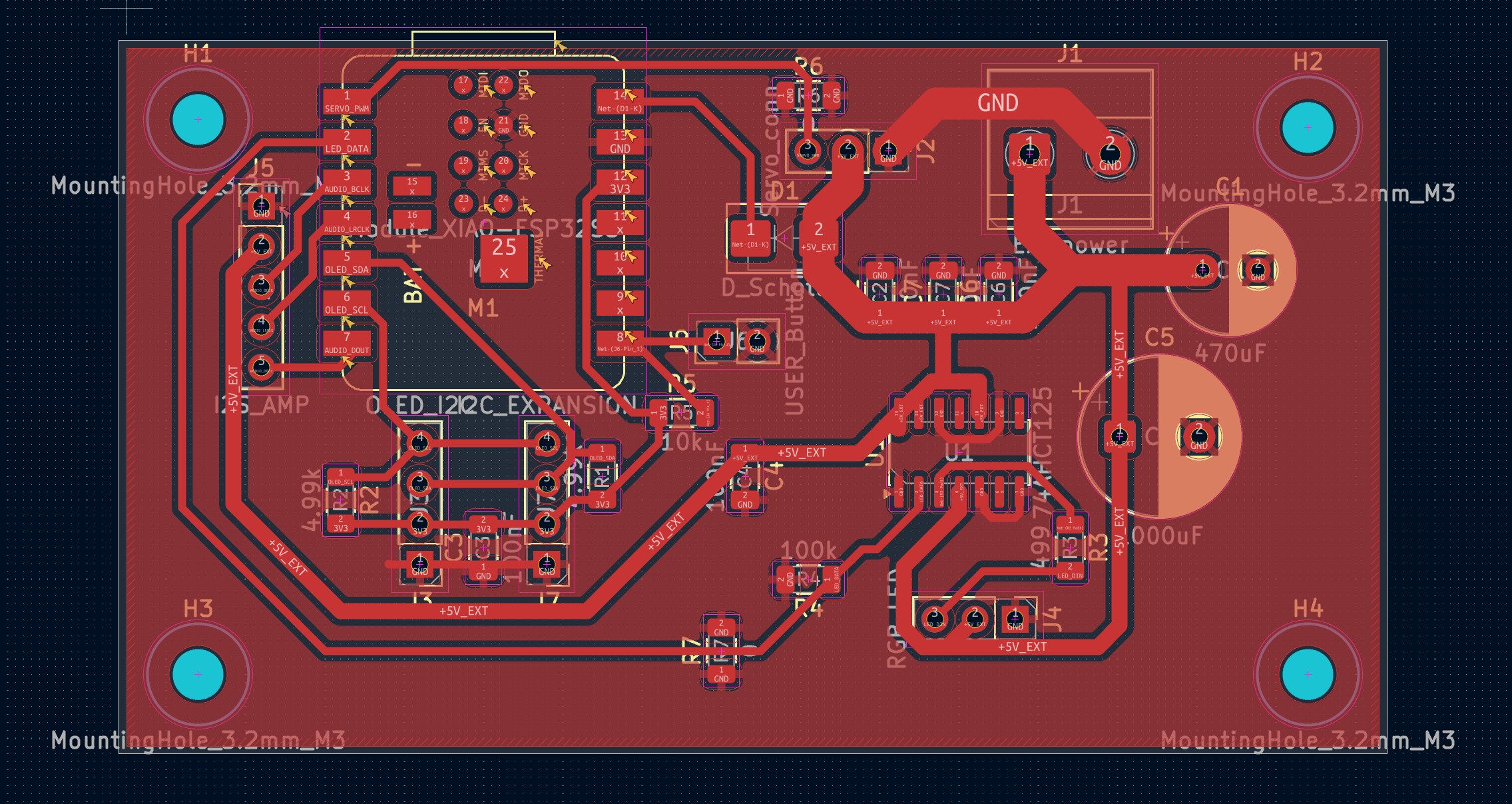
Results of initial routing. Some key design features include using 1mm and above wire width for my main current paths and add board fill and drill holes for physical support. I will not be using the underpins of M1 so I plan to tape it.
Second round of routing
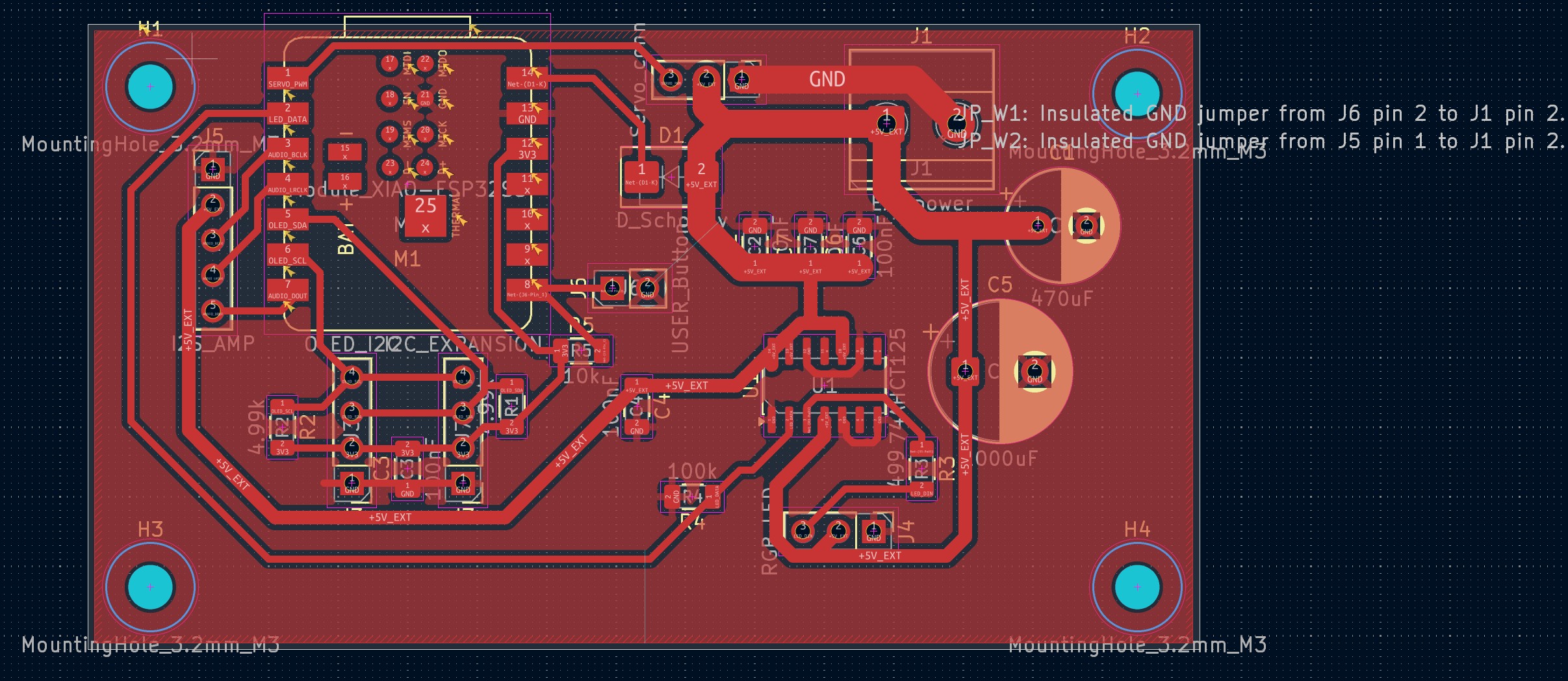
After the initial routing, I did ERC again and used another round to clean up and tighten my design. The board is physically smaller now. Though unfortunately I am not able to resolve the isolating pieces of GND copper. So I plan to use jumper wires on the back to connect them.
PCB_M4_0
After discussing with Anthony, I realized that 0 ohm resistor might be a better idea to connect the isolated pieces of GND copper. So I changed to that design to get rid of the jumper files. I also updated the schematic to reflect the changes.

Remarks

I think I am on the ambitious side of board design. But it feels nice to see a lot of different modalities coming together.

I am not sure if current protection are proper in the board, which may be something I need to later check with class staff.

Next Steps

Design

Download the Castform board (KiCad)