October 14, 2026
This week was about turning a design into a real board: making the PCB in the lab, soldering the parts onto it, and checking that it works. The plan was simple. Last week I designed the main board of my final project, the remote-controlled sailing boat, in KiCad. This week I would just mill it and solder it.
It was not that simple. Before the board ever touched the milling machine, I redesigned it twice, after talking to Quentin and Qilmeg. Then the milling half worked, the soldering took much longer than I expected, I tore a bit of copper off the board, and I fixed it with a piece of wire. In the end, the LED lights up.
Last week, my main headache was that tracks were running under the header pins, where the bare metal would lie on the copper and short everything together. I solved it by squeezing tracks under the XIAO and adding a 0 Ω resistor as a bridge.
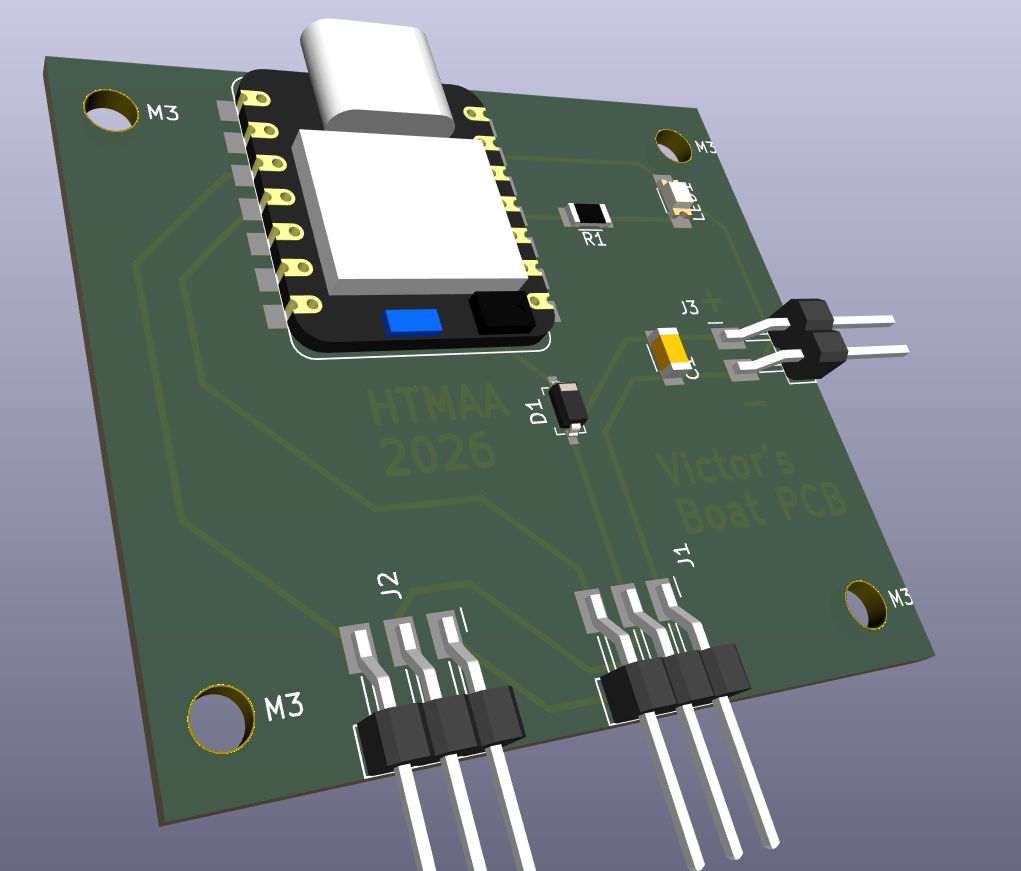
After talking to Quentin and Qilmeg, I realised there was a much simpler way: the copper tracks can come into the pads from behind, from the board side, while the pins and their plastic body stick out past the edge. Nothing runs under the metal any more, because the metal is not on the board at all. So I redid the whole routing, and as a bonus the 0 Ω jumper disappeared.
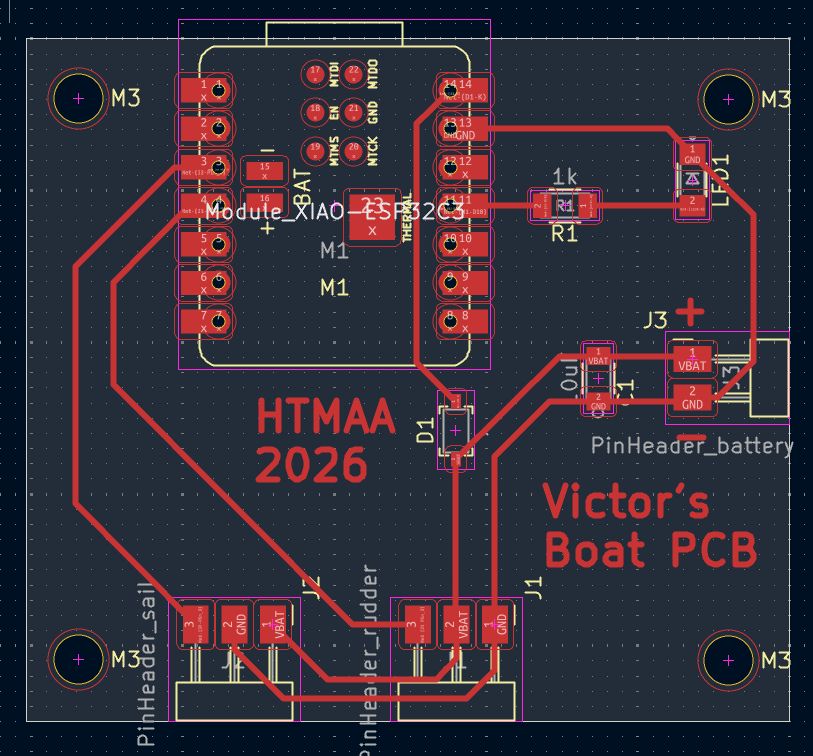
Just before milling, Qilmeg pointed out something I had completely missed. A servo cable comes with its plug already on it, and the order of the wires is fixed: signal, then +, then −, with the power (the battery) in the middle. That is a feature, not a coincidence: if you plug it in the wrong way round, + is still on +, and nothing burns.
On my rudder header that was fine. But somewhere in all my rerouting, the + of the sail header had ended up on the edge. Plugging the sail servo into that header would have sent the battery into the wrong wire. So I redid the routing again, this time with both servo headers in the right order: signal, VBAT, GND.
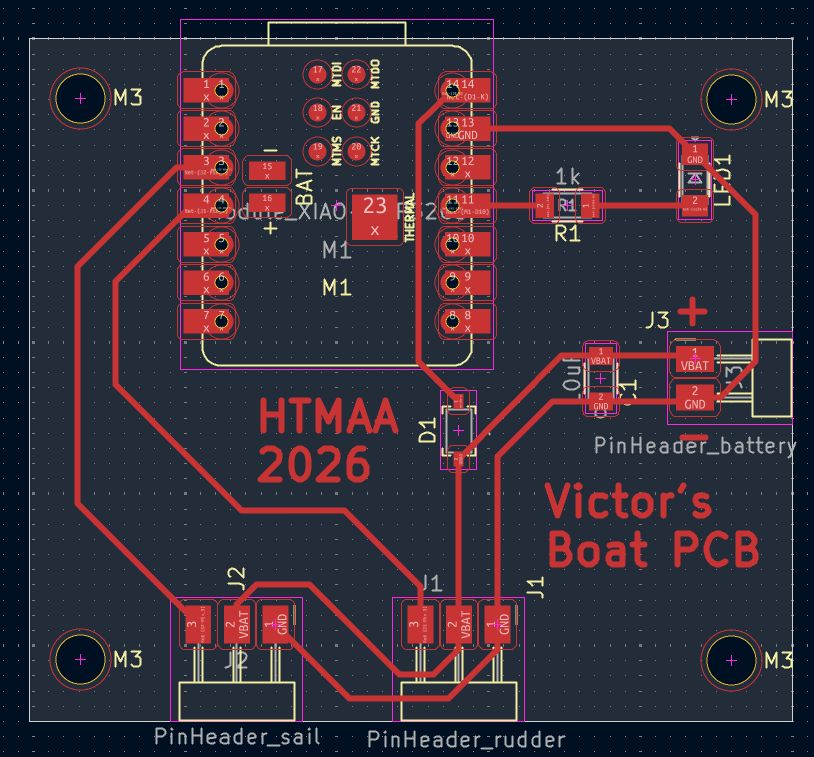
I kept the same rules as last week, 0.4 mm track width and 0.4 mm clearance, which leaves enough room for the milling bit to pass between two tracks. I also checked the 3D view one last time, now with the right 3D models for every component.
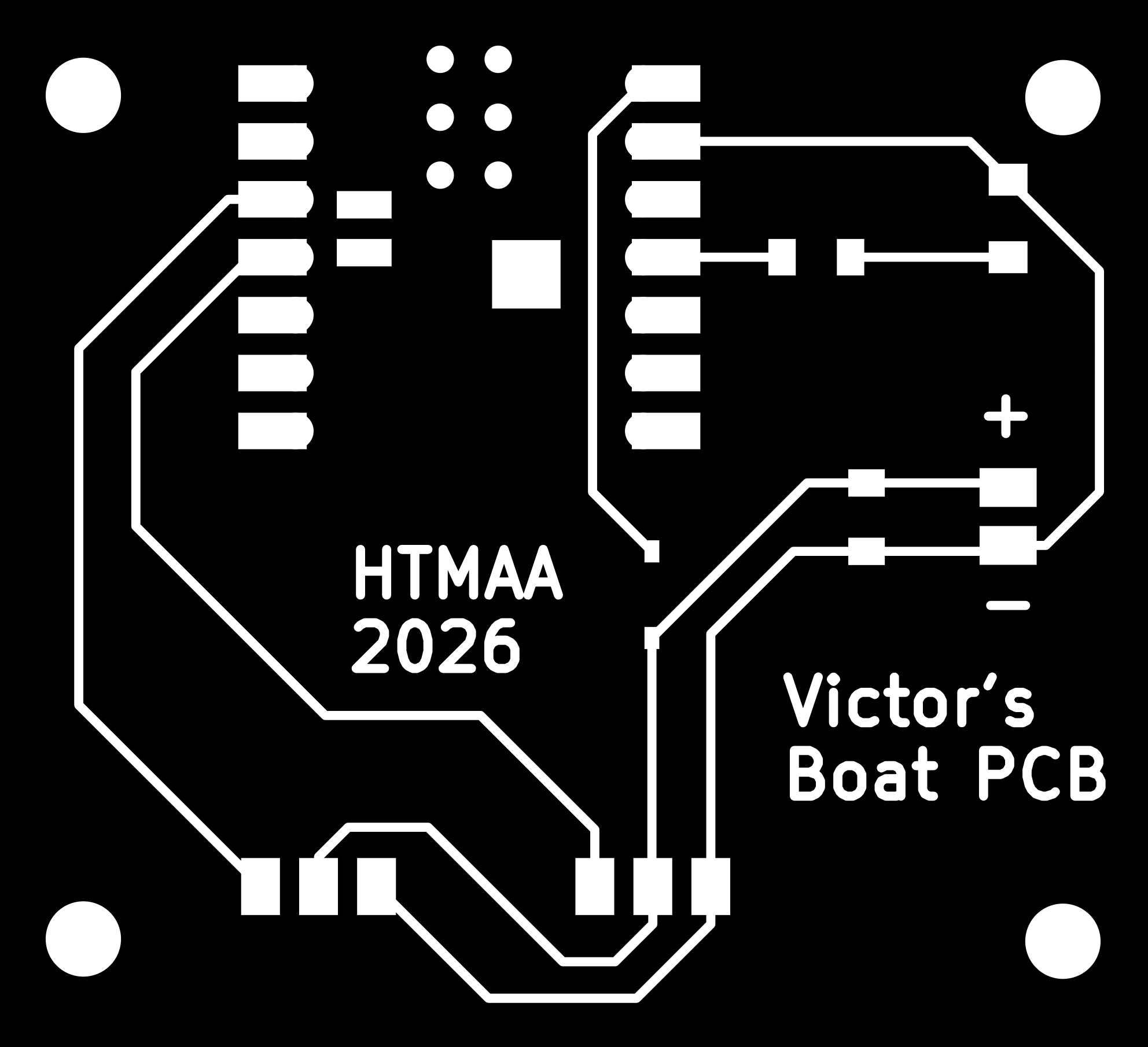
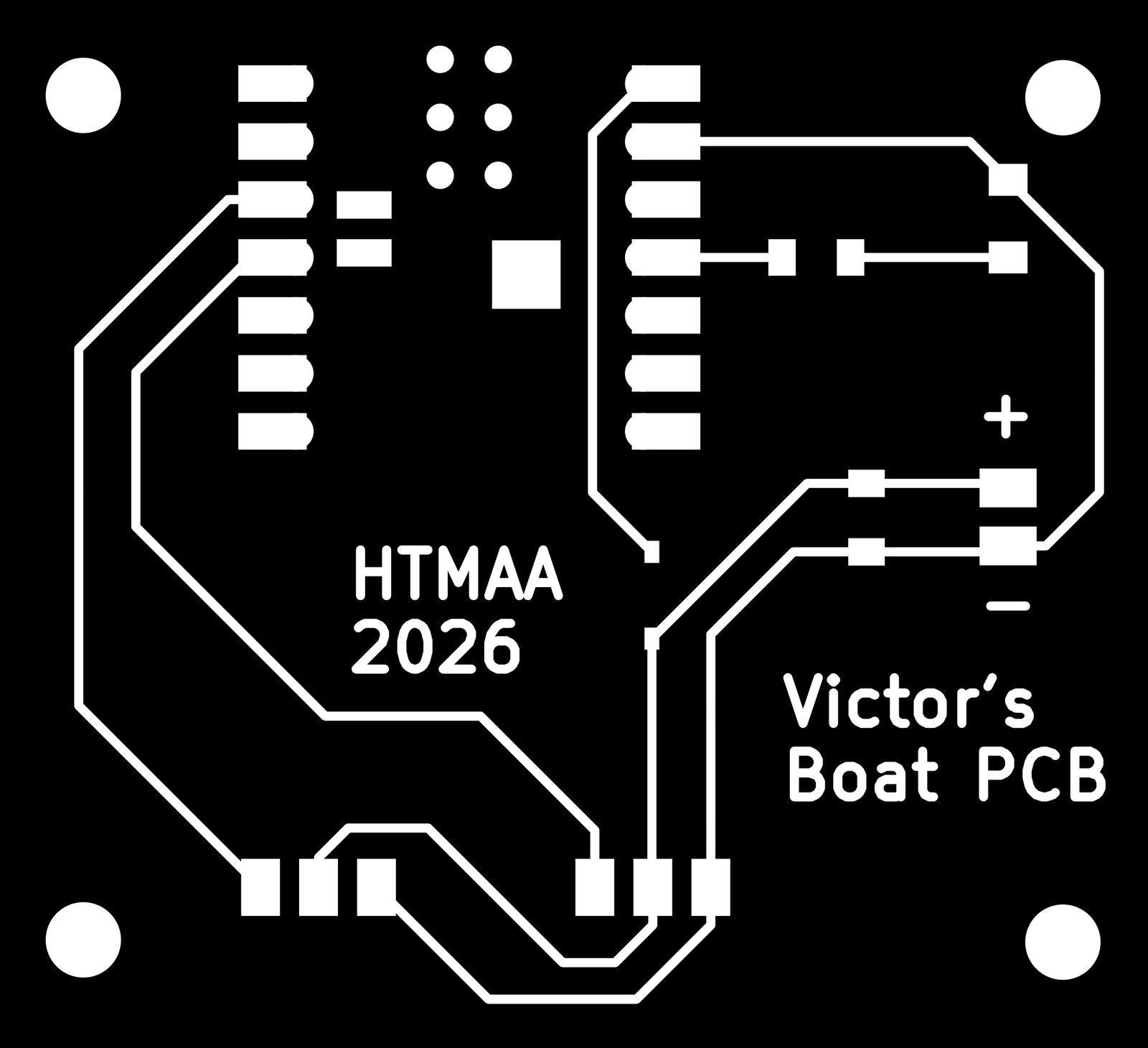
Then I exported the copper layer as a black and white image, which is what the milling machine works from: white is copper that stays, black is copper that gets milled away.
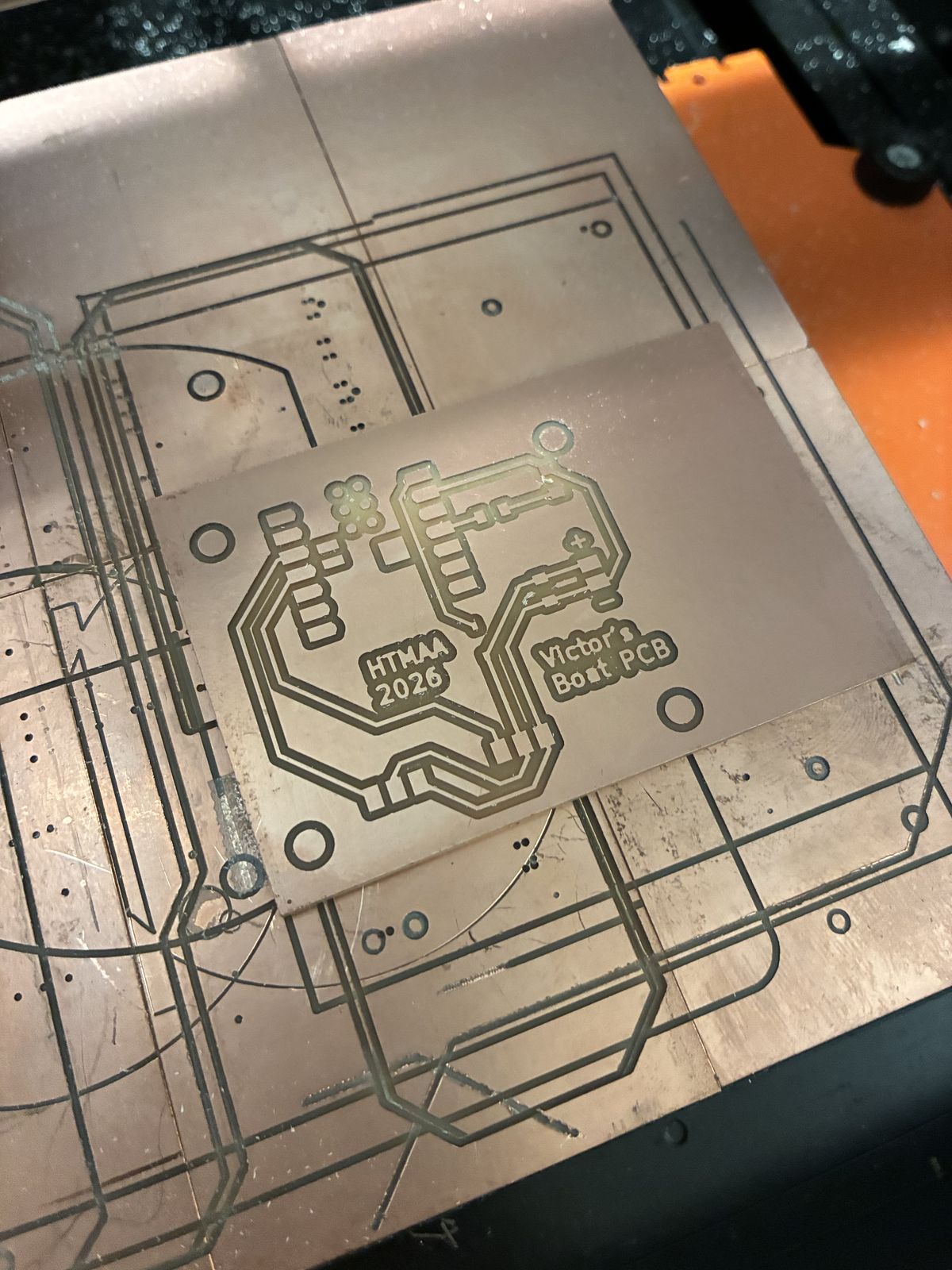
The board is milled in two passes: first a fine bit engraves around the tracks, then a bigger one cuts the board outline (and the holes) out of the copper sheet.
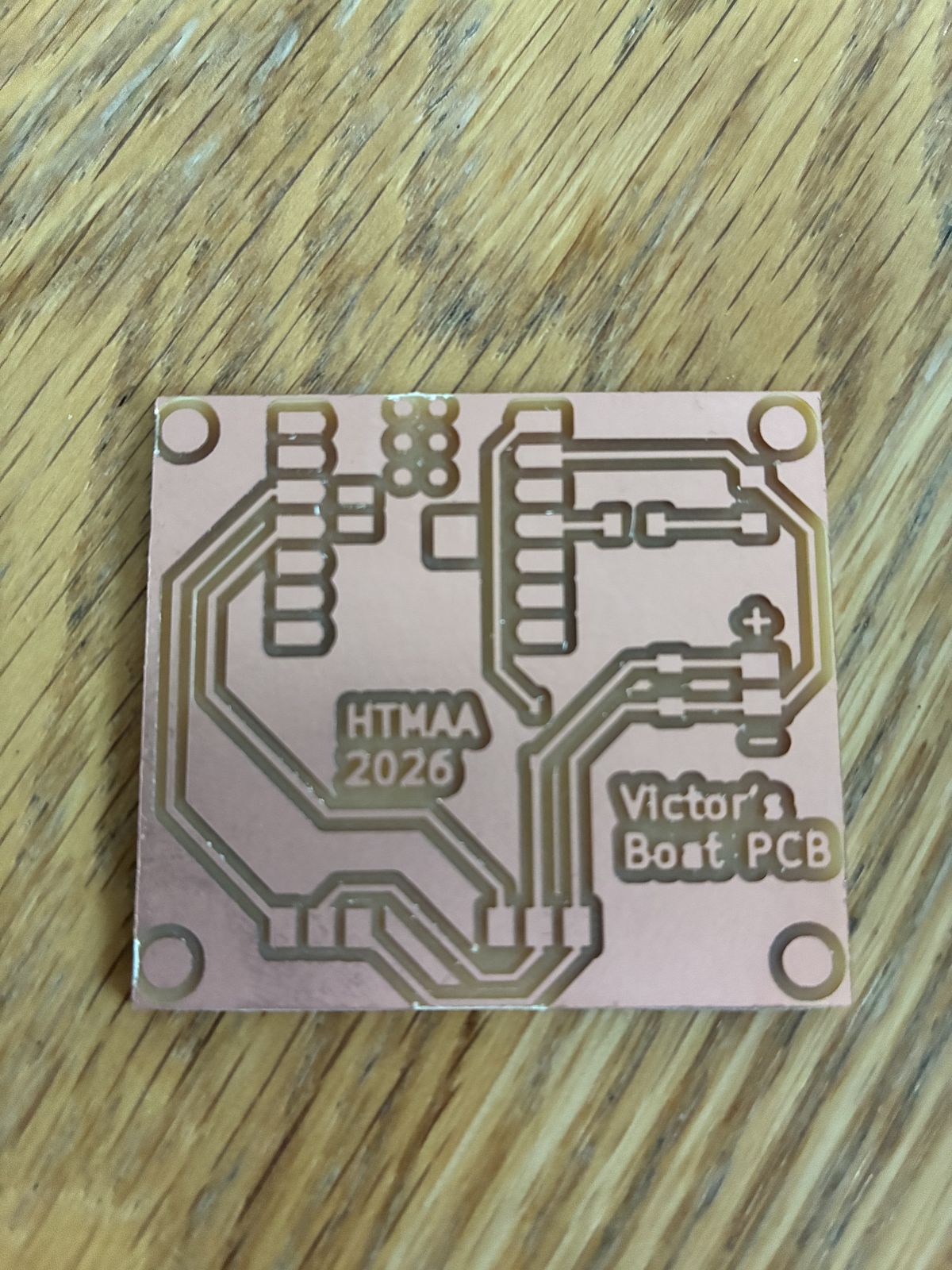
The first pass, for the tracks, with the 1/64″ bit, worked well. All the tracks came out clean, and even the text is readable. The second pass was a different story: the 1/32″ bit broke, and it never cut all the way through the board. So I finished the job by hand with a cutter, scoring along the milled outline until the board came loose, and then sanded the edges with sandpaper so they would not be sharp and frayed.
Next I went shopping in the lab's inventory: the XIAO ESP32-C3, the 1 kΩ resistor (marked "1001", which I can now read thanks to week 3: 100 × 10¹ Ω), the Schottky diode, the capacitor, the LED, and the headers.
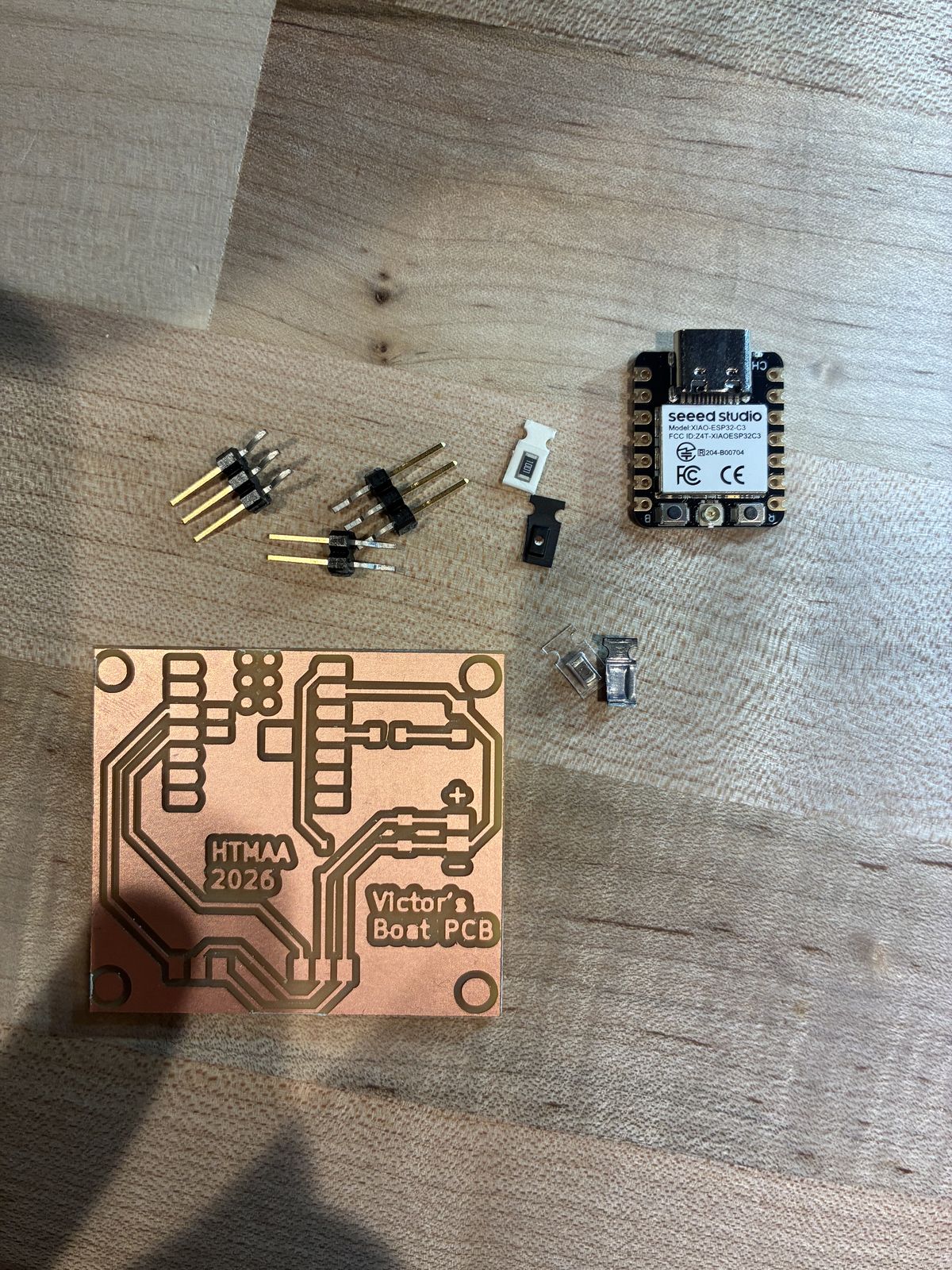
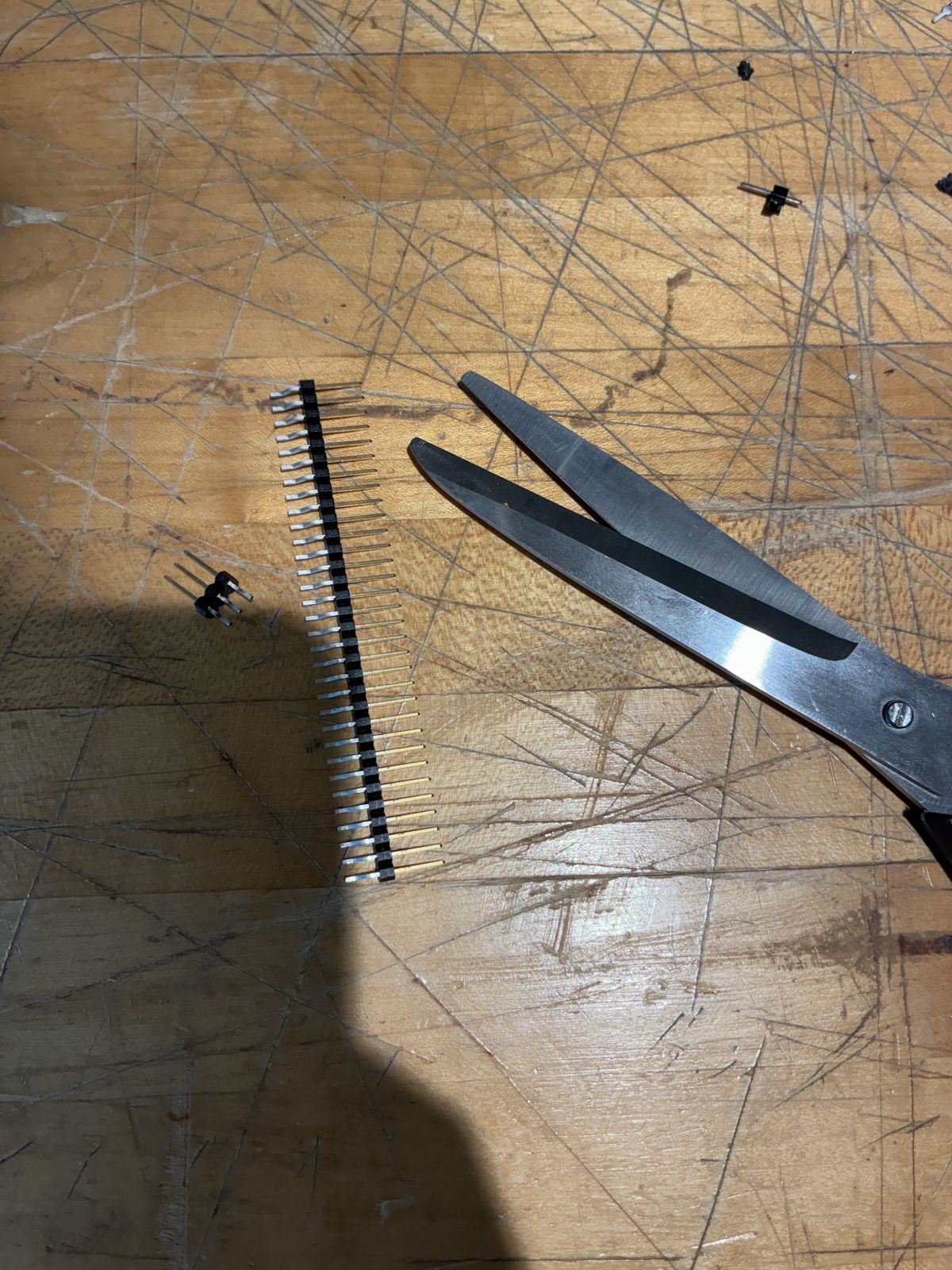
The headers come as one long strip, so you cut off exactly the number of pins you need: two strips of 3 for the servos and one strip of 2 for the battery.
I used the same bench and tools as in week 3: the Weller soldering iron, the Andonstar microscope, tweezers, and desoldering braid for the mistakes. I thought this would go fast, since I had already soldered a board. It did not. The parts are much smaller than on the QPAD, and getting each one on the right way round turned out to be the actual difficulty.
The XIAO first. I started with the microcontroller, since it is the biggest part and everything else is placed around it. The solder wire I picked first just would not work for me: I kept getting "cold" joints, where the solder sits on top of the pad as a dull lump instead of flowing onto it and making a proper connection. I changed to another solder wire and it instantly became much easier.
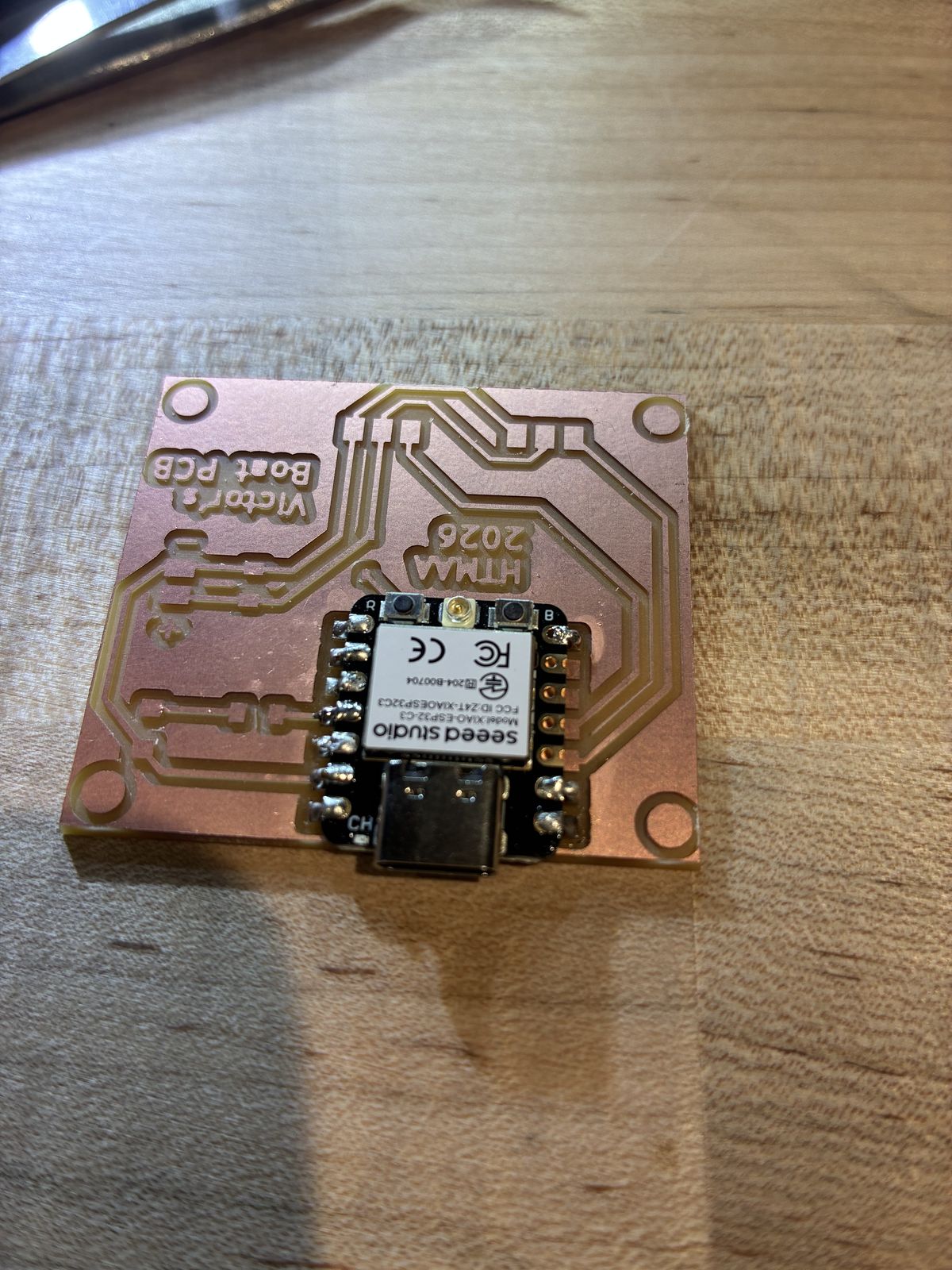
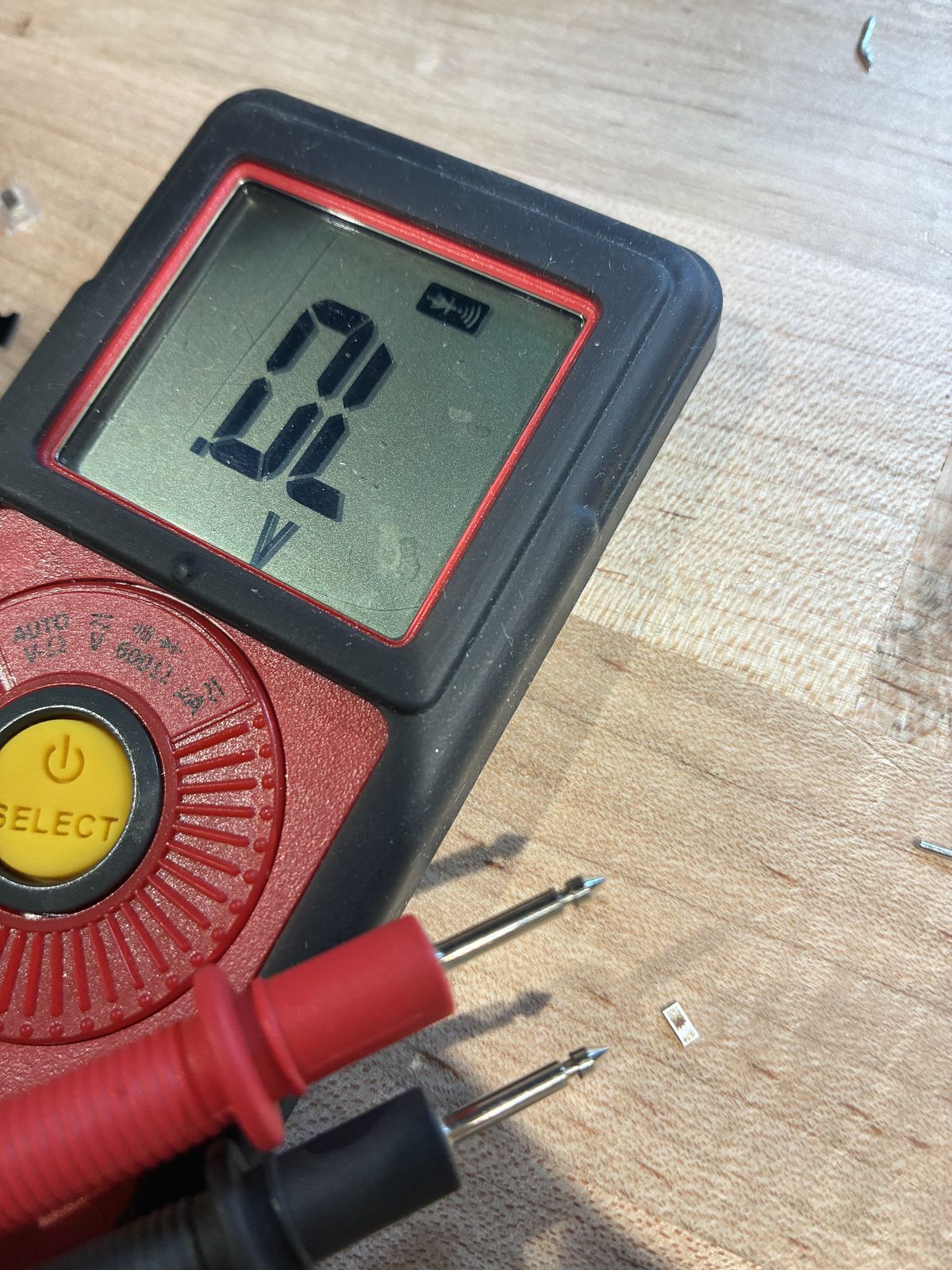
The LED, which is where it got hard. An LED only lets current through in one direction, from the anode (+) to the cathode (−), so it has to go on the right way round. I could not figure out which side was which on this tiny one. I checked every source I could think of: Google, Claude, the datasheet. I also tried to find out with the multimeter in diode mode, but I could not get it to work. In the end I decided to just solder it and see.
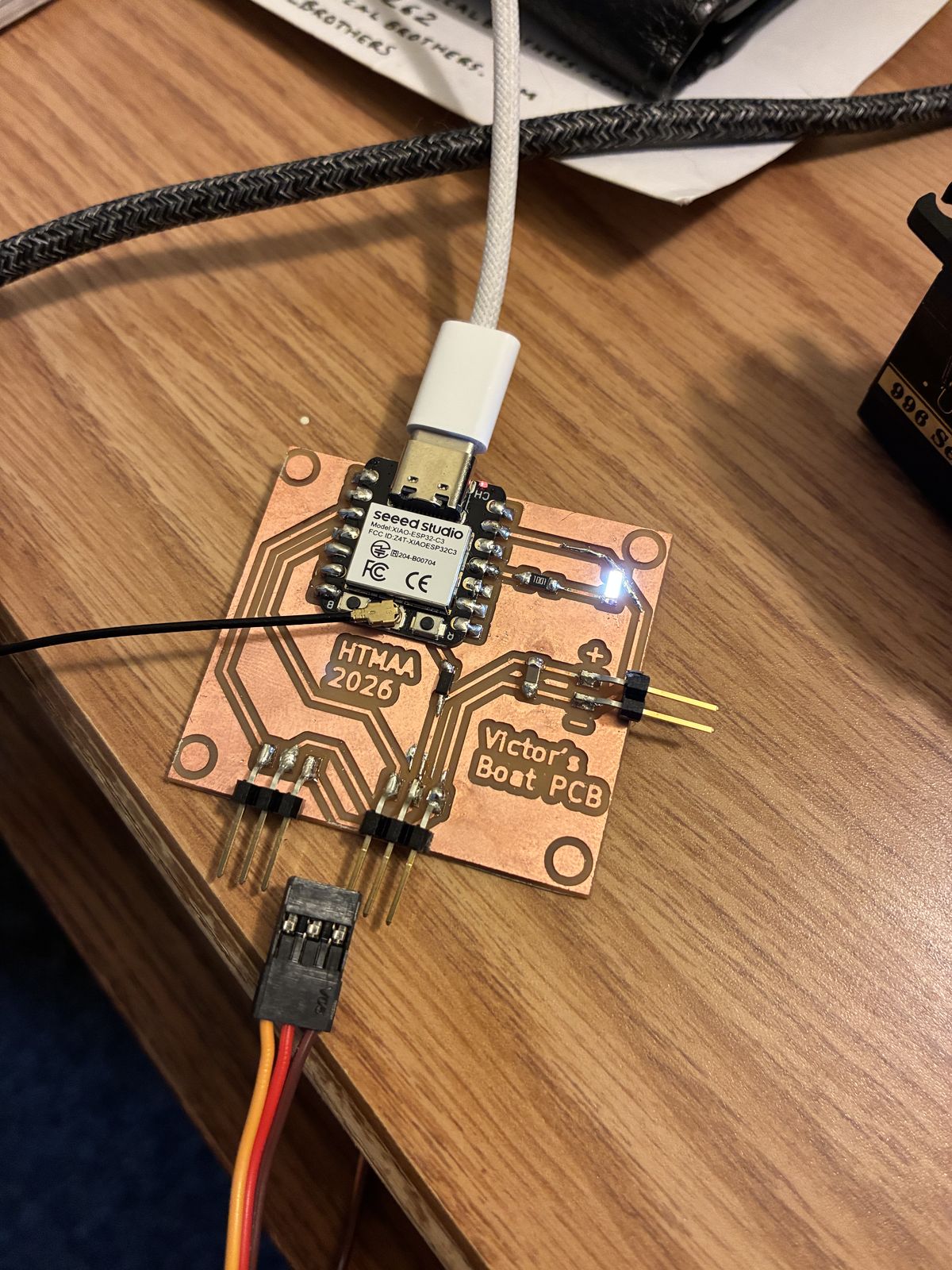
Unfortunately, while I was working on the LED, I pulled off part of the copper track next to it. On a milled board the copper is a very thin layer glued on top, and once it is gone, it is gone. To repair it, I soldered a small piece of wire along the path the track used to take, so the circuit is closed again. It is not pretty, but electricity does not care about pretty.
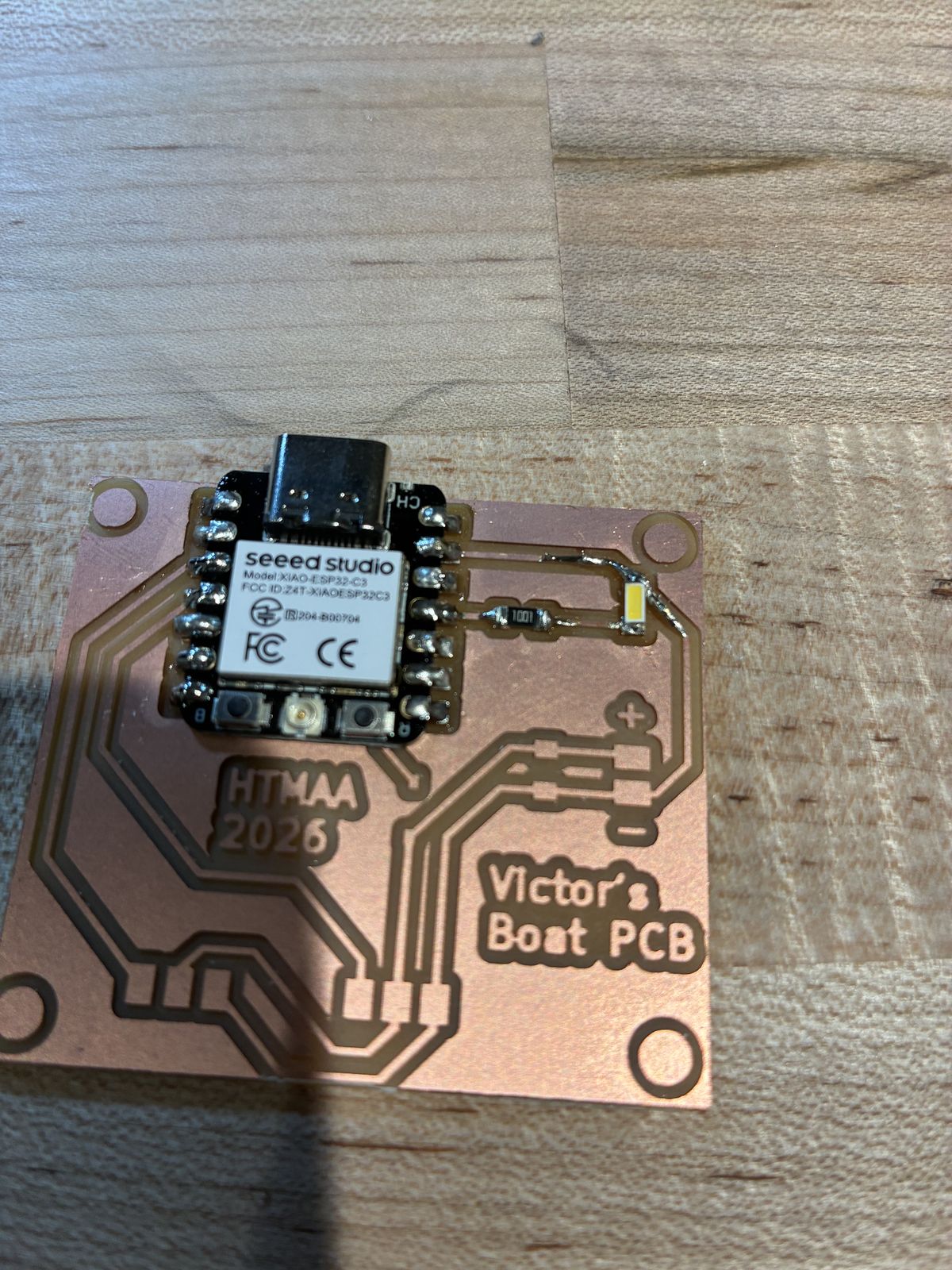
The diode was easier. It has a visible line printed on one end that marks the cathode, so there was no guessing.
The headers went on last. They were not too complicated, although the battery header does not lie perfectly flat. I also clipped the little Wi-Fi antenna onto the XIAO.
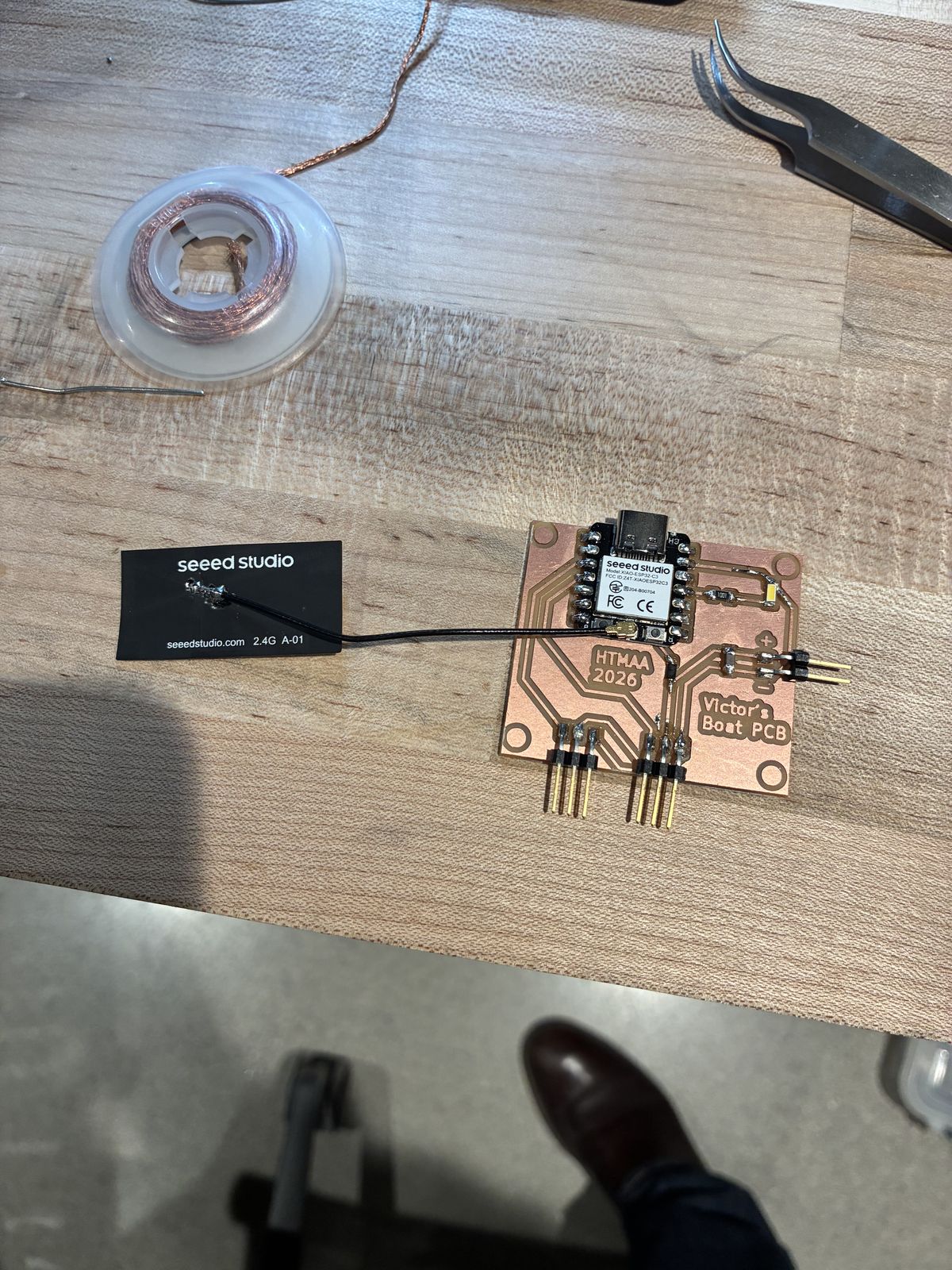
I then grabbed the two servos that I am going to use for the final project, plugged them in to check that the plugs fit the headers, and headed home to test the board.
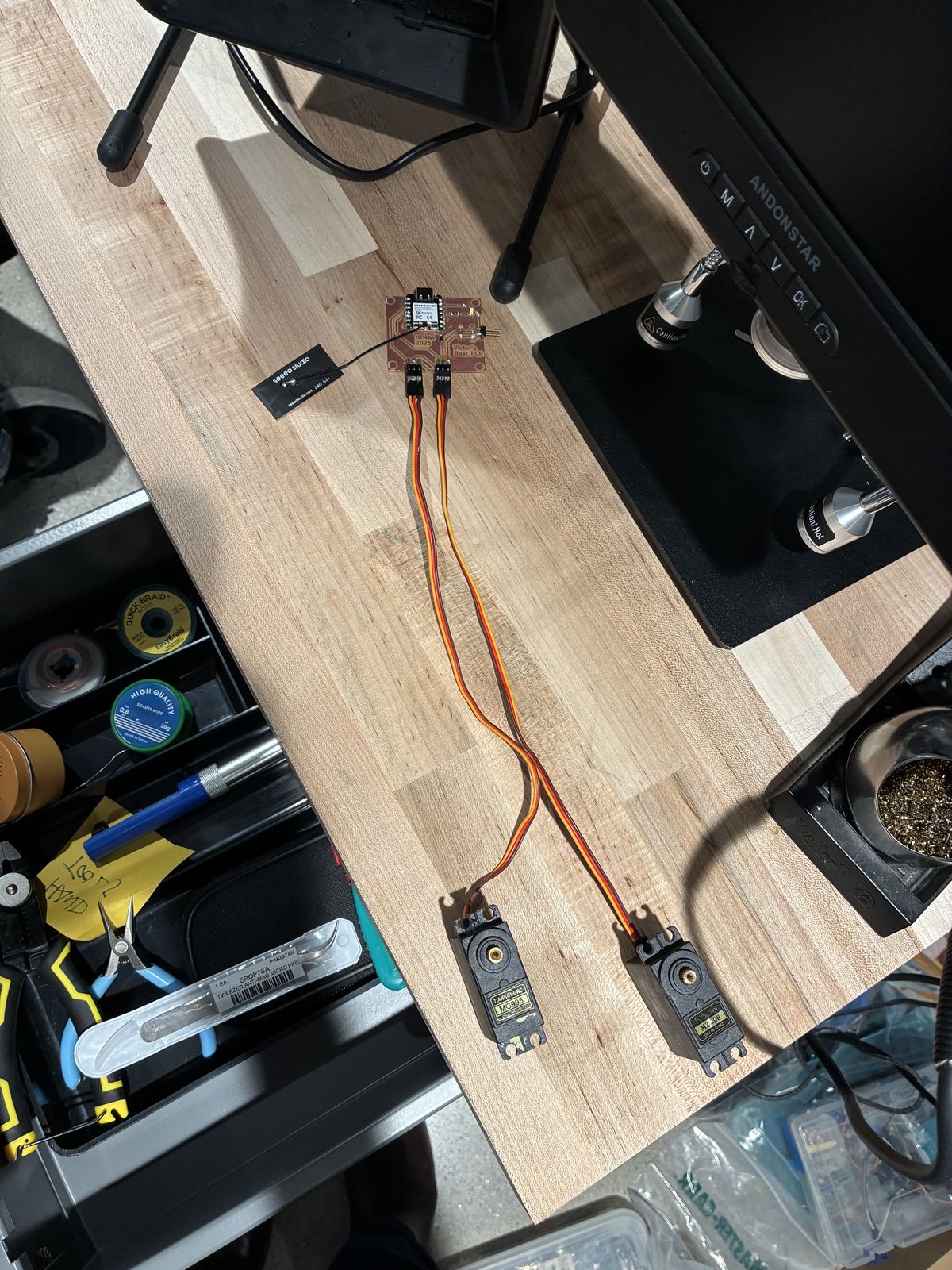
There was a catch: I don't have a battery yet. Over USB, the XIAO is powered, but the servos are wired to the battery input, and the diode sits between the two. Its whole job is to stop current from going from the XIAO back towards the battery side, which means it also stops USB power from reaching the servos. That is exactly what I designed it to do, and exactly what stopped me from testing them. So for now, the only thing I could test was the LED.
The test program blinks the LED on D10 and prints a message to the computer, to check that the XIAO, the LED and its resistor are all soldered correctly:
// Step 1 - Blink the status LED on D10
// Checks that the XIAO, the LED and R1 are soldered correctly.

const int LED_PIN = D10;   // our LED is wired to pin D10

void setup() {
  pinMode(LED_PIN, OUTPUT);       // D10 will send current out
  Serial.begin(115200);           // open a message channel to the computer
  Serial.println("Victor's Boat PCB is alive!");
}

void loop() {
  digitalWrite(LED_PIN, HIGH);    // LED on
  Serial.println("LED on");
  delay(500);                     // wait 0.5 seconds
  digitalWrite(LED_PIN, LOW);     // LED off
  Serial.println("LED off");
  delay(500);
}
And the LED lit up (that is the photo at the top of this page). Given my "solder it and see" approach to finding the cathode, I guess I was lucky on that one. So it works, at least the part I can test without a battery.
Talk to people before you mill. Both redesigns came from a five-minute conversation, and both would have been painful to discover on a finished board, especially the servo wire order, which would have sent the battery voltage into the wrong wire of the sail servo.
A component's real-world constraints matter as much as the schematic. KiCad was happy with my J2 header. The servo cable, which already has its plug on it, was not.
Soldering is not a skill you learn once. Every new part size brings its own problems, and when a joint will not take, the problem is often the solder wire, not your hand.
Copper tracks are fragile. When one tears off, a piece of wire soldered along its path does the same job.
Next step, once I have a battery: making the servos move.